DISCOVER Digital Toolkit är en
interaktiv och innovativ online-
resurs som innehåller praktisk
vägledning om hur man använder
20 av de bästa digitala verktygen
tillgängliga idag för
vuxenutbildning.
"Ger vuxenutbildare och elever större möjlighet att nå mer kvalitativa resultat genom enkel
tillgång till läroverktygen”
Google Classroom
The European Commission's support for the production of this publication does not constitute an
endorsement of the contents, which reflect the views only of the authors, and the Commission cannot be held
responsible for any use which may be made of the information contained therein.
DISCOVER TOOLKIT
De 20 bästa verktygen för vuxnas lärande
Som ett verktyg för vuxnas lärande
Verktygets namn: Google Classroom
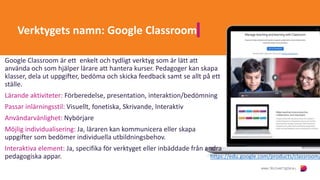
Google Classroom är ett enkelt och tydligt verktyg som är lätt att
använda och som hjälper lärare att hantera kurser. Pedagoger kan skapa
klasser, dela ut uppgifter, bedöma och skicka feedback samt se allt på ett
ställe.
Lärande aktiviteter: Förberedelse, presentation, interaktion/bedömning
Passar inlärningsstil: Visuellt, fonetiska, Skrivande, Interaktiv
Användarvänlighet: Nybörjare
Möjlig individualisering: Ja, läraren kan kommunicera eller skapa
uppgifter som bedömer individuella utbildningsbehov.
Interaktiva element: Ja, specifika för verktyget eller inbäddade från andra
pedagogiska appar. https://edu.google.com/products/classroom/
Komma igång med: Google Classroom
Instruktioner för utbildare
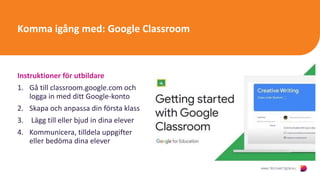
1. Gå till classroom.google.com och
logga in med ditt Google-konto
2. Skapa och anpassa din första klass
3. Lägg till eller bjud in dina elever
4. Kommunicera, tilldela uppgifter
eller bedöma dina elever
Click to
watch
and
learn
:
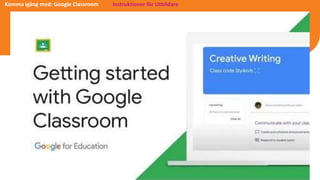
Komma igång med: Google Classroom Instruktioner för Utbildare
Citat från Lärare
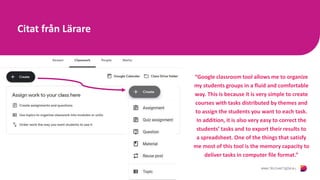
“Google classroom tool allows me to organize
my students groups in a fluid and comfortable
way. This is because it is very simple to create
courses with tasks distributed by themes and
to assign the students you want to each task.
In addition, it is also very easy to correct the
students’ tasks and to export their results to
a spreadsheet. One of the things that satisfy
me most of this tool is the memory capacity to
deliver tasks in computer file format.”
Citat från Lärare – ett nyckelverktyg under COVID19
“During this time when every single thing seems to be stressful, as a teacher
and educator, Google Classroom truly is a game changer. I was brand new to the
software when COVID-19 was introduced and quickly (within a week)
acclimated myself to the user friend Google Classroom. This tool allows us to
upload material, assignments for turning in, important announcements and
grading all in one place. Each subject has a topic area and things are very neat
and organized making it very easy for students to navigate too.”
Citat från en vuxen elev– "det bästa är appen"
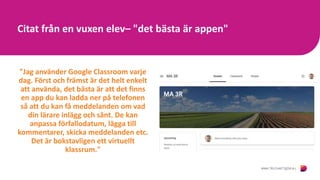
"Jag använder Google Classroom varje
dag. Först och främst är det helt enkelt
att använda, det bästa är att det finns
en app du kan ladda ner på telefonen
så att du kan få meddelanden om vad
din lärare inlägg och sånt. De kan
anpassa förfallodatum, lägga till
kommentarer, skicka meddelanden etc.
Det är bokstavligen ett virtuellt
klassrum."
The European Commission's support for the production of this publication does not constitute an
endorsement of the contents, which reflect the views only of the authors, and the Commission cannot be held
responsible for any use which may be made of the information contained therein.
Se mer om DISCOVER:
www.discoverdigital.eu
Prenumerera på vår
YouTube Channel
Google class

  • 2.
    DISCOVER Digital Toolkitär en interaktiv och innovativ online- resurs som innehåller praktisk vägledning om hur man använder 20 av de bästa digitala verktygen tillgängliga idag för vuxenutbildning. "Ger vuxenutbildare och elever större möjlighet att nå mer kvalitativa resultat genom enkel tillgång till läroverktygen”
  • 3.
    Google Classroom The EuropeanCommission's support for the production of this publication does not constitute an endorsement of the contents, which reflect the views only of the authors, and the Commission cannot be held responsible for any use which may be made of the information contained therein. DISCOVER TOOLKIT De 20 bästa verktygen för vuxnas lärande Som ett verktyg för vuxnas lärande
  • 4.
    Verktygets namn: GoogleClassroom Google Classroom är ett enkelt och tydligt verktyg som är lätt att använda och som hjälper lärare att hantera kurser. Pedagoger kan skapa klasser, dela ut uppgifter, bedöma och skicka feedback samt se allt på ett ställe. Lärande aktiviteter: Förberedelse, presentation, interaktion/bedömning Passar inlärningsstil: Visuellt, fonetiska, Skrivande, Interaktiv Användarvänlighet: Nybörjare Möjlig individualisering: Ja, läraren kan kommunicera eller skapa uppgifter som bedömer individuella utbildningsbehov. Interaktiva element: Ja, specifika för verktyget eller inbäddade från andra pedagogiska appar. https://edu.google.com/products/classroom/
  • 5.
    Komma igång med:Google Classroom Instruktioner för utbildare 1. Gå till classroom.google.com och logga in med ditt Google-konto 2. Skapa och anpassa din första klass 3. Lägg till eller bjud in dina elever 4. Kommunicera, tilldela uppgifter eller bedöma dina elever Click to watch and learn :
  • 6.
    Komma igång med:Google Classroom Instruktioner för Utbildare
  • 7.
    Citat från Lärare “Googleclassroom tool allows me to organize my students groups in a fluid and comfortable way. This is because it is very simple to create courses with tasks distributed by themes and to assign the students you want to each task. In addition, it is also very easy to correct the students’ tasks and to export their results to a spreadsheet. One of the things that satisfy me most of this tool is the memory capacity to deliver tasks in computer file format.”
  • 8.
    Citat från Lärare– ett nyckelverktyg under COVID19 “During this time when every single thing seems to be stressful, as a teacher and educator, Google Classroom truly is a game changer. I was brand new to the software when COVID-19 was introduced and quickly (within a week) acclimated myself to the user friend Google Classroom. This tool allows us to upload material, assignments for turning in, important announcements and grading all in one place. Each subject has a topic area and things are very neat and organized making it very easy for students to navigate too.”
  • 9.
    Citat från envuxen elev– "det bästa är appen" "Jag använder Google Classroom varje dag. Först och främst är det helt enkelt att använda, det bästa är att det finns en app du kan ladda ner på telefonen så att du kan få meddelanden om vad din lärare inlägg och sånt. De kan anpassa förfallodatum, lägga till kommentarer, skicka meddelanden etc. Det är bokstavligen ett virtuellt klassrum."
  • 10.
    The European Commission'ssupport for the production of this publication does not constitute an endorsement of the contents, which reflect the views only of the authors, and the Commission cannot be held responsible for any use which may be made of the information contained therein. Se mer om DISCOVER: www.discoverdigital.eu Prenumerera på vår YouTube Channel