DIY - 還原使⽤用者操作現場
April 24th 2014
Shih-En Chou!
QSearch Frontend Engineer (2012.12 - Now)!
Experience in Google Analytics for 1 yr
Why Google Analytics?
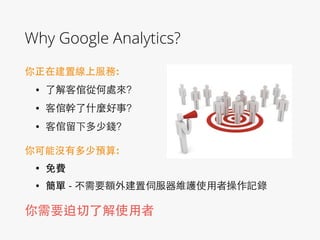
你正在建置線上服務:!
• 了解客倌從何處來?
• 客倌幹了什麼好事?
• 客倌留下多少錢?
你可能沒有多少預算:!
• 免費
• 簡單 - 不需要額外建置伺服器維護使⽤用者操作記錄
你需要迫切了解使⽤用者
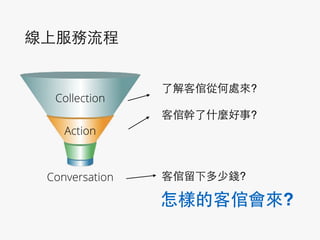
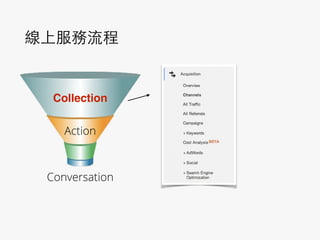
線上服務流程
了解客倌從何處來?!
客倌幹了什麼好事?

!
客倌留下多少錢?
Collection
Action
Conversation
怎樣的客倌會來?
Key Performance Indicator(KPI)
⼜又稱主要績效指標,是指衡量⼀一個管理⼯工作成
效最重要的指標,是⼀一項數據化管理的⼯工具,必須是客
觀、可衡量的績效指標。這個名詞往往⽤用於財政、⼀一般
⾏行政事務的衡量。
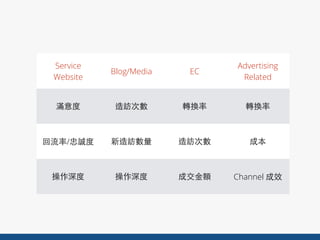
What’s your ?
Service
Website
Blog/Media EC
Advertising
Related
滿意度 造訪次數 轉換率 轉換率
回流率/忠誠度 新造訪數量 造訪次數 成本
操作深度 操作深度 成交⾦金額 Channel 成效
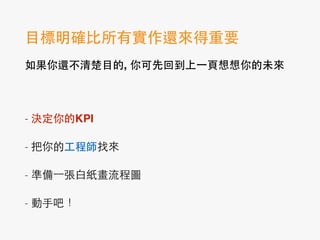
⺫⽬目標明確⽐比所有實作還來得重要!
如果你還不清楚⺫⽬目的, 你可先回到上⼀一⾴頁想想你的未來!
!
- 決定你的KPI
- 把你的⼯工程師找來
- 準備⼀一張⽩白紙畫流程圖
- 動⼿手吧!
Big Data Analysis?
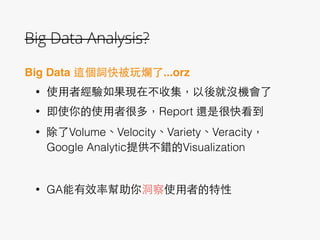
Big Data 這個詞快被玩爛了...orz!
• 使⽤用者經驗如果現在不收集,以後就沒機會了
• 即使你的使⽤用者很多,Report 還是很快看到
• 除了Volume、Velocity、Variety、Veracity,
Google Analytic提供不錯的Visualization
!
• GA能有效率幫助你洞察使⽤用者的特性
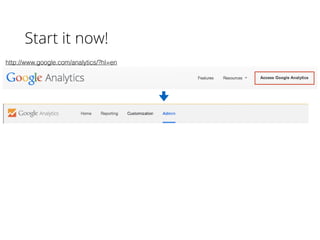
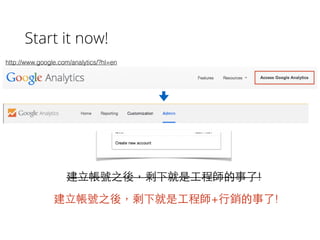
Start it now!
http://www.google.com/analytics/?hl=en
Start it now!
http://www.google.com/analytics/?hl=en
建⽴立帳號之後,剩下就是⼯工程師的事了!
建⽴立帳號之後,剩下就是⼯工程師+⾏行銷的事了!
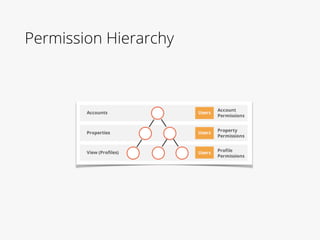
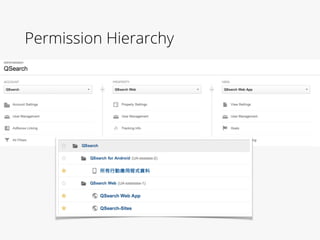
Permission Hierarchy
塞Code 對⼯工程師⼀一點都不難(cmd+C, cmd+V)
基本款(JS Tracking Code):!
	
  
(function(i,s,o,g,r,a,m){i['GoogleAnalyticsObject']=r;i[r]=i[r]||function(){
(i[r].q=i[r].q||[]).push(arguments)},i[r].l=1*new Date();a=s.createElement(o),
m=s.getElementsByTagName(o)[0];a.async=1;a.src=g;m.parentNode.insertBefore(a,m)
})(window,document,'script','//www.google-analytics.com/analytics.js','ga');
!
ga('create', 'UA-48135478-1', 'ntu.edu.tw');
ga('send', 'pageview');
Analytics ID
{code} https://developers.google.com/analytics/
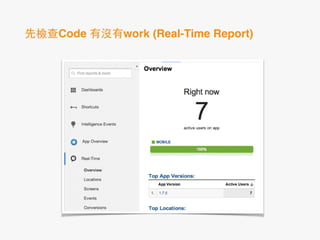
先檢查Code 有沒有work (Real-Time Report)
線上服務流程
Collection
Action
Conversation
攬客(Acquisition)
Dimension:
!
Source:identify a search engine, newsletter name, or
other source.
Medium: identify a medium such as email or cost-
per- click
Keyword: note the keywords for this “ad”
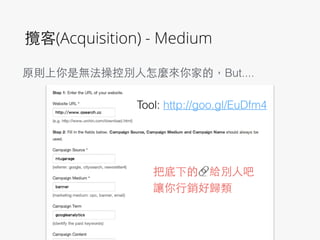
攬客(Acquisition) - Medium
!
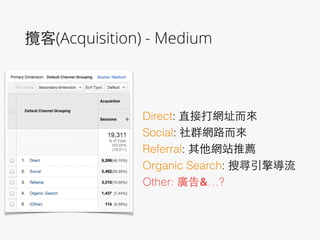
Direct: 直接打網址⽽而來
Social: 社群網路⽽而來
Referral: 其他網站推薦
Organic Search: 搜尋引擎導流
Other: 廣告&…?
攬客(Acquisition) - Medium
把底下的🔗給別⼈人吧
讓你⾏行銷好歸類
原則上你是無法操控別⼈人怎麼來你家的,But....
Tool: http://goo.gl/EuDfm4
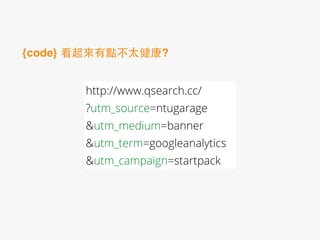
http://www.qsearch.cc/
?utm_source=ntugarage
&utm_medium=banner
&utm_term=googleanalytics
&utm_campaign=startpack
{code} 看起來有點不太健康?
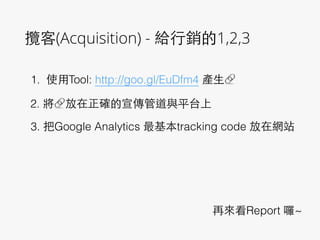
攬客(Acquisition) - 給⾏行銷的1,2,3
1. 使⽤用Tool: http://goo.gl/EuDfm4 產⽣生🔗
2. 將🔗放在正確的宣傳管道與平台上
3. 把Google Analytics 最基本tracking code 放在網站
再來看Report 囉~
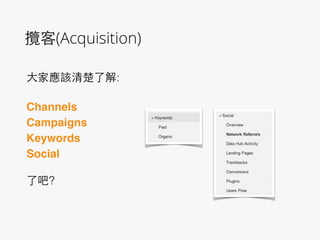
攬客(Acquisition)
⼤大家應該清楚了解:
!
Channels!
Campaigns!
Keywords!
Social!
!
了吧?
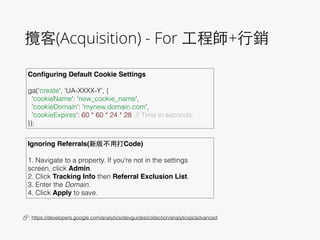
攬客(Acquisition) - For ⼯工程師+⾏行銷
Configuring Default Cookie Settings!


ga('create', 'UA-XXXX-Y', {
'cookieName': 'new_cookie_name',
'cookieDomain': 'mynew.domain.com',
'cookieExpires': 60 * 60 * 24 * 28 // Time in seconds.
});
🔗 : https://developers.google.com/analytics/devguides/collection/analyticsjs/advanced
Ignoring Referrals(新版不⽤用打Code)!


1. Navigate to a property. If you're not in the settings
screen, click Admin.
2. Click Tracking Info then Referral Exclusion List.
3. Enter the Domain.
4. Click Apply to save.
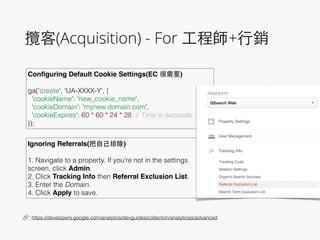
攬客(Acquisition) - For ⼯工程師+⾏行銷
Configuring Default Cookie Settings(EC 很需要)!


ga('create', 'UA-XXXX-Y', {
'cookieName': 'new_cookie_name',
'cookieDomain': 'mynew.domain.com',
'cookieExpires': 60 * 60 * 24 * 28 // Time in seconds.
});
🔗 : https://developers.google.com/analytics/devguides/collection/analyticsjs/advanced
Ignoring Referrals(把⾃自⼰己排除)!


1. Navigate to a property. If you're not in the settings
screen, click Admin.
2. Click Tracking Info then Referral Exclusion List.
3. Enter the Domain.
4. Click Apply to save.
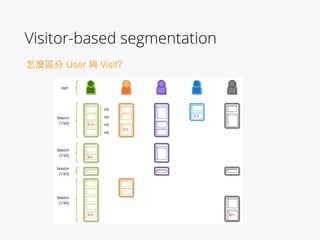
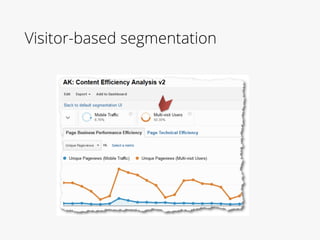
Visitor-based segmentation
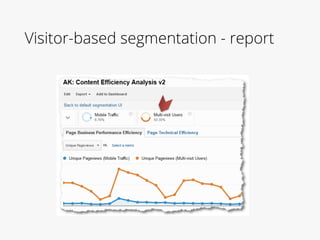
怎麼區分 User 與 Visit?
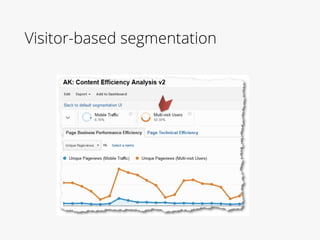
Visitor-based segmentation
Visitor-based segmentation - report
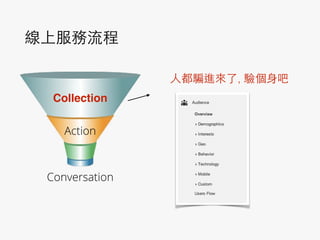
線上服務流程
Collection
Action
Conversation
⼈人都騙進來了, 驗個⾝身吧
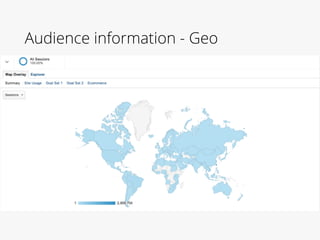
Audience information - Geo
Audience information -

Custom Variable
很多服務都有使⽤用Facebook 登⼊入
!
可以取得性別[, 教育][, ⼯工作][,朋友數]
怎麼透過GA記錄呢?
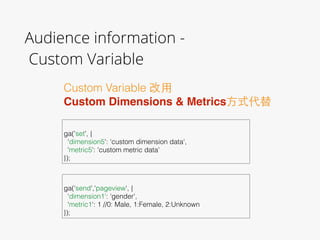
Audience information -

Custom Variable
Custom Variable 改⽤用
Custom Dimensions & Metrics⽅方式代替


ga('set', {
'dimension5': 'custom dimension data',
'metric5': 'custom metric data'
});


ga(‘send','pageview', {
‘dimension1': 'gender',
'metric1': 1 //0: Male, 1:Female, 2:Unknown
});
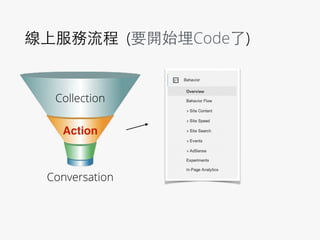
線上服務流程 (要開始埋Code了)
Collection
Action
Conversation
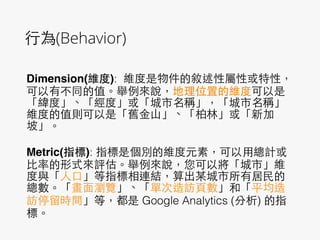
⾏行為(Behavior)
Dimension(維度): 維度是物件的敘述性屬性或特性,
可以有不同的值。舉例來說,地理位置的維度可以是
「緯度」、「經度」或「城市名稱」,「城市名稱」
維度的值則可以是「舊⾦金⼭山」、「柏林」或「新加
坡」。
!
Metric(指標): 指標是個別的維度元素,可以⽤用總計或
⽐比率的形式來評估。舉例來說,您可以將「城市」維
度與「⼈人⼝口」等指標相連結,算出某城市所有居⺠民的
總數。「畫⾯面瀏覽」、「單次造訪⾴頁數」和「平均造
訪停留時間」等,都是 Google Analytics (分析) 的指
標。
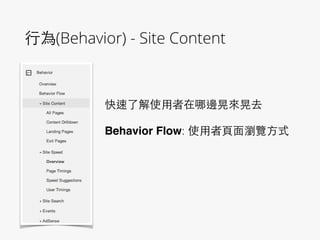
⾏行為(Behavior) - Site Content
快速了解使⽤用者在哪邊晃來晃去
!
Behavior Flow: 使⽤用者⾴頁⾯面瀏覽⽅方式

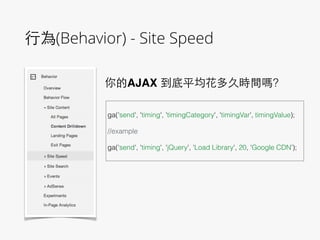
⾏行為(Behavior) - Site Speed
你的AJAX 到底平均花多久時間嗎?
!
ga('send', 'timing', 'timingCategory', 'timingVar', timingValue);
!
//example
!
ga('send', 'timing', 'jQuery', 'Load Library', 20, 'Google CDN’);
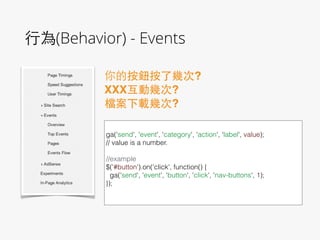
⾏行為(Behavior) - Events
你的按鈕按了幾次?!
XXX互動幾次?!
檔案下載幾次?
!
ga('send', 'event', 'category', 'action', 'label', value);
// value is a number.
!
//example
$('#button').on('click', function() {
ga('send', 'event', 'button', 'click', 'nav-buttons', 1);
});
!
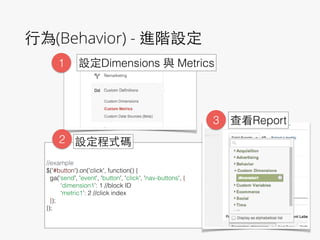
⾏行為(Behavior) - 進階設定
!
!
//example
$('#button').on('click', function() {
ga('send', 'event', 'button', 'click', 'nav-buttons', {
‘dimension1’: 1 //block ID
‘metric1’: 2 //click index
});
});
!
1 設定Dimensions 與 Metrics
2 設定程式碼
3 查看Report
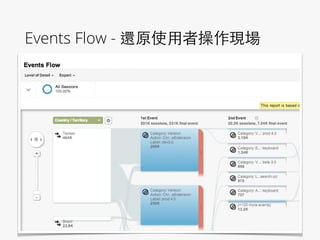
Events Flow - 還原使⽤用者操作現場


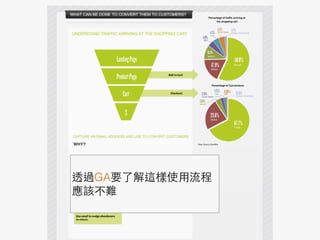
透過GA要了解這樣使⽤用流程
應該不難

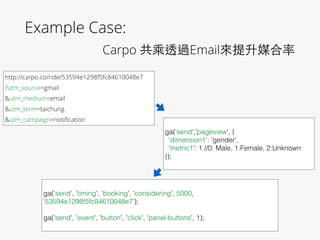
Example Case: 

Carpo 共乘透過Email來提升媒合率
http://carpo.co/ride/53594e1298f5fc84610048e7
?utm_source=gmail
&utm_medium=email
&utm_term=taichung
&utm_campaign=notification


ga(‘send','pageview', {
‘dimension1': 'gender',
'metric1': 1 //0: Male, 1:Female, 2:Unknown
});
!
ga('send', 'timing', 'booking', 'considering', 5000,
‘53594e1298f5fc84610048e7’);
!
ga('send', 'event', 'button', 'click', 'panel-buttons', 1);
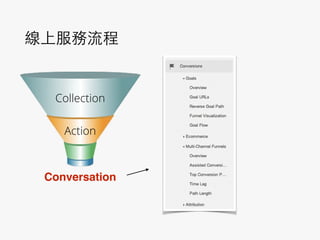
線上服務流程
Collection
Action
Conversation
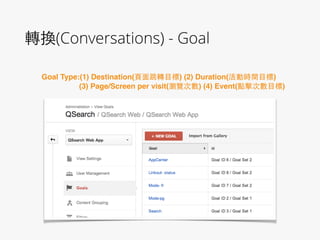
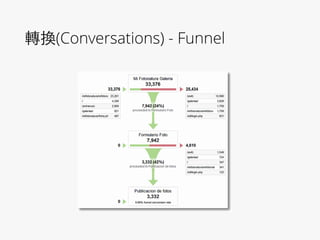
轉換(Conversations) - Goal
Goal Type:(1) Destination(⾴頁⾯面跳轉⺫⽬目標) (2) Duration(活動時間⺫⽬目標)!
(3) Page/Screen per visit(瀏覽次數) (4) Event(點擊次數⺫⽬目標)
轉換(Conversations) - Funnel
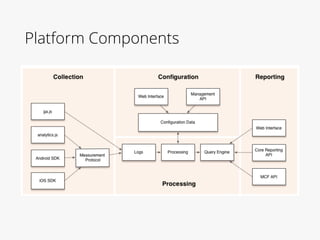
Platform Components
Q & A
Bonus

Google analytics 還原使用者操作現場