1
a not-so-short answer to the question...
...is
suitable enough for biostatisticians
involved in Clinical Research & Evidence-Based Medicine?
Adrian Olszewski
...and can it replace SAS in this area?
r.clin.res@gmail.comLast update: 15th
June, 2015
2
WeRcome!
Welcome to my journey through the world of R!
✔ Become familiar with the lingua franca of statistics
✔ Discover applications of R in Evidence-Based Medicine
✔ Rock, squeeze and explore your data deeply - for free
✔ Find 13 reasons why you will love R! cannot wait? jump now!
✔ Enhance your skills...
...and start using R today!...and start using R today!
3
...befoRe we start...
DISCLAIMERDISCLAIMER
All trademarks, logos of companies and names of products
used in this document
are the sole property of their respective owners
and are included here
for informational, illustrative purposes only nominative fair use
•••
This presentation is based exclusively on information
publicly available on the Internet under provided hyperlinks.
•••
If you think I violate your rights, please email me: r.clin.res@gmail.com
4
Agenda
● Brief introduction
● The R family
● 7 cool facts about R
● List of R users
● Is R a popular software?
● Demonstrative screenshots
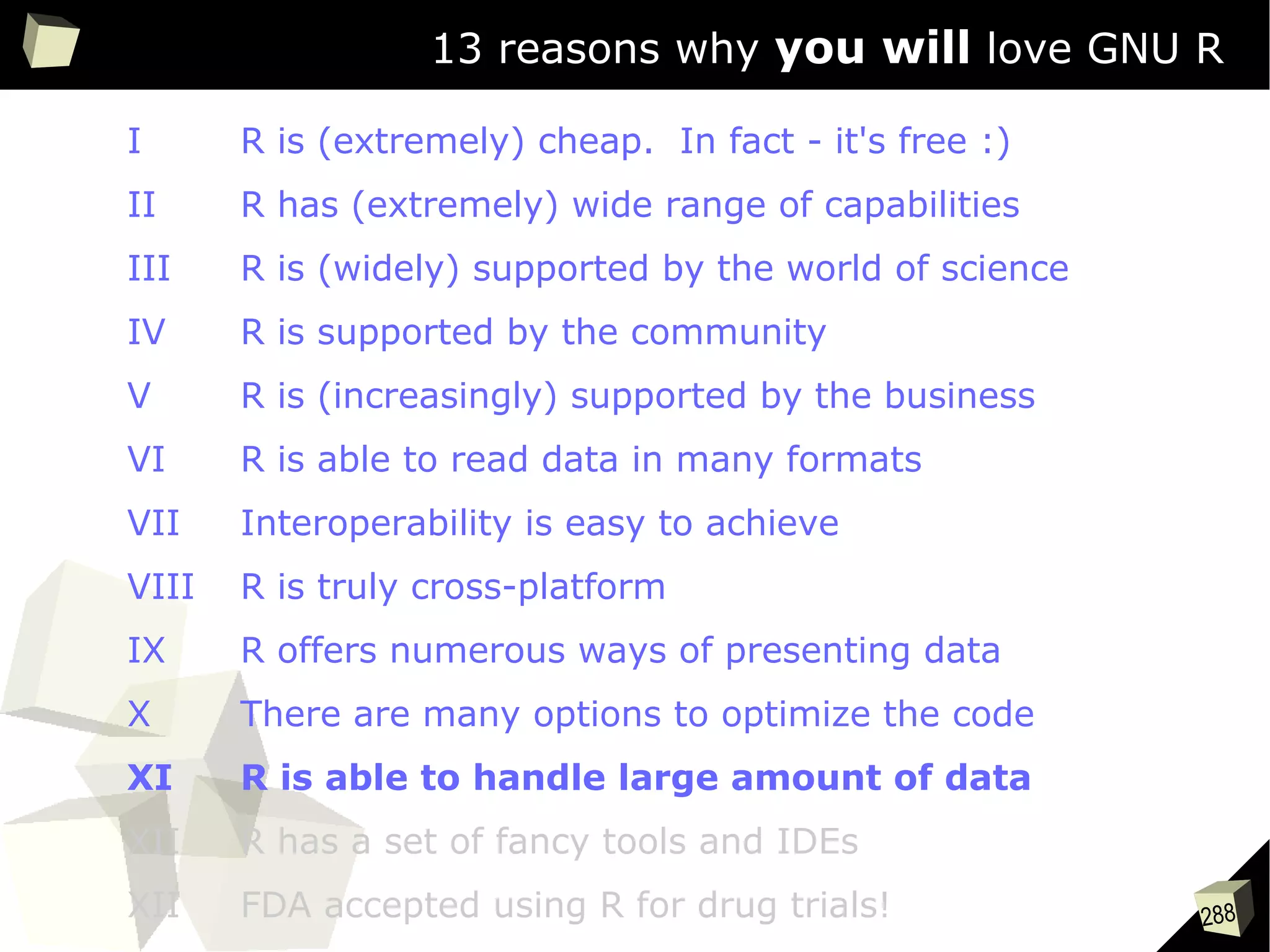
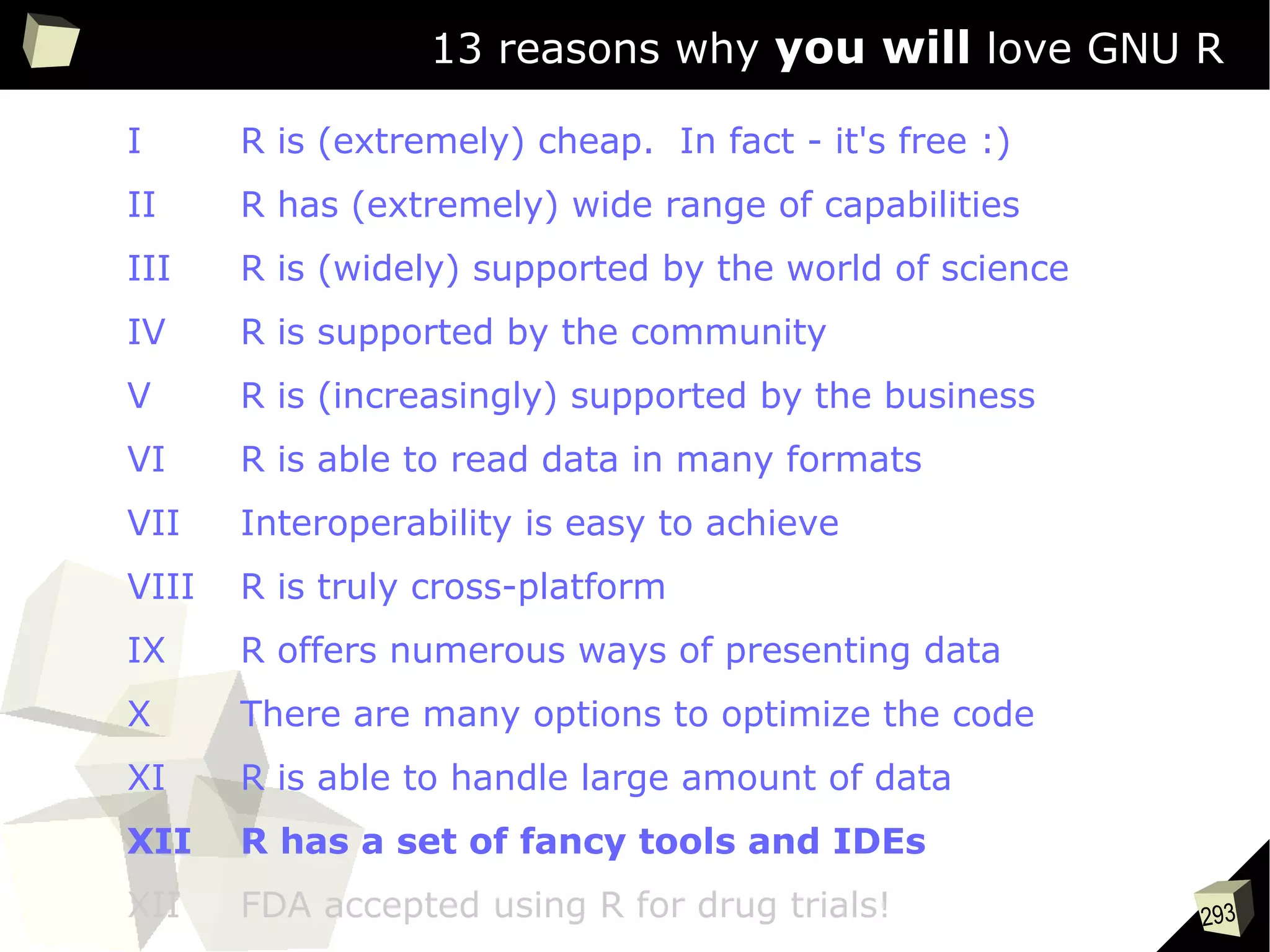
● 13 reasons why you will love GNU R
● Further impoRtant issues
● Conclusion
5
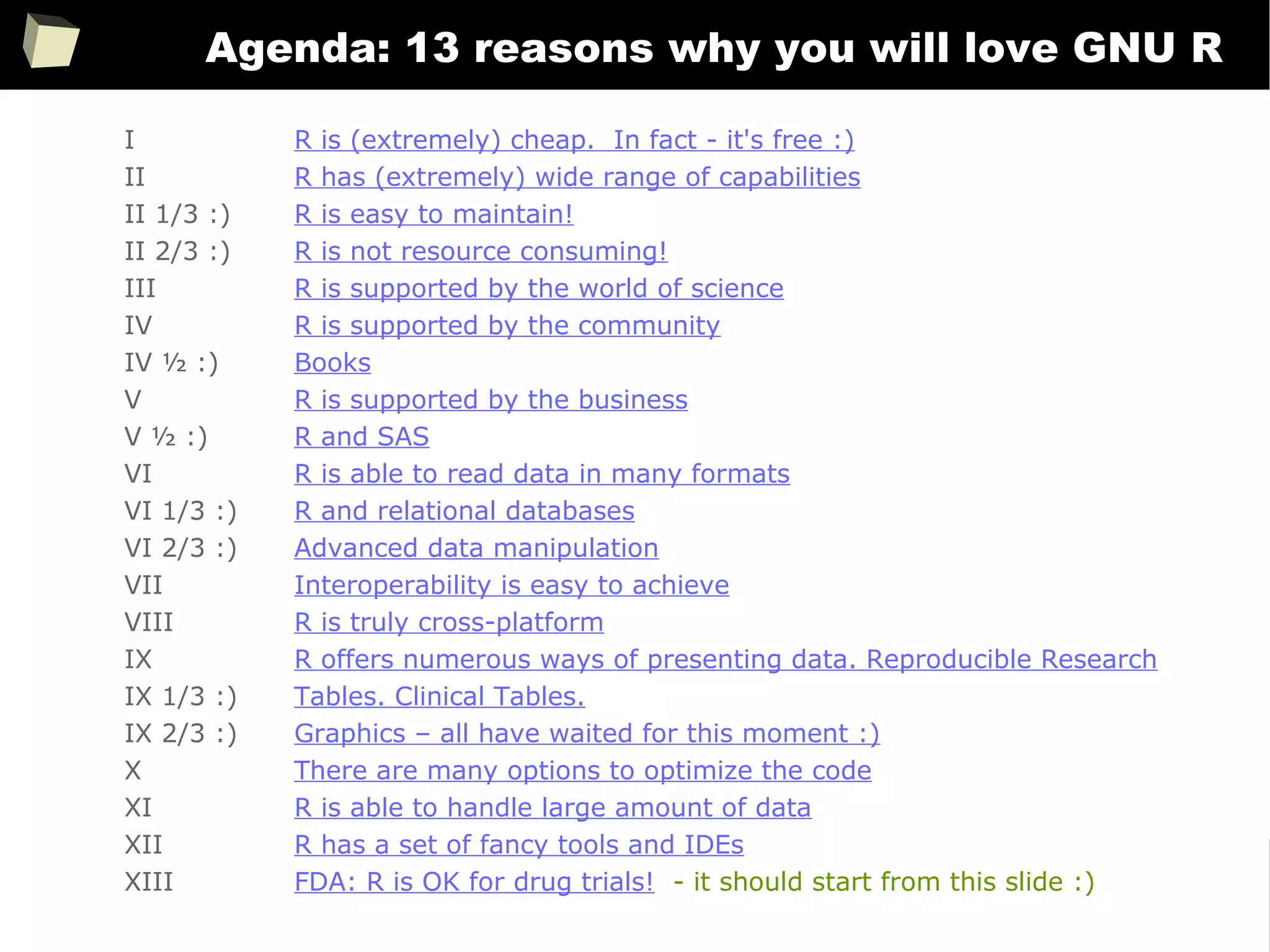
Agenda: 13 reasons why you will love GNU R
I R is (extremely) cheap. In fact - it's free :)
II R has (extremely) wide range of capabilities
II 1/3 :) R is easy to maintain!
II 2/3 :) R is not resource consuming!
III R is supported by the world of science
IV R is supported by the community
IV ½ :) Books
V R is supported by the business
V ½ :) R and SAS
VI R is able to read data in many formats
VI 1/3 :) R and relational databases
VI 2/3 :) Advanced data manipulation
VII Interoperability is easy to achieve
VIII R is truly cross-platform
IX R offers numerous ways of presenting data. Reproducible Research
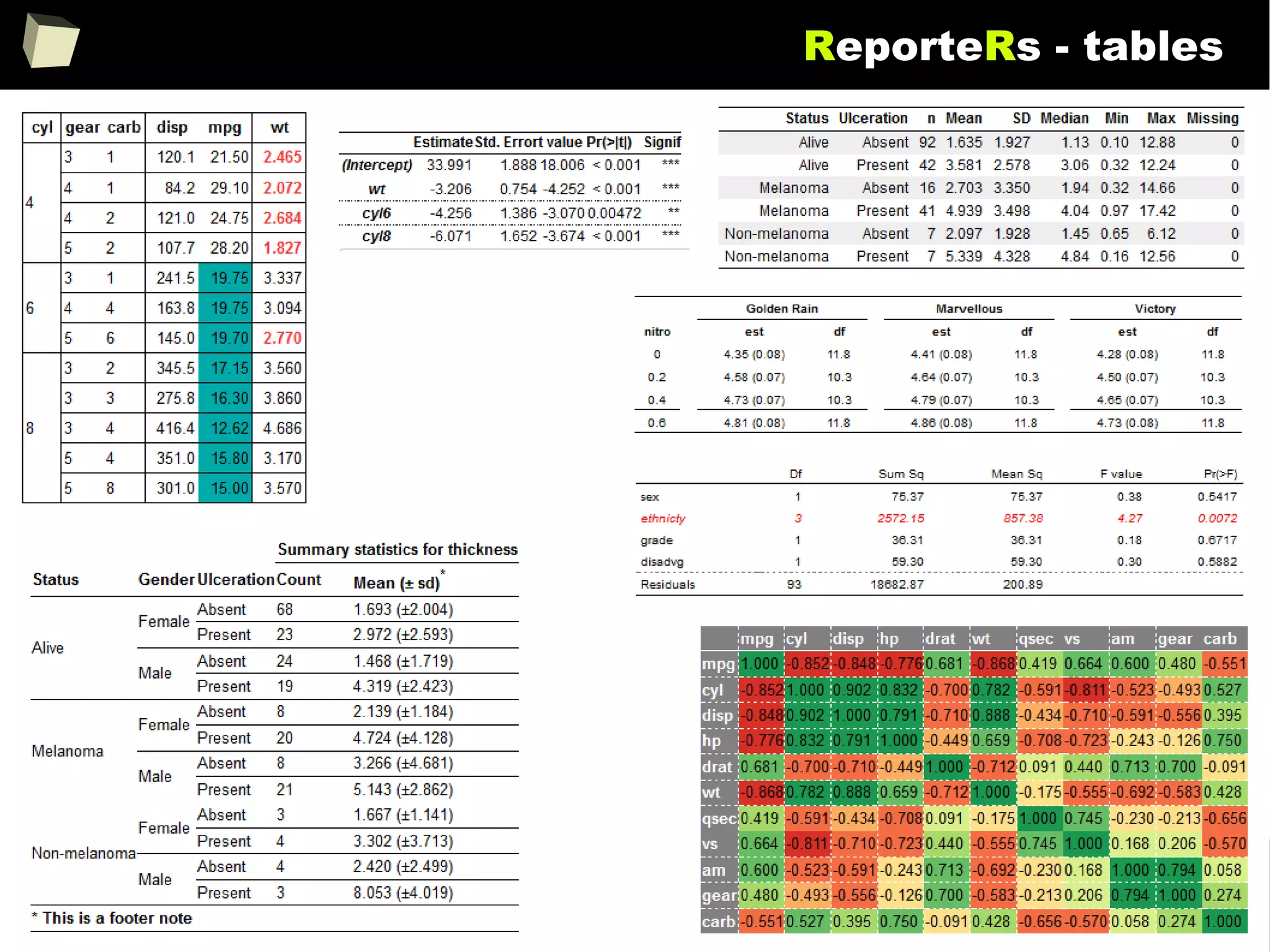
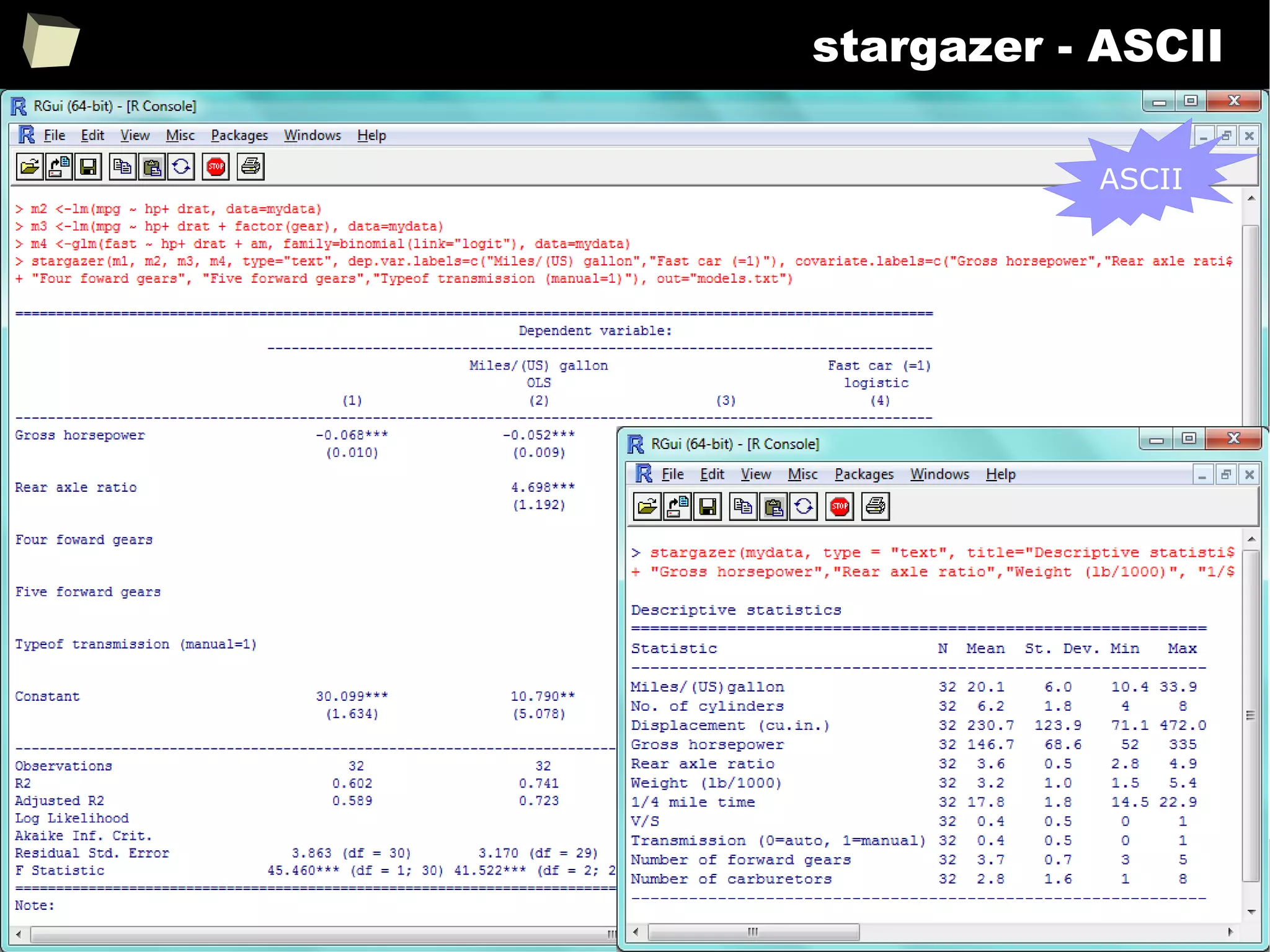
IX 1/3 :) Tables. Clinical Tables.
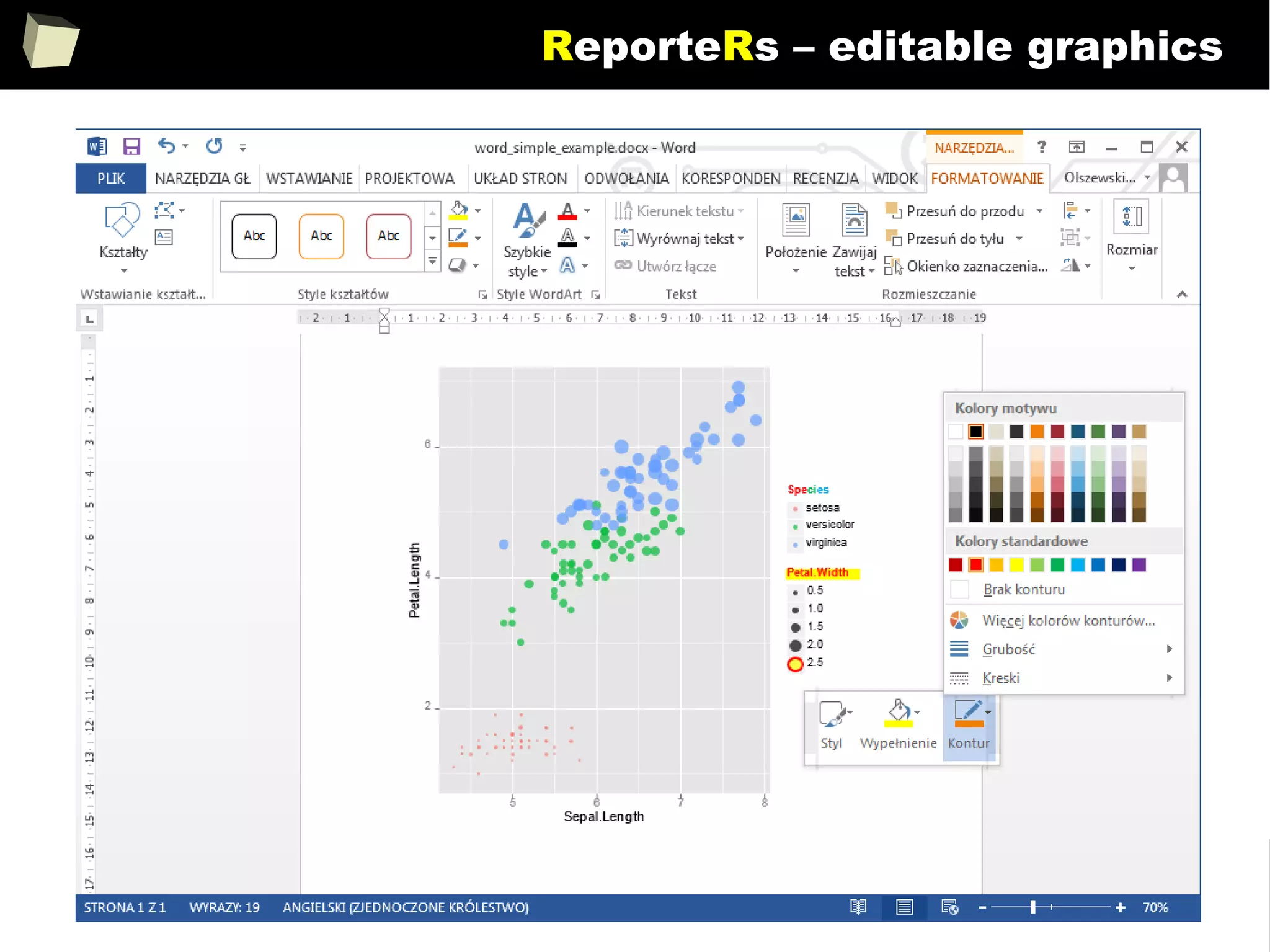
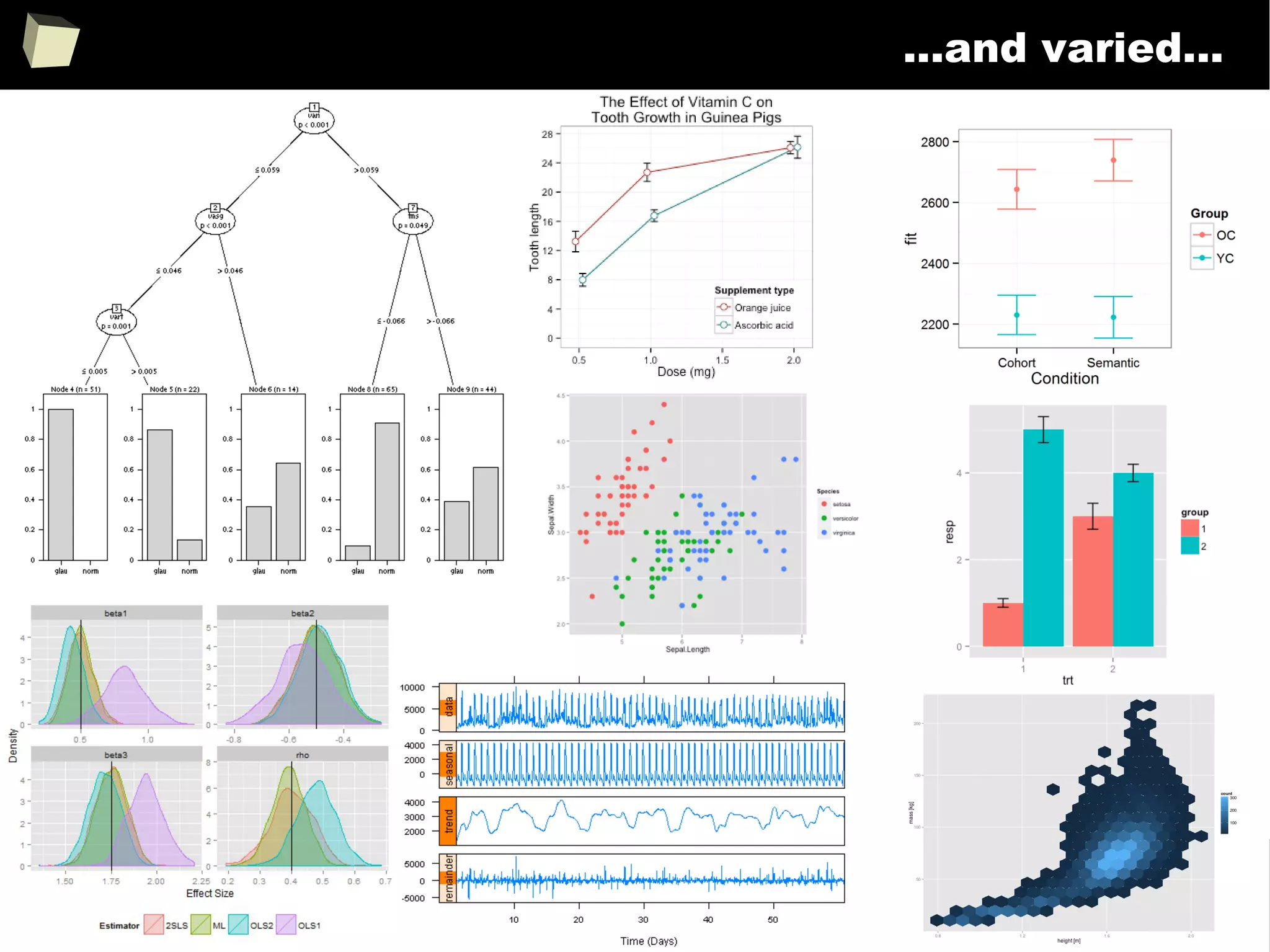
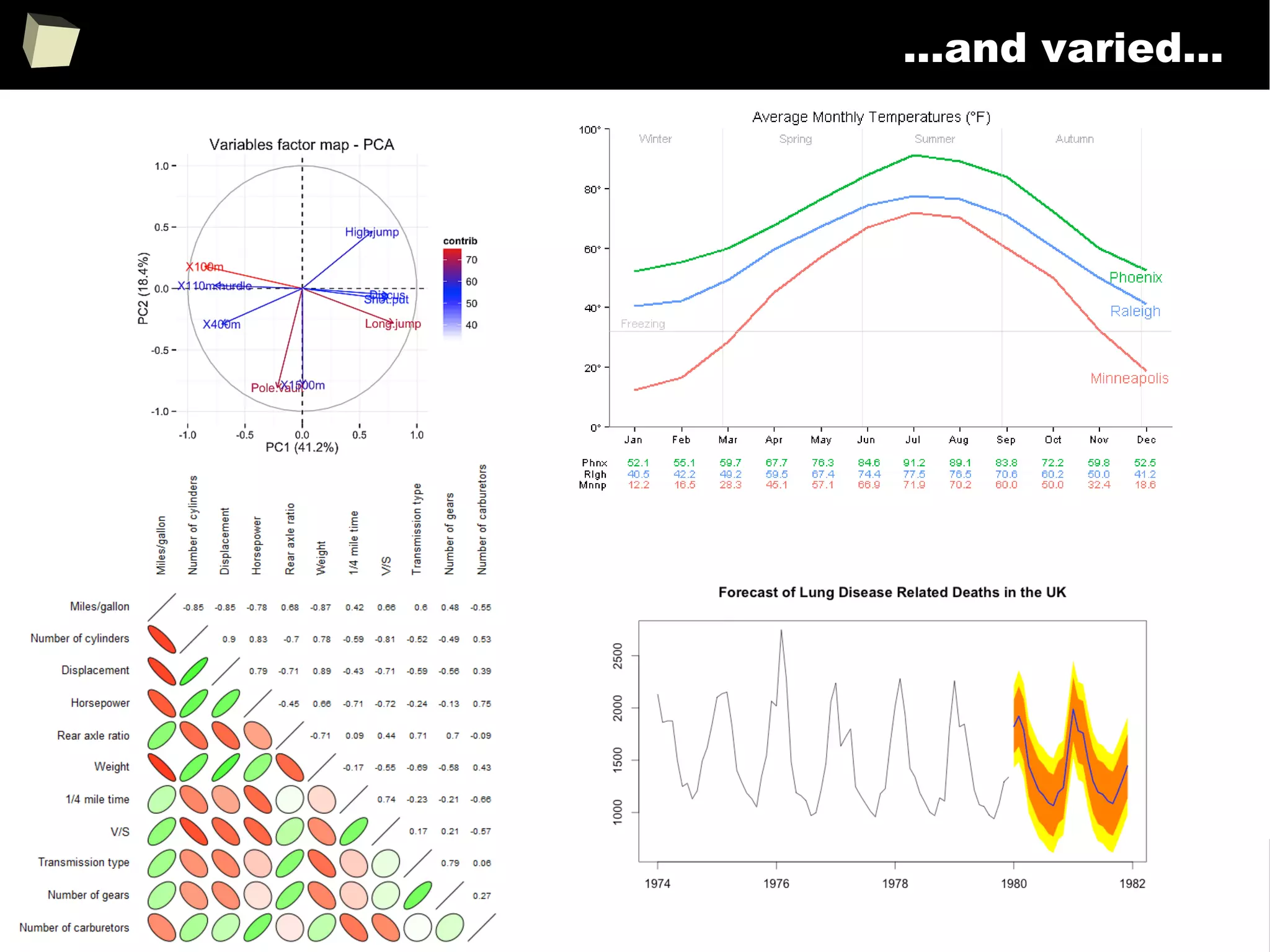
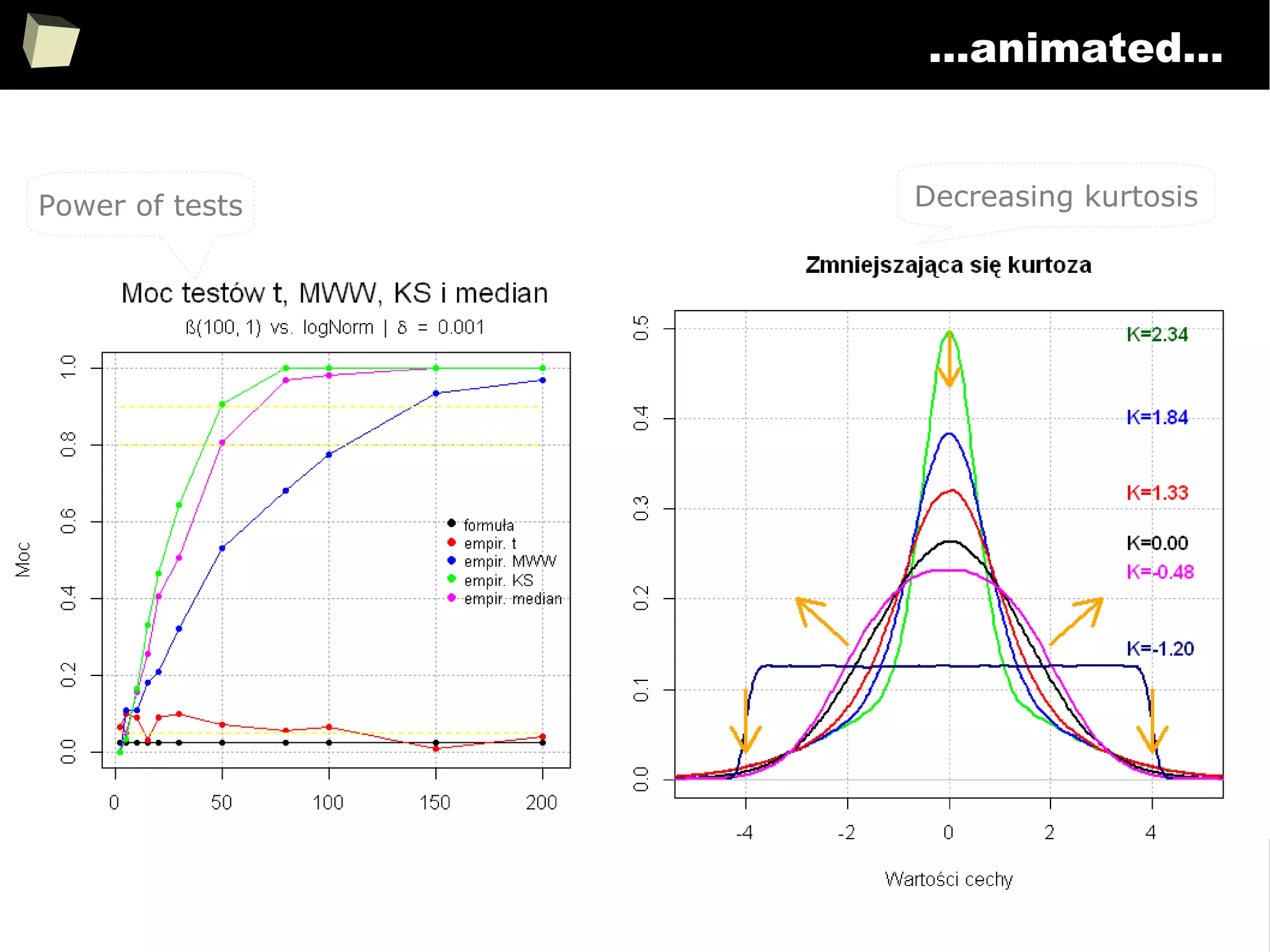
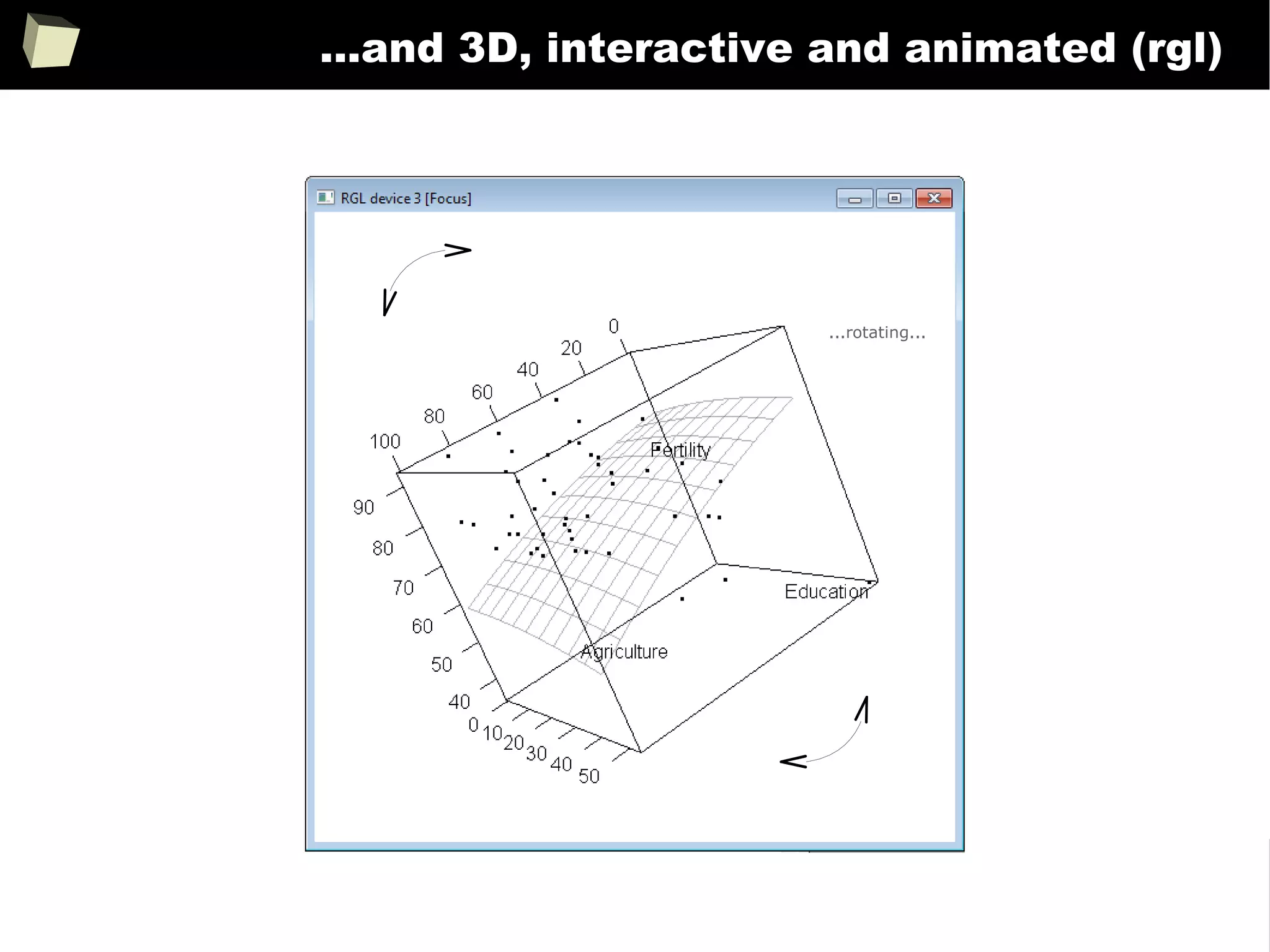
IX 2/3 :) Graphics – all have waited for this moment :)
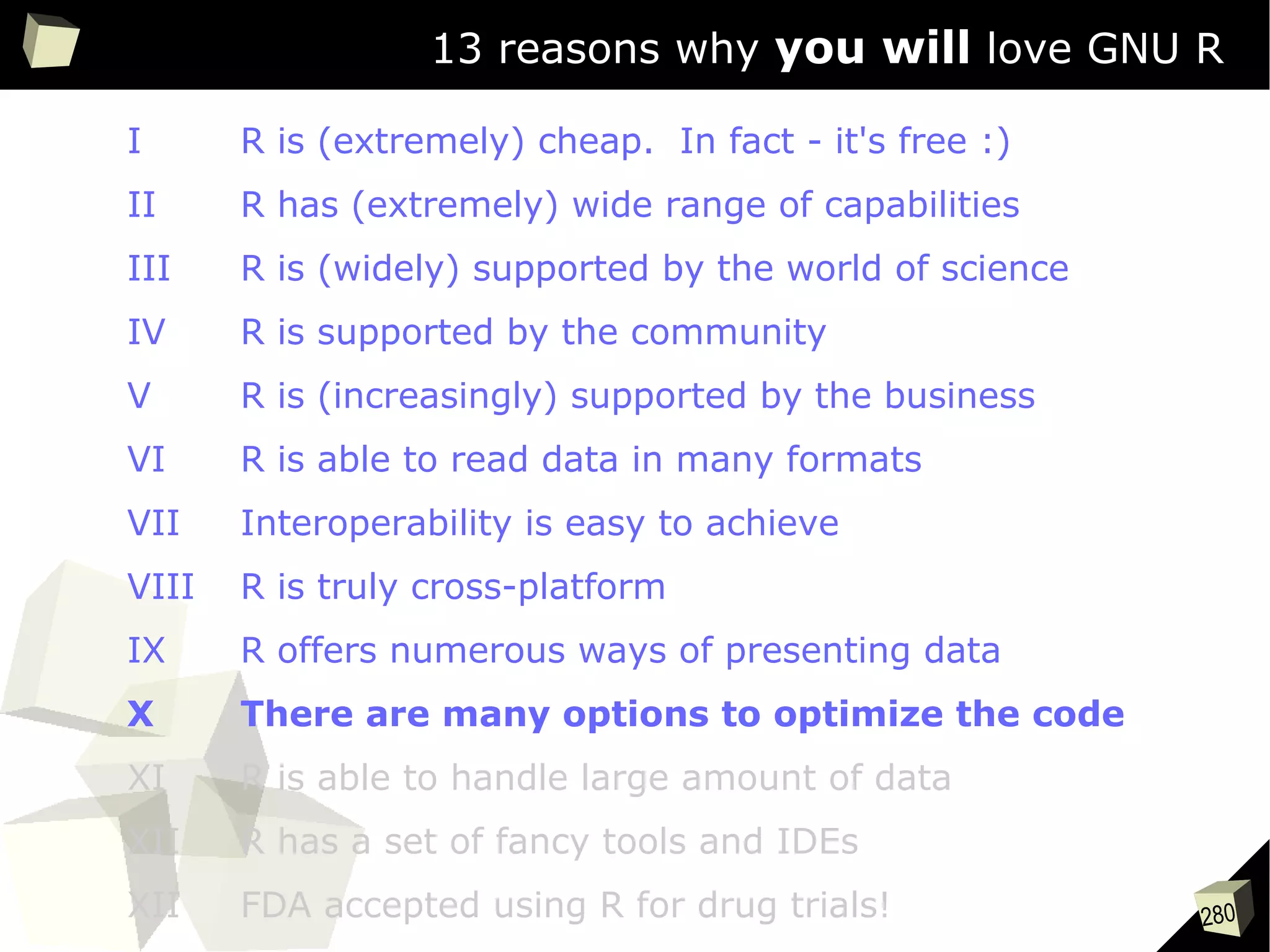
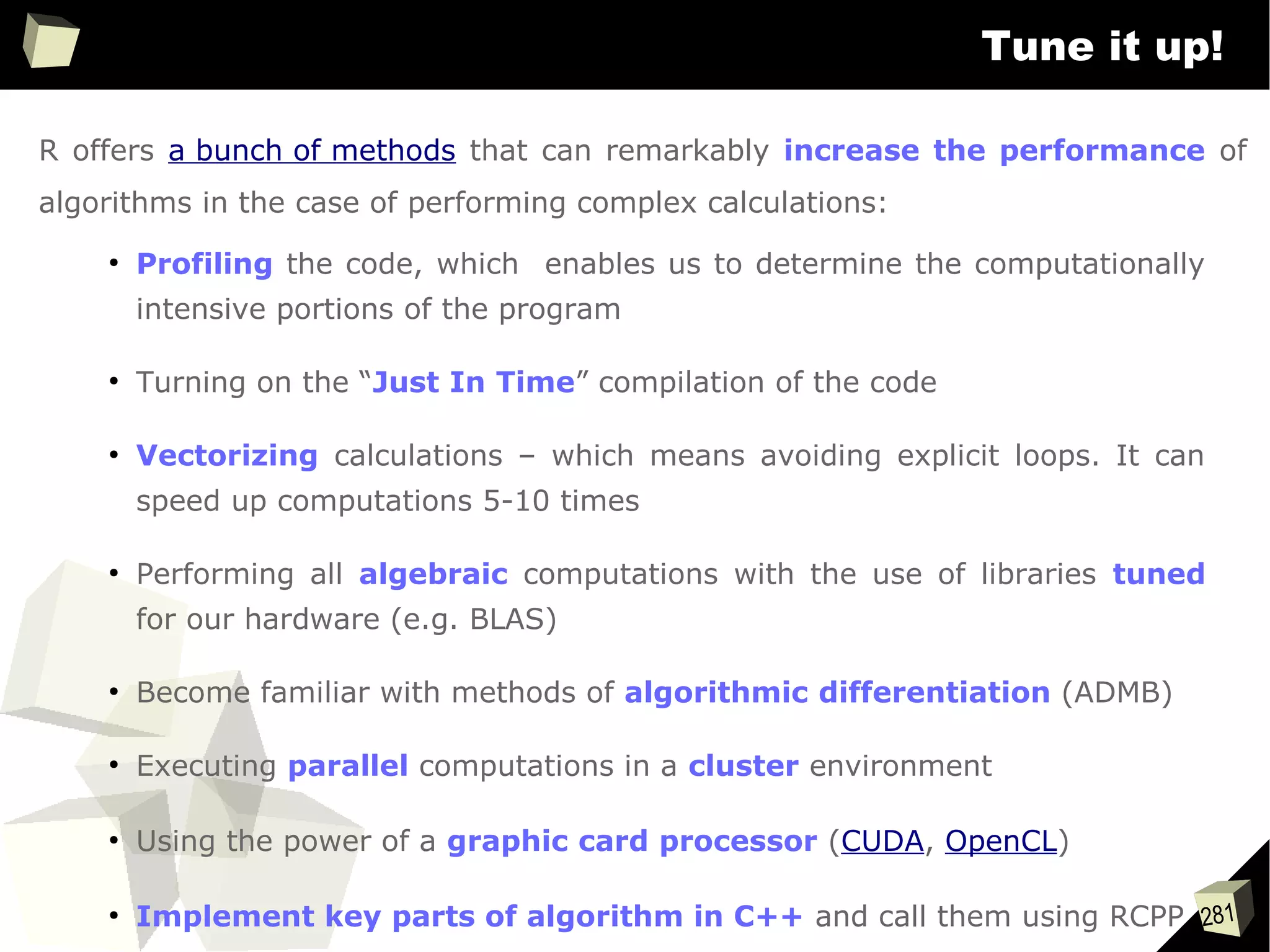
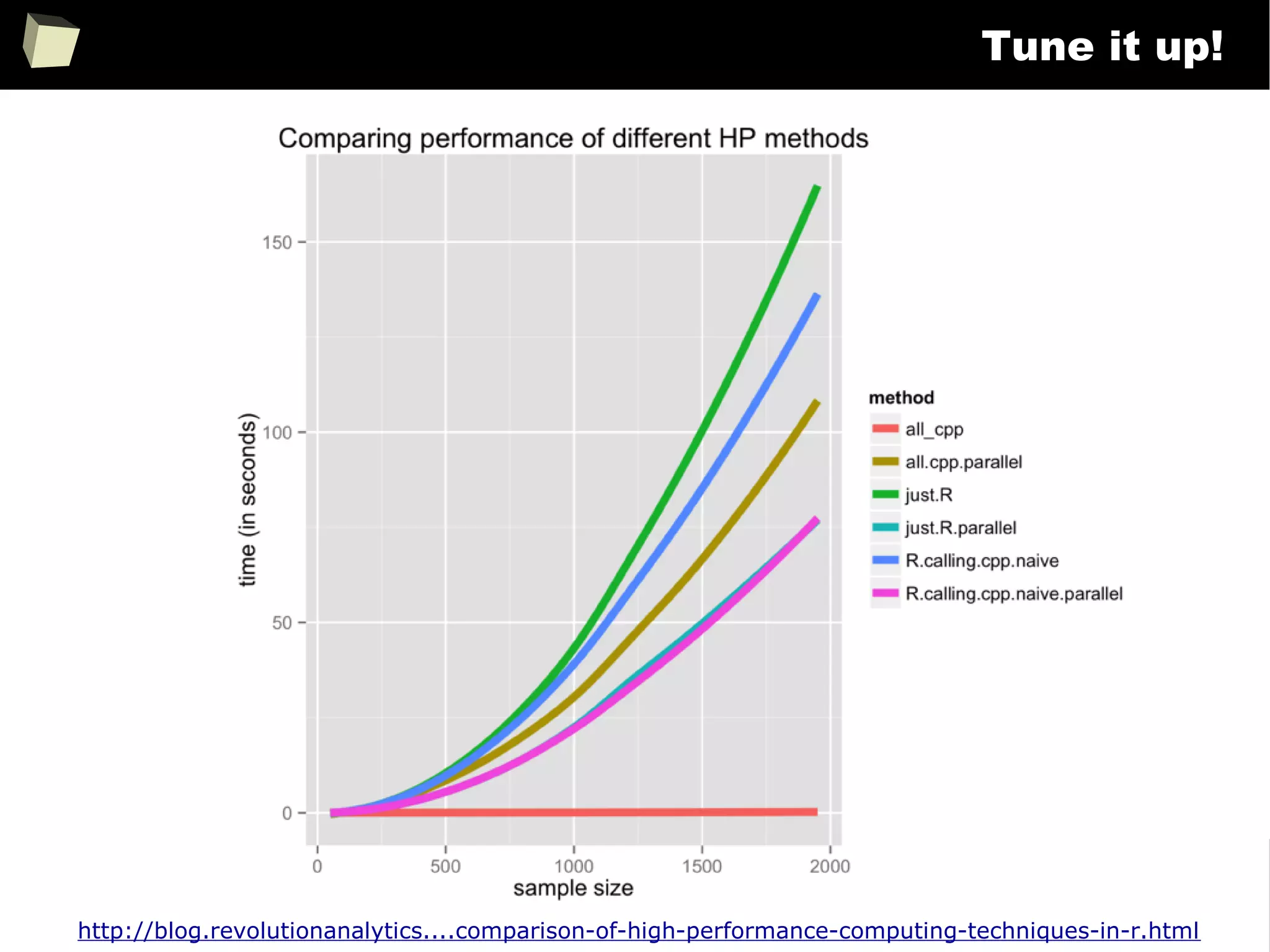
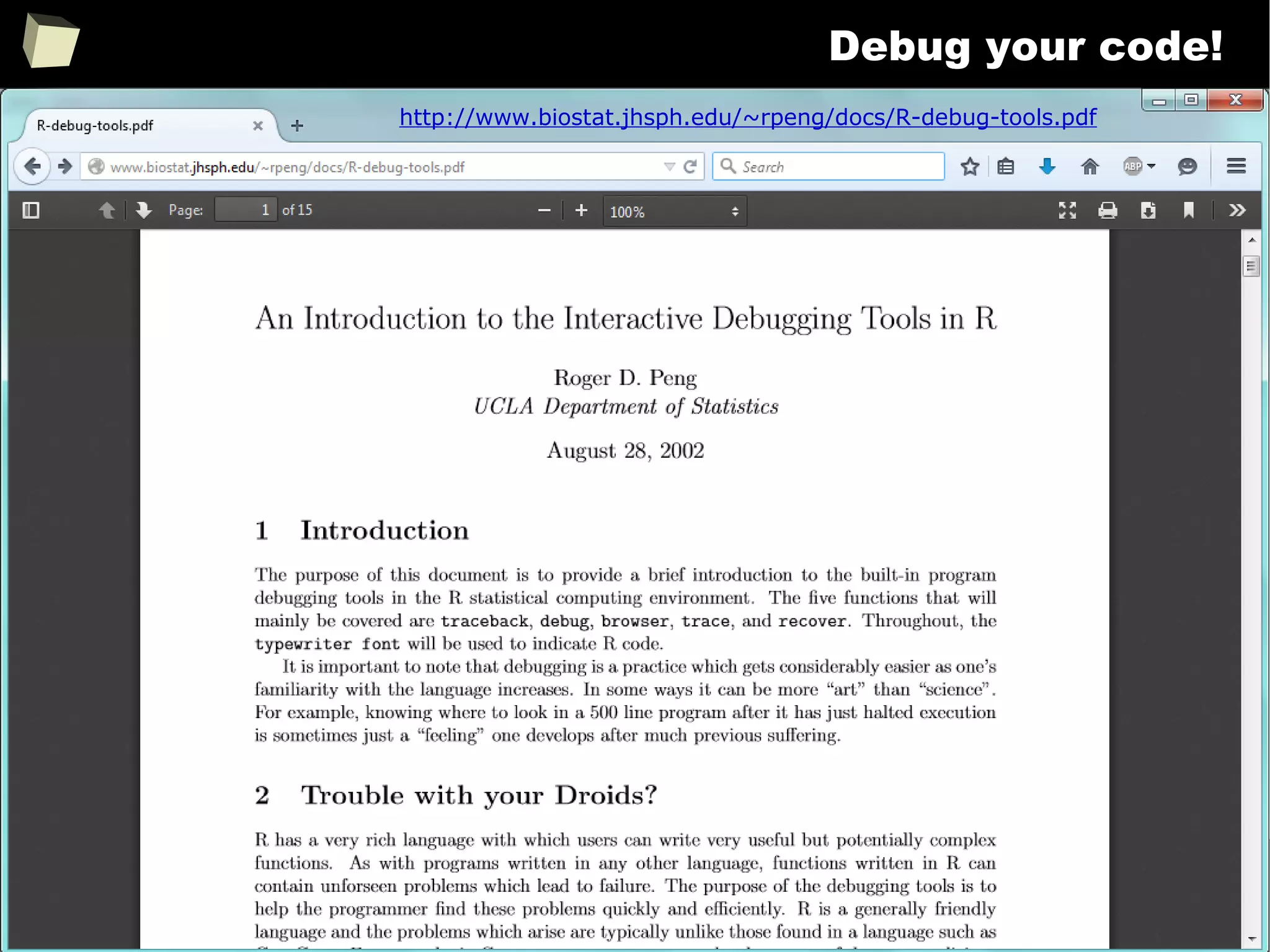
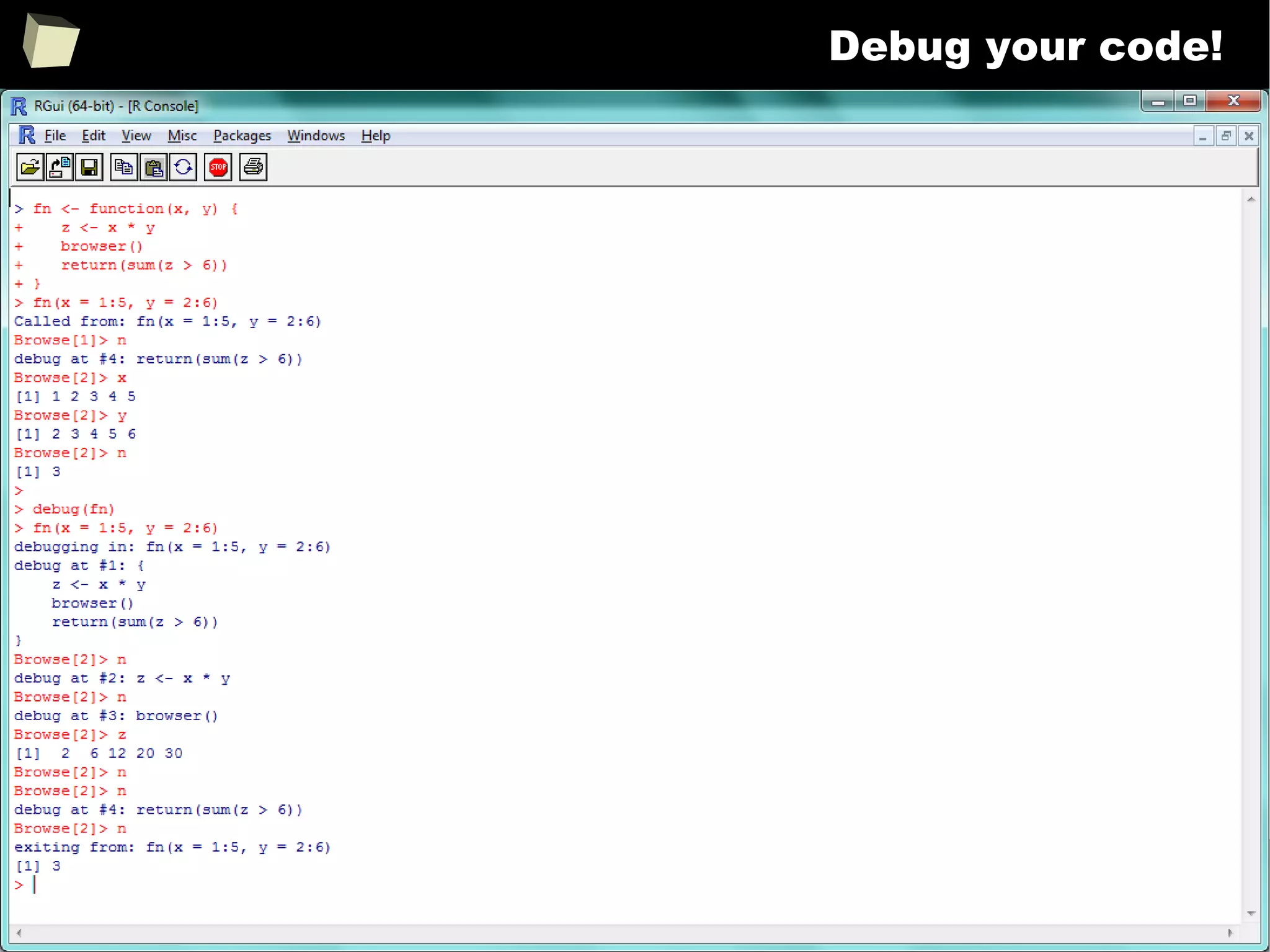
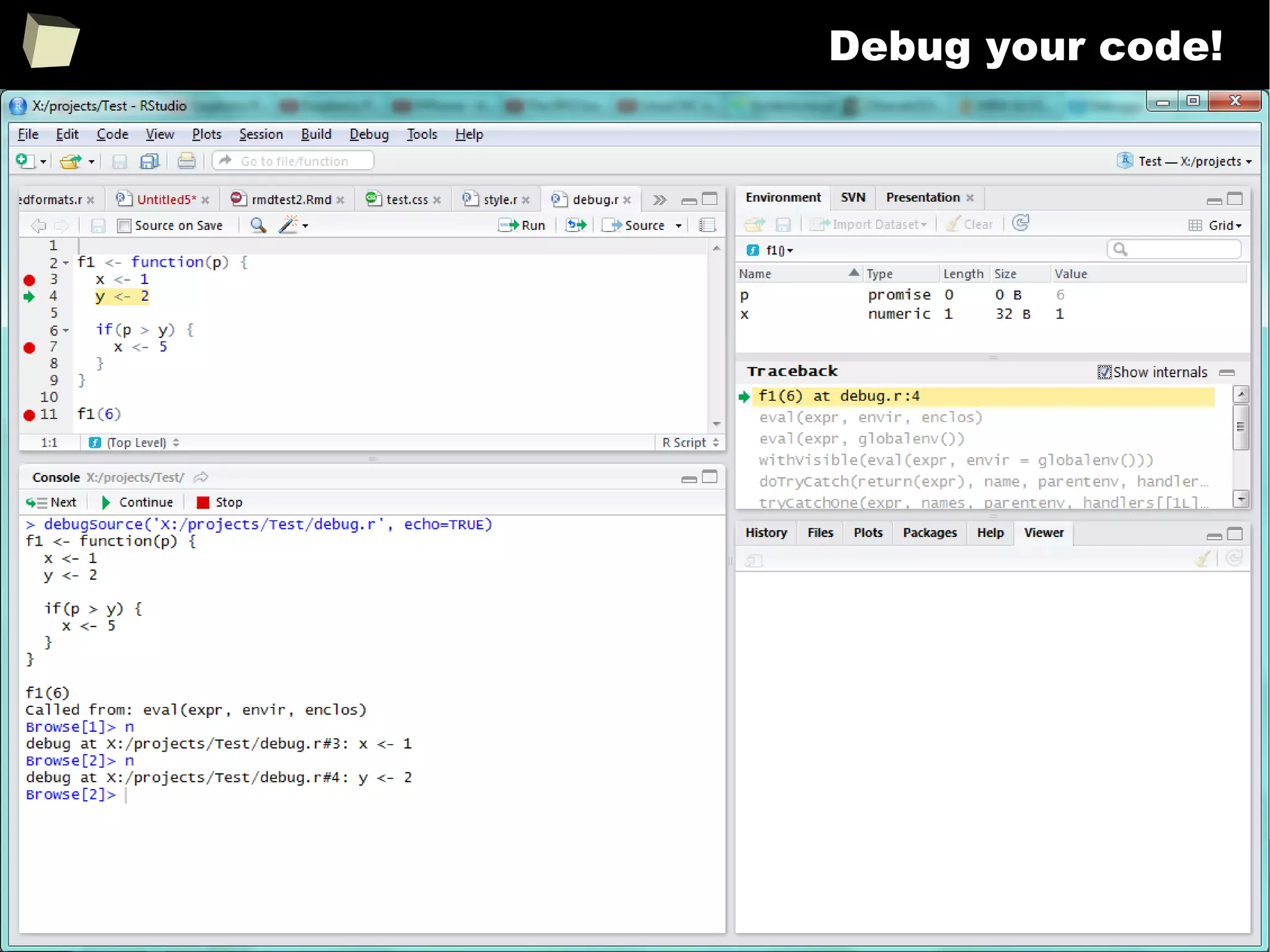
X There are many options to optimize the code
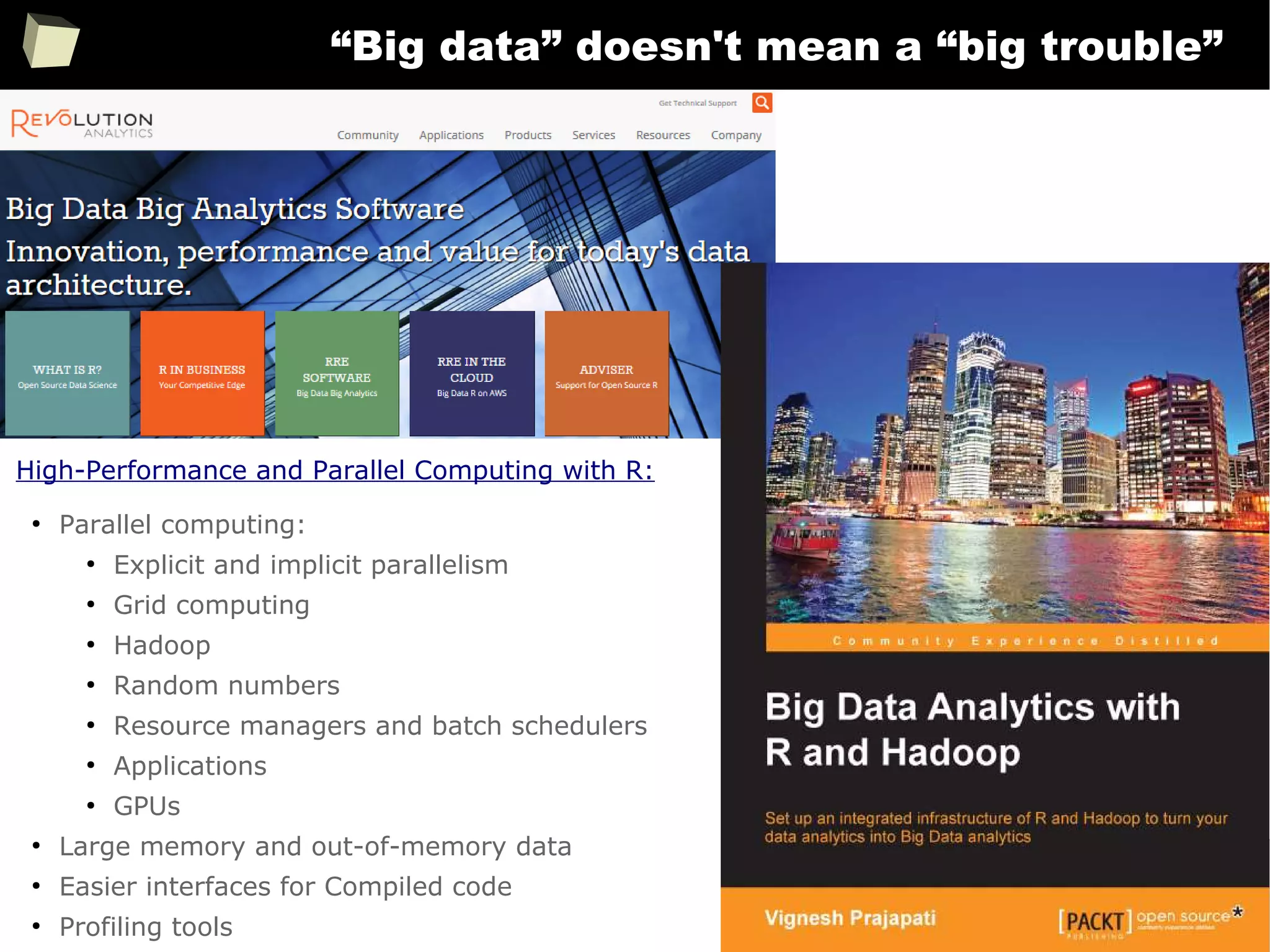
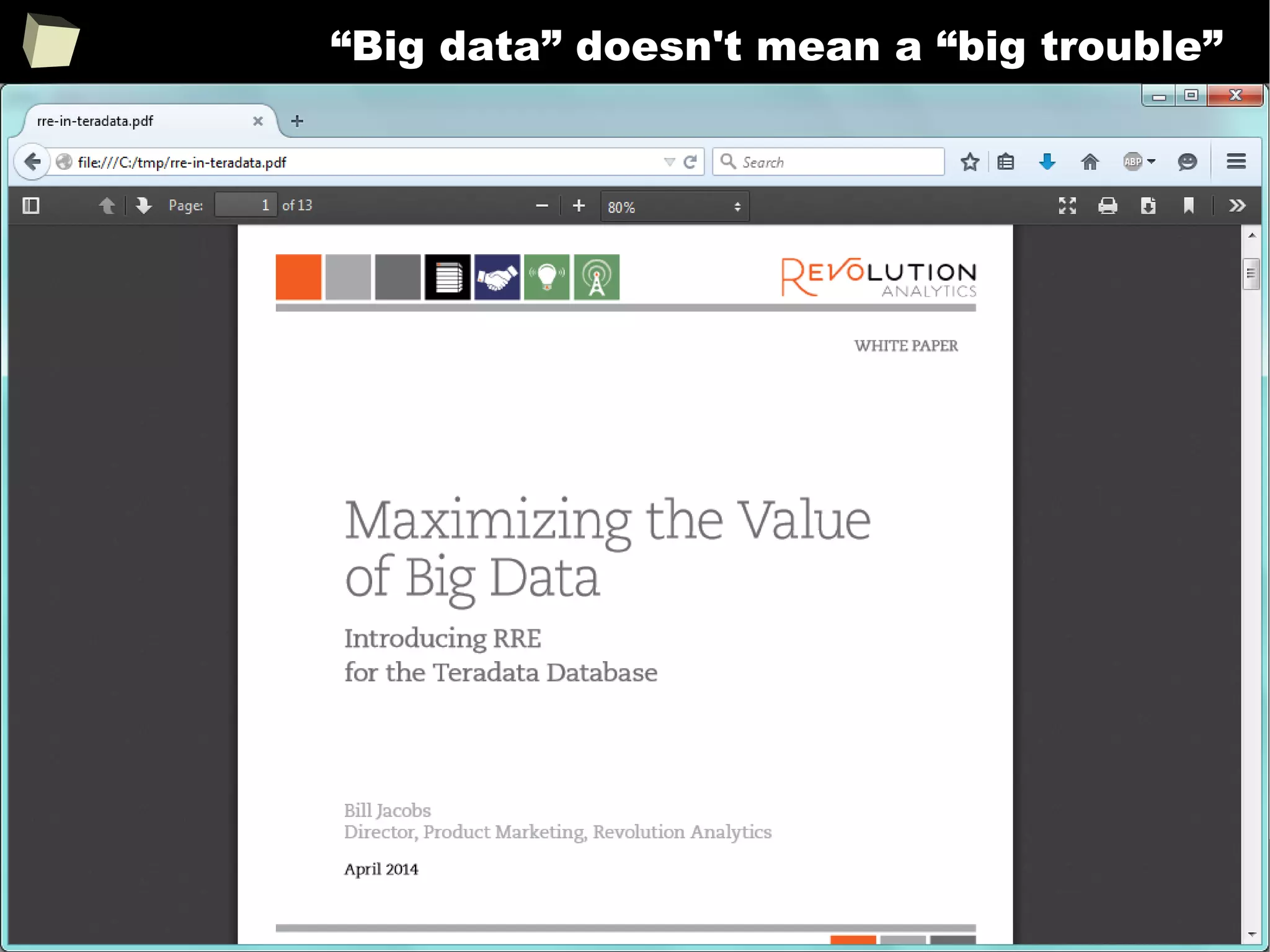
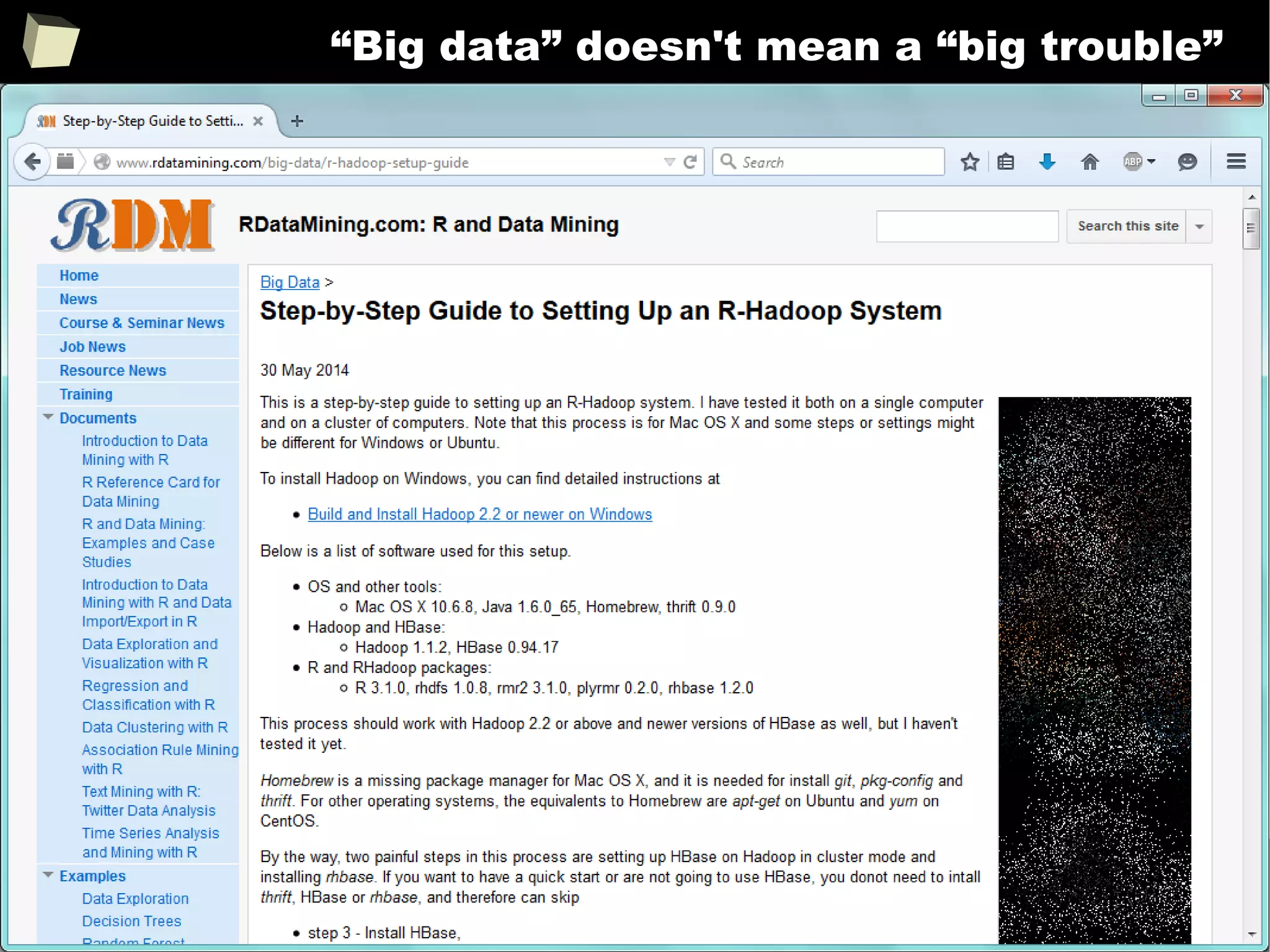
XI R is able to handle large amount of data
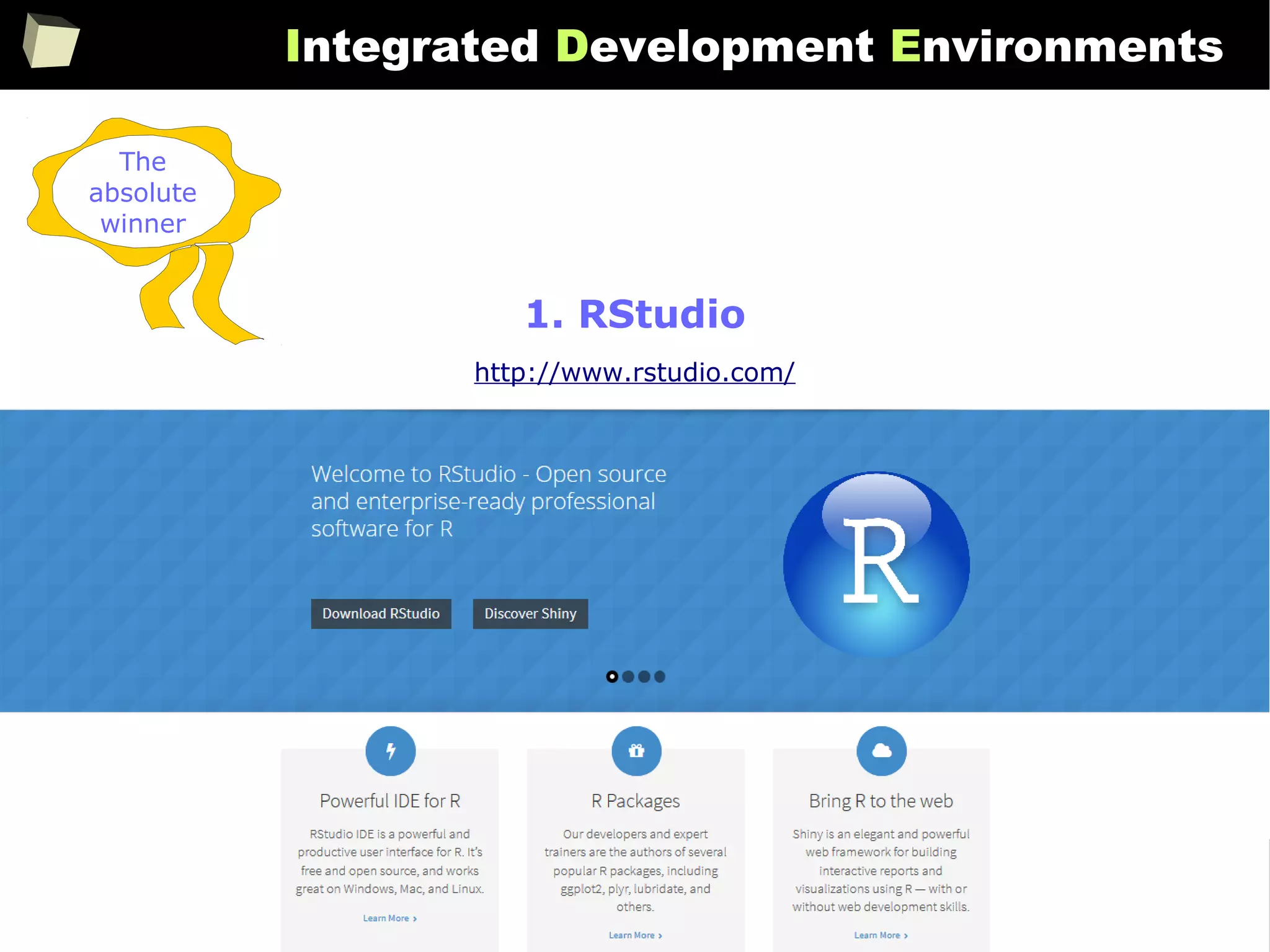
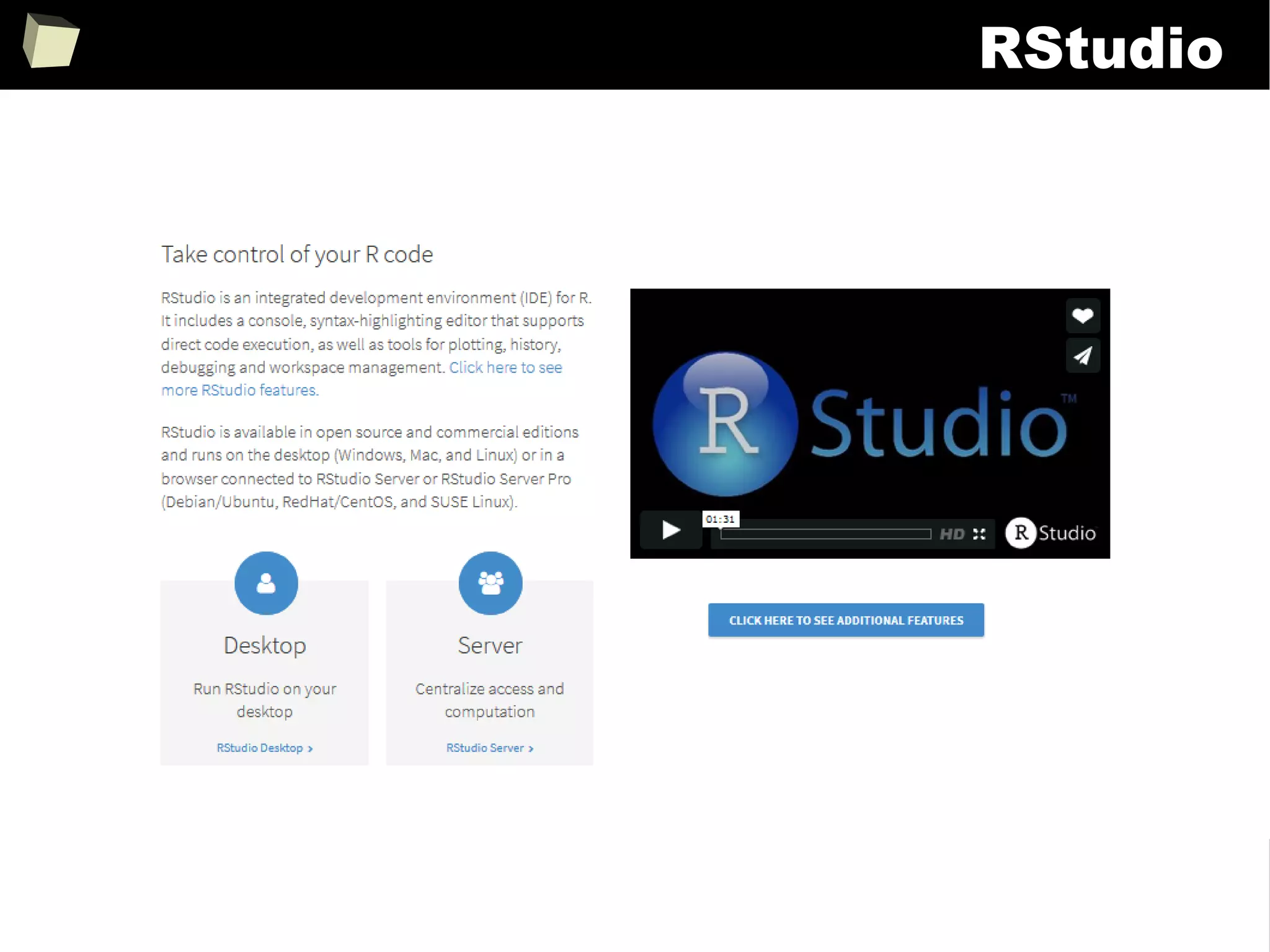
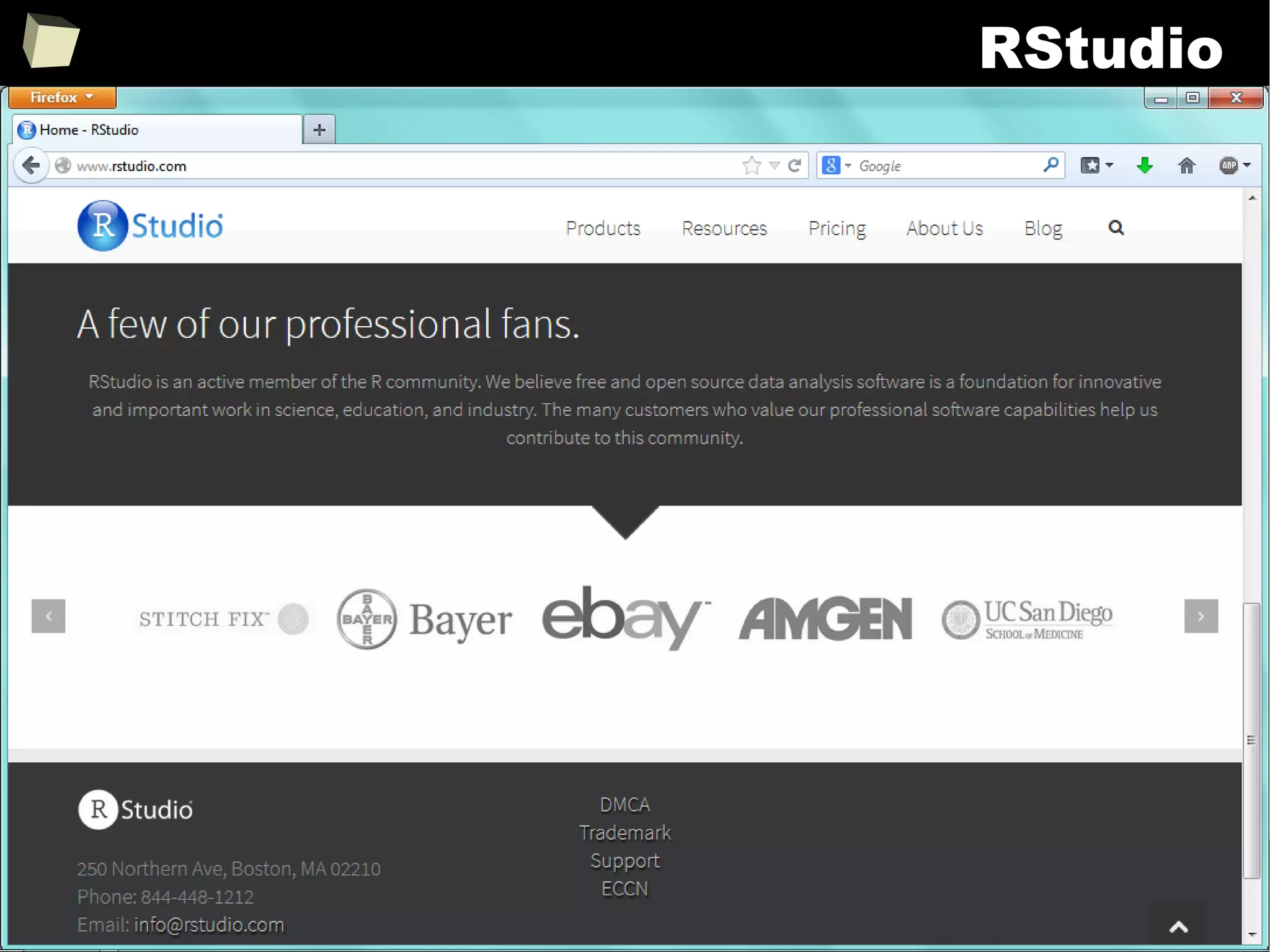
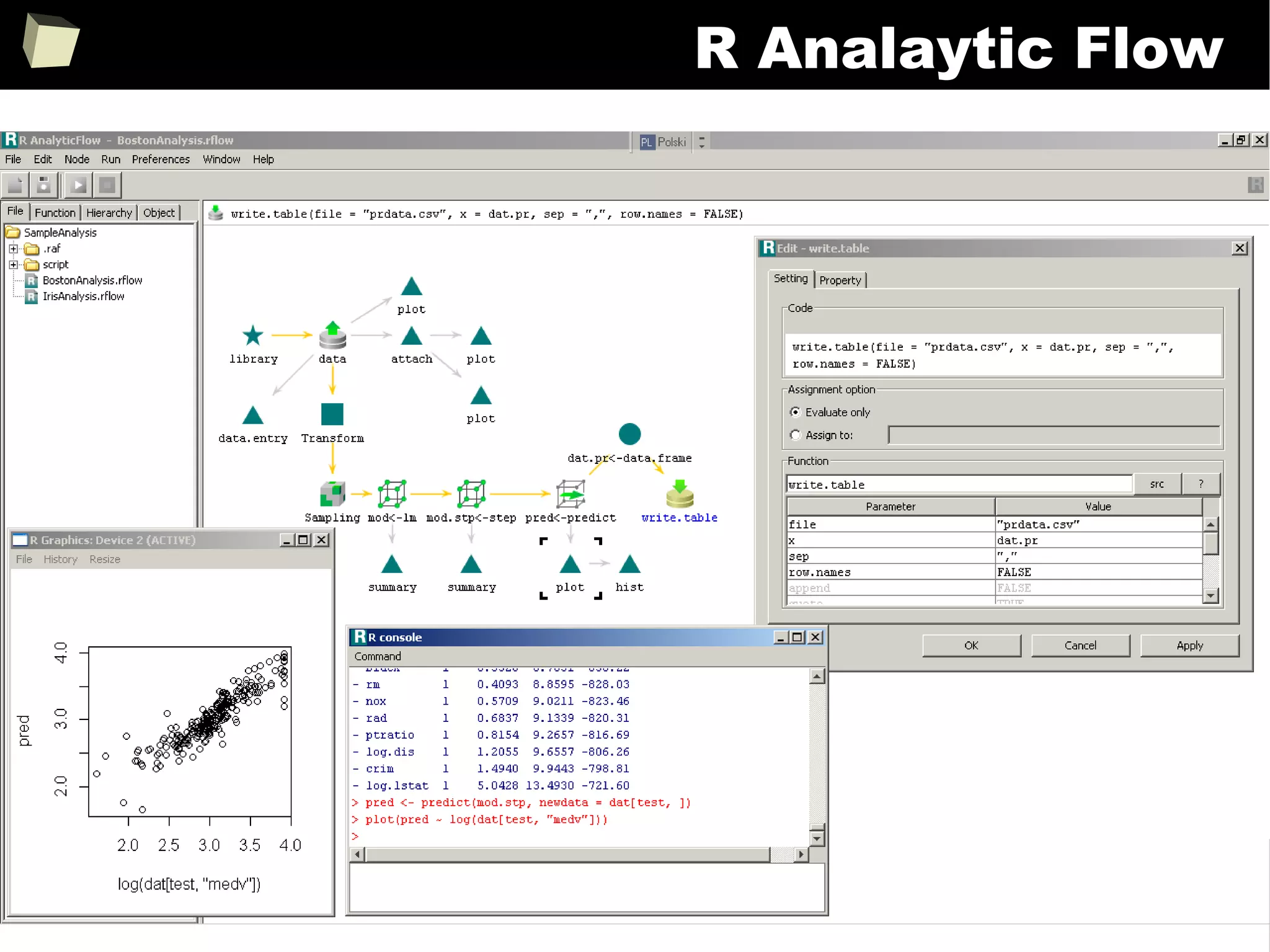
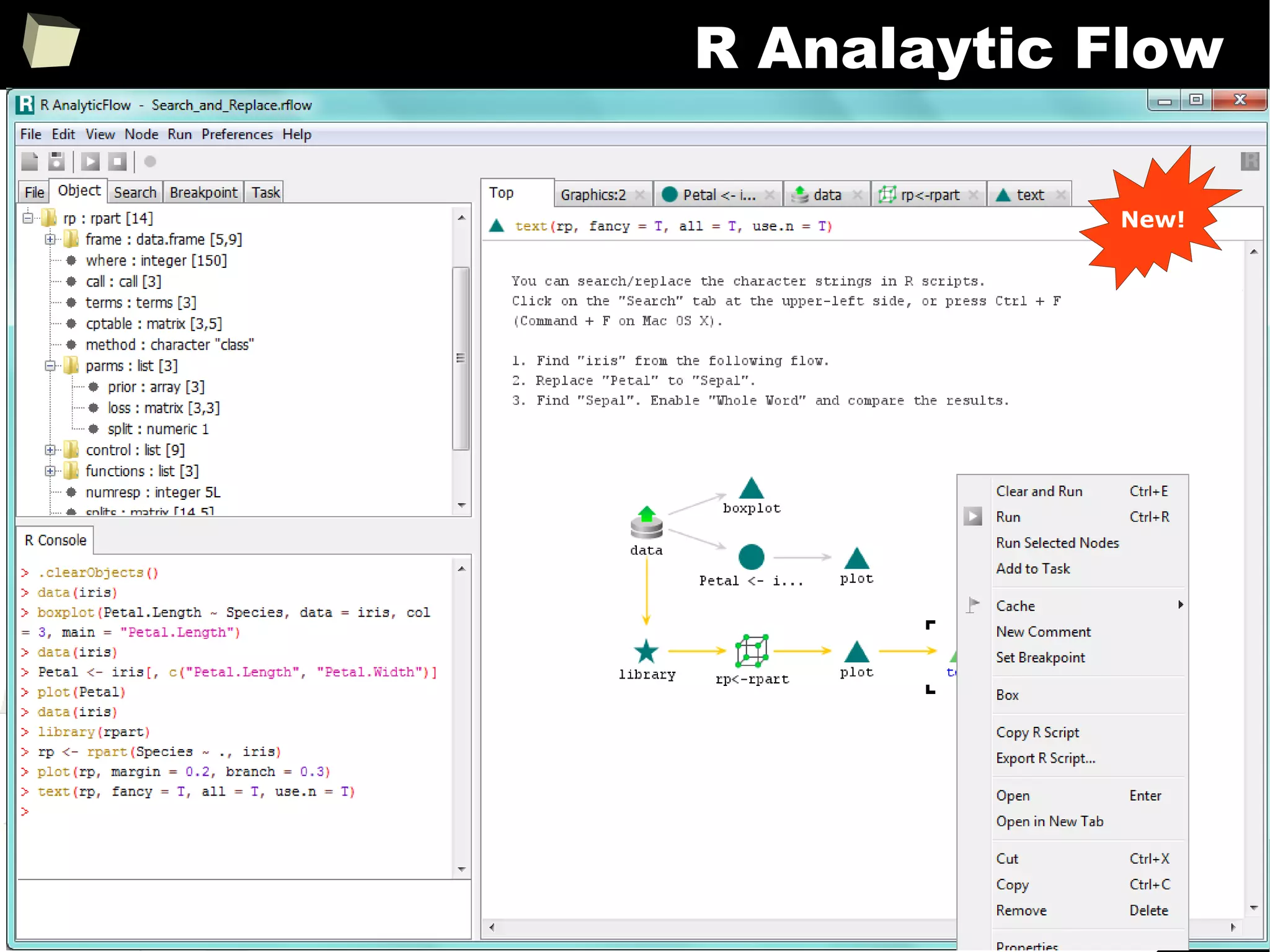
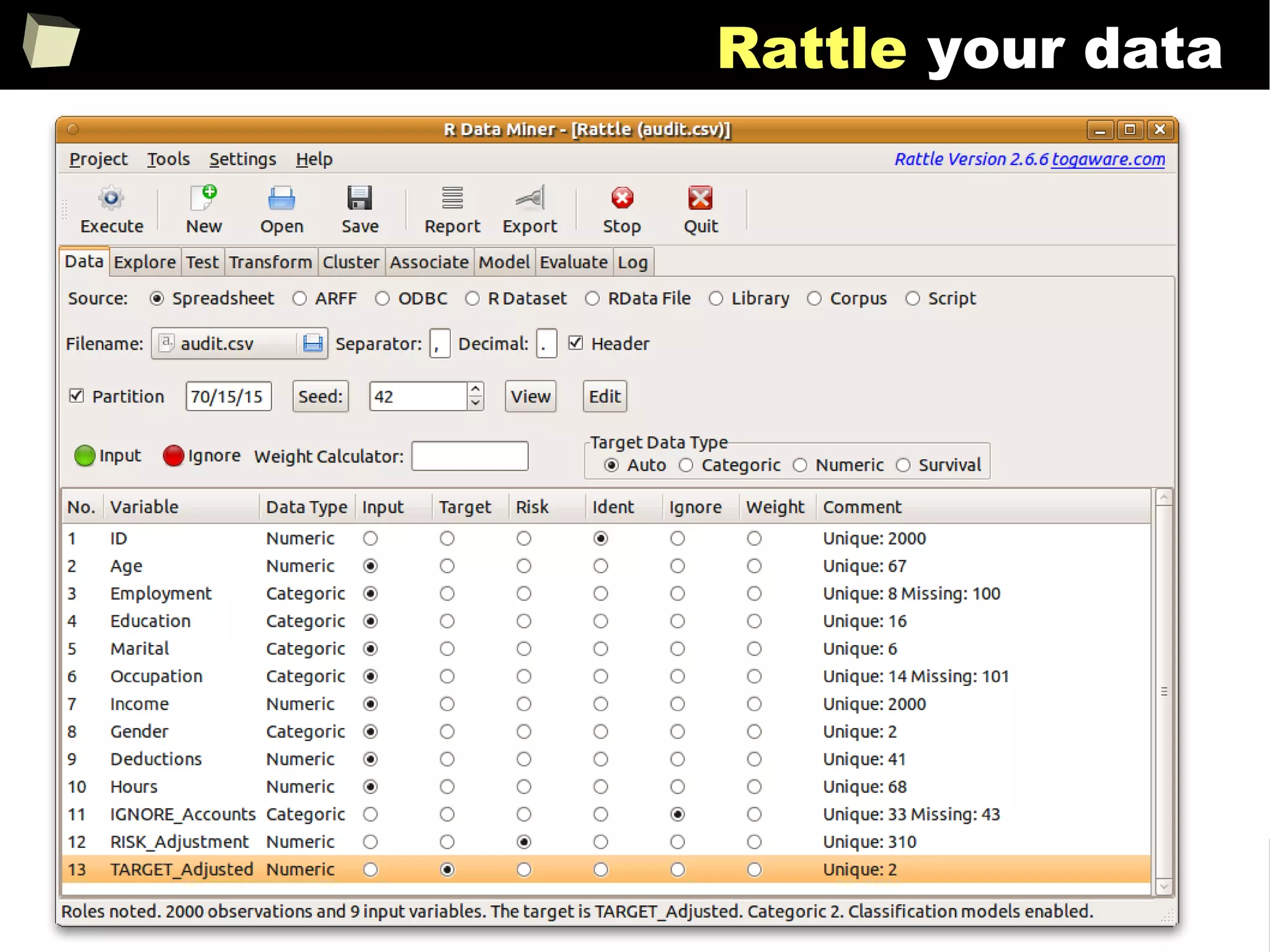
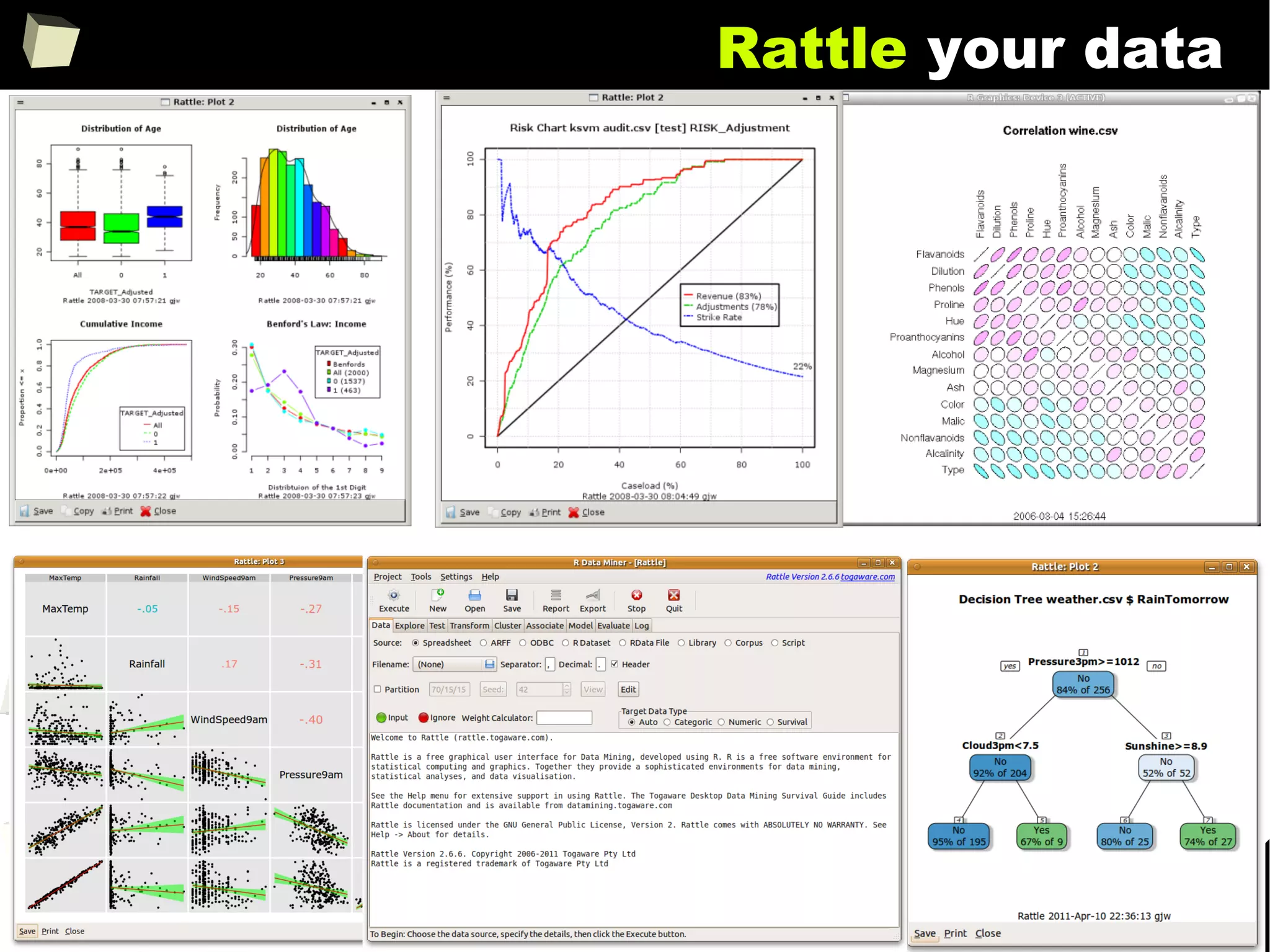
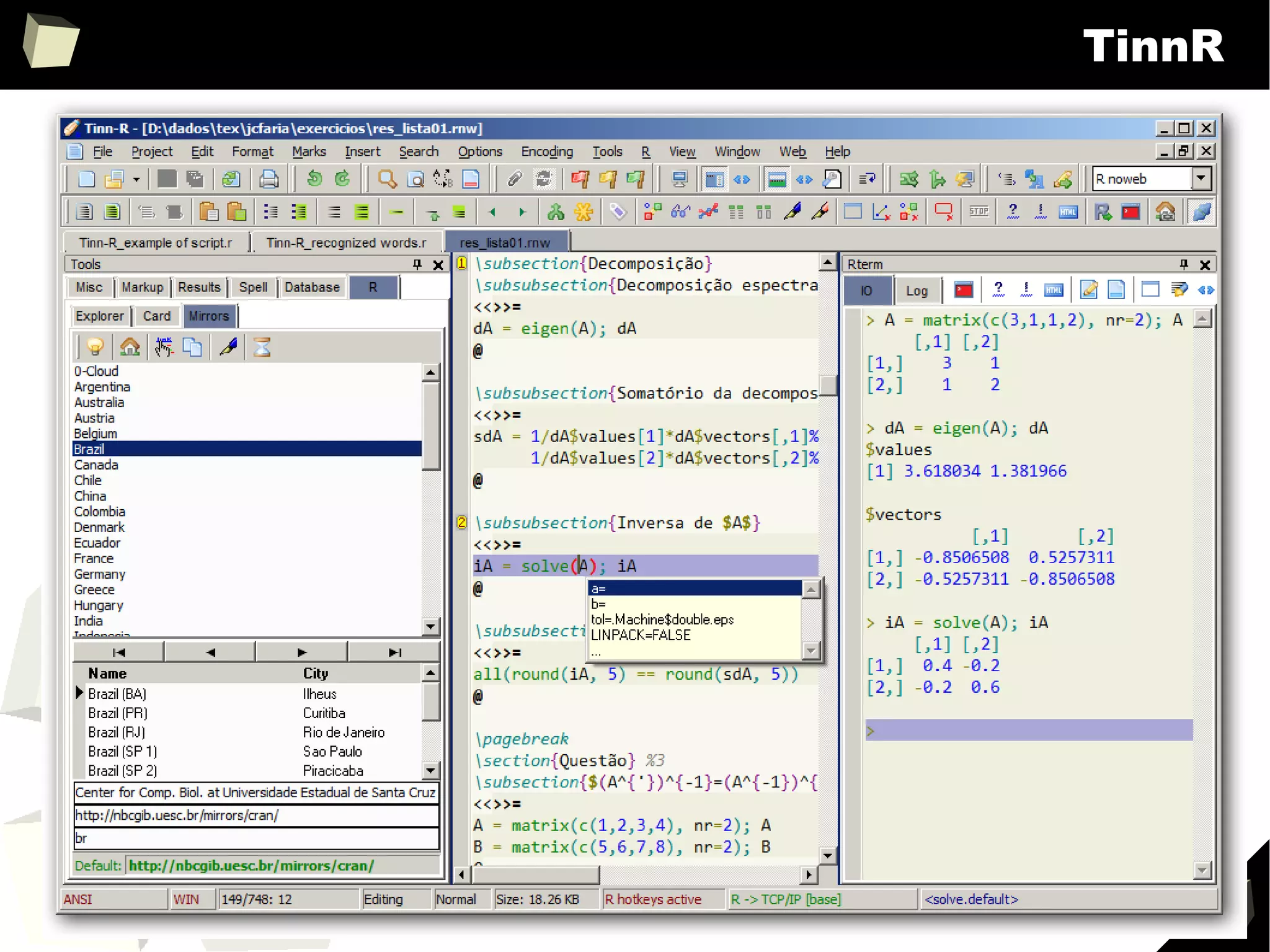
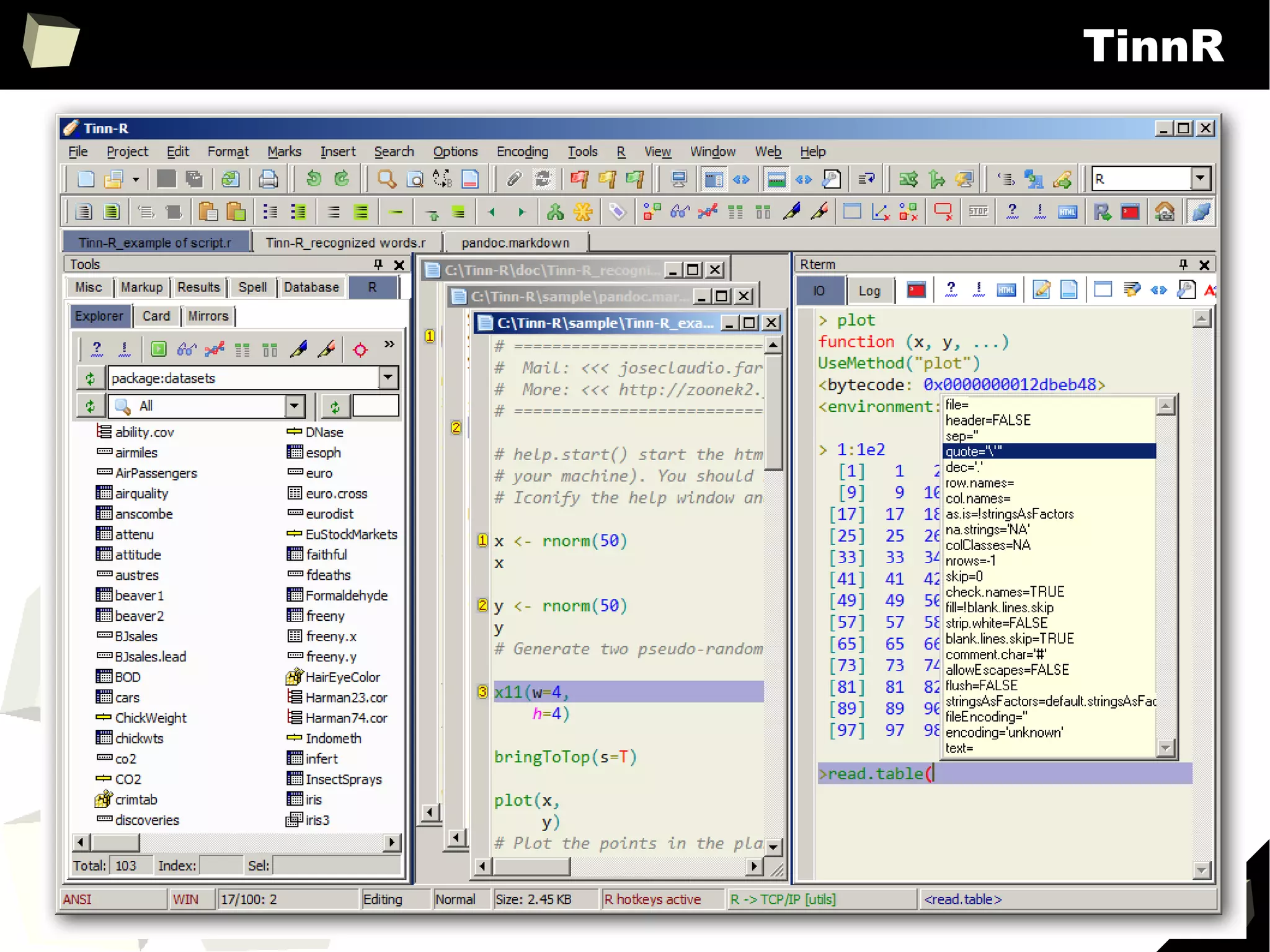
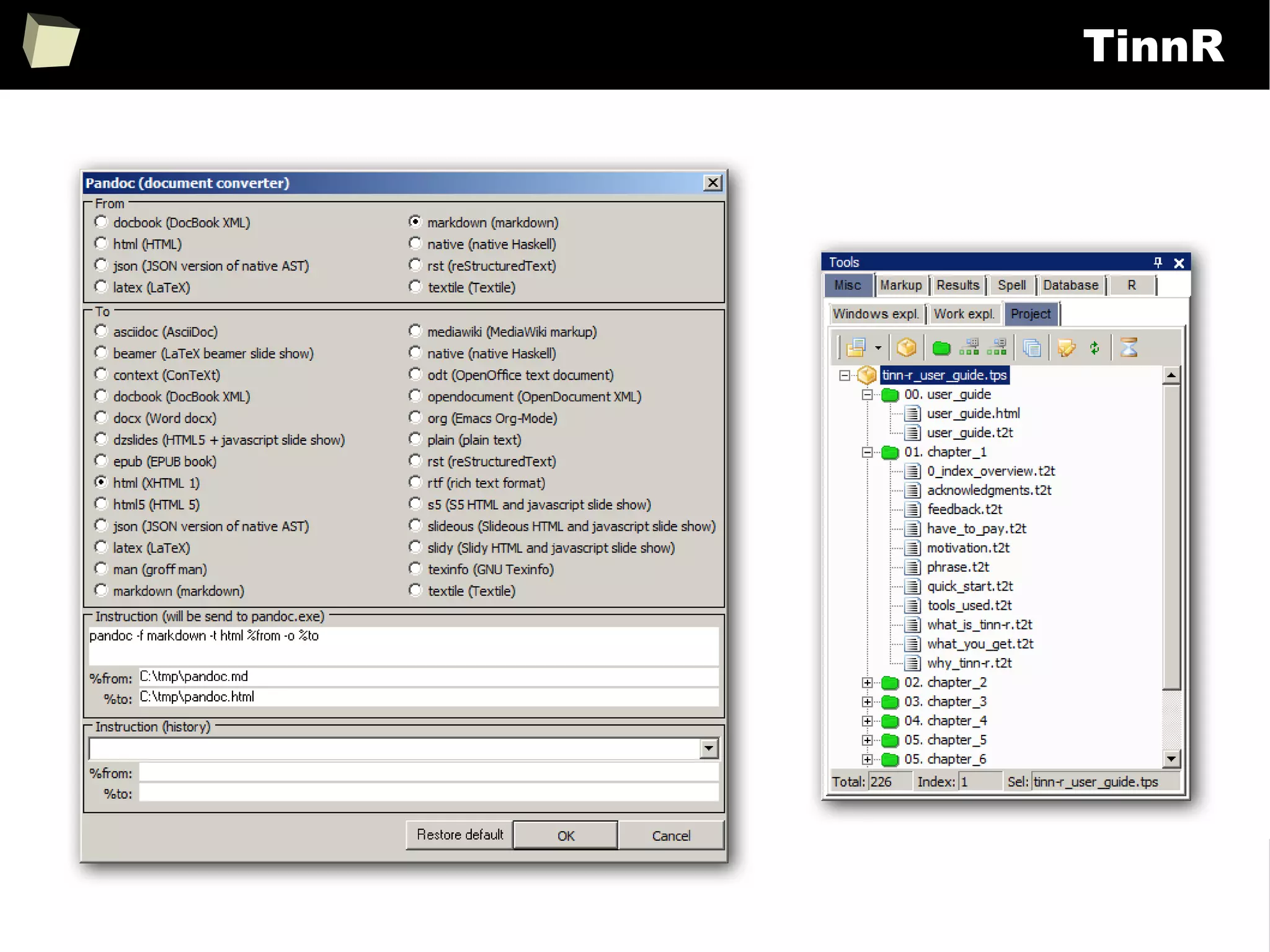
XII R has a set of fancy tools and IDEs
XIII FDA: R is OK for drug trials! - it should start from this slide :)
6
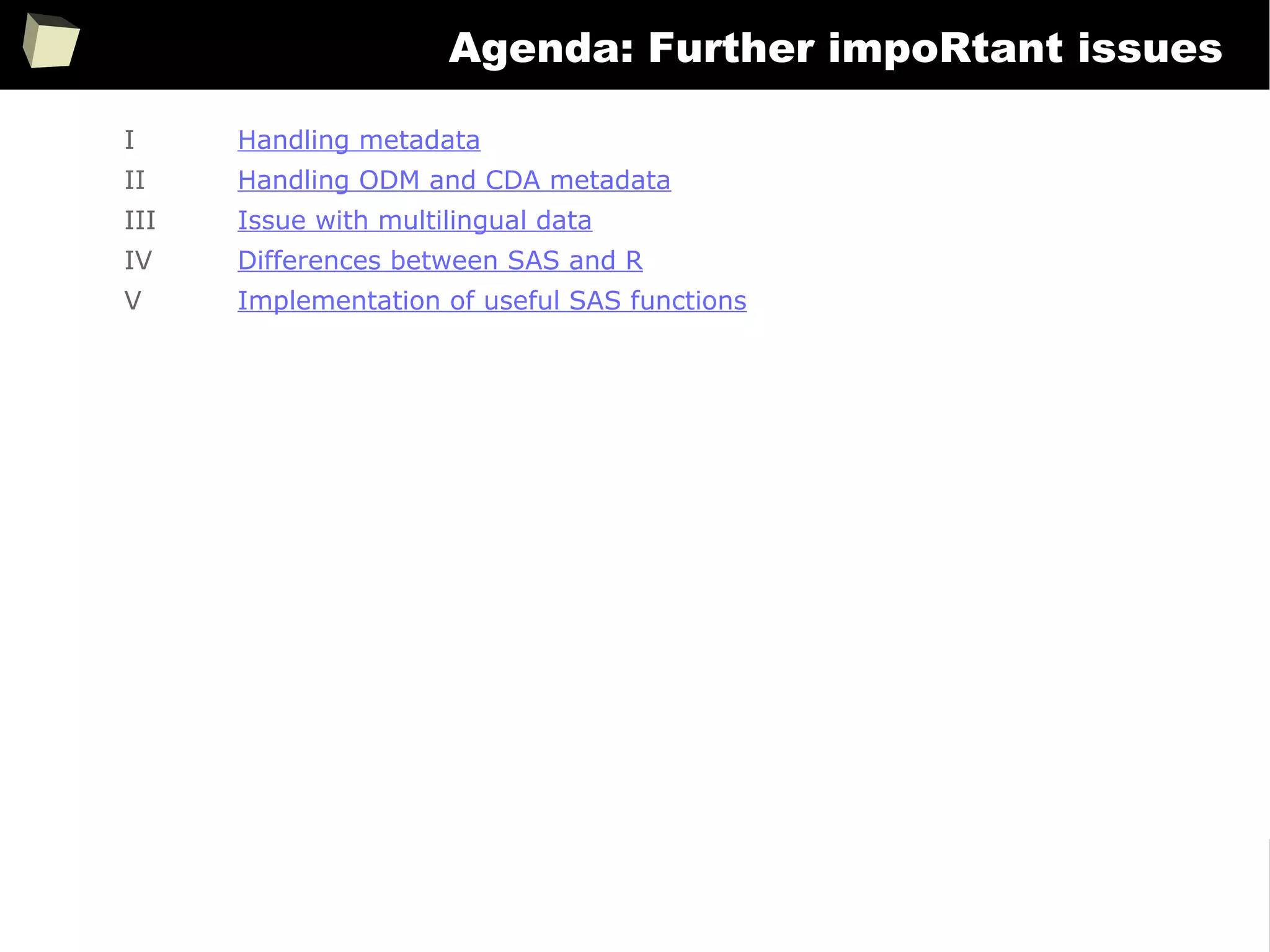
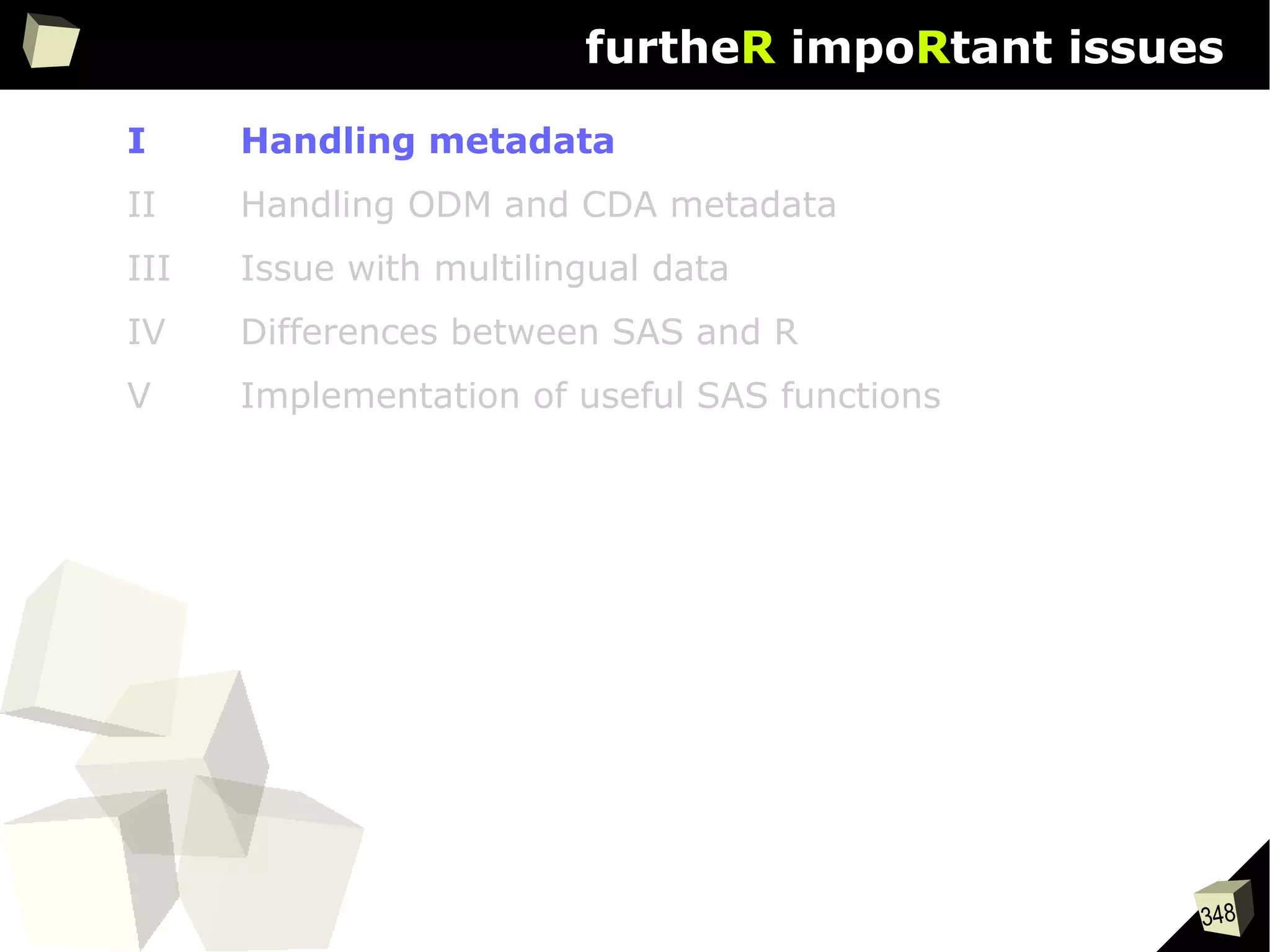
Agenda: Further impoRtant issues
I Handling metadata
II Handling ODM and CDA metadata
III Issue with multilingual data
IV Differences between SAS and R
V Implementation of useful SAS functions
7
IntRoduction
8
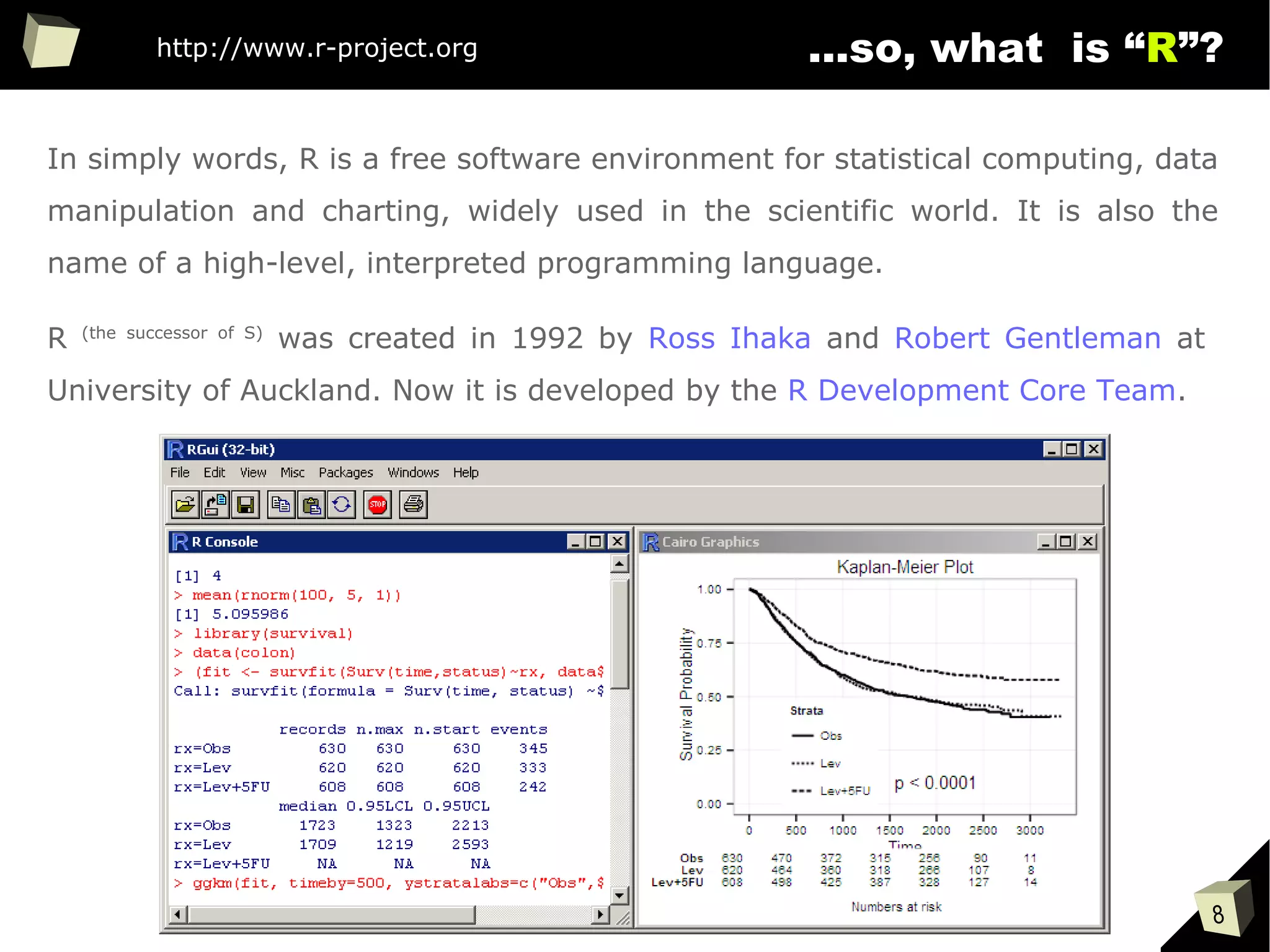
...so, what is “R”?
In simply words, R is a free software environment for statistical computing, data
manipulation and charting, widely used in the scientific world. It is also the
name of a high-level, interpreted programming language.
R (the successor of S)
was created in 1992 by Ross Ihaka and Robert Gentleman at
University of Auckland. Now it is developed by the R Development Core Team.
http://www.r-project.org
9
is it a popular softwaRe ?
[…] R is also the name of a popular programming language used by
a growing number of data analysts inside corporations and
academia. It is becoming their lingua franca partly because data
mining has entered a golden age, whether being used to set ad
prices, find new drugs more quickly or fine-tune financial models.
Companies as diverse as Google, Pfizer, Merck, Bank of America,
the InterContinental Hotels Group and Shell use it.
Data Analysts Captivated by R’s Power (The New York Times)
http://tinyurl.com/captivated-by-r
10
...so, what is “R”?
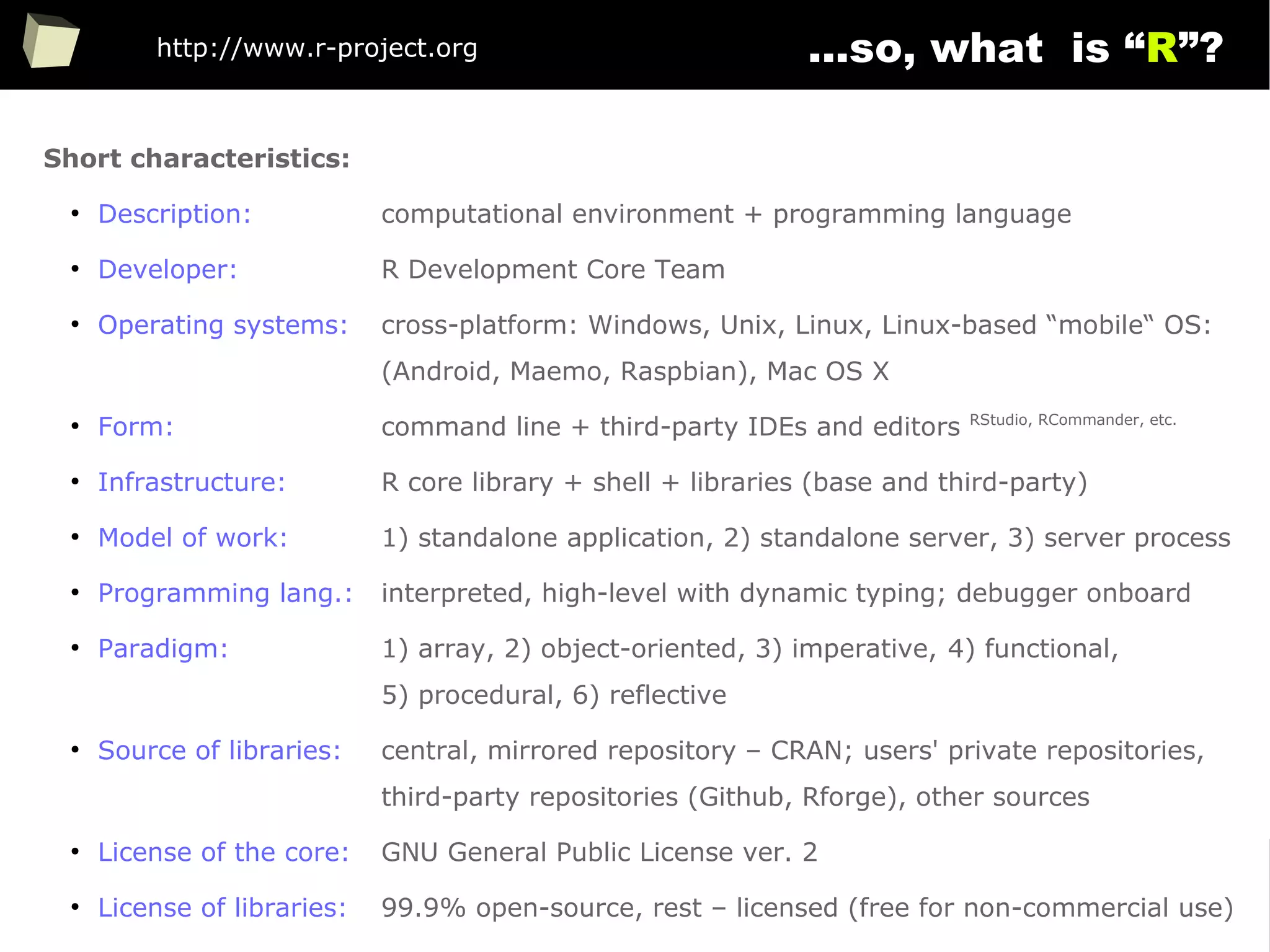
Short characteristics:
●
Description: computational environment + programming language
●
Developer: R Development Core Team
●
Operating systems: cross-platform: Windows, Unix, Linux, Linux-based “mobile“ OS:
(Android, Maemo, Raspbian), Mac OS X
●
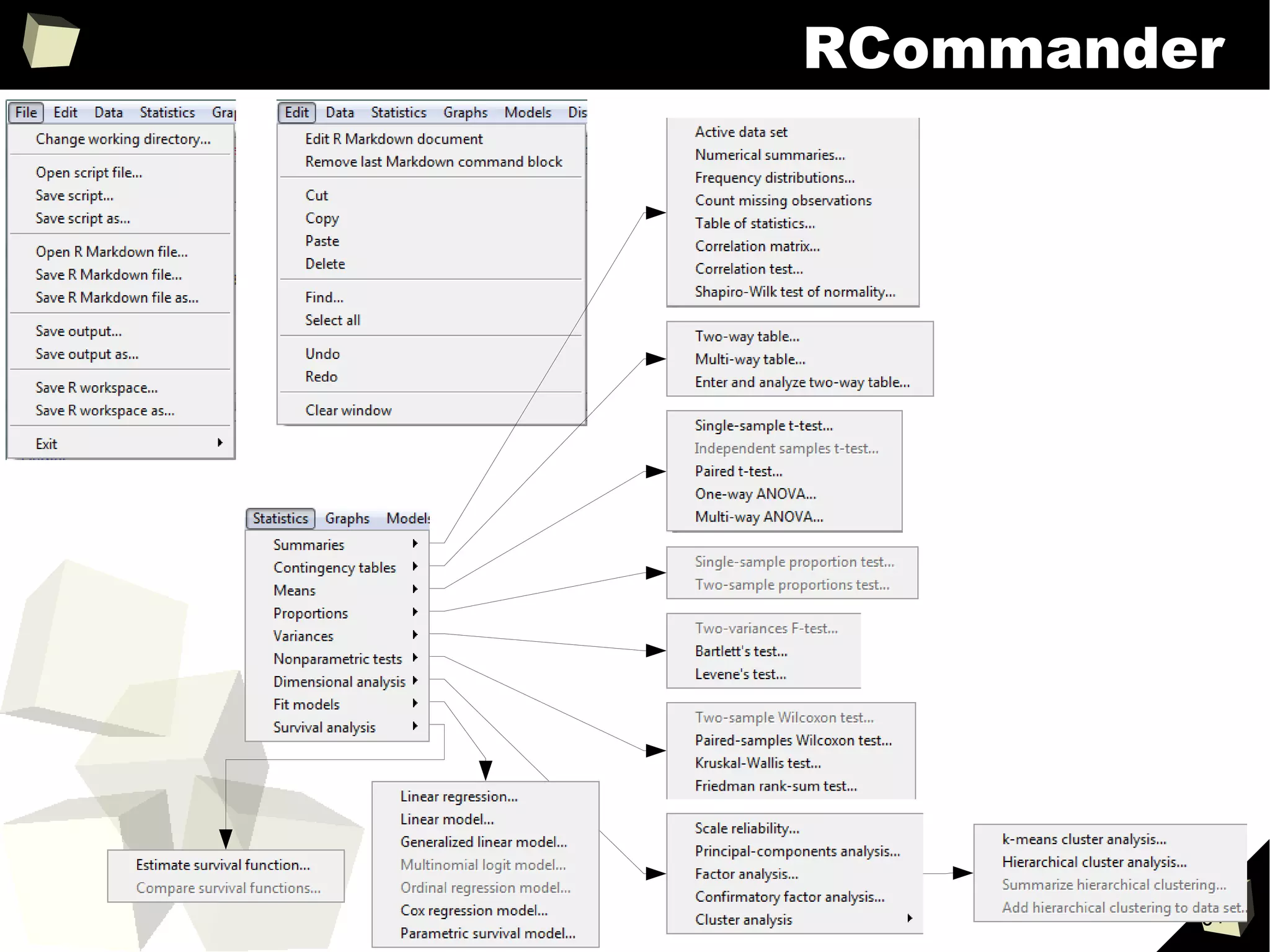
Form: command line + third-party IDEs and editors RStudio, RCommander, etc.
●
Infrastructure: R core library + shell + libraries (base and third-party)
●
Model of work: 1) standalone application, 2) standalone server, 3) server process
●
Programming lang.: interpreted, high-level with dynamic typing; debugger onboard
●
Paradigm: 1) array, 2) object-oriented, 3) imperative, 4) functional,
5) procedural, 6) reflective
●
Source of libraries: central, mirrored repository – CRAN; users' private repositories,
third-party repositories (Github, Rforge), other sources
●
License of the core: GNU General Public License ver. 2
●
License of libraries: 99.9% open-source, rest – licensed (free for non-commercial use)
http://www.r-project.org
11
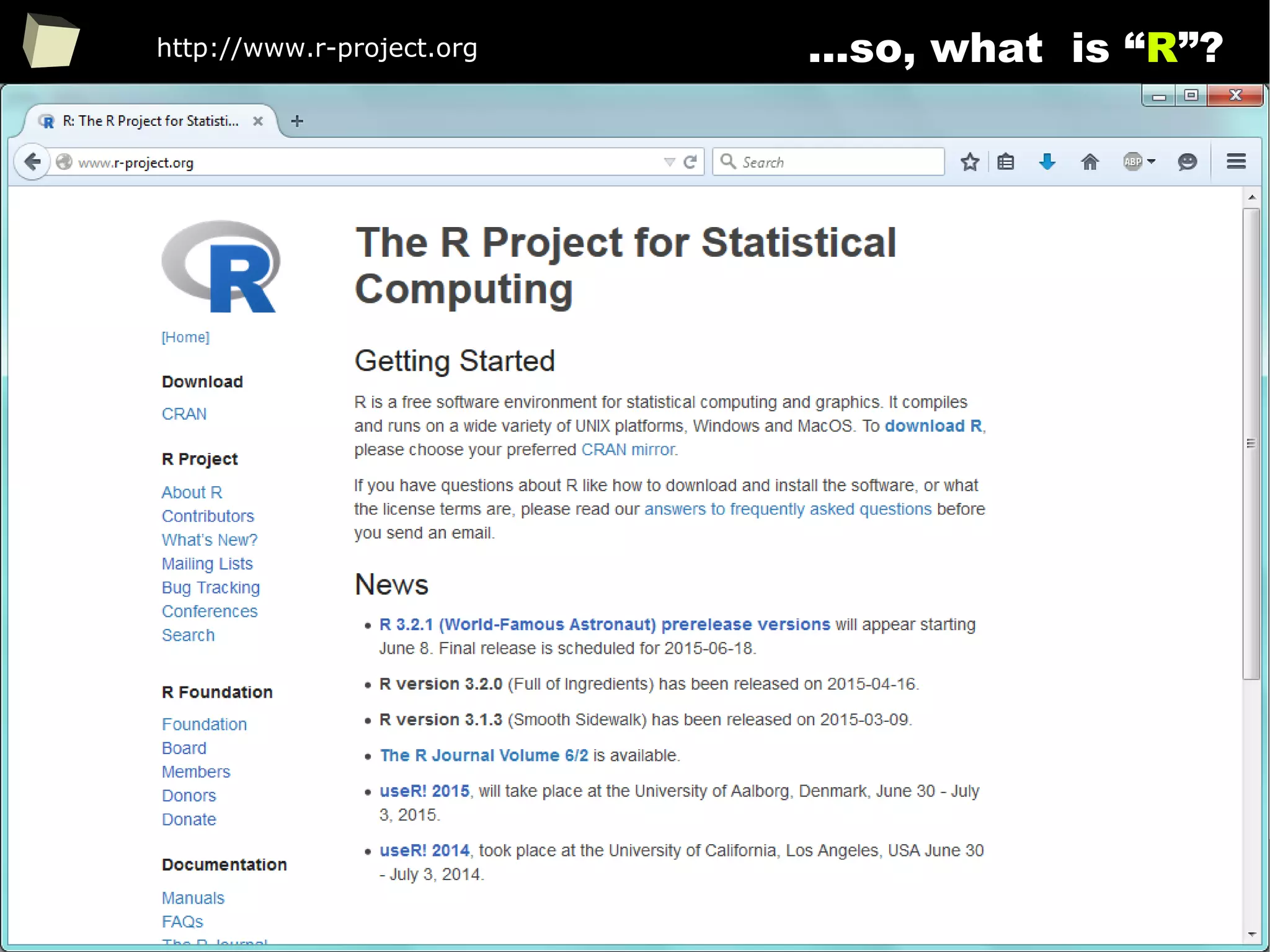
...so, what is “R”?http://www.r-project.org
12
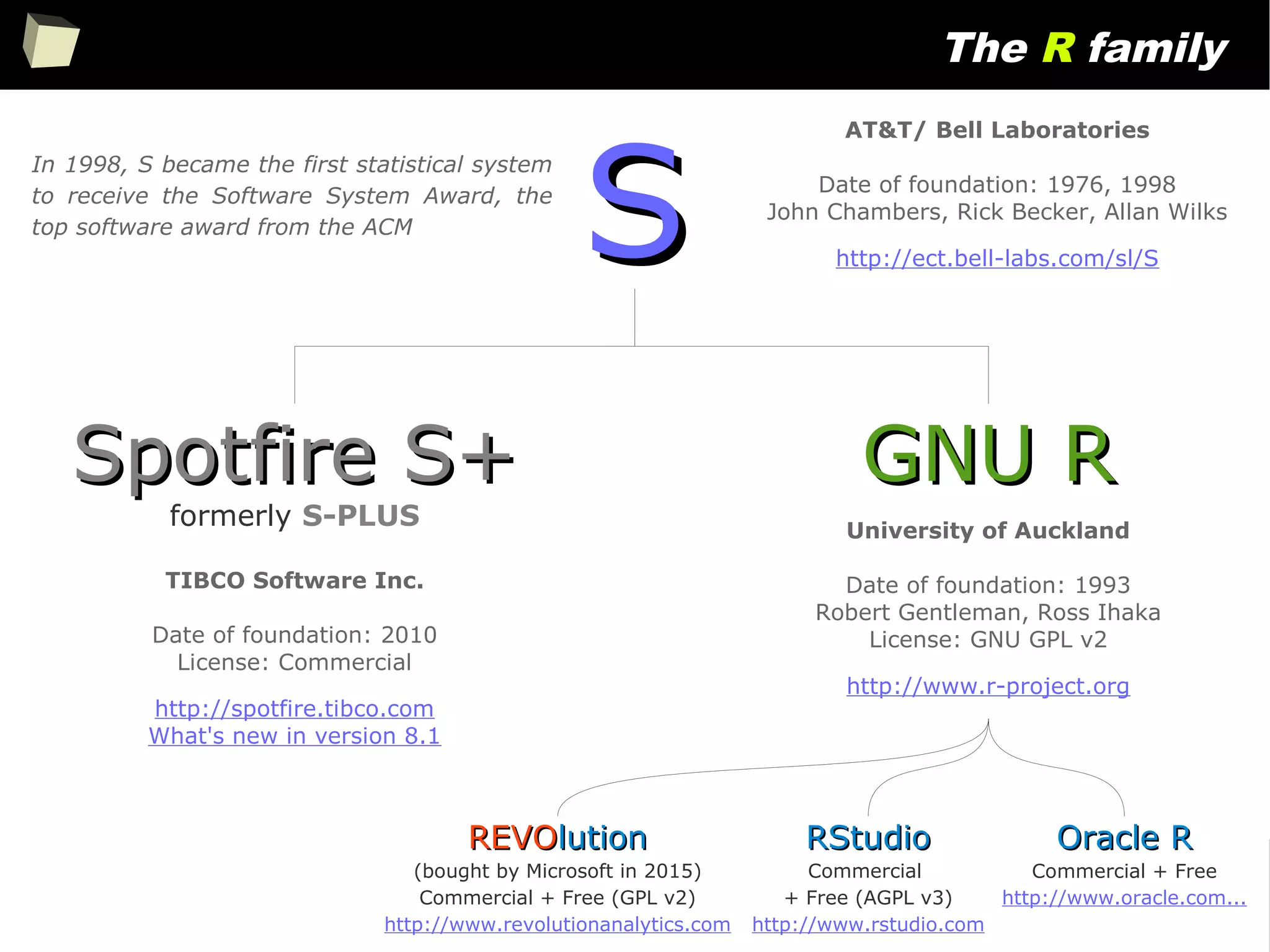
The R family
SS
Spotfire S+Spotfire S+
formerly S-PLUS
GNU RGNU R
REVOREVOlutionlution
(bought by Microsoft in 2015)
Commercial + Free (GPL v2)
http://www.revolutionanalytics.com
AT&T/ Bell Laboratories
Date of foundation: 1976, 1998
John Chambers, Rick Becker, Allan Wilks
http://ect.bell-labs.com/sl/S
TIBCO Software Inc.
Date of foundation: 2010
License: Commercial
http://spotfire.tibco.com
What's new in version 8.1
University of Auckland
Date of foundation: 1993
Robert Gentleman, Ross Ihaka
License: GNU GPL v2
http://www.r-project.org
In 1998, S became the first statistical system
to receive the Software System Award, the
top software award from the ACM
RStudioRStudio
Commercial
+ Free (AGPL v3)
http://www.rstudio.com
Oracle ROracle R
Commercial + Free
http://www.oracle.com...
13
did you know, that...
http://blog.revolutionanalytics.com/2014/04/seven-quick-facts-about-r.html
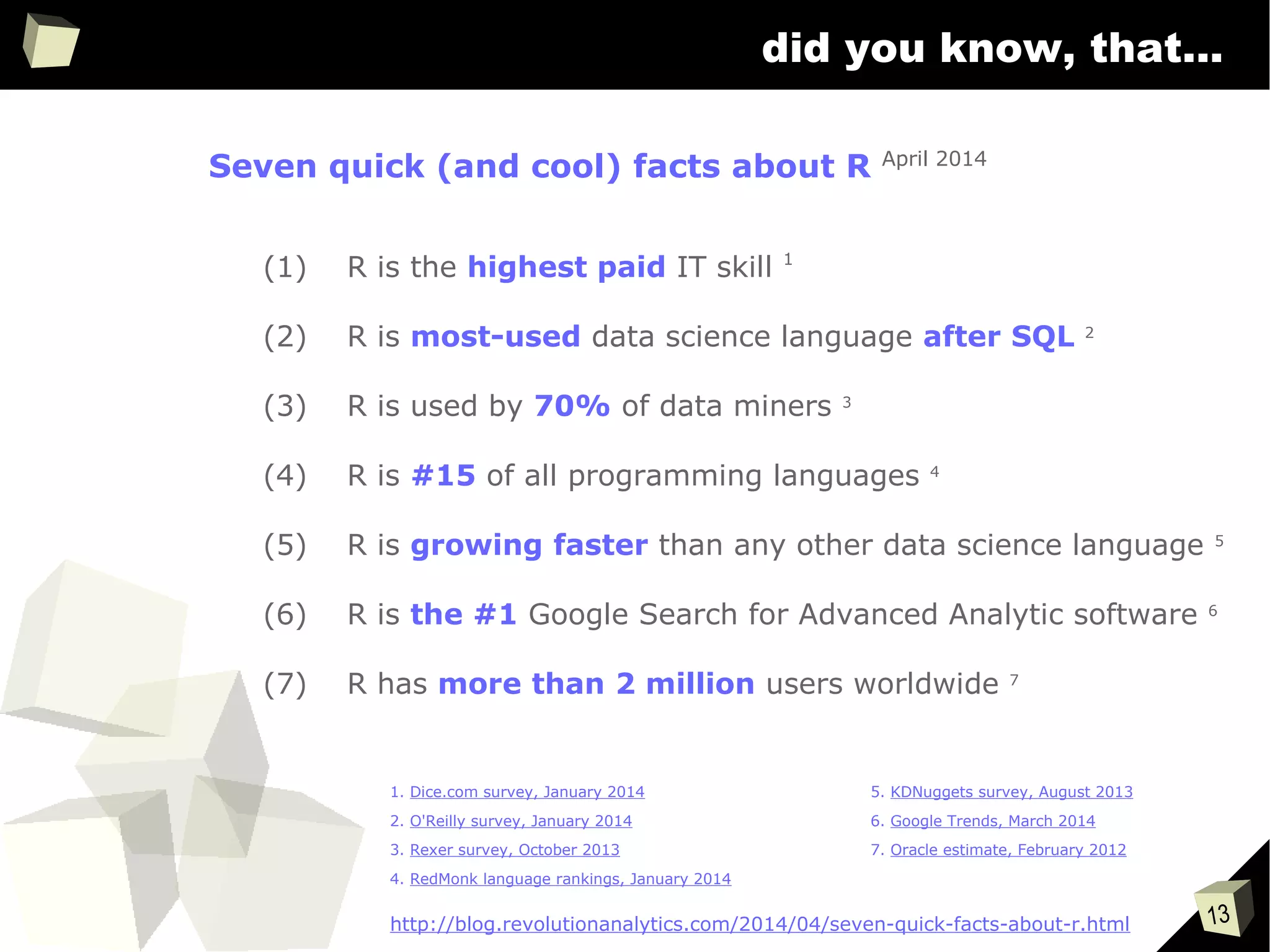
Seven quick (and cool) facts about R April 2014
(1) R is the highest paid IT skill 1
(2) R is most-used data science language after SQL 2
(3) R is used by 70% of data miners 3
(4) R is #15 of all programming languages 4
(5) R is growing faster than any other data science language 5
(6) R is the #1 Google Search for Advanced Analytic software 6
(7) R has more than 2 million users worldwide 7
1. Dice.com survey, January 2014
2. O'Reilly survey, January 2014
3. Rexer survey, October 2013
4. RedMonk language rankings, January 2014
5. KDNuggets survey, August 2013
6. Google Trends, March 2014
7. Oracle estimate, February 2012
14
List of R users
15
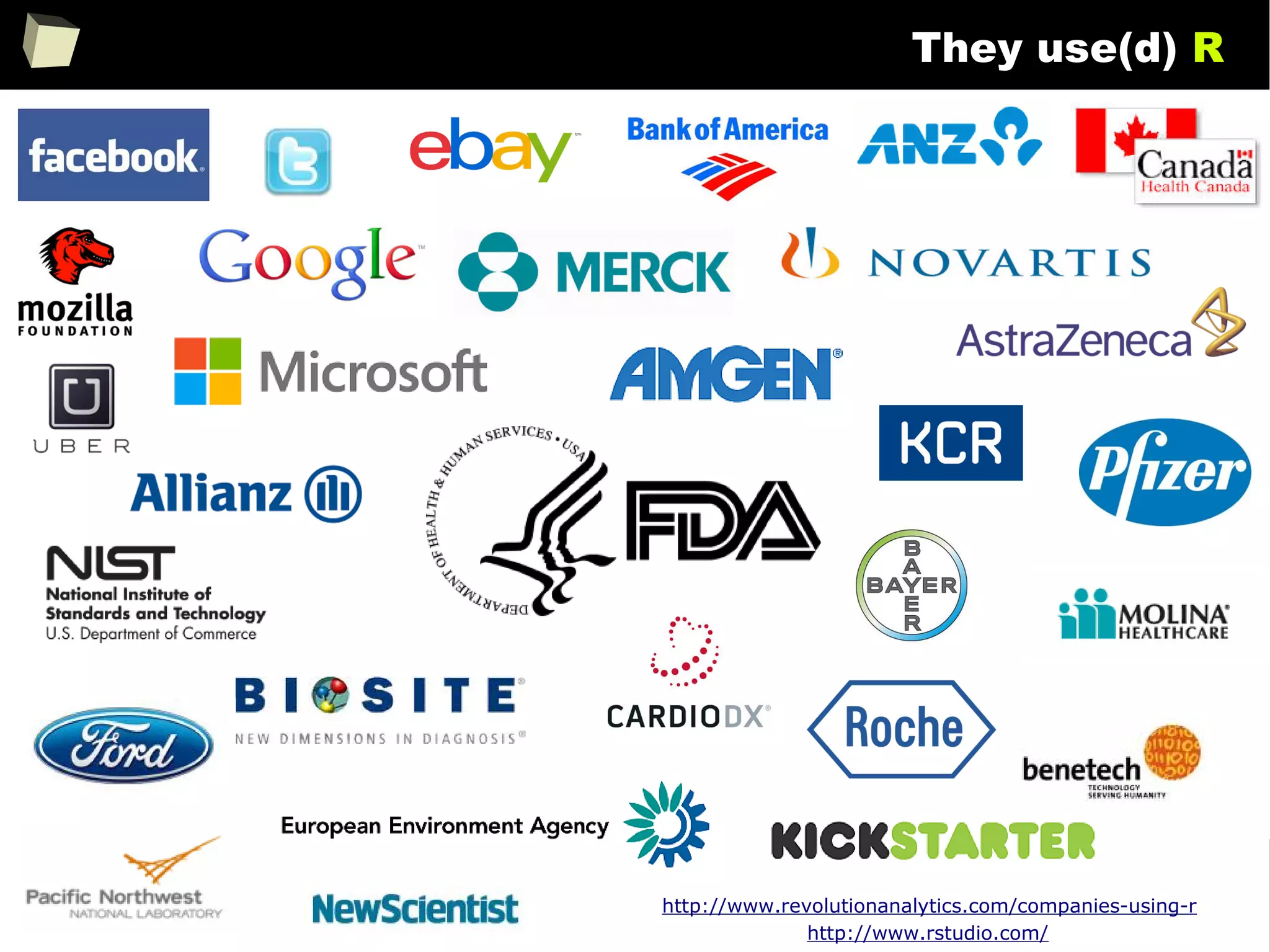
They use(d) R
http://www.revolutionanalytics.com/companies-using-r
http://www.rstudio.com/
16
A word about the list of UseRs
The list is built based exclusively on publicly available information:
●
lists of users provided by Revolution, RStudio and others
●
articles (example, example) and interviews (example)
●
published documents in which a name of a company is visible (example)
●
job advertisements
●
names of companies supporting / organizing events (conferences, courses)
That is to say, a logo of a company is included in the list only if there is a
strong evidence that the company uses or supports (or used or supported) R,
based on information shared on the Internet – and thus available for everyone.
Please note, that I am not aware if all listed companies are still using any
version of R at the time the presentation is being viewed.
17
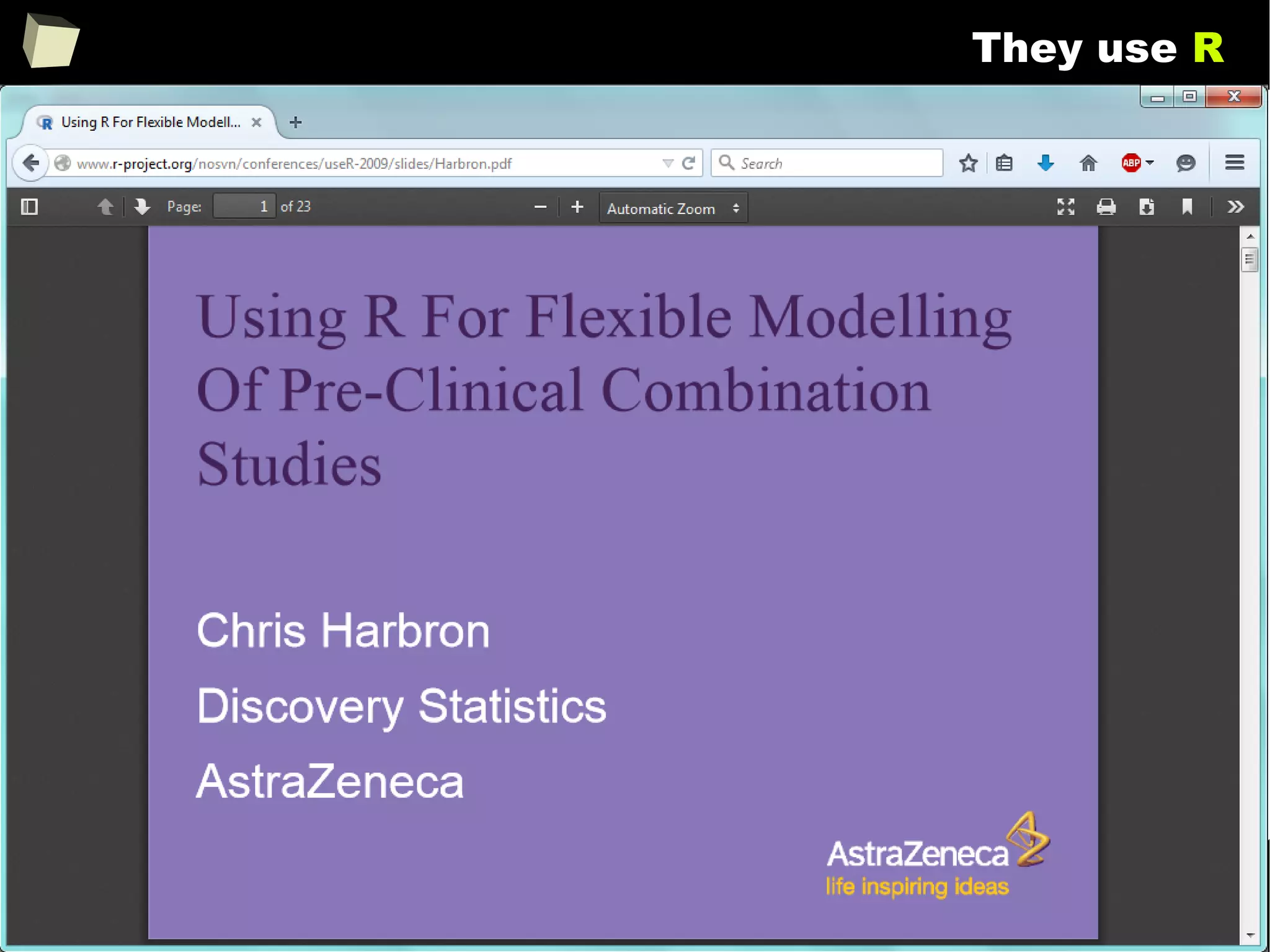
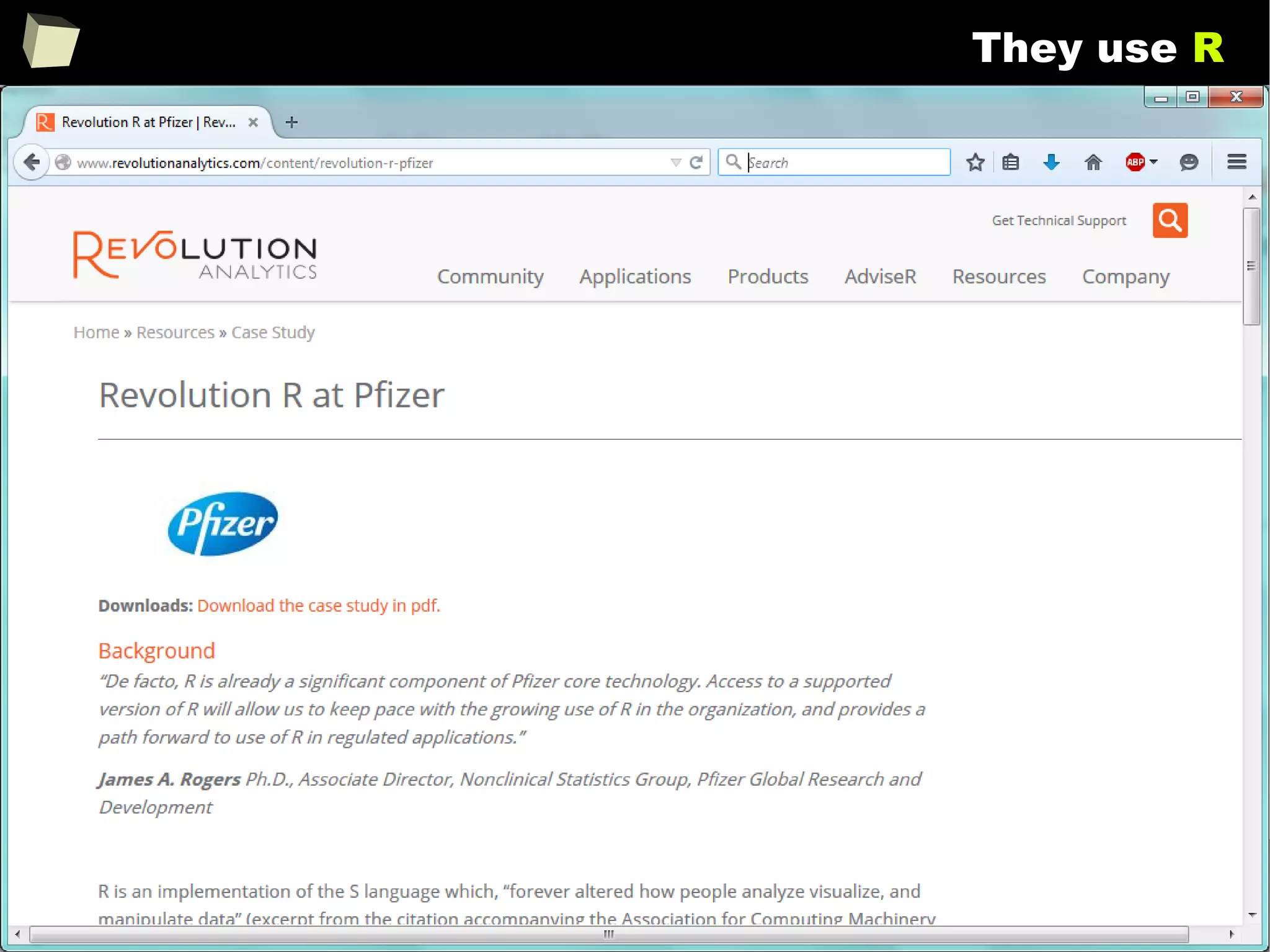
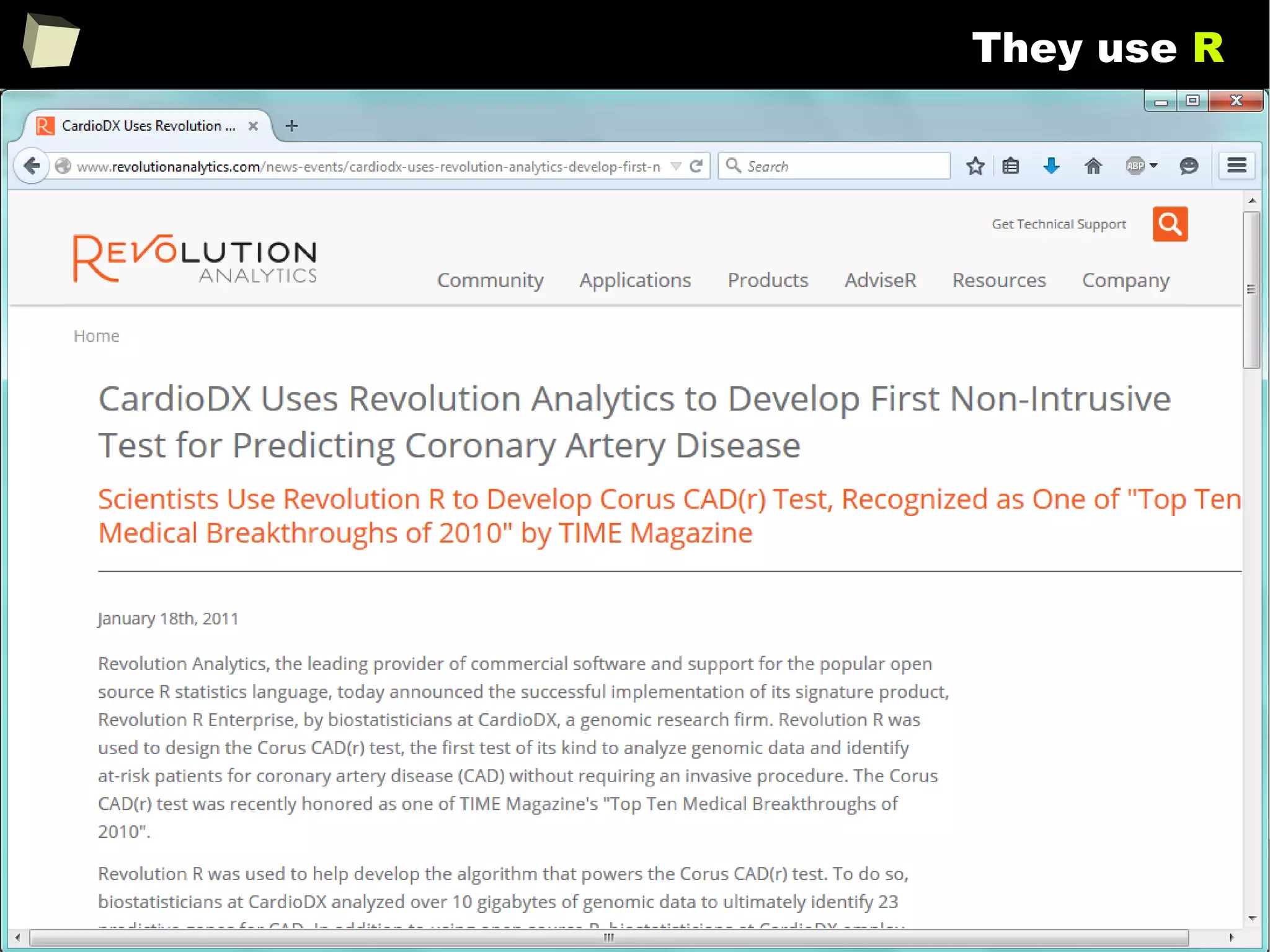
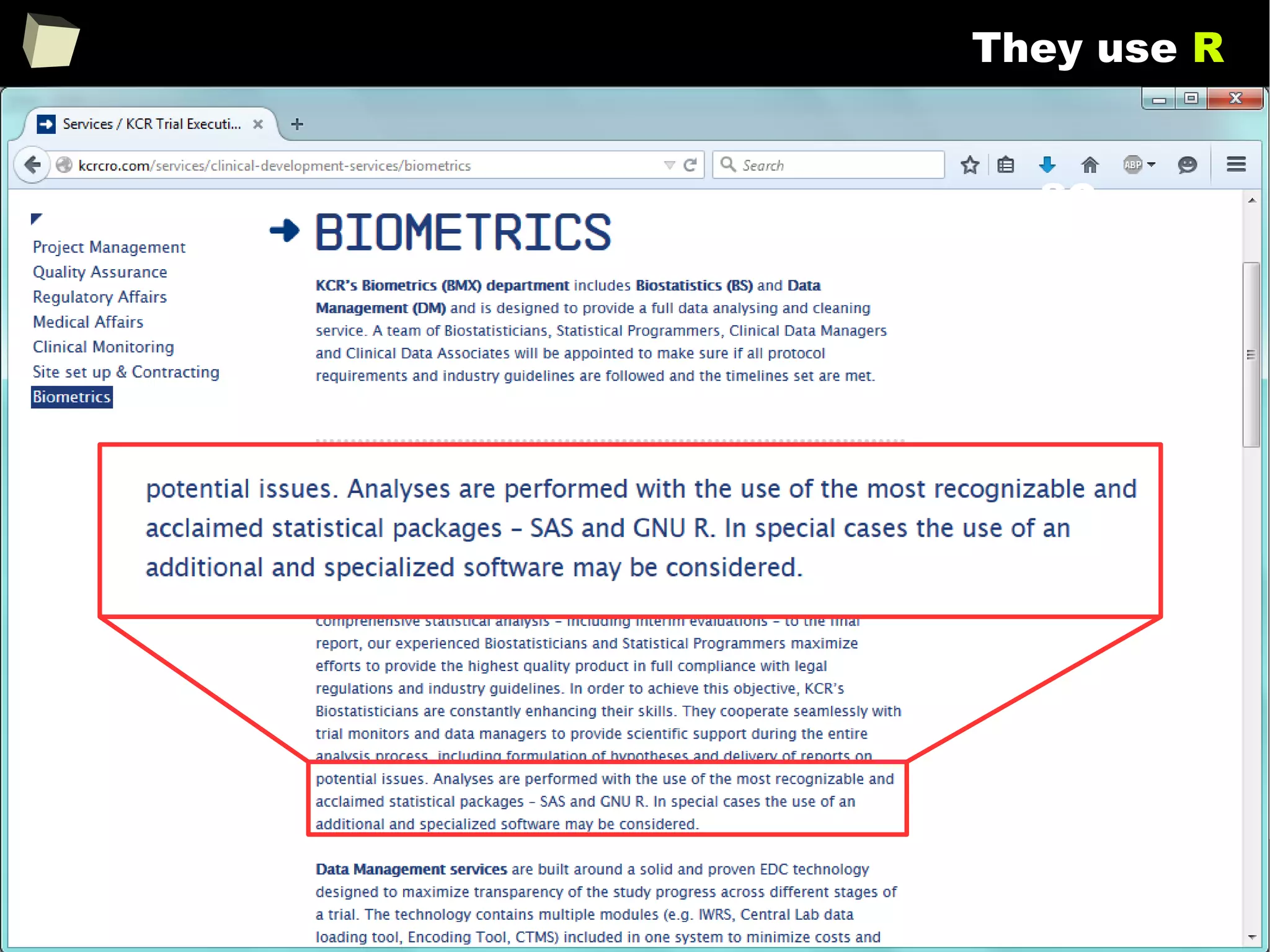
They use R
“We use R for adaptive designs frequently because it’s the fastest tool to
explore designs that interest us. Off-the-shelf software, gives you off-the-
shelf options. Those are a good first order approximation, but if you really
want to nail down a design, R is going to be the fastest way to do that.”
Keaven Anderson
Executive Director Late Stage Biostatistics,
Merck
http://www.revolutionanalytics.com/content/merck-optimizes-clinical-drug-development...
18
They use R
19
They use R
20
They use R
21
They use R
so...
22
They use R
23
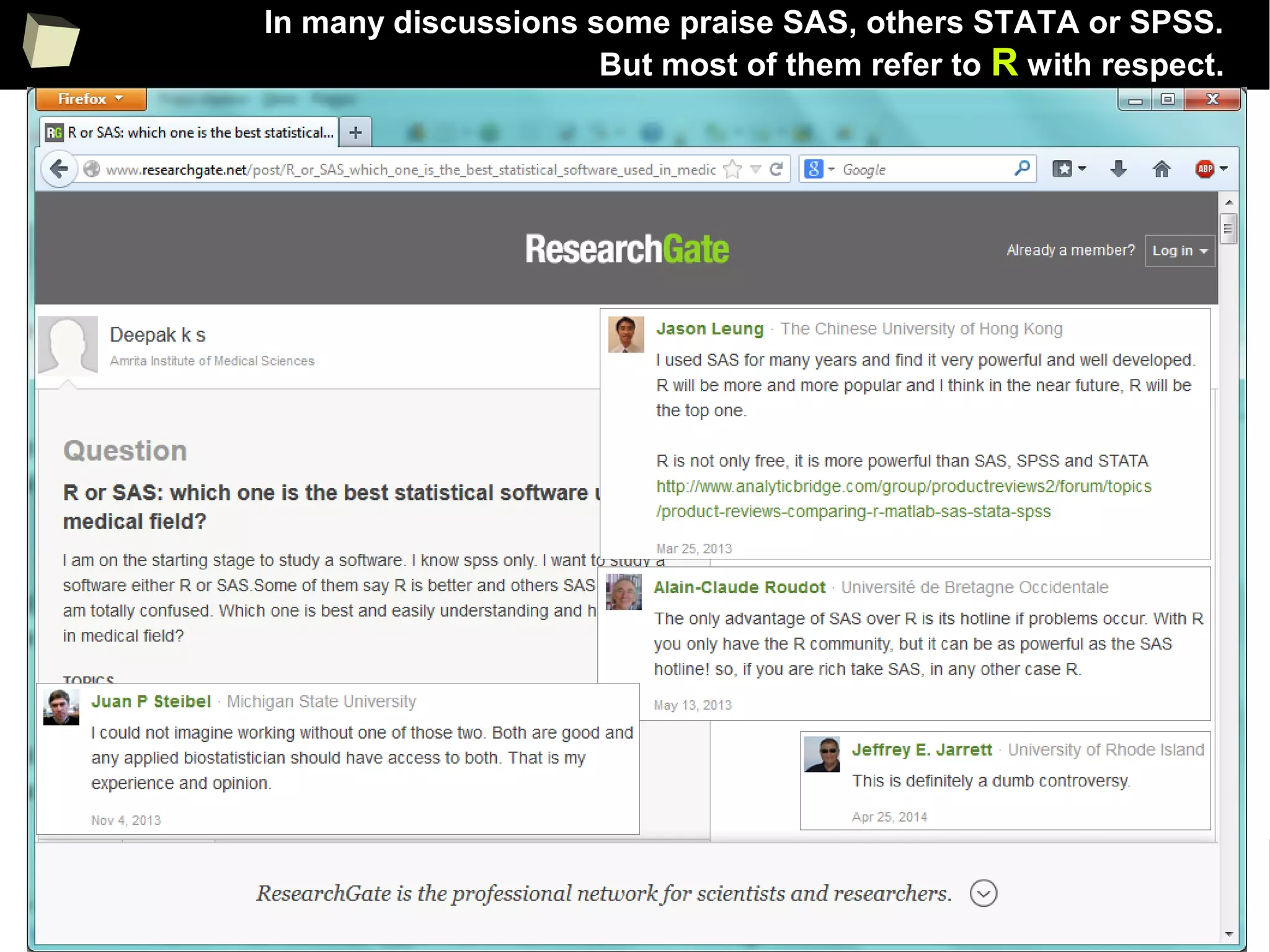
In many discussions some praise SAS, others STATA or SPSS.
But most of them refer to R with respect.
24
Is R a popular software?
25
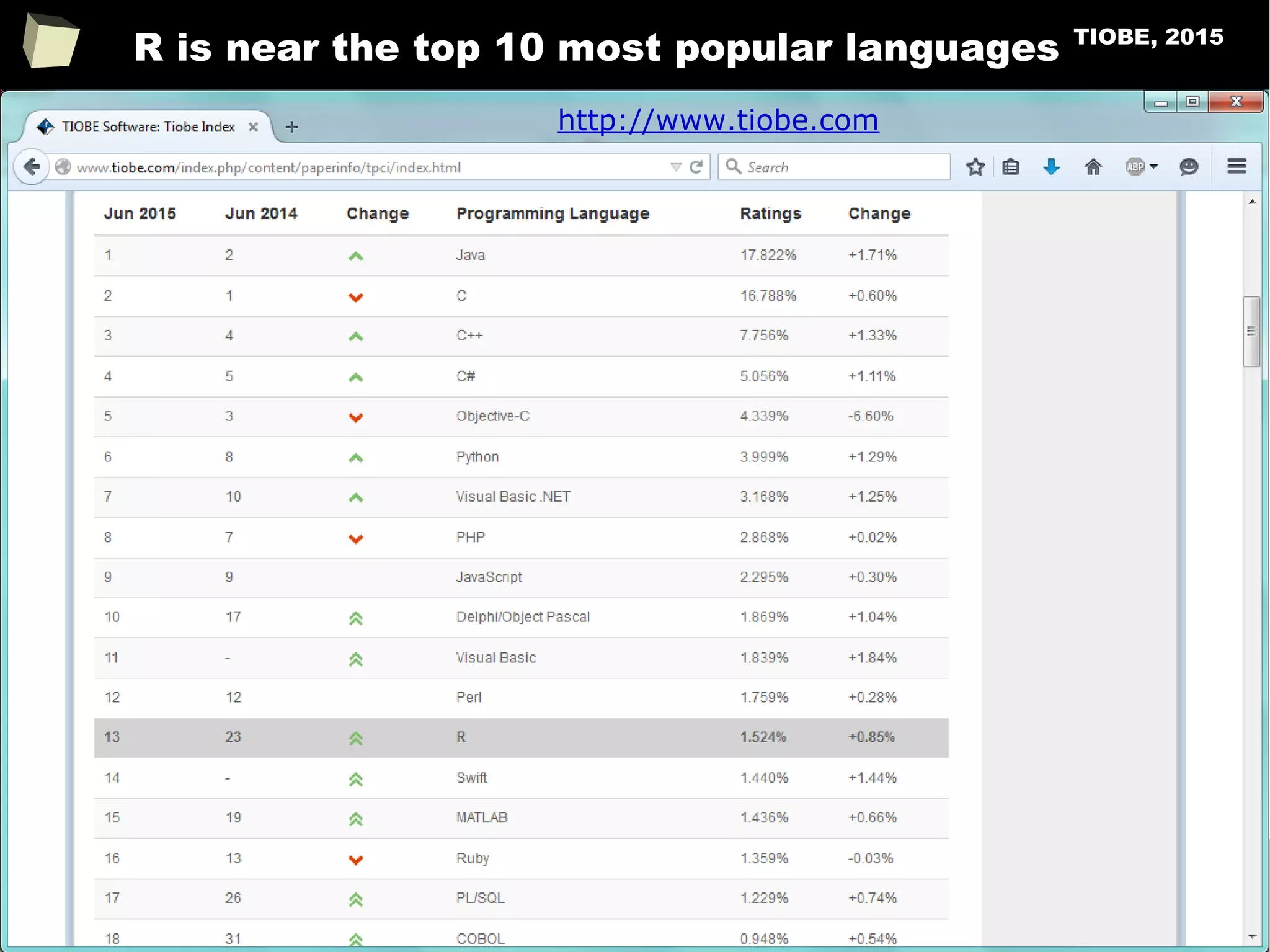
R is near the top 10 most popular languages TIOBE, 2015
http://www.tiobe.com
26
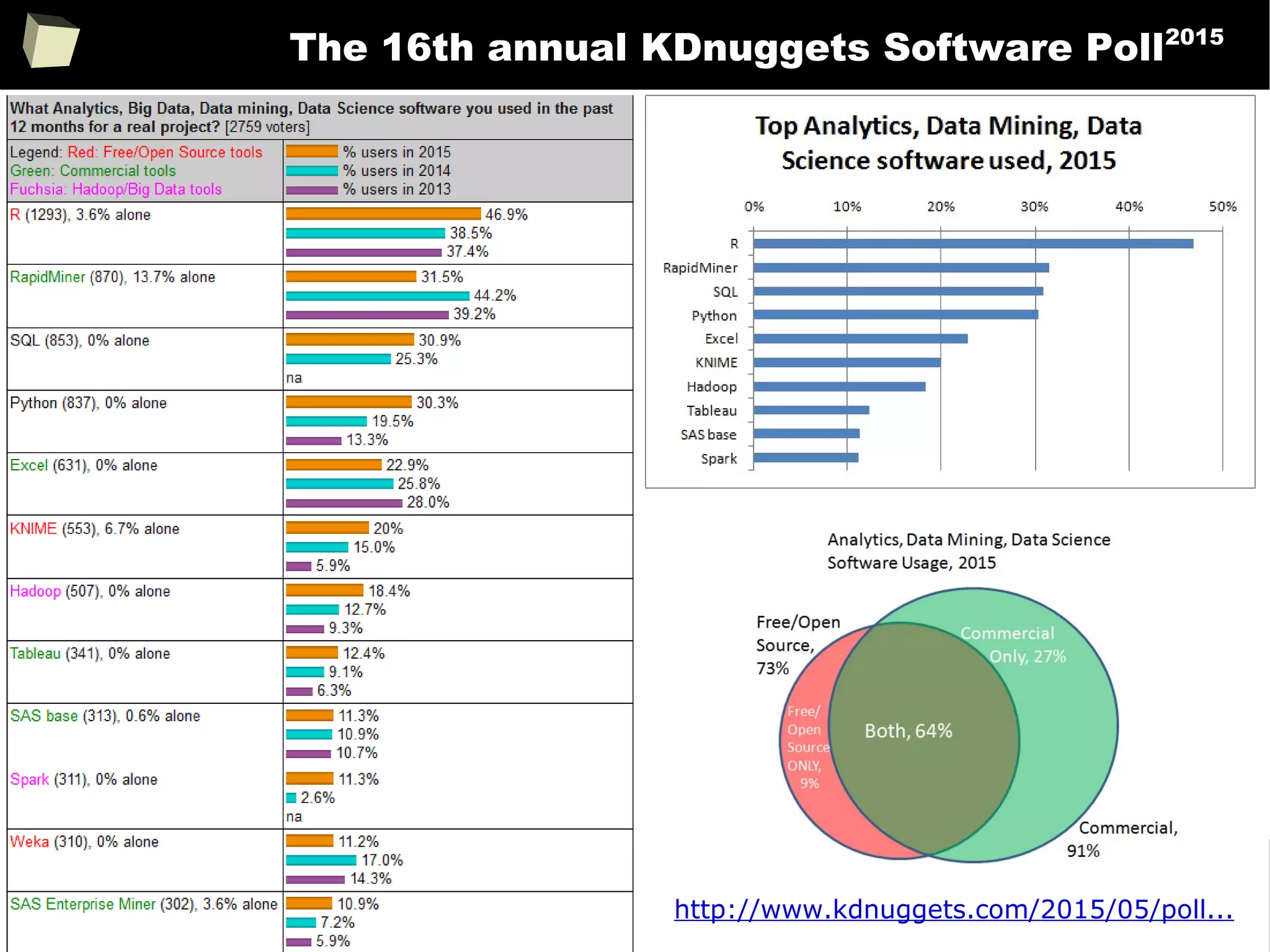
The 16th annual KDnuggets Software Poll2015
http://www.kdnuggets.com/2015/05/poll...
27
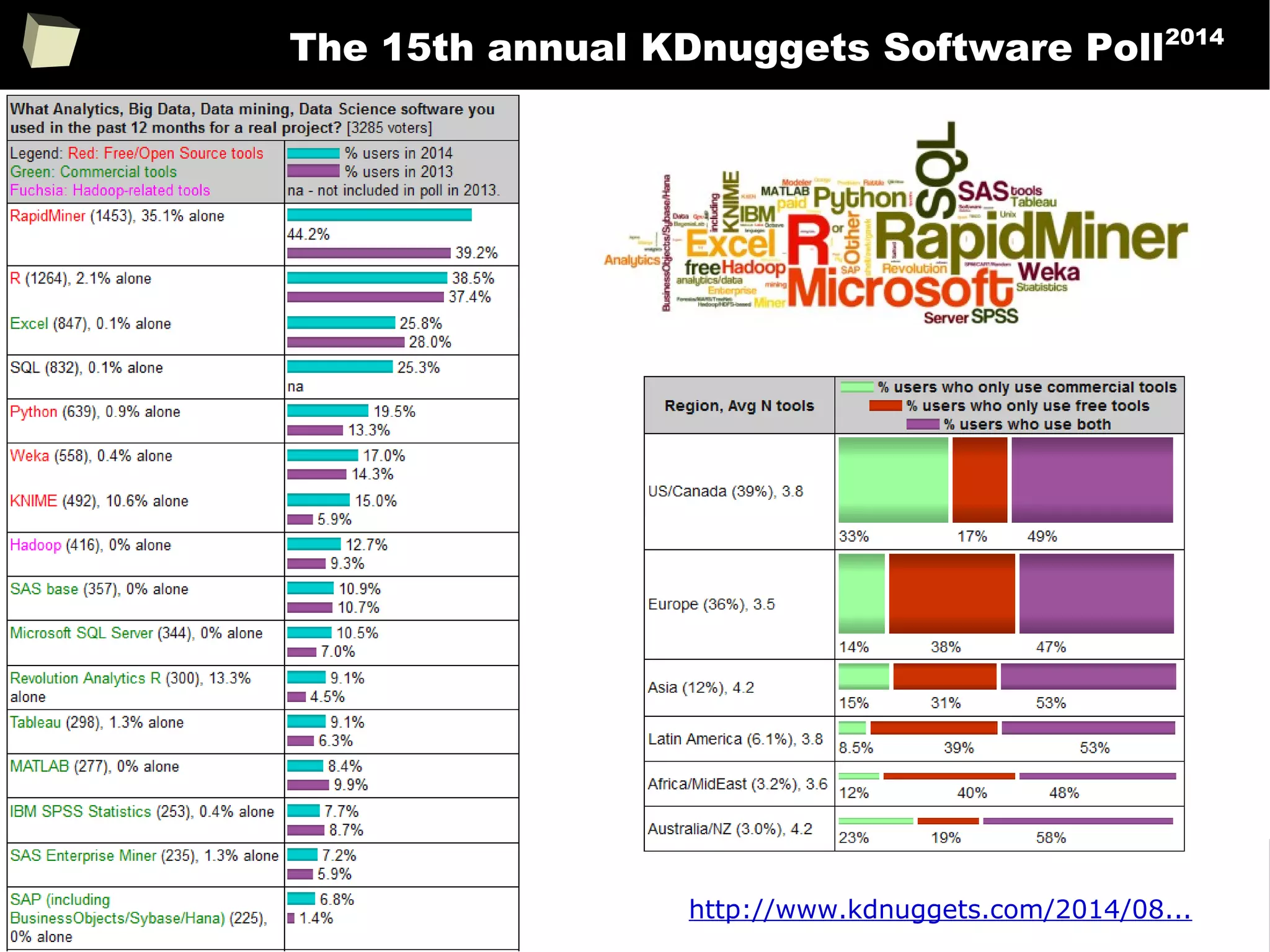
The 15th annual KDnuggets Software Poll2014
http://www.kdnuggets.com/2014/08...
28
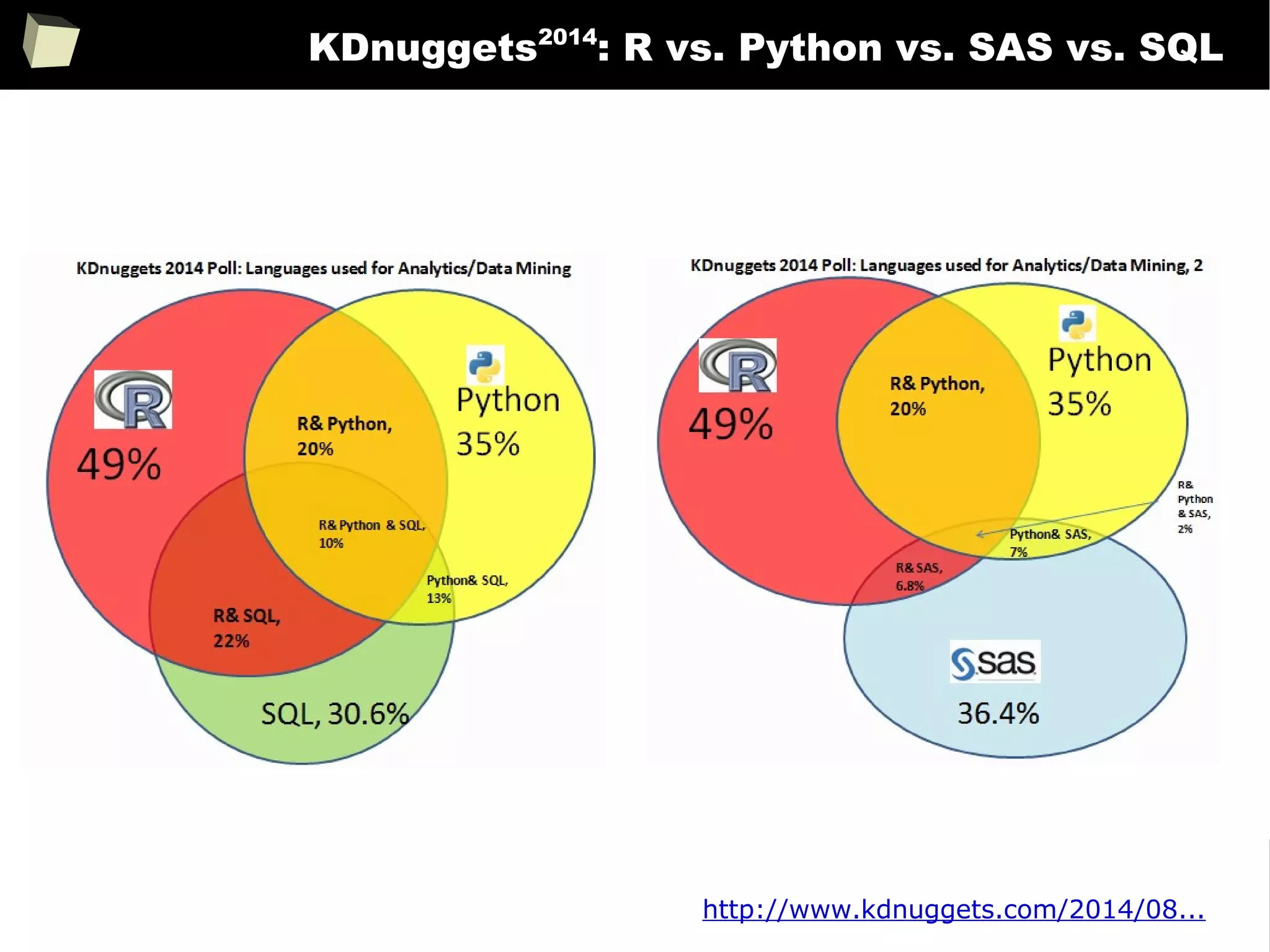
KDnuggets2014
: R vs. Python vs. SAS vs. SQL
http://www.kdnuggets.com/2014/08...
29
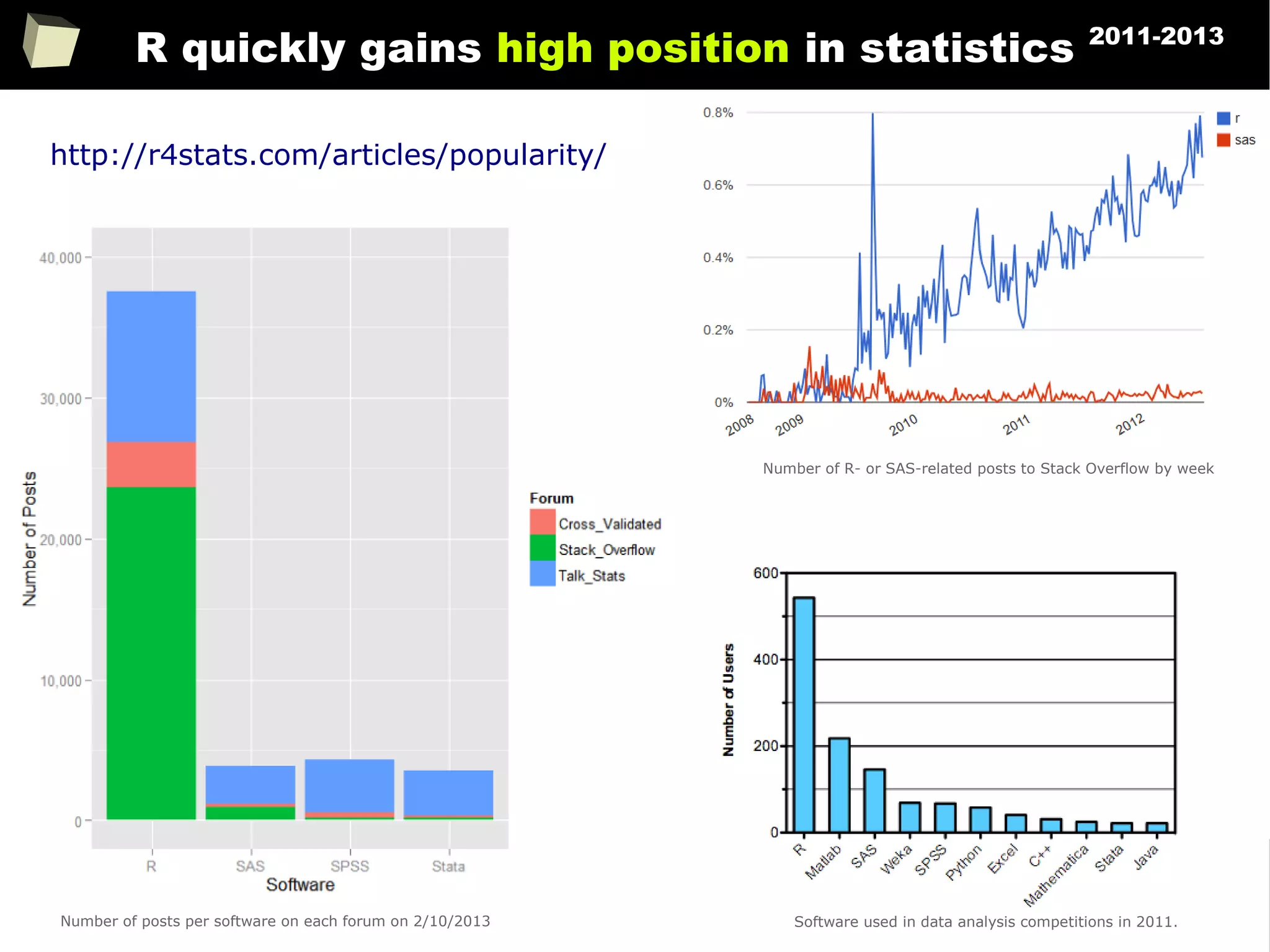
R quickly gains high position in statistics 2011-2013
http://r4stats.com/articles/popularity/
Number of R- or SAS-related posts to Stack Overflow by week
Number of posts per software on each forum on 2/10/2013 Software used in data analysis competitions in 2011.
30
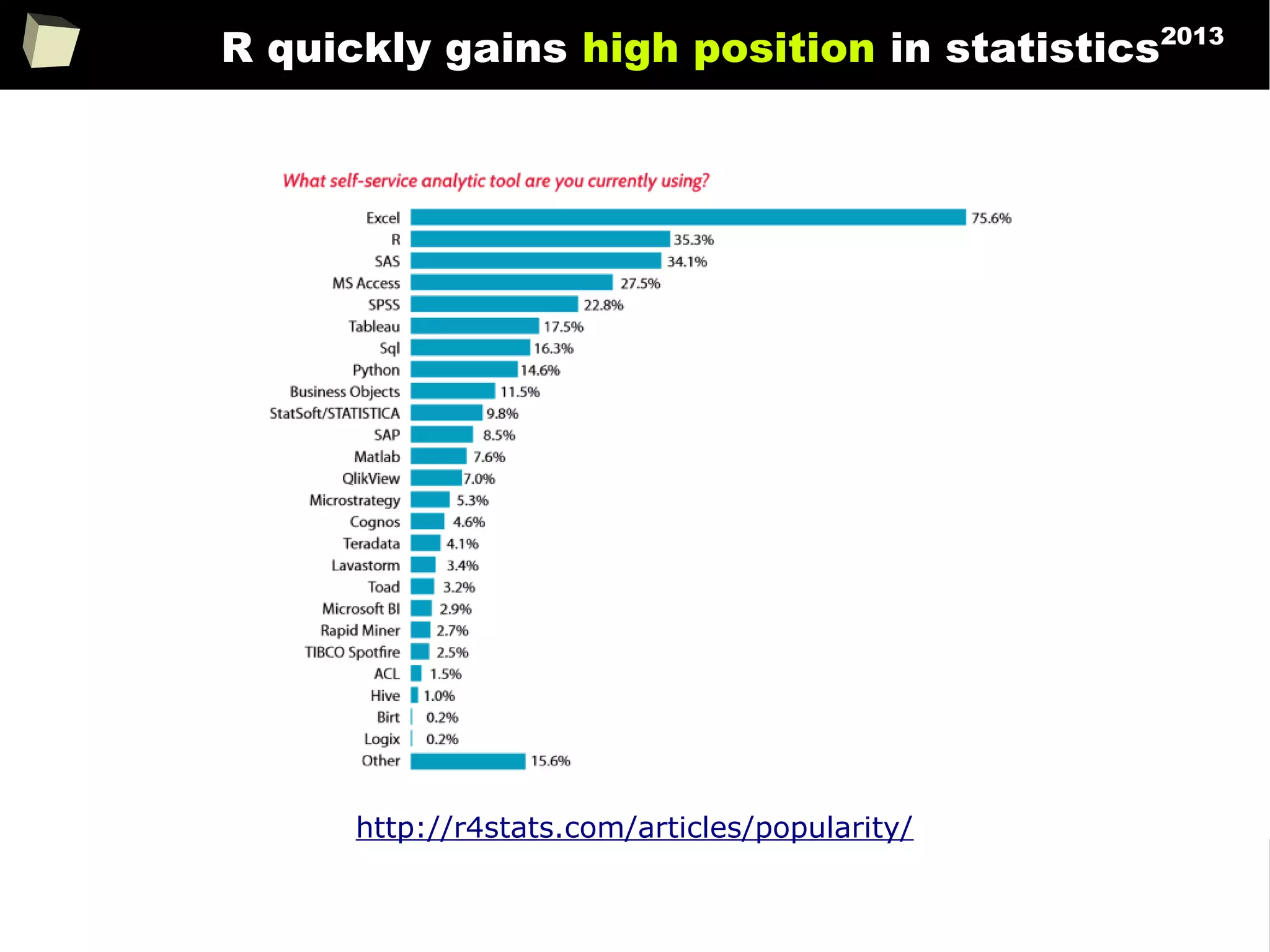
R quickly gains high position in statistics2013
http://r4stats.com/articles/popularity/
31
Rexer Analytics Survey2010
Soon, they’ll be
speaking R on the
subway
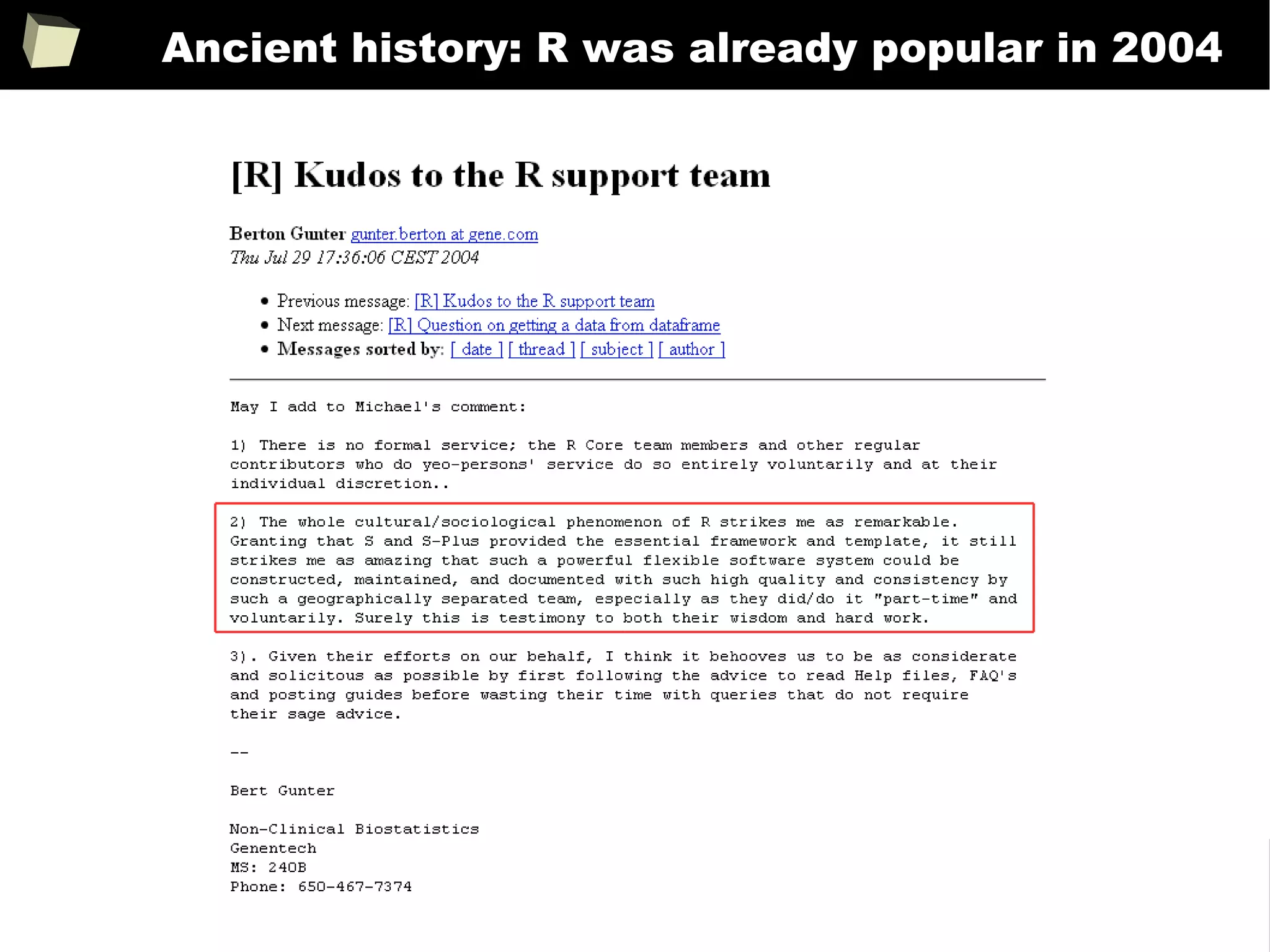
Michael Rennie
(giving ‘Kudos to the R support team’)
Fortunes(68)
http://r4stats.com/articles/popularity/
Rexer Analytics Survey 2010 results for data mining/analytic tools
32
Ancient history: R was already popular in 2004
33
Demonstrative screenshots
34
fiRst insight: the main program window
35
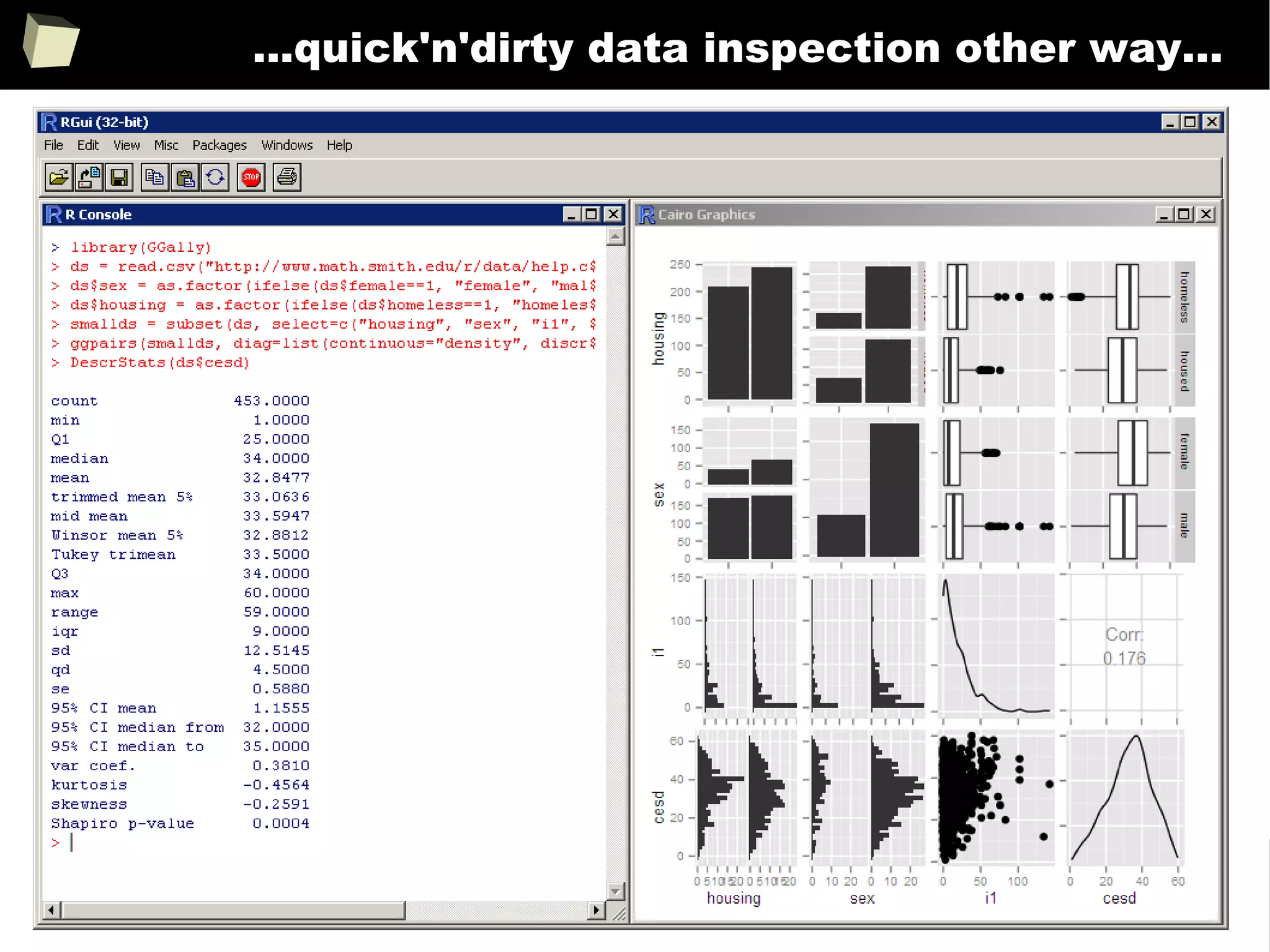
...some quick'n'dirty data inspection...
36
...quick'n'dirty data inspection other way...
37
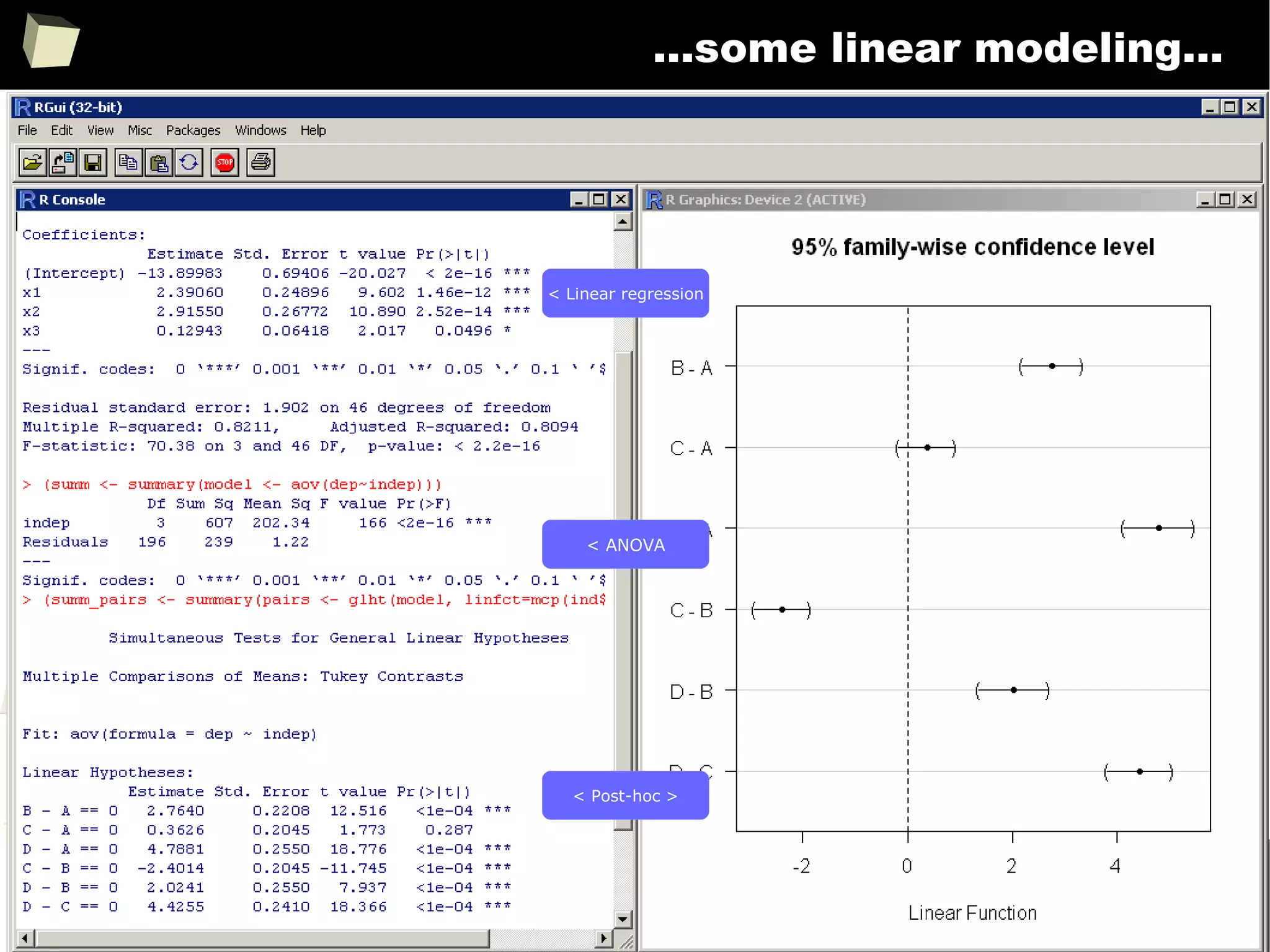
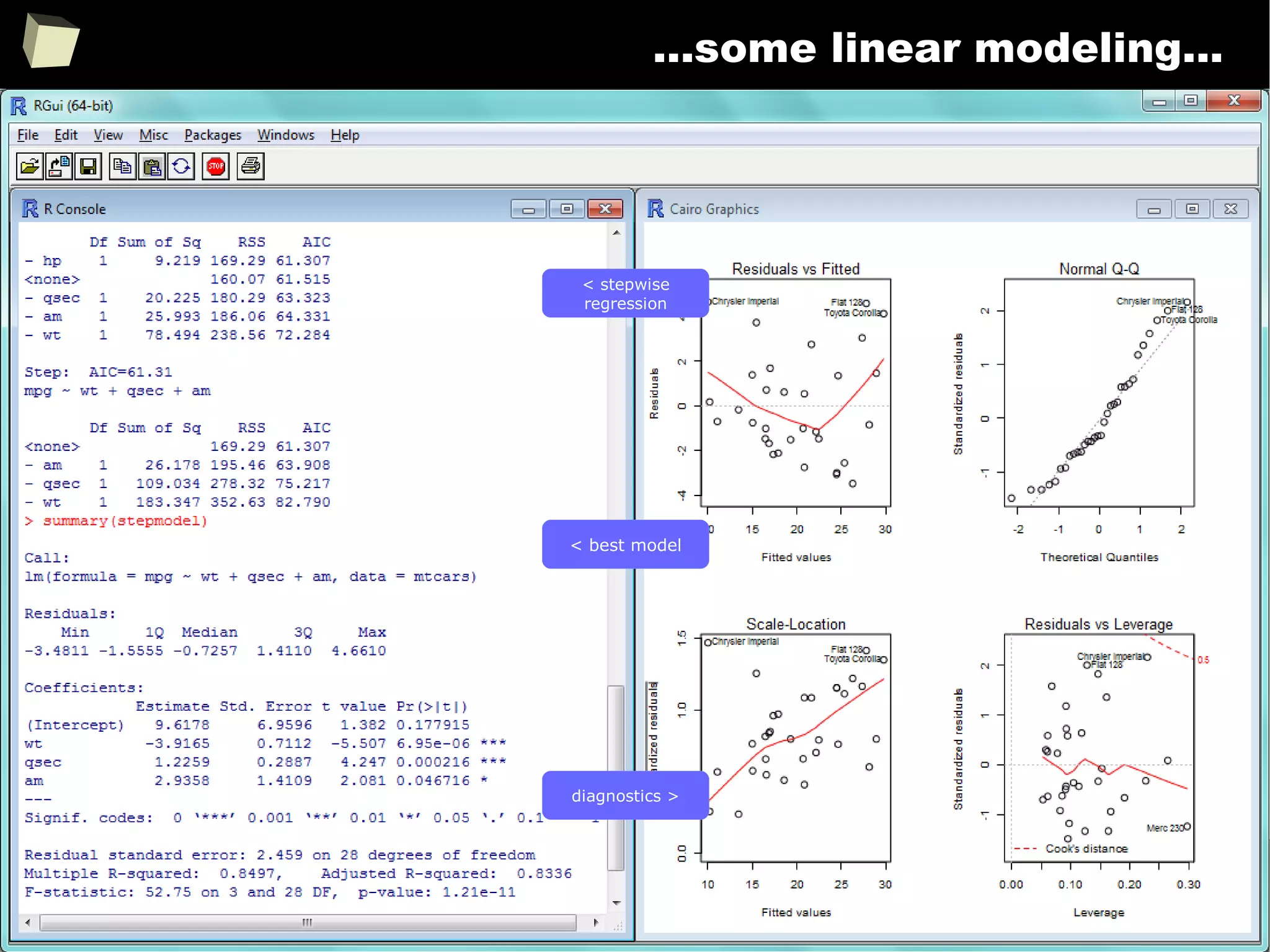
...some linear modeling...
< Linear regression
< ANOVA
< Post-hoc >
38
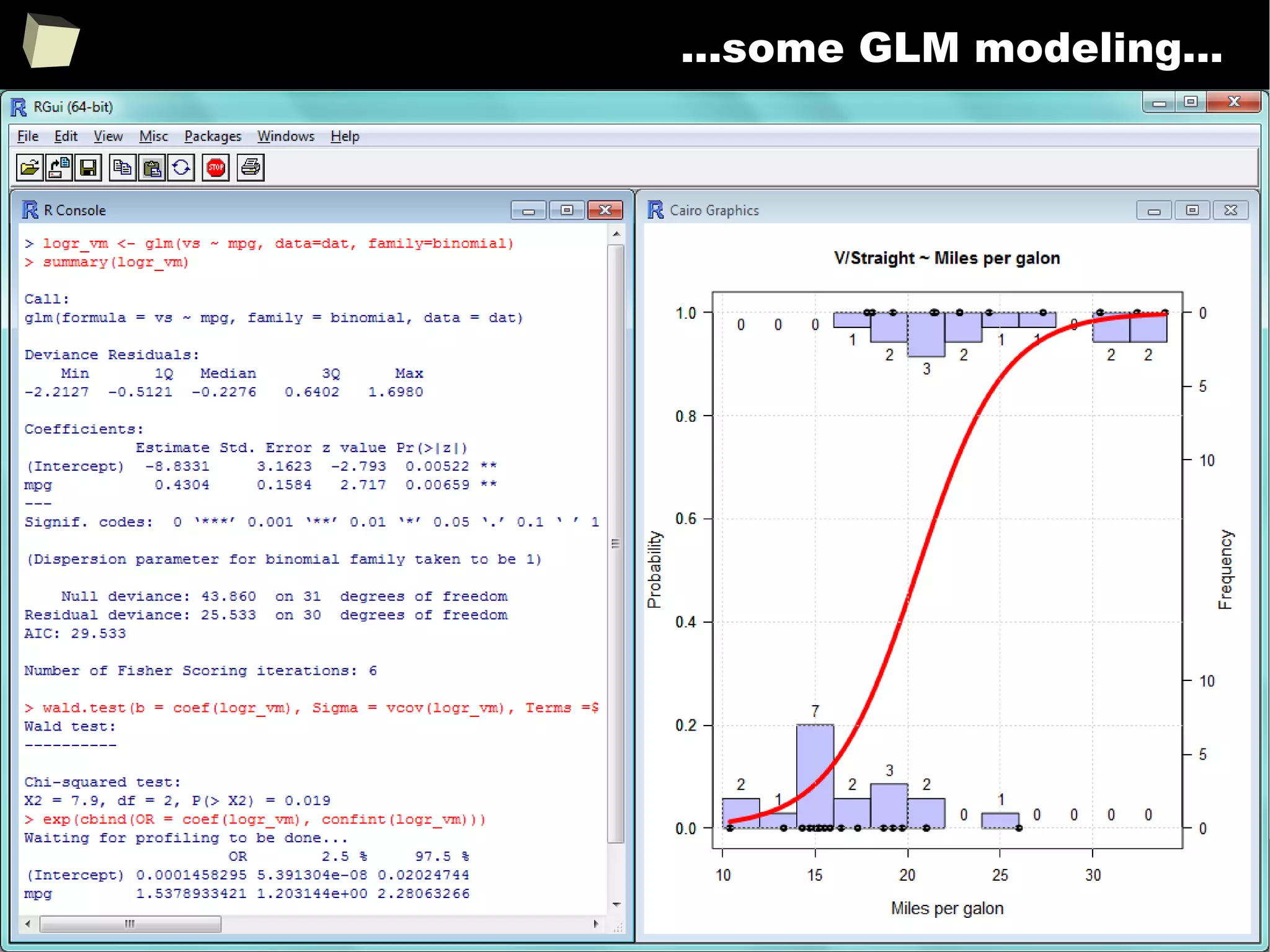
...some linear modeling...
< stepwise
regression
< best model
diagnostics >
39
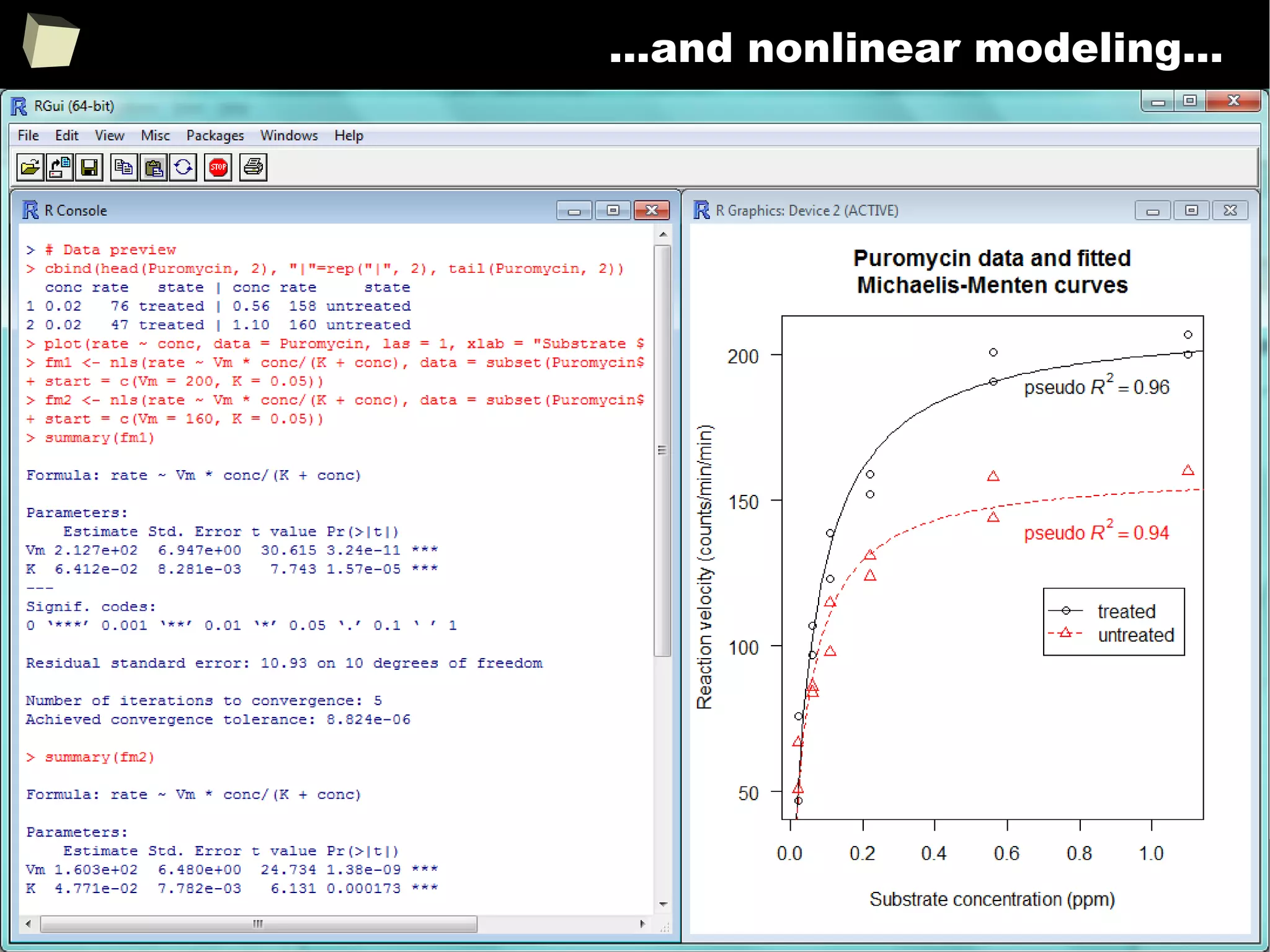
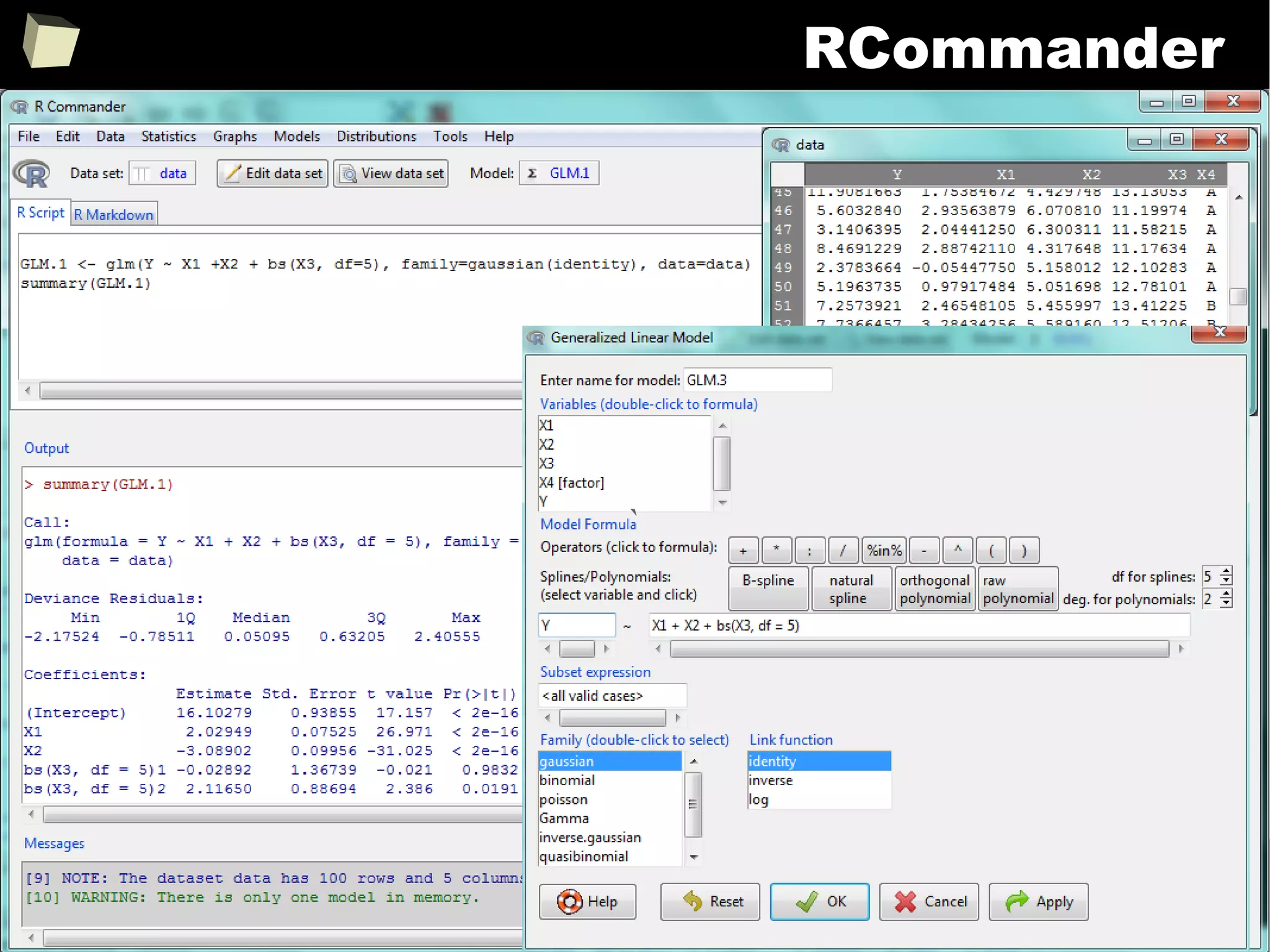
...some GLM modeling...
40
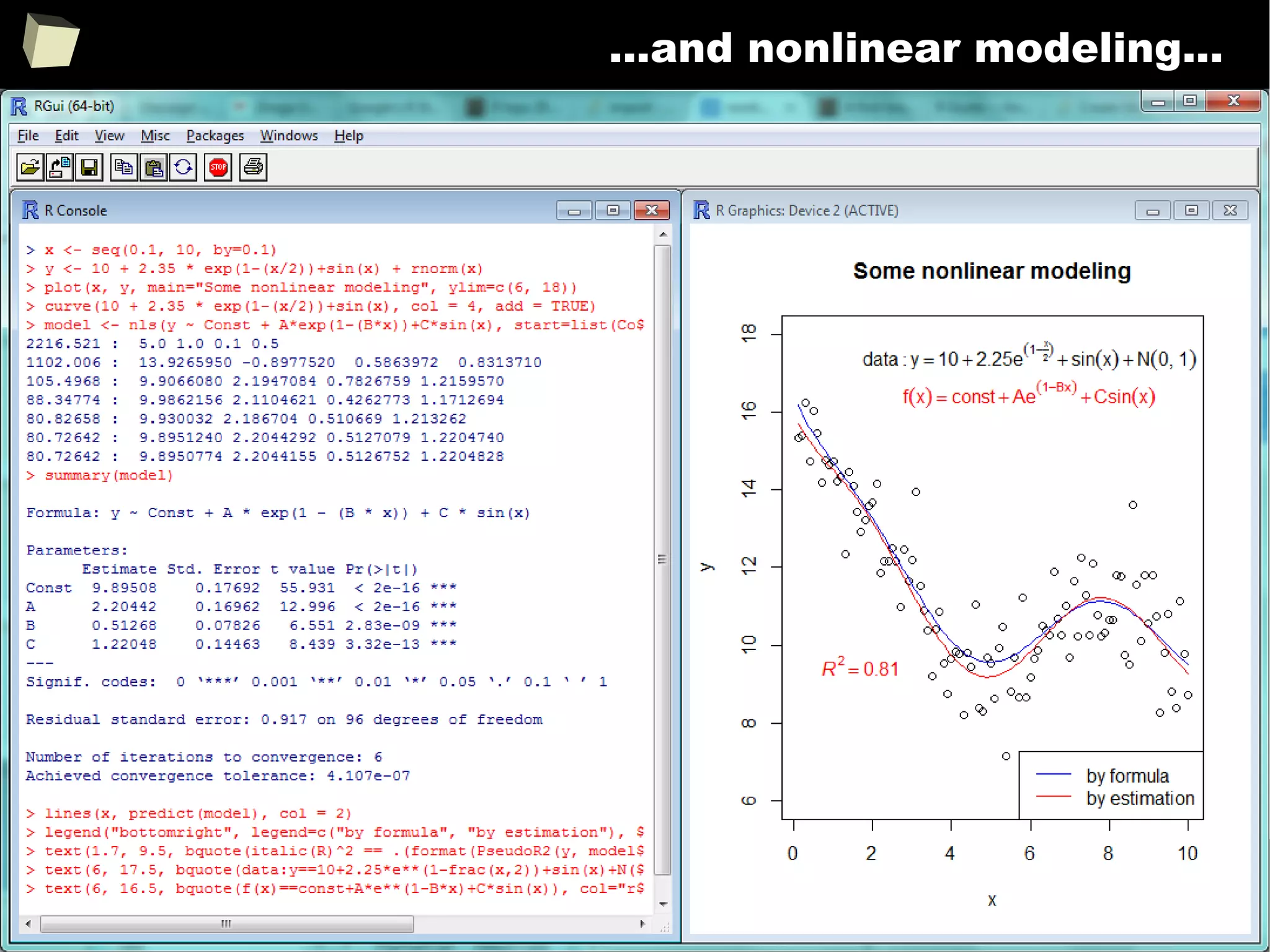
...and nonlinear modeling...
41
...and nonlinear modeling...
42
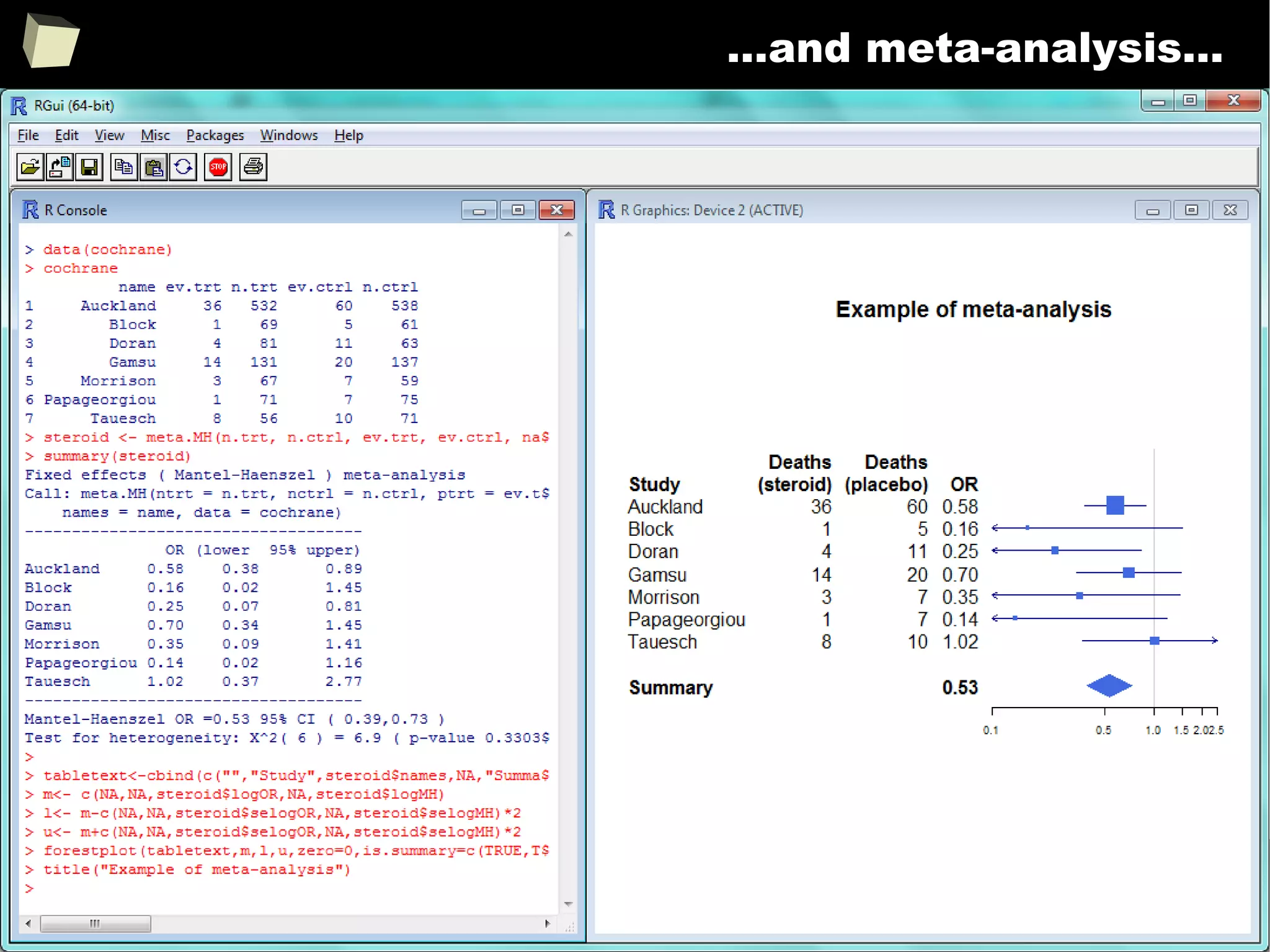
…and meta-analysis...
43
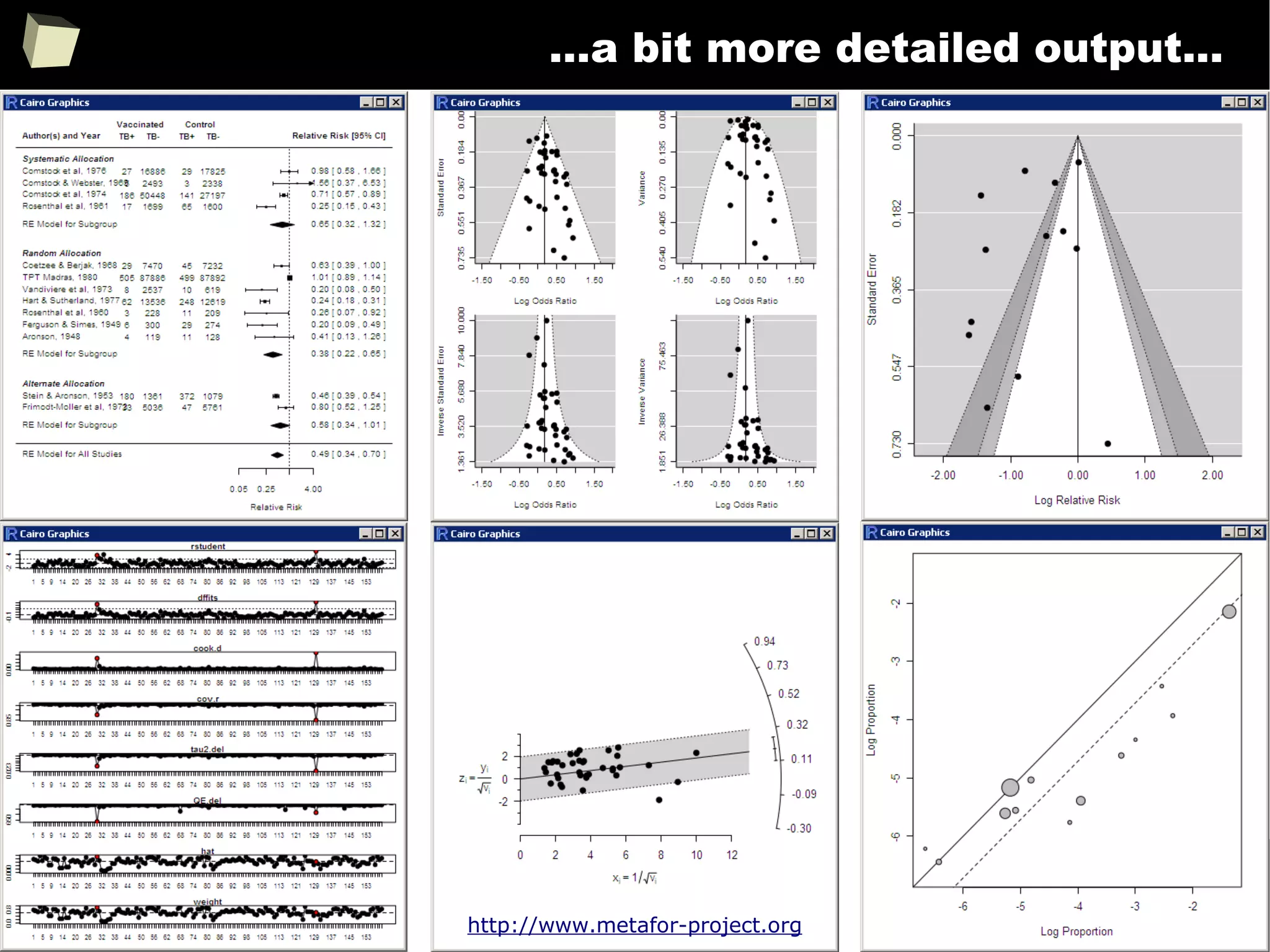
…a bit more detailed output...
http://www.metafor-project.org
44
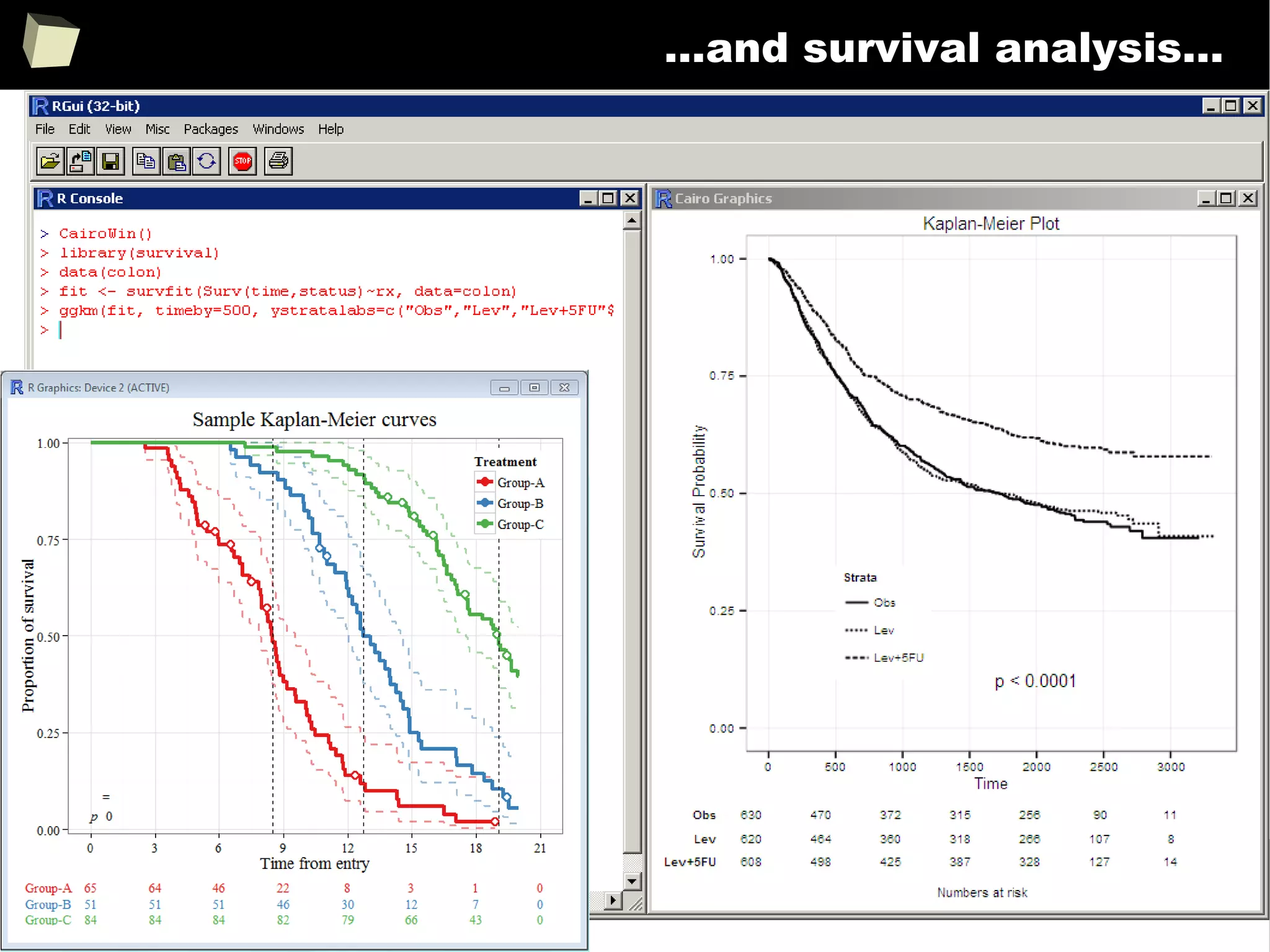
…and survival analysis...
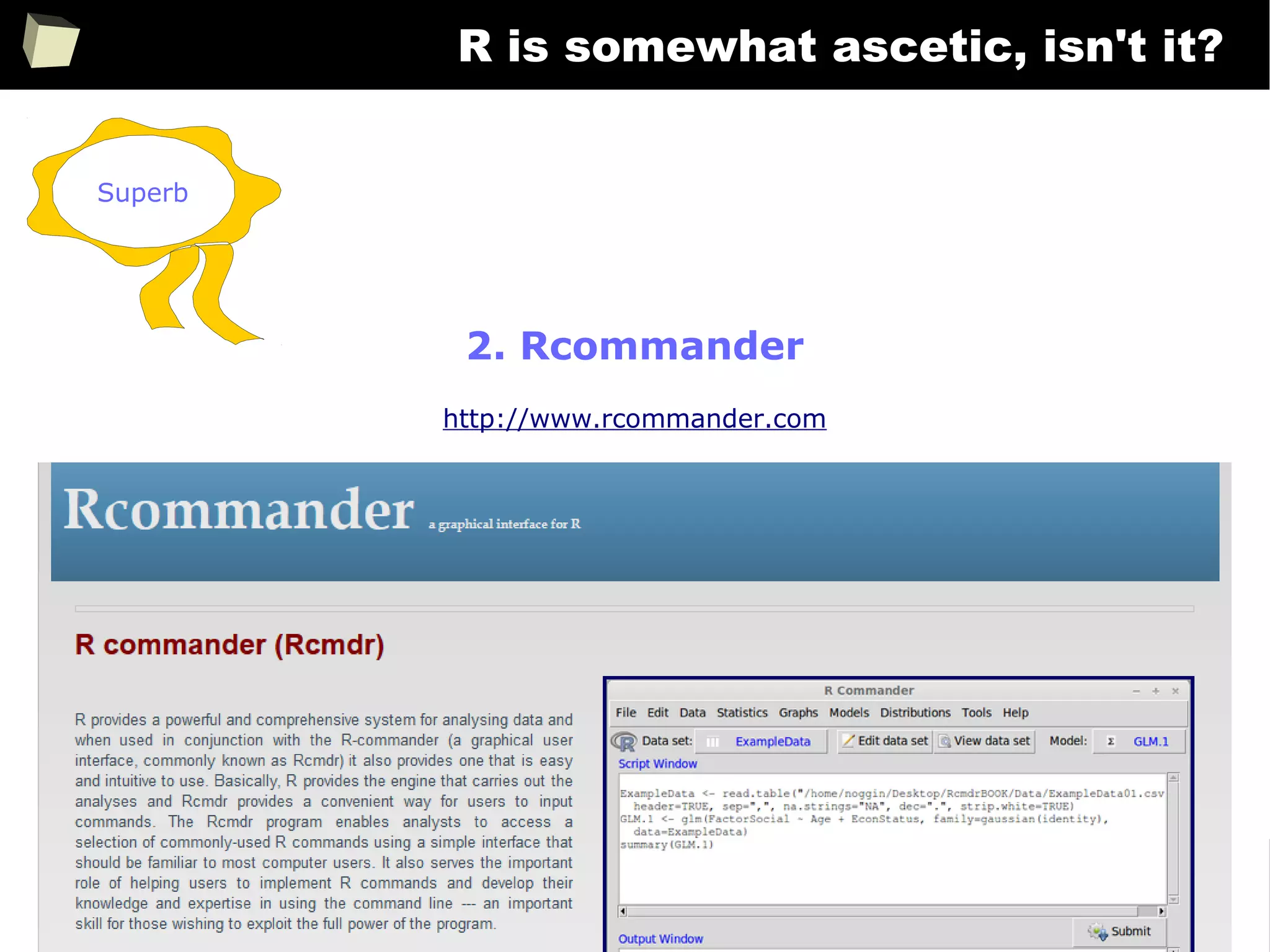
A simple, ascetic solution...
45
…and survival analysis...
46
…and dose-response analysis...
47
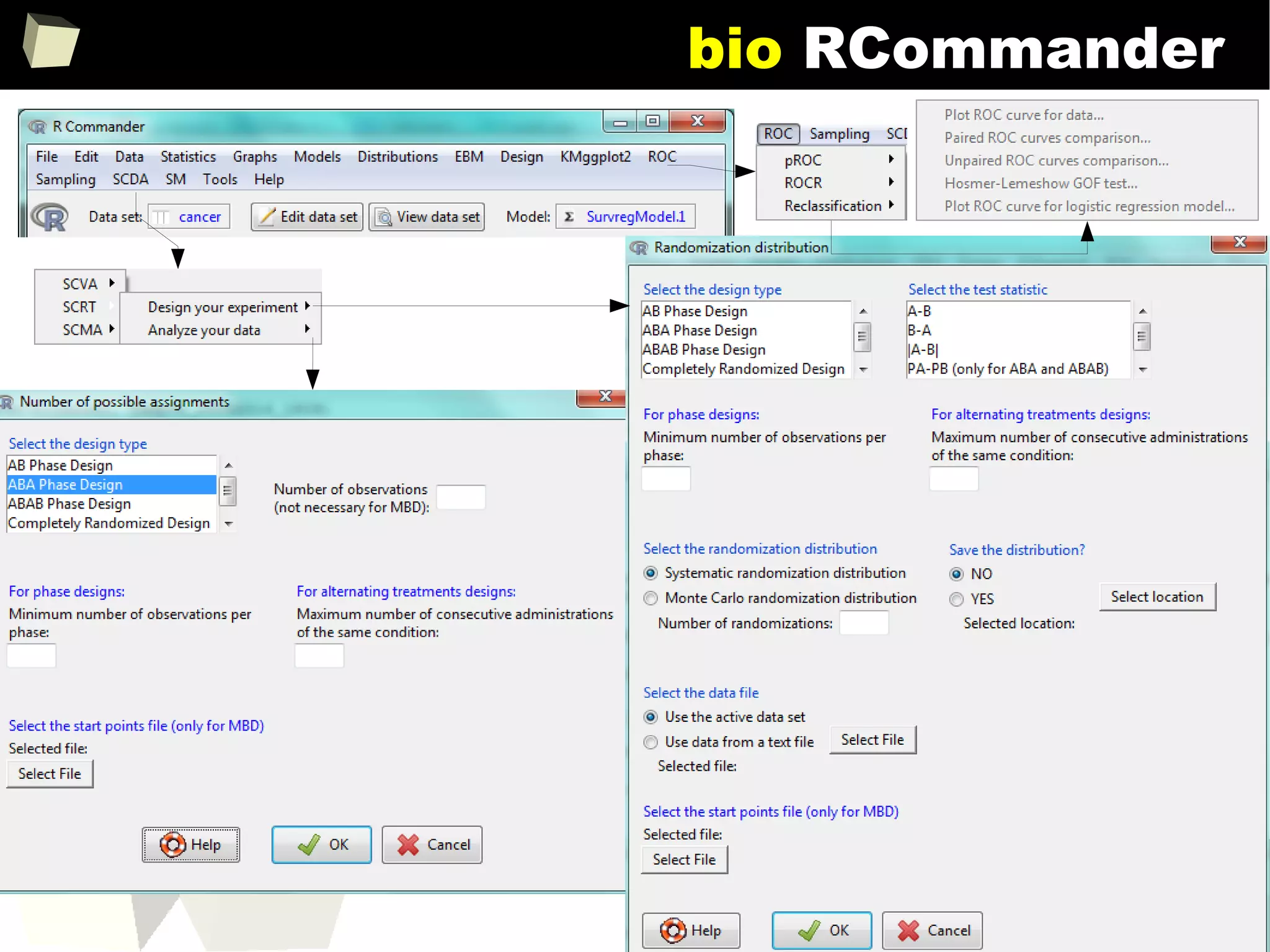
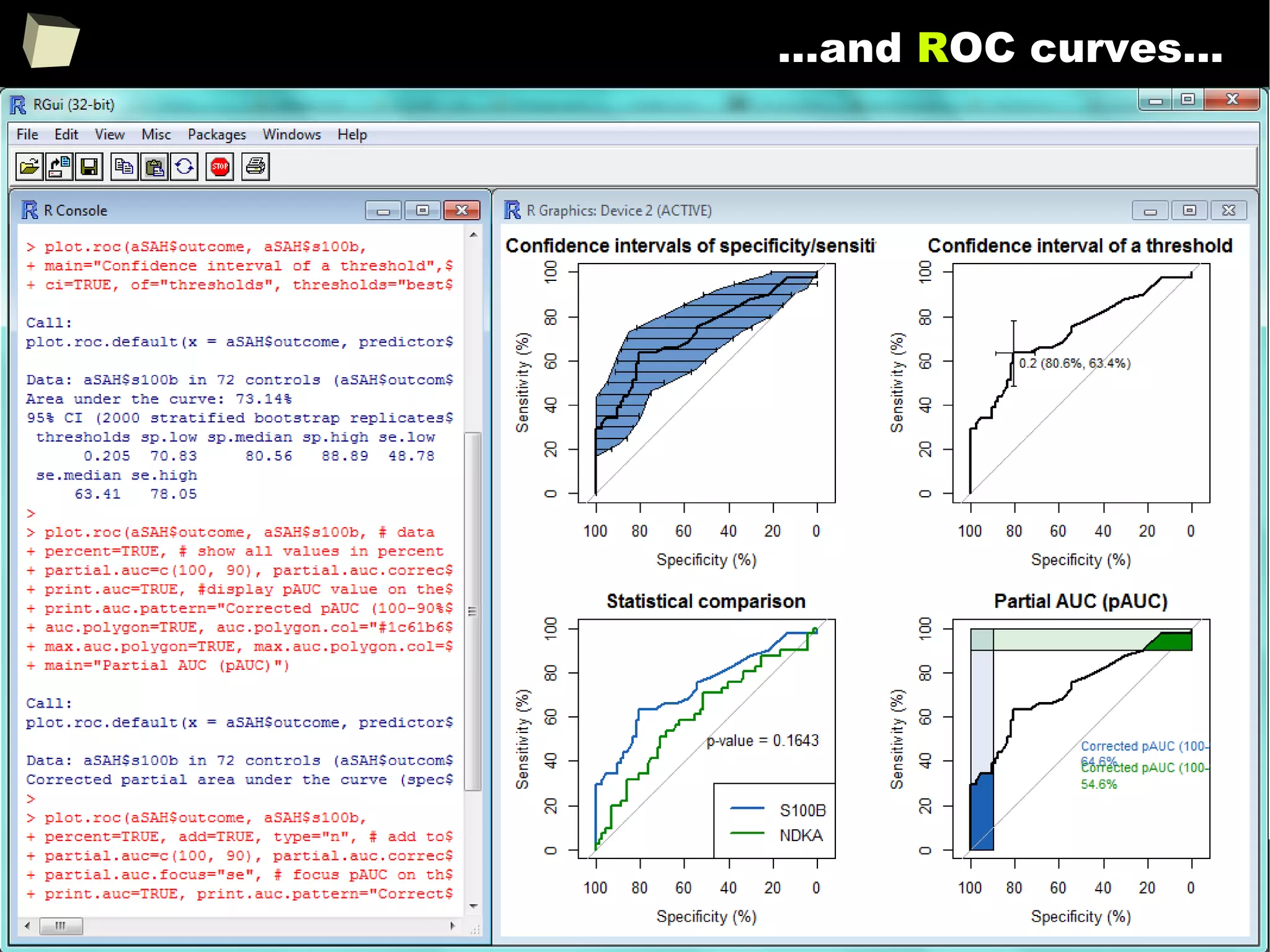
…and ROC curves...
48
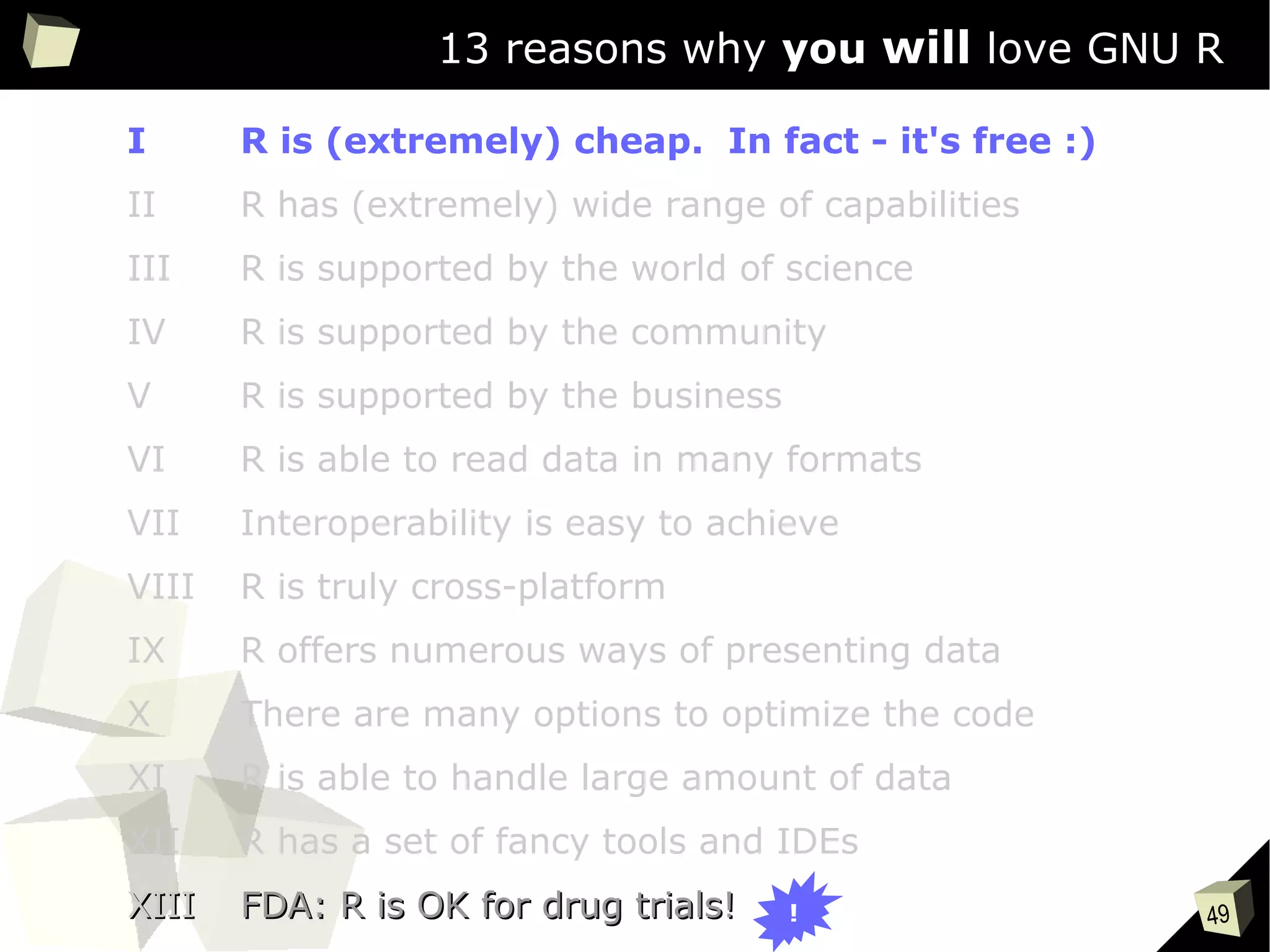
13 reasons why you will love GNU R
49
13 reasons why you will love GNU R
I R is (extremely) cheap. In fact - it's free :)
II R has (extremely) wide range of capabilities
III R is supported by the world of science
IV R is supported by the community
V R is supported by the business
VI R is able to read data in many formats
VII Interoperability is easy to achieve
VIII R is truly cross-platform
IX R offers numerous ways of presenting data
X There are many options to optimize the code
XI R is able to handle large amount of data
XII R has a set of fancy tools and IDEs
XIIIXIII FDA: R is OK for drug trials!FDA: R is OK for drug trials! !
50
the pRice
GNU R is a free software.
One can legally use it, even commercially, at no cost.
http://buy.revolutionanalytics.com/
Some companies provide their own, both free and commercial, customized
versions of R along with support and integration services. Well known
providers are: Revolution (since 2015 part of Microsoft), RStudio and Oracle.
http://www.oracle.com/technetwork/...
http://www.rstudio.com/about/trademark/
http://www.rstudio.com...
http://blogs.microsoft.com/blog/2015/01/23/...
51
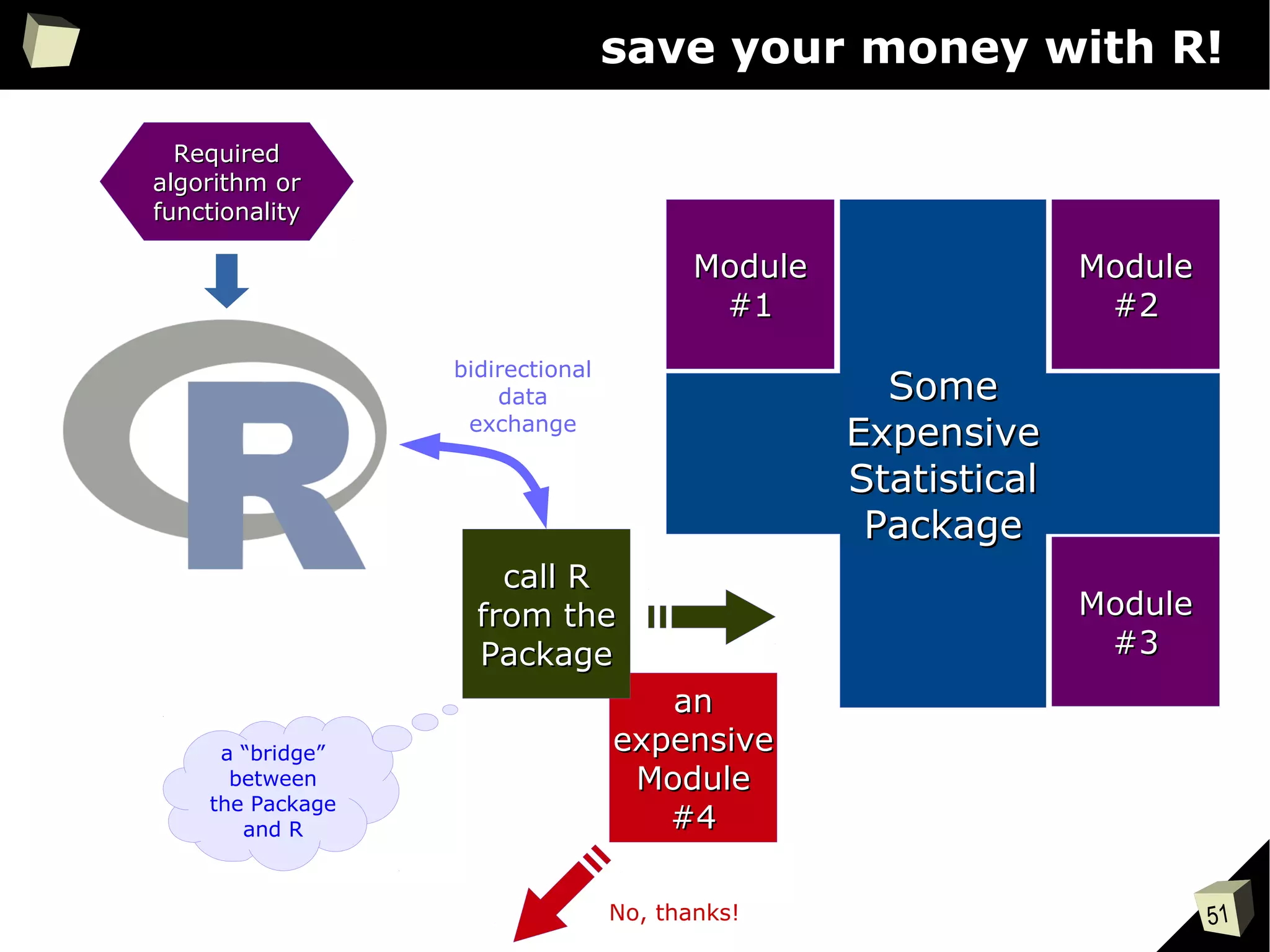
save your money with R!
SomeSome
ExpensiveExpensive
StatisticalStatistical
PackagePackage
ModuleModule
#1#1
ModuleModule
#2#2
ModuleModule
#3#3
anan
expensiveexpensive
ModuleModule
#4#4
call Rcall R
from thefrom the
PackagePackage
RequiredRequired
algorithm oralgorithm or
functionalityfunctionality
bidirectional
data
exchange
No, thanks!
a “bridge”
between
the Package
and R
52
Licenses
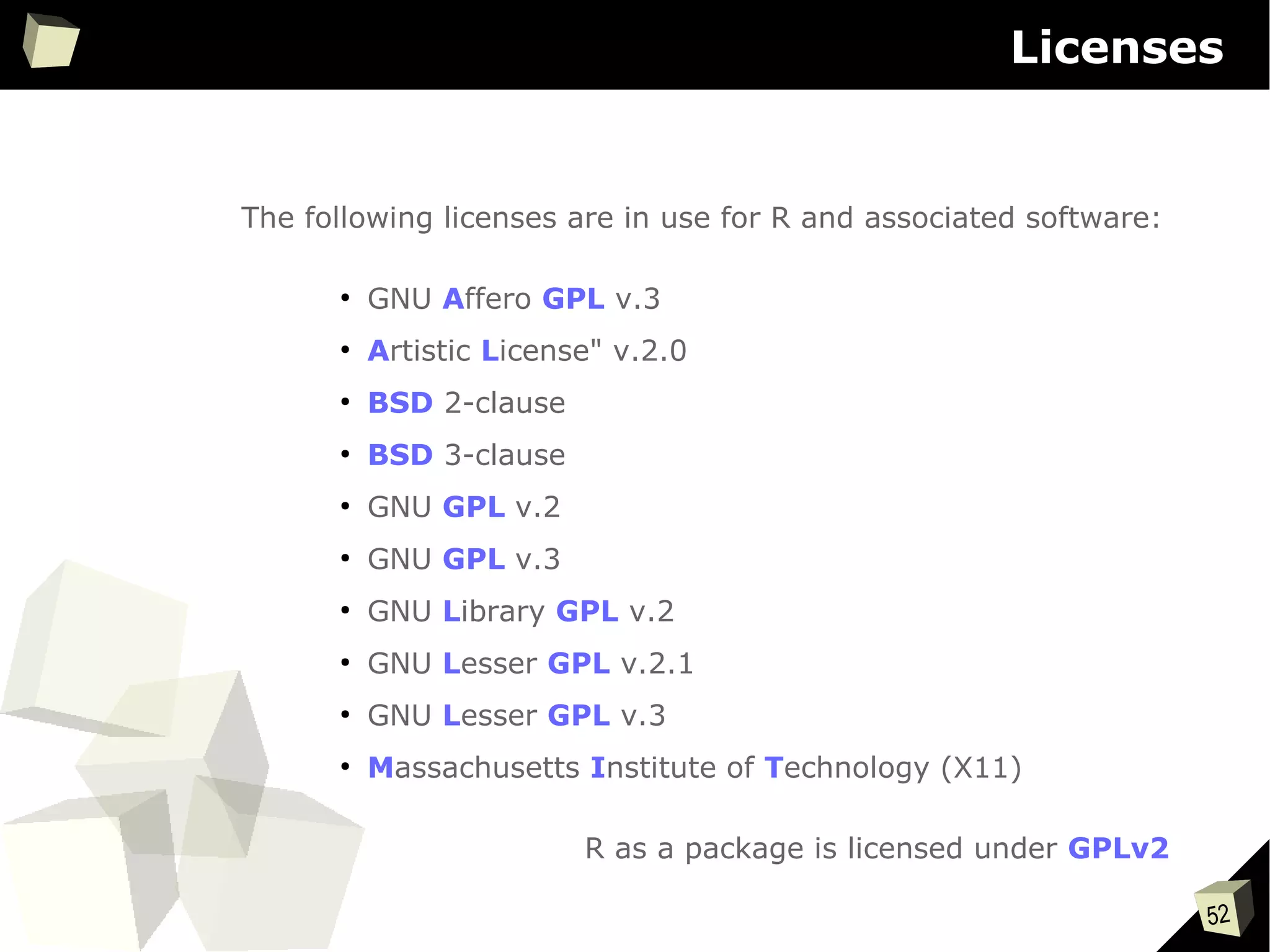
The following licenses are in use for R and associated software:
●
GNU Affero GPL v.3
●
Artistic License" v.2.0
●
BSD 2-clause
●
BSD 3-clause
●
GNU GPL v.2
●
GNU GPL v.3
●
GNU Library GPL v.2
●
GNU Lesser GPL v.2.1
●
GNU Lesser GPL v.3
●
Massachusetts Institute of Technology (X11)
R as a package is licensed under GPLv2
53
13 reasons why you will love GNU R
I R is (extremely) cheap. In fact - it's free :)
II R has (extremely) wide range of capabilities
III R is supported by the world of science
IV R is supported by the community
V R is supported by the business
VI R is able to read data in many formats
VII Interoperability is easy to achieve
VIII R is truly cross-platform
IX R offers numerous ways of presenting data
X There are many options to optimize the code
XI R is able to handle large amount of data
XII R has a set of fancy tools and IDEs
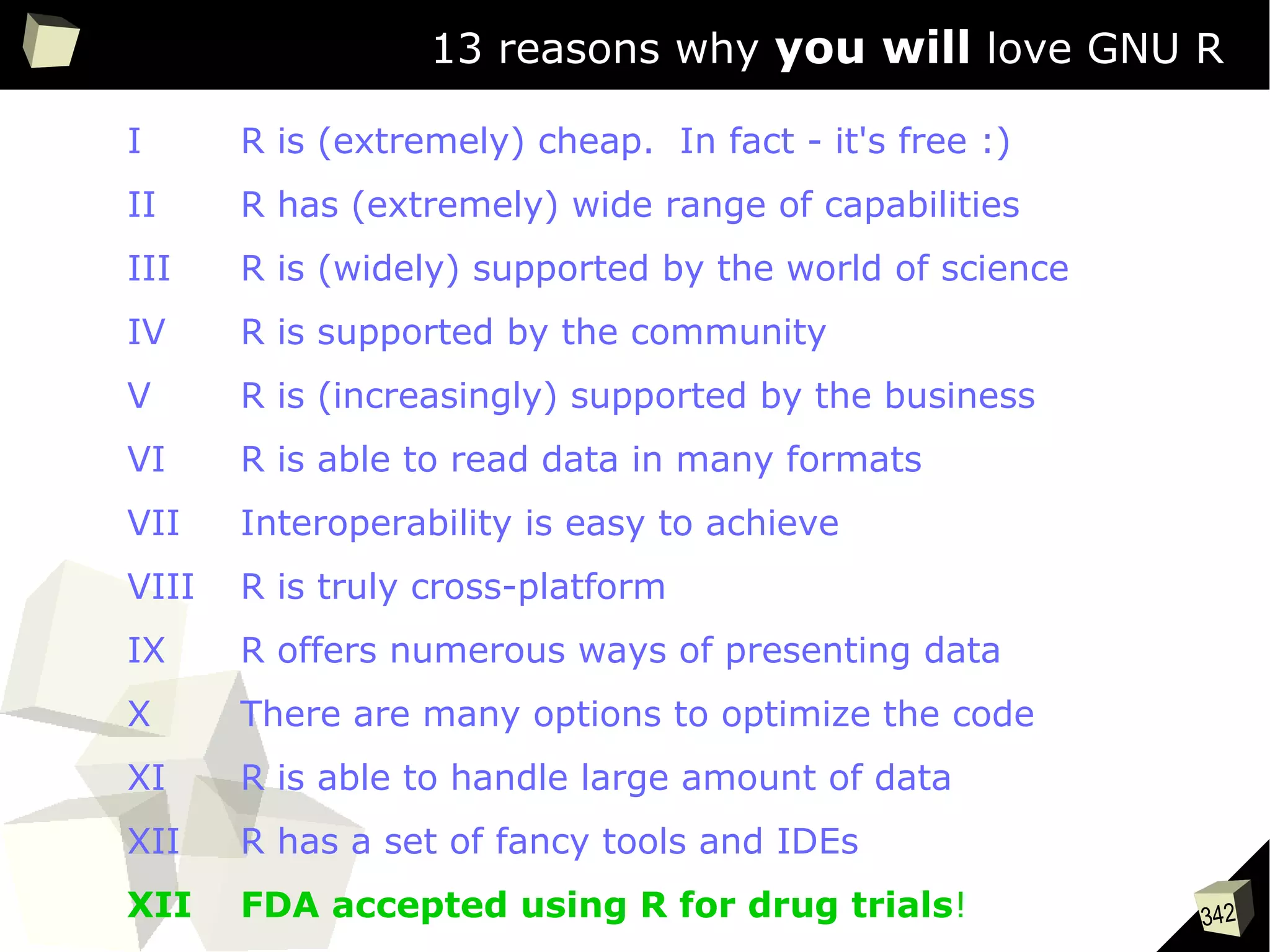
XII FDA accepted using R for drug trials!
54
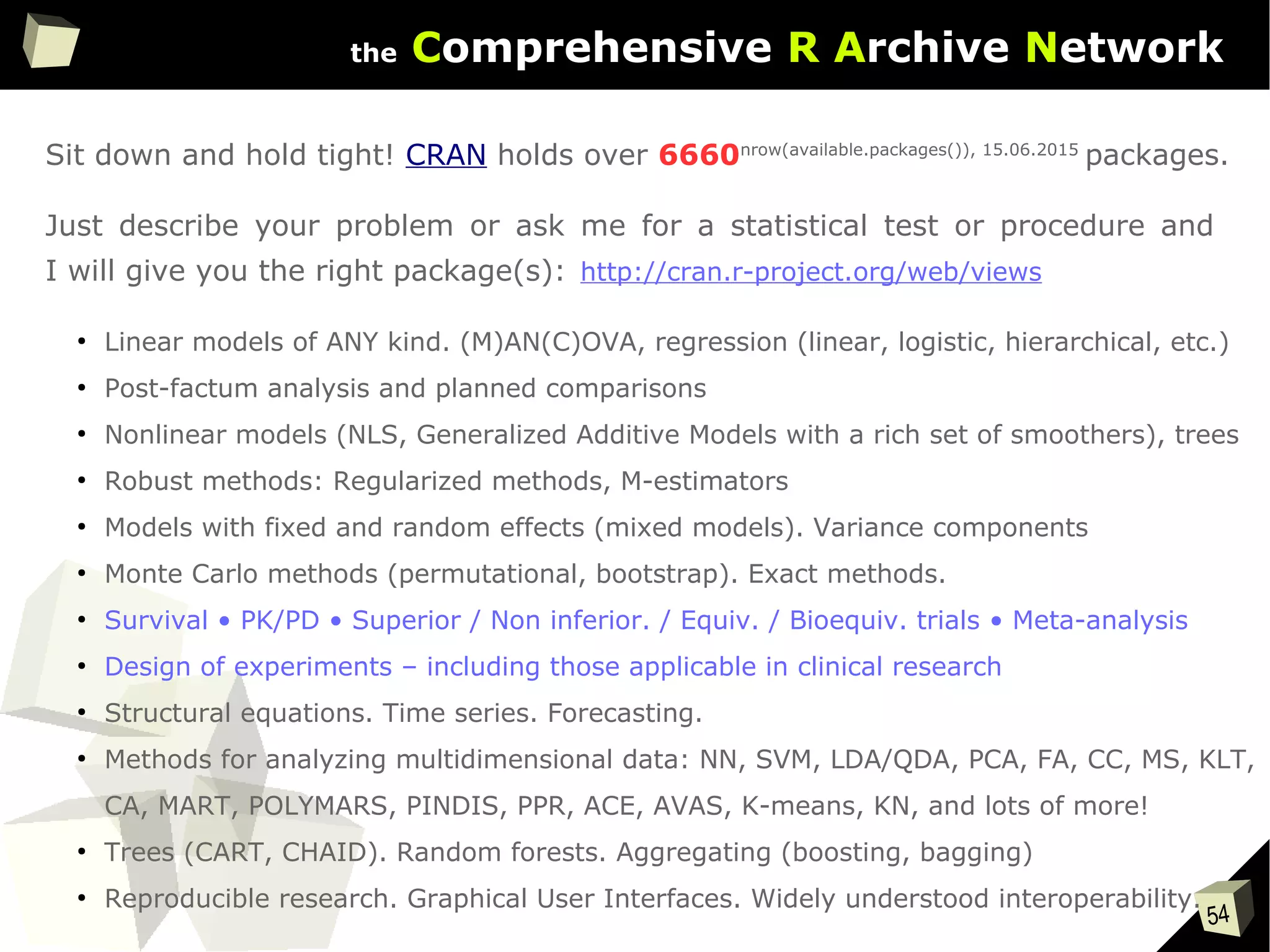
the Comprehensive R Archive Network
Sit down and hold tight! CRAN holds over 6660nrow(available.packages()), 15.06.2015
packages.
Just describe your problem or ask me for a statistical test or procedure and
I will give you the right package(s):
●
Linear models of ANY kind. (M)AN(C)OVA, regression (linear, logistic, hierarchical, etc.)
●
Post-factum analysis and planned comparisons
●
Nonlinear models (NLS, Generalized Additive Models with a rich set of smoothers), trees
●
Robust methods: Regularized methods, M-estimators
●
Models with fixed and random effects (mixed models). Variance components
●
Monte Carlo methods (permutational, bootstrap). Exact methods.
●
Survival • PK/PD • Superior / Non inferior. / Equiv. / Bioequiv. trials • Meta-analysis
●
Design of experiments – including those applicable in clinical research
●
Structural equations. Time series. Forecasting.
●
Methods for analyzing multidimensional data: NN, SVM, LDA/QDA, PCA, FA, CC, MS, KLT,
CA, MART, POLYMARS, PINDIS, PPR, ACE, AVAS, K-means, KN, and lots of more!
●
Trees (CART, CHAID). Random forests. Aggregating (boosting, bagging)
●
Reproducible research. Graphical User Interfaces. Widely understood interoperability.
http://cran.r-project.org/web/views
55
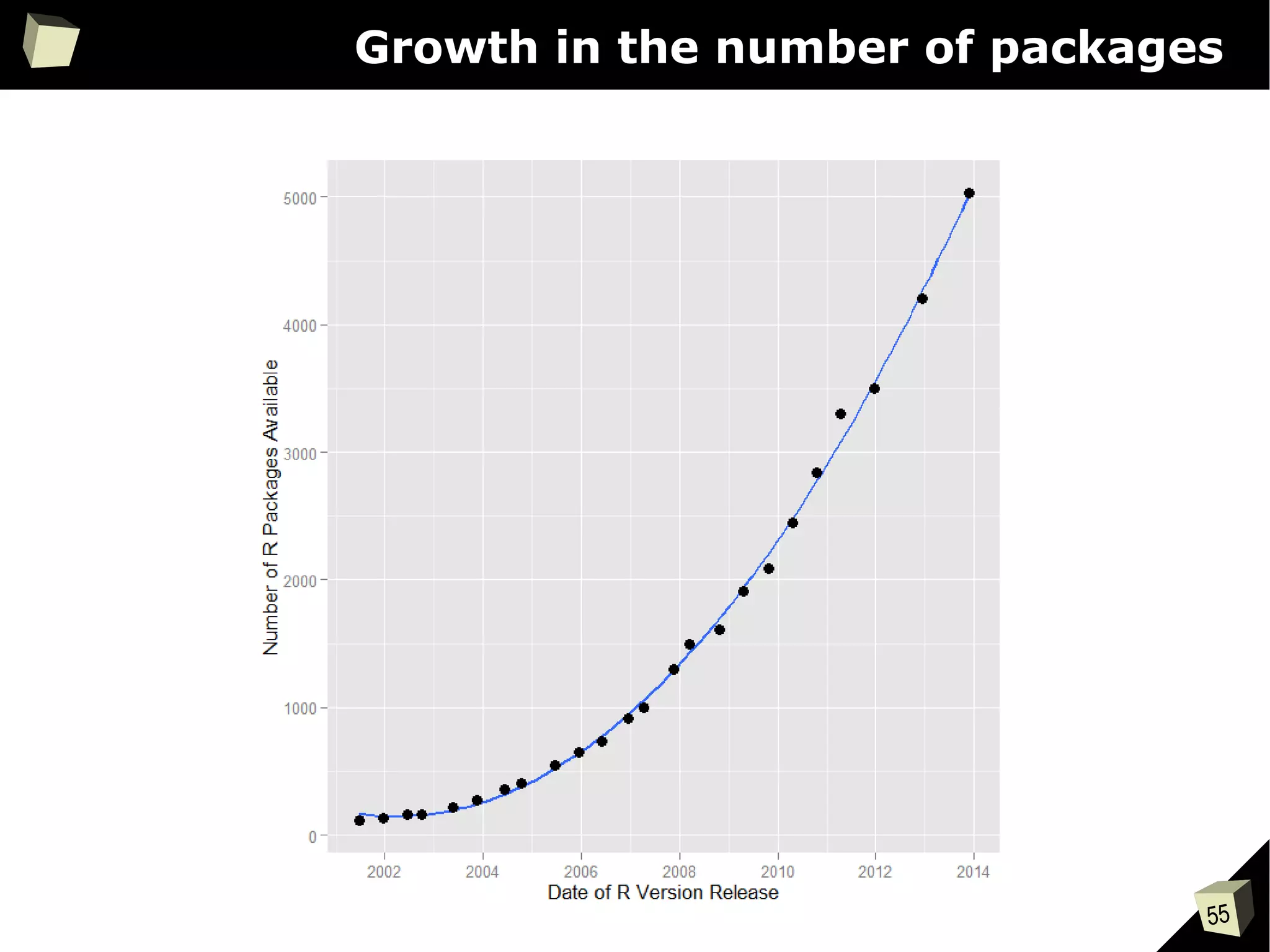
Growth in the number of packages
56
CRAN [biostatistics]
A list of thematic sections covered by the CRAN repository:
●
Bayesian Inference
●
Chemometrics and Computational Physics
●
Clinical Trial Design, Monitoring, and Analysis
●
Cluster Analysis & Finite Mixture Models
●
Differential Equations
●
Probability Distributions
●
Computational Econometrics
●
Analysis of Ecological and Environmental Data
●
Design of Experiments (DoE) & Analysis of Experimental Data
●
Empirical Finance
●
Statistical Genetics
●
Graphic Displays & Dynamic Graphics & Graphic Devices &
Visualization
●
High-Performance and Parallel Computing with R
●
Machine Learning & Statistical Learning
●
Medical Image Analysis
●
Meta-Analysis
●
Multivariate Statistics
●
Natural Language Processing
●
Numerical Mathematics
●
Official Statistics & Survey Methodology
●
Optimization and Mathematical Programming
●
Analysis of Pharmacokinetic Data
●
Phylogenetics, Especially Comparative Methods
●
Psychometric Models and Methods
●
Reproducible Research
●
Robust Statistical Methods
●
Statistics for the Social Sciences
●
Analysis of Spatial Data
●
Handling and Analyzing Spatio-Temporal Data
●
Survival Analysis
●
Time Series Analysis
●
Web Technologies and Services
●
gRaphical Models in R
57
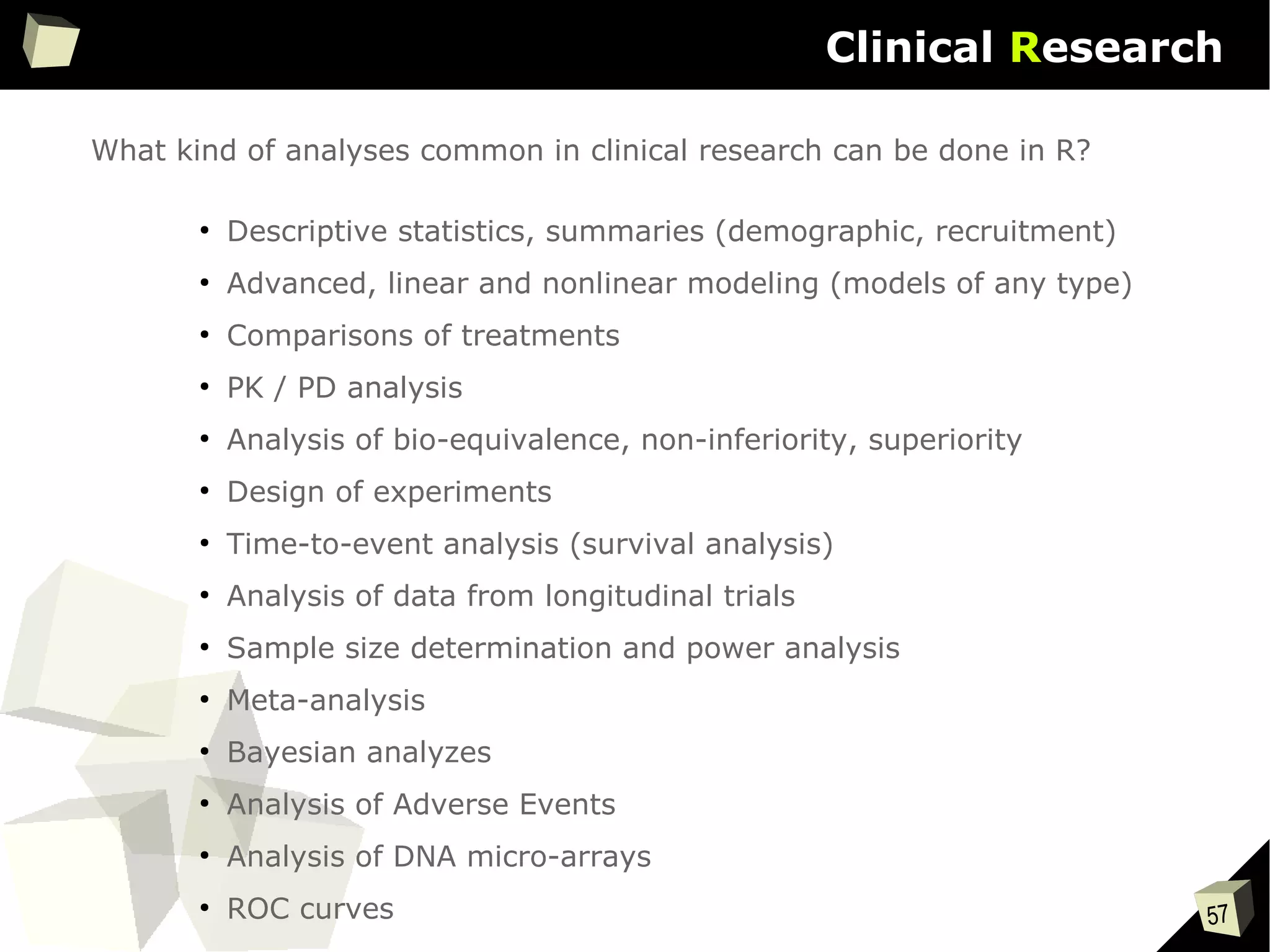
Clinical Research
What kind of analyses common in clinical research can be done in R?
●
Descriptive statistics, summaries (demographic, recruitment)
●
Advanced, linear and nonlinear modeling (models of any type)
●
Comparisons of treatments
●
PK / PD analysis
●
Analysis of bio-equivalence, non-inferiority, superiority
●
Design of experiments
●
Time-to-event analysis (survival analysis)
●
Analysis of data from longitudinal trials
●
Sample size determination and power analysis
●
Meta-analysis
●
Bayesian analyzes
●
Analysis of Adverse Events
●
Analysis of DNA micro-arrays
●
ROC curves
58
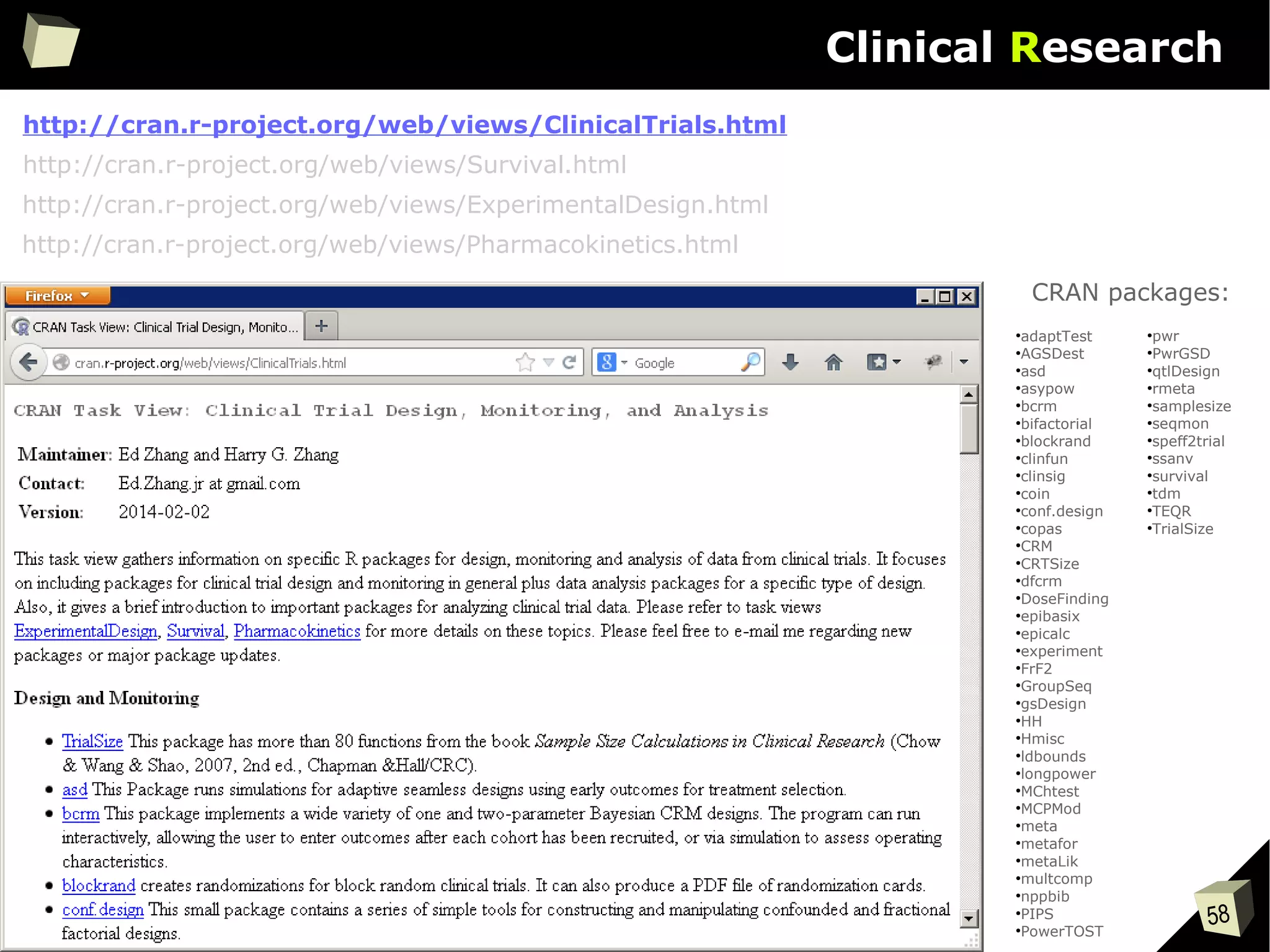
Clinical Research
http://cran.r-project.org/web/views/ClinicalTrials.html
●
adaptTest
●
AGSDest
●
asd
●
asypow
●
bcrm
●
bifactorial
●
blockrand
●
clinfun
●
clinsig
●
coin
●
conf.design
●
copas
●
CRM
●
CRTSize
●
dfcrm
●
DoseFinding
●
epibasix
●
epicalc
●
experiment
●
FrF2
●
GroupSeq
●
gsDesign
●
HH
●
Hmisc
●
ldbounds
●
longpower
●
MChtest
●
MCPMod
●
meta
●
metafor
●
metaLik
●
multcomp
●
nppbib
●
PIPS
●
PowerTOST
●
pwr
●
PwrGSD
●
qtlDesign
●
rmeta
●
samplesize
●
seqmon
●
speff2trial
●
ssanv
●
survival
●
tdm
●
TEQR
●
TrialSize
CRAN packages:
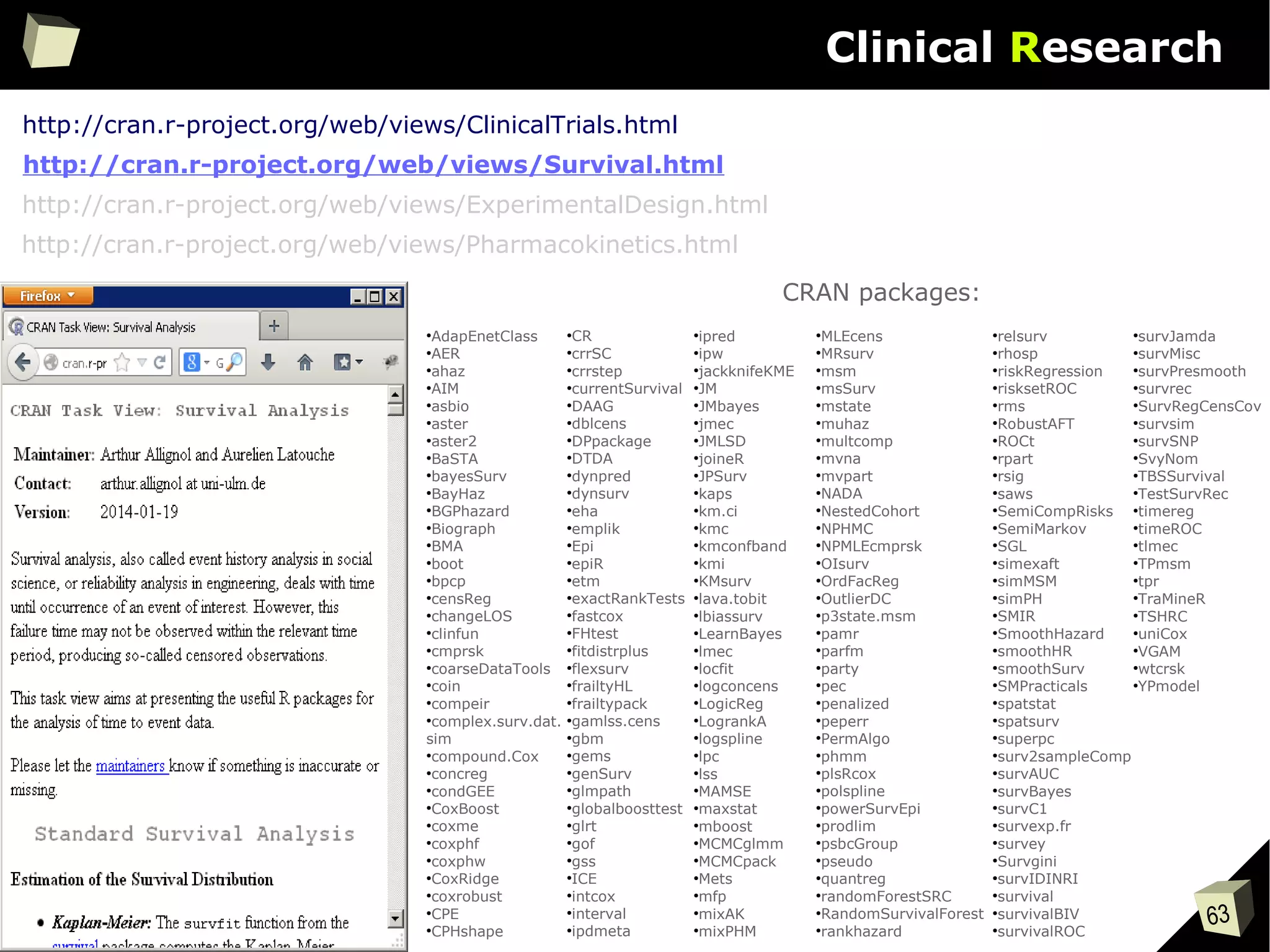
http://cran.r-project.org/web/views/Survival.html
http://cran.r-project.org/web/views/ExperimentalDesign.html
http://cran.r-project.org/web/views/Pharmacokinetics.html
59
Clinical Research
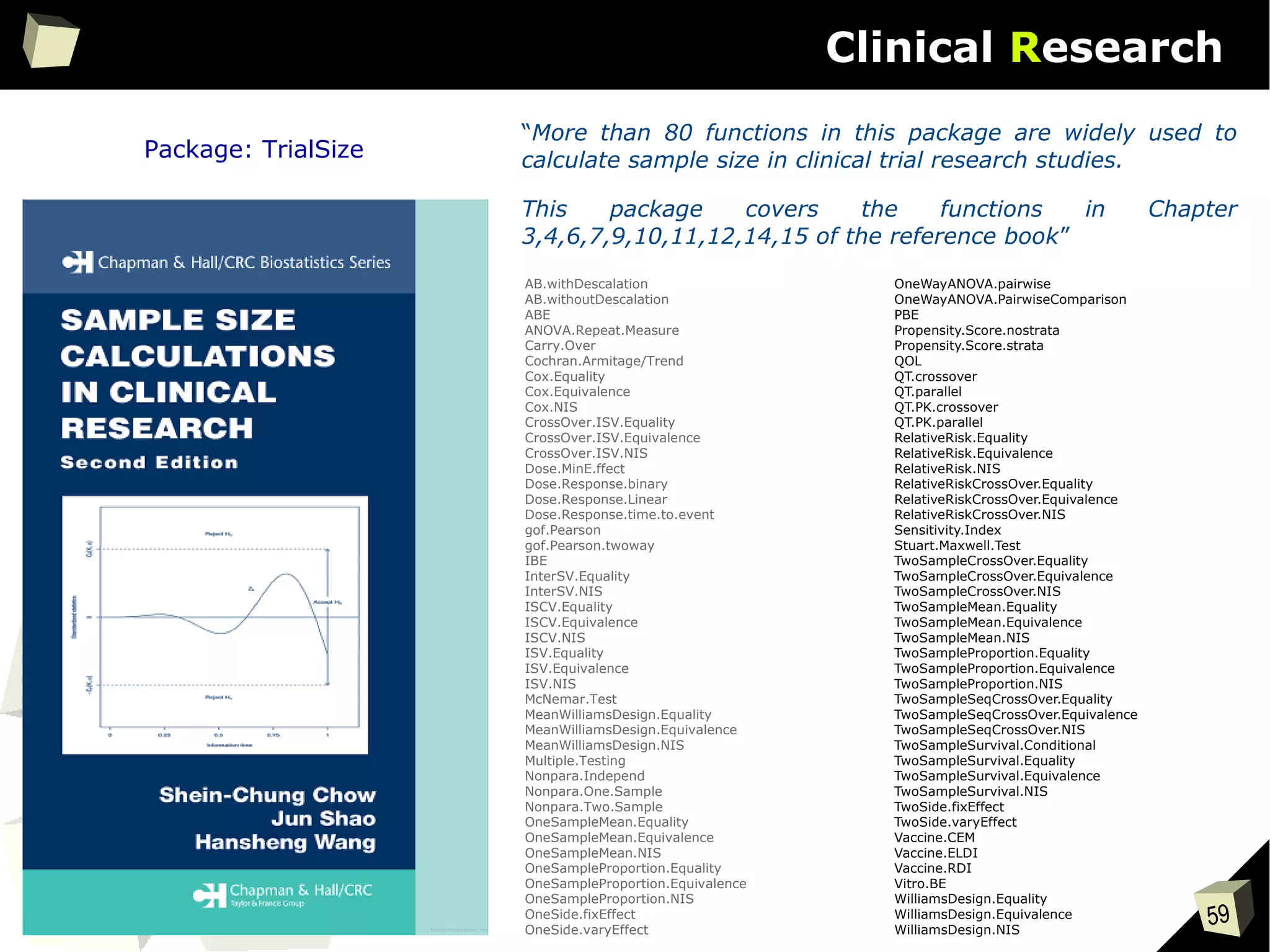
Package: TrialSize
“More than 80 functions in this package are widely used to
calculate sample size in clinical trial research studies.
This package covers the functions in Chapter
3,4,6,7,9,10,11,12,14,15 of the reference book”
AB.withDescalation
AB.withoutDescalation
ABE
ANOVA.Repeat.Measure
Carry.Over
Cochran.Armitage/Trend
Cox.Equality
Cox.Equivalence
Cox.NIS
CrossOver.ISV.Equality
CrossOver.ISV.Equivalence
CrossOver.ISV.NIS
Dose.MinE.ffect
Dose.Response.binary
Dose.Response.Linear
Dose.Response.time.to.event
gof.Pearson
gof.Pearson.twoway
IBE
InterSV.Equality
InterSV.NIS
ISCV.Equality
ISCV.Equivalence
ISCV.NIS
ISV.Equality
ISV.Equivalence
ISV.NIS
McNemar.Test
MeanWilliamsDesign.Equality
MeanWilliamsDesign.Equivalence
MeanWilliamsDesign.NIS
Multiple.Testing
Nonpara.Independ
Nonpara.One.Sample
Nonpara.Two.Sample
OneSampleMean.Equality
OneSampleMean.Equivalence
OneSampleMean.NIS
OneSampleProportion.Equality
OneSampleProportion.Equivalence
OneSampleProportion.NIS
OneSide.fixEffect
OneSide.varyEffect
OneWayANOVA.pairwise
OneWayANOVA.PairwiseComparison
PBE
Propensity.Score.nostrata
Propensity.Score.strata
QOL
QT.crossover
QT.parallel
QT.PK.crossover
QT.PK.parallel
RelativeRisk.Equality
RelativeRisk.Equivalence
RelativeRisk.NIS
RelativeRiskCrossOver.Equality
RelativeRiskCrossOver.Equivalence
RelativeRiskCrossOver.NIS
Sensitivity.Index
Stuart.Maxwell.Test
TwoSampleCrossOver.Equality
TwoSampleCrossOver.Equivalence
TwoSampleCrossOver.NIS
TwoSampleMean.Equality
TwoSampleMean.Equivalence
TwoSampleMean.NIS
TwoSampleProportion.Equality
TwoSampleProportion.Equivalence
TwoSampleProportion.NIS
TwoSampleSeqCrossOver.Equality
TwoSampleSeqCrossOver.Equivalence
TwoSampleSeqCrossOver.NIS
TwoSampleSurvival.Conditional
TwoSampleSurvival.Equality
TwoSampleSurvival.Equivalence
TwoSampleSurvival.NIS
TwoSide.fixEffect
TwoSide.varyEffect
Vaccine.CEM
Vaccine.ELDI
Vaccine.RDI
Vitro.BE
WilliamsDesign.Equality
WilliamsDesign.Equivalence
WilliamsDesign.NIS
60
Clinical Research
61
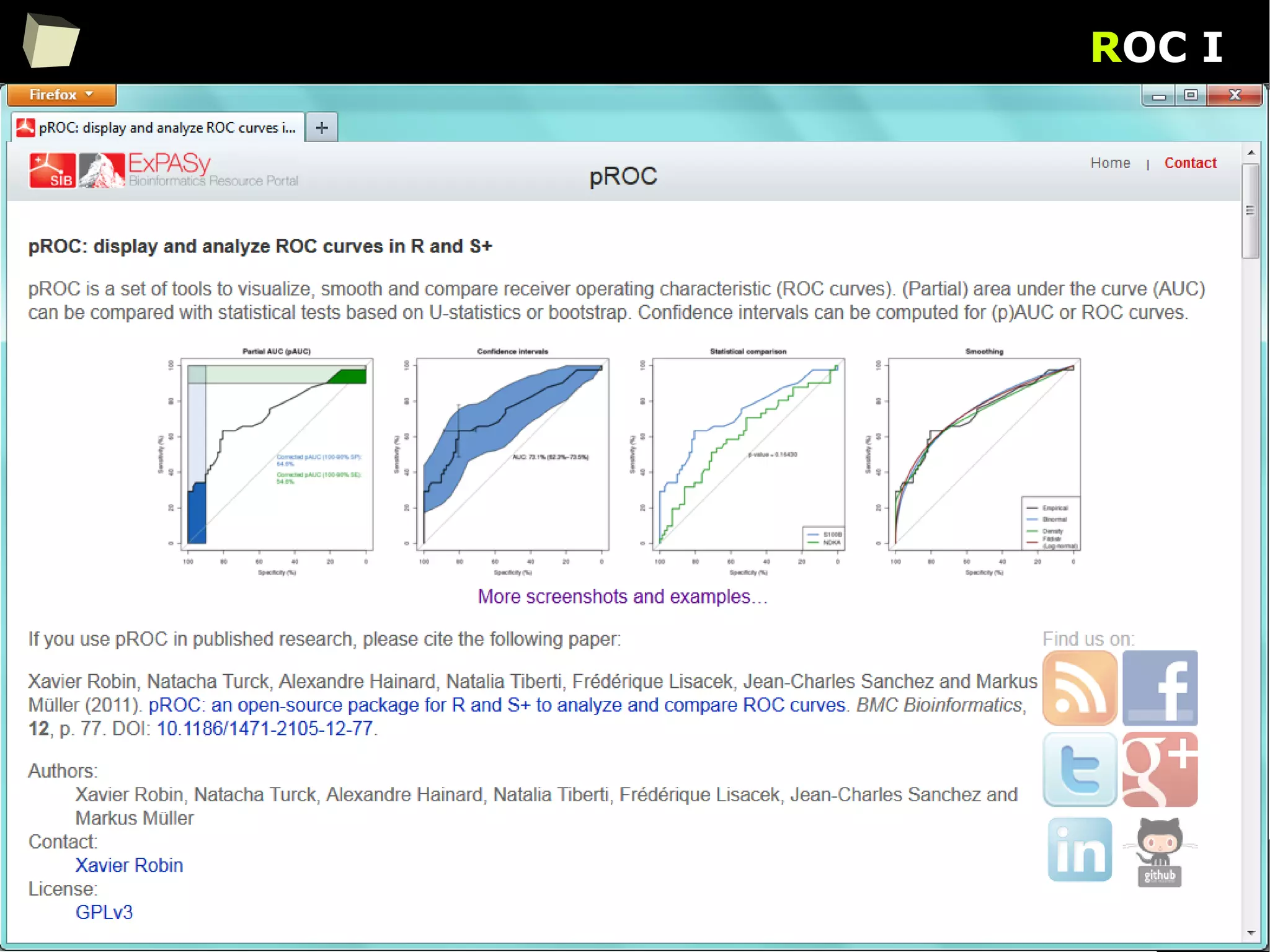
ROC I
62
ROC II
63
Clinical Research
●
AdapEnetClass
●
AER
●
ahaz
●
AIM
●
asbio
●
aster
●
aster2
●
BaSTA
●
bayesSurv
●
BayHaz
●
BGPhazard
●
Biograph
●
BMA
●
boot
●
bpcp
●
censReg
●
changeLOS
●
clinfun
●
cmprsk
●
coarseDataTools
●
coin
●
compeir
●
complex.surv.dat.
sim
●
compound.Cox
●
concreg
●
condGEE
●
CoxBoost
●
coxme
●
coxphf
●
coxphw
●
CoxRidge
●
coxrobust
●
CPE
●
CPHshape
●
CR
●
crrSC
●
crrstep
●
currentSurvival
●
DAAG
●
dblcens
●
DPpackage
●
DTDA
●
dynpred
●
dynsurv
●
eha
●
emplik
●
Epi
●
epiR
●
etm
●
exactRankTests
●
fastcox
●
FHtest
●
fitdistrplus
●
flexsurv
●
frailtyHL
●
frailtypack
●
gamlss.cens
●
gbm
●
gems
●
genSurv
●
glmpath
●
globalboosttest
●
glrt
●
gof
●
gss
●
ICE
●
intcox
●
interval
●
ipdmeta
CRAN packages:
●
ipred
●
ipw
●
jackknifeKME
●
JM
●
JMbayes
●
jmec
●
JMLSD
●
joineR
●
JPSurv
●
kaps
●
km.ci
●
kmc
●
kmconfband
●
kmi
●
KMsurv
●
lava.tobit
●
lbiassurv
●
LearnBayes
●
lmec
●
locfit
●
logconcens
●
LogicReg
●
LogrankA
●
logspline
●
lpc
●
lss
●
MAMSE
●
maxstat
●
mboost
●
MCMCglmm
●
MCMCpack
●
Mets
●
mfp
●
mixAK
●
mixPHM
●
MLEcens
●
MRsurv
●
msm
●
msSurv
●
mstate
●
muhaz
●
multcomp
●
mvna
●
mvpart
●
NADA
●
NestedCohort
●
NPHMC
●
NPMLEcmprsk
●
OIsurv
●
OrdFacReg
●
OutlierDC
●
p3state.msm
●
pamr
●
parfm
●
party
●
pec
●
penalized
●
peperr
●
PermAlgo
●
phmm
●
plsRcox
●
polspline
●
powerSurvEpi
●
prodlim
●
psbcGroup
●
pseudo
●
quantreg
●
randomForestSRC
●
RandomSurvivalForest
●
rankhazard
●
relsurv
●
rhosp
●
riskRegression
●
risksetROC
●
rms
●
RobustAFT
●
ROCt
●
rpart
●
rsig
●
saws
●
SemiCompRisks
●
SemiMarkov
●
SGL
●
simexaft
●
simMSM
●
simPH
●
SMIR
●
SmoothHazard
●
smoothHR
●
smoothSurv
●
SMPracticals
●
spatstat
●
spatsurv
●
superpc
●
surv2sampleComp
●
survAUC
●
survBayes
●
survC1
●
survexp.fr
●
survey
●
Survgini
●
survIDINRI
●
survival
●
survivalBIV
●
survivalROC
●
survJamda
●
survMisc
●
survPresmooth
●
survrec
●
SurvRegCensCov
●
survsim
●
survSNP
●
SvyNom
●
TBSSurvival
●
TestSurvRec
●
timereg
●
timeROC
●
tlmec
●
TPmsm
●
tpr
●
TraMineR
●
TSHRC
●
uniCox
●
VGAM
●
wtcrsk
●
YPmodel
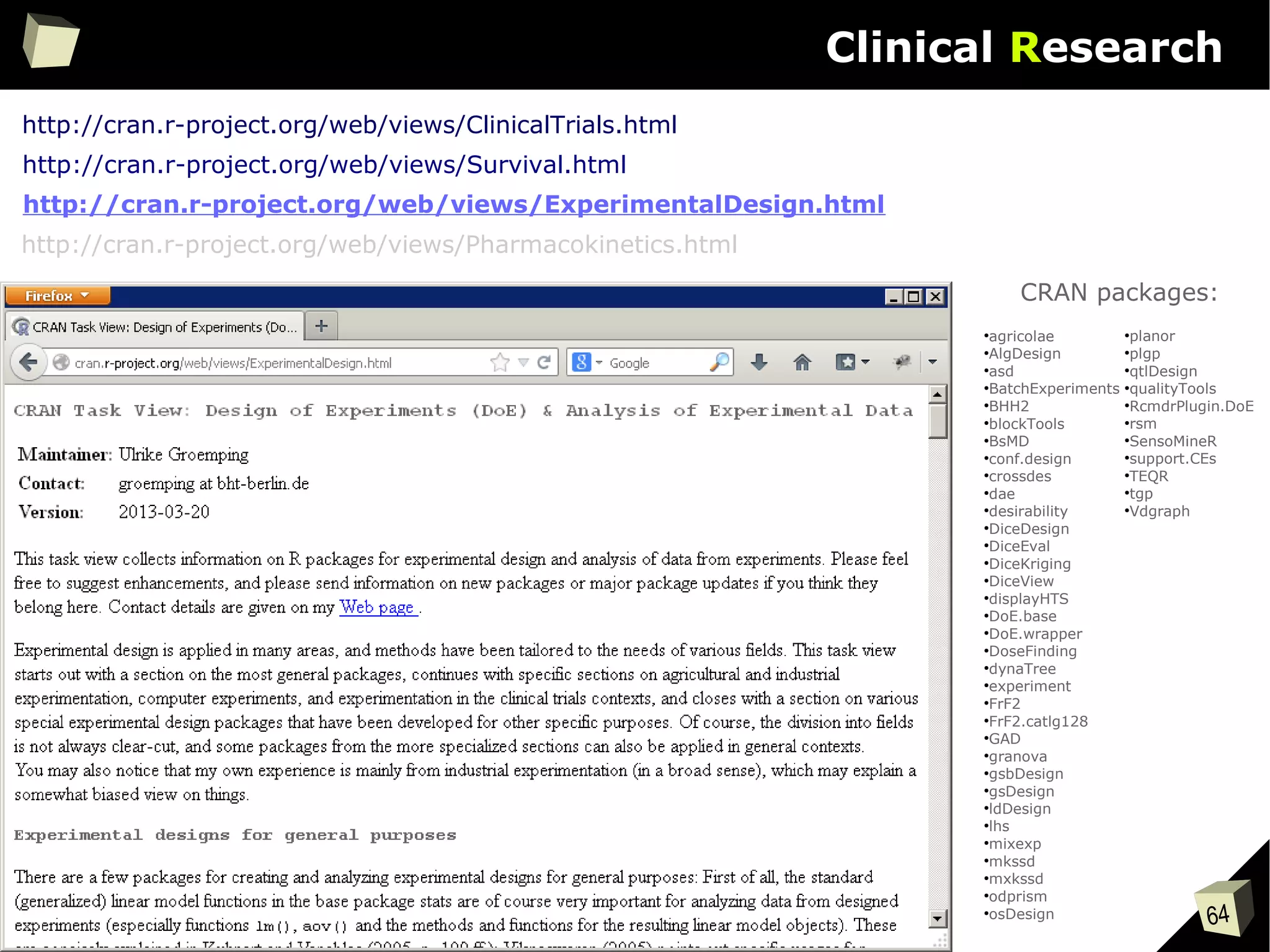
http://cran.r-project.org/web/views/ClinicalTrials.html
http://cran.r-project.org/web/views/ExperimentalDesign.html
http://cran.r-project.org/web/views/Pharmacokinetics.html
http://cran.r-project.org/web/views/Survival.html
64
Clinical Research
●
agricolae
●
AlgDesign
●
asd
●
BatchExperiments
●
BHH2
●
blockTools
●
BsMD
●
conf.design
●
crossdes
●
dae
●
desirability
●
DiceDesign
●
DiceEval
●
DiceKriging
●
DiceView
●
displayHTS
●
DoE.base
●
DoE.wrapper
●
DoseFinding
●
dynaTree
●
experiment
●
FrF2
●
FrF2.catlg128
●
GAD
●
granova
●
gsbDesign
●
gsDesign
●
ldDesign
●
lhs
●
mixexp
●
mkssd
●
mxkssd
●
odprism
●
osDesign
●
planor
●
plgp
●
qtlDesign
●
qualityTools
●
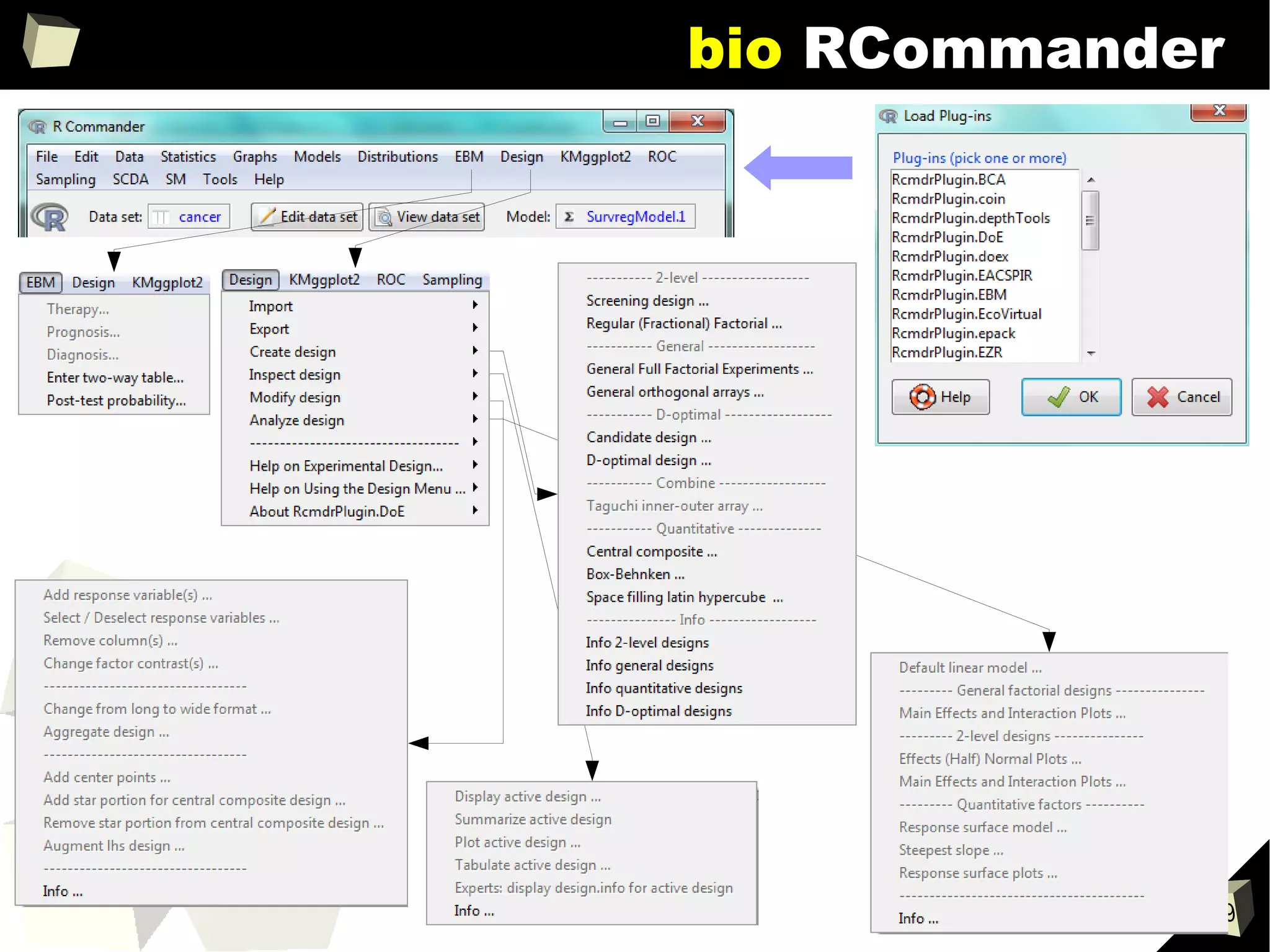
RcmdrPlugin.DoE
●
rsm
●
SensoMineR
●
support.CEs
●
TEQR
●
tgp
●
Vdgraph
CRAN packages:
http://cran.r-project.org/web/views/ClinicalTrials.html
http://cran.r-project.org/web/views/Pharmacokinetics.html
http://cran.r-project.org/web/views/Survival.html
http://cran.r-project.org/web/views/ExperimentalDesign.html
65
let's gs
Design it!
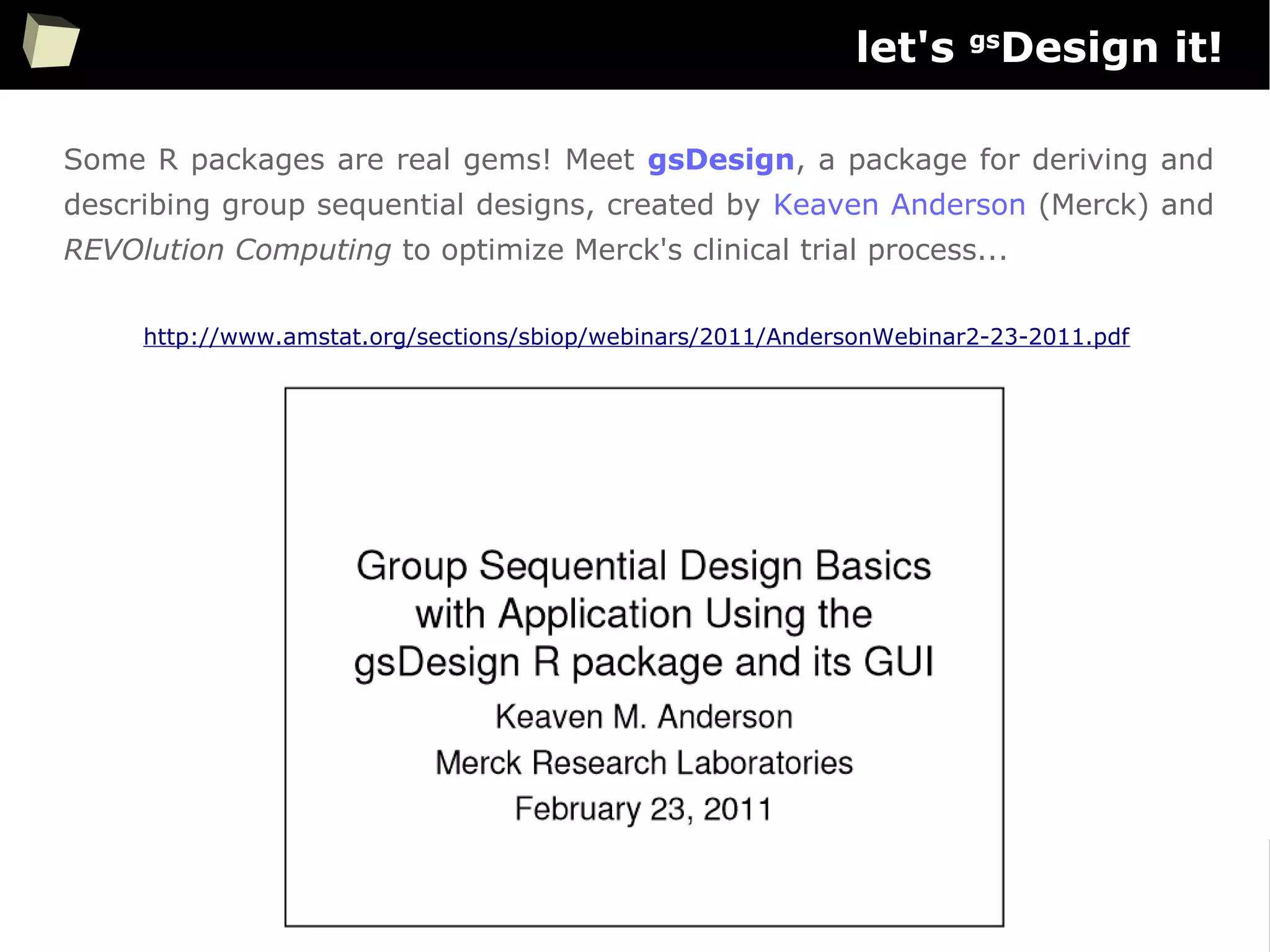
Some R packages are real gems! Meet gsDesign, a package for deriving and
describing group sequential designs, created by Keaven Anderson (Merck) and
REVOlution Computing to optimize Merck's clinical trial process...
http://www.amstat.org/sections/sbiop/webinars/2011/AndersonWebinar2-23-2011.pdf
66
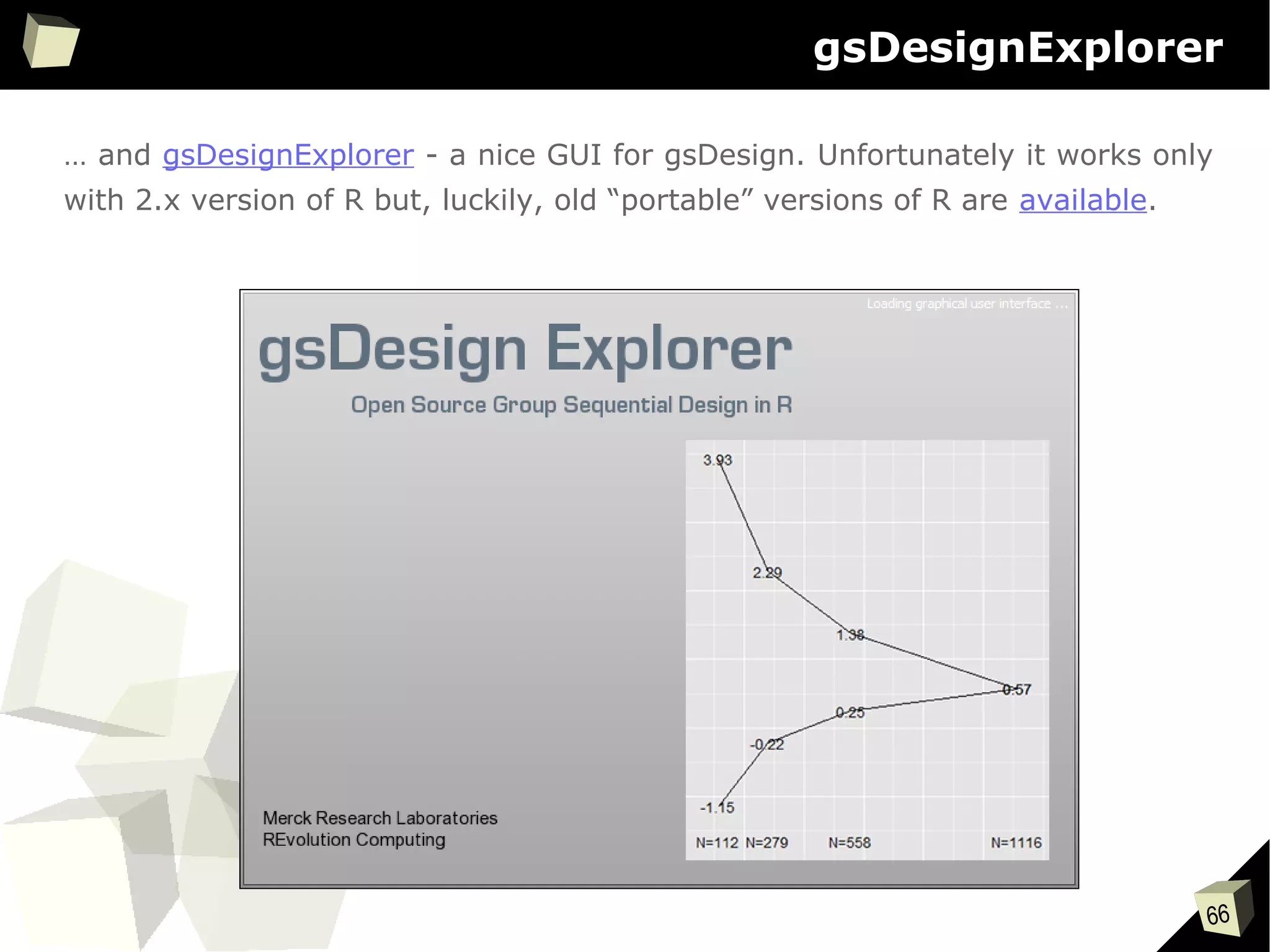
gsDesignExplorer
… and gsDesignExplorer - a nice GUI for gsDesign. Unfortunately it works only
with 2.x version of R but, luckily, old “portable” versions of R are available.
67
gsDesignExplorer
68
Clinical Research
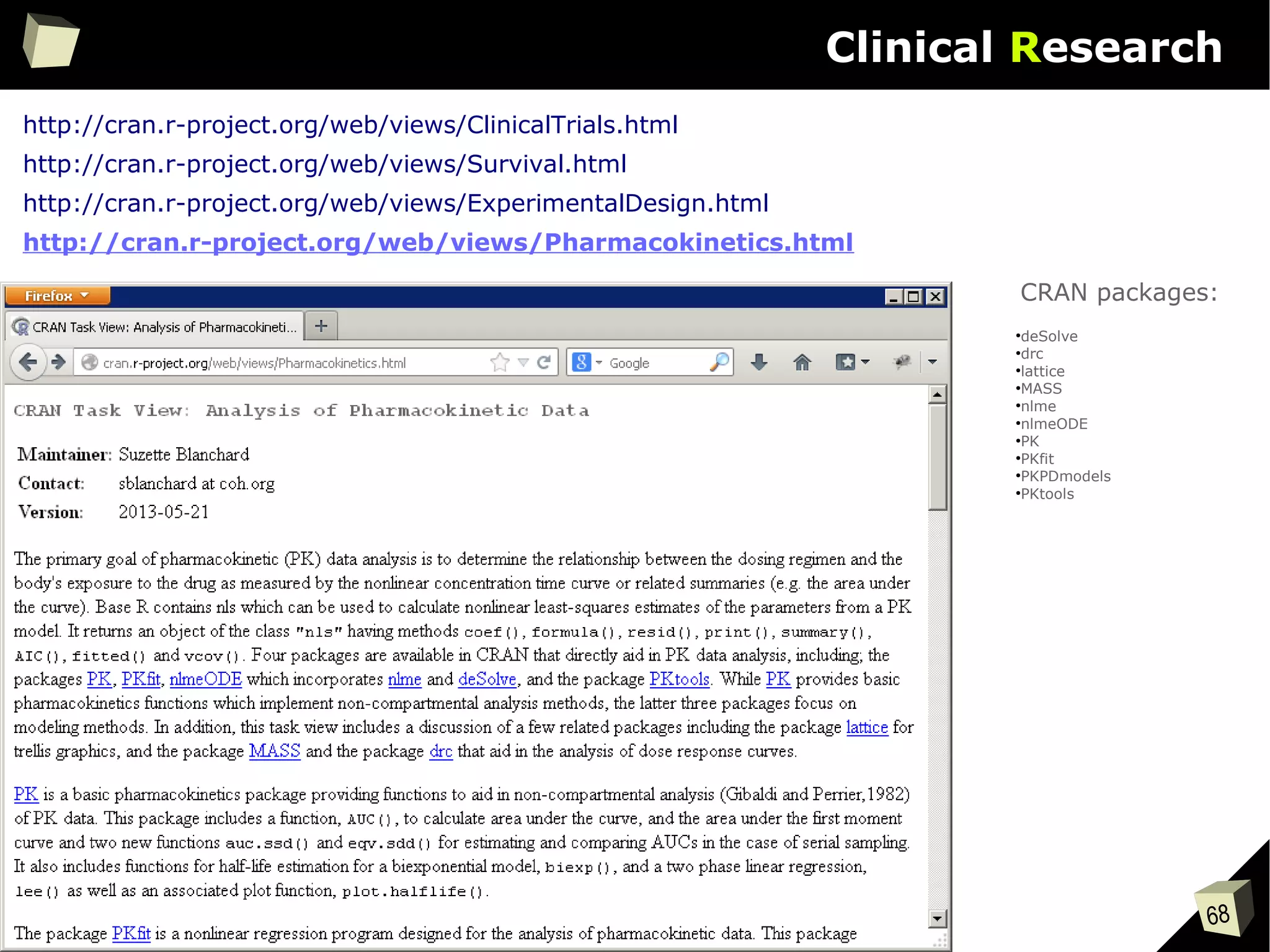
http://cran.r-project.org/web/views/ClinicalTrials.html
http://cran.r-project.org/web/views/ExperimentalDesign.html
http://cran.r-project.org/web/views/Survival.html
http://cran.r-project.org/web/views/Pharmacokinetics.html
●
deSolve
●
drc
●
lattice
●
MASS
●
nlme
●
nlmeODE
●
PK
●
PKfit
●
PKPDmodels
●
PKtools
CRAN packages:
69
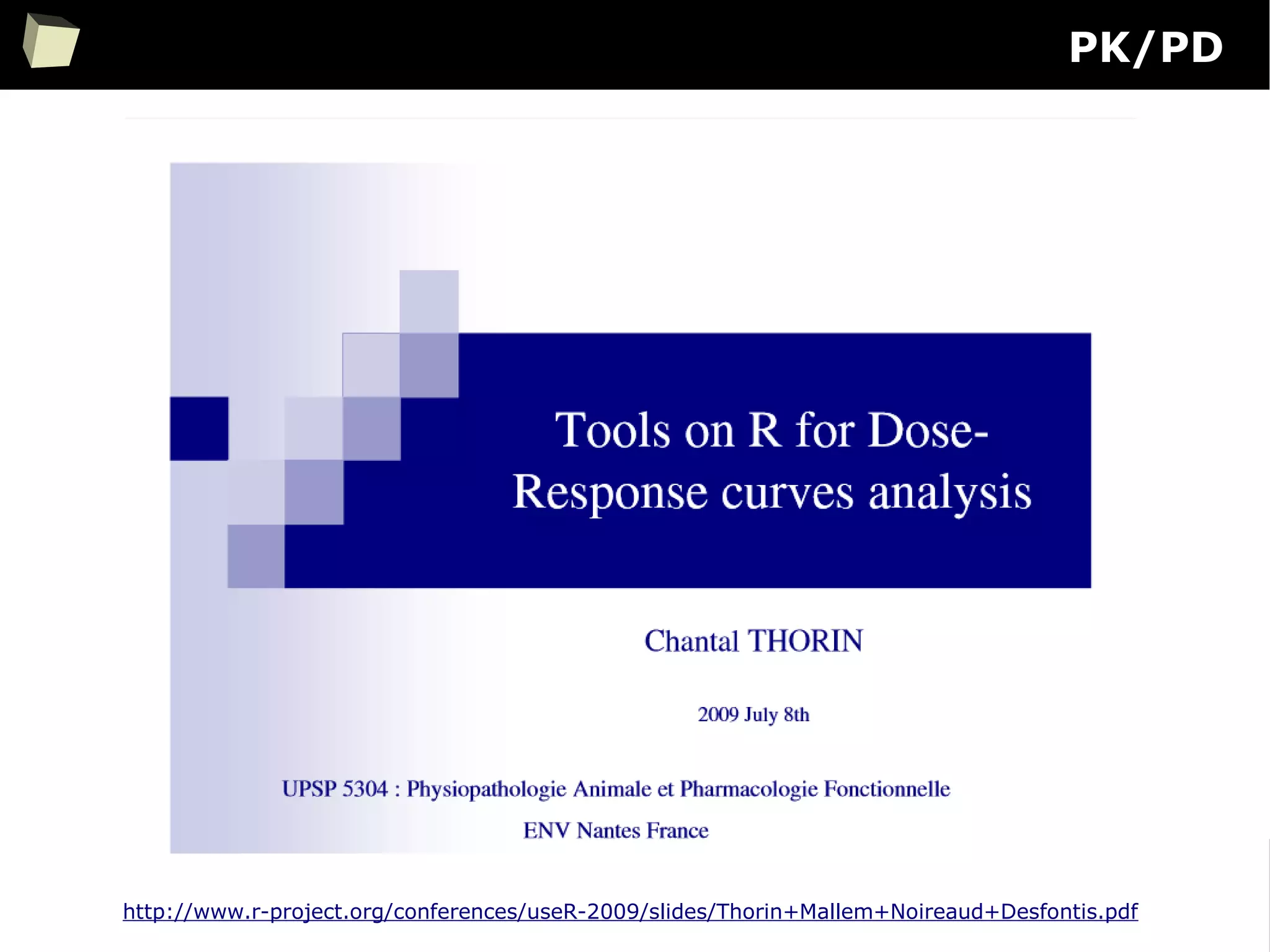
PK/PD
http://www.r-project.org/conferences/useR-2009/slides/Thorin+Mallem+Noireaud+Desfontis.pdf
70
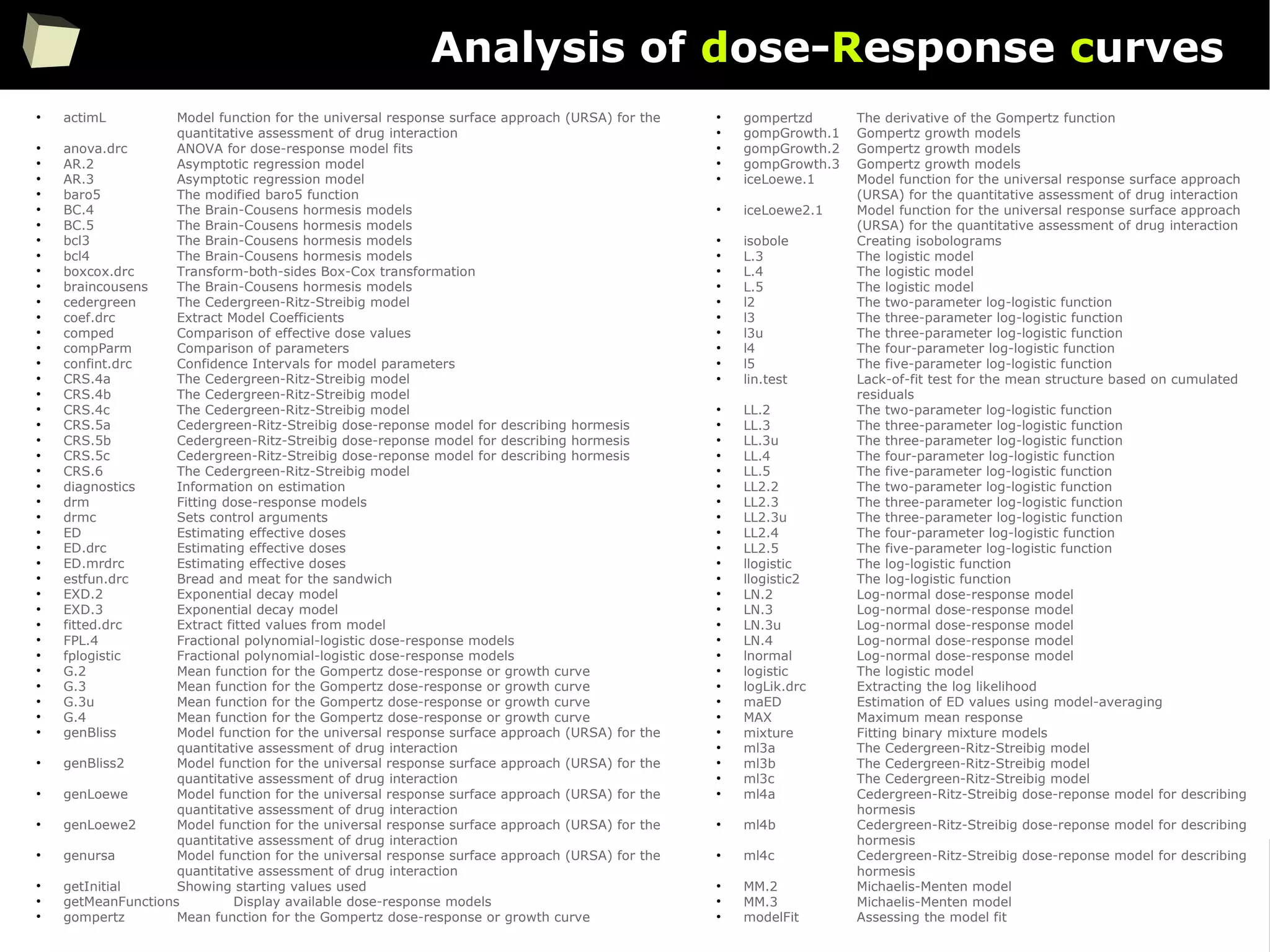
Analysis of dose-Response curves
●
actimL Model function for the universal response surface approach (URSA) for the
quantitative assessment of drug interaction
●
anova.drc ANOVA for dose-response model fits
●
AR.2 Asymptotic regression model
●
AR.3 Asymptotic regression model
●
baro5 The modified baro5 function
●
BC.4 The Brain-Cousens hormesis models
●
BC.5 The Brain-Cousens hormesis models
●
bcl3 The Brain-Cousens hormesis models
●
bcl4 The Brain-Cousens hormesis models
●
boxcox.drc Transform-both-sides Box-Cox transformation
●
braincousens The Brain-Cousens hormesis models
●
cedergreen The Cedergreen-Ritz-Streibig model
●
coef.drc Extract Model Coefficients
●
comped Comparison of effective dose values
●
compParm Comparison of parameters
●
confint.drc Confidence Intervals for model parameters
●
CRS.4a The Cedergreen-Ritz-Streibig model
●
CRS.4b The Cedergreen-Ritz-Streibig model
●
CRS.4c The Cedergreen-Ritz-Streibig model
●
CRS.5a Cedergreen-Ritz-Streibig dose-reponse model for describing hormesis
●
CRS.5b Cedergreen-Ritz-Streibig dose-reponse model for describing hormesis
●
CRS.5c Cedergreen-Ritz-Streibig dose-reponse model for describing hormesis
●
CRS.6 The Cedergreen-Ritz-Streibig model
●
diagnostics Information on estimation
●
drm Fitting dose-response models
●
drmc Sets control arguments
●
ED Estimating effective doses
●
ED.drc Estimating effective doses
●
ED.mrdrc Estimating effective doses
●
estfun.drc Bread and meat for the sandwich
●
EXD.2 Exponential decay model
●
EXD.3 Exponential decay model
●
fitted.drc Extract fitted values from model
●
FPL.4 Fractional polynomial-logistic dose-response models
●
fplogistic Fractional polynomial-logistic dose-response models
●
G.2 Mean function for the Gompertz dose-response or growth curve
●
G.3 Mean function for the Gompertz dose-response or growth curve
●
G.3u Mean function for the Gompertz dose-response or growth curve
●
G.4 Mean function for the Gompertz dose-response or growth curve
●
genBliss Model function for the universal response surface approach (URSA) for the
quantitative assessment of drug interaction
●
genBliss2 Model function for the universal response surface approach (URSA) for the
quantitative assessment of drug interaction
●
genLoewe Model function for the universal response surface approach (URSA) for the
quantitative assessment of drug interaction
●
genLoewe2 Model function for the universal response surface approach (URSA) for the
quantitative assessment of drug interaction
●
genursa Model function for the universal response surface approach (URSA) for the
quantitative assessment of drug interaction
●
getInitial Showing starting values used
●
getMeanFunctions Display available dose-response models
●
gompertz Mean function for the Gompertz dose-response or growth curve
●
gompertzd The derivative of the Gompertz function
●
gompGrowth.1 Gompertz growth models
●
gompGrowth.2 Gompertz growth models
●
gompGrowth.3 Gompertz growth models
●
iceLoewe.1 Model function for the universal response surface approach
(URSA) for the quantitative assessment of drug interaction
●
iceLoewe2.1 Model function for the universal response surface approach
(URSA) for the quantitative assessment of drug interaction
●
isobole Creating isobolograms
●
L.3 The logistic model
●
L.4 The logistic model
●
L.5 The logistic model
●
l2 The two-parameter log-logistic function
●
l3 The three-parameter log-logistic function
●
l3u The three-parameter log-logistic function
●
l4 The four-parameter log-logistic function
●
l5 The five-parameter log-logistic function
●
lin.test Lack-of-fit test for the mean structure based on cumulated
residuals
●
LL.2 The two-parameter log-logistic function
●
LL.3 The three-parameter log-logistic function
●
LL.3u The three-parameter log-logistic function
●
LL.4 The four-parameter log-logistic function
●
LL.5 The five-parameter log-logistic function
●
LL2.2 The two-parameter log-logistic function
●
LL2.3 The three-parameter log-logistic function
●
LL2.3u The three-parameter log-logistic function
●
LL2.4 The four-parameter log-logistic function
●
LL2.5 The five-parameter log-logistic function
●
llogistic The log-logistic function
●
llogistic2 The log-logistic function
●
LN.2 Log-normal dose-response model
●
LN.3 Log-normal dose-response model
●
LN.3u Log-normal dose-response model
●
LN.4 Log-normal dose-response model
●
lnormal Log-normal dose-response model
●
logistic The logistic model
●
logLik.drc Extracting the log likelihood
●
maED Estimation of ED values using model-averaging
●
MAX Maximum mean response
●
mixture Fitting binary mixture models
●
ml3a The Cedergreen-Ritz-Streibig model
●
ml3b The Cedergreen-Ritz-Streibig model
●
ml3c The Cedergreen-Ritz-Streibig model
●
ml4a Cedergreen-Ritz-Streibig dose-reponse model for describing
hormesis
●
ml4b Cedergreen-Ritz-Streibig dose-reponse model for describing
hormesis
●
ml4c Cedergreen-Ritz-Streibig dose-reponse model for describing
hormesis
●
MM.2 Michaelis-Menten model
●
MM.3 Michaelis-Menten model
●
modelFit Assessing the model fit
71
Analysis of dose-Response curves [cont'd]
●
mr.test Mizon-Richard test for dose-response models
●
mrdrm Model-robust dose-response modelling
●
mselect Model selection
●
NEC Dose-response model for estimation of no effect concentration (NEC).
●
NEC.2 Dose-response model for estimation of no effect concentration (NEC).
●
NEC.3 Dose-response model for estimation of no effect concentration (NEC).
●
NEC.4 Dose-response model for estimation of no effect concentration (NEC).
●
neill.test Neill's lack-of-fit test for dose-response models
●
plot.drc Plotting fitted curves for a 'drc' or 'mrdrc' object
●
plot.mrdrc Plotting fitted curves for a 'drc' or 'mrdrc' object
●
PR Expected or predicted response
●
predict.drc Prediction
●
predict.mrdrc Prediction
●
print.drc Printing key features
●
print.mrdrc Printing key features
●
print.summary.drc Printing summary of non-linear model fits
●
rdrm Simulating a dose-response curve
●
relpot Comparing selectivity indices across curves
●
residuals.drc Extracting residuals from model
●
ryegrass Effect of ferulic acid on growth of ryegrass
●
S.capricornutum Effect of cadmium on growth of green alga
●
searchdrc Searching through a range of initial parameter values to obtain
convergence
●
secalonic Root length measurements
●
SI Comparing selectivity indices across curves
●
simDR Simulating ED values under various scenarios
●
summary.drc Summarising non-linear model fits
●
twophase Two-phase dose-response model
●
ucedergreen The Cedergreen-Ritz-Streibig model
●
UCRS.4a The Cedergreen-Ritz-Streibig model
●
UCRS.4b The Cedergreen-Ritz-Streibig model
●
UCRS.4c The Cedergreen-Ritz-Streibig model
●
UCRS.5a Cedergreen-Ritz-Streibig dose-reponse model for describing hormesis
●
UCRS.5b Cedergreen-Ritz-Streibig dose-reponse model for describing hormesis
●
UCRS.5c Cedergreen-Ritz-Streibig dose-reponse model for describing hormesis
●
uml3a The Cedergreen-Ritz-Streibig model
●
uml3b The Cedergreen-Ritz-Streibig model
●
uml3c The Cedergreen-Ritz-Streibig model
●
uml4a Cedergreen-Ritz-Streibig dose-reponse model for describing hormesis
●
uml4b Cedergreen-Ritz-Streibig dose-reponse model for describing hormesis
●
uml4c Cedergreen-Ritz-Streibig dose-reponse model for describing hormesis
●
update.drc Updating and re-fitting a model
●
ursa Model function for the universal response surface approach (URSA) for the
quantitative assessment of drug interaction
●
vcov.drc Calculating variance-covariance matrix for objects of class 'drc'
●
W1.2 The two-parameter Weibull functions
●
W1.3 The three-parameter Weibull functions
●
W1.3u The three-parameter Weibull functions
●
W1.4 The four-parameter Weibull functions
●
w2 The two-parameter Weibull functions
●
W2.2 The two-parameter Weibull functions
●
W2.3 The three-parameter Weibull functions
●
W2.3u The three-parameter Weibull functions
●
W2.4 The four-parameter Weibull functions
●
W2x.3 The three-parameter Weibull functions
●
W2x.4 The four-parameter Weibull functions
●
w3 The three-parameter Weibull functions
●
w4 The four-parameter Weibull functions
●
weibull1 Weibull model functions
●
weibull2 Weibull model functions
●
weibull2x Weibull model functions
●
yieldLoss Calculating yield loss parameters
72
Analysis of dose-Response curves [cont'd]
http://www.bioassay.dk/index-filer/start/DraftDrcManual.pdf
73
Analysis of dose-Response curves [cont'd]
http://www.jstatsoft.org/v29/i07/paper
74
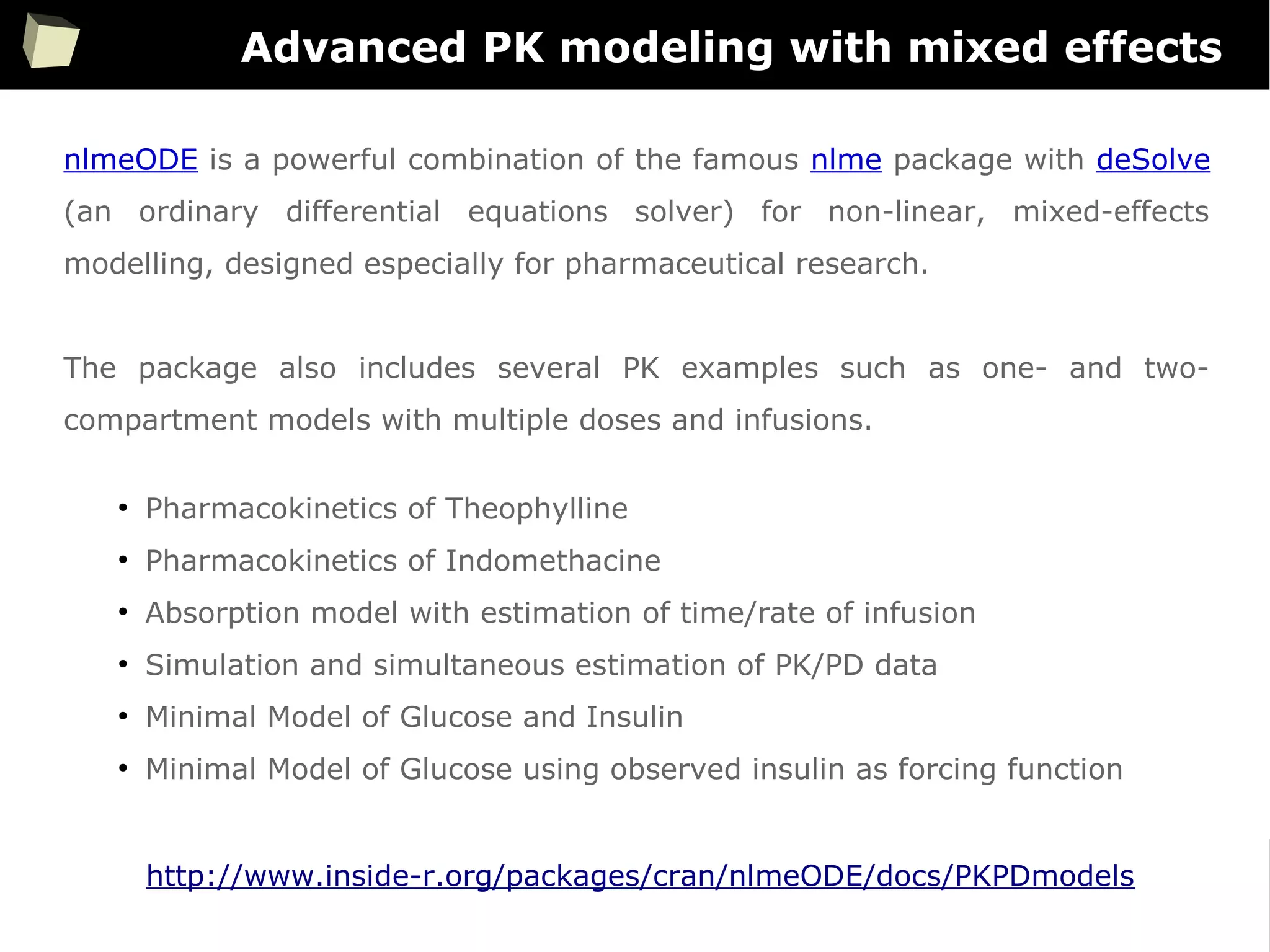
Advanced PK modeling with mixed effects
nlmeODE is a powerful combination of the famous nlme package with deSolve
(an ordinary differential equations solver) for non-linear, mixed-effects
modelling, designed especially for pharmaceutical research.
The package also includes several PK examples such as one- and two-
compartment models with multiple doses and infusions.
●
Pharmacokinetics of Theophylline
●
Pharmacokinetics of Indomethacine
●
Absorption model with estimation of time/rate of infusion
●
Simulation and simultaneous estimation of PK/PD data
●
Minimal Model of Glucose and Insulin
●
Minimal Model of Glucose using observed insulin as forcing function
http://www.inside-r.org/packages/cran/nlmeODE/docs/PKPDmodels
75
Advanced PK modeling with mixed effects
76
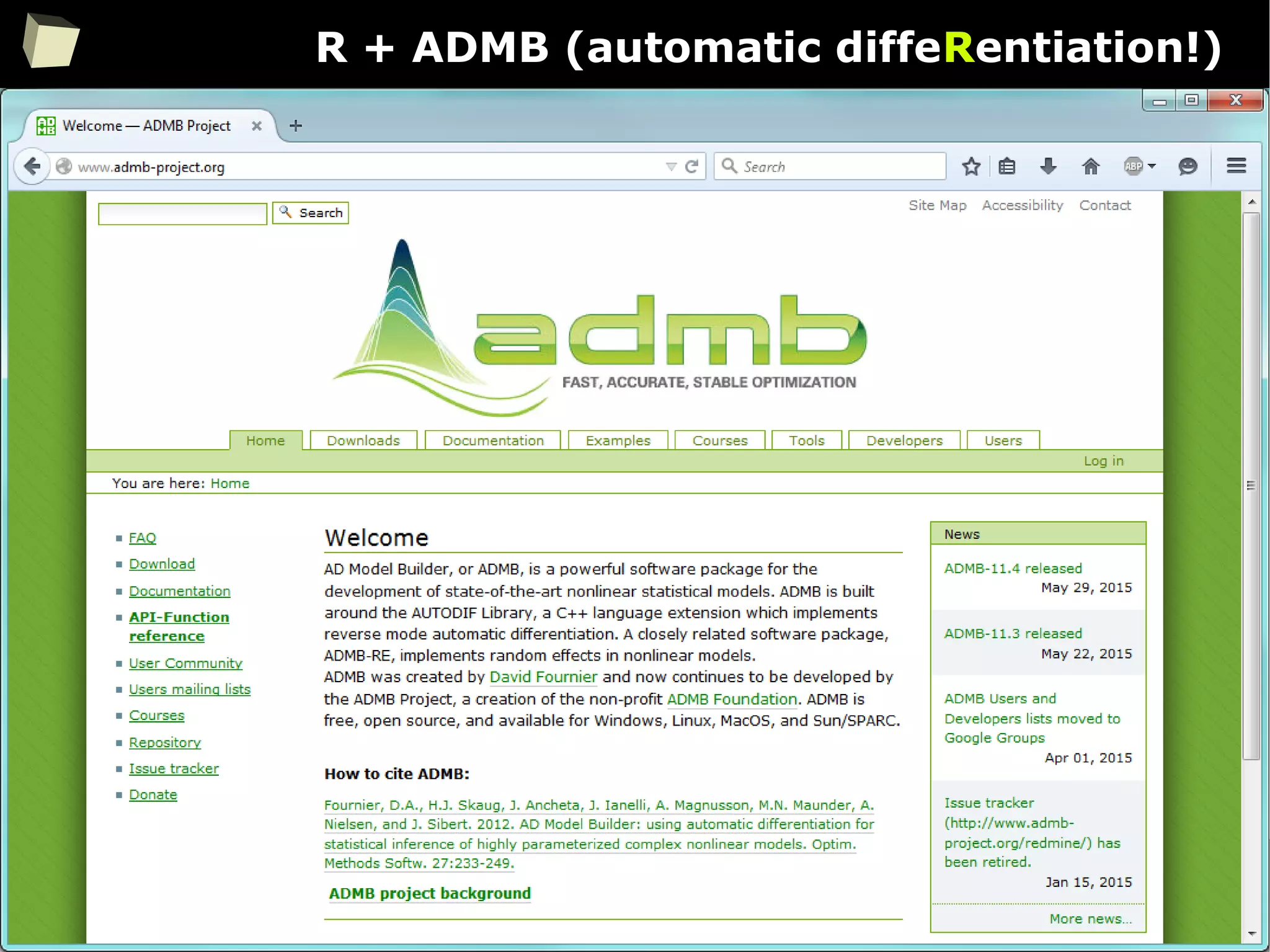
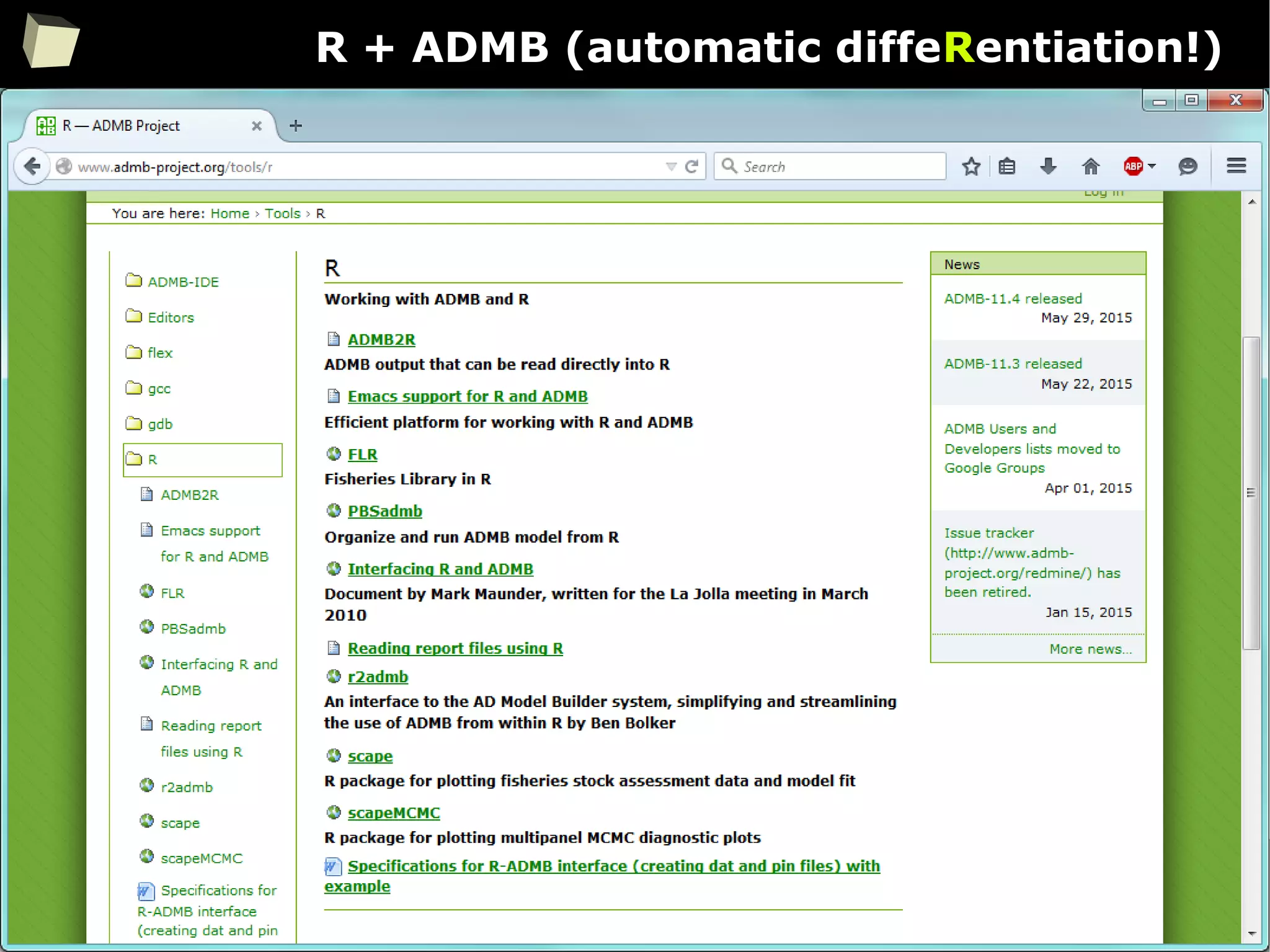
R + ADMB (automatic diffeRentiation!)
77
R + ADMB (automatic diffeRentiation!)
78
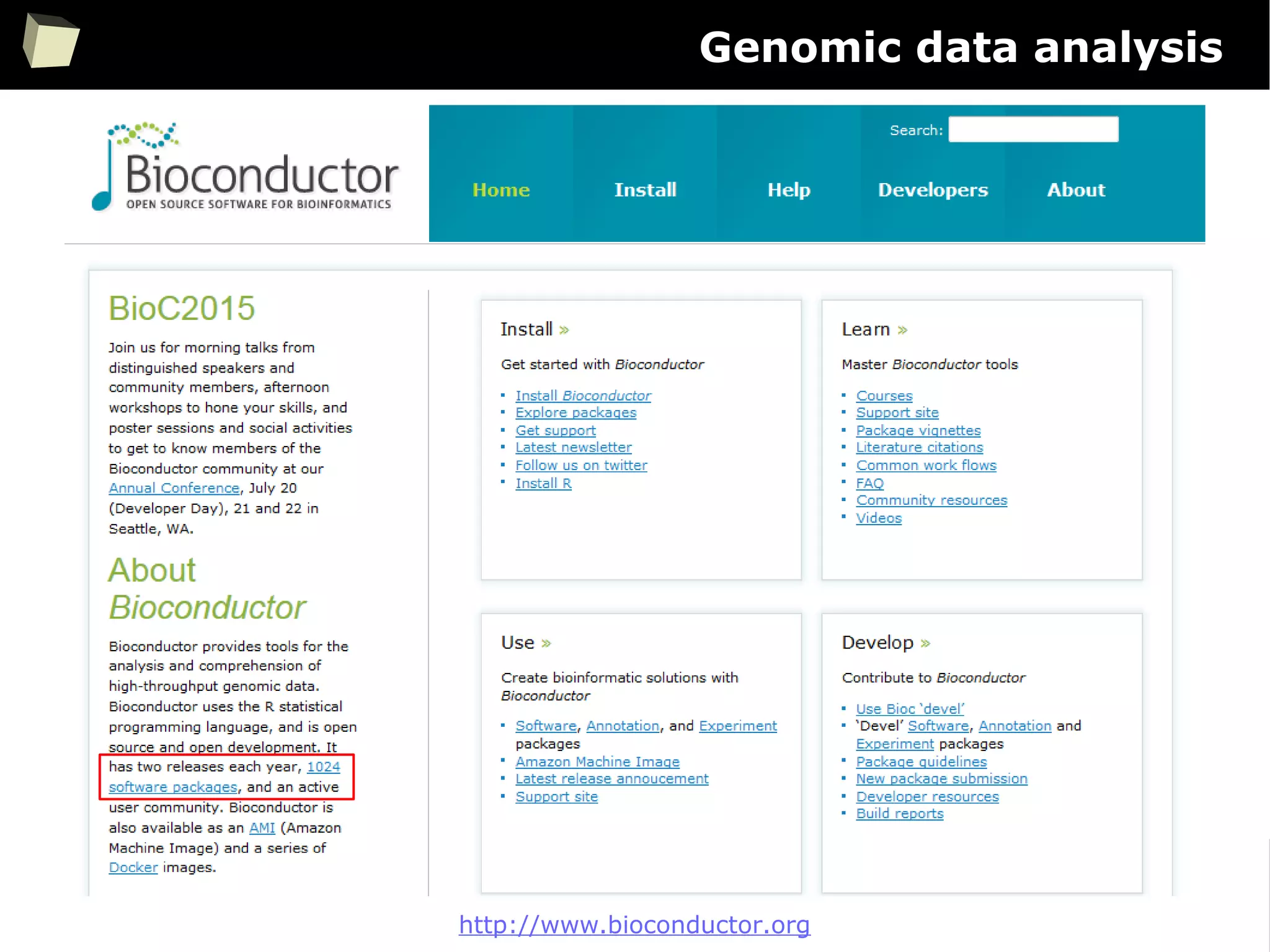
Genomic data analysis
http://www.bioconductor.org
79
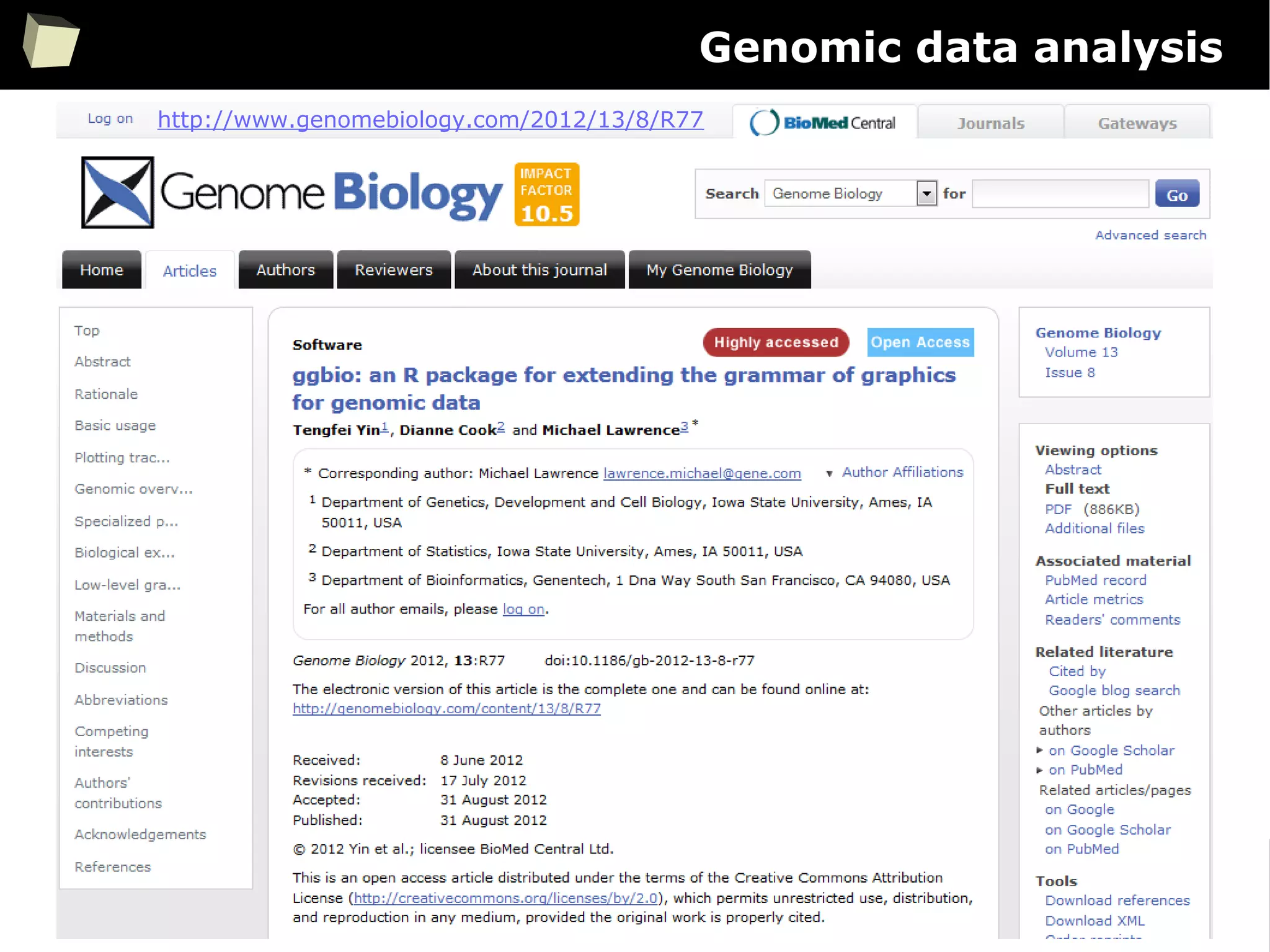
Genomic data analysis
http://www.genomebiology.com/2012/13/8/R77
80
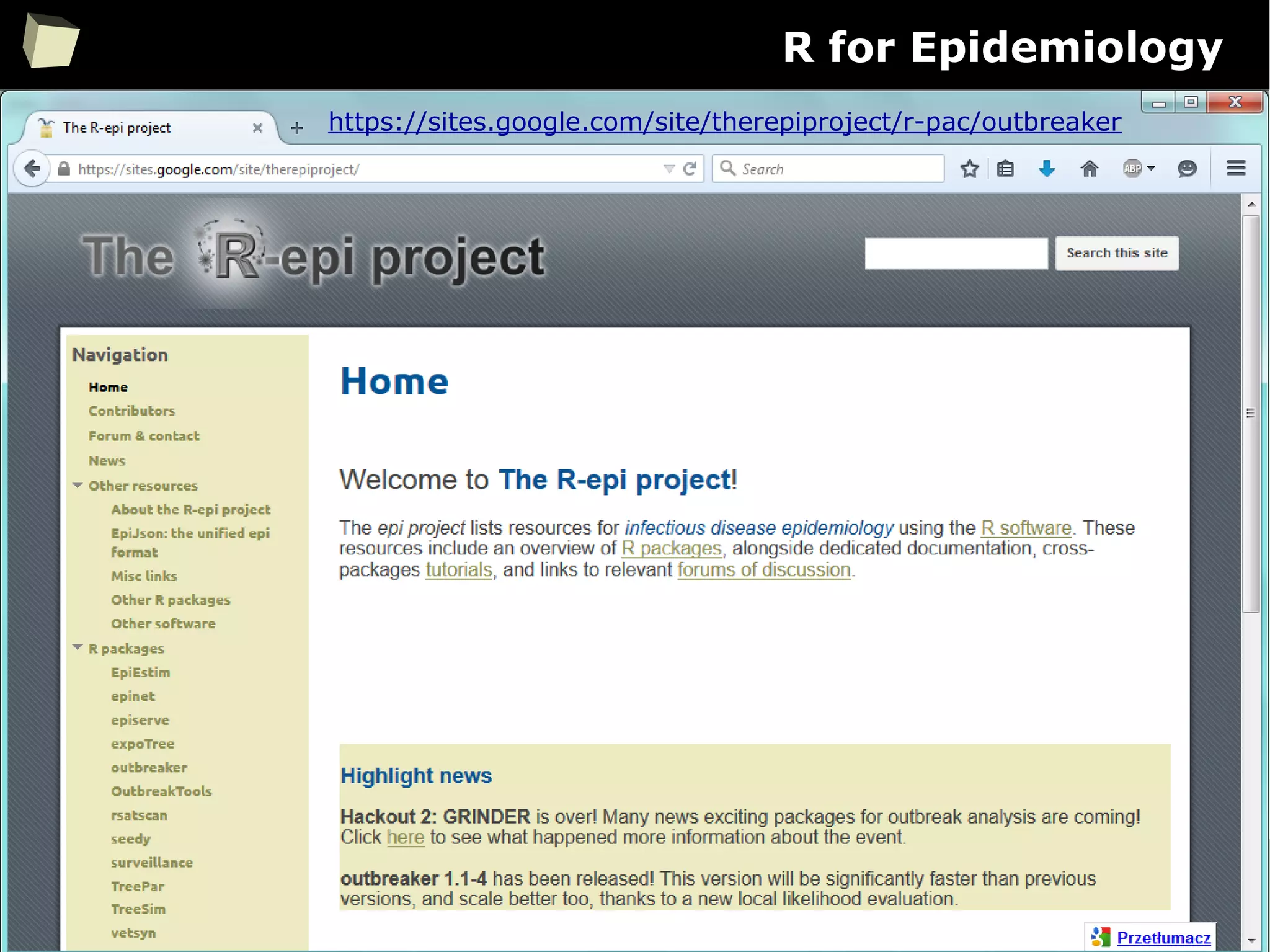
R for Epidemiology
https://sites.google.com/site/therepiproject/r-pac/outbreaker
81
R for laboratory diagnostics
http://www.inside-r.org/packages/cran/gdata/docs/ConvertMedUnits
82
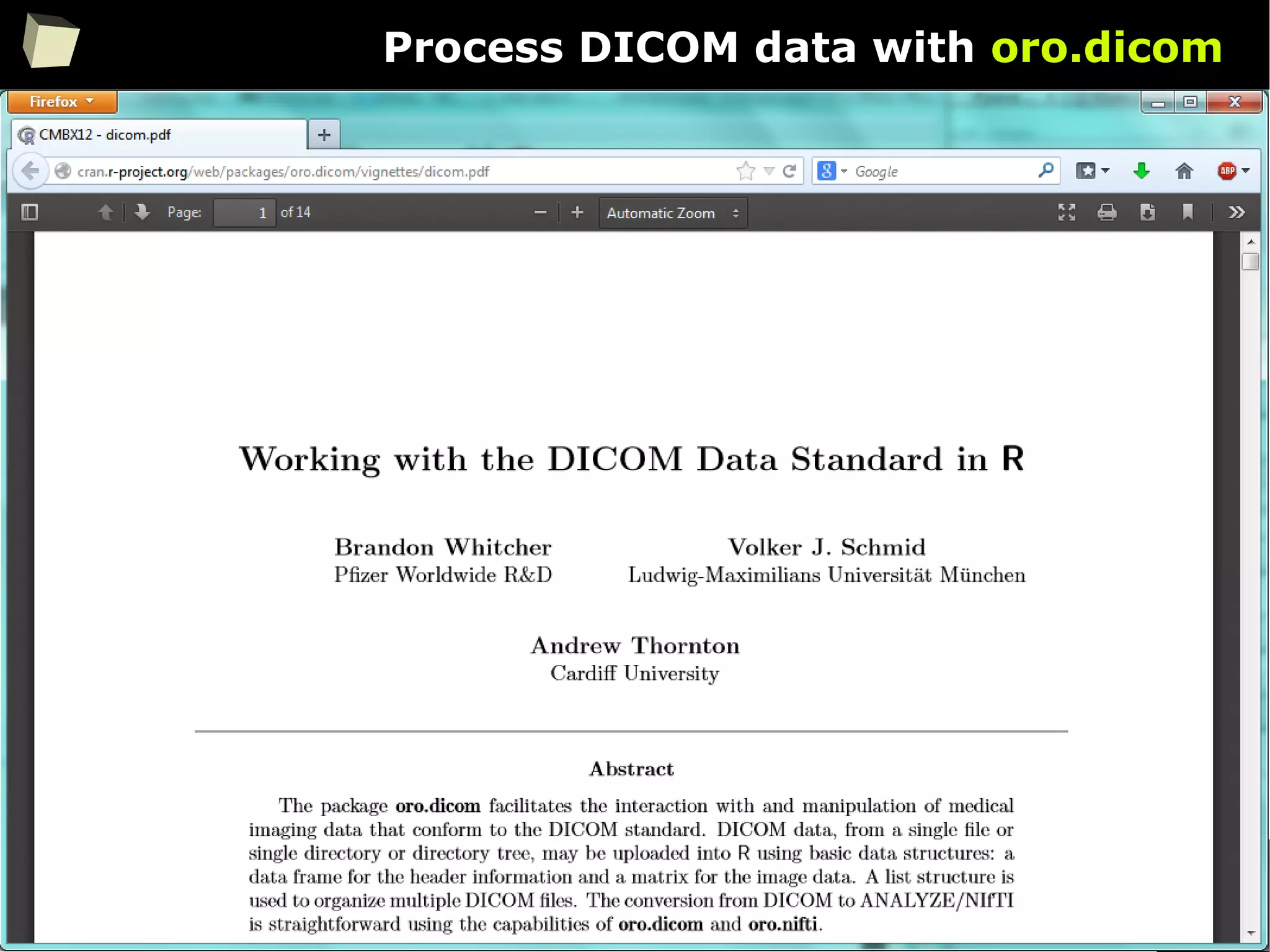
Process DICOM data with oro.dicom
83
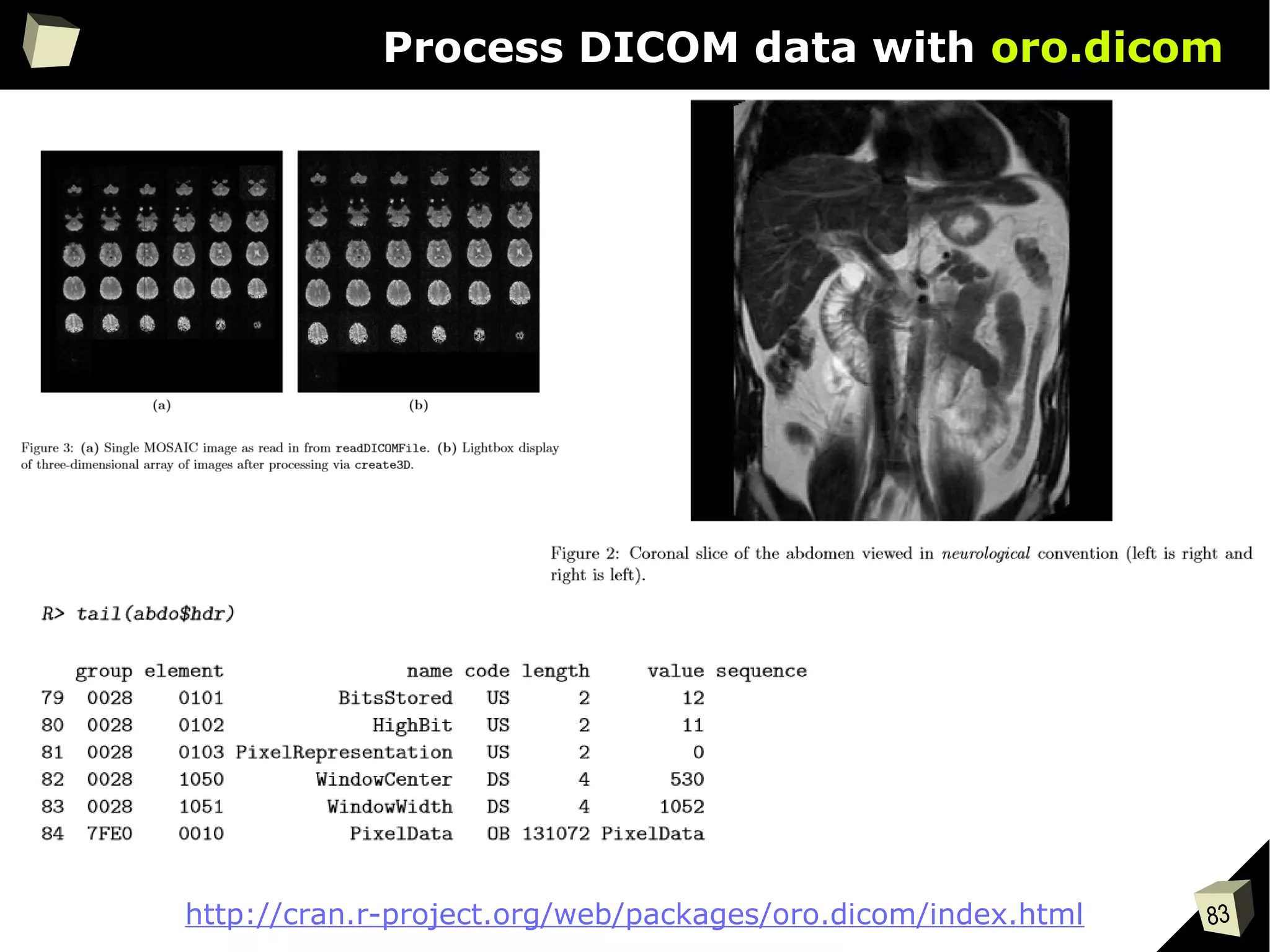
Process DICOM data with oro.dicom
http://cran.r-project.org/web/packages/oro.dicom/index.html
84
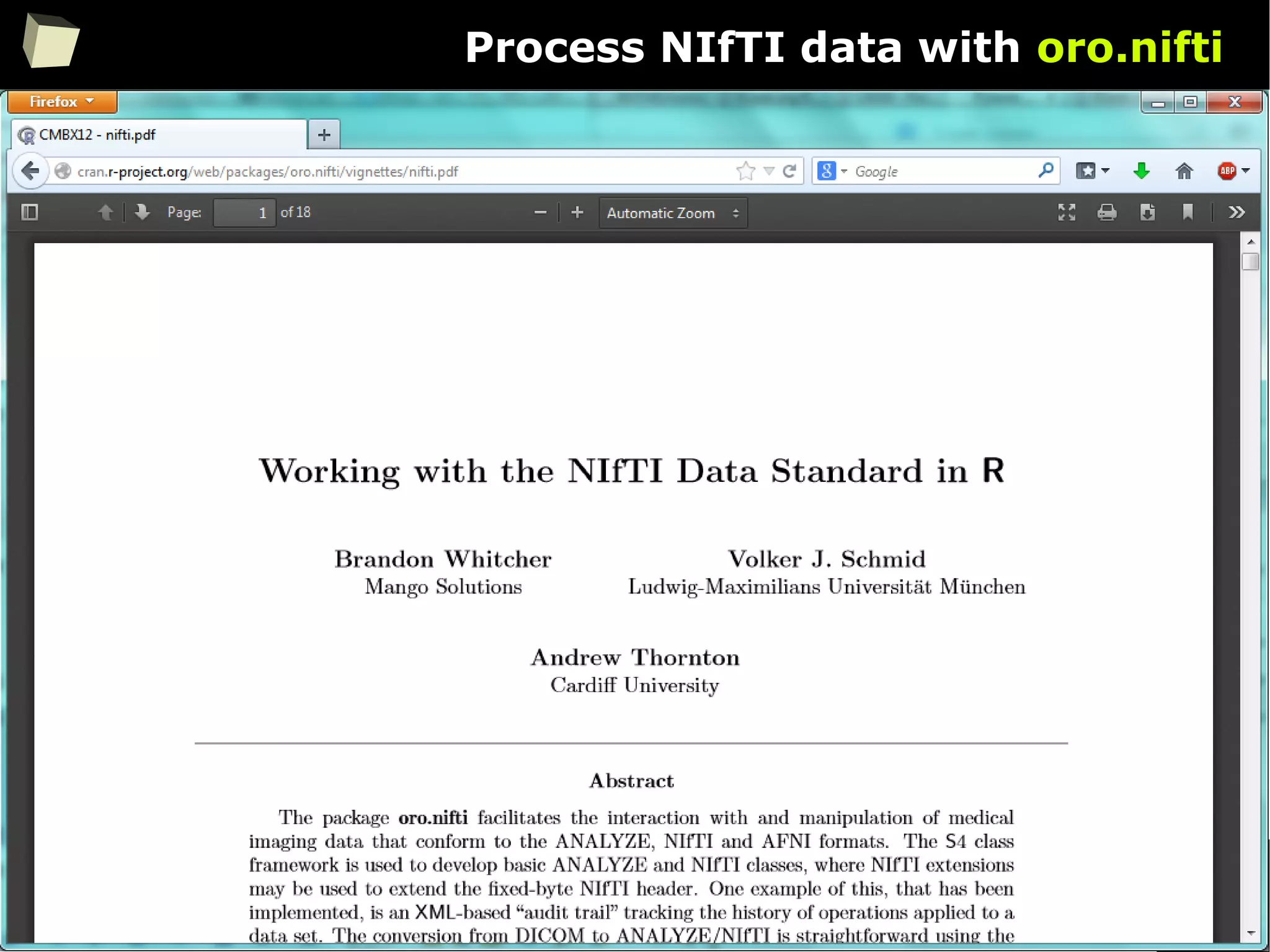
Process NIfTI data with oro.nifti
85
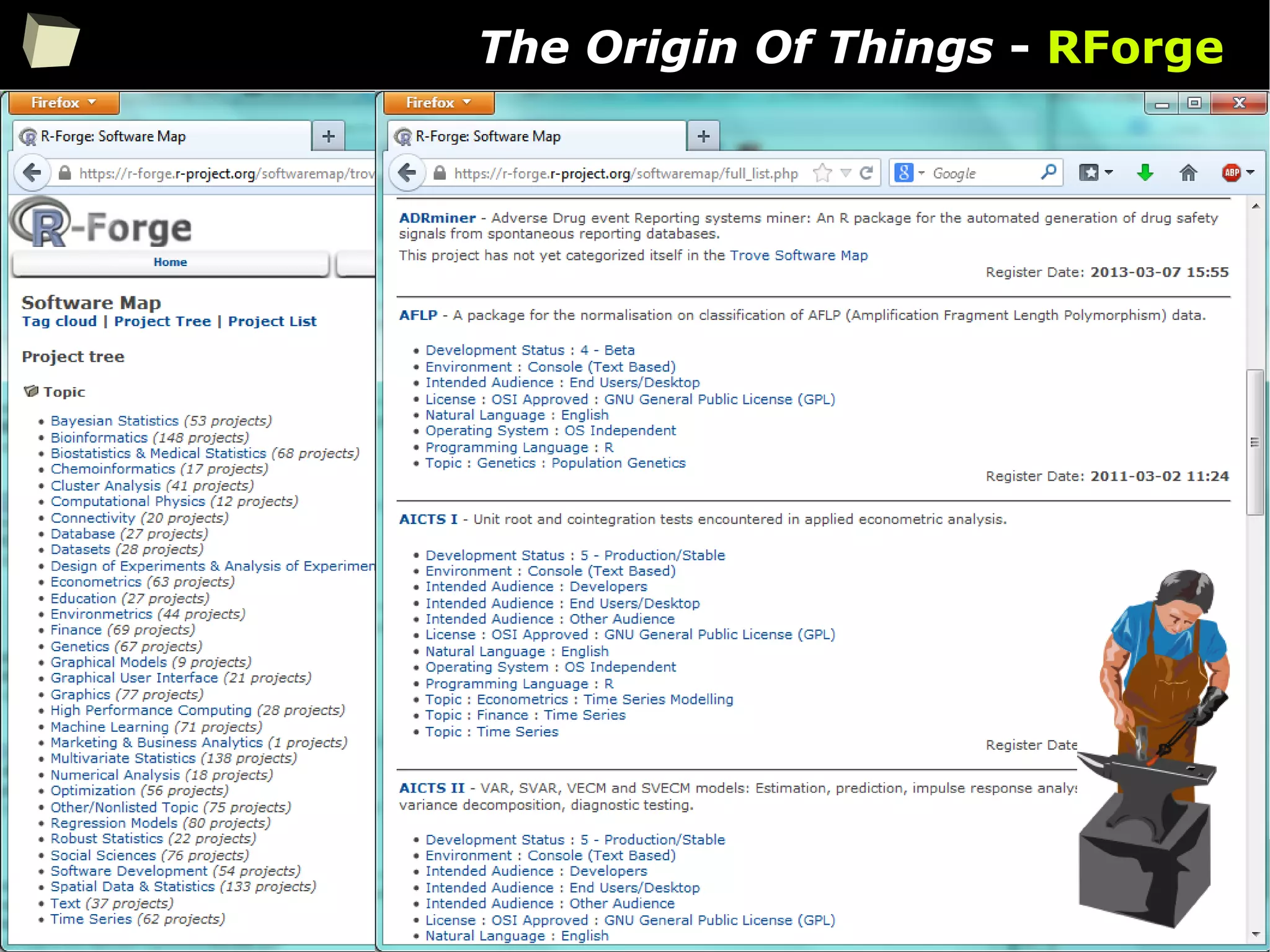
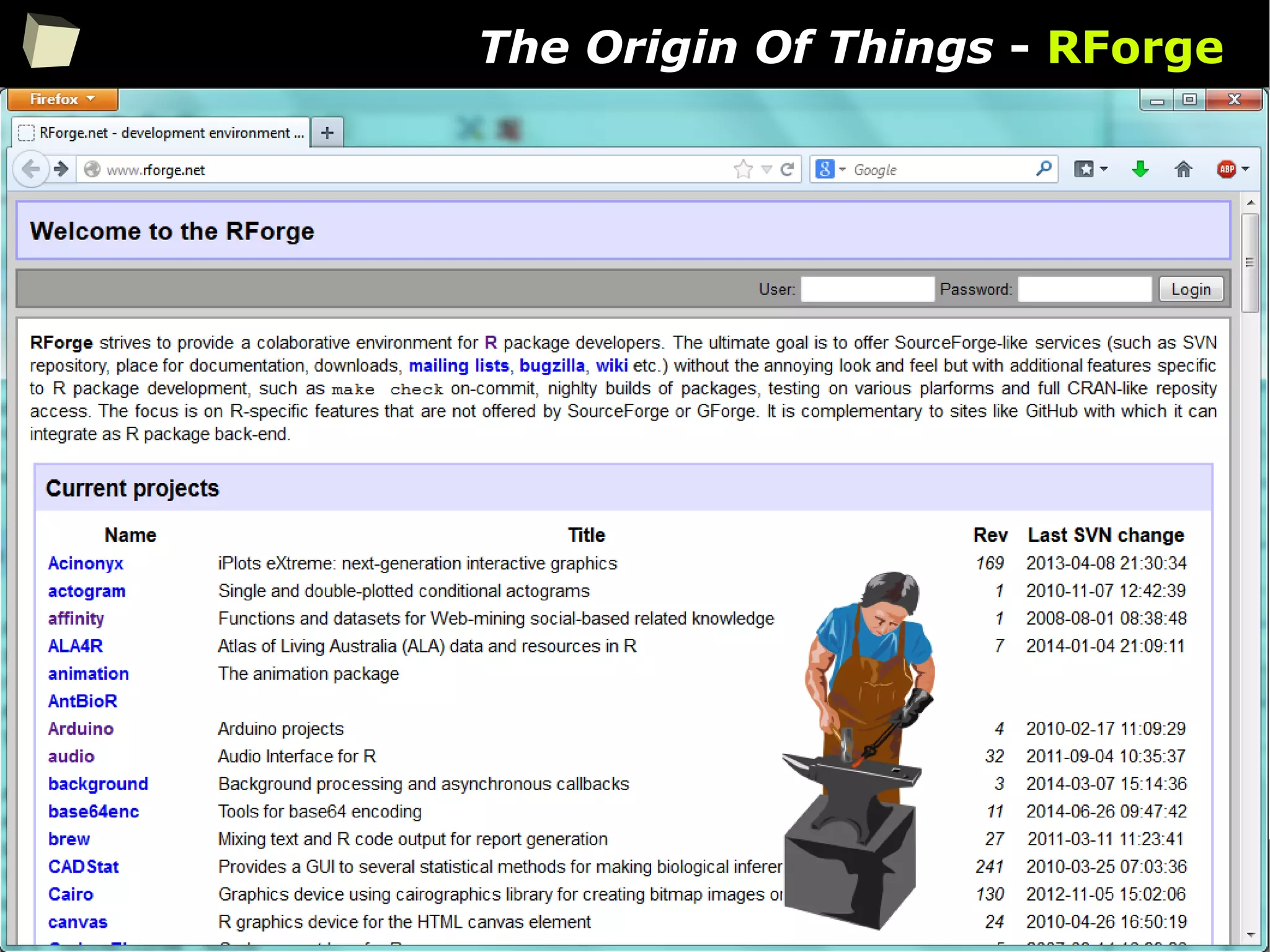
The Origin Of Things - RForge
86
The Origin Of Things - RForge
87
The Origin Of Things - GitHub
88
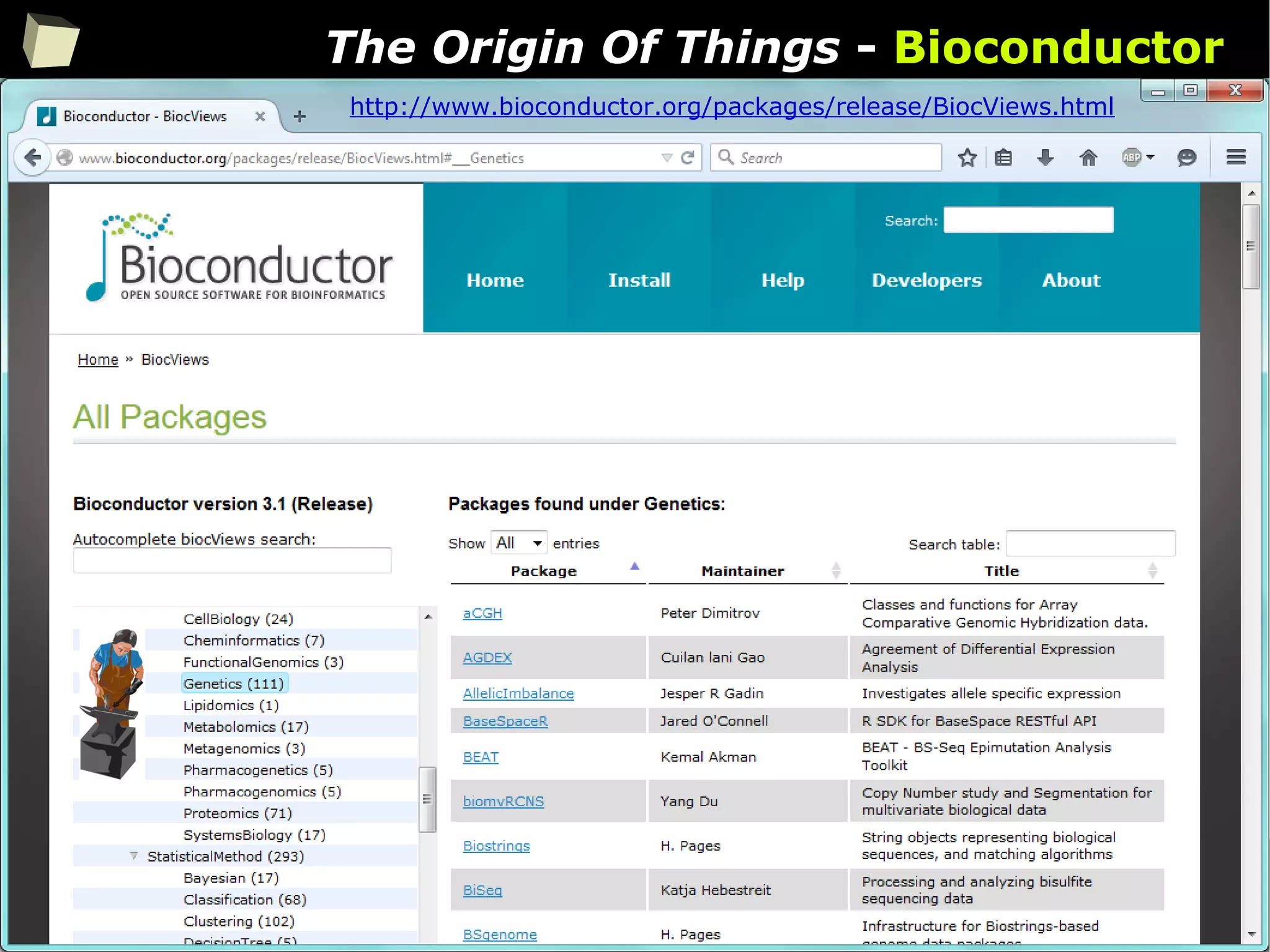
The Origin Of Things - Bioconductor
http://www.bioconductor.org/packages/release/BiocViews.html
89
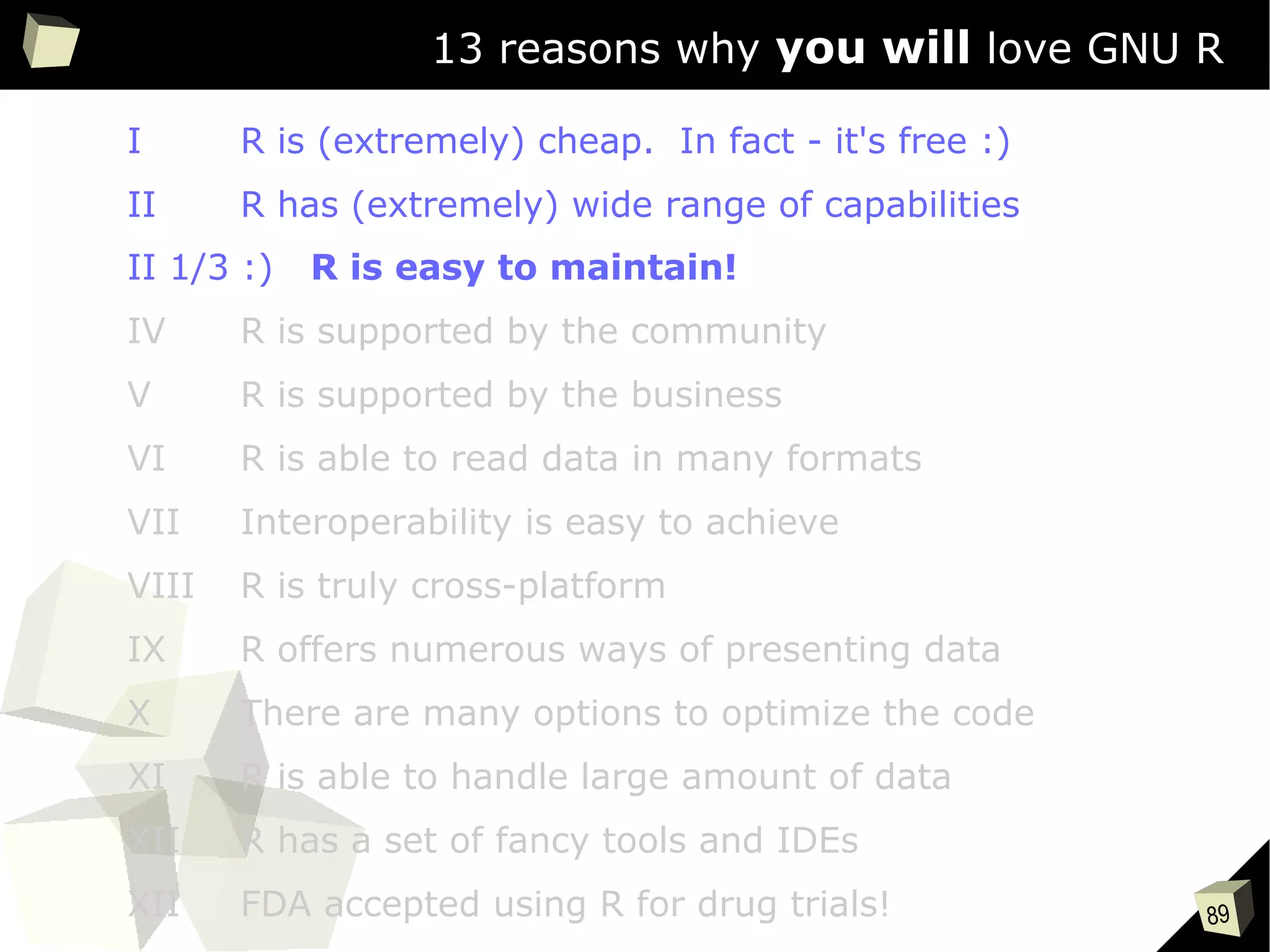
13 reasons why you will love GNU R
I R is (extremely) cheap. In fact - it's free :)
II R has (extremely) wide range of capabilities
II 1/3 :) R is easy to maintain!
IV R is supported by the community
V R is supported by the business
VI R is able to read data in many formats
VII Interoperability is easy to achieve
VIII R is truly cross-platform
IX R offers numerous ways of presenting data
X There are many options to optimize the code
XI R is able to handle large amount of data
XII R has a set of fancy tools and IDEs
XII FDA accepted using R for drug trials!
90
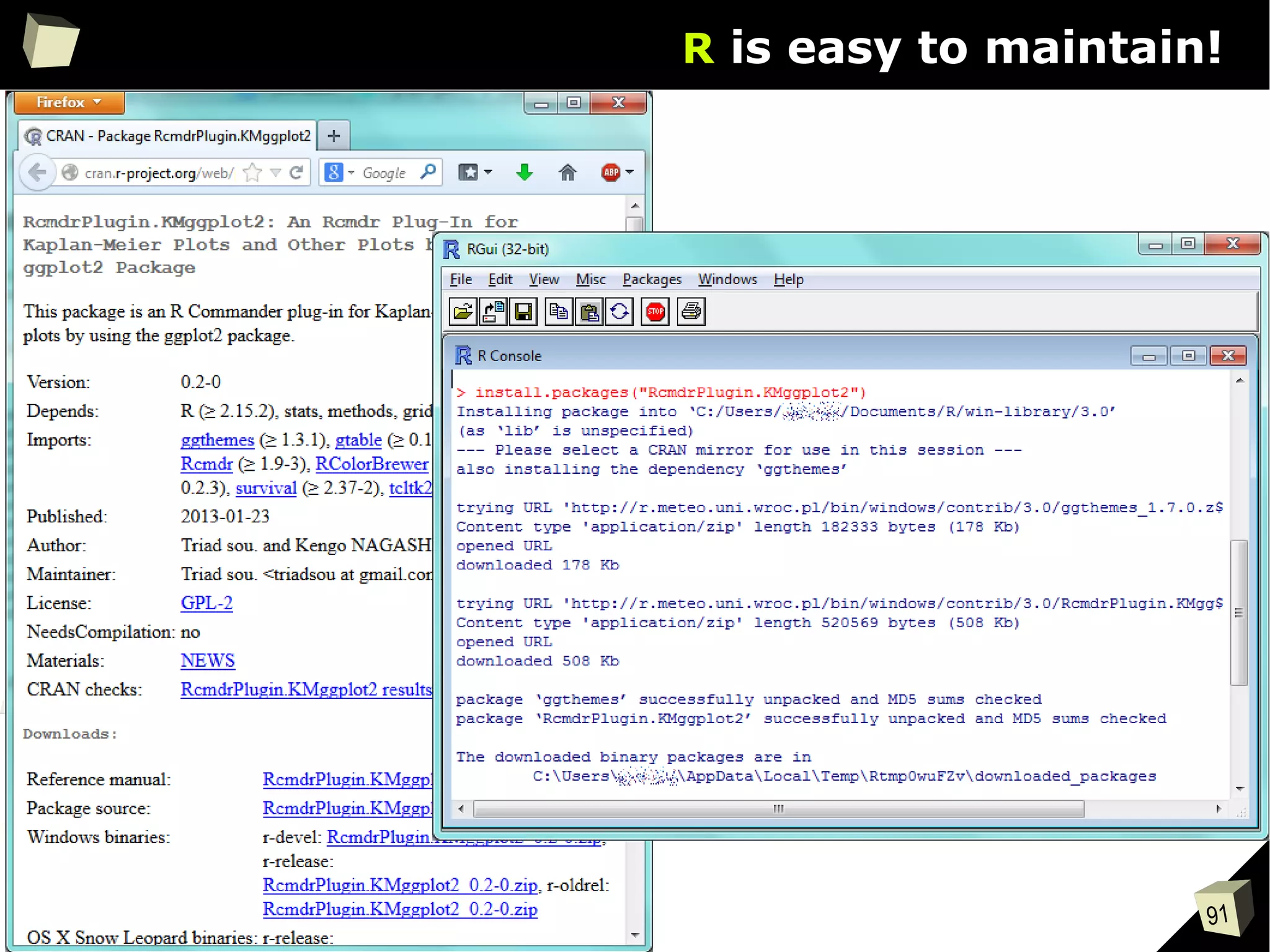
R is easy to maintain!
R is easy to maintain. Managing installed packages and keeping them up-to-
date becomes a piece of cake:
●
Packages are available in CRAN, GitHub, BioConductor and Omegahat
repositories. CRAN Repositories are mirrored in more than 50 countries.
●
Dependencies between packages are resolved automatically.
Just type install.packages(“package_name”) in the console and R will
download necessary packages, validate MD5
and install them.
●
Packages in a binary form can be installed from local .zip archives
●
Packages can be also built from sources (common approach on Linux)
●
Stay up-to-date with update.packages(). This could not be easier.
●
By the use of installr package entire environment can be updated at once.
●
One can have multiple libraries of packages in order to organize them
91
R is easy to maintain!
92
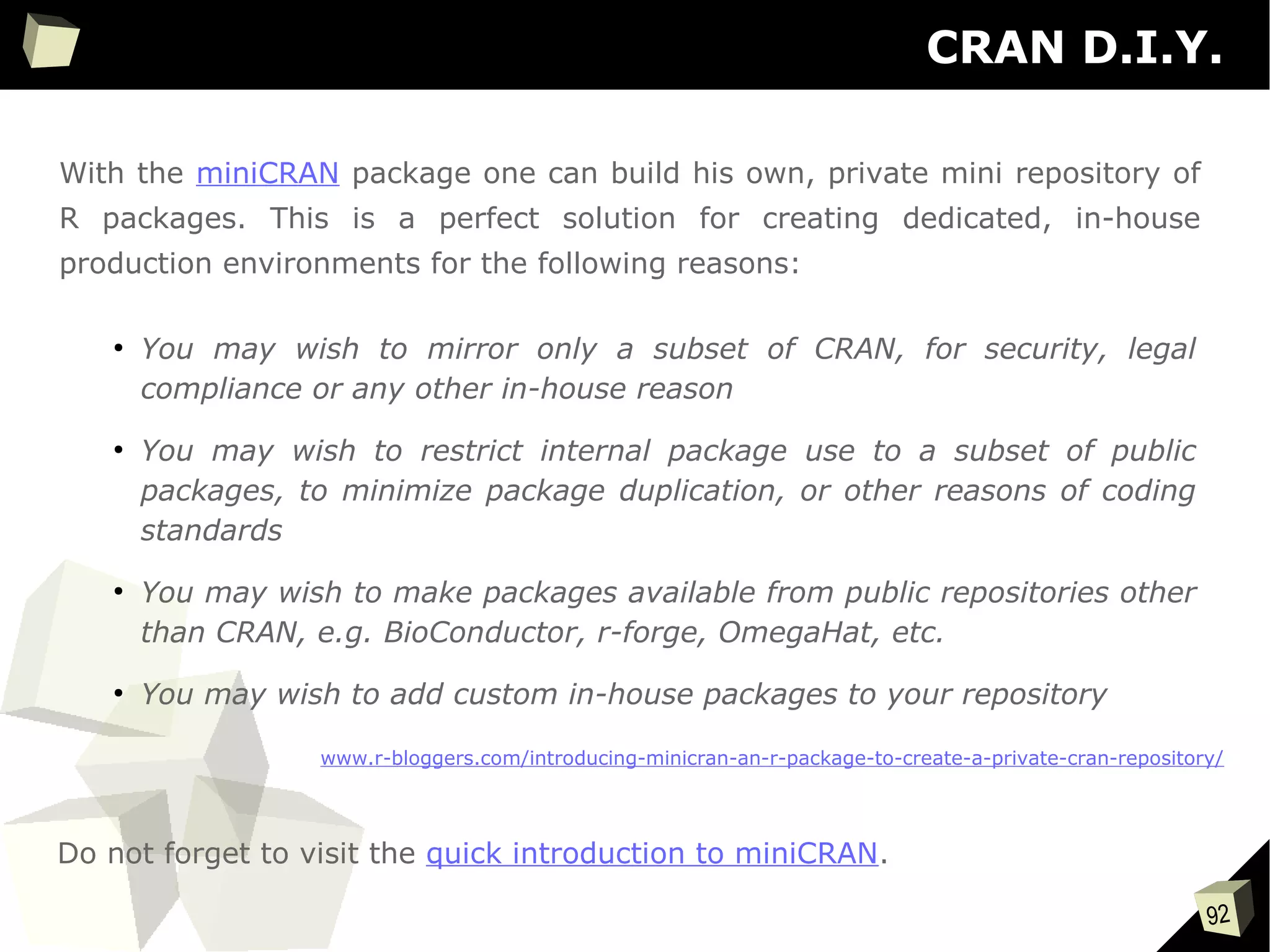
CRAN D.I.Y.
With the miniCRAN package one can build his own, private mini repository of
R packages. This is a perfect solution for creating dedicated, in-house
production environments for the following reasons:
●
You may wish to mirror only a subset of CRAN, for security, legal
compliance or any other in-house reason
●
You may wish to restrict internal package use to a subset of public
packages, to minimize package duplication, or other reasons of coding
standards
●
You may wish to make packages available from public repositories other
than CRAN, e.g. BioConductor, r-forge, OmegaHat, etc.
●
You may wish to add custom in-house packages to your repository
www.r-bloggers.com/introducing-minicran-an-r-package-to-create-a-private-cran-repository/
Do not forget to visit the quick introduction to miniCRAN.
93
CRAN D.I.Y.
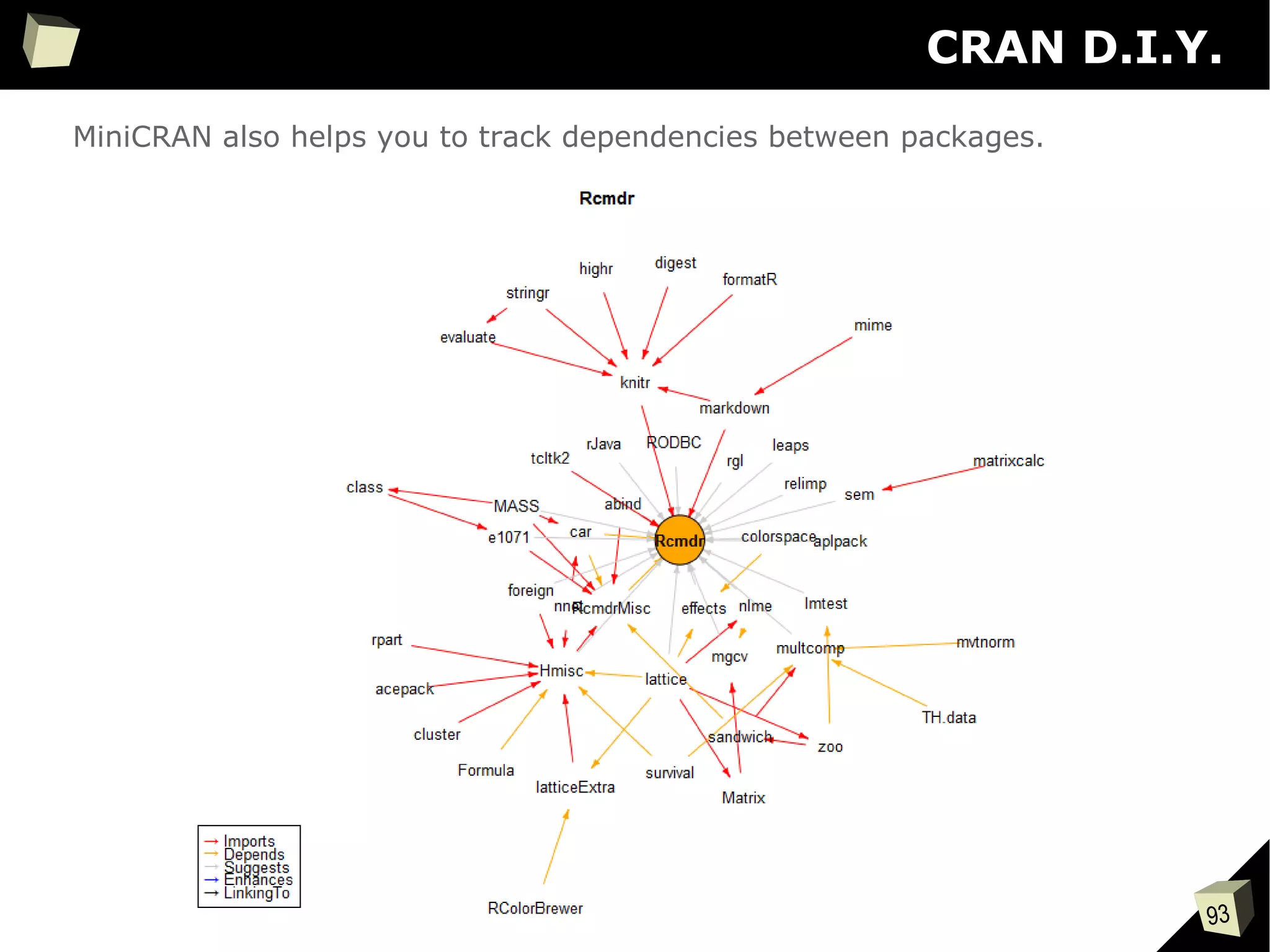
MiniCRAN also helps you to track dependencies between packages.
94
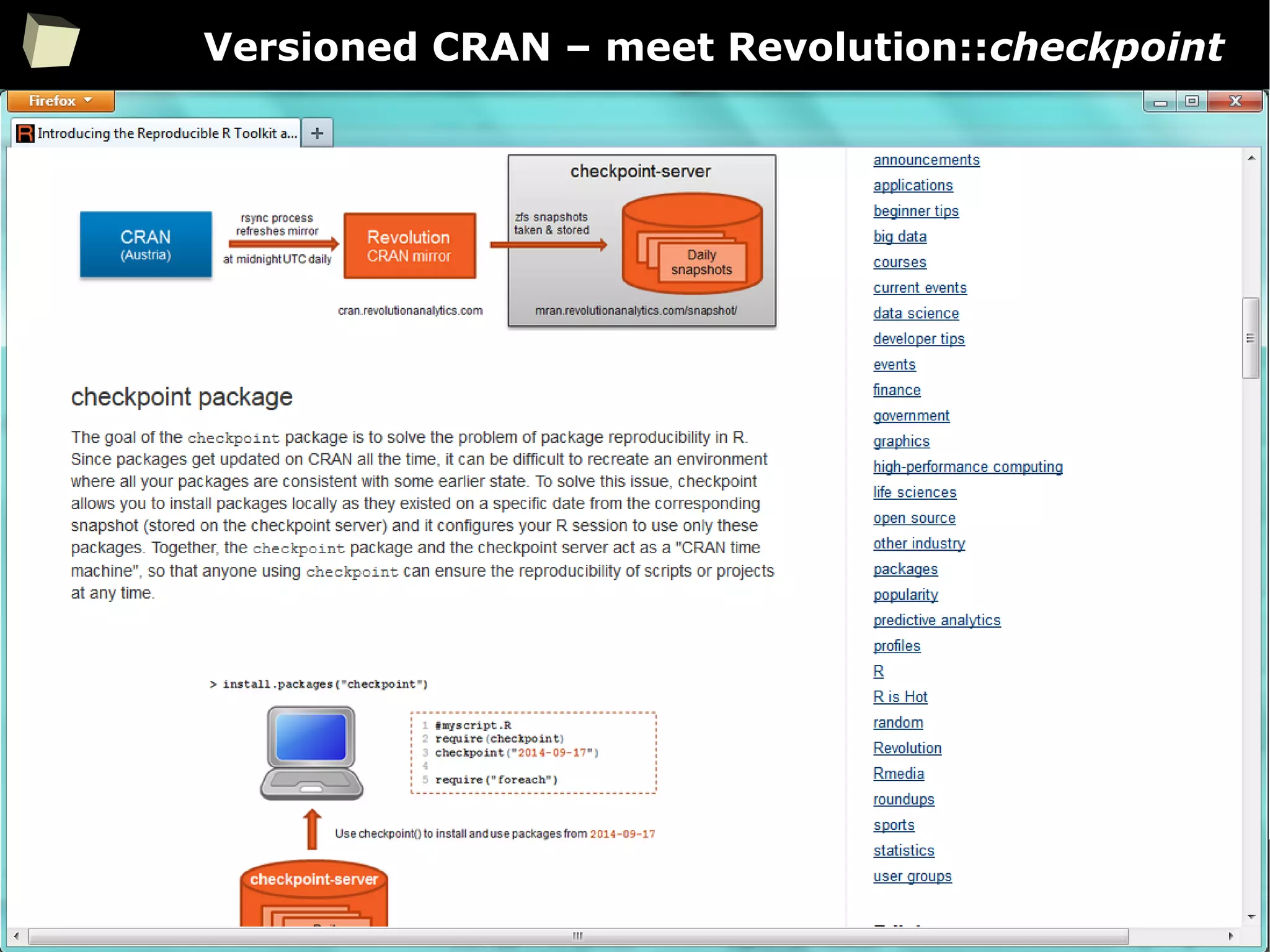
Versioned CRAN – meet Revolution::checkpoint
95
13 reasons why you will love GNU R
I R is (extremely) cheap. In fact - it's free :)
II R has (extremely) wide range of capabilities
II 2/3 :) R is not resource consuming!
IV R is supported by the community
V R is supported by the business
VI R is able to read data in many formats
VII Interoperability is easy to achieve
VIII R is truly cross-platform
IX R offers numerous ways of presenting data
X There are many options to optimize the code
XI R is able to handle large amount of data
XII R has a set of fancy tools and IDEs
XII FDA accepted using R for drug trials!
96
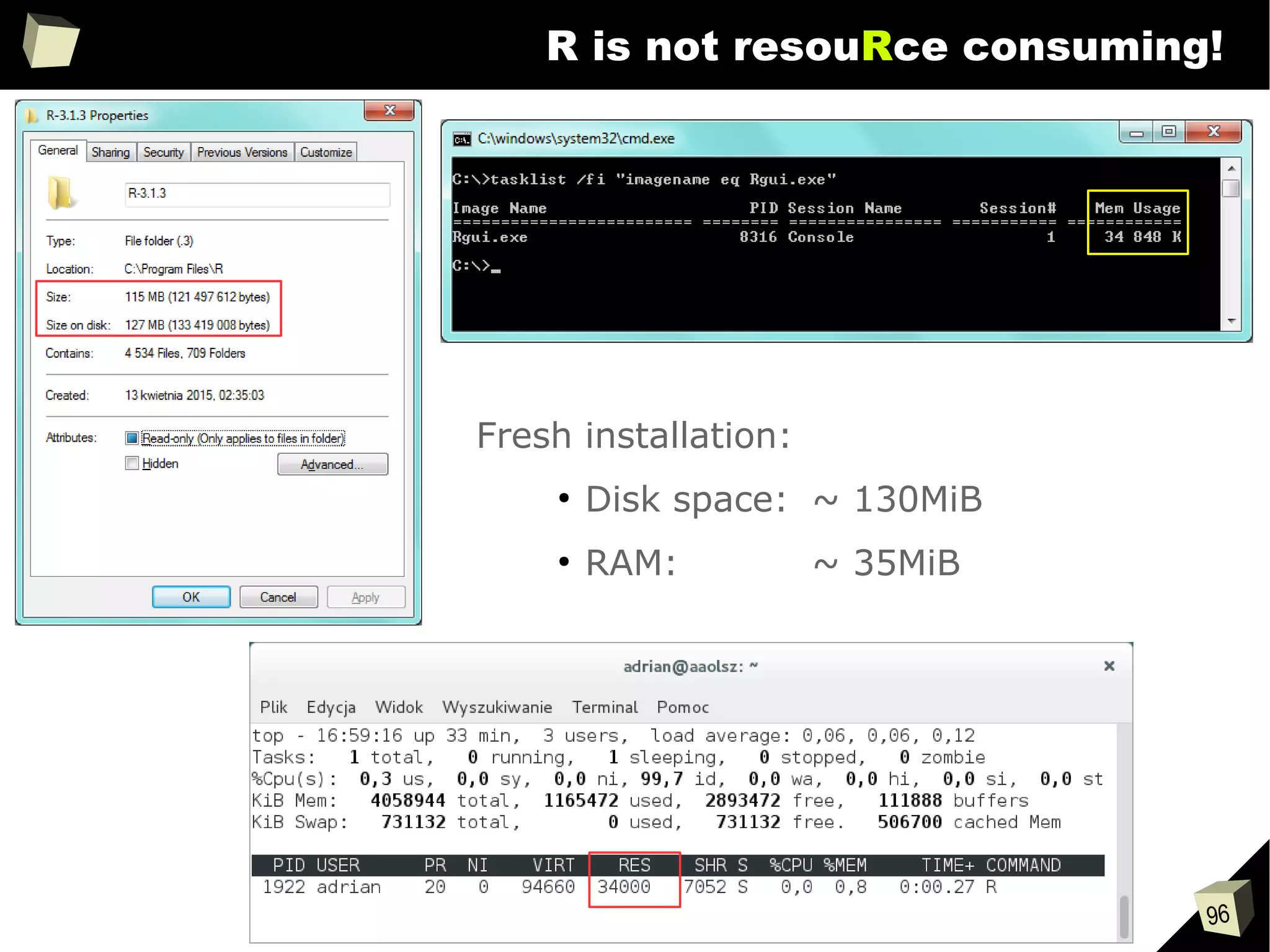
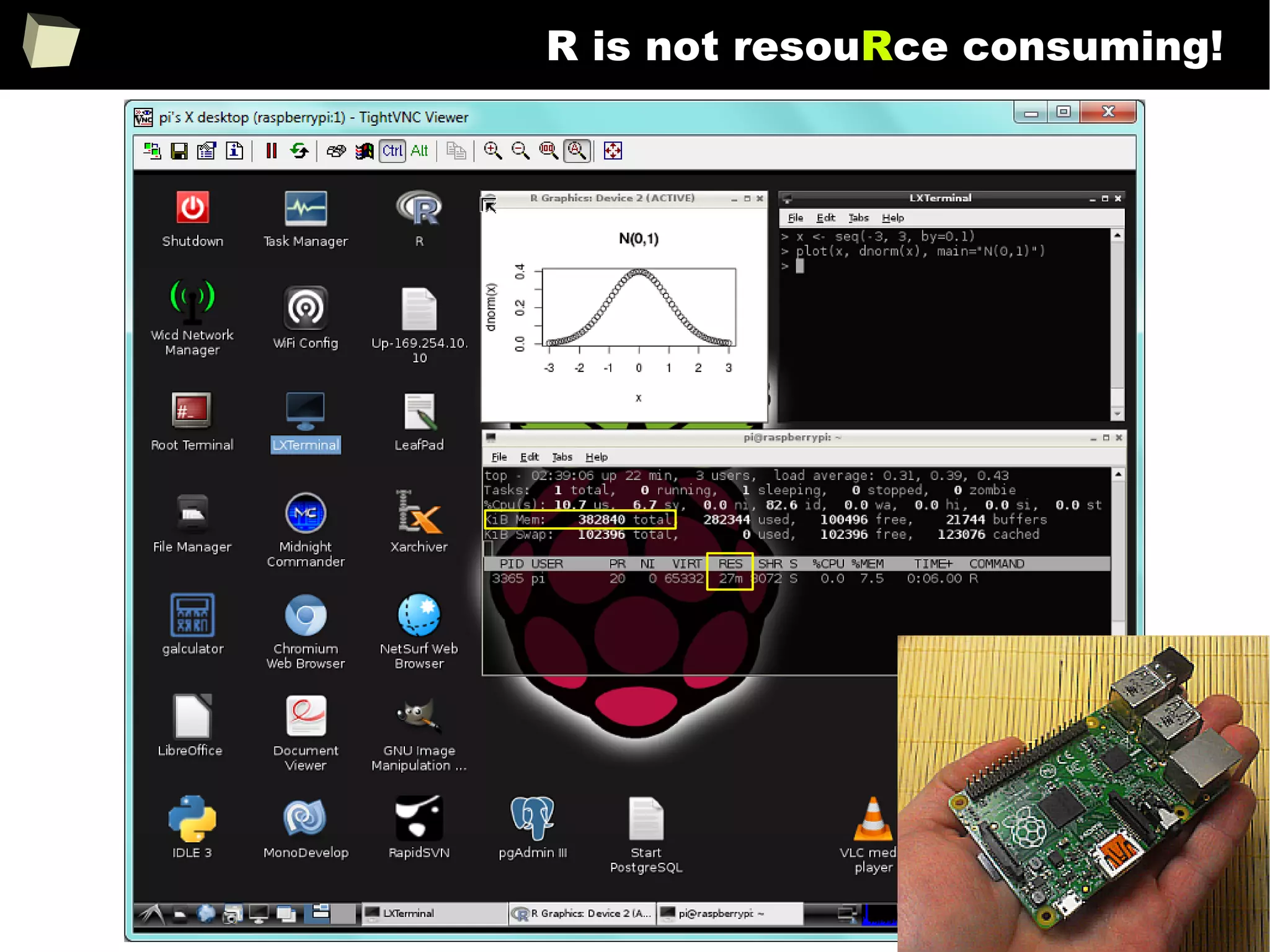
R is not resouRce consuming!
Fresh installation:
●
Disk space: ~ 130MiB
●
RAM: ~ 35MiB
97
R is not resouRce consuming!
98
13 reasons why you will love GNU R
I R is (extremely) cheap. In fact - it's free :)
II R has (extremely) wide range of capabilities
III R is supported by the world of science
IV R is supported by the community
V R is supported by the business
VI R is able to read data in many formats
VII Interoperability is easy to achieve
VIII R is truly cross-platform
IX R offers numerous ways of presenting data
X There are many options to optimize the code
XI R is able to handle large amount of data
XII R has a set of fancy tools and IDEs
XII FDA accepted using R for drug trials!
99
...supported by the science
At the center of the R Community is the R Core Group of approximately 20
developers who maintain R and guide its evolution. They are experienced
statisticians, well-known in the world of science, with significant achievements.
Each thematic section has its own academic supervisor.
Robert Gentleman's articles about R and Bioconductor are among the most cited
in bioinformatics: over 5200 citations according to Google Scholar April 2014
There are numerous e-learning materials on the Internet which provide valuable
assistance in data analysis with R. These are often provided by prestigious
academic centers like Pricenton, Stanford or Hopkins.
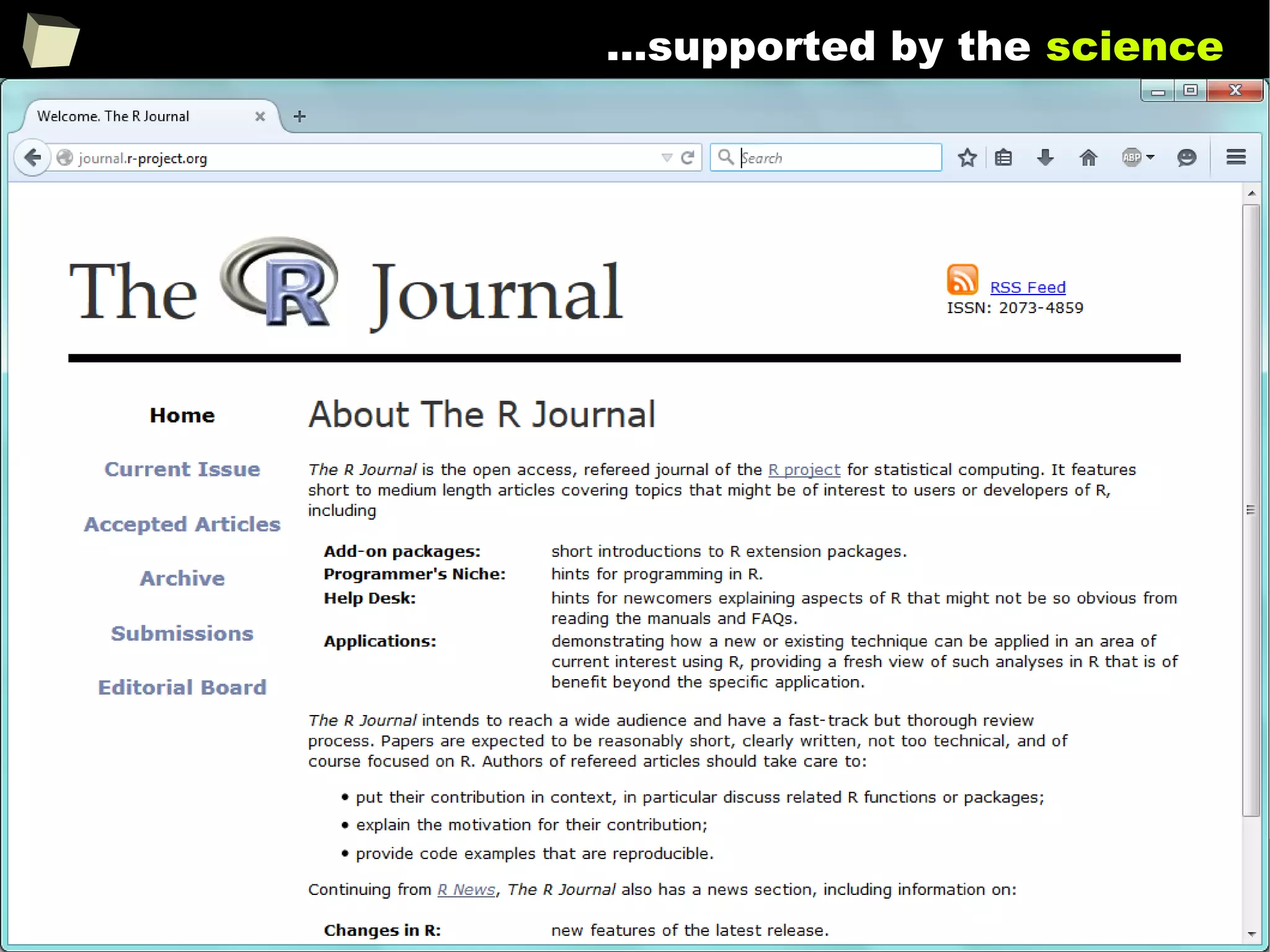
The R project is closely linked with “the R Journal” which is a mine of scientific
knowledge of using R for professional data analysis.
100
...supported by the science
101
where to leaRn?
1. http://cran.r-project.org/manuals.html
2. http://cran.r-project.org/other-docs.html
3. http://cran.r-project.org/doc/manuals/r-patched/R-intro.html
4. http://stats.stackexchange.com/questions/138/resources-for-learning-r
5. http://www.youtube.com/results?search_query=R+learn+statistics
6. http://www.statmethods.net - Quick R
7. http://adv-r.had.co.nz - Advanced R by Hadley Wickham
8. http://www.cookbook-r.com
9. http://rseek.org/?q=learn+R
10. http://www.google.pl/search?q=learn+R
There are hundreds of places containing e-learning materials devoted to R.
Good places to start learning R:
102
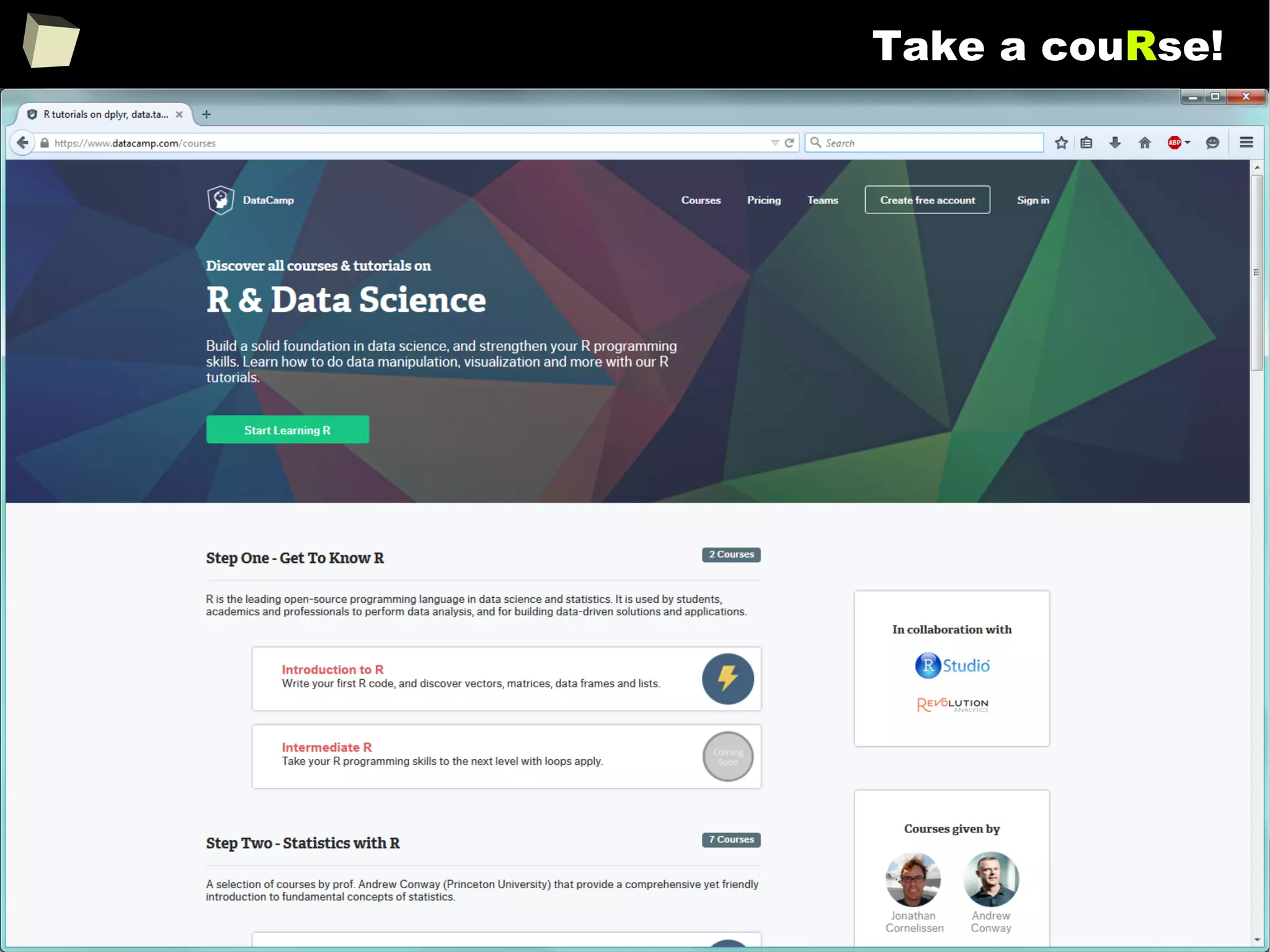
Take a couRse!
103
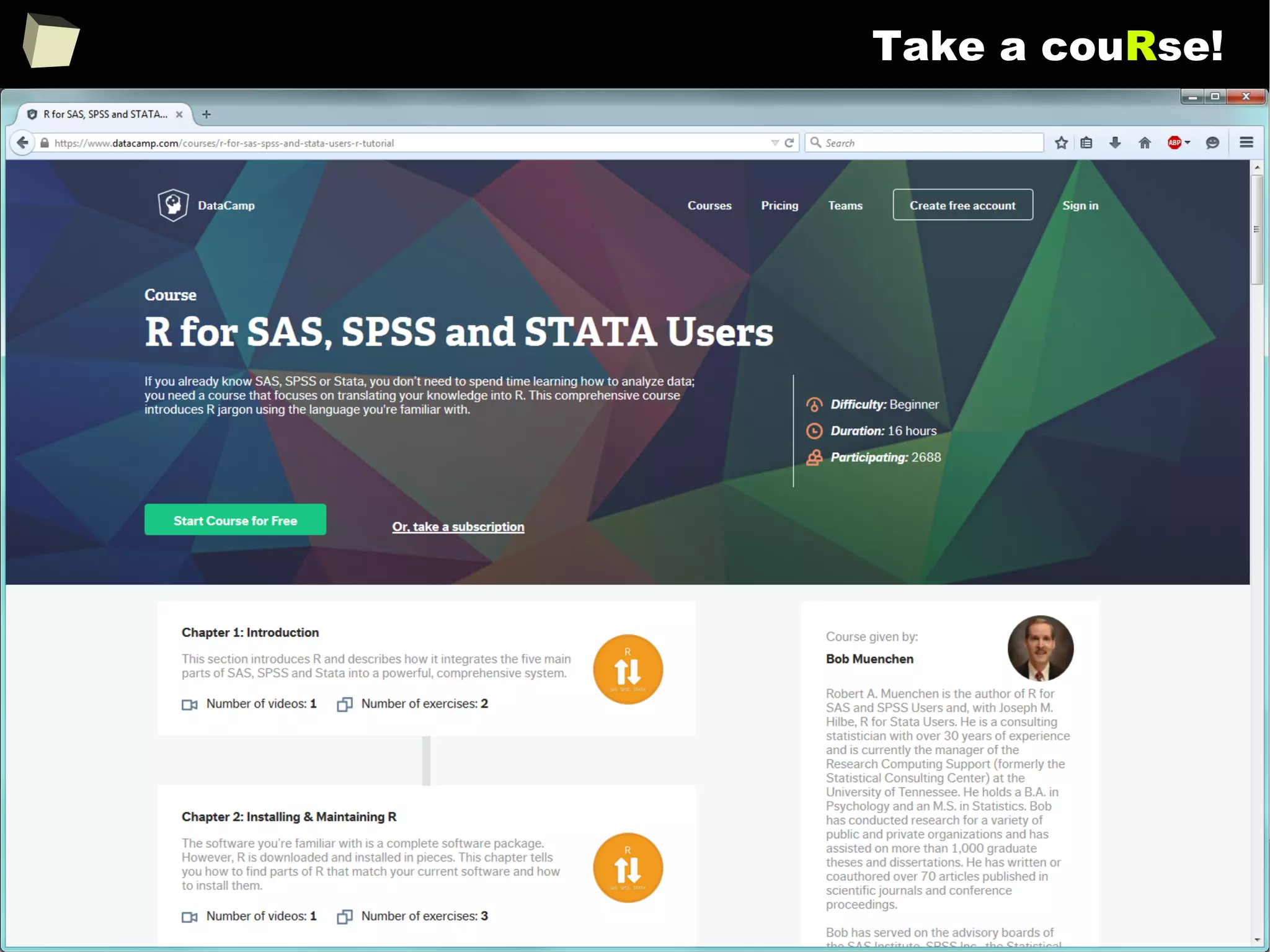
Take a couRse!
104
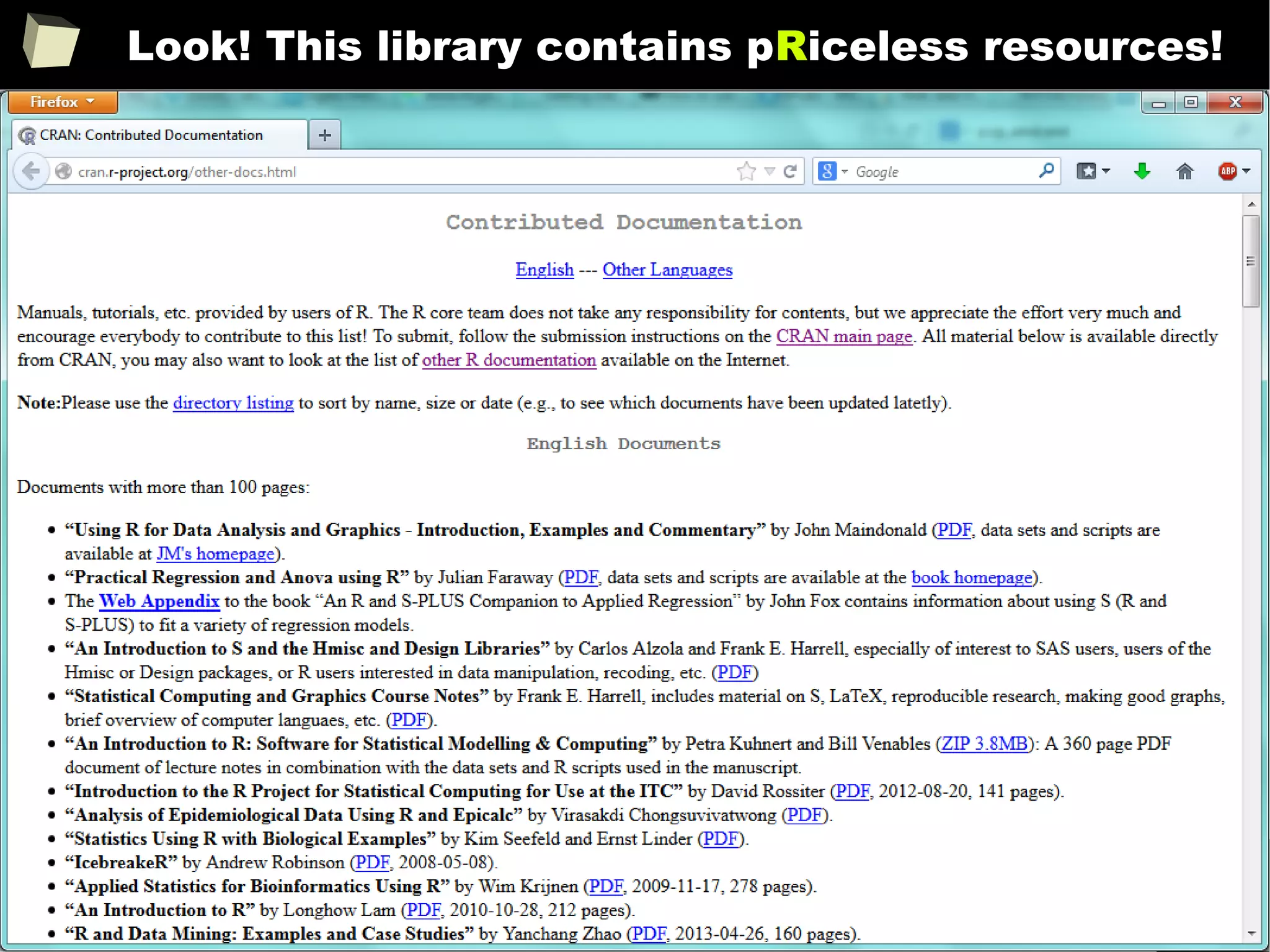
Look! This library contains pRiceless resources!
105
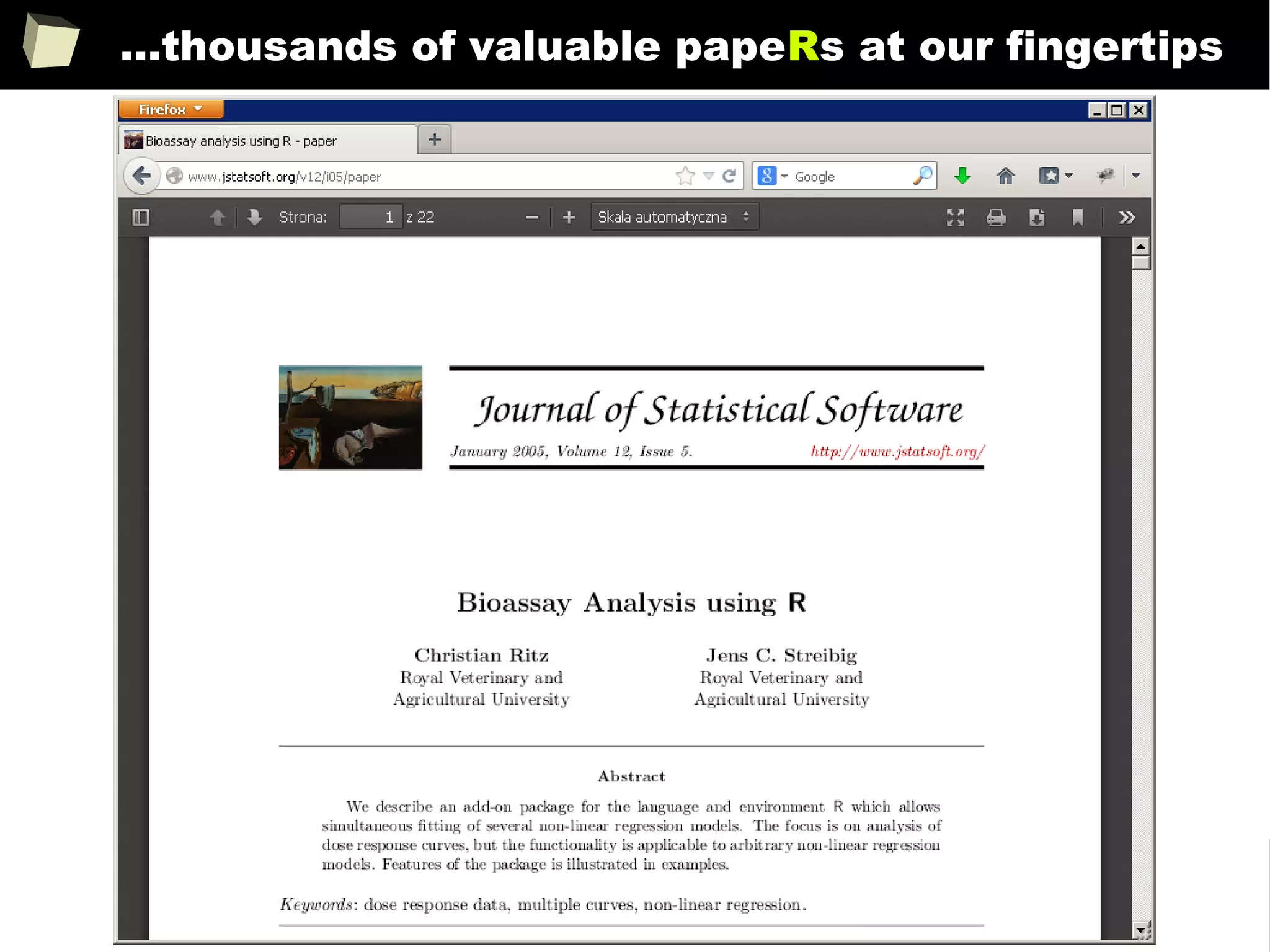
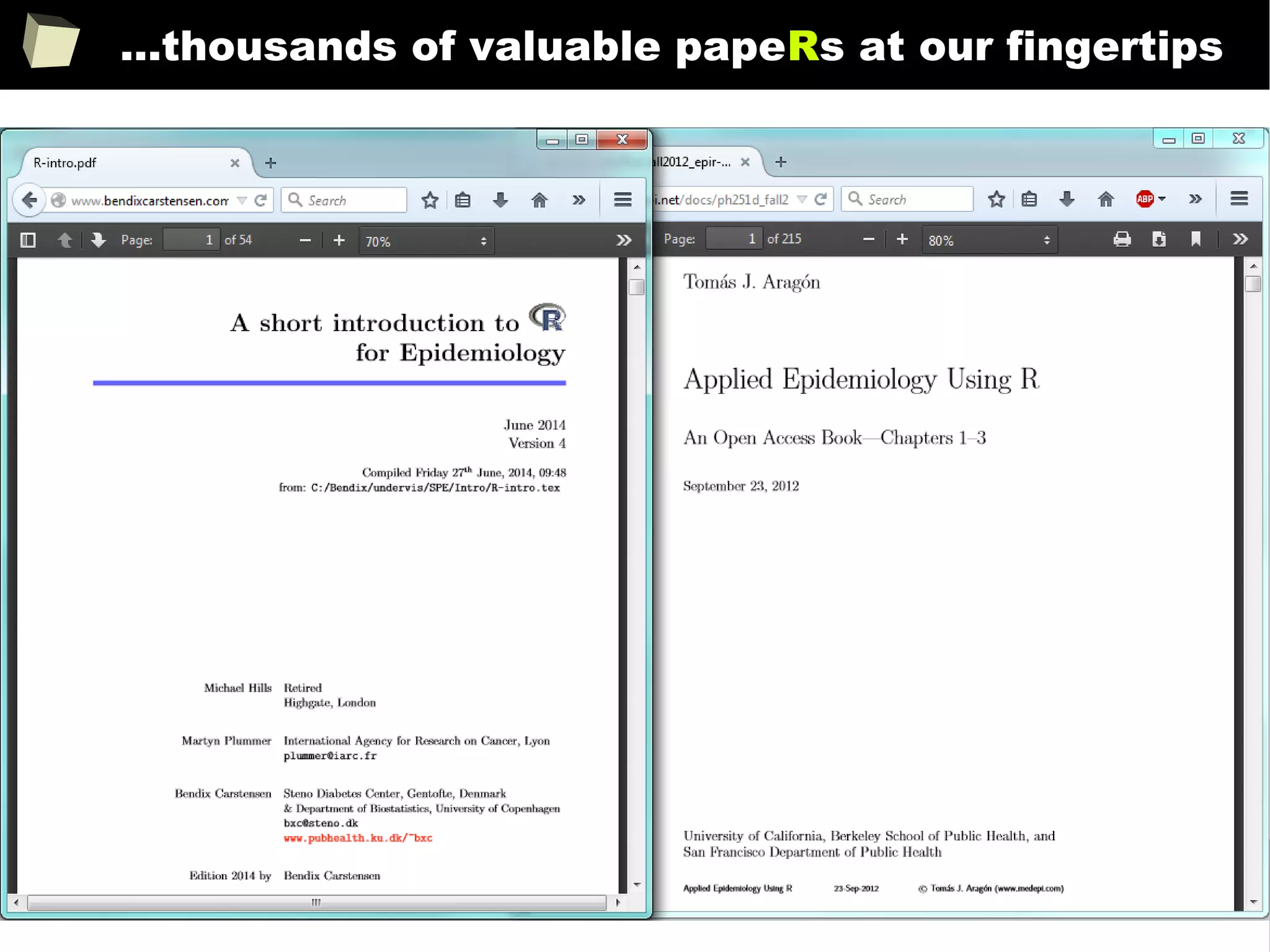
...thousands of valuable papeRs at our fingertips
106
...thousands of valuable papeRs at our fingertips
107
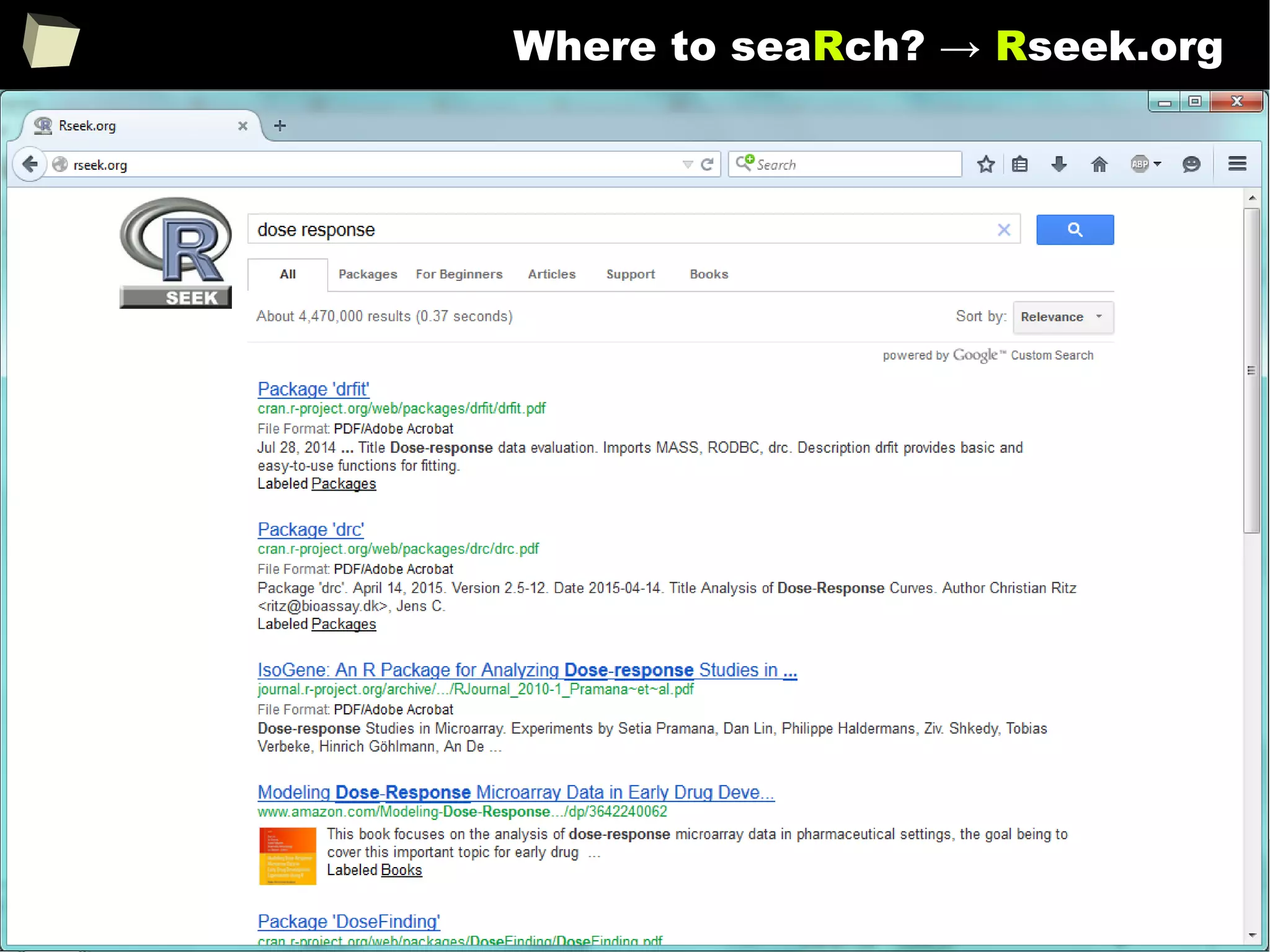
Where to seaRch? → Rseek.org
108
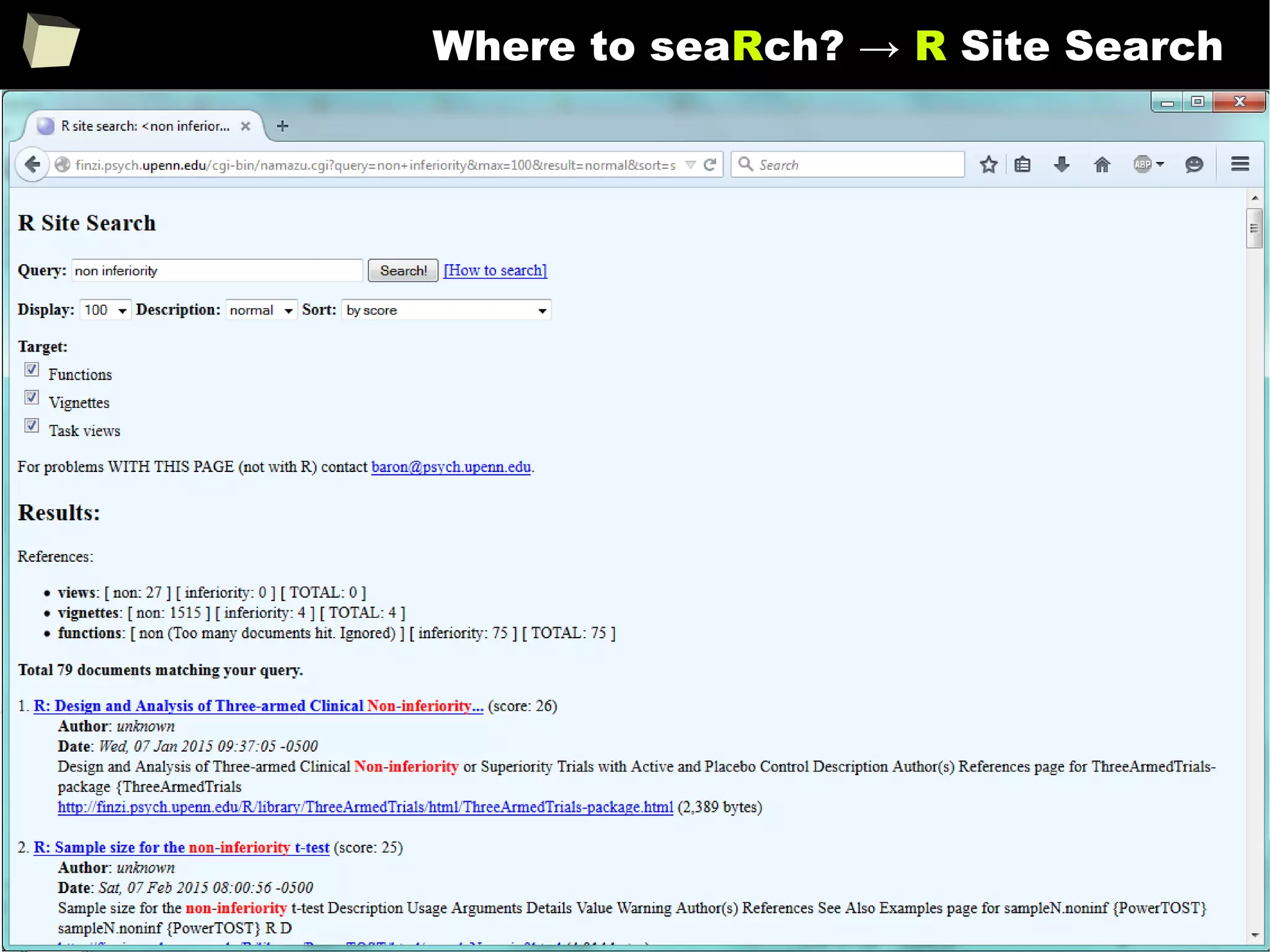
Where to seaRch? → R Site Search
109
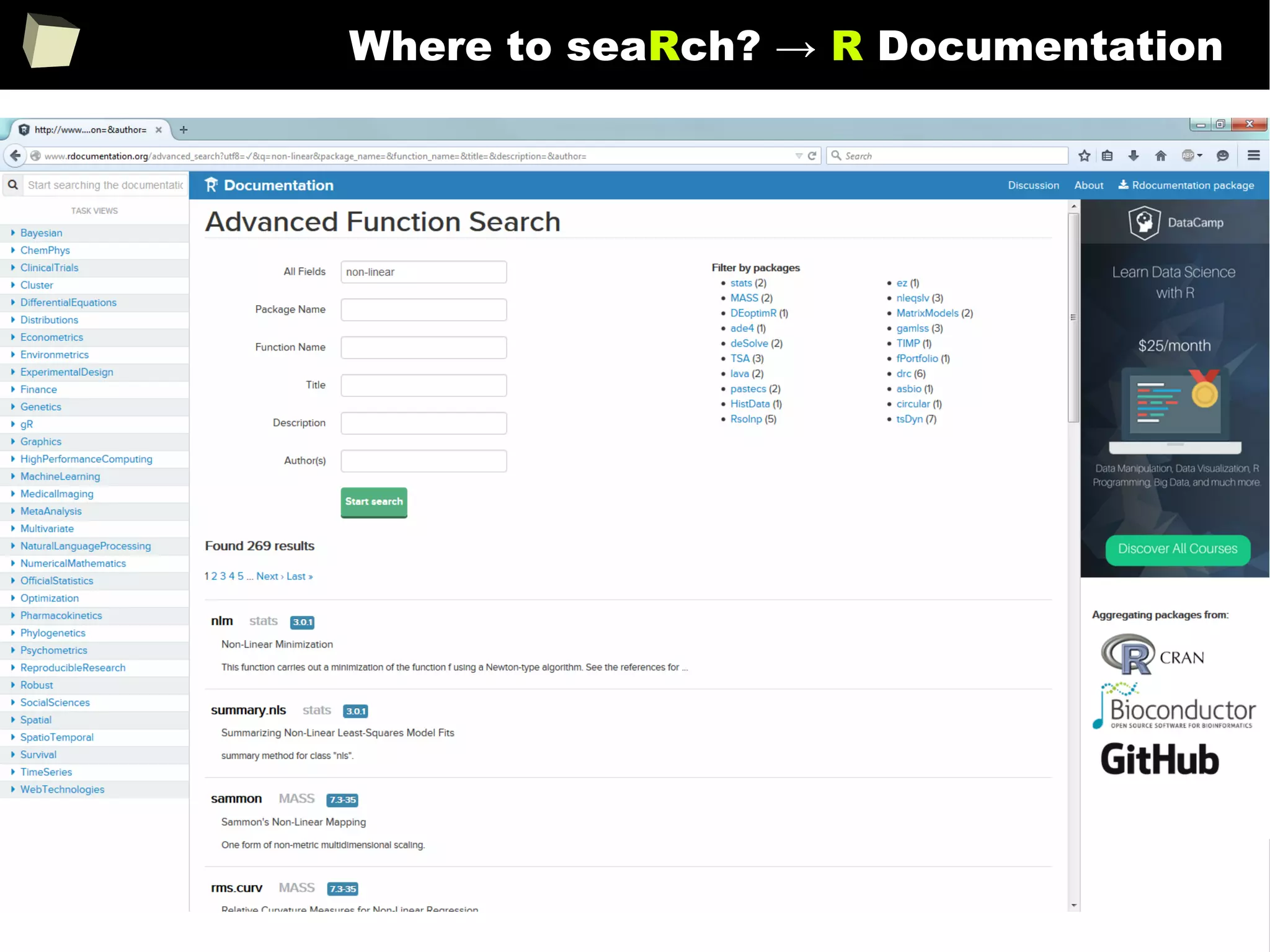
Where to seaRch? → R Documentation
110
13 reasons why you will love GNU R
I R is (extremely) cheap. In fact - it's free :)
II R has (extremely) wide range of capabilities
III R is supported by the world of science
IV R is supported by the community
V R is supported by the business
VI R is able to read data in many formats
VII Interoperability is easy to achieve
VIII R is truly cross-platform
IX R offers numerous ways of presenting data
X There are many options to optimize the code
XI R is able to handle large amount of data
XII R has a set of fancy tools and IDEs
XII FDA accepted using R for drug trials!
111
...supported by the community
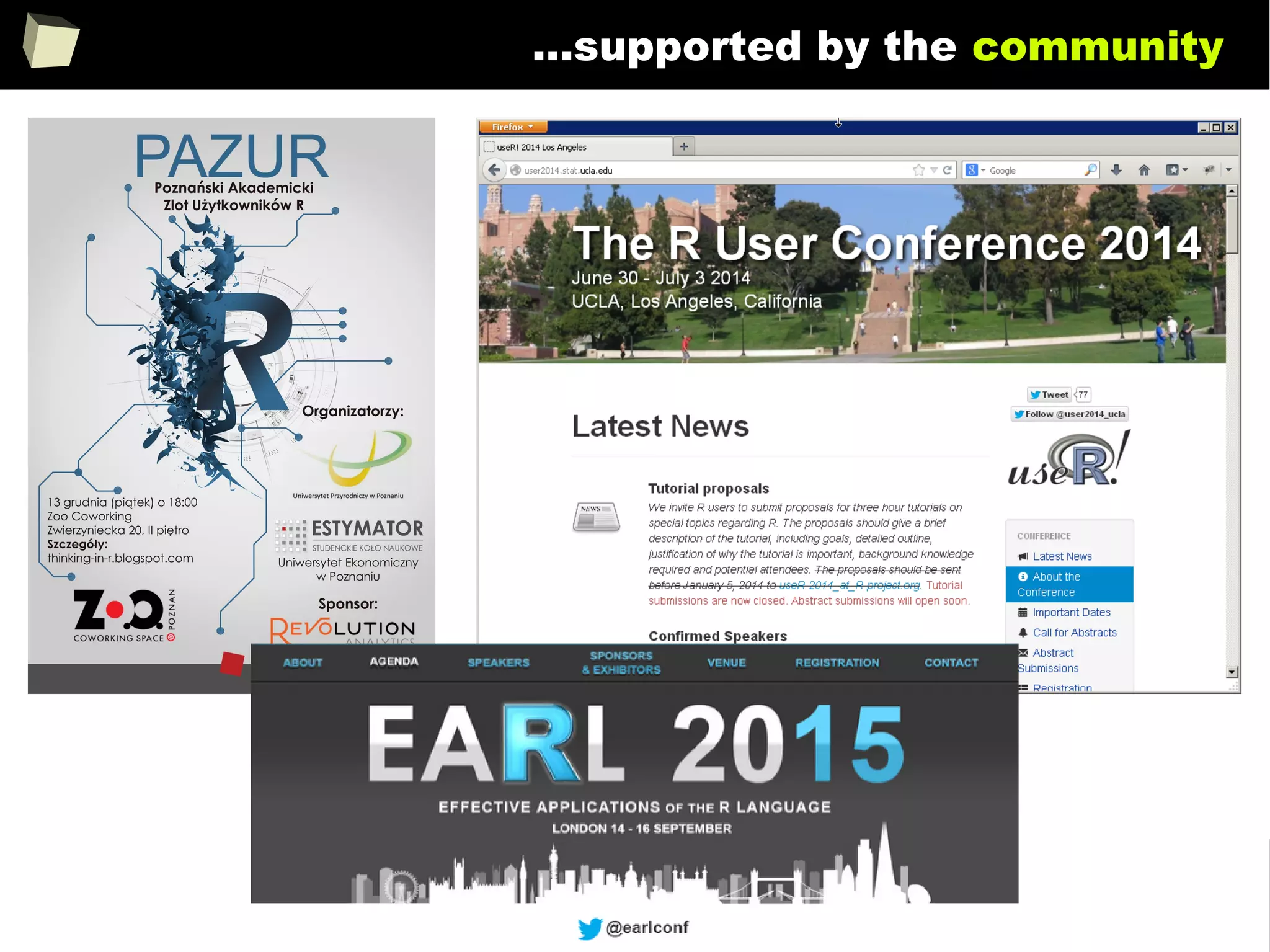
R is a global community of more than 2 million and still growing!
users (2012, Oracle)
and
developers who voluntarily contribute their time and technical expertise to
maintain, support, test and extend the R language and its environment, tools
and infrastructure (e.g. CRAN). Among them are experienced statisticians, often
employed in the well-known pharmaceutical companies like Merck or Amgen.
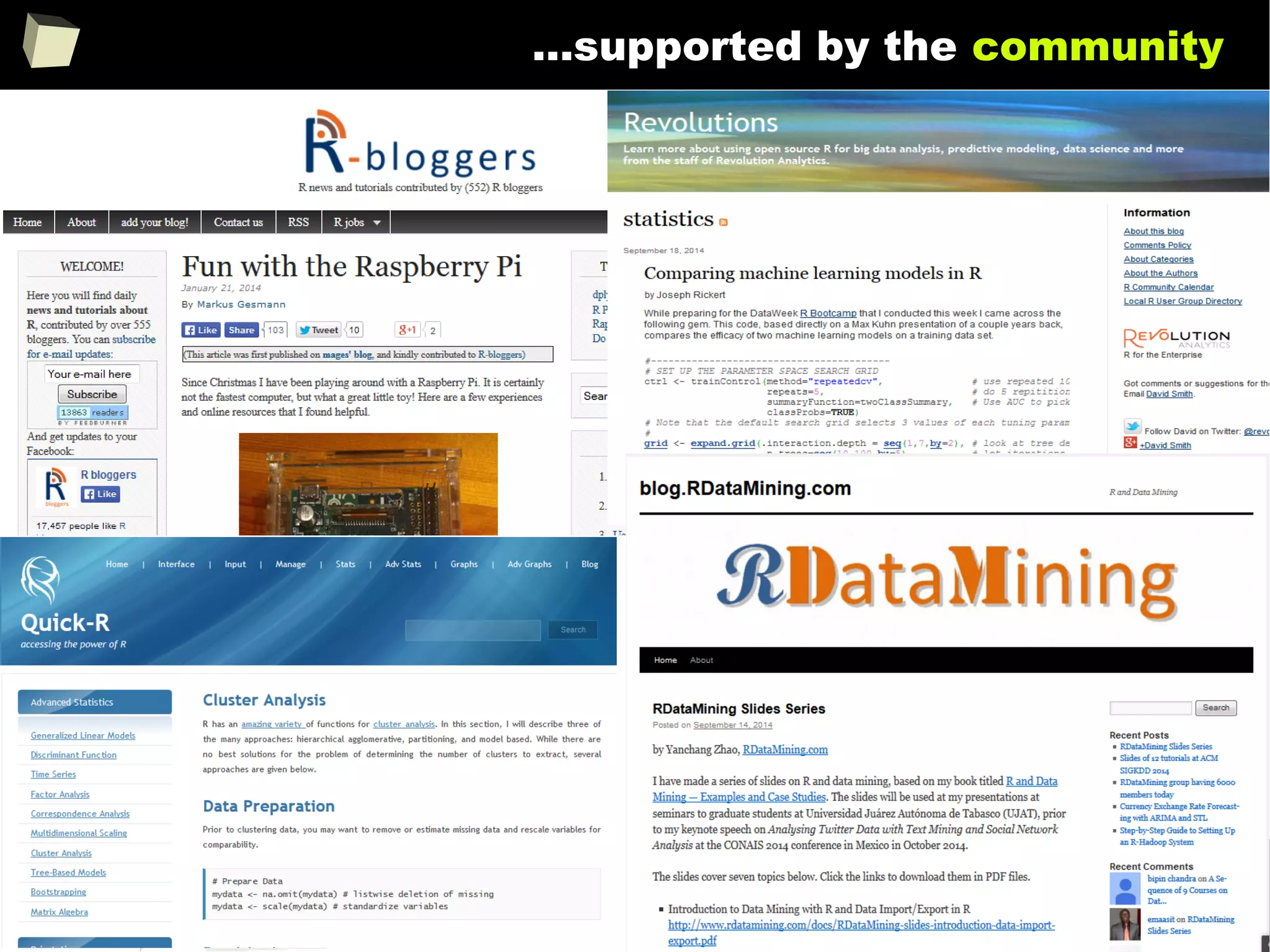
Hundreds of bloggers maintain their webpages, take active part in communities
both online and offline through hundreds of forums and mailing lists, building
knowledge base (visit rseek.org). UseRs also organize meetings and conferences.
There are dozens of valuable books written both by academics, researchers and
“regular” R users. These books are issued by the prestigious publishing houses
like Springer Verlag and Wiley & Sons.
112
...supported by the community
The size of the R user community (diffcult to define precisely, because
there are no sales transactions, but conservatively estimated as being in
the tens of thousands, with some independent estimates in the hundreds of
thousands), provides for extensive review of source code and testing in
“real world" settings outside the connes of the formalized testing performed
by R Core.
This is a key distinction, related to product quality, between R and
similar software that is only available to end users in a binary, executable
format. In conjunction with detailed documentation and references
provided to end users, the size of the R user community, all having full
access to the source code, enables a superior ability to anticipate and verify
R's performance and the results produced by R.
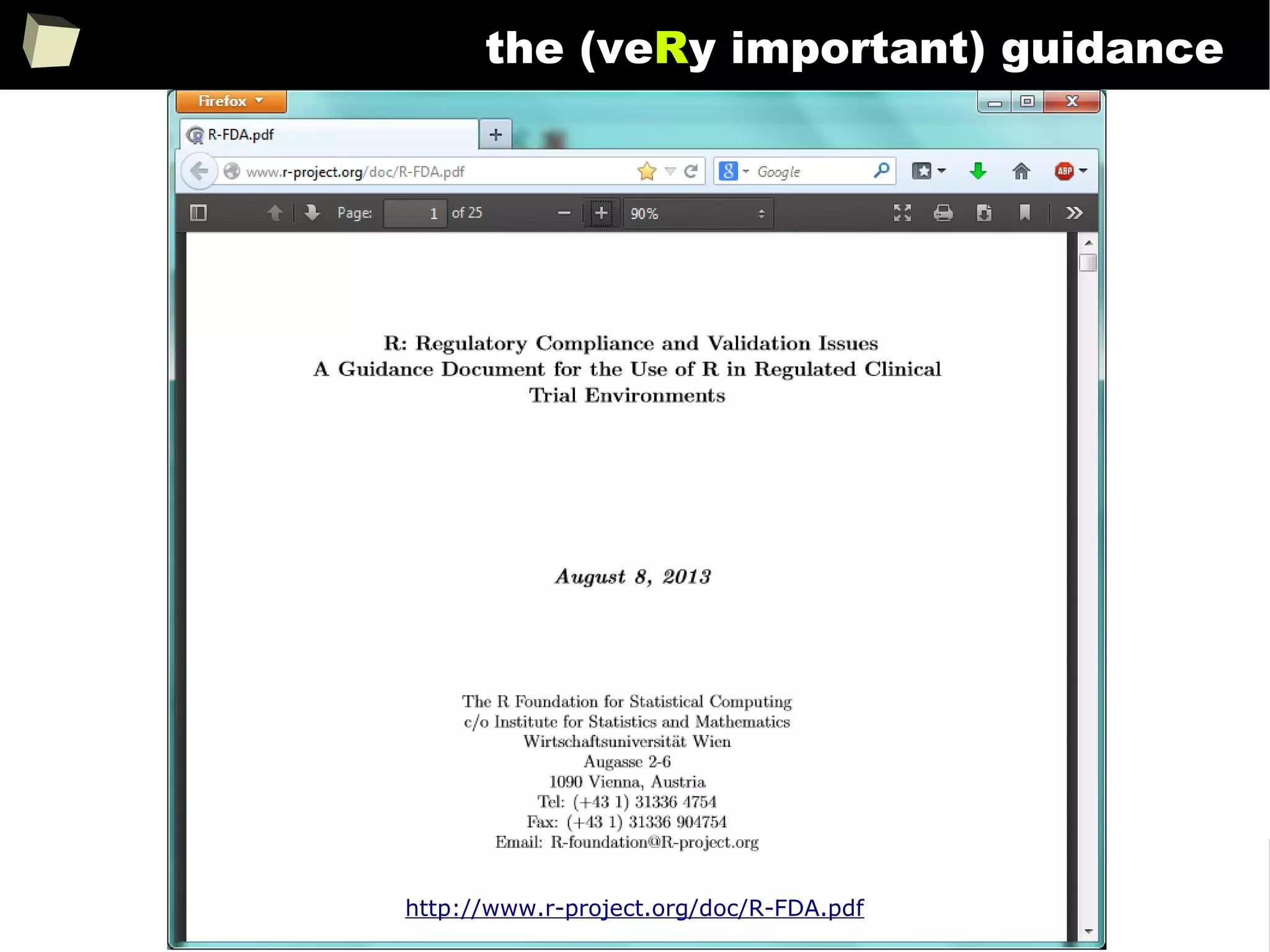
http://www.r-project.org/doc/R-FDA.pdf
113
...supported by the community
114
R at Microsoft's BUILD 2015 conference say “wow!”
115
...supported by the community
116
13 reasons why you will love GNU R
I R is (extremely) cheap. In fact - it's free :)
II R has (extremely) wide range of capabilities
III R is supported by the world of science
IV ½ :) Books
V R is supported by the business
VI R is able to read data in many formats
VII Interoperability is easy to achieve
VIII R is truly cross-platform
IX R offers numerous ways of presenting data
X There are many options to optimize the code
XI R is able to handle large amount of data
XII R has a set of fancy tools and IDEs
XII FDA accepted using R for drug trials!
117
...some Polish books
118
...some foReign books...
119
...and courses provided by their authors...
120
...more foreign books...
121
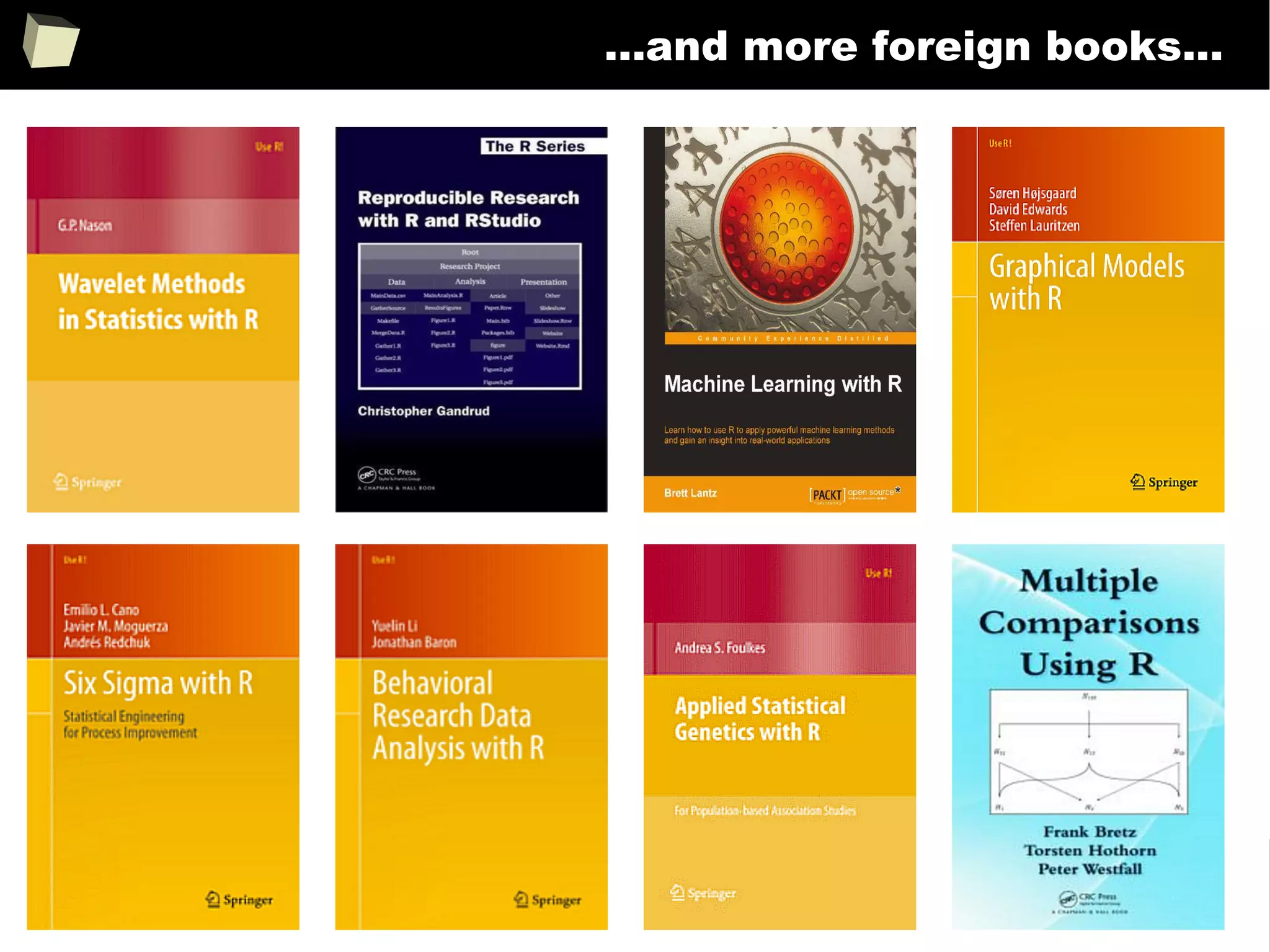
...and more foreign books...
122
...and more foreign books...
123
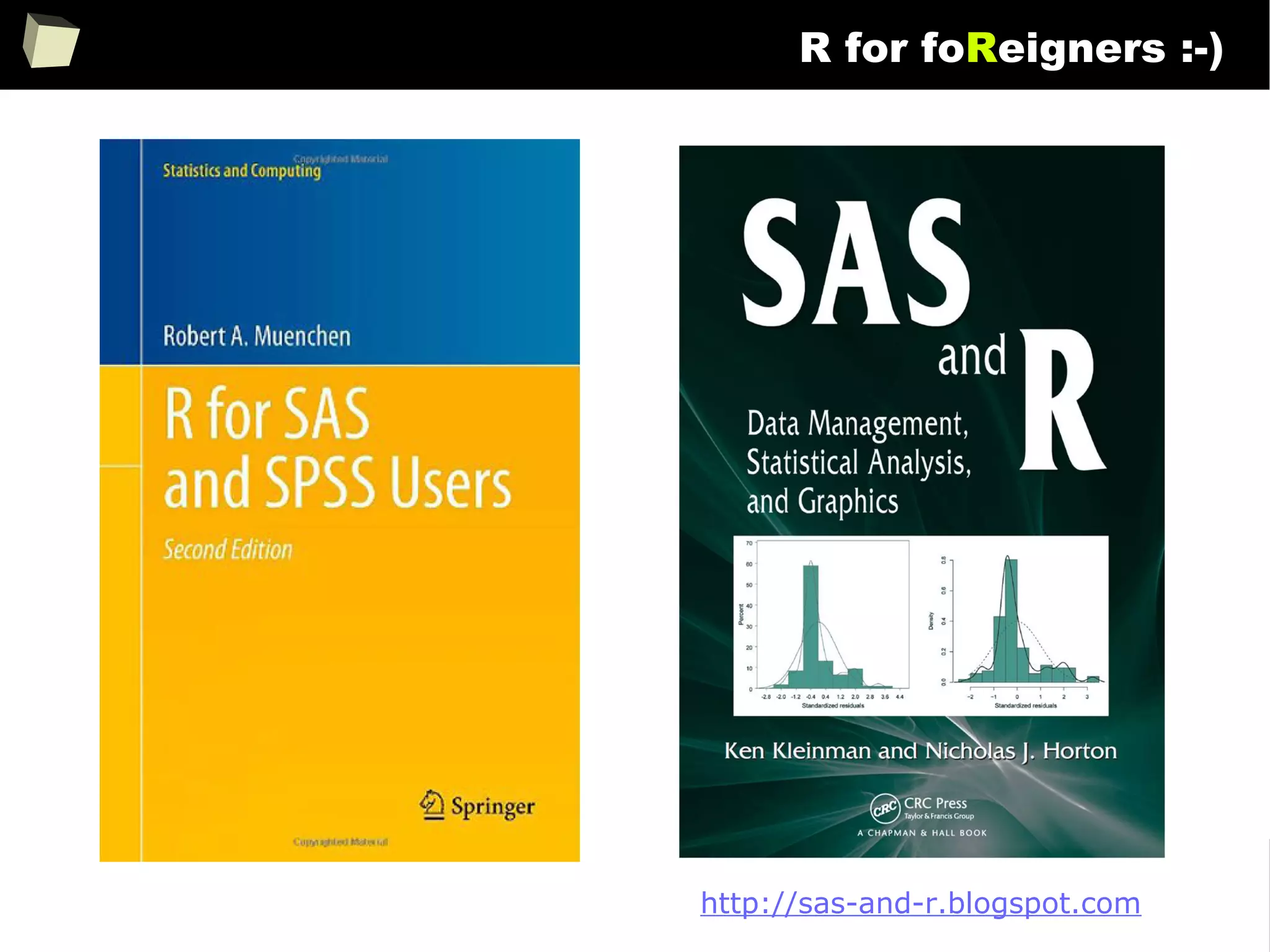
R for foReigners :-)
http://sas-and-r.blogspot.com
124
...and even mobile tutorials...
Google Play: R Instructor
125
13 reasons why you will love GNU R
I R is (extremely) cheap. In fact - it's free :)
II R has (extremely) wide range of capabilities
III R is (widely) supported by the world of science
IV R is supported by the community
V R is (increasingly) supported by the business
VI R is able to read data in many formats
VII Interoperability is easy to achieve
VIII R is truly cross-platform
IX R offers numerous ways of presenting data
X There are many options to optimize the code
XI R is able to handle large amount of data
XII R has a set of fancy tools and IDEs
XII FDA accepted using R for drug trials!
126
...supported by the business
The biggest tycoons in the market of statistical analysis and data mining
recognize the potential of the R and develop specialistic packages as well as
provide methods of easy integration between their products and R. These include
companies such as Microsoft, Oracle, StatSoft, IBM (SPSS), Teradata, Merck,
Tibco, Sybase, RapidMiner, SAS and others.
The situation is well described by the two following articles:
1. Adoption of R by large Enterprise Software Vendors
2. R integrated throughout the enterprise analytics stack
127
...supported by the business
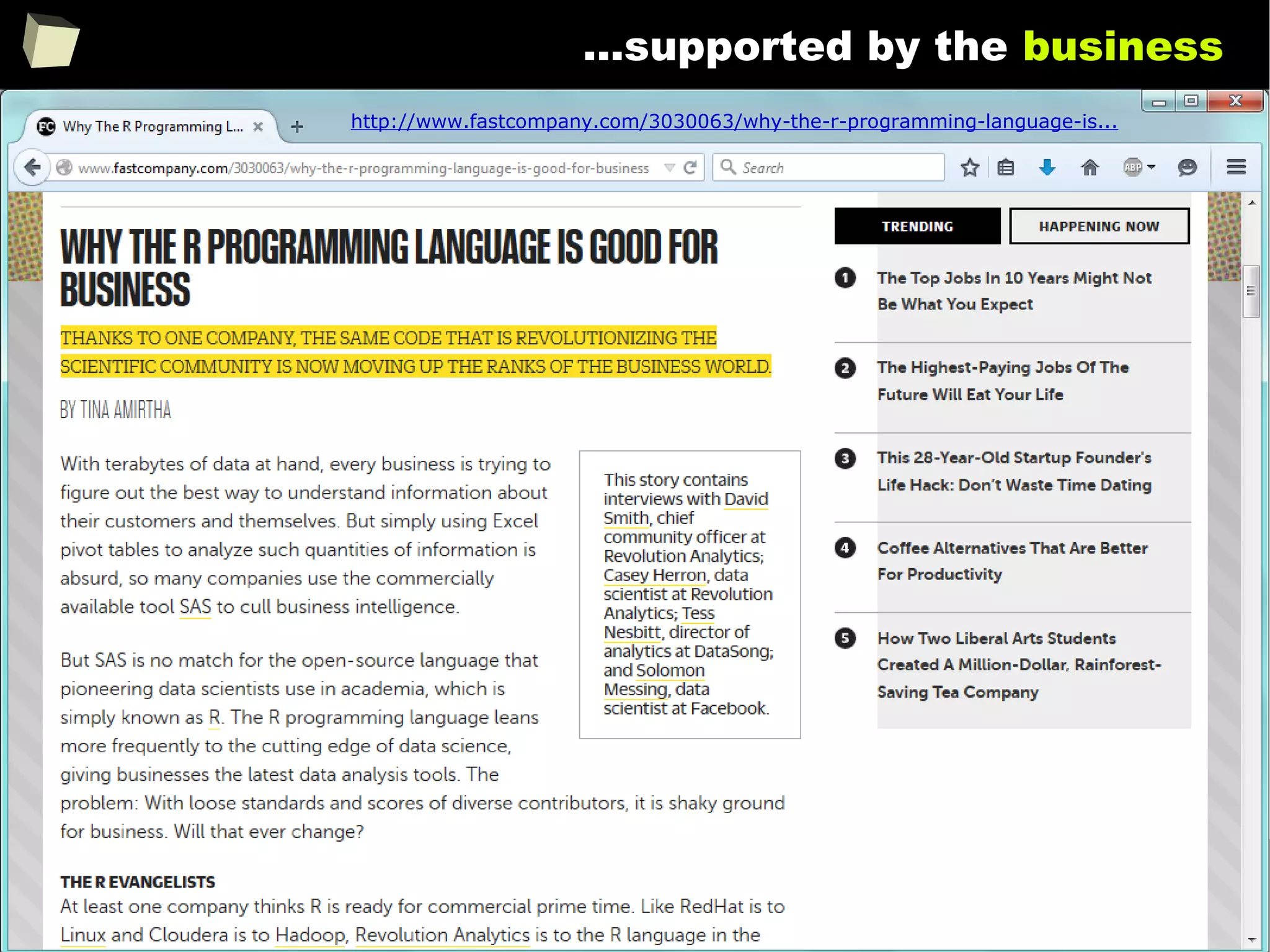
http://www.fastcompany.com/3030063/why-the-r-programming-language-is...
128
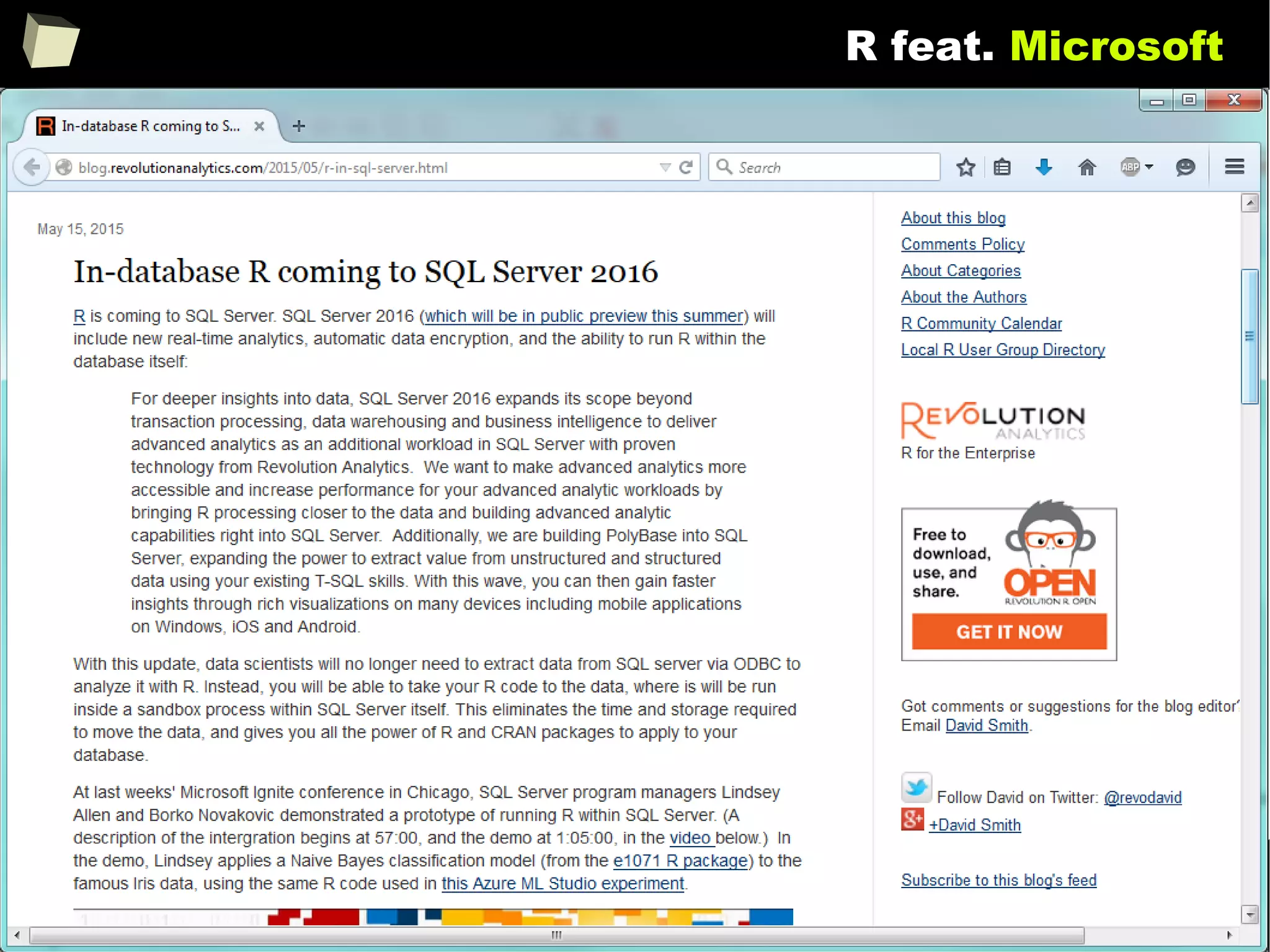
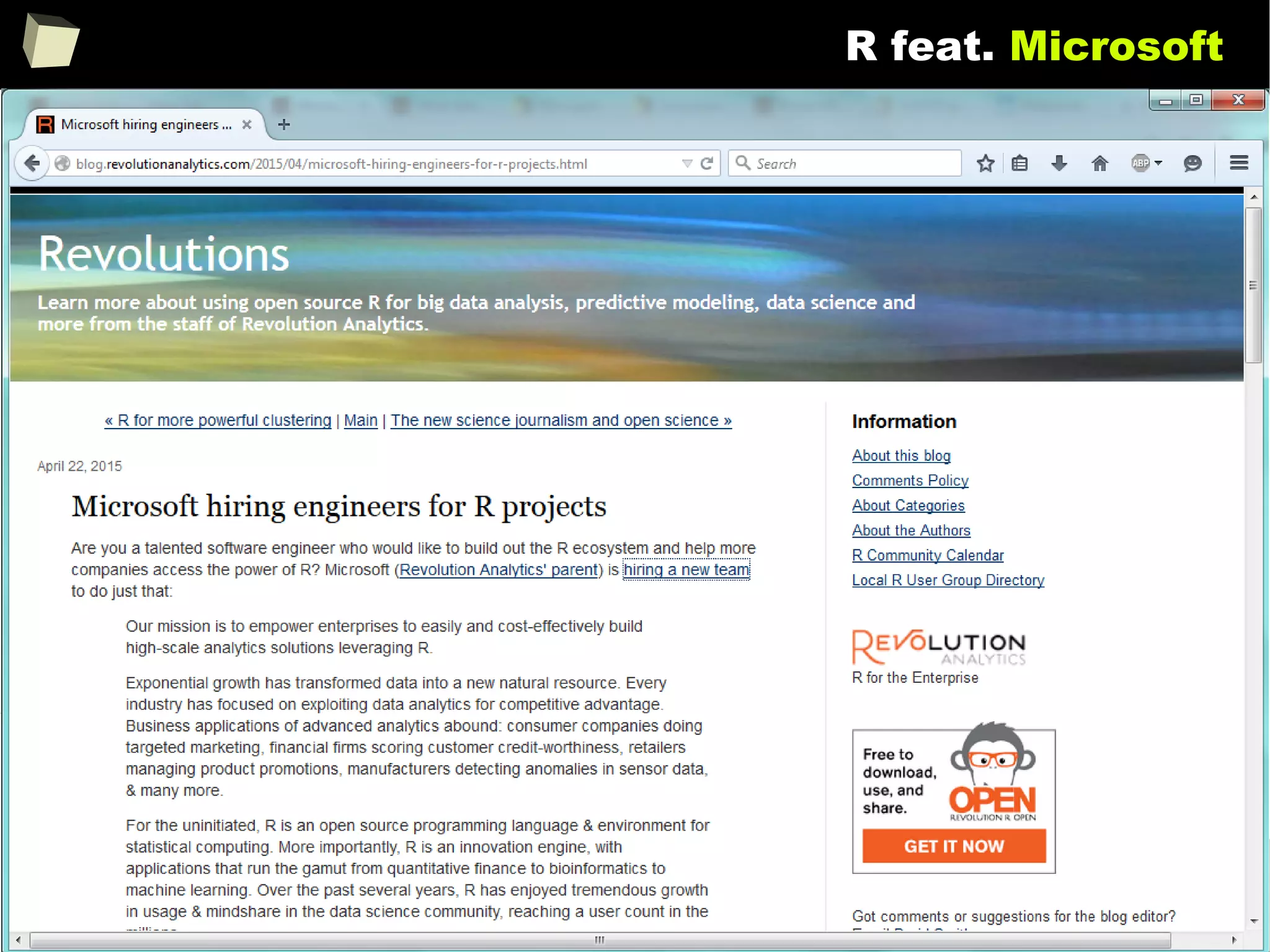
R feat. Microsoft
129
R feat. Microsoft
130
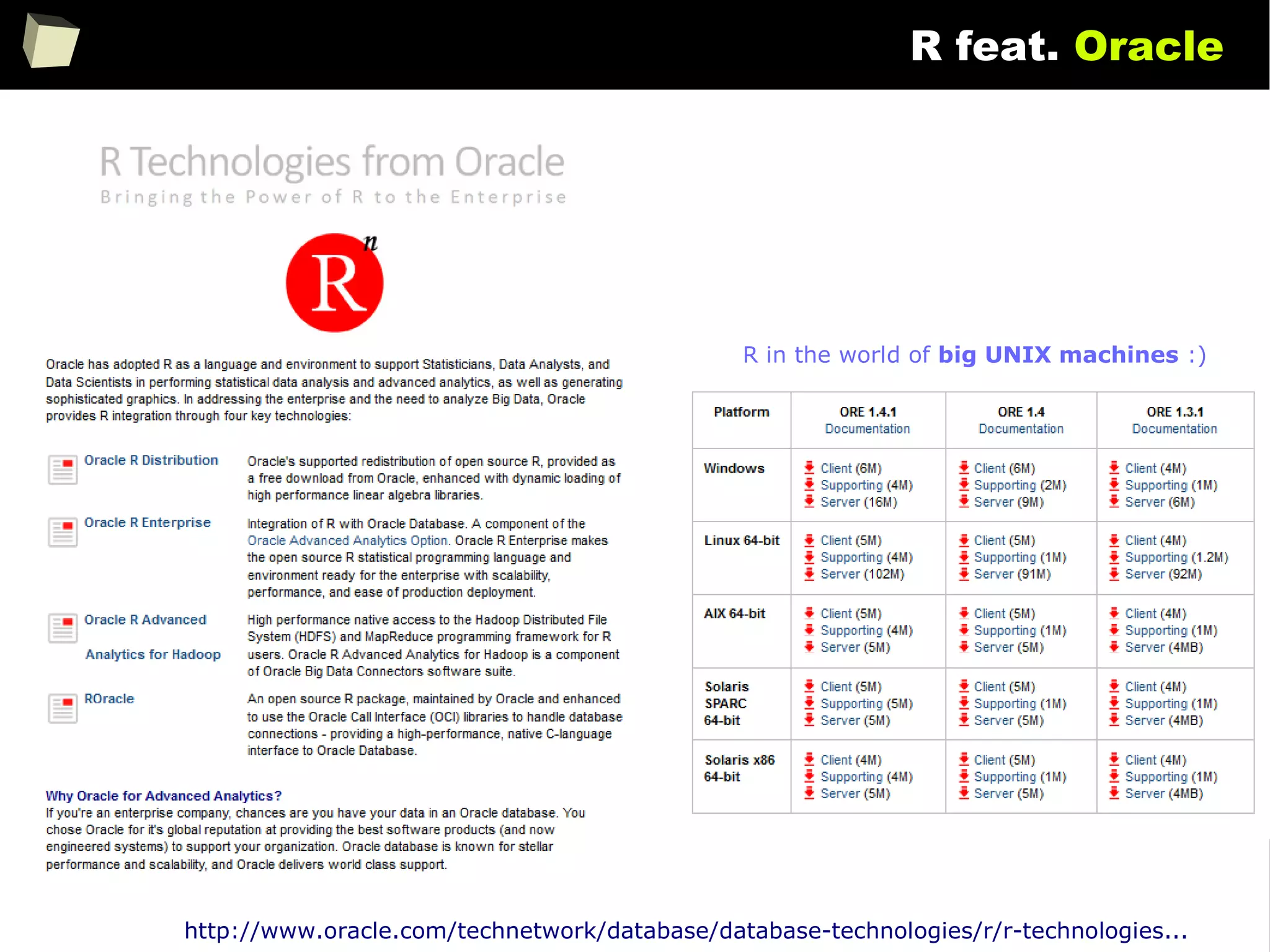
R feat. Oracle
http://www.oracle.com/technetwork/database/database-technologies/r/r-technologies...
R in the world of big UNIX machines :)
131
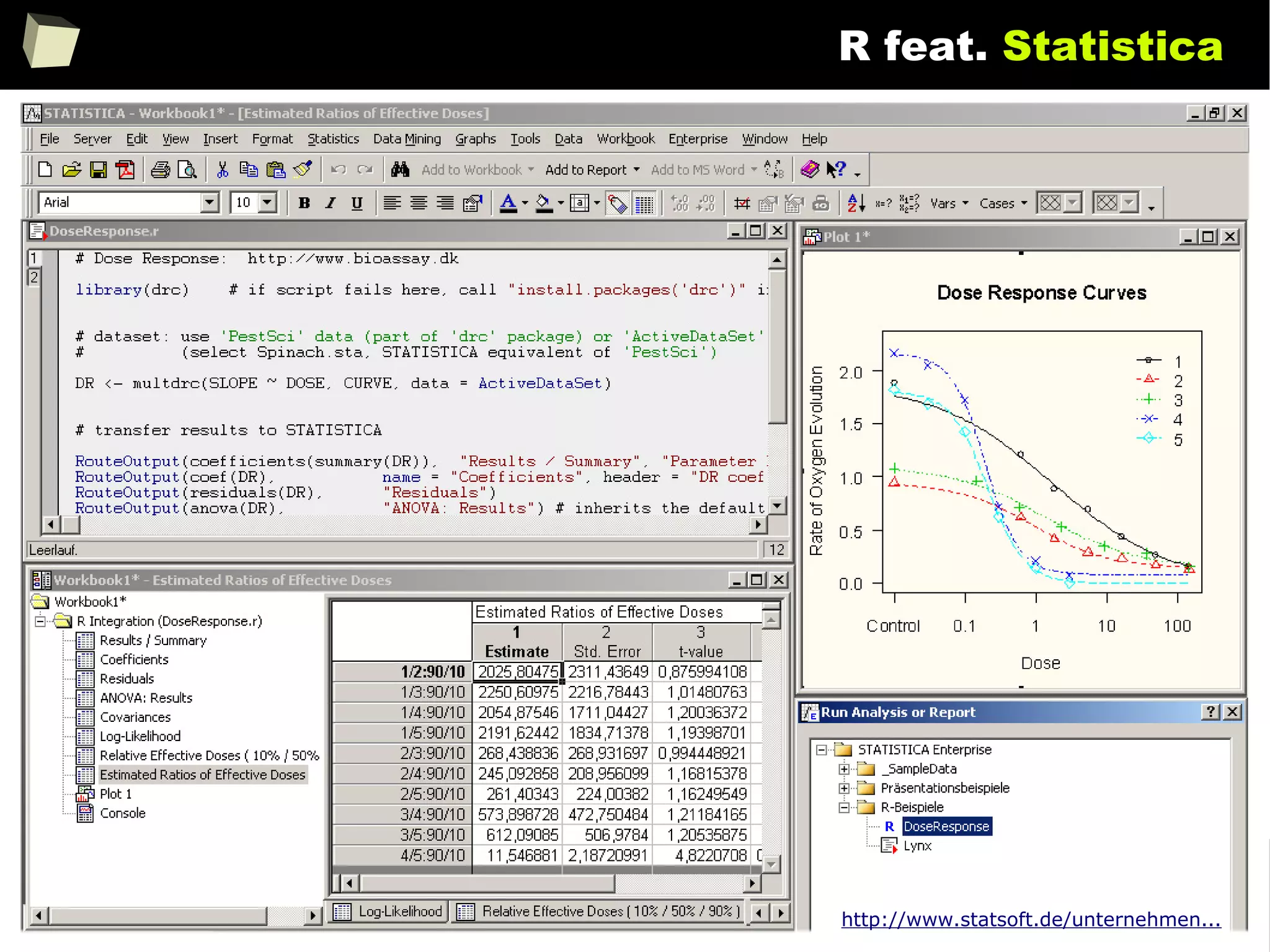
R feat. Statistica
http://www.statsoft.de/unternehmen...
132
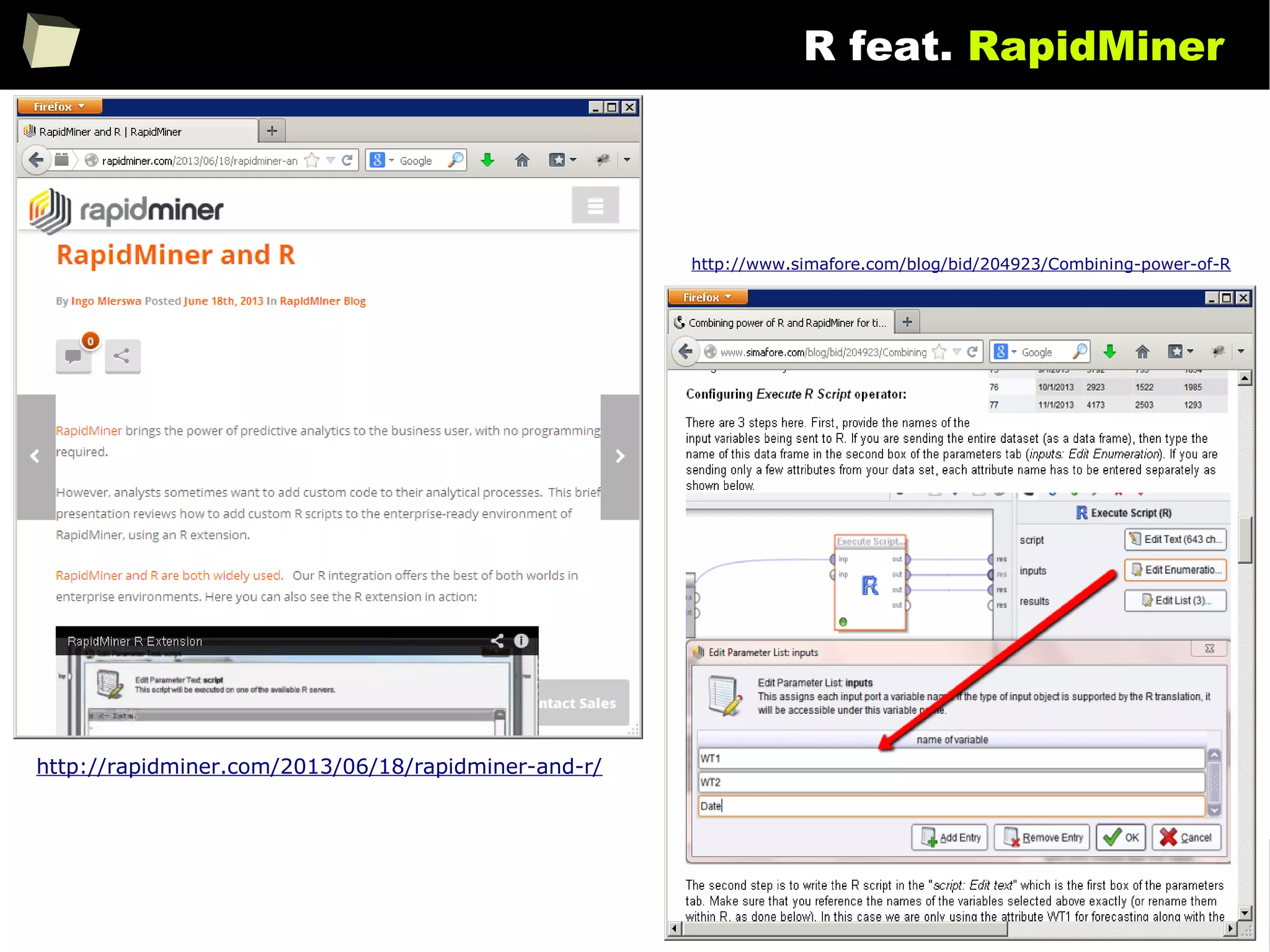
R feat. RapidMiner
http://rapidminer.com/2013/06/18/rapidminer-and-r/
http://www.simafore.com/blog/bid/204923/Combining-power-of-R
133
R feat. SPSS
134
R feat. Gretl
135
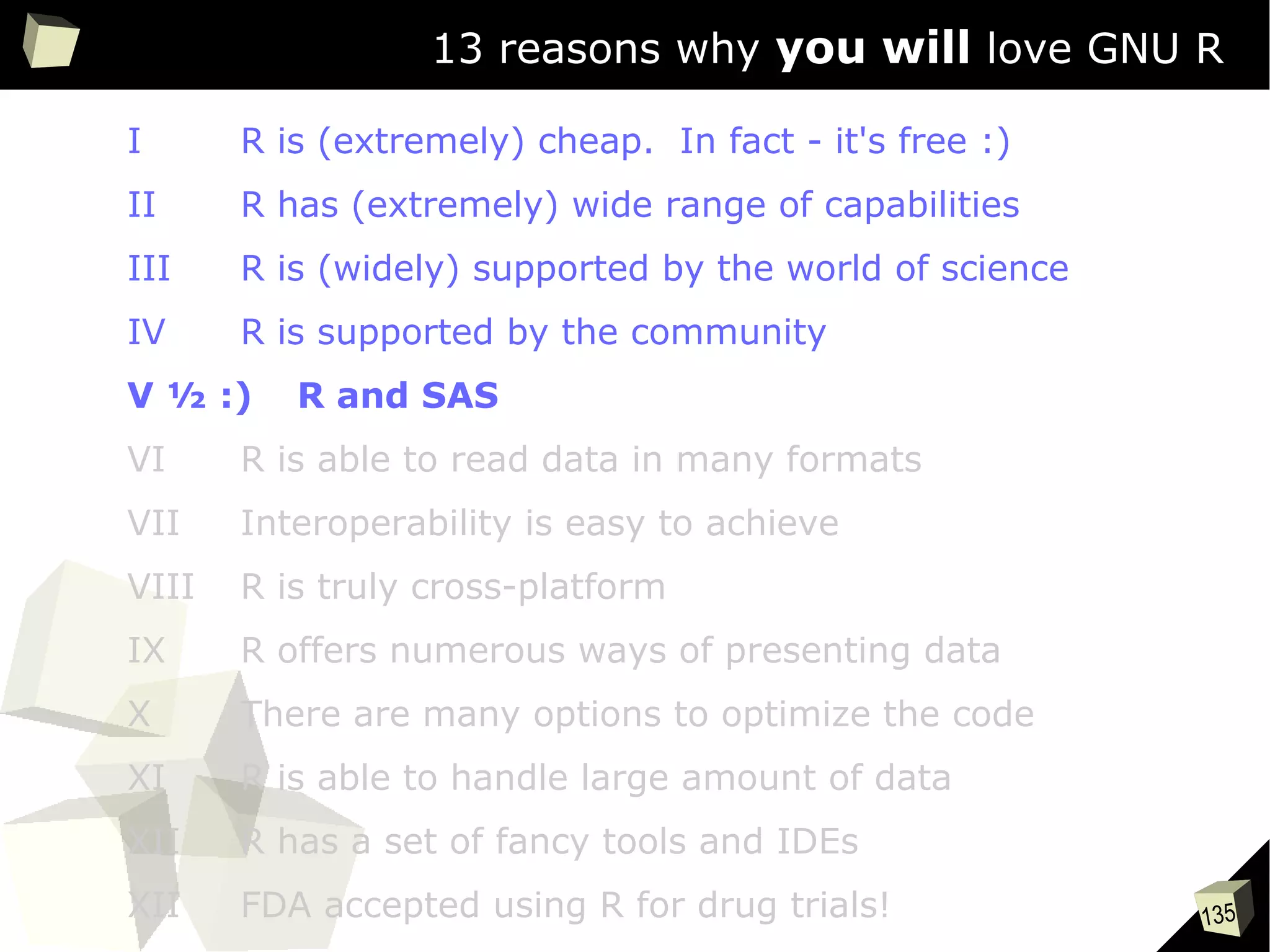
13 reasons why you will love GNU R
I R is (extremely) cheap. In fact - it's free :)
II R has (extremely) wide range of capabilities
III R is (widely) supported by the world of science
IV R is supported by the community
V ½ :) R and SAS
VI R is able to read data in many formats
VII Interoperability is easy to achieve
VIII R is truly cross-platform
IX R offers numerous ways of presenting data
X There are many options to optimize the code
XI R is able to handle large amount of data
XII R has a set of fancy tools and IDEs
XII FDA accepted using R for drug trials!
136
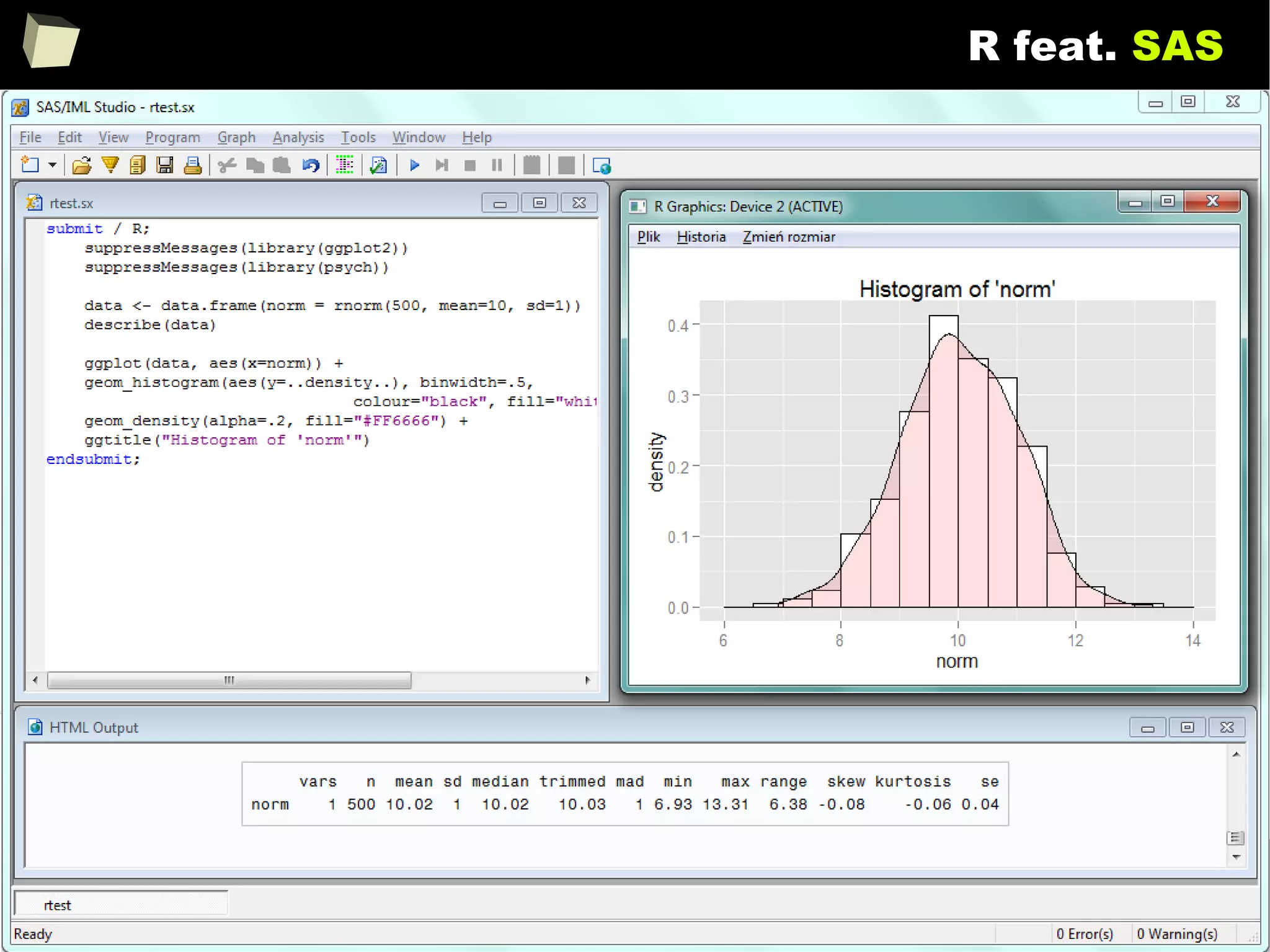
R feat. SAS
137
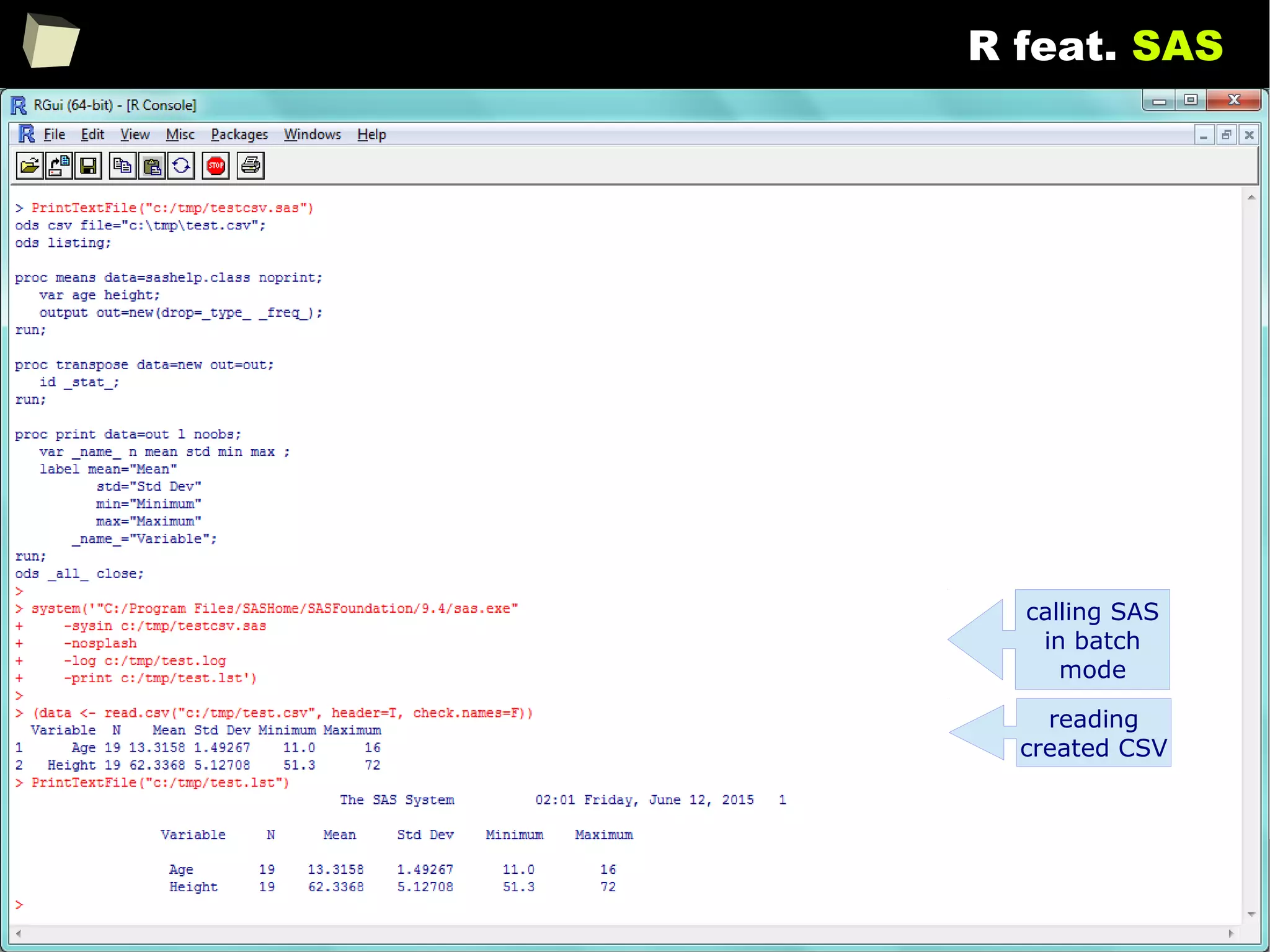
R feat. SAS
calling SAS
in batch
mode
reading
created CSV
138
Enhance SAS with R via IML
SAS BASESAS BASE
SASSAS
IMLIML
SASSAS
modulemodule
#1#1
SASSAS
modulemodule
#2#2
MissingMissing
functio-functio-
nalitynality
Call RCall R
fromfrom
SASSAS
/via IML//via IML/
RequiredRequired
algorithm oralgorithm or
functionalityfunctionality
bidirectional
data
exchange
139
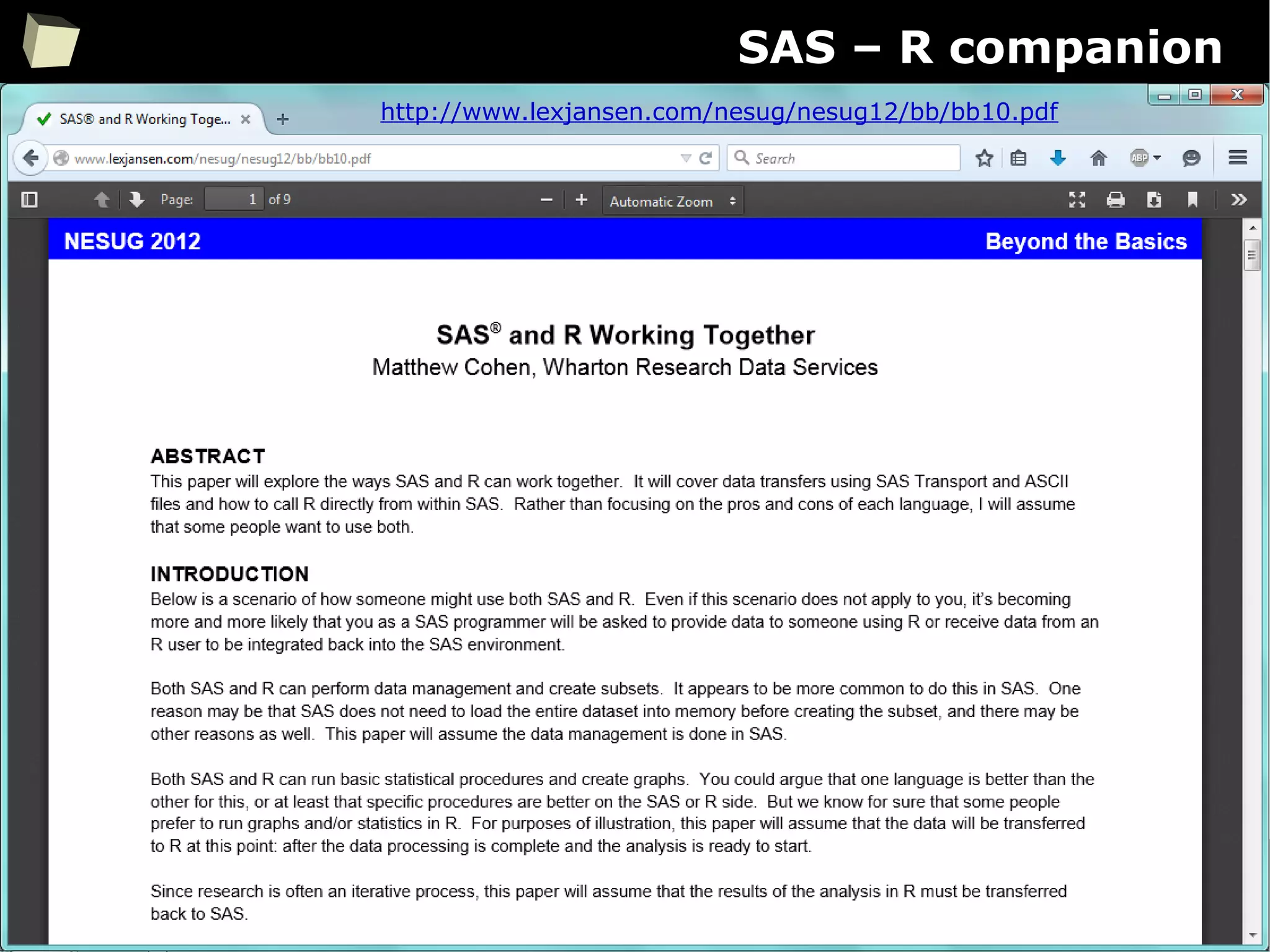
SAS – R companion
A set of factors makes the cooperation between SAS and R easier:
●
Package sas7bdat enables R reading SAS SAS7BDAT datasets without
having SAS installed
●
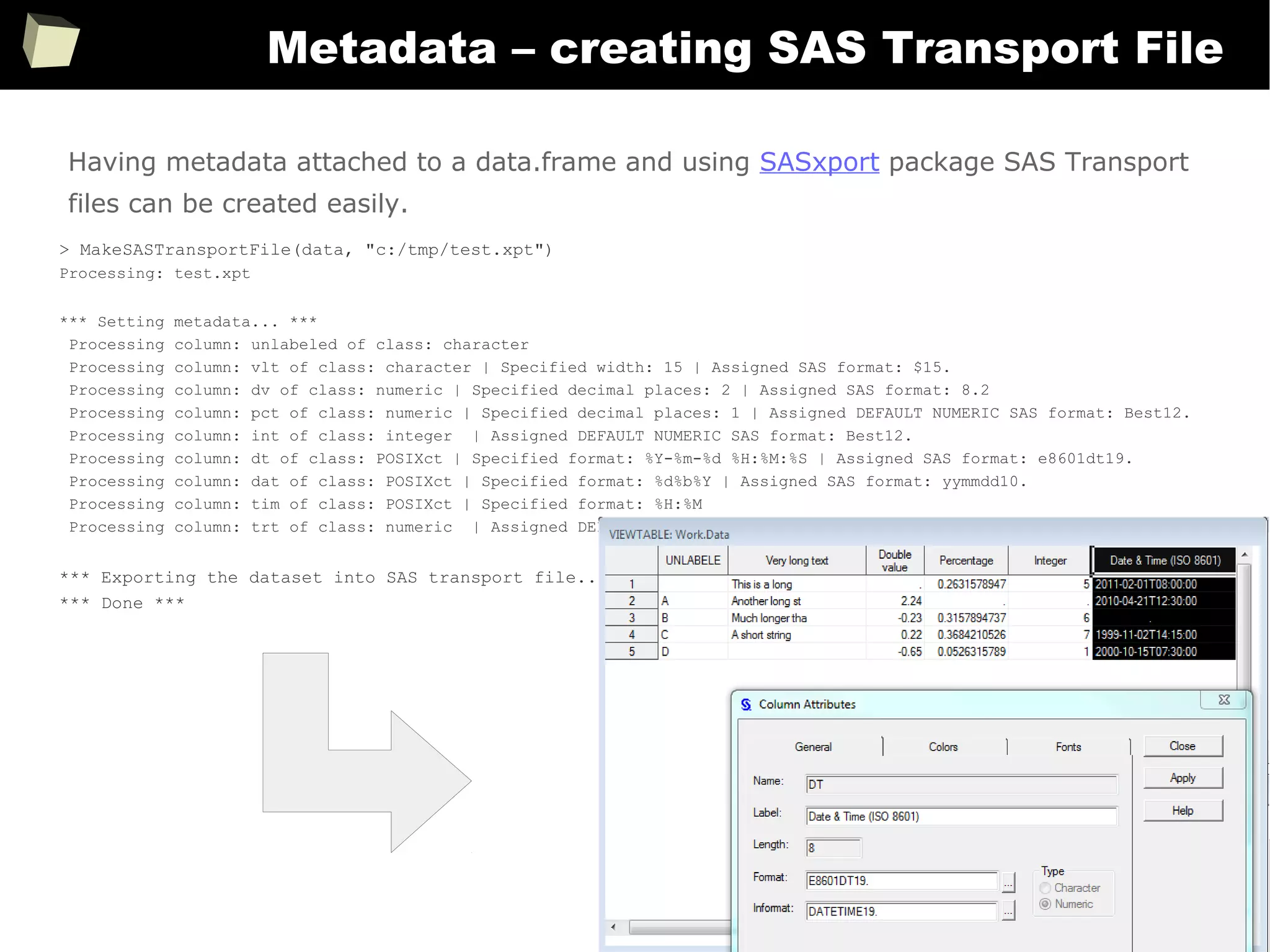
Package SASxport enables R both reading and writing SAS Transport files
(XPT) without having SAS installed.
It is removed from CRAN yet still available in the CRAN Archive.
●
Package foreign is another option for exchanging data with SAS
●
For several statistical methods SAS-compliant variants are created:
●
Contrast: contr.SAS
●
Quantiles: type 3 → nearest even order statistic
●
Type-III Sum of Square is available in R
●
Both SAS and R share the same numbers rounding algorithm
●
Both R and SAS can call each other in batch mode from a command line
●
R can also be accessed conveniently from SAS via IML module
●
With certain packages both SAS "logs" and "listings" can be imitated.
140
SAS – R companion
http://www.lexjansen.com/nesug/nesug12/bb/bb10.pdf
141
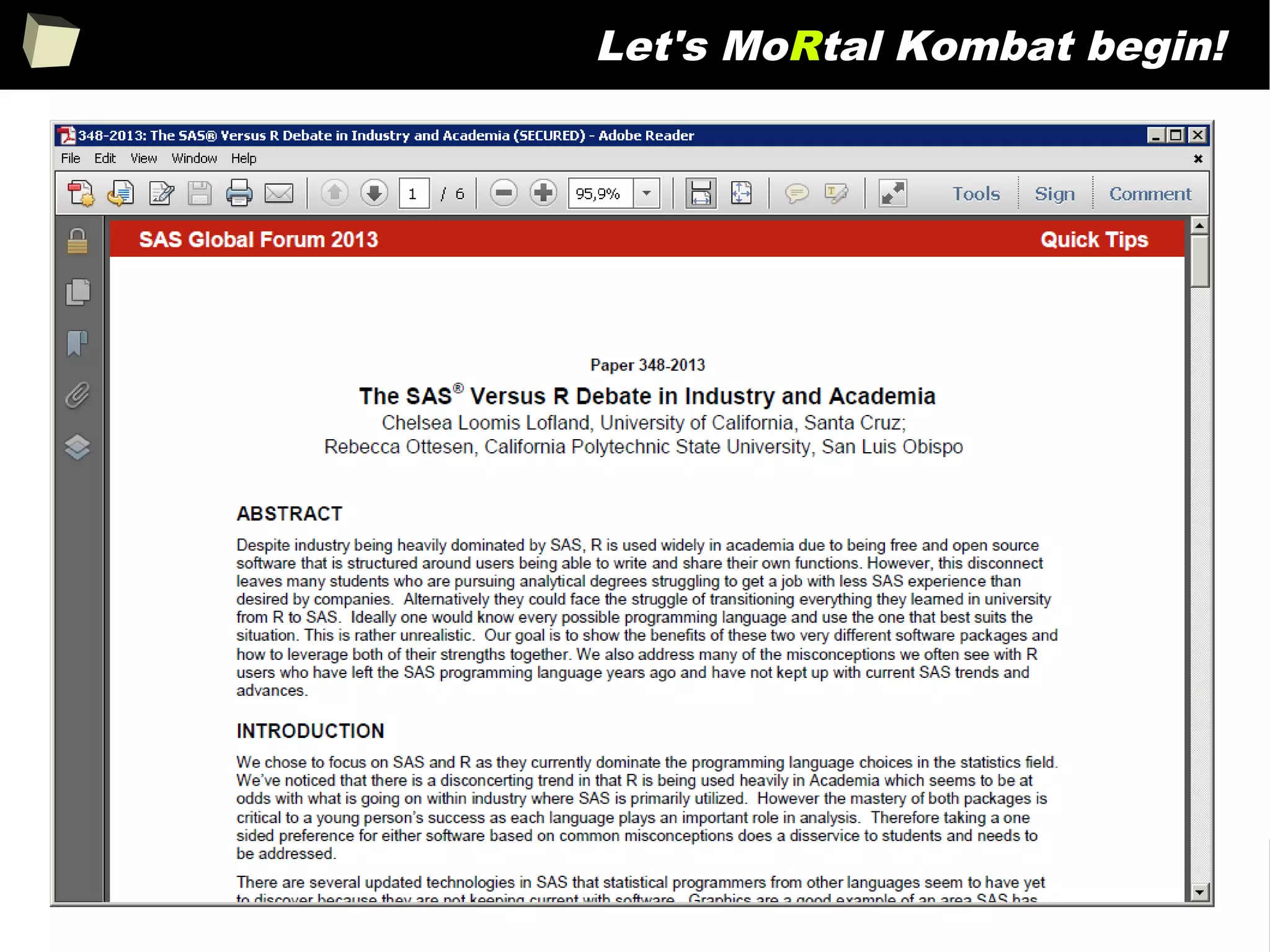
Let's MoRtal Kombat begin!
142
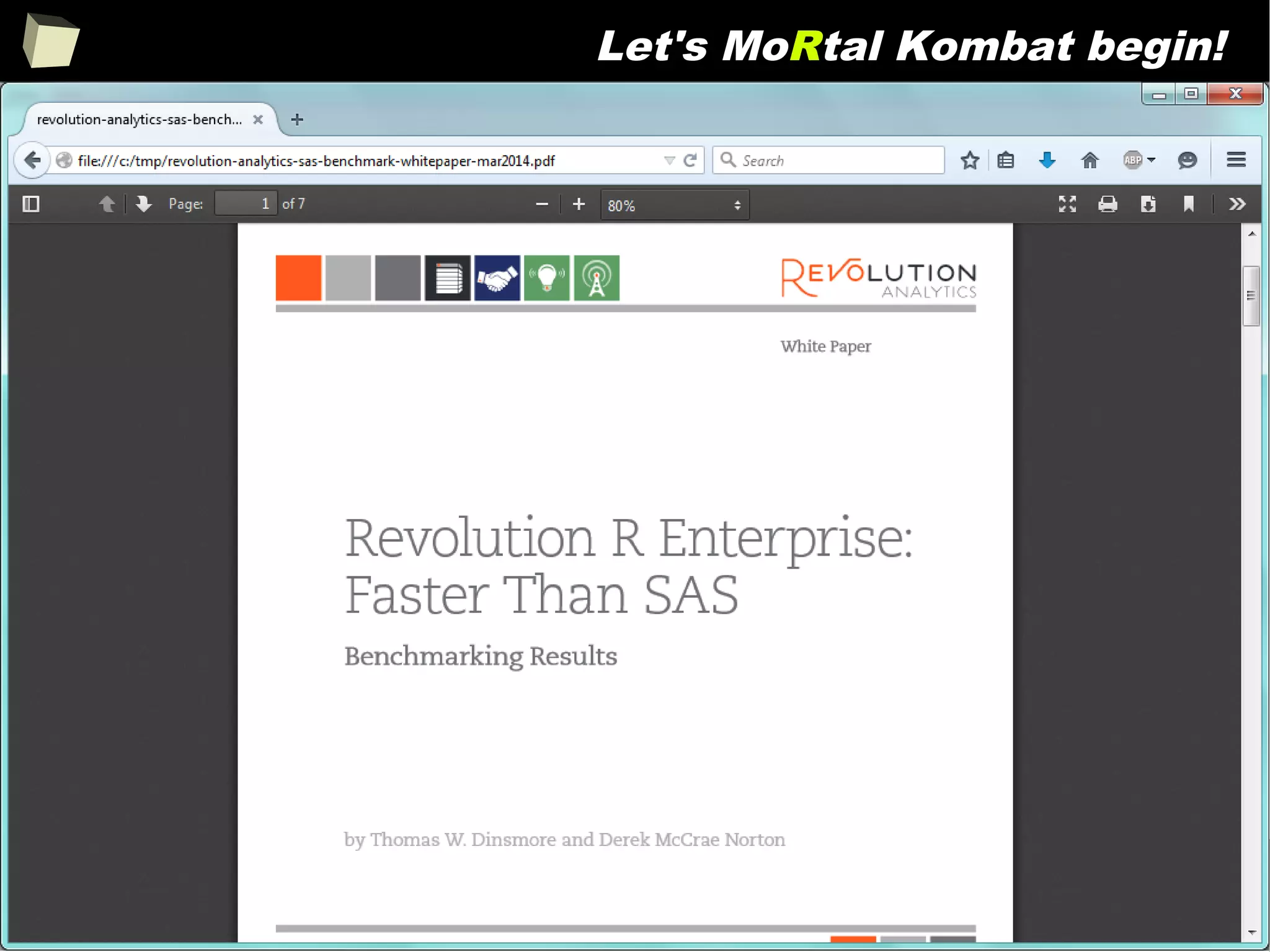
Let's MoRtal Kombat begin!
143
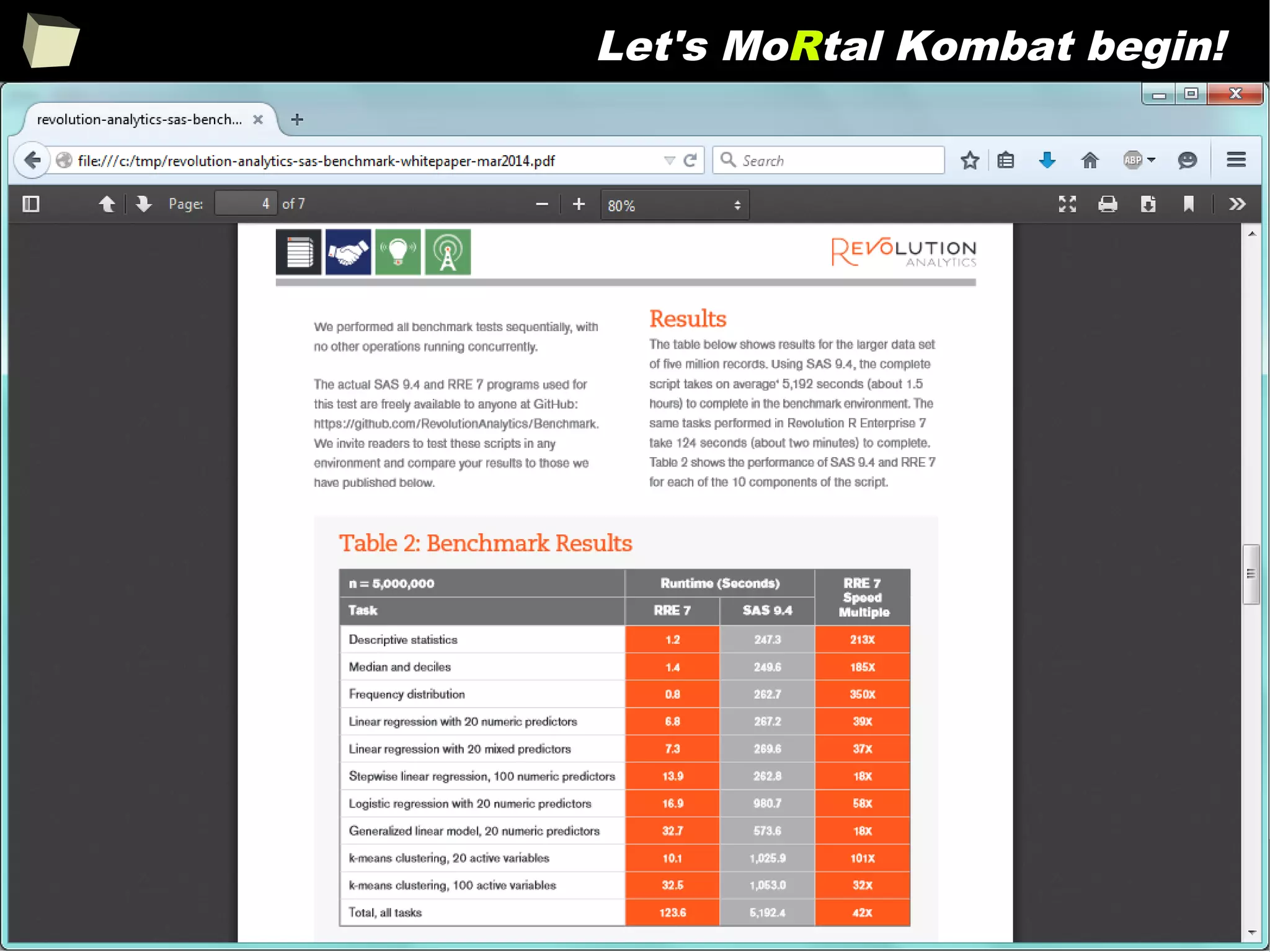
Let's MoRtal Kombat begin!
144
13 reasons why you will love GNU R
I R is (extremely) cheap. In fact - it's free :)
II R has (extremely) wide range of capabilities
III R is (widely) supported by the world of science
IV R is supported by the community
V R is (increasingly) supported by the business
VI R is able to read data in many formats
VII Interoperability is easy to achieve
VIII R is truly cross-platform
IX R offers numerous ways of presenting data
X There are many options to optimize the code
XI R is able to handle large amount of data
XII R has a set of fancy tools and IDEs
XII FDA accepted using R for drug trials!
145
Does R speak XYZ ?
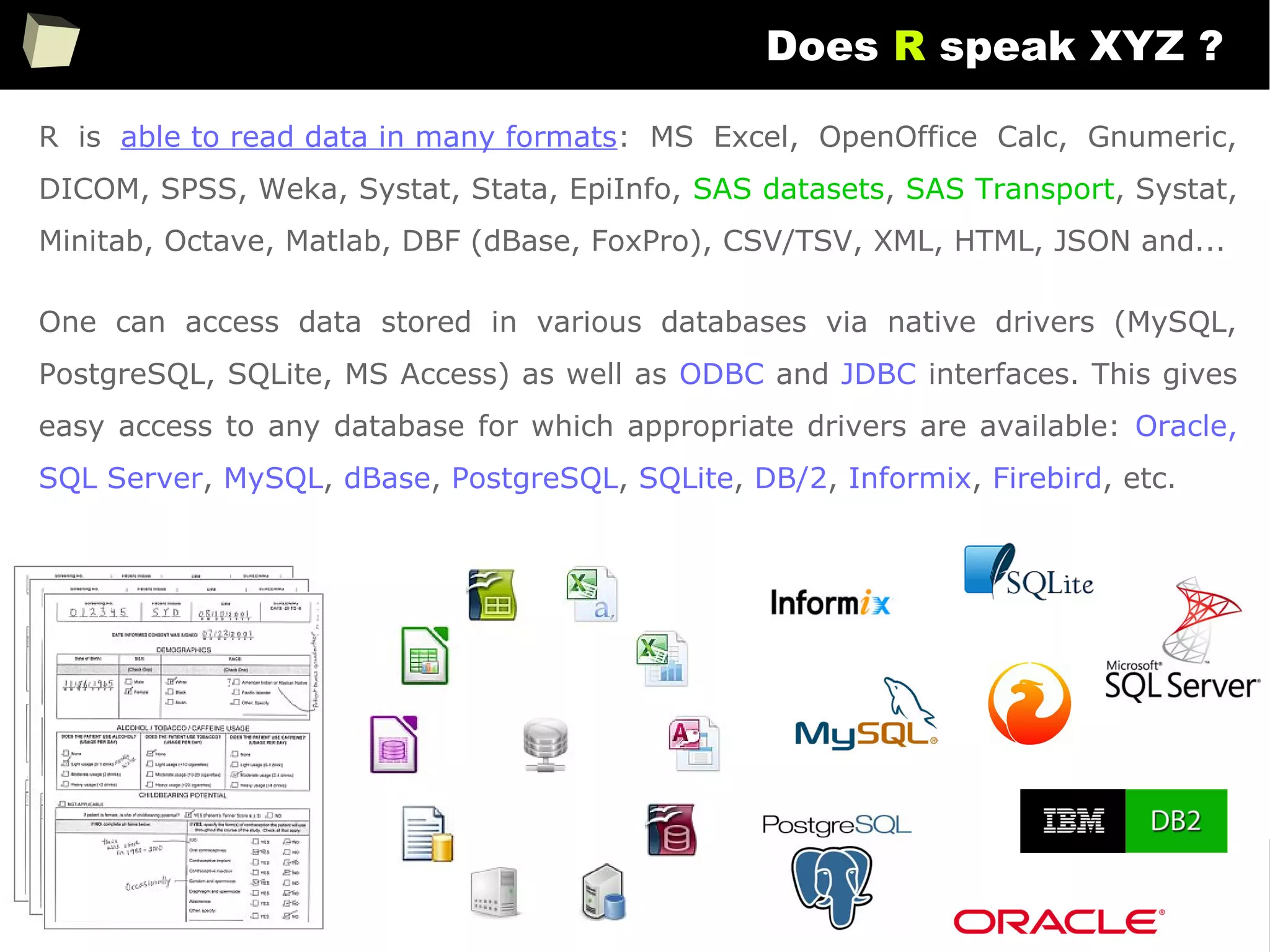
R is able to read data in many formats: MS Excel, OpenOffice Calc, Gnumeric,
DICOM, SPSS, Weka, Systat, Stata, EpiInfo, SAS datasets, SAS Transport, Systat,
Minitab, Octave, Matlab, DBF (dBase, FoxPro), CSV/TSV, XML, HTML, JSON and...
One can access data stored in various databases via native drivers (MySQL,
PostgreSQL, SQLite, MS Access) as well as ODBC and JDBC interfaces. This gives
easy access to any database for which appropriate drivers are available: Oracle,
SQL Server, MySQL, dBase, PostgreSQL, SQLite, DB/2, Informix, Firebird, etc.
146
Does R speak XYZ ?
> read.csv("c:/tmp/data.csv", header=TRUE, sep=";")
Column.1 Column.2 Column.3
1 1 First 2011-01-03
2 2 Second 2011-01-04
3 3 Third 2011-01-05
4 4 Fourth 2011-01-06
5 5 Fifth 2011-01-07
> sqldf::read.csv.sql("c:/tmp/data.csv", sql="SELECT * FROM file f WHERE f.`Column.1` BETWEEN 2 AND 3", sep=";")
Column.1 Column.2 Column.3
1 2 Second 2011-01-04
2 3 Third 2011-01-05
> openxlsx::read.xlsx("c:/tmp/data.xlsx", sheet=1, colNames=TRUE, detectDates = TRUE)
Column.1 Column.2 Column.3
1 1 First 2011-01-03
2 2 Second 2011-01-04
3 3 Third 2011-01-05
4 4 Fourth 2011-01-06
5 5 Fifth 2011-01-07
> data <- read.ods("c:/tmp/data.ods", sheet=1)
> colnames(data) <- data[1, ]
> data[-1, ]
Column 1 Column 2 Column 3
2 1 First 2011-01-03
3 2 Second 2011-01-04
4 3 Third 2011-01-05
5 4 Fourth 2011-01-06
6 5 Fifth 2011-01-0
CSV
CSVSQL
Excel
Calc
147
Does R speak XYZ ?
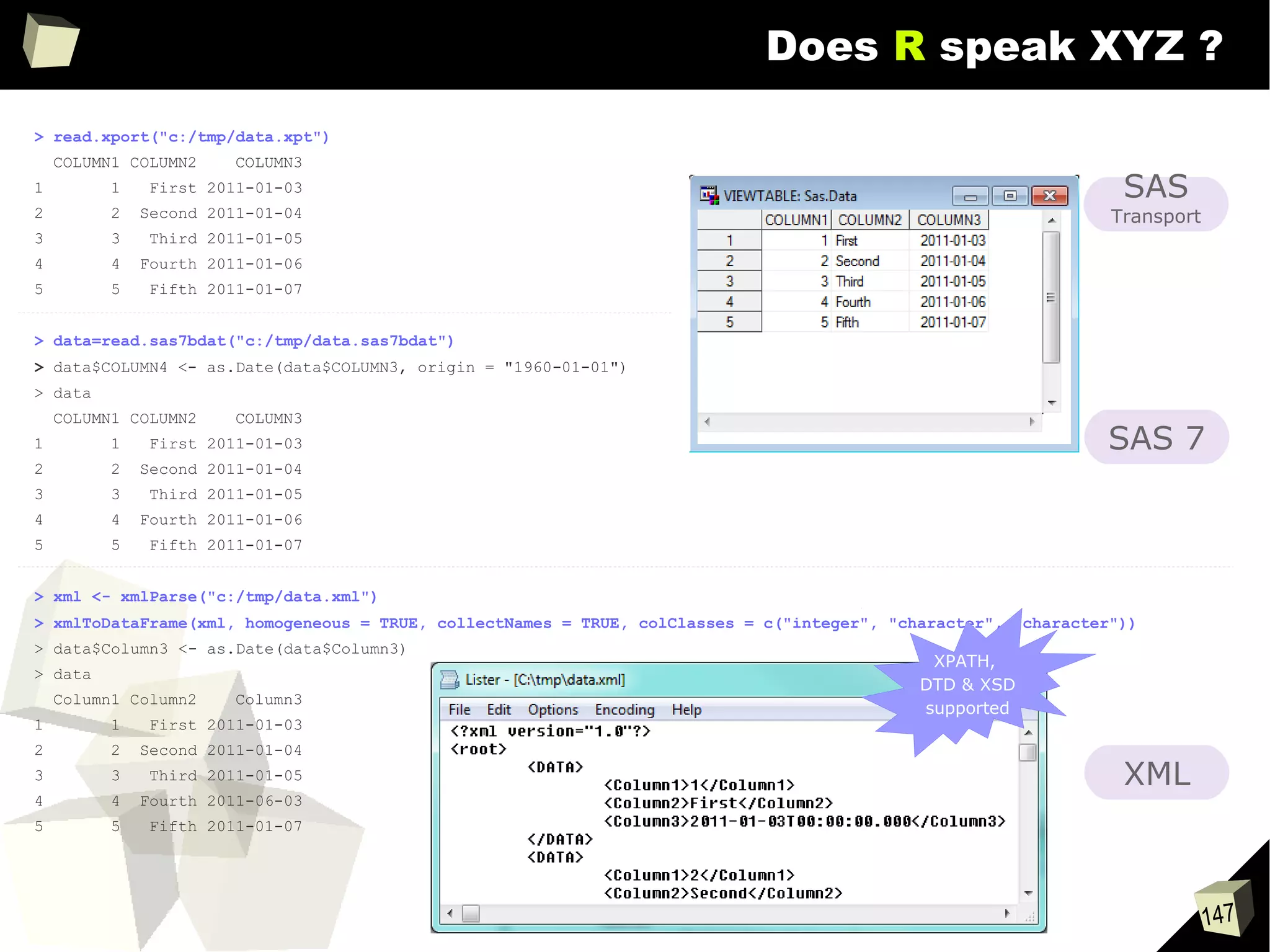
> read.xport("c:/tmp/data.xpt")
COLUMN1 COLUMN2 COLUMN3
1 1 First 2011-01-03
2 2 Second 2011-01-04
3 3 Third 2011-01-05
4 4 Fourth 2011-01-06
5 5 Fifth 2011-01-07
> data=read.sas7bdat("c:/tmp/data.sas7bdat")
> data$COLUMN4 <- as.Date(data$COLUMN3, origin = "1960-01-01")
> data
COLUMN1 COLUMN2 COLUMN3
1 1 First 2011-01-03
2 2 Second 2011-01-04
3 3 Third 2011-01-05
4 4 Fourth 2011-01-06
5 5 Fifth 2011-01-07
> xml <- xmlParse("c:/tmp/data.xml")
> xmlToDataFrame(xml, homogeneous = TRUE, collectNames = TRUE, colClasses = c("integer", "character", "character"))
> data$Column3 <- as.Date(data$Column3)
> data
Column1 Column2 Column3
1 1 First 2011-01-03
2 2 Second 2011-01-04
3 3 Third 2011-01-05
4 4 Fourth 2011-06-03
5 5 Fifth 2011-01-07
XML
SAS
Transport
SAS 7
XPATH,
DTD & XSD
supported
148
Does R speak XYZ ?
> readHTMLTable("c:/tmp/data.html", header =T, which = 1)
Column 1 Column 2 Column 3
1 1 first 2011-01-03
2 2 second 2011-01-04
3 3 third 2011-01-05
4 4 fourth 2011-01-06
5 5 fifth 2011-01-07
> json
[1] "{"Column 1":["1","2","3","4","5"],"Column 2":
["First","Second","Third","Fourth","Fifth"],"Column 3":["2011-01-03","2011-01-04","2011-01-05","2011-01-
06","2011-01-07"]}"
> as.data.frame(fromJSON(json))
Column.1 Column.2 Column.3
1 1 First 2011-01-03
2 2 Second 2011-01-04
3 3 Third 2011-01-05
4 4 Fourth 2011-01-06
5 5 Fifth 2011-01-07
> read.table(file = "clipboard", sep = " ", header=TRUE) (# with some artefacts)
Column.1 Column.2 Column.3 X
1 1 First 2011-01-03 NA
2 2 Second 2011-01-04 NA
3 3 Third 2011-01-05 NA
4 4 Fourth 2011-01-06 NA
5 5 Fifth 2011-01-07 NA
HTML
JSON
Clipboard
149
PRocessing Excel spreadsheets
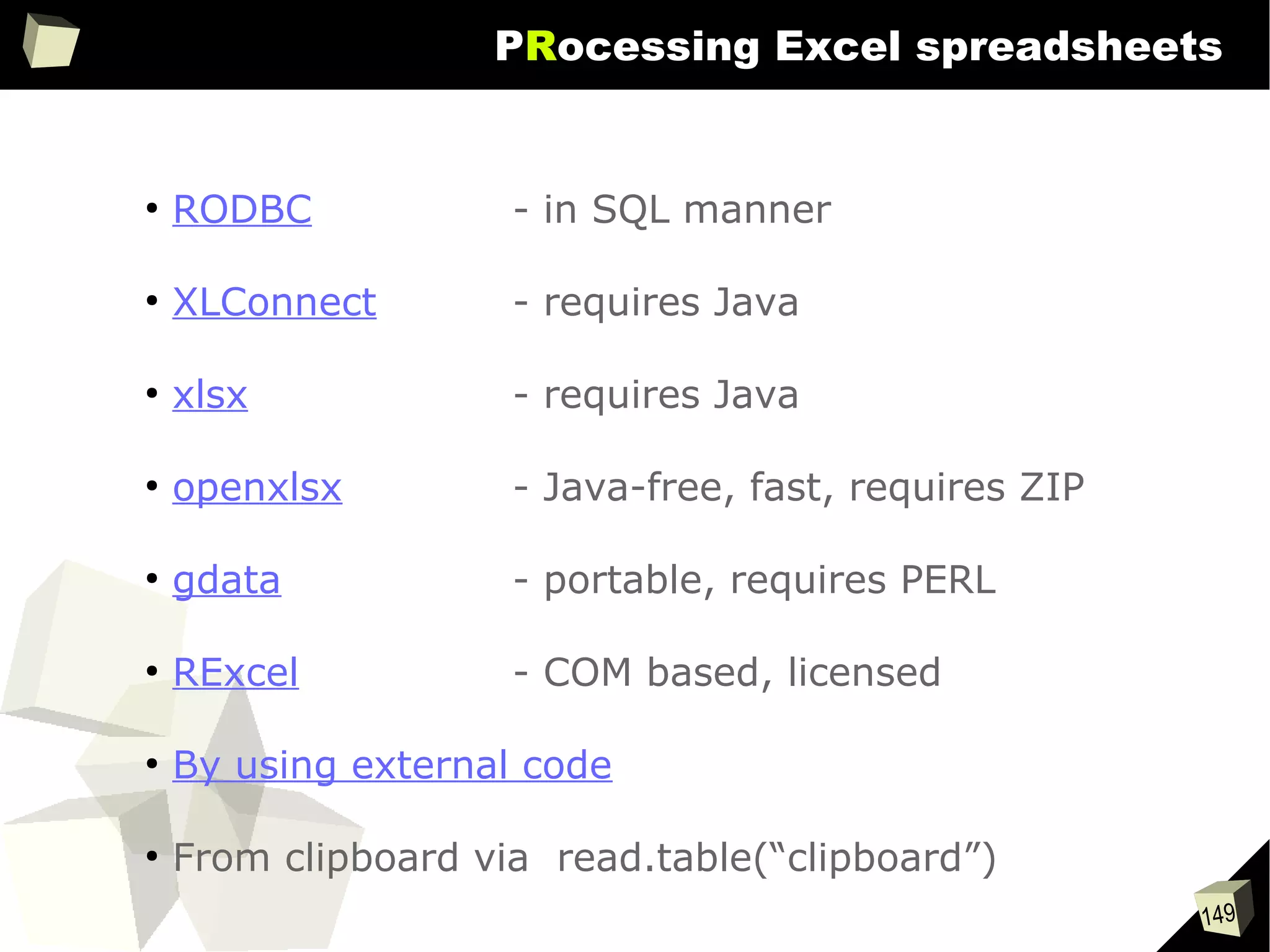
●
RODBC - in SQL manner
●
XLConnect - requires Java
●
xlsx - requires Java
●
openxlsx - Java-free, fast, requires ZIP
●
gdata - portable, requires PERL
●
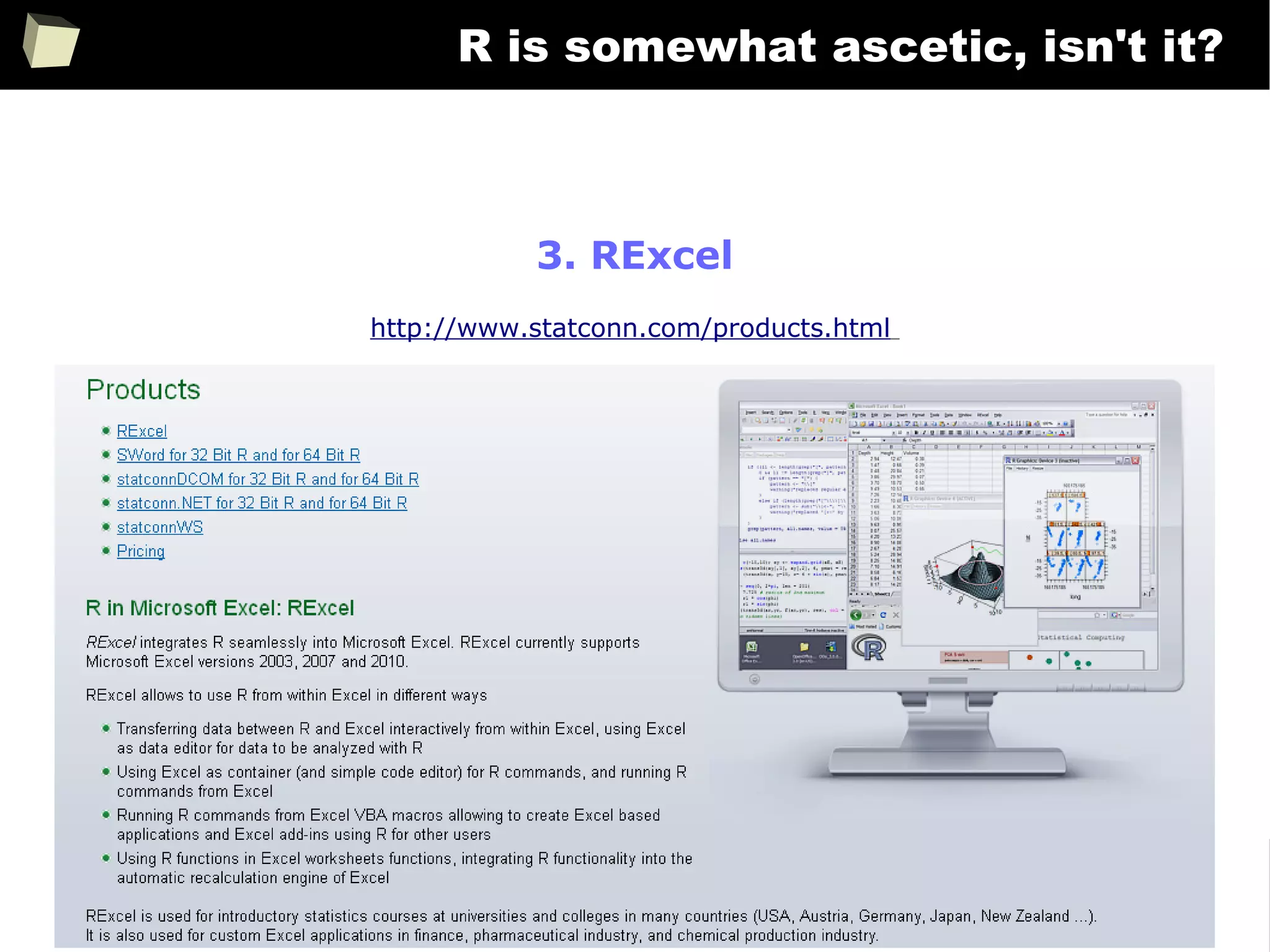
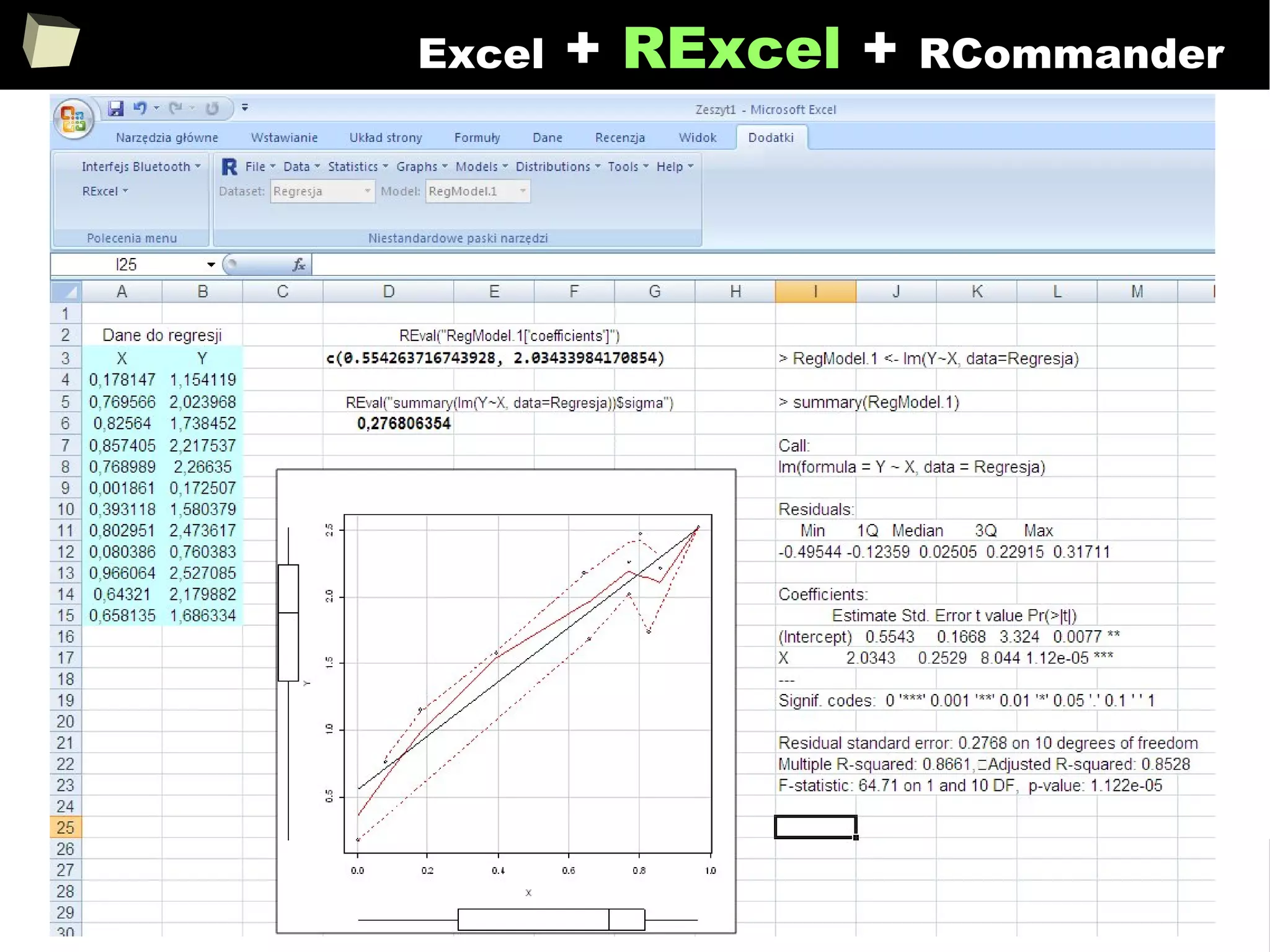
RExcel - COM based, licensed
●
By using external code
●
From clipboard via read.table(“clipboard”)
150
13 reasons why you will love GNU R
I R is (extremely) cheap. In fact - it's free :)
II R has (extremely) wide range of capabilities
III R is (widely) supported by the world of science
IV R is supported by the community
V R is (increasingly) supported by the business
VI 1/3 :) R and relational databases
VII Interoperability is easy to achieve
VIII R is truly cross-platform
IX R offers numerous ways of presenting data
X There are many options to optimize the code
XI R is able to handle large amount of data
XII R has a set of fancy tools and IDEs
XII FDA accepted using R for drug trials!
151
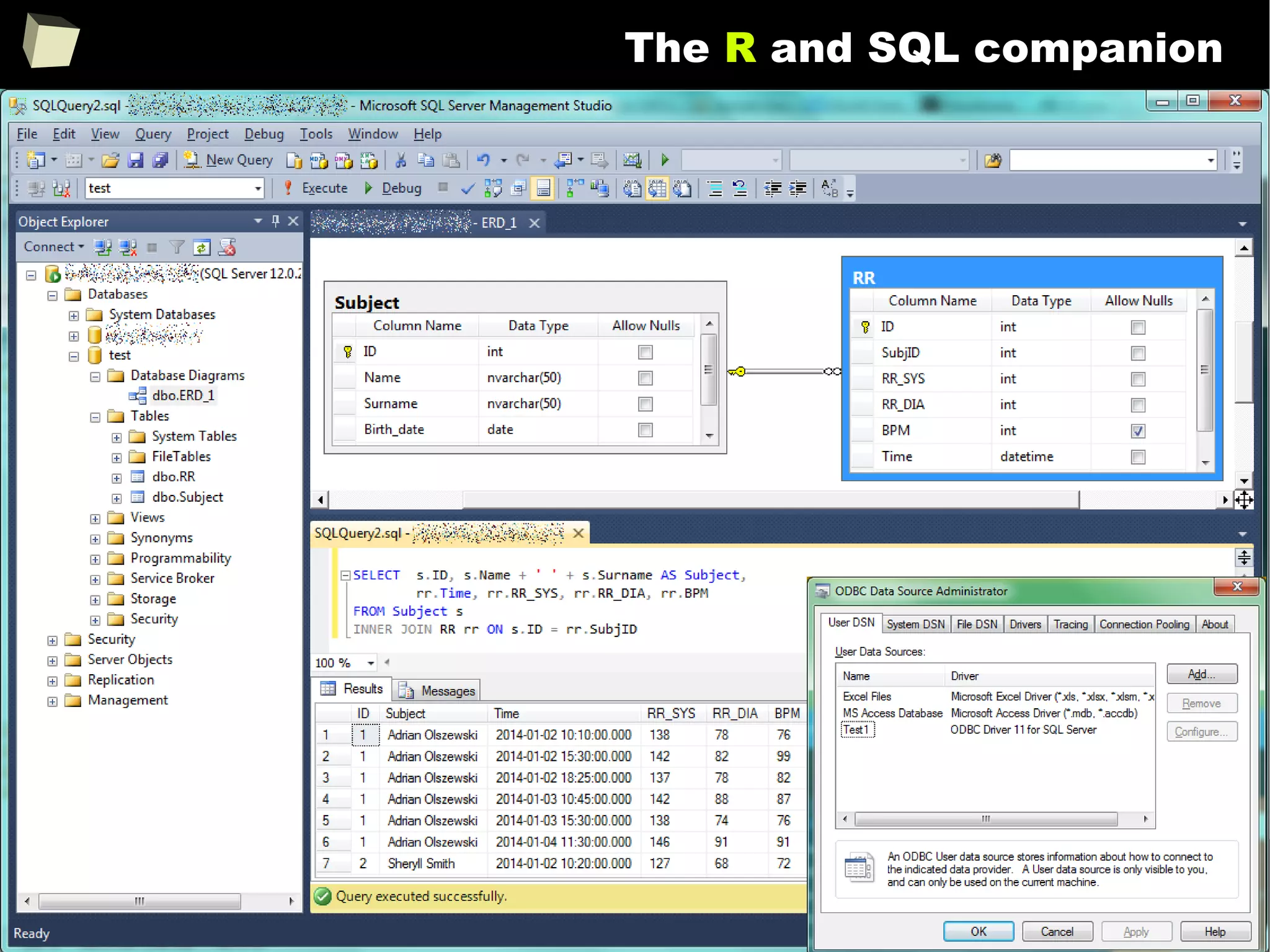
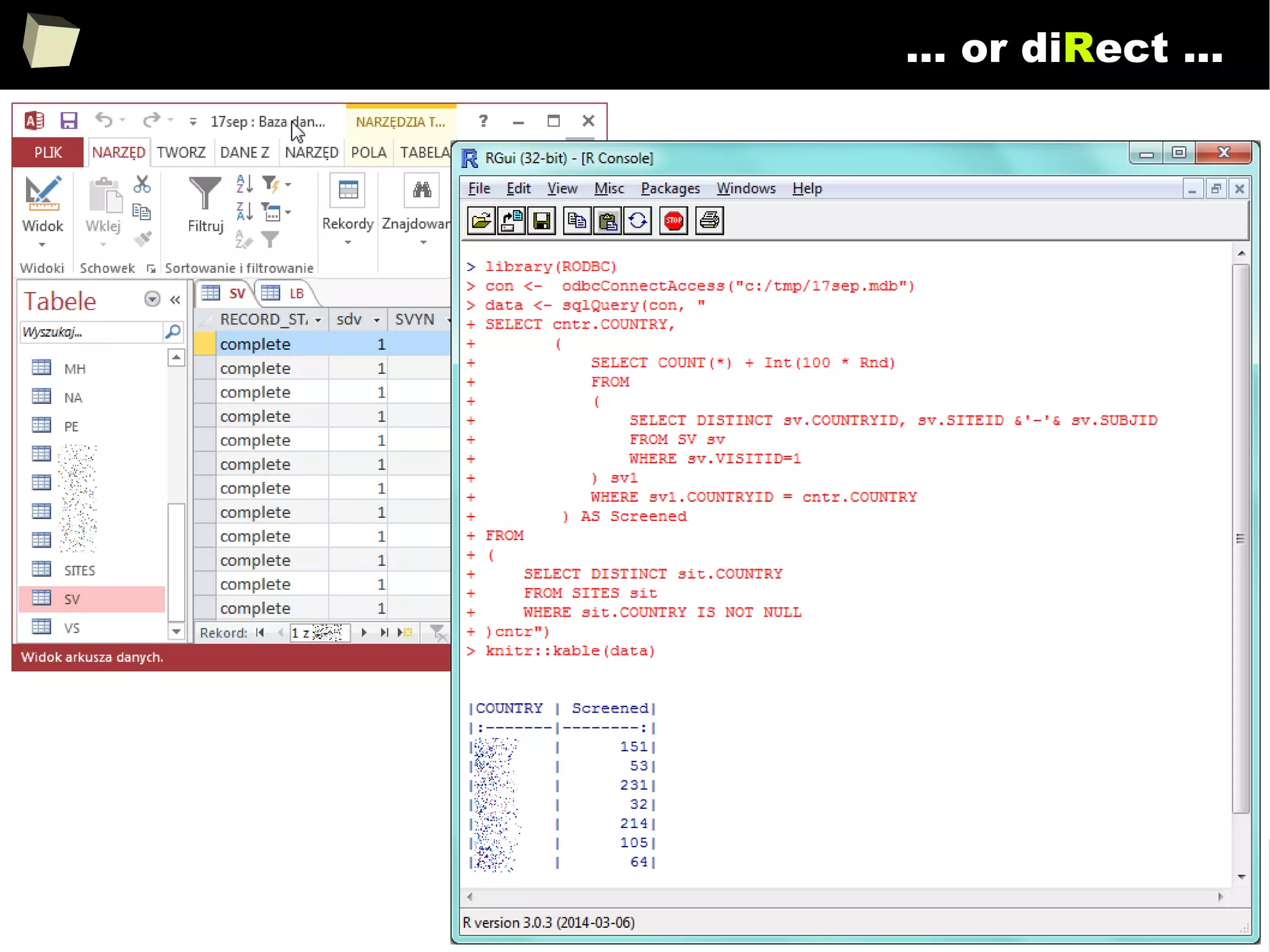
The R and SQL companion
152
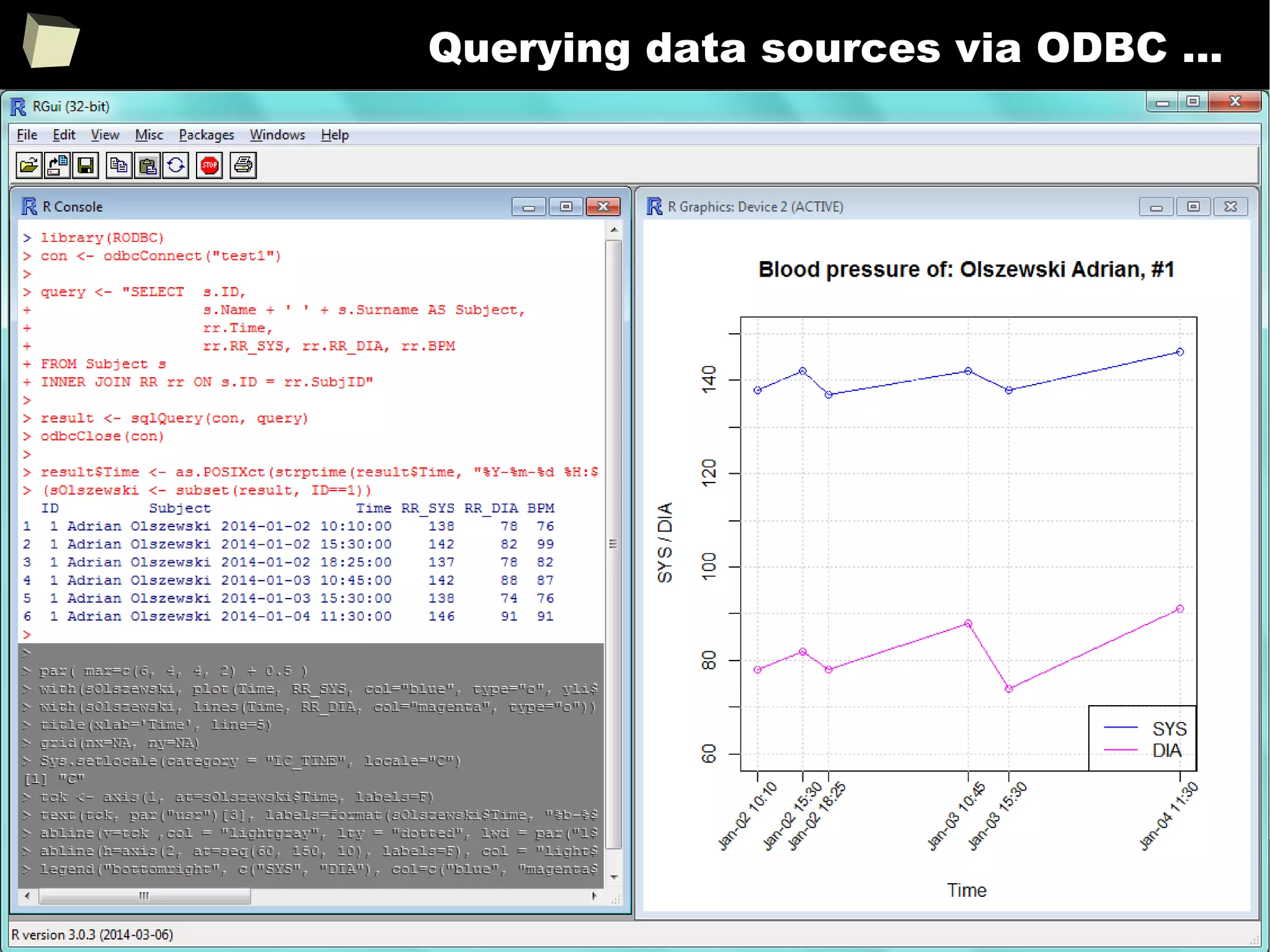
Querying data sources via ODBC ...
153
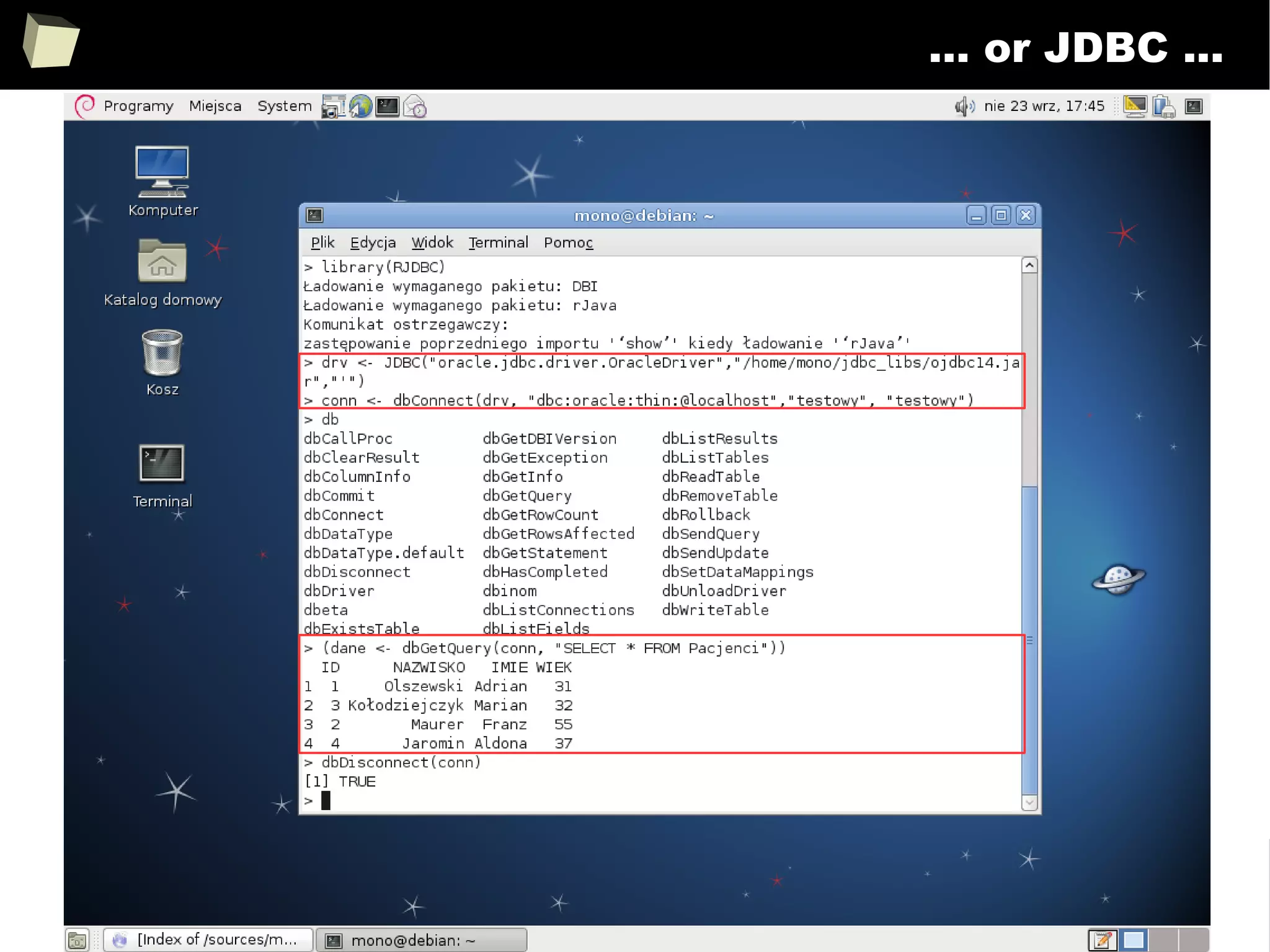
… or JDBC ...
154
… or diRect ...
155
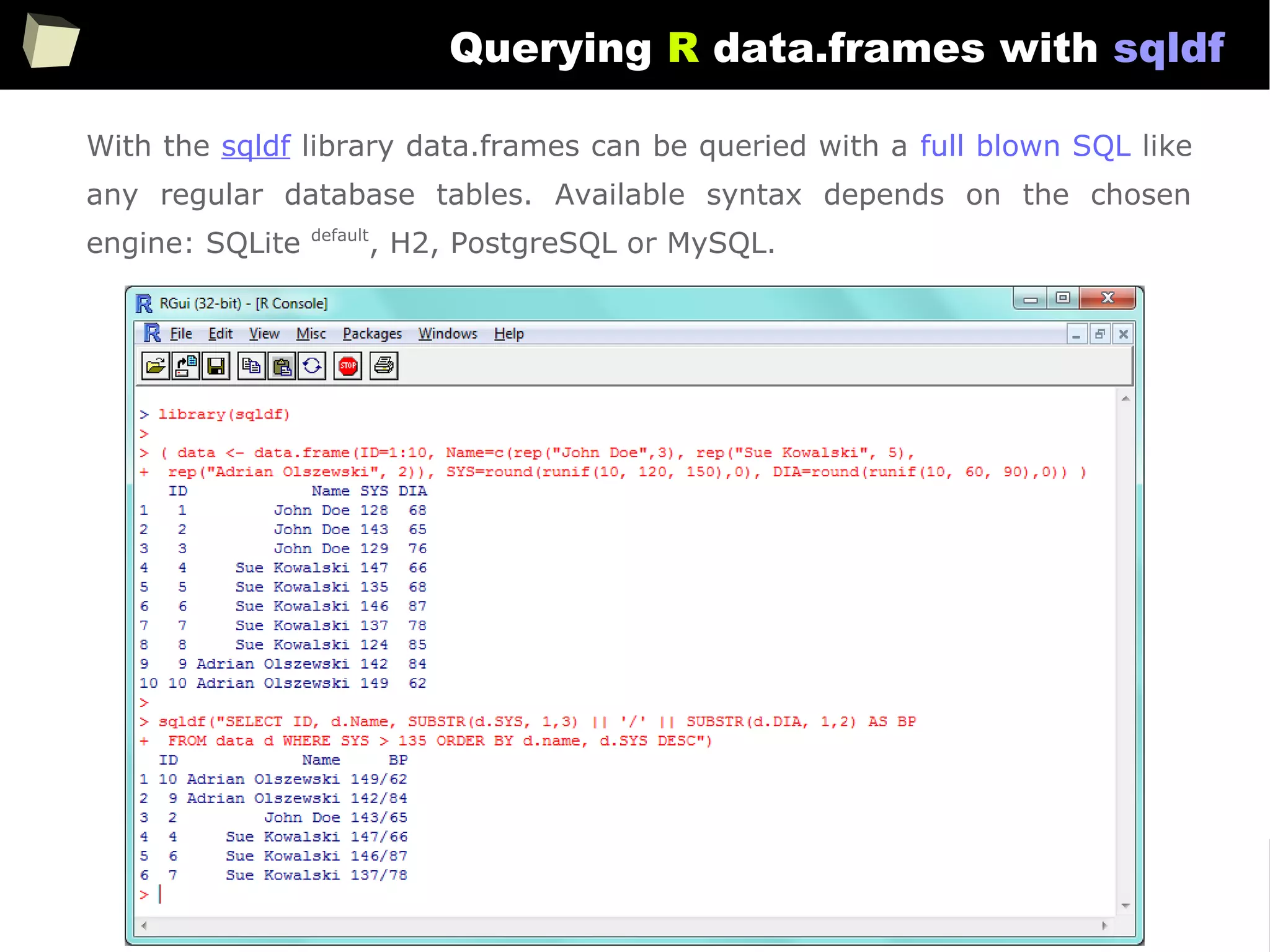
Querying R data.frames with sqldf
With the sqldf library data.frames can be queried with a full blown SQL like
any regular database tables. Available syntax depends on the chosen
engine: SQLite default
, H2, PostgreSQL or MySQL.
156
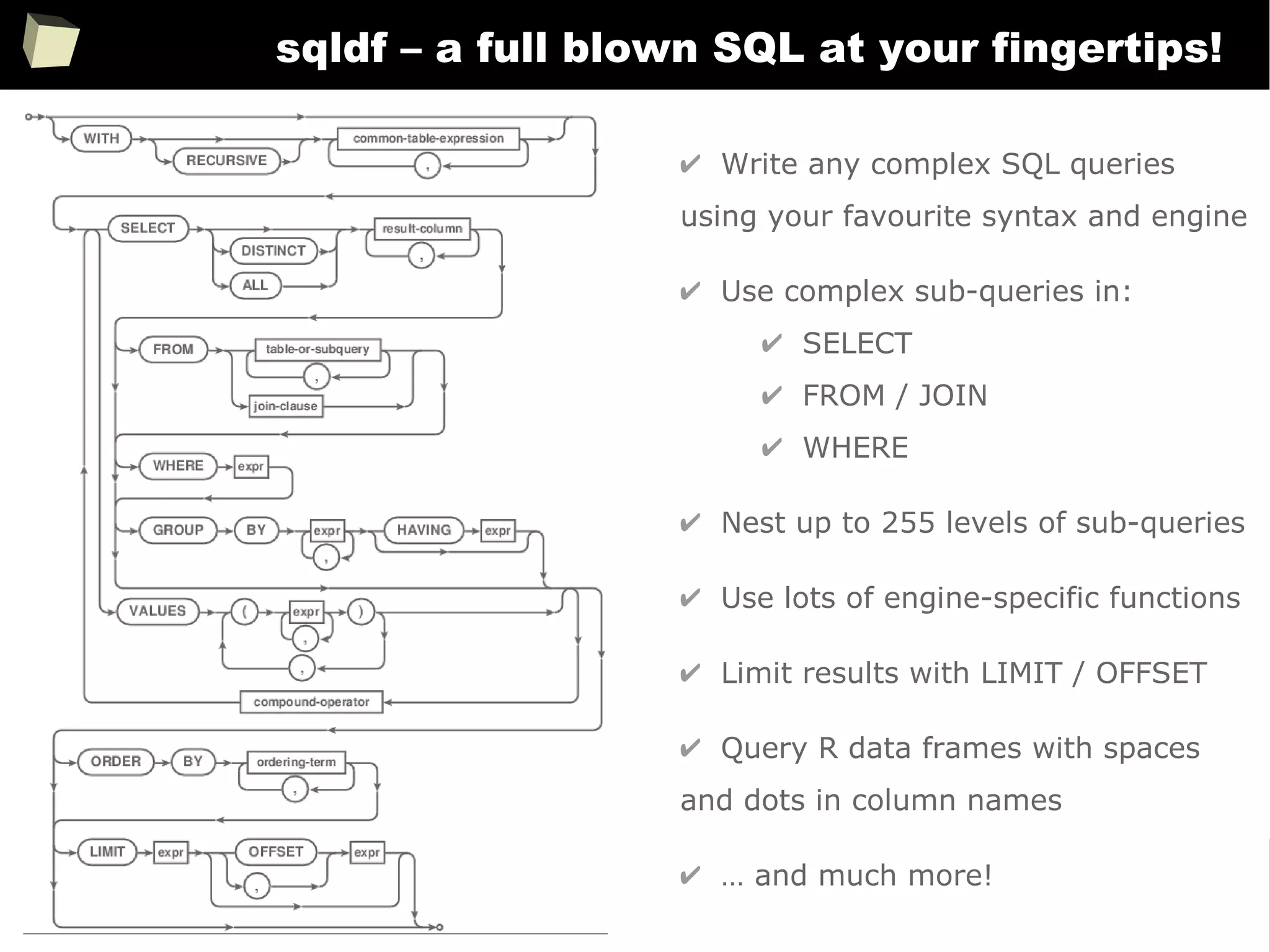
sqldf – a full blown SQL at your fingertips!
✔ Write any complex SQL queries
using your favourite syntax and engine
✔ Use complex sub-queries in:
✔ SELECT
✔ FROM / JOIN
✔ WHERE
✔ Nest up to 255 levels of sub-queries
✔ Use lots of engine-specific functions
✔ Limit results with LIMIT / OFFSET
✔ Query R data frames with spaces
and dots in column names
✔ … and much more!
157
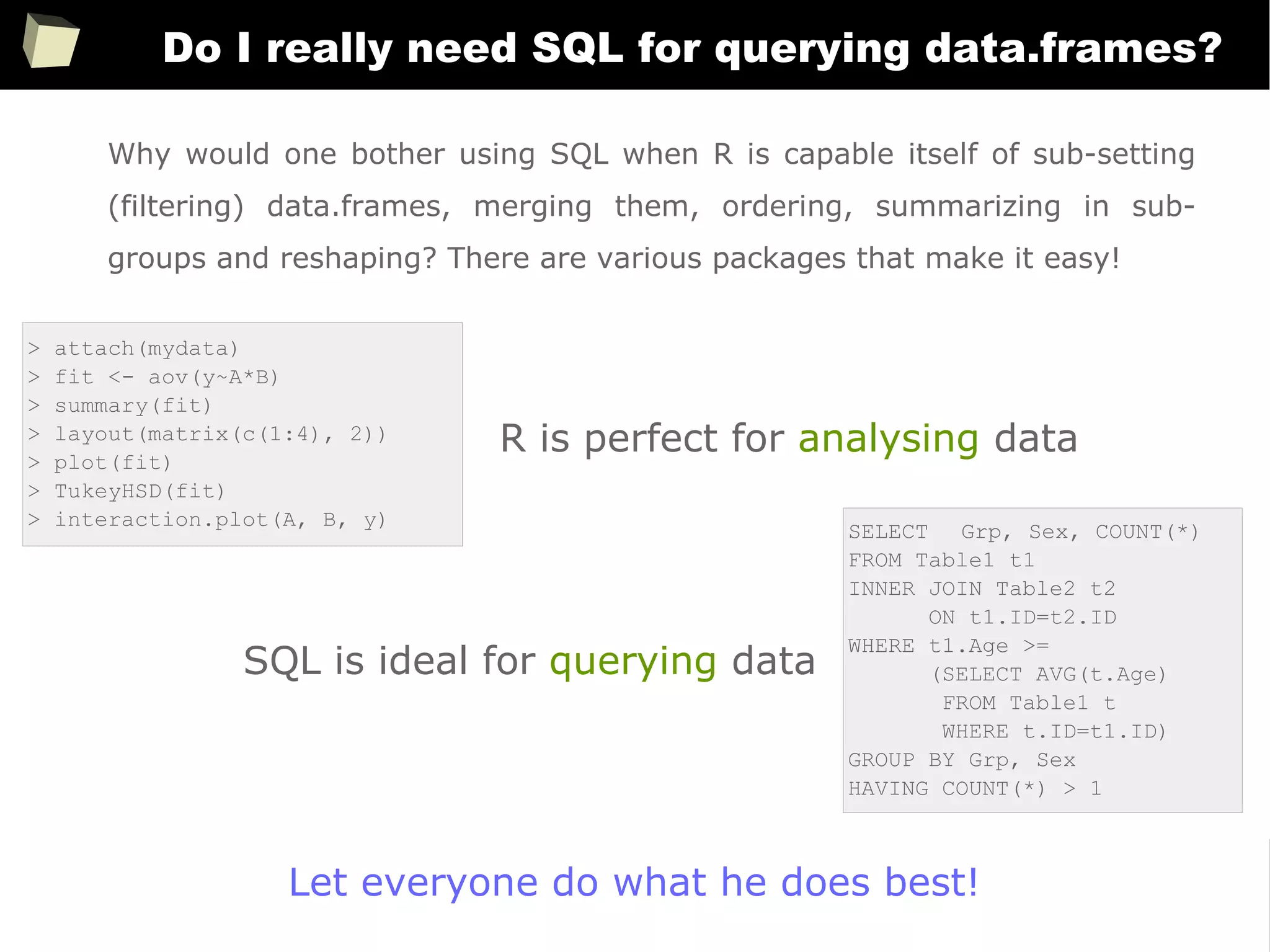
Do I really need SQL for querying data.frames?
> attach(mydata)
> fit <- aov(y~A*B)
> summary(fit)
> layout(matrix(c(1:4), 2))
> plot(fit)
> TukeyHSD(fit)
> interaction.plot(A, B, y)
Why would one bother using SQL when R is capable itself of sub-setting
(filtering) data.frames, merging them, ordering, summarizing in sub-
groups and reshaping? There are various packages that make it easy!
SELECT Grp, Sex, COUNT(*)
FROM Table1 t1
INNER JOIN Table2 t2
ON t1.ID=t2.ID
WHERE t1.Age >=
(SELECT AVG(t.Age)
FROM Table1 t
WHERE t.ID=t1.ID)
GROUP BY Grp, Sex
HAVING COUNT(*) > 1
R is perfect for analysing data
SQL is ideal for querying data
Let everyone do what he does best!
158
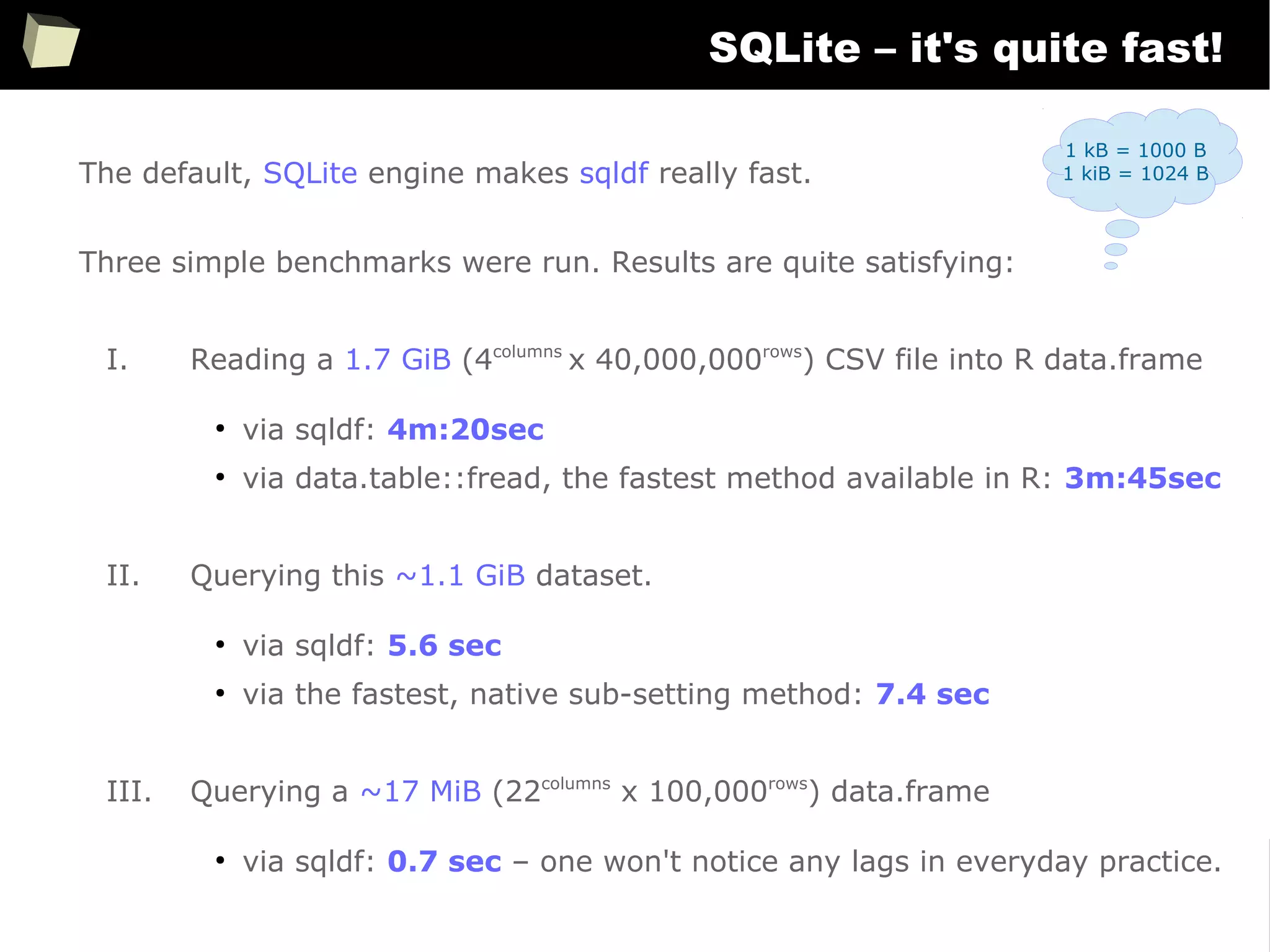
SQLite – it's quite fast!
The default, SQLite engine makes sqldf really fast.
Three simple benchmarks were run. Results are quite satisfying:
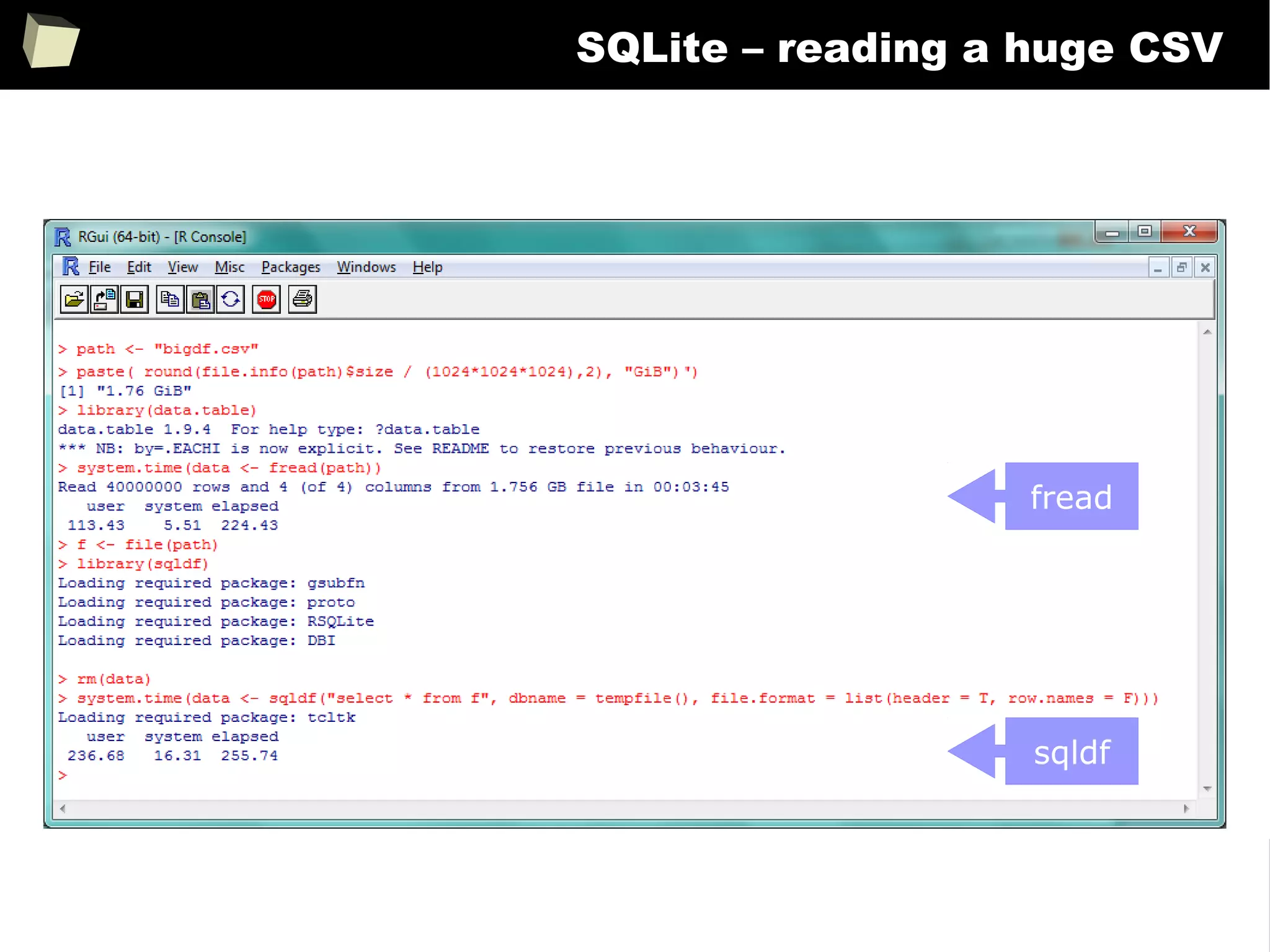
I. Reading a 1.7 GiB (4columns
x 40,000,000rows
) CSV file into R data.frame
●
via sqldf: 4m:20sec
●
via data.table::fread, the fastest method available in R: 3m:45sec
II. Querying this ~1.1 GiB dataset.
●
via sqldf: 5.6 sec
●
via the fastest, native sub-setting method: 7.4 sec
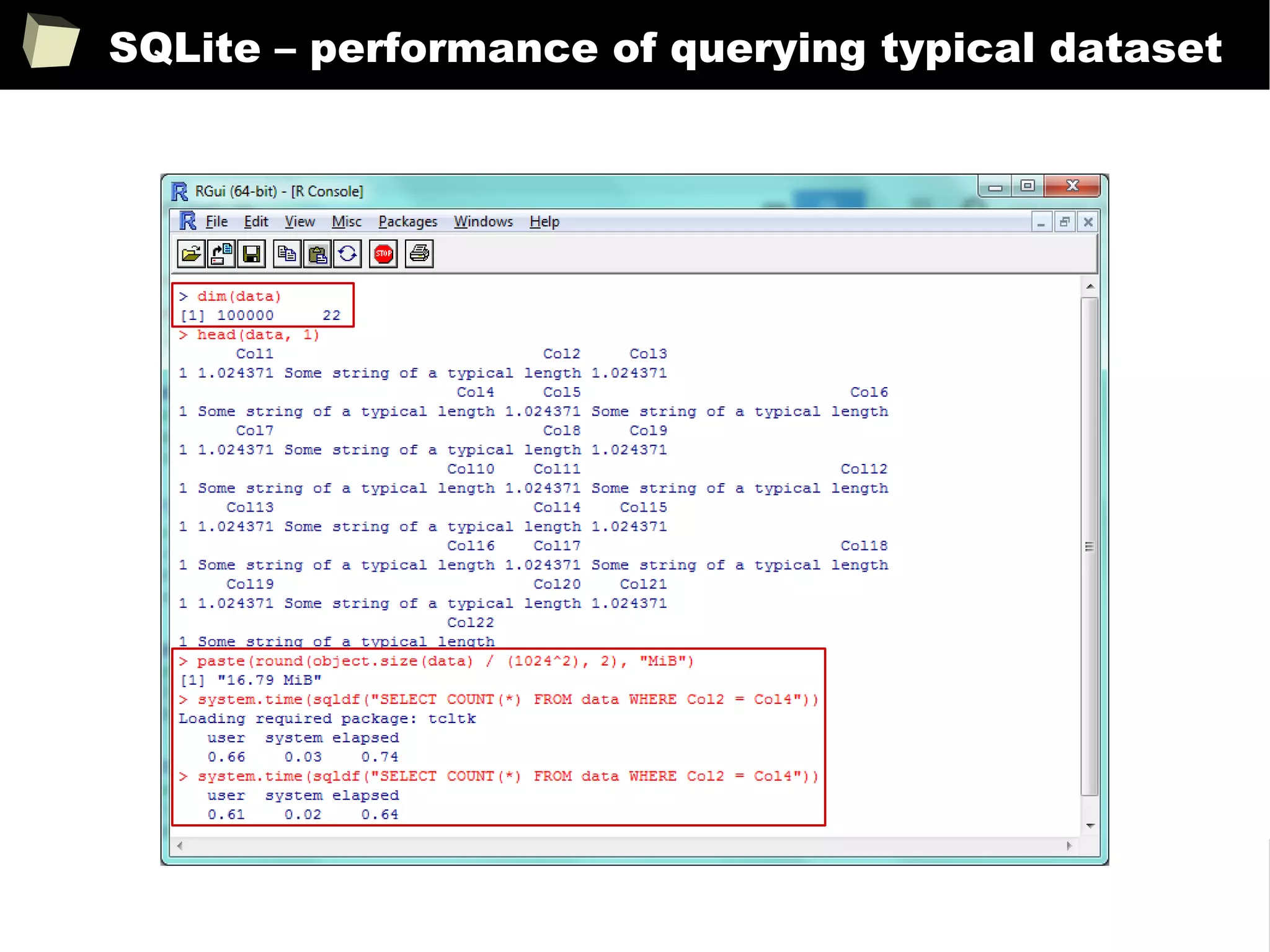
III. Querying a ~17 MiB (22columns
x 100,000rows
) data.frame
●
via sqldf: 0.7 sec – one won't notice any lags in everyday practice.
1 kB = 1000 B
1 kiB = 1024 B
159
SQLite – reading a huge CSV
fread
sqldf
160
SQLite – performance of querying huge dataset
reading
dataset
querying
via sqldf
querying
via native R
161
SQLite – performance of querying typical dataset
162
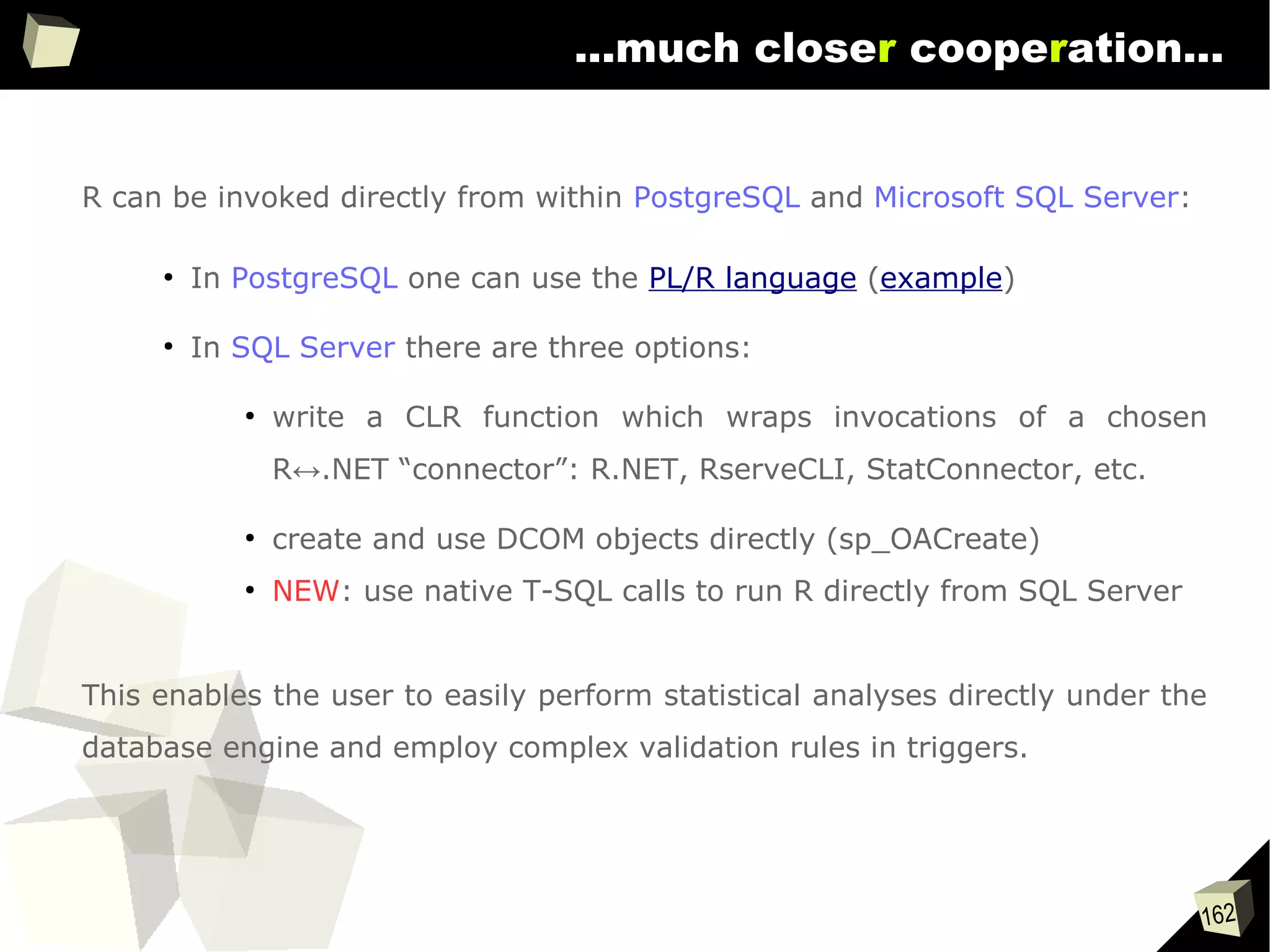
...much closer cooperation...
R can be invoked directly from within PostgreSQL and Microsoft SQL Server:
●
In PostgreSQL one can use the PL/R language (example)
●
In SQL Server there are three options:
●
write a CLR function which wraps invocations of a chosen
R↔.NET “connector”: R.NET, RserveCLI, StatConnector, etc.
●
create and use DCOM objects directly (sp_OACreate)
●
NEW: use native T-SQL calls to run R directly from SQL Server
This enables the user to easily perform statistical analyses directly under the
database engine and employ complex validation rules in triggers.
163
Easy data transfeR
With R and a rich set of database drivers (ODBC, JDBC, native) it is easy to
transfer data between various sources with only few lines of code.
Actually, this is even easier than in C# :)
tables <- list()
tables[["tab1"]] <- read.csv("c:/tmp/table1.csv") # source 1
tables[["tab2"]] <- read.xlsx("c:/tmp/mysheet.xlsx", sheet=2) # source 2
tables[["tab3"]] <- sqlQuery(otherCon, "SELECT * FROM Table") # source 3
…
myCon <- odbcConnectAccess("c:/tmp/my.mdb"))
for(table in names(tables)){
sqlSave(myCon, tables[[table]], tablename = table) # that's all!
}
OdbcClose(myCon)
Isn't this just beautiful?
164
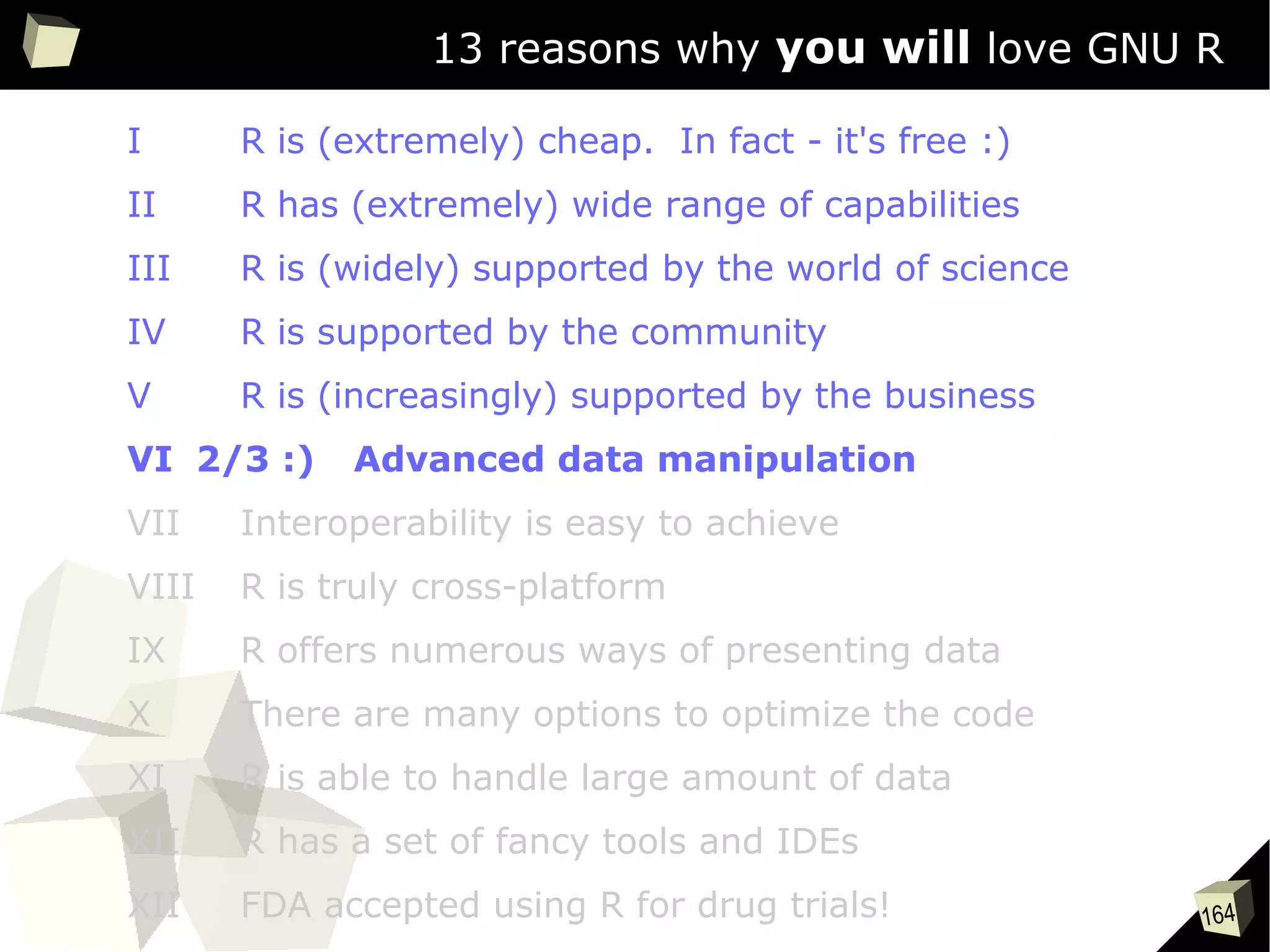
13 reasons why you will love GNU R
I R is (extremely) cheap. In fact - it's free :)
II R has (extremely) wide range of capabilities
III R is (widely) supported by the world of science
IV R is supported by the community
V R is (increasingly) supported by the business
VI 2/3 :) Advanced data manipulation
VII Interoperability is easy to achieve
VIII R is truly cross-platform
IX R offers numerous ways of presenting data
X There are many options to optimize the code
XI R is able to handle large amount of data
XII R has a set of fancy tools and IDEs
XII FDA accepted using R for drug trials!
165
Manipulating data
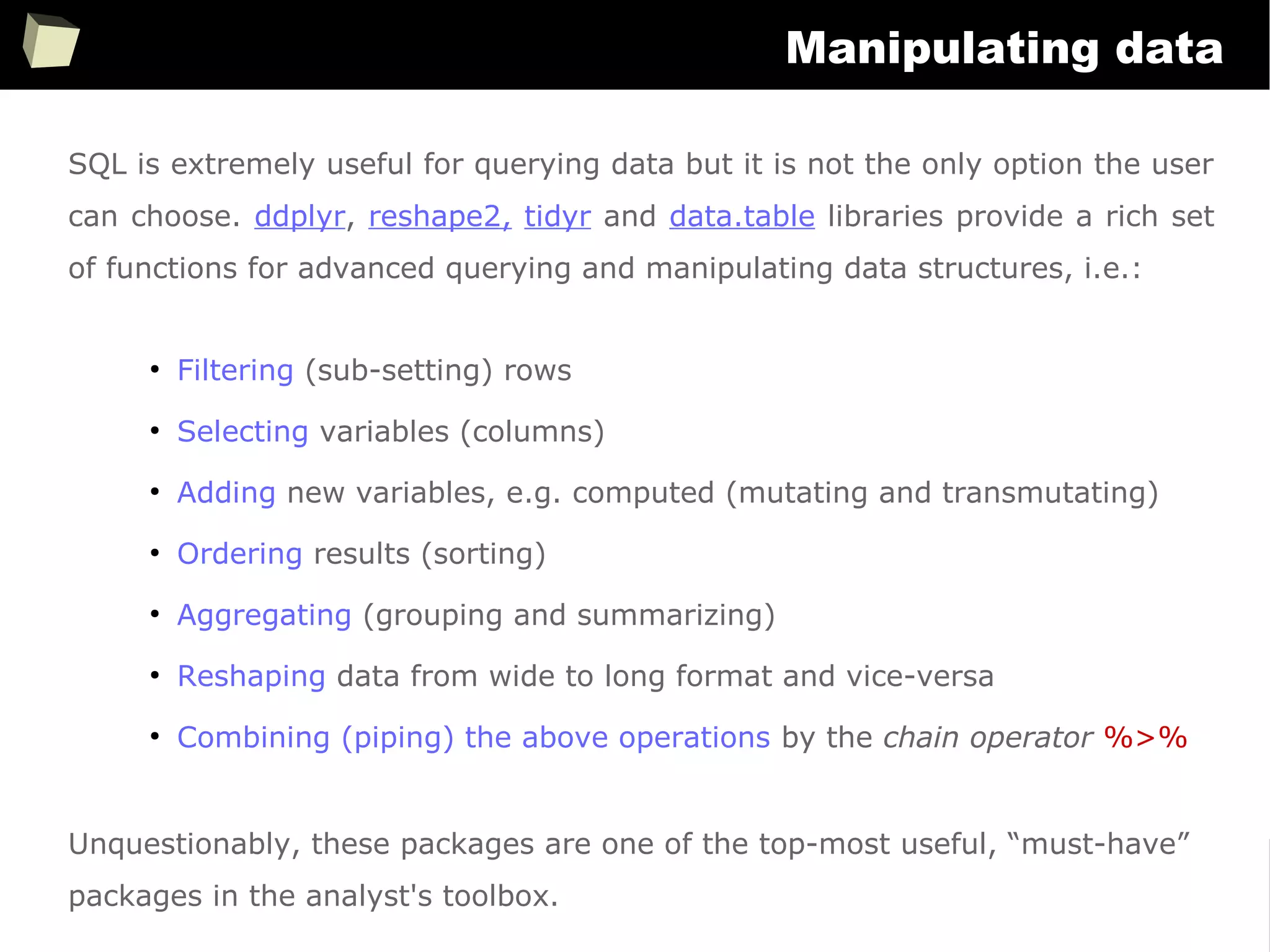
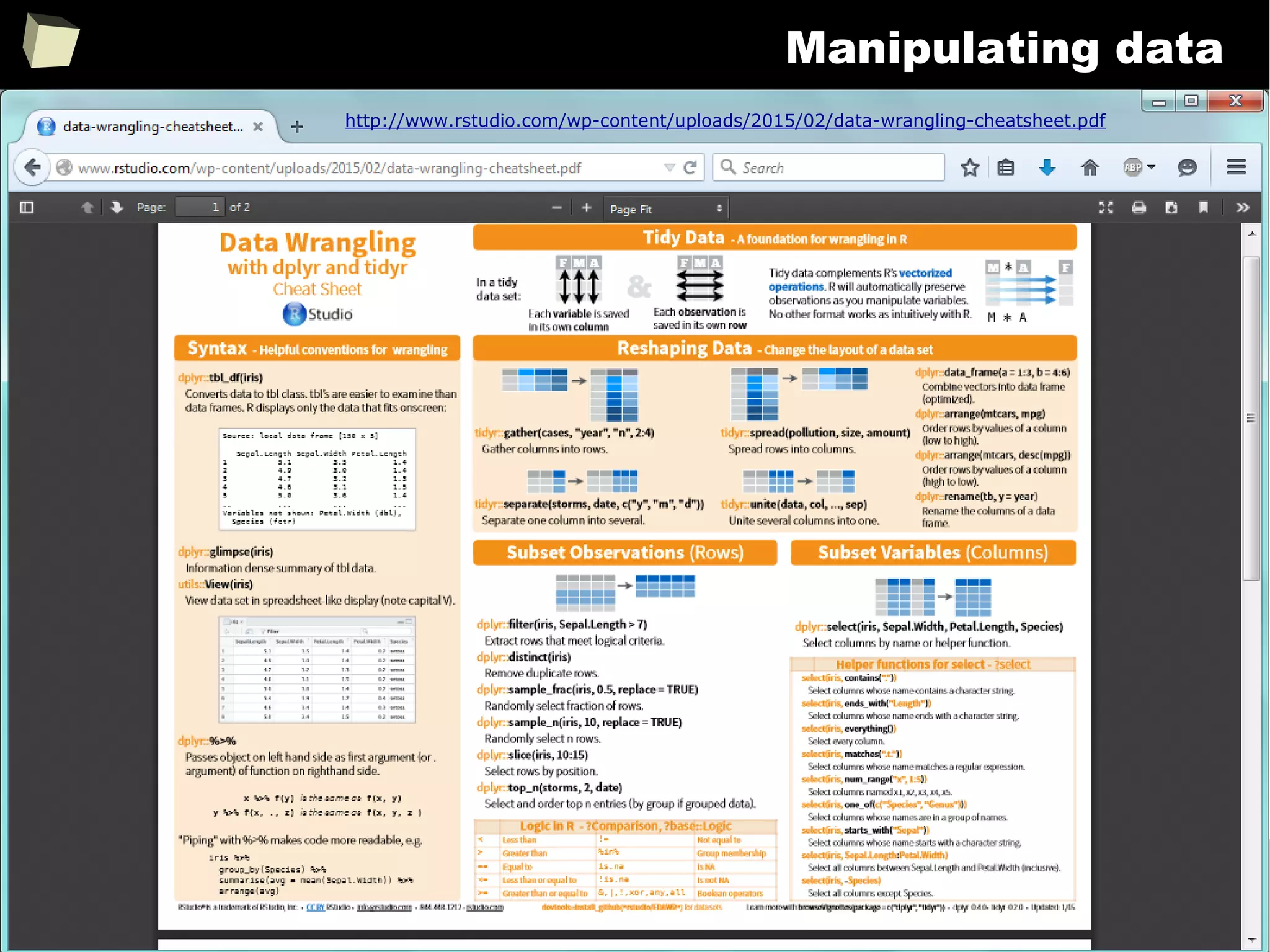
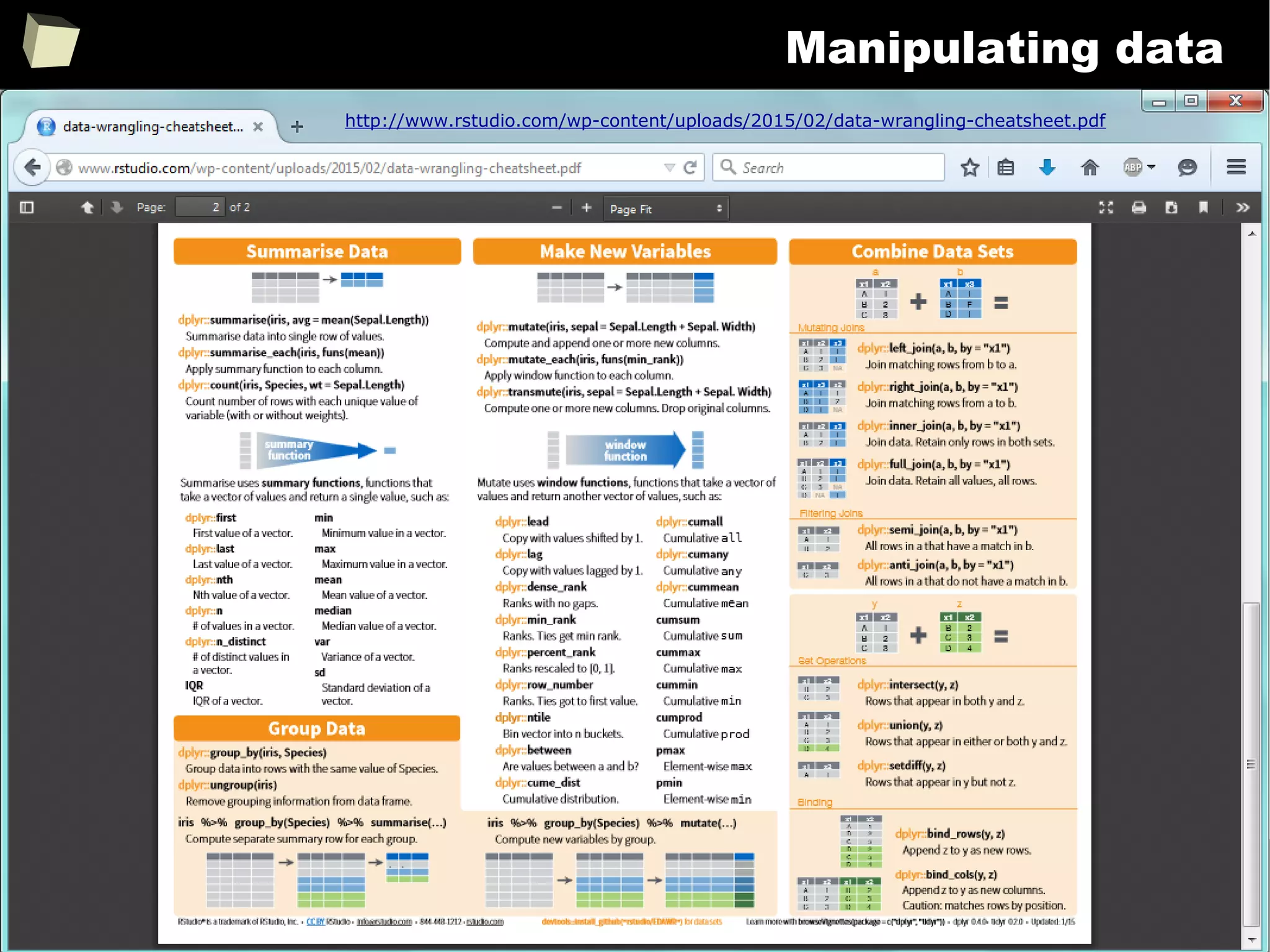
SQL is extremely useful for querying data but it is not the only option the user
can choose. ddplyr, reshape2, tidyr and data.table libraries provide a rich set
of functions for advanced querying and manipulating data structures, i.e.:
●
Filtering (sub-setting) rows
●
Selecting variables (columns)
●
Adding new variables, e.g. computed (mutating and transmutating)
●
Ordering results (sorting)
●
Aggregating (grouping and summarizing)
●
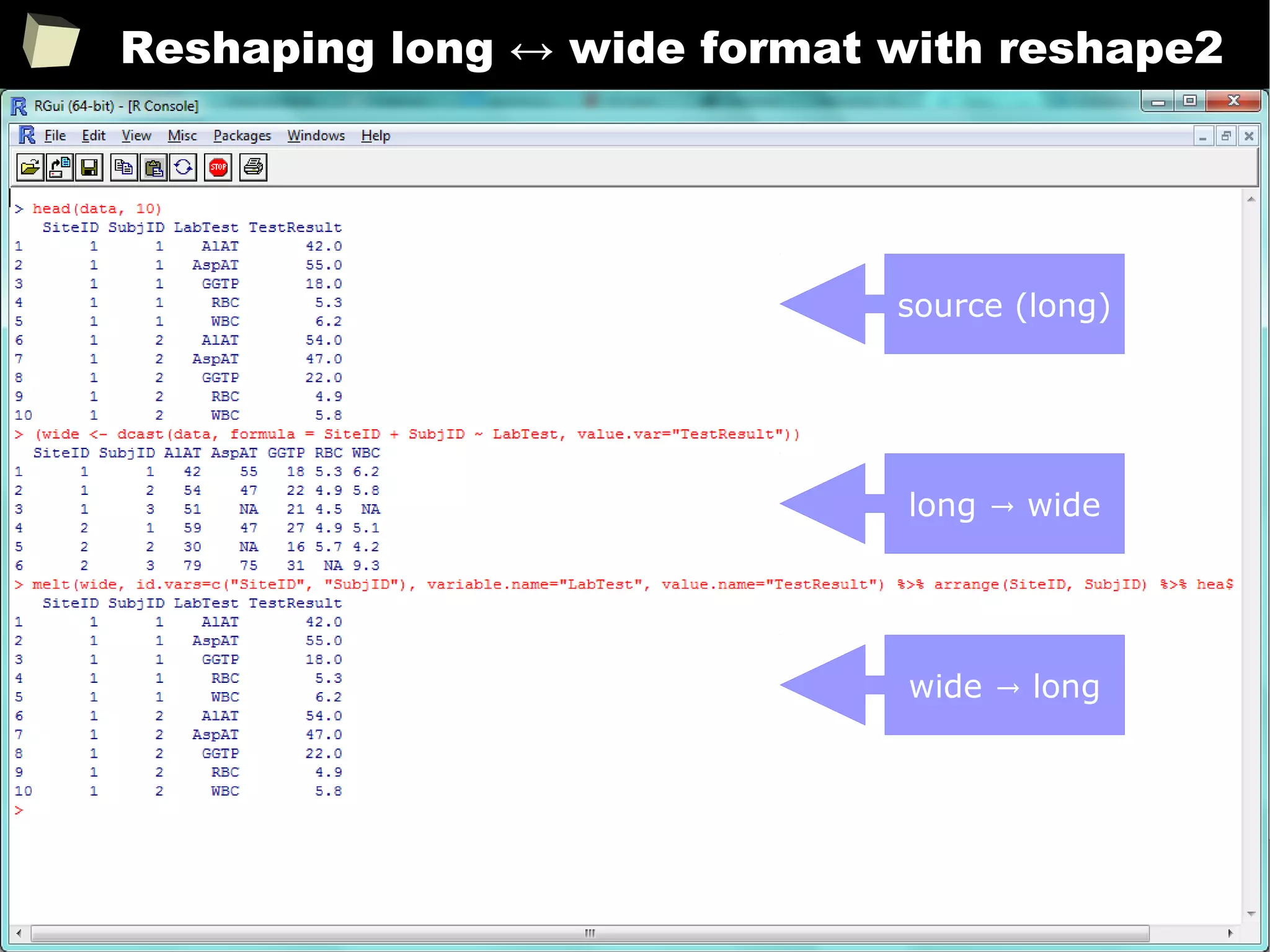
Reshaping data from wide to long format and vice-versa
●
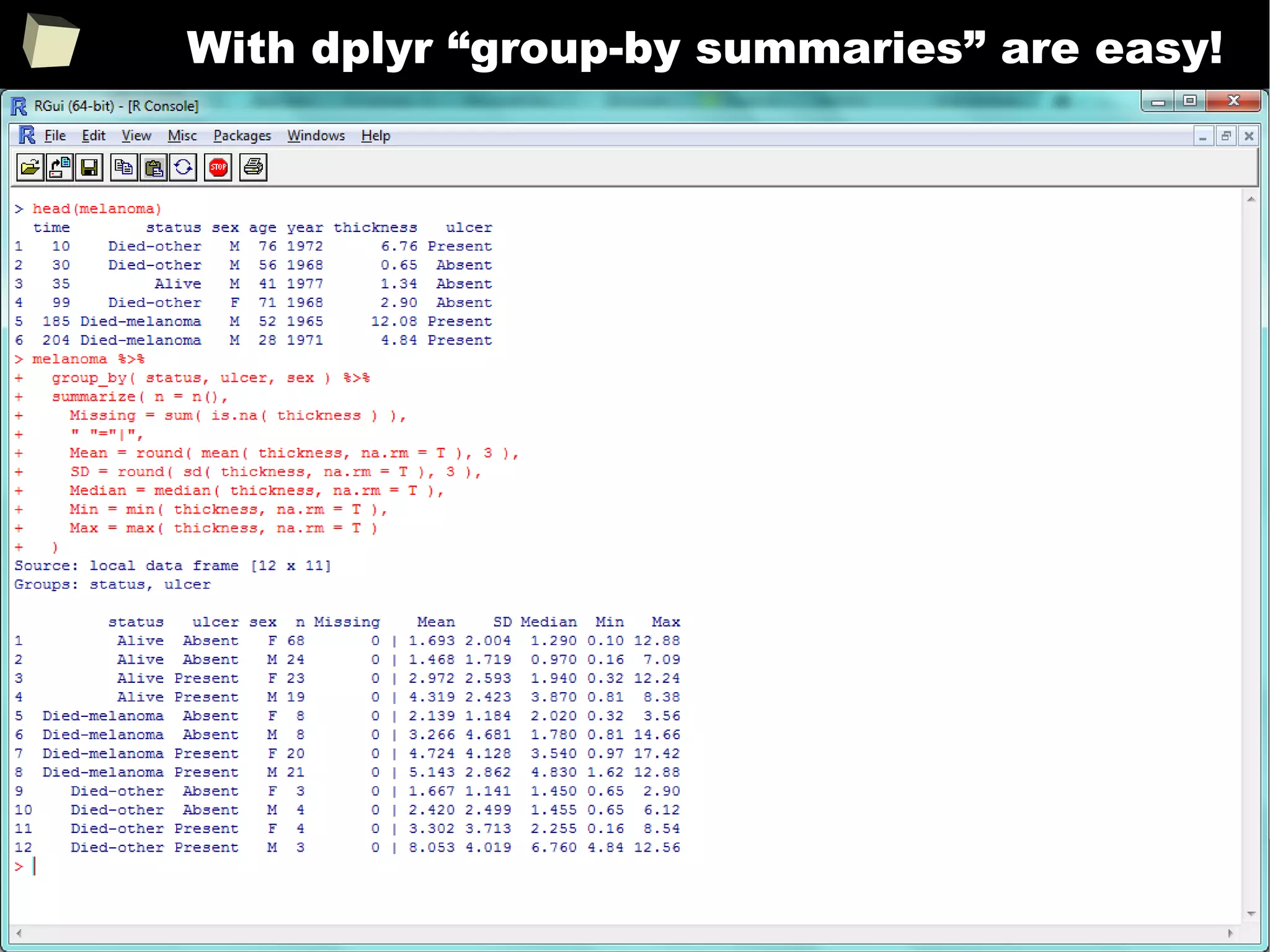
Combining (piping) the above operations by the chain operator %>%
Unquestionably, these packages are one of the top-most useful, “must-have”
packages in the analyst's toolbox.
166
Manipulating data
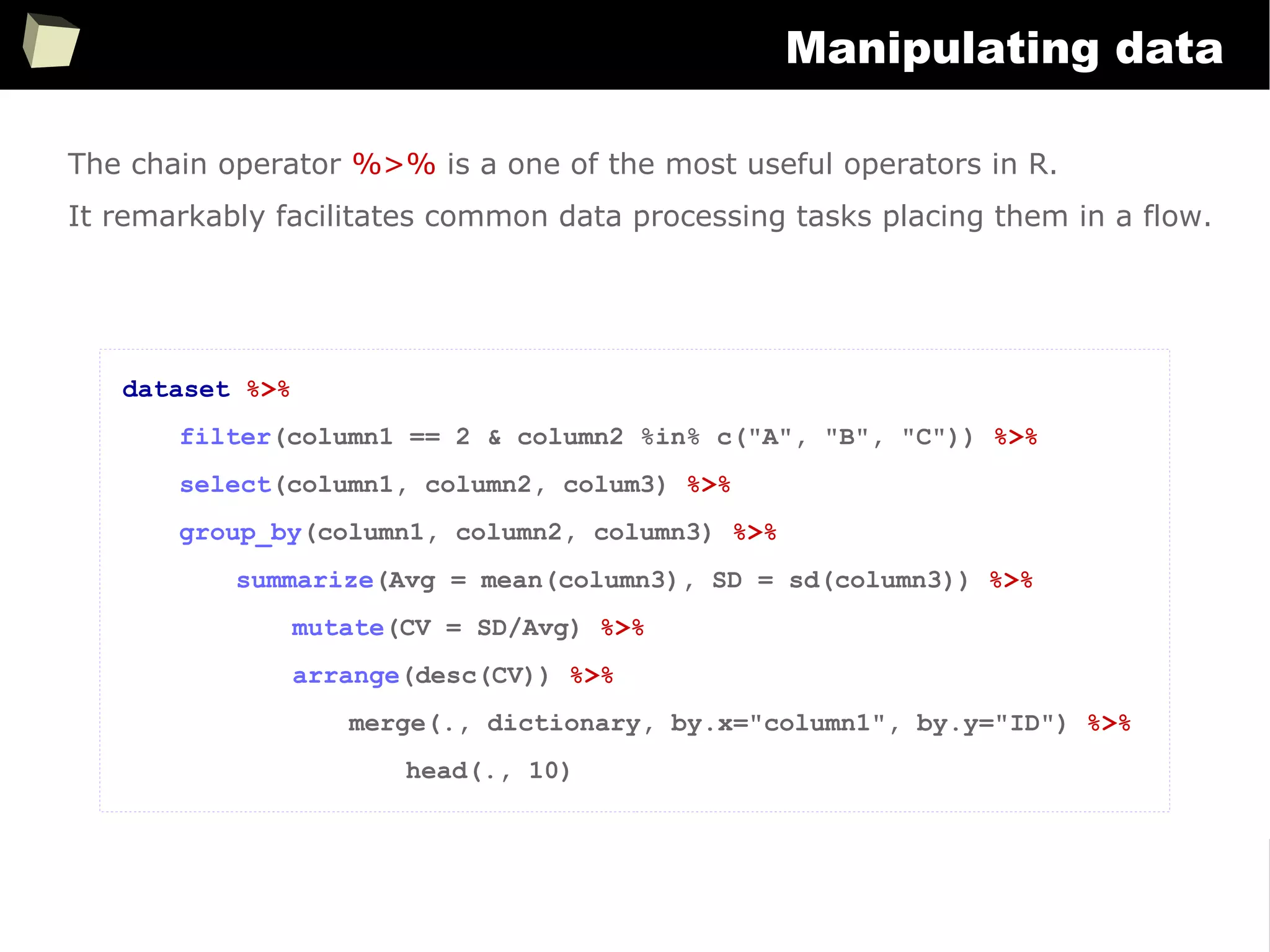
The chain operator %>% is a one of the most useful operators in R.
It remarkably facilitates common data processing tasks placing them in a flow.
dataset %>%
filter(column1 == 2 & column2 %in% c("A", "B", "C")) %>%
select(column1, column2, colum3) %>%
group_by(column1, column2, column3) %>%
summarize(Avg = mean(column3), SD = sd(column3)) %>%
mutate(CV = SD/Avg) %>%
arrange(desc(CV)) %>%
merge(., dictionary, by.x="column1", by.y="ID") %>%
head(., 10)
167
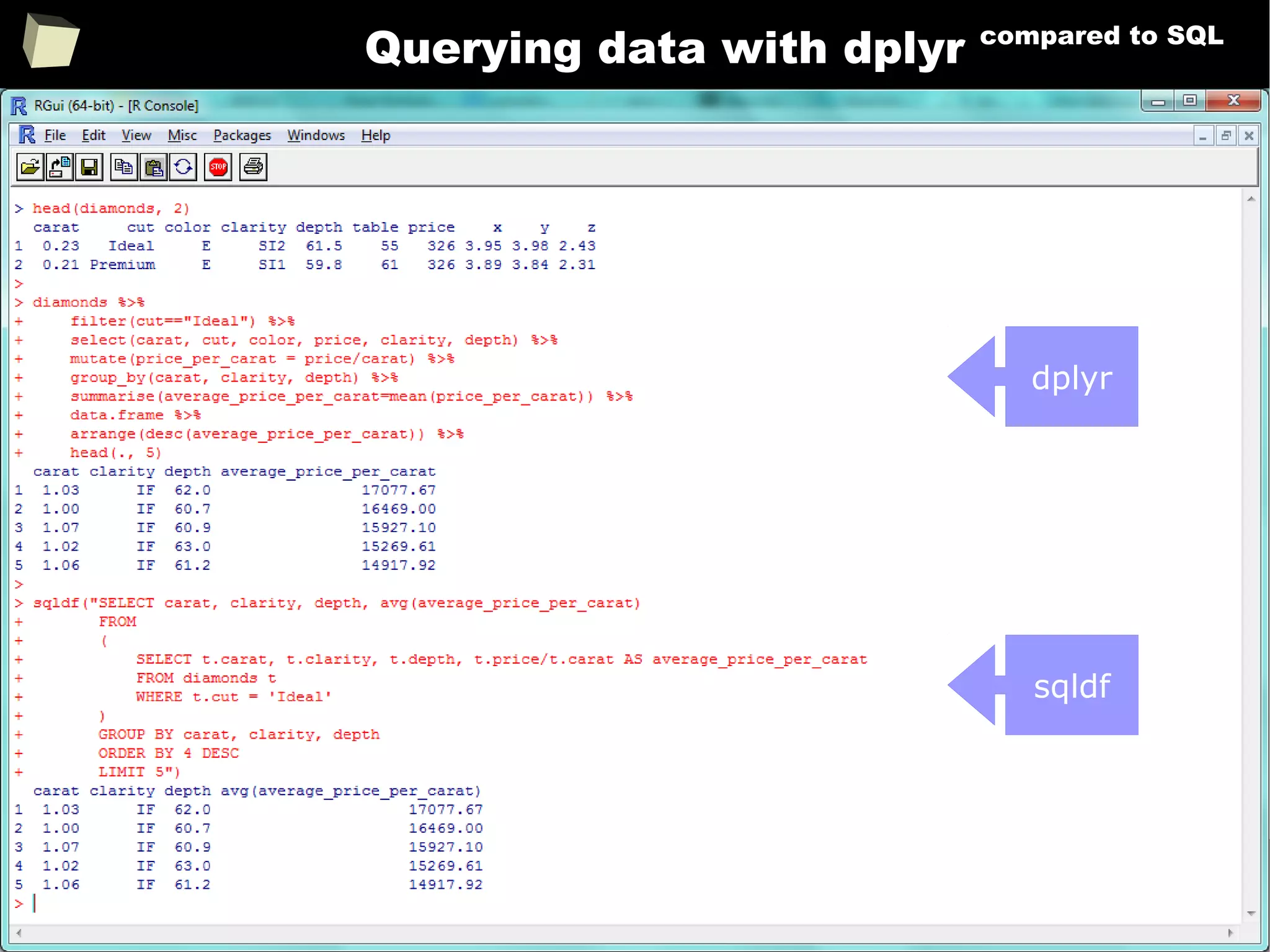
Querying data with dplyr compared to SQL
dplyr
sqldf
168
With dplyr “group-by summaries” are easy!
169
Reshaping long ↔ wide format with reshape2
source (long)
long wide→
wide long→
170
Manipulating data
http://www.rstudio.com/wp-content/uploads/2015/02/data-wrangling-cheatsheet.pdf
171
Manipulating data
http://www.rstudio.com/wp-content/uploads/2015/02/data-wrangling-cheatsheet.pdf
172
data.frame → data.table
data.table is a library providing a significant enhancement of the regular R
data.frame. It allows the user to perform really fast (indexing) in-memory
processing of huge volumes of data (>100 GB) with a relatively easy syntax.
It covers the following tasks:
●
filtering rows and selecting columns
●
adding and deleting (mutating) columns using no intermediate copies at all
●
joining tables by indexes
●
aggregating (calculations in sub-groups)
●
reading huge CSV files – this is the fastest method currently available in R
●
indexing selected content (set of columns) of a data.table
Data.tables are compatible with data.frames with some exceptions (FAQ 2.17).
173
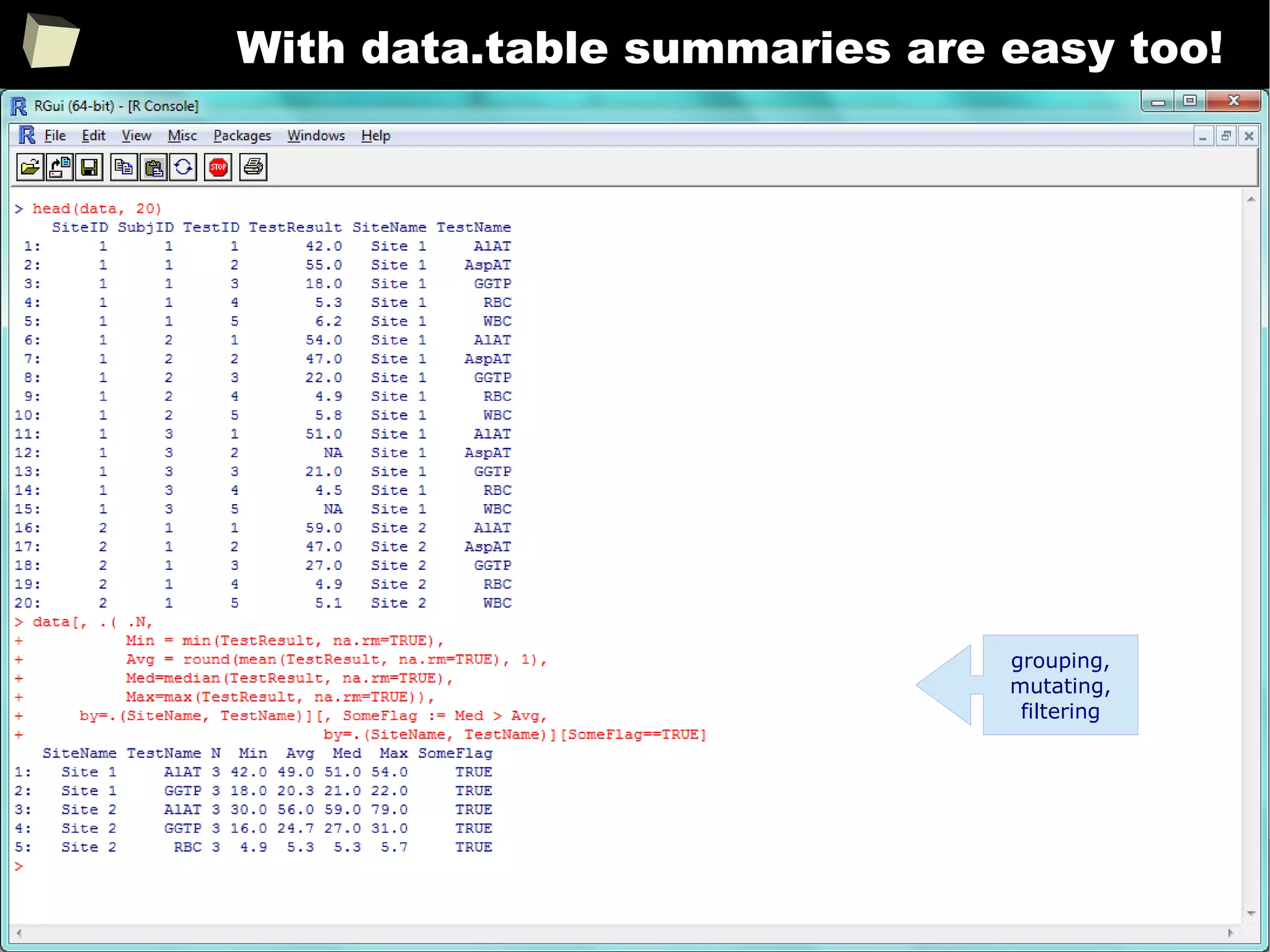
With data.table summaries are easy too!
grouping,
mutating,
filtering
174
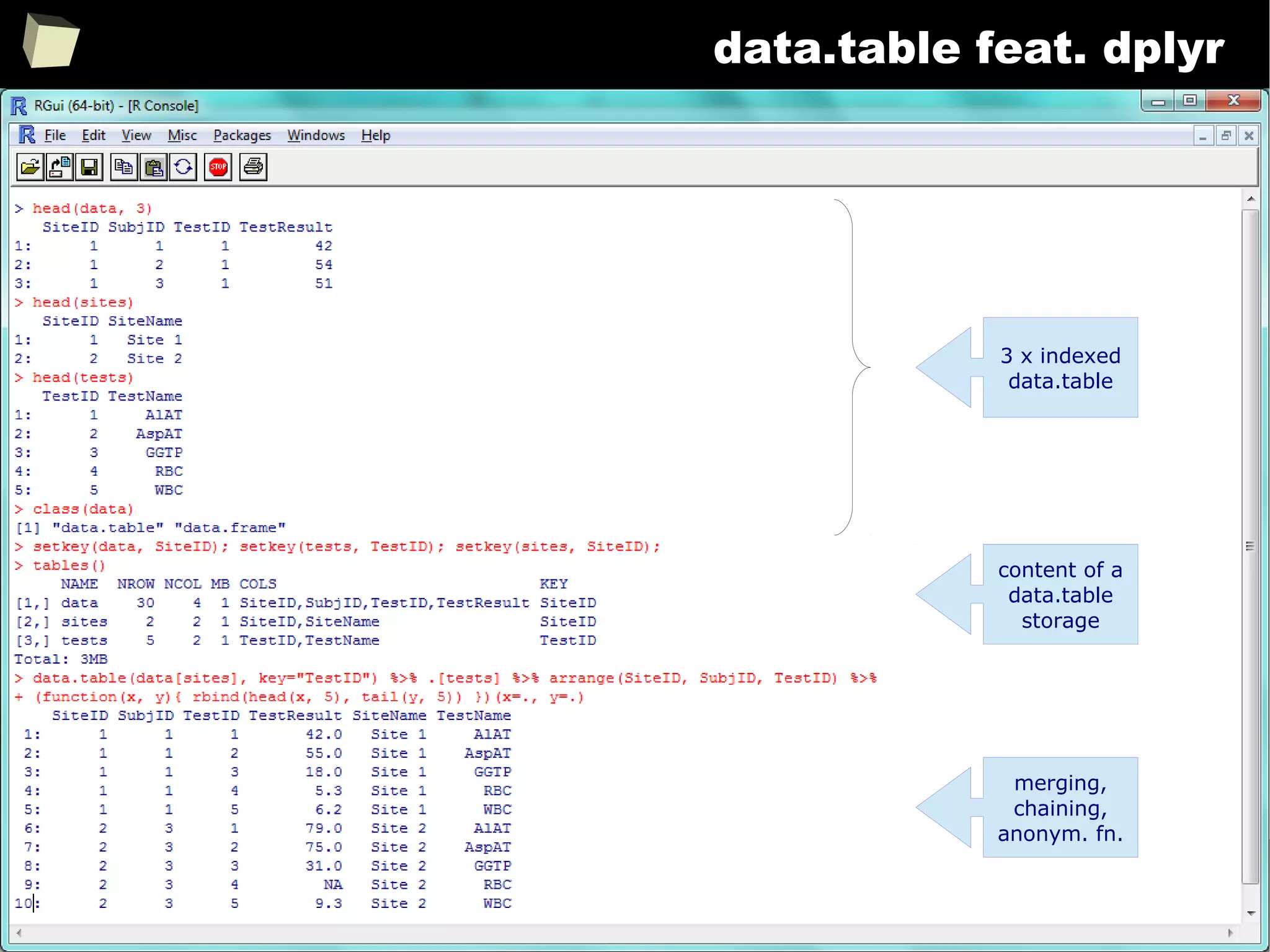
data.table feat. dplyr
3 x indexed
data.table
content of a
data.table
storage
merging,
chaining,
anonym. fn.
175
Manipulating data
Valuable resources:
●
http://seananderson.ca/2013/10/19/reshape.html
●
http://seananderson.ca/2014/09/13/dplyr-intro.html
●
http://www.sharpsightlabs.com/dplyr-intro-data-manipulation-with-r
●
http://cran.rstudio.com/web/packages/dplyr/vignettes/introduction.html
●
http://www.statsblogs.com/2014/02/10/how-dplyr-replaced-my-most...
●
http://www.cookbookr.com/Manipulating_data/Converting_data_between...
●
http://datatable.r-forge.r-project.org/datatable-faq.pdf
●
http://s3.amazonaws.com/assets.datacamp.com/img/blog/data+table...
●
http://github.com/Rdatatable/data.table/wiki/Benchmarks-%3A-Grouping
176
13 reasons why you will love GNU R
I R is (extremely) cheap. In fact - it's free :)
II R has (extremely) wide range of capabilities
III R is (widely) supported by the world of science
IV R is supported by the community
V R is (increasingly) supported by the business
VI R is able to read data in many formats
VII Interoperability is easy to achieve
VIII R is truly cross-platform
IX R offers numerous ways of presenting data
X There are many possibilities to optimize the code
XI R is able to handle large amount of data
XII R has a set of fancy tools and IDEs
XII FDA accepted using R for drug trials!
177
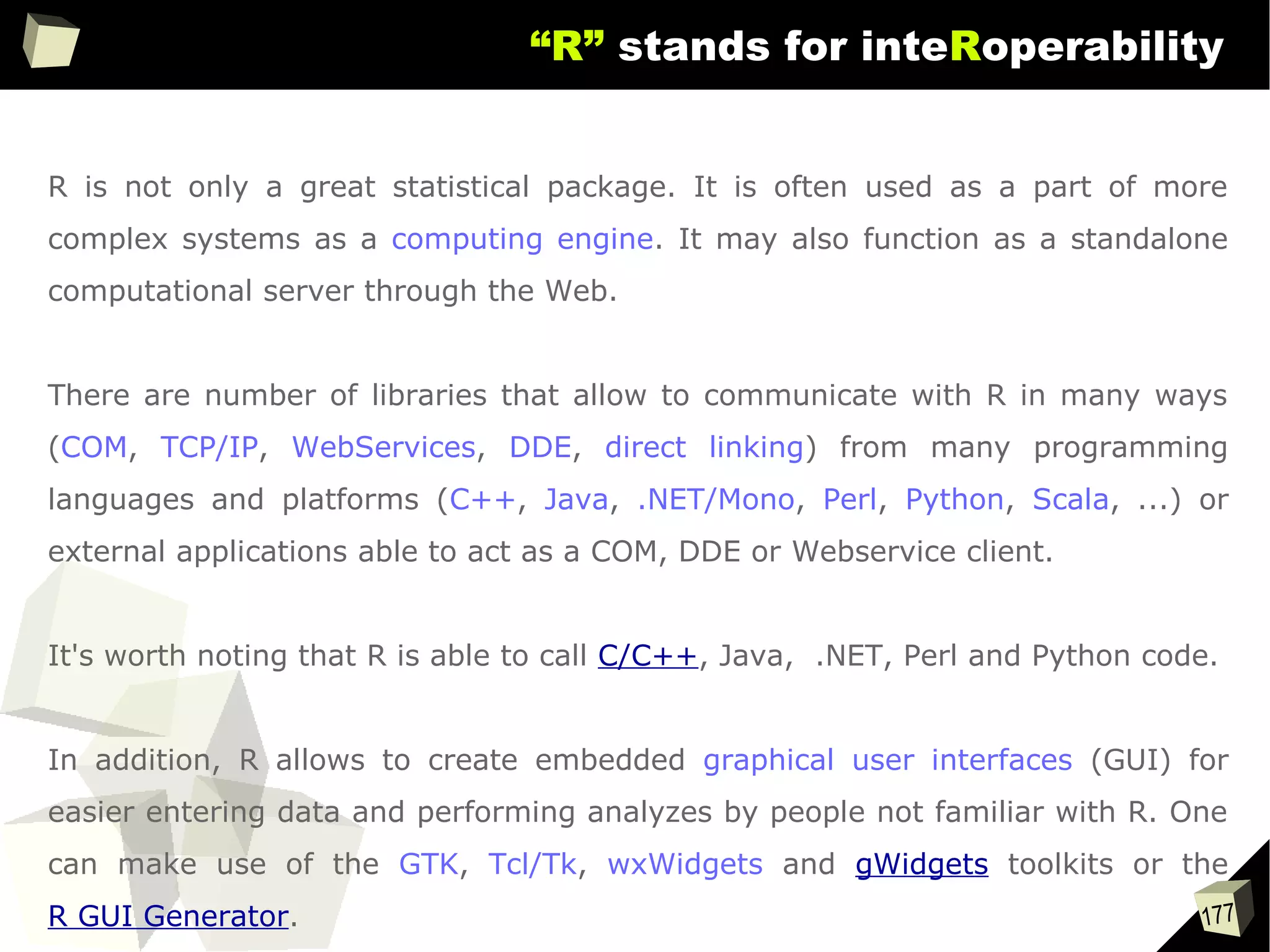
“R” stands for inteRoperability
R is not only a great statistical package. It is often used as a part of more
complex systems as a computing engine. It may also function as a standalone
computational server through the Web.
There are number of libraries that allow to communicate with R in many ways
(COM, TCP/IP, WebServices, DDE, direct linking) from many programming
languages and platforms (C++, Java, .NET/Mono, Perl, Python, Scala, ...) or
external applications able to act as a COM, DDE or Webservice client.
It's worth noting that R is able to call C/C++, Java, .NET, Perl and Python code.
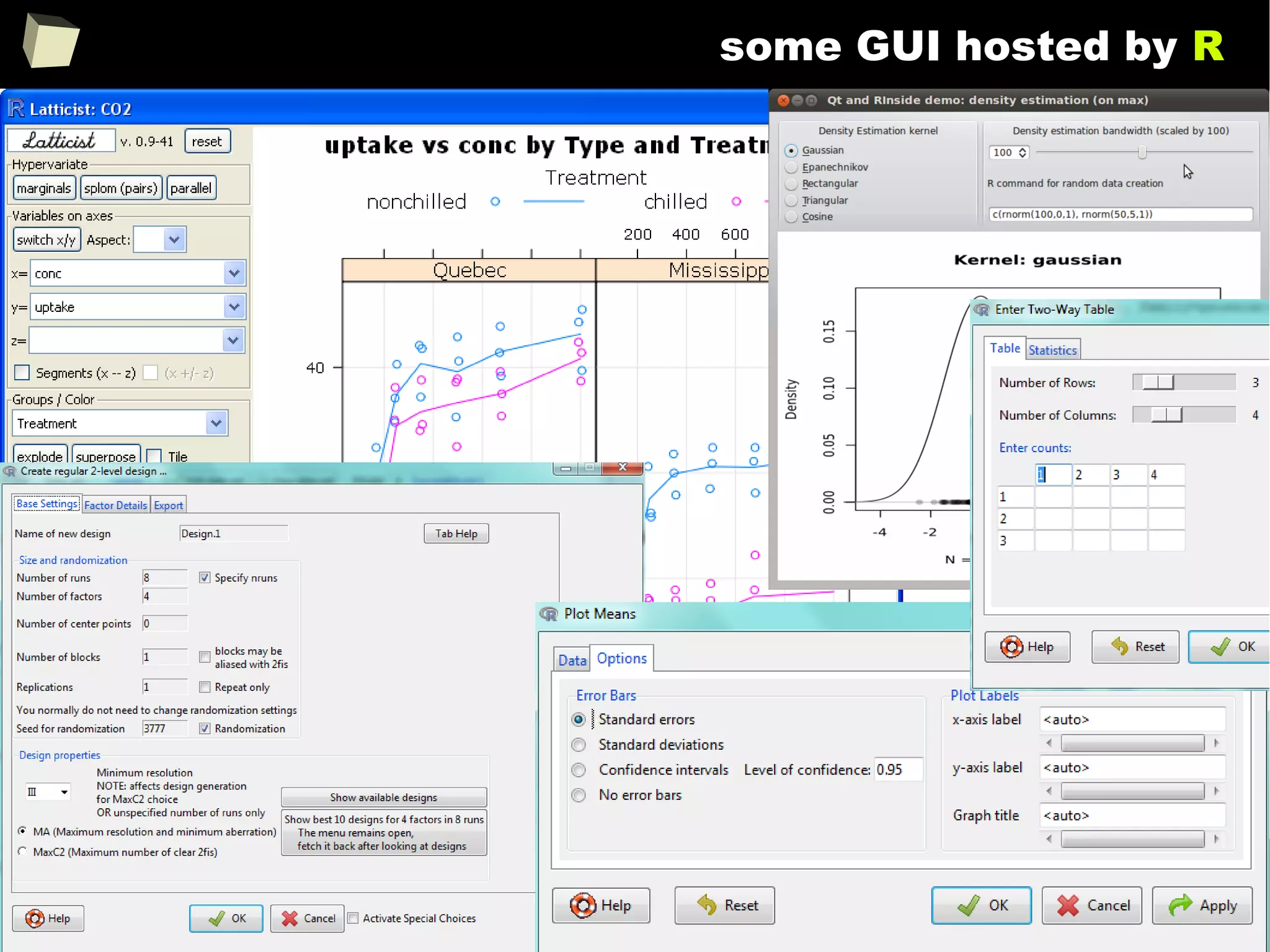
In addition, R allows to create embedded graphical user interfaces (GUI) for
easier entering data and performing analyzes by people not familiar with R. One
can make use of the GTK, Tcl/Tk, wxWidgets and gWidgets toolkits or the
R GUI Generator.
178
“R” stands for inteRoperability
179
...”there are so many ways of speaking”
http://www.goldenline.pl/forum/2478242/nowy-interfejs-r-net/ PL
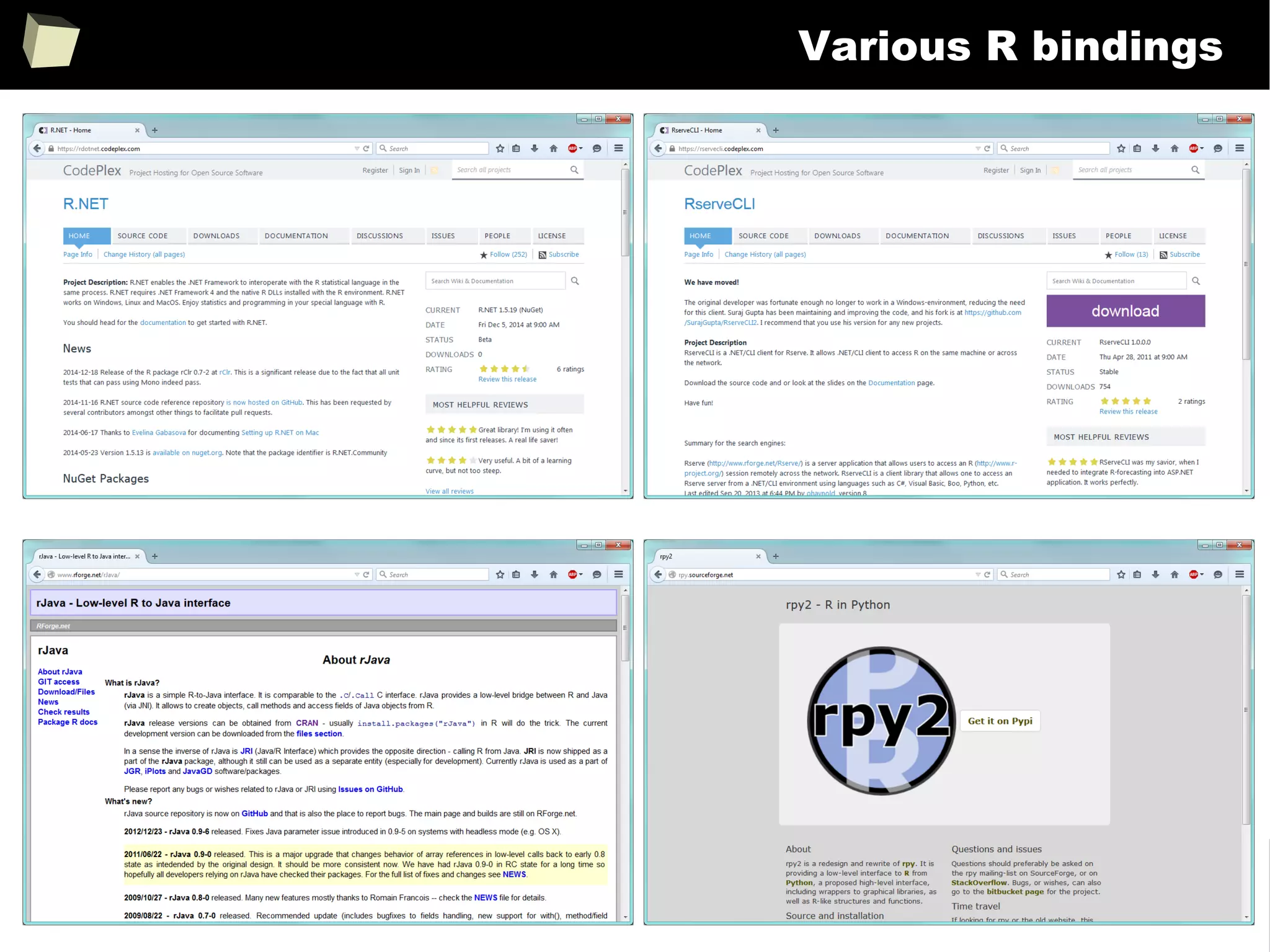
http://www.rforge.net/Rserve http://rdotnet.codeplex.com
http://rcom.univie.ac.athttp://rservecli.codeplex.com http://ndde.codeplex.com
http://www.rforge.net/rJava
http://www.rstudio.com/shiny
http://rpython.r-forge.r-project.org
http://rpy.sourceforge.net http://rclr.codeplex.com
http://www.omegahat.org/RSPerl
http://dahl.byu.edu/software/jvmr
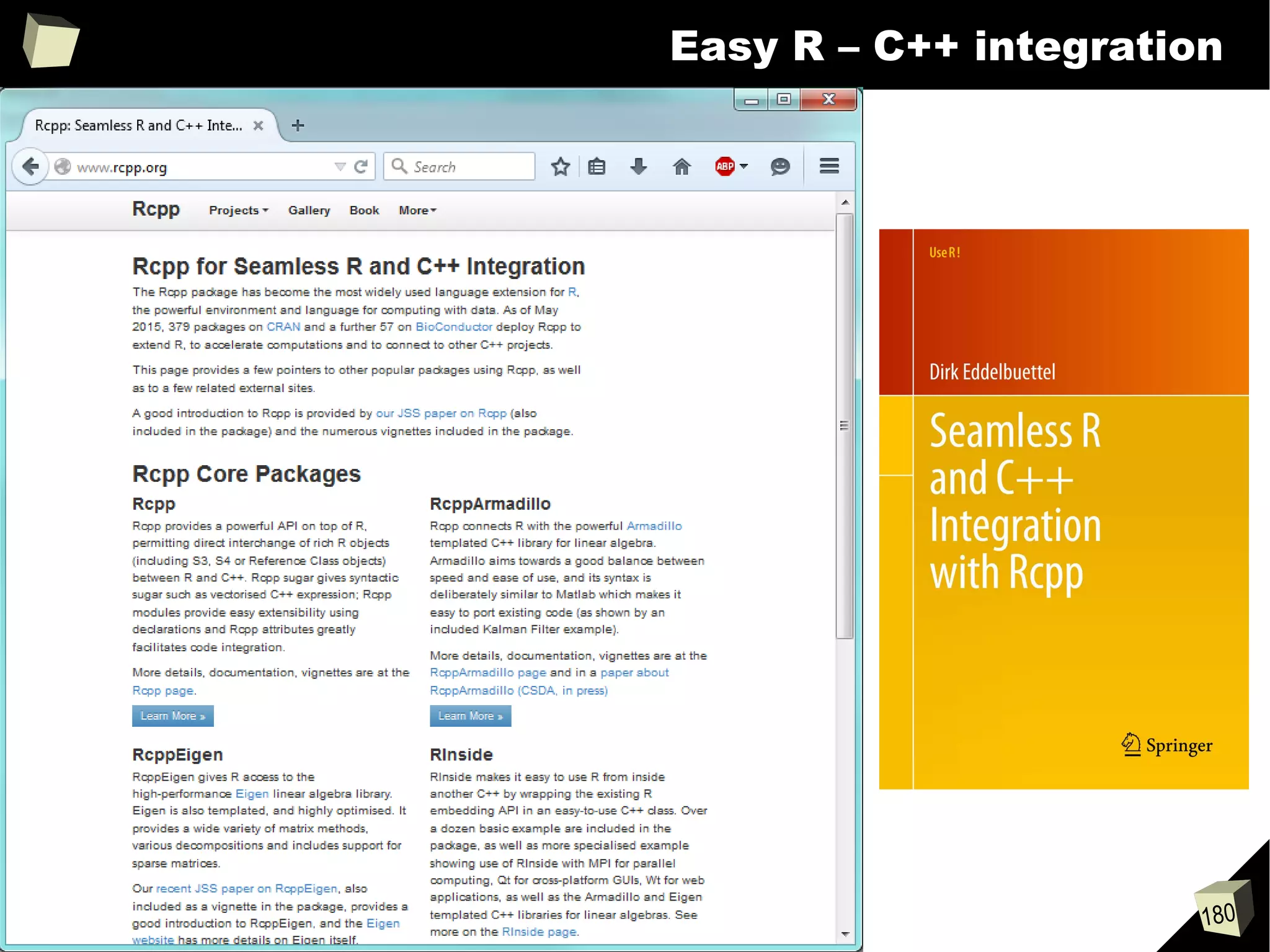
http://www.rcpp.org
●
C++,
●
Python
●
Perl
●
Fortran
●
PHP
●
C#
●
VB.NET
●
F#
●
Java
●
Scala
Calling R
with a script
name as
parameter
Embedded,
dialog-based
applications
180
Easy R – C++ integration
181
Various R bindings
182
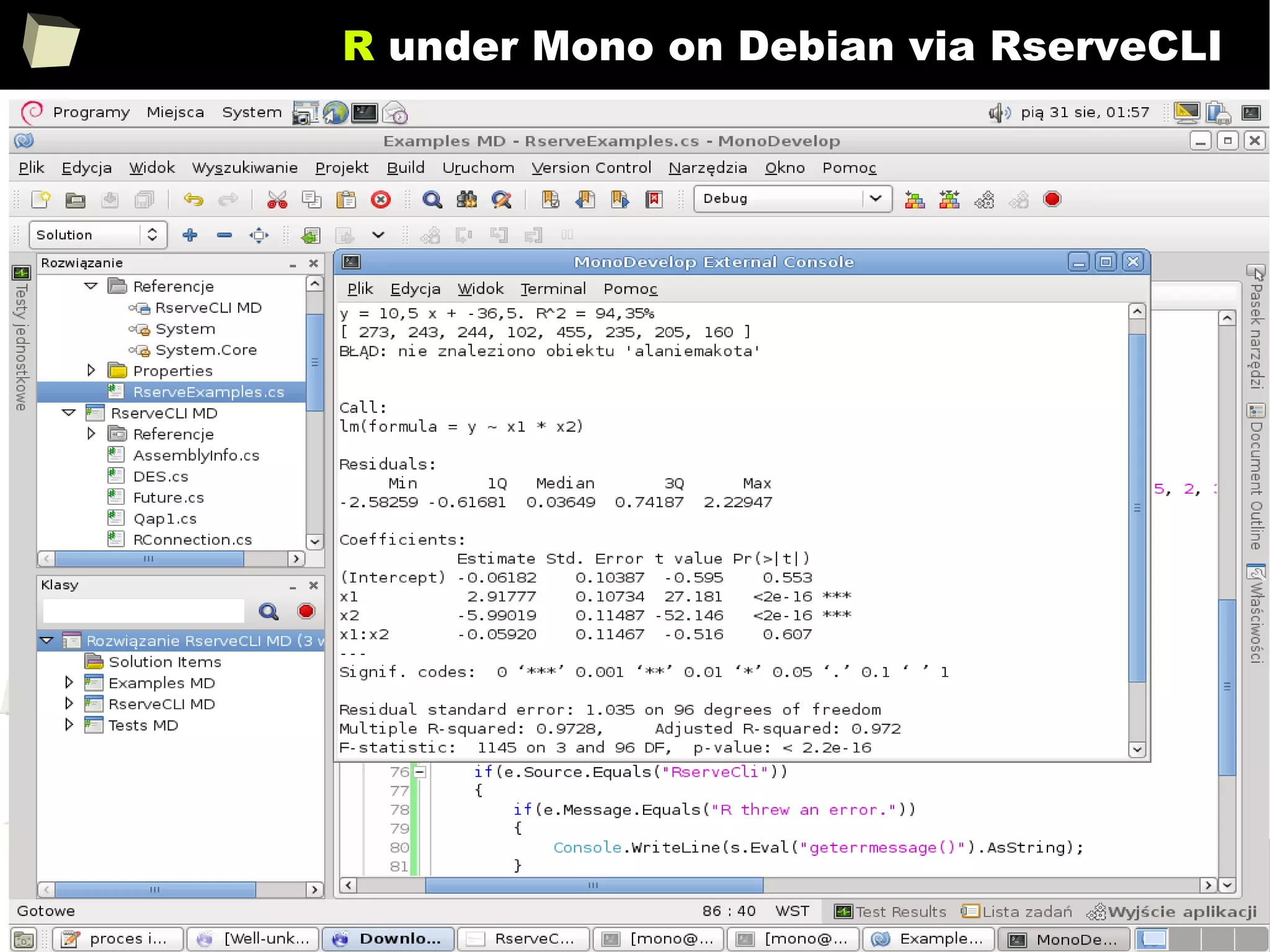
R under Mono on Debian via RserveCLI
183
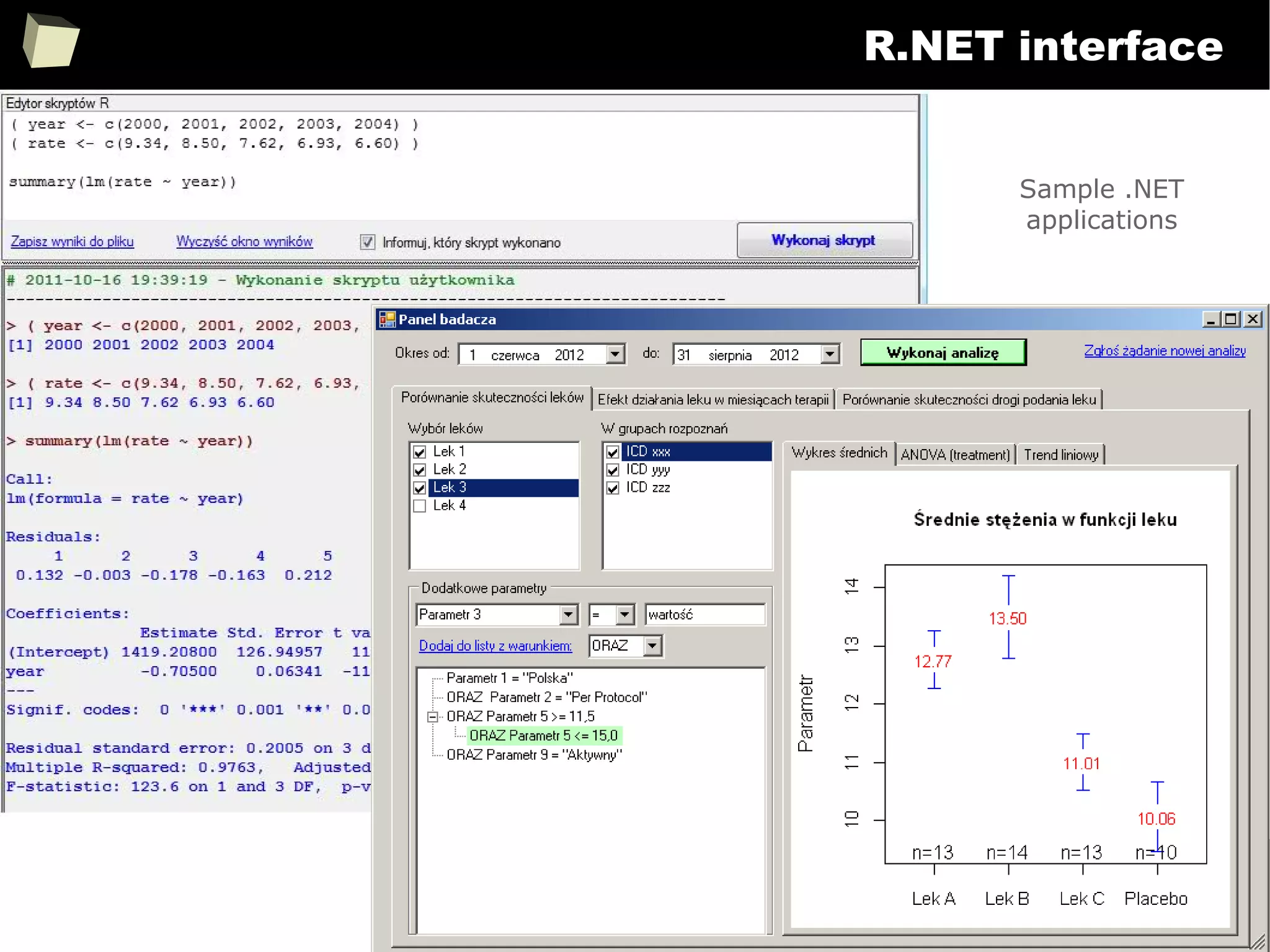
R.NET interface
Sample .NET
applications
184
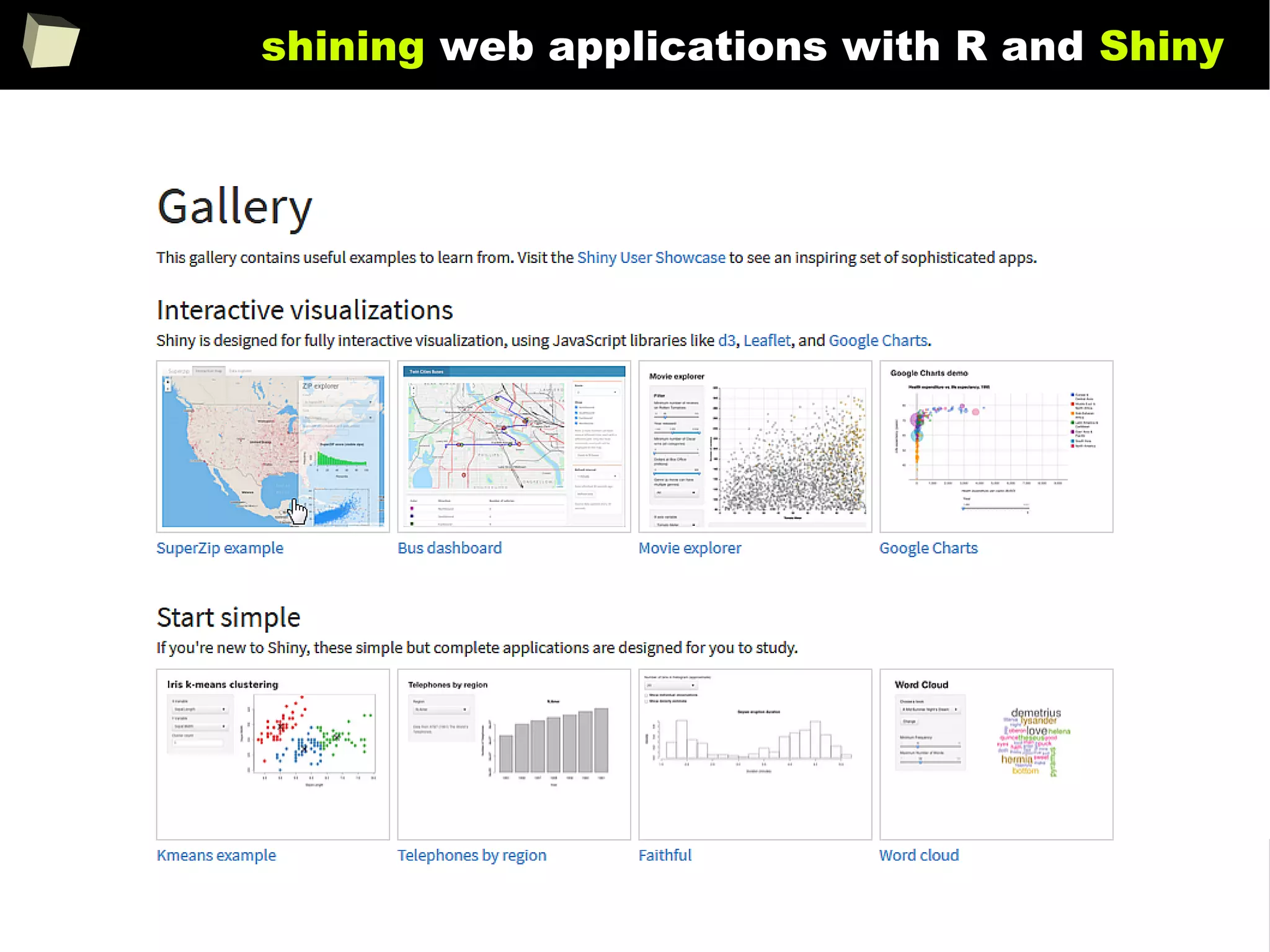
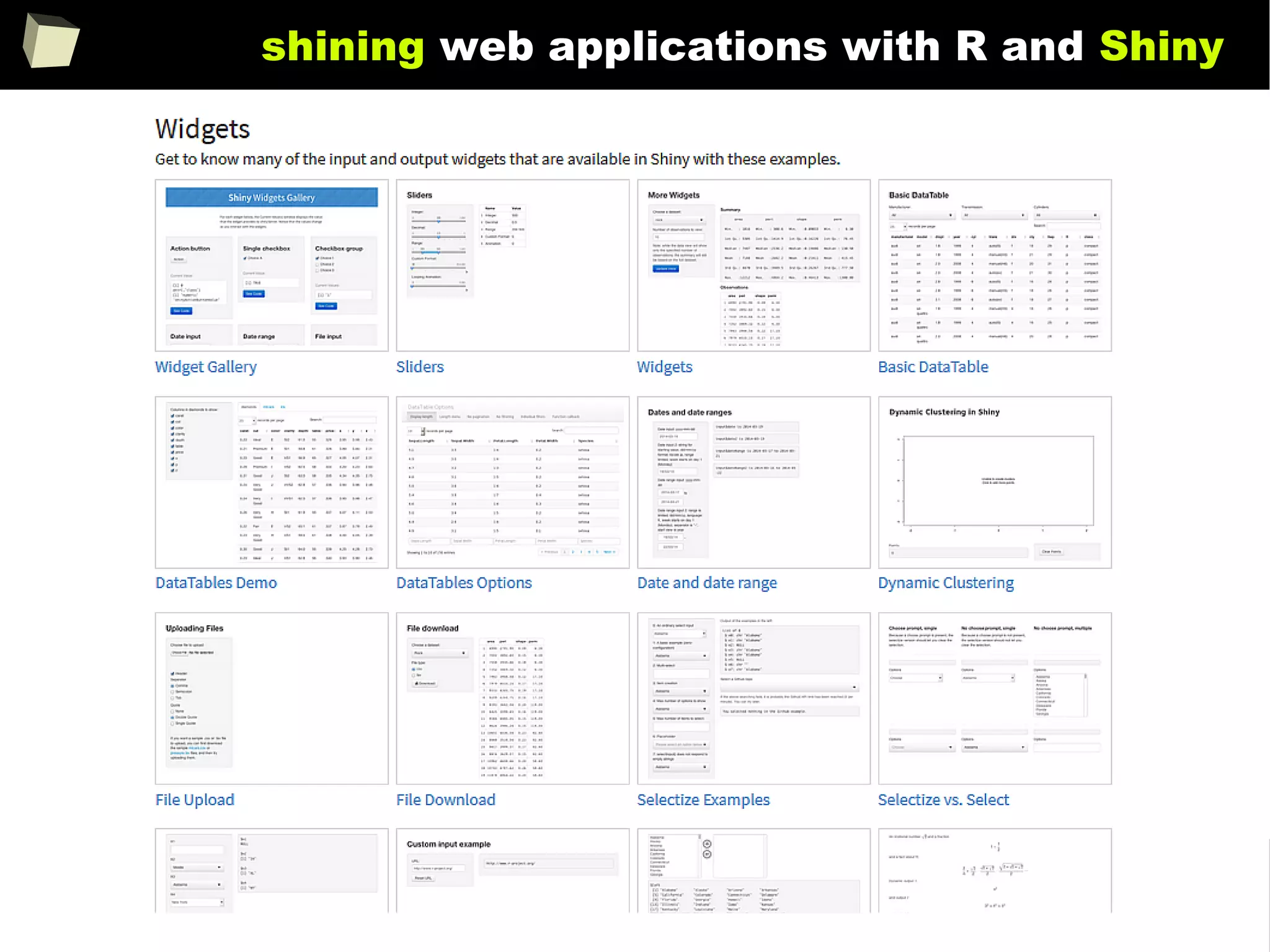
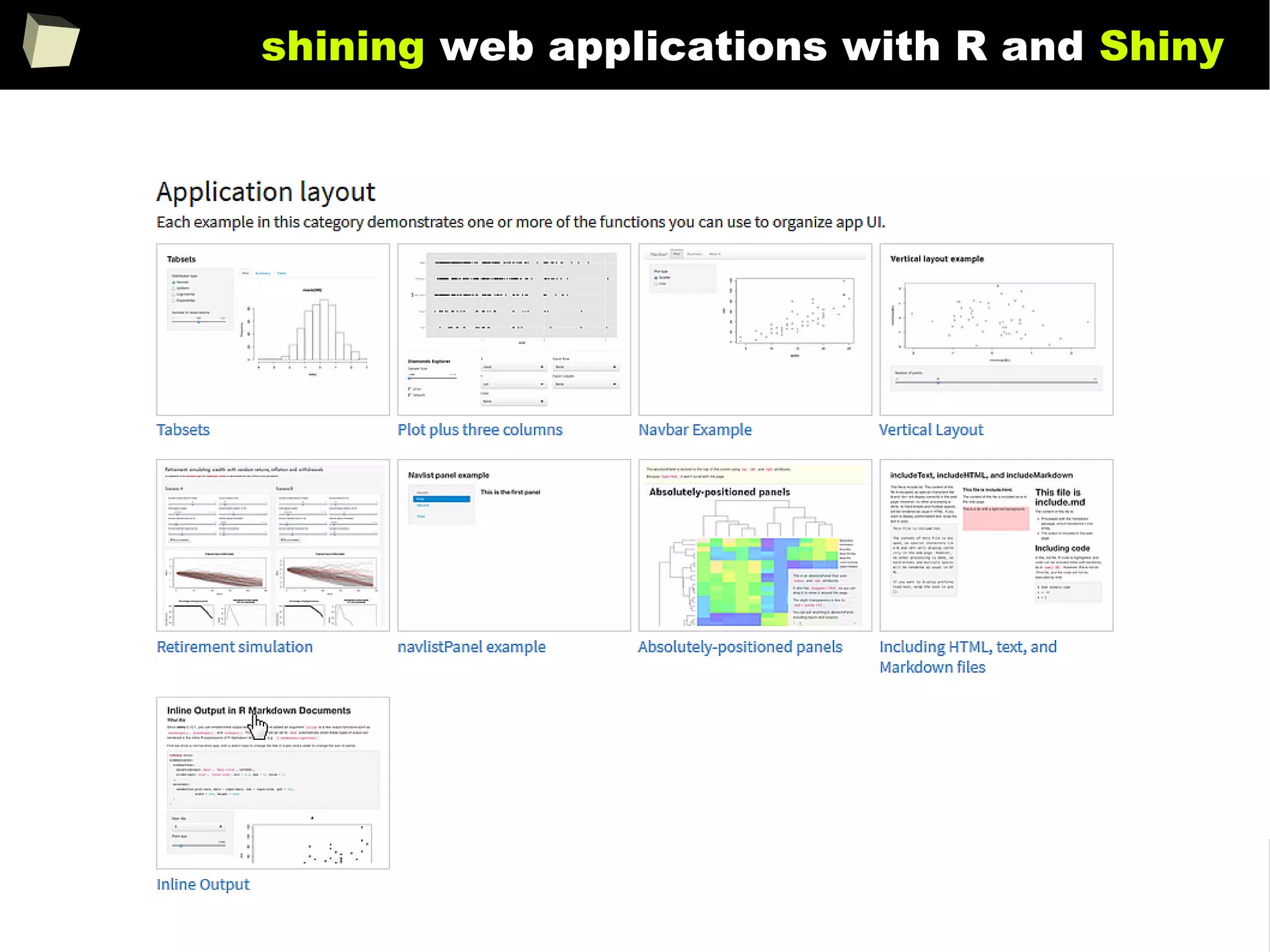
shining web applications with R and Shiny
185
shining web applications with R and Shiny
186
shining web applications with R and Shiny
187
shining web applications with R and Shiny
188
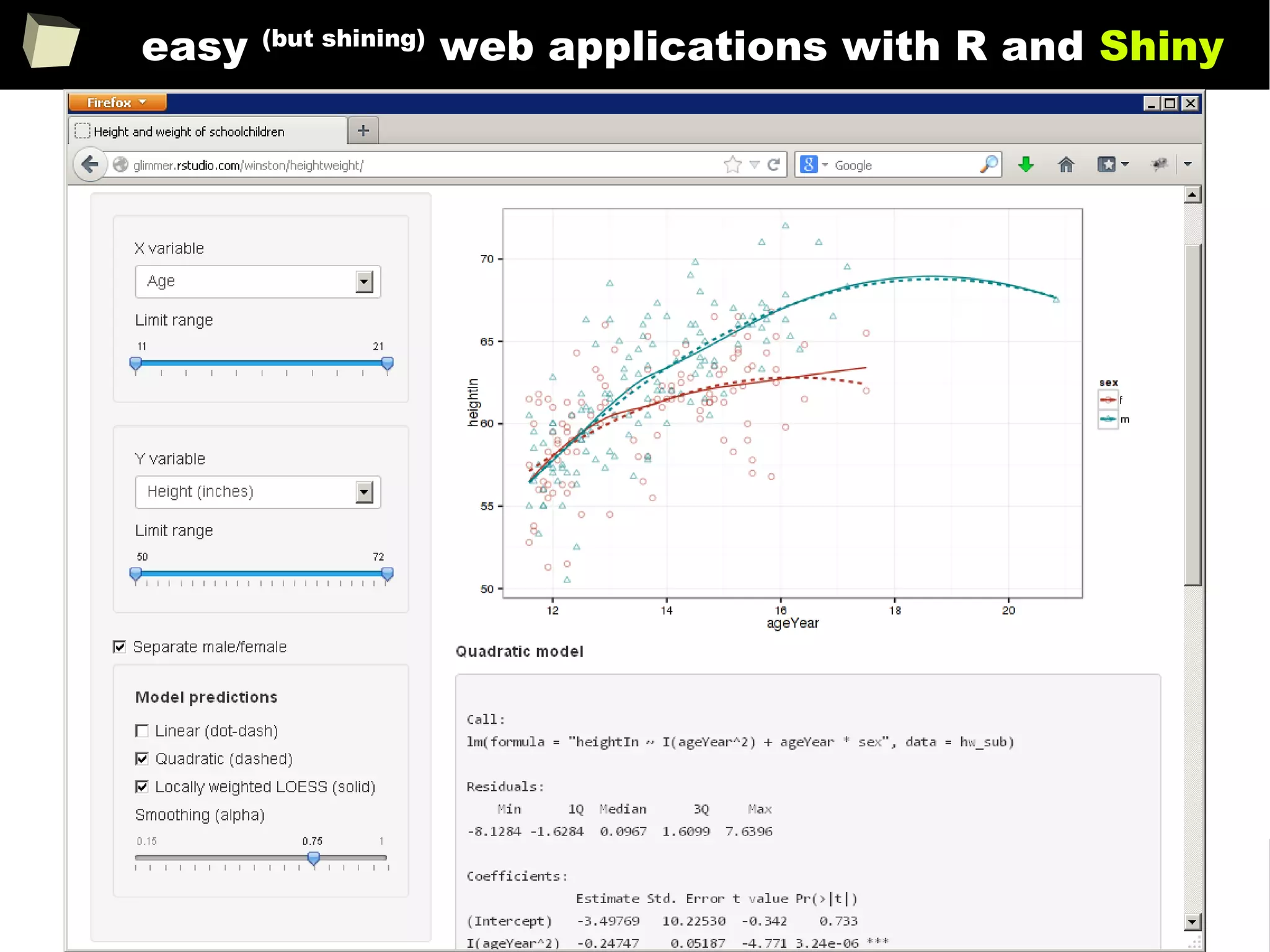
easy (but shining)
web applications with R and Shiny
189
some GUI hosted by R
190
13 reasons why you will love GNU R
I R is (extremely) cheap. In fact - it's free :)
II R has (extremely) wide range of capabilities
III R is (widely) supported by the world of science
IV R is supported by the community
V R is (increasingly) supported by the business
VI R is able to read data in many formats
VII Interoperability is easy to achieve
VIII R is truly cross-platform
IX R offers numerous ways of presenting data
X There are many possibilities to optimize the code
XI R is able to handle large amount of data
XII R has a set of fancy tools and IDEs
XII FDA accepted using R for drug trials!
191
R is truly cRoss-platform
R can be run:
●
on many operating systems: Windows (95-8.1), Unix (Solaris, AIX, HP-UX),
Unix-like (GNU/Linux, FreeBSD), OSX and mobile: iOS, Android, Maemo
●
on minicomputers like RaspberryPi (Raspbian OS)
●
without installation, from any storage (USB device, CD/DVD, SD card)portable
– just copy/paste the directory with R. You can have many versions of it.
Those properties make R an ideal base for creating:
●
Handy, self-contained tools used by CRO's Data Management and
Biometrics departments for easy monitoring the quality of collected data.
●
Cheap, easy to deliver and backup (copy/paste) computing environments
/free Linux + R + RStudio + PostgreSQL/MySQL + SVN + TrueCrypt + OpenVPN + VNC + rsync + Apache /
●
Independent computing units based on simplified minicomputers.
192
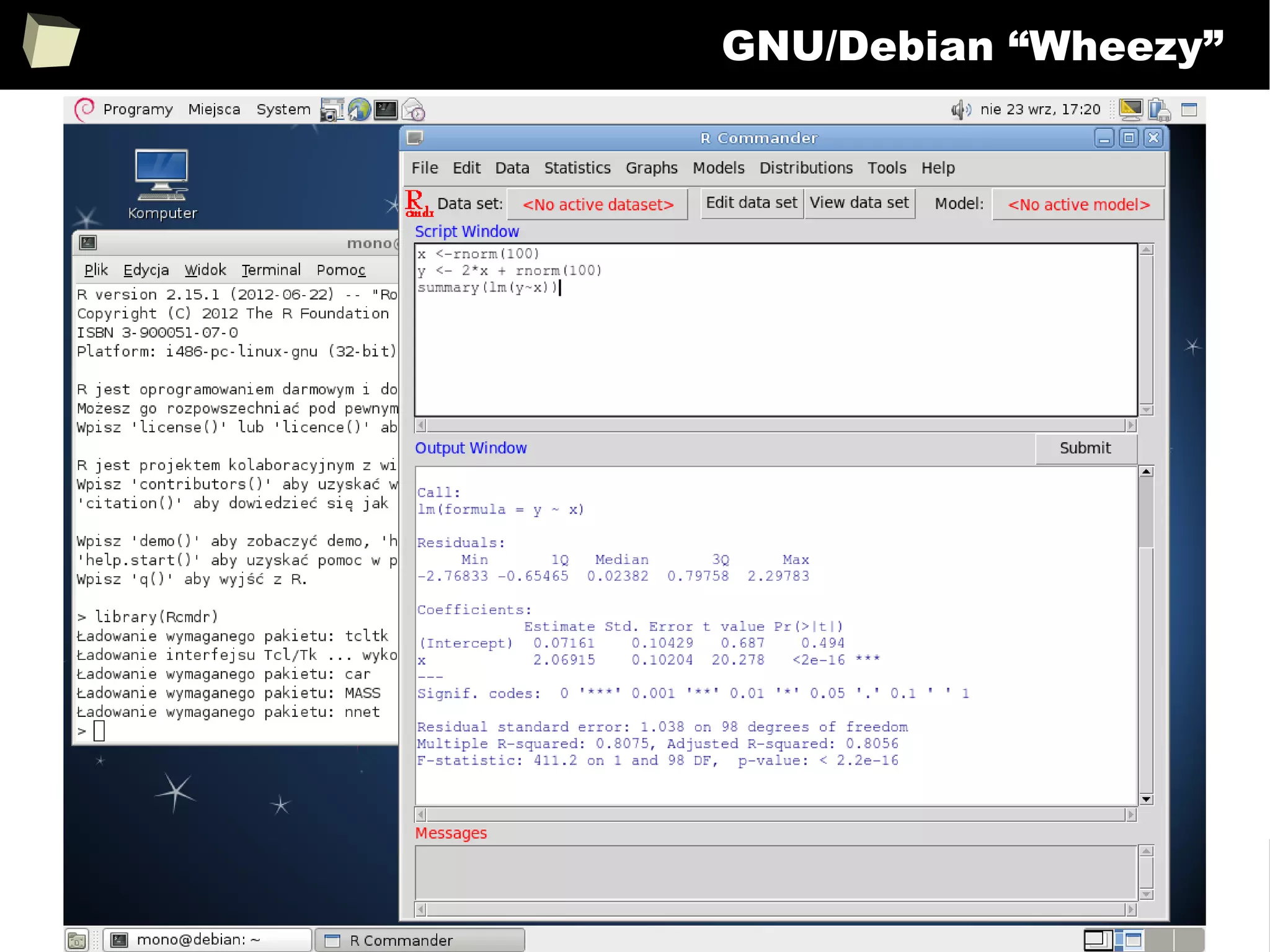
GNU/Debian “Wheezy”
193
R and fRiends on Debian “Stretch”
194
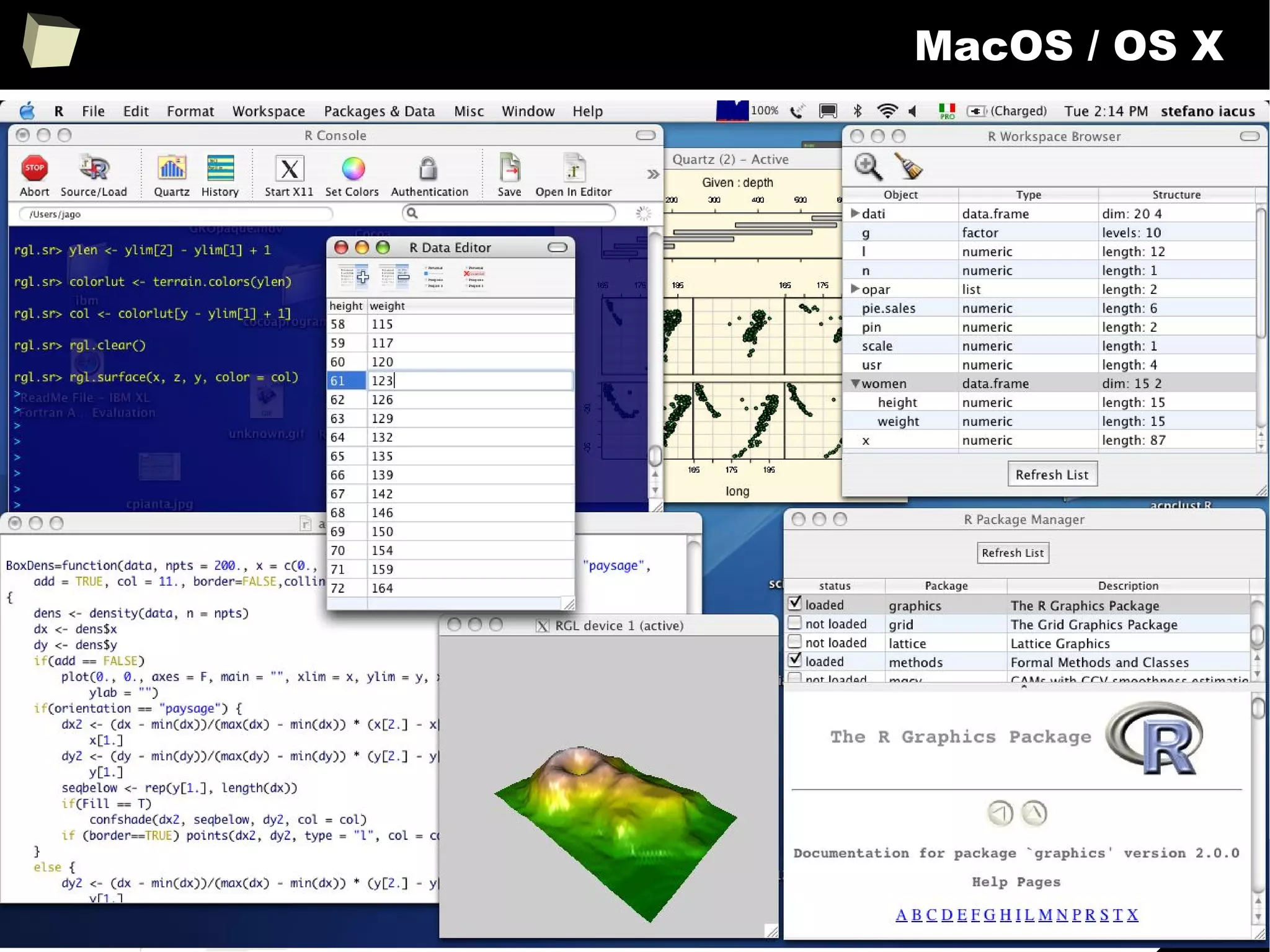
MacOS / OS X
195
R on mobile platforms
Maemo (Nokia N900) Android
https://www.flickr.com/photos/n900user/ R Console Premium (Google Play)
Raspberry Pi B+
196
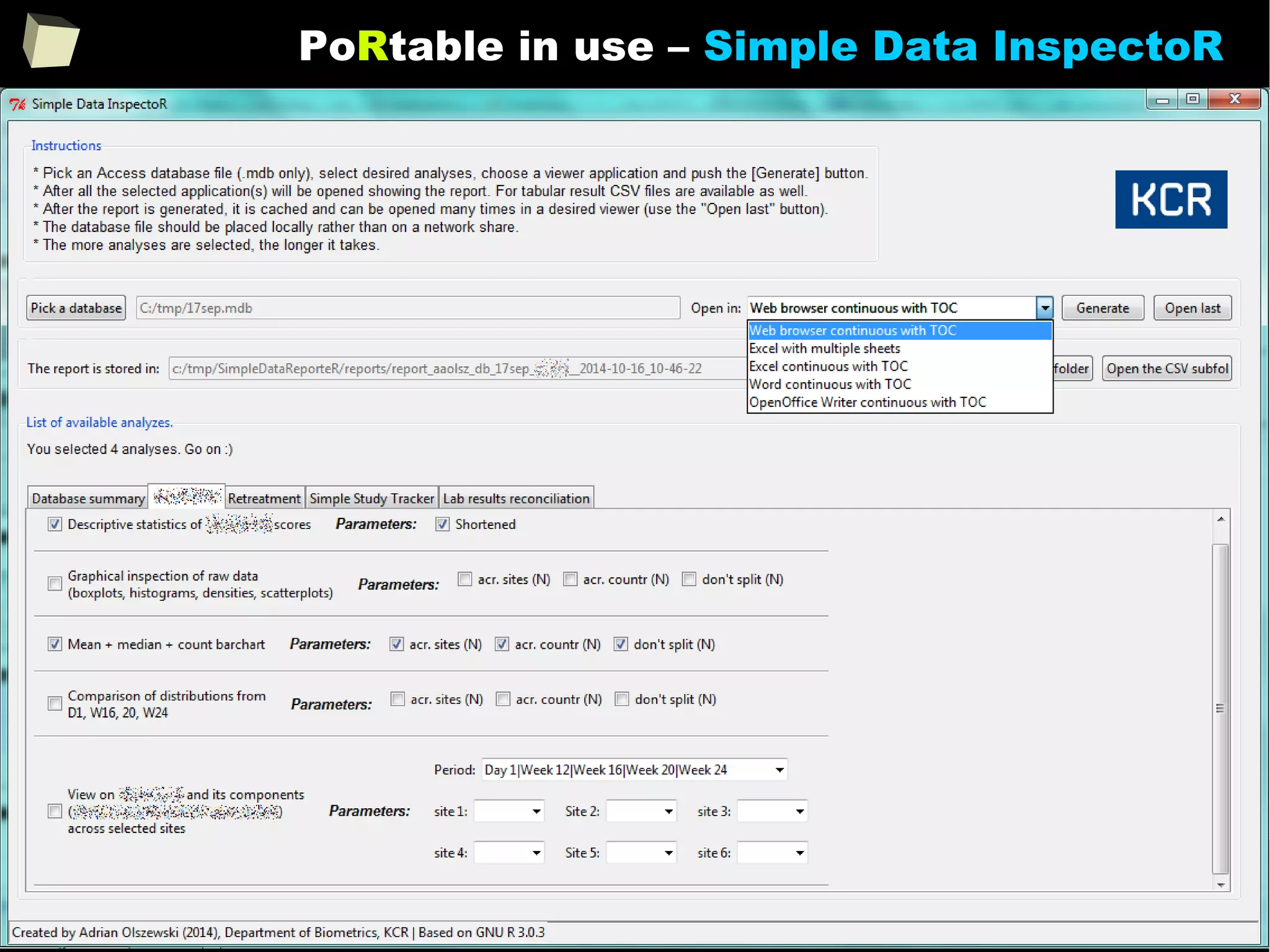
PoRtable R
http://sourceforge.net/projects/rportable/
( also older, 2.11 – 2.15 versions are available! )
197
PoRtable in use – Simple Data InspectoR
198
♫ ...all you need is R ♫
Complete application: ~240MB raw,
~140MB after compression
199
13 reasons why you will love GNU R
I R is (extremely) cheap. In fact - it's free :)
II R has (extremely) wide range of capabilities
III R is (widely) supported by the world of science
IV R is supported by the community
V R is (increasingly) supported by the business
VI R is able to read data in many formats
VII Interoperability is easy to achieve
VIII R is truly cross-platform
IX R offers numerous ways of presenting data
X There are many possibilities to optimize the code
XI R is able to handle large amount of data
XII R has a set of fancy tools and IDEs
XII FDA accepted using R for drug trials!
200
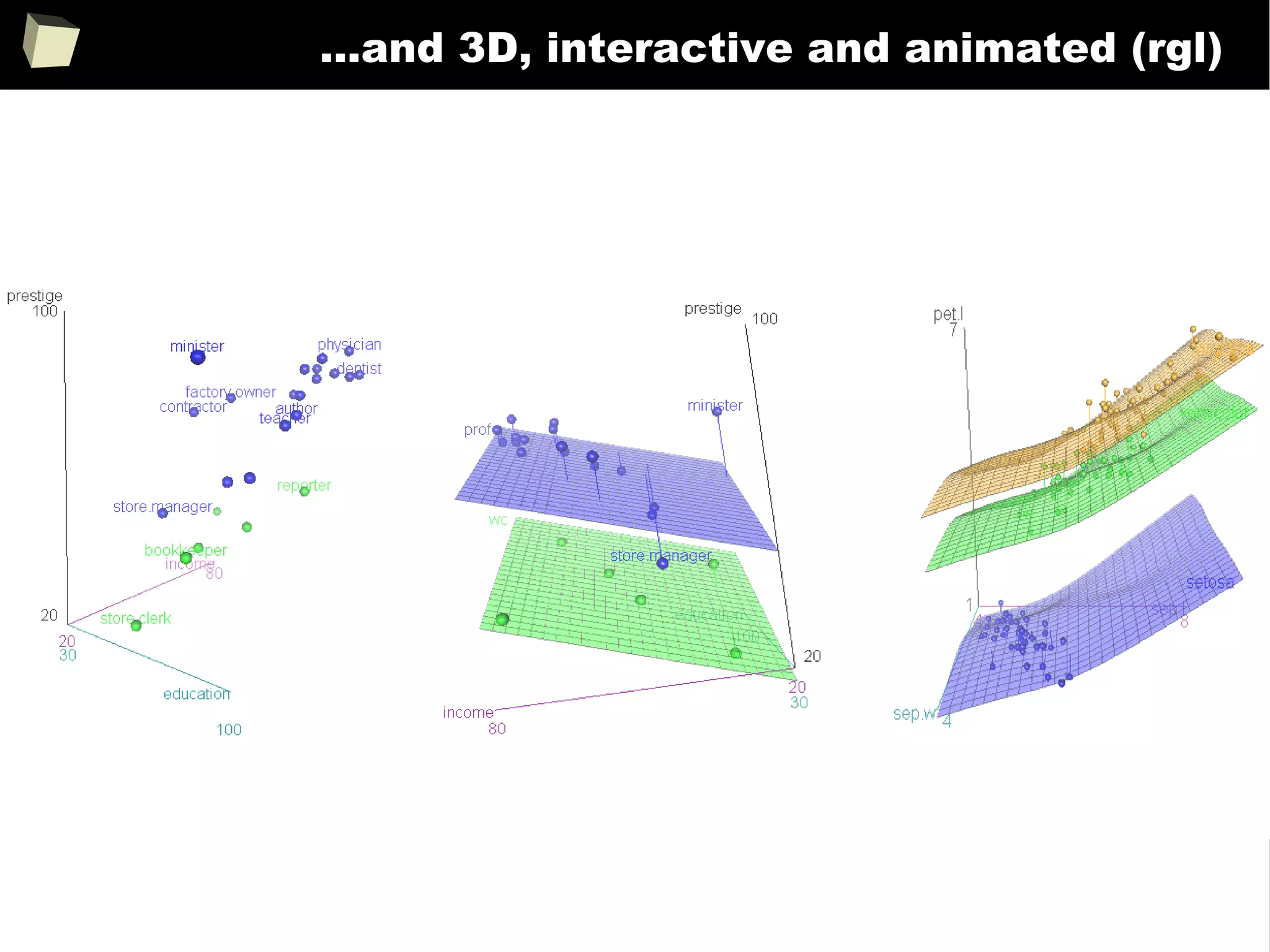
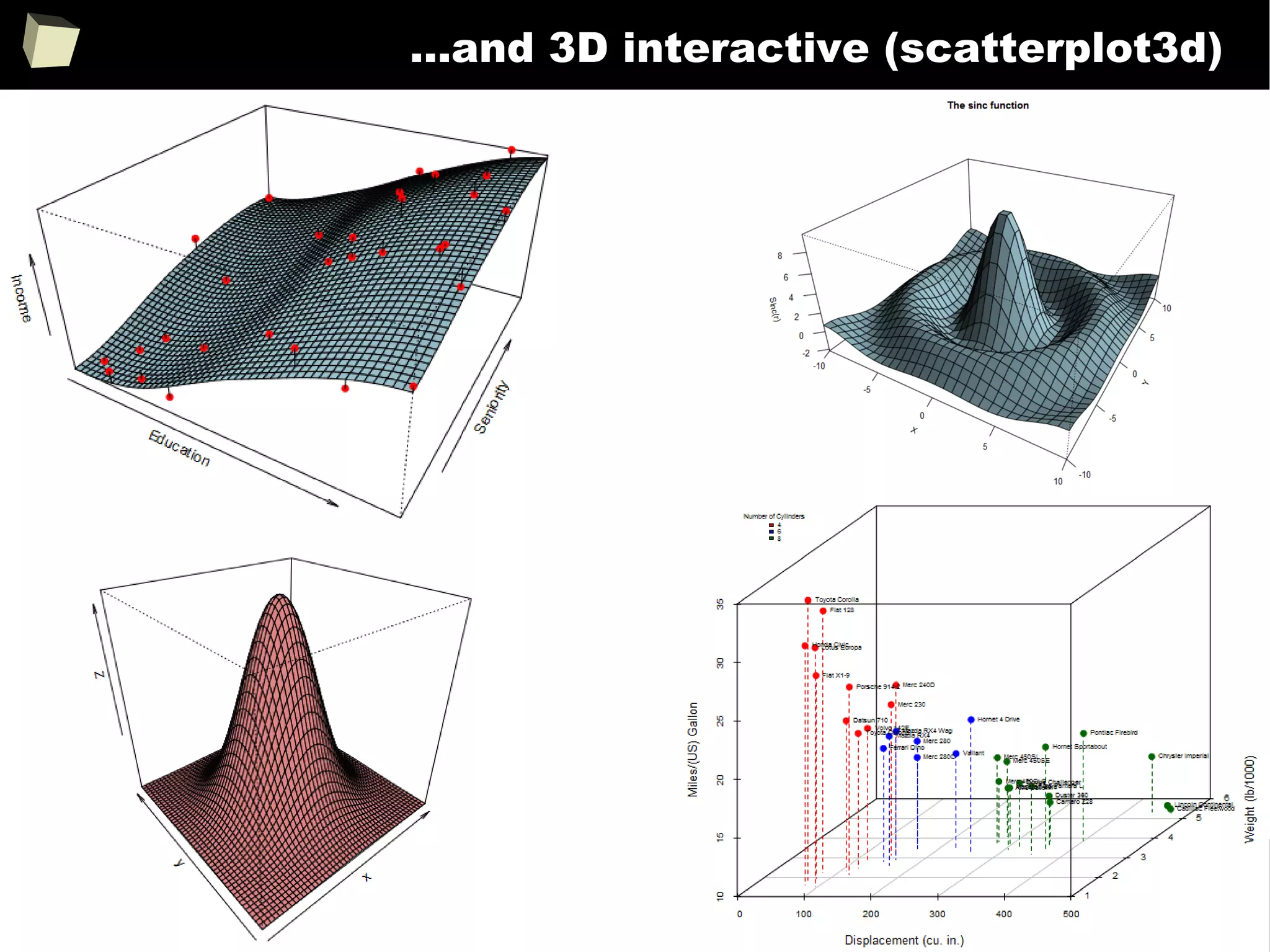
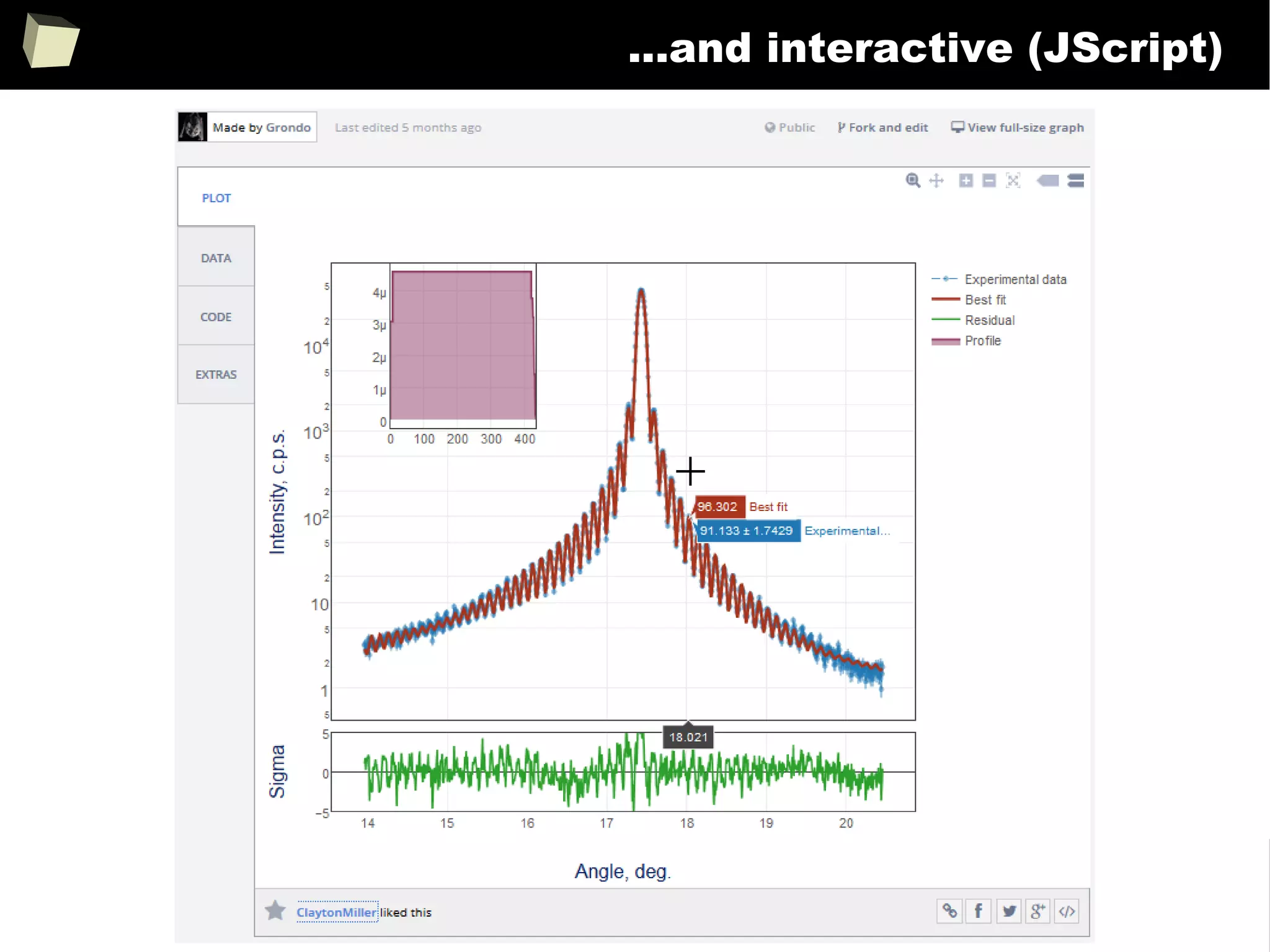
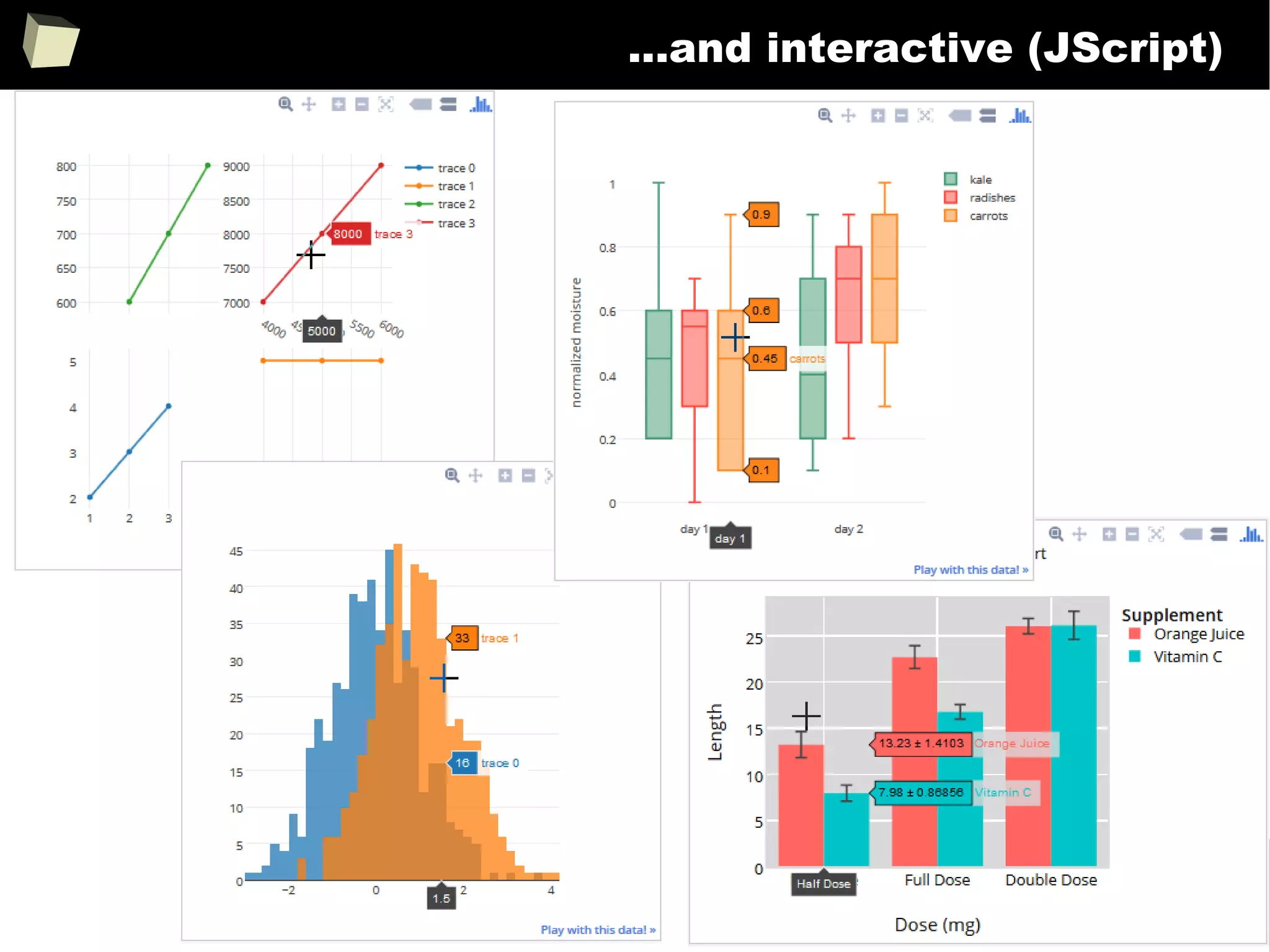
It's showtime!
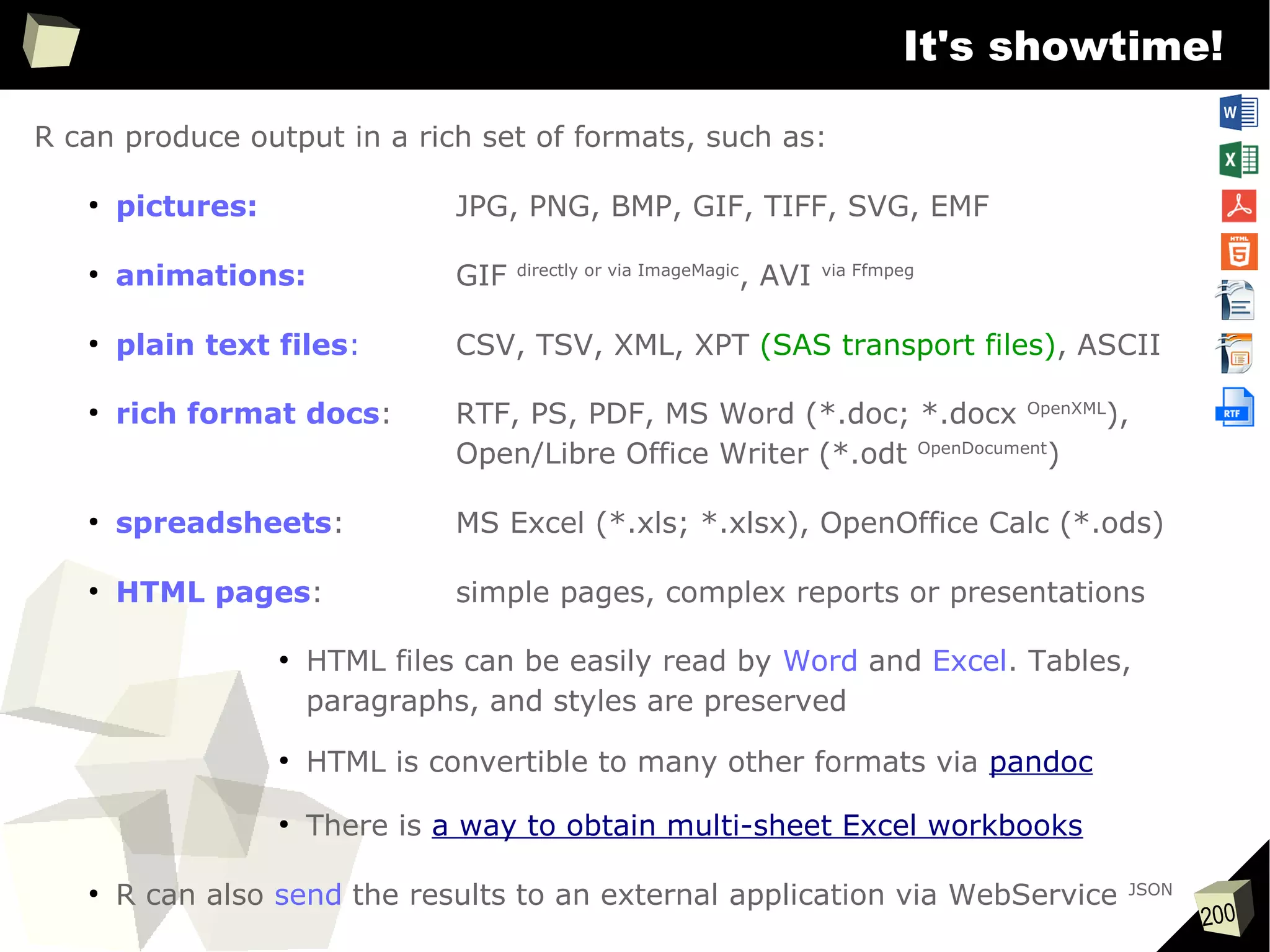
R can produce output in a rich set of formats, such as:
●
pictures: JPG, PNG, BMP, GIF, TIFF, SVG, EMF
●
animations: GIF directly or via ImageMagic
, AVI via Ffmpeg
●
plain text files: CSV, TSV, XML, XPT (SAS transport files), ASCII
●
rich format docs: RTF, PS, PDF, MS Word (*.doc; *.docx OpenXML
),
Open/Libre Office Writer (*.odt OpenDocument
)
●
spreadsheets: MS Excel (*.xls; *.xlsx), OpenOffice Calc (*.ods)
●
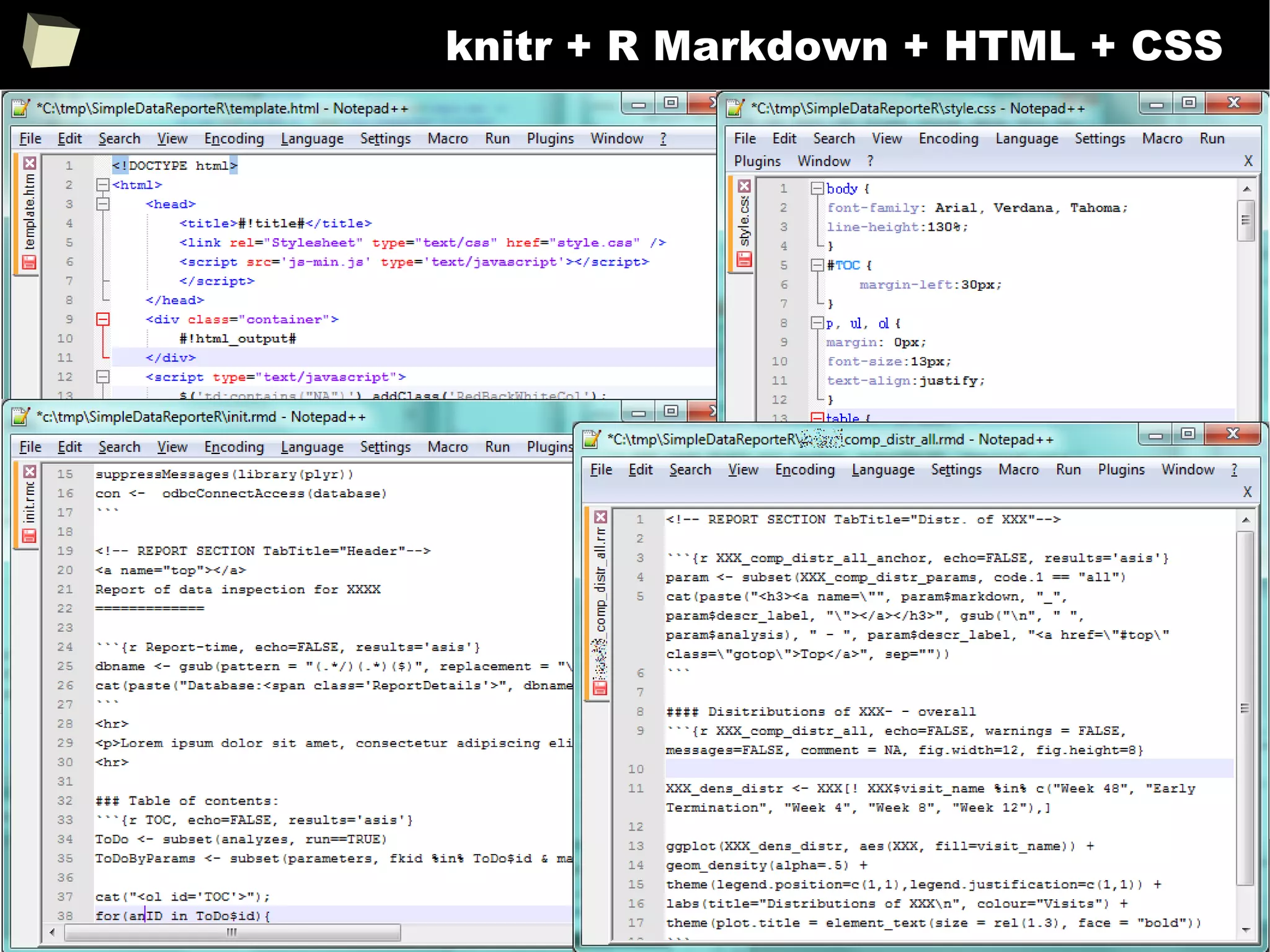
HTML pages: simple pages, complex reports or presentations
●
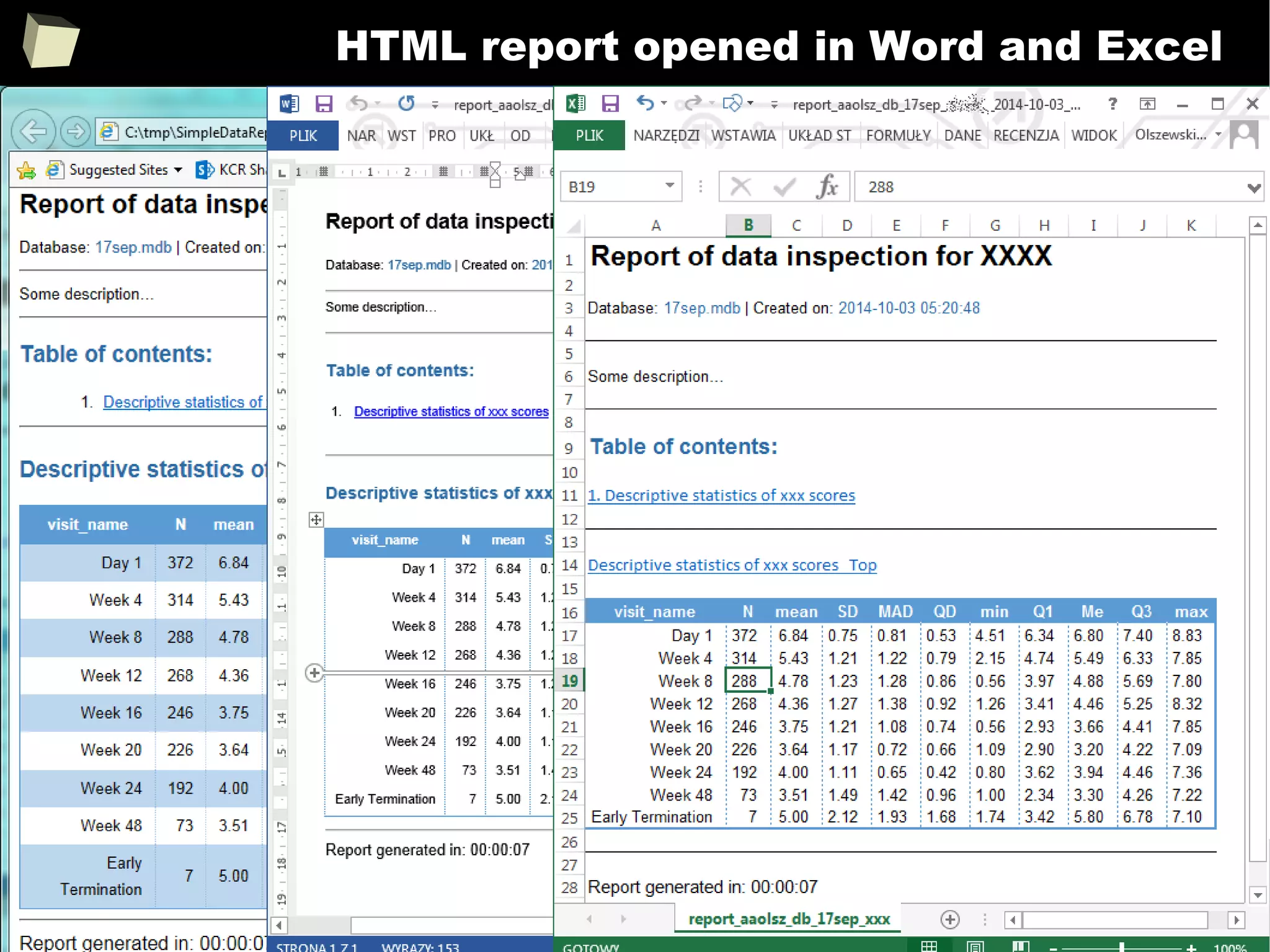
HTML files can be easily read by Word and Excel. Tables,
paragraphs, and styles are preserved
●
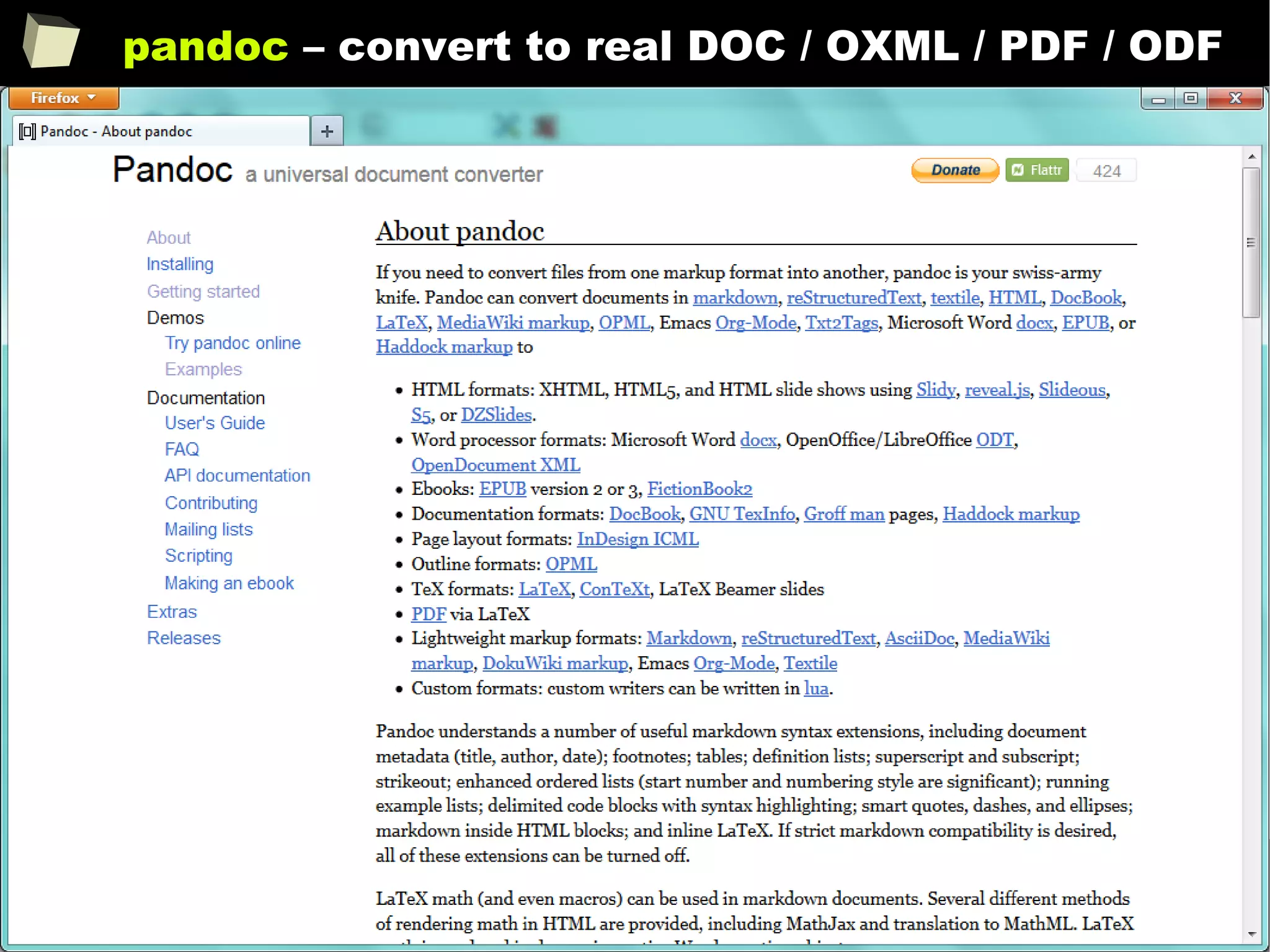
HTML is convertible to many other formats via pandoc
●
There is a way to obtain multi-sheet Excel workbooks
●
R can also send the results to an external application via WebService JSON
201
Reproducible Research
Definitions:
●
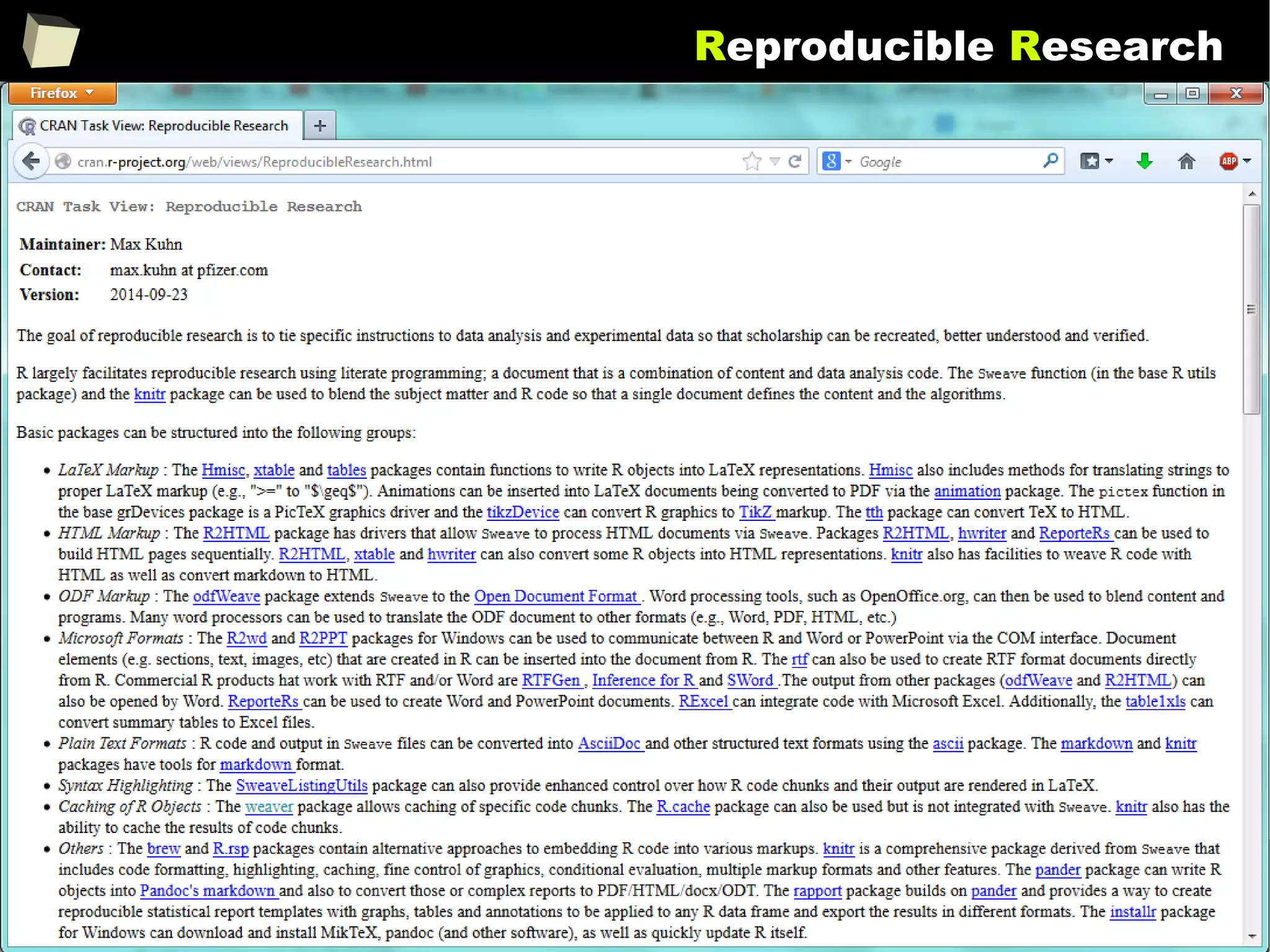
The goal of reproducible research is to tie specific instructions to data analysis
and experimental data so that scholarship can be recreated, better
understood and verified.
http://cran.r-project.org/web/views/ReproducibleResearch.html
●
The term reproducible research refers to the idea that the ultimate product of
academic research is the paper along with the full computational environment
used to produce the results in the paper such as the code, data, etc. that can
be used to reproduce the results and create new work based on the research.
http://en.wikipedia.org/wiki/Reproducibility#Reproducible_research
202
Reproducible Research
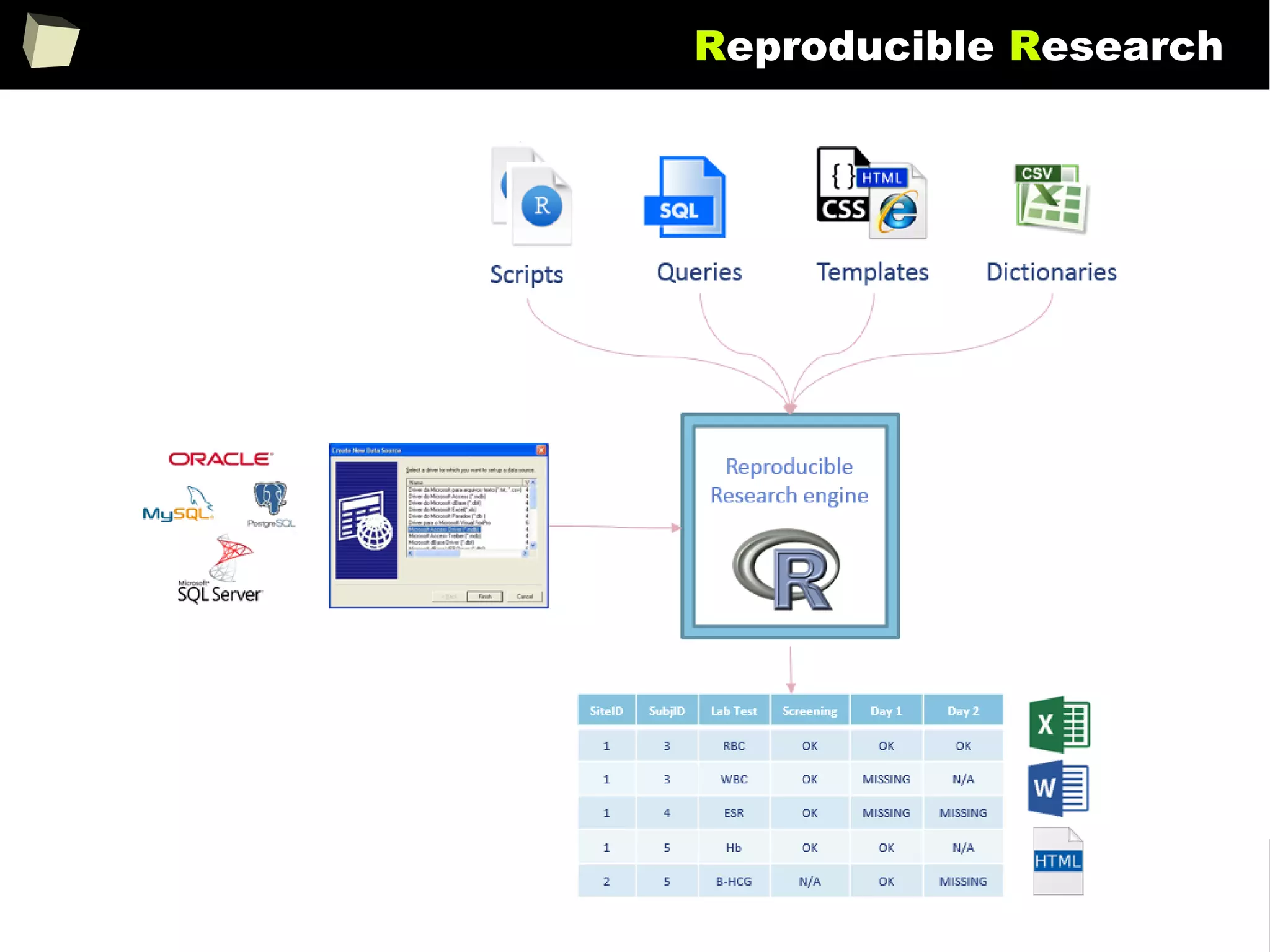
In simply words, documents are created from templates containing presentation
code (Markdown, HTML, LaTeX) or formatted paragraphs (MS Word, Open
Document, RTF) mixed with chunks of R code.
After the template is processed, chunks of R code are replaced with the result
they produce.
With this approach one can forget about continuous copying and pasting objects
(charts and tables) from the statistical package into a word processor.
Such documents are self-contained in that, they are capable to perform alone all
the tasks required to complete rendering:
●
setup the environment (install required packages, apply configuration),
●
read data from the indicated sources or generate artificial datasets
●
analyze the retrieved data and produce output objects (tables, graphics)
203
Reproducible Research
●
Knitr + pandoc
●
Sweave
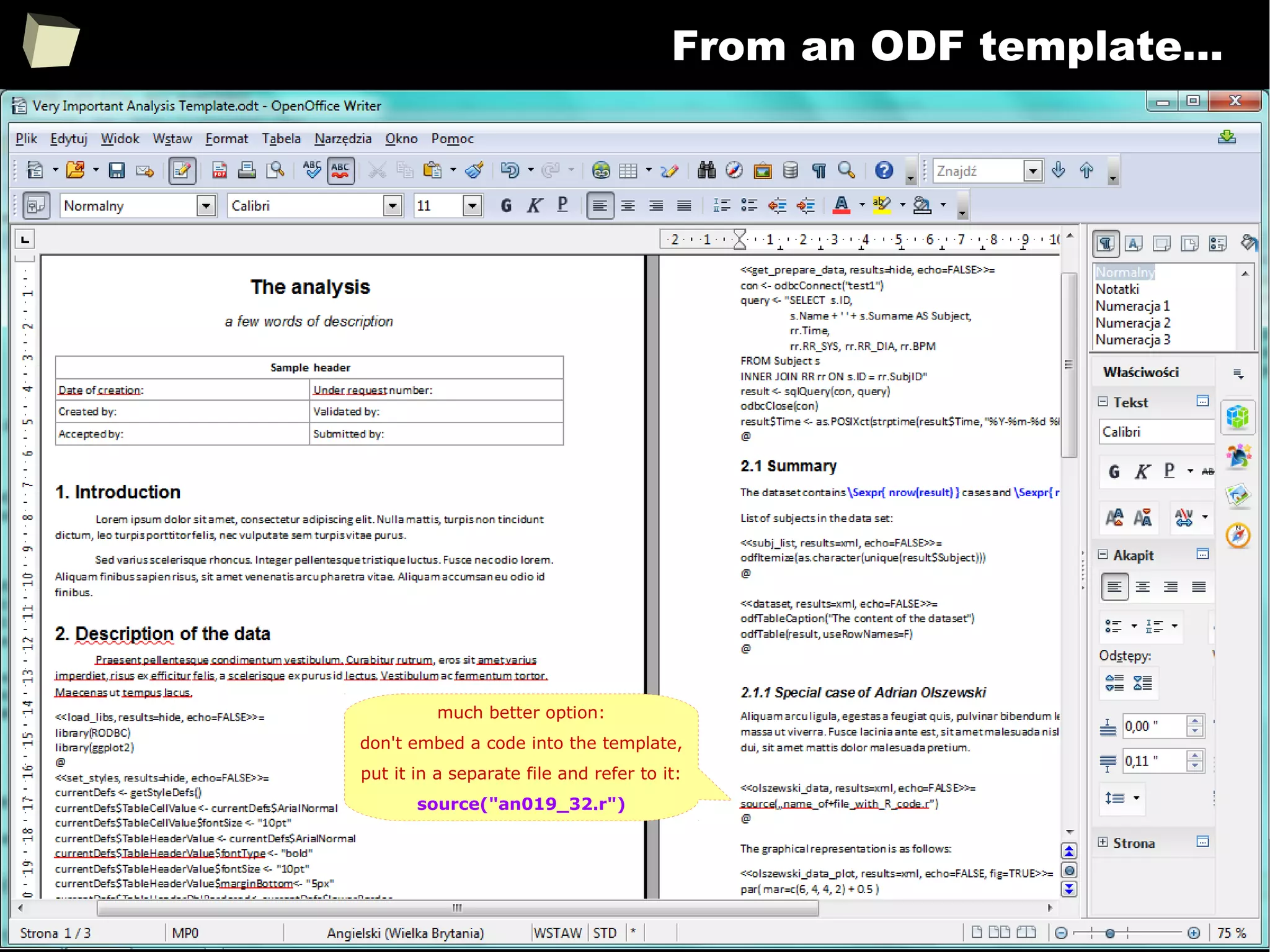
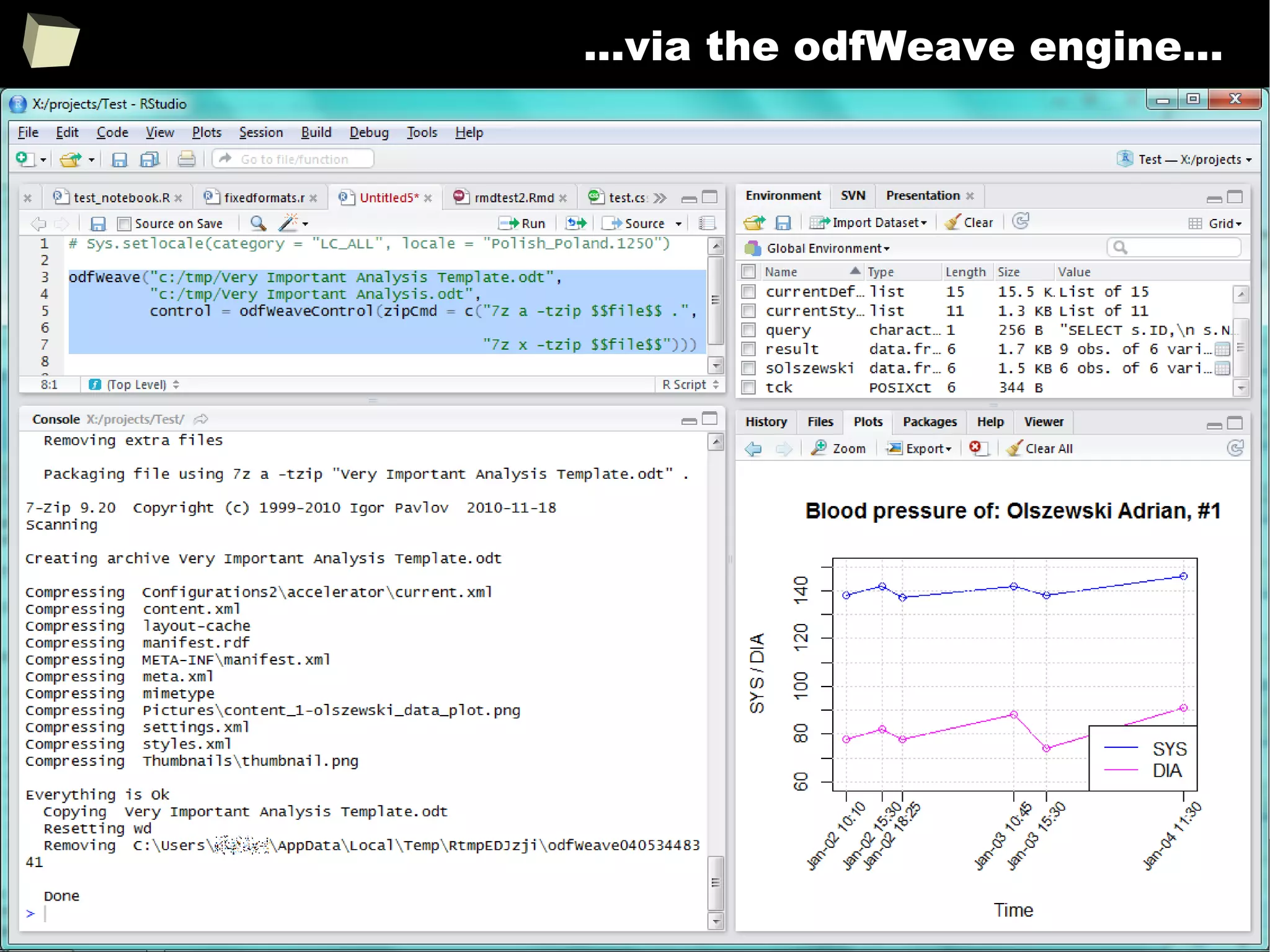
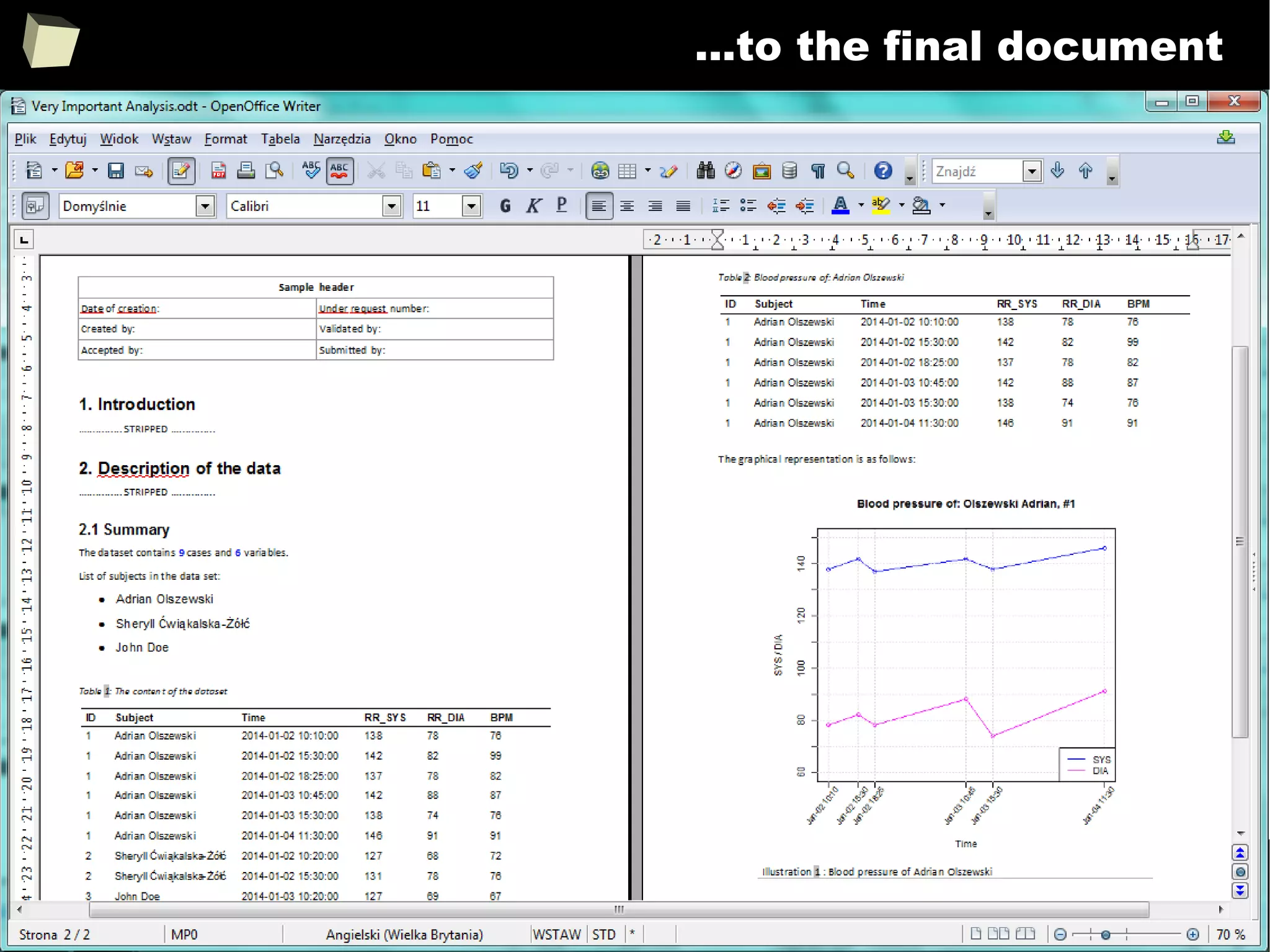
●
OdfWeave
●
ReporteRs
204
Reproducible Research
205
Reproducible Research
http://biostat.mc.vanderbilt.edu/wiki/pub/Main/FHHandouts/dmcreport.pdf
http://handsondatascience.com/KnitRO.pdf
206
Reproducible Research
207
Reproducible Research – knitr and Sweave
With HTML, Latex, R Markdown, xtable and CSS processed by Sweave or knitr
and (optionaly) pandoc, one can produce complex, professionally looking and
reproducible reports in various formats, e.g. DOCX, ODT, HTML, RTF and PDF.
This R-scripts-driven approach might seem a bit complicated, but it gives the
user maximum flexibility and control over how the final product will look like.
HTML and CSS WYSIWYG editors are useful here.
Chunks of R code may be saved into named sub-reports for later reuse in many
places in the template. They can be turned on/off depending on the result of a
conditional expression.
Produced HTML file can be displayed in a web browser, opened directly in a
word processor or spreadsheet or converted to another format (DOCX, PDF).
This is a perfect tool for automated generation of reports or record the flow of
analyses (= R code along with results).
208
knitr + R Markdown + HTML + CSS
209
HTML report opened in Word and Excel
210
knitr + “clinical” tables
There are packages for rendering fancy and professionally looking “clinical”
tables within knitr documents: rtable, xtable, stargazer and htmlTable.
http://gforge.se/2014/07/fast-track-publishing-using-rmarkdown
211
pandoc – convert to real DOC / OXML / PDF / ODF
212
Reproducible Research with RMarkdown RStudio
213
Take a moment and discover R Markdown!
214
Reproducible Research with ODF – odfWeave
OdfWeave is an adaptation of Sweave for OpenDocument files. Such files serve
as a template of the report with R code embedded in. MS Office, Open/Libre
Office and Calligra Suite (formerly KOffice) work with the OpenDocument format
smoothly.
OdfWeave is flexible and simple to use. It allows to create templates directly in a
word processor. This is the most convenient way to accomplish the Reproducible
Research goals. Styling can be applied (in a limited extent) from the R code and,
mostly – in the editor.
The R code may be embedded into a template document or stored in a separate
file, which is then referenced in the template. Both approaches have their pros
and cons. The second approach is particularly useful, when the same code is
shared between (reused in) many documents.
215
Reproducible Research with ODF – odfWeave
Unfortunately, some serious caveats and limitations must be noted:
●
MS Word incorrectly saves a definition of autonumbered captions which
causes all captions begin from: “Table: 999”
●
MS Windows does not honor UTF-8 locale. Therefore odfWeave cannot
handle mixed characters from different alphabets (óęłéüš яфы βθΣΩ),
especially ASCII (English) and non-ASCII (Russian, Greek). There are three
options to solve this issue:
●
process document under Linux or MacOS, which are Unicode-enabled
●
use old good non-Unicode fonts, one for each language, e.g. Symbol
for Greek characters and math symbols.
●
replace all non-ASCII characters with their ASCII equivalents in the
fetched data by using iconv(text, "UTF-8", "ASCII//TRANSLIT")
●
Ä, Á, Ą --> A | Ë, É, Ę --> E | Õ, Ó --> O (U)
●
Ň, Ń --> N | Ü, Ó --> U | Š, Ş, Ś --> S etc.
216
From an ODF template...
much better option:
don't embed a code into the template,
put it in a separate file and refer to it:
source("an019_32.r")
217
...via the odfWeave engine...
218
...to the final document
219
Let's do the same otheR way
R allows the user to create documents directly from code. rtf, R2HTML, R2PPT
and ReporteRs packages do the job. This is similar to how it is done in SAS.
The philosphy of document creation here is different from the approach taken in
odfWeave or knitr. There is no mixing formatted paragraphs with R code. Every
single object (literal, paragraph, table, graphics) is created by a specific
function, directly in R.
data <- data.frame("Var 1" = rnorm(100),
"Var 2" = rnorm(100))
HTMLStart(outdir="c:/mydir", file="myreport",
extension="html", echo=FALSE...)
HTML.title("My Report", HR=1)
HTML.title("Description of my data", HR=3)
HTML("Lorem ipsum dolor sit amet,...")
HTML("Praesent id erat eget leo facilisis...")
summary(data)
HTMLhr()
HTML.title("X Y Scatter Plot", HR=2)
plot(data$Var.1~data$Var.2, main="Sample plot")
HTMLplot()
HTMLStop()
220
R2HTML is a well known yet a bit outdated tool...
221
...as well as rtf package...
222
...but the new wave comes! The ReporteRs
http://davidgohel.github.io/ReporteRs/index.html
223
ReporteRs the King
ReporteRs is just outstanding package which allows to create Word, PowerPoint
(OpenXML) and HTML5 presentations without need to have MS Office installed.
It is hard to enumerate all capabilities offered by the package:
●
Styles – use the power of styles to easy control format of each object, and
●
add auto-numbered captions to tables and graphics. These captions are
recognizable by TOC generator, so one can easily add a list of tables.
●
add nested, numbered or bulleted lists (also from code)
●
Templates – use predefined styles, prepare overall layout of a document
and fill it with a content, replacing “bookmarks” with tables and graphics
●
Editable, scalable graphics (requires MS Office > 2007) – must see this!
●
Flexible tables, with cells spanning multiple rows and columns, advanced,
conditional formatting, “zebra style”. FlexTables are compatible with knitr.
●
Multilevel ordered lists with advanced, level-dependent, numbering
●
Footnotes, “pot objects” and many more!
224
ReporteRs in action
225
ReporteRs - tables
226
ReporteRs – editable graphics
227
ReporteRs – replacing content in a template
228
13 reasons why you will love GNU R
I R is (extremely) cheap. In fact - it's free :)
II R has (extremely) wide range of capabilities
III R is (widely) supported by the world of science
IV R is supported by the community
V R is (increasingly) supported by the business
VI R is able to read data in many formats
VII Interoperability is easy to achieve
VIII R is truly cross-platform
IX 1/3 :) Tables. Clinical Tables.
X There are many possibilities to optimize the code
XI R is able to handle large amount of data
XII R has a set of fancy tools and IDEs
XII FDA accepted using R for drug trials!
229
What about those fancy, publication-Ready, tables?
http://biostat.mc.vanderbilt.edu/wiki/pub/Main/StatReport/summary.pdf
230
stargazer - LaTeX
stargazer
beautiful LaTeX, HTML and
ASCII tables from R
statistical output
Marek Hlavac
Harvard University
LaTeX
Stargazer Cheatsheet
231
stargazer - ASCII
ASCII
232
stargazer - HTML
HTML
233
stargazer - models
List of models supported by stargazzer:
1. aftreg (eha),
2. betareg (betareg),
3. binaryChoice (sampleSelection),
4. bj (rms),
5. brglm (brglm),
6. coeftest (lmtest),
7. coxph (survival),
8. coxreg (eha),
9. clm (ordinal),
10. clogit (survival),
11. cph (rms),
12. dynlm (dynlm),
13. ergm (ergm),
14. errorsarlm (spdev),
15. felm (lfe),
16. gam (mgcv),
17. gee (gee),
18. glm (stats),
19. Glm (rms),
20. glmer (lme4),
21. gls (nlme),
22. Gls (rms),
23. gmm (gmm),
24. heckit (sampleSelection),
25. hetglm (glmx),
26. hurdle (pscl),
27. ivreg (AER)
28. lagarlm (spdep),
29. lm (stats),
30. lmer (lme4),
31. lmrob (robustbase),
32. lrm (rms),
33. maBina (erer),
34. mclogit (mclogit),
35. mlogit (mlogit),
36. mlreg (eha),
37. multinom (nnet),
38. nlmer (lme4),
39. ols (rms),
40. phreg (eha),
41. plm (plm),
42. pmg (plm),
43. polr (MASS),
44. psm (rms),
45. rem.dyad (relevent),
46. rlm (MASS),
47. rq (quantreg),
48. Rq (rms),
49. selection (sampleSelection),
50. svyglm (survey),
51. survreg (survival),
52. tobit (AER),
53. weibreg (eha),
54. zeroin (pscl)
234
reporttools - LaTeX
reporttools
R Functions to Generate
LaTeX Tables of
Descriptive Statistics
Kaspar Rubach
University of Zurich
235
tables - LaTeX
tables
Computes and displays
complex LaTeX tables of
summary statistics
Duncan Murdoch
University of Western
Ontario
236
textreg – LaTeX, HTML, ASCII
texreg
Provides LaTeX and HTML
output for a rich set of
models
Philip Leifeld
University of Konstanz
237
textreg – LaTeX, HTML, ASCII
238
textreg – list of supported models
239
xtable – LaTeX & HTML
xtable
Coerces data to LaTeX and
HTML tables
David B. Dahl
Brigham Young University
No. It is not SAS :)
It is xtable + CSS
240
htmlTable
htmlTable,
Greg, Grmd
Creates complex, polished,
knitr-ready, HTML tables
matching those available in
top medical journals
Max Gordon
Karolinska Institute
241
htmlTable
242
htmlTable in MS Word
243
rtable - HTML
rtable
ReporteRs::FlexTables
ready for knitr and shiny
David Gohel
244
13 reasons why you will love GNU R
I R is (extremely) cheap. In fact - it's free :)
II R has (extremely) wide range of capabilities
III R is (widely) supported by the world of science
IV R is supported by the community
V R is (increasingly) supported by the business
VI R is able to read data in many formats
VII Interoperability is easy to achieve
VIII R is truly cross-platform
IX 2/3 :) Graphics – all have waited for this moment :)
X There are many possibilities to optimize the code
XI R is able to handle large amount of data
XII R has a set of fancy tools and IDEs
XII FDA accepted using R for drug trials!
245
a picture is woRth a thousand words
It is really hard to describe all the potential of R in creating graphics.
Internet is full of of examples and tutorials of how to create complex and
sophisticated charts in R. There are thousands of examples.
The user has at his disposal a number of libraries allowing creation of
almost every chart or graphics he needs. R is able to produce clean,
ascetic charts suitable for journals and books, and super fancy graphics,
perfect for presentations.
Imagination
is the only limit here
http://rgraphgallery.blogspot.com/
246
11th
commandment
If anything, there should be a Law:
Thou Shalt Not Even Think Of Producing A Graph
That Looks Like Anything From A Spreadsheet
Ted Harding
247
R has great charting capabilities
248
...of any kind
249
...and yes, these charts can be very elegant :)
250
...and varied...
251
...and varied...
252
...and varied...
253
...animated...
Power of tests Decreasing kurtosis
254
...and 3D, interactive and animated (rgl)
...rotating...
255
...and 3D, interactive and animated (rgl)
256
...and 3D interactive (scatterplot3d)
257
...and interactive (JScript)
http://plot.ly/r
258
...and interactive (JScript)
259
...and interactive (JScript)
260
R &GGobi in action
YouTube: Using R & GGobi to Create a Scatterplot Matrix
261
GGBio for geneticists
262
rpivotTable – inteRactive pivot tables
http://www.magesblog.com/2015...
http://nicolas.kruchten.com/pivottable
Based on PivotTable.js by
Nicolas Kruchten
263
rpivotTable
264
Charting subsystems
Base, default library
by Ross Ihaka
University of Auckland
●
low-level – graph. primitives
●
easy to learn*
●
most powerful – no limits
●
well readable, ascetic
●
may involve a lot of coding to
get fancy results
●
supports multiple plots
●
interactive locator of points
●
no anti-aliasing but it can draw
on Cairo devices
ggplot2
by Hadley Wickham
Rice University
●
high-level and well organized
●
implementation of Grammar of
Graphics
●
powerful, higly customizable
●
well readable, polished output
●
anti-aliased by design
●
closed set of diagrams but
easily expandable
●
supports multiple plots (grid)
●
incompatible with others
Trellis
by Deepayan Sarka
University of Wisconsin
●
designed for viewing multivariable
datasets (grid of conditioned plots)
●
well readable
●
closed set of available diagrams:
Barplot, Dotplot, Box and
Whiskers, Histogram, Density, QQ,
Scatterplot
●
incompatible with other systems
265
Charting subsystems
plotly
Teamwork
●
based on ggplot2
●
interactive (JScript)
●
WWW enabled (HTML/JSON/JS)
●
breathtaking output –must see!
●
well readable, clean
●
rich library of examples
●
incompatible with other
systems
txtplot
by Bjoern Bornkamp
●
produces graphs in pure ASCII
●
rudimentary output
●
closed set of plots (boxplot,
lineplot, barplot, density, ACF)
●
really useful when resources
are limited (mobile devices,
simple LCD displays, etc.) or
output must be textual
●
incompatible with others
ggvis
by RStudio team
●
another implementation of
Grammar of graphics, similar in
spirit to ggplot2
●
interactive (JScript)
●
WWW enabled (HTML, JS)
●
well readable
●
designed for Shiny
266
Additional helpers for ggplot2: gridExtra
Helps to arrange multiple ggplot2 objects on the
same page
267
Additional helpers for ggplot2: GGally
Creates a matrix of ggplot2 graphs for data exploration purposes.
268
Additional helpers for ggplot2: GGally
Creates a matrix of ggplot2 graphs for data exploration purposes.
269
Additional helpers for ggplot2: ggthemes
A set of themes (>15) for ggplot2: http://github.com/jrnold/ggthemes
The Economist magazine theme Stata theme
Excel theme Stephen Few's rules Google Docs theme
270
KMggplot2 plugin for RCommander
271
Deducer
Since ggplot2 is an implementation of Grammar of Graphics, which defines any
graphics as a set of objects and layers and properties, it is possible to create
graphical editor working on the principle “point and click”.
The Deducer package is an attempt to achieve
this goal drawing from the power of ggplot2.
It allows the user to define complex panel of
charts using only mouse.
This is, in my opinion, one of the most advanced,
graphical, free chart creator available in the
Internet.
272
Deducer
273
Deducer
274
Deducer
ggplot() + geom_boxplot(aes(y = var1,x = var3,colour = var3),data=data,alpha = 0.6,outlier.colour = '#ff0033') +
geom_jitter(aes(x = var3,y = var1,shape = var3,colour = var3),data=data,alpha = 0.7) +
ggtitle(label = 'Made with Deducer') +
theme(plot.title = element_text(family = 'Helvetica',face = 'bold',colour = '#3333ff',size = 17.0,vjust =
1.0),panel.border = element_line())
275
Deducer
276
Deducer – control dozens of graph properties
277
Some books about data visualization in R
278
Plain ASCII output SAS listings
With stargazer, texreg, ascii and txtplot packages one can create text listings
similar to those created by SAS.
279
Plain ASCII output SAS listings
280
13 reasons why you will love GNU R
I R is (extremely) cheap. In fact - it's free :)
II R has (extremely) wide range of capabilities
III R is (widely) supported by the world of science
IV R is supported by the community
V R is (increasingly) supported by the business
VI R is able to read data in many formats
VII Interoperability is easy to achieve
VIII R is truly cross-platform
IX R offers numerous ways of presenting data
X There are many options to optimize the code
XI R is able to handle large amount of data
XII R has a set of fancy tools and IDEs
XII FDA accepted using R for drug trials!
281
Tune it up!
R offers a bunch of methods that can remarkably increase the performance of
algorithms in the case of performing complex calculations:
●
Profiling the code, which enables us to determine the computationally
intensive portions of the program
●
Turning on the “Just In Time” compilation of the code
●
Vectorizing calculations – which means avoiding explicit loops. It can
speed up computations 5-10 times
●
Performing all algebraic computations with the use of libraries tuned
for our hardware (e.g. BLAS)
●
Become familiar with methods of algorithmic differentiation (ADMB)
●
Executing parallel computations in a cluster environment
●
Using the power of a graphic card processor (CUDA, OpenCL)
●
Implement key parts of algorithm in C++ and call them using RCPP
282
Profiling the memoRy usage
http://adv-r.had.co.nz/memory.html
283
Profiling the memoRy usage
http://adv-r.had.co.nz/memory.html
284
Tune it up!
http://blog.revolutionanalytics....comparison-of-high-performance-computing-techniques-in-r.html
285
Debug your code!
http://www.biostat.jhsph.edu/~rpeng/docs/R-debug-tools.pdf
286
Debug your code!
287
Debug your code!
288
13 reasons why you will love GNU R
I R is (extremely) cheap. In fact - it's free :)
II R has (extremely) wide range of capabilities
III R is (widely) supported by the world of science
IV R is supported by the community
V R is (increasingly) supported by the business
VI R is able to read data in many formats
VII Interoperability is easy to achieve
VIII R is truly cross-platform
IX R offers numerous ways of presenting data
X There are many options to optimize the code
XI R is able to handle large amount of data
XII R has a set of fancy tools and IDEs
XII FDA accepted using R for drug trials!
289
“Big data” doesn't mean a “big trouble”
Sometimes there is a need for processing large datasets that don't fit
in the RAM memory. Size of the data cannot exceed 2GB per process
in a 32-bit machine and 8GB per process in a 64-bit machine.
In such cases R gives a couple of methods for handling massive data:
●
Building models on chunks of the data. Only linear models are supported
●
Mapping physical memory on a set of files (disk virtual memory)
●
Storing parts of datasets outside of the current process memory
http://www.r-pbd.org/
290
“Big data” doesn't mean a “big trouble”
●
Parallel computing:
●
Explicit and implicit parallelism
●
Grid computing
●
Hadoop
●
Random numbers
●
Resource managers and batch schedulers
●
Applications
●
GPUs
●
Large memory and out-of-memory data
●
Easier interfaces for Compiled code
●
Profiling tools
High-Performance and Parallel Computing with R:
291
“Big data” doesn't mean a “big trouble”
292
“Big data” doesn't mean a “big trouble”
293
13 reasons why you will love GNU R
I R is (extremely) cheap. In fact - it's free :)
II R has (extremely) wide range of capabilities
III R is (widely) supported by the world of science
IV R is supported by the community
V R is (increasingly) supported by the business
VI R is able to read data in many formats
VII Interoperability is easy to achieve
VIII R is truly cross-platform
IX R offers numerous ways of presenting data
X There are many options to optimize the code
XI R is able to handle large amount of data
XII R has a set of fancy tools and IDEs
XII FDA accepted using R for drug trials!
294
Integrated Development Environments
1. RStudio
http://www.rstudio.com/
The
absolute
winner
295
RStudio
296
RStudio
297
RStudio
298
RStudio – debugging
299
RStudio – version control
RStudio integrates seamlessly with version control systems like Git or
Subversion (SVN). Version control is one of the major requirements for
documentation management in clinical research.
300
RStudio – version control
301
RStudio – some taste...
302
RStudio – syntax and validation
303
RStudio - autocompletion
304
RStudio – support for Rcpp
305
RStudio - menu
306
RStudio - menu
307
RStudio – the notebook (RMarkdown)
308
RStudio Server
309
RStudio Server
On my... pocket HTC :)
310
R is somewhat ascetic, isn't it?
2. Rcommander
http://www.rcommander.com
Superb
311
RCommander
`
312
RCommander
313
RCommander
314
RCommander
315
RCommander
316
RCommander
317
RCommander – the notebook (RMarkdown)
318
RCommander - plugins
319
bio RCommander
320
bio RCommander
321
R is somewhat ascetic, isn't it?
3. RExcel
http://www.statconn.com/products.html
322
Excel + RExcel + RCommander
323
Excel + RExcel + RCommander
324
R is somewhat ascetic, isn't it?
4. R Analytic FLow
http://www.ef-prime.com/products/ranalyticflow_en/
325
R Analaytic Flow
326
R Analaytic Flow
327
R Analaytic Flow
New!
328
R is somewhat ascetic, isn't it?
5. Rattle
http://rattle.togaware.com/
329
Rattle your data
330
Rattle your data
331
R is somewhat ascetic, isn't it?
6. RKWard (Linux only)
http://sourceforge.net/projects/rkward/
332
RKward
333
R is somewhat ascetic, isn't it?
7. Deducer
http://www.deducer.org
334
Deducer
335
Deducer
336
Deducer
337
Deducer
Must have
338
R is somewhat ascetic, isn't it?
8. TinnR
http://sourceforge.net/projects/tinn-r
339
TinnR
340
TinnR
341
TinnR
342
13 reasons why you will love GNU R
I R is (extremely) cheap. In fact - it's free :)
II R has (extremely) wide range of capabilities
III R is (widely) supported by the world of science
IV R is supported by the community
V R is (increasingly) supported by the business
VI R is able to read data in many formats
VII Interoperability is easy to achieve
VIII R is truly cross-platform
IX R offers numerous ways of presenting data
X There are many options to optimize the code
XI R is able to handle large amount of data
XII R has a set of fancy tools and IDEs
XII FDA accepted using R for drug trials!
343
FDA: R is OK for drug trials!
http://tinyurl.com/fda-r-ok
In a poster presented at the UseR 2012 conference, FDA biostatistician Jae
Brodsky reiterated the FDA policy regarding software used to prepare
submissions for drug approvals with clinical trials: Sponsors may use R in their
submissions. […] SAS is not required to be used for clinical trials.
The FDA does not endorse or require any particular software to be used for
clinical trial submissions, and there are no regulations that restrict the use
of open source software (including R) at the FDA.
Nonetheless, any software (R included) used to prepare data analysis from
clinical trials must comply with the various FDA regulations and guidances
(e.g. 21 CFR Part 11). Even MS Excel can be made “21 CFR 11 Compliant”.
The R Foundation helpfully provides a guidance document for the use of R in
regulated clinical trial environments, which provides details of the specific FDA
regulations and how R complies with them.
344
the (veRy important) guidance
http://www.r-project.org/doc/R-FDA.pdf
345
the (veRy important) poster
346
some important information
http://user2007.org/program/presentations/soukup.pdf
347
FurtheR impoRtant issues
348
furtheR impoRtant issues
I Handling metadata
II Handling ODM and CDA metadata
III Issue with multilingual data
IV Differences between SAS and R
V Implementation of useful SAS functions
349
Handling metadata
Briefly, metadata is data that describes other data.
Metadata can be used for:
●
Commenting and labeling (titling) objects (datasets, functions, graphs, tables)
●
Adding instructions of how the content of a variable should be rendered, e.g.:
●
number of decimal digits, format of dates and times, length of texts
●
format of outputted text: font name, color, size, style
●
dictionary of which values should appear instead of raw data (translation)
●
Searching purposes (keywords, tags)
Note: metadata doesn't change the underlying, raw value, it is just additional information.
350
Handling metadata
SAS uses metadata extensively to control how data is displayed. There are dozens of
formats and “informats” specific to literals, numbers, currencies, dates and times.
On the contrary, R doesn't use “formats”. There is no something like “numeric(10,2)”
or “char(20)”. Without additional efforts data is displayed “as is”.
There are only some options to control globally the number of decimal digits,
formatting dates or setting timezone.
> options("digits")$digit
[1] 7
> (x <- 12.3456789)
[1] 12.34568
> options(digits = 4)
> x
[1] 12.35
> x == 12.3456789
[1] TRUE
351
Handling metadata
To control formats on the column or cell level one must write additional formatting
code every time it is required (usually a function is created for this purpose).
352
Handling metadata
This separates metadata from data and is an anti-pattern leading to:
●
Creation of dedicated formatting code specific to a data object. Amount of the code
grows quickly as new variables are created (formatTableA, formatListB, etc.)
●
Errors, when someone mistakes one metadata for other. This happens easily for
large sets of variables.
The golden rule is that the data should be “self-describing”.
This indicates the need to introduce a separate, independent, intermediate metadata
layer between the data and the output rendering code, which consists of:
●
Set of attributes describing data objects
●
Functions assigning these attributes to data objects
●
Functions retrieving values of the attributes and applying them to the raw data
353
Metadata in use
Assigning attributes
(metadata) to the
original table
Original data stays
unchanged
Metadata bound to
a column of
the original table
Applying metadata
to the table
Displaying formatted
result
354
Handling metadata
Fortunately, it is possible to create one's own metadata layer by using R attributes.
Author of this presentation wrote for his own use a set of functions for:
●
Managing and using dictionaries (code lists)
●
Binding metadata to objects
●
Controlling the way data is displayed (applying metadata to datasets)
●
Displaying the data with metadata overlapped
●
Copying metadata between objects (when attributes were wiped out)
●
Describing datasets in detail
●
Reading labels of variables from sasXmlMap file
●
Creating SAS Transport Files (XPT) using the attached metadata
They are supposed to be released as an R package in future.
355
Own metadata layer - example
> x <- c(5L,NA,6L,7L,1L)
> data <- data.frame(
unlabeled = c(NA, "A", "B", "C", "D"),
vlt = c("This is a long string", "Another long string", "Much longer string than previous",
"A short string", NA),
dv = c(NA, rnorm(4)),
pct = x/sum(na.omit(x)),
int = x,
dt = as.POSIXct(c("2011-02-01 08:00", "2010-04-21 12:30", NA, "1999-11-02 14:15", "2000-10-15 07:30")),
dat = as.POSIXct(c("2011-02-01 08:00", "2010-04-21 12:30", NA, "1999-11-02 14:15", "2000-10-15 07:30")),
tim = as.POSIXct(c("2011-02-01 08:00", "2010-04-21 12:30", NA, "1999-11-02 14:15", "2000-10-15 07:30")),
trt = c(1,NA,2,4,3))
> # raw, unformatted data
> data
unlabeled vlt dv pct int dt dat tim trt
1 <NA> This is a long string NA 0.26315789 5 2011-02-01 08:00:00 2011-02-01 08:00:00 2011-02-01 08:00:00 1
2 A Another long string -1.4286644 NA NA 2010-04-21 12:30:00 2010-04-21 12:30:00 2010-04-21 12:30:00 NA
3 B Much longer than previous 1.5035051 0.31578947 6 <NA> <NA> <NA> 2
4 C A short string -1.3464709 0.36842105 7 1999-11-02 14:15:00 1999-11-02 14:15:00 1999-11-02 14:15:00 4
5 D <NA> -0.7571589 0.05263158 1 2000-10-15 07:30:00 2000-10-15 07:30:00 2000-10-15 07:30:00 3
Definition of an exemplary dataset:
356
Metadata - example
# Look how a definition in SAS format can be used directly
> AddUserDictFromDef(definitions = 'value MyDict
1 = "Treatment A"
2 = "Treatment B"
3 = "Placebo";', SASFormat=TRUE)
> AddUserDict("sex", codes = c("F", "M"),
labels = c("Female", "Male"))
> UCODELST
codelst clcode cllabel
1 MyDict 1 Treatment A
2 MyDict 2 Treatment B
3 MyDict 3 Placebo
4 sex F Female
5 sex M Male
Definition of exemplary dictionaries:
357
Metadata - example
> SetVarAttributes(data$vlt, label = "Very long text", textWidth = 15, sasFormat = "$15.")
> SetVarAttributes(data$dv, label = "Double value", decimPlaces = 2, sasFormat = "8.2")
> SetVarAttributes(data$pct, label = "Percentage", decimPlaces = 1, asPercent = TRUE)
> SetSVarAttributes("data$int", label = "Integer") # variable name passed as a literal
> SetVarAttributes(data$dat, label = "Date", dateFormat = "%d%b%Y", sasFormat = "yymmdd10.")
> SetVarAttributes(data$dt, label = "Date & Time (ISO 8601)", dateFormat = "%Y-%m-%d %H:%M:%S",
sasFormat = "e8601dt19.")
> SetVarAttributes(data$tim, label = "Time", dateFormat = "%H:%M")
> SetVarAttributes(data$trt, label = "Translated", translDict = "MyDict")
> SetVarAttributes(data, label = "My data set")
> attributes(data$dt)
$class
[1] "POSIXct" "POSIXt"
$tzone
[1] ""
$comment
[1] "Date & Time (ISO 8601)"
$user.date.format
[1] "%Y-%m-%d %H:%M:%S"
$user.sas.format
[1] "e8601dt19."
Add some metadata:
Attributes bound to
a column of a data.frame
358
Metadata - example
# Raw data
> data
unlabeled vlt dv pct int dt dat tim trt
1 <NA> This is a long string NA 0.26315789 5 2011-02-01 08:00:00 2011-02-01 08:00:00 2011-02-01 08:00:00 1
2 A Another long string -1.4286644 NA NA 2010-04-21 12:30:00 2010-04-21 12:30:00 2010-04-21 12:30:00 NA
3 B Much longer than previous 1.5035051 0.31578947 6 <NA> <NA> <NA> 2
4 C A short string -1.3464709 0.36842105 7 1999-11-02 14:15:00 1999-11-02 14:15:00 1999-11-02 14:15:00 4
5 D <NA> -0.7571589 0.05263158 1 2000-10-15 07:30:00 2000-10-15 07:30:00 2000-10-15 07:30:00 3
# Data with metadata overlapped (output is in RMarkdown format)
> PrintDataFrame(data, sourceOfMetadata = data)
| Row|unlabeled |Very long text | Double value| Percentage| Integer| Date & Time (ISO 8601)| Date| Time|Translated |
|---:|:---------|:---------------|------------:|----------:|-------:|----------------------:|---------:|-----:|:-----------|
| 1| |This is a long | | 26.3%| 5| 2011-02-01 08:00:00| 01Feb2011| 08:00|Treatment A |
| 2|A |Another long st | -1.43| | | 2010-04-21 12:30:00| 21Apr2010| 12:30| |
| 3|B |Much longer tha | 1.50| 31.6%| 6| | | |Treatment B |
| 4|C |A short string | -1.35| 36.8%| 7| 1999-11-02 14:15:00| 02Nov1999| 14:15|4 |
| 5|D | | -0.76| 5.3%| 1| 2000-10-15 07:30:00| 15Oct2000| 07:30|Placebo |
Display the data with metadata applied:
359
Metadata - example
> DescribeTable(data) # simple, default form
My data set
_______________________________________________________________________________________________________________________________________________________
Rows: 5
dat* DAT maxL: 19 W: D: T: N: 4 NA: 1 U: 5 | 01Feb2011, 21Apr2010, NA, 02Nov1999, 15Oct2000
dt* DAT maxL: 19 W: D: T: N: 4 NA: 1 U: 5 | 2011-02-01 08:00:00, 2010-04-21 12:30:00, NA, 1999-11-02 14:15:00, 2000-10-15 07:30:00
dv* dbl maxL: 18 W: D:2 T: N: 4 NA: 1 U: 5 | Min -1.43, Q1 -1.39, Me -1.05, Q3 0.37, Max 1.5 | NA, -1.42866436243726, 1.50350508808 ...
int* int maxL: 2 W: D:0 T: N: 4 NA: 1 U: 5 | Min 1, Q1 3, Me 5.5, Q3 6.5, Max 7 | 5, NA, 6, 7, 1
pct* dbl maxL: 18 W: D:1 T: N: 4 NA: 1 U: 5 | Min 0.05, Q1 0.16, Me 0.29, Q3 0.34, Max 0.37 | 0.263157894736842, NA, 0.3157894736842 ...
tim* DAT maxL: 19 W: D: T: N: 4 NA: 1 U: 5 | 08:00, 12:30, NA, 14:15, 07:30
trt* dbl maxL: 2 W: D:2 T:Y N: 4 NA: 1 U: 5 | Min 1, Q1 1.5, Me 2.5, Q3 3.5, Max 4 | (MyDict) Treatment A, NA, Treatment B, 4, Placebo
unlabeled txt maxL: 2 W: D: T: N: 4 NA: 1 U: 5 | NA, A, B, C, D
vlt* txt maxL: 25 W: 15 D: T: N: 4 NA: 1 U: 5 | This is a long string, Another long string, Much longer than previous, A short string, NA
> DescribeTable(data, displayLabels=TRUE, displaySASFormats = TRUE) # more detailed
My data set
_______________________________________________________________________________________________________________________________________________________
Rows: 5
dat [Date] DAT maxL: 19 W: D: SASf: yymmdd10. T: N: 4 NA: 1 U: 5 | 01Feb2011, 21Apr2010, NA, 02Nov1999, 15Oct2000
dt [Date & Time (ISO 8601)]DAT maxL: 19 W: D: SASf:e8601dt19. T: N: 4 NA: 1 U: 5 | 2011-02-01 08:00:00, 2010-04-21 12:30:00, NA, 1 ...
dv [Double value] dbl maxL: 18 W: D:2 SASf: 8.2 T: N: 4 NA: 1 U: 5 | Min -1.43, Q1 -1.39, Me -1.05, Q3 0.37, Max 1.5 ...
int [Integer] int maxL: 2 W: D:0 SASf: T: N: 4 NA: 1 U: 5 | Min 1, Q1 3, Me 5.5, Q3 6.5, Max 7 | 5, NA, 6, ...
pct [Percentage] dbl maxL: 18 W: D:1 SASf: T: N: 4 NA: 1 U: 5 | Min 0.05, Q1 0.16, Me 0.29, Q3 0.34, Max 0.37 | ...
tim [Time] DAT maxL: 19 W: D: SASf: T: N: 4 NA: 1 U: 5 | 08:00, 12:30, NA, 14:15, 07:30
trt [Translated] dbl maxL: 2 W: D:2 SASf: T:Y N: 4 NA: 1 U: 5 | Min 1, Q1 1.5, Me 2.5, Q3 3.5, Max 4 | (MyDict) ...
unlabeled txt maxL: 2 W: D: SASf: T: N: 4 NA: 1 U: 5 | NA, A, B, C, D
vlt [Very long text] txt maxL: 25 W: 15 D: SASf: $15. T: N: 4 NA: 1 U: 5 | This is a long string, Another long string, Muc ...
Describe dataset with metadata attached:
360
Metadata - example
> newData <- sqldf("SELECT * FROM data") # sqldf wipes out attributes
> DescribeTable(newData, displayLabels=TRUE, displaySASFormats = TRUE)
Rows: 5
dat DAT maxL: 19 W: D: SASf: T: N: 4 NA: 1 U: 5 | 2011-02-01 08:00:00, 2010-04-21 12:30:00, NA, 1999-11-02 14:15:00, 2000-10-15 07 ...
dt DAT maxL: 19 W: D: SASf: T: N: 4 NA: 1 U: 5 | 2011-02-01 08:00:00, 2010-04-21 12:30:00, NA, 1999-11-02 14:15:00, 2000-10-15 07 ...
dv dbl maxL: 18 W: D:2 SASf: T: N: 4 NA: 1 U: 5 | Min -0.65, Q1 -0.44, Me 0, Q3 1.23, Max 2.24 | NA, 2.24243108561811, -0.22569800 ...
int int maxL: 2 W: D:0 SASf: T: N: 4 NA: 1 U: 5 | Min 1, Q1 3, Me 5.5, Q3 6.5, Max 7 | 5, NA, 6, 7, 1
pct dbl maxL: 18 W: D:2 SASf: T: N: 4 NA: 1 U: 5 | Min 0.05, Q1 0.16, Me 0.29, Q3 0.34, Max 0.37 | 0.263157894736842, NA, 0.3157894 ...
tim DAT maxL: 19 W: D: SASf: T: N: 4 NA: 1 U: 5 | 2011-02-01 08:00:00, 2010-04-21 12:30:00, NA, 1999-11-02 14:15:00, 2000-10-15 07 ...
trt dbl maxL: 2 W: D:2 SASf: T: N: 4 NA: 1 U: 5 | Min 1, Q1 1.5, Me 2.5, Q3 3.5, Max 4 | 1, NA, 2, 4, 3
unlabeled txt maxL: 2 W: D: SASf: T: N: 4 NA: 1 U: 5 | NA, A, B, C, D
vlt txt maxL: 25 W: D: SASf: T: N: 4 NA: 1 U: 5 | This is a long string, Another long string, Much longer than previous, A short s ...
> CopyUserAttributes(srcDS = data, destDS = newData, env=environment())
Copied table attribute: [newData]@comment = My data set
Copied column attribute: [vlt]@comment = Very long text
Copied column attribute: [vlt]@user.str.len = 15
Copied column attribute: [vlt]@user.sas.format = $15.
...
Copied column attribute: [trt]@comment = Translated
Copied column attribute: [trt]@user.transl.dict = MyDict
> DescribeTable(newData, displayLabels=TRUE, displaySASFormats = TRUE)
My data set
_______________________________________________________________________________________________________________________________________________________
Rows: 5
dat [Date] DAT maxL: 19 W: D: SASf: yymmdd10. T: N: 4 NA: 1 U: 5 | 01Feb2011, 21Apr2010, NA, 02Nov1999, 15Oct2000
dt [Date & Time (ISO 8601)]DAT maxL: 19 W: D: SASf:e8601dt19. T: N: 4 NA: 1 U: 5 | 2011-02-01 08:00:00, 2010-04-21 12:30:00, NA, 1 ...
dv [Double value] dbl maxL: 18 W: D:2 SASf: 8.2 T: N: 4 NA: 1 U: 5 | Min -0.65, Q1 -0.44, Me 0, Q3 1.23, Max 2.24 | ...
int [Integer] int maxL: 2 W: D:0 SASf: T: N: 4 NA: 1 U: 5 | Min 1, Q1 3, Me 5.5, Q3 6.5, Max 7 | 5, NA, 6, ...
pct [Percentage] dbl maxL: 18 W: D:1 SASf: T: N: 4 NA: 1 U: 5 | Min 0.05, Q1 0.16, Me 0.29, Q3 0.34, Max 0.37 | ...
tim [Time] DAT maxL: 19 W: D: SASf: T: N: 4 NA: 1 U: 5 | 08:00, 12:30, NA, 14:15, 07:30
trt [Translated] dbl maxL: 2 W: D:2 SASf: T:Y N: 4 NA: 1 U: 5 | Min 1, Q1 1.5, Me 2.5, Q3 3.5, Max 4 | (MyDict) ...
unlabeled txt maxL: 2 W: D: SASf: T: N: 4 NA: 1 U: 5 | NA, A, B, C, D
vlt [Very long text] txt maxL: 25 W: 15 D: SASf: $15. T: N: 4 NA: 1 U: 5 | This is a long string, Another long string, Muc ...
Transfer attributes between two datasets.
361
Metadata - example
keep.attr <- function(x)
{
a <- attributes(x)
a[c('names','row.names','class','dim','dimnames')] <- NULL
a
}
keep <- function(.Data, ..., .Attr=NULL)
{
cl <- union('keep', class(.Data))
do.call('structure', c(list(.Data, class=cl, ...), .Attr))
}
'[.keep' <- function(.Data, ...)
keep(NextMethod(), .Attr=keep.attr(.Data))
'[<-.keep' <- function(.Data, ...)
keep(NextMethod(), .Attr=keep.attr(.Data))
> newData <- data # dataset “data” has attributes which will be copied
> DescribeTable(newData, displayLabels=TRUE, displaySASFormats = TRUE)
My data set
_______________________________________________________________________________________________________________________________________________________
Rows: 5
dat [Date] DAT maxL: 19 W: D: SASf: yymmdd10. T: N: 4 NA: 1 U: 5 | 01Feb2011, 21Apr2010, NA, 02Nov1999, 15Oct2000
dt [Date & Time (ISO 8601)]DAT maxL: 19 W: D: SASf:e8601dt19. T: N: 4 NA: 1 U: 5 | 2011-02-01 08:00:00, 2010-04-21 12:30:00, NA, 1 ...
dv [Double value] dbl maxL: 18 W: D:2 SASf: 8.2 T: N: 4 NA: 1 U: 5 | Min -0.65, Q1 -0.44, Me 0, Q3 1.23, Max 2.24 | ...
int [Integer] int maxL: 2 W: D:0 SASf: T: N: 4 NA: 1 U: 5 | Min 1, Q1 3, Me 5.5, Q3 6.5, Max 7 | 5, NA, 6, ...
pct [Percentage] dbl maxL: 18 W: D:1 SASf: T: N: 4 NA: 1 U: 5 | Min 0.05, Q1 0.16, Me 0.29, Q3 0.34, Max 0.37 | ...
tim [Time] DAT maxL: 19 W: D: SASf: T: N: 4 NA: 1 U: 5 | 08:00, 12:30, NA, 14:15, 07:30
trt [Translated] dbl maxL: 2 W: D:2 SASf: T:Y N: 4 NA: 1 U: 5 | Min 1, Q1 1.5, Me 2.5, Q3 3.5, Max 4 | (MyDict) ...
unlabeled txt maxL: 2 W: D: SASf: T: N: 4 NA: 1 U: 5 | NA, A, B, C, D
vlt [Very long text] txt maxL: 25 W: 15 D: SASf: $15. T: N: 4 NA: 1 U: 5 | This is a long string, Another long string, Muc ...
Transfer attributes when datasets are copied via <- or =
362
Metadata – reading *.sasXmlMap
# Quick and dirty reading labels from the *.sasXmlMap file. This can be easily extended.
ApplyLabelsFromSasXmlMap <- function(collectionOfTables, pathToSasXmlMap) {
nameOfTablesCollection <- deparse(substitute(collectionOfTables))
if(file.exists(pathToSasXmlMap)) {
DOM <- xmlParse(pathToSasXmlMap)
for(tab in names(collectionOfTables)) {
for(col in toupper(colnames(collectionOfTables[[tab]]))) {
labelList <- xpathApply(DOM, paste0("//TABLE[@name = '", tab, "']/COLUMN[@name = '", col,
"']/DESCRIPTION"), xmlValue)
if(length(labelList) > 0) {
cat(paste("Table:", tab, " Column:", col, "=", labelList[[1]], "n"))
SetSVarAttributes(varName = paste0(nameOfTablesCollection, "$", tab, "$",
tolower(col)), label = labelList[[1]])
}
}
}
}
}
With R one can easily parse additional XML files containing definition of metadata.
363
Metadata – reading *.sasXmlMap
With R one can easily parse additional XML files containing definition of metadata.
> # labels may be overwritten later in code
> ApplyLabelsFromSasXmlMap(cdash, "test.sasXmlMap")
Table: AE Column: STUDYID = Study identifier
Table: AE Column: COUNTRYID = Country ID
Table: AE Column: COUNTRY = Country Name
Table: AE Column: SITEID = Study site identifier
Table: AE Column: SITE = Site Name
Table: AE Column: SUBJID = Study subject identifier
Table: AE Column: RANDNO = Study subject
randomization number
Table: AE Column: AESPID = Adverse event's number
Table: AE Column: USERNAME = Login Name
Table: AE Column: USER_FULL_NAME = User Name
Table: AE Column: LAST_MODIFIED = Last Modifed
Table: AE Column: RECORD_STATUS = Record Status
Table: AE Column: AEYN = Adverse events
Table: AE Column: AETERM = Diagnosis or signs
...
364
Metadata – creating SAS Transport File
> MakeSASTransportFile(data, "c:/tmp/test.xpt")
Processing: test.xpt
*** Setting metadata... ***
Processing column: unlabeled of class: character
Processing column: vlt of class: character | Specified width: 15 | Assigned SAS format: $15.
Processing column: dv of class: numeric | Specified decimal places: 2 | Assigned SAS format: 8.2
Processing column: pct of class: numeric | Specified decimal places: 1 | Assigned DEFAULT NUMERIC SAS format: Best12.
Processing column: int of class: integer | Assigned DEFAULT NUMERIC SAS format: Best12.
Processing column: dt of class: POSIXct | Specified format: %Y-%m-%d %H:%M:%S | Assigned SAS format: e8601dt19.
Processing column: dat of class: POSIXct | Specified format: %d%b%Y | Assigned SAS format: yymmdd10.
Processing column: tim of class: POSIXct | Specified format: %H:%M
Processing column: trt of class: numeric | Assigned DEFAULT NUMERIC SAS format: Best12.
*** Exporting the dataset into SAS transport file... ***
*** Done ***
Having metadata attached to a data.frame and using SASxport package SAS Transport
files can be created easily.
365
furtheR impoRtant issues
I Handling metadata
II Handling ODM and CDA metadata
III Issue with multilingual data
IV Differences between SAS and R
V Implementation of useful SAS functions
366
Handling ODM and CDA metadata
By using the ODMconverter package one can work with ODM and CDA formats
in R. Both formats can be reciprocally translated into each other. There are also
functions for creating R data.frames decorated with ODM metadata as well as
creating ODM definitions based on metadata bound to an existing R data.frame.
367
Handling ODM and CDA metadata
XLSx R→
R
→
ODM
368
furtheR impoRtant issues
I Handling metadata
II Handling ODM and CDA metadata
III Issue with multilingual data
IV Differences between SAS and R
V Implementation of useful SAS functions
369
Issue with multilingual data
Windows Linux
If multilingual data has to be processed, the best choice is to do it under Linux
or MacOS. Both are unicode-enabled operating systems in contrast to Windows.
370
furtheR impoRtant issues
I Handling metadata
II Handling ODM and CDA metadata
III Issue with multilingual data
IV Differences between SAS and R
V Implementation of useful SAS functions
371
Differences between SAS and R
It is worth noting that:
●
R and SAS use different types of sum of square, type I and III respectively
●
R can be set to calculate SS of the same type (in fact – of any type)
●
R uses different default contrast coding than SAS
●
R can be set to use the same contrasts (contr.SAS)
●
Dates of origin of POSIX date/time differ across both packages:
●
in R: 1970-01-01 00:00:00 UTC
●
in SAS: 1960-01-01 00:00:00 GMT
●
R uses different algorithm for calculating quantiles. Luckily, SAS-compliant
algorithm is implemented (type 3)
372
furtheR impoRtant issues
I Handling metadata
II Handling ODM and CDA metadata
III Issue with multilingual data
IV Differences between SAS and R
V Implementation of useful SAS functions
373
R implementation of useful SAS functions #1
FirstRowsBy <- function(dataFrame, byColumns) {
DT <- data.table(dataFrame, key=byColumns)
as.data.frame(DT[unique(DT[, key(DT), with = FALSE]), mult = 'first'])
}
LastRowsBy <- function(dataFrame, byColumns) {
DT <- data.table(dataFrame, key=byColumns)
as.data.frame(DT[unique(DT[, key(DT), with = FALSE]), mult = 'last'])
}
MarkFirstLastBy <- function(dataFrame, byColumns) {
idName <- paste0("ID", paste0(sample(c(LETTERS, letters, 0:9), size=5), collapse=""))
dataFrame[, idName] <- seq_len(nrow(dataFrame))
firstIDs <- FirstRowsBy(dataFrame = dataFrame, byColumns = byColumns)[, idName]
lastIDs <- LastRowsBy(dataFrame = dataFrame, byColumns = byColumns)[, idName]
dataFrame$FIRST <- dataFrame[, idName] %in% firstIDs
dataFrame$LAST <- dataFrame[, idName] %in% lastIDs
dataFrame[, idName] <- NULL
return(dataFrame)
}
374
R implementation of useful SAS functions #1
375
Conclusion
Undoubtedly, R does meet all the requirements
involved in biostatistician's work.
It is perfectly fitted for this purpose.
R can entirely
replace SAS
as well as cooperate with.
so...
376
This presentation was published first time on Scribd on April 1st
, 2014
Last update: 15th
June, 2015
HTML version was created with PDF2HTML provided by Lu Wang
Please find the latest version of this document at:
http://www.scribd.com/AdrianOlszewski
or, in HTML version at:
http://www.r-clinical-research.com
Thank you for your attention!

GNU R in Clinical Research and Evidence-Based Medicine

  • 1.
    1 a not-so-short answerto the question... ...is suitable enough for biostatisticians involved in Clinical Research & Evidence-Based Medicine? Adrian Olszewski ...and can it replace SAS in this area? r.clin.res@gmail.comLast update: 15th June, 2015
  • 2.
    2 WeRcome! Welcome to myjourney through the world of R! ✔ Become familiar with the lingua franca of statistics ✔ Discover applications of R in Evidence-Based Medicine ✔ Rock, squeeze and explore your data deeply - for free ✔ Find 13 reasons why you will love R! cannot wait? jump now! ✔ Enhance your skills... ...and start using R today!...and start using R today!
  • 3.
    3 ...befoRe we start... DISCLAIMERDISCLAIMER Alltrademarks, logos of companies and names of products used in this document are the sole property of their respective owners and are included here for informational, illustrative purposes only nominative fair use ••• This presentation is based exclusively on information publicly available on the Internet under provided hyperlinks. ••• If you think I violate your rights, please email me: r.clin.res@gmail.com
  • 4.
    4 Agenda ● Brief introduction ●The R family ● 7 cool facts about R ● List of R users ● Is R a popular software? ● Demonstrative screenshots ● 13 reasons why you will love GNU R ● Further impoRtant issues ● Conclusion
  • 5.
    5 Agenda: 13 reasonswhy you will love GNU R I R is (extremely) cheap. In fact - it's free :) II R has (extremely) wide range of capabilities II 1/3 :) R is easy to maintain! II 2/3 :) R is not resource consuming! III R is supported by the world of science IV R is supported by the community IV ½ :) Books V R is supported by the business V ½ :) R and SAS VI R is able to read data in many formats VI 1/3 :) R and relational databases VI 2/3 :) Advanced data manipulation VII Interoperability is easy to achieve VIII R is truly cross-platform IX R offers numerous ways of presenting data. Reproducible Research IX 1/3 :) Tables. Clinical Tables. IX 2/3 :) Graphics – all have waited for this moment :) X There are many options to optimize the code XI R is able to handle large amount of data XII R has a set of fancy tools and IDEs XIII FDA: R is OK for drug trials! - it should start from this slide :)
  • 6.
    6 Agenda: Further impoRtantissues I Handling metadata II Handling ODM and CDA metadata III Issue with multilingual data IV Differences between SAS and R V Implementation of useful SAS functions
  • 7.
  • 8.
    8 ...so, what is“R”? In simply words, R is a free software environment for statistical computing, data manipulation and charting, widely used in the scientific world. It is also the name of a high-level, interpreted programming language. R (the successor of S) was created in 1992 by Ross Ihaka and Robert Gentleman at University of Auckland. Now it is developed by the R Development Core Team. http://www.r-project.org
  • 9.
    9 is it apopular softwaRe ? […] R is also the name of a popular programming language used by a growing number of data analysts inside corporations and academia. It is becoming their lingua franca partly because data mining has entered a golden age, whether being used to set ad prices, find new drugs more quickly or fine-tune financial models. Companies as diverse as Google, Pfizer, Merck, Bank of America, the InterContinental Hotels Group and Shell use it. Data Analysts Captivated by R’s Power (The New York Times) http://tinyurl.com/captivated-by-r
  • 10.
    10 ...so, what is“R”? Short characteristics: ● Description: computational environment + programming language ● Developer: R Development Core Team ● Operating systems: cross-platform: Windows, Unix, Linux, Linux-based “mobile“ OS: (Android, Maemo, Raspbian), Mac OS X ● Form: command line + third-party IDEs and editors RStudio, RCommander, etc. ● Infrastructure: R core library + shell + libraries (base and third-party) ● Model of work: 1) standalone application, 2) standalone server, 3) server process ● Programming lang.: interpreted, high-level with dynamic typing; debugger onboard ● Paradigm: 1) array, 2) object-oriented, 3) imperative, 4) functional, 5) procedural, 6) reflective ● Source of libraries: central, mirrored repository – CRAN; users' private repositories, third-party repositories (Github, Rforge), other sources ● License of the core: GNU General Public License ver. 2 ● License of libraries: 99.9% open-source, rest – licensed (free for non-commercial use) http://www.r-project.org
  • 11.
    11 ...so, what is“R”?http://www.r-project.org
  • 12.
    12 The R family SS SpotfireS+Spotfire S+ formerly S-PLUS GNU RGNU R REVOREVOlutionlution (bought by Microsoft in 2015) Commercial + Free (GPL v2) http://www.revolutionanalytics.com AT&T/ Bell Laboratories Date of foundation: 1976, 1998 John Chambers, Rick Becker, Allan Wilks http://ect.bell-labs.com/sl/S TIBCO Software Inc. Date of foundation: 2010 License: Commercial http://spotfire.tibco.com What's new in version 8.1 University of Auckland Date of foundation: 1993 Robert Gentleman, Ross Ihaka License: GNU GPL v2 http://www.r-project.org In 1998, S became the first statistical system to receive the Software System Award, the top software award from the ACM RStudioRStudio Commercial + Free (AGPL v3) http://www.rstudio.com Oracle ROracle R Commercial + Free http://www.oracle.com...
  • 13.
    13 did you know,that... http://blog.revolutionanalytics.com/2014/04/seven-quick-facts-about-r.html Seven quick (and cool) facts about R April 2014 (1) R is the highest paid IT skill 1 (2) R is most-used data science language after SQL 2 (3) R is used by 70% of data miners 3 (4) R is #15 of all programming languages 4 (5) R is growing faster than any other data science language 5 (6) R is the #1 Google Search for Advanced Analytic software 6 (7) R has more than 2 million users worldwide 7 1. Dice.com survey, January 2014 2. O'Reilly survey, January 2014 3. Rexer survey, October 2013 4. RedMonk language rankings, January 2014 5. KDNuggets survey, August 2013 6. Google Trends, March 2014 7. Oracle estimate, February 2012
  • 14.
  • 15.
  • 16.
    16 A word aboutthe list of UseRs The list is built based exclusively on publicly available information: ● lists of users provided by Revolution, RStudio and others ● articles (example, example) and interviews (example) ● published documents in which a name of a company is visible (example) ● job advertisements ● names of companies supporting / organizing events (conferences, courses) That is to say, a logo of a company is included in the list only if there is a strong evidence that the company uses or supports (or used or supported) R, based on information shared on the Internet – and thus available for everyone. Please note, that I am not aware if all listed companies are still using any version of R at the time the presentation is being viewed.
  • 17.
    17 They use R “Weuse R for adaptive designs frequently because it’s the fastest tool to explore designs that interest us. Off-the-shelf software, gives you off-the- shelf options. Those are a good first order approximation, but if you really want to nail down a design, R is going to be the fastest way to do that.” Keaven Anderson Executive Director Late Stage Biostatistics, Merck http://www.revolutionanalytics.com/content/merck-optimizes-clinical-drug-development...
  • 18.
  • 19.
  • 20.
  • 21.
  • 22.
  • 23.
    23 In many discussionssome praise SAS, others STATA or SPSS. But most of them refer to R with respect.
  • 24.
    24 Is R apopular software?
  • 25.
    25 R is nearthe top 10 most popular languages TIOBE, 2015 http://www.tiobe.com
  • 26.
    26 The 16th annualKDnuggets Software Poll2015 http://www.kdnuggets.com/2015/05/poll...
  • 27.
    27 The 15th annualKDnuggets Software Poll2014 http://www.kdnuggets.com/2014/08...
  • 28.
    28 KDnuggets2014 : R vs.Python vs. SAS vs. SQL http://www.kdnuggets.com/2014/08...
  • 29.
    29 R quickly gainshigh position in statistics 2011-2013 http://r4stats.com/articles/popularity/ Number of R- or SAS-related posts to Stack Overflow by week Number of posts per software on each forum on 2/10/2013 Software used in data analysis competitions in 2011.
  • 30.
    30 R quickly gainshigh position in statistics2013 http://r4stats.com/articles/popularity/
  • 31.
    31 Rexer Analytics Survey2010 Soon,they’ll be speaking R on the subway Michael Rennie (giving ‘Kudos to the R support team’) Fortunes(68) http://r4stats.com/articles/popularity/ Rexer Analytics Survey 2010 results for data mining/analytic tools
  • 32.
    32 Ancient history: Rwas already popular in 2004
  • 33.
  • 34.
    34 fiRst insight: themain program window
  • 35.
  • 36.
  • 37.
    37 ...some linear modeling... <Linear regression < ANOVA < Post-hoc >
  • 38.
    38 ...some linear modeling... <stepwise regression < best model diagnostics >
  • 39.
  • 40.
  • 41.
  • 42.
  • 43.
    43 …a bit moredetailed output... http://www.metafor-project.org
  • 44.
    44 …and survival analysis... Asimple, ascetic solution...
  • 45.
  • 46.
  • 47.
  • 48.
    48 13 reasons whyyou will love GNU R
  • 49.
    49 13 reasons whyyou will love GNU R I R is (extremely) cheap. In fact - it's free :) II R has (extremely) wide range of capabilities III R is supported by the world of science IV R is supported by the community V R is supported by the business VI R is able to read data in many formats VII Interoperability is easy to achieve VIII R is truly cross-platform IX R offers numerous ways of presenting data X There are many options to optimize the code XI R is able to handle large amount of data XII R has a set of fancy tools and IDEs XIIIXIII FDA: R is OK for drug trials!FDA: R is OK for drug trials! !
  • 50.
    50 the pRice GNU Ris a free software. One can legally use it, even commercially, at no cost. http://buy.revolutionanalytics.com/ Some companies provide their own, both free and commercial, customized versions of R along with support and integration services. Well known providers are: Revolution (since 2015 part of Microsoft), RStudio and Oracle. http://www.oracle.com/technetwork/... http://www.rstudio.com/about/trademark/ http://www.rstudio.com... http://blogs.microsoft.com/blog/2015/01/23/...
  • 51.
    51 save your moneywith R! SomeSome ExpensiveExpensive StatisticalStatistical PackagePackage ModuleModule #1#1 ModuleModule #2#2 ModuleModule #3#3 anan expensiveexpensive ModuleModule #4#4 call Rcall R from thefrom the PackagePackage RequiredRequired algorithm oralgorithm or functionalityfunctionality bidirectional data exchange No, thanks! a “bridge” between the Package and R
  • 52.
    52 Licenses The following licensesare in use for R and associated software: ● GNU Affero GPL v.3 ● Artistic License" v.2.0 ● BSD 2-clause ● BSD 3-clause ● GNU GPL v.2 ● GNU GPL v.3 ● GNU Library GPL v.2 ● GNU Lesser GPL v.2.1 ● GNU Lesser GPL v.3 ● Massachusetts Institute of Technology (X11) R as a package is licensed under GPLv2
  • 53.
    53 13 reasons whyyou will love GNU R I R is (extremely) cheap. In fact - it's free :) II R has (extremely) wide range of capabilities III R is supported by the world of science IV R is supported by the community V R is supported by the business VI R is able to read data in many formats VII Interoperability is easy to achieve VIII R is truly cross-platform IX R offers numerous ways of presenting data X There are many options to optimize the code XI R is able to handle large amount of data XII R has a set of fancy tools and IDEs XII FDA accepted using R for drug trials!
  • 54.
    54 the Comprehensive RArchive Network Sit down and hold tight! CRAN holds over 6660nrow(available.packages()), 15.06.2015 packages. Just describe your problem or ask me for a statistical test or procedure and I will give you the right package(s): ● Linear models of ANY kind. (M)AN(C)OVA, regression (linear, logistic, hierarchical, etc.) ● Post-factum analysis and planned comparisons ● Nonlinear models (NLS, Generalized Additive Models with a rich set of smoothers), trees ● Robust methods: Regularized methods, M-estimators ● Models with fixed and random effects (mixed models). Variance components ● Monte Carlo methods (permutational, bootstrap). Exact methods. ● Survival • PK/PD • Superior / Non inferior. / Equiv. / Bioequiv. trials • Meta-analysis ● Design of experiments – including those applicable in clinical research ● Structural equations. Time series. Forecasting. ● Methods for analyzing multidimensional data: NN, SVM, LDA/QDA, PCA, FA, CC, MS, KLT, CA, MART, POLYMARS, PINDIS, PPR, ACE, AVAS, K-means, KN, and lots of more! ● Trees (CART, CHAID). Random forests. Aggregating (boosting, bagging) ● Reproducible research. Graphical User Interfaces. Widely understood interoperability. http://cran.r-project.org/web/views
  • 55.
    55 Growth in thenumber of packages
  • 56.
    56 CRAN [biostatistics] A listof thematic sections covered by the CRAN repository: ● Bayesian Inference ● Chemometrics and Computational Physics ● Clinical Trial Design, Monitoring, and Analysis ● Cluster Analysis & Finite Mixture Models ● Differential Equations ● Probability Distributions ● Computational Econometrics ● Analysis of Ecological and Environmental Data ● Design of Experiments (DoE) & Analysis of Experimental Data ● Empirical Finance ● Statistical Genetics ● Graphic Displays & Dynamic Graphics & Graphic Devices & Visualization ● High-Performance and Parallel Computing with R ● Machine Learning & Statistical Learning ● Medical Image Analysis ● Meta-Analysis ● Multivariate Statistics ● Natural Language Processing ● Numerical Mathematics ● Official Statistics & Survey Methodology ● Optimization and Mathematical Programming ● Analysis of Pharmacokinetic Data ● Phylogenetics, Especially Comparative Methods ● Psychometric Models and Methods ● Reproducible Research ● Robust Statistical Methods ● Statistics for the Social Sciences ● Analysis of Spatial Data ● Handling and Analyzing Spatio-Temporal Data ● Survival Analysis ● Time Series Analysis ● Web Technologies and Services ● gRaphical Models in R
  • 57.
    57 Clinical Research What kindof analyses common in clinical research can be done in R? ● Descriptive statistics, summaries (demographic, recruitment) ● Advanced, linear and nonlinear modeling (models of any type) ● Comparisons of treatments ● PK / PD analysis ● Analysis of bio-equivalence, non-inferiority, superiority ● Design of experiments ● Time-to-event analysis (survival analysis) ● Analysis of data from longitudinal trials ● Sample size determination and power analysis ● Meta-analysis ● Bayesian analyzes ● Analysis of Adverse Events ● Analysis of DNA micro-arrays ● ROC curves
  • 58.
    58 Clinical Research http://cran.r-project.org/web/views/ClinicalTrials.html ● adaptTest ● AGSDest ● asd ● asypow ● bcrm ● bifactorial ● blockrand ● clinfun ● clinsig ● coin ● conf.design ● copas ● CRM ● CRTSize ● dfcrm ● DoseFinding ● epibasix ● epicalc ● experiment ● FrF2 ● GroupSeq ● gsDesign ● HH ● Hmisc ● ldbounds ● longpower ● MChtest ● MCPMod ● meta ● metafor ● metaLik ● multcomp ● nppbib ● PIPS ● PowerTOST ● pwr ● PwrGSD ● qtlDesign ● rmeta ● samplesize ● seqmon ● speff2trial ● ssanv ● survival ● tdm ● TEQR ● TrialSize CRAN packages: http://cran.r-project.org/web/views/Survival.html http://cran.r-project.org/web/views/ExperimentalDesign.html http://cran.r-project.org/web/views/Pharmacokinetics.html
  • 59.
    59 Clinical Research Package: TrialSize “Morethan 80 functions in this package are widely used to calculate sample size in clinical trial research studies. This package covers the functions in Chapter 3,4,6,7,9,10,11,12,14,15 of the reference book” AB.withDescalation AB.withoutDescalation ABE ANOVA.Repeat.Measure Carry.Over Cochran.Armitage/Trend Cox.Equality Cox.Equivalence Cox.NIS CrossOver.ISV.Equality CrossOver.ISV.Equivalence CrossOver.ISV.NIS Dose.MinE.ffect Dose.Response.binary Dose.Response.Linear Dose.Response.time.to.event gof.Pearson gof.Pearson.twoway IBE InterSV.Equality InterSV.NIS ISCV.Equality ISCV.Equivalence ISCV.NIS ISV.Equality ISV.Equivalence ISV.NIS McNemar.Test MeanWilliamsDesign.Equality MeanWilliamsDesign.Equivalence MeanWilliamsDesign.NIS Multiple.Testing Nonpara.Independ Nonpara.One.Sample Nonpara.Two.Sample OneSampleMean.Equality OneSampleMean.Equivalence OneSampleMean.NIS OneSampleProportion.Equality OneSampleProportion.Equivalence OneSampleProportion.NIS OneSide.fixEffect OneSide.varyEffect OneWayANOVA.pairwise OneWayANOVA.PairwiseComparison PBE Propensity.Score.nostrata Propensity.Score.strata QOL QT.crossover QT.parallel QT.PK.crossover QT.PK.parallel RelativeRisk.Equality RelativeRisk.Equivalence RelativeRisk.NIS RelativeRiskCrossOver.Equality RelativeRiskCrossOver.Equivalence RelativeRiskCrossOver.NIS Sensitivity.Index Stuart.Maxwell.Test TwoSampleCrossOver.Equality TwoSampleCrossOver.Equivalence TwoSampleCrossOver.NIS TwoSampleMean.Equality TwoSampleMean.Equivalence TwoSampleMean.NIS TwoSampleProportion.Equality TwoSampleProportion.Equivalence TwoSampleProportion.NIS TwoSampleSeqCrossOver.Equality TwoSampleSeqCrossOver.Equivalence TwoSampleSeqCrossOver.NIS TwoSampleSurvival.Conditional TwoSampleSurvival.Equality TwoSampleSurvival.Equivalence TwoSampleSurvival.NIS TwoSide.fixEffect TwoSide.varyEffect Vaccine.CEM Vaccine.ELDI Vaccine.RDI Vitro.BE WilliamsDesign.Equality WilliamsDesign.Equivalence WilliamsDesign.NIS
  • 60.
  • 61.
  • 62.
  • 63.
    63 Clinical Research ● AdapEnetClass ● AER ● ahaz ● AIM ● asbio ● aster ● aster2 ● BaSTA ● bayesSurv ● BayHaz ● BGPhazard ● Biograph ● BMA ● boot ● bpcp ● censReg ● changeLOS ● clinfun ● cmprsk ● coarseDataTools ● coin ● compeir ● complex.surv.dat. sim ● compound.Cox ● concreg ● condGEE ● CoxBoost ● coxme ● coxphf ● coxphw ● CoxRidge ● coxrobust ● CPE ● CPHshape ● CR ● crrSC ● crrstep ● currentSurvival ● DAAG ● dblcens ● DPpackage ● DTDA ● dynpred ● dynsurv ● eha ● emplik ● Epi ● epiR ● etm ● exactRankTests ● fastcox ● FHtest ● fitdistrplus ● flexsurv ● frailtyHL ● frailtypack ● gamlss.cens ● gbm ● gems ● genSurv ● glmpath ● globalboosttest ● glrt ● gof ● gss ● ICE ● intcox ● interval ● ipdmeta CRAN packages: ● ipred ● ipw ● jackknifeKME ● JM ● JMbayes ● jmec ● JMLSD ● joineR ● JPSurv ● kaps ● km.ci ● kmc ● kmconfband ● kmi ● KMsurv ● lava.tobit ● lbiassurv ● LearnBayes ● lmec ● locfit ● logconcens ● LogicReg ● LogrankA ● logspline ● lpc ● lss ● MAMSE ● maxstat ● mboost ● MCMCglmm ● MCMCpack ● Mets ● mfp ● mixAK ● mixPHM ● MLEcens ● MRsurv ● msm ● msSurv ● mstate ● muhaz ● multcomp ● mvna ● mvpart ● NADA ● NestedCohort ● NPHMC ● NPMLEcmprsk ● OIsurv ● OrdFacReg ● OutlierDC ● p3state.msm ● pamr ● parfm ● party ● pec ● penalized ● peperr ● PermAlgo ● phmm ● plsRcox ● polspline ● powerSurvEpi ● prodlim ● psbcGroup ● pseudo ● quantreg ● randomForestSRC ● RandomSurvivalForest ● rankhazard ● relsurv ● rhosp ● riskRegression ● risksetROC ● rms ● RobustAFT ● ROCt ● rpart ● rsig ● saws ● SemiCompRisks ● SemiMarkov ● SGL ● simexaft ● simMSM ● simPH ● SMIR ● SmoothHazard ● smoothHR ● smoothSurv ● SMPracticals ● spatstat ● spatsurv ● superpc ● surv2sampleComp ● survAUC ● survBayes ● survC1 ● survexp.fr ● survey ● Survgini ● survIDINRI ● survival ● survivalBIV ● survivalROC ● survJamda ● survMisc ● survPresmooth ● survrec ● SurvRegCensCov ● survsim ● survSNP ● SvyNom ● TBSSurvival ● TestSurvRec ● timereg ● timeROC ● tlmec ● TPmsm ● tpr ● TraMineR ● TSHRC ● uniCox ● VGAM ● wtcrsk ● YPmodel http://cran.r-project.org/web/views/ClinicalTrials.html http://cran.r-project.org/web/views/ExperimentalDesign.html http://cran.r-project.org/web/views/Pharmacokinetics.html http://cran.r-project.org/web/views/Survival.html
  • 64.
    64 Clinical Research ● agricolae ● AlgDesign ● asd ● BatchExperiments ● BHH2 ● blockTools ● BsMD ● conf.design ● crossdes ● dae ● desirability ● DiceDesign ● DiceEval ● DiceKriging ● DiceView ● displayHTS ● DoE.base ● DoE.wrapper ● DoseFinding ● dynaTree ● experiment ● FrF2 ● FrF2.catlg128 ● GAD ● granova ● gsbDesign ● gsDesign ● ldDesign ● lhs ● mixexp ● mkssd ● mxkssd ● odprism ● osDesign ● planor ● plgp ● qtlDesign ● qualityTools ● RcmdrPlugin.DoE ● rsm ● SensoMineR ● support.CEs ● TEQR ● tgp ● Vdgraph CRAN packages: http://cran.r-project.org/web/views/ClinicalTrials.html http://cran.r-project.org/web/views/Pharmacokinetics.html http://cran.r-project.org/web/views/Survival.html http://cran.r-project.org/web/views/ExperimentalDesign.html
  • 65.
    65 let's gs Design it! SomeR packages are real gems! Meet gsDesign, a package for deriving and describing group sequential designs, created by Keaven Anderson (Merck) and REVOlution Computing to optimize Merck's clinical trial process... http://www.amstat.org/sections/sbiop/webinars/2011/AndersonWebinar2-23-2011.pdf
  • 66.
    66 gsDesignExplorer … and gsDesignExplorer- a nice GUI for gsDesign. Unfortunately it works only with 2.x version of R but, luckily, old “portable” versions of R are available.
  • 67.
  • 68.
  • 69.
  • 70.
    70 Analysis of dose-Responsecurves ● actimL Model function for the universal response surface approach (URSA) for the quantitative assessment of drug interaction ● anova.drc ANOVA for dose-response model fits ● AR.2 Asymptotic regression model ● AR.3 Asymptotic regression model ● baro5 The modified baro5 function ● BC.4 The Brain-Cousens hormesis models ● BC.5 The Brain-Cousens hormesis models ● bcl3 The Brain-Cousens hormesis models ● bcl4 The Brain-Cousens hormesis models ● boxcox.drc Transform-both-sides Box-Cox transformation ● braincousens The Brain-Cousens hormesis models ● cedergreen The Cedergreen-Ritz-Streibig model ● coef.drc Extract Model Coefficients ● comped Comparison of effective dose values ● compParm Comparison of parameters ● confint.drc Confidence Intervals for model parameters ● CRS.4a The Cedergreen-Ritz-Streibig model ● CRS.4b The Cedergreen-Ritz-Streibig model ● CRS.4c The Cedergreen-Ritz-Streibig model ● CRS.5a Cedergreen-Ritz-Streibig dose-reponse model for describing hormesis ● CRS.5b Cedergreen-Ritz-Streibig dose-reponse model for describing hormesis ● CRS.5c Cedergreen-Ritz-Streibig dose-reponse model for describing hormesis ● CRS.6 The Cedergreen-Ritz-Streibig model ● diagnostics Information on estimation ● drm Fitting dose-response models ● drmc Sets control arguments ● ED Estimating effective doses ● ED.drc Estimating effective doses ● ED.mrdrc Estimating effective doses ● estfun.drc Bread and meat for the sandwich ● EXD.2 Exponential decay model ● EXD.3 Exponential decay model ● fitted.drc Extract fitted values from model ● FPL.4 Fractional polynomial-logistic dose-response models ● fplogistic Fractional polynomial-logistic dose-response models ● G.2 Mean function for the Gompertz dose-response or growth curve ● G.3 Mean function for the Gompertz dose-response or growth curve ● G.3u Mean function for the Gompertz dose-response or growth curve ● G.4 Mean function for the Gompertz dose-response or growth curve ● genBliss Model function for the universal response surface approach (URSA) for the quantitative assessment of drug interaction ● genBliss2 Model function for the universal response surface approach (URSA) for the quantitative assessment of drug interaction ● genLoewe Model function for the universal response surface approach (URSA) for the quantitative assessment of drug interaction ● genLoewe2 Model function for the universal response surface approach (URSA) for the quantitative assessment of drug interaction ● genursa Model function for the universal response surface approach (URSA) for the quantitative assessment of drug interaction ● getInitial Showing starting values used ● getMeanFunctions Display available dose-response models ● gompertz Mean function for the Gompertz dose-response or growth curve ● gompertzd The derivative of the Gompertz function ● gompGrowth.1 Gompertz growth models ● gompGrowth.2 Gompertz growth models ● gompGrowth.3 Gompertz growth models ● iceLoewe.1 Model function for the universal response surface approach (URSA) for the quantitative assessment of drug interaction ● iceLoewe2.1 Model function for the universal response surface approach (URSA) for the quantitative assessment of drug interaction ● isobole Creating isobolograms ● L.3 The logistic model ● L.4 The logistic model ● L.5 The logistic model ● l2 The two-parameter log-logistic function ● l3 The three-parameter log-logistic function ● l3u The three-parameter log-logistic function ● l4 The four-parameter log-logistic function ● l5 The five-parameter log-logistic function ● lin.test Lack-of-fit test for the mean structure based on cumulated residuals ● LL.2 The two-parameter log-logistic function ● LL.3 The three-parameter log-logistic function ● LL.3u The three-parameter log-logistic function ● LL.4 The four-parameter log-logistic function ● LL.5 The five-parameter log-logistic function ● LL2.2 The two-parameter log-logistic function ● LL2.3 The three-parameter log-logistic function ● LL2.3u The three-parameter log-logistic function ● LL2.4 The four-parameter log-logistic function ● LL2.5 The five-parameter log-logistic function ● llogistic The log-logistic function ● llogistic2 The log-logistic function ● LN.2 Log-normal dose-response model ● LN.3 Log-normal dose-response model ● LN.3u Log-normal dose-response model ● LN.4 Log-normal dose-response model ● lnormal Log-normal dose-response model ● logistic The logistic model ● logLik.drc Extracting the log likelihood ● maED Estimation of ED values using model-averaging ● MAX Maximum mean response ● mixture Fitting binary mixture models ● ml3a The Cedergreen-Ritz-Streibig model ● ml3b The Cedergreen-Ritz-Streibig model ● ml3c The Cedergreen-Ritz-Streibig model ● ml4a Cedergreen-Ritz-Streibig dose-reponse model for describing hormesis ● ml4b Cedergreen-Ritz-Streibig dose-reponse model for describing hormesis ● ml4c Cedergreen-Ritz-Streibig dose-reponse model for describing hormesis ● MM.2 Michaelis-Menten model ● MM.3 Michaelis-Menten model ● modelFit Assessing the model fit
  • 71.
    71 Analysis of dose-Responsecurves [cont'd] ● mr.test Mizon-Richard test for dose-response models ● mrdrm Model-robust dose-response modelling ● mselect Model selection ● NEC Dose-response model for estimation of no effect concentration (NEC). ● NEC.2 Dose-response model for estimation of no effect concentration (NEC). ● NEC.3 Dose-response model for estimation of no effect concentration (NEC). ● NEC.4 Dose-response model for estimation of no effect concentration (NEC). ● neill.test Neill's lack-of-fit test for dose-response models ● plot.drc Plotting fitted curves for a 'drc' or 'mrdrc' object ● plot.mrdrc Plotting fitted curves for a 'drc' or 'mrdrc' object ● PR Expected or predicted response ● predict.drc Prediction ● predict.mrdrc Prediction ● print.drc Printing key features ● print.mrdrc Printing key features ● print.summary.drc Printing summary of non-linear model fits ● rdrm Simulating a dose-response curve ● relpot Comparing selectivity indices across curves ● residuals.drc Extracting residuals from model ● ryegrass Effect of ferulic acid on growth of ryegrass ● S.capricornutum Effect of cadmium on growth of green alga ● searchdrc Searching through a range of initial parameter values to obtain convergence ● secalonic Root length measurements ● SI Comparing selectivity indices across curves ● simDR Simulating ED values under various scenarios ● summary.drc Summarising non-linear model fits ● twophase Two-phase dose-response model ● ucedergreen The Cedergreen-Ritz-Streibig model ● UCRS.4a The Cedergreen-Ritz-Streibig model ● UCRS.4b The Cedergreen-Ritz-Streibig model ● UCRS.4c The Cedergreen-Ritz-Streibig model ● UCRS.5a Cedergreen-Ritz-Streibig dose-reponse model for describing hormesis ● UCRS.5b Cedergreen-Ritz-Streibig dose-reponse model for describing hormesis ● UCRS.5c Cedergreen-Ritz-Streibig dose-reponse model for describing hormesis ● uml3a The Cedergreen-Ritz-Streibig model ● uml3b The Cedergreen-Ritz-Streibig model ● uml3c The Cedergreen-Ritz-Streibig model ● uml4a Cedergreen-Ritz-Streibig dose-reponse model for describing hormesis ● uml4b Cedergreen-Ritz-Streibig dose-reponse model for describing hormesis ● uml4c Cedergreen-Ritz-Streibig dose-reponse model for describing hormesis ● update.drc Updating and re-fitting a model ● ursa Model function for the universal response surface approach (URSA) for the quantitative assessment of drug interaction ● vcov.drc Calculating variance-covariance matrix for objects of class 'drc' ● W1.2 The two-parameter Weibull functions ● W1.3 The three-parameter Weibull functions ● W1.3u The three-parameter Weibull functions ● W1.4 The four-parameter Weibull functions ● w2 The two-parameter Weibull functions ● W2.2 The two-parameter Weibull functions ● W2.3 The three-parameter Weibull functions ● W2.3u The three-parameter Weibull functions ● W2.4 The four-parameter Weibull functions ● W2x.3 The three-parameter Weibull functions ● W2x.4 The four-parameter Weibull functions ● w3 The three-parameter Weibull functions ● w4 The four-parameter Weibull functions ● weibull1 Weibull model functions ● weibull2 Weibull model functions ● weibull2x Weibull model functions ● yieldLoss Calculating yield loss parameters
  • 72.
    72 Analysis of dose-Responsecurves [cont'd] http://www.bioassay.dk/index-filer/start/DraftDrcManual.pdf
  • 73.
    73 Analysis of dose-Responsecurves [cont'd] http://www.jstatsoft.org/v29/i07/paper
  • 74.
    74 Advanced PK modelingwith mixed effects nlmeODE is a powerful combination of the famous nlme package with deSolve (an ordinary differential equations solver) for non-linear, mixed-effects modelling, designed especially for pharmaceutical research. The package also includes several PK examples such as one- and two- compartment models with multiple doses and infusions. ● Pharmacokinetics of Theophylline ● Pharmacokinetics of Indomethacine ● Absorption model with estimation of time/rate of infusion ● Simulation and simultaneous estimation of PK/PD data ● Minimal Model of Glucose and Insulin ● Minimal Model of Glucose using observed insulin as forcing function http://www.inside-r.org/packages/cran/nlmeODE/docs/PKPDmodels
  • 75.
    75 Advanced PK modelingwith mixed effects
  • 76.
    76 R + ADMB(automatic diffeRentiation!)
  • 77.
    77 R + ADMB(automatic diffeRentiation!)
  • 78.
  • 79.
  • 80.
  • 81.
    81 R for laboratorydiagnostics http://www.inside-r.org/packages/cran/gdata/docs/ConvertMedUnits
  • 82.
    82 Process DICOM datawith oro.dicom
  • 83.
    83 Process DICOM datawith oro.dicom http://cran.r-project.org/web/packages/oro.dicom/index.html
  • 84.
    84 Process NIfTI datawith oro.nifti
  • 85.
    85 The Origin OfThings - RForge
  • 86.
    86 The Origin OfThings - RForge
  • 87.
    87 The Origin OfThings - GitHub
  • 88.
    88 The Origin OfThings - Bioconductor http://www.bioconductor.org/packages/release/BiocViews.html
  • 89.
    89 13 reasons whyyou will love GNU R I R is (extremely) cheap. In fact - it's free :) II R has (extremely) wide range of capabilities II 1/3 :) R is easy to maintain! IV R is supported by the community V R is supported by the business VI R is able to read data in many formats VII Interoperability is easy to achieve VIII R is truly cross-platform IX R offers numerous ways of presenting data X There are many options to optimize the code XI R is able to handle large amount of data XII R has a set of fancy tools and IDEs XII FDA accepted using R for drug trials!
  • 90.
    90 R is easyto maintain! R is easy to maintain. Managing installed packages and keeping them up-to- date becomes a piece of cake: ● Packages are available in CRAN, GitHub, BioConductor and Omegahat repositories. CRAN Repositories are mirrored in more than 50 countries. ● Dependencies between packages are resolved automatically. Just type install.packages(“package_name”) in the console and R will download necessary packages, validate MD5 and install them. ● Packages in a binary form can be installed from local .zip archives ● Packages can be also built from sources (common approach on Linux) ● Stay up-to-date with update.packages(). This could not be easier. ● By the use of installr package entire environment can be updated at once. ● One can have multiple libraries of packages in order to organize them
  • 91.
    91 R is easyto maintain!
  • 92.
    92 CRAN D.I.Y. With theminiCRAN package one can build his own, private mini repository of R packages. This is a perfect solution for creating dedicated, in-house production environments for the following reasons: ● You may wish to mirror only a subset of CRAN, for security, legal compliance or any other in-house reason ● You may wish to restrict internal package use to a subset of public packages, to minimize package duplication, or other reasons of coding standards ● You may wish to make packages available from public repositories other than CRAN, e.g. BioConductor, r-forge, OmegaHat, etc. ● You may wish to add custom in-house packages to your repository www.r-bloggers.com/introducing-minicran-an-r-package-to-create-a-private-cran-repository/ Do not forget to visit the quick introduction to miniCRAN.
  • 93.
    93 CRAN D.I.Y. MiniCRAN alsohelps you to track dependencies between packages.
  • 94.
    94 Versioned CRAN –meet Revolution::checkpoint
  • 95.
    95 13 reasons whyyou will love GNU R I R is (extremely) cheap. In fact - it's free :) II R has (extremely) wide range of capabilities II 2/3 :) R is not resource consuming! IV R is supported by the community V R is supported by the business VI R is able to read data in many formats VII Interoperability is easy to achieve VIII R is truly cross-platform IX R offers numerous ways of presenting data X There are many options to optimize the code XI R is able to handle large amount of data XII R has a set of fancy tools and IDEs XII FDA accepted using R for drug trials!
  • 96.
    96 R is notresouRce consuming! Fresh installation: ● Disk space: ~ 130MiB ● RAM: ~ 35MiB
  • 97.
    97 R is notresouRce consuming!
  • 98.
    98 13 reasons whyyou will love GNU R I R is (extremely) cheap. In fact - it's free :) II R has (extremely) wide range of capabilities III R is supported by the world of science IV R is supported by the community V R is supported by the business VI R is able to read data in many formats VII Interoperability is easy to achieve VIII R is truly cross-platform IX R offers numerous ways of presenting data X There are many options to optimize the code XI R is able to handle large amount of data XII R has a set of fancy tools and IDEs XII FDA accepted using R for drug trials!
  • 99.
    99 ...supported by thescience At the center of the R Community is the R Core Group of approximately 20 developers who maintain R and guide its evolution. They are experienced statisticians, well-known in the world of science, with significant achievements. Each thematic section has its own academic supervisor. Robert Gentleman's articles about R and Bioconductor are among the most cited in bioinformatics: over 5200 citations according to Google Scholar April 2014 There are numerous e-learning materials on the Internet which provide valuable assistance in data analysis with R. These are often provided by prestigious academic centers like Pricenton, Stanford or Hopkins. The R project is closely linked with “the R Journal” which is a mine of scientific knowledge of using R for professional data analysis.
  • 100.
  • 101.
    101 where to leaRn? 1.http://cran.r-project.org/manuals.html 2. http://cran.r-project.org/other-docs.html 3. http://cran.r-project.org/doc/manuals/r-patched/R-intro.html 4. http://stats.stackexchange.com/questions/138/resources-for-learning-r 5. http://www.youtube.com/results?search_query=R+learn+statistics 6. http://www.statmethods.net - Quick R 7. http://adv-r.had.co.nz - Advanced R by Hadley Wickham 8. http://www.cookbook-r.com 9. http://rseek.org/?q=learn+R 10. http://www.google.pl/search?q=learn+R There are hundreds of places containing e-learning materials devoted to R. Good places to start learning R:
  • 102.
  • 103.
  • 104.
    104 Look! This librarycontains pRiceless resources!
  • 105.
    105 ...thousands of valuablepapeRs at our fingertips
  • 106.
    106 ...thousands of valuablepapeRs at our fingertips
  • 107.
    107 Where to seaRch?→ Rseek.org
  • 108.
    108 Where to seaRch?→ R Site Search
  • 109.
    109 Where to seaRch?→ R Documentation
  • 110.
    110 13 reasons whyyou will love GNU R I R is (extremely) cheap. In fact - it's free :) II R has (extremely) wide range of capabilities III R is supported by the world of science IV R is supported by the community V R is supported by the business VI R is able to read data in many formats VII Interoperability is easy to achieve VIII R is truly cross-platform IX R offers numerous ways of presenting data X There are many options to optimize the code XI R is able to handle large amount of data XII R has a set of fancy tools and IDEs XII FDA accepted using R for drug trials!
  • 111.
    111 ...supported by thecommunity R is a global community of more than 2 million and still growing! users (2012, Oracle) and developers who voluntarily contribute their time and technical expertise to maintain, support, test and extend the R language and its environment, tools and infrastructure (e.g. CRAN). Among them are experienced statisticians, often employed in the well-known pharmaceutical companies like Merck or Amgen. Hundreds of bloggers maintain their webpages, take active part in communities both online and offline through hundreds of forums and mailing lists, building knowledge base (visit rseek.org). UseRs also organize meetings and conferences. There are dozens of valuable books written both by academics, researchers and “regular” R users. These books are issued by the prestigious publishing houses like Springer Verlag and Wiley & Sons.
  • 112.
    112 ...supported by thecommunity The size of the R user community (diffcult to define precisely, because there are no sales transactions, but conservatively estimated as being in the tens of thousands, with some independent estimates in the hundreds of thousands), provides for extensive review of source code and testing in “real world" settings outside the connes of the formalized testing performed by R Core. This is a key distinction, related to product quality, between R and similar software that is only available to end users in a binary, executable format. In conjunction with detailed documentation and references provided to end users, the size of the R user community, all having full access to the source code, enables a superior ability to anticipate and verify R's performance and the results produced by R. http://www.r-project.org/doc/R-FDA.pdf
  • 113.
  • 114.
    114 R at Microsoft'sBUILD 2015 conference say “wow!”
  • 115.
  • 116.
    116 13 reasons whyyou will love GNU R I R is (extremely) cheap. In fact - it's free :) II R has (extremely) wide range of capabilities III R is supported by the world of science IV ½ :) Books V R is supported by the business VI R is able to read data in many formats VII Interoperability is easy to achieve VIII R is truly cross-platform IX R offers numerous ways of presenting data X There are many options to optimize the code XI R is able to handle large amount of data XII R has a set of fancy tools and IDEs XII FDA accepted using R for drug trials!
  • 117.
  • 118.
  • 119.
    119 ...and courses providedby their authors...
  • 120.
  • 121.
  • 122.
  • 123.
    123 R for foReigners:-) http://sas-and-r.blogspot.com
  • 124.
    124 ...and even mobiletutorials... Google Play: R Instructor
  • 125.
    125 13 reasons whyyou will love GNU R I R is (extremely) cheap. In fact - it's free :) II R has (extremely) wide range of capabilities III R is (widely) supported by the world of science IV R is supported by the community V R is (increasingly) supported by the business VI R is able to read data in many formats VII Interoperability is easy to achieve VIII R is truly cross-platform IX R offers numerous ways of presenting data X There are many options to optimize the code XI R is able to handle large amount of data XII R has a set of fancy tools and IDEs XII FDA accepted using R for drug trials!
  • 126.
    126 ...supported by thebusiness The biggest tycoons in the market of statistical analysis and data mining recognize the potential of the R and develop specialistic packages as well as provide methods of easy integration between their products and R. These include companies such as Microsoft, Oracle, StatSoft, IBM (SPSS), Teradata, Merck, Tibco, Sybase, RapidMiner, SAS and others. The situation is well described by the two following articles: 1. Adoption of R by large Enterprise Software Vendors 2. R integrated throughout the enterprise analytics stack
  • 127.
    127 ...supported by thebusiness http://www.fastcompany.com/3030063/why-the-r-programming-language-is...
  • 128.
  • 129.
  • 130.
  • 131.
  • 132.
  • 133.
  • 134.
  • 135.
    135 13 reasons whyyou will love GNU R I R is (extremely) cheap. In fact - it's free :) II R has (extremely) wide range of capabilities III R is (widely) supported by the world of science IV R is supported by the community V ½ :) R and SAS VI R is able to read data in many formats VII Interoperability is easy to achieve VIII R is truly cross-platform IX R offers numerous ways of presenting data X There are many options to optimize the code XI R is able to handle large amount of data XII R has a set of fancy tools and IDEs XII FDA accepted using R for drug trials!
  • 136.
  • 137.
    137 R feat. SAS callingSAS in batch mode reading created CSV
  • 138.
    138 Enhance SAS withR via IML SAS BASESAS BASE SASSAS IMLIML SASSAS modulemodule #1#1 SASSAS modulemodule #2#2 MissingMissing functio-functio- nalitynality Call RCall R fromfrom SASSAS /via IML//via IML/ RequiredRequired algorithm oralgorithm or functionalityfunctionality bidirectional data exchange
  • 139.
    139 SAS – Rcompanion A set of factors makes the cooperation between SAS and R easier: ● Package sas7bdat enables R reading SAS SAS7BDAT datasets without having SAS installed ● Package SASxport enables R both reading and writing SAS Transport files (XPT) without having SAS installed. It is removed from CRAN yet still available in the CRAN Archive. ● Package foreign is another option for exchanging data with SAS ● For several statistical methods SAS-compliant variants are created: ● Contrast: contr.SAS ● Quantiles: type 3 → nearest even order statistic ● Type-III Sum of Square is available in R ● Both SAS and R share the same numbers rounding algorithm ● Both R and SAS can call each other in batch mode from a command line ● R can also be accessed conveniently from SAS via IML module ● With certain packages both SAS "logs" and "listings" can be imitated.
  • 140.
    140 SAS – Rcompanion http://www.lexjansen.com/nesug/nesug12/bb/bb10.pdf
  • 141.
  • 142.
  • 143.
  • 144.
    144 13 reasons whyyou will love GNU R I R is (extremely) cheap. In fact - it's free :) II R has (extremely) wide range of capabilities III R is (widely) supported by the world of science IV R is supported by the community V R is (increasingly) supported by the business VI R is able to read data in many formats VII Interoperability is easy to achieve VIII R is truly cross-platform IX R offers numerous ways of presenting data X There are many options to optimize the code XI R is able to handle large amount of data XII R has a set of fancy tools and IDEs XII FDA accepted using R for drug trials!
  • 145.
    145 Does R speakXYZ ? R is able to read data in many formats: MS Excel, OpenOffice Calc, Gnumeric, DICOM, SPSS, Weka, Systat, Stata, EpiInfo, SAS datasets, SAS Transport, Systat, Minitab, Octave, Matlab, DBF (dBase, FoxPro), CSV/TSV, XML, HTML, JSON and... One can access data stored in various databases via native drivers (MySQL, PostgreSQL, SQLite, MS Access) as well as ODBC and JDBC interfaces. This gives easy access to any database for which appropriate drivers are available: Oracle, SQL Server, MySQL, dBase, PostgreSQL, SQLite, DB/2, Informix, Firebird, etc.
  • 146.
    146 Does R speakXYZ ? > read.csv("c:/tmp/data.csv", header=TRUE, sep=";") Column.1 Column.2 Column.3 1 1 First 2011-01-03 2 2 Second 2011-01-04 3 3 Third 2011-01-05 4 4 Fourth 2011-01-06 5 5 Fifth 2011-01-07 > sqldf::read.csv.sql("c:/tmp/data.csv", sql="SELECT * FROM file f WHERE f.`Column.1` BETWEEN 2 AND 3", sep=";") Column.1 Column.2 Column.3 1 2 Second 2011-01-04 2 3 Third 2011-01-05 > openxlsx::read.xlsx("c:/tmp/data.xlsx", sheet=1, colNames=TRUE, detectDates = TRUE) Column.1 Column.2 Column.3 1 1 First 2011-01-03 2 2 Second 2011-01-04 3 3 Third 2011-01-05 4 4 Fourth 2011-01-06 5 5 Fifth 2011-01-07 > data <- read.ods("c:/tmp/data.ods", sheet=1) > colnames(data) <- data[1, ] > data[-1, ] Column 1 Column 2 Column 3 2 1 First 2011-01-03 3 2 Second 2011-01-04 4 3 Third 2011-01-05 5 4 Fourth 2011-01-06 6 5 Fifth 2011-01-0 CSV CSVSQL Excel Calc
  • 147.
    147 Does R speakXYZ ? > read.xport("c:/tmp/data.xpt") COLUMN1 COLUMN2 COLUMN3 1 1 First 2011-01-03 2 2 Second 2011-01-04 3 3 Third 2011-01-05 4 4 Fourth 2011-01-06 5 5 Fifth 2011-01-07 > data=read.sas7bdat("c:/tmp/data.sas7bdat") > data$COLUMN4 <- as.Date(data$COLUMN3, origin = "1960-01-01") > data COLUMN1 COLUMN2 COLUMN3 1 1 First 2011-01-03 2 2 Second 2011-01-04 3 3 Third 2011-01-05 4 4 Fourth 2011-01-06 5 5 Fifth 2011-01-07 > xml <- xmlParse("c:/tmp/data.xml") > xmlToDataFrame(xml, homogeneous = TRUE, collectNames = TRUE, colClasses = c("integer", "character", "character")) > data$Column3 <- as.Date(data$Column3) > data Column1 Column2 Column3 1 1 First 2011-01-03 2 2 Second 2011-01-04 3 3 Third 2011-01-05 4 4 Fourth 2011-06-03 5 5 Fifth 2011-01-07 XML SAS Transport SAS 7 XPATH, DTD & XSD supported
  • 148.
    148 Does R speakXYZ ? > readHTMLTable("c:/tmp/data.html", header =T, which = 1) Column 1 Column 2 Column 3 1 1 first 2011-01-03 2 2 second 2011-01-04 3 3 third 2011-01-05 4 4 fourth 2011-01-06 5 5 fifth 2011-01-07 > json [1] "{"Column 1":["1","2","3","4","5"],"Column 2": ["First","Second","Third","Fourth","Fifth"],"Column 3":["2011-01-03","2011-01-04","2011-01-05","2011-01- 06","2011-01-07"]}" > as.data.frame(fromJSON(json)) Column.1 Column.2 Column.3 1 1 First 2011-01-03 2 2 Second 2011-01-04 3 3 Third 2011-01-05 4 4 Fourth 2011-01-06 5 5 Fifth 2011-01-07 > read.table(file = "clipboard", sep = " ", header=TRUE) (# with some artefacts) Column.1 Column.2 Column.3 X 1 1 First 2011-01-03 NA 2 2 Second 2011-01-04 NA 3 3 Third 2011-01-05 NA 4 4 Fourth 2011-01-06 NA 5 5 Fifth 2011-01-07 NA HTML JSON Clipboard
  • 149.
    149 PRocessing Excel spreadsheets ● RODBC- in SQL manner ● XLConnect - requires Java ● xlsx - requires Java ● openxlsx - Java-free, fast, requires ZIP ● gdata - portable, requires PERL ● RExcel - COM based, licensed ● By using external code ● From clipboard via read.table(“clipboard”)
  • 150.
    150 13 reasons whyyou will love GNU R I R is (extremely) cheap. In fact - it's free :) II R has (extremely) wide range of capabilities III R is (widely) supported by the world of science IV R is supported by the community V R is (increasingly) supported by the business VI 1/3 :) R and relational databases VII Interoperability is easy to achieve VIII R is truly cross-platform IX R offers numerous ways of presenting data X There are many options to optimize the code XI R is able to handle large amount of data XII R has a set of fancy tools and IDEs XII FDA accepted using R for drug trials!
  • 151.
    151 The R andSQL companion
  • 152.
  • 153.
  • 154.
  • 155.
    155 Querying R data.frameswith sqldf With the sqldf library data.frames can be queried with a full blown SQL like any regular database tables. Available syntax depends on the chosen engine: SQLite default , H2, PostgreSQL or MySQL.
  • 156.
    156 sqldf – afull blown SQL at your fingertips! ✔ Write any complex SQL queries using your favourite syntax and engine ✔ Use complex sub-queries in: ✔ SELECT ✔ FROM / JOIN ✔ WHERE ✔ Nest up to 255 levels of sub-queries ✔ Use lots of engine-specific functions ✔ Limit results with LIMIT / OFFSET ✔ Query R data frames with spaces and dots in column names ✔ … and much more!
  • 157.
    157 Do I reallyneed SQL for querying data.frames? > attach(mydata) > fit <- aov(y~A*B) > summary(fit) > layout(matrix(c(1:4), 2)) > plot(fit) > TukeyHSD(fit) > interaction.plot(A, B, y) Why would one bother using SQL when R is capable itself of sub-setting (filtering) data.frames, merging them, ordering, summarizing in sub- groups and reshaping? There are various packages that make it easy! SELECT Grp, Sex, COUNT(*) FROM Table1 t1 INNER JOIN Table2 t2 ON t1.ID=t2.ID WHERE t1.Age >= (SELECT AVG(t.Age) FROM Table1 t WHERE t.ID=t1.ID) GROUP BY Grp, Sex HAVING COUNT(*) > 1 R is perfect for analysing data SQL is ideal for querying data Let everyone do what he does best!
  • 158.
    158 SQLite – it'squite fast! The default, SQLite engine makes sqldf really fast. Three simple benchmarks were run. Results are quite satisfying: I. Reading a 1.7 GiB (4columns x 40,000,000rows ) CSV file into R data.frame ● via sqldf: 4m:20sec ● via data.table::fread, the fastest method available in R: 3m:45sec II. Querying this ~1.1 GiB dataset. ● via sqldf: 5.6 sec ● via the fastest, native sub-setting method: 7.4 sec III. Querying a ~17 MiB (22columns x 100,000rows ) data.frame ● via sqldf: 0.7 sec – one won't notice any lags in everyday practice. 1 kB = 1000 B 1 kiB = 1024 B
  • 159.
    159 SQLite – readinga huge CSV fread sqldf
  • 160.
    160 SQLite – performanceof querying huge dataset reading dataset querying via sqldf querying via native R
  • 161.
    161 SQLite – performanceof querying typical dataset
  • 162.
    162 ...much closer cooperation... Rcan be invoked directly from within PostgreSQL and Microsoft SQL Server: ● In PostgreSQL one can use the PL/R language (example) ● In SQL Server there are three options: ● write a CLR function which wraps invocations of a chosen R↔.NET “connector”: R.NET, RserveCLI, StatConnector, etc. ● create and use DCOM objects directly (sp_OACreate) ● NEW: use native T-SQL calls to run R directly from SQL Server This enables the user to easily perform statistical analyses directly under the database engine and employ complex validation rules in triggers.
  • 163.
    163 Easy data transfeR WithR and a rich set of database drivers (ODBC, JDBC, native) it is easy to transfer data between various sources with only few lines of code. Actually, this is even easier than in C# :) tables <- list() tables[["tab1"]] <- read.csv("c:/tmp/table1.csv") # source 1 tables[["tab2"]] <- read.xlsx("c:/tmp/mysheet.xlsx", sheet=2) # source 2 tables[["tab3"]] <- sqlQuery(otherCon, "SELECT * FROM Table") # source 3 … myCon <- odbcConnectAccess("c:/tmp/my.mdb")) for(table in names(tables)){ sqlSave(myCon, tables[[table]], tablename = table) # that's all! } OdbcClose(myCon) Isn't this just beautiful?
  • 164.
    164 13 reasons whyyou will love GNU R I R is (extremely) cheap. In fact - it's free :) II R has (extremely) wide range of capabilities III R is (widely) supported by the world of science IV R is supported by the community V R is (increasingly) supported by the business VI 2/3 :) Advanced data manipulation VII Interoperability is easy to achieve VIII R is truly cross-platform IX R offers numerous ways of presenting data X There are many options to optimize the code XI R is able to handle large amount of data XII R has a set of fancy tools and IDEs XII FDA accepted using R for drug trials!
  • 165.
    165 Manipulating data SQL isextremely useful for querying data but it is not the only option the user can choose. ddplyr, reshape2, tidyr and data.table libraries provide a rich set of functions for advanced querying and manipulating data structures, i.e.: ● Filtering (sub-setting) rows ● Selecting variables (columns) ● Adding new variables, e.g. computed (mutating and transmutating) ● Ordering results (sorting) ● Aggregating (grouping and summarizing) ● Reshaping data from wide to long format and vice-versa ● Combining (piping) the above operations by the chain operator %>% Unquestionably, these packages are one of the top-most useful, “must-have” packages in the analyst's toolbox.
  • 166.
    166 Manipulating data The chainoperator %>% is a one of the most useful operators in R. It remarkably facilitates common data processing tasks placing them in a flow. dataset %>% filter(column1 == 2 & column2 %in% c("A", "B", "C")) %>% select(column1, column2, colum3) %>% group_by(column1, column2, column3) %>% summarize(Avg = mean(column3), SD = sd(column3)) %>% mutate(CV = SD/Avg) %>% arrange(desc(CV)) %>% merge(., dictionary, by.x="column1", by.y="ID") %>% head(., 10)
  • 167.
    167 Querying data withdplyr compared to SQL dplyr sqldf
  • 168.
    168 With dplyr “group-bysummaries” are easy!
  • 169.
    169 Reshaping long ↔wide format with reshape2 source (long) long wide→ wide long→
  • 170.
  • 171.
  • 172.
    172 data.frame → data.table data.tableis a library providing a significant enhancement of the regular R data.frame. It allows the user to perform really fast (indexing) in-memory processing of huge volumes of data (>100 GB) with a relatively easy syntax. It covers the following tasks: ● filtering rows and selecting columns ● adding and deleting (mutating) columns using no intermediate copies at all ● joining tables by indexes ● aggregating (calculations in sub-groups) ● reading huge CSV files – this is the fastest method currently available in R ● indexing selected content (set of columns) of a data.table Data.tables are compatible with data.frames with some exceptions (FAQ 2.17).
  • 173.
    173 With data.table summariesare easy too! grouping, mutating, filtering
  • 174.
    174 data.table feat. dplyr 3x indexed data.table content of a data.table storage merging, chaining, anonym. fn.
  • 175.
  • 176.
    176 13 reasons whyyou will love GNU R I R is (extremely) cheap. In fact - it's free :) II R has (extremely) wide range of capabilities III R is (widely) supported by the world of science IV R is supported by the community V R is (increasingly) supported by the business VI R is able to read data in many formats VII Interoperability is easy to achieve VIII R is truly cross-platform IX R offers numerous ways of presenting data X There are many possibilities to optimize the code XI R is able to handle large amount of data XII R has a set of fancy tools and IDEs XII FDA accepted using R for drug trials!
  • 177.
    177 “R” stands forinteRoperability R is not only a great statistical package. It is often used as a part of more complex systems as a computing engine. It may also function as a standalone computational server through the Web. There are number of libraries that allow to communicate with R in many ways (COM, TCP/IP, WebServices, DDE, direct linking) from many programming languages and platforms (C++, Java, .NET/Mono, Perl, Python, Scala, ...) or external applications able to act as a COM, DDE or Webservice client. It's worth noting that R is able to call C/C++, Java, .NET, Perl and Python code. In addition, R allows to create embedded graphical user interfaces (GUI) for easier entering data and performing analyzes by people not familiar with R. One can make use of the GTK, Tcl/Tk, wxWidgets and gWidgets toolkits or the R GUI Generator.
  • 178.
    178 “R” stands forinteRoperability
  • 179.
    179 ...”there are somany ways of speaking” http://www.goldenline.pl/forum/2478242/nowy-interfejs-r-net/ PL http://www.rforge.net/Rserve http://rdotnet.codeplex.com http://rcom.univie.ac.athttp://rservecli.codeplex.com http://ndde.codeplex.com http://www.rforge.net/rJava http://www.rstudio.com/shiny http://rpython.r-forge.r-project.org http://rpy.sourceforge.net http://rclr.codeplex.com http://www.omegahat.org/RSPerl http://dahl.byu.edu/software/jvmr http://www.rcpp.org ● C++, ● Python ● Perl ● Fortran ● PHP ● C# ● VB.NET ● F# ● Java ● Scala Calling R with a script name as parameter Embedded, dialog-based applications
  • 180.
    180 Easy R –C++ integration
  • 181.
  • 182.
    182 R under Monoon Debian via RserveCLI
  • 183.
  • 184.
  • 185.
  • 186.
  • 187.
  • 188.
    188 easy (but shining) webapplications with R and Shiny
  • 189.
  • 190.
    190 13 reasons whyyou will love GNU R I R is (extremely) cheap. In fact - it's free :) II R has (extremely) wide range of capabilities III R is (widely) supported by the world of science IV R is supported by the community V R is (increasingly) supported by the business VI R is able to read data in many formats VII Interoperability is easy to achieve VIII R is truly cross-platform IX R offers numerous ways of presenting data X There are many possibilities to optimize the code XI R is able to handle large amount of data XII R has a set of fancy tools and IDEs XII FDA accepted using R for drug trials!
  • 191.
    191 R is trulycRoss-platform R can be run: ● on many operating systems: Windows (95-8.1), Unix (Solaris, AIX, HP-UX), Unix-like (GNU/Linux, FreeBSD), OSX and mobile: iOS, Android, Maemo ● on minicomputers like RaspberryPi (Raspbian OS) ● without installation, from any storage (USB device, CD/DVD, SD card)portable – just copy/paste the directory with R. You can have many versions of it. Those properties make R an ideal base for creating: ● Handy, self-contained tools used by CRO's Data Management and Biometrics departments for easy monitoring the quality of collected data. ● Cheap, easy to deliver and backup (copy/paste) computing environments /free Linux + R + RStudio + PostgreSQL/MySQL + SVN + TrueCrypt + OpenVPN + VNC + rsync + Apache / ● Independent computing units based on simplified minicomputers.
  • 192.
  • 193.
    193 R and fRiendson Debian “Stretch”
  • 194.
  • 195.
    195 R on mobileplatforms Maemo (Nokia N900) Android https://www.flickr.com/photos/n900user/ R Console Premium (Google Play) Raspberry Pi B+
  • 196.
    196 PoRtable R http://sourceforge.net/projects/rportable/ ( alsoolder, 2.11 – 2.15 versions are available! )
  • 197.
    197 PoRtable in use– Simple Data InspectoR
  • 198.
    198 ♫ ...all youneed is R ♫ Complete application: ~240MB raw, ~140MB after compression
  • 199.
    199 13 reasons whyyou will love GNU R I R is (extremely) cheap. In fact - it's free :) II R has (extremely) wide range of capabilities III R is (widely) supported by the world of science IV R is supported by the community V R is (increasingly) supported by the business VI R is able to read data in many formats VII Interoperability is easy to achieve VIII R is truly cross-platform IX R offers numerous ways of presenting data X There are many possibilities to optimize the code XI R is able to handle large amount of data XII R has a set of fancy tools and IDEs XII FDA accepted using R for drug trials!
  • 200.
    200 It's showtime! R canproduce output in a rich set of formats, such as: ● pictures: JPG, PNG, BMP, GIF, TIFF, SVG, EMF ● animations: GIF directly or via ImageMagic , AVI via Ffmpeg ● plain text files: CSV, TSV, XML, XPT (SAS transport files), ASCII ● rich format docs: RTF, PS, PDF, MS Word (*.doc; *.docx OpenXML ), Open/Libre Office Writer (*.odt OpenDocument ) ● spreadsheets: MS Excel (*.xls; *.xlsx), OpenOffice Calc (*.ods) ● HTML pages: simple pages, complex reports or presentations ● HTML files can be easily read by Word and Excel. Tables, paragraphs, and styles are preserved ● HTML is convertible to many other formats via pandoc ● There is a way to obtain multi-sheet Excel workbooks ● R can also send the results to an external application via WebService JSON
  • 201.
    201 Reproducible Research Definitions: ● The goalof reproducible research is to tie specific instructions to data analysis and experimental data so that scholarship can be recreated, better understood and verified. http://cran.r-project.org/web/views/ReproducibleResearch.html ● The term reproducible research refers to the idea that the ultimate product of academic research is the paper along with the full computational environment used to produce the results in the paper such as the code, data, etc. that can be used to reproduce the results and create new work based on the research. http://en.wikipedia.org/wiki/Reproducibility#Reproducible_research
  • 202.
    202 Reproducible Research In simplywords, documents are created from templates containing presentation code (Markdown, HTML, LaTeX) or formatted paragraphs (MS Word, Open Document, RTF) mixed with chunks of R code. After the template is processed, chunks of R code are replaced with the result they produce. With this approach one can forget about continuous copying and pasting objects (charts and tables) from the statistical package into a word processor. Such documents are self-contained in that, they are capable to perform alone all the tasks required to complete rendering: ● setup the environment (install required packages, apply configuration), ● read data from the indicated sources or generate artificial datasets ● analyze the retrieved data and produce output objects (tables, graphics)
  • 203.
    203 Reproducible Research ● Knitr +pandoc ● Sweave ● OdfWeave ● ReporteRs
  • 204.
  • 205.
  • 206.
  • 207.
    207 Reproducible Research –knitr and Sweave With HTML, Latex, R Markdown, xtable and CSS processed by Sweave or knitr and (optionaly) pandoc, one can produce complex, professionally looking and reproducible reports in various formats, e.g. DOCX, ODT, HTML, RTF and PDF. This R-scripts-driven approach might seem a bit complicated, but it gives the user maximum flexibility and control over how the final product will look like. HTML and CSS WYSIWYG editors are useful here. Chunks of R code may be saved into named sub-reports for later reuse in many places in the template. They can be turned on/off depending on the result of a conditional expression. Produced HTML file can be displayed in a web browser, opened directly in a word processor or spreadsheet or converted to another format (DOCX, PDF). This is a perfect tool for automated generation of reports or record the flow of analyses (= R code along with results).
  • 208.
    208 knitr + RMarkdown + HTML + CSS
  • 209.
    209 HTML report openedin Word and Excel
  • 210.
    210 knitr + “clinical”tables There are packages for rendering fancy and professionally looking “clinical” tables within knitr documents: rtable, xtable, stargazer and htmlTable. http://gforge.se/2014/07/fast-track-publishing-using-rmarkdown
  • 211.
    211 pandoc – convertto real DOC / OXML / PDF / ODF
  • 212.
  • 213.
    213 Take a momentand discover R Markdown!
  • 214.
    214 Reproducible Research withODF – odfWeave OdfWeave is an adaptation of Sweave for OpenDocument files. Such files serve as a template of the report with R code embedded in. MS Office, Open/Libre Office and Calligra Suite (formerly KOffice) work with the OpenDocument format smoothly. OdfWeave is flexible and simple to use. It allows to create templates directly in a word processor. This is the most convenient way to accomplish the Reproducible Research goals. Styling can be applied (in a limited extent) from the R code and, mostly – in the editor. The R code may be embedded into a template document or stored in a separate file, which is then referenced in the template. Both approaches have their pros and cons. The second approach is particularly useful, when the same code is shared between (reused in) many documents.
  • 215.
    215 Reproducible Research withODF – odfWeave Unfortunately, some serious caveats and limitations must be noted: ● MS Word incorrectly saves a definition of autonumbered captions which causes all captions begin from: “Table: 999” ● MS Windows does not honor UTF-8 locale. Therefore odfWeave cannot handle mixed characters from different alphabets (óęłéüš яфы βθΣΩ), especially ASCII (English) and non-ASCII (Russian, Greek). There are three options to solve this issue: ● process document under Linux or MacOS, which are Unicode-enabled ● use old good non-Unicode fonts, one for each language, e.g. Symbol for Greek characters and math symbols. ● replace all non-ASCII characters with their ASCII equivalents in the fetched data by using iconv(text, "UTF-8", "ASCII//TRANSLIT") ● Ä, Á, Ą --> A | Ë, É, Ę --> E | Õ, Ó --> O (U) ● Ň, Ń --> N | Ü, Ó --> U | Š, Ş, Ś --> S etc.
  • 216.
    216 From an ODFtemplate... much better option: don't embed a code into the template, put it in a separate file and refer to it: source("an019_32.r")
  • 217.
  • 218.
  • 219.
    219 Let's do thesame otheR way R allows the user to create documents directly from code. rtf, R2HTML, R2PPT and ReporteRs packages do the job. This is similar to how it is done in SAS. The philosphy of document creation here is different from the approach taken in odfWeave or knitr. There is no mixing formatted paragraphs with R code. Every single object (literal, paragraph, table, graphics) is created by a specific function, directly in R. data <- data.frame("Var 1" = rnorm(100), "Var 2" = rnorm(100)) HTMLStart(outdir="c:/mydir", file="myreport", extension="html", echo=FALSE...) HTML.title("My Report", HR=1) HTML.title("Description of my data", HR=3) HTML("Lorem ipsum dolor sit amet,...") HTML("Praesent id erat eget leo facilisis...") summary(data) HTMLhr() HTML.title("X Y Scatter Plot", HR=2) plot(data$Var.1~data$Var.2, main="Sample plot") HTMLplot() HTMLStop()
  • 220.
    220 R2HTML is awell known yet a bit outdated tool...
  • 221.
    221 ...as well asrtf package...
  • 222.
    222 ...but the newwave comes! The ReporteRs http://davidgohel.github.io/ReporteRs/index.html
  • 223.
    223 ReporteRs the King ReporteRsis just outstanding package which allows to create Word, PowerPoint (OpenXML) and HTML5 presentations without need to have MS Office installed. It is hard to enumerate all capabilities offered by the package: ● Styles – use the power of styles to easy control format of each object, and ● add auto-numbered captions to tables and graphics. These captions are recognizable by TOC generator, so one can easily add a list of tables. ● add nested, numbered or bulleted lists (also from code) ● Templates – use predefined styles, prepare overall layout of a document and fill it with a content, replacing “bookmarks” with tables and graphics ● Editable, scalable graphics (requires MS Office > 2007) – must see this! ● Flexible tables, with cells spanning multiple rows and columns, advanced, conditional formatting, “zebra style”. FlexTables are compatible with knitr. ● Multilevel ordered lists with advanced, level-dependent, numbering ● Footnotes, “pot objects” and many more!
  • 224.
  • 225.
  • 226.
  • 227.
    227 ReporteRs – replacingcontent in a template
  • 228.
    228 13 reasons whyyou will love GNU R I R is (extremely) cheap. In fact - it's free :) II R has (extremely) wide range of capabilities III R is (widely) supported by the world of science IV R is supported by the community V R is (increasingly) supported by the business VI R is able to read data in many formats VII Interoperability is easy to achieve VIII R is truly cross-platform IX 1/3 :) Tables. Clinical Tables. X There are many possibilities to optimize the code XI R is able to handle large amount of data XII R has a set of fancy tools and IDEs XII FDA accepted using R for drug trials!
  • 229.
    229 What about thosefancy, publication-Ready, tables? http://biostat.mc.vanderbilt.edu/wiki/pub/Main/StatReport/summary.pdf
  • 230.
    230 stargazer - LaTeX stargazer beautifulLaTeX, HTML and ASCII tables from R statistical output Marek Hlavac Harvard University LaTeX Stargazer Cheatsheet
  • 231.
  • 232.
  • 233.
    233 stargazer - models Listof models supported by stargazzer: 1. aftreg (eha), 2. betareg (betareg), 3. binaryChoice (sampleSelection), 4. bj (rms), 5. brglm (brglm), 6. coeftest (lmtest), 7. coxph (survival), 8. coxreg (eha), 9. clm (ordinal), 10. clogit (survival), 11. cph (rms), 12. dynlm (dynlm), 13. ergm (ergm), 14. errorsarlm (spdev), 15. felm (lfe), 16. gam (mgcv), 17. gee (gee), 18. glm (stats), 19. Glm (rms), 20. glmer (lme4), 21. gls (nlme), 22. Gls (rms), 23. gmm (gmm), 24. heckit (sampleSelection), 25. hetglm (glmx), 26. hurdle (pscl), 27. ivreg (AER) 28. lagarlm (spdep), 29. lm (stats), 30. lmer (lme4), 31. lmrob (robustbase), 32. lrm (rms), 33. maBina (erer), 34. mclogit (mclogit), 35. mlogit (mlogit), 36. mlreg (eha), 37. multinom (nnet), 38. nlmer (lme4), 39. ols (rms), 40. phreg (eha), 41. plm (plm), 42. pmg (plm), 43. polr (MASS), 44. psm (rms), 45. rem.dyad (relevent), 46. rlm (MASS), 47. rq (quantreg), 48. Rq (rms), 49. selection (sampleSelection), 50. svyglm (survey), 51. survreg (survival), 52. tobit (AER), 53. weibreg (eha), 54. zeroin (pscl)
  • 234.
    234 reporttools - LaTeX reporttools RFunctions to Generate LaTeX Tables of Descriptive Statistics Kaspar Rubach University of Zurich
  • 235.
    235 tables - LaTeX tables Computesand displays complex LaTeX tables of summary statistics Duncan Murdoch University of Western Ontario
  • 236.
    236 textreg – LaTeX,HTML, ASCII texreg Provides LaTeX and HTML output for a rich set of models Philip Leifeld University of Konstanz
  • 237.
  • 238.
    238 textreg – listof supported models
  • 239.
    239 xtable – LaTeX& HTML xtable Coerces data to LaTeX and HTML tables David B. Dahl Brigham Young University No. It is not SAS :) It is xtable + CSS
  • 240.
    240 htmlTable htmlTable, Greg, Grmd Creates complex,polished, knitr-ready, HTML tables matching those available in top medical journals Max Gordon Karolinska Institute
  • 241.
  • 242.
  • 243.
  • 244.
    244 13 reasons whyyou will love GNU R I R is (extremely) cheap. In fact - it's free :) II R has (extremely) wide range of capabilities III R is (widely) supported by the world of science IV R is supported by the community V R is (increasingly) supported by the business VI R is able to read data in many formats VII Interoperability is easy to achieve VIII R is truly cross-platform IX 2/3 :) Graphics – all have waited for this moment :) X There are many possibilities to optimize the code XI R is able to handle large amount of data XII R has a set of fancy tools and IDEs XII FDA accepted using R for drug trials!
  • 245.
    245 a picture iswoRth a thousand words It is really hard to describe all the potential of R in creating graphics. Internet is full of of examples and tutorials of how to create complex and sophisticated charts in R. There are thousands of examples. The user has at his disposal a number of libraries allowing creation of almost every chart or graphics he needs. R is able to produce clean, ascetic charts suitable for journals and books, and super fancy graphics, perfect for presentations. Imagination is the only limit here http://rgraphgallery.blogspot.com/
  • 246.
    246 11th commandment If anything, thereshould be a Law: Thou Shalt Not Even Think Of Producing A Graph That Looks Like Anything From A Spreadsheet Ted Harding
  • 247.
    247 R has greatcharting capabilities
  • 248.
  • 249.
    249 ...and yes, thesecharts can be very elegant :)
  • 250.
  • 251.
  • 252.
  • 253.
  • 254.
    254 ...and 3D, interactiveand animated (rgl) ...rotating...
  • 255.
    255 ...and 3D, interactiveand animated (rgl)
  • 256.
  • 257.
  • 258.
  • 259.
  • 260.
    260 R &GGobi inaction YouTube: Using R & GGobi to Create a Scatterplot Matrix
  • 261.
  • 262.
    262 rpivotTable – inteRactivepivot tables http://www.magesblog.com/2015... http://nicolas.kruchten.com/pivottable Based on PivotTable.js by Nicolas Kruchten
  • 263.
  • 264.
    264 Charting subsystems Base, defaultlibrary by Ross Ihaka University of Auckland ● low-level – graph. primitives ● easy to learn* ● most powerful – no limits ● well readable, ascetic ● may involve a lot of coding to get fancy results ● supports multiple plots ● interactive locator of points ● no anti-aliasing but it can draw on Cairo devices ggplot2 by Hadley Wickham Rice University ● high-level and well organized ● implementation of Grammar of Graphics ● powerful, higly customizable ● well readable, polished output ● anti-aliased by design ● closed set of diagrams but easily expandable ● supports multiple plots (grid) ● incompatible with others Trellis by Deepayan Sarka University of Wisconsin ● designed for viewing multivariable datasets (grid of conditioned plots) ● well readable ● closed set of available diagrams: Barplot, Dotplot, Box and Whiskers, Histogram, Density, QQ, Scatterplot ● incompatible with other systems
  • 265.
    265 Charting subsystems plotly Teamwork ● based onggplot2 ● interactive (JScript) ● WWW enabled (HTML/JSON/JS) ● breathtaking output –must see! ● well readable, clean ● rich library of examples ● incompatible with other systems txtplot by Bjoern Bornkamp ● produces graphs in pure ASCII ● rudimentary output ● closed set of plots (boxplot, lineplot, barplot, density, ACF) ● really useful when resources are limited (mobile devices, simple LCD displays, etc.) or output must be textual ● incompatible with others ggvis by RStudio team ● another implementation of Grammar of graphics, similar in spirit to ggplot2 ● interactive (JScript) ● WWW enabled (HTML, JS) ● well readable ● designed for Shiny
  • 266.
    266 Additional helpers forggplot2: gridExtra Helps to arrange multiple ggplot2 objects on the same page
  • 267.
    267 Additional helpers forggplot2: GGally Creates a matrix of ggplot2 graphs for data exploration purposes.
  • 268.
    268 Additional helpers forggplot2: GGally Creates a matrix of ggplot2 graphs for data exploration purposes.
  • 269.
    269 Additional helpers forggplot2: ggthemes A set of themes (>15) for ggplot2: http://github.com/jrnold/ggthemes The Economist magazine theme Stata theme Excel theme Stephen Few's rules Google Docs theme
  • 270.
  • 271.
    271 Deducer Since ggplot2 isan implementation of Grammar of Graphics, which defines any graphics as a set of objects and layers and properties, it is possible to create graphical editor working on the principle “point and click”. The Deducer package is an attempt to achieve this goal drawing from the power of ggplot2. It allows the user to define complex panel of charts using only mouse. This is, in my opinion, one of the most advanced, graphical, free chart creator available in the Internet.
  • 272.
  • 273.
  • 274.
    274 Deducer ggplot() + geom_boxplot(aes(y= var1,x = var3,colour = var3),data=data,alpha = 0.6,outlier.colour = '#ff0033') + geom_jitter(aes(x = var3,y = var1,shape = var3,colour = var3),data=data,alpha = 0.7) + ggtitle(label = 'Made with Deducer') + theme(plot.title = element_text(family = 'Helvetica',face = 'bold',colour = '#3333ff',size = 17.0,vjust = 1.0),panel.border = element_line())
  • 275.
  • 276.
    276 Deducer – controldozens of graph properties
  • 277.
    277 Some books aboutdata visualization in R
  • 278.
    278 Plain ASCII outputSAS listings With stargazer, texreg, ascii and txtplot packages one can create text listings similar to those created by SAS.
  • 279.
  • 280.
    280 13 reasons whyyou will love GNU R I R is (extremely) cheap. In fact - it's free :) II R has (extremely) wide range of capabilities III R is (widely) supported by the world of science IV R is supported by the community V R is (increasingly) supported by the business VI R is able to read data in many formats VII Interoperability is easy to achieve VIII R is truly cross-platform IX R offers numerous ways of presenting data X There are many options to optimize the code XI R is able to handle large amount of data XII R has a set of fancy tools and IDEs XII FDA accepted using R for drug trials!
  • 281.
    281 Tune it up! Roffers a bunch of methods that can remarkably increase the performance of algorithms in the case of performing complex calculations: ● Profiling the code, which enables us to determine the computationally intensive portions of the program ● Turning on the “Just In Time” compilation of the code ● Vectorizing calculations – which means avoiding explicit loops. It can speed up computations 5-10 times ● Performing all algebraic computations with the use of libraries tuned for our hardware (e.g. BLAS) ● Become familiar with methods of algorithmic differentiation (ADMB) ● Executing parallel computations in a cluster environment ● Using the power of a graphic card processor (CUDA, OpenCL) ● Implement key parts of algorithm in C++ and call them using RCPP
  • 282.
    282 Profiling the memoRyusage http://adv-r.had.co.nz/memory.html
  • 283.
    283 Profiling the memoRyusage http://adv-r.had.co.nz/memory.html
  • 284.
  • 285.
  • 286.
  • 287.
  • 288.
    288 13 reasons whyyou will love GNU R I R is (extremely) cheap. In fact - it's free :) II R has (extremely) wide range of capabilities III R is (widely) supported by the world of science IV R is supported by the community V R is (increasingly) supported by the business VI R is able to read data in many formats VII Interoperability is easy to achieve VIII R is truly cross-platform IX R offers numerous ways of presenting data X There are many options to optimize the code XI R is able to handle large amount of data XII R has a set of fancy tools and IDEs XII FDA accepted using R for drug trials!
  • 289.
    289 “Big data” doesn'tmean a “big trouble” Sometimes there is a need for processing large datasets that don't fit in the RAM memory. Size of the data cannot exceed 2GB per process in a 32-bit machine and 8GB per process in a 64-bit machine. In such cases R gives a couple of methods for handling massive data: ● Building models on chunks of the data. Only linear models are supported ● Mapping physical memory on a set of files (disk virtual memory) ● Storing parts of datasets outside of the current process memory http://www.r-pbd.org/
  • 290.
    290 “Big data” doesn'tmean a “big trouble” ● Parallel computing: ● Explicit and implicit parallelism ● Grid computing ● Hadoop ● Random numbers ● Resource managers and batch schedulers ● Applications ● GPUs ● Large memory and out-of-memory data ● Easier interfaces for Compiled code ● Profiling tools High-Performance and Parallel Computing with R:
  • 291.
    291 “Big data” doesn'tmean a “big trouble”
  • 292.
    292 “Big data” doesn'tmean a “big trouble”
  • 293.
    293 13 reasons whyyou will love GNU R I R is (extremely) cheap. In fact - it's free :) II R has (extremely) wide range of capabilities III R is (widely) supported by the world of science IV R is supported by the community V R is (increasingly) supported by the business VI R is able to read data in many formats VII Interoperability is easy to achieve VIII R is truly cross-platform IX R offers numerous ways of presenting data X There are many options to optimize the code XI R is able to handle large amount of data XII R has a set of fancy tools and IDEs XII FDA accepted using R for drug trials!
  • 294.
    294 Integrated Development Environments 1.RStudio http://www.rstudio.com/ The absolute winner
  • 295.
  • 296.
  • 297.
  • 298.
  • 299.
    299 RStudio – versioncontrol RStudio integrates seamlessly with version control systems like Git or Subversion (SVN). Version control is one of the major requirements for documentation management in clinical research.
  • 300.
  • 301.
  • 302.
    302 RStudio – syntaxand validation
  • 303.
  • 304.
  • 305.
  • 306.
  • 307.
    307 RStudio – thenotebook (RMarkdown)
  • 308.
  • 309.
  • 310.
    310 R is somewhatascetic, isn't it? 2. Rcommander http://www.rcommander.com Superb
  • 311.
  • 312.
  • 313.
  • 314.
  • 315.
  • 316.
  • 317.
    317 RCommander – thenotebook (RMarkdown)
  • 318.
  • 319.
  • 320.
  • 321.
    321 R is somewhatascetic, isn't it? 3. RExcel http://www.statconn.com/products.html
  • 322.
    322 Excel + RExcel+ RCommander
  • 323.
    323 Excel + RExcel+ RCommander
  • 324.
    324 R is somewhatascetic, isn't it? 4. R Analytic FLow http://www.ef-prime.com/products/ranalyticflow_en/
  • 325.
  • 326.
  • 327.
  • 328.
    328 R is somewhatascetic, isn't it? 5. Rattle http://rattle.togaware.com/
  • 329.
  • 330.
  • 331.
    331 R is somewhatascetic, isn't it? 6. RKWard (Linux only) http://sourceforge.net/projects/rkward/
  • 332.
  • 333.
    333 R is somewhatascetic, isn't it? 7. Deducer http://www.deducer.org
  • 334.
  • 335.
  • 336.
  • 337.
  • 338.
    338 R is somewhatascetic, isn't it? 8. TinnR http://sourceforge.net/projects/tinn-r
  • 339.
  • 340.
  • 341.
  • 342.
    342 13 reasons whyyou will love GNU R I R is (extremely) cheap. In fact - it's free :) II R has (extremely) wide range of capabilities III R is (widely) supported by the world of science IV R is supported by the community V R is (increasingly) supported by the business VI R is able to read data in many formats VII Interoperability is easy to achieve VIII R is truly cross-platform IX R offers numerous ways of presenting data X There are many options to optimize the code XI R is able to handle large amount of data XII R has a set of fancy tools and IDEs XII FDA accepted using R for drug trials!
  • 343.
    343 FDA: R isOK for drug trials! http://tinyurl.com/fda-r-ok In a poster presented at the UseR 2012 conference, FDA biostatistician Jae Brodsky reiterated the FDA policy regarding software used to prepare submissions for drug approvals with clinical trials: Sponsors may use R in their submissions. […] SAS is not required to be used for clinical trials. The FDA does not endorse or require any particular software to be used for clinical trial submissions, and there are no regulations that restrict the use of open source software (including R) at the FDA. Nonetheless, any software (R included) used to prepare data analysis from clinical trials must comply with the various FDA regulations and guidances (e.g. 21 CFR Part 11). Even MS Excel can be made “21 CFR 11 Compliant”. The R Foundation helpfully provides a guidance document for the use of R in regulated clinical trial environments, which provides details of the specific FDA regulations and how R complies with them.
  • 344.
    344 the (veRy important)guidance http://www.r-project.org/doc/R-FDA.pdf
  • 345.
  • 346.
  • 347.
  • 348.
    348 furtheR impoRtant issues IHandling metadata II Handling ODM and CDA metadata III Issue with multilingual data IV Differences between SAS and R V Implementation of useful SAS functions
  • 349.
    349 Handling metadata Briefly, metadatais data that describes other data. Metadata can be used for: ● Commenting and labeling (titling) objects (datasets, functions, graphs, tables) ● Adding instructions of how the content of a variable should be rendered, e.g.: ● number of decimal digits, format of dates and times, length of texts ● format of outputted text: font name, color, size, style ● dictionary of which values should appear instead of raw data (translation) ● Searching purposes (keywords, tags) Note: metadata doesn't change the underlying, raw value, it is just additional information.
  • 350.
    350 Handling metadata SAS usesmetadata extensively to control how data is displayed. There are dozens of formats and “informats” specific to literals, numbers, currencies, dates and times. On the contrary, R doesn't use “formats”. There is no something like “numeric(10,2)” or “char(20)”. Without additional efforts data is displayed “as is”. There are only some options to control globally the number of decimal digits, formatting dates or setting timezone. > options("digits")$digit [1] 7 > (x <- 12.3456789) [1] 12.34568 > options(digits = 4) > x [1] 12.35 > x == 12.3456789 [1] TRUE
  • 351.
    351 Handling metadata To controlformats on the column or cell level one must write additional formatting code every time it is required (usually a function is created for this purpose).
  • 352.
    352 Handling metadata This separatesmetadata from data and is an anti-pattern leading to: ● Creation of dedicated formatting code specific to a data object. Amount of the code grows quickly as new variables are created (formatTableA, formatListB, etc.) ● Errors, when someone mistakes one metadata for other. This happens easily for large sets of variables. The golden rule is that the data should be “self-describing”. This indicates the need to introduce a separate, independent, intermediate metadata layer between the data and the output rendering code, which consists of: ● Set of attributes describing data objects ● Functions assigning these attributes to data objects ● Functions retrieving values of the attributes and applying them to the raw data
  • 353.
    353 Metadata in use Assigningattributes (metadata) to the original table Original data stays unchanged Metadata bound to a column of the original table Applying metadata to the table Displaying formatted result
  • 354.
    354 Handling metadata Fortunately, itis possible to create one's own metadata layer by using R attributes. Author of this presentation wrote for his own use a set of functions for: ● Managing and using dictionaries (code lists) ● Binding metadata to objects ● Controlling the way data is displayed (applying metadata to datasets) ● Displaying the data with metadata overlapped ● Copying metadata between objects (when attributes were wiped out) ● Describing datasets in detail ● Reading labels of variables from sasXmlMap file ● Creating SAS Transport Files (XPT) using the attached metadata They are supposed to be released as an R package in future.
  • 355.
    355 Own metadata layer- example > x <- c(5L,NA,6L,7L,1L) > data <- data.frame( unlabeled = c(NA, "A", "B", "C", "D"), vlt = c("This is a long string", "Another long string", "Much longer string than previous", "A short string", NA), dv = c(NA, rnorm(4)), pct = x/sum(na.omit(x)), int = x, dt = as.POSIXct(c("2011-02-01 08:00", "2010-04-21 12:30", NA, "1999-11-02 14:15", "2000-10-15 07:30")), dat = as.POSIXct(c("2011-02-01 08:00", "2010-04-21 12:30", NA, "1999-11-02 14:15", "2000-10-15 07:30")), tim = as.POSIXct(c("2011-02-01 08:00", "2010-04-21 12:30", NA, "1999-11-02 14:15", "2000-10-15 07:30")), trt = c(1,NA,2,4,3)) > # raw, unformatted data > data unlabeled vlt dv pct int dt dat tim trt 1 <NA> This is a long string NA 0.26315789 5 2011-02-01 08:00:00 2011-02-01 08:00:00 2011-02-01 08:00:00 1 2 A Another long string -1.4286644 NA NA 2010-04-21 12:30:00 2010-04-21 12:30:00 2010-04-21 12:30:00 NA 3 B Much longer than previous 1.5035051 0.31578947 6 <NA> <NA> <NA> 2 4 C A short string -1.3464709 0.36842105 7 1999-11-02 14:15:00 1999-11-02 14:15:00 1999-11-02 14:15:00 4 5 D <NA> -0.7571589 0.05263158 1 2000-10-15 07:30:00 2000-10-15 07:30:00 2000-10-15 07:30:00 3 Definition of an exemplary dataset:
  • 356.
    356 Metadata - example #Look how a definition in SAS format can be used directly > AddUserDictFromDef(definitions = 'value MyDict 1 = "Treatment A" 2 = "Treatment B" 3 = "Placebo";', SASFormat=TRUE) > AddUserDict("sex", codes = c("F", "M"), labels = c("Female", "Male")) > UCODELST codelst clcode cllabel 1 MyDict 1 Treatment A 2 MyDict 2 Treatment B 3 MyDict 3 Placebo 4 sex F Female 5 sex M Male Definition of exemplary dictionaries:
  • 357.
    357 Metadata - example >SetVarAttributes(data$vlt, label = "Very long text", textWidth = 15, sasFormat = "$15.") > SetVarAttributes(data$dv, label = "Double value", decimPlaces = 2, sasFormat = "8.2") > SetVarAttributes(data$pct, label = "Percentage", decimPlaces = 1, asPercent = TRUE) > SetSVarAttributes("data$int", label = "Integer") # variable name passed as a literal > SetVarAttributes(data$dat, label = "Date", dateFormat = "%d%b%Y", sasFormat = "yymmdd10.") > SetVarAttributes(data$dt, label = "Date & Time (ISO 8601)", dateFormat = "%Y-%m-%d %H:%M:%S", sasFormat = "e8601dt19.") > SetVarAttributes(data$tim, label = "Time", dateFormat = "%H:%M") > SetVarAttributes(data$trt, label = "Translated", translDict = "MyDict") > SetVarAttributes(data, label = "My data set") > attributes(data$dt) $class [1] "POSIXct" "POSIXt" $tzone [1] "" $comment [1] "Date & Time (ISO 8601)" $user.date.format [1] "%Y-%m-%d %H:%M:%S" $user.sas.format [1] "e8601dt19." Add some metadata: Attributes bound to a column of a data.frame
  • 358.
    358 Metadata - example #Raw data > data unlabeled vlt dv pct int dt dat tim trt 1 <NA> This is a long string NA 0.26315789 5 2011-02-01 08:00:00 2011-02-01 08:00:00 2011-02-01 08:00:00 1 2 A Another long string -1.4286644 NA NA 2010-04-21 12:30:00 2010-04-21 12:30:00 2010-04-21 12:30:00 NA 3 B Much longer than previous 1.5035051 0.31578947 6 <NA> <NA> <NA> 2 4 C A short string -1.3464709 0.36842105 7 1999-11-02 14:15:00 1999-11-02 14:15:00 1999-11-02 14:15:00 4 5 D <NA> -0.7571589 0.05263158 1 2000-10-15 07:30:00 2000-10-15 07:30:00 2000-10-15 07:30:00 3 # Data with metadata overlapped (output is in RMarkdown format) > PrintDataFrame(data, sourceOfMetadata = data) | Row|unlabeled |Very long text | Double value| Percentage| Integer| Date & Time (ISO 8601)| Date| Time|Translated | |---:|:---------|:---------------|------------:|----------:|-------:|----------------------:|---------:|-----:|:-----------| | 1| |This is a long | | 26.3%| 5| 2011-02-01 08:00:00| 01Feb2011| 08:00|Treatment A | | 2|A |Another long st | -1.43| | | 2010-04-21 12:30:00| 21Apr2010| 12:30| | | 3|B |Much longer tha | 1.50| 31.6%| 6| | | |Treatment B | | 4|C |A short string | -1.35| 36.8%| 7| 1999-11-02 14:15:00| 02Nov1999| 14:15|4 | | 5|D | | -0.76| 5.3%| 1| 2000-10-15 07:30:00| 15Oct2000| 07:30|Placebo | Display the data with metadata applied:
  • 359.
    359 Metadata - example >DescribeTable(data) # simple, default form My data set _______________________________________________________________________________________________________________________________________________________ Rows: 5 dat* DAT maxL: 19 W: D: T: N: 4 NA: 1 U: 5 | 01Feb2011, 21Apr2010, NA, 02Nov1999, 15Oct2000 dt* DAT maxL: 19 W: D: T: N: 4 NA: 1 U: 5 | 2011-02-01 08:00:00, 2010-04-21 12:30:00, NA, 1999-11-02 14:15:00, 2000-10-15 07:30:00 dv* dbl maxL: 18 W: D:2 T: N: 4 NA: 1 U: 5 | Min -1.43, Q1 -1.39, Me -1.05, Q3 0.37, Max 1.5 | NA, -1.42866436243726, 1.50350508808 ... int* int maxL: 2 W: D:0 T: N: 4 NA: 1 U: 5 | Min 1, Q1 3, Me 5.5, Q3 6.5, Max 7 | 5, NA, 6, 7, 1 pct* dbl maxL: 18 W: D:1 T: N: 4 NA: 1 U: 5 | Min 0.05, Q1 0.16, Me 0.29, Q3 0.34, Max 0.37 | 0.263157894736842, NA, 0.3157894736842 ... tim* DAT maxL: 19 W: D: T: N: 4 NA: 1 U: 5 | 08:00, 12:30, NA, 14:15, 07:30 trt* dbl maxL: 2 W: D:2 T:Y N: 4 NA: 1 U: 5 | Min 1, Q1 1.5, Me 2.5, Q3 3.5, Max 4 | (MyDict) Treatment A, NA, Treatment B, 4, Placebo unlabeled txt maxL: 2 W: D: T: N: 4 NA: 1 U: 5 | NA, A, B, C, D vlt* txt maxL: 25 W: 15 D: T: N: 4 NA: 1 U: 5 | This is a long string, Another long string, Much longer than previous, A short string, NA > DescribeTable(data, displayLabels=TRUE, displaySASFormats = TRUE) # more detailed My data set _______________________________________________________________________________________________________________________________________________________ Rows: 5 dat [Date] DAT maxL: 19 W: D: SASf: yymmdd10. T: N: 4 NA: 1 U: 5 | 01Feb2011, 21Apr2010, NA, 02Nov1999, 15Oct2000 dt [Date & Time (ISO 8601)]DAT maxL: 19 W: D: SASf:e8601dt19. T: N: 4 NA: 1 U: 5 | 2011-02-01 08:00:00, 2010-04-21 12:30:00, NA, 1 ... dv [Double value] dbl maxL: 18 W: D:2 SASf: 8.2 T: N: 4 NA: 1 U: 5 | Min -1.43, Q1 -1.39, Me -1.05, Q3 0.37, Max 1.5 ... int [Integer] int maxL: 2 W: D:0 SASf: T: N: 4 NA: 1 U: 5 | Min 1, Q1 3, Me 5.5, Q3 6.5, Max 7 | 5, NA, 6, ... pct [Percentage] dbl maxL: 18 W: D:1 SASf: T: N: 4 NA: 1 U: 5 | Min 0.05, Q1 0.16, Me 0.29, Q3 0.34, Max 0.37 | ... tim [Time] DAT maxL: 19 W: D: SASf: T: N: 4 NA: 1 U: 5 | 08:00, 12:30, NA, 14:15, 07:30 trt [Translated] dbl maxL: 2 W: D:2 SASf: T:Y N: 4 NA: 1 U: 5 | Min 1, Q1 1.5, Me 2.5, Q3 3.5, Max 4 | (MyDict) ... unlabeled txt maxL: 2 W: D: SASf: T: N: 4 NA: 1 U: 5 | NA, A, B, C, D vlt [Very long text] txt maxL: 25 W: 15 D: SASf: $15. T: N: 4 NA: 1 U: 5 | This is a long string, Another long string, Muc ... Describe dataset with metadata attached:
  • 360.
    360 Metadata - example >newData <- sqldf("SELECT * FROM data") # sqldf wipes out attributes > DescribeTable(newData, displayLabels=TRUE, displaySASFormats = TRUE) Rows: 5 dat DAT maxL: 19 W: D: SASf: T: N: 4 NA: 1 U: 5 | 2011-02-01 08:00:00, 2010-04-21 12:30:00, NA, 1999-11-02 14:15:00, 2000-10-15 07 ... dt DAT maxL: 19 W: D: SASf: T: N: 4 NA: 1 U: 5 | 2011-02-01 08:00:00, 2010-04-21 12:30:00, NA, 1999-11-02 14:15:00, 2000-10-15 07 ... dv dbl maxL: 18 W: D:2 SASf: T: N: 4 NA: 1 U: 5 | Min -0.65, Q1 -0.44, Me 0, Q3 1.23, Max 2.24 | NA, 2.24243108561811, -0.22569800 ... int int maxL: 2 W: D:0 SASf: T: N: 4 NA: 1 U: 5 | Min 1, Q1 3, Me 5.5, Q3 6.5, Max 7 | 5, NA, 6, 7, 1 pct dbl maxL: 18 W: D:2 SASf: T: N: 4 NA: 1 U: 5 | Min 0.05, Q1 0.16, Me 0.29, Q3 0.34, Max 0.37 | 0.263157894736842, NA, 0.3157894 ... tim DAT maxL: 19 W: D: SASf: T: N: 4 NA: 1 U: 5 | 2011-02-01 08:00:00, 2010-04-21 12:30:00, NA, 1999-11-02 14:15:00, 2000-10-15 07 ... trt dbl maxL: 2 W: D:2 SASf: T: N: 4 NA: 1 U: 5 | Min 1, Q1 1.5, Me 2.5, Q3 3.5, Max 4 | 1, NA, 2, 4, 3 unlabeled txt maxL: 2 W: D: SASf: T: N: 4 NA: 1 U: 5 | NA, A, B, C, D vlt txt maxL: 25 W: D: SASf: T: N: 4 NA: 1 U: 5 | This is a long string, Another long string, Much longer than previous, A short s ... > CopyUserAttributes(srcDS = data, destDS = newData, env=environment()) Copied table attribute: [newData]@comment = My data set Copied column attribute: [vlt]@comment = Very long text Copied column attribute: [vlt]@user.str.len = 15 Copied column attribute: [vlt]@user.sas.format = $15. ... Copied column attribute: [trt]@comment = Translated Copied column attribute: [trt]@user.transl.dict = MyDict > DescribeTable(newData, displayLabels=TRUE, displaySASFormats = TRUE) My data set _______________________________________________________________________________________________________________________________________________________ Rows: 5 dat [Date] DAT maxL: 19 W: D: SASf: yymmdd10. T: N: 4 NA: 1 U: 5 | 01Feb2011, 21Apr2010, NA, 02Nov1999, 15Oct2000 dt [Date & Time (ISO 8601)]DAT maxL: 19 W: D: SASf:e8601dt19. T: N: 4 NA: 1 U: 5 | 2011-02-01 08:00:00, 2010-04-21 12:30:00, NA, 1 ... dv [Double value] dbl maxL: 18 W: D:2 SASf: 8.2 T: N: 4 NA: 1 U: 5 | Min -0.65, Q1 -0.44, Me 0, Q3 1.23, Max 2.24 | ... int [Integer] int maxL: 2 W: D:0 SASf: T: N: 4 NA: 1 U: 5 | Min 1, Q1 3, Me 5.5, Q3 6.5, Max 7 | 5, NA, 6, ... pct [Percentage] dbl maxL: 18 W: D:1 SASf: T: N: 4 NA: 1 U: 5 | Min 0.05, Q1 0.16, Me 0.29, Q3 0.34, Max 0.37 | ... tim [Time] DAT maxL: 19 W: D: SASf: T: N: 4 NA: 1 U: 5 | 08:00, 12:30, NA, 14:15, 07:30 trt [Translated] dbl maxL: 2 W: D:2 SASf: T:Y N: 4 NA: 1 U: 5 | Min 1, Q1 1.5, Me 2.5, Q3 3.5, Max 4 | (MyDict) ... unlabeled txt maxL: 2 W: D: SASf: T: N: 4 NA: 1 U: 5 | NA, A, B, C, D vlt [Very long text] txt maxL: 25 W: 15 D: SASf: $15. T: N: 4 NA: 1 U: 5 | This is a long string, Another long string, Muc ... Transfer attributes between two datasets.
  • 361.
    361 Metadata - example keep.attr<- function(x) { a <- attributes(x) a[c('names','row.names','class','dim','dimnames')] <- NULL a } keep <- function(.Data, ..., .Attr=NULL) { cl <- union('keep', class(.Data)) do.call('structure', c(list(.Data, class=cl, ...), .Attr)) } '[.keep' <- function(.Data, ...) keep(NextMethod(), .Attr=keep.attr(.Data)) '[<-.keep' <- function(.Data, ...) keep(NextMethod(), .Attr=keep.attr(.Data)) > newData <- data # dataset “data” has attributes which will be copied > DescribeTable(newData, displayLabels=TRUE, displaySASFormats = TRUE) My data set _______________________________________________________________________________________________________________________________________________________ Rows: 5 dat [Date] DAT maxL: 19 W: D: SASf: yymmdd10. T: N: 4 NA: 1 U: 5 | 01Feb2011, 21Apr2010, NA, 02Nov1999, 15Oct2000 dt [Date & Time (ISO 8601)]DAT maxL: 19 W: D: SASf:e8601dt19. T: N: 4 NA: 1 U: 5 | 2011-02-01 08:00:00, 2010-04-21 12:30:00, NA, 1 ... dv [Double value] dbl maxL: 18 W: D:2 SASf: 8.2 T: N: 4 NA: 1 U: 5 | Min -0.65, Q1 -0.44, Me 0, Q3 1.23, Max 2.24 | ... int [Integer] int maxL: 2 W: D:0 SASf: T: N: 4 NA: 1 U: 5 | Min 1, Q1 3, Me 5.5, Q3 6.5, Max 7 | 5, NA, 6, ... pct [Percentage] dbl maxL: 18 W: D:1 SASf: T: N: 4 NA: 1 U: 5 | Min 0.05, Q1 0.16, Me 0.29, Q3 0.34, Max 0.37 | ... tim [Time] DAT maxL: 19 W: D: SASf: T: N: 4 NA: 1 U: 5 | 08:00, 12:30, NA, 14:15, 07:30 trt [Translated] dbl maxL: 2 W: D:2 SASf: T:Y N: 4 NA: 1 U: 5 | Min 1, Q1 1.5, Me 2.5, Q3 3.5, Max 4 | (MyDict) ... unlabeled txt maxL: 2 W: D: SASf: T: N: 4 NA: 1 U: 5 | NA, A, B, C, D vlt [Very long text] txt maxL: 25 W: 15 D: SASf: $15. T: N: 4 NA: 1 U: 5 | This is a long string, Another long string, Muc ... Transfer attributes when datasets are copied via <- or =
  • 362.
    362 Metadata – reading*.sasXmlMap # Quick and dirty reading labels from the *.sasXmlMap file. This can be easily extended. ApplyLabelsFromSasXmlMap <- function(collectionOfTables, pathToSasXmlMap) { nameOfTablesCollection <- deparse(substitute(collectionOfTables)) if(file.exists(pathToSasXmlMap)) { DOM <- xmlParse(pathToSasXmlMap) for(tab in names(collectionOfTables)) { for(col in toupper(colnames(collectionOfTables[[tab]]))) { labelList <- xpathApply(DOM, paste0("//TABLE[@name = '", tab, "']/COLUMN[@name = '", col, "']/DESCRIPTION"), xmlValue) if(length(labelList) > 0) { cat(paste("Table:", tab, " Column:", col, "=", labelList[[1]], "n")) SetSVarAttributes(varName = paste0(nameOfTablesCollection, "$", tab, "$", tolower(col)), label = labelList[[1]]) } } } } } With R one can easily parse additional XML files containing definition of metadata.
  • 363.
    363 Metadata – reading*.sasXmlMap With R one can easily parse additional XML files containing definition of metadata. > # labels may be overwritten later in code > ApplyLabelsFromSasXmlMap(cdash, "test.sasXmlMap") Table: AE Column: STUDYID = Study identifier Table: AE Column: COUNTRYID = Country ID Table: AE Column: COUNTRY = Country Name Table: AE Column: SITEID = Study site identifier Table: AE Column: SITE = Site Name Table: AE Column: SUBJID = Study subject identifier Table: AE Column: RANDNO = Study subject randomization number Table: AE Column: AESPID = Adverse event's number Table: AE Column: USERNAME = Login Name Table: AE Column: USER_FULL_NAME = User Name Table: AE Column: LAST_MODIFIED = Last Modifed Table: AE Column: RECORD_STATUS = Record Status Table: AE Column: AEYN = Adverse events Table: AE Column: AETERM = Diagnosis or signs ...
  • 364.
    364 Metadata – creatingSAS Transport File > MakeSASTransportFile(data, "c:/tmp/test.xpt") Processing: test.xpt *** Setting metadata... *** Processing column: unlabeled of class: character Processing column: vlt of class: character | Specified width: 15 | Assigned SAS format: $15. Processing column: dv of class: numeric | Specified decimal places: 2 | Assigned SAS format: 8.2 Processing column: pct of class: numeric | Specified decimal places: 1 | Assigned DEFAULT NUMERIC SAS format: Best12. Processing column: int of class: integer | Assigned DEFAULT NUMERIC SAS format: Best12. Processing column: dt of class: POSIXct | Specified format: %Y-%m-%d %H:%M:%S | Assigned SAS format: e8601dt19. Processing column: dat of class: POSIXct | Specified format: %d%b%Y | Assigned SAS format: yymmdd10. Processing column: tim of class: POSIXct | Specified format: %H:%M Processing column: trt of class: numeric | Assigned DEFAULT NUMERIC SAS format: Best12. *** Exporting the dataset into SAS transport file... *** *** Done *** Having metadata attached to a data.frame and using SASxport package SAS Transport files can be created easily.
  • 365.
    365 furtheR impoRtant issues IHandling metadata II Handling ODM and CDA metadata III Issue with multilingual data IV Differences between SAS and R V Implementation of useful SAS functions
  • 366.
    366 Handling ODM andCDA metadata By using the ODMconverter package one can work with ODM and CDA formats in R. Both formats can be reciprocally translated into each other. There are also functions for creating R data.frames decorated with ODM metadata as well as creating ODM definitions based on metadata bound to an existing R data.frame.
  • 367.
    367 Handling ODM andCDA metadata XLSx R→ R → ODM
  • 368.
    368 furtheR impoRtant issues IHandling metadata II Handling ODM and CDA metadata III Issue with multilingual data IV Differences between SAS and R V Implementation of useful SAS functions
  • 369.
    369 Issue with multilingualdata Windows Linux If multilingual data has to be processed, the best choice is to do it under Linux or MacOS. Both are unicode-enabled operating systems in contrast to Windows.
  • 370.
    370 furtheR impoRtant issues IHandling metadata II Handling ODM and CDA metadata III Issue with multilingual data IV Differences between SAS and R V Implementation of useful SAS functions
  • 371.
    371 Differences between SASand R It is worth noting that: ● R and SAS use different types of sum of square, type I and III respectively ● R can be set to calculate SS of the same type (in fact – of any type) ● R uses different default contrast coding than SAS ● R can be set to use the same contrasts (contr.SAS) ● Dates of origin of POSIX date/time differ across both packages: ● in R: 1970-01-01 00:00:00 UTC ● in SAS: 1960-01-01 00:00:00 GMT ● R uses different algorithm for calculating quantiles. Luckily, SAS-compliant algorithm is implemented (type 3)
  • 372.
    372 furtheR impoRtant issues IHandling metadata II Handling ODM and CDA metadata III Issue with multilingual data IV Differences between SAS and R V Implementation of useful SAS functions
  • 373.
    373 R implementation ofuseful SAS functions #1 FirstRowsBy <- function(dataFrame, byColumns) { DT <- data.table(dataFrame, key=byColumns) as.data.frame(DT[unique(DT[, key(DT), with = FALSE]), mult = 'first']) } LastRowsBy <- function(dataFrame, byColumns) { DT <- data.table(dataFrame, key=byColumns) as.data.frame(DT[unique(DT[, key(DT), with = FALSE]), mult = 'last']) } MarkFirstLastBy <- function(dataFrame, byColumns) { idName <- paste0("ID", paste0(sample(c(LETTERS, letters, 0:9), size=5), collapse="")) dataFrame[, idName] <- seq_len(nrow(dataFrame)) firstIDs <- FirstRowsBy(dataFrame = dataFrame, byColumns = byColumns)[, idName] lastIDs <- LastRowsBy(dataFrame = dataFrame, byColumns = byColumns)[, idName] dataFrame$FIRST <- dataFrame[, idName] %in% firstIDs dataFrame$LAST <- dataFrame[, idName] %in% lastIDs dataFrame[, idName] <- NULL return(dataFrame) }
  • 374.
    374 R implementation ofuseful SAS functions #1
  • 375.
    375 Conclusion Undoubtedly, R doesmeet all the requirements involved in biostatistician's work. It is perfectly fitted for this purpose. R can entirely replace SAS as well as cooperate with. so...
  • 376.
    376 This presentation waspublished first time on Scribd on April 1st , 2014 Last update: 15th June, 2015 HTML version was created with PDF2HTML provided by Lu Wang Please find the latest version of this document at: http://www.scribd.com/AdrianOlszewski or, in HTML version at: http://www.r-clinical-research.com Thank you for your attention!