Agenda
• .Net core Application
• Containers - Dockerizing .net core application
• Kubernetes - Running and scaling the app in ACS
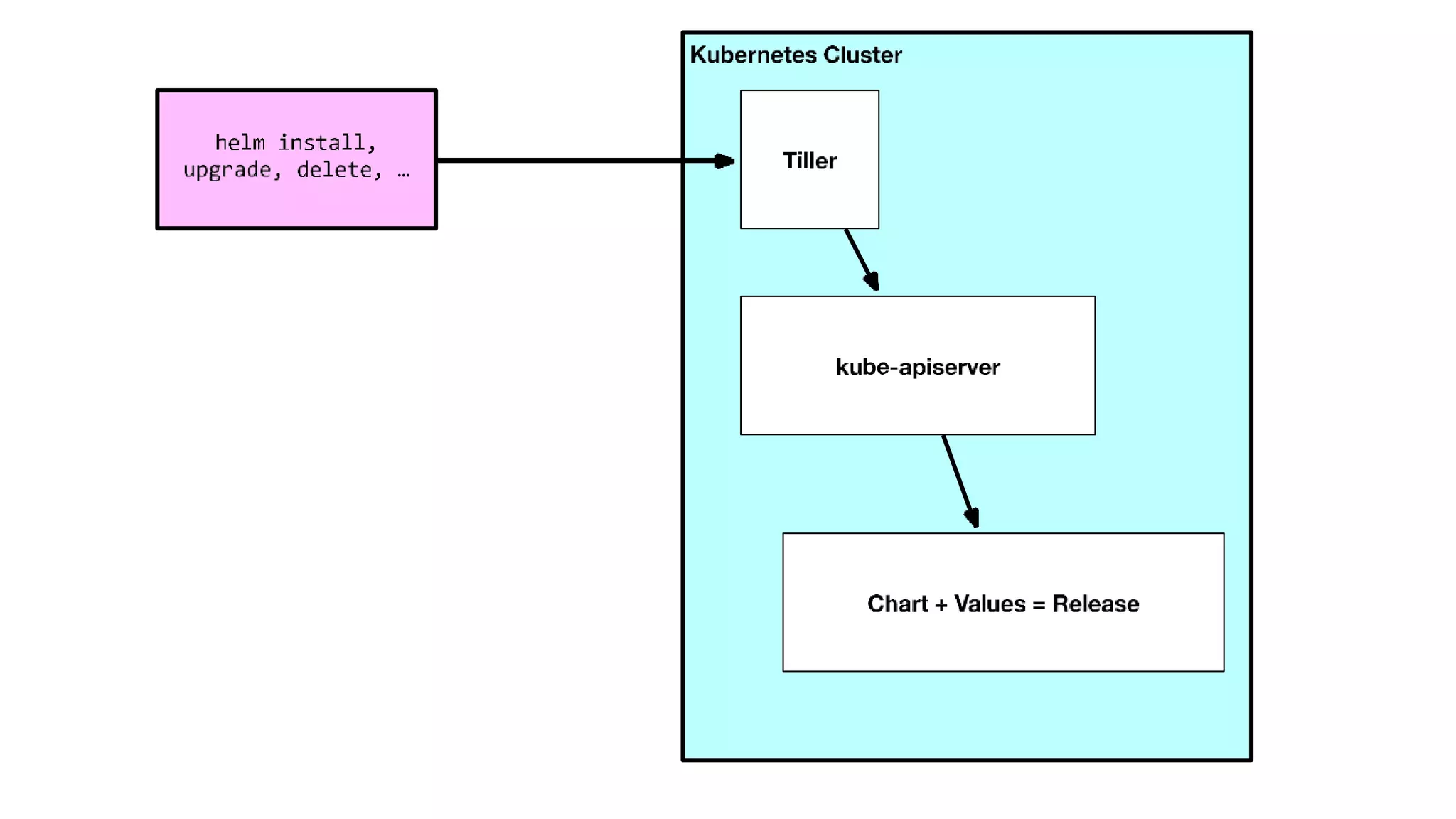
• Helm - Deployments using Helm
• Service mesh(Istio) - Canary Releases
.Net Core
Release 2.1
• .Net Core (Faster build time)
• ASP.NET core (SignalR)
• EF core (Use EF with cosmos DB)
Demo
• .Net core 2.1
• Self hosting apps
• What is container?
Containers
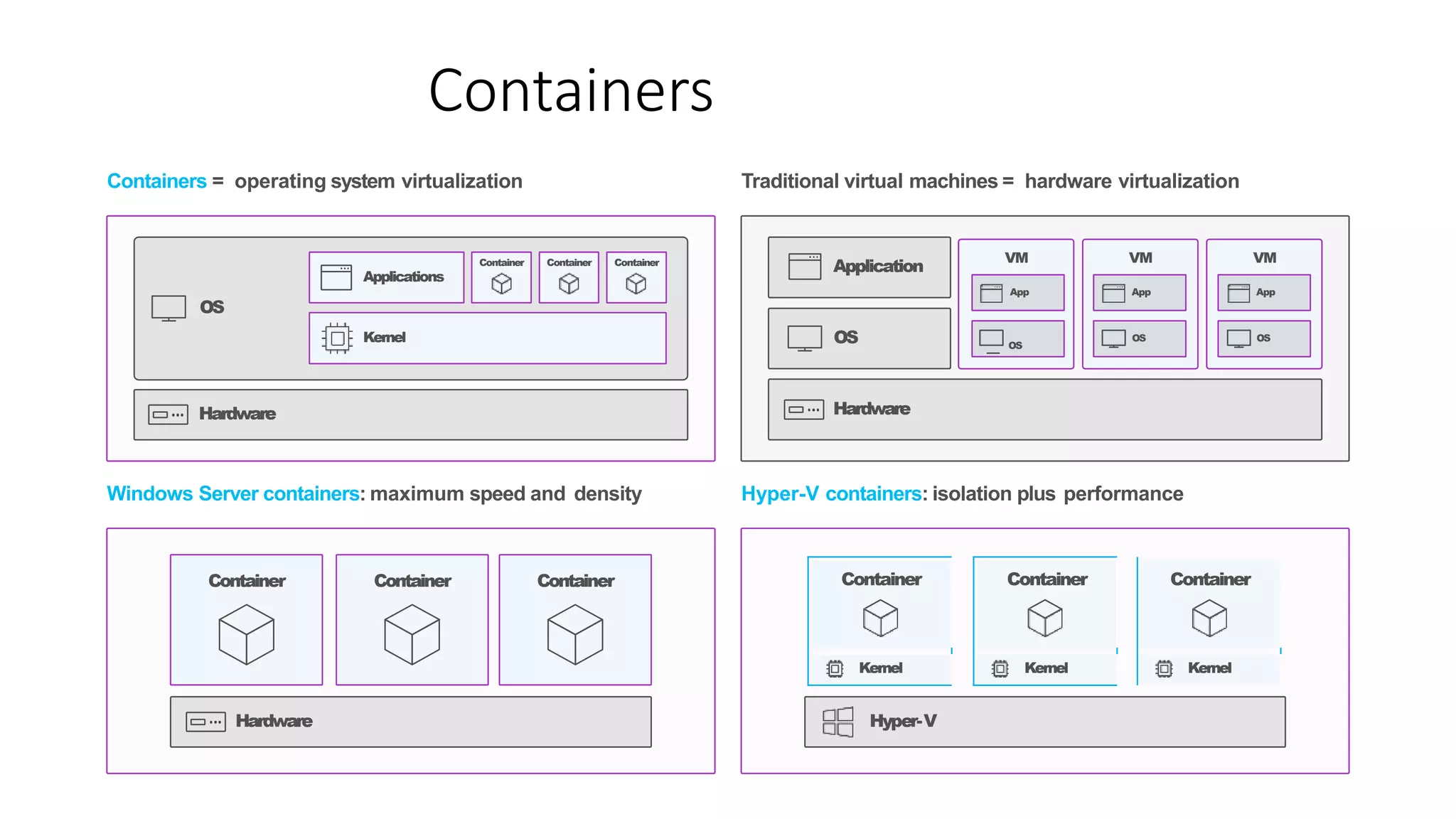
Containers = operating system virtualization Traditional virtual machines = hardware virtualization
Windows Server containers: maximum speed and density Hyper-V containers: isolation plus performance
OS
Kernel
Applications
Container Container Container
Hardware
Hardware
Container Container Container
Hyper-V
Container
Kernel
Container
Kernel
Container
Kernel
Hardware
OS
Application
VM VM VM
App
OS
App
OS
App
OS
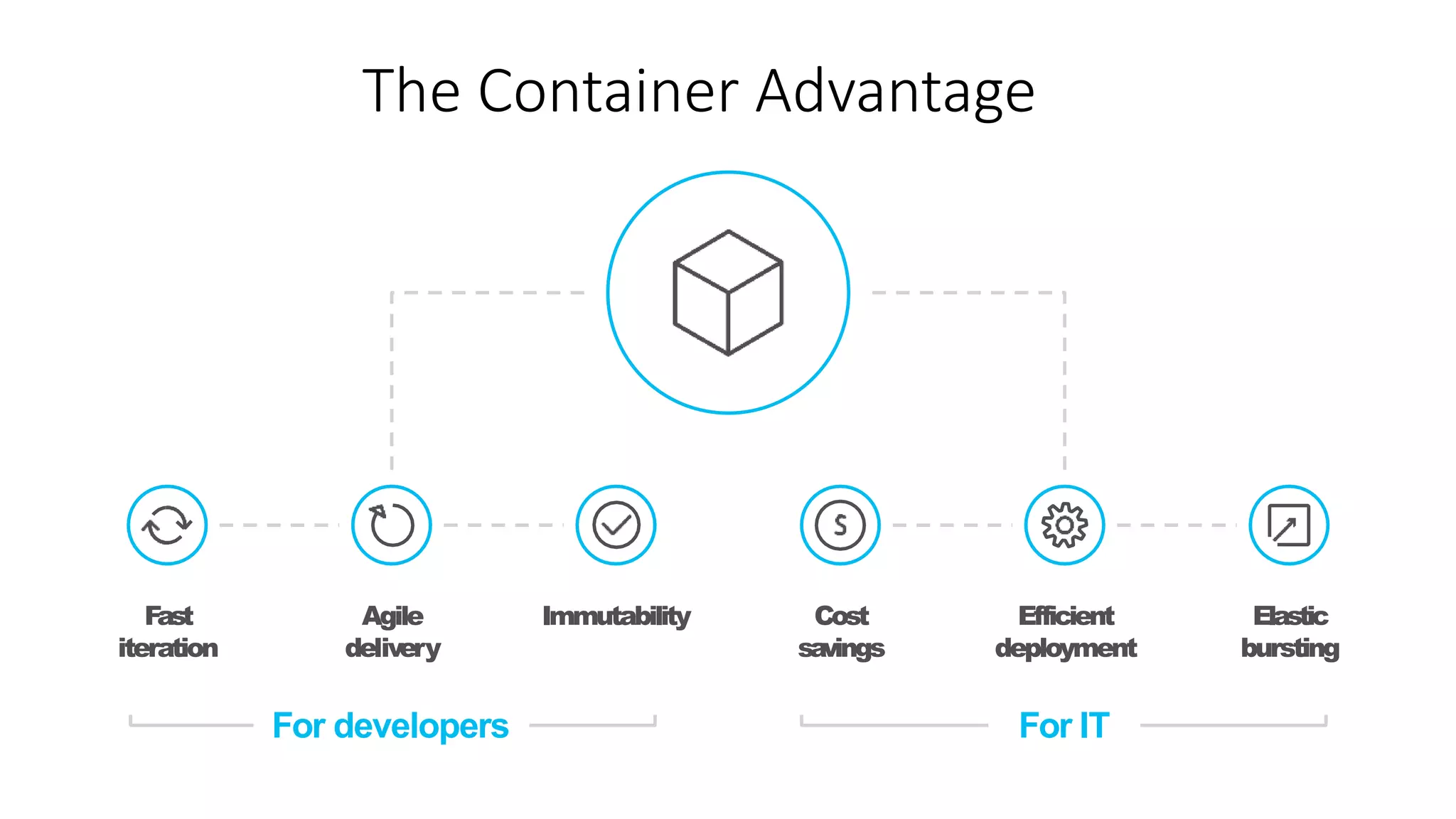
The Container Advantage
Fast
iteration
Agile
delivery
Immutability Cost
savings
Elastic
bursting
Efficient
deployment
For ITFor developers
• An open source container runtime
• Mac, Windows & Linux support
• Command line tool
• “Dockerfile” file format for building container
images
• The Docker image format with layered filesystem
What is Docker?
Demo
• Docker for Windows
• Dockerfile
• docker build -t myapp .
• docker run -it -p 5000:80 myapp
Elements of Orchestration
Scheduling Affinity/anti-
affinity
Health
monitoring
Failover
Scaling Networking Service
discovery
Coordinated
app upgrades
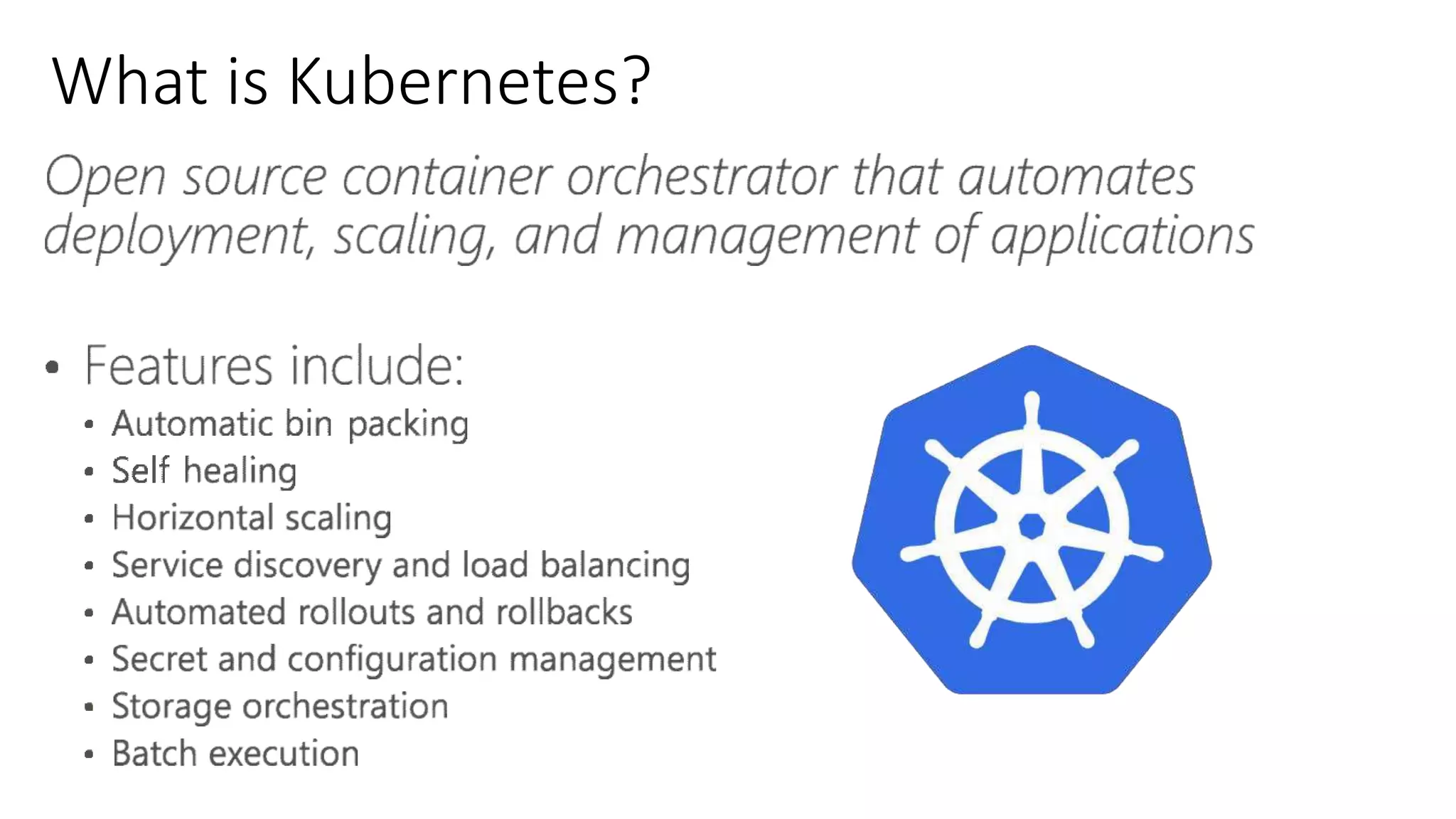
What is Kubernetes?
Where to get Kubernetes
Creating kubernetes cluster in azure
• Shell script in azure portal
• ARM
• Portal
• CLI
• az login
• az group create --name K8sResourcegroup --location eastus
• az acs create --orchestrator-type kubernetes --resource-group
K8sResourceGroup --name K8sCluster --generate-ssh-keys
• az acs kubernetes get-credentials --resource-group=K8sResourceGroup --
name=K8sCluster
Azure container Registry
• Creating Azure Container registry (Portal OR ARM OR CLI)
• Configured it manually
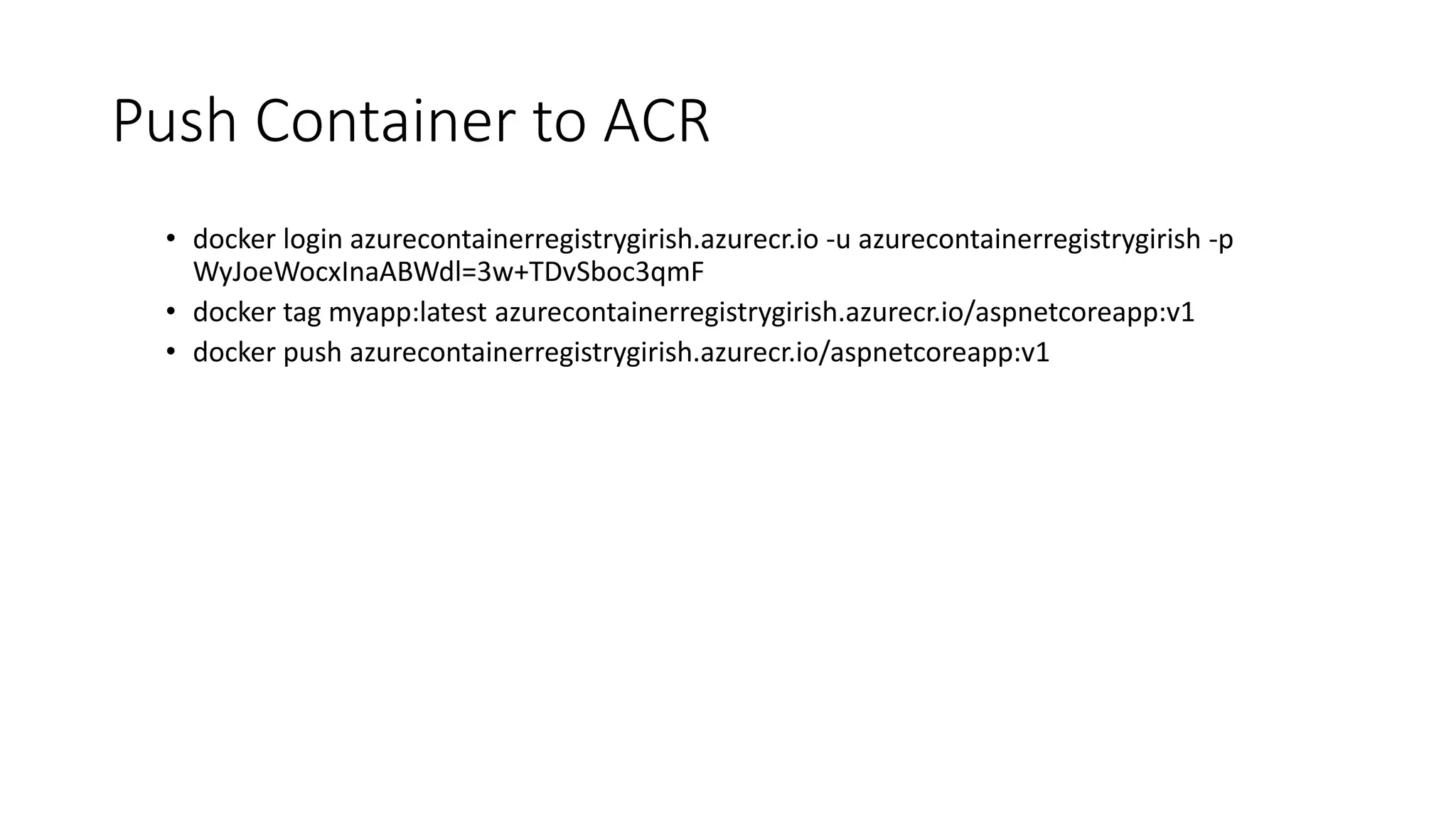
Push Container to ACR
• docker login azurecontainerregistrygirish.azurecr.io -u azurecontainerregistrygirish -p
WyJoeWocxInaABWdl=3w+TDvSboc3qmF
• docker tag myapp:latest azurecontainerregistrygirish.azurecr.io/aspnetcoreapp:v1
• docker push azurecontainerregistrygirish.azurecr.io/aspnetcoreapp:v1
Architecture
Demo
• Create a ACR secret in kubernetes cluster
• .kubectl.exe create secret docker-registry myregistrykey --docker-
server=https://azurecontainerregistrygirish.azurecr.io --docker-
username=azurecontainerregistrygirish --docker-
password=WyJoeWocxInaABWdl=3w+TDvSboc3qmF --docker-email=ggoudar@xpirit.com
• Deployment
• .kubectl.exe apply -f D:k8sDeployment.json
• Service
• .kubectl.exe apply -f D:k8sService.json
• Desired state
• .kubectl.exe delete pod --all
• Scaling apps
• .kubectl scale --replicas=4 -f D:k8sDeployment.json
Setup - Helm
• Download Helm on windows
• Add the helm path to environment variables
Demo
• helm init – install the Tiller
• ./kubectl get pods --namespace kube-system
• helm create aspnetcoreapp-chart
• helm install .aspnetcoreapp-chart
• helm install .aspnetcoreapp-chart --set replicaCount=2
• helm upgrade whopping-zebra .aspnetcoreapp-chart
• helm get whopping-zebra --revision 1
• helm rollback whopping-zebra 1
• helm status whopping-zebra
Service Mesh
Code Independent (Polyglot)
• Intelligent Routing and Load-Balancing
• A/B Tests
• Smarter Canary Releases
• Dark Launches
• Chaos: Fault Injection
• Resilience: Circuit Breakers
• Observability: Metrics and Tracing
• Fleet wide policy enforcement
Next Generation Microservices - Service Mesh
Istio Architecture
Setup - Istio
• Download Istio on windows
• Add the istio path to environment variables
• kubectl.exe apply -f
C:UsersggoudarDownloadsCompressedistio_0.6.0_winistio-
0.6.0installkubernetesistio.yaml
• kubectl.exe get svc -n istio-system
• kubectl get pods -n istio-system
• Use Helm
Inject Istio into Kubernetes
• .kubectl.exe apply -f D:k8sDeploymentWithoutIstio.yaml
• istioctl kube-inject -f D:k8sDeploymentWithoutIstio.yaml >
D:k8sinject.yaml
• .kubectl.exe apply -f D:k8sinject.yaml
Canary Releases
• istioctl create -f D:k8sDeploymentWithIstio.yaml
• .kubectl -n istio-system get svc
• istioctl delete -n default -f D:k8sDeploymentWithIstio.yaml
https://globaldevopsbootcamp.com/

GlobalAzureBootCamp 2018

  • 2.
    Agenda • .Net coreApplication • Containers - Dockerizing .net core application • Kubernetes - Running and scaling the app in ACS • Helm - Deployments using Helm • Service mesh(Istio) - Canary Releases
  • 3.
    .Net Core Release 2.1 •.Net Core (Faster build time) • ASP.NET core (SignalR) • EF core (Use EF with cosmos DB)
  • 4.
    Demo • .Net core2.1 • Self hosting apps
  • 5.
    • What iscontainer?
  • 6.
    Containers Containers = operatingsystem virtualization Traditional virtual machines = hardware virtualization Windows Server containers: maximum speed and density Hyper-V containers: isolation plus performance OS Kernel Applications Container Container Container Hardware Hardware Container Container Container Hyper-V Container Kernel Container Kernel Container Kernel Hardware OS Application VM VM VM App OS App OS App OS
  • 7.
    The Container Advantage Fast iteration Agile delivery ImmutabilityCost savings Elastic bursting Efficient deployment For ITFor developers
  • 8.
    • An opensource container runtime • Mac, Windows & Linux support • Command line tool • “Dockerfile” file format for building container images • The Docker image format with layered filesystem What is Docker?
  • 9.
    Demo • Docker forWindows • Dockerfile • docker build -t myapp . • docker run -it -p 5000:80 myapp
  • 10.
    Elements of Orchestration SchedulingAffinity/anti- affinity Health monitoring Failover Scaling Networking Service discovery Coordinated app upgrades
  • 11.
  • 12.
    Where to getKubernetes
  • 13.
    Creating kubernetes clusterin azure • Shell script in azure portal • ARM • Portal • CLI • az login • az group create --name K8sResourcegroup --location eastus • az acs create --orchestrator-type kubernetes --resource-group K8sResourceGroup --name K8sCluster --generate-ssh-keys • az acs kubernetes get-credentials --resource-group=K8sResourceGroup -- name=K8sCluster
  • 14.
    Azure container Registry •Creating Azure Container registry (Portal OR ARM OR CLI) • Configured it manually
  • 15.
    Push Container toACR • docker login azurecontainerregistrygirish.azurecr.io -u azurecontainerregistrygirish -p WyJoeWocxInaABWdl=3w+TDvSboc3qmF • docker tag myapp:latest azurecontainerregistrygirish.azurecr.io/aspnetcoreapp:v1 • docker push azurecontainerregistrygirish.azurecr.io/aspnetcoreapp:v1
  • 16.
  • 17.
    Demo • Create aACR secret in kubernetes cluster • .kubectl.exe create secret docker-registry myregistrykey --docker- server=https://azurecontainerregistrygirish.azurecr.io --docker- username=azurecontainerregistrygirish --docker- password=WyJoeWocxInaABWdl=3w+TDvSboc3qmF --docker-email=ggoudar@xpirit.com • Deployment • .kubectl.exe apply -f D:k8sDeployment.json • Service • .kubectl.exe apply -f D:k8sService.json • Desired state • .kubectl.exe delete pod --all • Scaling apps • .kubectl scale --replicas=4 -f D:k8sDeployment.json
  • 19.
    Setup - Helm •Download Helm on windows • Add the helm path to environment variables
  • 21.
    Demo • helm init– install the Tiller • ./kubectl get pods --namespace kube-system • helm create aspnetcoreapp-chart • helm install .aspnetcoreapp-chart • helm install .aspnetcoreapp-chart --set replicaCount=2 • helm upgrade whopping-zebra .aspnetcoreapp-chart • helm get whopping-zebra --revision 1 • helm rollback whopping-zebra 1 • helm status whopping-zebra
  • 22.
    Service Mesh Code Independent(Polyglot) • Intelligent Routing and Load-Balancing • A/B Tests • Smarter Canary Releases • Dark Launches • Chaos: Fault Injection • Resilience: Circuit Breakers • Observability: Metrics and Tracing • Fleet wide policy enforcement Next Generation Microservices - Service Mesh
  • 23.
  • 24.
    Setup - Istio •Download Istio on windows • Add the istio path to environment variables • kubectl.exe apply -f C:UsersggoudarDownloadsCompressedistio_0.6.0_winistio- 0.6.0installkubernetesistio.yaml • kubectl.exe get svc -n istio-system • kubectl get pods -n istio-system • Use Helm
  • 25.
    Inject Istio intoKubernetes • .kubectl.exe apply -f D:k8sDeploymentWithoutIstio.yaml • istioctl kube-inject -f D:k8sDeploymentWithoutIstio.yaml > D:k8sinject.yaml • .kubectl.exe apply -f D:k8sinject.yaml
  • 26.
    Canary Releases • istioctlcreate -f D:k8sDeploymentWithIstio.yaml • .kubectl -n istio-system get svc • istioctl delete -n default -f D:k8sDeploymentWithIstio.yaml
  • 29.

Editor's Notes

  • #8 Conatiners contain all the dendency for the application including a OS
  • #9 Popularize the container by making easy to build containers