.NET Conference 2024
Optimizing .NET 8 Applications
with Docker and Azure:
A Comprehensive Guide
Hamida Rebaï - Cloud Solutions Architect – Microsoft MVP
Agenda
• Overview of .NET 8
• Introduction to Docker Containers
• Integrating .NET 8 with Docker
• Deploying .NET 8 Applications to Azure
Overview of .NET 8
Hamida Rebai
.NET 8 New Features
• Performance Improvements: Over 1,250 performance
improvements, particularly in JSON API scenarios and realistic
workloads with database access.
• ASP.NET Core Enhancements: ASP.NET Core in .NET 8 offers
extended capabilities for modern web application development,
with enhanced tools for server-side rendering and client-side
interactivity.
• Blazor and WebAssembly: Blazor in .NET 8 includes improved
server-side rendering and increased interactivity with
WebAssembly. Components render 20% faster, and new web
packaging features are introduced.
• C# 12 New Features: Features such as primary constructors and
collection expressions are added, improving code readability and
simplicity.
• Development Tools: New tools in Visual Studio and Visual Studio
Code are introduced to enhance the development experience,
including improvements for routing, debugging, and API testing.
• Reference Architecture eShop: A comprehensive reference
application, eShop, is showcased, utilizing a cloud-native
microservices architecture and highlighting the new capabilities of
.NET 8.
• Full-Stack Application Development: .NET 8 emphasizes ease of
development for full-stack web applications, with improvements for
both backend and frontend developers.
• Security and Performance Enhancements: ASP.NET Core is
designed with a focus on security and optimized for performance,
enabling efficient handling of various scenarios.
• Cloud-Native and Mobile Development: .NET 8 continues to
evolve as a preferred platform for cloud-native and mobile
development.
• Community and Contribution: .NET 8 has benefited from strong
community contribution, reflecting its growing adoption and
impact in the world of software development.
Introduction to Docker
Containers
Hamida Rebai
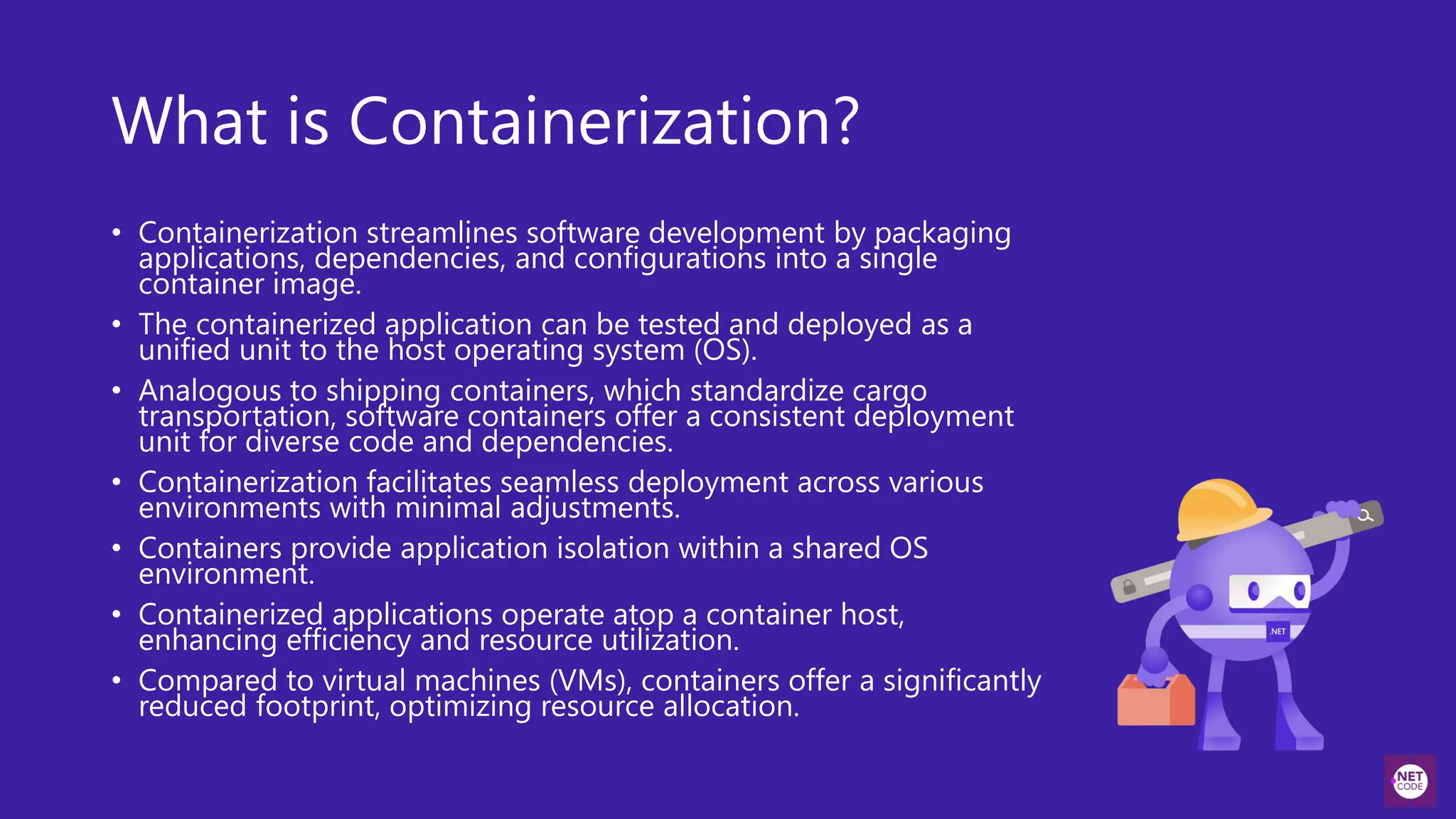
What is Containerization?
• Containerization streamlines software development by packaging
applications, dependencies, and configurations into a single
container image.
• The containerized application can be tested and deployed as a
unified unit to the host operating system (OS).
• Analogous to shipping containers, which standardize cargo
transportation, software containers offer a consistent deployment
unit for diverse code and dependencies.
• Containerization facilitates seamless deployment across various
environments with minimal adjustments.
• Containers provide application isolation within a shared OS
environment.
• Containerized applications operate atop a container host,
enhancing efficiency and resource utilization.
• Compared to virtual machines (VMs), containers offer a significantly
reduced footprint, optimizing resource allocation.
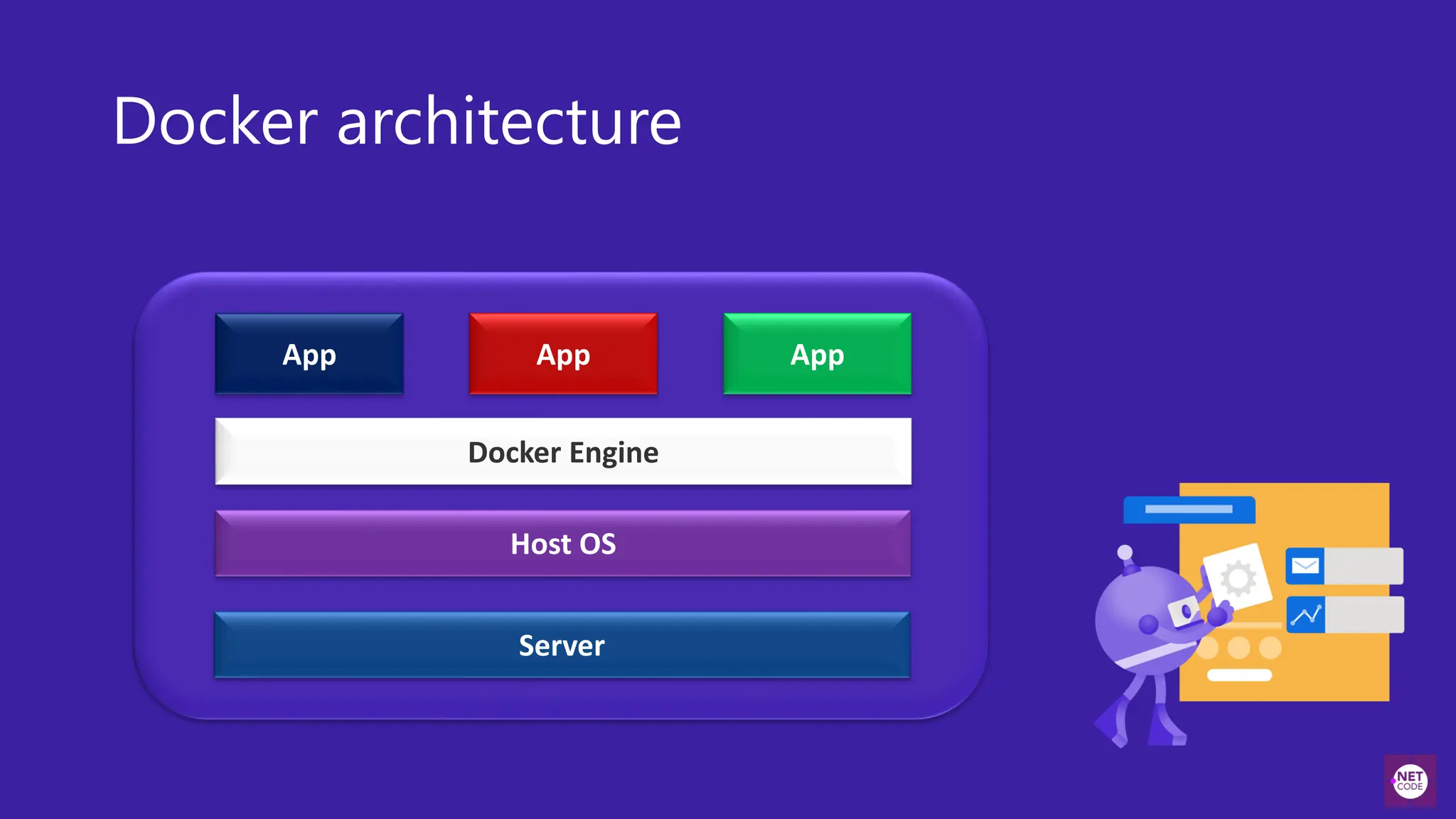
Docker architecture
App App
Docker Engine
App
Host OS
Server
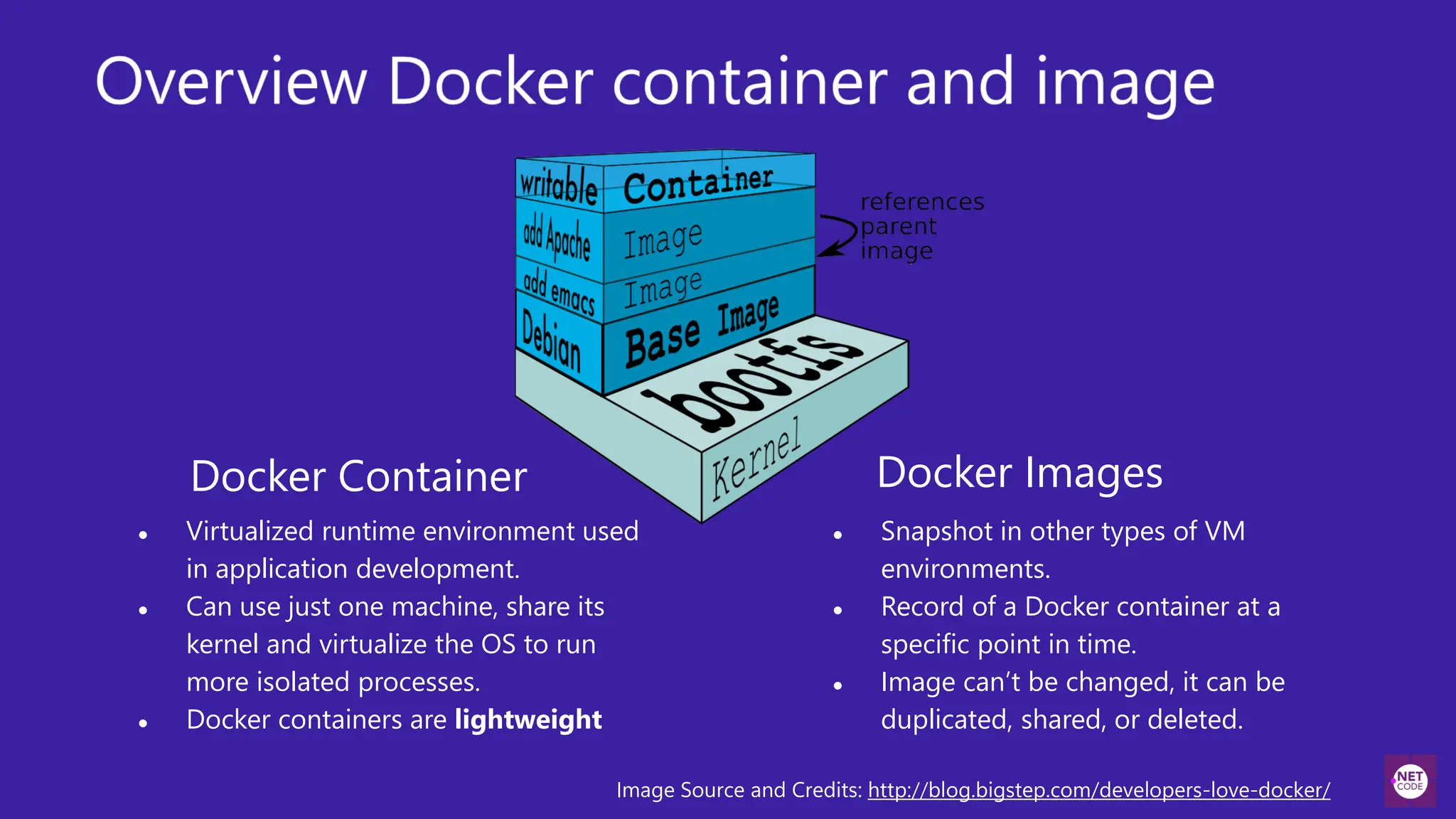
Docker Images
● Snapshot in other types of VM
environments.
● Record of a Docker container at a
specific point in time.
● Image can’t be changed, it can be
duplicated, shared, or deleted.
Docker Container
● Virtualized runtime environment used
in application development.
● Can use just one machine, share its
kernel and virtualize the OS to run
more isolated processes.
● Docker containers are lightweight
Image Source and Credits: http://blog.bigstep.com/developers-love-docker/
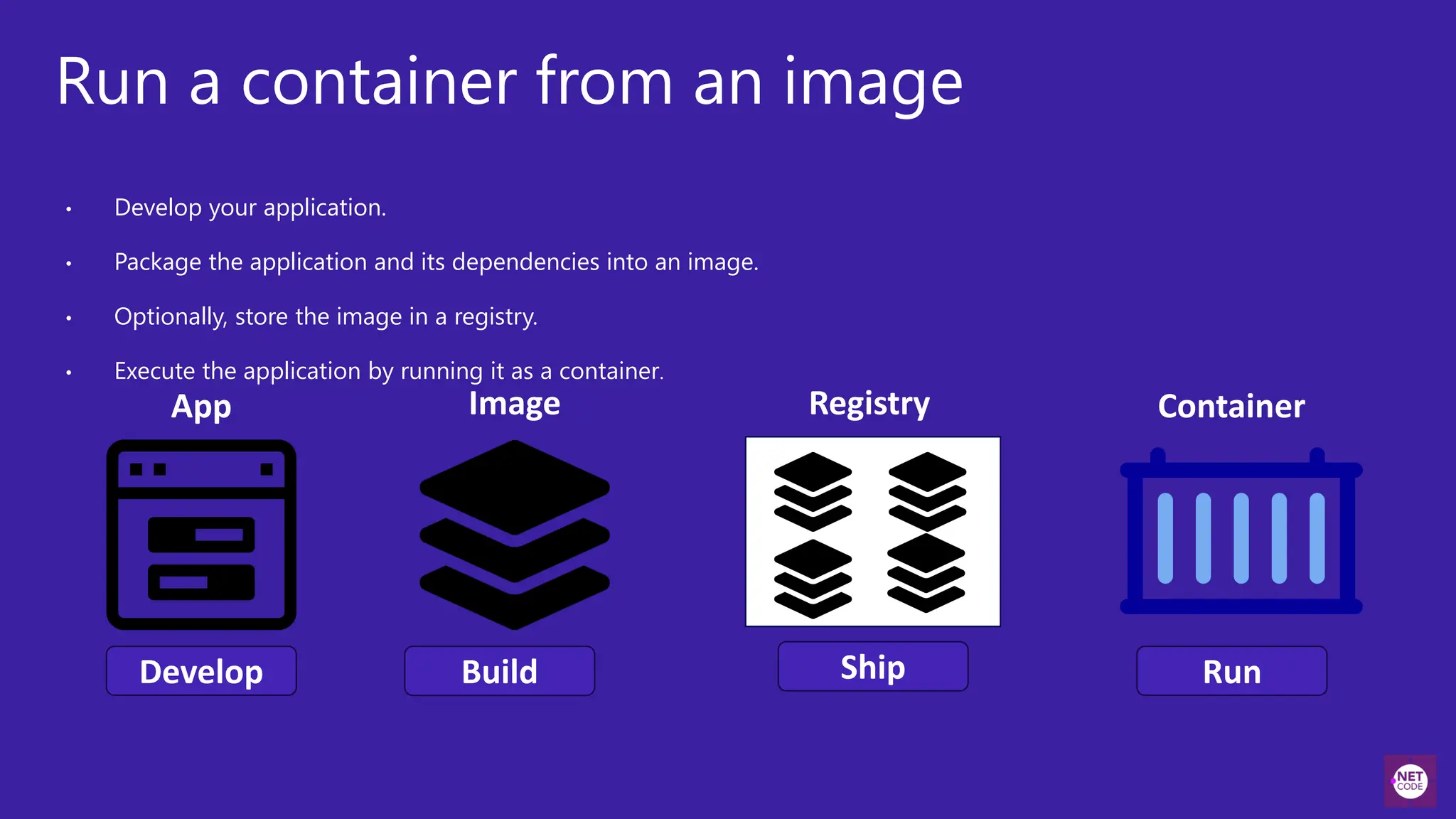
Run a container from an image
• Develop your application.
• Package the application and its dependencies into an image.
• Optionally, store the image in a registry.
• Execute the application by running it as a container.
App
Develop Build
Image
Ship
Registry Container
Run
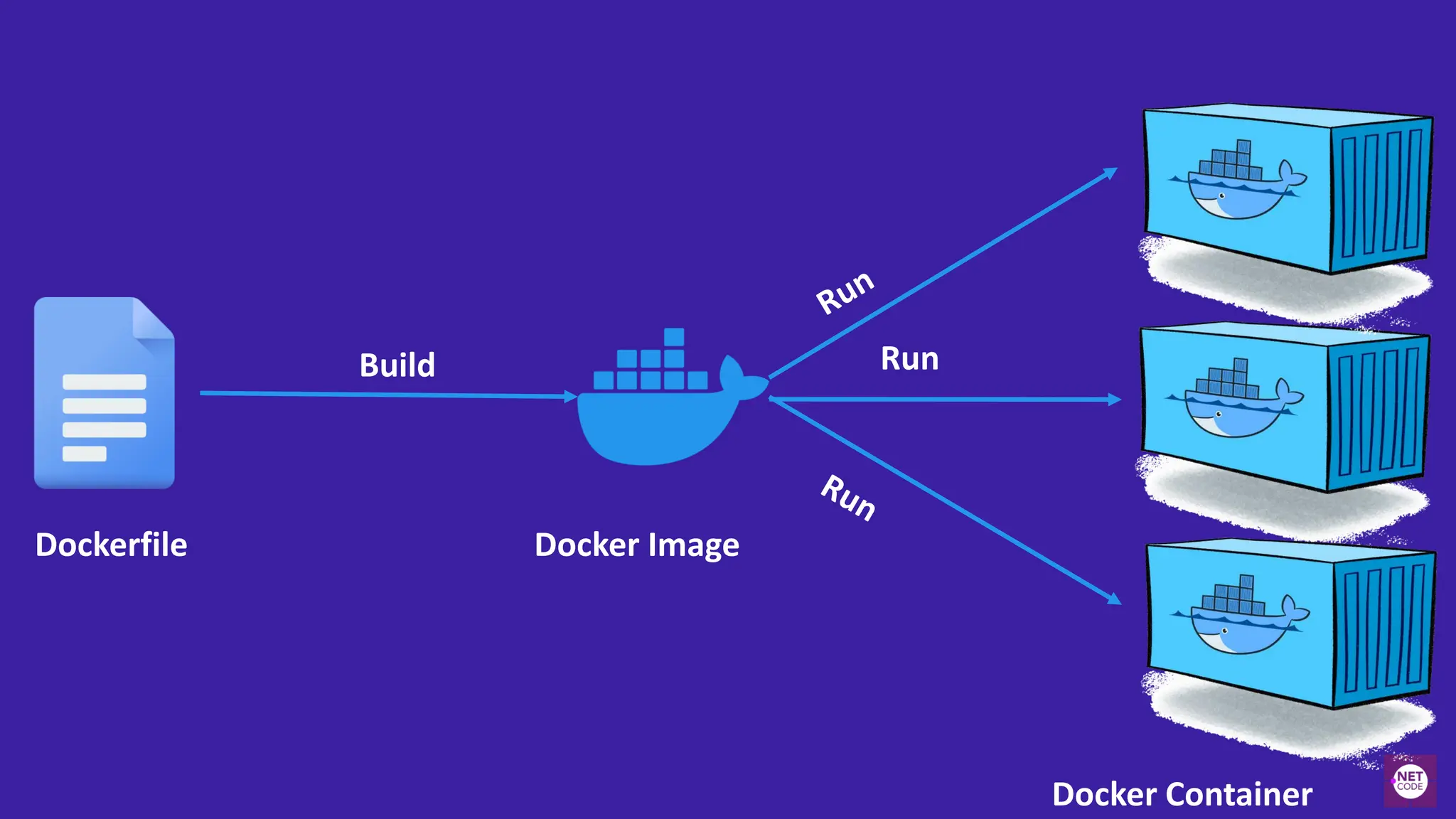
Dockerfile Docker Image
Build Run
Docker Container
Dockerfile
FROM mcr.microsoft.com/dotnet/sdk:8.0 AS build
WORKDIR /src
1
COPY ["mysolution.csproj", « mysolution/"]
RUN dotnet restore « mysolution.csproj" 2
COPY . .
WORKDIR "/src/mysolution"
RUN dotnet build “mysolution.csproj" -c Release -o /app/build
3
Specify
image
Copy project file
Copy and Build
Build runtime image
FROM mcr.microsoft.com/dotnet/aspnet:8.0 AS base
WORKDIR /app
COPY --from=build /app/publish .
4
Dockerfile
Starting the app
5
ENTRYPOINT ["dotnet", « yousolution.dll"]
Build our image & start container
docker build -t yoursolutionimage:1.0 .
Create and run our container
docker run –d -p 8080:80 -ti –name myapp --rm yousolutionimage:1.0
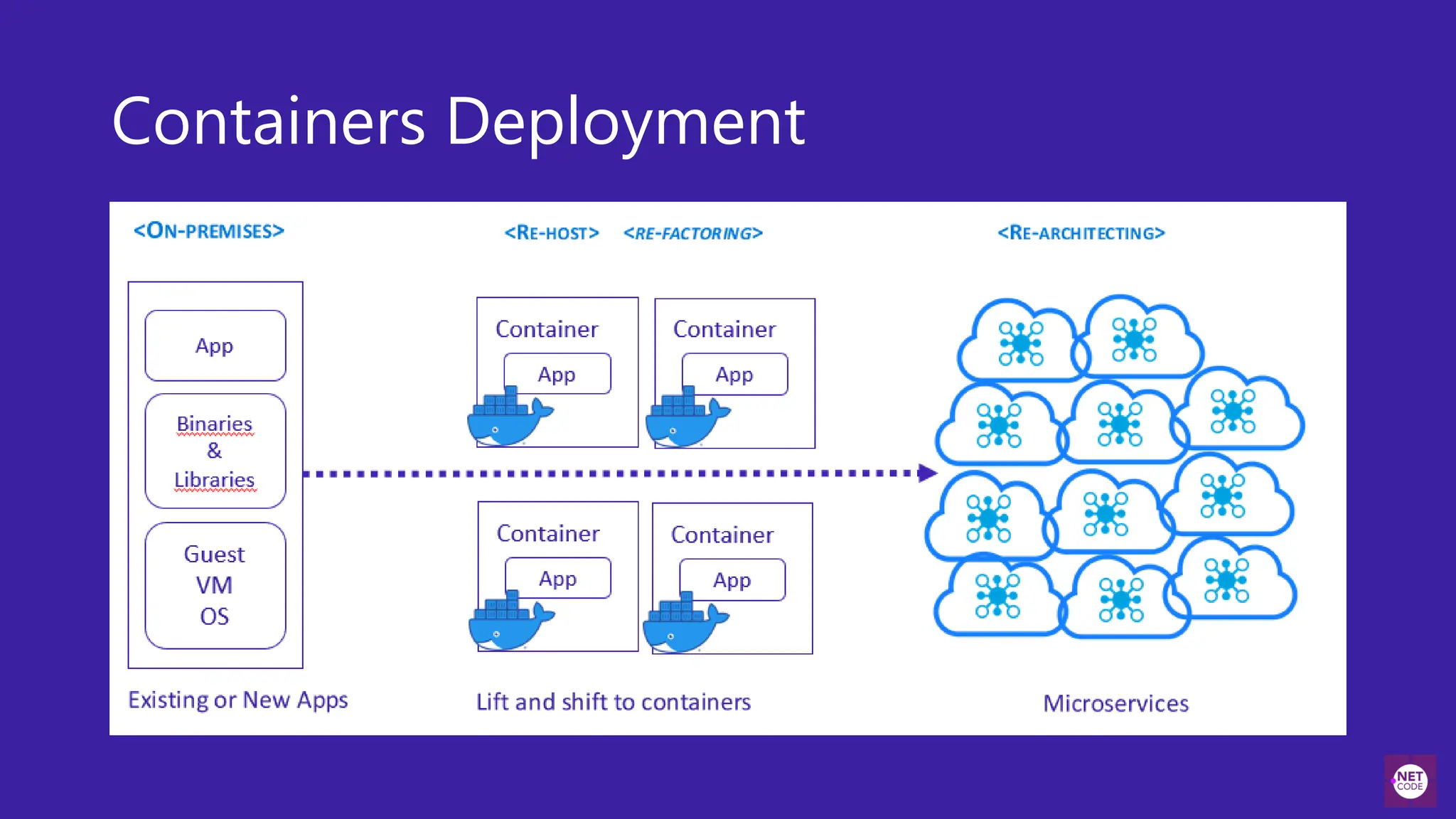
Containers Deployment
DEMO
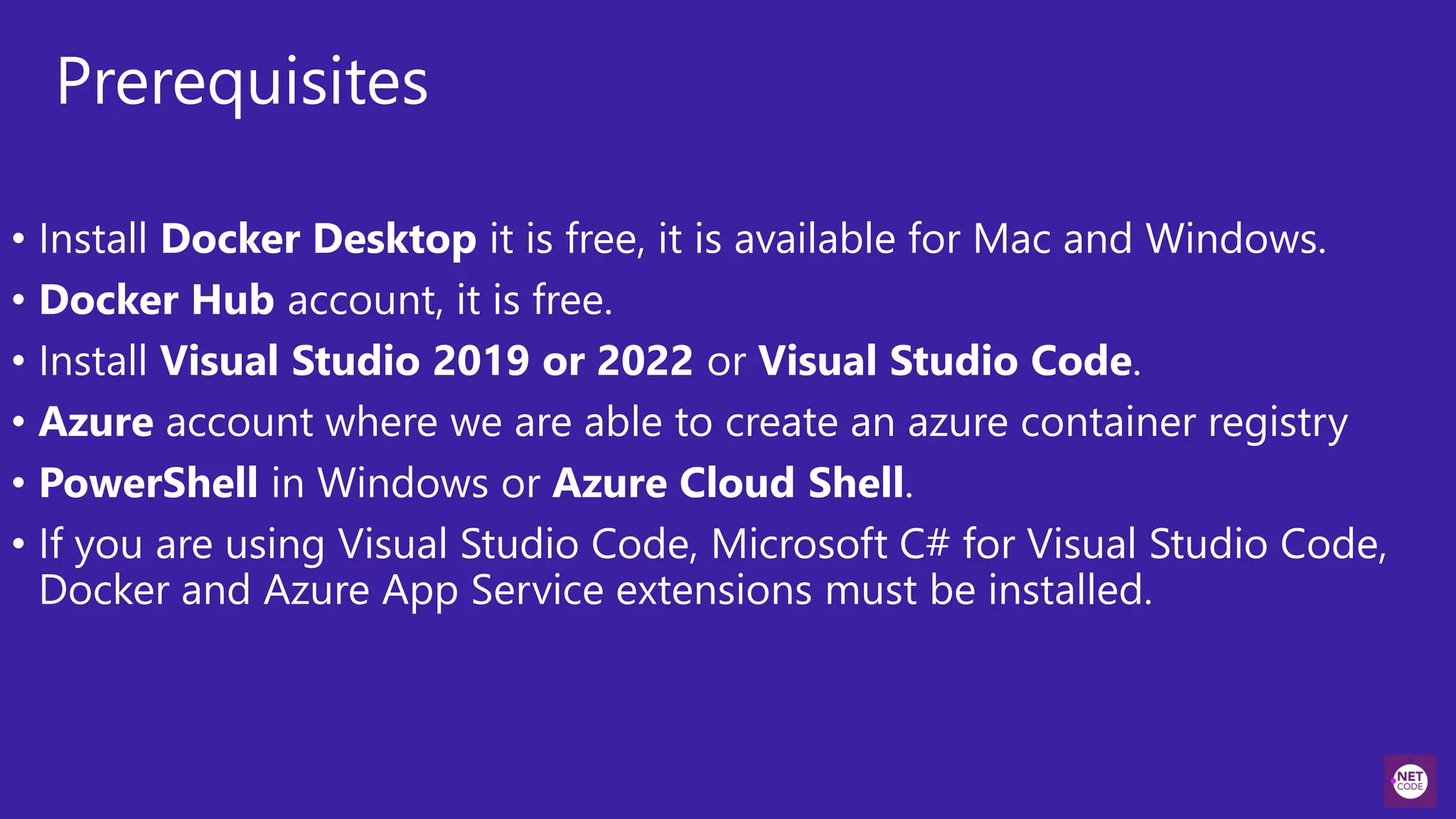
Prerequisites
• Install Docker Desktop it is free, it is available for Mac and Windows.
• Docker Hub account, it is free.
• Install Visual Studio 2019 or 2022 or Visual Studio Code.
• Azure account where we are able to create an azure container registry
• PowerShell in Windows or Azure Cloud Shell.
• If you are using Visual Studio Code, Microsoft C# for Visual Studio Code,
Docker and Azure App Service extensions must be installed.
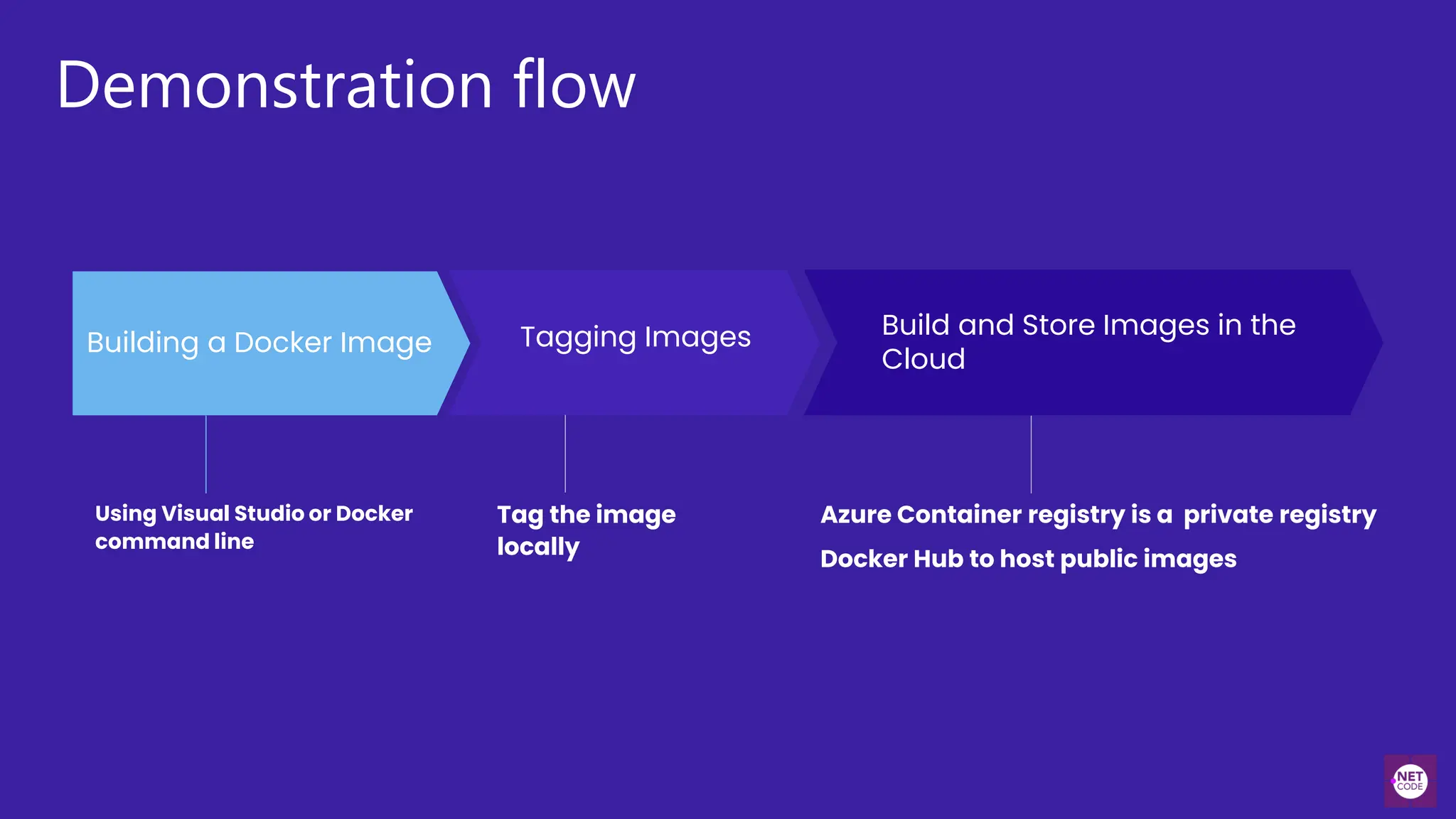
Demonstration flow
Tag the image
locally
Using Visual Studio or Docker
command line
Azure Container registry is a private registry
Docker Hub to host public images
Building a Docker Image Tagging Images Build and Store Images in the
Cloud
Build and Store Images in
Azure Container services
Hamida Rebai
Build and store images by using Azure
Container Registry
• What is Container Registry?
• Azure service that you can use to create your own
private Docker registries.
• Similar to Docker Hub but offers a few unique
benefits: Container Registry runs in Azure, Container
Registry is highly scalable, providing enhanced
throughput for Docker pulls that can span many
nodes concurrently.
• Use Container Registry
• Create a registry by using either the Azure portal or
the Azure CLI.
• Store and host images, and build images.
DEMO
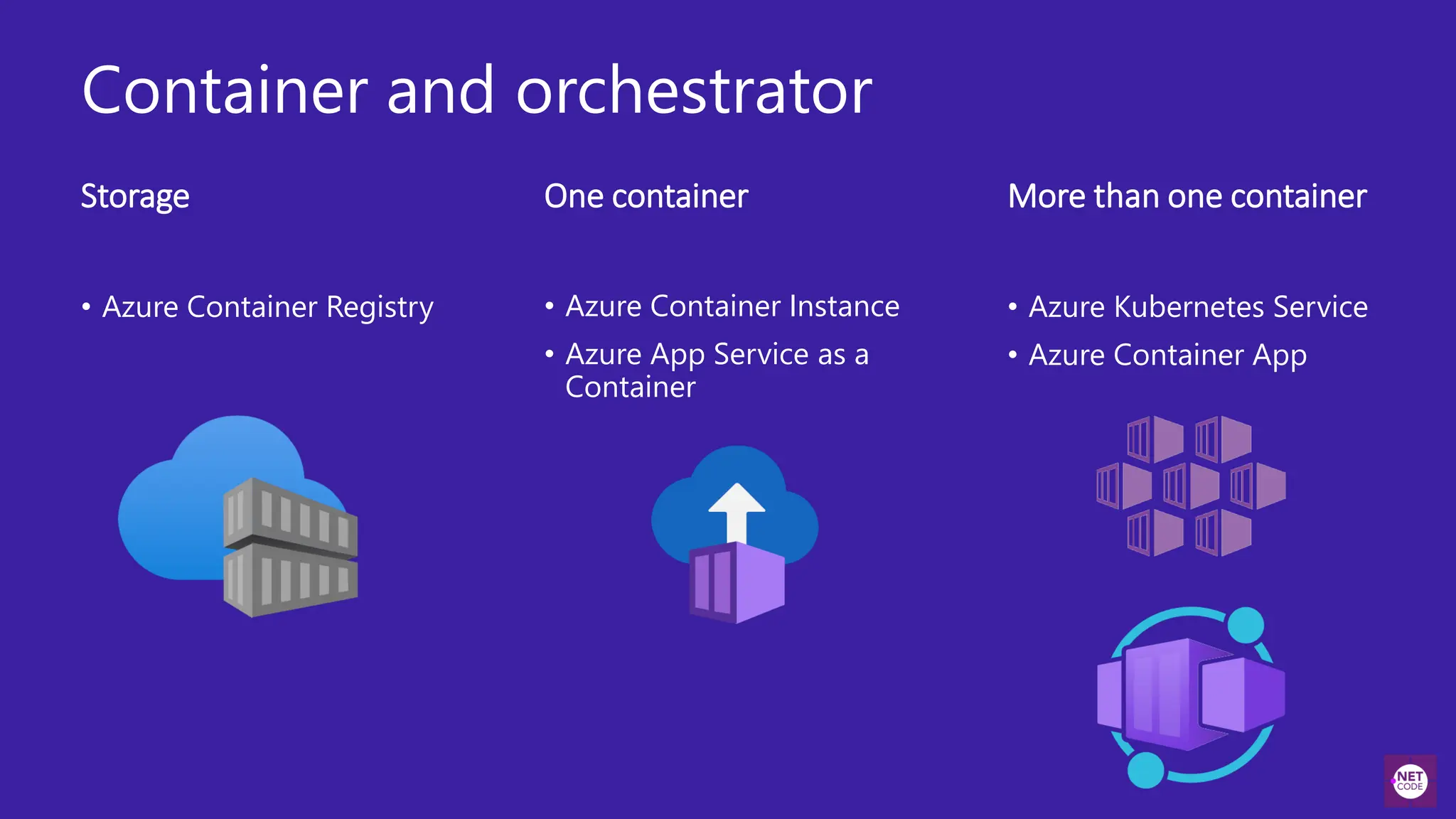
Container and orchestrator
Storage
• Azure Container Instance
• Azure App Service as a
Container
• Azure Container Registry
More than one container
One container
• Azure Kubernetes Service
• Azure Container App
Azure Container
Registry
Hamida Rebai
Demo: Build and Store Images by Using Azure
Container Registry (ACR)
Using Azure Portal
● Create Azure Container Registry from
the Portal or from Visual Studio 2022
● Push the image from Visual Studio 2022
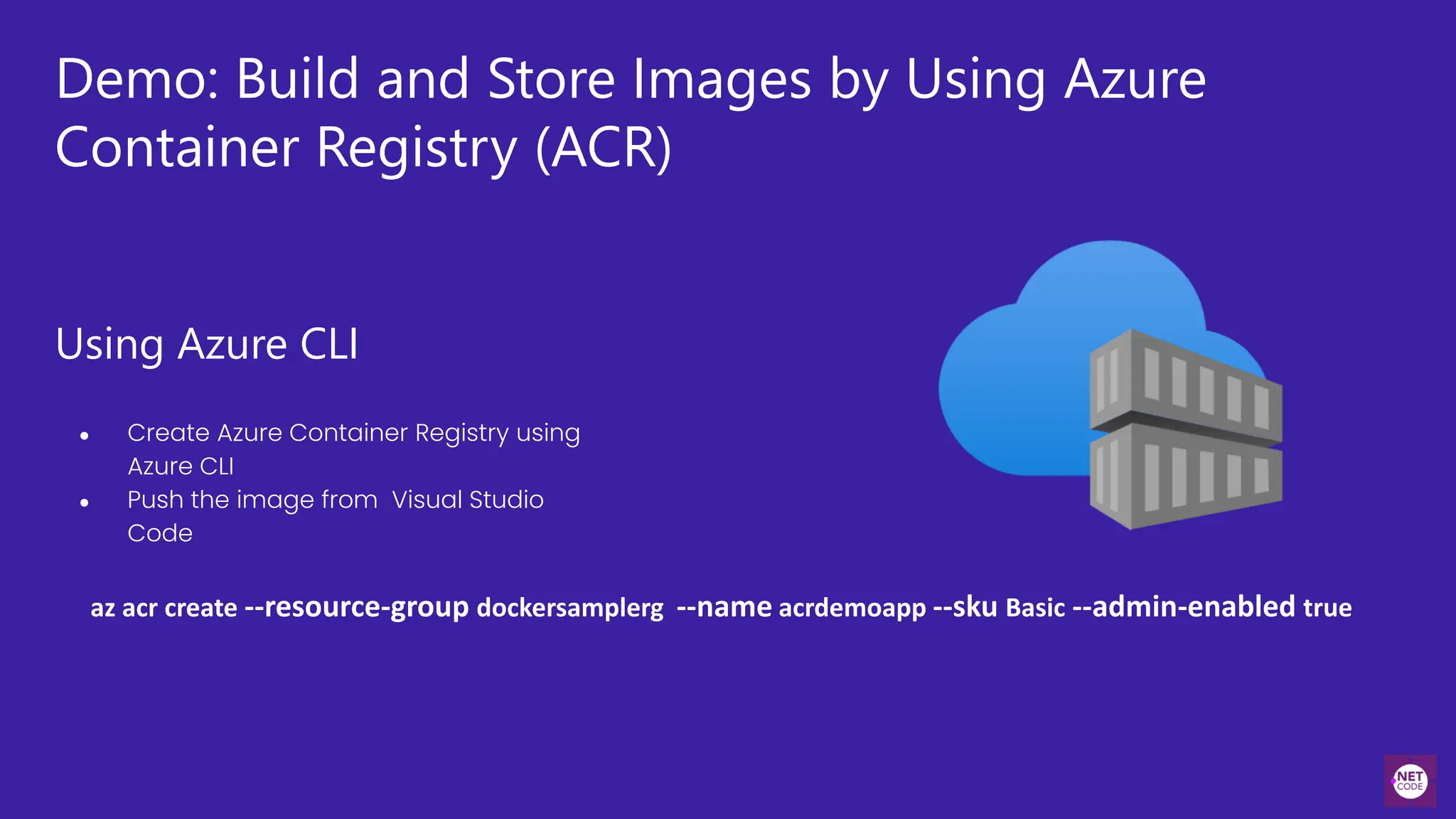
Demo: Build and Store Images by Using Azure
Container Registry (ACR)
Using Azure CLI
● Create Azure Container Registry using
Azure CLI
● Push the image from Visual Studio
Code
az acr create --resource-group dockersamplerg --name acrdemoapp --sku Basic --admin-enabled true
Azure Kubernetes
Services
Hamida Rebai
Azure Kubernetes Services
• Azure Kubernetes Service (AKS) is a managed
Kubernetes service that lets you quickly deploy
and manage clusters.
>_
Create AKS cluster using Azure CLI
az aks create --resource-group aksgr --name
myAKSCluster --node-count 1 -- generate-ssh-keys --
attach-acr aksprojectcontainer
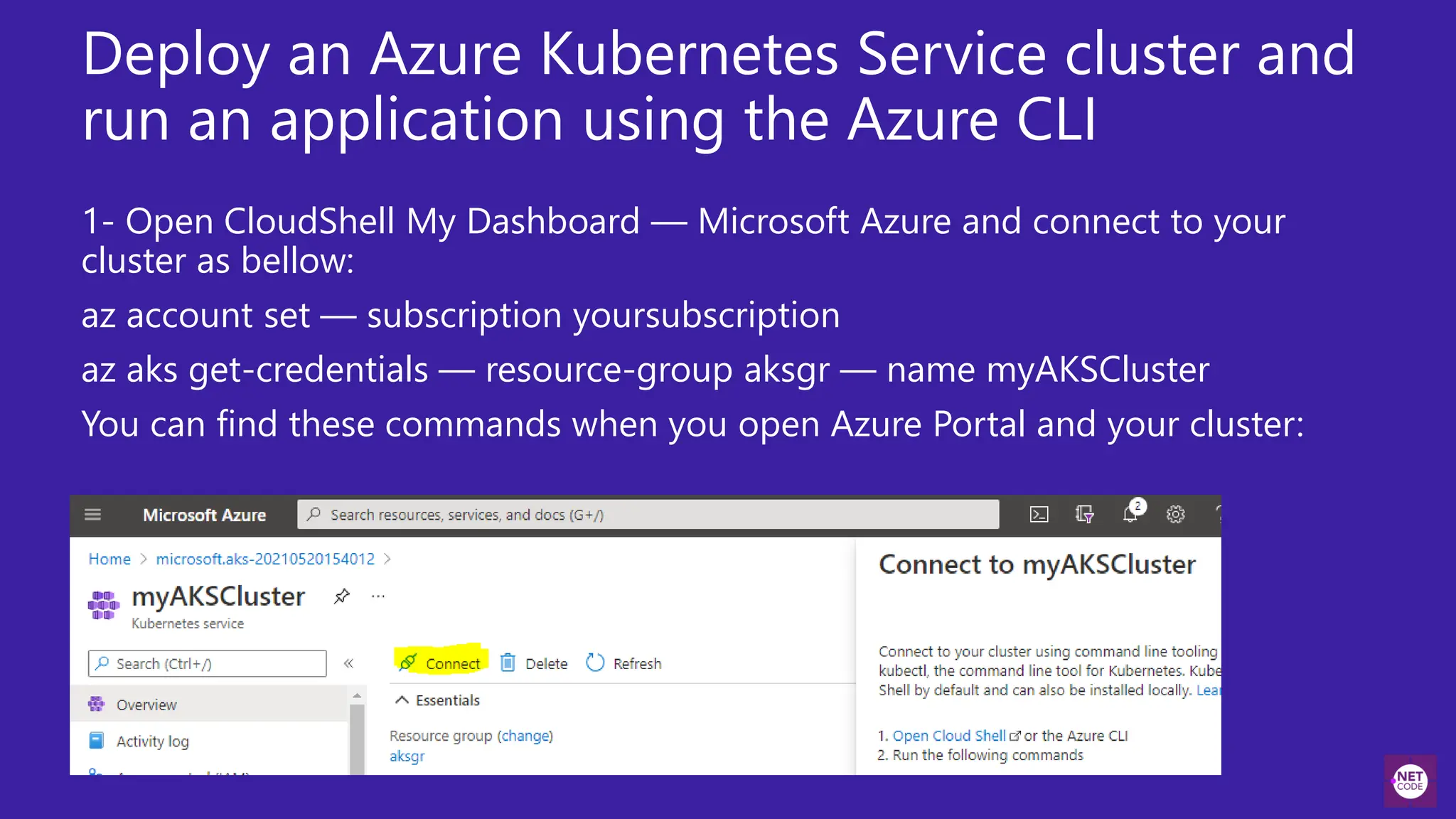
Deploy an Azure Kubernetes Service cluster and
run an application using the Azure CLI
1- Open CloudShell My Dashboard — Microsoft Azure and connect to your
cluster as bellow:
az account set — subscription yoursubscription
az aks get-credentials — resource-group aksgr — name myAKSCluster
You can find these commands when you open Azure Portal and your cluster:
Deploy an Azure Kubernetes Service cluster
and run an application using the Azure CLI
• 2- Create an empty file called: azure-demo-deployment.yaml
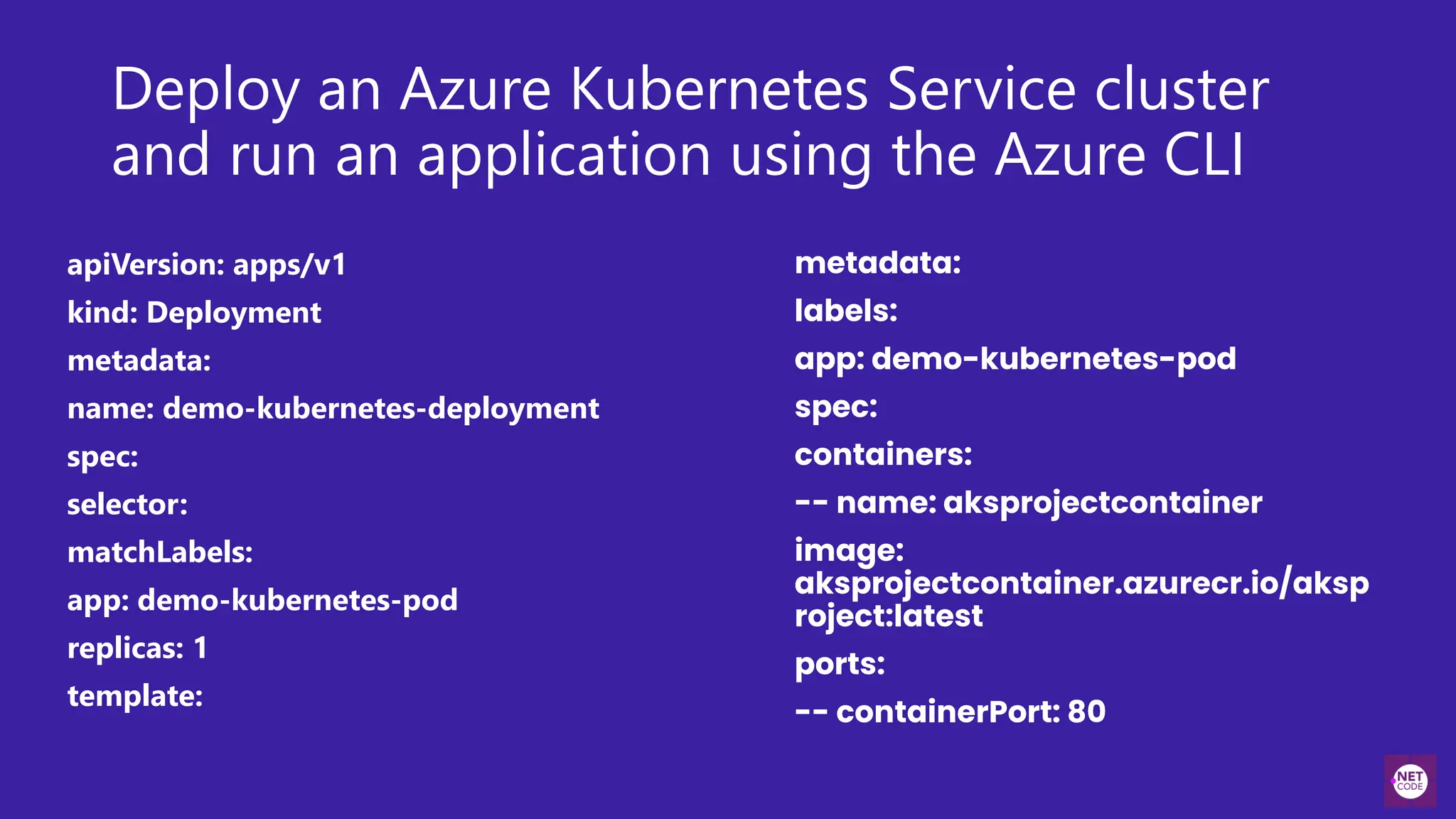
• 3- Copy this content to the empty file created, we will describe it after.
Deploy an Azure Kubernetes Service cluster
and run an application using the Azure CLI
apiVersion: apps/v1
kind: Deployment
metadata:
name: demo-kubernetes-deployment
spec:
selector:
matchLabels:
app: demo-kubernetes-pod
replicas: 1
template:
metadata:
labels:
app: demo-kubernetes-pod
spec:
containers:
-- name: aksprojectcontainer
image:
aksprojectcontainer.azurecr.io/aksp
roject:latest
ports:
-- containerPort: 80
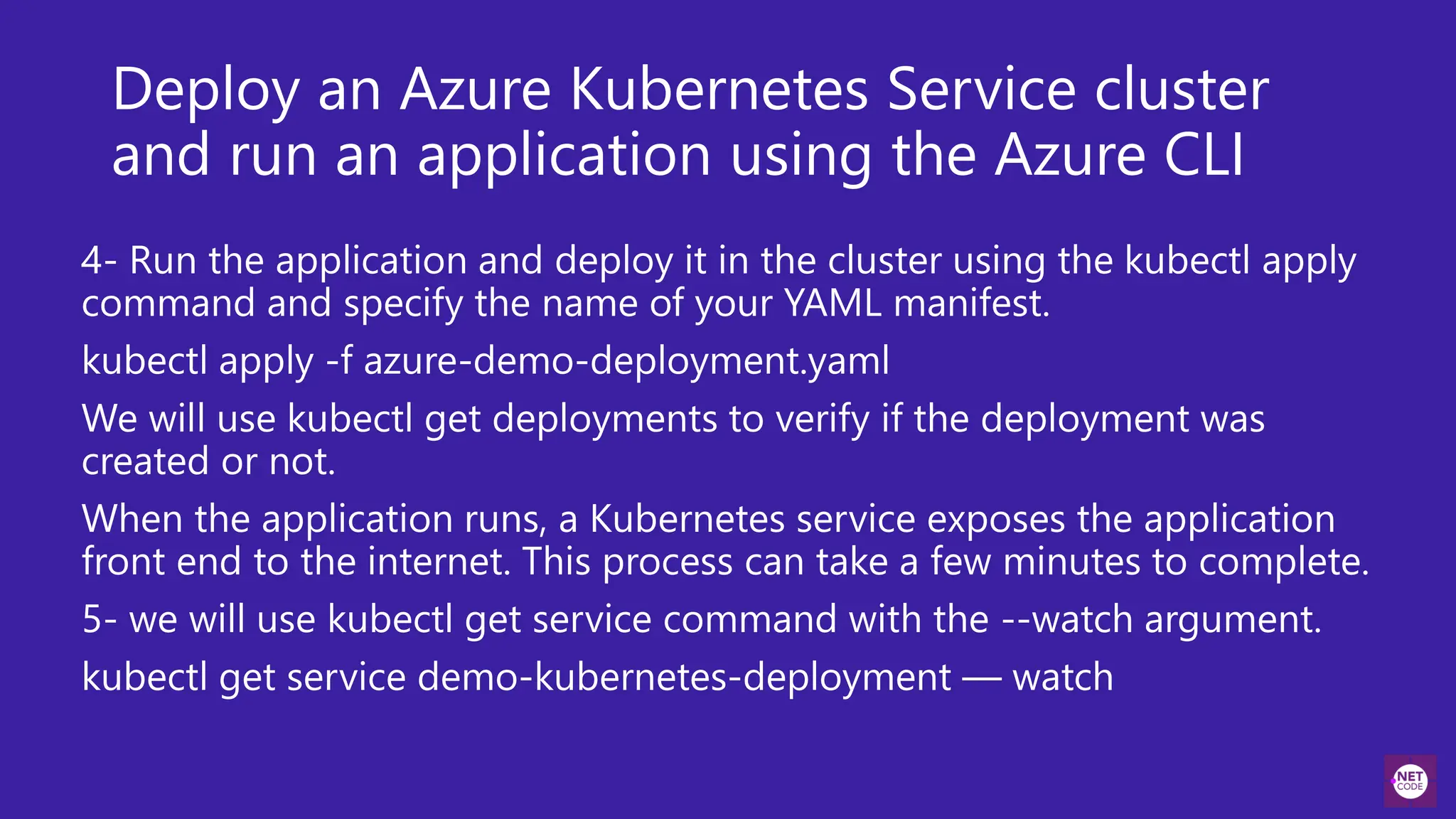
Deploy an Azure Kubernetes Service cluster
and run an application using the Azure CLI
4- Run the application and deploy it in the cluster using the kubectl apply
command and specify the name of your YAML manifest.
kubectl apply -f azure-demo-deployment.yaml
We will use kubectl get deployments to verify if the deployment was
created or not.
When the application runs, a Kubernetes service exposes the application
front end to the internet. This process can take a few minutes to complete.
5- we will use kubectl get service command with the --watch argument.
kubectl get service demo-kubernetes-deployment — watch
Azure Container Apps
Azure Container App
Azure Container Apps is a fully managed environment that enables
you to run microservices and containerized applications on a
serverless platform.
• Provide a serverless hosting service that sits on top of an AKS
Service
• Deploy multiple containers
• Azure Container app do not even expose Kubernetes APIs to the
users.
Questions?
.NET Conference 2024
Grazie

Rome .NET Conference 2024 - Remote Conference

  • 1.
  • 2.
    Optimizing .NET 8Applications with Docker and Azure: A Comprehensive Guide Hamida Rebaï - Cloud Solutions Architect – Microsoft MVP
  • 3.
    Agenda • Overview of.NET 8 • Introduction to Docker Containers • Integrating .NET 8 with Docker • Deploying .NET 8 Applications to Azure
  • 4.
    Overview of .NET8 Hamida Rebai
  • 5.
    .NET 8 NewFeatures • Performance Improvements: Over 1,250 performance improvements, particularly in JSON API scenarios and realistic workloads with database access. • ASP.NET Core Enhancements: ASP.NET Core in .NET 8 offers extended capabilities for modern web application development, with enhanced tools for server-side rendering and client-side interactivity. • Blazor and WebAssembly: Blazor in .NET 8 includes improved server-side rendering and increased interactivity with WebAssembly. Components render 20% faster, and new web packaging features are introduced. • C# 12 New Features: Features such as primary constructors and collection expressions are added, improving code readability and simplicity. • Development Tools: New tools in Visual Studio and Visual Studio Code are introduced to enhance the development experience, including improvements for routing, debugging, and API testing.
  • 6.
    • Reference ArchitectureeShop: A comprehensive reference application, eShop, is showcased, utilizing a cloud-native microservices architecture and highlighting the new capabilities of .NET 8. • Full-Stack Application Development: .NET 8 emphasizes ease of development for full-stack web applications, with improvements for both backend and frontend developers. • Security and Performance Enhancements: ASP.NET Core is designed with a focus on security and optimized for performance, enabling efficient handling of various scenarios. • Cloud-Native and Mobile Development: .NET 8 continues to evolve as a preferred platform for cloud-native and mobile development. • Community and Contribution: .NET 8 has benefited from strong community contribution, reflecting its growing adoption and impact in the world of software development.
  • 7.
  • 8.
    What is Containerization? •Containerization streamlines software development by packaging applications, dependencies, and configurations into a single container image. • The containerized application can be tested and deployed as a unified unit to the host operating system (OS). • Analogous to shipping containers, which standardize cargo transportation, software containers offer a consistent deployment unit for diverse code and dependencies. • Containerization facilitates seamless deployment across various environments with minimal adjustments. • Containers provide application isolation within a shared OS environment. • Containerized applications operate atop a container host, enhancing efficiency and resource utilization. • Compared to virtual machines (VMs), containers offer a significantly reduced footprint, optimizing resource allocation.
  • 9.
    Docker architecture App App DockerEngine App Host OS Server
  • 10.
    Docker Images ● Snapshotin other types of VM environments. ● Record of a Docker container at a specific point in time. ● Image can’t be changed, it can be duplicated, shared, or deleted. Docker Container ● Virtualized runtime environment used in application development. ● Can use just one machine, share its kernel and virtualize the OS to run more isolated processes. ● Docker containers are lightweight Image Source and Credits: http://blog.bigstep.com/developers-love-docker/
  • 11.
    Run a containerfrom an image • Develop your application. • Package the application and its dependencies into an image. • Optionally, store the image in a registry. • Execute the application by running it as a container. App Develop Build Image Ship Registry Container Run
  • 12.
    Dockerfile Docker Image BuildRun Docker Container
  • 13.
    Dockerfile FROM mcr.microsoft.com/dotnet/sdk:8.0 ASbuild WORKDIR /src 1 COPY ["mysolution.csproj", « mysolution/"] RUN dotnet restore « mysolution.csproj" 2 COPY . . WORKDIR "/src/mysolution" RUN dotnet build “mysolution.csproj" -c Release -o /app/build 3 Specify image Copy project file Copy and Build Build runtime image FROM mcr.microsoft.com/dotnet/aspnet:8.0 AS base WORKDIR /app COPY --from=build /app/publish . 4
  • 14.
    Dockerfile Starting the app 5 ENTRYPOINT["dotnet", « yousolution.dll"] Build our image & start container docker build -t yoursolutionimage:1.0 . Create and run our container docker run –d -p 8080:80 -ti –name myapp --rm yousolutionimage:1.0
  • 15.
  • 16.
  • 17.
    Prerequisites • Install DockerDesktop it is free, it is available for Mac and Windows. • Docker Hub account, it is free. • Install Visual Studio 2019 or 2022 or Visual Studio Code. • Azure account where we are able to create an azure container registry • PowerShell in Windows or Azure Cloud Shell. • If you are using Visual Studio Code, Microsoft C# for Visual Studio Code, Docker and Azure App Service extensions must be installed.
  • 18.
    Demonstration flow Tag theimage locally Using Visual Studio or Docker command line Azure Container registry is a private registry Docker Hub to host public images Building a Docker Image Tagging Images Build and Store Images in the Cloud
  • 20.
    Build and StoreImages in Azure Container services Hamida Rebai
  • 21.
    Build and storeimages by using Azure Container Registry • What is Container Registry? • Azure service that you can use to create your own private Docker registries. • Similar to Docker Hub but offers a few unique benefits: Container Registry runs in Azure, Container Registry is highly scalable, providing enhanced throughput for Docker pulls that can span many nodes concurrently. • Use Container Registry • Create a registry by using either the Azure portal or the Azure CLI. • Store and host images, and build images.
  • 22.
  • 23.
    Container and orchestrator Storage •Azure Container Instance • Azure App Service as a Container • Azure Container Registry More than one container One container • Azure Kubernetes Service • Azure Container App
  • 24.
  • 25.
    Demo: Build andStore Images by Using Azure Container Registry (ACR) Using Azure Portal ● Create Azure Container Registry from the Portal or from Visual Studio 2022 ● Push the image from Visual Studio 2022
  • 26.
    Demo: Build andStore Images by Using Azure Container Registry (ACR) Using Azure CLI ● Create Azure Container Registry using Azure CLI ● Push the image from Visual Studio Code az acr create --resource-group dockersamplerg --name acrdemoapp --sku Basic --admin-enabled true
  • 27.
  • 28.
    Azure Kubernetes Services •Azure Kubernetes Service (AKS) is a managed Kubernetes service that lets you quickly deploy and manage clusters.
  • 29.
    >_ Create AKS clusterusing Azure CLI az aks create --resource-group aksgr --name myAKSCluster --node-count 1 -- generate-ssh-keys -- attach-acr aksprojectcontainer
  • 30.
    Deploy an AzureKubernetes Service cluster and run an application using the Azure CLI 1- Open CloudShell My Dashboard — Microsoft Azure and connect to your cluster as bellow: az account set — subscription yoursubscription az aks get-credentials — resource-group aksgr — name myAKSCluster You can find these commands when you open Azure Portal and your cluster:
  • 31.
    Deploy an AzureKubernetes Service cluster and run an application using the Azure CLI • 2- Create an empty file called: azure-demo-deployment.yaml • 3- Copy this content to the empty file created, we will describe it after.
  • 32.
    Deploy an AzureKubernetes Service cluster and run an application using the Azure CLI apiVersion: apps/v1 kind: Deployment metadata: name: demo-kubernetes-deployment spec: selector: matchLabels: app: demo-kubernetes-pod replicas: 1 template: metadata: labels: app: demo-kubernetes-pod spec: containers: -- name: aksprojectcontainer image: aksprojectcontainer.azurecr.io/aksp roject:latest ports: -- containerPort: 80
  • 33.
    Deploy an AzureKubernetes Service cluster and run an application using the Azure CLI 4- Run the application and deploy it in the cluster using the kubectl apply command and specify the name of your YAML manifest. kubectl apply -f azure-demo-deployment.yaml We will use kubectl get deployments to verify if the deployment was created or not. When the application runs, a Kubernetes service exposes the application front end to the internet. This process can take a few minutes to complete. 5- we will use kubectl get service command with the --watch argument. kubectl get service demo-kubernetes-deployment — watch
  • 34.
  • 35.
    Azure Container App AzureContainer Apps is a fully managed environment that enables you to run microservices and containerized applications on a serverless platform. • Provide a serverless hosting service that sits on top of an AKS Service • Deploy multiple containers • Azure Container app do not even expose Kubernetes APIs to the users.
  • 36.
  • 37.