Flat Scratch Cat Project 
Connecting with coding 
Jennifer Fenton, Technology for Learning Coordinator
Aims 
● Why use coding as a platform 
for global collaboration? 
● What is Scratch? 
● Details of the Flat Scratch Cat 
project 
● Sharing ideas for other coding 
collaborations 
Image: ‘Binary’ Public Domain on Pixabay
Why code? 
Hour of Code 
“In fifteen years we’ll be teaching 
programming just like reading and 
writing...and wondering why we didn’t do it 
sooner.” 
~Mark Zuckerberg
Why code? 
● It’s the literacy of the 21st 
century 
● Helps children understand 
and ‘tinker’ with the world 
they live in 
● Become creators rather 
than consumers of 
technology 
● A collaborative tool ~ 
globally transferable 
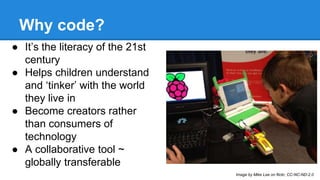
Image by Mike Lee on flickr, CC-NC-ND-2.0
Why code? 
“Code powers our digital world. Every website, 
smartphone app, computer programme, 
calculator and even microwave relies on code 
in order to operate. This makes coders the 
architects and builders of the digital age.” 
~Anthony Cuthbertson in International Business Times, 
August 2014
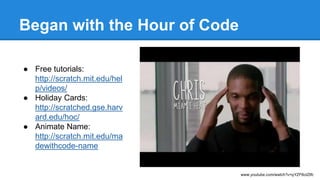
Began with the Hour of Code 
● Free tutorials: 
http://scratch.mit.edu/hel 
p/videos/ 
● Holiday Cards: 
http://scratched.gse.harv 
ard.edu/hoc/ 
● Animate Name: 
http://scratch.mit.edu/ma 
dewithcode-name 
www.youtube.com/watch?v=qYZF6oIZtfc
Introduction to Scratch 
● Accessible for elementary students 
● Free! 
● Strong community (including other educators 
on ScratchEd) 
● Online and downloadable version
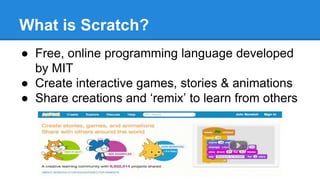
What is Scratch? 
● Free, online programming language developed 
by MIT 
● Create interactive games, stories & animations 
● Share creations and ‘remix’ to learn from others
Driven by students 
● Creation of Coding Club 
● Participation in Global Codeathon 
● Shared projects at school assemblies 
● Students taught peers how to use Scratch 
But - felt too internal and insulated. How to 
share excitement in a meaningful, more 
powerful way?
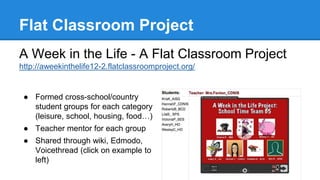
Flat Classroom Project 
A Week in the Life - A Flat Classroom Project 
http://aweekinthelife12-2.flatclassroomproject.org/ 
● Formed cross-school/country 
student groups for each category 
(leisure, school, housing, food…) 
● Teacher mentor for each group 
● Shared through wiki, Edmodo, 
Voicethread (click on example to 
left)
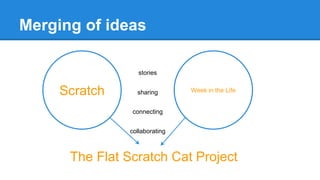
Merging of ideas 
stories 
Scratch sharing 
Week in the Life 
connecting 
collaborating 
The Flat Scratch Cat Project
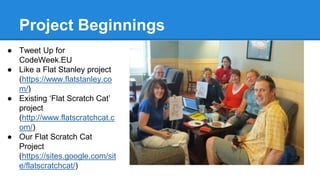
Project Beginnings 
● Tweet Up for 
CodeWeek.EU 
● Like a Flat Stanley project 
(https://www.flatstanley.co 
m/) 
● Existing ‘Flat Scratch Cat’ 
project 
(http://www.flatscratchcat.c 
om/) 
● Our Flat Scratch Cat 
Project 
(https://sites.google.com/sit 
e/flatscratchcat/)
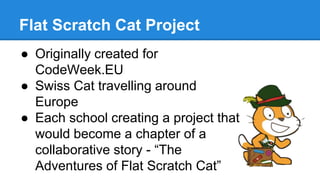
Flat Scratch Cat Project 
● Originally created for 
CodeWeek.EU 
● Swiss Cat travelling around 
Europe 
● Each school creating a project that 
would become a chapter of a 
collaborative story - “The 
Adventures of Flat Scratch Cat”
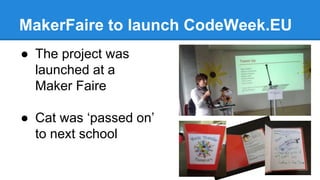
MakerFaire to launch CodeWeek.EU 
● The project was 
launched at a 
Maker Faire 
● Cat was ‘passed on’ 
to next school
Potential Ideas for future projects 
Global Code-a-thon: 
● Students participate in coding challenges at 
the same time in different locations and use 
Skype or Google Hangouts to view each 
other 
● Have a ‘code-slam’ where students create 
something and then share with others 
online 
● Link to UN International School of Hanoi - 
http://globalcodeathon.unishanoi.org/
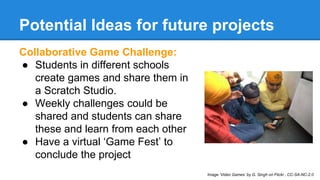
Potential Ideas for future projects 
Collaborative Game Challenge: 
● Students in different schools 
create games and share them in 
a Scratch Studio. 
● Weekly challenges could be 
shared and students can share 
these and learn from each other 
● Have a virtual ‘Game Fest’ to 
conclude the project 
Image ‘Video Games’ by G. Singh on Flickr , CC-SA-NC-2.0
Potential Ideas for future projects 
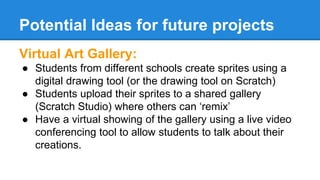
Virtual Art Gallery: 
● Students from different schools create sprites using a 
digital drawing tool (or the drawing tool on Scratch) 
● Students upload their sprites to a shared gallery 
(Scratch Studio) where others can ‘remix’ 
● Have a virtual showing of the gallery using a live video 
conferencing tool to allow students to talk about their 
creations.
Other ideas? 
Use your ‘text tool’ to add any ideas you may 
have for global Scratch projects.
Resources & Links 
Scratch - http://scratch.mit.edu/ 
ScratchEd - http://scratched.gse.harvard.edu/ 
Flat Scratch Cat Project site - https://sites.google.com/site/flatscratchcat/home 
Scratch Lesson Plans by CR 2.0 - http://wiki.classroom20.com/Scratch+Lesson+Plans 
Code.org - http://code.org/ 
Scratch That! - http://www.ihmc.us/groups/techconnect/wiki/dd255/ 
Computer Science Education Week, Hour of Code Tutorials - 
http://csedweek.org/learn 
Tynker’s Hour of Code Activities - http://www.tynker.com/hour-of-code/ 
Global Classroom Project - A site devoted to helping teachers and students connect 
http://theglobalclassroomproject.wordpress.com/
Contact Details 
Jennifer Fenton 
Technology for Learning Coordinator 
Campus des Nations, International School of Geneva 
Twitter @jennysfen 
Scratch: jennysfen

Global Education Conference: Connecting with Coding ~ the Flat Scratch Cat Project

  • 1.
    Flat Scratch CatProject Connecting with coding Jennifer Fenton, Technology for Learning Coordinator
  • 2.
    Aims ● Whyuse coding as a platform for global collaboration? ● What is Scratch? ● Details of the Flat Scratch Cat project ● Sharing ideas for other coding collaborations Image: ‘Binary’ Public Domain on Pixabay
  • 3.
    Why code? Hourof Code “In fifteen years we’ll be teaching programming just like reading and writing...and wondering why we didn’t do it sooner.” ~Mark Zuckerberg
  • 4.
    Why code? ●It’s the literacy of the 21st century ● Helps children understand and ‘tinker’ with the world they live in ● Become creators rather than consumers of technology ● A collaborative tool ~ globally transferable Image by Mike Lee on flickr, CC-NC-ND-2.0
  • 5.
    Why code? “Codepowers our digital world. Every website, smartphone app, computer programme, calculator and even microwave relies on code in order to operate. This makes coders the architects and builders of the digital age.” ~Anthony Cuthbertson in International Business Times, August 2014
  • 6.
    Began with theHour of Code ● Free tutorials: http://scratch.mit.edu/hel p/videos/ ● Holiday Cards: http://scratched.gse.harv ard.edu/hoc/ ● Animate Name: http://scratch.mit.edu/ma dewithcode-name www.youtube.com/watch?v=qYZF6oIZtfc
  • 7.
    Introduction to Scratch ● Accessible for elementary students ● Free! ● Strong community (including other educators on ScratchEd) ● Online and downloadable version
  • 8.
    What is Scratch? ● Free, online programming language developed by MIT ● Create interactive games, stories & animations ● Share creations and ‘remix’ to learn from others
  • 9.
    Driven by students ● Creation of Coding Club ● Participation in Global Codeathon ● Shared projects at school assemblies ● Students taught peers how to use Scratch But - felt too internal and insulated. How to share excitement in a meaningful, more powerful way?
  • 10.
    Flat Classroom Project A Week in the Life - A Flat Classroom Project http://aweekinthelife12-2.flatclassroomproject.org/ ● Formed cross-school/country student groups for each category (leisure, school, housing, food…) ● Teacher mentor for each group ● Shared through wiki, Edmodo, Voicethread (click on example to left)
  • 11.
    Merging of ideas stories Scratch sharing Week in the Life connecting collaborating The Flat Scratch Cat Project
  • 12.
    Project Beginnings ●Tweet Up for CodeWeek.EU ● Like a Flat Stanley project (https://www.flatstanley.co m/) ● Existing ‘Flat Scratch Cat’ project (http://www.flatscratchcat.c om/) ● Our Flat Scratch Cat Project (https://sites.google.com/sit e/flatscratchcat/)
  • 13.
    Flat Scratch CatProject ● Originally created for CodeWeek.EU ● Swiss Cat travelling around Europe ● Each school creating a project that would become a chapter of a collaborative story - “The Adventures of Flat Scratch Cat”
  • 14.
    MakerFaire to launchCodeWeek.EU ● The project was launched at a Maker Faire ● Cat was ‘passed on’ to next school
  • 15.
    Potential Ideas forfuture projects Global Code-a-thon: ● Students participate in coding challenges at the same time in different locations and use Skype or Google Hangouts to view each other ● Have a ‘code-slam’ where students create something and then share with others online ● Link to UN International School of Hanoi - http://globalcodeathon.unishanoi.org/
  • 16.
    Potential Ideas forfuture projects Collaborative Game Challenge: ● Students in different schools create games and share them in a Scratch Studio. ● Weekly challenges could be shared and students can share these and learn from each other ● Have a virtual ‘Game Fest’ to conclude the project Image ‘Video Games’ by G. Singh on Flickr , CC-SA-NC-2.0
  • 17.
    Potential Ideas forfuture projects Virtual Art Gallery: ● Students from different schools create sprites using a digital drawing tool (or the drawing tool on Scratch) ● Students upload their sprites to a shared gallery (Scratch Studio) where others can ‘remix’ ● Have a virtual showing of the gallery using a live video conferencing tool to allow students to talk about their creations.
  • 18.
    Other ideas? Useyour ‘text tool’ to add any ideas you may have for global Scratch projects.
  • 19.
    Resources & Links Scratch - http://scratch.mit.edu/ ScratchEd - http://scratched.gse.harvard.edu/ Flat Scratch Cat Project site - https://sites.google.com/site/flatscratchcat/home Scratch Lesson Plans by CR 2.0 - http://wiki.classroom20.com/Scratch+Lesson+Plans Code.org - http://code.org/ Scratch That! - http://www.ihmc.us/groups/techconnect/wiki/dd255/ Computer Science Education Week, Hour of Code Tutorials - http://csedweek.org/learn Tynker’s Hour of Code Activities - http://www.tynker.com/hour-of-code/ Global Classroom Project - A site devoted to helping teachers and students connect http://theglobalclassroomproject.wordpress.com/
  • 20.
    Contact Details JenniferFenton Technology for Learning Coordinator Campus des Nations, International School of Geneva Twitter @jennysfen Scratch: jennysfen

Editor's Notes

  • #2 NOTES ABOUT PRESENTING have participants use the raise hand feature to indicate they can hear click on people in video to make them larger double click on the star icon and click on the map to show where people are from - have Ps put note in the chat about where they are from - place, time, temperature if people are talking - remind them to click on talk button
  • #4 New role as TLC > HOC > quote and thinking...
  • #6 talk about Alan November’s work and shifting from consumers of tech to producers; active learning rather than passive; not just about ‘computers’ but across all disciplines - I am not a coder! Looking for a way in.
  • #7 And then came the hour of code.
  • #8 Why Scratch?
  • #9 Go to WebTour Mode here and illustrate how to create in Scratch. Have participants open Scratch in another window and give it a go (2 windows open)
  • #10 We loved it, but...seeking ways to make it more meaningful.
  • #11 Previous participation share best points of project - connections, learning with and about other students, finding commonalities Challenges - time zones (especially for synched conversations on EdModo); timelines for completing project with a cross country school group - supporting students when in a different time zone)
  • #12 Took what I believe to be the most positive parts of each and merged these to create the Flat Scratch Project
  • #13 Describe evolution of the idea Tweetup for Codeweek EU Original flat scratch project and vivian’s idea
  • #14 WebTour - go to Scratch studio and share beginning of chapter 1
  • #15 Describe the 2 prong approach - physical cat and passport, visits and gets to know the students and possibly the school, the community. Then these experiences are shared in an animated story on Scratch, which is saved as a chapter in Flat Scratch Cat’s ‘studio’ Where all can view. GO WEB TOUR view chapter(s) samples