
Easy versioning with GITYes it can
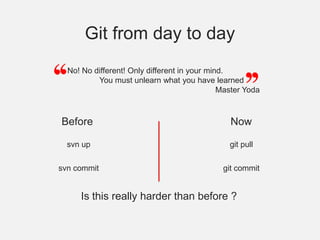
No! No different! Only different in your mind.You must unlearn what you have learnedMaster YodaGit from day to dayBeforeNowsvn upgit pullsvn commitgit commitIs this really harder than before ?
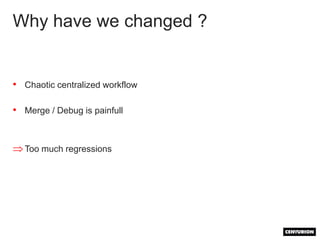
Why have we changed ?Chaotic centralized workflowMerge / Debug is painfullToo much regressionsWhy GIT ?Because GIT is …Trendy (not really a good reason…)Easy to useAmazingly fastIt comes with an entire philosophy/workflow
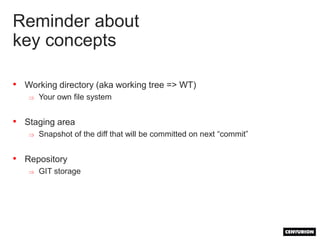
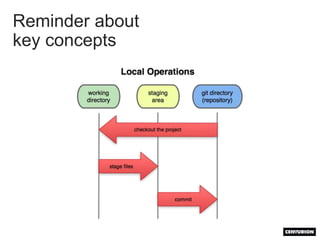
Reminder about key conceptsWorking directory (aka working tree => WT)Your own file system
Staging area
Snapshot of the diff that will be committed on next “commit”
Repository
GIT storageReminder about key concepts
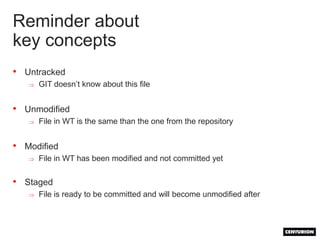
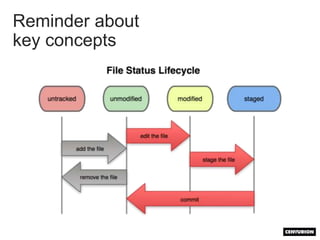
Reminder about key conceptsUntrackedGIT doesn’t know about this file
Unmodified
File in WT is the same than the one from the repository
Modified
File in WT has been modified and not committed yet
Staged
File is ready to be committed and will become unmodified afterReminder about key concepts
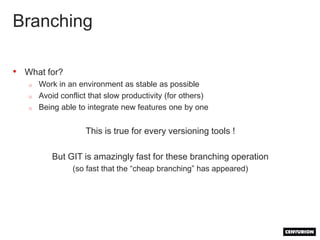
BranchingWhat for?Work in an environment as stable as possibleAvoid conflict that slow productivity (for others)Being able to integrate new features one by oneThis is true for every versioning tools !But GIT is amazingly fast for these branching operation (so fast that the “cheap branching” has appeared)
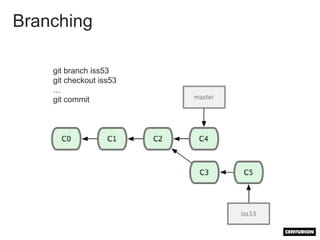
Branchinggit branch iss53git checkout iss53…git commit
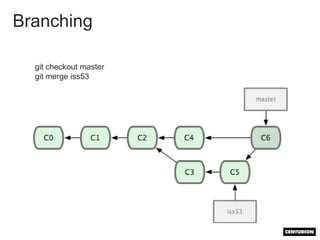
Branchinggit checkout mastergit merge iss53
BranchingOne branch for the stable releaseOne branch for development (testing)One branch per topic (short development) branched from the dev branch

Git made-it easy

  • 1.
  • 2.
    No! No different!Only different in your mind.You must unlearn what you have learnedMaster YodaGit from day to dayBeforeNowsvn upgit pullsvn commitgit commitIs this really harder than before ?
  • 3.
    Why have wechanged ?Chaotic centralized workflowMerge / Debug is painfullToo much regressionsWhy GIT ?Because GIT is …Trendy (not really a good reason…)Easy to useAmazingly fastIt comes with an entire philosophy/workflow
  • 4.
    Reminder about keyconceptsWorking directory (aka working tree => WT)Your own file system
  • 5.
  • 6.
    Snapshot of thediff that will be committed on next “commit”
  • 7.
  • 8.
  • 9.
    Reminder about keyconceptsUntrackedGIT doesn’t know about this file
  • 10.
  • 11.
    File in WTis the same than the one from the repository
  • 12.
  • 13.
    File in WThas been modified and not committed yet
  • 14.
  • 15.
    File is readyto be committed and will become unmodified afterReminder about key concepts
  • 16.
    BranchingWhat for?Work inan environment as stable as possibleAvoid conflict that slow productivity (for others)Being able to integrate new features one by oneThis is true for every versioning tools !But GIT is amazingly fast for these branching operation (so fast that the “cheap branching” has appeared)
  • 17.
    Branchinggit branch iss53gitcheckout iss53…git commit
  • 18.
  • 19.
    BranchingOne branch forthe stable releaseOne branch for development (testing)One branch per topic (short development) branched from the dev branch