Foobarsystem Co.,LTD
@nolifelover
Git & Gitflow
Foobarsystem Co.,LTD
What is Git?
● Git is VCS, SCM
● Distributed Version Control Systems
(DVCSs)
● Other SVN, Mercurial
Foobarsystem Co.,LTD
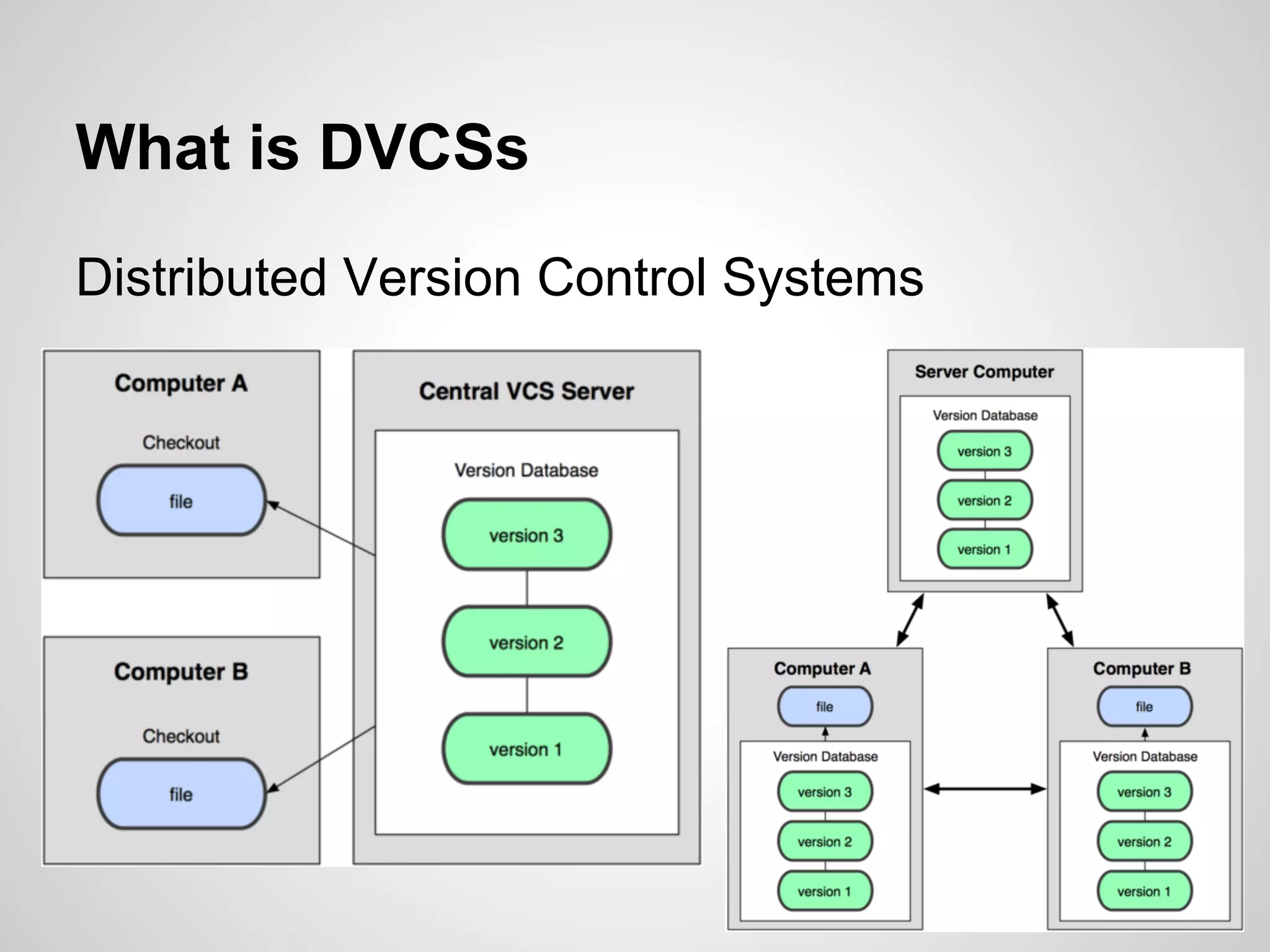
What is DVCSs
Distributed Version Control Systems
Foobarsystem Co.,LTD
What can git do?
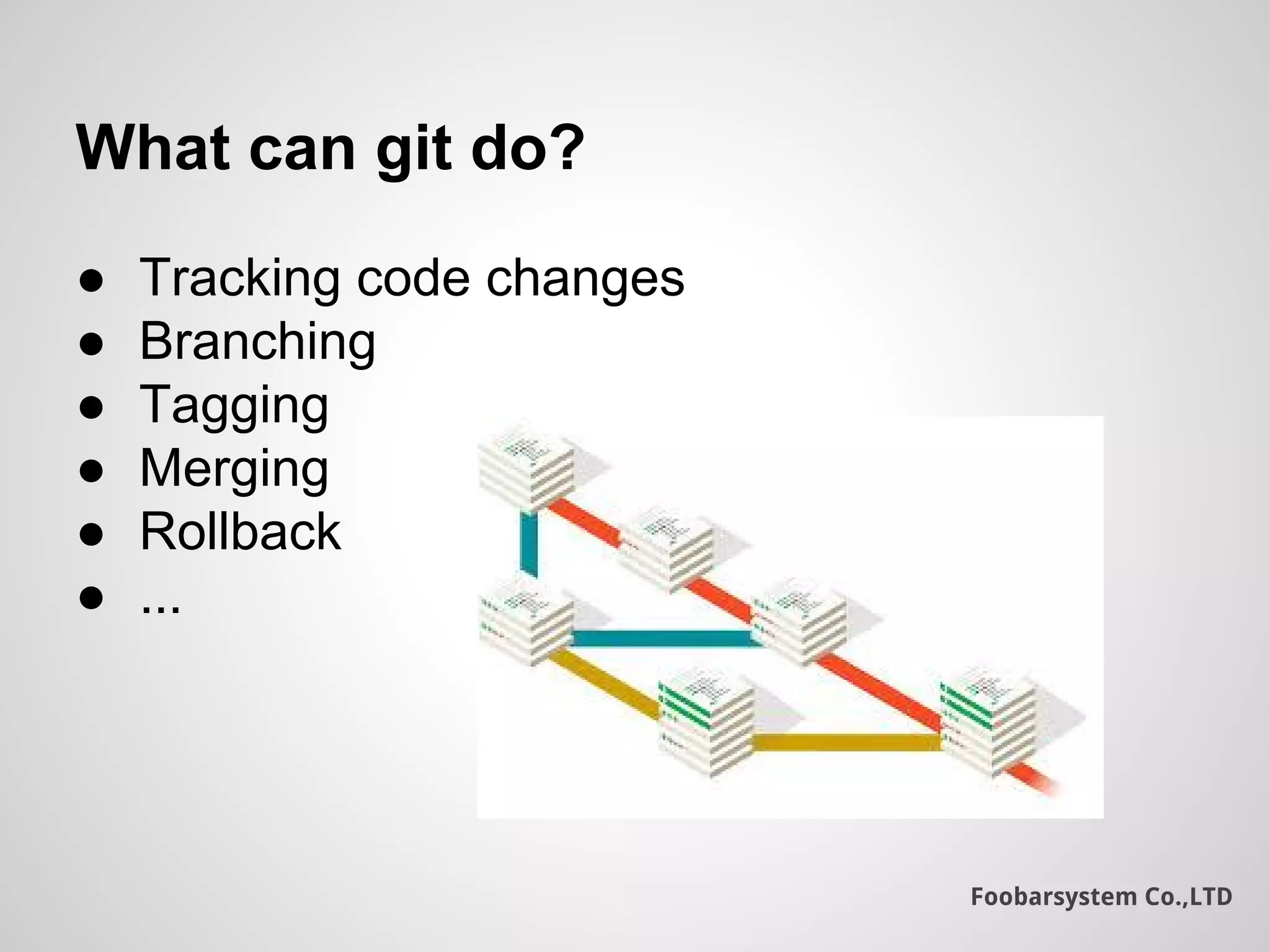
● Tracking code changes
● Branching
● Tagging
● Merging
● Rollback
● ...
Foobarsystem Co.,LTD
How does it work?
● Tracking changes in files.
● Committing changes.
● Working directory, Staging area and the
remote repository
● .git folder
Foobarsystem Co.,LTD
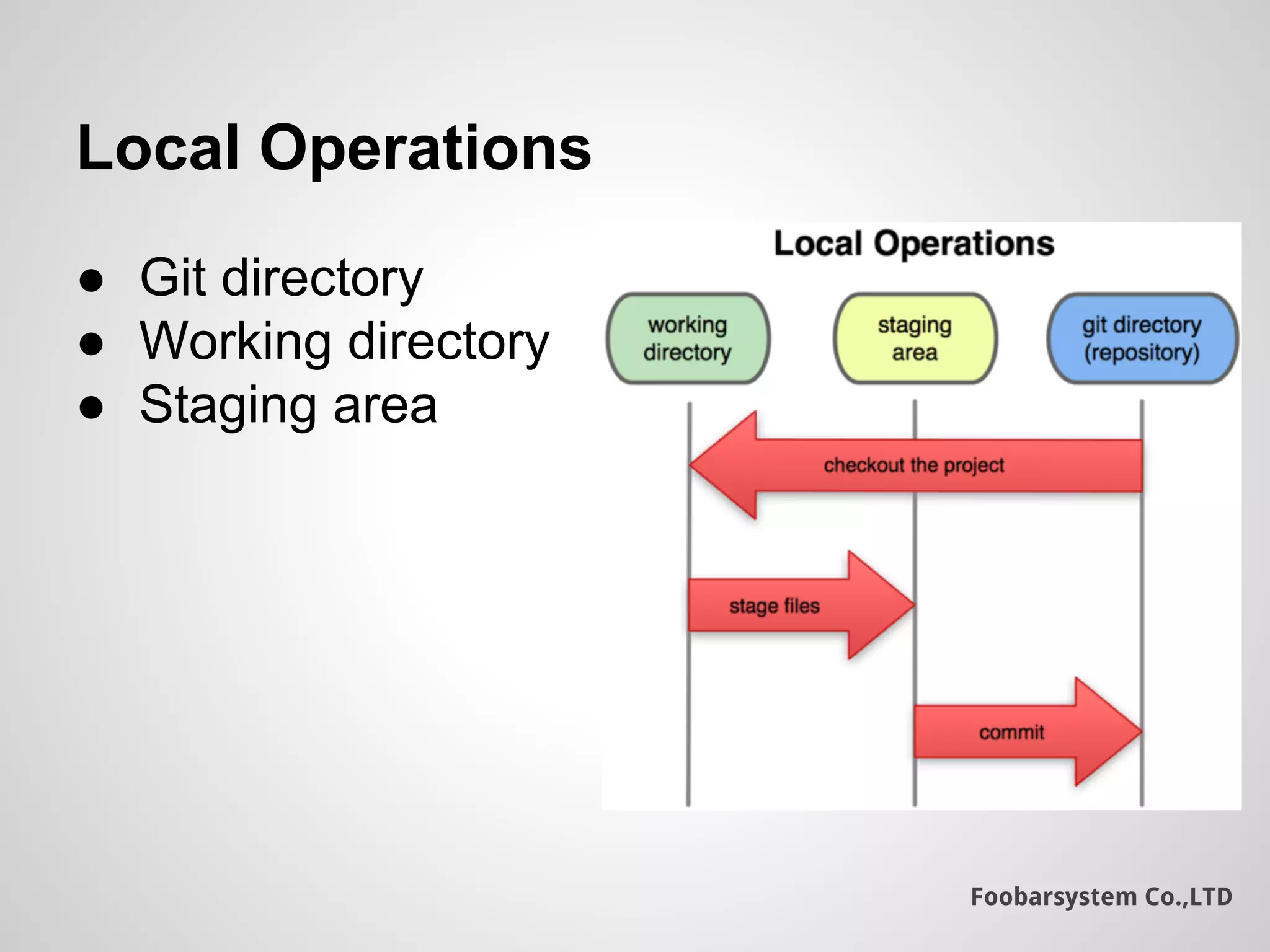
Local Operations
● Git directory
● Working directory
● Staging area
Foobarsystem Co.,LTD
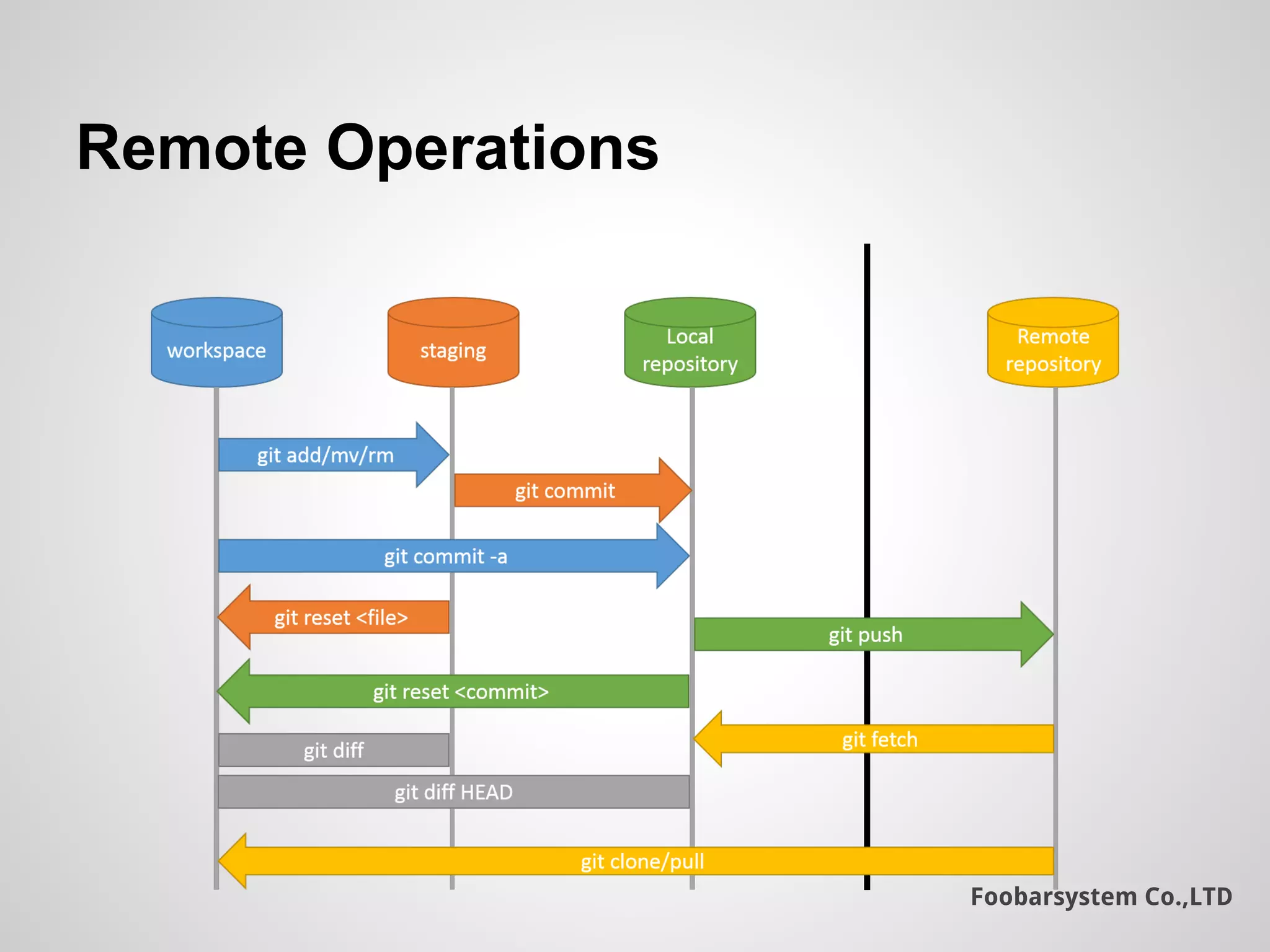
Remote Operations
Foobarsystem Co.,LTD
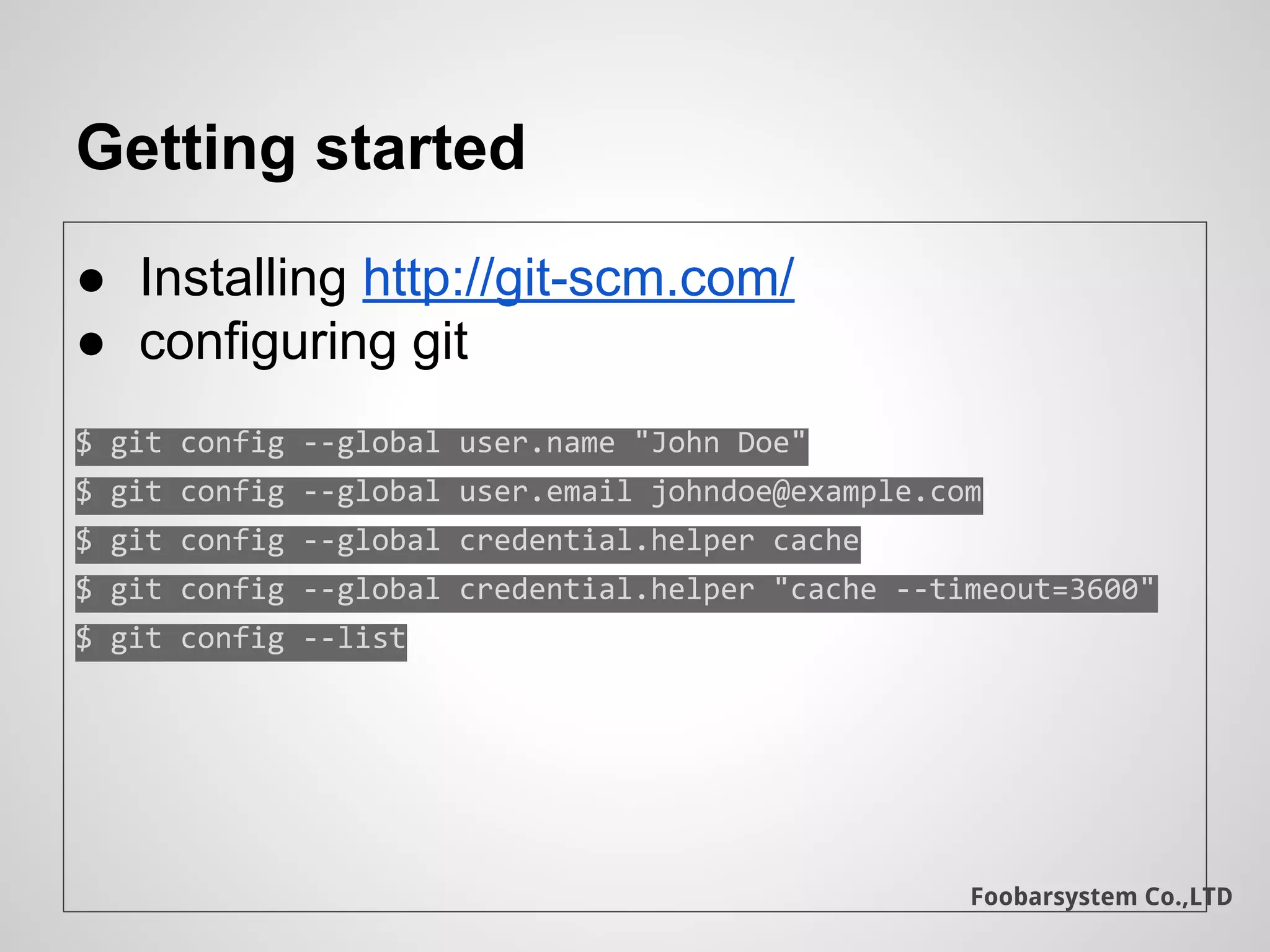
Getting started
● Installing http://git-scm.com/
● configuring git
$ git config --global user.name "John Doe"
$ git config --global user.email johndoe@example.com
$ git config --global credential.helper cache
$ git config --global credential.helper "cache --timeout=3600"
$ git config --list
Foobarsystem Co.,LTD
Basic linux commands
● pwd
● ls -ah
● cd
● mv
● rm
● cp
● touch
Foobarsystem Co.,LTD
Initializing a Repository
➔ git status: show the current git repo status
➔ git init: Initializing git repo
Add .git folder for repo setting
Foobarsystem Co.,LTD
First commit
➔ touch readme : create a new readme file
➔ edit readme : use favorite text editor
➔ git status : show the current git repo status
➔ git add : Adds file to track or submit changes
to commit
➔ git commit -m “commit message” : commits
changes in added files
➔ git rm <filename> : Delete a file
Foobarsystem Co.,LTD
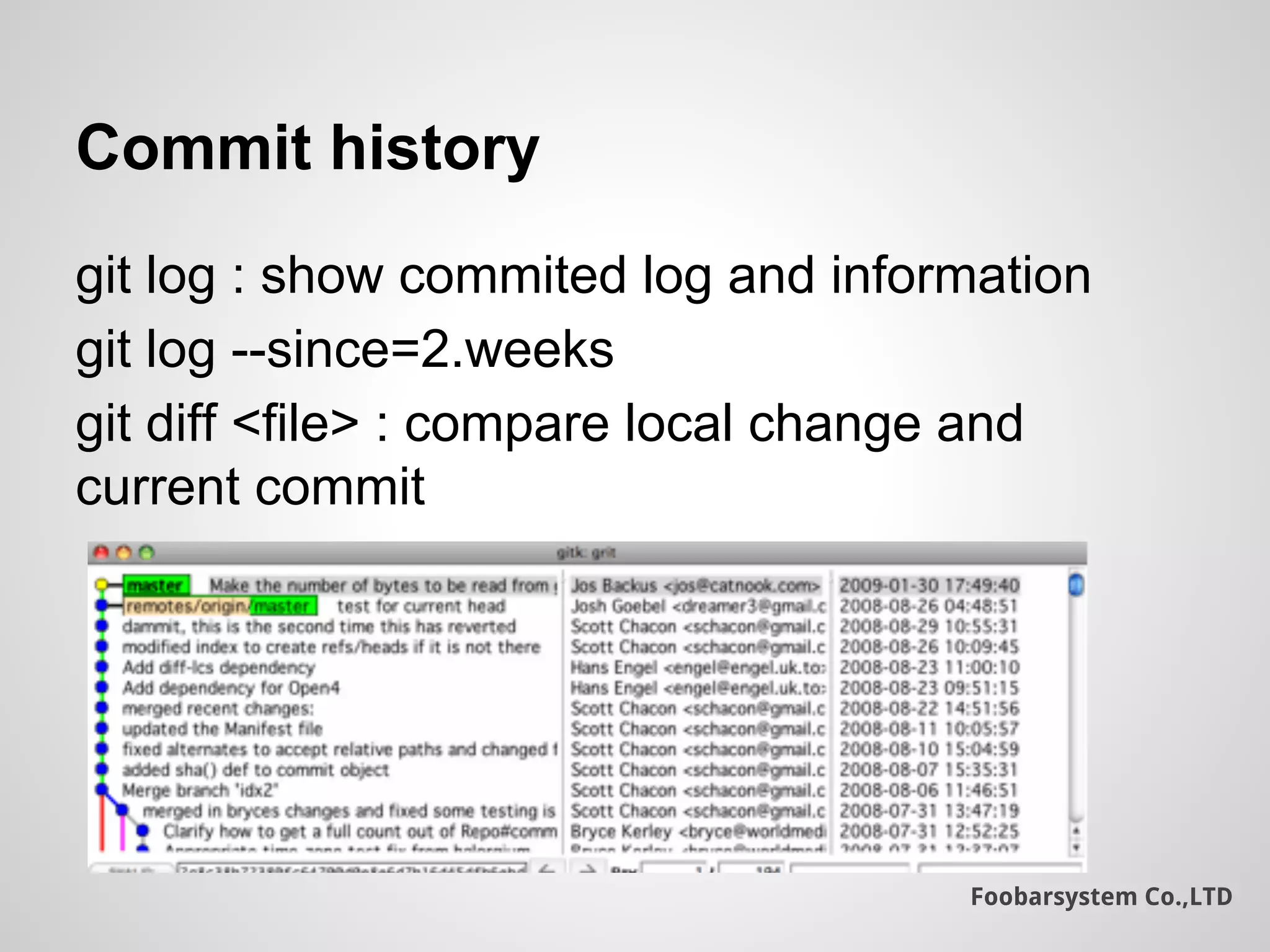
Commit history
git log : show commited log and information
git log --since=2.weeks
git diff <file> : compare local change and
current commit
Foobarsystem Co.,LTD
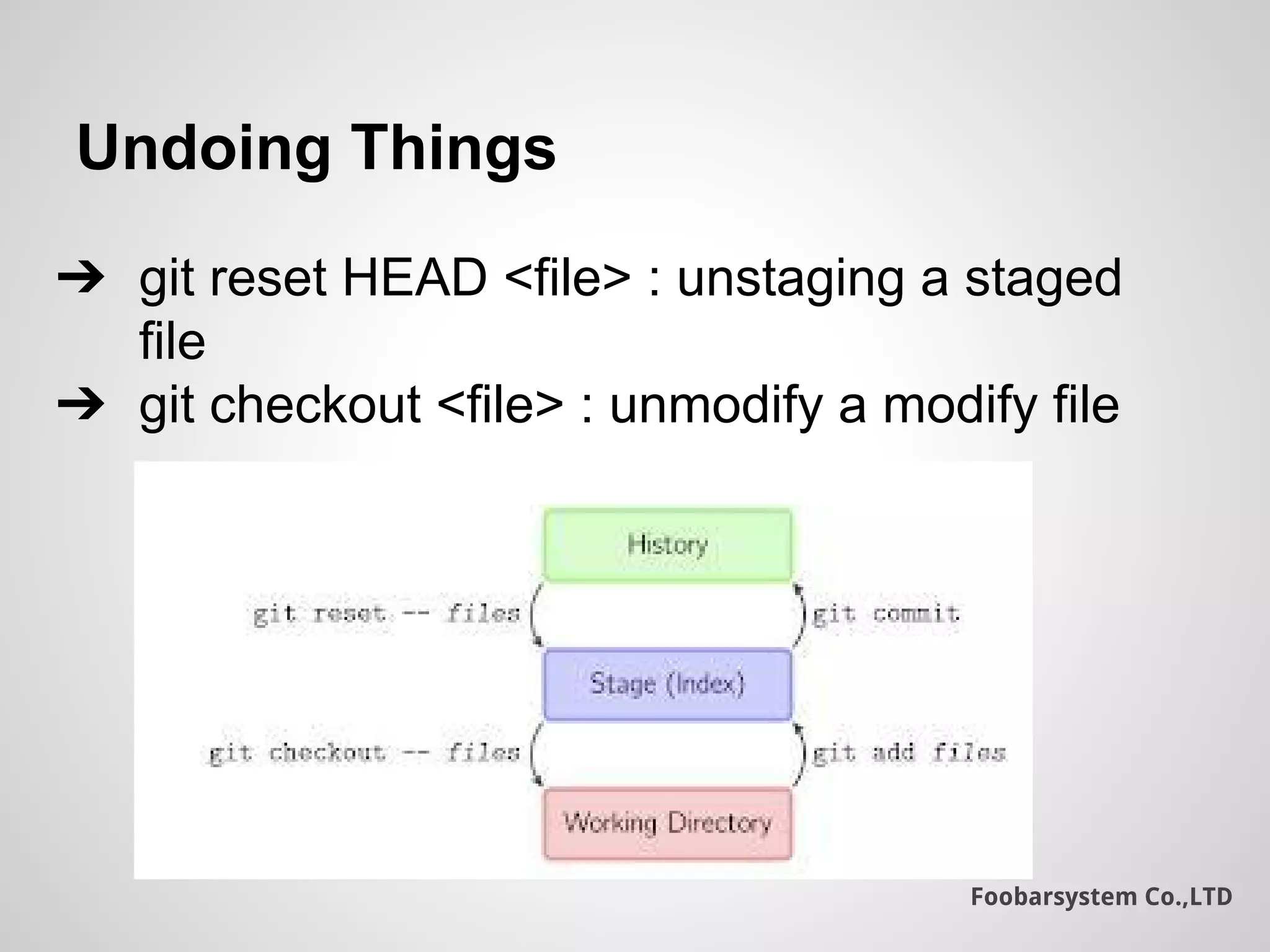
Undoing Things
➔ git reset HEAD <file> : unstaging a staged
file
➔ git checkout <file> : unmodify a modify file
Foobarsystem Co.,LTD
Branching
git branch : show branches and current branch
git checkout -b <branchname> : create and
checkout the new branch from current branch
git branch -d <branchname> : delete specified
branch
Foobarsystem Co.,LTD
Working with remote
➔ git remote add <shortname> <remote repo>
➔ git remote : show current remote link
➔ git remote -v : show shortname and url
remote respository
➔ git push -u origin master
Foobarsystem Co.,LTD
Pushing and fetching
➔ git push origin master : Pushed commits to
origin remote
➔ git fetch origin : checks the latest in origin
➔ git merge origin/master : merge
origin/master with local current branch
➔ git pull : merge remote repository to current
local repository
Foobarsystem Co.,LTD
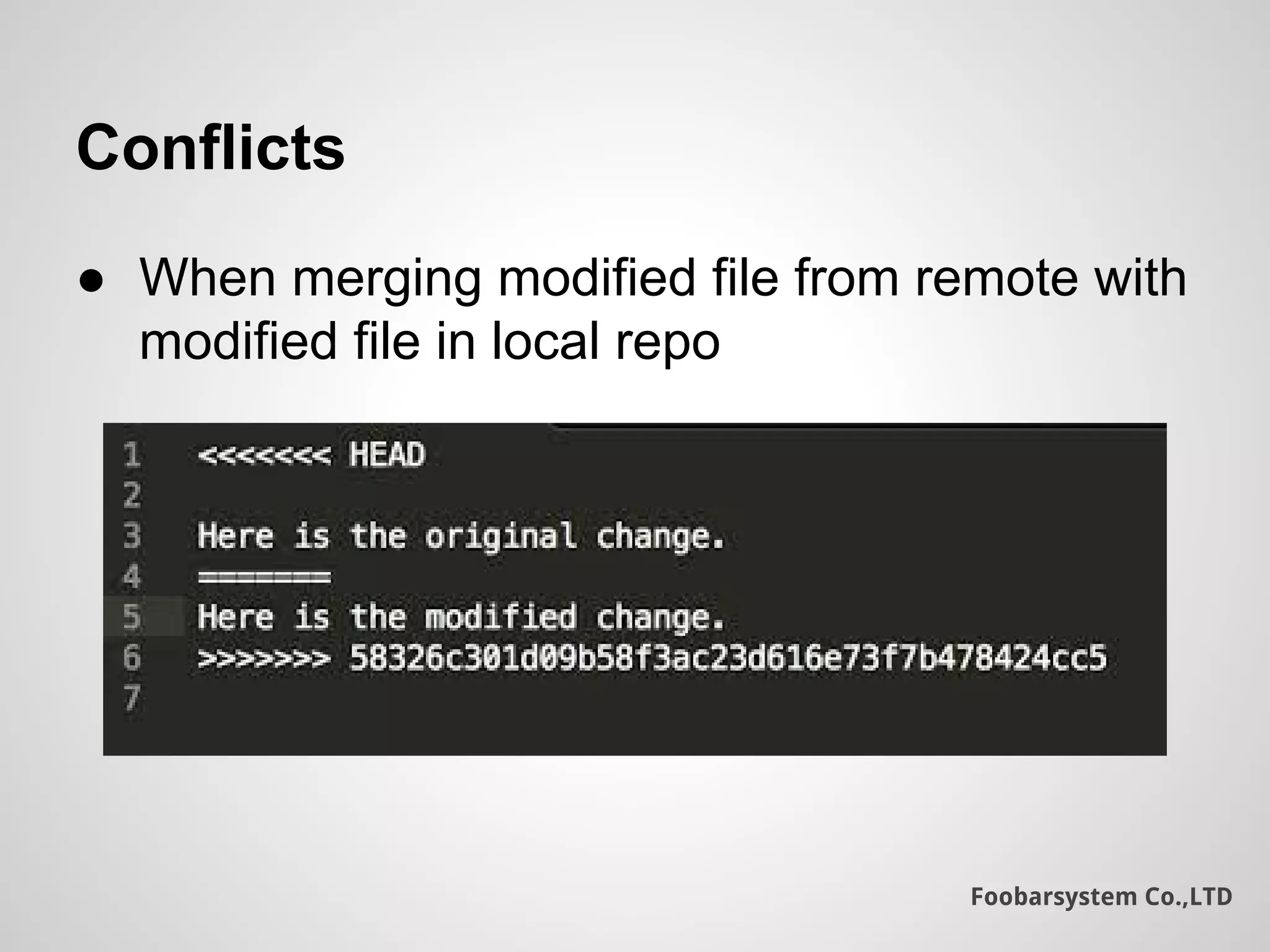
Conflicts
● When merging modified file from remote with
modified file in local repo
Foobarsystem Co.,LTD
Git ignoring files
$ cat .gitignore
# a comment - this is ignored
# no .a files
*.a
# but do track lib.a, even though you're ignoring .a files above
!lib.a
# only ignore the root TODO file, not subdir/TODO
/TODO
# ignore all files in the build/ directory
build/
# ignore doc/notes.txt, but not doc/server/arch.txt
doc/*.txt
# ignore all .txt files in the doc/ directory
doc/**/*.txt
Foobarsystem Co.,LTD
Git Flow
Git Work Flow
Foobarsystem Co.,LTD
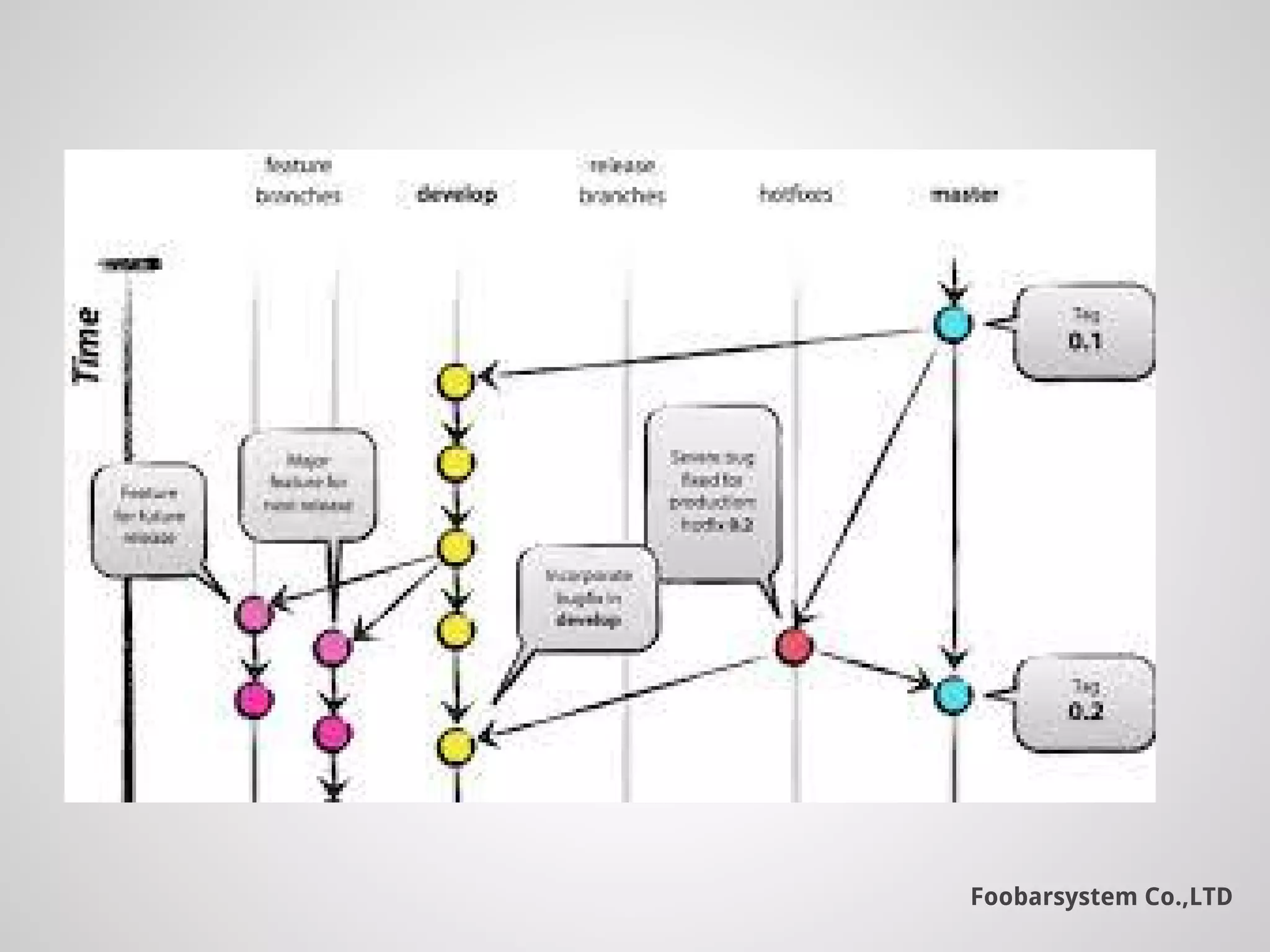
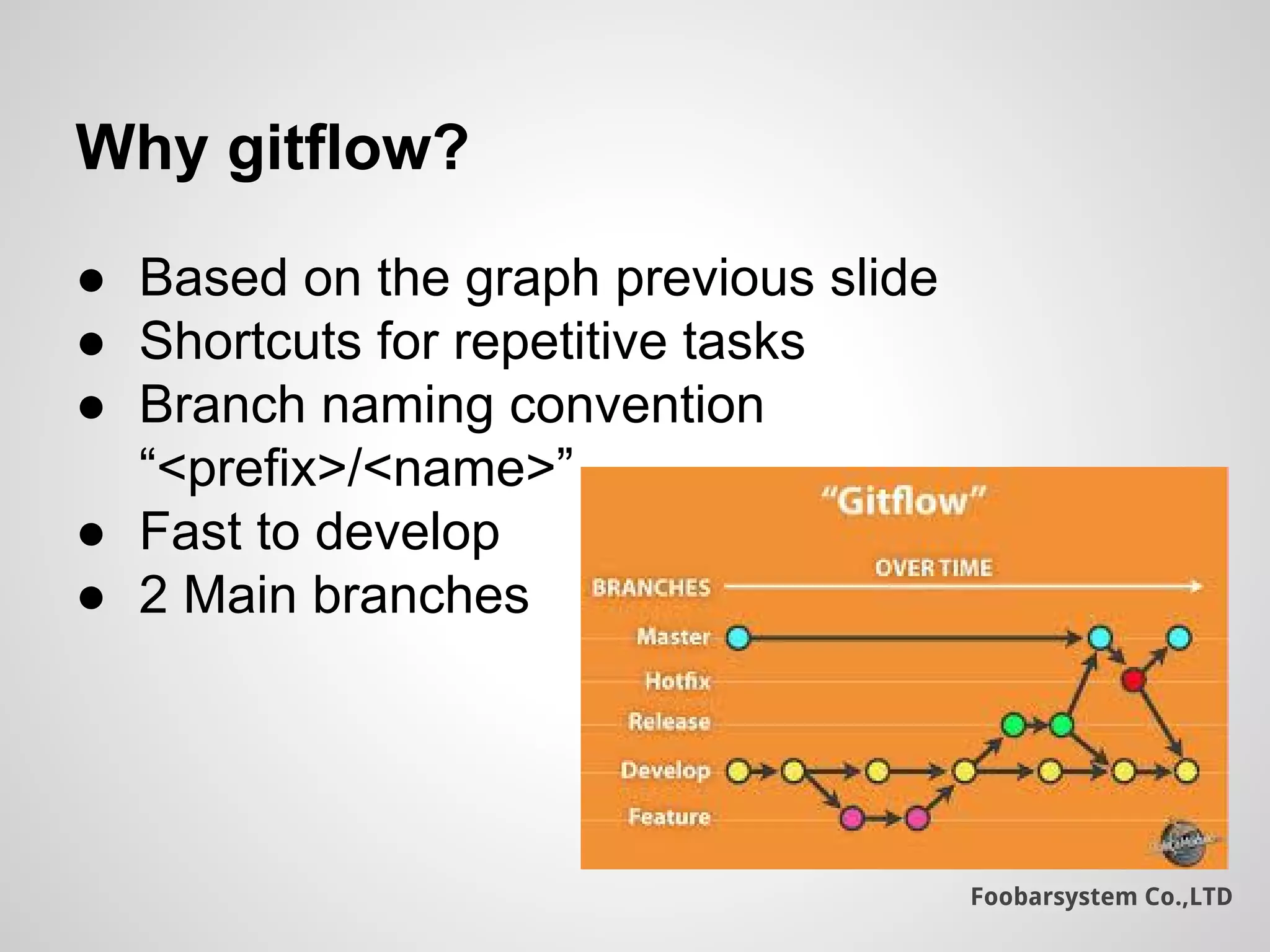
Why gitflow?
● Based on the graph previous slide
● Shortcuts for repetitive tasks
● Branch naming convention
“<prefix>/<name>”
● Fast to develop
● 2 Main branches
Foobarsystem Co.,LTD
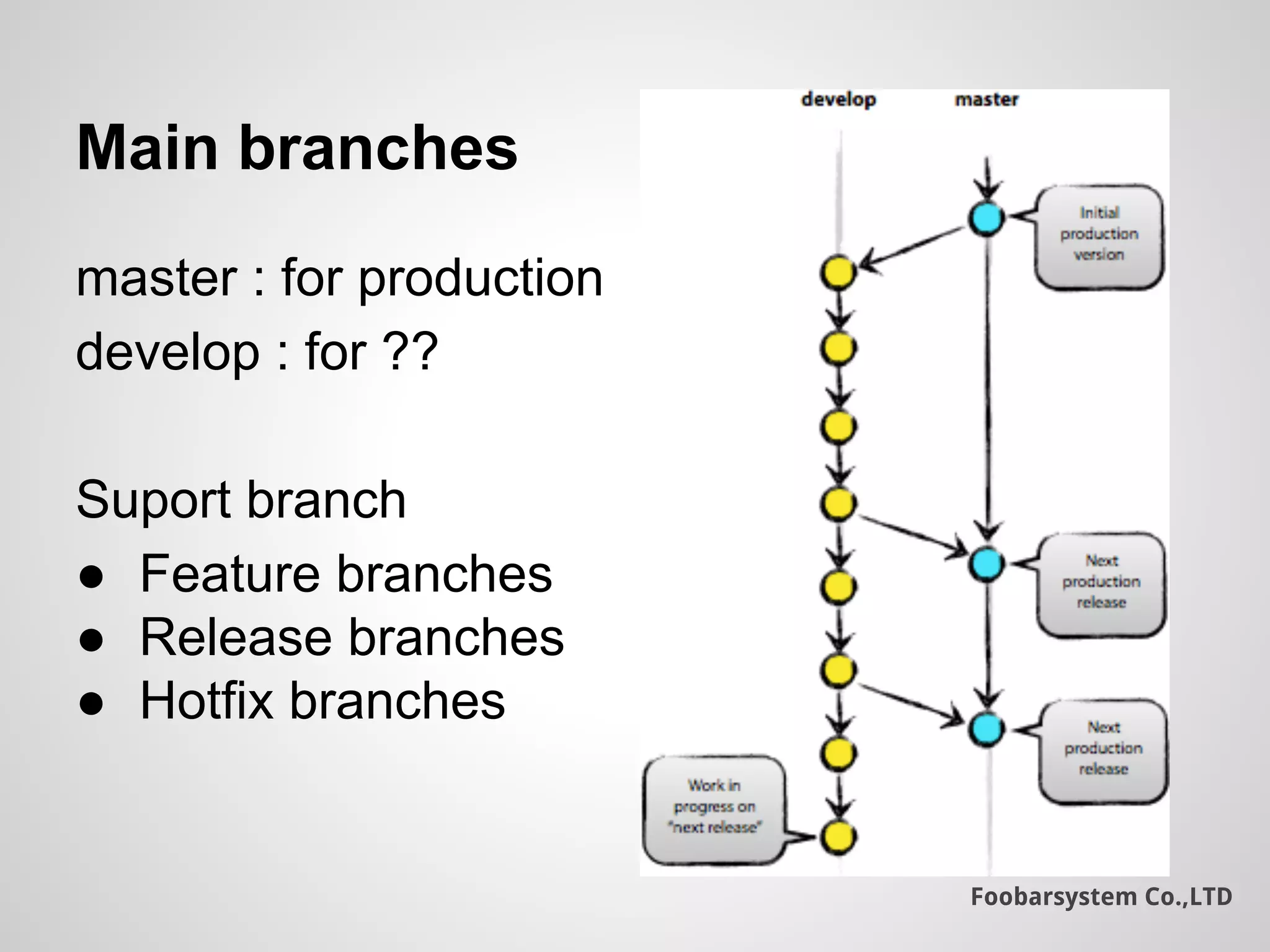
Main branches
master : for production
develop : for ??
Suport branch
● Feature branches
● Release branches
● Hotfix branches
Foobarsystem Co.,LTD
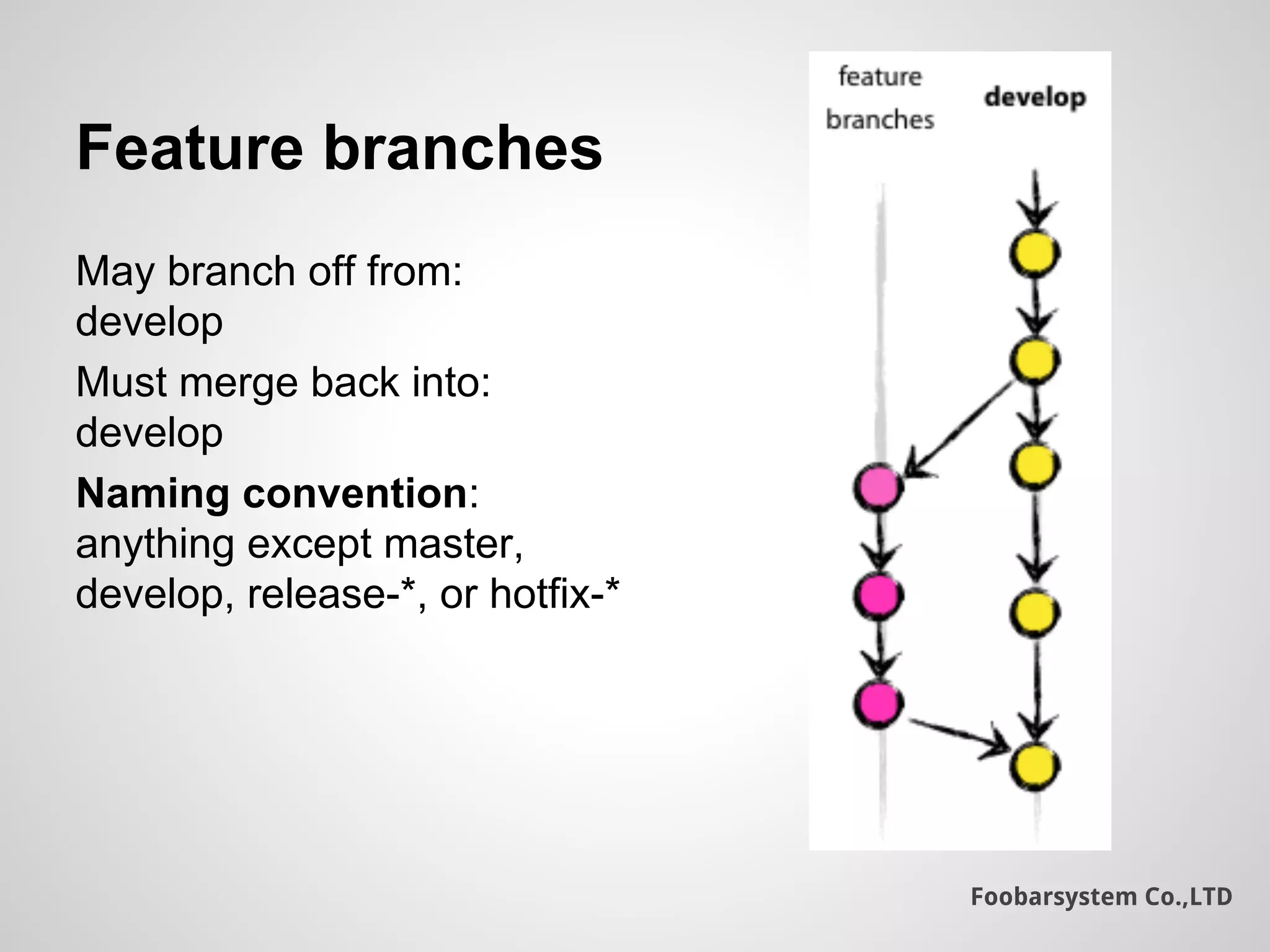
Feature branches
May branch off from:
develop
Must merge back into:
develop
Naming convention:
anything except master,
develop, release-*, or hotfix-*
Foobarsystem Co.,LTD
References
● http://www.slideshare.net/ammarlakis/git-workshop-33610244
● http://www.slideshare.net/cajones2013/git-for
● https://training.github.com/kit/downloads/github-git-cheat-sheet.pdf
● http://nvie.com/posts/a-successful-git-branching-model/
● http://danielkummer.github.io/git-flow-cheatsheet/

Git & gitflow