Getting Starting
XenServer and OpenStack

@JohnGarbutt
OpenStack Team Lead, Citrix

OpenStack Summit, San Diego, October 2012
But Citrix does CloudStack?
… but still got full time people on OpenStack
Why use Xen?
… because it was built for the Cloud!
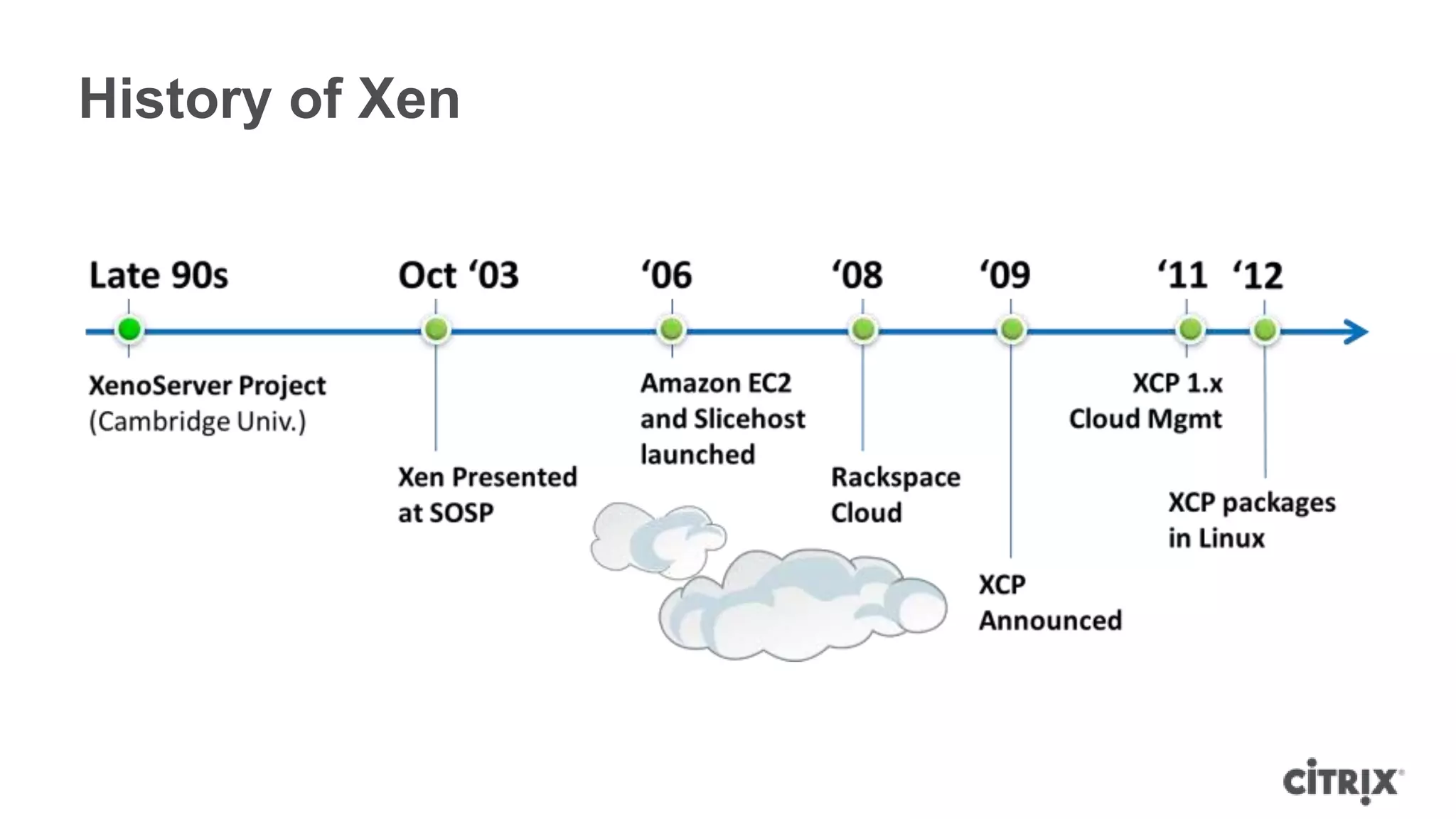
History of Xen
We propose a system that can execute code supplied
by an untrusted user, yet can charge this user for all
resources consumed by the computation. Such
servers could be deployed at strategic locations
throughout the Internet

        Xenoservers: Accounted execution of untrusted code
                     IEEE Hot Topics in Operating Systems VII
                                                 March 1999
Why use Xen today?

• Open Source with a large community and ecosystem
• Mature and “Cloud Proven”
 ᵒAmazon, Rackspace and many others
• Probably 10-12 Million OpenSource Users
 ᵒe.g. 3 x people on Debian have used Xen in the last 30 days vs KVM
 ᵒ12% of Ubuntu Servers hosted on Xen
• Type 1 hypervisor
 ᵒReduced TCB
 ᵒBest security, isolation, performance, scalability mix
• ParaVirtual OPerationS now in Linux
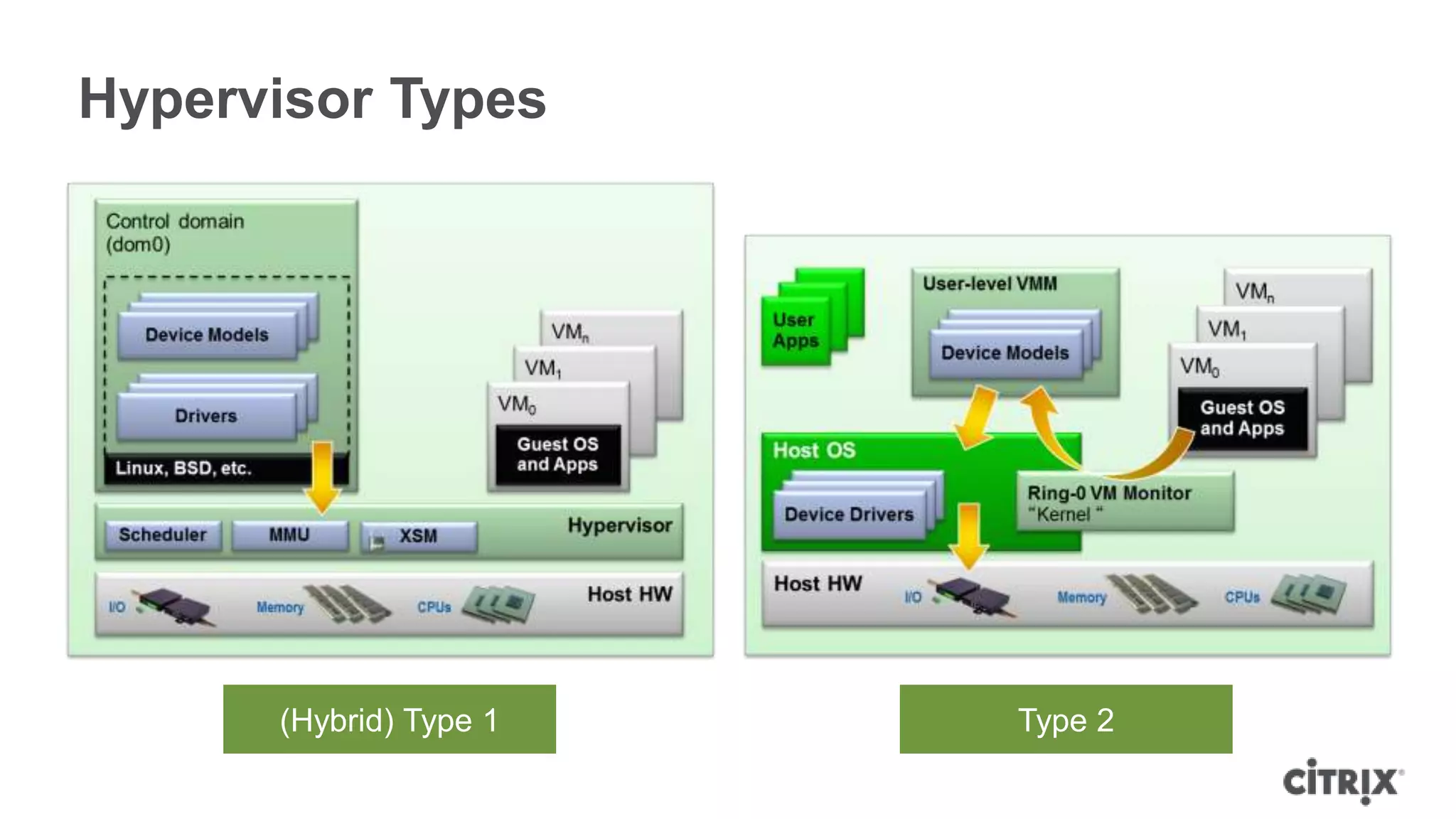
Hypervisor Types


      (Hybrid) Type 1   Type 2
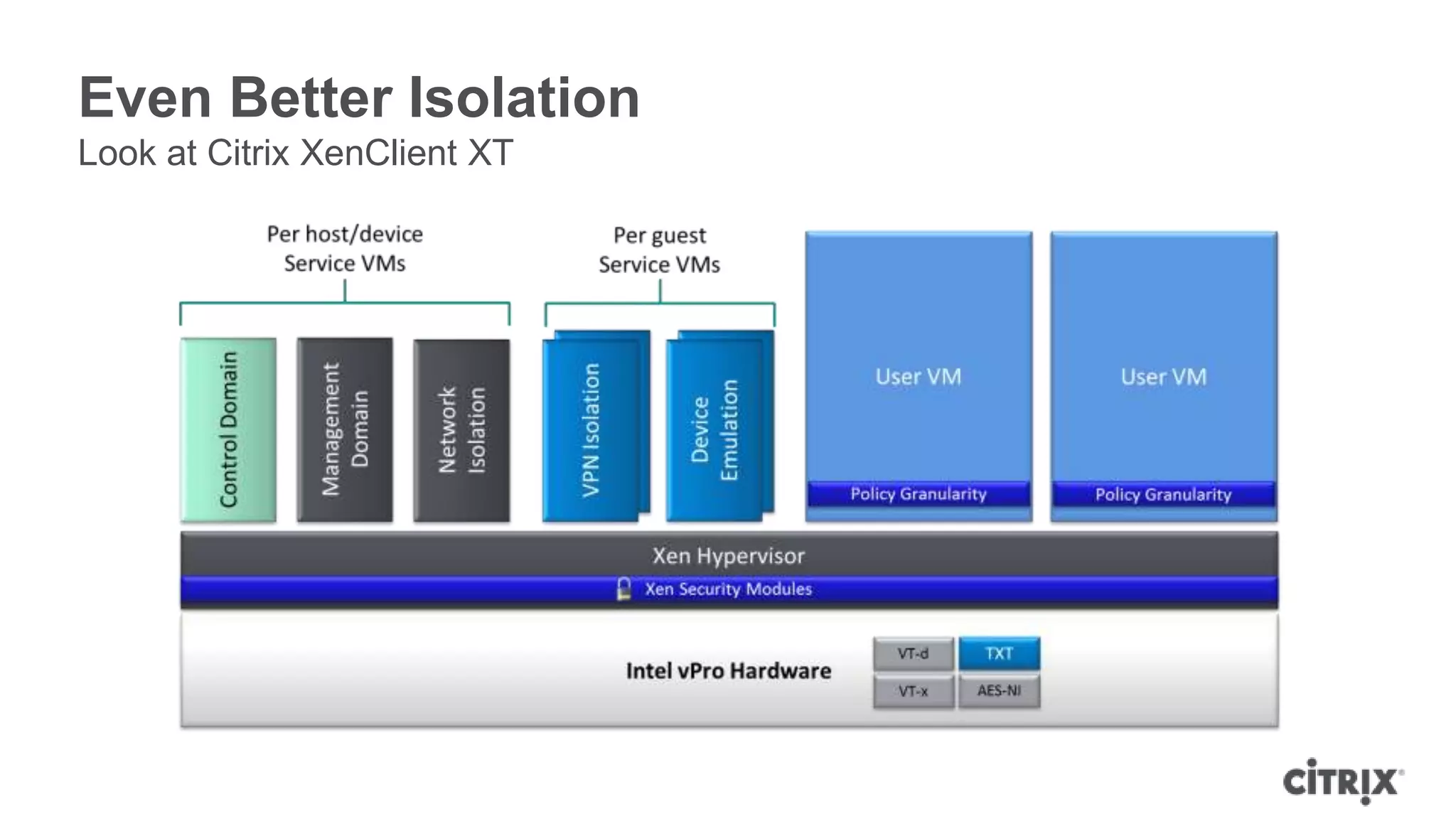
Even Better Isolation
Look at Citrix XenClient XT
What is XenAPI?
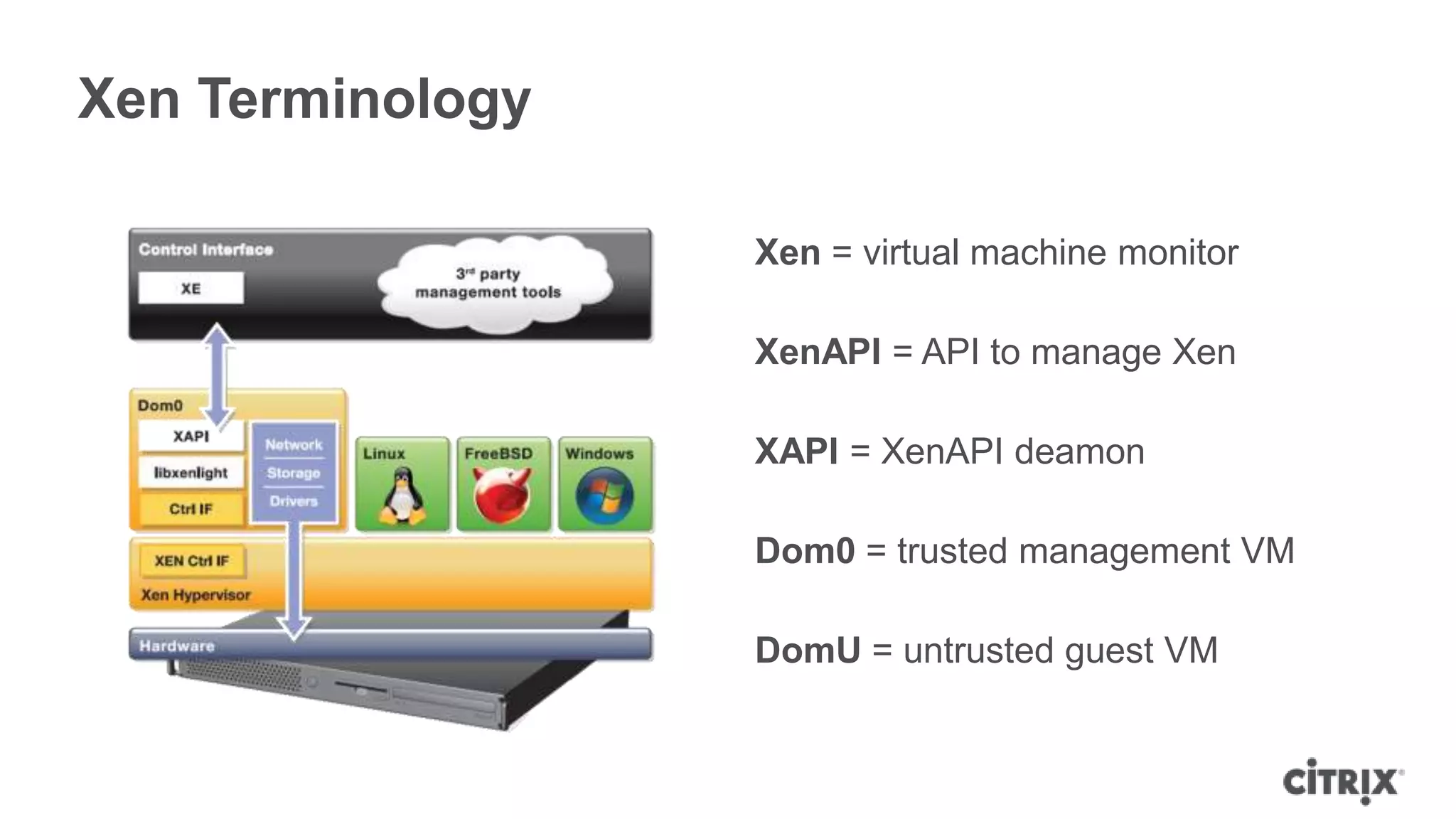
Xen Terminology

                  Xen = virtual machine monitor

                  XenAPI = API to manage Xen

                  XAPI = XenAPI deamon

                  Dom0 = trusted management VM

                  DomU = untrusted guest VM
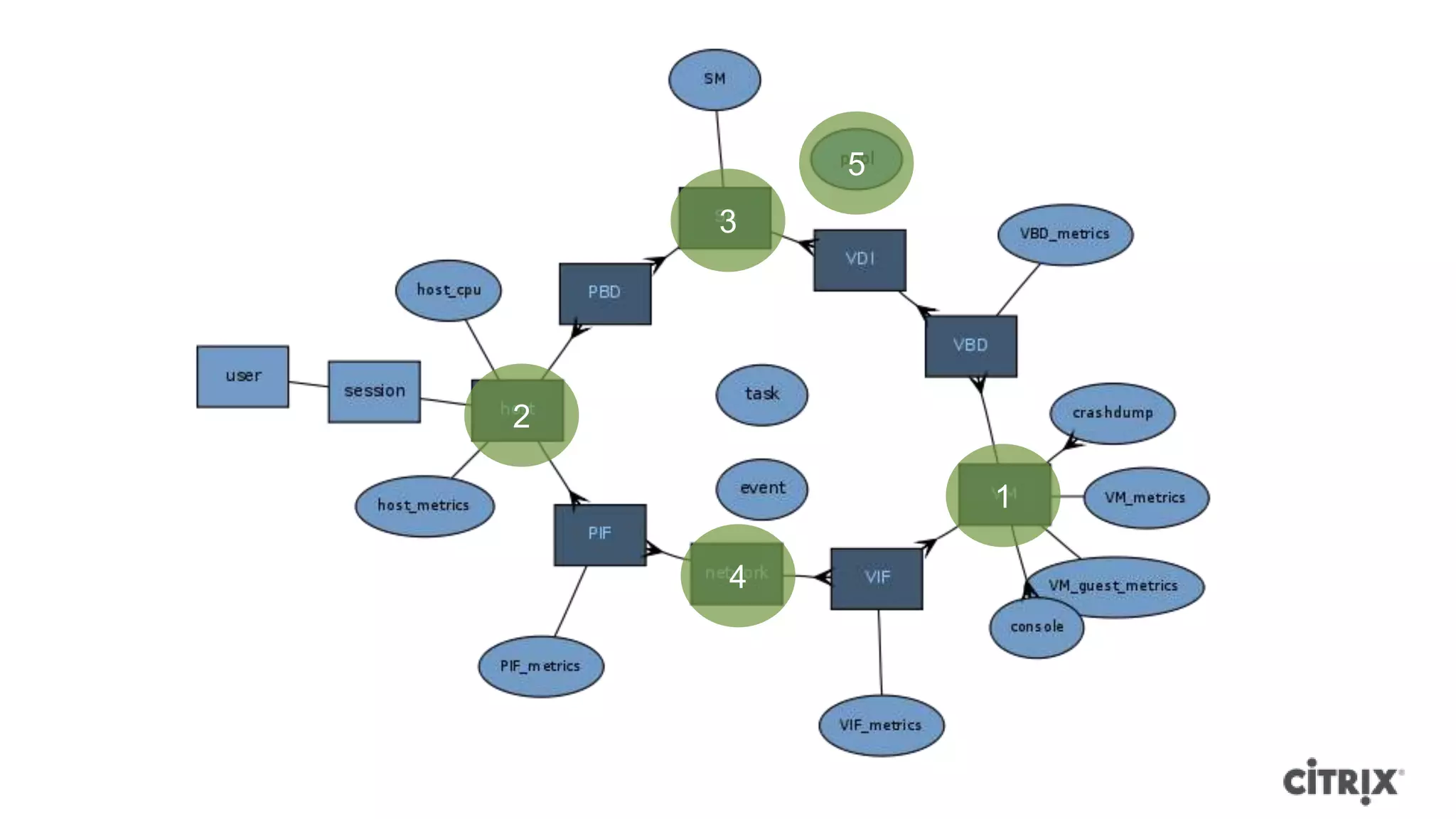
5
    3


2

            1

    4
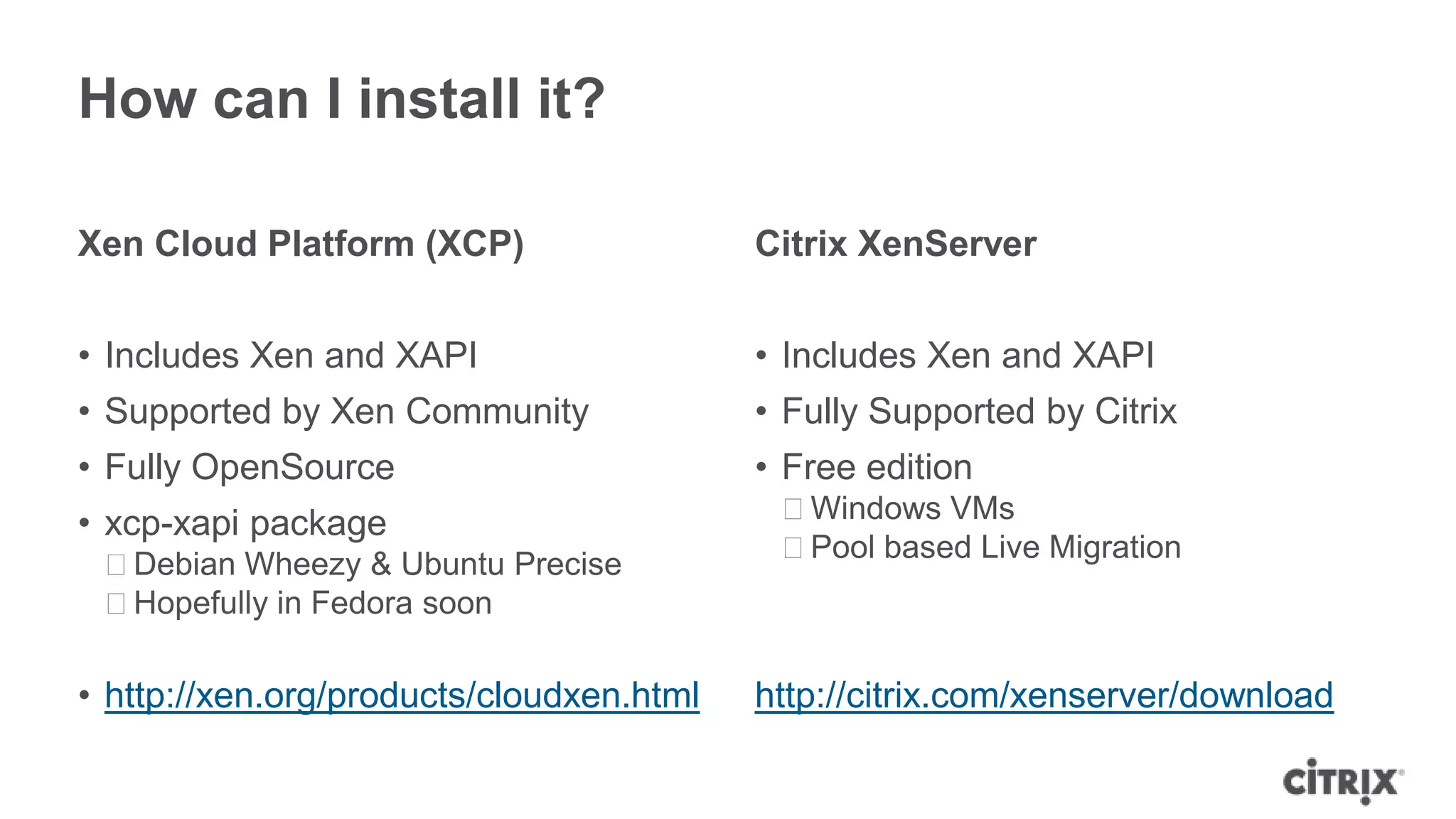
How can I install it?

Xen Cloud Platform (XCP)                  Citrix XenServer


• Includes Xen and XAPI                   • Includes Xen and XAPI
• Supported by Xen Community              • Fully Supported by Citrix
• Fully OpenSource                        • Free edition
• xcp-xapi package                         ᵒWindows VMs
                                           ᵒPool based Live Migration
 ᵒDebian Wheezy & Ubuntu Precise
 ᵒHopefully in Fedora soon

• http://xen.org/products/cloudxen.html   http://citrix.com/xenserver/download
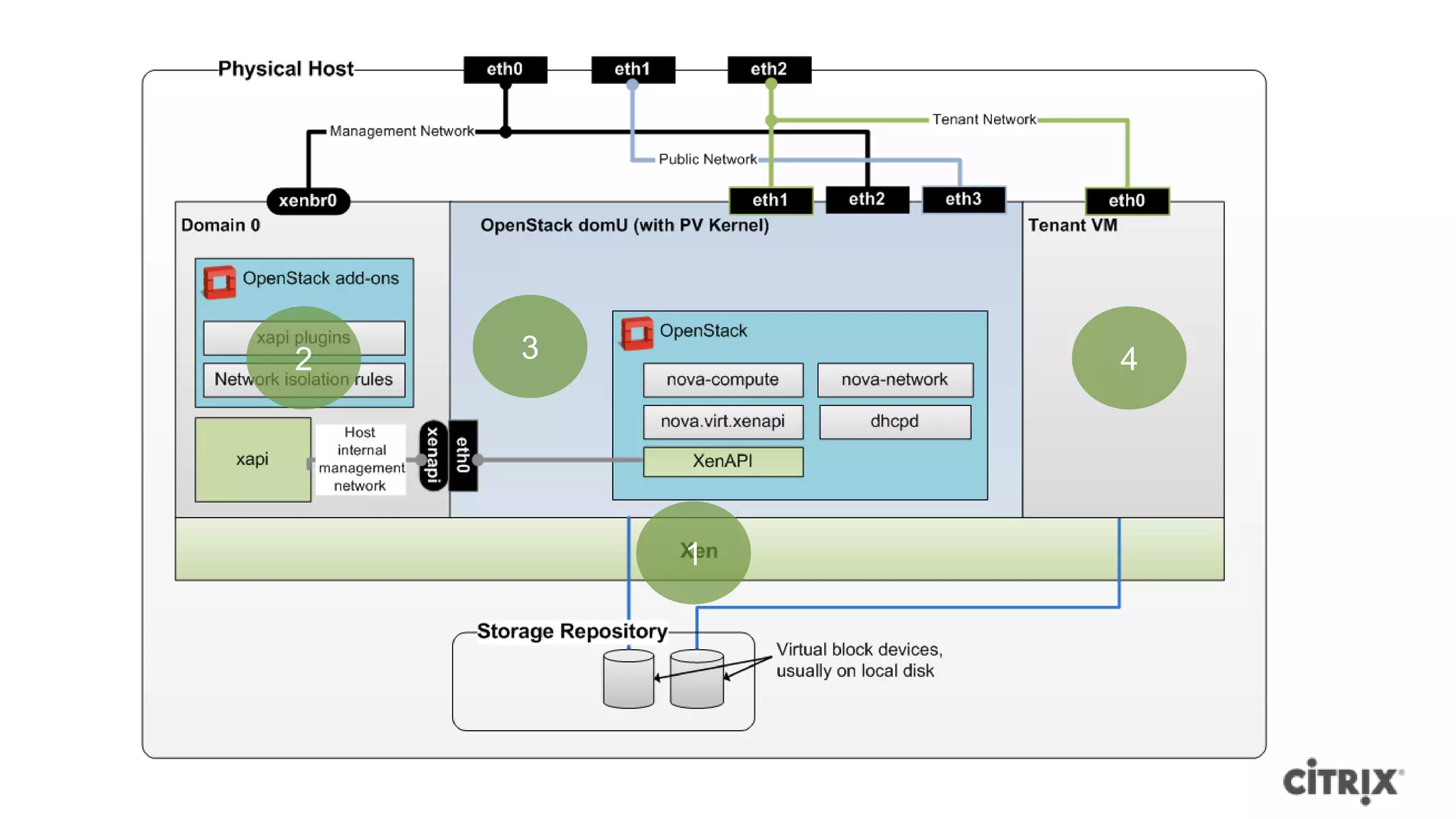
What does it look like?
2   3       4


        1
1
6
    5


            2


                    7

        3       4
Demo
Live migration without shared storage
How can I get started?
… XenServer Specifics
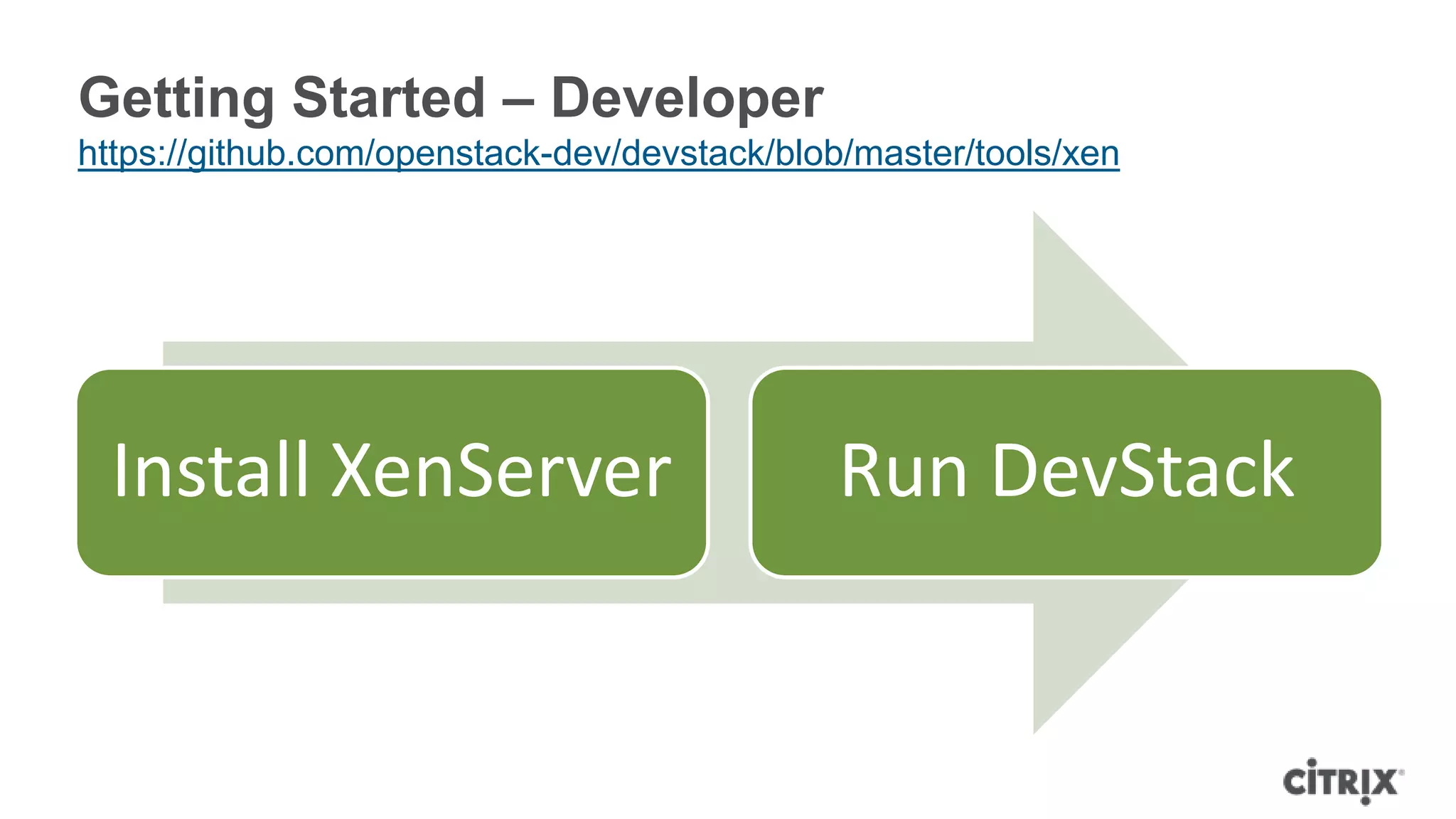
Getting Started – Developer
https://github.com/openstack-dev/devstack/blob/master/tools/xen


  Install XenServer                          Run DevStack
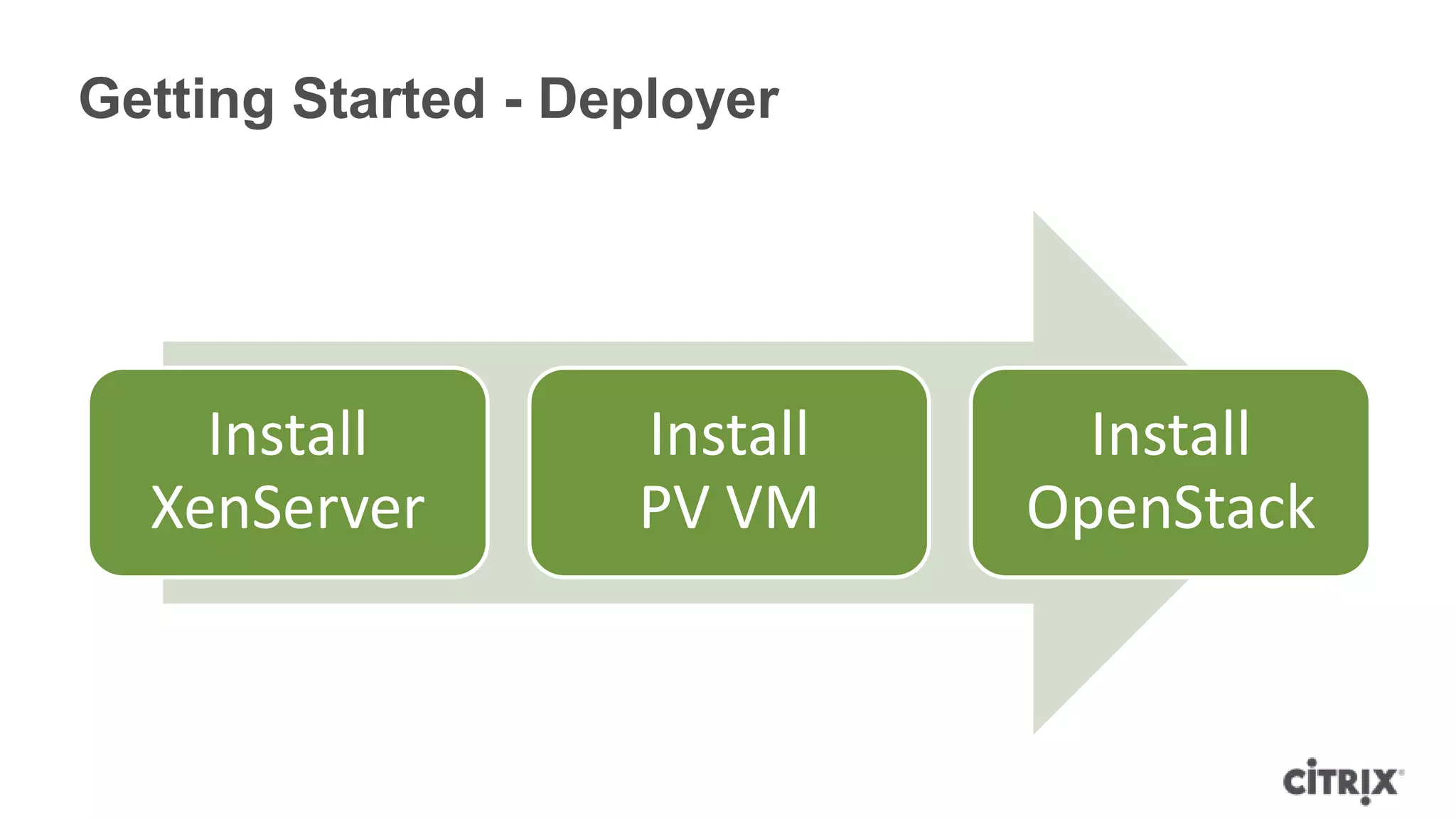
Getting Started - Deployer


    Install         Install     Install
  XenServer         PV VM     OpenStack
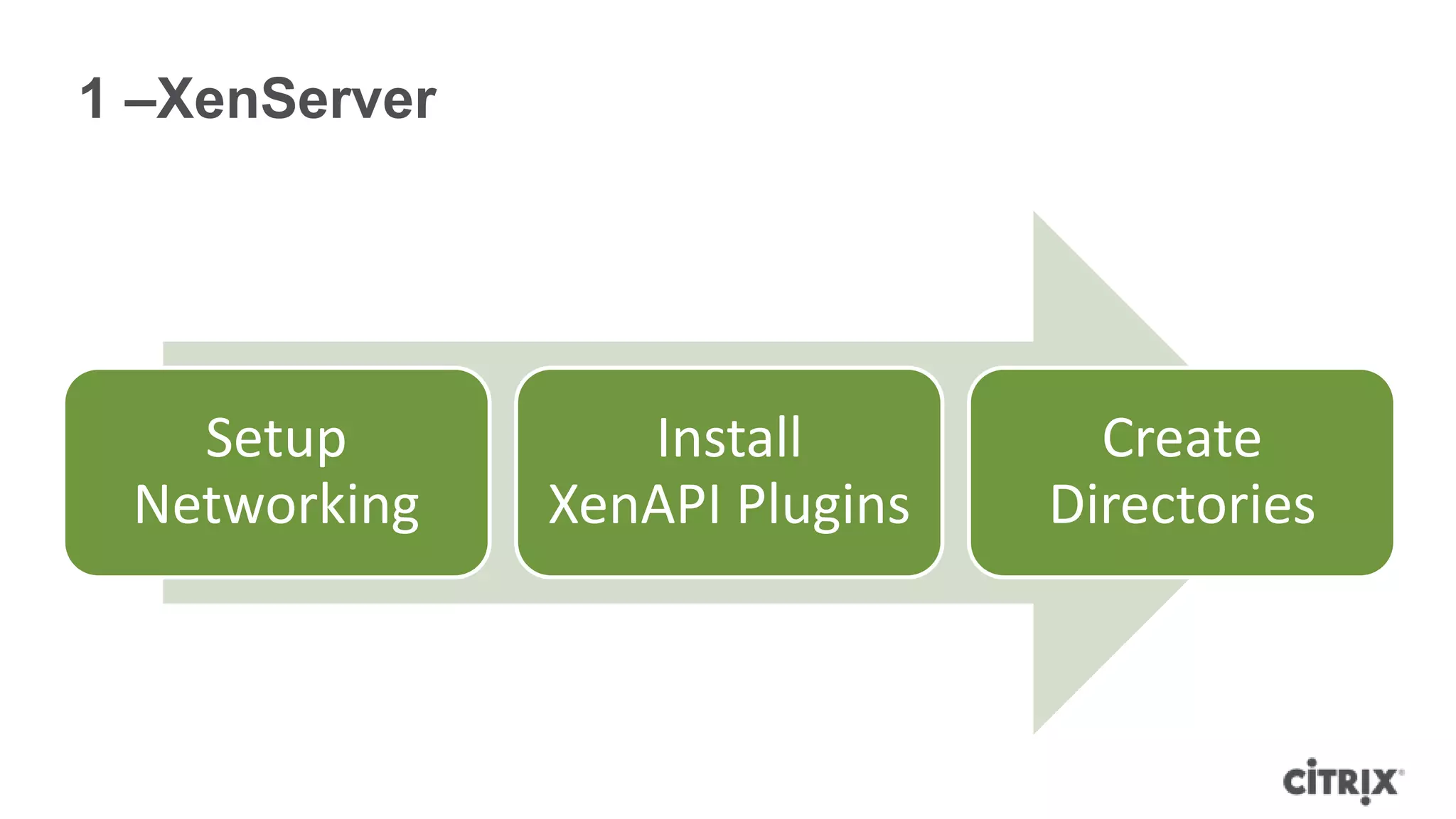
1 –XenServer


   Setup          Install         Create
 Networking    XenAPI Plugins   Directories
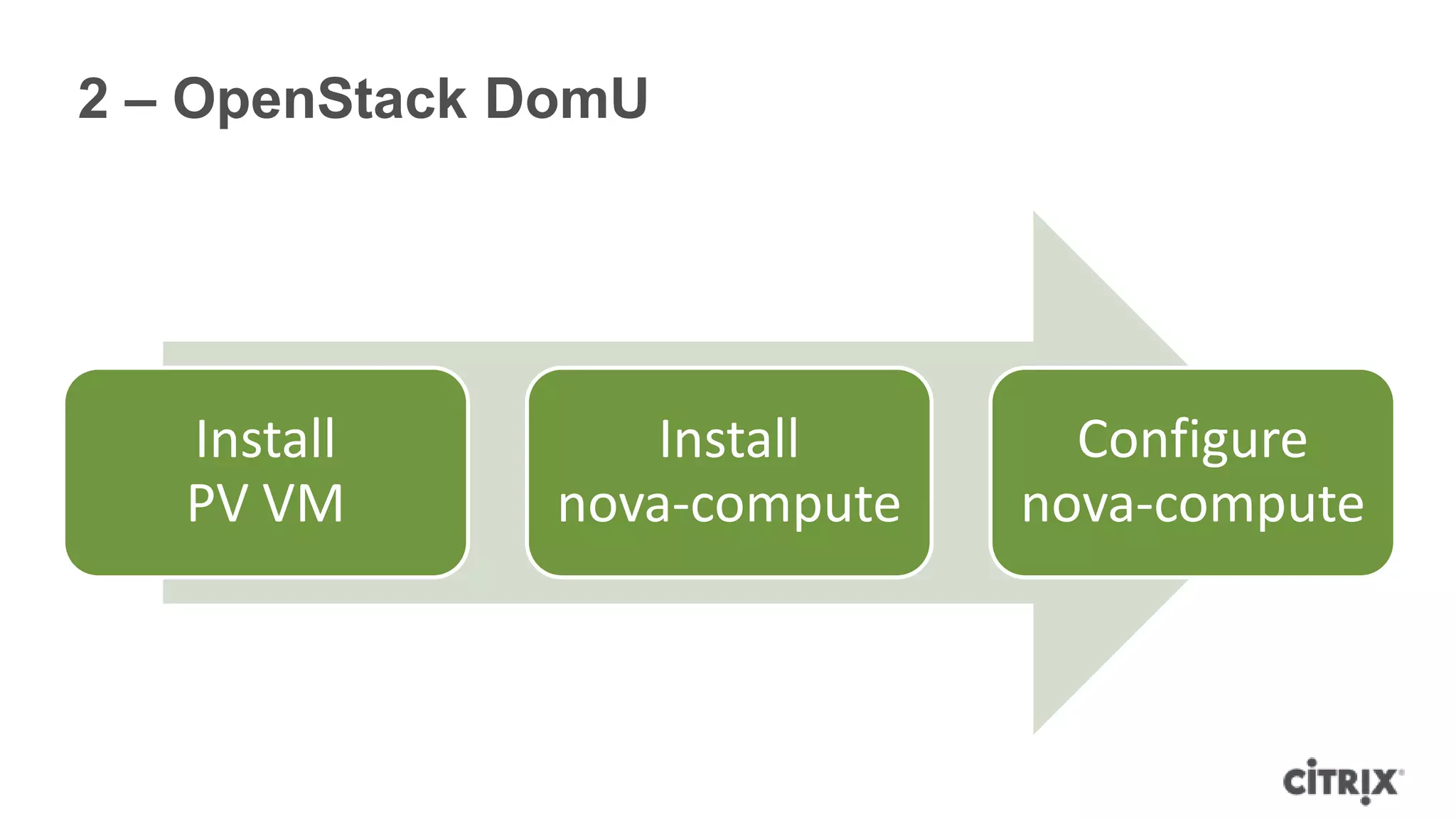
2 – OpenStack DomU


   Install         Install      Configure
   PV VM       nova-compute   nova-compute
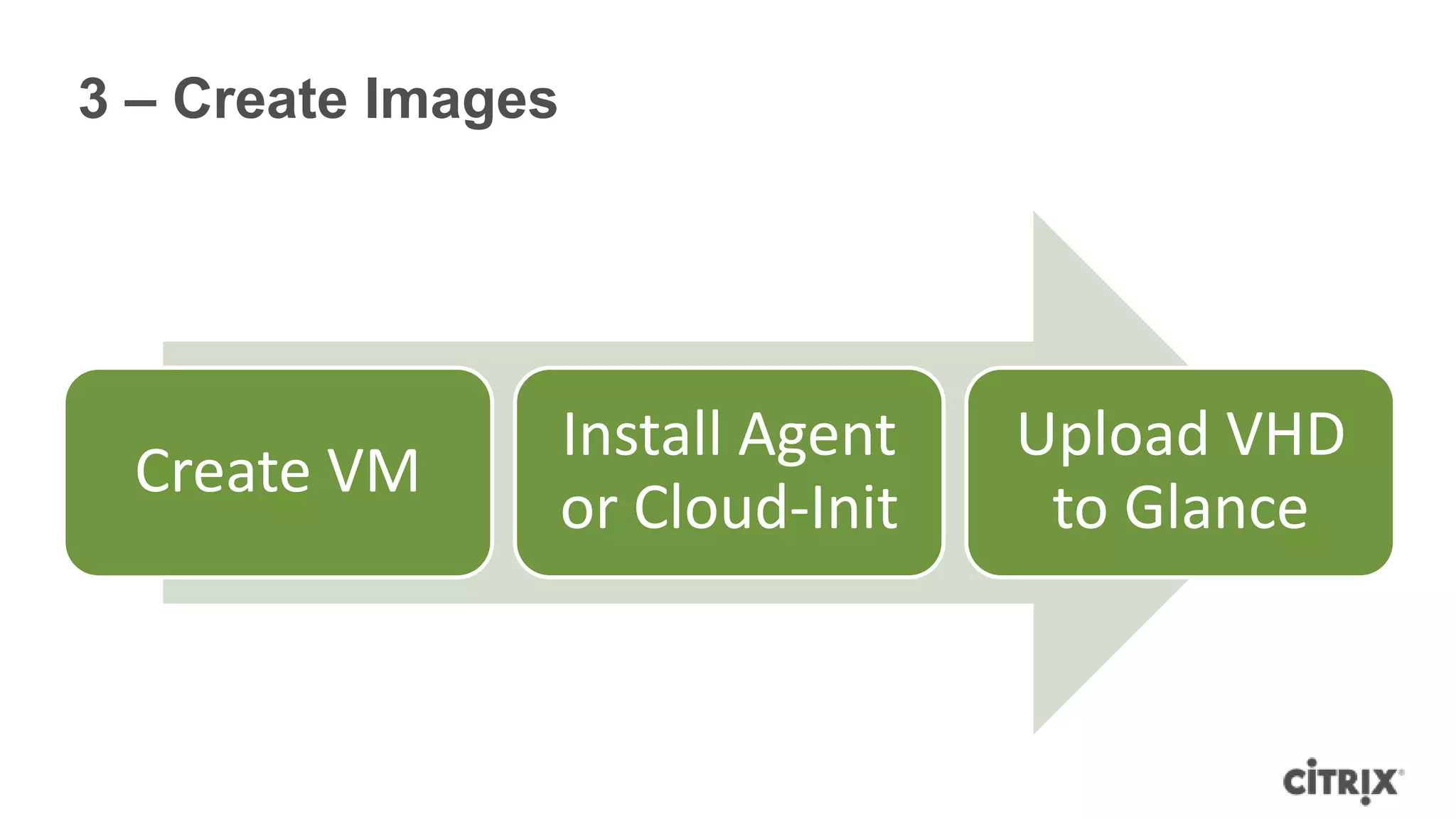
3 – Create Images


                    Install Agent   Upload VHD
  Create VM
                    or Cloud-Init    to Glance
Configuration Tips
… what to change after package install
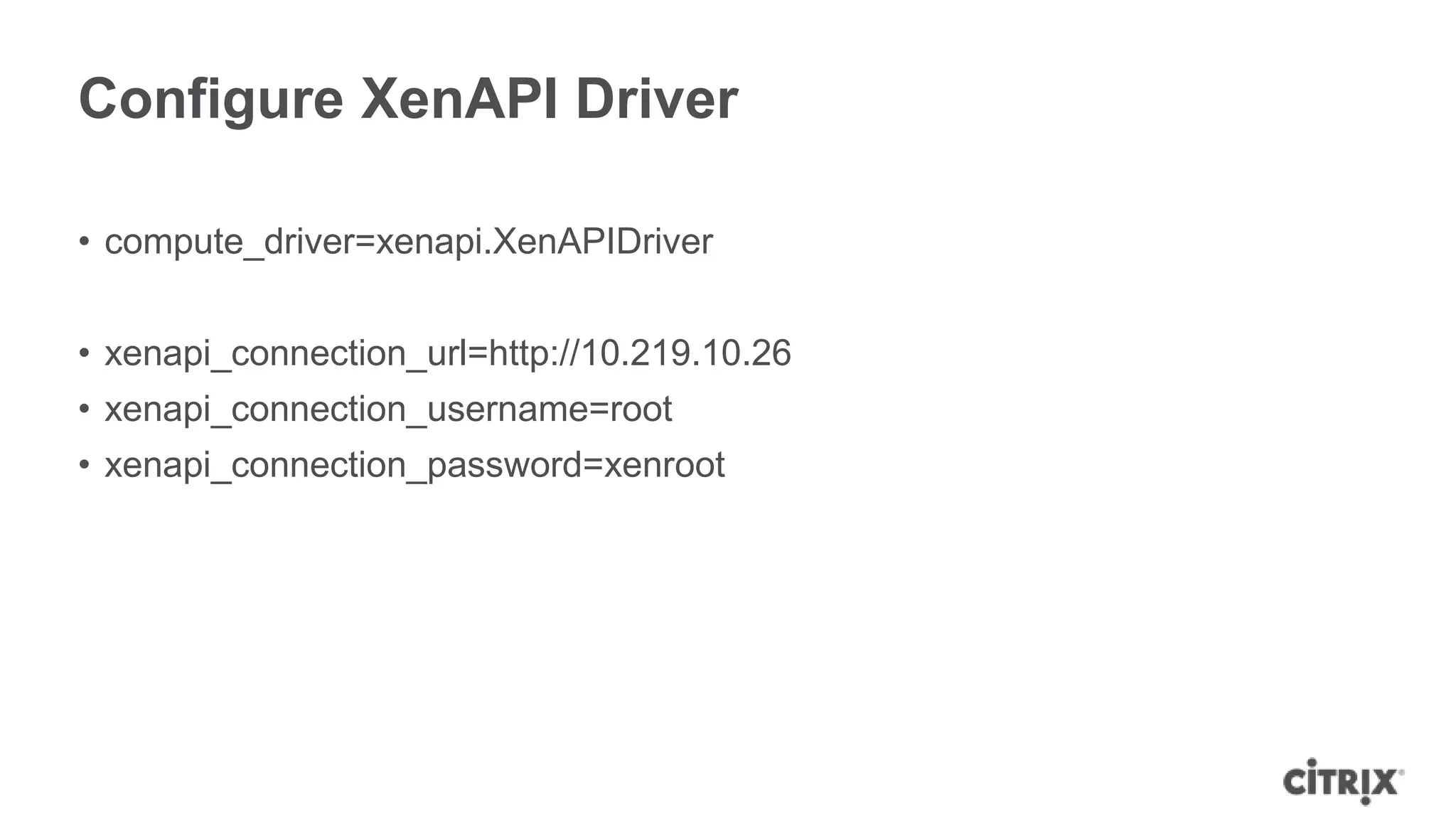
Configure XenAPI Driver

• compute_driver=xenapi.XenAPIDriver


• xenapi_connection_url=http://10.219.10.26
• xenapi_connection_username=root
• xenapi_connection_password=xenroot
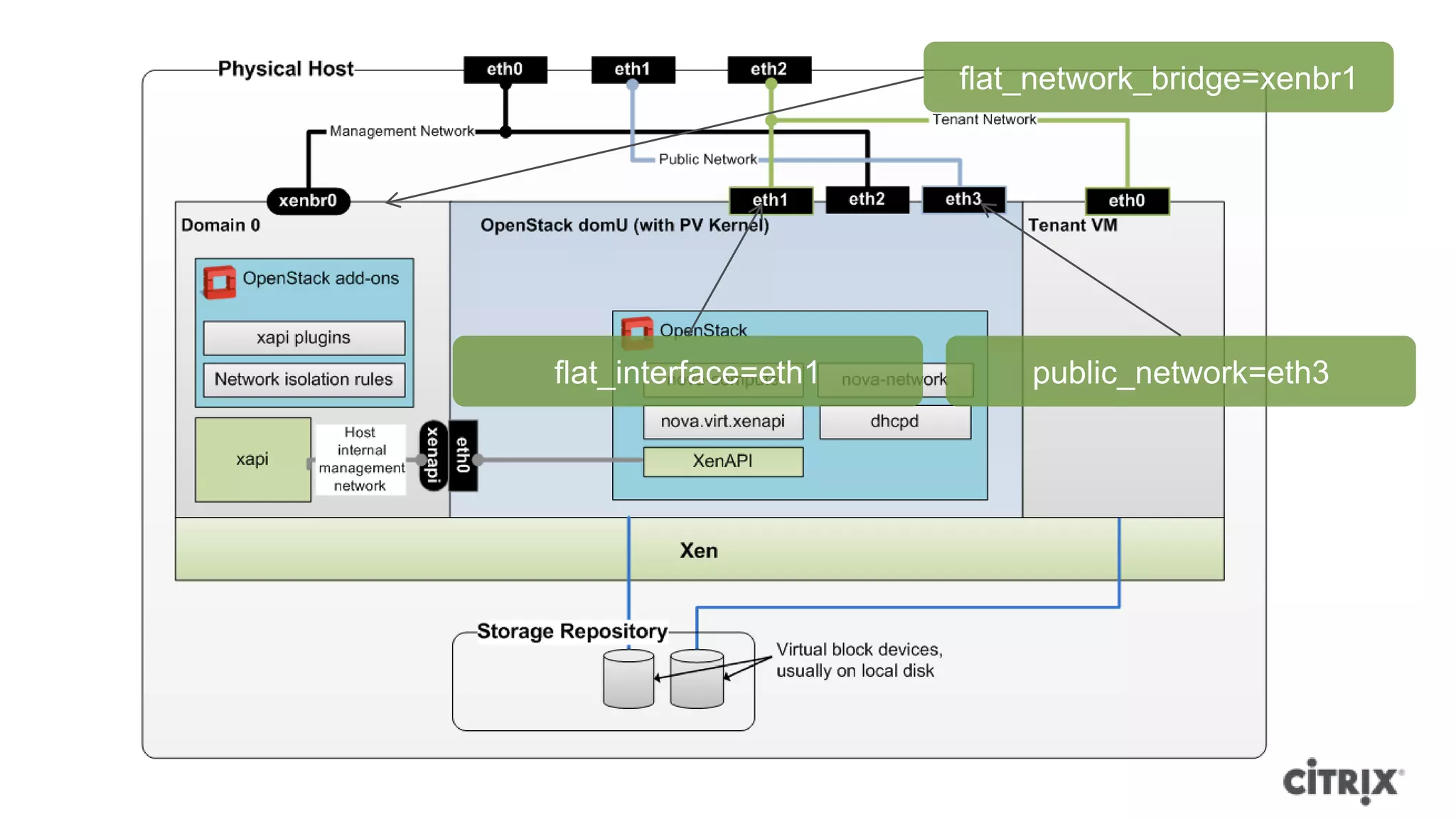
flat_network_bridge=xenbr1


flat_interface=eth1       public_network=eth3
Configure FlatDHCP Networking

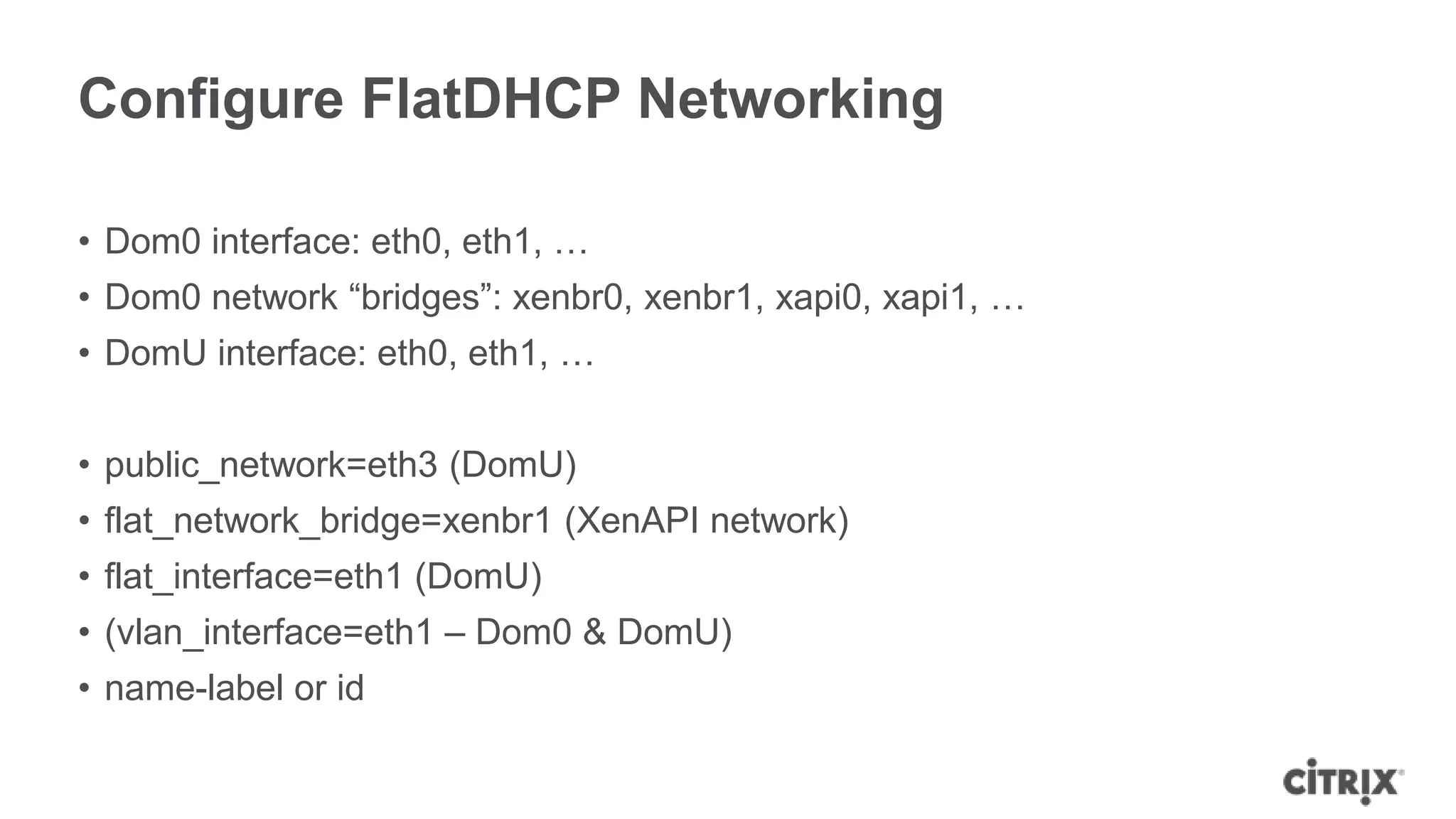
• Dom0 interface: eth0, eth1, …
• Dom0 network “bridges”: xenbr0, xenbr1, xapi0, xapi1, …
• DomU interface: eth0, eth1, …


• public_network=eth3 (DomU)
• flat_network_bridge=xenbr1 (XenAPI network)
• flat_interface=eth1 (DomU)
• (vlan_interface=eth1 – Dom0 & DomU)
• name-label or id
Where can I find out more?
Get Involved

• Ask a question
• Ask on the mailing list
• Read the documentation
 ᵒhttp://docs.openstack.org/trunk/openstack-compute/admin/content/introduction-to-
  xen.html
 ᵒ[TODO – getting started doc]
• Look on the wiki
 ᵒhttp://wiki.openstack.org/XenServer
 ᵒhttp://wiki.openstack.org/HypervisorSupportMatrix
Using XenServer within
 Rackspace Cloud Servers
                                 Chris Behrens
                          chris.behrens@rackspace.com
OpenStack Summit, San Diego
October 2012


                                                        3
                                                        0
Intro to Cloud Servers


                    RACKSPACE® HOSTING   |   WWW.RACKSPACE.COM
                                                                 31
Intro to Cloud Servers
Overview

• Public Cloud product under Rackspace‟s Open Cloud portfolio
• First Gen
  – Code originated from Slicehost acquisition
  – Initially Xen 3.x, but migrated to XenServer
• Next Gen
  – Public Launch 8/1/2012
  – Powered by OpenStack
• XenServer 6
• Linux, Windows, and FreeBSD VMs


                                                          RACKSPACE® HOSTING   |   WWW.RACKSPACE.COM
                                                                                                       32
Intro to Cloud Servers
Statistics

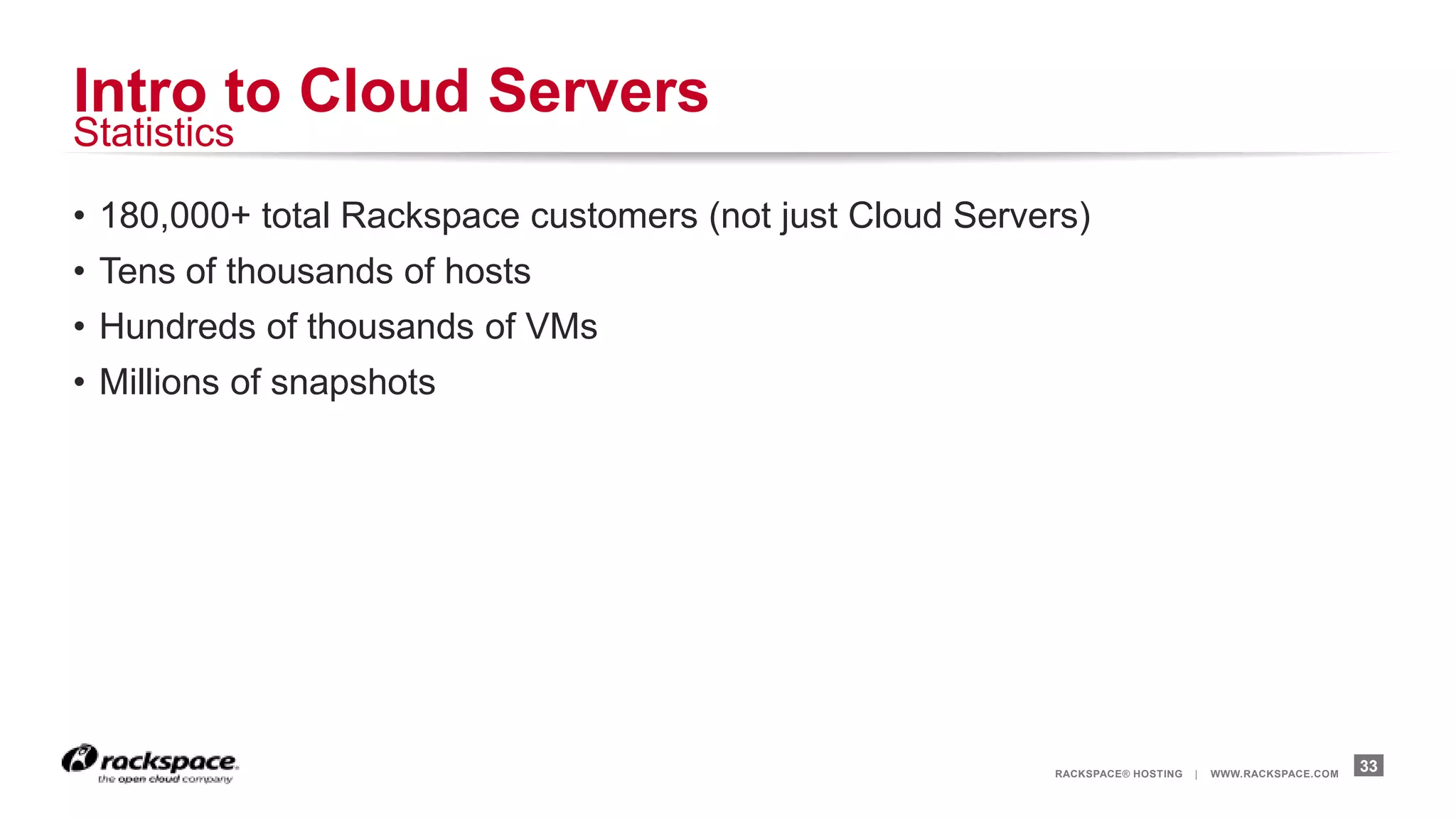
• 180,000+ total Rackspace customers (not just Cloud Servers)
• Tens of thousands of hosts
• Hundreds of thousands of VMs
• Millions of snapshots


                                                          RACKSPACE® HOSTING   |   WWW.RACKSPACE.COM
                                                                                                       33
Why Xen?


           RACKSPACE® HOSTING   |   WWW.RACKSPACE.COM
                                                        34
Why Xen?
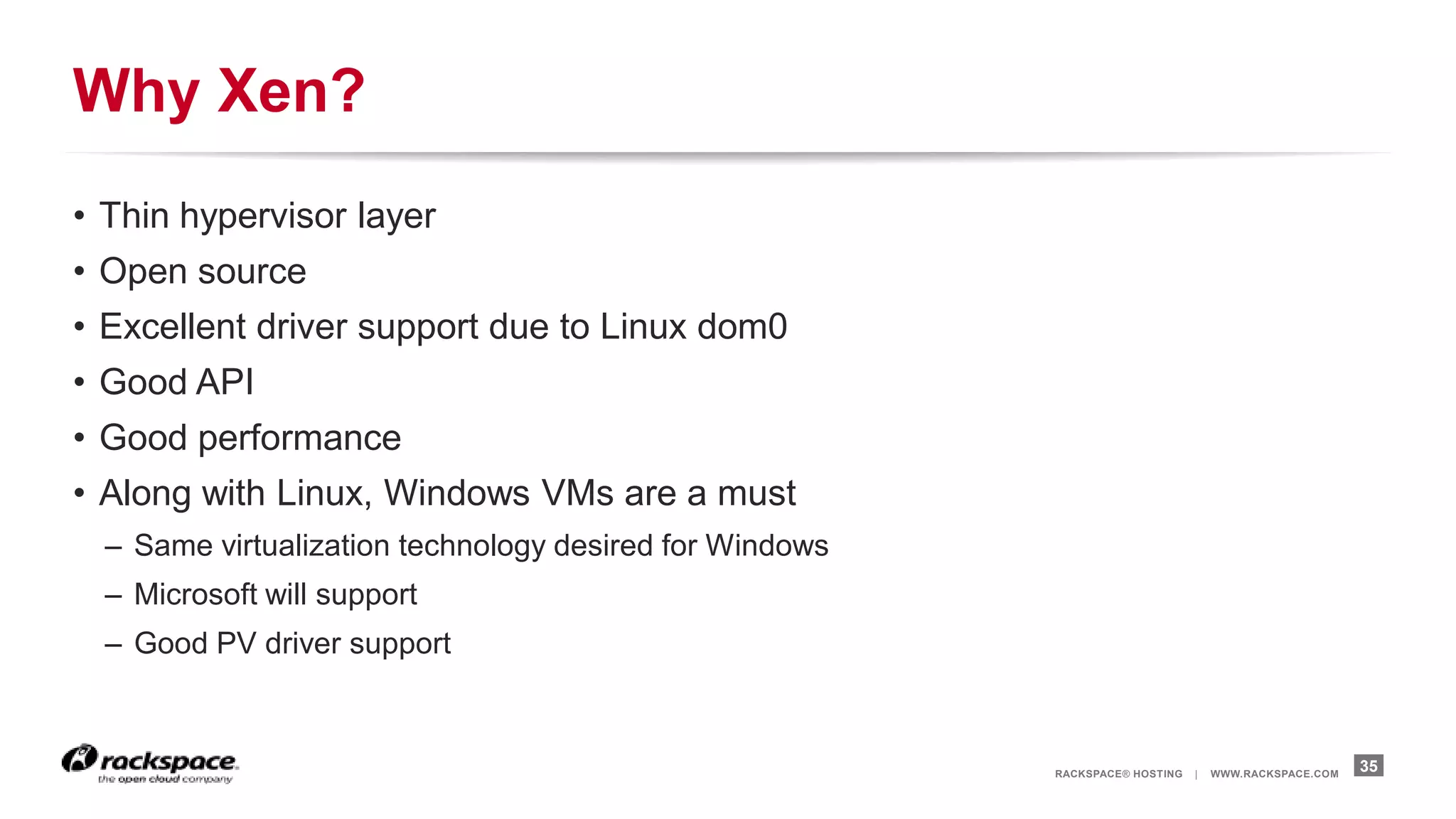
• Thin hypervisor layer
• Open source
• Excellent driver support due to Linux dom0
• Good API
• Good performance
• Along with Linux, Windows VMs are a must
  – Same virtualization technology desired for Windows
  – Microsoft will support
  – Good PV driver support


                                                         RACKSPACE® HOSTING   |   WWW.RACKSPACE.COM
                                                                                                      35
OpenStack
nova-compute w/ XenAPI
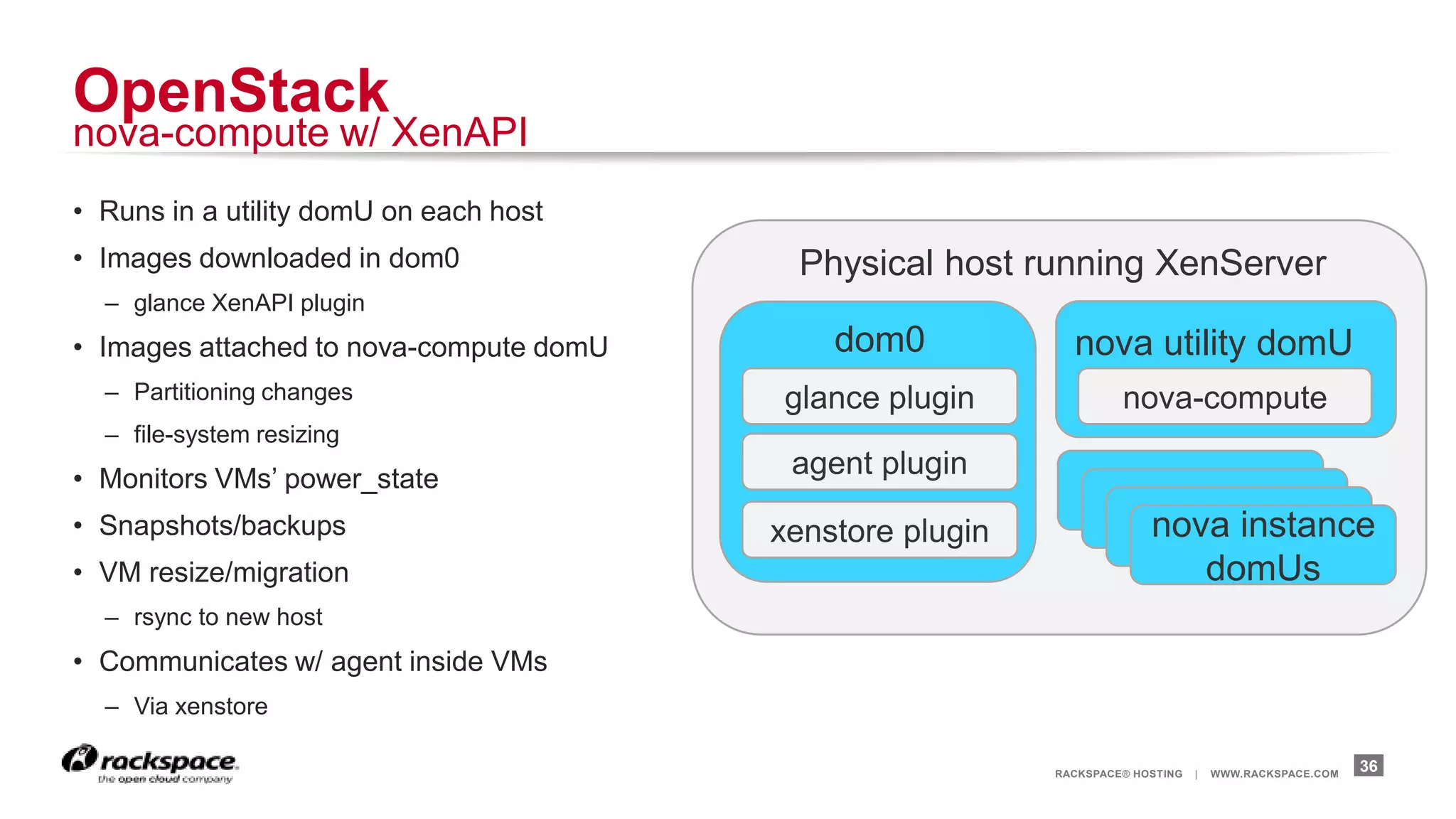
• Runs in a utility domU on each host
• Images downloaded in dom0               Physical host running XenServer
  – glance XenAPI plugin
• Images attached to nova-compute domU       dom0            nova utility domU
  – Partitioning changes                 glance plugin              nova-compute
  – file-system resizing
• Monitors VMs‟ power_state
                                          agent plugin
• Snapshots/backups                      xenstore plugin                nova instance
• VM resize/migration                                                      domUs
  – rsync to new host
• Communicates w/ agent inside VMs
  – Via xenstore

                                                           RACKSPACE® HOSTING   |   WWW.RACKSPACE.COM
                                                                                                        36
OpenStack
Rackspace Specifics


                      RACKSPACE® HOSTING   |   WWW.RACKSPACE.COM
                                                                   37
OpenStack Rackspace Specifics
Source Code

• Rackspace tracks trunk
 – Deployed code generally less than 2 weeks behind trunk
• Some custom patches on top of trunk
 – Features specific to Rackspace
 – Custom scheduling to meet Rackspace needs
 – Scaling with OpenStack Compute Cells


                                                            RACKSPACE® HOSTING   |   WWW.RACKSPACE.COM
                                                                                                         38
Deploying OpenStack
„Inception‟

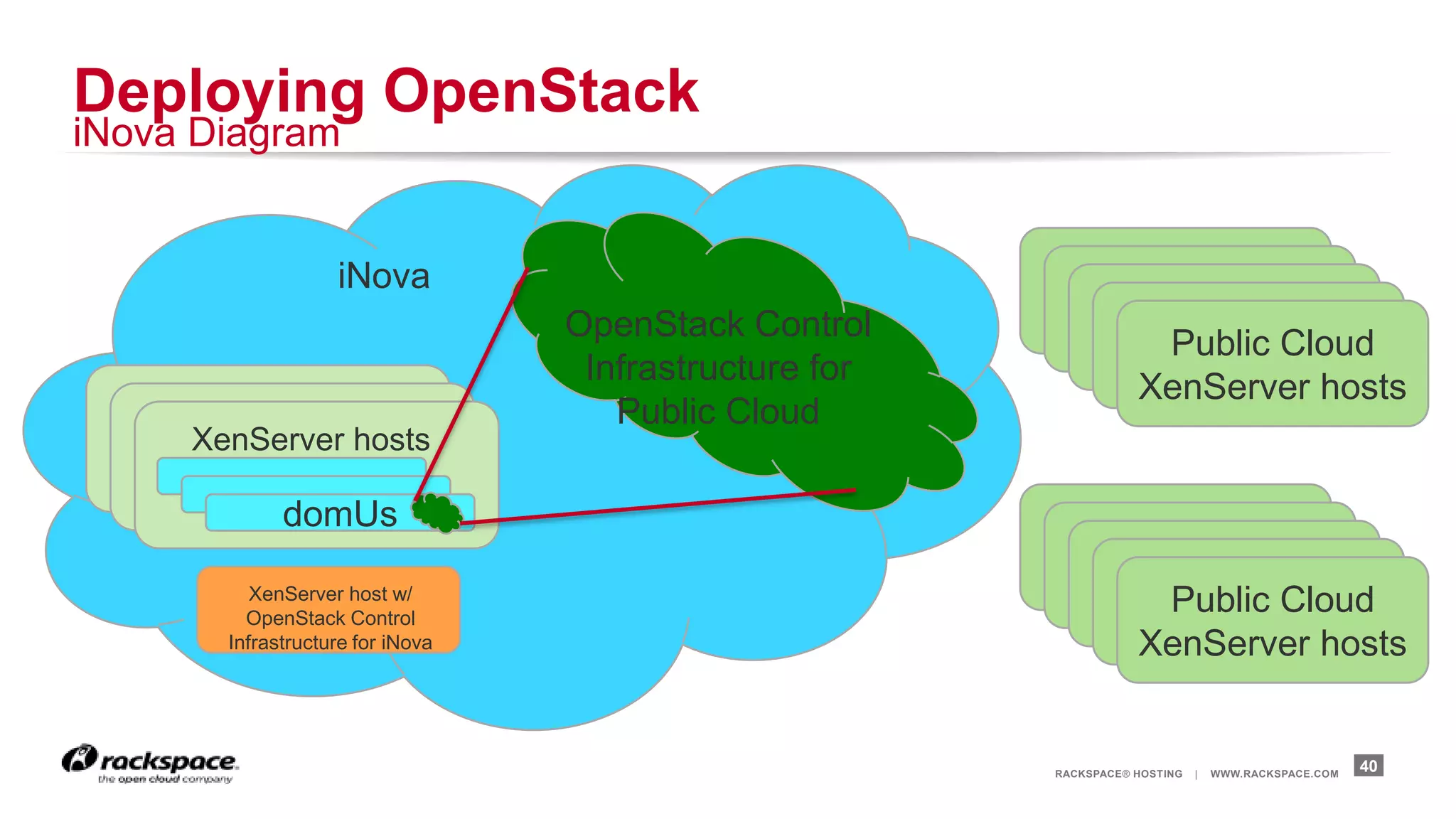
• Private internal cloud
  – Based on Openstack, called iNova
  – OpenStack services for public cloud run virtualized under iNova
• Easy to spin up additional services for load balancing
  – Enables quick reaction to load spikes
• Easier deployments of new compute cells
• Automated reaction to downed hosts
• Enables new strategies for deployments
  – Replace vs Upgrade


                                                                      RACKSPACE® HOSTING   |   WWW.RACKSPACE.COM
                                                                                                                   39
Deploying OpenStack
iNova Diagram


                   iNova
                                  OpenStack Control
                                                                    Public Cloud
                                   Infrastructure for
                                                                   XenServer hosts
                                     Public Cloud
     XenServer hosts

             domUs

          XenServer host w/
         OpenStack Control
                                                                    Public Cloud
       Infrastructure for iNova                                    XenServer hosts


                                                        RACKSPACE® HOSTING   |   WWW.RACKSPACE.COM
                                                                                                     40
Deploying OpenStack
Continuous Deployment

• Trunk and custom branches merged multiple times daily
 – Unit Tested and Packaged
• Configuration managed with puppet
 – Follows same QE and Continuous Deployment rules as code
• QE Environment
 – OpenStack control infrastructure deployed on iNova
 – nova-compute upgraded on 200 hosts
 – Smoke tests
• Staging Deploy
 – Uses the same packages and puppet manifests

                                                             RACKSPACE® HOSTING   |   WWW.RACKSPACE.COM
                                                                                                          41
Q&A
Work better. Live better.

Getting Started with XenServer and OpenStack.pptx

  • 1.
    Getting Starting XenServer andOpenStack @JohnGarbutt OpenStack Team Lead, Citrix OpenStack Summit, San Diego, October 2012
  • 2.
    But Citrix doesCloudStack? … but still got full time people on OpenStack
  • 3.
    Why use Xen? …because it was built for the Cloud!
  • 4.
  • 5.
    We propose asystem that can execute code supplied by an untrusted user, yet can charge this user for all resources consumed by the computation. Such servers could be deployed at strategic locations throughout the Internet Xenoservers: Accounted execution of untrusted code IEEE Hot Topics in Operating Systems VII March 1999
  • 6.
    Why use Xentoday? • Open Source with a large community and ecosystem • Mature and “Cloud Proven” ᵒAmazon, Rackspace and many others • Probably 10-12 Million OpenSource Users ᵒe.g. 3 x people on Debian have used Xen in the last 30 days vs KVM ᵒ12% of Ubuntu Servers hosted on Xen • Type 1 hypervisor ᵒReduced TCB ᵒBest security, isolation, performance, scalability mix • ParaVirtual OPerationS now in Linux
  • 7.
    Hypervisor Types (Hybrid) Type 1 Type 2
  • 8.
    Even Better Isolation Lookat Citrix XenClient XT
  • 9.
  • 10.
    Xen Terminology Xen = virtual machine monitor XenAPI = API to manage Xen XAPI = XenAPI deamon Dom0 = trusted management VM DomU = untrusted guest VM
  • 11.
    5 3 2 1 4
  • 12.
    How can Iinstall it? Xen Cloud Platform (XCP) Citrix XenServer • Includes Xen and XAPI • Includes Xen and XAPI • Supported by Xen Community • Fully Supported by Citrix • Fully OpenSource • Free edition • xcp-xapi package ᵒWindows VMs ᵒPool based Live Migration ᵒDebian Wheezy & Ubuntu Precise ᵒHopefully in Fedora soon • http://xen.org/products/cloudxen.html http://citrix.com/xenserver/download
  • 13.
    What does itlook like?
  • 14.
    2 3 4 1
  • 16.
    1 6 5 2 7 3 4
  • 17.
  • 18.
    How can Iget started? … XenServer Specifics
  • 19.
    Getting Started –Developer https://github.com/openstack-dev/devstack/blob/master/tools/xen Install XenServer Run DevStack
  • 20.
    Getting Started -Deployer Install Install Install XenServer PV VM OpenStack
  • 21.
    1 –XenServer Setup Install Create Networking XenAPI Plugins Directories
  • 22.
    2 – OpenStackDomU Install Install Configure PV VM nova-compute nova-compute
  • 23.
    3 – CreateImages Install Agent Upload VHD Create VM or Cloud-Init to Glance
  • 24.
    Configuration Tips … whatto change after package install
  • 25.
    Configure XenAPI Driver •compute_driver=xenapi.XenAPIDriver • xenapi_connection_url=http://10.219.10.26 • xenapi_connection_username=root • xenapi_connection_password=xenroot
  • 26.
  • 27.
    Configure FlatDHCP Networking •Dom0 interface: eth0, eth1, … • Dom0 network “bridges”: xenbr0, xenbr1, xapi0, xapi1, … • DomU interface: eth0, eth1, … • public_network=eth3 (DomU) • flat_network_bridge=xenbr1 (XenAPI network) • flat_interface=eth1 (DomU) • (vlan_interface=eth1 – Dom0 & DomU) • name-label or id
  • 28.
    Where can Ifind out more?
  • 29.
    Get Involved • Aska question • Ask on the mailing list • Read the documentation ᵒhttp://docs.openstack.org/trunk/openstack-compute/admin/content/introduction-to- xen.html ᵒ[TODO – getting started doc] • Look on the wiki ᵒhttp://wiki.openstack.org/XenServer ᵒhttp://wiki.openstack.org/HypervisorSupportMatrix
  • 30.
    Using XenServer within Rackspace Cloud Servers Chris Behrens chris.behrens@rackspace.com OpenStack Summit, San Diego October 2012 3 0
  • 31.
    Intro to CloudServers RACKSPACE® HOSTING | WWW.RACKSPACE.COM 31
  • 32.
    Intro to CloudServers Overview • Public Cloud product under Rackspace‟s Open Cloud portfolio • First Gen – Code originated from Slicehost acquisition – Initially Xen 3.x, but migrated to XenServer • Next Gen – Public Launch 8/1/2012 – Powered by OpenStack • XenServer 6 • Linux, Windows, and FreeBSD VMs RACKSPACE® HOSTING | WWW.RACKSPACE.COM 32
  • 33.
    Intro to CloudServers Statistics • 180,000+ total Rackspace customers (not just Cloud Servers) • Tens of thousands of hosts • Hundreds of thousands of VMs • Millions of snapshots RACKSPACE® HOSTING | WWW.RACKSPACE.COM 33
  • 34.
    Why Xen? RACKSPACE® HOSTING | WWW.RACKSPACE.COM 34
  • 35.
    Why Xen? • Thinhypervisor layer • Open source • Excellent driver support due to Linux dom0 • Good API • Good performance • Along with Linux, Windows VMs are a must – Same virtualization technology desired for Windows – Microsoft will support – Good PV driver support RACKSPACE® HOSTING | WWW.RACKSPACE.COM 35
  • 36.
    OpenStack nova-compute w/ XenAPI •Runs in a utility domU on each host • Images downloaded in dom0 Physical host running XenServer – glance XenAPI plugin • Images attached to nova-compute domU dom0 nova utility domU – Partitioning changes glance plugin nova-compute – file-system resizing • Monitors VMs‟ power_state agent plugin • Snapshots/backups xenstore plugin nova instance • VM resize/migration domUs – rsync to new host • Communicates w/ agent inside VMs – Via xenstore RACKSPACE® HOSTING | WWW.RACKSPACE.COM 36
  • 37.
    OpenStack Rackspace Specifics RACKSPACE® HOSTING | WWW.RACKSPACE.COM 37
  • 38.
    OpenStack Rackspace Specifics SourceCode • Rackspace tracks trunk – Deployed code generally less than 2 weeks behind trunk • Some custom patches on top of trunk – Features specific to Rackspace – Custom scheduling to meet Rackspace needs – Scaling with OpenStack Compute Cells RACKSPACE® HOSTING | WWW.RACKSPACE.COM 38
  • 39.
    Deploying OpenStack „Inception‟ • Privateinternal cloud – Based on Openstack, called iNova – OpenStack services for public cloud run virtualized under iNova • Easy to spin up additional services for load balancing – Enables quick reaction to load spikes • Easier deployments of new compute cells • Automated reaction to downed hosts • Enables new strategies for deployments – Replace vs Upgrade RACKSPACE® HOSTING | WWW.RACKSPACE.COM 39
  • 40.
    Deploying OpenStack iNova Diagram iNova OpenStack Control Public Cloud Infrastructure for XenServer hosts Public Cloud XenServer hosts domUs XenServer host w/ OpenStack Control Public Cloud Infrastructure for iNova XenServer hosts RACKSPACE® HOSTING | WWW.RACKSPACE.COM 40
  • 41.
    Deploying OpenStack Continuous Deployment •Trunk and custom branches merged multiple times daily – Unit Tested and Packaged • Configuration managed with puppet – Follows same QE and Continuous Deployment rules as code • QE Environment – OpenStack control infrastructure deployed on iNova – nova-compute upgraded on 200 hosts – Smoke tests • Staging Deploy – Uses the same packages and puppet manifests RACKSPACE® HOSTING | WWW.RACKSPACE.COM 41
  • 42.
  • 43.

Editor's Notes

  • #12 http://docs.vmd.citrix.com/XenServer/6.0.0/1.0/en_gb/api/
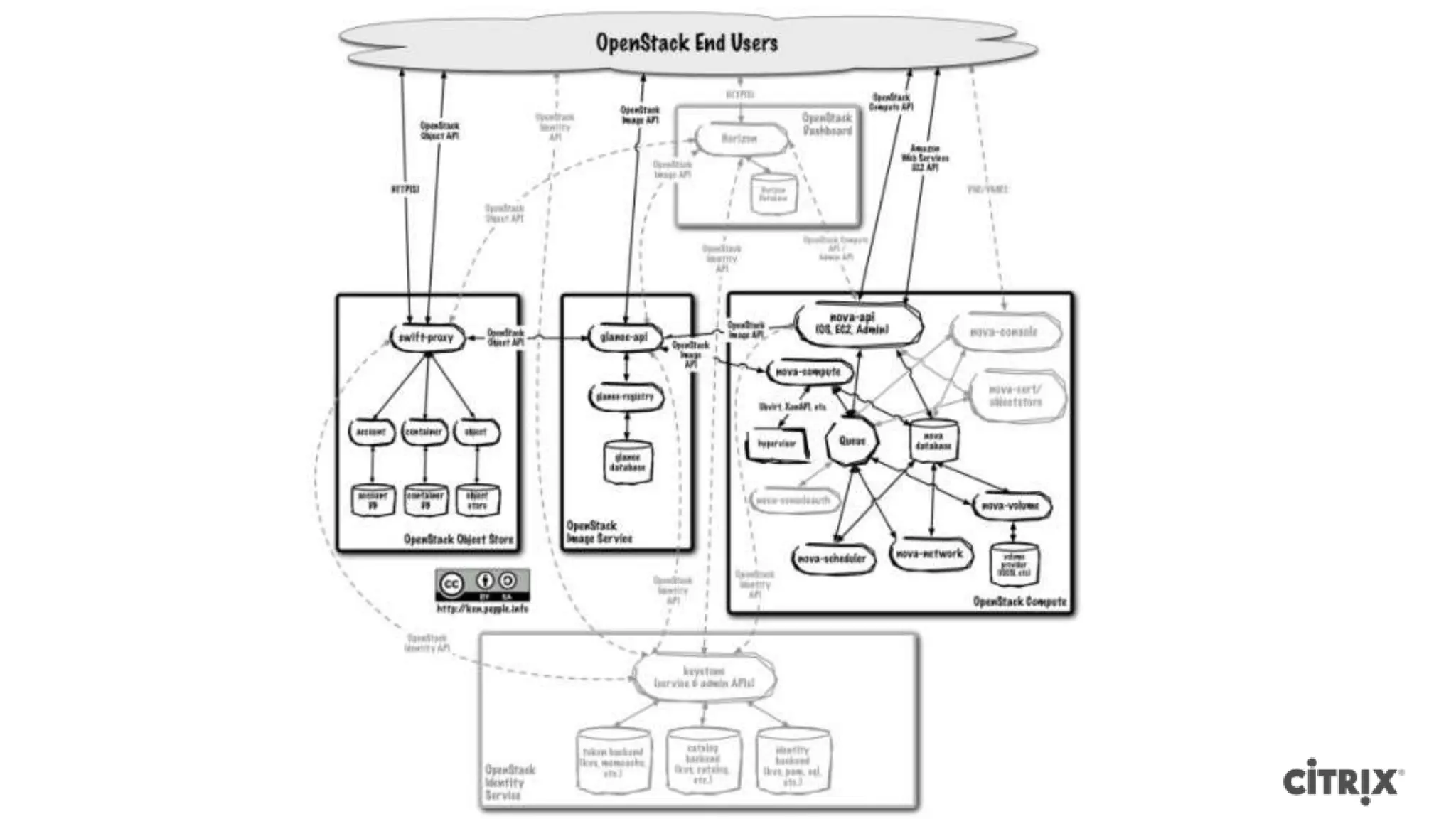
  • #16 http://docs.openstack.org/essex/openstack-compute/admin/content/logical-architecture.htmlAPI + Dashboard: How you access the systemIdentity: Account managementSwift:storage distributed across multiple disksMassive rsync loopNote:Volume and Network being pulled out as separate components
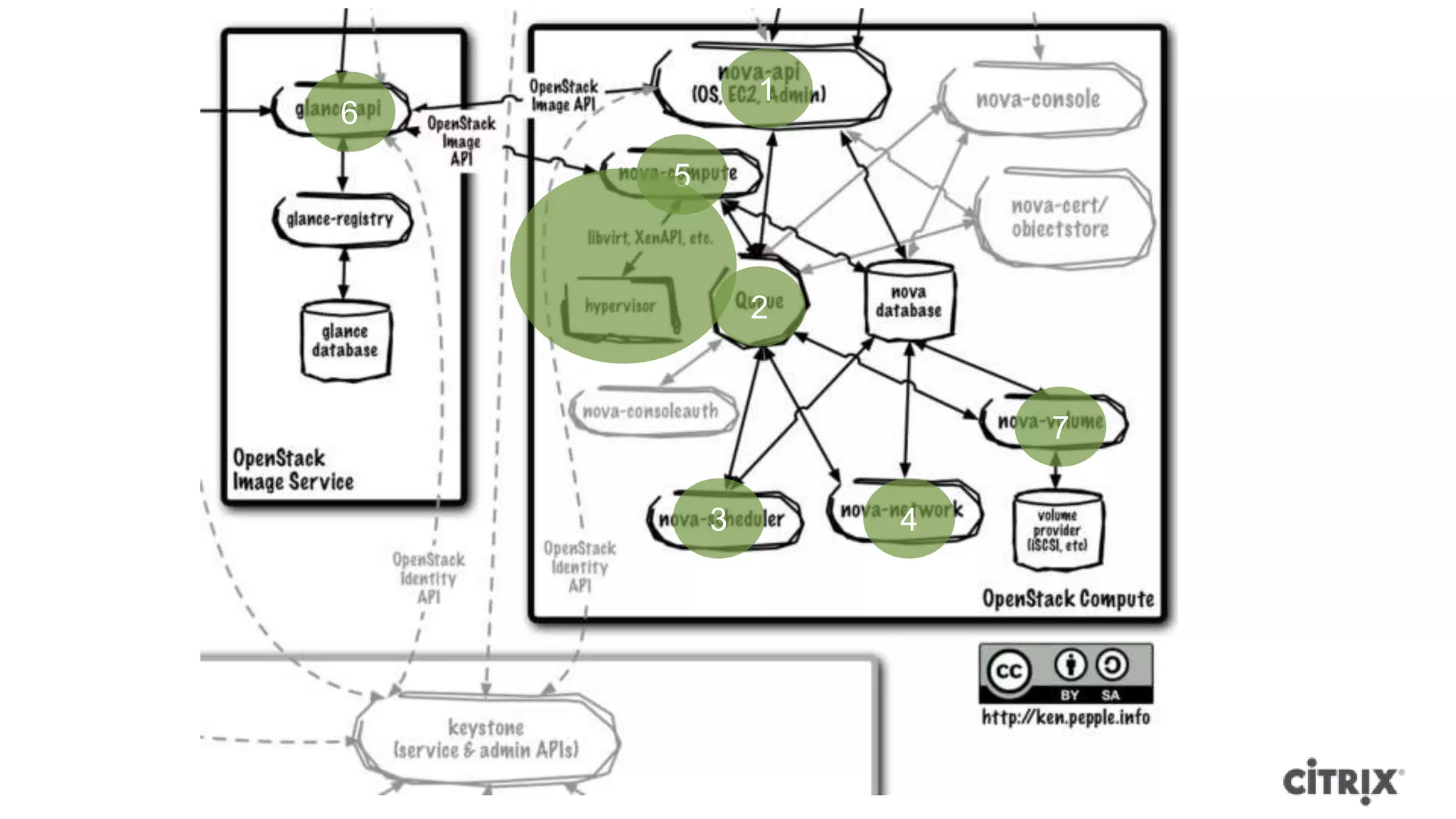
  • #17 Lets look at how an image is launched in OpenStack
  • #36 Been using Xen since before KVM was an option.
  • #39 Rackspace specific features mostly means features the community doesn’t care about or features that are just not appropriate for the community.