Kyle Banerjee
https://bit.ly/alma_api
Getting Started with the
Alma API
● Perform mass modifications of user, item,
bib, holdings, or any other type of record
● Manage collections, portfolios, digital
assets, vendors, invoices, licenses
● Perform extractions and analyses that are
impossible in Analytics
● And more!
What can the Alma API do?
All an API does is send and receive
plain text* messages
APIs are MUCH simpler than they look
* You can also send and receive binary things like
images, but the process is the same as for text
...between using an API and a Web form
from 1995 is that something you wrote
rather than a browser interprets the text
the server sends
The only real difference...
● Focus on the main takeaways
● Ignore syntax. Pay attention to what is
being done, but not how -- you can
figure that out later
● Ask for help
If you’re new to APIs
● Syntax is hard because it’s super picky
and a little text does lot of work
● You can always look up syntax. Don’t try to
memorize everything
● If you don’t get it right the first (or tenth)
time, you can keep tweaking it until you get
it right
If you feel intimidated, remember...
● A way to interact with applications
● ReST (Representational State Transfer) API
is a fancy way of saying to interact with an
application the way a mid 1990’s Web
browser would
API (Application Programming Interface)
Anatomy of retrieving a Web page
Ordinary terminal connection
Request main page at root of site
Server sends back web page
The browser converts text to what you see
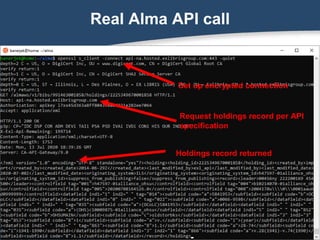
Real Alma API call
Set up encrypted connection
Request holdings record per API
specification
Holdings record returned
To use the Alma API, you typically need to
1. Read a file containing information allowing
you to build a command
2. Send that information to the API
3. Read and modify information you receive
from the API
Now what?
The command line
● Often by far the easiest way
● More flexible than a GUI
● Supported by all major platforms
● Process files of any size
● Combine the power of individual
programs -- they do all the heavy
lifting for you!
Handy tools for the Alma API
Linux or MacOS command line
curl -- Communicate with API service
xmlstarlet -- Extract data from XML or
edit XML
sed -- Clean data
cut -- Break data into fields
echo -- Print data
Learning the command line
● Learn one command at a time. Don’t worry
about what you don’t need.
● Don’t worry if you get things wrong -- one
advantage of the command line is you can try
things many times until you get it right
● Google solutions for specific problems --
there are many online examples
● Try, but give up fast. Ask linux geeks for help
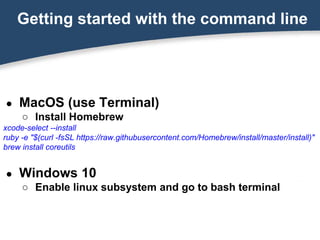
Getting started with the command line
● MacOS (use Terminal)
○ Install Homebrew
xcode-select --install
ruby -e "$(curl -fsSL https://raw.githubusercontent.com/Homebrew/install/master/install)"
brew install coreutils
● Windows 10
○ Enable linux subsystem and go to bash terminal
Scripting is the command line!
● Simple text files that allow you to combine
utilities and programs written in any
language
● No programming experience necessary
● Great for automating processes
● For unfamiliar problems, ask for help
Command Line Tools:
curl, xmlstarlet, cut, and sed
curl
● A tool to transfer data from or to a server
● Works with many protocols, can deal with
authentication
● Especially useful for the Alma API
curl examples
curl -s -H "Authorization: apikey [your API key]" 
-H "Accept: application/xml" 
GET https://api-na.hosted.exlibrisgroup.com/[api call]
curl -s -H "Authorization: apikey [your API key]" 
-d "$DATA"  # data stored in variable
-H "Content-Type: application/xml" 
PUT https://api-na.hosted.exlibrisgroup.com/[api call]
curl -s -H "Authorization: apikey [your API key]" 
-d "@datafile"  # data stored in file
-H "Content-Type: application/xml" 
PUT https://api-na.hosted.exlibrisgroup.com/[api call]
curl examples
Reading records
curl -s -H "Authorization: apikey [your API key]" 
-H "Accept: application/xml" 
GET https://api-na.hosted.exlibrisgroup.com/[api call]
Updating records
curl -s -H "Authorization: apikey [your API key]" 
-H "Content-Type: application/xml" -d "$DATA" 
PUT https://api-na.hosted.exlibrisgroup.com/[api call]
Creating records
curl -s -H "Authorization: apikey [your API key]" 
-H "Content-Type: application/xml" -d "@datafile" 
POST https://api-na.hosted.exlibrisgroup.com/[api call]
Xmlstarlet
● A tool to parse, selectively display, update,
and create XML data
● Syntax can be challenging - little
parameters have a lot of power!
● Examples are the best way to learn - we’ll
look at some next.
Linux (and Windows Linux subsystem)
sudo apt-get install xmlstarlet
Mac
brew install xmlstarlet
Installing Xmlstarlet
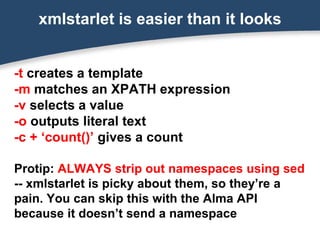
-t creates a template
-m matches an XPATH expression
-v selects a value
-o outputs literal text
-c + ‘count()’ gives a count
Protip: ALWAYS strip out namespaces using sed
-- xmlstarlet is picky about them, so they’re a
pain. You can skip this with the Alma API
because it doesn’t send a namespace
xmlstarlet is easier than it looks
Extract a value and store in a variable
holdingid=$(echo $record |xmlstarlet sel -t -m
"item/holding_data/holding_id" -v . )
Update a node within an XML document
holdings=$(echo $holdings | xmlstarlet ed -u
'/holding/record/datafield[@tag="852"]/subfield[@code="c"]
' -v 'oldstorbks')
Xmlstarlet examples
sed
● User regular expressions to select,
parse, and transform lines
● Great for “fixing” data so that it can be
used with other programs
● Extremely powerful and works great
with very large (terabytes) files
● Strip everything except numbers from
barcode variable
barcode=$(sed 's/[^0-9]//g' <<< "$barcode")
● Strip all nonnumeric data from file1 with
results sent to file2
cat file1 | sed 's/[^0-9]//g' > file2
sed examples
Quick Regular Expression Guide
^ Match the start of the line
$ Match the end of the line
. Match any single character
* Match zero or more of the previous character
[A-D,G-J,0-5]* [A-D,G-J,0-5]* = match zero or more of ABCDGHIJ012345
[^A-C] Match any one character that is NOT A,B, or C
(dog)
Match the word "dog", including case, and remember that text
to be used later in the match or replacement
1
Insert the first remembered text as if it were typed here (2 for
second, 3 for 3rd, etc.)

Use to match special characters.  matches a backslash, *
matches an asterisk, $ matches dollar sign, etc.
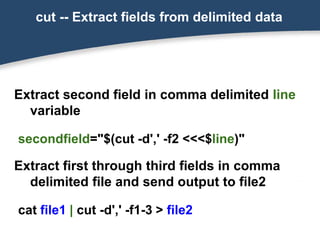
cut -- Extract fields from delimited data
Extract second field in comma delimited line
variable
secondfield="$(cut -d',' -f2 <<<$line)"
Extract first through third fields in comma
delimited file and send output to file2
cat file1 | cut -d',' -f1-3 > file2
Read and process file
# Read file named “barcodes” one line at a time
cat barcodes | while read line
do
# Clean barcode
barcode=$(sed 's/[^0-9]//g' <<< "$line")
# print barcode
echo barcode
done
Putting it All Together:
A Practical Example
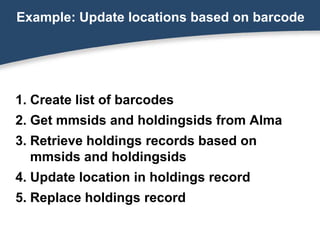
1. Create list of barcodes
2. Get mmsids and holdingsids from Alma
3. Retrieve holdings records based on
mmsids and holdingsids
4. Update location in holdings record
5. Replace holdings record
Example: Update locations based on barcode
cat barcodes| while read barcode # Read input file named “barcodes” one line at a time
do
barcode=$(sed 's/[^0-9]//g' <<< "$barcode") # Clean barcode
# Get record and extract record ids
recinfo=$(curl -s -X GET -L -H "Authorization: apikey $(cat apikey.txt)" "https://api-
na.hosted.exlibrisgroup.com/almaws/v1/items?item_barcode=${barcode}")
mmsid=$(echo $recinfo |xmlstarlet sel -t -m "item/bib_data/mms_id" -v . )
holdingid=$(echo $recinfo |xmlstarlet sel -t -m "item/holding_data/holding_id" -v . )
# Retrieve holdings record
url="https://api-na.hosted.exlibrisgroup.com/almaws/v1/bibs/${mmsid}/holdings/${holdingid}"
holdings=$(curl -s -X GET -L -H "Authorization: apikey $(cat apikey.txt)" "${url}")
# Edit location in holdings record
holdings=$(echo $holdings | xmlstarlet ed -u
'/holding/record/datafield[@tag="852"]/subfield[@code="c"]' -v 'oldstorbks')
# Replace holdings record
newloc=$(curl -s -H "Authorization: apikey $(cat apikey.txt)" -H "Content-Type: application/xml" -
X PUT --data "${holdings}" "${url}")
done
A lot of work in just a few lines!
Retrieve the record via API
recinfo=$(curl -s -X GET -L -H "Authorization: apikey $(cat apikey.txt)" "https://api-
na.hosted.exlibrisgroup.com/almaws/v1/items?item_barcode=33231000051658"))
echo $recinfo |xmlstarlet fo
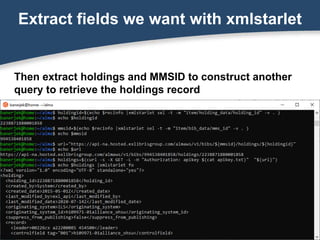
Extract fields we want with xmlstarlet
Then extract holdings and MMSID to construct another
query to retrieve the holdings record
Fix the XML
holdings=$(echo $holdings | xmlstarlet ed -u
'/holding/record/datafield[@tag="852"]/subfield[@code="c"]' -v 'oldstorbks')
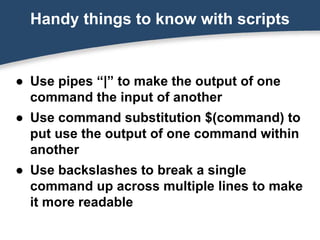
● Use pipes “|” to make the output of one
command the input of another
● Use command substitution $(command) to
put use the output of one command within
another
● Use backslashes to break a single
command up across multiple lines to make
it more readable
Handy things to know with scripts
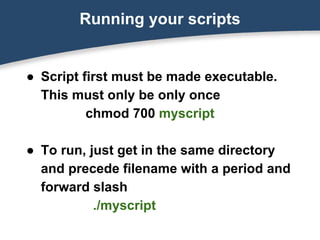
Running your scripts
● Script first must be made executable.
This must only be only once
chmod 700 myscript
● To run, just get in the same directory
and precede filename with a period and
forward slash
./myscript
Alma API Documentation
https://developers.exlibrisgroup.com/alma/apis/
This presentation
https://bit.ly/alma_api
A few starter scripts
https://github.com/banerjek/alma
Resources
Thank you!

Getting Started with the Alma API

  • 1.
  • 2.
    ● Perform massmodifications of user, item, bib, holdings, or any other type of record ● Manage collections, portfolios, digital assets, vendors, invoices, licenses ● Perform extractions and analyses that are impossible in Analytics ● And more! What can the Alma API do?
  • 3.
    All an APIdoes is send and receive plain text* messages APIs are MUCH simpler than they look * You can also send and receive binary things like images, but the process is the same as for text
  • 4.
    ...between using anAPI and a Web form from 1995 is that something you wrote rather than a browser interprets the text the server sends The only real difference...
  • 5.
    ● Focus onthe main takeaways ● Ignore syntax. Pay attention to what is being done, but not how -- you can figure that out later ● Ask for help If you’re new to APIs
  • 6.
    ● Syntax ishard because it’s super picky and a little text does lot of work ● You can always look up syntax. Don’t try to memorize everything ● If you don’t get it right the first (or tenth) time, you can keep tweaking it until you get it right If you feel intimidated, remember...
  • 7.
    ● A wayto interact with applications ● ReST (Representational State Transfer) API is a fancy way of saying to interact with an application the way a mid 1990’s Web browser would API (Application Programming Interface)
  • 8.
    Anatomy of retrievinga Web page Ordinary terminal connection Request main page at root of site Server sends back web page
  • 9.
    The browser convertstext to what you see
  • 10.
    Real Alma APIcall Set up encrypted connection Request holdings record per API specification Holdings record returned
  • 11.
    To use theAlma API, you typically need to 1. Read a file containing information allowing you to build a command 2. Send that information to the API 3. Read and modify information you receive from the API Now what?
  • 12.
    The command line ●Often by far the easiest way ● More flexible than a GUI ● Supported by all major platforms ● Process files of any size ● Combine the power of individual programs -- they do all the heavy lifting for you!
  • 13.
    Handy tools forthe Alma API Linux or MacOS command line curl -- Communicate with API service xmlstarlet -- Extract data from XML or edit XML sed -- Clean data cut -- Break data into fields echo -- Print data
  • 14.
    Learning the commandline ● Learn one command at a time. Don’t worry about what you don’t need. ● Don’t worry if you get things wrong -- one advantage of the command line is you can try things many times until you get it right ● Google solutions for specific problems -- there are many online examples ● Try, but give up fast. Ask linux geeks for help
  • 15.
    Getting started withthe command line ● MacOS (use Terminal) ○ Install Homebrew xcode-select --install ruby -e "$(curl -fsSL https://raw.githubusercontent.com/Homebrew/install/master/install)" brew install coreutils ● Windows 10 ○ Enable linux subsystem and go to bash terminal
  • 16.
    Scripting is thecommand line! ● Simple text files that allow you to combine utilities and programs written in any language ● No programming experience necessary ● Great for automating processes ● For unfamiliar problems, ask for help
  • 17.
    Command Line Tools: curl,xmlstarlet, cut, and sed
  • 18.
    curl ● A toolto transfer data from or to a server ● Works with many protocols, can deal with authentication ● Especially useful for the Alma API
  • 19.
    curl examples curl -s-H "Authorization: apikey [your API key]" -H "Accept: application/xml" GET https://api-na.hosted.exlibrisgroup.com/[api call] curl -s -H "Authorization: apikey [your API key]" -d "$DATA" # data stored in variable -H "Content-Type: application/xml" PUT https://api-na.hosted.exlibrisgroup.com/[api call] curl -s -H "Authorization: apikey [your API key]" -d "@datafile" # data stored in file -H "Content-Type: application/xml" PUT https://api-na.hosted.exlibrisgroup.com/[api call]
  • 20.
    curl examples Reading records curl-s -H "Authorization: apikey [your API key]" -H "Accept: application/xml" GET https://api-na.hosted.exlibrisgroup.com/[api call] Updating records curl -s -H "Authorization: apikey [your API key]" -H "Content-Type: application/xml" -d "$DATA" PUT https://api-na.hosted.exlibrisgroup.com/[api call] Creating records curl -s -H "Authorization: apikey [your API key]" -H "Content-Type: application/xml" -d "@datafile" POST https://api-na.hosted.exlibrisgroup.com/[api call]
  • 21.
    Xmlstarlet ● A toolto parse, selectively display, update, and create XML data ● Syntax can be challenging - little parameters have a lot of power! ● Examples are the best way to learn - we’ll look at some next.
  • 22.
    Linux (and WindowsLinux subsystem) sudo apt-get install xmlstarlet Mac brew install xmlstarlet Installing Xmlstarlet
  • 23.
    -t creates atemplate -m matches an XPATH expression -v selects a value -o outputs literal text -c + ‘count()’ gives a count Protip: ALWAYS strip out namespaces using sed -- xmlstarlet is picky about them, so they’re a pain. You can skip this with the Alma API because it doesn’t send a namespace xmlstarlet is easier than it looks
  • 24.
    Extract a valueand store in a variable holdingid=$(echo $record |xmlstarlet sel -t -m "item/holding_data/holding_id" -v . ) Update a node within an XML document holdings=$(echo $holdings | xmlstarlet ed -u '/holding/record/datafield[@tag="852"]/subfield[@code="c"] ' -v 'oldstorbks') Xmlstarlet examples
  • 25.
    sed ● User regularexpressions to select, parse, and transform lines ● Great for “fixing” data so that it can be used with other programs ● Extremely powerful and works great with very large (terabytes) files
  • 26.
    ● Strip everythingexcept numbers from barcode variable barcode=$(sed 's/[^0-9]//g' <<< "$barcode") ● Strip all nonnumeric data from file1 with results sent to file2 cat file1 | sed 's/[^0-9]//g' > file2 sed examples
  • 27.
    Quick Regular ExpressionGuide ^ Match the start of the line $ Match the end of the line . Match any single character * Match zero or more of the previous character [A-D,G-J,0-5]* [A-D,G-J,0-5]* = match zero or more of ABCDGHIJ012345 [^A-C] Match any one character that is NOT A,B, or C (dog) Match the word "dog", including case, and remember that text to be used later in the match or replacement 1 Insert the first remembered text as if it were typed here (2 for second, 3 for 3rd, etc.) Use to match special characters. matches a backslash, * matches an asterisk, $ matches dollar sign, etc.
  • 28.
    cut -- Extractfields from delimited data Extract second field in comma delimited line variable secondfield="$(cut -d',' -f2 <<<$line)" Extract first through third fields in comma delimited file and send output to file2 cat file1 | cut -d',' -f1-3 > file2
  • 29.
    Read and processfile # Read file named “barcodes” one line at a time cat barcodes | while read line do # Clean barcode barcode=$(sed 's/[^0-9]//g' <<< "$line") # print barcode echo barcode done
  • 30.
    Putting it AllTogether: A Practical Example
  • 31.
    1. Create listof barcodes 2. Get mmsids and holdingsids from Alma 3. Retrieve holdings records based on mmsids and holdingsids 4. Update location in holdings record 5. Replace holdings record Example: Update locations based on barcode
  • 32.
    cat barcodes| whileread barcode # Read input file named “barcodes” one line at a time do barcode=$(sed 's/[^0-9]//g' <<< "$barcode") # Clean barcode # Get record and extract record ids recinfo=$(curl -s -X GET -L -H "Authorization: apikey $(cat apikey.txt)" "https://api- na.hosted.exlibrisgroup.com/almaws/v1/items?item_barcode=${barcode}") mmsid=$(echo $recinfo |xmlstarlet sel -t -m "item/bib_data/mms_id" -v . ) holdingid=$(echo $recinfo |xmlstarlet sel -t -m "item/holding_data/holding_id" -v . ) # Retrieve holdings record url="https://api-na.hosted.exlibrisgroup.com/almaws/v1/bibs/${mmsid}/holdings/${holdingid}" holdings=$(curl -s -X GET -L -H "Authorization: apikey $(cat apikey.txt)" "${url}") # Edit location in holdings record holdings=$(echo $holdings | xmlstarlet ed -u '/holding/record/datafield[@tag="852"]/subfield[@code="c"]' -v 'oldstorbks') # Replace holdings record newloc=$(curl -s -H "Authorization: apikey $(cat apikey.txt)" -H "Content-Type: application/xml" - X PUT --data "${holdings}" "${url}") done A lot of work in just a few lines!
  • 33.
    Retrieve the recordvia API recinfo=$(curl -s -X GET -L -H "Authorization: apikey $(cat apikey.txt)" "https://api- na.hosted.exlibrisgroup.com/almaws/v1/items?item_barcode=33231000051658")) echo $recinfo |xmlstarlet fo
  • 34.
    Extract fields wewant with xmlstarlet Then extract holdings and MMSID to construct another query to retrieve the holdings record
  • 35.
    Fix the XML holdings=$(echo$holdings | xmlstarlet ed -u '/holding/record/datafield[@tag="852"]/subfield[@code="c"]' -v 'oldstorbks')
  • 36.
    ● Use pipes“|” to make the output of one command the input of another ● Use command substitution $(command) to put use the output of one command within another ● Use backslashes to break a single command up across multiple lines to make it more readable Handy things to know with scripts
  • 37.
    Running your scripts ●Script first must be made executable. This must only be only once chmod 700 myscript ● To run, just get in the same directory and precede filename with a period and forward slash ./myscript
  • 38.
    Alma API Documentation https://developers.exlibrisgroup.com/alma/apis/ Thispresentation https://bit.ly/alma_api A few starter scripts https://github.com/banerjek/alma Resources
  • 39.