Normalizing Data for Migration
Kyle Banerjee
banerjek@ohsu.edu
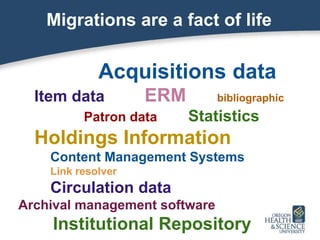
Migrations are a fact of life
Acquisitions data
Item data ERM bibliographic
Patron data Statistics
Holdings Information
Content Management Systems
Link resolver
Circulation data
Archival management software
Institutional Repository
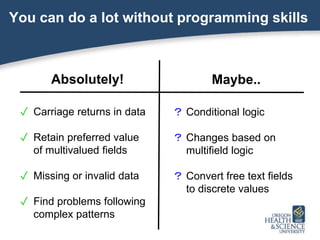
You can do a lot without programming skills
Absolutely!
✓ Carriage returns in data
✓ Retain preferred value
of multivalued fields
✓ Missing or invalid data
✓ Find problems following
complex patterns
Maybe..
? Conditional logic
? Changes based on
multifield logic
? Convert free text fields
to discrete values
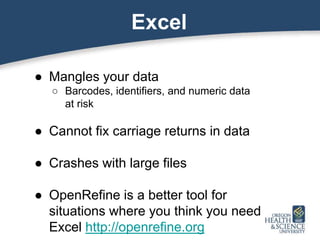
Excel
● Mangles your data
○ Barcodes, identifiers, and numeric data
at risk
● Cannot fix carriage returns in data
● Crashes with large files
● OpenRefine is a better tool for
situations where you think you need
Excel http://openrefine.org
Keys to success
� Understand differences between the old
and new systems
� Manually examine thousands of records
� Learn regular expressions
� Ask for help!
Watch out for
✓ Creative use of fields
○ Inconsistencies and changing policies
○ Embedded code
○ Data that exploits buggy behavior
✓ Different data structures
○ Acq, licensing, electronic, items, etc
✓ Different types of data within fields
(e.g. codes vs. text)
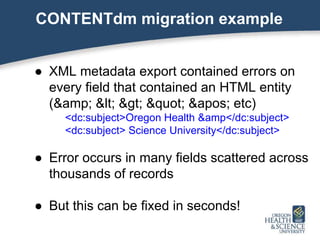
CONTENTdm migration example
● XML metadata export contained errors on
every field that contained an HTML entity
(& < > " ' etc)
<dc:subject>Oregon Health &amp</dc:subject>
<dc:subject> Science University</dc:subject>
● Error occurs in many fields scattered across
thousands of records
● But this can be fixed in seconds!
Regular expressions to the rescue!
● “Whenever a field ends in an HTML entity
minus the semicolon and is followed by an
identical field, join those into a single field and
fix the entity. Any line can begin with an
unknown number of tabs or spaces”
/^s*<([^>]+>)(.*)(&[a-z]+)</1ns*<1/<123;/
Regular expressions can...
● Use logic, capitalization, edges of
words/lines, express ranges, use bits (or
all) of what you matched in replacements
● Convert free text into XML into delimited
text or codes and vice versa
● Find complex patterns using proximity
indicators and/or involving multiple lines
● Select preferred versions of fields
Confusing at first, but easier than you think!
● Works on all platforms and is built into a
lot of software
● Ask for help! Programmers can help you
with syntax
● Let’s walk through our example which
involves matching and joining unknown
fields across multiple lines...
Regular Expression Analysis
/^s*<([^>]+>)(.*)(&[a-z]+)</1ns*<1/<123;/
^ Beginning of line
s*< Zero or more whitespace characters followed by “<”
([^>]+>) One or more characters that are not “>” followed by “>” (i.e.
a tag). Store in 1
(.*) Any characters to next part of pattern. Store in 2
(&[a-z]+) Ampersand followed by letters (HTML entities). Store in 3
</1n “</ followed by 1 (i.e. the closing tag) followed by a newline
s*<1 Any number of whitespace characters followed by tag 1
/<123;/ Replace everything up to this point with “<” followed by 1
(opening tag), 2 (field contents), 3, and “;” (fix HTML
entity). This effectively joins the fields
A simpler example
● Find a line that contains 1 to 5 fields in a
tab delimited file (because you expect 6)
^([^t]*t){0,4}[^t]*$
● To automatically join it with the next line with a
space
/^(([^t]*t){0,4}[^t]*)n/1 /
However, it would be much safer and easier to use
syntax that detects the first or last field
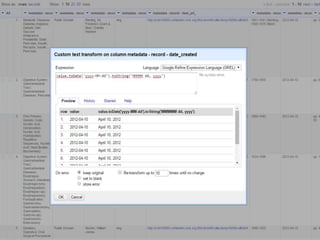
If you want a GUI, use OpenRefine
http://openrefine.org
● Sophisticated, including regular
expression support and ability to create
columns from external data sources
● Convert between different formats
● Up to a couple hundred thousand rows
Normalization is more conceptual than technical
● Every situation is unique and depends on the
data you have and the config of the new
system
● Don’t fob off data analysis on technical
people who don’t understand library data
● It’s not possible to fix everything because the
systems work differently (if they didn’t,
migrating would be pointless)
Questions?
Kyle Banerjee
banerjek@ohsu.edu

Normalizing Data for Migrations

  • 1.
    Normalizing Data forMigration Kyle Banerjee banerjek@ohsu.edu
  • 2.
    Migrations are afact of life Acquisitions data Item data ERM bibliographic Patron data Statistics Holdings Information Content Management Systems Link resolver Circulation data Archival management software Institutional Repository
  • 3.
    You can doa lot without programming skills Absolutely! ✓ Carriage returns in data ✓ Retain preferred value of multivalued fields ✓ Missing or invalid data ✓ Find problems following complex patterns Maybe.. ? Conditional logic ? Changes based on multifield logic ? Convert free text fields to discrete values
  • 5.
    Excel ● Mangles yourdata ○ Barcodes, identifiers, and numeric data at risk ● Cannot fix carriage returns in data ● Crashes with large files ● OpenRefine is a better tool for situations where you think you need Excel http://openrefine.org
  • 6.
    Keys to success �Understand differences between the old and new systems � Manually examine thousands of records � Learn regular expressions � Ask for help!
  • 7.
    Watch out for ✓Creative use of fields ○ Inconsistencies and changing policies ○ Embedded code ○ Data that exploits buggy behavior ✓ Different data structures ○ Acq, licensing, electronic, items, etc ✓ Different types of data within fields (e.g. codes vs. text)
  • 8.
    CONTENTdm migration example ●XML metadata export contained errors on every field that contained an HTML entity (&amp; &lt; &gt; &quot; &apos; etc) <dc:subject>Oregon Health &amp</dc:subject> <dc:subject> Science University</dc:subject> ● Error occurs in many fields scattered across thousands of records ● But this can be fixed in seconds!
  • 9.
    Regular expressions tothe rescue! ● “Whenever a field ends in an HTML entity minus the semicolon and is followed by an identical field, join those into a single field and fix the entity. Any line can begin with an unknown number of tabs or spaces” /^s*<([^>]+>)(.*)(&[a-z]+)</1ns*<1/<123;/
  • 10.
    Regular expressions can... ●Use logic, capitalization, edges of words/lines, express ranges, use bits (or all) of what you matched in replacements ● Convert free text into XML into delimited text or codes and vice versa ● Find complex patterns using proximity indicators and/or involving multiple lines ● Select preferred versions of fields
  • 11.
    Confusing at first,but easier than you think! ● Works on all platforms and is built into a lot of software ● Ask for help! Programmers can help you with syntax ● Let’s walk through our example which involves matching and joining unknown fields across multiple lines...
  • 12.
    Regular Expression Analysis /^s*<([^>]+>)(.*)(&[a-z]+)</1ns*<1/<123;/ ^Beginning of line s*< Zero or more whitespace characters followed by “<” ([^>]+>) One or more characters that are not “>” followed by “>” (i.e. a tag). Store in 1 (.*) Any characters to next part of pattern. Store in 2 (&[a-z]+) Ampersand followed by letters (HTML entities). Store in 3 </1n “</ followed by 1 (i.e. the closing tag) followed by a newline s*<1 Any number of whitespace characters followed by tag 1 /<123;/ Replace everything up to this point with “<” followed by 1 (opening tag), 2 (field contents), 3, and “;” (fix HTML entity). This effectively joins the fields
  • 13.
    A simpler example ●Find a line that contains 1 to 5 fields in a tab delimited file (because you expect 6) ^([^t]*t){0,4}[^t]*$ ● To automatically join it with the next line with a space /^(([^t]*t){0,4}[^t]*)n/1 / However, it would be much safer and easier to use syntax that detects the first or last field
  • 14.
    If you wanta GUI, use OpenRefine http://openrefine.org ● Sophisticated, including regular expression support and ability to create columns from external data sources ● Convert between different formats ● Up to a couple hundred thousand rows
  • 16.
    Normalization is moreconceptual than technical ● Every situation is unique and depends on the data you have and the config of the new system ● Don’t fob off data analysis on technical people who don’t understand library data ● It’s not possible to fix everything because the systems work differently (if they didn’t, migrating would be pointless)
  • 17.