Getting Started with SchoolNet SM PO80-PS02-GEN Copyright © 2007 SchoolNet, Inc. All rights reserved.  Training for Landstown High School and Technology Academy
What You Get to Learn Today How to log in to SchoolNet How to check and edit your information How to add components to your teacher web page How to use good web design How to follow VBCPS website guidelines How to find information in the Align section
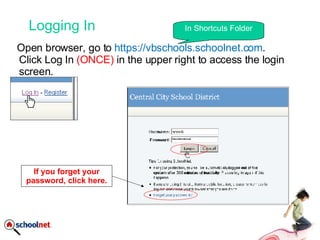
Logging In Open browser, go to  https://vbschools.schoolnet.com . Click Log In  (ONCE)  in the upper right to access the login screen. In Shortcuts Folder If you forget your password, click here.
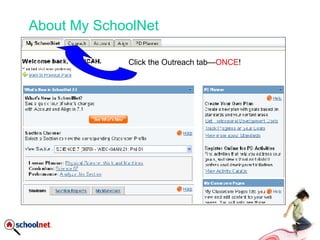
About My SchoolNet Click the Outreach tab— ONCE !
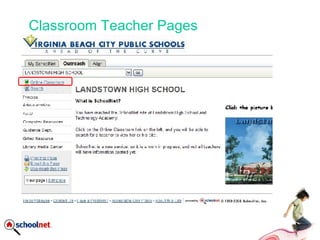
Classroom Teacher Pages Teachers can be creative with their
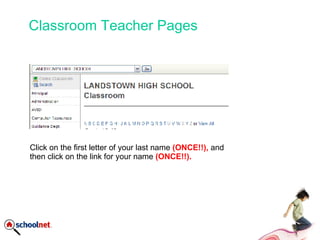
Classroom Teacher Pages Teachers can be creative with their  Click on the first letter of your last name  (ONCE!!),  and then click on the link for your name  (ONCE!!).
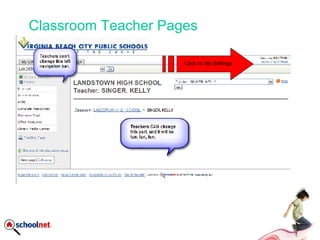
Classroom Teacher Pages Teachers can be creative with their  Click on My Settings
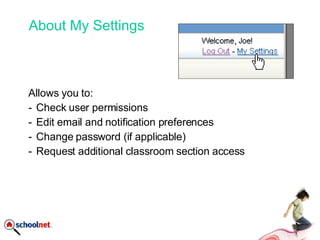
About My Settings Allows you to: Check user permissions Edit email and notification preferences Change password (if applicable) Request additional classroom section access
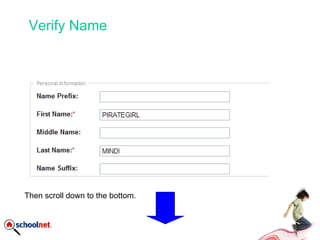
Verify Name Then scroll down to the bottom.
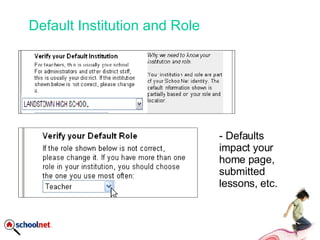
Default Institution and Role - Defaults impact your home page, submitted lessons, etc.
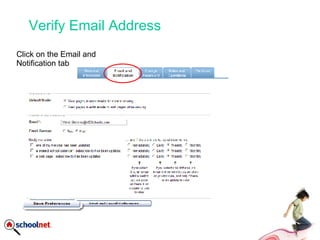
Verify Email Address Click on the Email and Notification tab
Building Web Page Before we move on to actually building your site, what questions do you have?
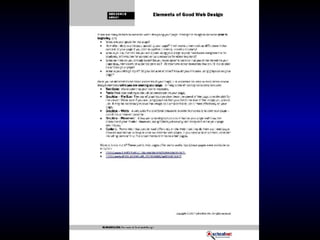
Good Web Design Colors Hard on the eyeballs Text Concise Graphics Small file size Few animations
Good Web Design Guide Next Slide Yucky sites: http://www2.redmond.k12.or.us/mccall/renz/ http:// www.mrsmcgowan.com / Much nicer: http:// www.oaksclass.com / Follow   VBCPS rules On Intranet (good luck with that) Look in Dept. of Technology, Internet Services.
 

Getting Started With School Net

  • 1.
    Getting Started withSchoolNet SM PO80-PS02-GEN Copyright © 2007 SchoolNet, Inc. All rights reserved. Training for Landstown High School and Technology Academy
  • 2.
    What You Getto Learn Today How to log in to SchoolNet How to check and edit your information How to add components to your teacher web page How to use good web design How to follow VBCPS website guidelines How to find information in the Align section
  • 3.
    Logging In Openbrowser, go to https://vbschools.schoolnet.com . Click Log In (ONCE) in the upper right to access the login screen. In Shortcuts Folder If you forget your password, click here.
  • 4.
    About My SchoolNetClick the Outreach tab— ONCE !
  • 5.
    Classroom Teacher PagesTeachers can be creative with their
  • 6.
    Classroom Teacher PagesTeachers can be creative with their Click on the first letter of your last name (ONCE!!), and then click on the link for your name (ONCE!!).
  • 7.
    Classroom Teacher PagesTeachers can be creative with their Click on My Settings
  • 8.
    About My SettingsAllows you to: Check user permissions Edit email and notification preferences Change password (if applicable) Request additional classroom section access
  • 9.
    Verify Name Thenscroll down to the bottom.
  • 10.
    Default Institution andRole - Defaults impact your home page, submitted lessons, etc.
  • 11.
    Verify Email AddressClick on the Email and Notification tab
  • 12.
    Building Web PageBefore we move on to actually building your site, what questions do you have?
  • 13.
    Good Web DesignColors Hard on the eyeballs Text Concise Graphics Small file size Few animations
  • 14.
    Good Web DesignGuide Next Slide Yucky sites: http://www2.redmond.k12.or.us/mccall/renz/ http:// www.mrsmcgowan.com / Much nicer: http:// www.oaksclass.com / Follow VBCPS rules On Intranet (good luck with that) Look in Dept. of Technology, Internet Services.
  • 15.

Editor's Notes

  • #2 Before we log in, let’s look at some helpful tips and tricks.