GETTING
 STARTED
   WITH
MOD_WSGI
Graham Dumpleton
   PyCon Australia
     June 2010
WHAT IS WSGI?
• Specification
            for an interface between web servers and
 Python web applications or frameworks.

• Intended to promote web application portability across a
 variety of web servers.

• PEP   333 - http://www.python.org/dev/peps/pep-0333

• More   Information - http://www.wsgi.org
WHAT IS MOD_WSGI?

• An Apache module to support hosting WSGI applications in
 conjunction with the Apache web server.

• Interceptsrequests to designated URLs and passes requests
 off to the WSGI application specified in the target WSGI script
 file that the URL maps to.
HELLO WORLD
def application(environ, start_response):
    status = '200 OK'
    output = 'Hello World!'

    response_headers = [('Content-type', 'text/plain'),
                        ('Content-Length', str(len(output)))]
    start_response(status, response_headers)

    return [output]
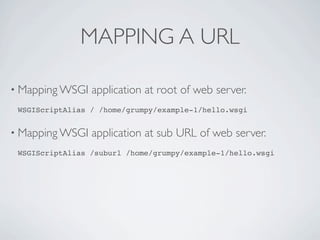
MAPPING A URL

• Mapping WSGI   application at root of web server.
 WSGIScriptAlias / /home/grumpy/example-1/hello.wsgi


• Mapping WSGI   application at sub URL of web server.
 WSGIScriptAlias /suburl /home/grumpy/example-1/hello.wsgi
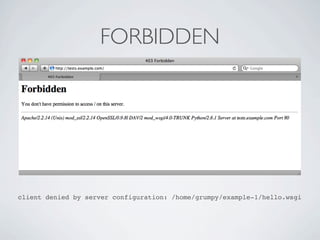
FORBIDDEN


client denied by server configuration: /home/grumpy/example-1/hello.wsgi
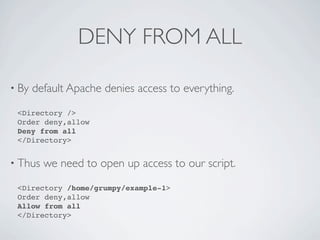
DENY FROM ALL

• By   default Apache denies access to everything.
 <Directory />
 Order deny,allow
 Deny from all
 </Directory>


• Thus   we need to open up access to our script.
 <Directory /home/grumpy/example-1>
 Order deny,allow
 Allow from all
 </Directory>
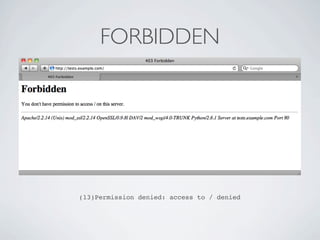
FORBIDDEN


(13)Permission denied: access to / denied
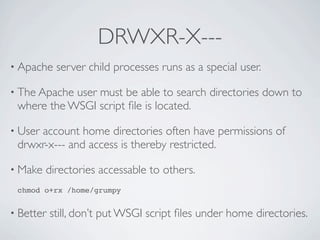
DRWXR-X---
• Apache    server child processes runs as a special user.

• The Apacheuser must be able to search directories down to
 where the WSGI script file is located.

• User
     account home directories often have permissions of
 drwxr-x--- and access is thereby restricted.

• Make   directories accessable to others.
 chmod o+rx /home/grumpy


• Better   still, don’t put WSGI script files under home directories.
INTERNAL SERVER ERROR


        (13)Permission denied: mod_wsgi (pid=666, process='',
application='tests.example.com|'): Call to fopen() failed for '/home/
                    grumpy/example-1/echo.wsgi'.
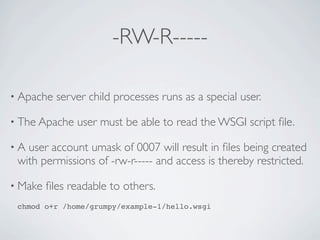
-RW-R-----

• Apache   server child processes runs as a special user.

• The Apache   user must be able to read the WSGI script file.

•A user account umask of 0007 will result in files being created
 with permissions of -rw-r----- and access is thereby restricted.

• Make   files readable to others.
 chmod o+r /home/grumpy/example-1/hello.wsgi
SUCCESS
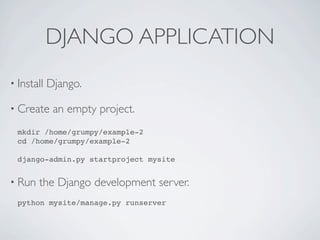
DJANGO APPLICATION
• Install   Django.

• Create     an empty project.
  mkdir /home/grumpy/example-2
  cd /home/grumpy/example-2

  django-admin.py startproject mysite


• Run   the Django development server.
  python mysite/manage.py runserver
SUCCESS
DJANGO WSGI SCRIPT

import os
import sys

os.environ['DJANGO_SETTINGS_MODULE'] = 'mysite.settings'

import django.core.handlers.wsgi
application = django.core.handlers.wsgi.WSGIHandler()
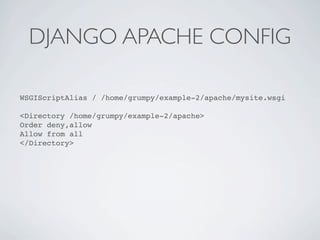
DJANGO APACHE CONFIG

WSGIScriptAlias / /home/grumpy/example-2/apache/mysite.wsgi

<Directory /home/grumpy/example-2/apache>
Order deny,allow
Allow from all
</Directory>
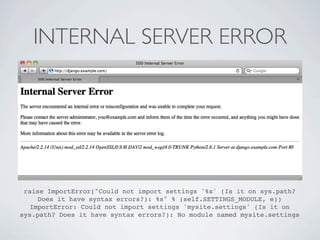
INTERNAL SERVER ERROR


 raise ImportError("Could not import settings '%s' (Is it on sys.path?
    Does it have syntax errors?): %s" % (self.SETTINGS_MODULE, e))
  ImportError: Could not import settings 'mysite.settings' (Is it on
sys.path? Does it have syntax errors?): No module named mysite.settings
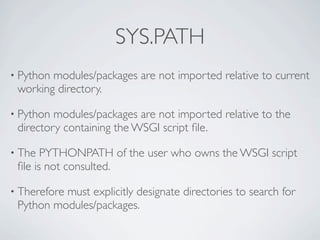
SYS.PATH
• Pythonmodules/packages are not imported relative to current
 working directory.

• Python modules/packages are not imported relative to the
 directory containing the WSGI script file.

• The  PYTHONPATH of the user who owns the WSGI script
 file is not consulted.

• Therefore
          must explicitly designate directories to search for
 Python modules/packages.
SYS.PATH.INSERT()

import os
import sys

root = os.path.join(os.path.dirname(__file__), '..')
sys.path.insert(0, root)

os.environ['DJANGO_SETTINGS_MODULE'] = 'mysite.settings'

import django.core.handlers.wsgi
application = django.core.handlers.wsgi.WSGIHandler()
SUCCESS
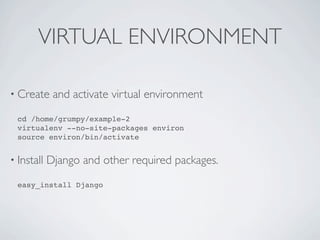
VIRTUAL ENVIRONMENT

• Create     and activate virtual environment
  cd /home/grumpy/example-2
  virtualenv --no-site-packages environ
  source environ/bin/activate


• Install   Django and other required packages.
  easy_install Django
SUCCESS
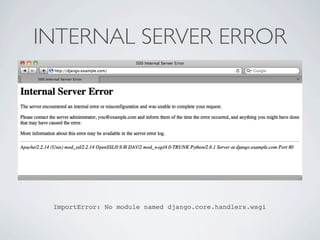
INTERNAL SERVER ERROR


 ImportError: No module named django.core.handlers.wsgi
SYS.PATH.INSERT()

import os
import sys

root = os.path.join(os.path.dirname(__file__), '..')
sys.path.insert(0, root)

packages = os.path.join(root,
    'environ/lib/python2.6/site-packages'
sys.path.insert(0, packages)

os.environ['DJANGO_SETTINGS_MODULE'] = 'mysite.settings'

import django.core.handlers.wsgi
application = django.core.handlers.wsgi.WSGIHandler()
SITE.ADDSITEDIR()
import os
import sys
import site

root = os.path.join(os.path.dirname(__file__), '..')
sys.path.insert(0, root)

packages = os.path.join(root,
    'environ/lib/python2.6/site-packages'
site.addsitedir(packages)

os.environ['DJANGO_SETTINGS_MODULE'] = 'mysite.settings'

import django.core.handlers.wsgi
application = django.core.handlers.wsgi.WSGIHandler()
ACTIVATE THIS
import os
import sys

root = os.path.join(os.path.dirname(__file__), '..')
sys.path.insert(0, root)

activate_this = os.path.join(root,
    'environ/bin/activate_this.py')
execfile(activate_this, dict(__file__=activate_this))

os.environ['DJANGO_SETTINGS_MODULE'] = 'mysite.settings'

import django.core.handlers.wsgi
application = django.core.handlers.wsgi.WSGIHandler()
SITE-PACKAGES
• Using sys.path.insert() allows directory to be placed first,
 but .pth files do not get processed.

• Using
      site.addsitedir() results in .pth files being processed, but
 new directories get placed last.

• Using activate_this.py results in .pth files being processed and
 sys.path reordered such that new directories get placed first.

• Value
      of sys.prefix is however altered by activate_this.py and
 no certainty over whether this may cause later issues.
SUCCESS
DJANGO ADMIN PAGES

• Add ‘django.contrib.admin’ to   INSTALLED_APPS in the file
 ‘mysite/settings.py’.

• Add  (r'^admin/', include(admin.site.urls)) to 'urlpatterns’ in the
 file ‘mysite/urls.py’.

• Configure ‘DATABASES’ in     the file ‘mysite/settings.py’.

• Synchronise   database model.
 python mysite/manage.py syncdb
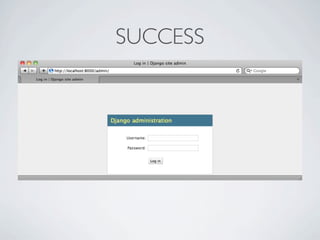
SUCCESS
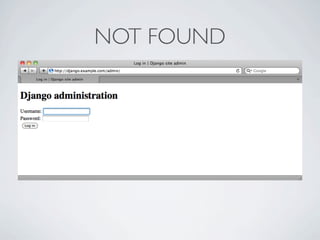
NOT FOUND
STATIC MEDIA FILES

• Django’s
         static media files are only served automatically by the
 Django development server and not when using Django
 WSGIHandler object.

• Mustmanually map any static media files to appropriate sub
 URL in Apache.
ALLOW FROM ALL
WSGIScriptAlias / /home/grumpy/example-2/apache/mysite.wsgi

<Directory /home/grumpy/example-2/apache>
Order deny,allow
Allow from all
</Directory>

Alias /media/ /home/grumpy/example-2/media/

<Directory /home/grumpy/example-2/media/>
Order deny,allow
Allow from all
</Directory>
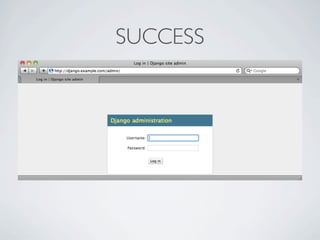
SUCCESS
SUMMARY OF MAIN POINTS

• Need   to tell Apache what resources it should allow access to.

• Apache   user needs access to WSGI script file/directory.

• Application   user needs read access to source code.

• Application   user needs to be able to write to data directories.

• Python   needs to know where to search for modules/packages.
ONLINE RESOURCES
• The   mod_wsgi documentation.

 http://www.modwsgi.org

 http://code.google.com/p/modwsgi/wiki/WhereToGetHelp
 http://code.google.com/p/modwsgi/wiki/VirtualEnvironments
 http://code.google.com/p/modwsgi/wiki/ReloadingSourceCode

• Personal   blog posts.

 http://blog.dscpl.com.au

PyCon AU 2010 - Getting Started With Apache/mod_wsgi.

  • 1.
    GETTING STARTED WITH MOD_WSGI Graham Dumpleton PyCon Australia June 2010
  • 2.
    WHAT IS WSGI? •Specification for an interface between web servers and Python web applications or frameworks. • Intended to promote web application portability across a variety of web servers. • PEP 333 - http://www.python.org/dev/peps/pep-0333 • More Information - http://www.wsgi.org
  • 3.
    WHAT IS MOD_WSGI? •An Apache module to support hosting WSGI applications in conjunction with the Apache web server. • Interceptsrequests to designated URLs and passes requests off to the WSGI application specified in the target WSGI script file that the URL maps to.
  • 4.
    HELLO WORLD def application(environ,start_response): status = '200 OK' output = 'Hello World!' response_headers = [('Content-type', 'text/plain'), ('Content-Length', str(len(output)))] start_response(status, response_headers) return [output]
  • 5.
    MAPPING A URL •Mapping WSGI application at root of web server. WSGIScriptAlias / /home/grumpy/example-1/hello.wsgi • Mapping WSGI application at sub URL of web server. WSGIScriptAlias /suburl /home/grumpy/example-1/hello.wsgi
  • 6.
    FORBIDDEN client denied byserver configuration: /home/grumpy/example-1/hello.wsgi
  • 7.
    DENY FROM ALL •By default Apache denies access to everything. <Directory /> Order deny,allow Deny from all </Directory> • Thus we need to open up access to our script. <Directory /home/grumpy/example-1> Order deny,allow Allow from all </Directory>
  • 8.
  • 9.
    DRWXR-X--- • Apache server child processes runs as a special user. • The Apacheuser must be able to search directories down to where the WSGI script file is located. • User account home directories often have permissions of drwxr-x--- and access is thereby restricted. • Make directories accessable to others. chmod o+rx /home/grumpy • Better still, don’t put WSGI script files under home directories.
  • 10.
    INTERNAL SERVER ERROR (13)Permission denied: mod_wsgi (pid=666, process='', application='tests.example.com|'): Call to fopen() failed for '/home/ grumpy/example-1/echo.wsgi'.
  • 11.
    -RW-R----- • Apache server child processes runs as a special user. • The Apache user must be able to read the WSGI script file. •A user account umask of 0007 will result in files being created with permissions of -rw-r----- and access is thereby restricted. • Make files readable to others. chmod o+r /home/grumpy/example-1/hello.wsgi
  • 12.
  • 13.
    DJANGO APPLICATION • Install Django. • Create an empty project. mkdir /home/grumpy/example-2 cd /home/grumpy/example-2 django-admin.py startproject mysite • Run the Django development server. python mysite/manage.py runserver
  • 14.
  • 15.
    DJANGO WSGI SCRIPT importos import sys os.environ['DJANGO_SETTINGS_MODULE'] = 'mysite.settings' import django.core.handlers.wsgi application = django.core.handlers.wsgi.WSGIHandler()
  • 16.
    DJANGO APACHE CONFIG WSGIScriptAlias/ /home/grumpy/example-2/apache/mysite.wsgi <Directory /home/grumpy/example-2/apache> Order deny,allow Allow from all </Directory>
  • 17.
    INTERNAL SERVER ERROR raise ImportError("Could not import settings '%s' (Is it on sys.path? Does it have syntax errors?): %s" % (self.SETTINGS_MODULE, e)) ImportError: Could not import settings 'mysite.settings' (Is it on sys.path? Does it have syntax errors?): No module named mysite.settings
  • 18.
    SYS.PATH • Pythonmodules/packages arenot imported relative to current working directory. • Python modules/packages are not imported relative to the directory containing the WSGI script file. • The PYTHONPATH of the user who owns the WSGI script file is not consulted. • Therefore must explicitly designate directories to search for Python modules/packages.
  • 19.
    SYS.PATH.INSERT() import os import sys root= os.path.join(os.path.dirname(__file__), '..') sys.path.insert(0, root) os.environ['DJANGO_SETTINGS_MODULE'] = 'mysite.settings' import django.core.handlers.wsgi application = django.core.handlers.wsgi.WSGIHandler()
  • 20.
  • 21.
    VIRTUAL ENVIRONMENT • Create and activate virtual environment cd /home/grumpy/example-2 virtualenv --no-site-packages environ source environ/bin/activate • Install Django and other required packages. easy_install Django
  • 22.
  • 23.
    INTERNAL SERVER ERROR ImportError: No module named django.core.handlers.wsgi
  • 24.
    SYS.PATH.INSERT() import os import sys root= os.path.join(os.path.dirname(__file__), '..') sys.path.insert(0, root) packages = os.path.join(root, 'environ/lib/python2.6/site-packages' sys.path.insert(0, packages) os.environ['DJANGO_SETTINGS_MODULE'] = 'mysite.settings' import django.core.handlers.wsgi application = django.core.handlers.wsgi.WSGIHandler()
  • 25.
    SITE.ADDSITEDIR() import os import sys importsite root = os.path.join(os.path.dirname(__file__), '..') sys.path.insert(0, root) packages = os.path.join(root, 'environ/lib/python2.6/site-packages' site.addsitedir(packages) os.environ['DJANGO_SETTINGS_MODULE'] = 'mysite.settings' import django.core.handlers.wsgi application = django.core.handlers.wsgi.WSGIHandler()
  • 26.
    ACTIVATE THIS import os importsys root = os.path.join(os.path.dirname(__file__), '..') sys.path.insert(0, root) activate_this = os.path.join(root, 'environ/bin/activate_this.py') execfile(activate_this, dict(__file__=activate_this)) os.environ['DJANGO_SETTINGS_MODULE'] = 'mysite.settings' import django.core.handlers.wsgi application = django.core.handlers.wsgi.WSGIHandler()
  • 27.
    SITE-PACKAGES • Using sys.path.insert()allows directory to be placed first, but .pth files do not get processed. • Using site.addsitedir() results in .pth files being processed, but new directories get placed last. • Using activate_this.py results in .pth files being processed and sys.path reordered such that new directories get placed first. • Value of sys.prefix is however altered by activate_this.py and no certainty over whether this may cause later issues.
  • 28.
  • 29.
    DJANGO ADMIN PAGES •Add ‘django.contrib.admin’ to INSTALLED_APPS in the file ‘mysite/settings.py’. • Add (r'^admin/', include(admin.site.urls)) to 'urlpatterns’ in the file ‘mysite/urls.py’. • Configure ‘DATABASES’ in the file ‘mysite/settings.py’. • Synchronise database model. python mysite/manage.py syncdb
  • 30.
  • 31.
  • 32.
    STATIC MEDIA FILES •Django’s static media files are only served automatically by the Django development server and not when using Django WSGIHandler object. • Mustmanually map any static media files to appropriate sub URL in Apache.
  • 33.
    ALLOW FROM ALL WSGIScriptAlias/ /home/grumpy/example-2/apache/mysite.wsgi <Directory /home/grumpy/example-2/apache> Order deny,allow Allow from all </Directory> Alias /media/ /home/grumpy/example-2/media/ <Directory /home/grumpy/example-2/media/> Order deny,allow Allow from all </Directory>
  • 34.
  • 35.
    SUMMARY OF MAINPOINTS • Need to tell Apache what resources it should allow access to. • Apache user needs access to WSGI script file/directory. • Application user needs read access to source code. • Application user needs to be able to write to data directories. • Python needs to know where to search for modules/packages.
  • 36.
    ONLINE RESOURCES • The mod_wsgi documentation. http://www.modwsgi.org http://code.google.com/p/modwsgi/wiki/WhereToGetHelp http://code.google.com/p/modwsgi/wiki/VirtualEnvironments http://code.google.com/p/modwsgi/wiki/ReloadingSourceCode • Personal blog posts. http://blog.dscpl.com.au