



PROF. DR. MOHAMED AMIN EMBI
CENTRE FOR ACADEMIC ADVANCEMENT
Go to: http://www.grouply.com/
Register/Join
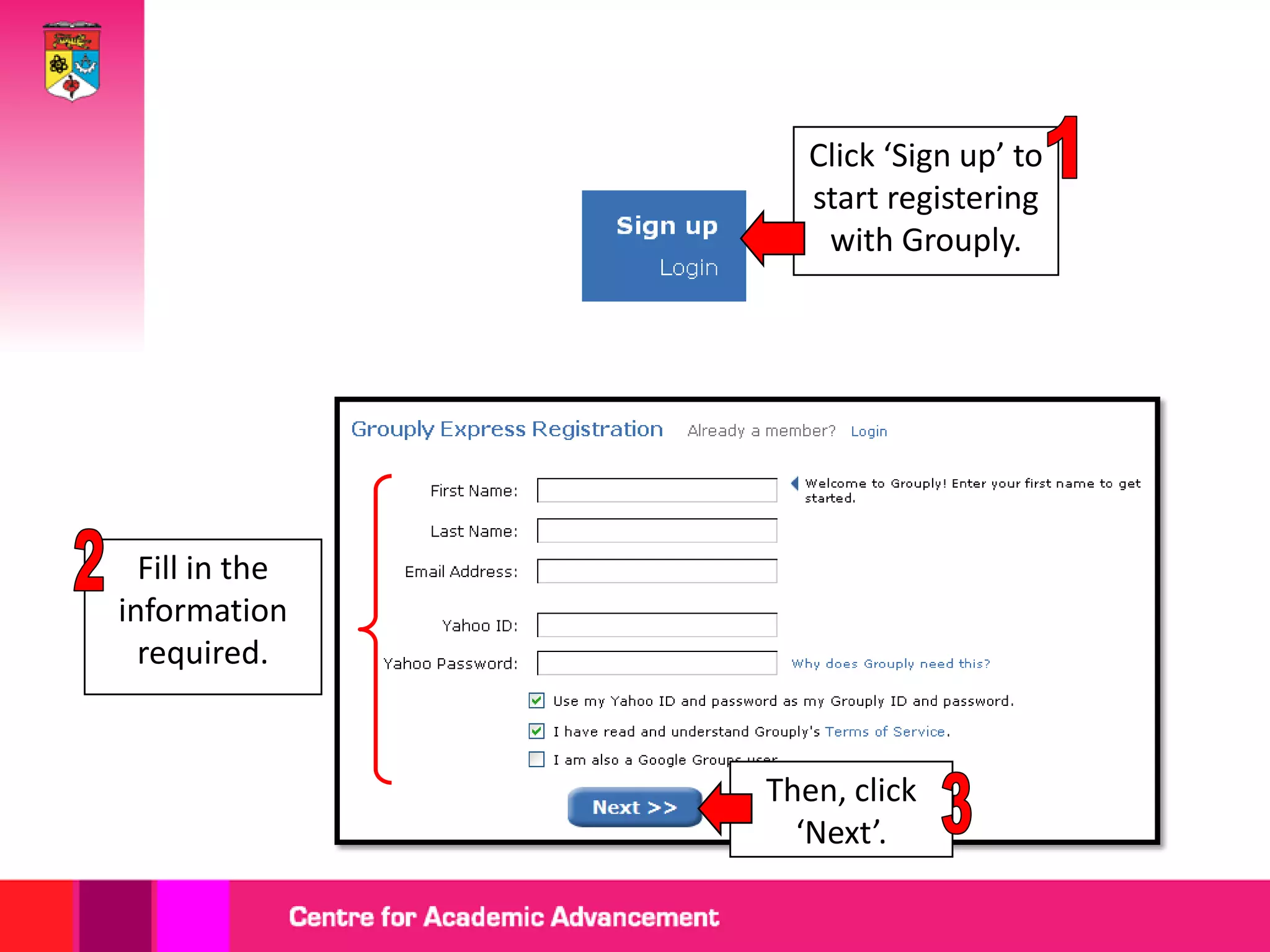
Click ‘Sign up’ to
                   start registering
                    with Grouply.


  Fill in the
information
  required.


                Then, click
                  ‘Next’.
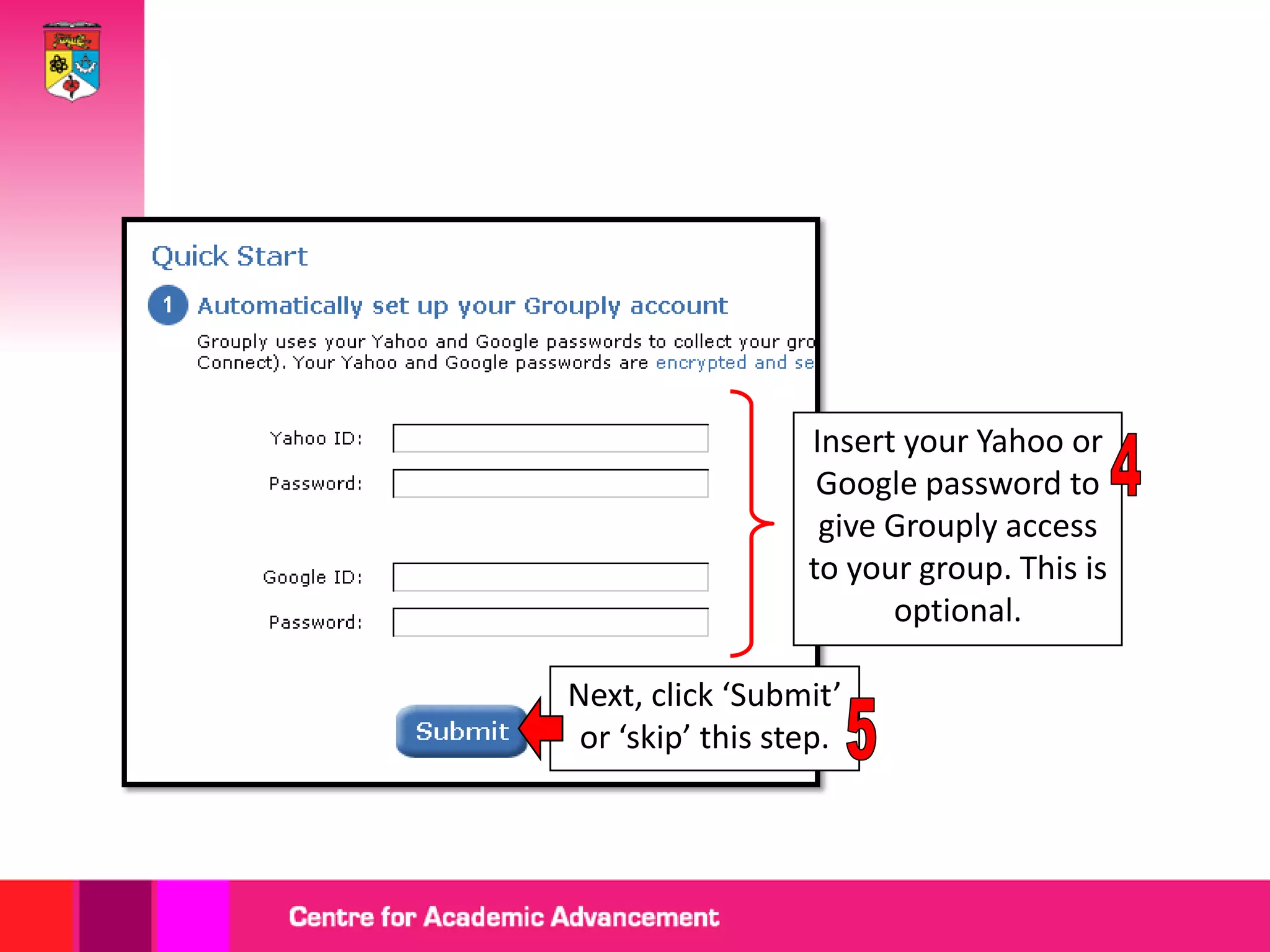
Insert your Yahoo or
                   Google password to
                   give Grouply access
                  to your group. This is
                        optional.

Next, click ‘Submit’
 or ‘skip’ this step.
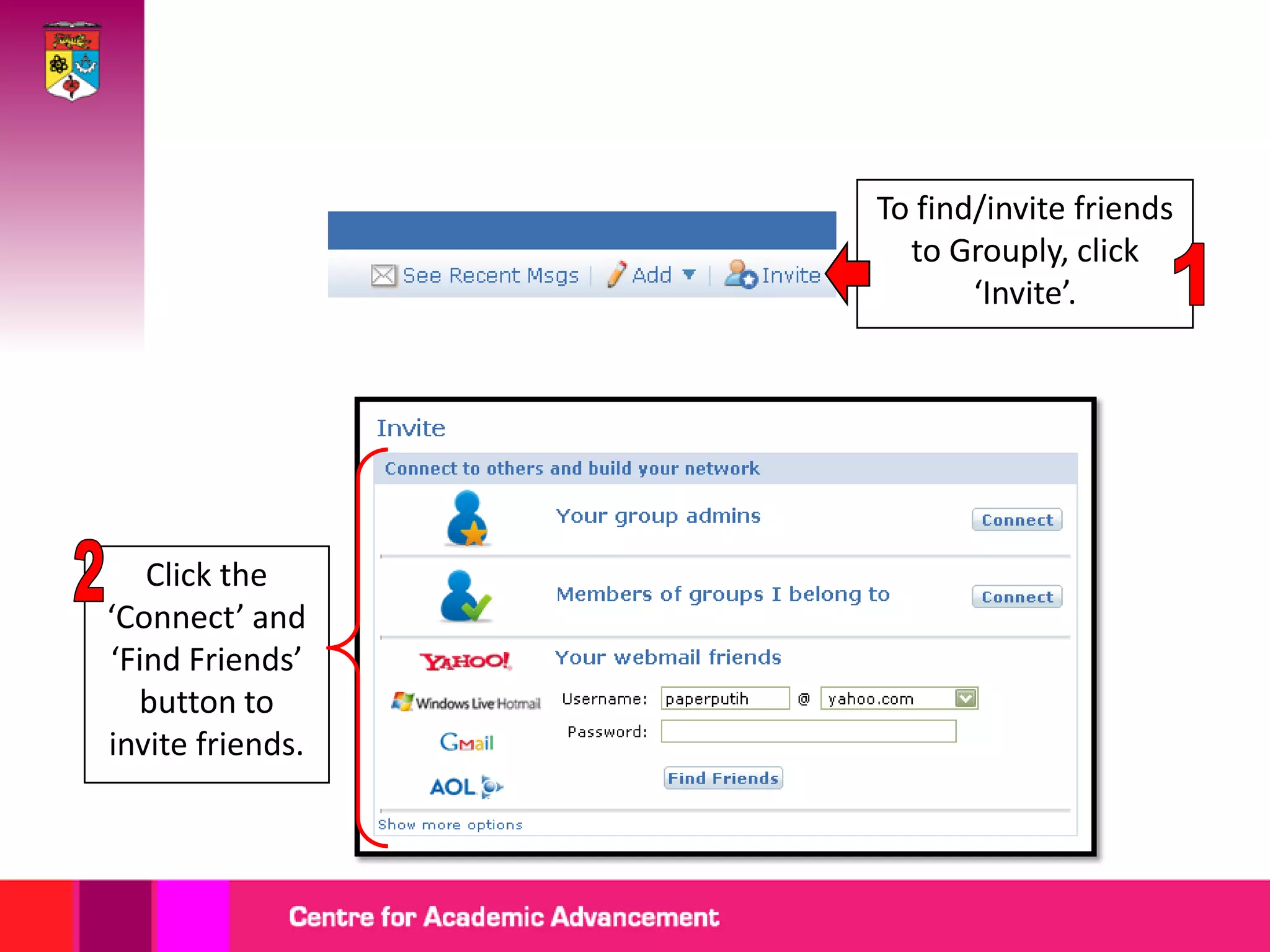
Finding/Inviting Friends
To find/invite friends
                    to Grouply, click
                         ‘Invite’.


   Click the
‘Connect’ and
‘Find Friends’
  button to
invite friends.
Setting Up Profile
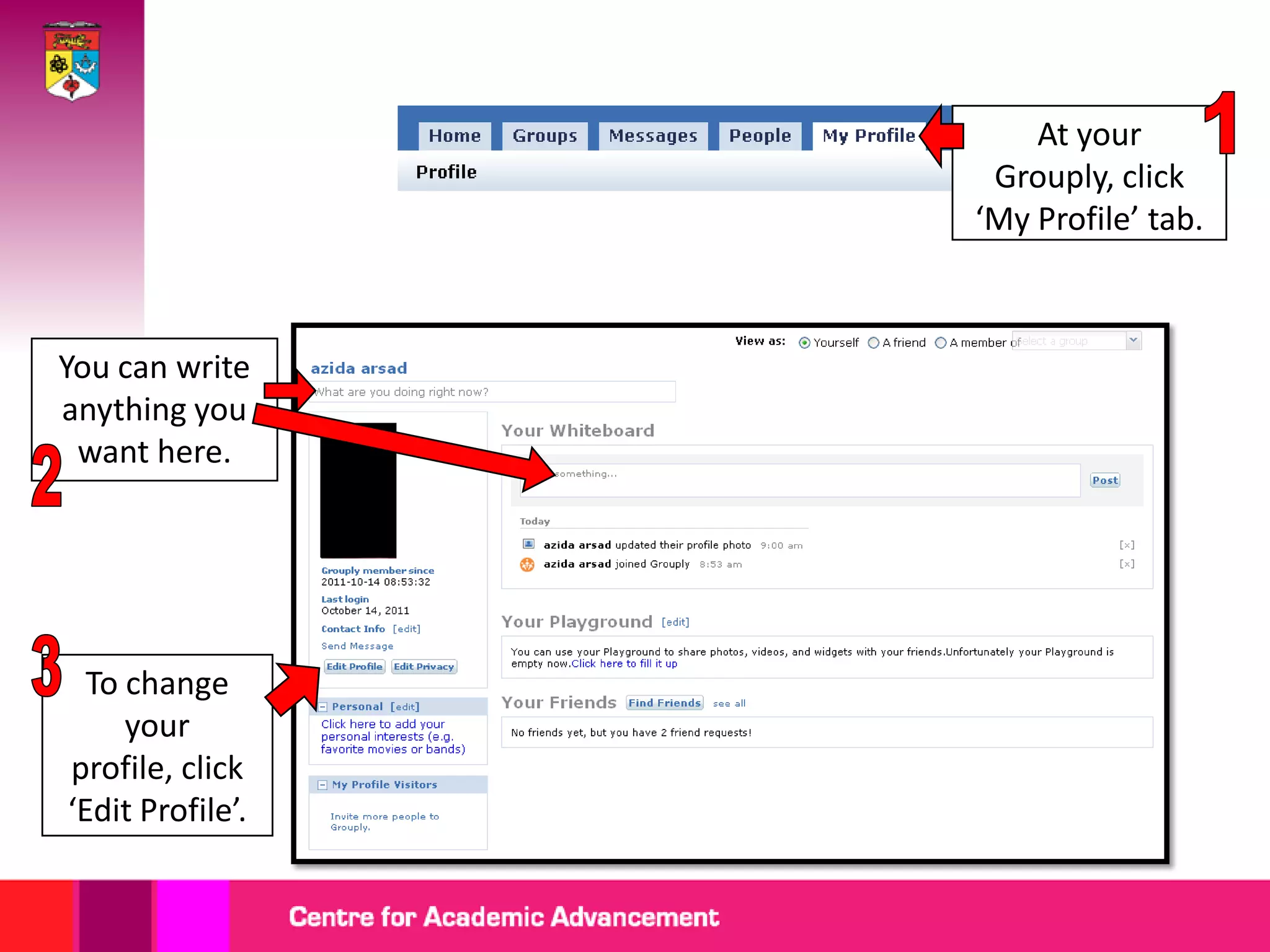
At your
                   Grouply, click
                  ‘My Profile’ tab.


You can write
anything you
 want here.


  To change
     your
profile, click
‘Edit Profile’.
Starting a Group
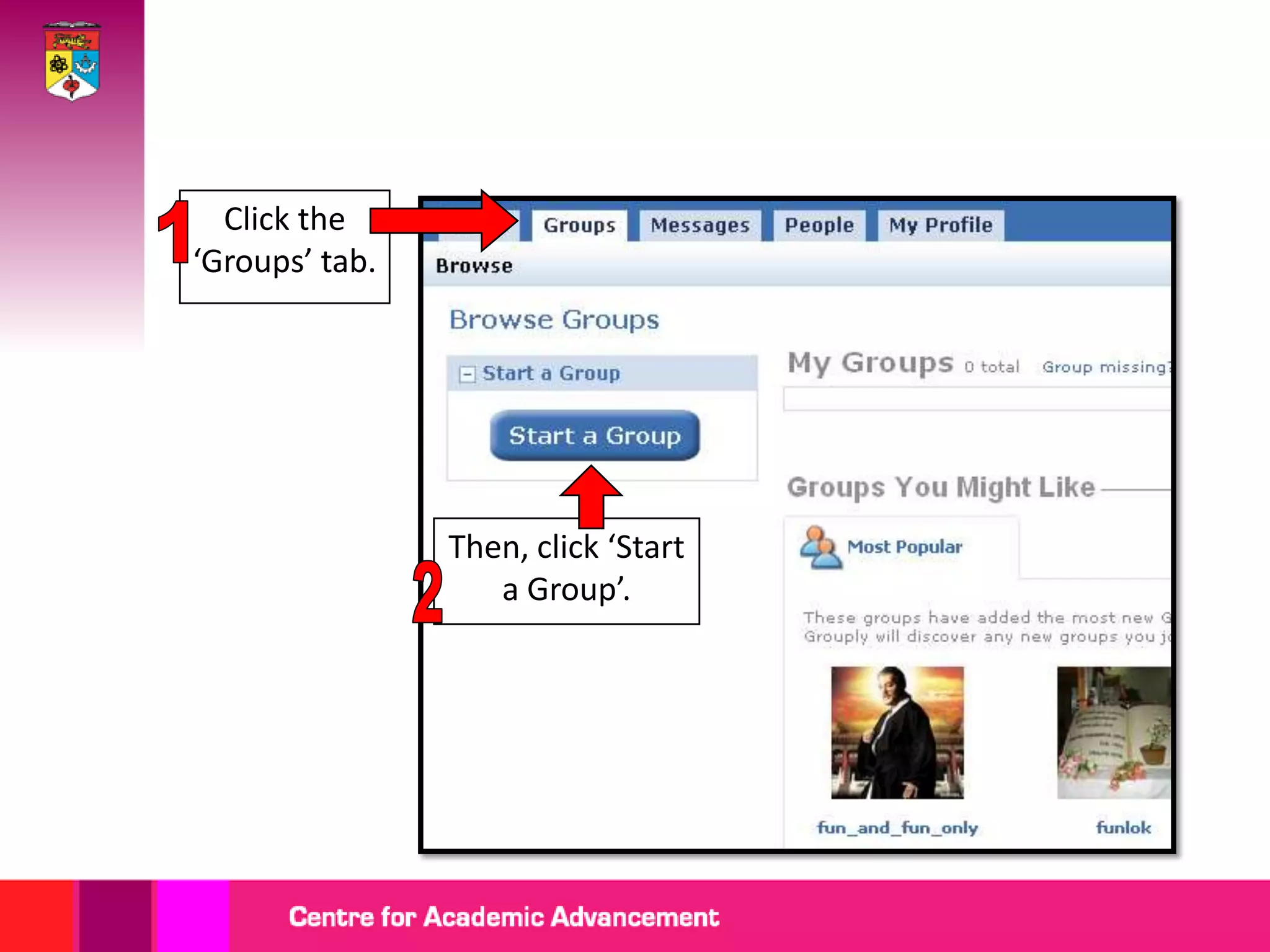
Click the
‘Groups’ tab.


                Then, click ‘Start
                   a Group’.
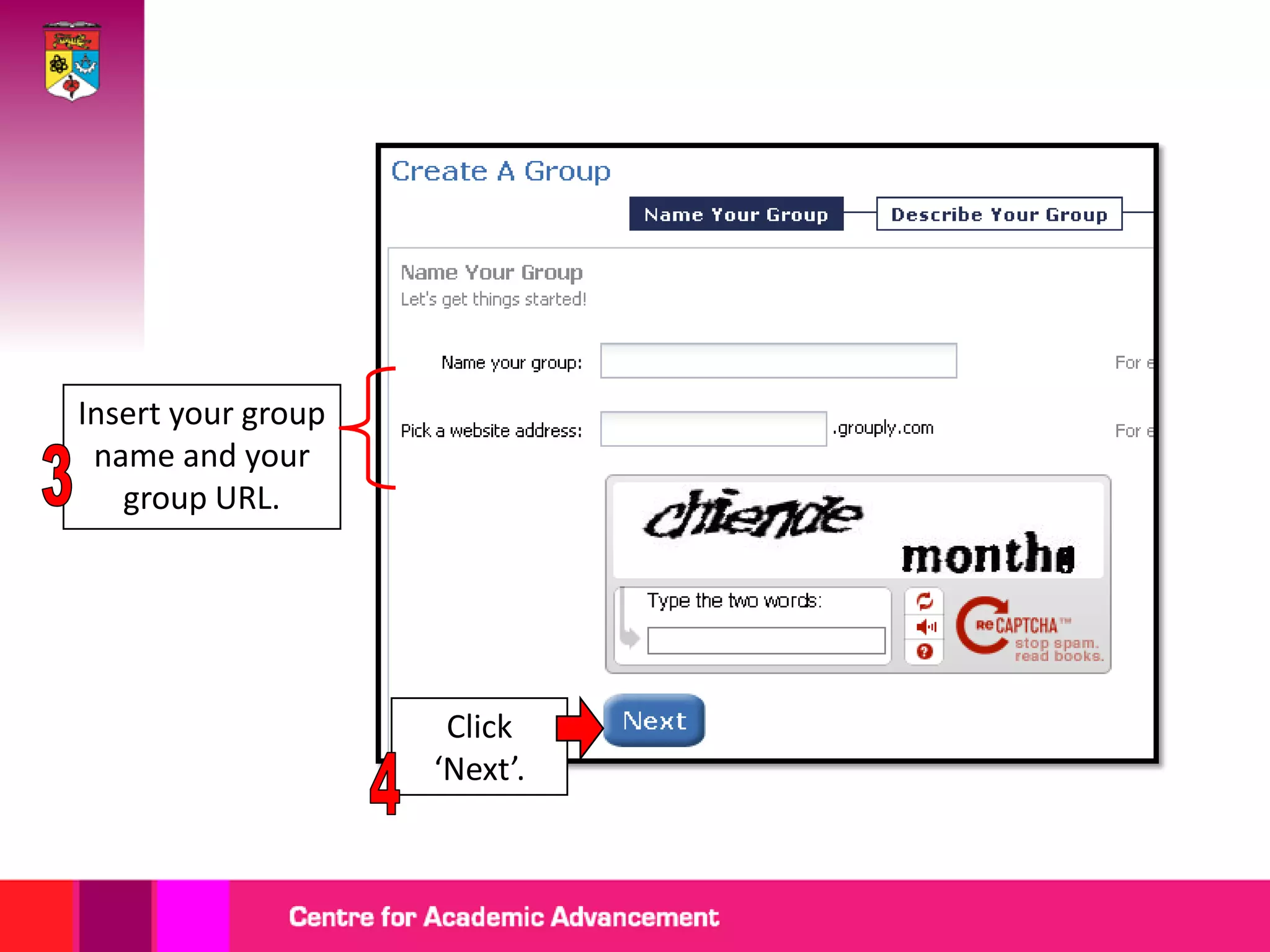
Insert your group
 name and your
   group URL.


                     Click
                    ‘Next’.
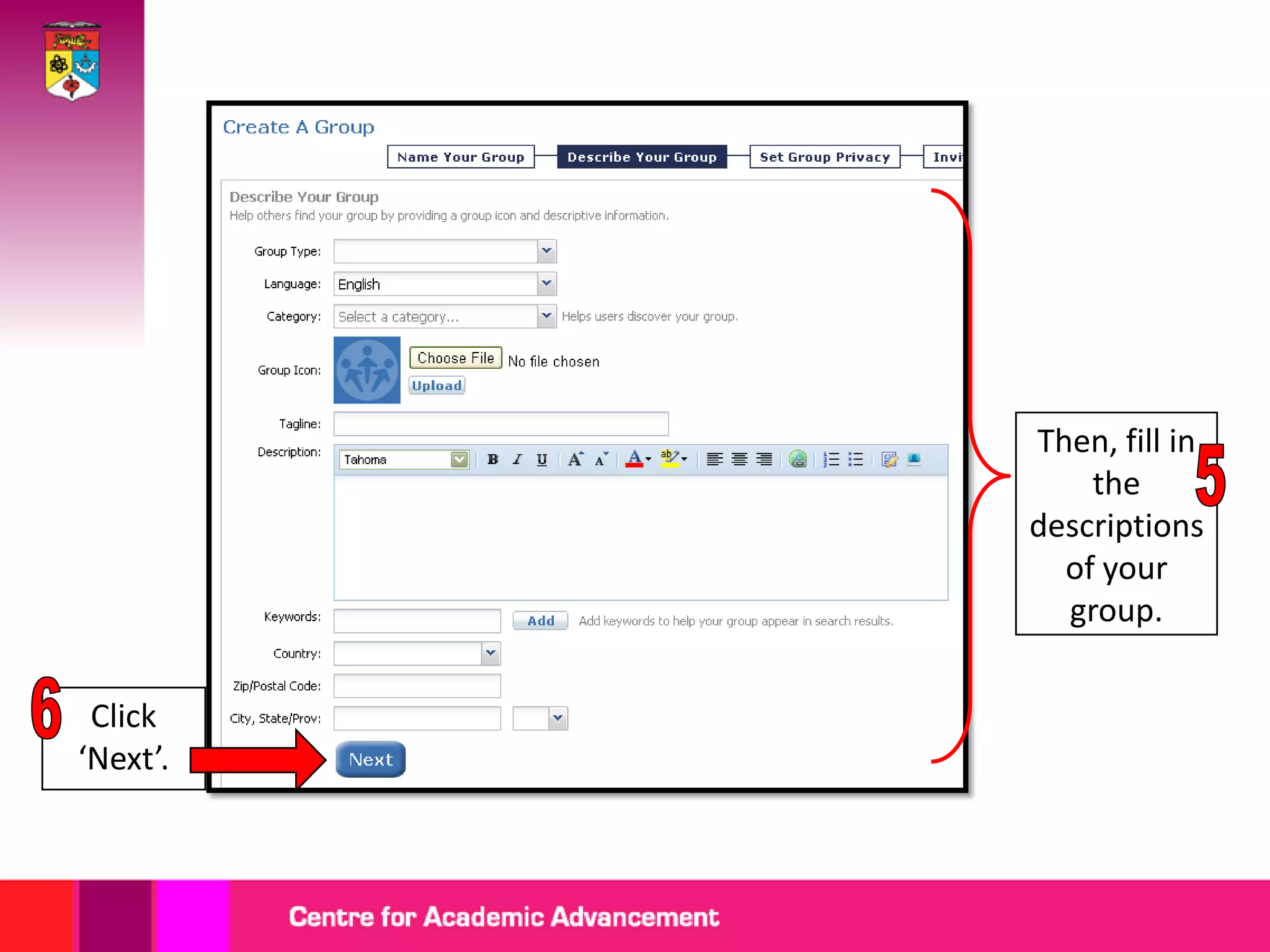
Then, fill in
              the
          descriptions
            of your
            group.

 Click
‘Next’.
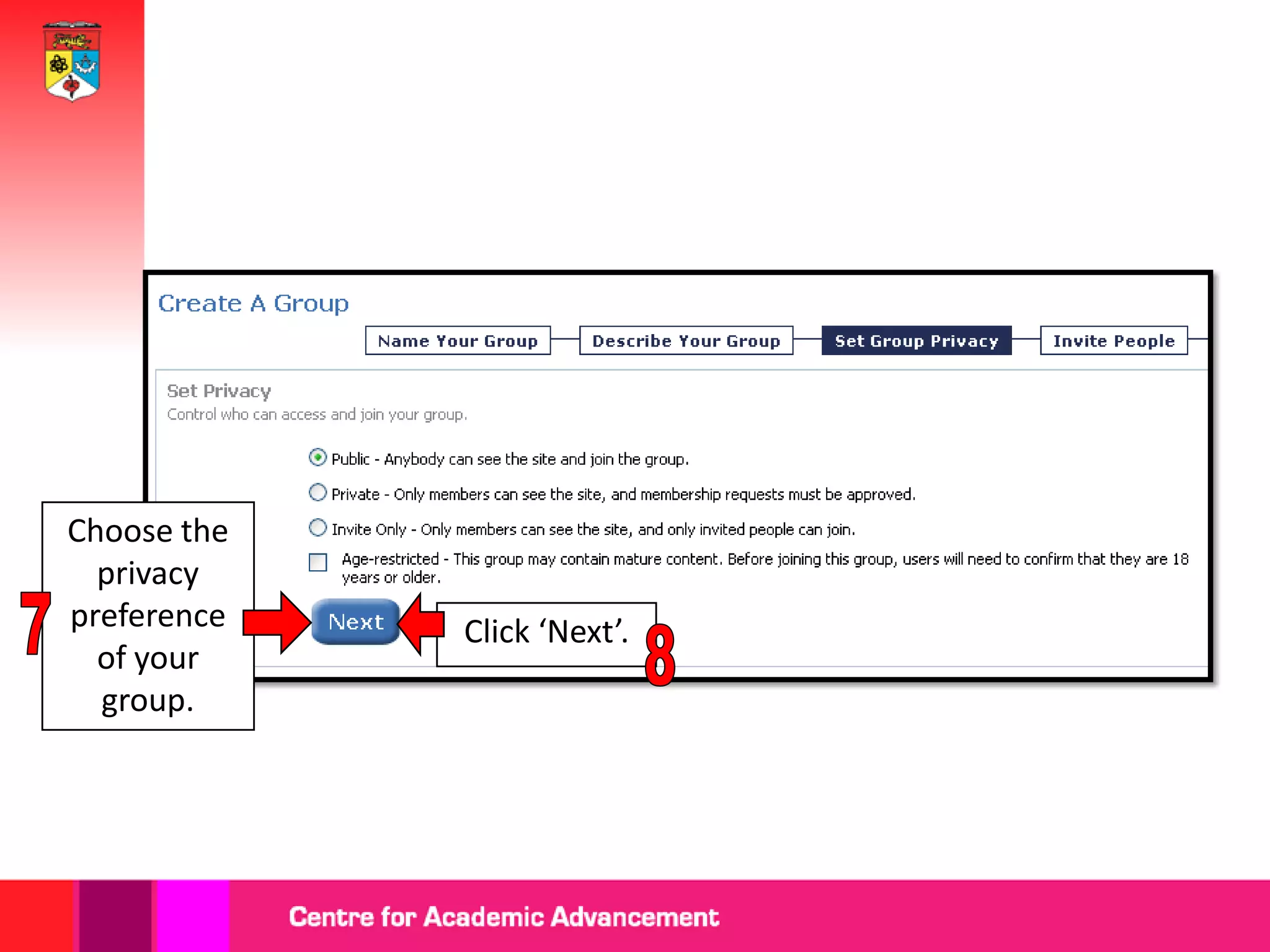
Choose the
  privacy
preference   Click ‘Next’.
  of your
  group.
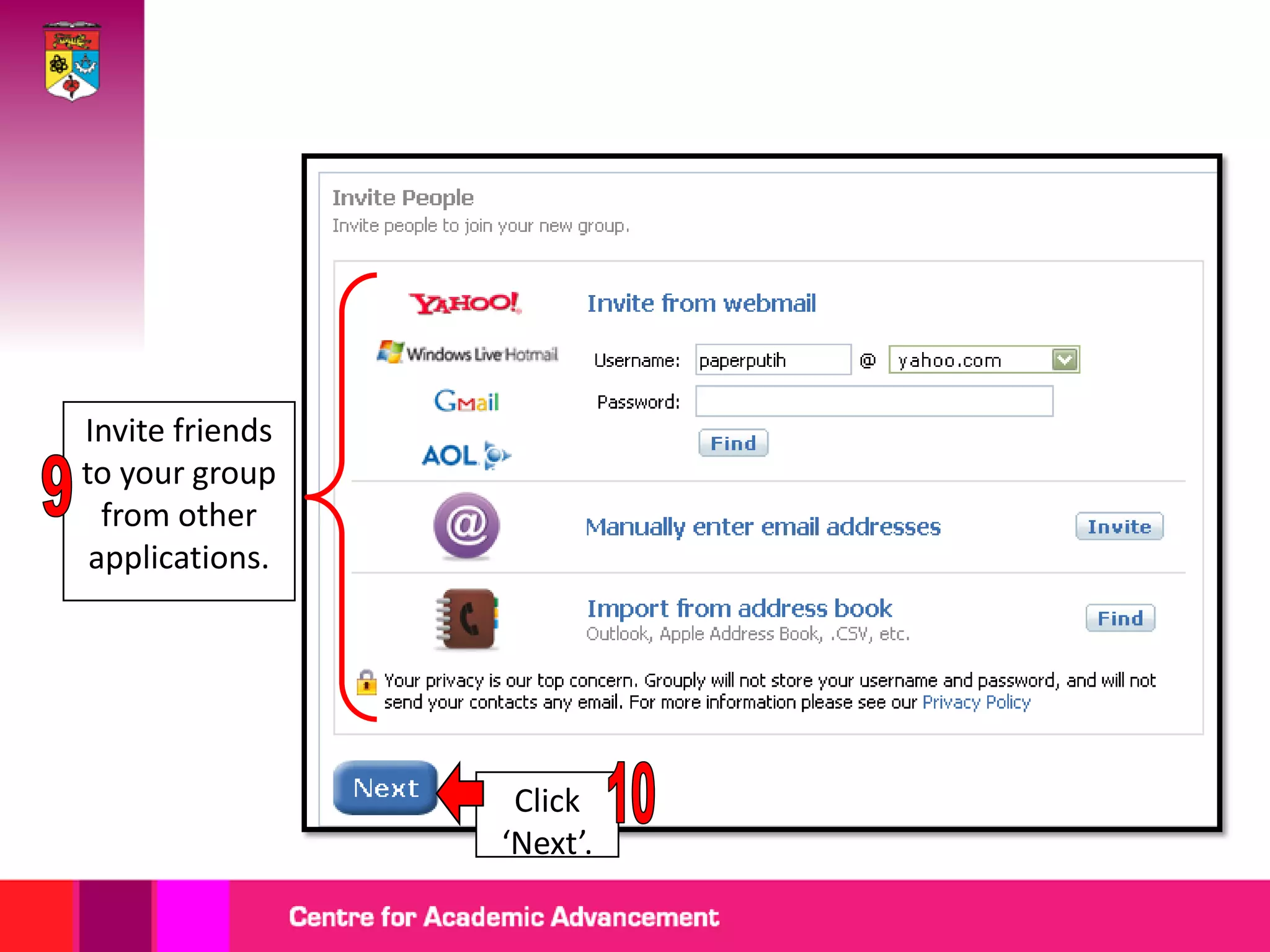
Invite friends
to your group
  from other
 applications.


                  Click
                 ‘Next’.
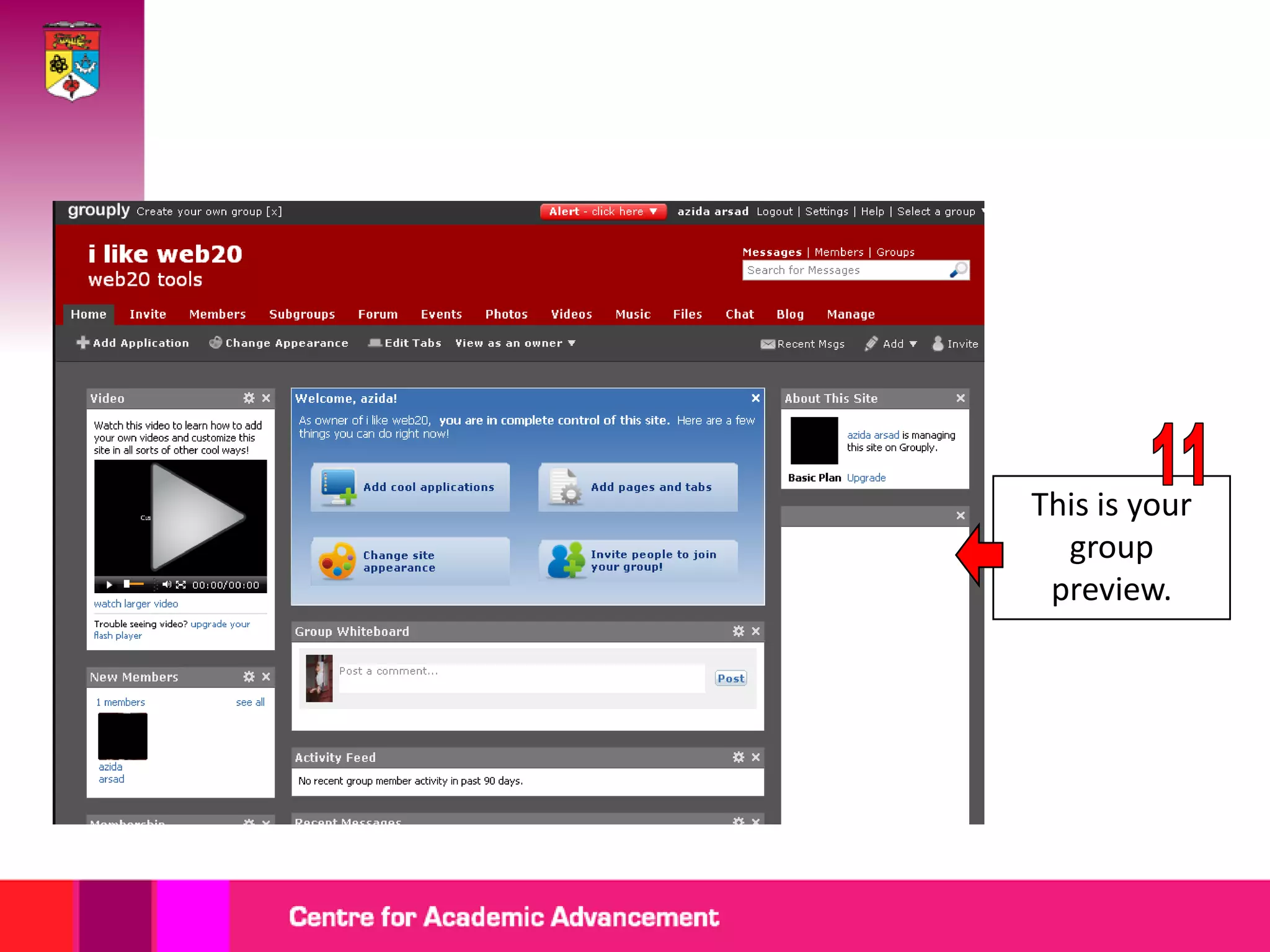
This is your
  group
 preview.
Getting started with grouply

Getting started with grouply