FROM ZERO TO HERO
WITH REACT NATIVE
Paolo Rovella
Alberto Pellizzon
- Introduction: W hat is React Native
- Create React Native Ap p
0 1
0 2
- Let ’s b u ild t h e M em ory gam e! 0 3
- Exp o: in t egrat e Nat ive fu n ct ion alit ies 0 4
- How t o u se Exp o: it 's t im e t o ‘eject ’! 0 5
- Level u p : cam era an d p h ot o lib rary in t egrat ion 0 6
https://facebook.github.io/react-native/docs/getting-started.html
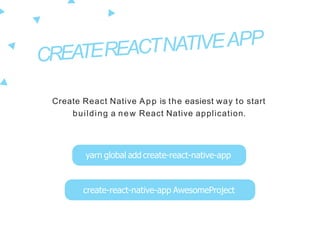
Create React Native App is the easiest way to start
building a new React Native application.
yarn global add create-react-native-app
create-react-native-app AwesomeProject
Minimal "Time to Hello World": reduce the setup time it
takes to try building a mobile app to the absolute
m i n i m u m
Develop on Your Device: It is easy to develop on a physical
device when you want to test how your app feels and
responds to inputs.
One Build Tool: If you just want to get started with React
Native, you don't need to install Xcode or Android Studio
No Lock-In: You can always "eject" to your own build setup
if you need to write custom native code or modify how
your app isbuilt.
Expo Client
It is a set of tools, libraries and services which let you build
native iOS and Android apps by writing JavaScript
Apps are React Native apps which contain the Expo SDK.
The SDK is a native-and-JS library which provides access to
the device’s system functionality (things like the camera,
contacts, local storage, and other hardware)
When you open an app in Expo development tool (XDE), it spawns
and manages two server processes in the background: the Expo
Development Server and the React Native Packager Server
https://docs.expo.io
It provides UI components to handle a variety of
use-cases and can manage your assets and
custom fonts
It works out-of-the-box with react-navigation
routing library
Expo handles device permissions and has a
specific API for push notifications
You can integrate Firebase, GraphQL, Sentry and
other tools easily thanks to the docs
"Ejecting" is the process of setting up your own custom builds
When i need to use "eject"?
- If you want to include a library which uses react-native link
- If you want to write your own native code for your app
- If you want to publish your app to the App Store or Play Store
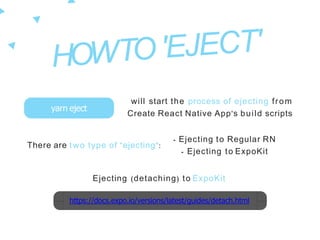
There are two type of "ejecting":
yarn eject
will start the process of ejecting from
Create React Native App's build scripts
https://docs.expo.io/versions/latest/guides/detach.html
- Ejecting to Regular RN
- Ejecting to ExpoKit
Ejecting (detaching) to ExpoKit
Expo XDE (Expo Development Environment) helps everyone
start, develop and publish React Native projects
https://docs.expo.io/versions/latest/guides/expokit.html
Expo exp CLI lets you work on the c ommand line and it can
be used in tests or continuous integration (CI)
Developing With ExpoKit
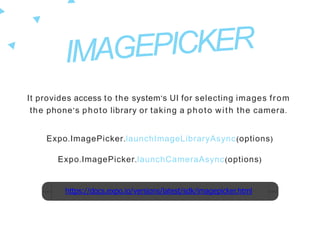
It provides access to the system’s UI for selecting images from
the phone’s photo library or taking a photo with the camera.
Expo.ImagePicker.launchImageLibraryAsync(options)
Expo.ImagePicker.launchCameraAsync(options)
https://docs.expo.io/versions/latest/sdk/imagepicker.html
From zero to hero with React Native!

From zero to hero with React Native!

  • 1.
    FROM ZERO TOHERO WITH REACT NATIVE
  • 2.
  • 3.
    - Introduction: What is React Native - Create React Native Ap p 0 1 0 2 - Let ’s b u ild t h e M em ory gam e! 0 3 - Exp o: in t egrat e Nat ive fu n ct ion alit ies 0 4 - How t o u se Exp o: it 's t im e t o ‘eject ’! 0 5 - Level u p : cam era an d p h ot o lib rary in t egrat ion 0 6
  • 7.
  • 9.
    Create React NativeApp is the easiest way to start building a new React Native application. yarn global add create-react-native-app create-react-native-app AwesomeProject
  • 10.
    Minimal "Time toHello World": reduce the setup time it takes to try building a mobile app to the absolute m i n i m u m Develop on Your Device: It is easy to develop on a physical device when you want to test how your app feels and responds to inputs. One Build Tool: If you just want to get started with React Native, you don't need to install Xcode or Android Studio No Lock-In: You can always "eject" to your own build setup if you need to write custom native code or modify how your app isbuilt.
  • 14.
  • 18.
    It is aset of tools, libraries and services which let you build native iOS and Android apps by writing JavaScript Apps are React Native apps which contain the Expo SDK. The SDK is a native-and-JS library which provides access to the device’s system functionality (things like the camera, contacts, local storage, and other hardware)
  • 19.
    When you openan app in Expo development tool (XDE), it spawns and manages two server processes in the background: the Expo Development Server and the React Native Packager Server
  • 20.
  • 21.
    It provides UIcomponents to handle a variety of use-cases and can manage your assets and custom fonts It works out-of-the-box with react-navigation routing library Expo handles device permissions and has a specific API for push notifications You can integrate Firebase, GraphQL, Sentry and other tools easily thanks to the docs
  • 24.
    "Ejecting" is theprocess of setting up your own custom builds When i need to use "eject"? - If you want to include a library which uses react-native link - If you want to write your own native code for your app - If you want to publish your app to the App Store or Play Store
  • 25.
    There are twotype of "ejecting": yarn eject will start the process of ejecting from Create React Native App's build scripts https://docs.expo.io/versions/latest/guides/detach.html - Ejecting to Regular RN - Ejecting to ExpoKit Ejecting (detaching) to ExpoKit
  • 26.
    Expo XDE (ExpoDevelopment Environment) helps everyone start, develop and publish React Native projects https://docs.expo.io/versions/latest/guides/expokit.html Expo exp CLI lets you work on the c ommand line and it can be used in tests or continuous integration (CI) Developing With ExpoKit
  • 29.
    It provides accessto the system’s UI for selecting images from the phone’s photo library or taking a photo with the camera. Expo.ImagePicker.launchImageLibraryAsync(options) Expo.ImagePicker.launchCameraAsync(options) https://docs.expo.io/versions/latest/sdk/imagepicker.html