How To Train the JDT Dragon


Ayushman Jain              Stephan Herrmann
IBM Bangalore, India       GK Software AG, Berlin
ayushman.jain@in.ibm.com   stephan@cs.tu-berlin.de
Acknowledgements


  Title credits: Deepak Azad (JDT/UI
  Committer, IBM Bangalore).

  Thanks to the entire JDT team for all the hard
  work!
The JDT Team

                                                   Olivier Thomann
      Daniel Megert

      Markus Keller


           Deepak Azad          Ayushman Jain


          Satyam Rama Kandula      Jayaprakash Arthanareeswaran

                      Srikanth Adayapalam


                                Stephan Herrmann


  3
Outline
     • A guided tour through services offered by JDT Core and JDT
       UI
        • Java Model
               TM


        • Search Engine and Type Hierarchy
        • Abstract Syntax Tree (DOM/AST)
        • Batch compiler

     • A sneak preview of Object Teams and how it helps in
       extending JDT

     • Three hands-on exercises


 4
Installing software for the tutorial

•     1. Install "Eclipse SDK" M6 from the Juno download site:
You can install either 3.8M6(http://download.eclipse.org/eclipse/downloads/eclipse3x.php ) or 4.2M6 (
http://download.eclipse.org/eclipse/downloads/ ) depending on what you prefer.

•     2. Install JDT's "ASTView Plugin" using the update site (
http://www.eclipse.org/jdt/ui/update-site ) . Add this site in Help -> Install New Software... and select the ASTView
plugin.

•   3. Install Egit: http://download.eclipse.org/egit/updates
Note: If you're new to git, we will provide you some basic steps to follow that will be needed during the tutorial.
However, if you're still not comfortable, feel free to skip this part.
From the above update site, install "Eclipse Egit".

•     4. Create another copy of your Juno M6 installation folder and install Object Teams in it:
Go to Help -> Install New Software... and add the Object teams update site
(http://download.eclipse.org/objectteams/updates/ot2.1milestones). Select everything under the category OTDT 2.1
based on Eclipse 3.8" and install.

•    5. Refer to https://github.com/aupsy/org.eclipsecon2012.misc.tutorial/blob/master/Handouts/git-handout_v3.pdf
     for instructions on how to obtain the sources and handouts.
What do you learn?
     • Plug-in implementers that want to use the Java infrastructure
        • Programmatically create/work with Java resources, (viz.
          generating/modifying source code).
        • Programmatically launch java applications.
        • Refactoring / quick fixes / content assist.

     • Implementers of plug-ins for a new language
        • Study JDT as an example on how to structure the core
          infrastructure.
        • Solve problems regarding memory usage and runtime
          performance.

     General knowledge about the Eclipse plug-in architecture and
       basic knowledge of Java is expected.
 6
Components of JDT

• JDT/Core – headless infrastructure for compiling
  and modifying java code.
• JDT UI - the user interface extensions that
  provide the IDE.
• JDT Debug - program launching and debug
  support specific to the Java programming
  language.
• JDT APT – JDT’s annotation processing
  framework.
• JDT Text – editing support.
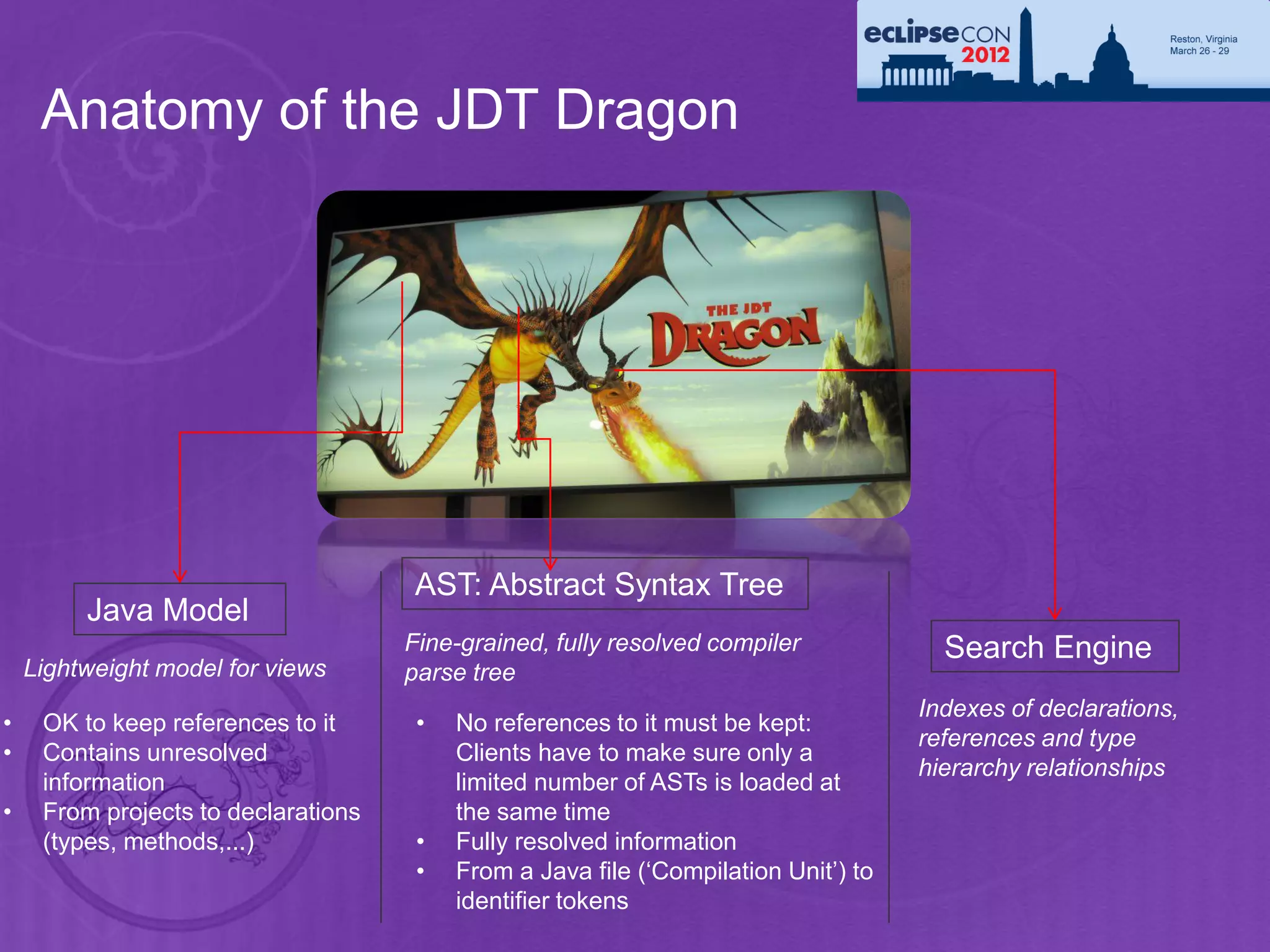
Anatomy of the JDT Dragon


                                     AST: Abstract Syntax Tree
         Java Model
                                     Fine-grained, fully resolved compiler             Search Engine
    Lightweight model for views      parse tree
                                                                                     Indexes of declarations,
•    OK to keep references to it      •   No references to it must be kept:
                                                                                     references and type
•    Contains unresolved                  Clients have to make sure only a
                                                                                     hierarchy relationships
     information                          limited number of ASTs is loaded at
•    From projects to declarations        the same time
     (types, methods,...)             •   Fully resolved information
                                      •   From a Java file (‘Compilation Unit’) to
                                          identifier tokens
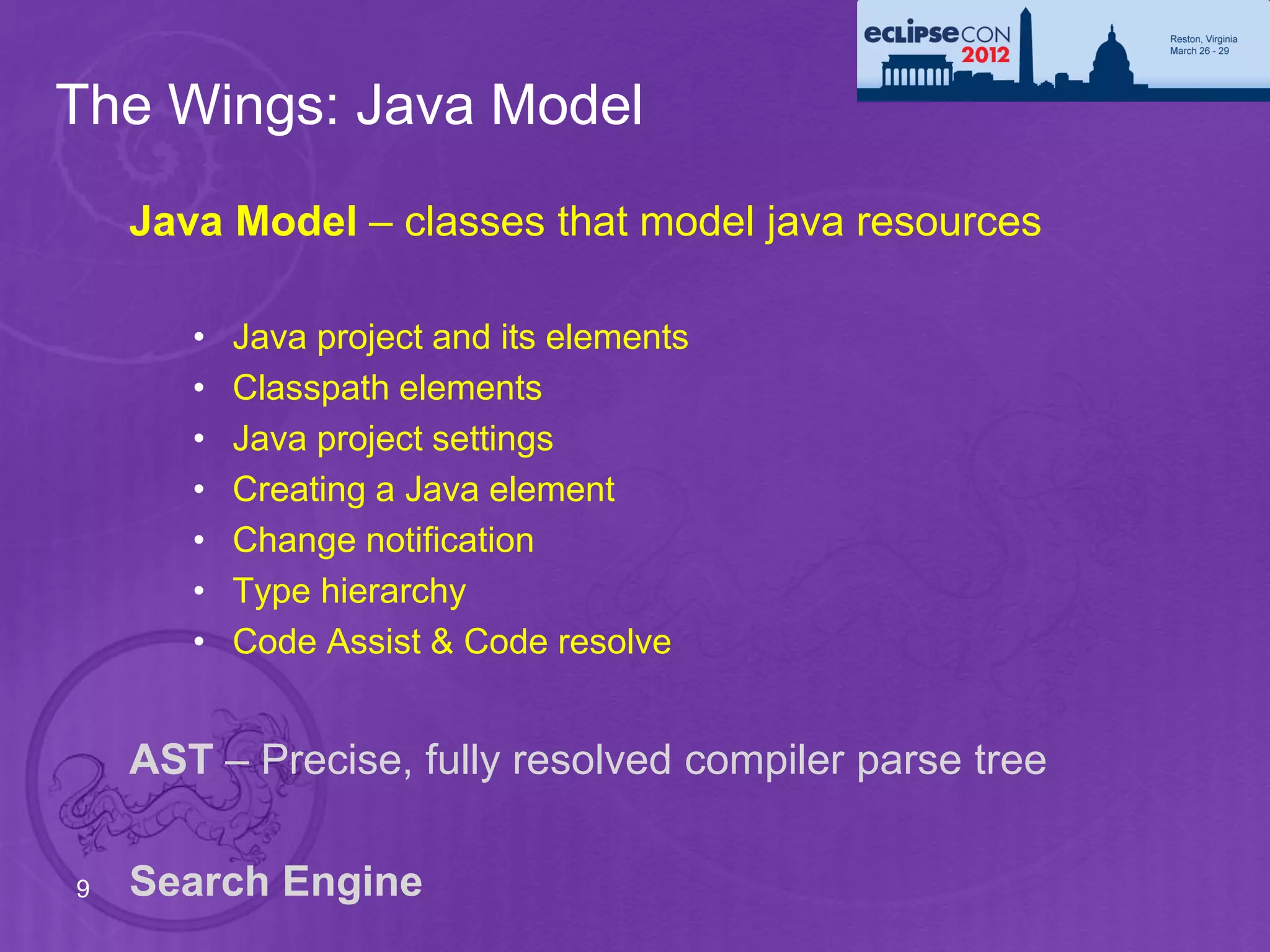
The Wings: Java Model
    Java Model – classes that model java resources

       •   Java project and its elements
       •   Classpath elements
       •   Java project settings
       •   Creating a Java element
       •   Change notification
       •   Type hierarchy
       •   Code Assist & Code resolve


    AST – Precise, fully resolved compiler parse tree

9   Search Engine
The Java Model - Design Motivation
     •   Requirements for an element to show in views:

          •   Lightweight: Quickly created, small memory footprint
               • Must scale and work for big workspaces (10’000 types
                 and more). Cannot hold on resources, Eclipse is not just a
                 Java IDE
          •   Fault tolerant: Provide structure for files while editing
               • Some source does not (yet) compile, missing brackets,
                 semicolons. Tooling should be as helpful as possible
               • Views like the Outline want to show the structure while
                 typing. Structure should stay as stable as possible

     •   Chosen solution:

          •   Lazily populated model
          •   Quick creation: Single parse, no resolving, no dependency on
              build state
10
          •   Underlying buffer can be released and recreated any time
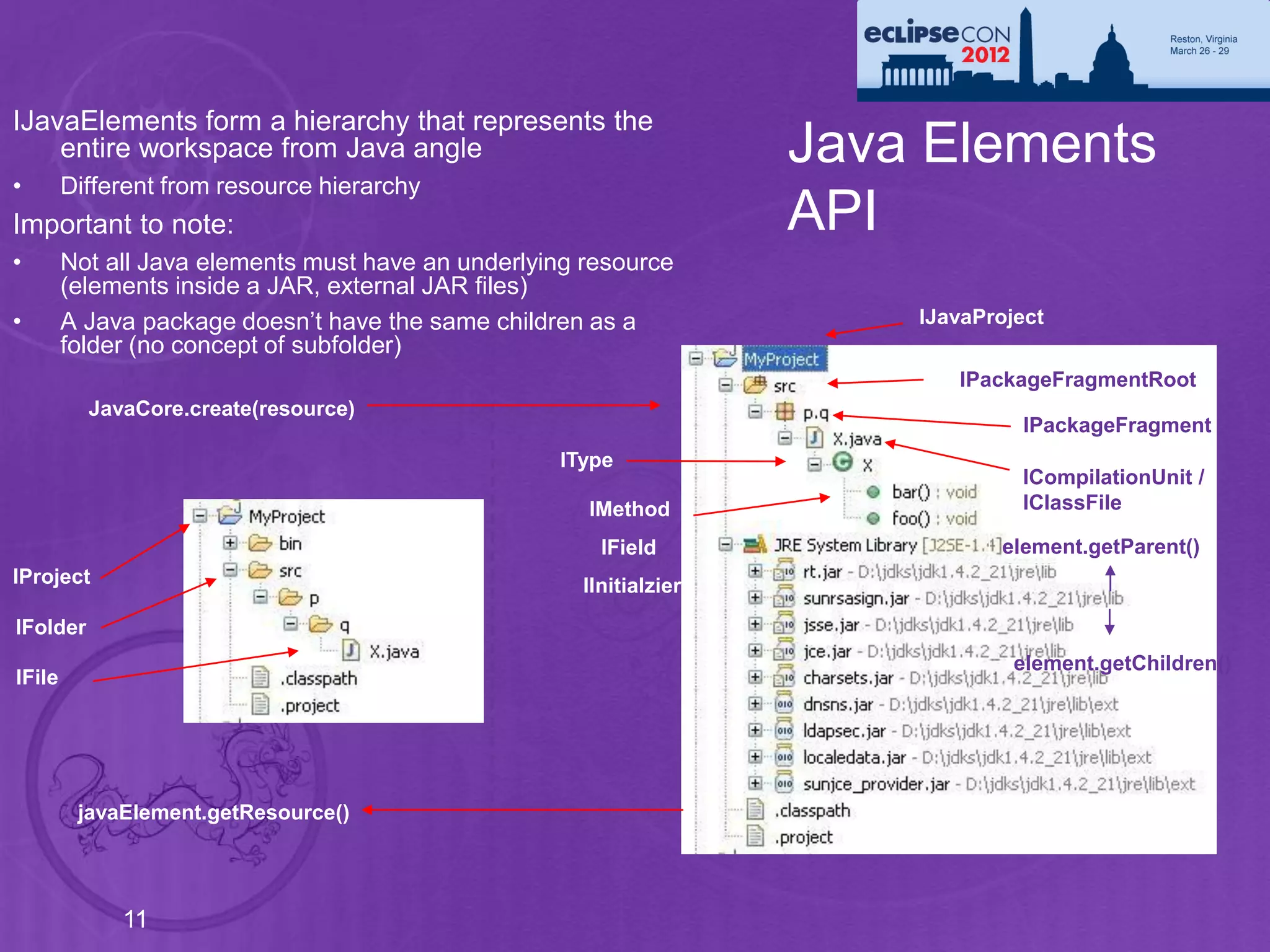
IJavaElements form a hierarchy that represents the
    entire workspace from Java angle                                 Java Elements
•       Different from resource hierarchy
Important to note:                                                   API
•       Not all Java elements must have an underlying resource
        (elements inside a JAR, external JAR files)
•       A Java package doesn’t have the same children as a               IJavaProject
        folder (no concept of subfolder)
                                                                            IPackageFragmentRoot
          JavaCore.create(resource)
                                                                                   IPackageFragment
                                                   IType
                                                                                  ICompilationUnit /
                                                      IMethod                     IClassFile

                                                        IField                  element.getParent()
IProject                                              IInitialzier
IFolder
                                                                                  element.getChildren()
IFile


         javaElement.getResource()


             11
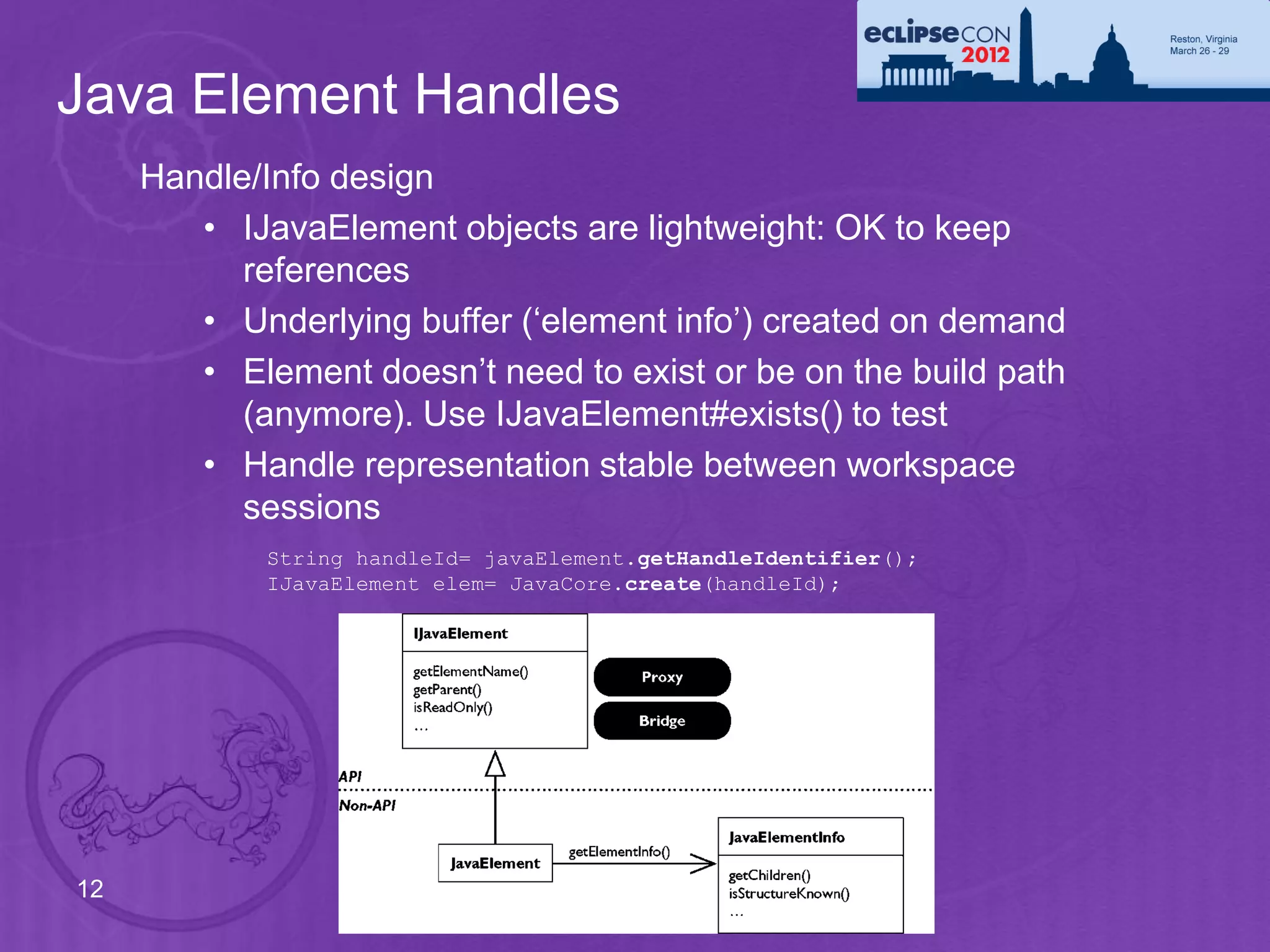
Java Element Handles
     Handle/Info design
        • IJavaElement objects are lightweight: OK to keep
           references
        • Underlying buffer (‘element info’) created on demand
        • Element doesn’t need to exist or be on the build path
           (anymore). Use IJavaElement#exists() to test
        • Handle representation stable between workspace
           sessions
            String handleId= javaElement.getHandleIdentifier();
            IJavaElement elem= JavaCore.create(handleId);


12
Using the Java Model
     Setting up a Java project
         • A Java project is a project with the Java nature set
         • Java nature enables the Java builder
         • Java builder needs a Java class path

     IWorkspaceRoot root= ResourcesPlugin.getWorkspace().getRoot();
     IProject project= root.getProject(projectName);
                                                                            Create a project
     project.create(null);
     project.open(null);

     IProjectDescription description = project.getDescription();            Set the
     description.setNatureIds(new String[] { JavaCore.NATURE_ID });         Java nature
     project.setDescription(description, null);

     IJavaProject javaProject= JavaCore.create(project);
     javaProject.setRawClasspath(classPath, defaultOutputLocation, null);

                                                                             Set the Java
                                                                             build path

13
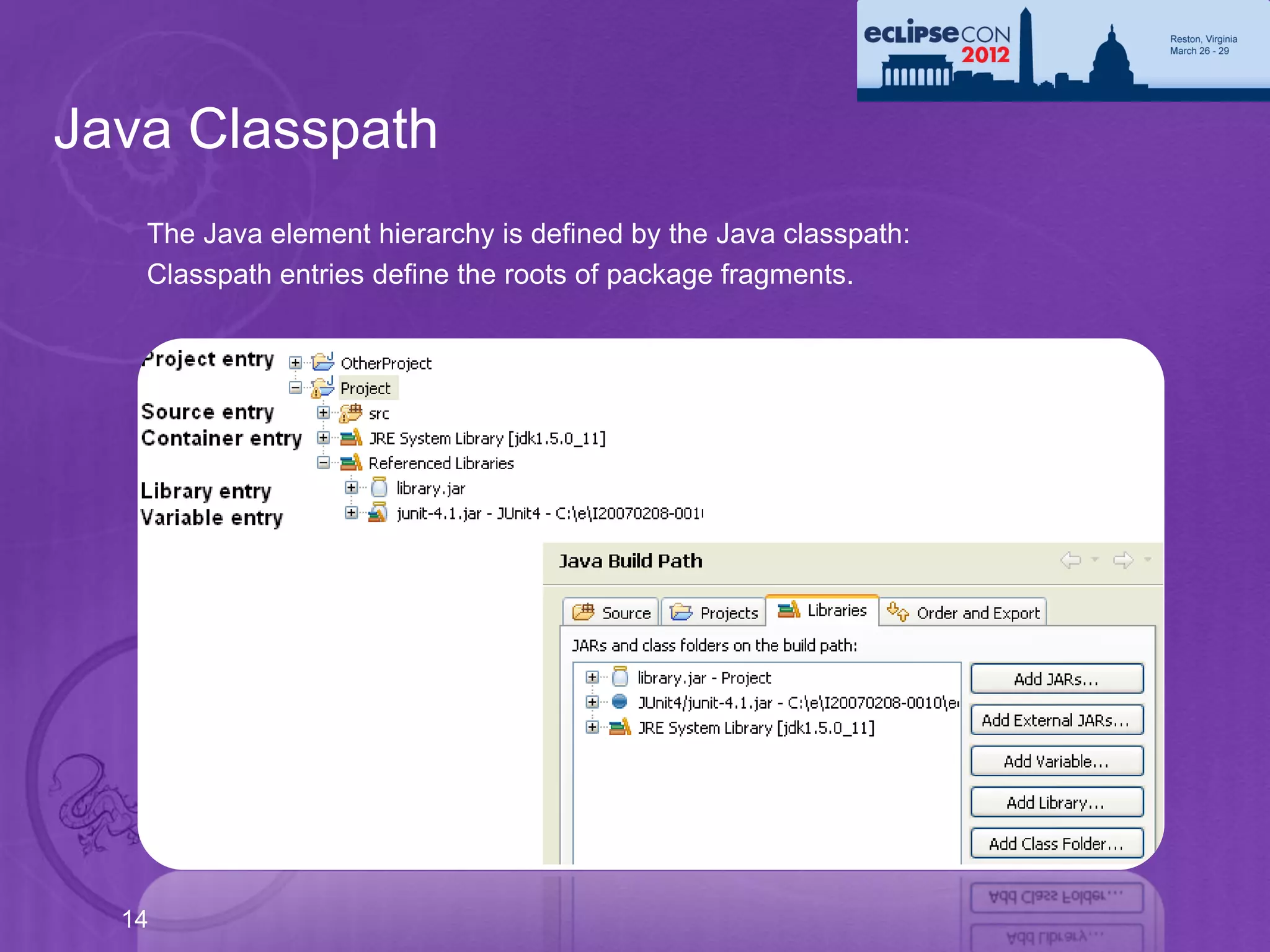
Java Classpath
   The Java element hierarchy is defined by the Java classpath:
   Classpath entries define the roots of package fragments.


  14
Classpath – Source and Library Entries
        Source entry: Java source files to be built by the compiler
             • Folder inside the project or the project itself
             • Possibility to define inclusion and exclusion filters
             • Compiled files go to either a specific or the projects default output
               location
         IPath srcPath= javaProject.getPath().append("src");
         IPath[] excluded= new IPath[] { new Path("doc") };
         IClasspathEntry srcEntry= JavaCore.newSourceEntry(srcPath, excluded);
                                                         NEW
                                                                  Library entries can now specify
         Library entry: Class folder or archive                  index locations for faster search

              Class files in folder or JAR archive, in workspace or external
              Source attachment specifies location of library’s source
IClasspathEntry libEntry = JavaCore.newLibraryEntry( new Path("d:/lib/foo.jar"), // library
location new Path("d:/lib/foo_src.zip"), // source archive location
new Path("src"), // source archive root
true); // exported


  15
         Java project can also be added as a newProjectEntry
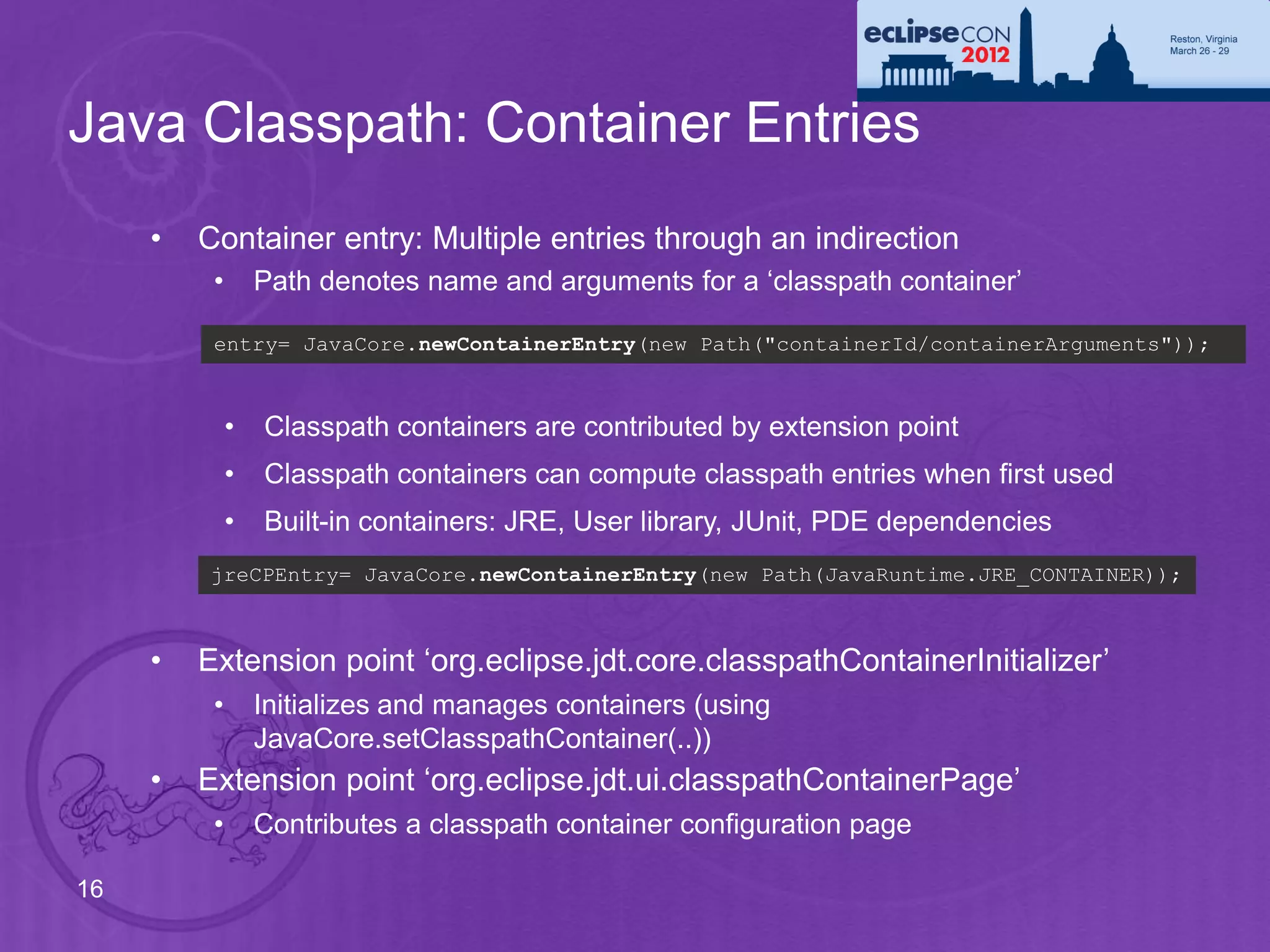
Java Classpath: Container Entries
     •   Container entry: Multiple entries through an indirection
          •       Path denotes name and arguments for a ‘classpath container’

          entry= JavaCore.newContainerEntry(new Path("containerId/containerArguments"));


              •   Classpath containers are contributed by extension point
              •   Classpath containers can compute classpath entries when first used
              •   Built-in containers: JRE, User library, JUnit, PDE dependencies
         jreCPEntry= JavaCore.newContainerEntry(new Path(JavaRuntime.JRE_CONTAINER));


     •   Extension point ‘org.eclipse.jdt.core.classpathContainerInitializer’
          •       Initializes and manages containers (using
                  JavaCore.setClasspathContainer(..))
     •   Extension point ‘org.eclipse.jdt.ui.classpathContainerPage’
          •       Contributes a classpath container configuration page

16
Creating Java Elements
      IJavaProject javaProject= JavaCore.create(project);                 Set the build path
      IClasspathEntry[] buildPath= {
         JavaCore.newSourceEntry(project.getFullPath().append("src")),
         JavaRuntime.getDefaultJREContainerEntry()
      };
      javaProject.setRawClasspath(buildPath, project.getFullPath().append("bin"), null);

      IFolder folder= project.getFolder("src");                      Create the source folder
      folder.create(true, true, null);

      IPackageFragmentRoot srcFolder= javaProject.getPackageFragmentRoot(folder);
      Assert.assertTrue(srcFolder.exists()); // resource exists and is on build path

                                                                Create the package fragment
      IPackageFragment fragment= srcFolder.createPackageFragment("x.y", true, null);

      String str=                                               Create the compilation unit,
        "package x.y;"             + "n" +
        "public class E {"         + "n" +
                                                                including a type
        " String first;"           + "n" +
        "}";
      ICompilationUnit cu= fragment.createCompilationUnit("E.java", str, false, null);

      IType type= cu.getType("E");                                             Create a field
      type.createField("String name;", null, true, null);

 17
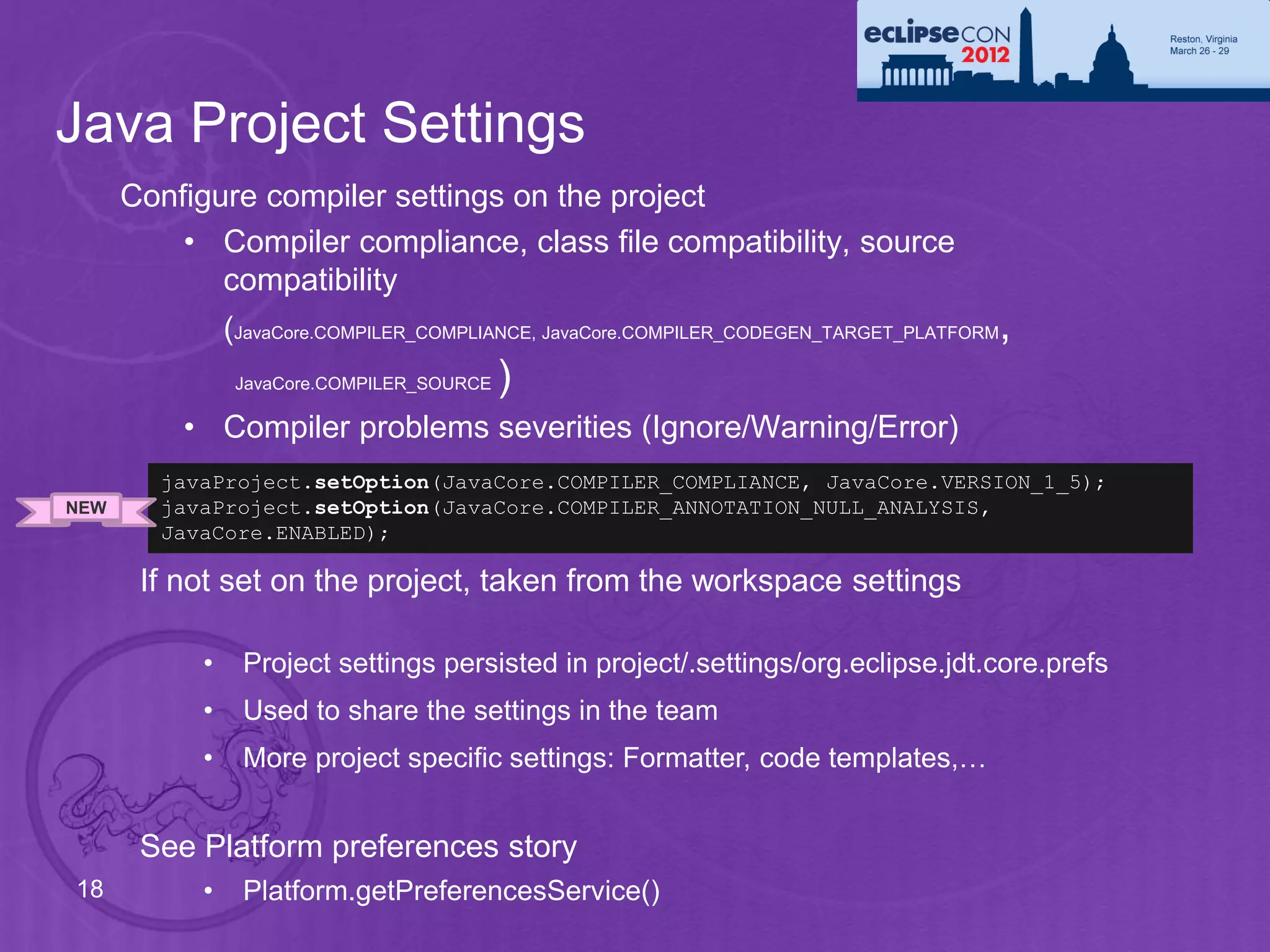
Java Project Settings
      Configure compiler settings on the project
          • Compiler compliance, class file compatibility, source
             compatibility
               (JavaCore.COMPILER_COMPLIANCE, JavaCore.COMPILER_CODEGEN_TARGET_PLATFORM,
                JavaCore.COMPILER_SOURCE   )
          • Compiler problems severities (Ignore/Warning/Error)
        javaProject.setOption(JavaCore.COMPILER_COMPLIANCE, JavaCore.VERSION_1_5);
NEW     javaProject.setOption(JavaCore.COMPILER_ANNOTATION_NULL_ANALYSIS,
        JavaCore.ENABLED);

       If not set on the project, taken from the workspace settings

           •    Project settings persisted in project/.settings/org.eclipse.jdt.core.prefs
           •    Used to share the settings in the team
           •    More project specific settings: Formatter, code templates,…


       See Platform preferences story
18         •    Platform.getPreferencesService()
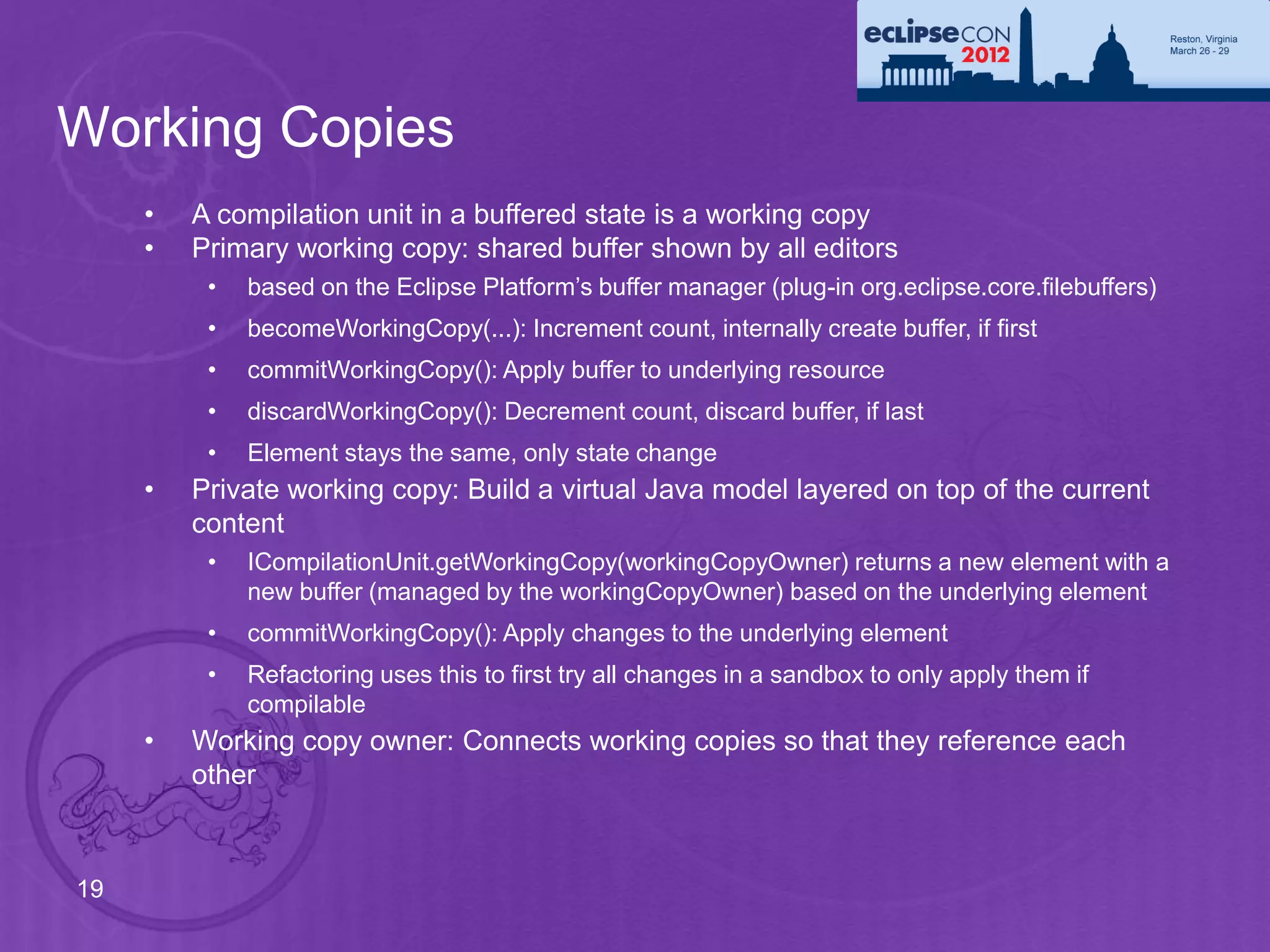
Working Copies
     •   A compilation unit in a buffered state is a working copy
     •   Primary working copy: shared buffer shown by all editors
          •   based on the Eclipse Platform’s buffer manager (plug-in org.eclipse.core.filebuffers)
          •   becomeWorkingCopy(...): Increment count, internally create buffer, if first
          •   commitWorkingCopy(): Apply buffer to underlying resource
          •   discardWorkingCopy(): Decrement count, discard buffer, if last
          •   Element stays the same, only state change
     •   Private working copy: Build a virtual Java model layered on top of the current
         content
          •   ICompilationUnit.getWorkingCopy(workingCopyOwner) returns a new element with a
              new buffer (managed by the workingCopyOwner) based on the underlying element
          •   commitWorkingCopy(): Apply changes to the underlying element
          •   Refactoring uses this to first try all changes in a sandbox to only apply them if
              compilable
     •   Working copy owner: Connects working copies so that they reference each
         other


19
Java Element Change Notifications
 Change Listeners:                JavaCore.addElementChangedListener(IElementChangedListener)

         Java element delta information for all changes: Class path changes, added/removed
            elements, changed source, change to buffered state (working copy)
         Changes triggered by resource change notifications (resource deltas), call to
            ‘reconcile()’
         Java element deltas do not contain the old state (not a diff)
         The granularity ends at the member level (no AST)


       Table: IJavaElementDelta - Description of changes of an element or its children

 Delta kind           Descriptions and additional flags
 ADDED                Element has been added
 REMOVED              Element has been removed
 CHANGED              F_CONTENT            Content has changed. If F_FINE_GRAINED is set: Analysis of
                                           structural changed has been performed
                      F_MODIFIERS          Changed modifiers
                      F_CHILDREN           Deltas in children IJavaElementDelta[] getAffectedChildren()


                      F_ADDED_TO_CLASSPATH, F_SOURCEATTACHED, F_REORDER,
                      F_PRIMARY_WORKING_COPY,…
  20
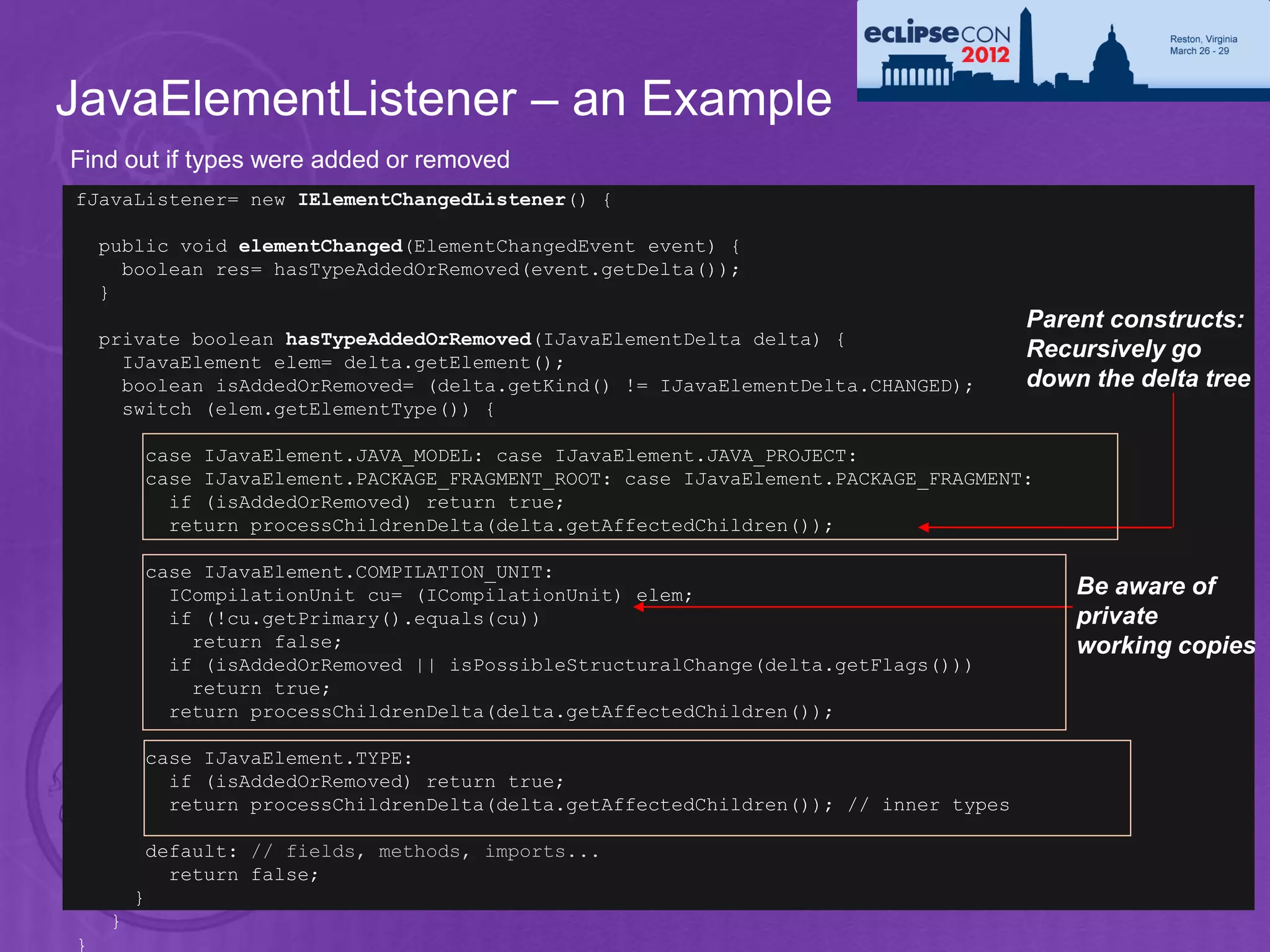
JavaElementListener – an Example
Find out if types were added or removed
fJavaListener= new IElementChangedListener() {

    public void elementChanged(ElementChangedEvent event) {
      boolean res= hasTypeAddedOrRemoved(event.getDelta());
    }
                                                                                      Parent constructs:
    private boolean hasTypeAddedOrRemoved(IJavaElementDelta delta) {
      IJavaElement elem= delta.getElement();
                                                                                      Recursively go
      boolean isAddedOrRemoved= (delta.getKind() != IJavaElementDelta.CHANGED);       down the delta tree
      switch (elem.getElementType()) {

         case IJavaElement.JAVA_MODEL: case IJavaElement.JAVA_PROJECT:
         case IJavaElement.PACKAGE_FRAGMENT_ROOT: case IJavaElement.PACKAGE_FRAGMENT:
           if (isAddedOrRemoved) return true;
           return processChildrenDelta(delta.getAffectedChildren());

         case IJavaElement.COMPILATION_UNIT:
           ICompilationUnit cu= (ICompilationUnit) elem;                                  Be aware of
           if (!cu.getPrimary().equals(cu))                                               private
             return false;                                                                working copies
           if (isAddedOrRemoved || isPossibleStructuralChange(delta.getFlags()))
             return true;
           return processChildrenDelta(delta.getAffectedChildren());

         case IJavaElement.TYPE:
           if (isAddedOrRemoved) return true;
           return processChildrenDelta(delta.getAffectedChildren()); // inner types

          default: // fields, methods, imports...
            return false;
21       }
     }
}
JavaElementListener – cont’d
private static boolean isPossibleStructuralChange(int flags) {
  return hasSet(flags, IJavaElementDelta.F_CONTENT)
         && !hasSet(flags , IJavaElementDelta.F_FINE_GRAINED));
}

private boolean processChildrenDelta(IJavaElementDelta[] children) {
  for (int i= 0; i < children.length; i++) {
    if (hasTypeAddedOrRemoved(children[i]))                    ‘Fine Grained’ set means that
      return true;                                             children deltas have been
  }
  return false;
                                                               computed. If not, it is a unknown
}                                                              change (potentially full change)

                     Visit delta children recursively


22
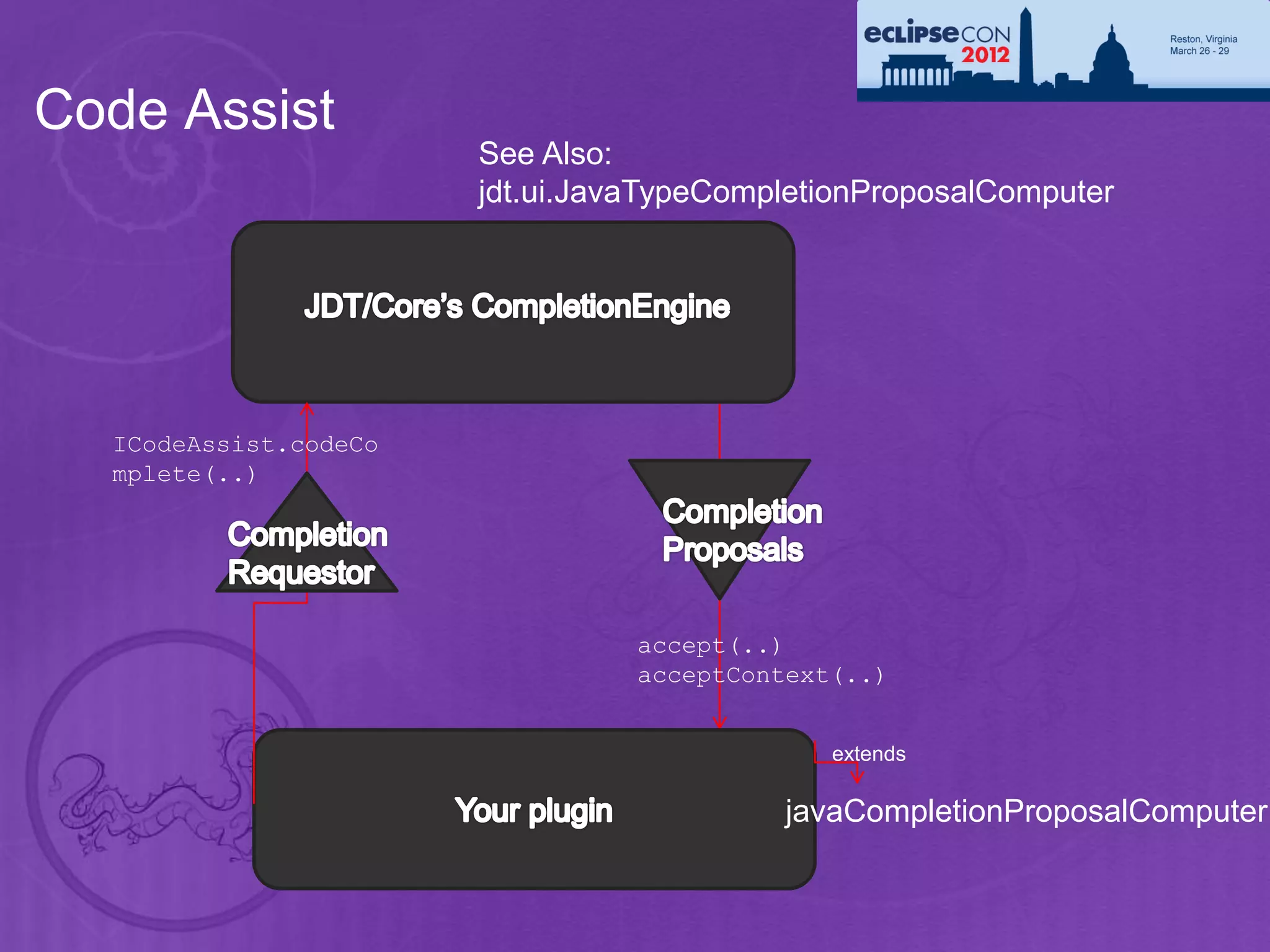
Code Assist
                       See Also:
                       jdt.ui.JavaTypeCompletionProposalComputer


  ICodeAssist.codeCo
  mplete(..)


                                 accept(..)
                                 acceptContext(..)


                                              extends

                                           javaCompletionProposalComputer
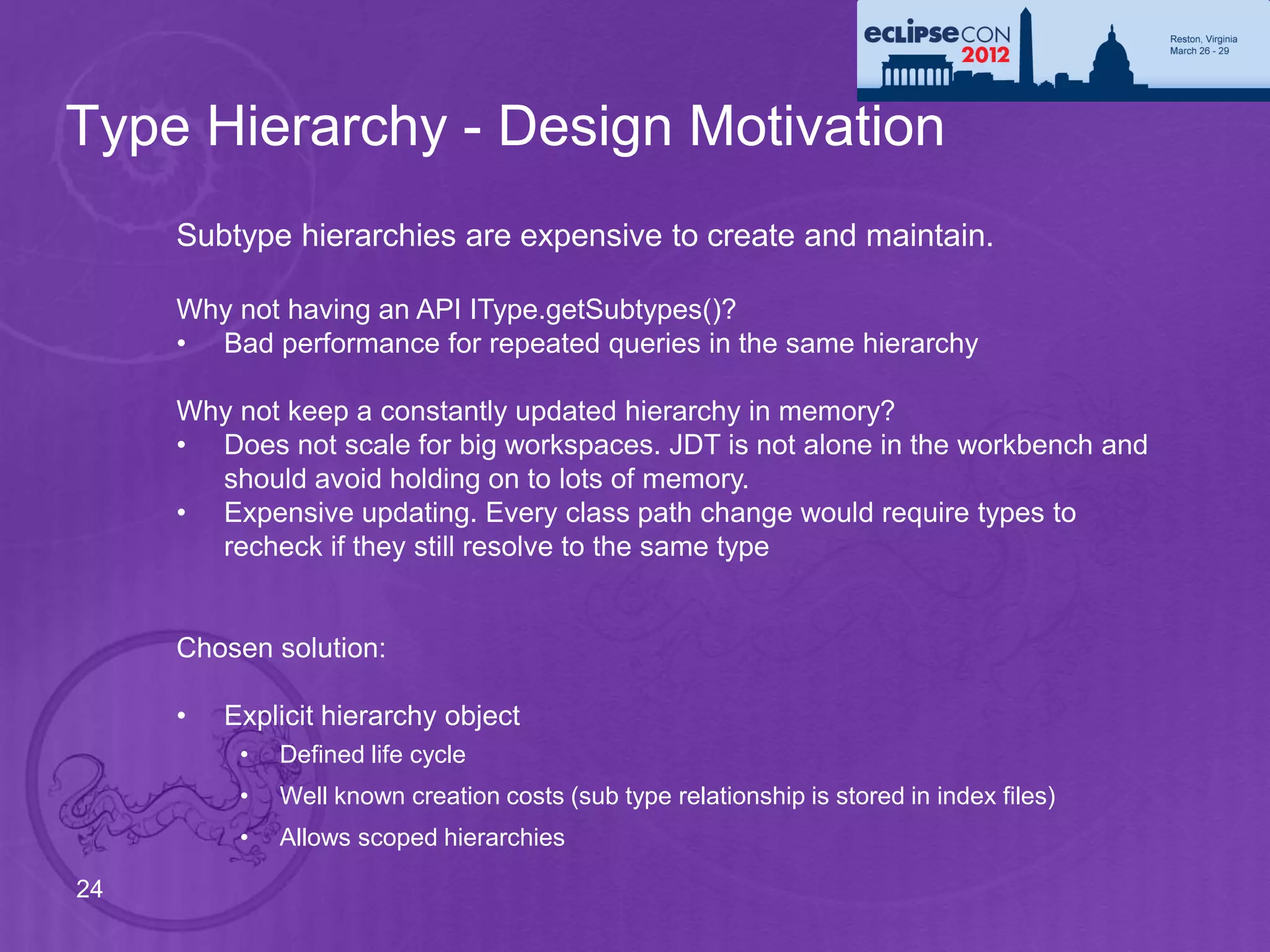
Type Hierarchy - Design Motivation
     Subtype hierarchies are expensive to create and maintain.

     Why not having an API IType.getSubtypes()?
     • Bad performance for repeated queries in the same hierarchy

     Why not keep a constantly updated hierarchy in memory?
     • Does not scale for big workspaces. JDT is not alone in the workbench and
       should avoid holding on to lots of memory.
     • Expensive updating. Every class path change would require types to
       recheck if they still resolve to the same type


     Chosen solution:

     •   Explicit hierarchy object
          •   Defined life cycle
          •   Well known creation costs (sub type relationship is stored in index files)
          •   Allows scoped hierarchies

24
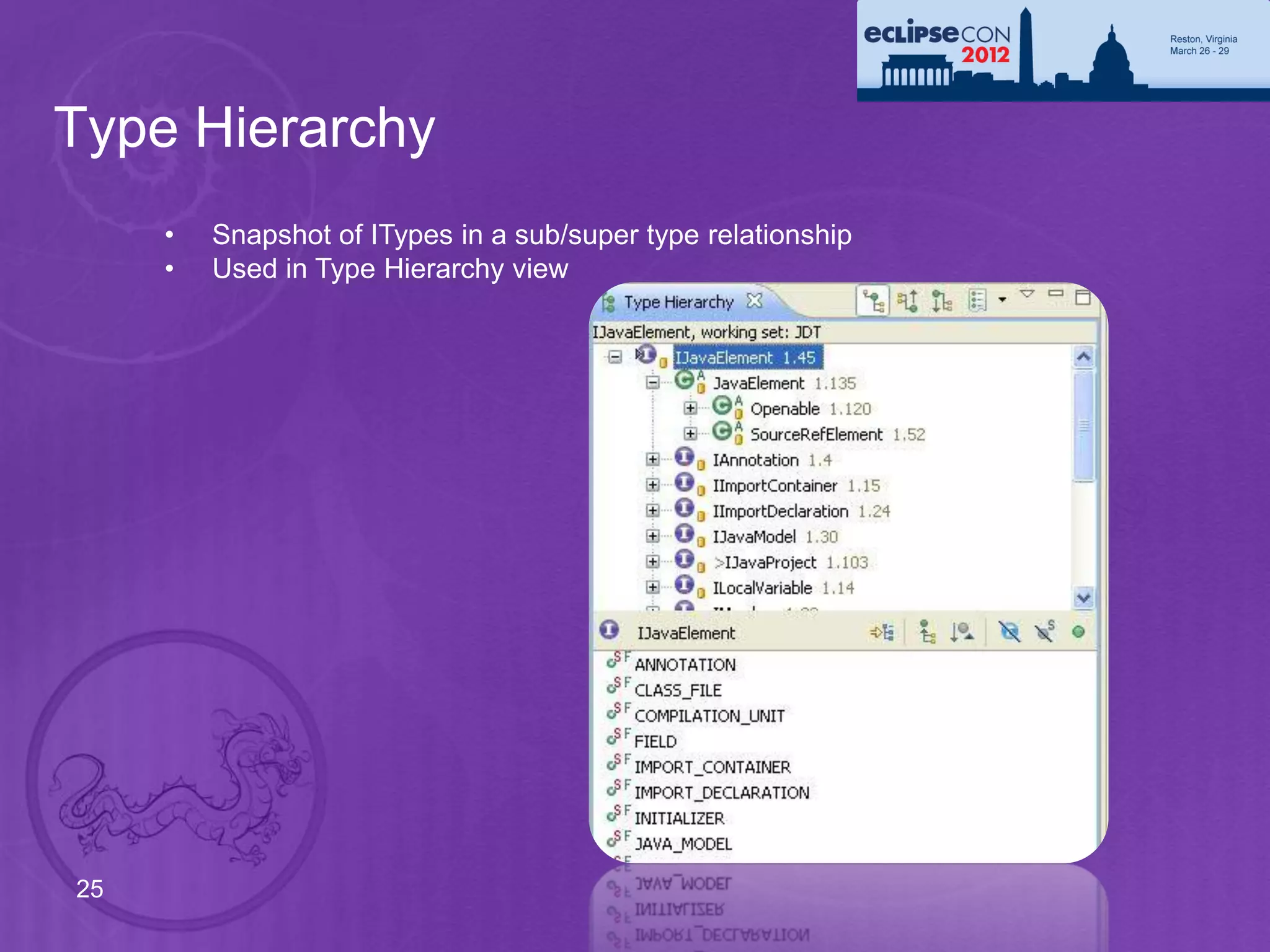
Type Hierarchy
     •   Snapshot of ITypes in a sub/super type relationship
     •   Used in Type Hierarchy view


25
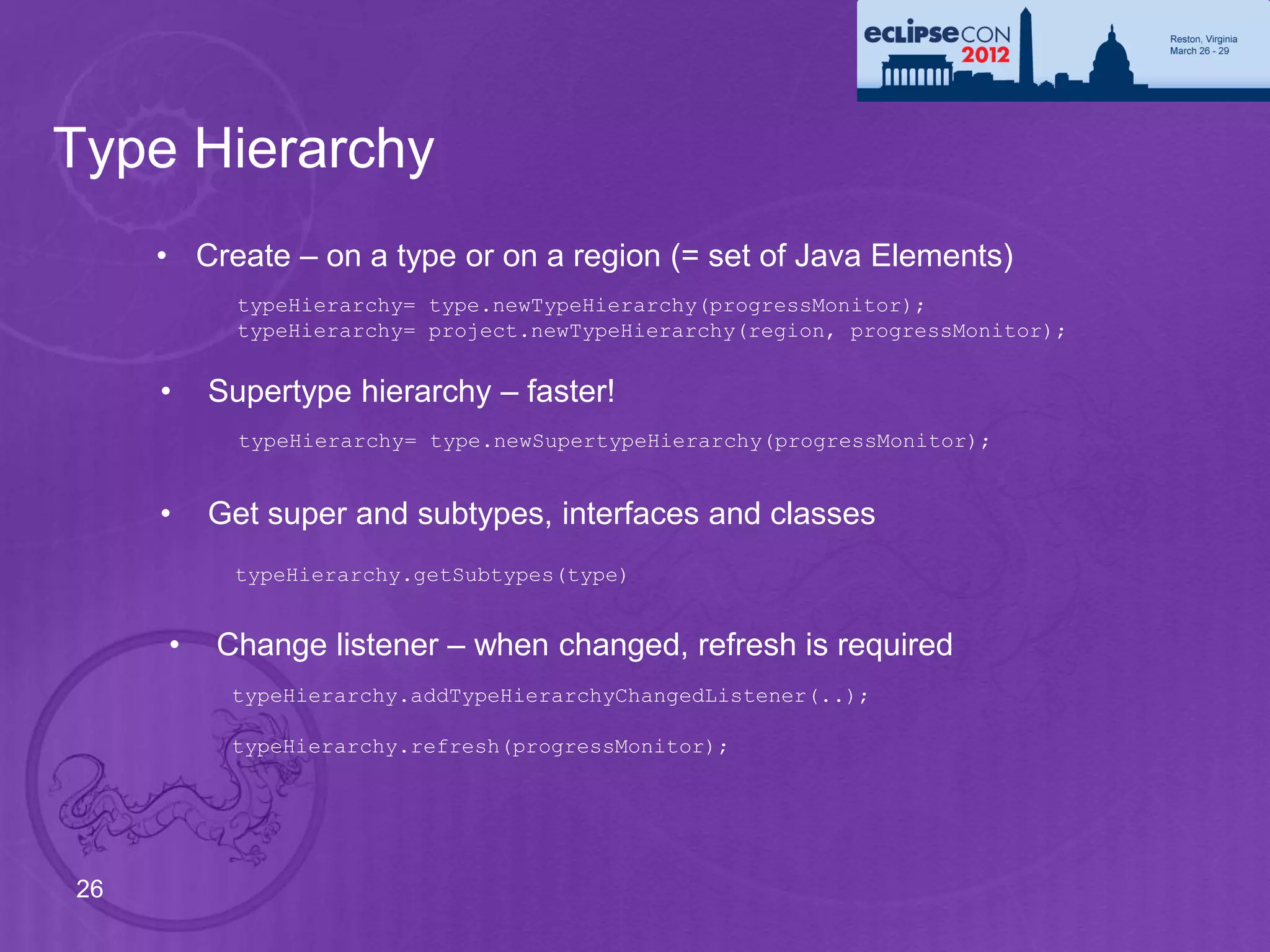
Type Hierarchy
     • Create – on a type or on a region (= set of Java Elements)
           typeHierarchy= type.newTypeHierarchy(progressMonitor);
           typeHierarchy= project.newTypeHierarchy(region, progressMonitor);


     •   Supertype hierarchy – faster!
           typeHierarchy= type.newSupertypeHierarchy(progressMonitor);


     •   Get super and subtypes, interfaces and classes
          typeHierarchy.getSubtypes(type)


     •   Change listener – when changed, refresh is required
          typeHierarchy.addTypeHierarchyChangedListener(..);

          typeHierarchy.refresh(progressMonitor);


26
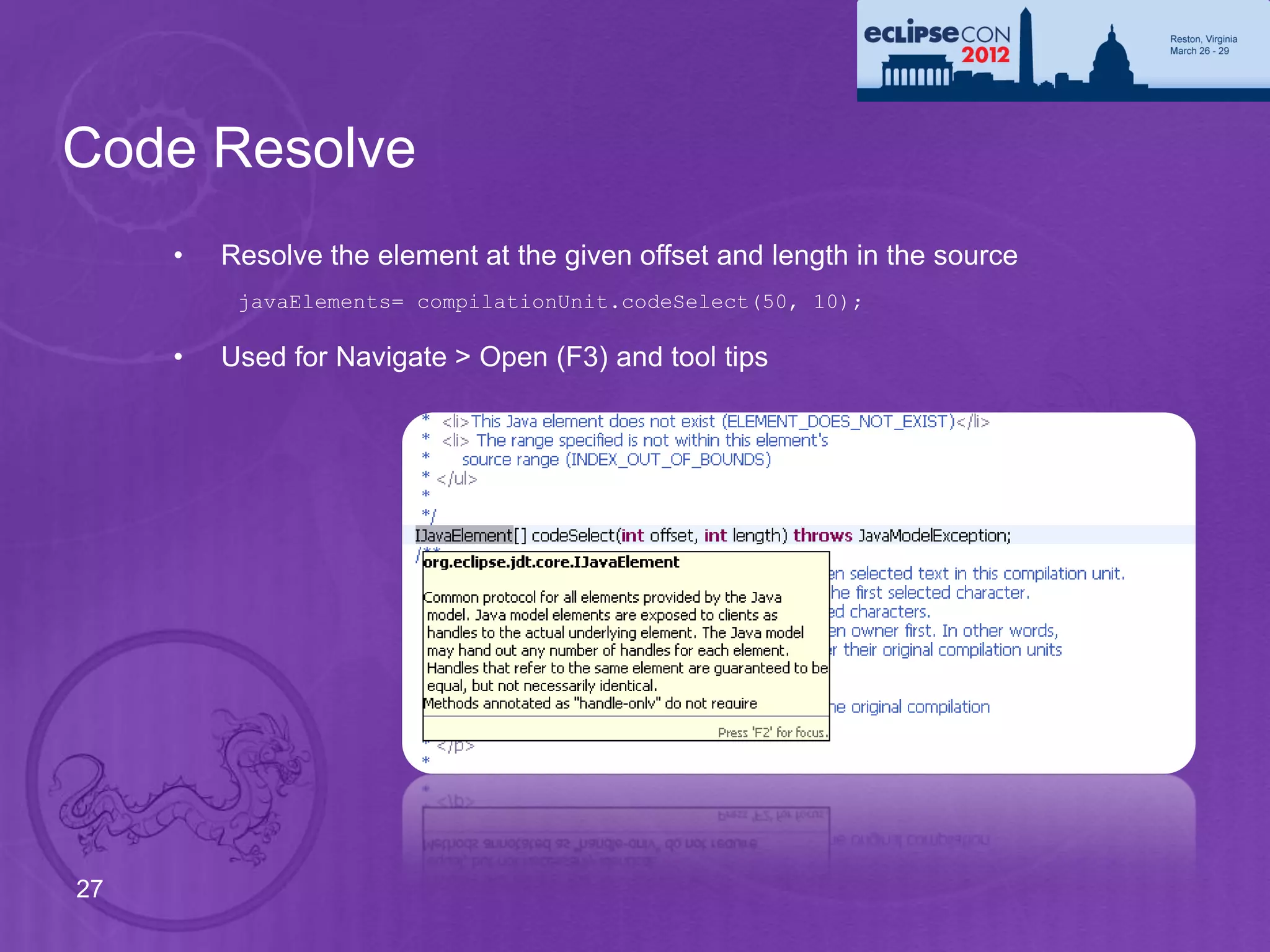
Code Resolve
     •   Resolve the element at the given offset and length in the source
          javaElements= compilationUnit.codeSelect(50, 10);

     •   Used for Navigate > Open (F3) and tool tips


27
Code Resolve – an Example
                                                                    Set up a
                                                                    compilation unit
     Resolving the reference to “String” in a compilation unit

      String content =
        "public class X {" + "n" +
        " String field;"    + "n" +
        "}";
      ICompilationUnit cu=
        fragment.createCompilationUnit(“X.java", content, false, null);


      int start = content.indexOf("String");
      int length = "String".length();
      IJavaElement[] declarations = cu.codeSelect(start, length);


              Contains a single IType:
                 ‘java.lang.String’


28
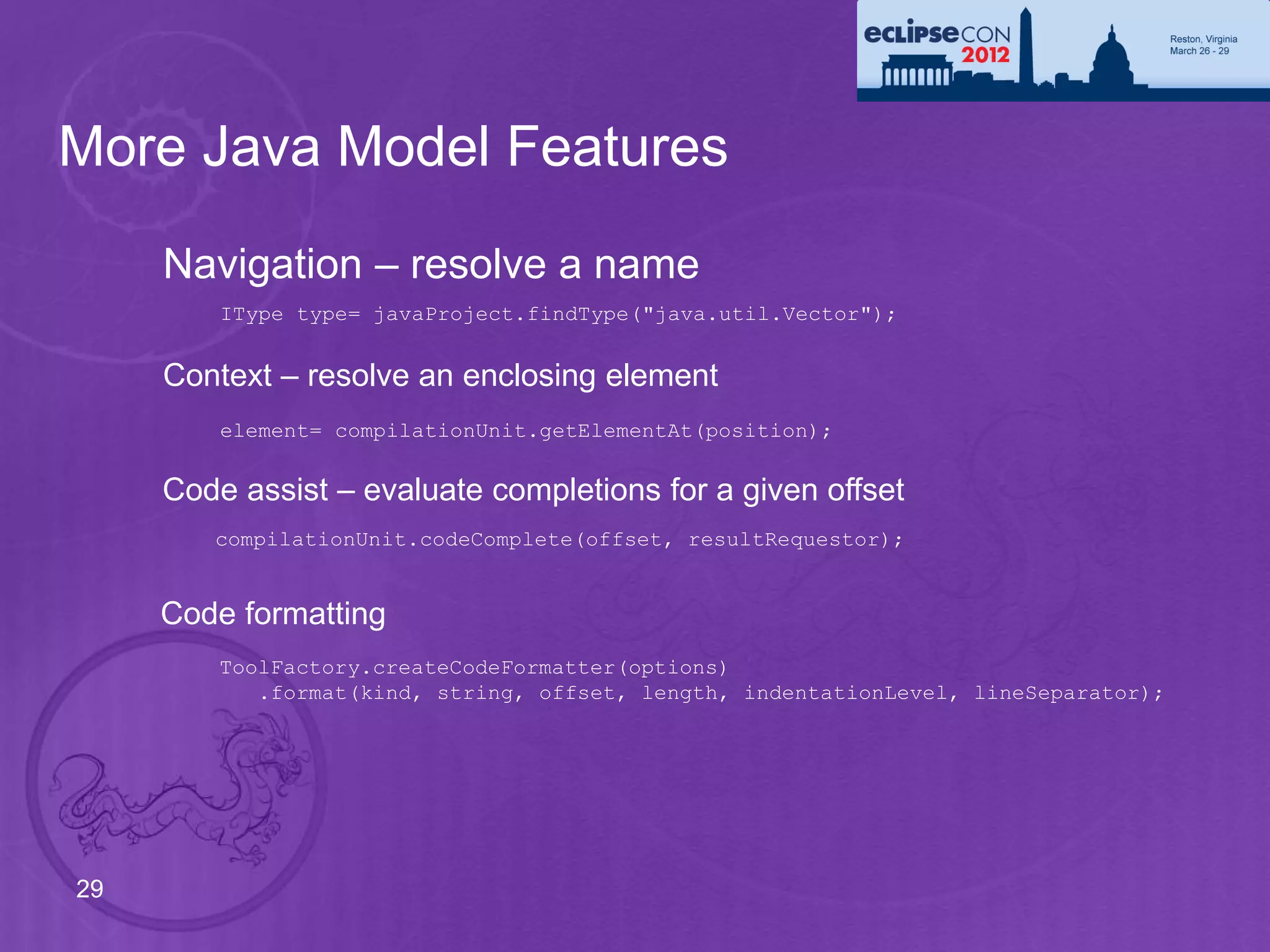
More Java Model Features
     Navigation – resolve a name
         IType type= javaProject.findType("java.util.Vector");


     Context – resolve an enclosing element
         element= compilationUnit.getElementAt(position);


     Code assist – evaluate completions for a given offset
        compilationUnit.codeComplete(offset, resultRequestor);


     Code formatting
         ToolFactory.createCodeFormatter(options)
            .format(kind, string, offset, length, indentationLevel, lineSeparator);


29
API in JDT UI
     Labels, images, structure, order for IJavaElements:
         • JavaElementLabelProvider
         • StandardJavaElementContentProvider
         • JavaElementComparator

     Selection and configuration dialogs, wizards
         • JavaUI.createPackageDialog(..), JavaUI.createTypeDialog(..)
         • BuildPathDialogAccess
         • NewClassWizardPage, NewInterfaceWizardPage…
         • JavadocExportWizardPage, NewJavaProjectWizardPageOne /
            Two

     Java Actions to add to context menus
         • package org.eclipse.jdt.ui.actions
         • org.eclipse.jdt.ui.actions.OpenAttachedJavadocAction
30
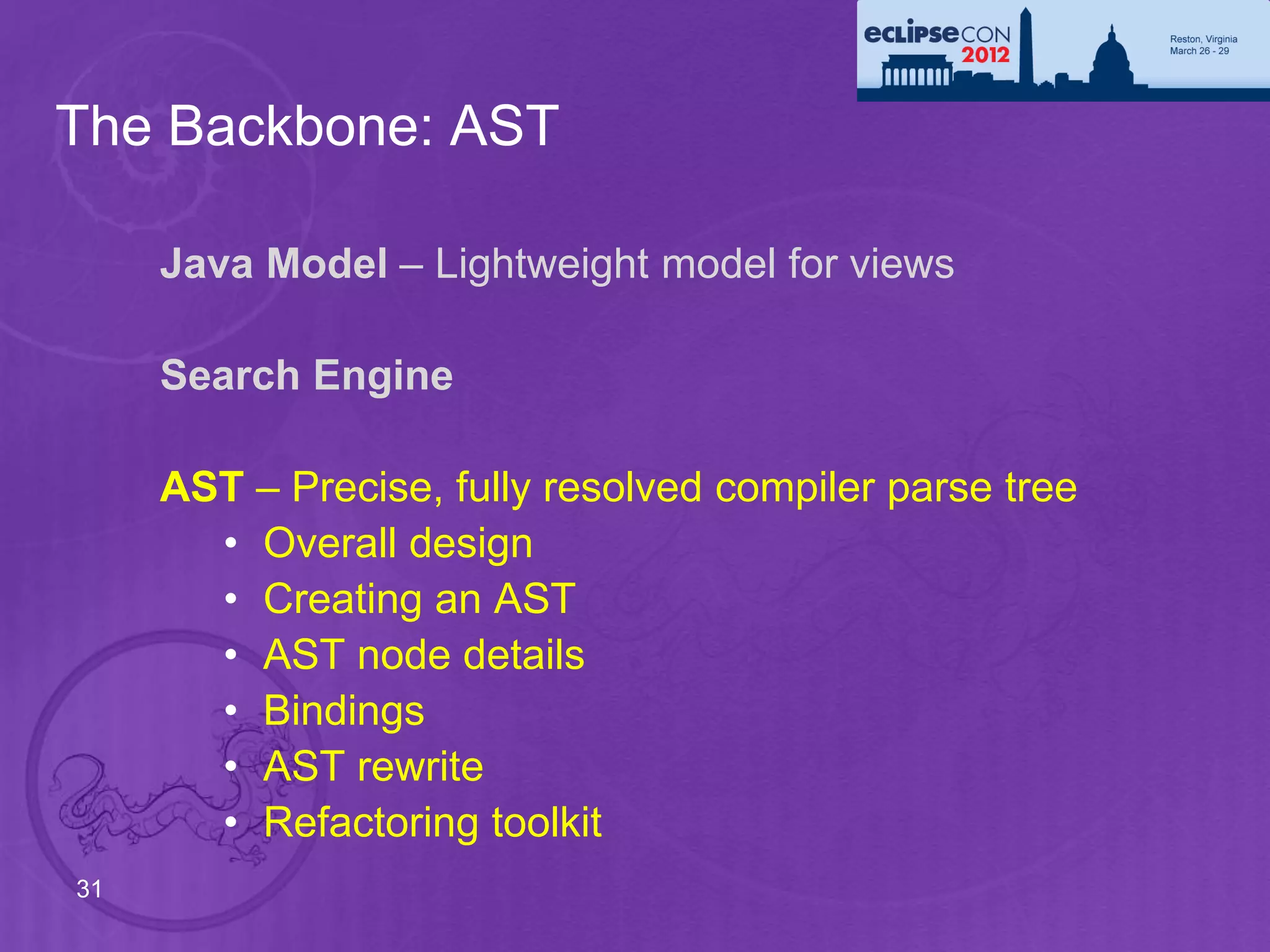
The Backbone: AST

     Java Model – Lightweight model for views

     Search Engine

     AST – Precise, fully resolved compiler parse tree
       • Overall design
       • Creating an AST
       • AST node details
       • Bindings
       • AST rewrite
       • Refactoring toolkit
31
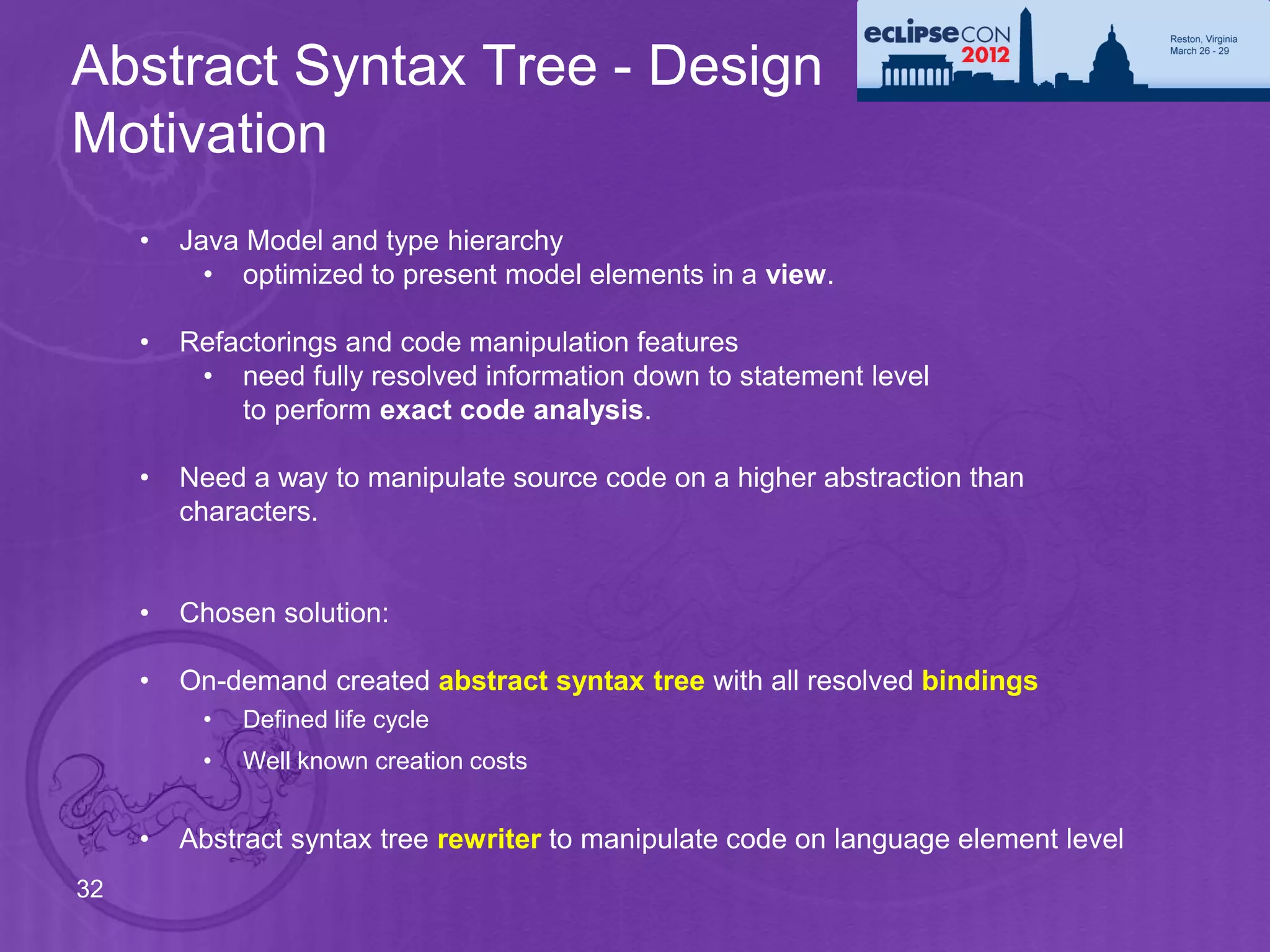
Abstract Syntax Tree - Design
Motivation
     •   Java Model and type hierarchy
           • optimized to present model elements in a view.

     •   Refactorings and code manipulation features
          • need fully resolved information down to statement level
             to perform exact code analysis.

     •   Need a way to manipulate source code on a higher abstraction than
         characters.


     •   Chosen solution:

     •   On-demand created abstract syntax tree with all resolved bindings
          •   Defined life cycle
          •   Well known creation costs


     •   Abstract syntax tree rewriter to manipulate code on language element level
32
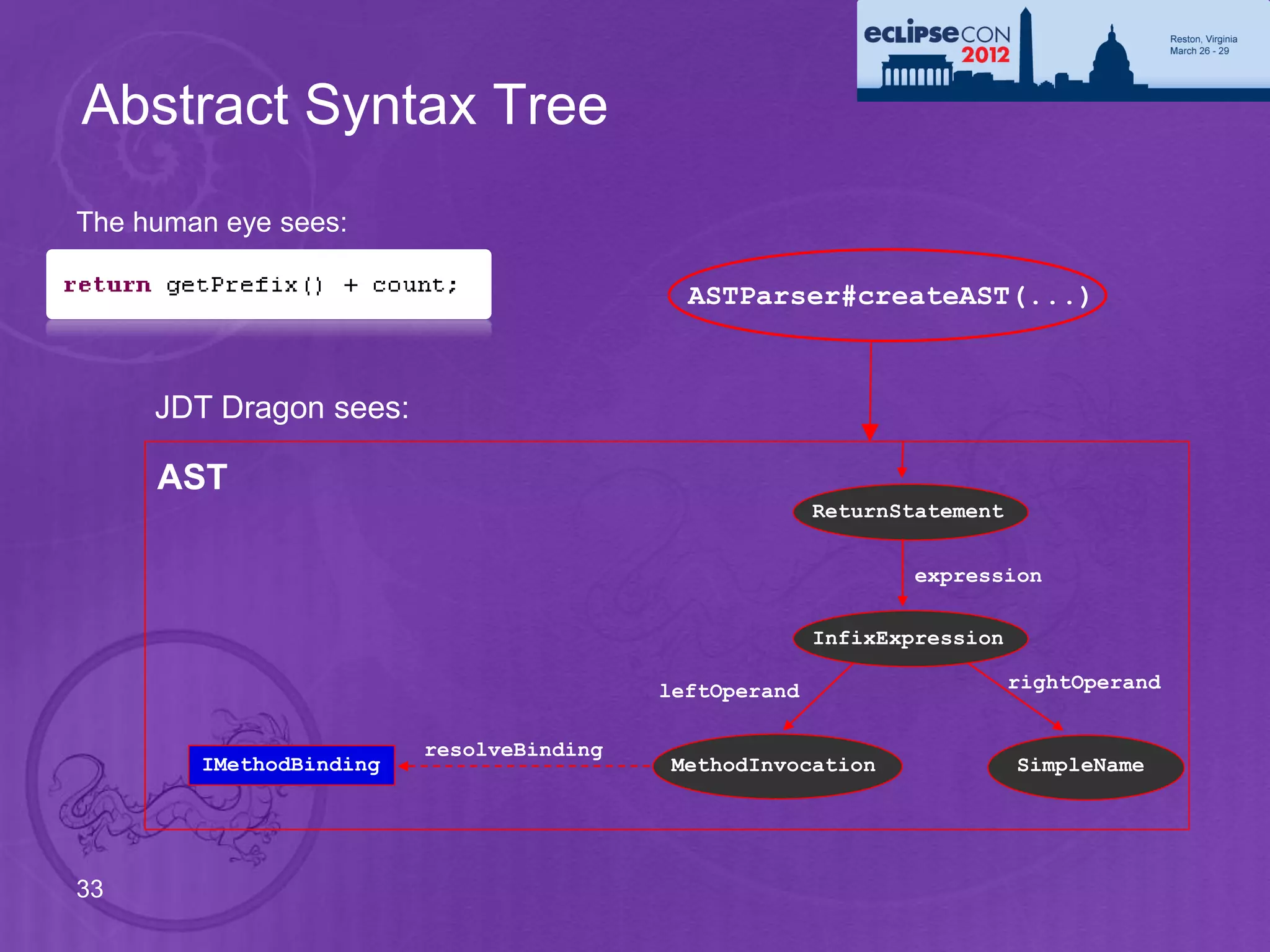
Abstract Syntax Tree
The human eye sees:

                                            ASTParser#createAST(...)


     JDT Dragon sees:

     AST
                                                        ReturnStatement


                                                                expression

                                                        InfixExpression

                                          leftOperand                     rightOperand


                         resolveBinding
        IMethodBinding                    MethodInvocation                SimpleName


33
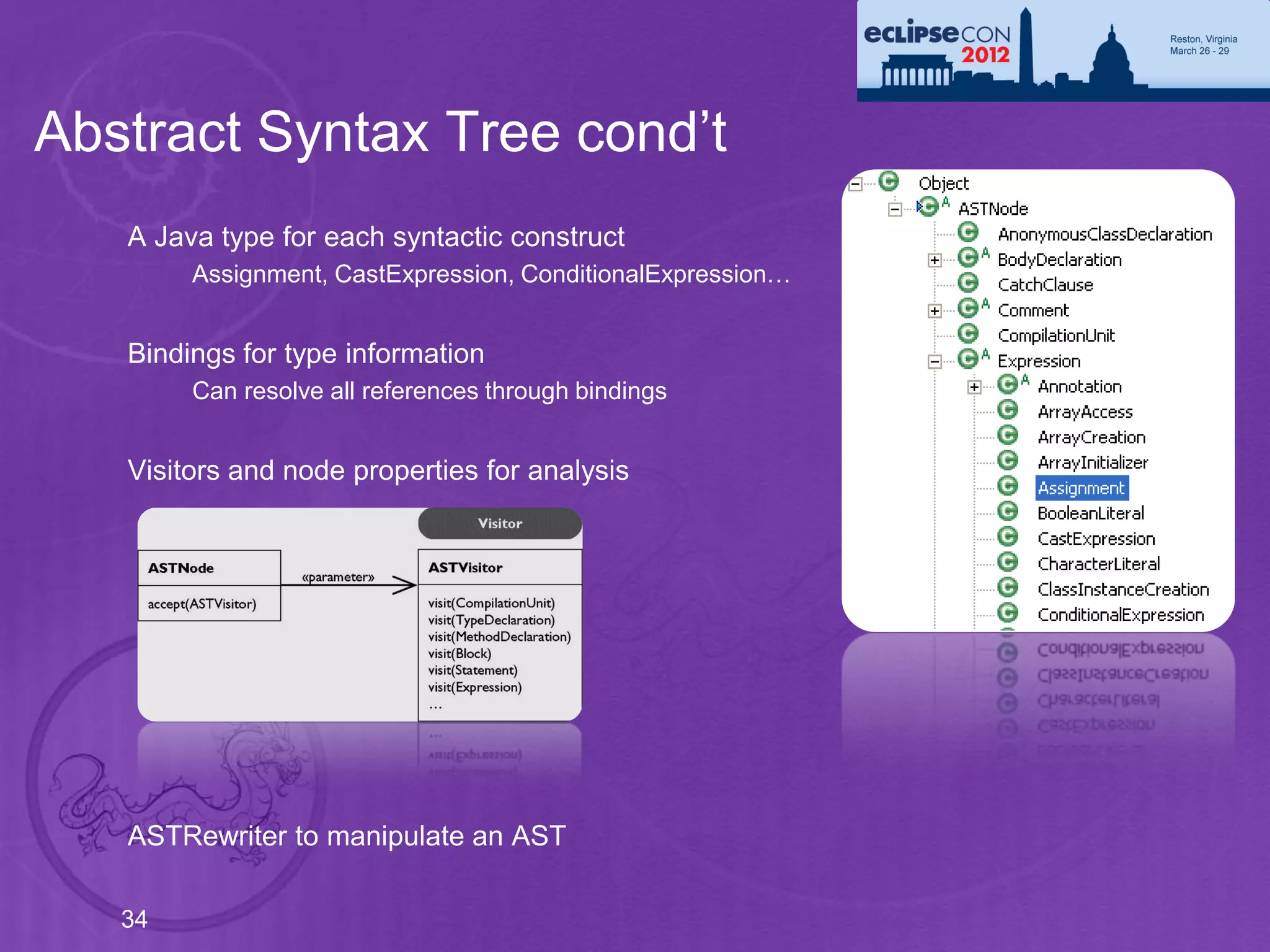
Abstract Syntax Tree cond’t
   A Java type for each syntactic construct
        Assignment, CastExpression, ConditionalExpression…


   Bindings for type information
        Can resolve all references through bindings


   Visitors and node properties for analysis


   ASTRewriter to manipulate an AST

   34
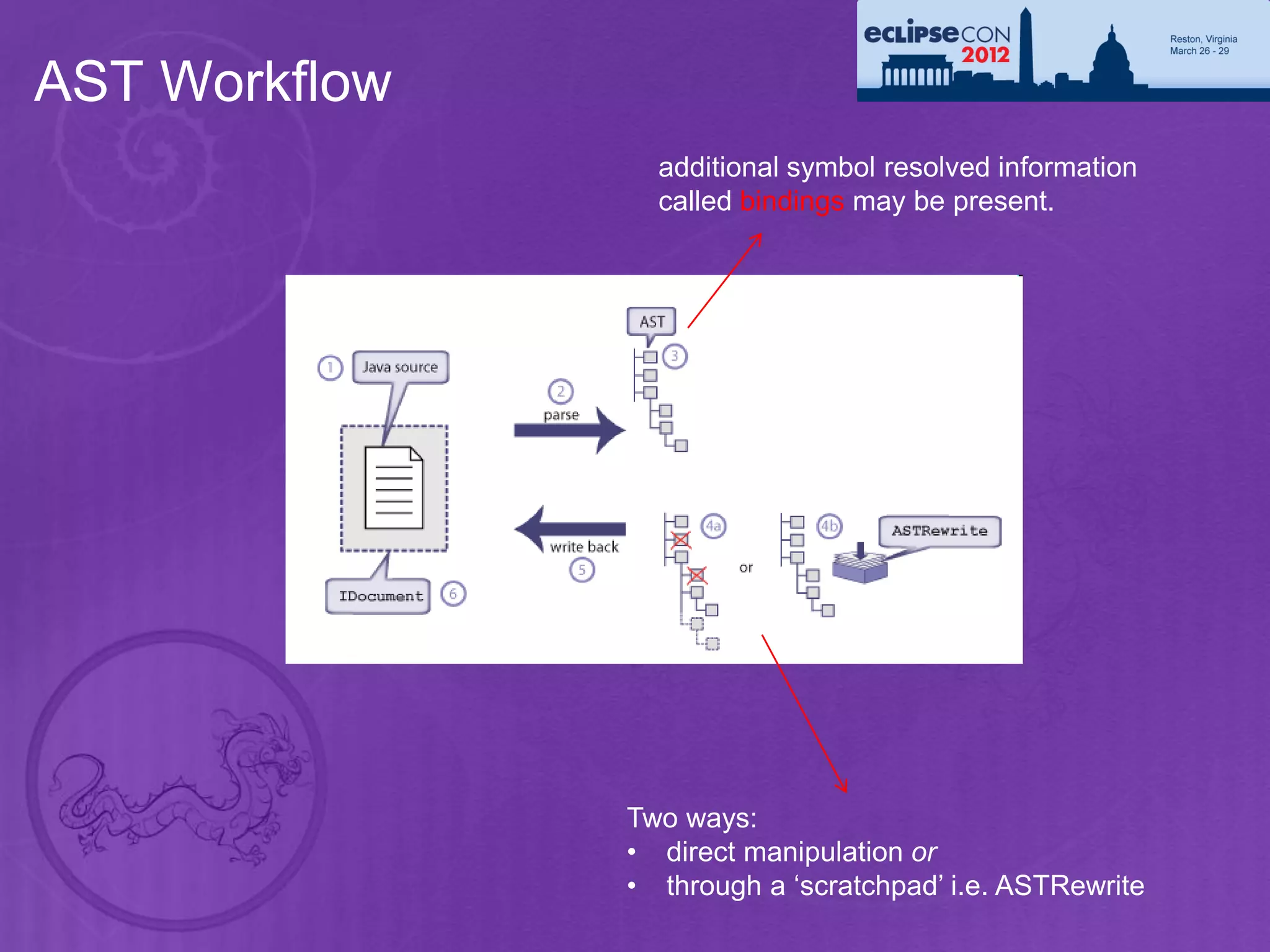
AST Workflow
                 additional symbol resolved information
                 called bindings may be present.


               Two ways:
               • direct manipulation or
               • through a ‘scratchpad’ i.e. ASTRewrite
Creating an AST
     •   Build AST with AST factory: ASTParser
          • Either from Java model elements: ICompilationUnit, IClassFile
             (ITypeRoot)
          • Or source string, file name and IJavaProject as context

     •   Bindings or no bindings
          • Bindings contain resolved information. Fully available on syntax-error-
             free code, best effort when there are errors.

     •   Full AST or partial AST
          • For a given source position: All other methods have empty bodies
          • AST for an element: Only method, statement or expression


36
Creating an AST
     •   Statements recovery
          • No recovery: When detecting syntax error: Skip method body
          • With recovery: Skip tokens, or introduce artificial tokens to create
             statements.
             Recovered node are flagged with ASTNode#RECOVERED

     •   Bindings recovery
          • No recovery: No bindings if element can not be found
             (for example is not on the class path)
          • With recovery: Introduce recovered bindings, only name is correct,
             no package or members. Bindings marked with binding.isRecovered()

     •   Create multiple ASTs using same binding environment, much faster

     •   setIgnoreMethodBodies(boolean): Can be used when the method bodies
         are not needed. This saves a lot of memory.

     •   Bindings can be resolved without an Eclipse workspace:
37            ASTParser#setEnvironment(..)
Creating an AST
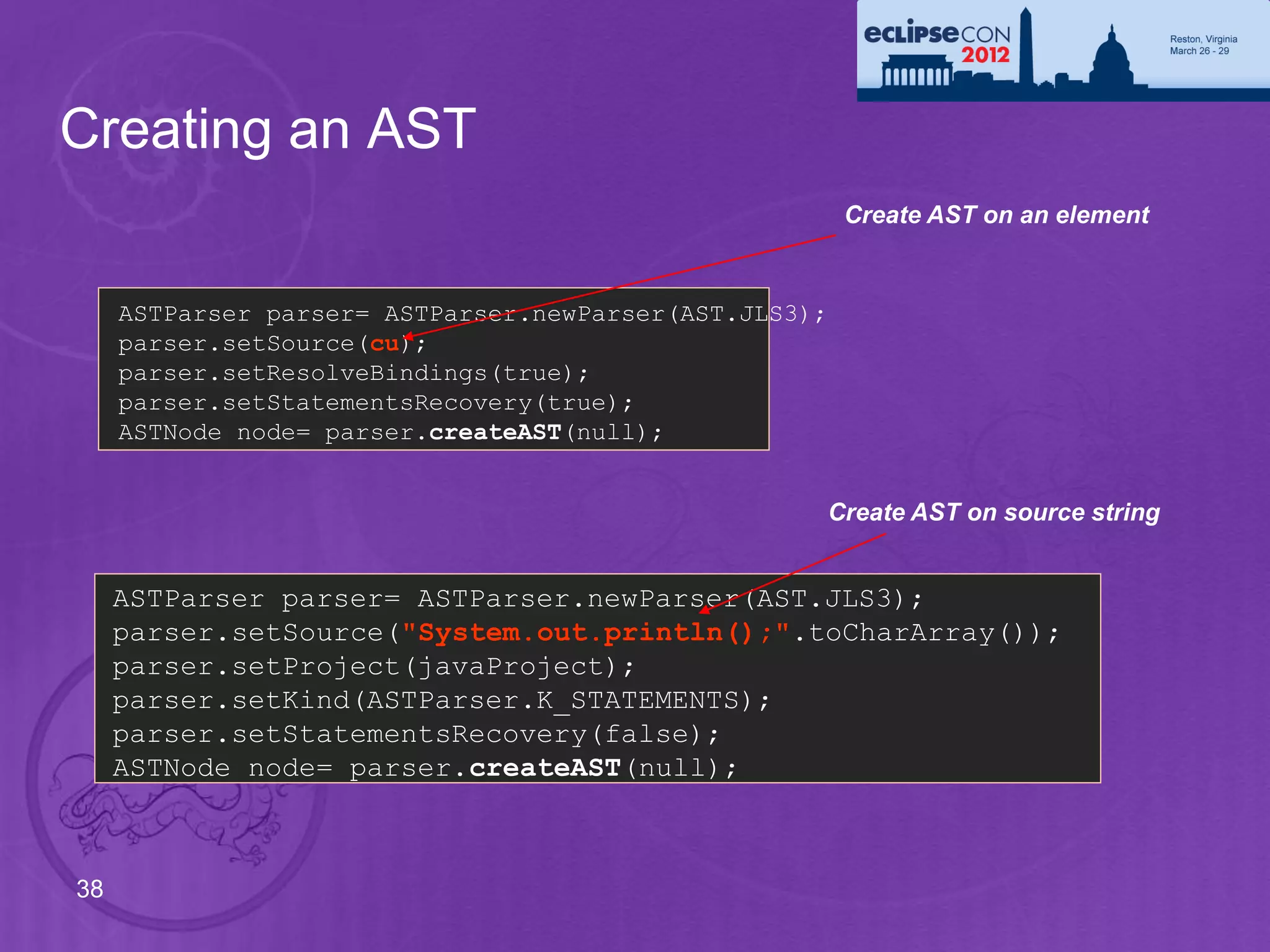
                                                        Create AST on an element


     ASTParser parser= ASTParser.newParser(AST.JLS3);
     parser.setSource(cu);
     parser.setResolveBindings(true);
     parser.setStatementsRecovery(true);
     ASTNode node= parser.createAST(null);


                                                    Create AST on source string


     ASTParser parser= ASTParser.newParser(AST.JLS3);
     parser.setSource("System.out.println();".toCharArray());
     parser.setProject(javaProject);
     parser.setKind(ASTParser.K_STATEMENTS);
     parser.setStatementsRecovery(false);
     ASTNode node= parser.createAST(null);


38
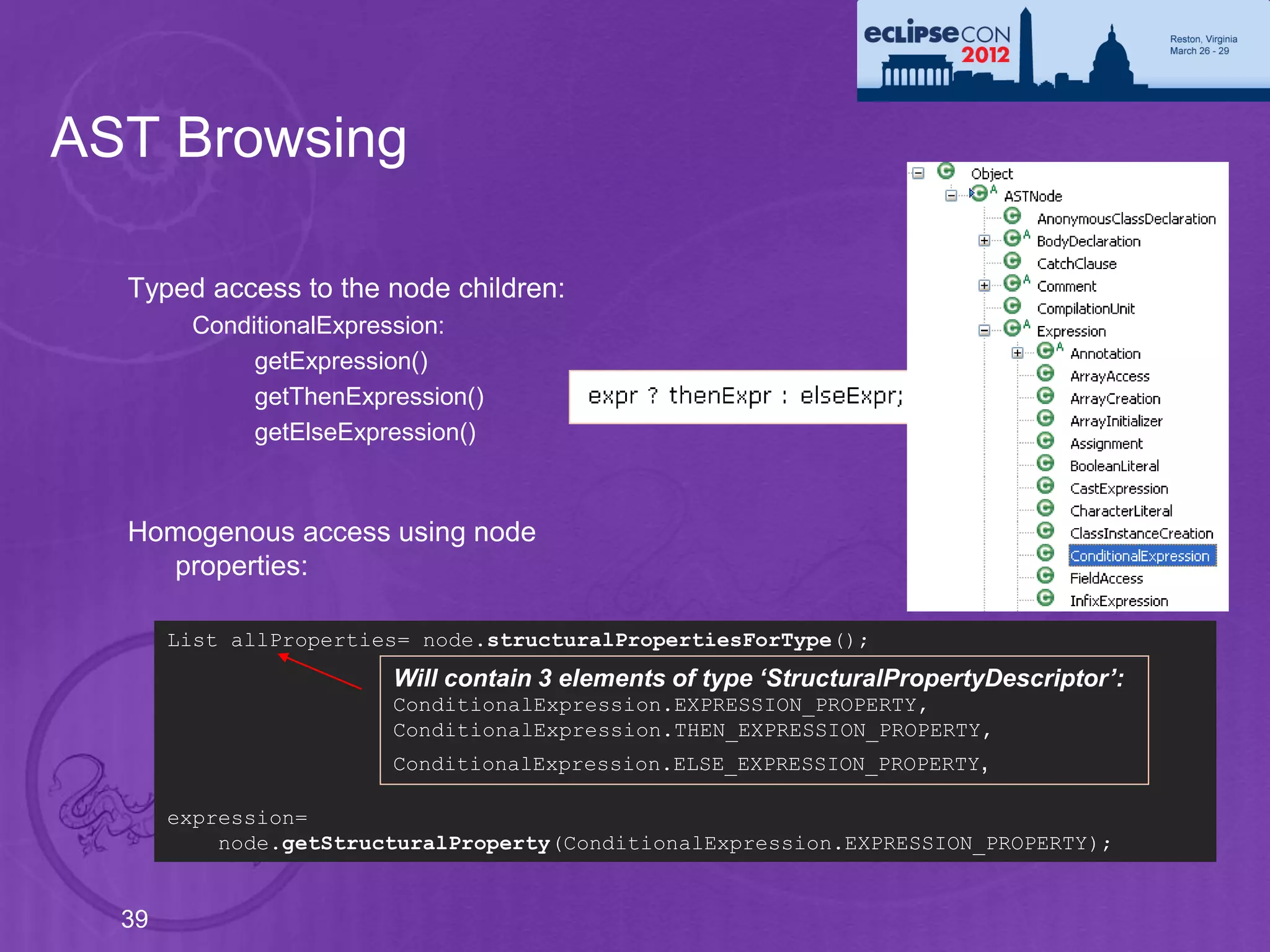
AST Browsing

  Typed access to the node children:
        ConditionalExpression:
             getExpression()
             getThenExpression()
             getElseExpression()


  Homogenous access using node
    properties:

       List allProperties= node.structuralPropertiesForType();
                        Will contain 3 elements of type ‘StructuralPropertyDescriptor’:
                        ConditionalExpression.EXPRESSION_PROPERTY,
                        ConditionalExpression.THEN_EXPRESSION_PROPERTY,
                        ConditionalExpression.ELSE_EXPRESSION_PROPERTY ,

       expression=
           node.getStructuralProperty(ConditionalExpression.EXPRESSION_PROPERTY);


  39
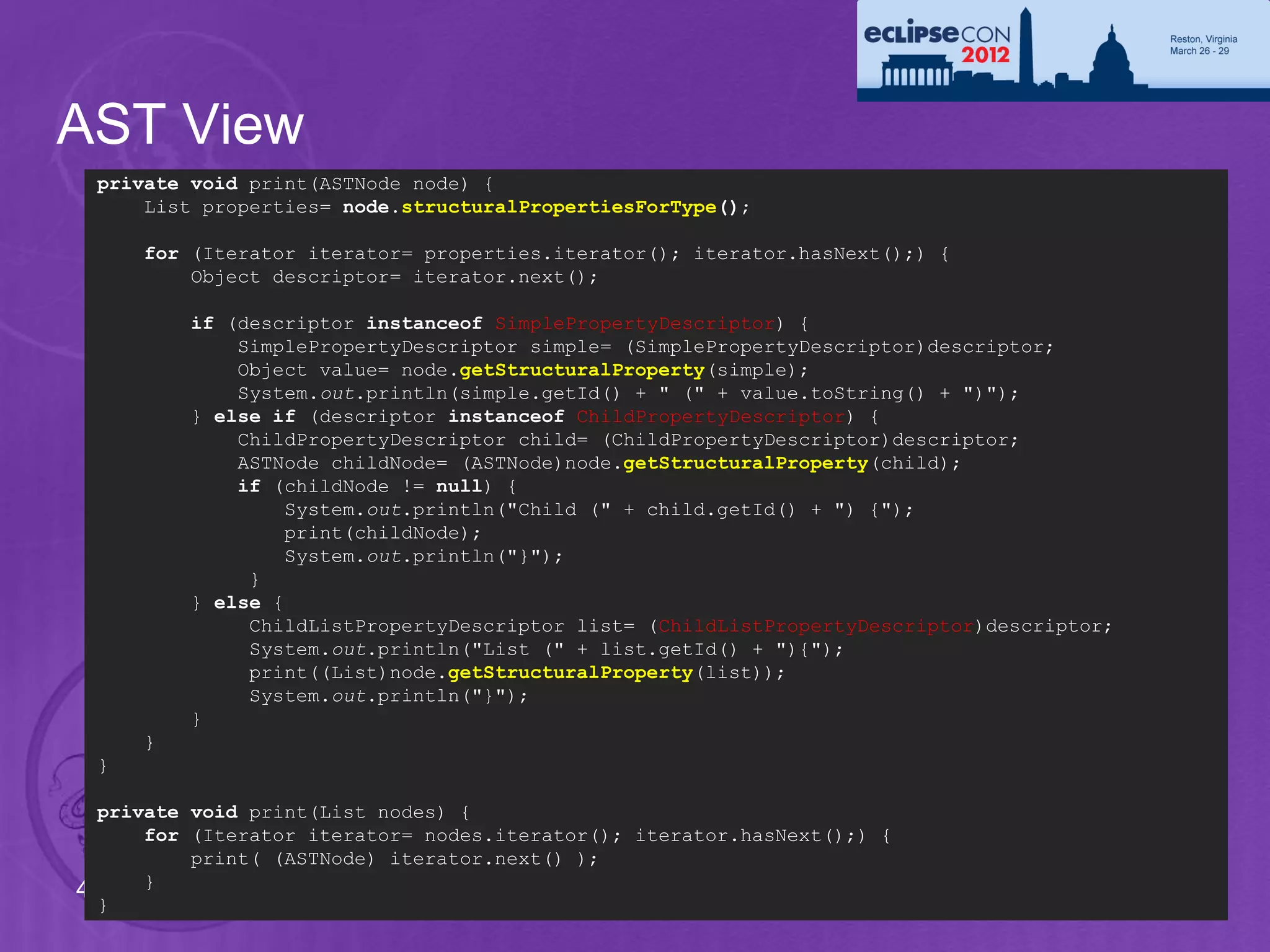
AST View
 private void print(ASTNode node) {
     List properties= node.structuralPropertiesForType();

     for (Iterator iterator= properties.iterator(); iterator.hasNext();) {
         Object descriptor= iterator.next();

         if (descriptor instanceof SimplePropertyDescriptor) {
             SimplePropertyDescriptor simple= (SimplePropertyDescriptor)descriptor;
             Object value= node.getStructuralProperty(simple);
             System.out.println(simple.getId() + " (" + value.toString() + ")");
         } else if (descriptor instanceof ChildPropertyDescriptor) {
             ChildPropertyDescriptor child= (ChildPropertyDescriptor)descriptor;
             ASTNode childNode= (ASTNode)node.getStructuralProperty(child);
             if (childNode != null) {
                  System.out.println("Child (" + child.getId() + ") {");
                  print(childNode);
                  System.out.println("}");
              }
         } else {
              ChildListPropertyDescriptor list= (ChildListPropertyDescriptor)descriptor;
              System.out.println("List (" + list.getId() + "){");
              print((List)node.getStructuralProperty(list));
              System.out.println("}");
         }
     }
 }

  private void print(List nodes) {
      for (Iterator iterator= nodes.iterator(); iterator.hasNext();) {
          print( (ASTNode) iterator.next() );
      }
40
  }
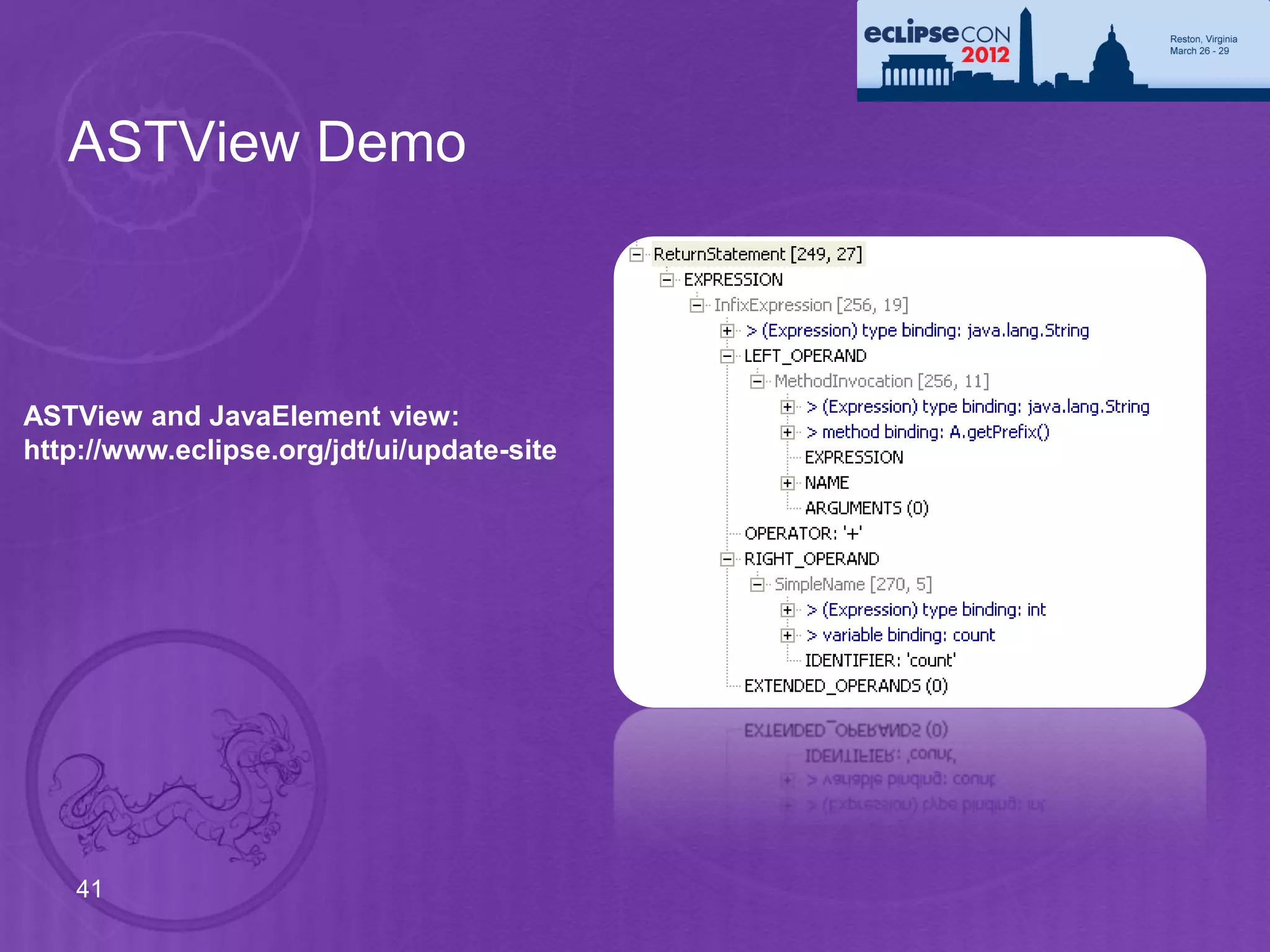
ASTView Demo


ASTView and JavaElement view:
http://www.eclipse.org/jdt/ui/update-site


    41
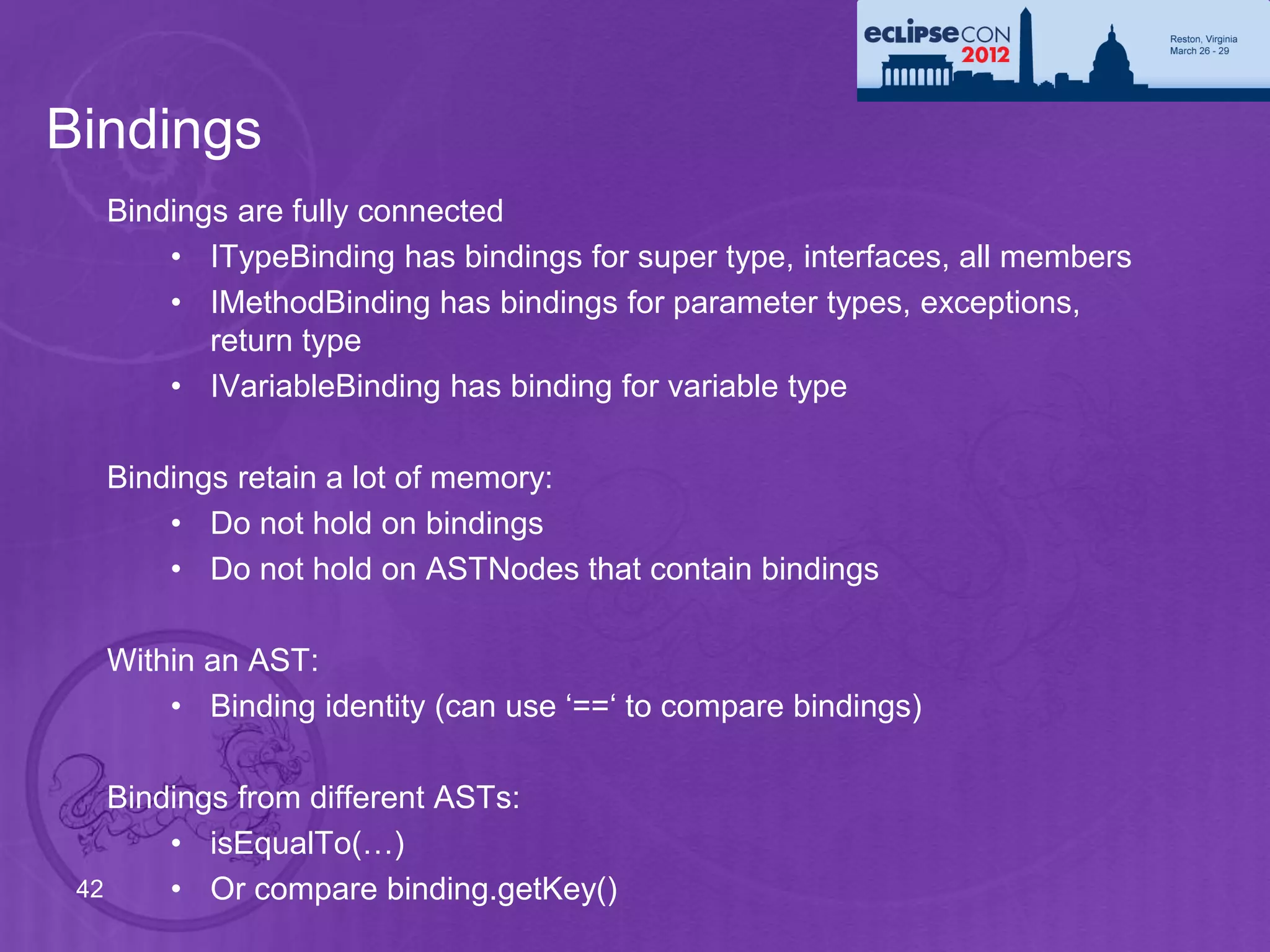
Bindings
   Bindings are fully connected
       • ITypeBinding has bindings for super type, interfaces, all members
       • IMethodBinding has bindings for parameter types, exceptions,
          return type
       • IVariableBinding has binding for variable type

   Bindings retain a lot of memory:
       • Do not hold on bindings
       • Do not hold on ASTNodes that contain bindings

   Within an AST:
       • Binding identity (can use ‘==‘ to compare bindings)

    Bindings from different ASTs:
        • isEqualTo(…)
 42     • Or compare binding.getKey()
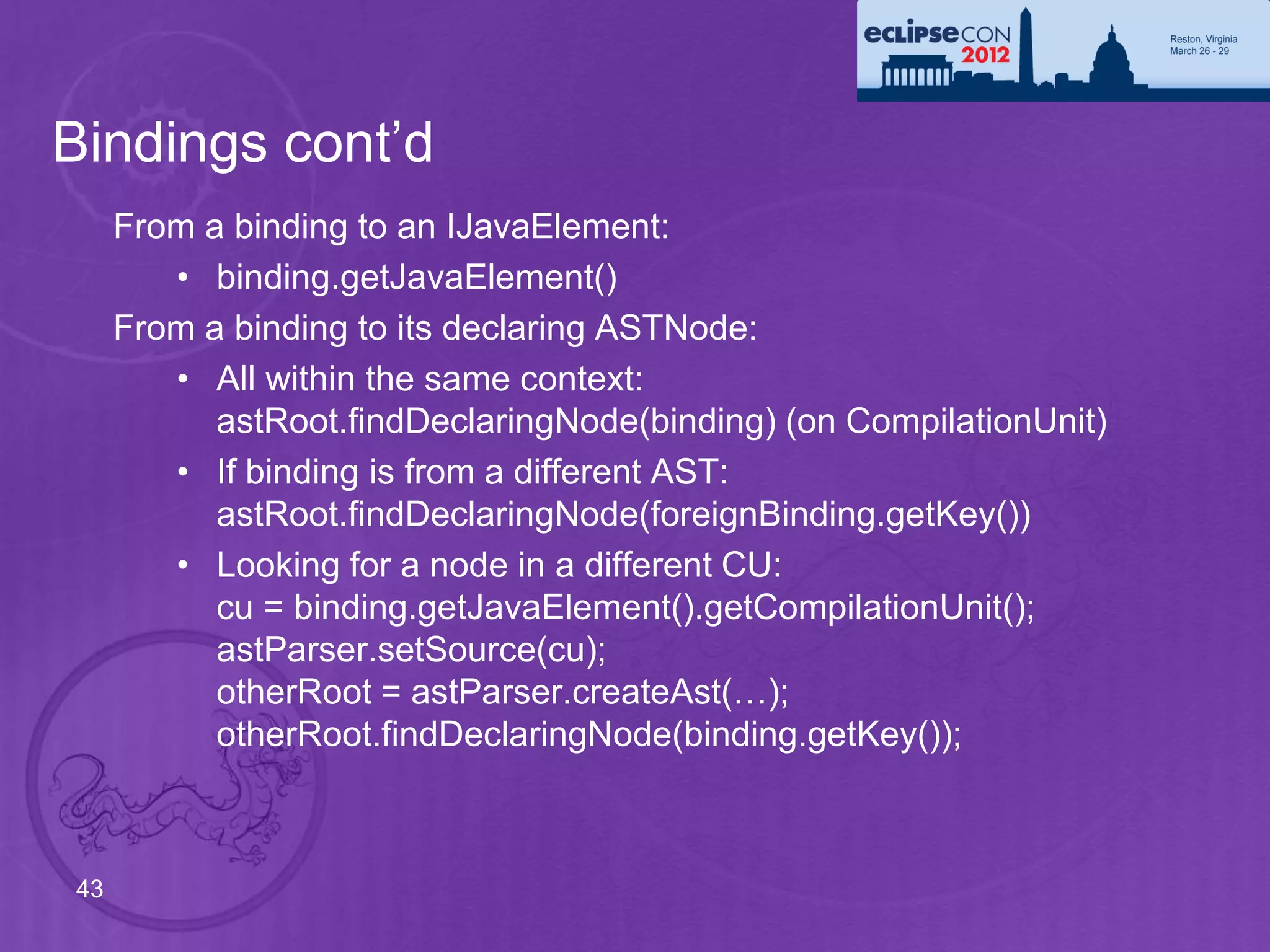
Bindings cont’d
     From a binding to an IJavaElement:
        • binding.getJavaElement()
     From a binding to its declaring ASTNode:
        • All within the same context:
           astRoot.findDeclaringNode(binding) (on CompilationUnit)
        • If binding is from a different AST:
           astRoot.findDeclaringNode(foreignBinding.getKey())
        • Looking for a node in a different CU:
           cu = binding.getJavaElement().getCompilationUnit();
           astParser.setSource(cu);
           otherRoot = astParser.createAst(…);
           otherRoot.findDeclaringNode(binding.getKey());


43
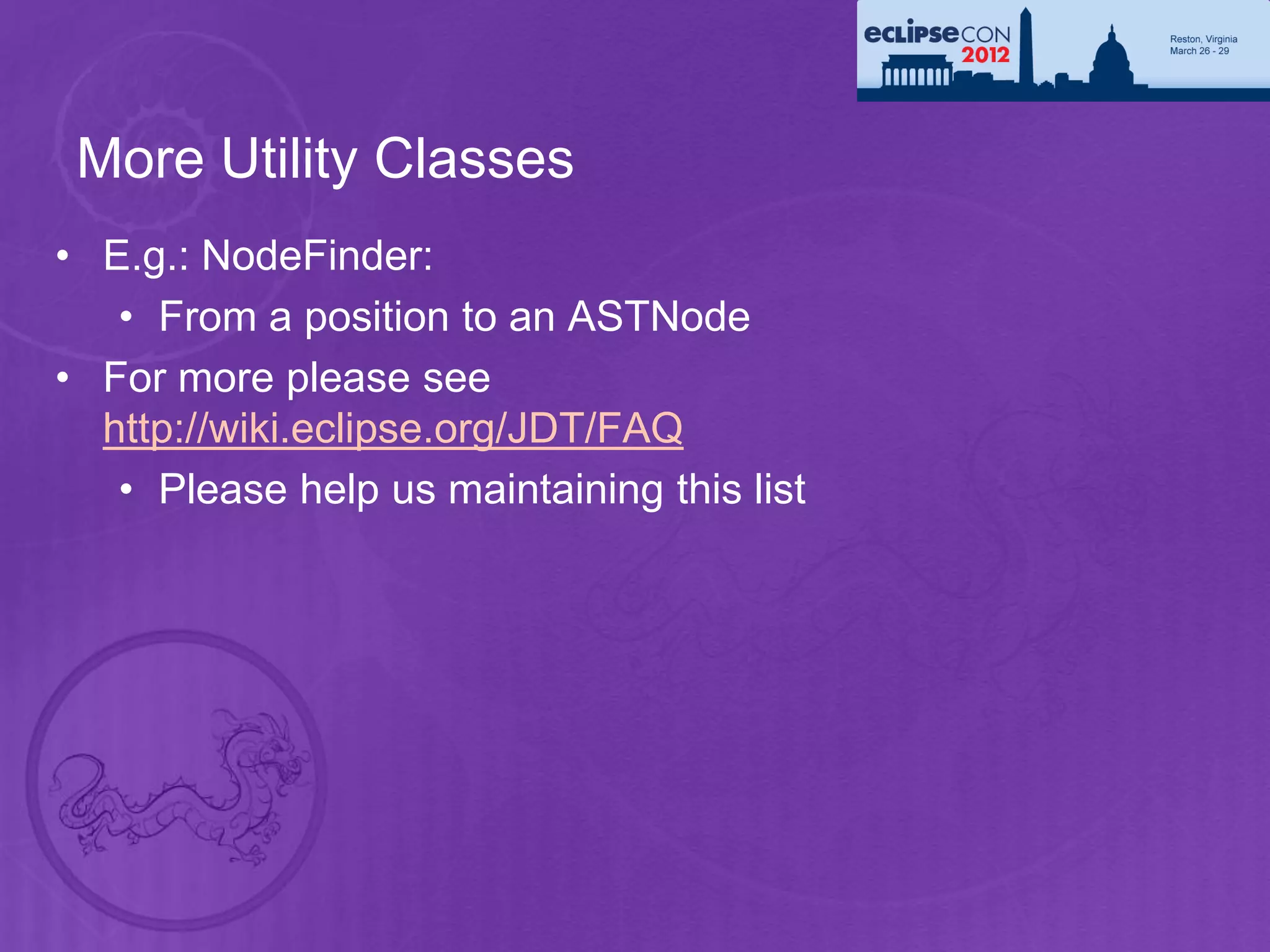
More Utility Classes
• E.g.: NodeFinder:
   • From a position to an ASTNode
• For more please see
  http://wiki.eclipse.org/JDT/FAQ
   • Please help us maintaining this list
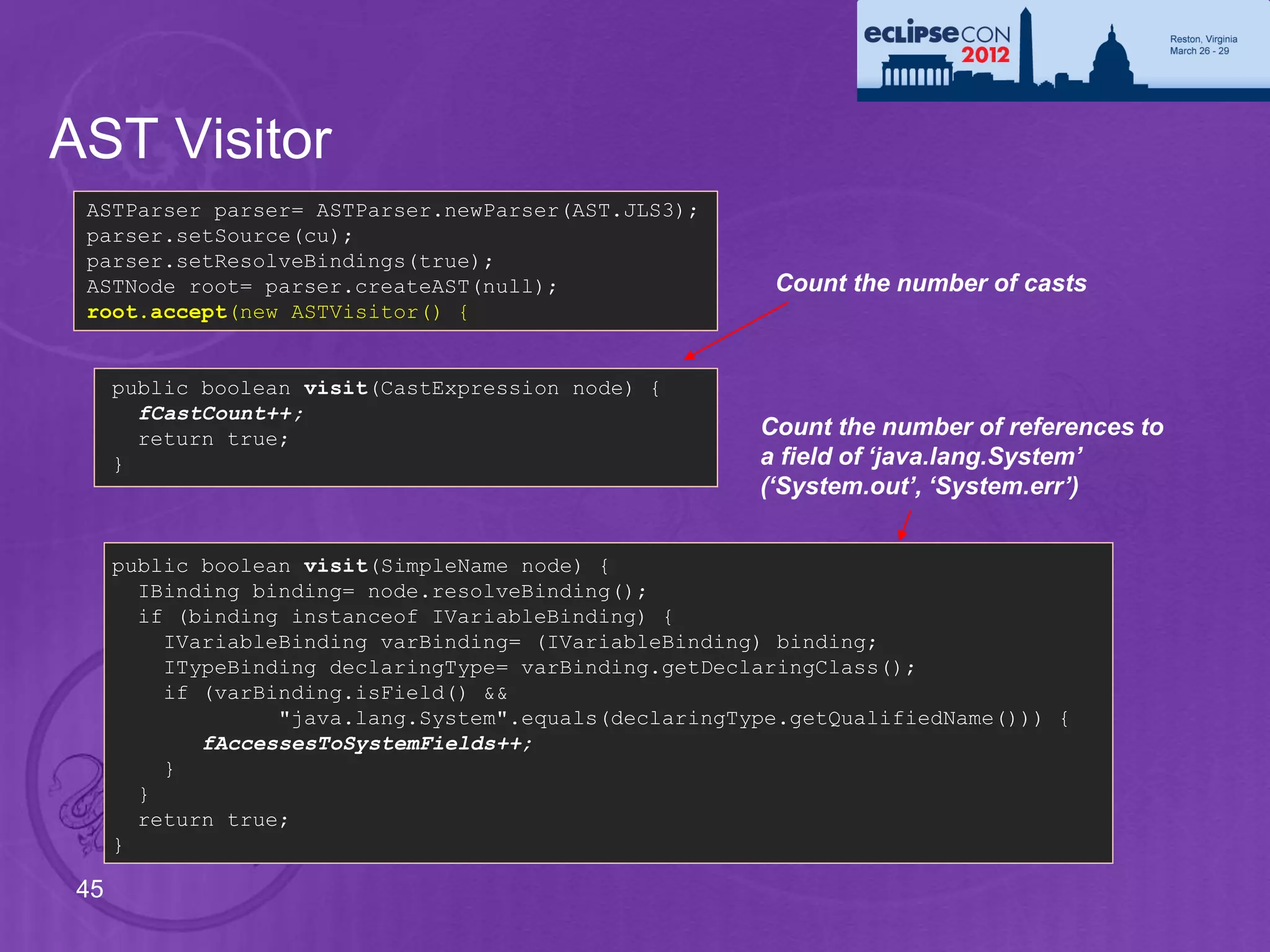
AST Visitor
 ASTParser parser= ASTParser.newParser(AST.JLS3);
 parser.setSource(cu);
 parser.setResolveBindings(true);
 ASTNode root= parser.createAST(null);                   Count the number of casts
 root.accept(new ASTVisitor() {


      public boolean visit(CastExpression node) {
        fCastCount++;
        return true;                                    Count the number of references to
      }                                                 a field of ‘java.lang.System’
                                                        (‘System.out’, ‘System.err’)


      public boolean visit(SimpleName node) {
        IBinding binding= node.resolveBinding();
        if (binding instanceof IVariableBinding) {
          IVariableBinding varBinding= (IVariableBinding) binding;
          ITypeBinding declaringType= varBinding.getDeclaringClass();
          if (varBinding.isField() &&
                   "java.lang.System".equals(declaringType.getQualifiedName())) {
             fAccessesToSystemFields++;
          }
        }
        return true;
      }

 45
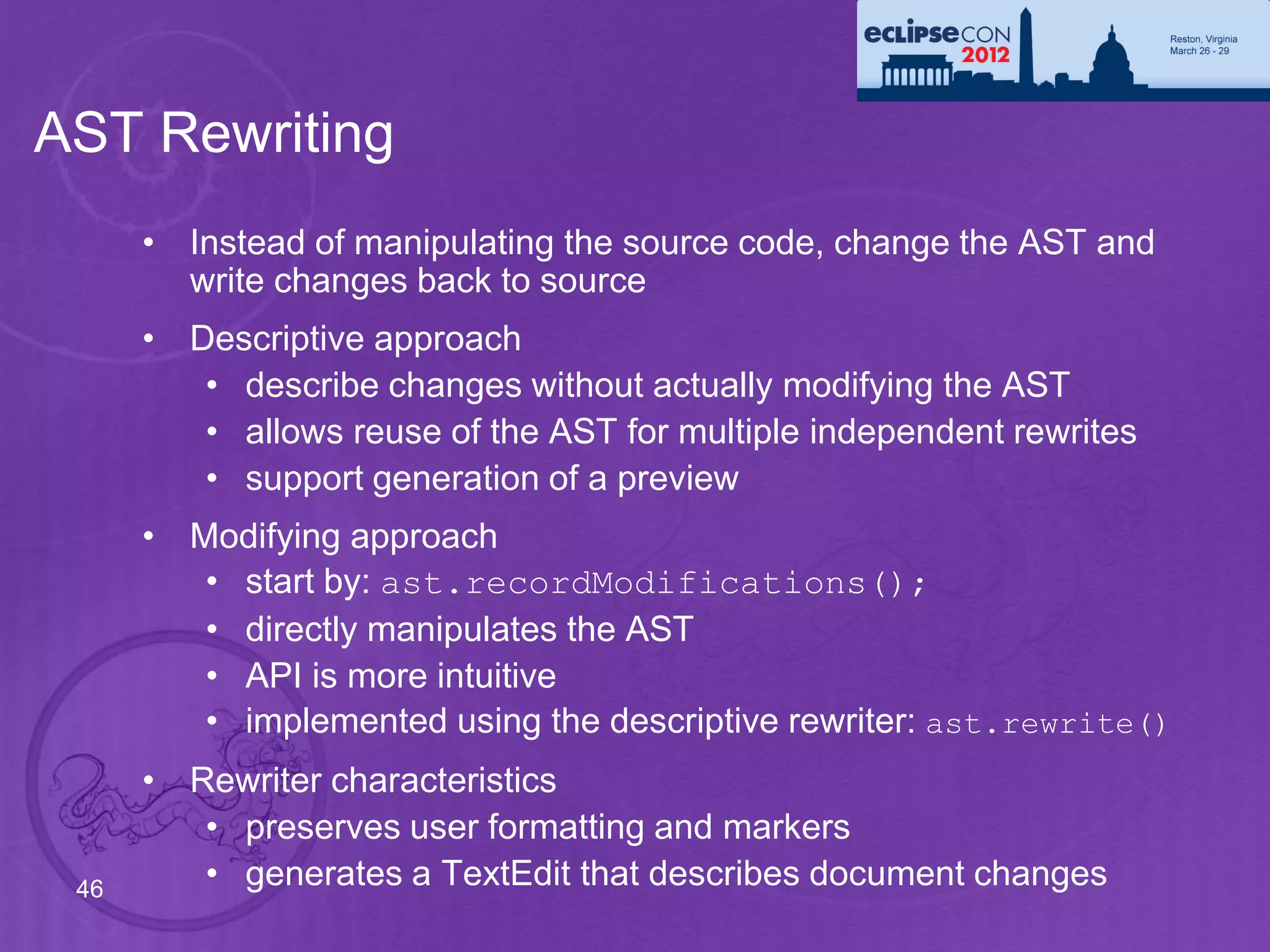
AST Rewriting
      • Instead of manipulating the source code, change the AST and
        write changes back to source
      • Descriptive approach
         • describe changes without actually modifying the AST
         • allows reuse of the AST for multiple independent rewrites
         • support generation of a preview
      • Modifying approach
         • start by: ast.recordModifications();
         • directly manipulates the AST
         • API is more intuitive
         • implemented using the descriptive rewriter: ast.rewrite()
      • Rewriter characteristics
         • preserves user formatting and markers
 46      • generates a TextEdit that describes document changes
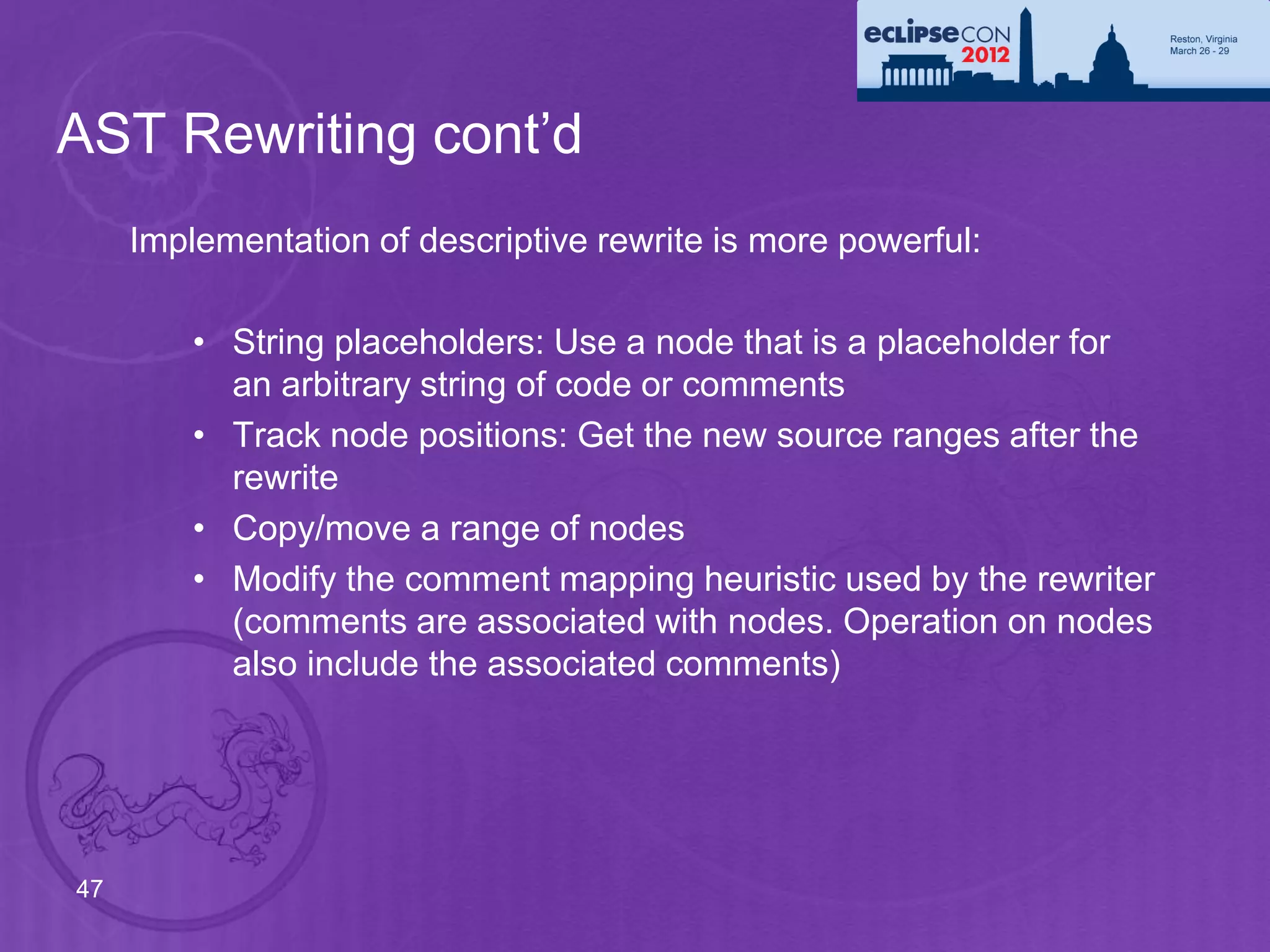
AST Rewriting cont’d
     Implementation of descriptive rewrite is more powerful:

         • String placeholders: Use a node that is a placeholder for
           an arbitrary string of code or comments
         • Track node positions: Get the new source ranges after the
           rewrite
         • Copy/move a range of nodes
         • Modify the comment mapping heuristic used by the rewriter
           (comments are associated with nodes. Operation on nodes
           also include the associated comments)


47
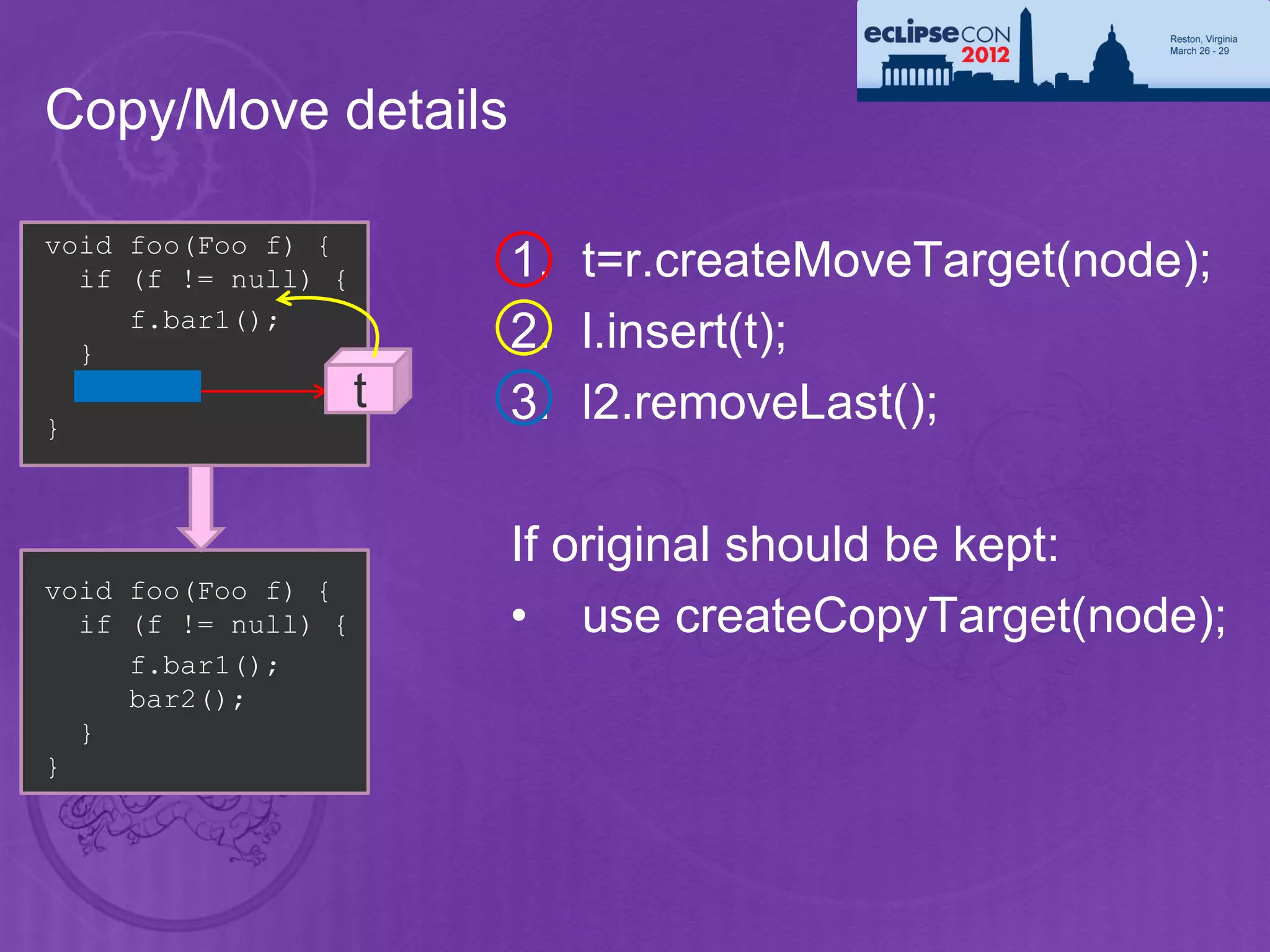
Copy/Move details

void foo(Foo f) {
  if (f != null) {       1. t=r.createMoveTarget(node);
     f.bar1();
  }
                         2. l.insert(t);
  bar2();            t   3. l2.removeLast();
}


                         If original should be kept:
void foo(Foo f) {
  if (f != null) {       • use createCopyTarget(node);
     f.bar1();
     bar2();
  }
}
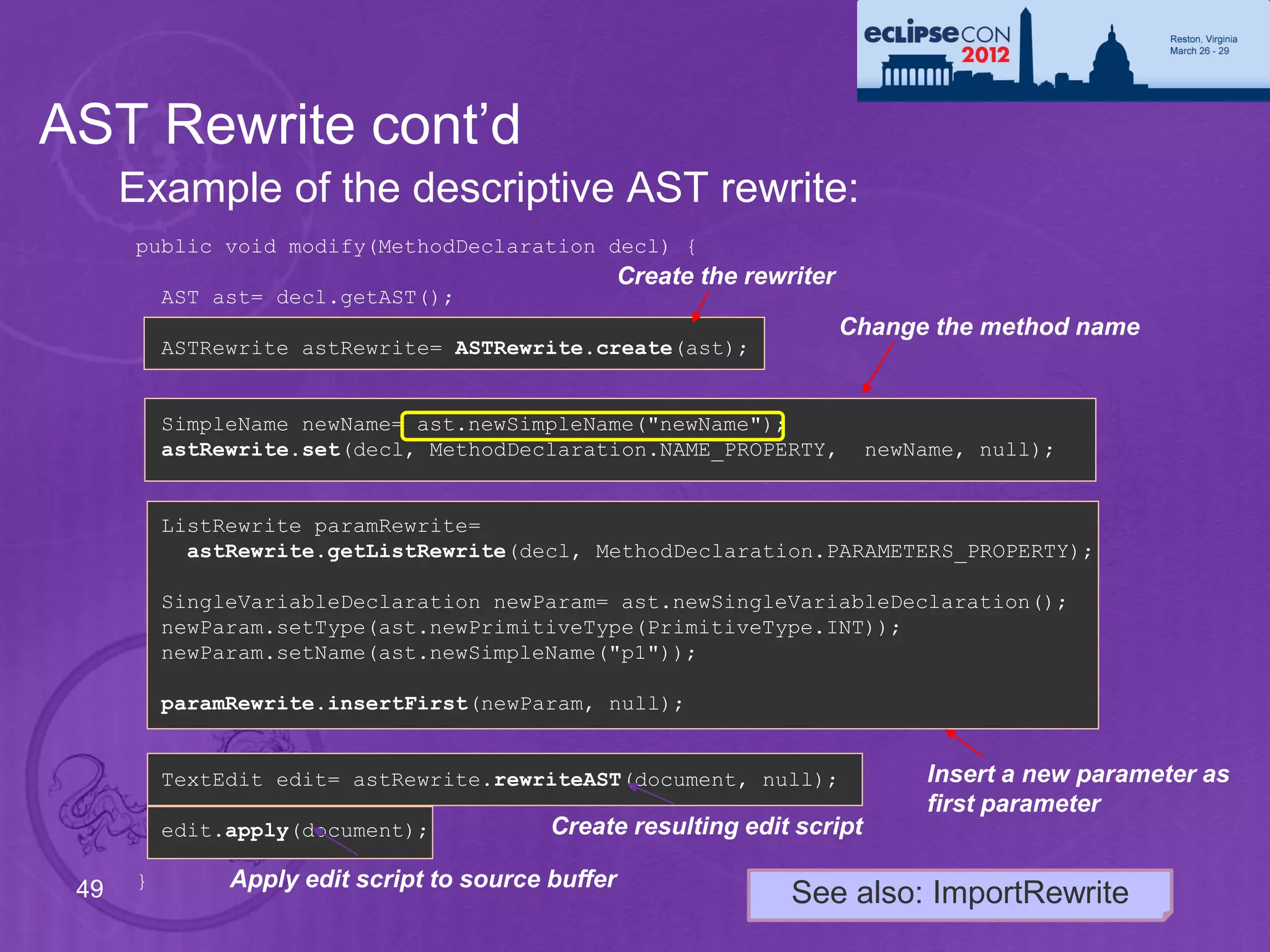
AST Rewrite cont’d
      Example of the descriptive AST rewrite:
      public void modify(MethodDeclaration decl) {
                                                    Create the rewriter
          AST ast= decl.getAST();
                                                                          Change the method name
          ASTRewrite astRewrite= ASTRewrite.create(ast);


          SimpleName newName= ast.newSimpleName("newName");
          astRewrite.set(decl, MethodDeclaration.NAME_PROPERTY,            newName, null);


          ListRewrite paramRewrite=
            astRewrite.getListRewrite(decl, MethodDeclaration.PARAMETERS_PROPERTY);

          SingleVariableDeclaration newParam= ast.newSingleVariableDeclaration();
          newParam.setType(ast.newPrimitiveType(PrimitiveType.INT));
          newParam.setName(ast.newSimpleName("p1"));

          paramRewrite.insertFirst(newParam, null);


          TextEdit edit= astRewrite.rewriteAST(document, null);                 Insert a new parameter as
                                                                                first parameter
          edit.apply(document);            Create resulting edit script

 49   }        Apply edit script to source buffer
                                                                   See also: ImportRewrite
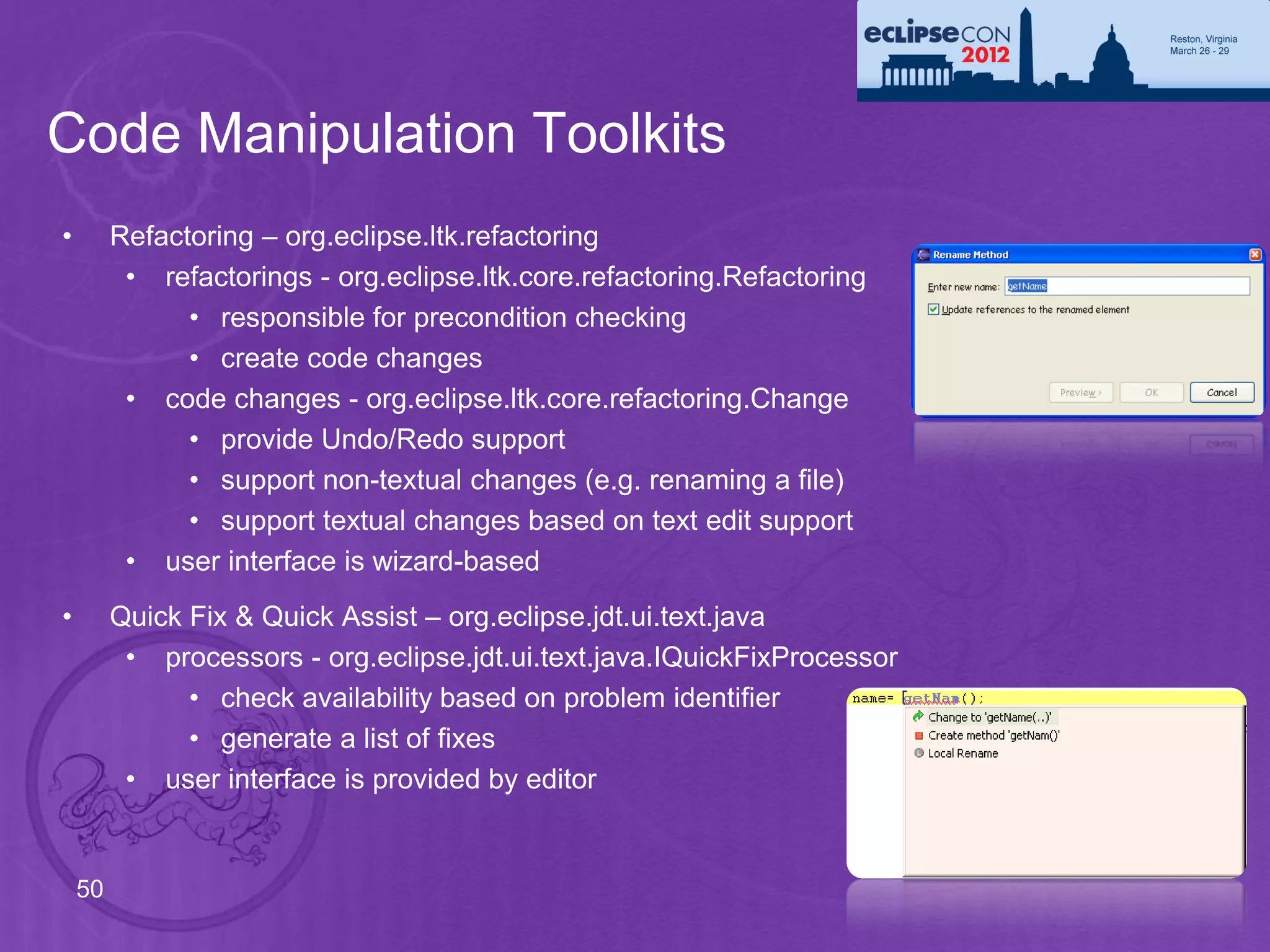
Code Manipulation Toolkits
•        Refactoring – org.eclipse.ltk.refactoring
          • refactorings - org.eclipse.ltk.core.refactoring.Refactoring
               • responsible for precondition checking
               • create code changes
          • code changes - org.eclipse.ltk.core.refactoring.Change
               • provide Undo/Redo support
               • support non-textual changes (e.g. renaming a file)
               • support textual changes based on text edit support
          • user interface is wizard-based
•        Quick Fix & Quick Assist – org.eclipse.jdt.ui.text.java
          • processors - org.eclipse.jdt.ui.text.java.IQuickFixProcessor
               • check availability based on problem identifier
               • generate a list of fixes
          • user interface is provided by editor


    50
The Eyes: Search Engine

     Java Model – Lightweight model for views

     AST – Precise, fully resolved compiler parse tree

     Search Engine
        • Design motivation
        • Using the search engine
        • Code example


51
Search Engine – Design Motivation
      •   Need quick access to all references or declarations of a Java element
           • Searching for all references to type “A”
           • Used to build call graphs
           • All types in workspace

      •   Trade-off between search and update performance

      •   Chosen solution:
           • Index based search engine
           • Index is “word” based. It doesn’t contain resolved information (e.g.
             class U references method foo(), not method A#foo()).
           • Special resolve step needed to narrow down matches reported
             from index (e.g. searching for B#foo() must not report U).


 52
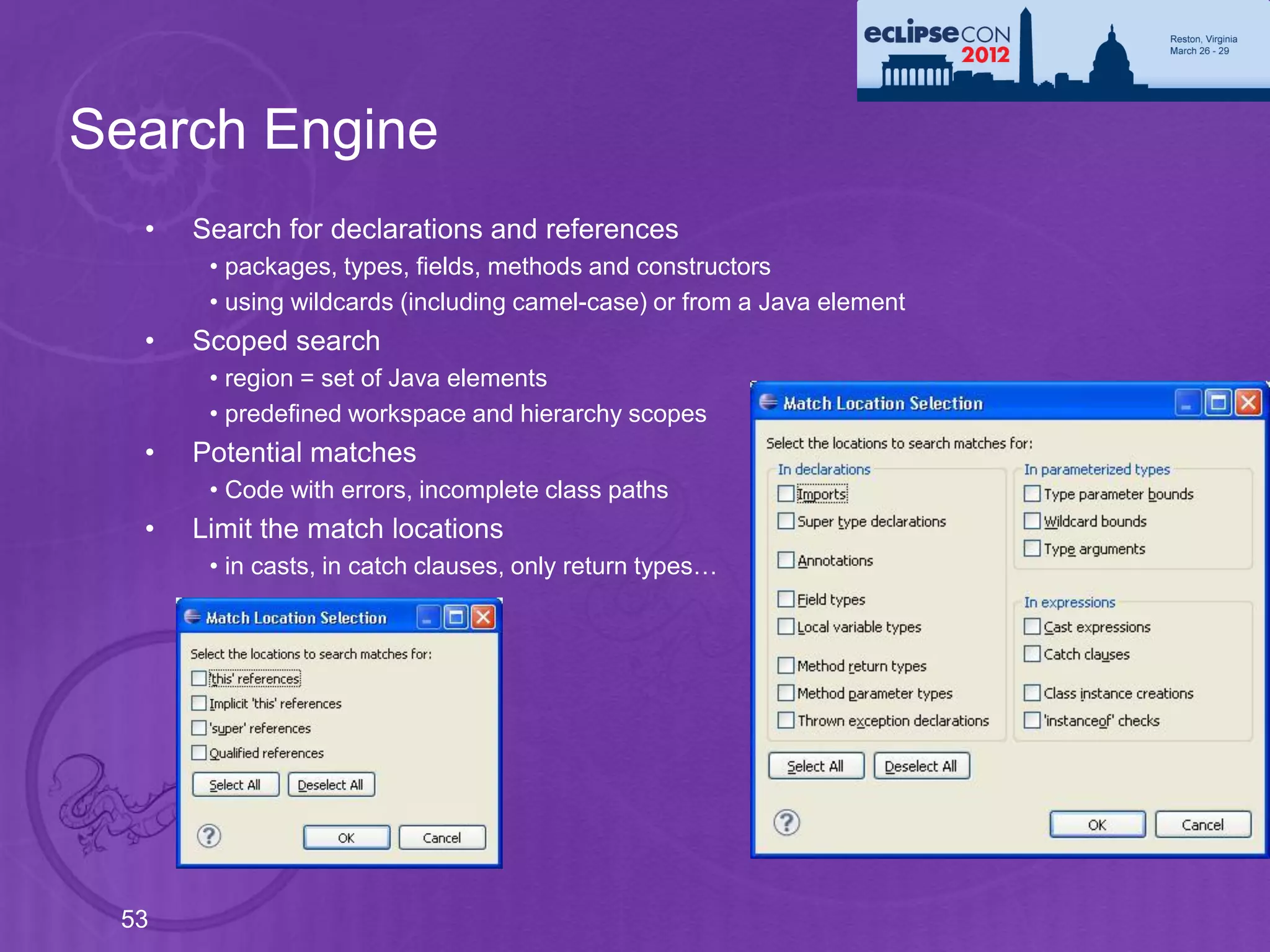
Search Engine
  •   Search for declarations and references
       • packages, types, fields, methods and constructors
       • using wildcards (including camel-case) or from a Java element
  •   Scoped search
       • region = set of Java elements
       • predefined workspace and hierarchy scopes
  •   Potential matches
       • Code with errors, incomplete class paths
  •   Limit the match locations
       • in casts, in catch clauses, only return types…


 53
Search Engine – Using the APIs
     •   Creating a search pattern
         SearchPattern.createPattern("foo*",
             IJavaSearchConstants.FIELD, IJavaSearchConstants.REFERENCES,
             SearchPattern.R_PATTERN_MATCH | SearchPattern.R_CASE_SENSITIVE);

     •   Creating a search scope
         SearchEngine.createWorkspaceScope();
         SearchEngine.createJavaSearchScope(new IJavaElement[] { project });
         SearchEngine.createHierarchyScope(type);
         SearchEngine.createStrictHierarchyScope(
                   project,
                   type,
                   onlySubtypes,
                   includeFocusType,
                   progressMonitor);


     •   Collecting results
          • Subclass SearchRequestor
          • Each result reported as a SearchMatch
54
Search Engine – an Example
 Searching for all declarations of methods “foo” that return an int   Search pattern

 SearchPattern pattern = SearchPattern.createPattern(
   "foo(*) int",
   IJavaSearchConstants.METHOD,
   IJavaSearchConstants.DECLARATIONS,
   SearchPattern.R_PATTERN_MATCH);
                                                                         Search scope
 IJavaSearchScope scope = SearchEngine.createWorkspaceScope();

 SearchRequestor requestor = new SearchRequestor() {
   public void acceptSearchMatch(SearchMatch match) {
     System.out.println(match.getElement());
                                                                         Result
   }
                                                                         collector
 };

 SearchEngine searchEngine = new SearchEngine();            Start search
 searchEngine.search(
   pattern,
   new SearchParticipant[] { SearchEngine.getDefaultSearchParticipant()},
   scope,
   requestor,
   null /*progress monitor*/);
 55
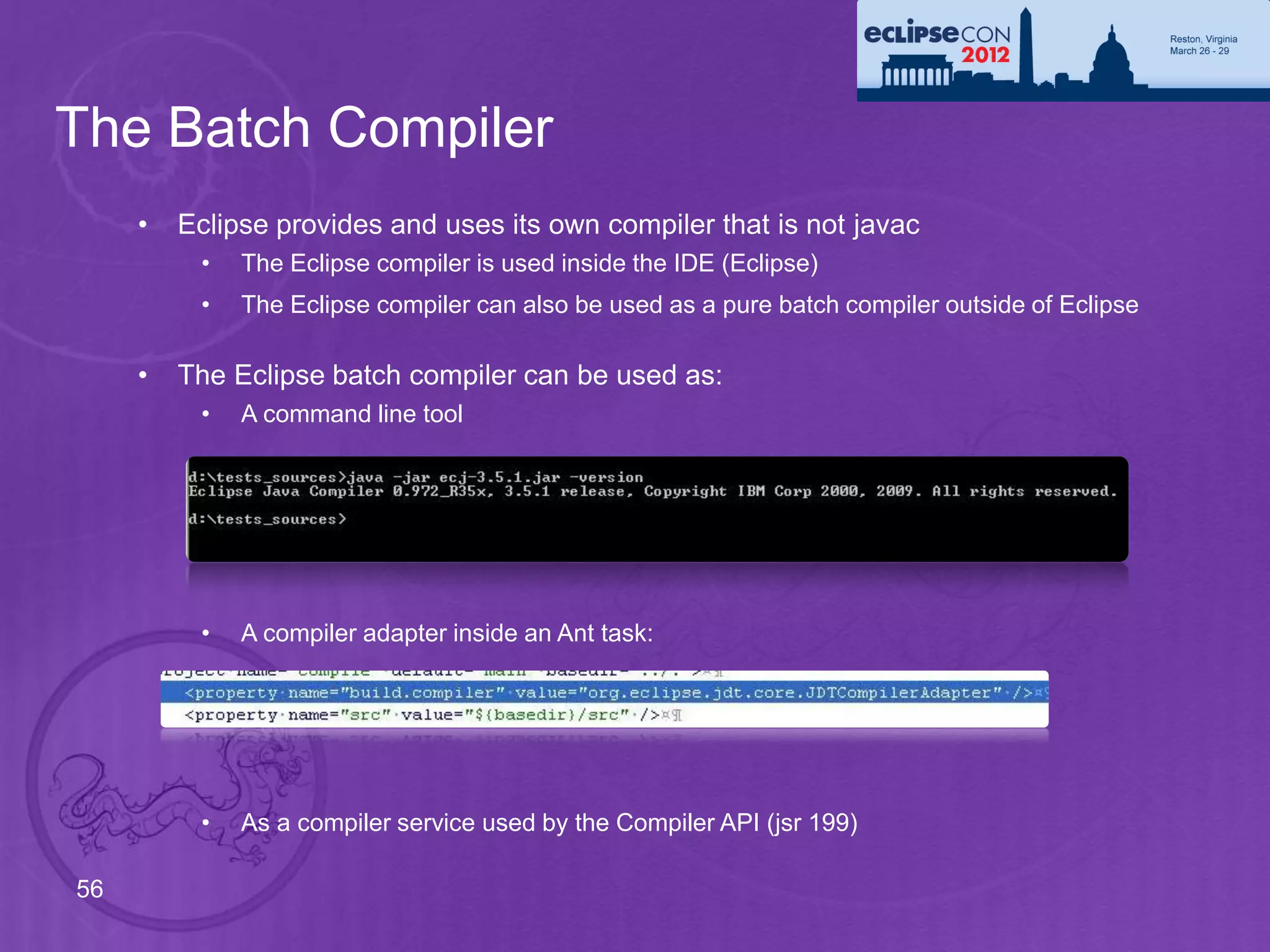
The Batch Compiler
     •   Eclipse provides and uses its own compiler that is not javac
          •   The Eclipse compiler is used inside the IDE (Eclipse)
          •   The Eclipse compiler can also be used as a pure batch compiler outside of Eclipse

     •   The Eclipse batch compiler can be used as:
          •   A command line tool


          •   A compiler adapter inside an Ant task:


          •   As a compiler service used by the Compiler API (jsr 199)

56
Extending the JDT

• Can be fun, if
   • API exposes what you need to see
   • Extension points exist where you want to adapt
• JDT offers a wealth of API and extension points
• Not every RFE can create new API
   • Conflicts with other clients
   • Performance impact
   • Maintenance costs
• What if your RFE gets rejected?
   • Abandon your project?
   • Copy&Paste
   • Use Object Teams
The JDT Dragon meets Object Teams


Ayushman Jain              Stephan Herrmann
IBM Bangalore, India       GK Software AG, Berlin
ayushman.jain@in.ibm.com   stephan@cs.tu-berlin.de
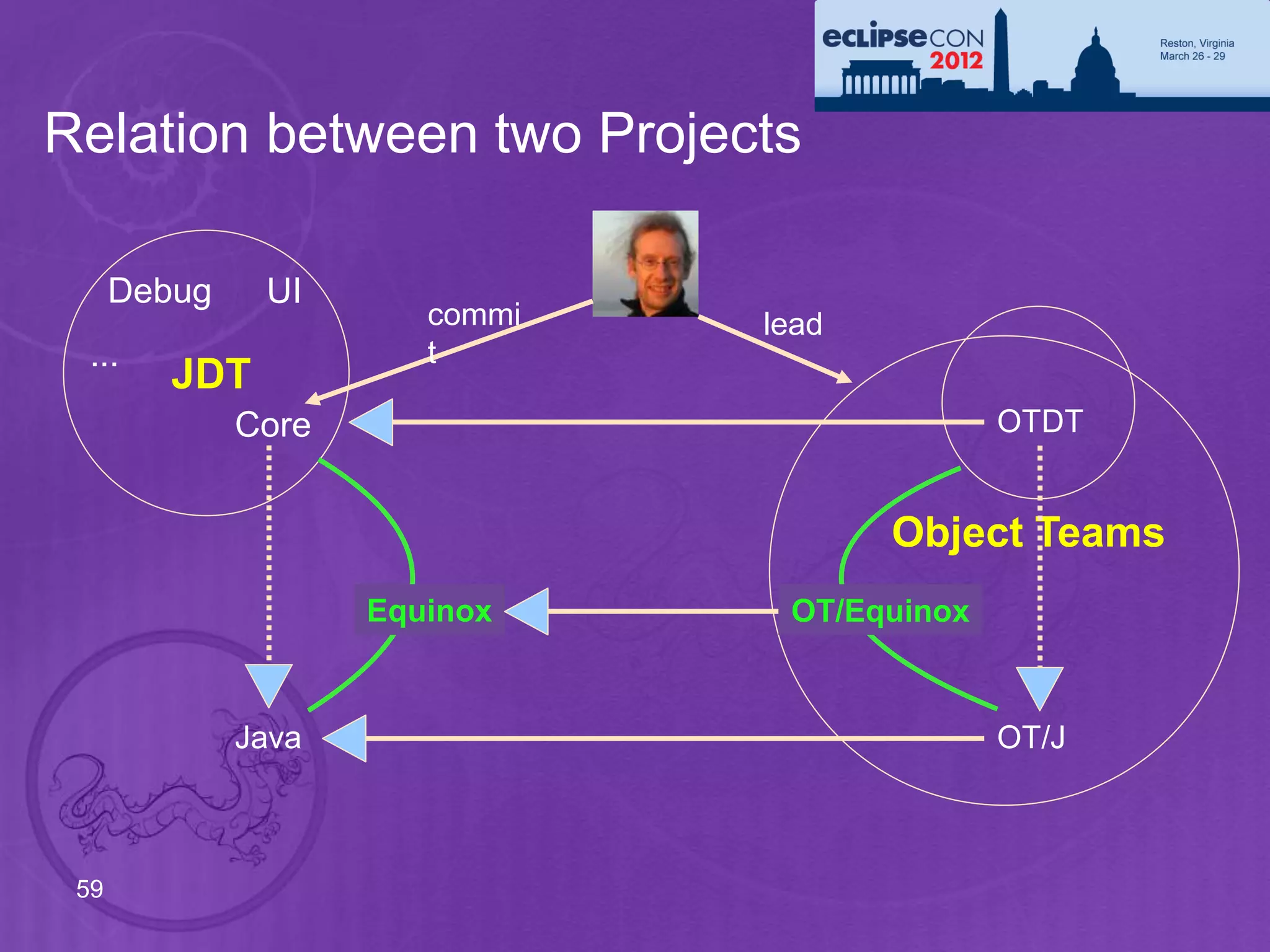
Relation between two Projects

      Debug    UI
                        commi   lead
 ...                    t
         JDT
              Core                            OTDT


                                       Object Teams
                     Equinox     OT/Equinox


              Java                            OT/J


 59
Cheat with Style

• What if API is missing?
  • Ignore restrictions, even private
• What if extension point is missing?
  • We have other means for extending:
      • specialize instances not classes
• What about maintainability?
  • Do minimal harm
  • Group extensions to higher-level modules: teams.
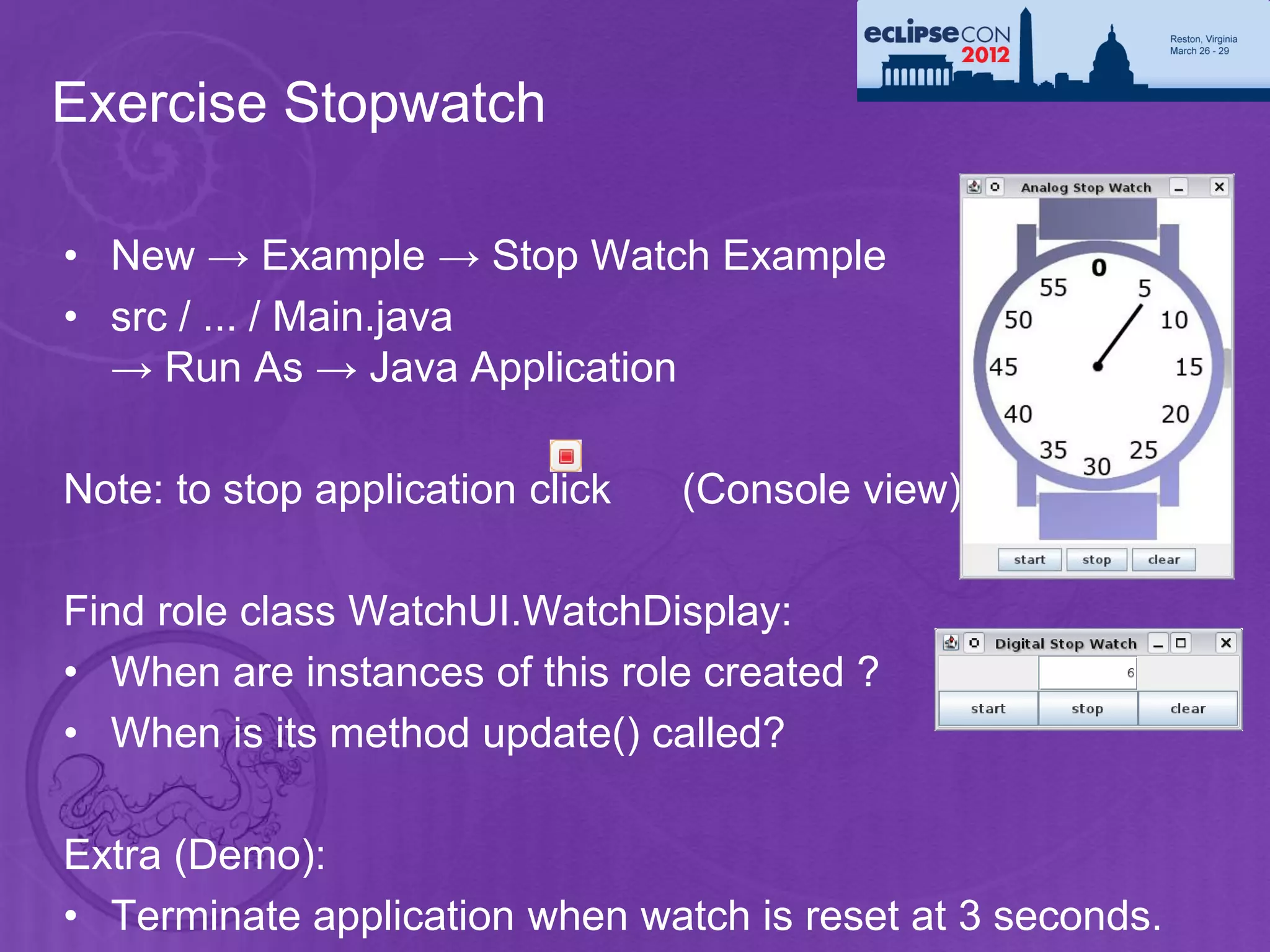
Exercise Stopwatch

• New → Example → Stop Watch Example
• src / ... / Main.java
  → Run As → Java Application

Note: to stop application click   (Console view)

Find role class WatchUI.WatchDisplay:
• When are instances of this role created ?
• When is its method update() called?

Extra (Demo):
• Terminate application when watch is reset at 3 seconds.
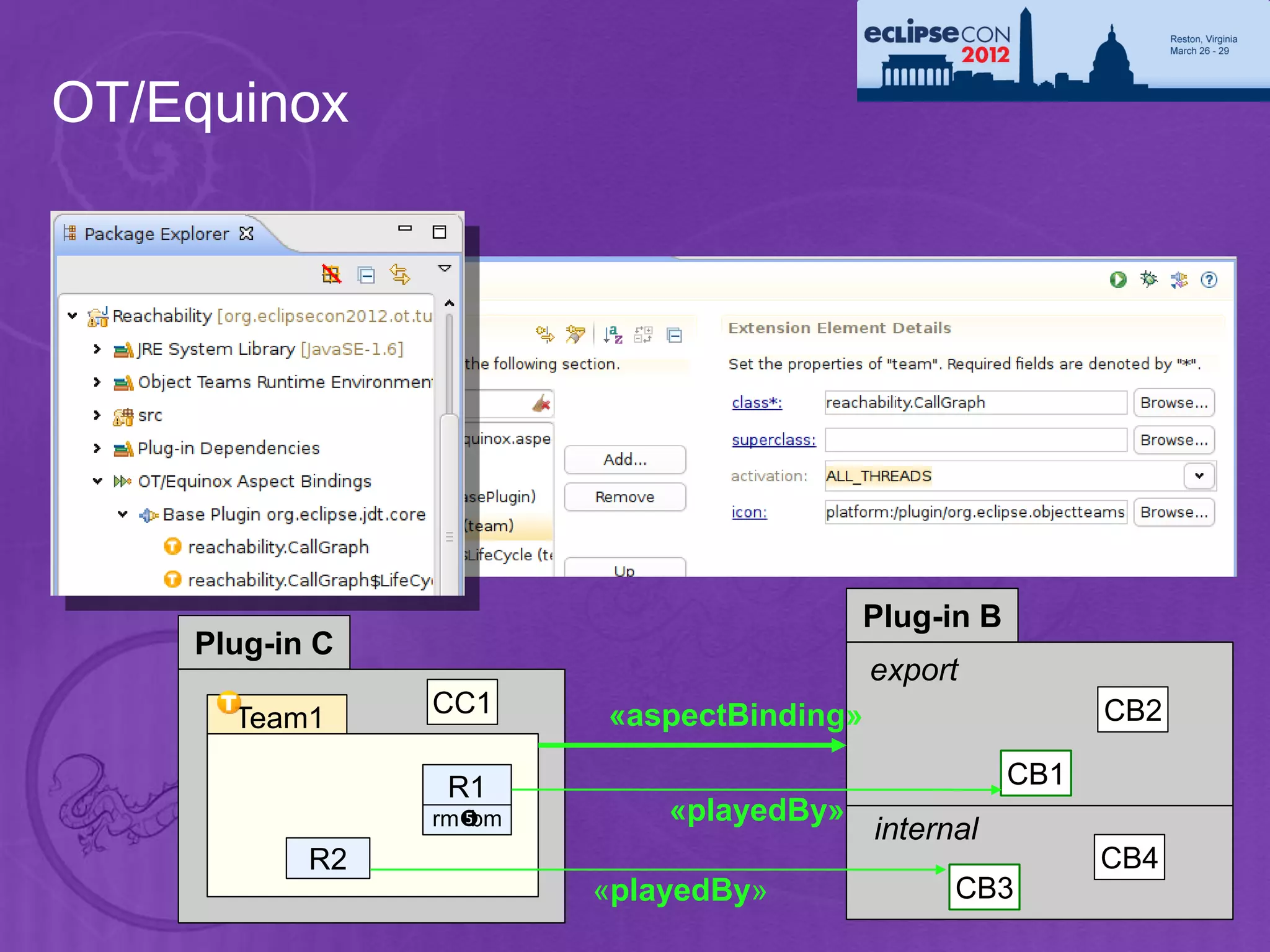
OT/Equinox


                                         Plug-in B
    Plug-in C
                                          export
      Team1     CC1     «aspectBinding»                    CB2

                 R1                                  CB1
                rmbm       «playedBy»
                                          internal
           R2                                              CB4
                        «playedBy»              CB3
Exercise: AntiDemo Plug-in

• Write a new Plug-in
   • adapting org.eclipse.jdt.core
• Change the Java naming rules
   • Class names cannot start with “Foo”
   • Hint: JavaConventions#validateXZY()
• In a runtime workbench
   • Try to create a class “Foobar”
   • Be inventive!
Note: you may need to scroll to see
         Enable OT/Equinox
Demo: Reachability Analysis

• Implement a Plug-in that finds unreachable code.
• All “main” methods are considered reachable.
• All methods called from a reachable method are also reachable.
   • Method calls inside dead code should not be considered.
      (e.g. “if (false) m();”)
• Analyzing method calls must consider polymorphism /overriding.
• Methods that are only called from unreachable methods are not
  reachable (including “islands”: cycles of unreachable methods).


                  Need a whole-system call graph.
                        + local flow analysis
                     + inheritance information
Design

• Piggy-back on the JDT compiler
• Find all MethodDeclarations during resolve
   • Record start nodes, like “main” methods
• Create a graph of MethodBindings
   • Connect nodes when analysing MessageSends
   • Ignore calls in dead code
• Start from set of all methods
   • subtract all methods reachable from a start node
   • consider method overriding
• Only work during full build
   • report remaining methods after subtracting
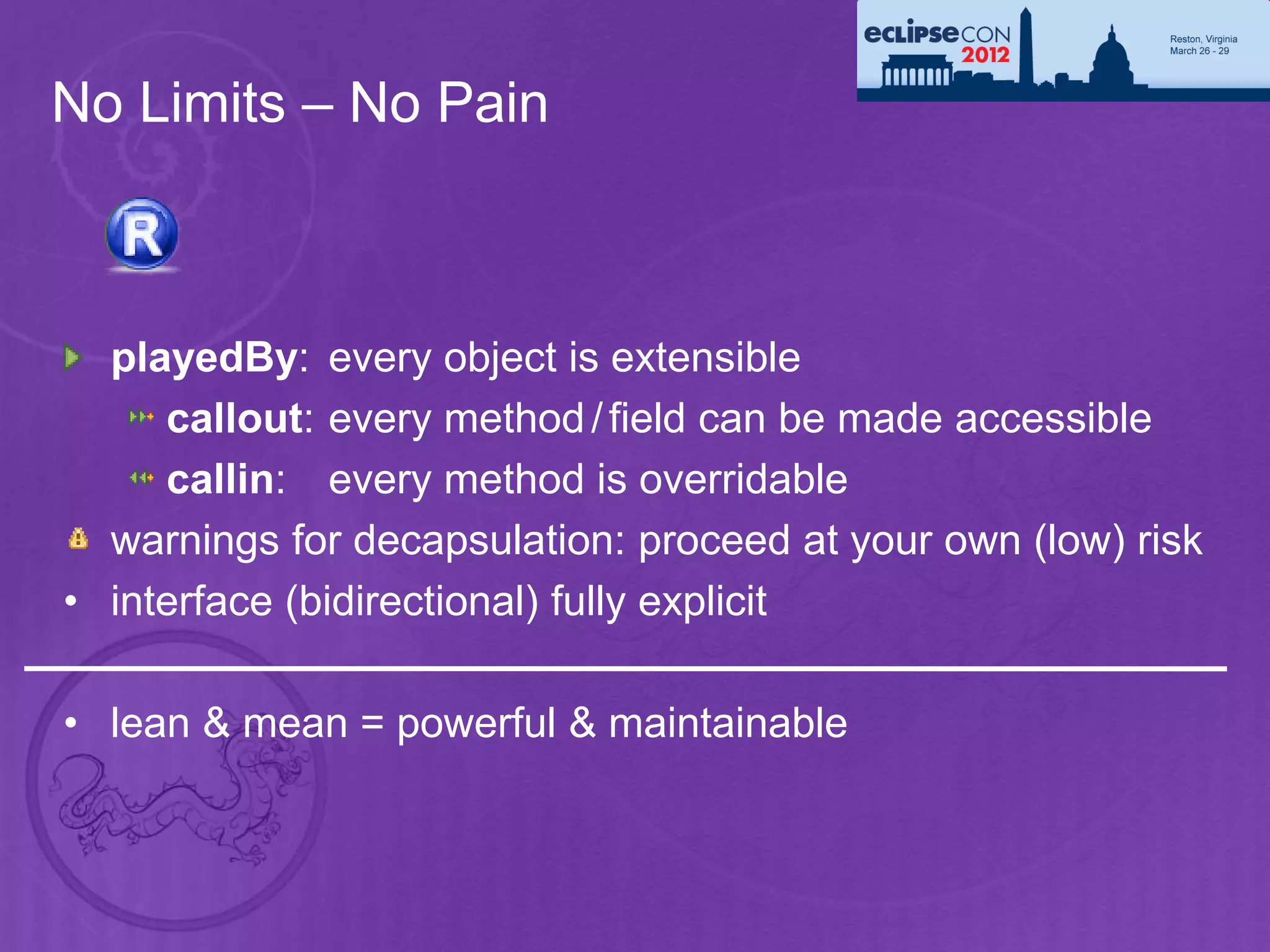
No Limits – No Pain


  playedBy: every object is extensible
     callout: every method / field can be made accessible
     callin: every method is overridable
  warnings for decapsulation: proceed at your own (low) risk
• interface (bidirectional) fully explicit

• lean & mean = powerful & maintainable
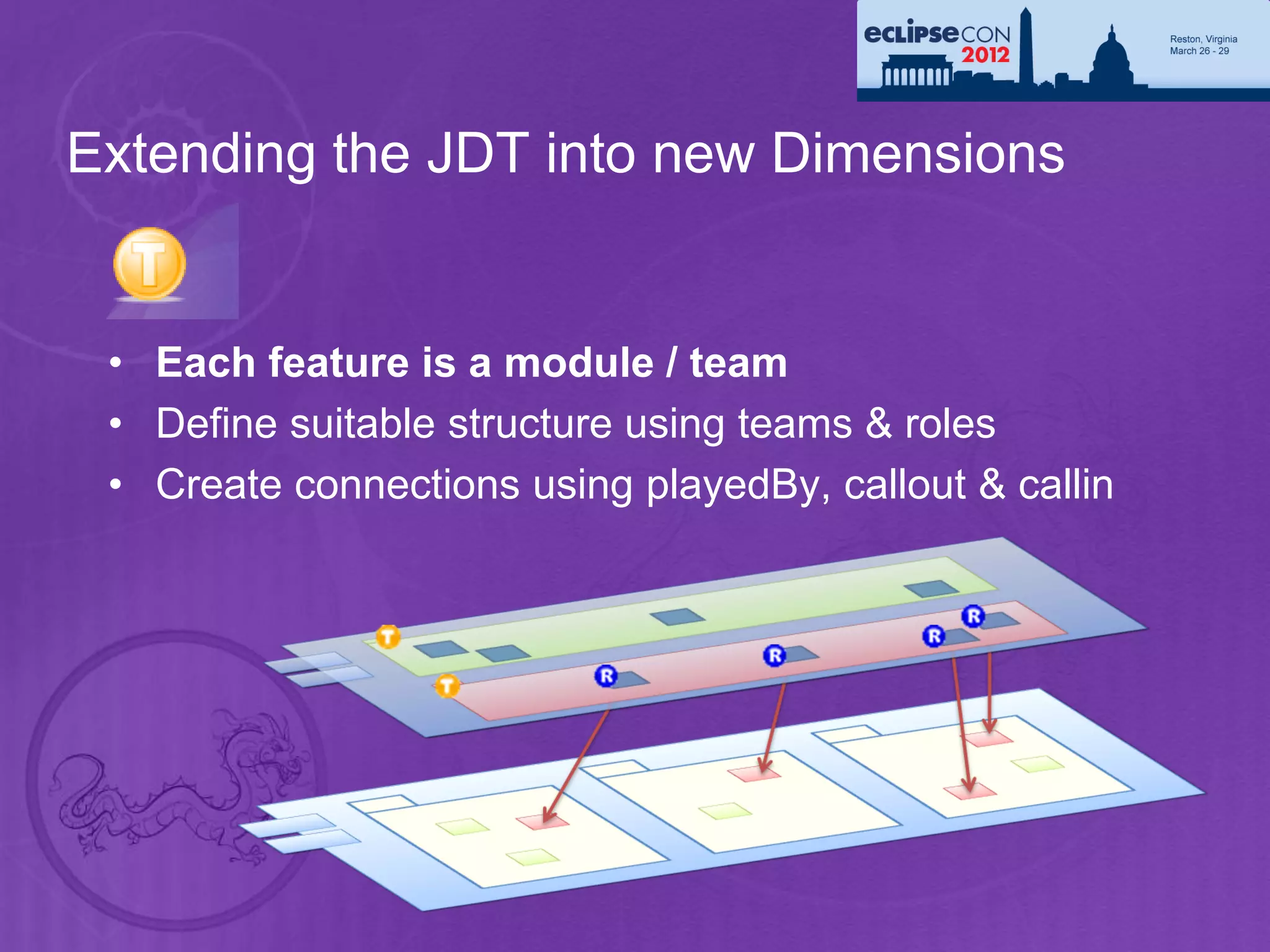
Extending the JDT into new Dimensions


 • Each feature is a module / team
 • Define suitable structure using teams & roles
 • Create connections using playedBy, callout & callin
Summary
•    JDT delivers powerful program manipulation services
      • Java Model, Search engine and DOM AST
          • Use them to add your own tool to the Eclipse Java IDE
      • but also in headless mode (can be used programmatically)
          • E.g. EMF, metrics tools, …
      • Full J2SE 5.0/6.0/7.0 support
      • Full-fledged batch compiler

•    Community feedback is essential
         • bug reports:
           https://bugs.eclipse.org/bugs/enter_bug.cgi?product=JDT
         • Forum:
           http://www.eclipse.org/forums/index.php/f/13


    68
Give Feedback on the Sessions
 1   Sign In: www.eclipsecon.org


 2   Select Session Evaluate


 3   Vote
Legal Notice
     •   Copyright © IBM Corp., 2007-2012. All rights reserved. This presentation and
         the source code in it are made available under the EPL, v1.0.
     •   Java and all Java-based trademarks are trademarks of Sun Microsystems, Inc.
         in the United States, other countries, or both.
     •   Eclipse and the Eclipse logo are trademarks of Eclipse Foundation, Inc.
     •   IBM and the IBM logo are trademarks or registered trademarks of IBM
         Corporation, in the United States, other countries or both.
     •   Other company, product, or service names may be trademarks or service
         marks of others.
     •   THE INFORMATION DISCUSSED IN THIS PRESENTATION IS PROVIDED
         FOR INFORMATIONAL PURPOSES ONLY. WHILE EFFORTS WERE MADE
         TO VERIFY THE COMPLETENESS AND ACCURACY OF THE
         INFORMATION, IT IS PROVIDED "AS IS" WITHOUT WARRANTY OF ANY
         KIND, EXPRESS OR IMPLIED, AND IBM SHALL NOT BE RESPONSIBLE
         FOR ANY DAMAGES ARISING OUT OF THE USE OF, OR OTHERWISE
         RELATED TO, SUCH INFORMATION. ANY INFORMATION CONCERNING
         IBM'S PRODUCT PLANS OR STRATEGY IS SUBJECT TO CHANGE BY IBM
         WITHOUT NOTICE
70

How to train the jdt dragon

  • 1.
    How To Trainthe JDT Dragon Ayushman Jain Stephan Herrmann IBM Bangalore, India GK Software AG, Berlin ayushman.jain@in.ibm.com stephan@cs.tu-berlin.de
  • 2.
    Acknowledgements Titlecredits: Deepak Azad (JDT/UI Committer, IBM Bangalore). Thanks to the entire JDT team for all the hard work!
  • 3.
    The JDT Team Olivier Thomann Daniel Megert Markus Keller Deepak Azad Ayushman Jain Satyam Rama Kandula Jayaprakash Arthanareeswaran Srikanth Adayapalam Stephan Herrmann 3
  • 4.
    Outline • A guided tour through services offered by JDT Core and JDT UI • Java Model TM • Search Engine and Type Hierarchy • Abstract Syntax Tree (DOM/AST) • Batch compiler • A sneak preview of Object Teams and how it helps in extending JDT • Three hands-on exercises 4
  • 5.
    Installing software forthe tutorial • 1. Install "Eclipse SDK" M6 from the Juno download site: You can install either 3.8M6(http://download.eclipse.org/eclipse/downloads/eclipse3x.php ) or 4.2M6 ( http://download.eclipse.org/eclipse/downloads/ ) depending on what you prefer. • 2. Install JDT's "ASTView Plugin" using the update site ( http://www.eclipse.org/jdt/ui/update-site ) . Add this site in Help -> Install New Software... and select the ASTView plugin. • 3. Install Egit: http://download.eclipse.org/egit/updates Note: If you're new to git, we will provide you some basic steps to follow that will be needed during the tutorial. However, if you're still not comfortable, feel free to skip this part. From the above update site, install "Eclipse Egit". • 4. Create another copy of your Juno M6 installation folder and install Object Teams in it: Go to Help -> Install New Software... and add the Object teams update site (http://download.eclipse.org/objectteams/updates/ot2.1milestones). Select everything under the category OTDT 2.1 based on Eclipse 3.8" and install. • 5. Refer to https://github.com/aupsy/org.eclipsecon2012.misc.tutorial/blob/master/Handouts/git-handout_v3.pdf for instructions on how to obtain the sources and handouts.
  • 6.
    What do youlearn? • Plug-in implementers that want to use the Java infrastructure • Programmatically create/work with Java resources, (viz. generating/modifying source code). • Programmatically launch java applications. • Refactoring / quick fixes / content assist. • Implementers of plug-ins for a new language • Study JDT as an example on how to structure the core infrastructure. • Solve problems regarding memory usage and runtime performance. General knowledge about the Eclipse plug-in architecture and basic knowledge of Java is expected. 6
  • 7.
    Components of JDT •JDT/Core – headless infrastructure for compiling and modifying java code. • JDT UI - the user interface extensions that provide the IDE. • JDT Debug - program launching and debug support specific to the Java programming language. • JDT APT – JDT’s annotation processing framework. • JDT Text – editing support.
  • 8.
    Anatomy of theJDT Dragon AST: Abstract Syntax Tree Java Model Fine-grained, fully resolved compiler Search Engine Lightweight model for views parse tree Indexes of declarations, • OK to keep references to it • No references to it must be kept: references and type • Contains unresolved Clients have to make sure only a hierarchy relationships information limited number of ASTs is loaded at • From projects to declarations the same time (types, methods,...) • Fully resolved information • From a Java file (‘Compilation Unit’) to identifier tokens
  • 9.
    The Wings: JavaModel Java Model – classes that model java resources • Java project and its elements • Classpath elements • Java project settings • Creating a Java element • Change notification • Type hierarchy • Code Assist & Code resolve AST – Precise, fully resolved compiler parse tree 9 Search Engine
  • 10.
    The Java Model- Design Motivation • Requirements for an element to show in views: • Lightweight: Quickly created, small memory footprint • Must scale and work for big workspaces (10’000 types and more). Cannot hold on resources, Eclipse is not just a Java IDE • Fault tolerant: Provide structure for files while editing • Some source does not (yet) compile, missing brackets, semicolons. Tooling should be as helpful as possible • Views like the Outline want to show the structure while typing. Structure should stay as stable as possible • Chosen solution: • Lazily populated model • Quick creation: Single parse, no resolving, no dependency on build state 10 • Underlying buffer can be released and recreated any time
  • 11.
    IJavaElements form ahierarchy that represents the entire workspace from Java angle Java Elements • Different from resource hierarchy Important to note: API • Not all Java elements must have an underlying resource (elements inside a JAR, external JAR files) • A Java package doesn’t have the same children as a IJavaProject folder (no concept of subfolder) IPackageFragmentRoot JavaCore.create(resource) IPackageFragment IType ICompilationUnit / IMethod IClassFile IField element.getParent() IProject IInitialzier IFolder element.getChildren() IFile javaElement.getResource() 11
  • 12.
    Java Element Handles Handle/Info design • IJavaElement objects are lightweight: OK to keep references • Underlying buffer (‘element info’) created on demand • Element doesn’t need to exist or be on the build path (anymore). Use IJavaElement#exists() to test • Handle representation stable between workspace sessions String handleId= javaElement.getHandleIdentifier(); IJavaElement elem= JavaCore.create(handleId); 12
  • 13.
    Using the JavaModel Setting up a Java project • A Java project is a project with the Java nature set • Java nature enables the Java builder • Java builder needs a Java class path IWorkspaceRoot root= ResourcesPlugin.getWorkspace().getRoot(); IProject project= root.getProject(projectName); Create a project project.create(null); project.open(null); IProjectDescription description = project.getDescription(); Set the description.setNatureIds(new String[] { JavaCore.NATURE_ID }); Java nature project.setDescription(description, null); IJavaProject javaProject= JavaCore.create(project); javaProject.setRawClasspath(classPath, defaultOutputLocation, null); Set the Java build path 13
  • 14.
    Java Classpath The Java element hierarchy is defined by the Java classpath: Classpath entries define the roots of package fragments. 14
  • 15.
    Classpath – Sourceand Library Entries Source entry: Java source files to be built by the compiler • Folder inside the project or the project itself • Possibility to define inclusion and exclusion filters • Compiled files go to either a specific or the projects default output location IPath srcPath= javaProject.getPath().append("src"); IPath[] excluded= new IPath[] { new Path("doc") }; IClasspathEntry srcEntry= JavaCore.newSourceEntry(srcPath, excluded); NEW Library entries can now specify Library entry: Class folder or archive index locations for faster search Class files in folder or JAR archive, in workspace or external Source attachment specifies location of library’s source IClasspathEntry libEntry = JavaCore.newLibraryEntry( new Path("d:/lib/foo.jar"), // library location new Path("d:/lib/foo_src.zip"), // source archive location new Path("src"), // source archive root true); // exported 15 Java project can also be added as a newProjectEntry
  • 16.
    Java Classpath: ContainerEntries • Container entry: Multiple entries through an indirection • Path denotes name and arguments for a ‘classpath container’ entry= JavaCore.newContainerEntry(new Path("containerId/containerArguments")); • Classpath containers are contributed by extension point • Classpath containers can compute classpath entries when first used • Built-in containers: JRE, User library, JUnit, PDE dependencies jreCPEntry= JavaCore.newContainerEntry(new Path(JavaRuntime.JRE_CONTAINER)); • Extension point ‘org.eclipse.jdt.core.classpathContainerInitializer’ • Initializes and manages containers (using JavaCore.setClasspathContainer(..)) • Extension point ‘org.eclipse.jdt.ui.classpathContainerPage’ • Contributes a classpath container configuration page 16
  • 17.
    Creating Java Elements IJavaProject javaProject= JavaCore.create(project); Set the build path IClasspathEntry[] buildPath= { JavaCore.newSourceEntry(project.getFullPath().append("src")), JavaRuntime.getDefaultJREContainerEntry() }; javaProject.setRawClasspath(buildPath, project.getFullPath().append("bin"), null); IFolder folder= project.getFolder("src"); Create the source folder folder.create(true, true, null); IPackageFragmentRoot srcFolder= javaProject.getPackageFragmentRoot(folder); Assert.assertTrue(srcFolder.exists()); // resource exists and is on build path Create the package fragment IPackageFragment fragment= srcFolder.createPackageFragment("x.y", true, null); String str= Create the compilation unit, "package x.y;" + "n" + "public class E {" + "n" + including a type " String first;" + "n" + "}"; ICompilationUnit cu= fragment.createCompilationUnit("E.java", str, false, null); IType type= cu.getType("E"); Create a field type.createField("String name;", null, true, null); 17
  • 18.
    Java Project Settings Configure compiler settings on the project • Compiler compliance, class file compatibility, source compatibility (JavaCore.COMPILER_COMPLIANCE, JavaCore.COMPILER_CODEGEN_TARGET_PLATFORM, JavaCore.COMPILER_SOURCE ) • Compiler problems severities (Ignore/Warning/Error) javaProject.setOption(JavaCore.COMPILER_COMPLIANCE, JavaCore.VERSION_1_5); NEW javaProject.setOption(JavaCore.COMPILER_ANNOTATION_NULL_ANALYSIS, JavaCore.ENABLED); If not set on the project, taken from the workspace settings • Project settings persisted in project/.settings/org.eclipse.jdt.core.prefs • Used to share the settings in the team • More project specific settings: Formatter, code templates,… See Platform preferences story 18 • Platform.getPreferencesService()
  • 19.
    Working Copies • A compilation unit in a buffered state is a working copy • Primary working copy: shared buffer shown by all editors • based on the Eclipse Platform’s buffer manager (plug-in org.eclipse.core.filebuffers) • becomeWorkingCopy(...): Increment count, internally create buffer, if first • commitWorkingCopy(): Apply buffer to underlying resource • discardWorkingCopy(): Decrement count, discard buffer, if last • Element stays the same, only state change • Private working copy: Build a virtual Java model layered on top of the current content • ICompilationUnit.getWorkingCopy(workingCopyOwner) returns a new element with a new buffer (managed by the workingCopyOwner) based on the underlying element • commitWorkingCopy(): Apply changes to the underlying element • Refactoring uses this to first try all changes in a sandbox to only apply them if compilable • Working copy owner: Connects working copies so that they reference each other 19
  • 20.
    Java Element ChangeNotifications Change Listeners: JavaCore.addElementChangedListener(IElementChangedListener) Java element delta information for all changes: Class path changes, added/removed elements, changed source, change to buffered state (working copy) Changes triggered by resource change notifications (resource deltas), call to ‘reconcile()’ Java element deltas do not contain the old state (not a diff) The granularity ends at the member level (no AST) Table: IJavaElementDelta - Description of changes of an element or its children Delta kind Descriptions and additional flags ADDED Element has been added REMOVED Element has been removed CHANGED F_CONTENT Content has changed. If F_FINE_GRAINED is set: Analysis of structural changed has been performed F_MODIFIERS Changed modifiers F_CHILDREN Deltas in children IJavaElementDelta[] getAffectedChildren() F_ADDED_TO_CLASSPATH, F_SOURCEATTACHED, F_REORDER, F_PRIMARY_WORKING_COPY,… 20
  • 21.
    JavaElementListener – anExample Find out if types were added or removed fJavaListener= new IElementChangedListener() { public void elementChanged(ElementChangedEvent event) { boolean res= hasTypeAddedOrRemoved(event.getDelta()); } Parent constructs: private boolean hasTypeAddedOrRemoved(IJavaElementDelta delta) { IJavaElement elem= delta.getElement(); Recursively go boolean isAddedOrRemoved= (delta.getKind() != IJavaElementDelta.CHANGED); down the delta tree switch (elem.getElementType()) { case IJavaElement.JAVA_MODEL: case IJavaElement.JAVA_PROJECT: case IJavaElement.PACKAGE_FRAGMENT_ROOT: case IJavaElement.PACKAGE_FRAGMENT: if (isAddedOrRemoved) return true; return processChildrenDelta(delta.getAffectedChildren()); case IJavaElement.COMPILATION_UNIT: ICompilationUnit cu= (ICompilationUnit) elem; Be aware of if (!cu.getPrimary().equals(cu)) private return false; working copies if (isAddedOrRemoved || isPossibleStructuralChange(delta.getFlags())) return true; return processChildrenDelta(delta.getAffectedChildren()); case IJavaElement.TYPE: if (isAddedOrRemoved) return true; return processChildrenDelta(delta.getAffectedChildren()); // inner types default: // fields, methods, imports... return false; 21 } } }
  • 22.
    JavaElementListener – cont’d privatestatic boolean isPossibleStructuralChange(int flags) { return hasSet(flags, IJavaElementDelta.F_CONTENT) && !hasSet(flags , IJavaElementDelta.F_FINE_GRAINED)); } private boolean processChildrenDelta(IJavaElementDelta[] children) { for (int i= 0; i < children.length; i++) { if (hasTypeAddedOrRemoved(children[i])) ‘Fine Grained’ set means that return true; children deltas have been } return false; computed. If not, it is a unknown } change (potentially full change) Visit delta children recursively 22
  • 23.
    Code Assist See Also: jdt.ui.JavaTypeCompletionProposalComputer ICodeAssist.codeCo mplete(..) accept(..) acceptContext(..) extends javaCompletionProposalComputer
  • 24.
    Type Hierarchy -Design Motivation Subtype hierarchies are expensive to create and maintain. Why not having an API IType.getSubtypes()? • Bad performance for repeated queries in the same hierarchy Why not keep a constantly updated hierarchy in memory? • Does not scale for big workspaces. JDT is not alone in the workbench and should avoid holding on to lots of memory. • Expensive updating. Every class path change would require types to recheck if they still resolve to the same type Chosen solution: • Explicit hierarchy object • Defined life cycle • Well known creation costs (sub type relationship is stored in index files) • Allows scoped hierarchies 24
  • 25.
    Type Hierarchy • Snapshot of ITypes in a sub/super type relationship • Used in Type Hierarchy view 25
  • 26.
    Type Hierarchy • Create – on a type or on a region (= set of Java Elements) typeHierarchy= type.newTypeHierarchy(progressMonitor); typeHierarchy= project.newTypeHierarchy(region, progressMonitor); • Supertype hierarchy – faster! typeHierarchy= type.newSupertypeHierarchy(progressMonitor); • Get super and subtypes, interfaces and classes typeHierarchy.getSubtypes(type) • Change listener – when changed, refresh is required typeHierarchy.addTypeHierarchyChangedListener(..); typeHierarchy.refresh(progressMonitor); 26
  • 27.
    Code Resolve • Resolve the element at the given offset and length in the source javaElements= compilationUnit.codeSelect(50, 10); • Used for Navigate > Open (F3) and tool tips 27
  • 28.
    Code Resolve –an Example Set up a compilation unit Resolving the reference to “String” in a compilation unit String content = "public class X {" + "n" + " String field;" + "n" + "}"; ICompilationUnit cu= fragment.createCompilationUnit(“X.java", content, false, null); int start = content.indexOf("String"); int length = "String".length(); IJavaElement[] declarations = cu.codeSelect(start, length); Contains a single IType: ‘java.lang.String’ 28
  • 29.
    More Java ModelFeatures Navigation – resolve a name IType type= javaProject.findType("java.util.Vector"); Context – resolve an enclosing element element= compilationUnit.getElementAt(position); Code assist – evaluate completions for a given offset compilationUnit.codeComplete(offset, resultRequestor); Code formatting ToolFactory.createCodeFormatter(options) .format(kind, string, offset, length, indentationLevel, lineSeparator); 29
  • 30.
    API in JDTUI Labels, images, structure, order for IJavaElements: • JavaElementLabelProvider • StandardJavaElementContentProvider • JavaElementComparator Selection and configuration dialogs, wizards • JavaUI.createPackageDialog(..), JavaUI.createTypeDialog(..) • BuildPathDialogAccess • NewClassWizardPage, NewInterfaceWizardPage… • JavadocExportWizardPage, NewJavaProjectWizardPageOne / Two Java Actions to add to context menus • package org.eclipse.jdt.ui.actions • org.eclipse.jdt.ui.actions.OpenAttachedJavadocAction 30
  • 31.
    The Backbone: AST Java Model – Lightweight model for views Search Engine AST – Precise, fully resolved compiler parse tree • Overall design • Creating an AST • AST node details • Bindings • AST rewrite • Refactoring toolkit 31
  • 32.
    Abstract Syntax Tree- Design Motivation • Java Model and type hierarchy • optimized to present model elements in a view. • Refactorings and code manipulation features • need fully resolved information down to statement level to perform exact code analysis. • Need a way to manipulate source code on a higher abstraction than characters. • Chosen solution: • On-demand created abstract syntax tree with all resolved bindings • Defined life cycle • Well known creation costs • Abstract syntax tree rewriter to manipulate code on language element level 32
  • 33.
    Abstract Syntax Tree Thehuman eye sees: ASTParser#createAST(...) JDT Dragon sees: AST ReturnStatement expression InfixExpression leftOperand rightOperand resolveBinding IMethodBinding MethodInvocation SimpleName 33
  • 34.
    Abstract Syntax Treecond’t A Java type for each syntactic construct Assignment, CastExpression, ConditionalExpression… Bindings for type information Can resolve all references through bindings Visitors and node properties for analysis ASTRewriter to manipulate an AST 34
  • 35.
    AST Workflow additional symbol resolved information called bindings may be present. Two ways: • direct manipulation or • through a ‘scratchpad’ i.e. ASTRewrite
  • 36.
    Creating an AST • Build AST with AST factory: ASTParser • Either from Java model elements: ICompilationUnit, IClassFile (ITypeRoot) • Or source string, file name and IJavaProject as context • Bindings or no bindings • Bindings contain resolved information. Fully available on syntax-error- free code, best effort when there are errors. • Full AST or partial AST • For a given source position: All other methods have empty bodies • AST for an element: Only method, statement or expression 36
  • 37.
    Creating an AST • Statements recovery • No recovery: When detecting syntax error: Skip method body • With recovery: Skip tokens, or introduce artificial tokens to create statements. Recovered node are flagged with ASTNode#RECOVERED • Bindings recovery • No recovery: No bindings if element can not be found (for example is not on the class path) • With recovery: Introduce recovered bindings, only name is correct, no package or members. Bindings marked with binding.isRecovered() • Create multiple ASTs using same binding environment, much faster • setIgnoreMethodBodies(boolean): Can be used when the method bodies are not needed. This saves a lot of memory. • Bindings can be resolved without an Eclipse workspace: 37 ASTParser#setEnvironment(..)
  • 38.
    Creating an AST Create AST on an element ASTParser parser= ASTParser.newParser(AST.JLS3); parser.setSource(cu); parser.setResolveBindings(true); parser.setStatementsRecovery(true); ASTNode node= parser.createAST(null); Create AST on source string ASTParser parser= ASTParser.newParser(AST.JLS3); parser.setSource("System.out.println();".toCharArray()); parser.setProject(javaProject); parser.setKind(ASTParser.K_STATEMENTS); parser.setStatementsRecovery(false); ASTNode node= parser.createAST(null); 38
  • 39.
    AST Browsing Typed access to the node children: ConditionalExpression: getExpression() getThenExpression() getElseExpression() Homogenous access using node properties: List allProperties= node.structuralPropertiesForType(); Will contain 3 elements of type ‘StructuralPropertyDescriptor’: ConditionalExpression.EXPRESSION_PROPERTY, ConditionalExpression.THEN_EXPRESSION_PROPERTY, ConditionalExpression.ELSE_EXPRESSION_PROPERTY , expression= node.getStructuralProperty(ConditionalExpression.EXPRESSION_PROPERTY); 39
  • 40.
    AST View privatevoid print(ASTNode node) { List properties= node.structuralPropertiesForType(); for (Iterator iterator= properties.iterator(); iterator.hasNext();) { Object descriptor= iterator.next(); if (descriptor instanceof SimplePropertyDescriptor) { SimplePropertyDescriptor simple= (SimplePropertyDescriptor)descriptor; Object value= node.getStructuralProperty(simple); System.out.println(simple.getId() + " (" + value.toString() + ")"); } else if (descriptor instanceof ChildPropertyDescriptor) { ChildPropertyDescriptor child= (ChildPropertyDescriptor)descriptor; ASTNode childNode= (ASTNode)node.getStructuralProperty(child); if (childNode != null) { System.out.println("Child (" + child.getId() + ") {"); print(childNode); System.out.println("}"); } } else { ChildListPropertyDescriptor list= (ChildListPropertyDescriptor)descriptor; System.out.println("List (" + list.getId() + "){"); print((List)node.getStructuralProperty(list)); System.out.println("}"); } } } private void print(List nodes) { for (Iterator iterator= nodes.iterator(); iterator.hasNext();) { print( (ASTNode) iterator.next() ); } 40 }
  • 41.
    ASTView Demo ASTView andJavaElement view: http://www.eclipse.org/jdt/ui/update-site 41
  • 42.
    Bindings Bindings are fully connected • ITypeBinding has bindings for super type, interfaces, all members • IMethodBinding has bindings for parameter types, exceptions, return type • IVariableBinding has binding for variable type Bindings retain a lot of memory: • Do not hold on bindings • Do not hold on ASTNodes that contain bindings Within an AST: • Binding identity (can use ‘==‘ to compare bindings) Bindings from different ASTs: • isEqualTo(…) 42 • Or compare binding.getKey()
  • 43.
    Bindings cont’d From a binding to an IJavaElement: • binding.getJavaElement() From a binding to its declaring ASTNode: • All within the same context: astRoot.findDeclaringNode(binding) (on CompilationUnit) • If binding is from a different AST: astRoot.findDeclaringNode(foreignBinding.getKey()) • Looking for a node in a different CU: cu = binding.getJavaElement().getCompilationUnit(); astParser.setSource(cu); otherRoot = astParser.createAst(…); otherRoot.findDeclaringNode(binding.getKey()); 43
  • 44.
    More Utility Classes •E.g.: NodeFinder: • From a position to an ASTNode • For more please see http://wiki.eclipse.org/JDT/FAQ • Please help us maintaining this list
  • 45.
    AST Visitor ASTParserparser= ASTParser.newParser(AST.JLS3); parser.setSource(cu); parser.setResolveBindings(true); ASTNode root= parser.createAST(null); Count the number of casts root.accept(new ASTVisitor() { public boolean visit(CastExpression node) { fCastCount++; return true; Count the number of references to } a field of ‘java.lang.System’ (‘System.out’, ‘System.err’) public boolean visit(SimpleName node) { IBinding binding= node.resolveBinding(); if (binding instanceof IVariableBinding) { IVariableBinding varBinding= (IVariableBinding) binding; ITypeBinding declaringType= varBinding.getDeclaringClass(); if (varBinding.isField() && "java.lang.System".equals(declaringType.getQualifiedName())) { fAccessesToSystemFields++; } } return true; } 45
  • 46.
    AST Rewriting • Instead of manipulating the source code, change the AST and write changes back to source • Descriptive approach • describe changes without actually modifying the AST • allows reuse of the AST for multiple independent rewrites • support generation of a preview • Modifying approach • start by: ast.recordModifications(); • directly manipulates the AST • API is more intuitive • implemented using the descriptive rewriter: ast.rewrite() • Rewriter characteristics • preserves user formatting and markers 46 • generates a TextEdit that describes document changes
  • 47.
    AST Rewriting cont’d Implementation of descriptive rewrite is more powerful: • String placeholders: Use a node that is a placeholder for an arbitrary string of code or comments • Track node positions: Get the new source ranges after the rewrite • Copy/move a range of nodes • Modify the comment mapping heuristic used by the rewriter (comments are associated with nodes. Operation on nodes also include the associated comments) 47
  • 48.
    Copy/Move details void foo(Foof) { if (f != null) { 1. t=r.createMoveTarget(node); f.bar1(); } 2. l.insert(t); bar2(); t 3. l2.removeLast(); } If original should be kept: void foo(Foo f) { if (f != null) { • use createCopyTarget(node); f.bar1(); bar2(); } }
  • 49.
    AST Rewrite cont’d Example of the descriptive AST rewrite: public void modify(MethodDeclaration decl) { Create the rewriter AST ast= decl.getAST(); Change the method name ASTRewrite astRewrite= ASTRewrite.create(ast); SimpleName newName= ast.newSimpleName("newName"); astRewrite.set(decl, MethodDeclaration.NAME_PROPERTY, newName, null); ListRewrite paramRewrite= astRewrite.getListRewrite(decl, MethodDeclaration.PARAMETERS_PROPERTY); SingleVariableDeclaration newParam= ast.newSingleVariableDeclaration(); newParam.setType(ast.newPrimitiveType(PrimitiveType.INT)); newParam.setName(ast.newSimpleName("p1")); paramRewrite.insertFirst(newParam, null); TextEdit edit= astRewrite.rewriteAST(document, null); Insert a new parameter as first parameter edit.apply(document); Create resulting edit script 49 } Apply edit script to source buffer See also: ImportRewrite
  • 50.
    Code Manipulation Toolkits • Refactoring – org.eclipse.ltk.refactoring • refactorings - org.eclipse.ltk.core.refactoring.Refactoring • responsible for precondition checking • create code changes • code changes - org.eclipse.ltk.core.refactoring.Change • provide Undo/Redo support • support non-textual changes (e.g. renaming a file) • support textual changes based on text edit support • user interface is wizard-based • Quick Fix & Quick Assist – org.eclipse.jdt.ui.text.java • processors - org.eclipse.jdt.ui.text.java.IQuickFixProcessor • check availability based on problem identifier • generate a list of fixes • user interface is provided by editor 50
  • 51.
    The Eyes: SearchEngine Java Model – Lightweight model for views AST – Precise, fully resolved compiler parse tree Search Engine • Design motivation • Using the search engine • Code example 51
  • 52.
    Search Engine –Design Motivation • Need quick access to all references or declarations of a Java element • Searching for all references to type “A” • Used to build call graphs • All types in workspace • Trade-off between search and update performance • Chosen solution: • Index based search engine • Index is “word” based. It doesn’t contain resolved information (e.g. class U references method foo(), not method A#foo()). • Special resolve step needed to narrow down matches reported from index (e.g. searching for B#foo() must not report U). 52
  • 53.
    Search Engine • Search for declarations and references • packages, types, fields, methods and constructors • using wildcards (including camel-case) or from a Java element • Scoped search • region = set of Java elements • predefined workspace and hierarchy scopes • Potential matches • Code with errors, incomplete class paths • Limit the match locations • in casts, in catch clauses, only return types… 53
  • 54.
    Search Engine –Using the APIs • Creating a search pattern SearchPattern.createPattern("foo*", IJavaSearchConstants.FIELD, IJavaSearchConstants.REFERENCES, SearchPattern.R_PATTERN_MATCH | SearchPattern.R_CASE_SENSITIVE); • Creating a search scope SearchEngine.createWorkspaceScope(); SearchEngine.createJavaSearchScope(new IJavaElement[] { project }); SearchEngine.createHierarchyScope(type); SearchEngine.createStrictHierarchyScope( project, type, onlySubtypes, includeFocusType, progressMonitor); • Collecting results • Subclass SearchRequestor • Each result reported as a SearchMatch 54
  • 55.
    Search Engine –an Example Searching for all declarations of methods “foo” that return an int Search pattern SearchPattern pattern = SearchPattern.createPattern( "foo(*) int", IJavaSearchConstants.METHOD, IJavaSearchConstants.DECLARATIONS, SearchPattern.R_PATTERN_MATCH); Search scope IJavaSearchScope scope = SearchEngine.createWorkspaceScope(); SearchRequestor requestor = new SearchRequestor() { public void acceptSearchMatch(SearchMatch match) { System.out.println(match.getElement()); Result } collector }; SearchEngine searchEngine = new SearchEngine(); Start search searchEngine.search( pattern, new SearchParticipant[] { SearchEngine.getDefaultSearchParticipant()}, scope, requestor, null /*progress monitor*/); 55
  • 56.
    The Batch Compiler • Eclipse provides and uses its own compiler that is not javac • The Eclipse compiler is used inside the IDE (Eclipse) • The Eclipse compiler can also be used as a pure batch compiler outside of Eclipse • The Eclipse batch compiler can be used as: • A command line tool • A compiler adapter inside an Ant task: • As a compiler service used by the Compiler API (jsr 199) 56
  • 57.
    Extending the JDT •Can be fun, if • API exposes what you need to see • Extension points exist where you want to adapt • JDT offers a wealth of API and extension points • Not every RFE can create new API • Conflicts with other clients • Performance impact • Maintenance costs • What if your RFE gets rejected? • Abandon your project? • Copy&Paste • Use Object Teams
  • 58.
    The JDT Dragonmeets Object Teams Ayushman Jain Stephan Herrmann IBM Bangalore, India GK Software AG, Berlin ayushman.jain@in.ibm.com stephan@cs.tu-berlin.de
  • 59.
    Relation between twoProjects Debug UI commi lead ... t JDT Core OTDT Object Teams Equinox OT/Equinox Java OT/J 59
  • 60.
    Cheat with Style •What if API is missing? • Ignore restrictions, even private • What if extension point is missing? • We have other means for extending: • specialize instances not classes • What about maintainability? • Do minimal harm • Group extensions to higher-level modules: teams.
  • 61.
    Exercise Stopwatch • New→ Example → Stop Watch Example • src / ... / Main.java → Run As → Java Application Note: to stop application click (Console view) Find role class WatchUI.WatchDisplay: • When are instances of this role created ? • When is its method update() called? Extra (Demo): • Terminate application when watch is reset at 3 seconds.
  • 62.
    OT/Equinox Plug-in B Plug-in C export Team1 CC1 «aspectBinding» CB2 R1 CB1 rmbm «playedBy» internal R2 CB4 «playedBy» CB3
  • 63.
    Exercise: AntiDemo Plug-in •Write a new Plug-in • adapting org.eclipse.jdt.core • Change the Java naming rules • Class names cannot start with “Foo” • Hint: JavaConventions#validateXZY() • In a runtime workbench • Try to create a class “Foobar” • Be inventive! Note: you may need to scroll to see Enable OT/Equinox
  • 64.
    Demo: Reachability Analysis •Implement a Plug-in that finds unreachable code. • All “main” methods are considered reachable. • All methods called from a reachable method are also reachable. • Method calls inside dead code should not be considered. (e.g. “if (false) m();”) • Analyzing method calls must consider polymorphism /overriding. • Methods that are only called from unreachable methods are not reachable (including “islands”: cycles of unreachable methods). Need a whole-system call graph. + local flow analysis + inheritance information
  • 65.
    Design • Piggy-back onthe JDT compiler • Find all MethodDeclarations during resolve • Record start nodes, like “main” methods • Create a graph of MethodBindings • Connect nodes when analysing MessageSends • Ignore calls in dead code • Start from set of all methods • subtract all methods reachable from a start node • consider method overriding • Only work during full build • report remaining methods after subtracting
  • 66.
    No Limits –No Pain playedBy: every object is extensible callout: every method / field can be made accessible callin: every method is overridable warnings for decapsulation: proceed at your own (low) risk • interface (bidirectional) fully explicit • lean & mean = powerful & maintainable
  • 67.
    Extending the JDTinto new Dimensions • Each feature is a module / team • Define suitable structure using teams & roles • Create connections using playedBy, callout & callin
  • 68.
    Summary • JDT delivers powerful program manipulation services • Java Model, Search engine and DOM AST • Use them to add your own tool to the Eclipse Java IDE • but also in headless mode (can be used programmatically) • E.g. EMF, metrics tools, … • Full J2SE 5.0/6.0/7.0 support • Full-fledged batch compiler • Community feedback is essential • bug reports: https://bugs.eclipse.org/bugs/enter_bug.cgi?product=JDT • Forum: http://www.eclipse.org/forums/index.php/f/13 68
  • 69.
    Give Feedback onthe Sessions 1 Sign In: www.eclipsecon.org 2 Select Session Evaluate 3 Vote
  • 70.
    Legal Notice • Copyright © IBM Corp., 2007-2012. All rights reserved. This presentation and the source code in it are made available under the EPL, v1.0. • Java and all Java-based trademarks are trademarks of Sun Microsystems, Inc. in the United States, other countries, or both. • Eclipse and the Eclipse logo are trademarks of Eclipse Foundation, Inc. • IBM and the IBM logo are trademarks or registered trademarks of IBM Corporation, in the United States, other countries or both. • Other company, product, or service names may be trademarks or service marks of others. • THE INFORMATION DISCUSSED IN THIS PRESENTATION IS PROVIDED FOR INFORMATIONAL PURPOSES ONLY. WHILE EFFORTS WERE MADE TO VERIFY THE COMPLETENESS AND ACCURACY OF THE INFORMATION, IT IS PROVIDED "AS IS" WITHOUT WARRANTY OF ANY KIND, EXPRESS OR IMPLIED, AND IBM SHALL NOT BE RESPONSIBLE FOR ANY DAMAGES ARISING OUT OF THE USE OF, OR OTHERWISE RELATED TO, SUCH INFORMATION. ANY INFORMATION CONCERNING IBM'S PRODUCT PLANS OR STRATEGY IS SUBJECT TO CHANGE BY IBM WITHOUT NOTICE 70