
Understanding Google AdWords & Analytics
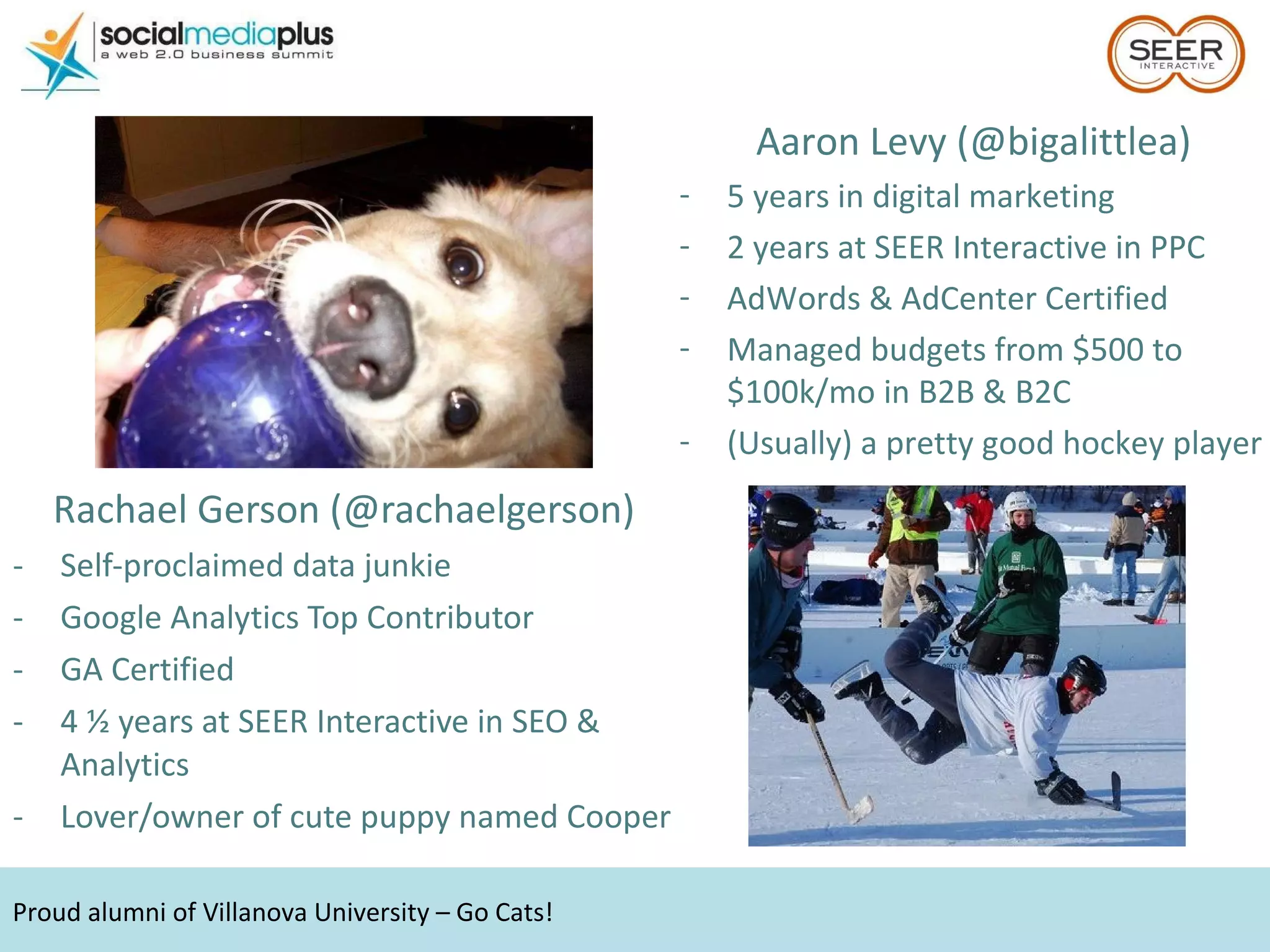
Rachael Gerson (@rachaelgerson) Self-proclaimed data junkie Google Analytics Top Contributor GA Certified  4 ½ years at SEER Interactive in SEO & Analytics Lover/owner of cute puppy named Cooper Proud alumni of Villanova University – Go Cats! Aaron Levy (@bigalittlea) 5 years in digital marketing 2 years at SEER Interactive in PPC AdWords & AdCenter Certified Managed budgets from $500 to $100k/mo in B2B & B2C (Usually) a pretty good hockey player
 
Is your online advertising working? Hint: there are only two possible answers.
Step 1: Set Goals
Establish a key success metric  before  you do anything else Cost Per Acquisition  Use lead-to-sale ratios and avg. customer value to back into an appropriate figure Return on Ad Spend/Investment Find the break even point Page Views/Visit If the goal is traffic, make sure it’s good traf fic Set a metric to  beat  – CPA ceiling or break even ROAS %.
Don’t forget your brand name! Step 2: Select keywords
If the keywords have no search volume, you won’t be eligible. Don’t just guess
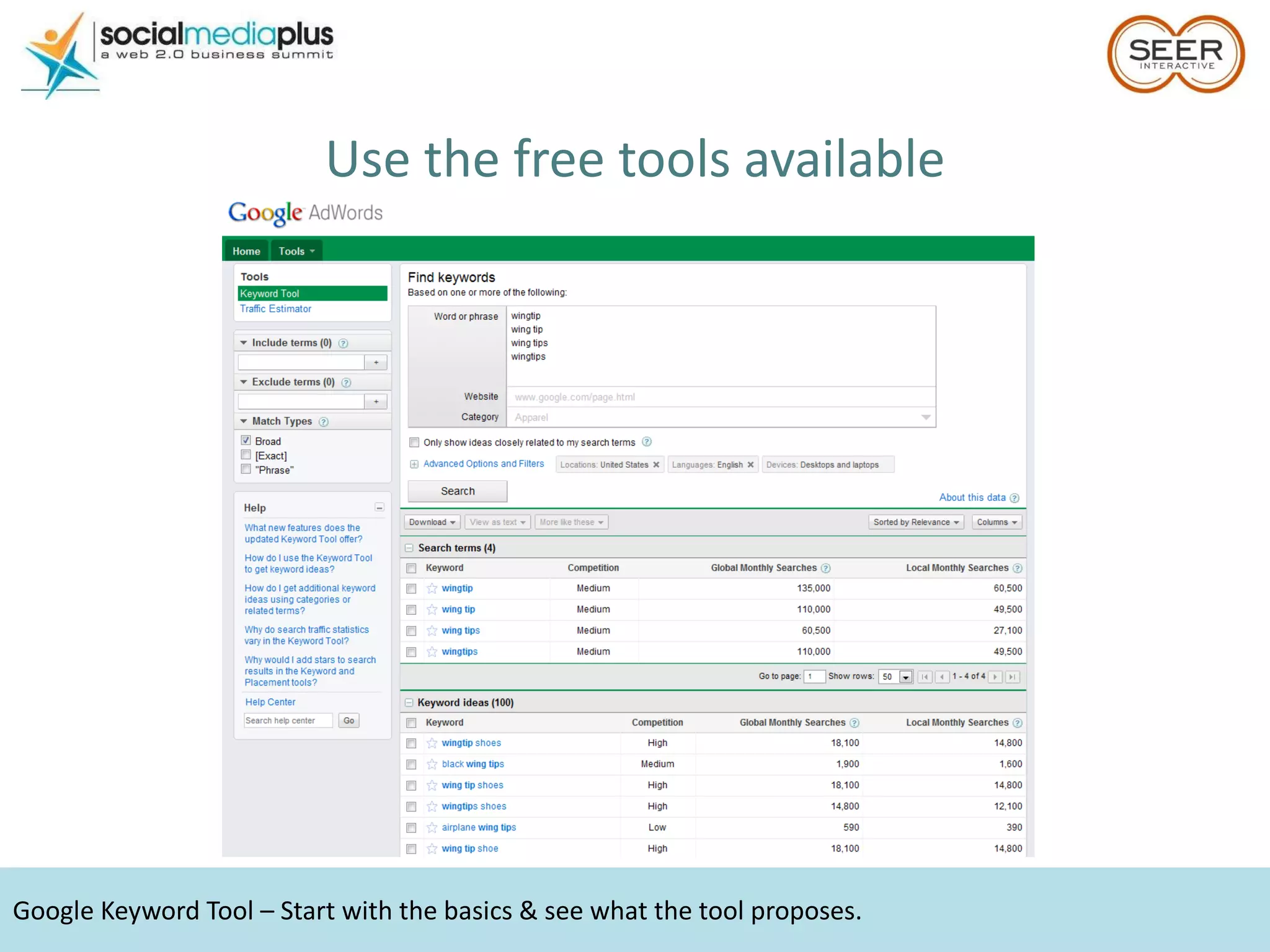
Google Keyword Tool – Start with the basics & see what the tool proposes.  Use the free tools available
Search Suggest – especially with the advent of Instant, these are terms you  need  to bid on. Use what the engines tell you
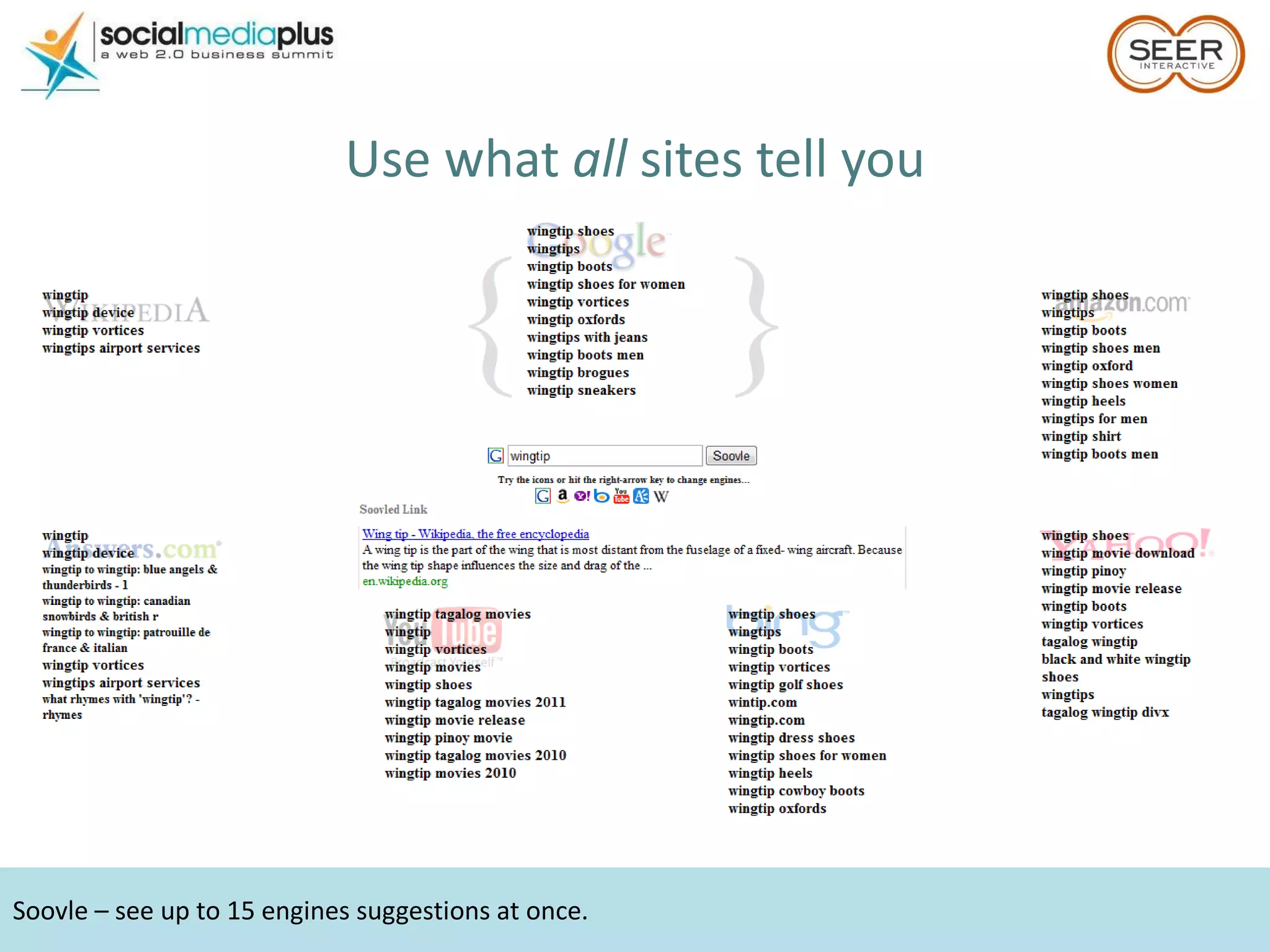
Soovle – see up to 15 engines suggestions at once. Use what  all  sites tell you
Use keyword tool exports & suggest to find initial negatives. Use query reports to grow the list. Be a Negative Nancy
Broad for volume, exact for control.  Find the perfect match (type) Keyword = brown wingtip shoes Buy shoes with wings Buy brown shoes Brown wings buy Brown wingtip shoes Brown wingtip shoes Wing tipped shoes brown Buy brown shoes with wing tips Where can I buy brown wingtip shoes Brown wingtip shoes Brown wingtip shoes Broad MBM Phrase Exact
Include negatives in your estimates & don’t bid more than you can afford; you don’t NEED to be #1. Don’t fall into a money pit
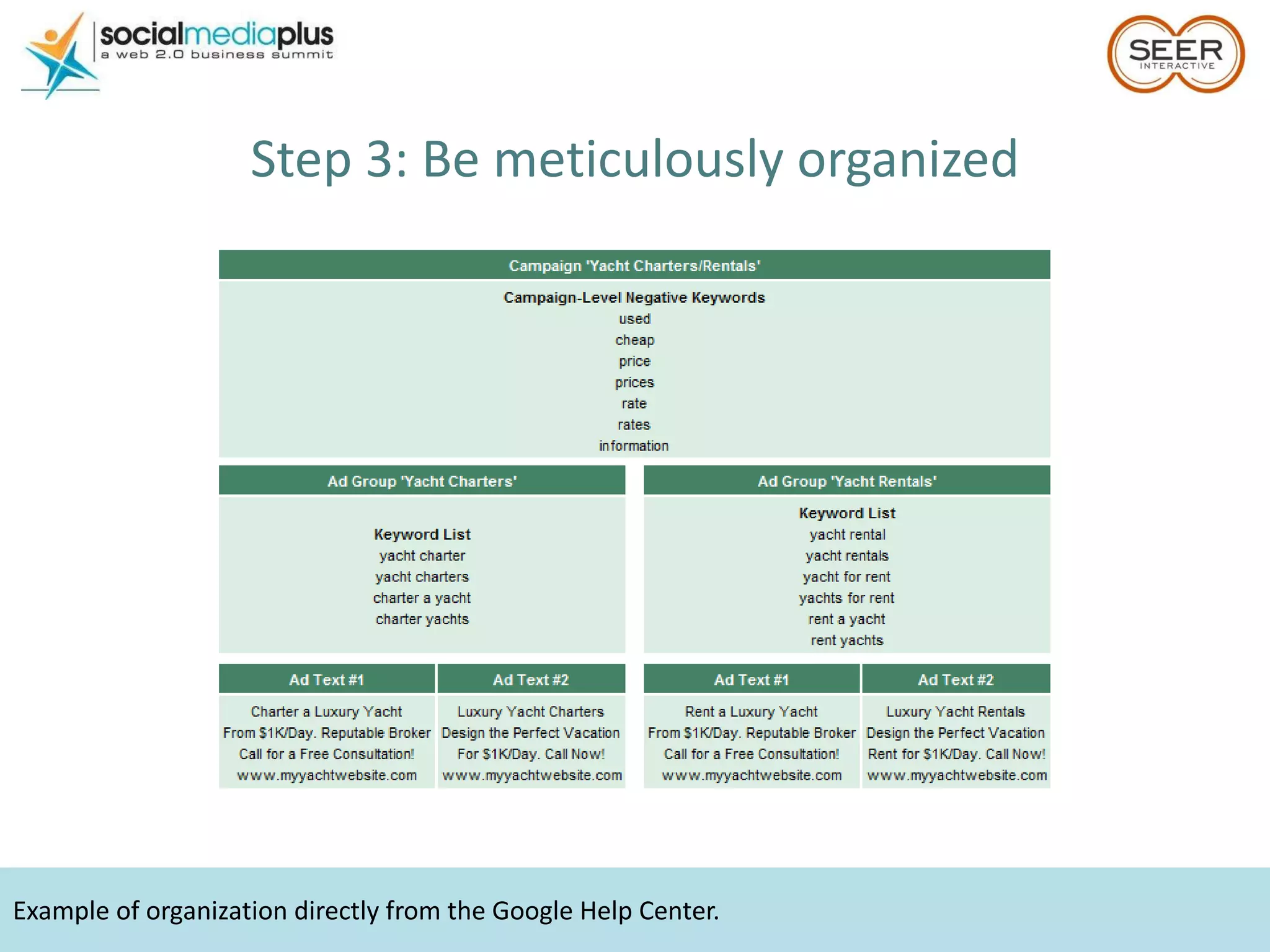
Example of organization directly from the Google Help Center. Step 3: Be meticulously organized
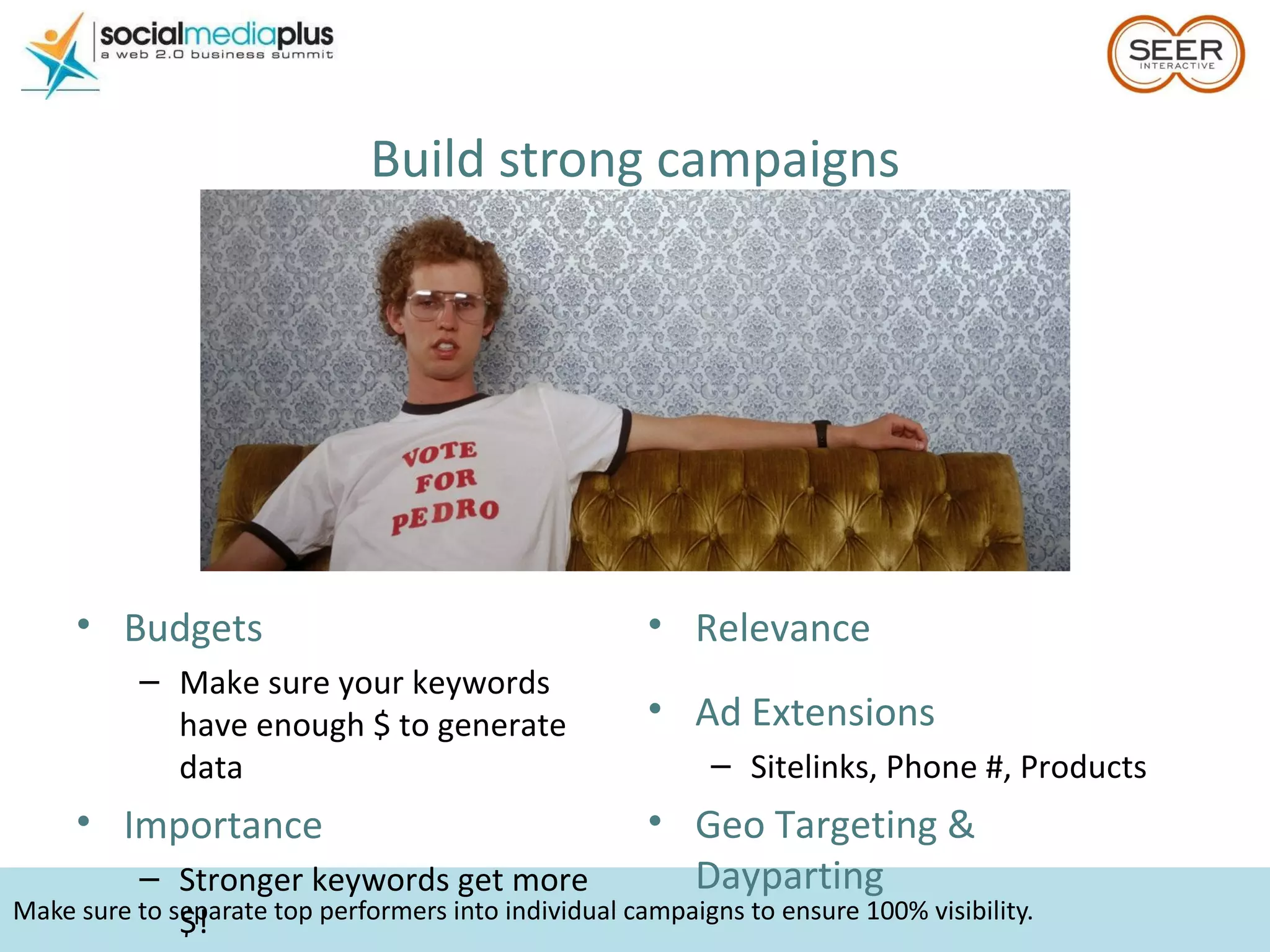
Make sure to separate top performers into individual campaigns to ensure 100% visibility. Build strong campaigns Budgets  Make sure your keywords have enough $ to generate data Importance Stronger keywords get more $! Relevance Ad Extensions Sitelinks, Phone #, Products Geo Targeting & Dayparting
Per Google, every keyword with 1,000+ monthly searches should have its own ad group. And keep ad groups relevant Ad copy is set on the ad group level Each copy point should speak  directly  to top terms Separate high volume terms into their own ad groups Set ad groups logically & control where copy shows Different colors = different ad groups Different products = different ad groups Different search intent = different ad groups Get granular
Make your ad stand out. Step 4: Craft crafty ad copy
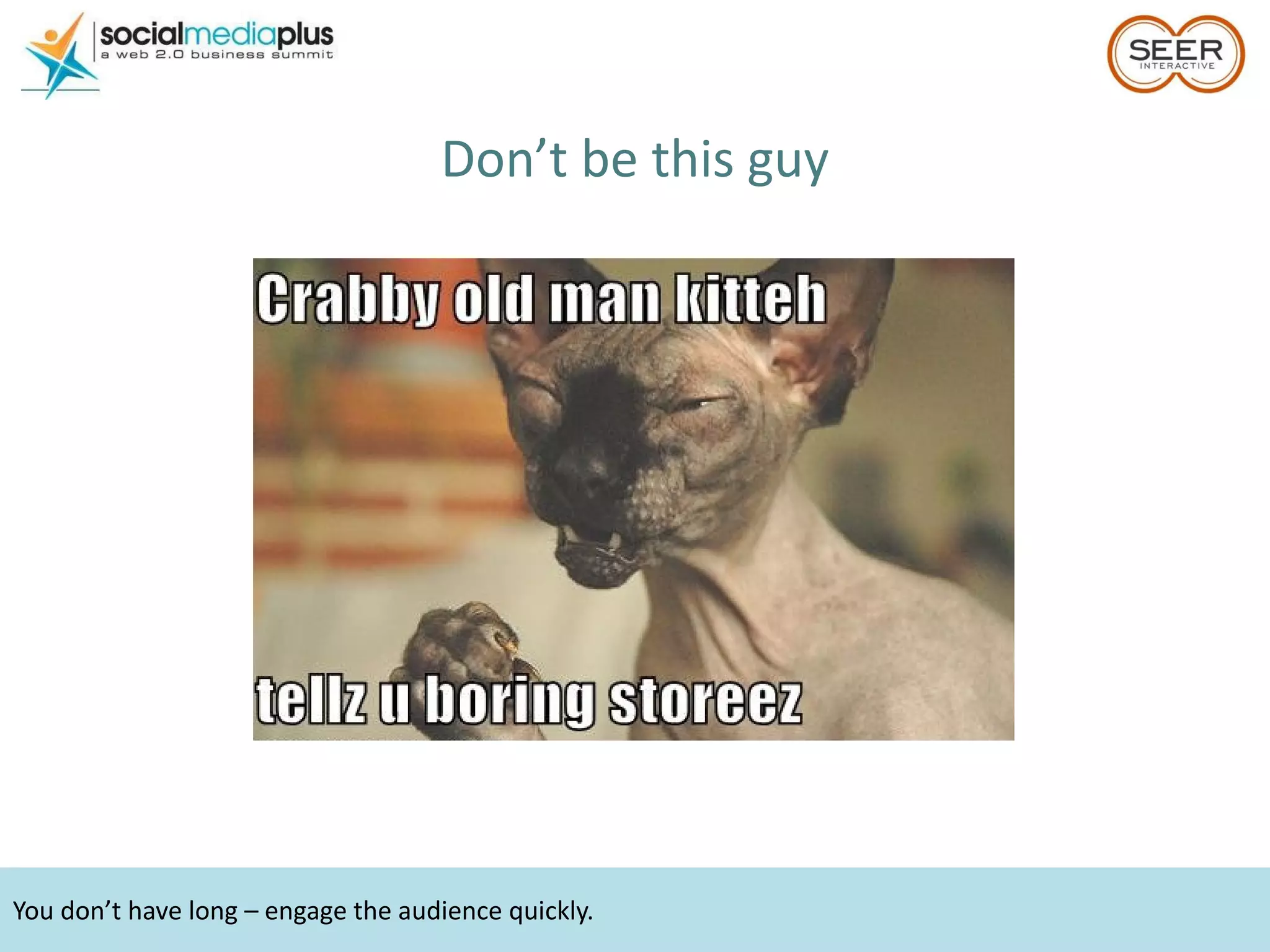
You don’t have long – engage the audience quickly. Don’t be this guy
Everyone uses best practices. Use them differently.  Or these guys
You can stand out and still use the same formula. Test & optimize! Be different, but be smart
Winning ad copy equation. Clear call to action Resonates with landing page Answers “why should I…” +  Contains top volume keyword
Be edgy, but not too edgy.  Step 5: Pick (or build) landing pages
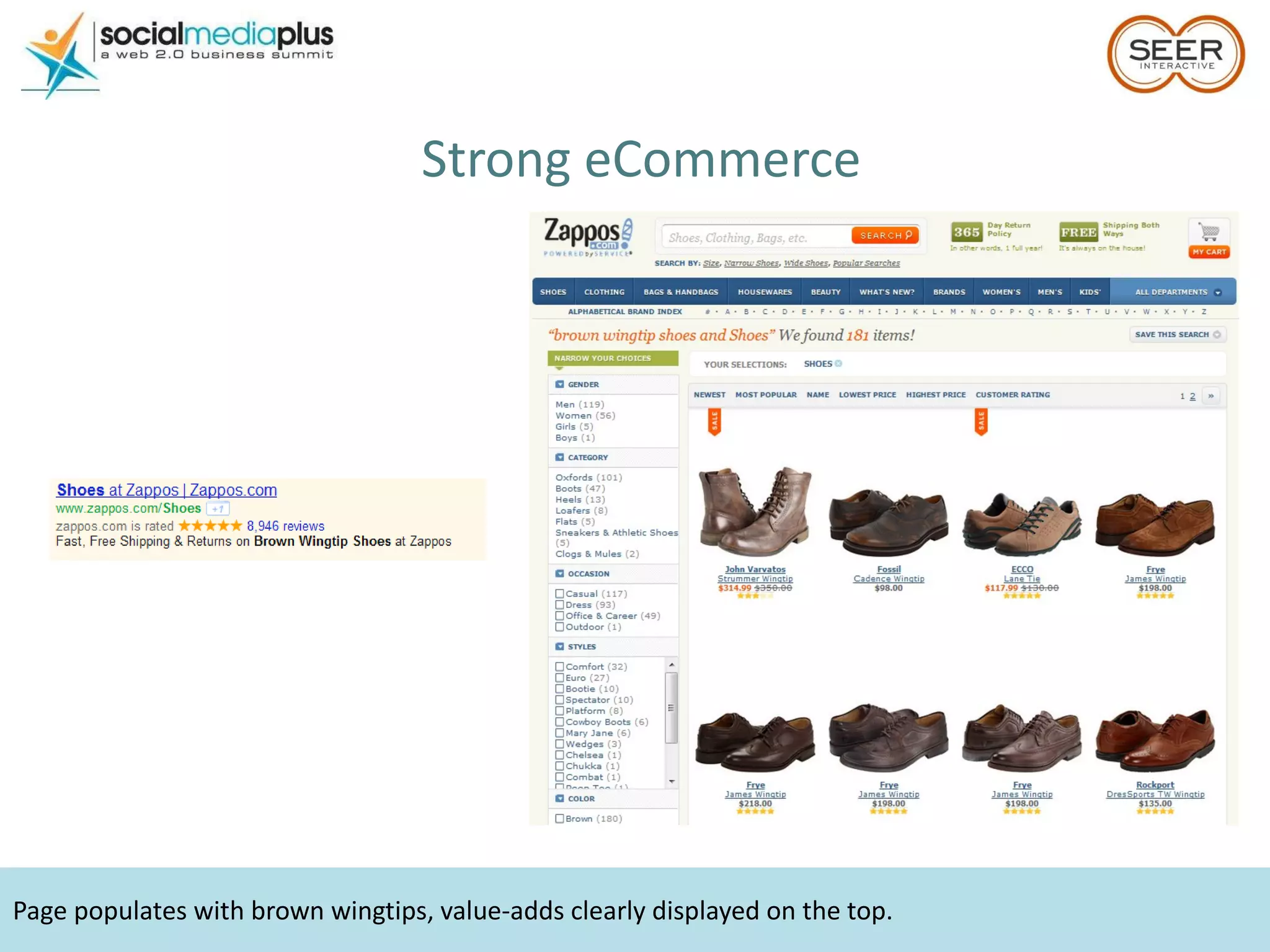
Page populates with brown wingtips, value-adds clearly displayed on the top. Strong eCommerce
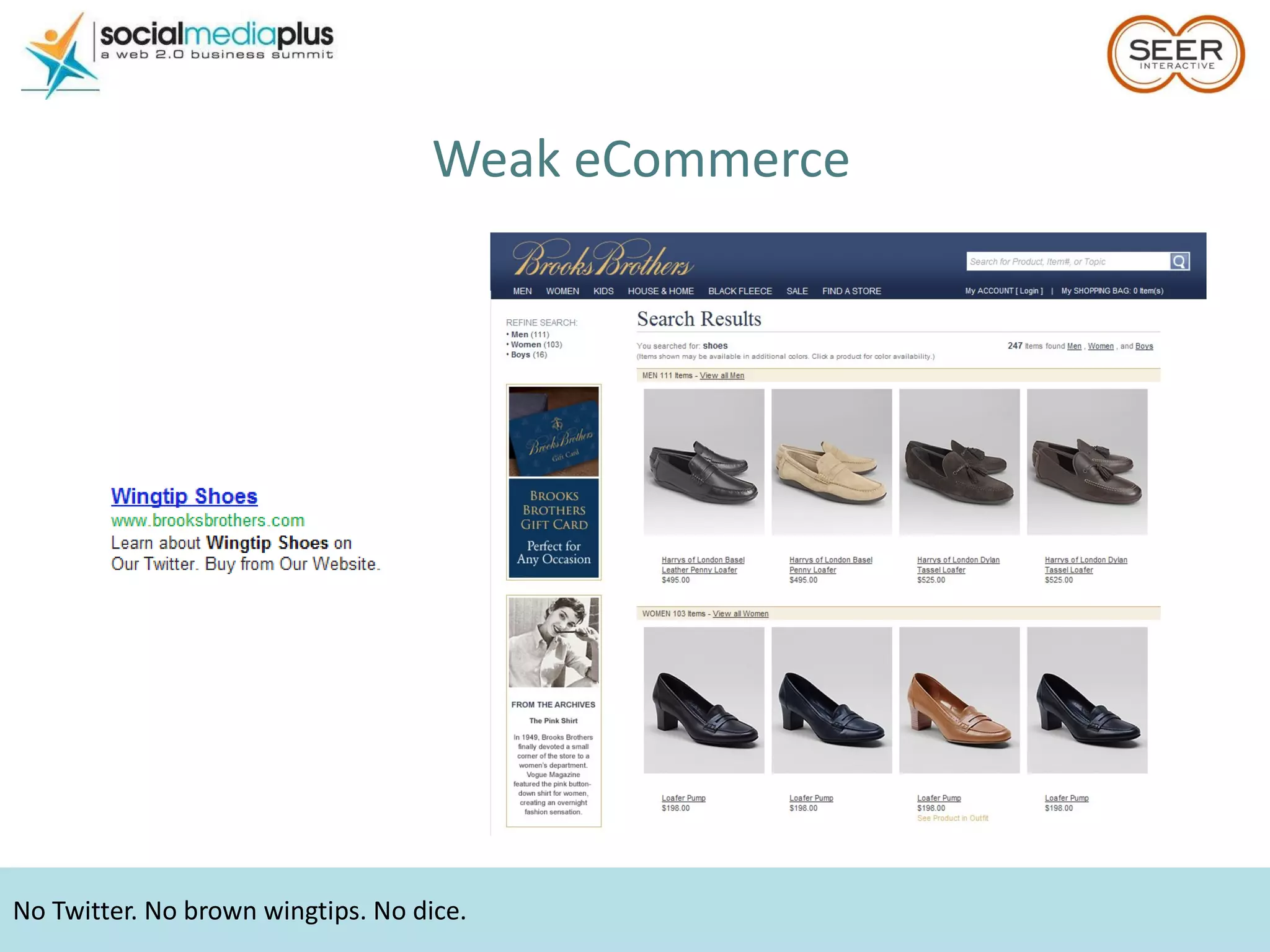
Weak eCommerce No Twitter. No brown wingtips. No dice.
Quantifiable value propositions directly related to landing page. Clear call to action, customer testimonials. Strong lead generation
Too many to count… Weak lead generation Broken landing pages  No clear call to action Lacking relevance from ad to landing page Tough on the eyes Unsubstantiated claims No privacy policy Asking for too much
No need for external conversion trackers. Step 6: Install & test tracking
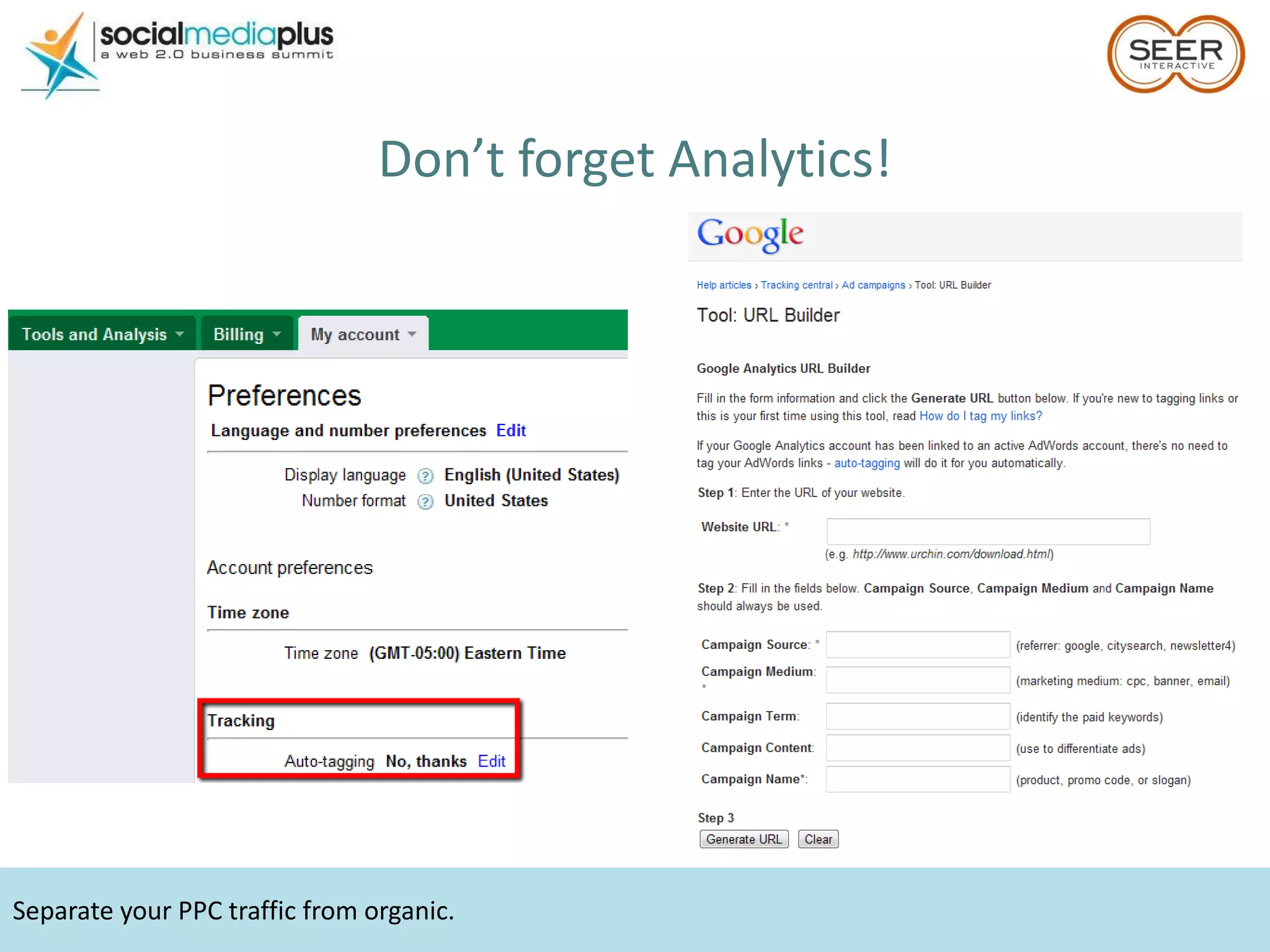
Separate your PPC traffic from organic.  Don’t forget Analytics!
Initial settings were designed by engines for most volume,  not  best performance. Step 7: Adjust settings
Both campaign types should be structured much differently (whole other session)! Networks & Devices
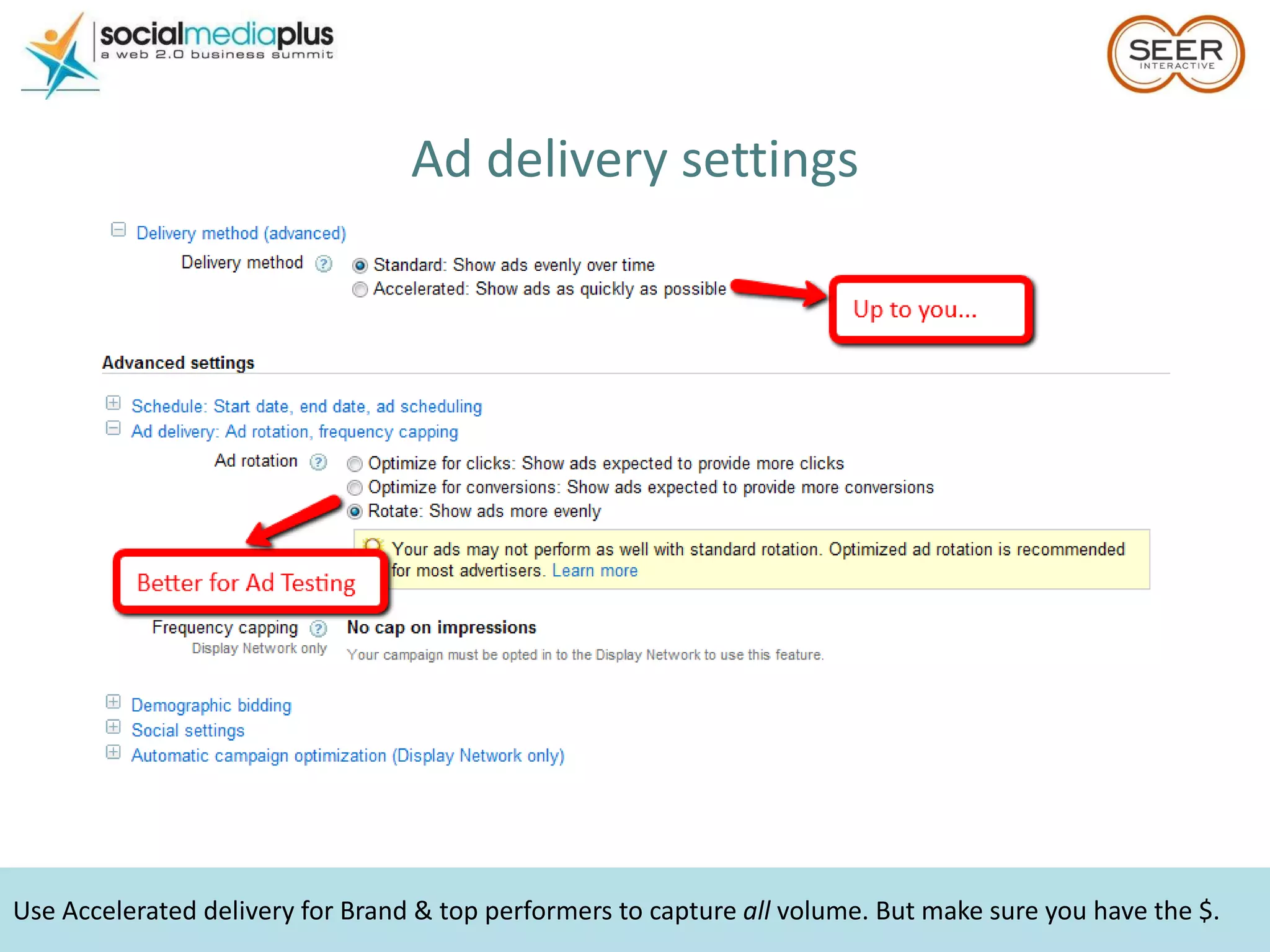
Use Accelerated delivery for Brand & top performers to capture  all  volume. But make sure you have the $. Ad delivery settings
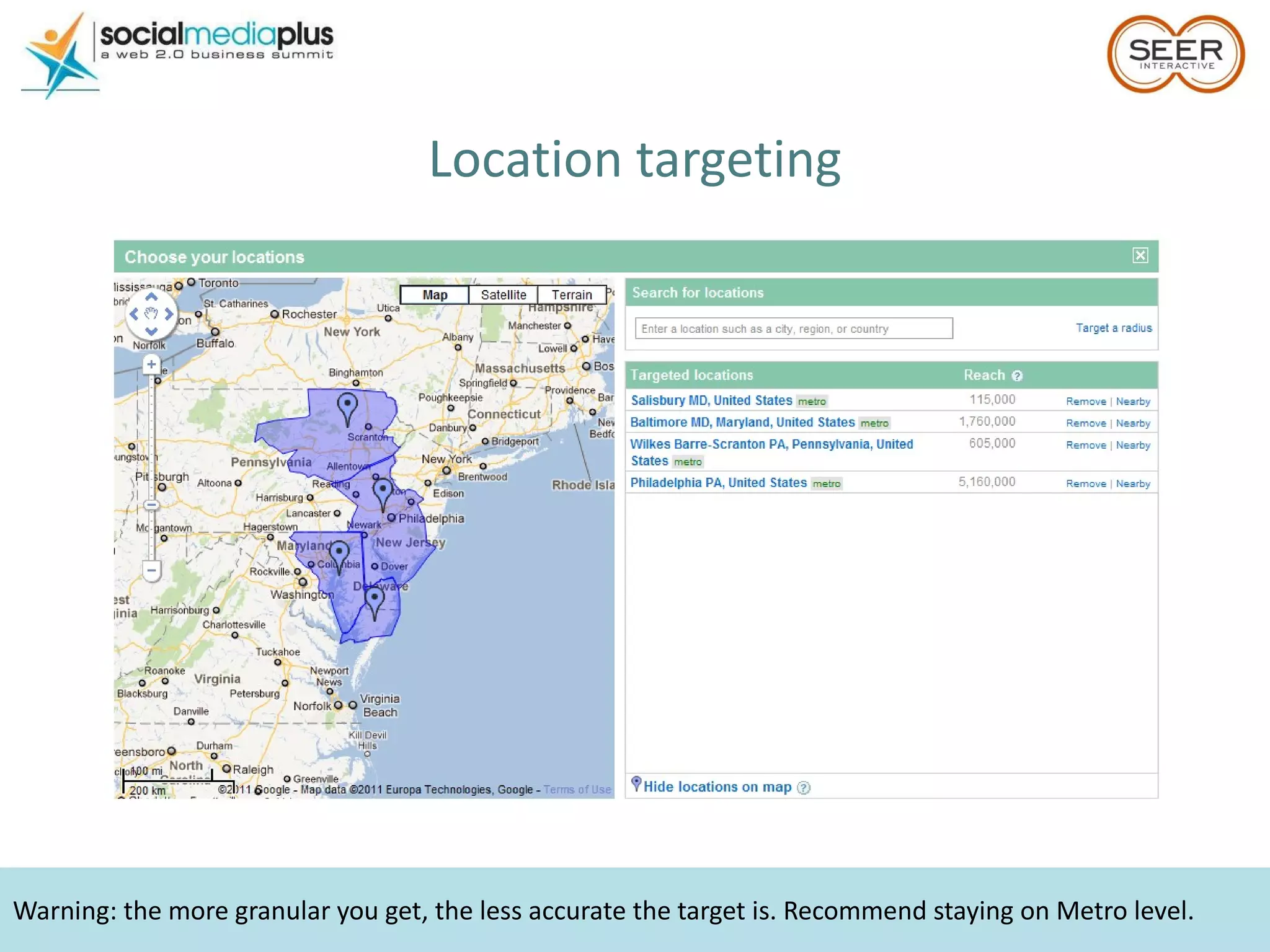
Warning: the more granular you get, the less accurate the target is. Recommend staying on Metro level. Location targeting
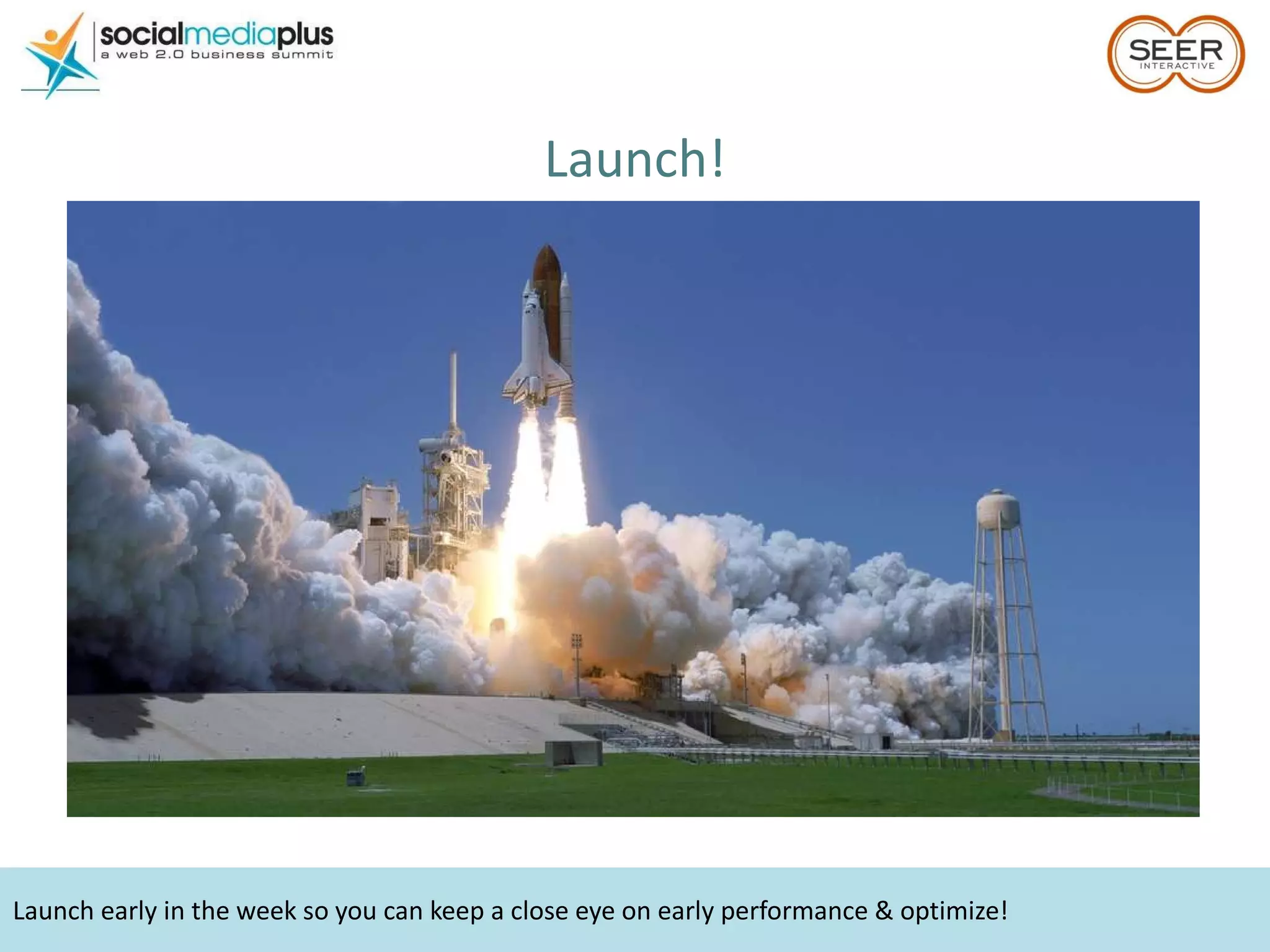
Launch early in the week so you can keep a close eye on early performance & optimize! Launch!
… and beyond The beauty of paid search is that we have data on everything. Use it. Test Ad Extensions (+CTR) Test Ad Copy (+CTR, -CPC) But check for  Statistical Significance Mine Search Query reports to grow negatives & keyword targets (+CTR, -CPA) Test & tweak your landing pages Set up Google Alerts, watch Insights Know what’s going on in your space  Link to +1 accounts TEST EVERYTHING
Your Knowledge Level Newbie – Never used GA Beginner – Use GA on occasion, can navigate through Intermediate – Power-user, never sets up profiles Advanced – Use & set up profiles regularly
Start Using GA Some Do’s and Don’ts
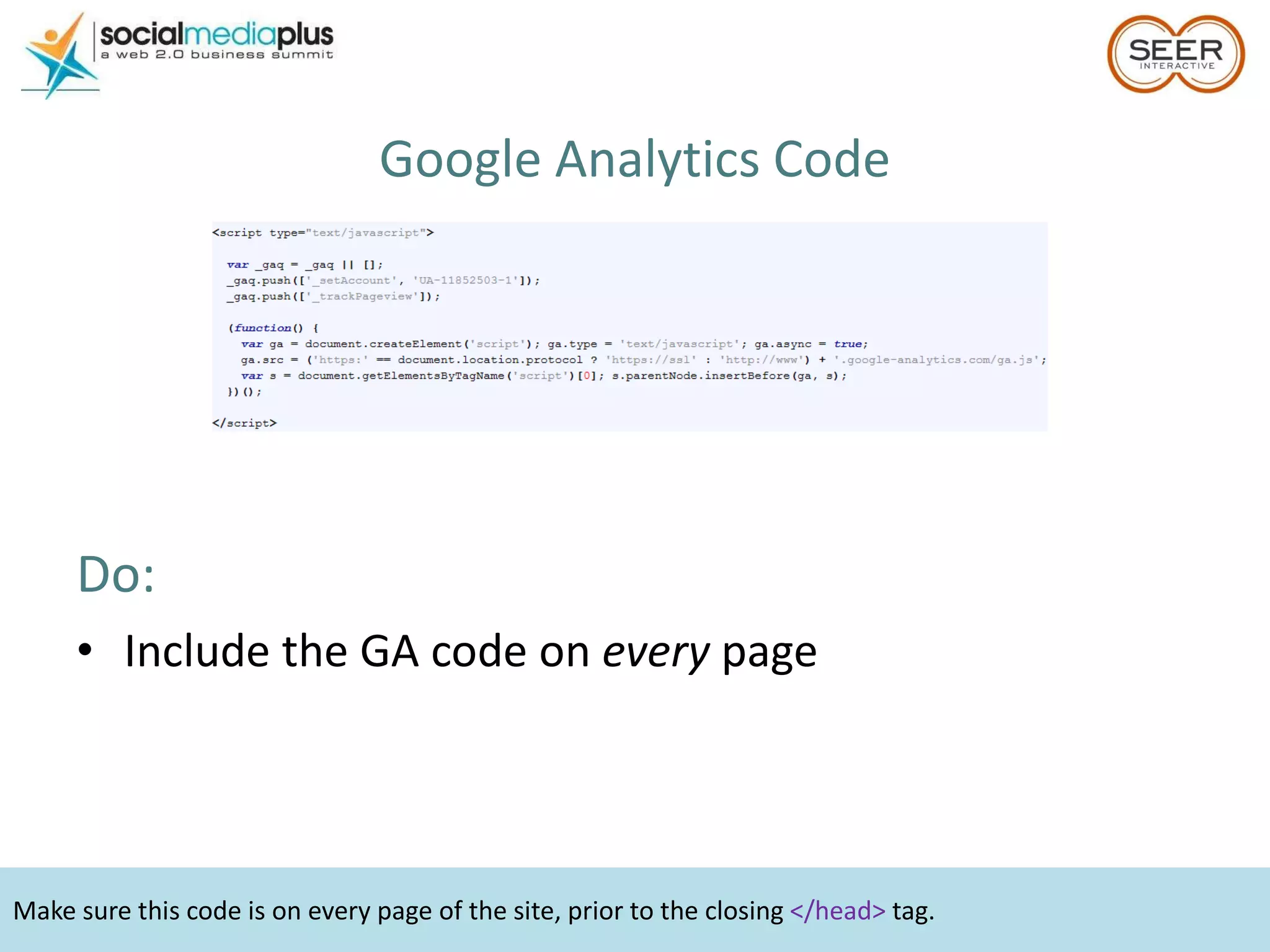
Make sure this code is on every page of the site, prior to the closing  </head>  tag. Google Analytics Code Do:  Include the GA code on  every  page
Regular code cannot go on a site with multiple domains or mobile sites. Google Analytics Code Don’t: Use regular code on sites that span multiple domains or mobile sites Use more than one set of the same code
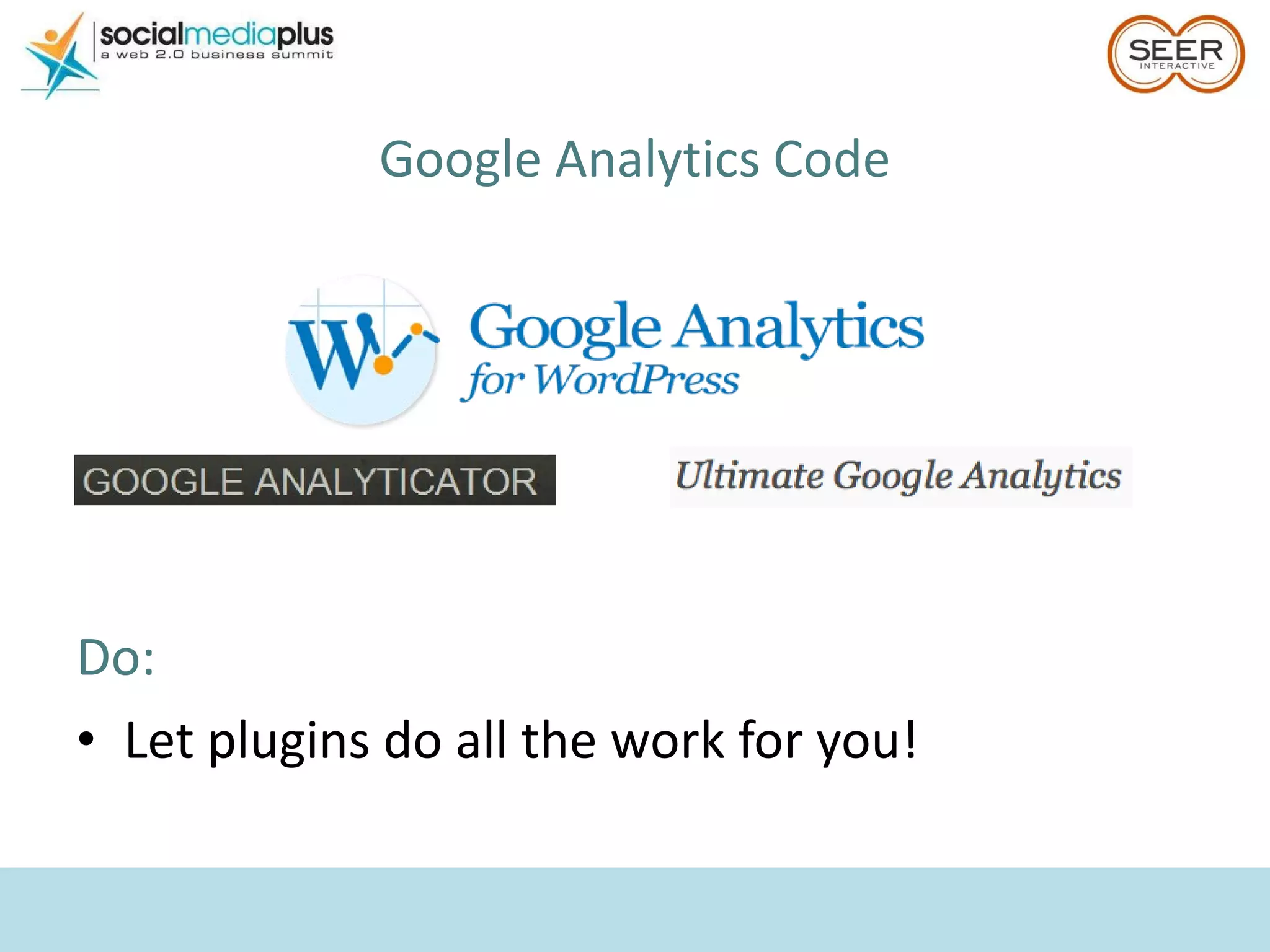
Google Analytics Code Do:  Let plugins do all the work for you!
Know these guys?
Make sure you’re driving the  right  traffic. Visits = $ Don’t Be These Guys
Which Metrics Should You Be Monitoring? DO focus primarily on: Visits & Conversions / Transactions
Data can come into GA up to 24 hours late. Visits No visits = no sales More visits SHOULD = more sales
Make sure the whole team is on board with the KPIs prior to setting up goals. Conversions & Transactions Non-eCommerce site: Figure out your  Key Performance Indicators  ( KPIs ) & create GA Goals
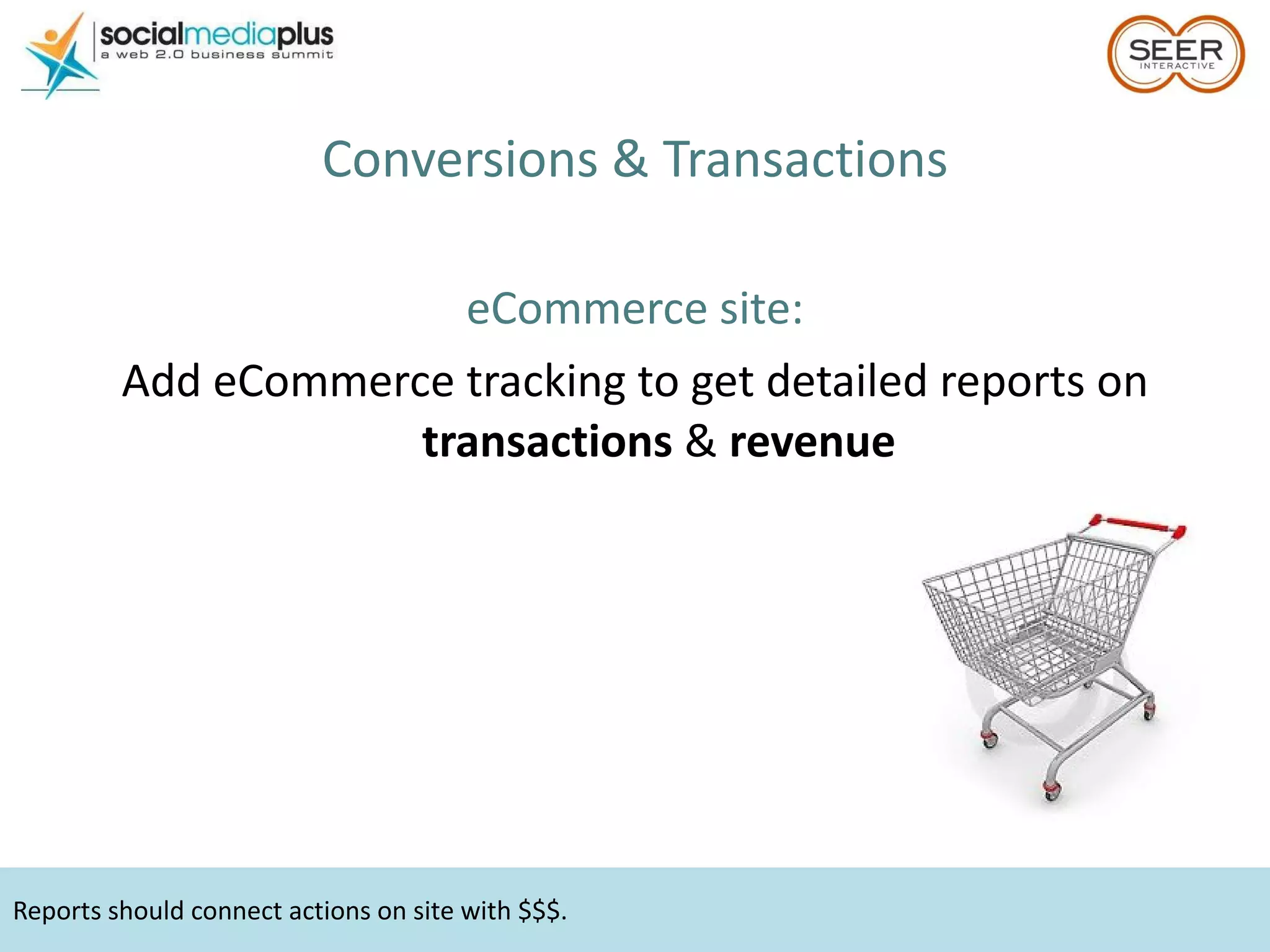
Reports should connect actions on site with $$$. Conversions & Transactions eCommerce site: Add eCommerce tracking to get detailed reports on  transactions  &  revenue
Which Metrics Should You Be Monitoring? DO focus secondarily on: Bounce Rate Use Bounce Rate as your indicator that you may be losing quality traffic & $
A bounced visit will show in GA as 0:00 time on site. What is Bounce Rate? Google Analytics definition: Visits in which the person left your site from the entrance (landing) page
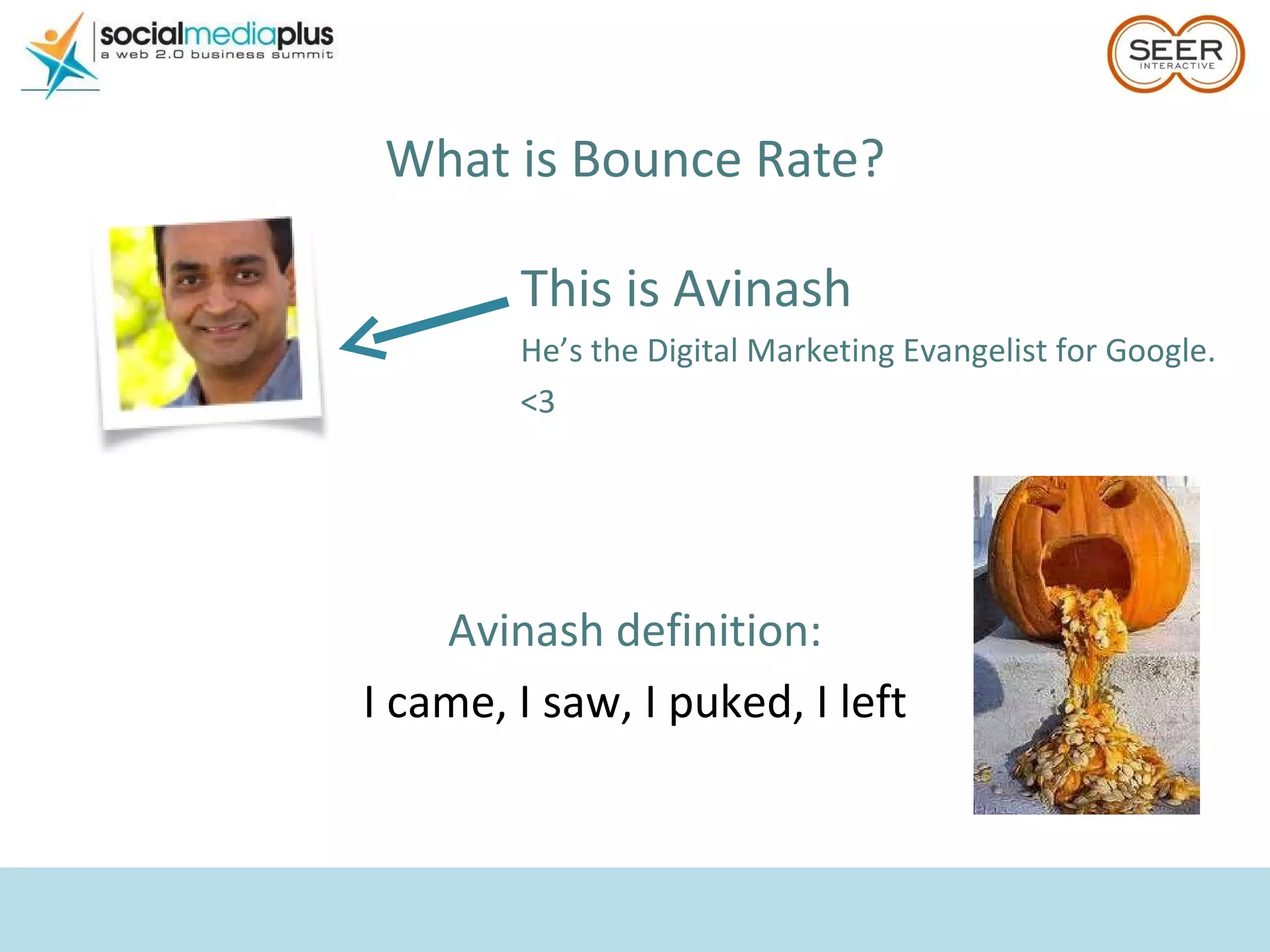
What is Bounce Rate? Avinash definition: I came, I saw, I puked, I left This is Avinash He’s the Digital Marketing Evangelist for Google. <3
A high bounce rate isn’t always a bad thing. What’s a  Good  Bounce Rate? Depends on the site & the industry High bounce rate = BAD eCommerce product landing page
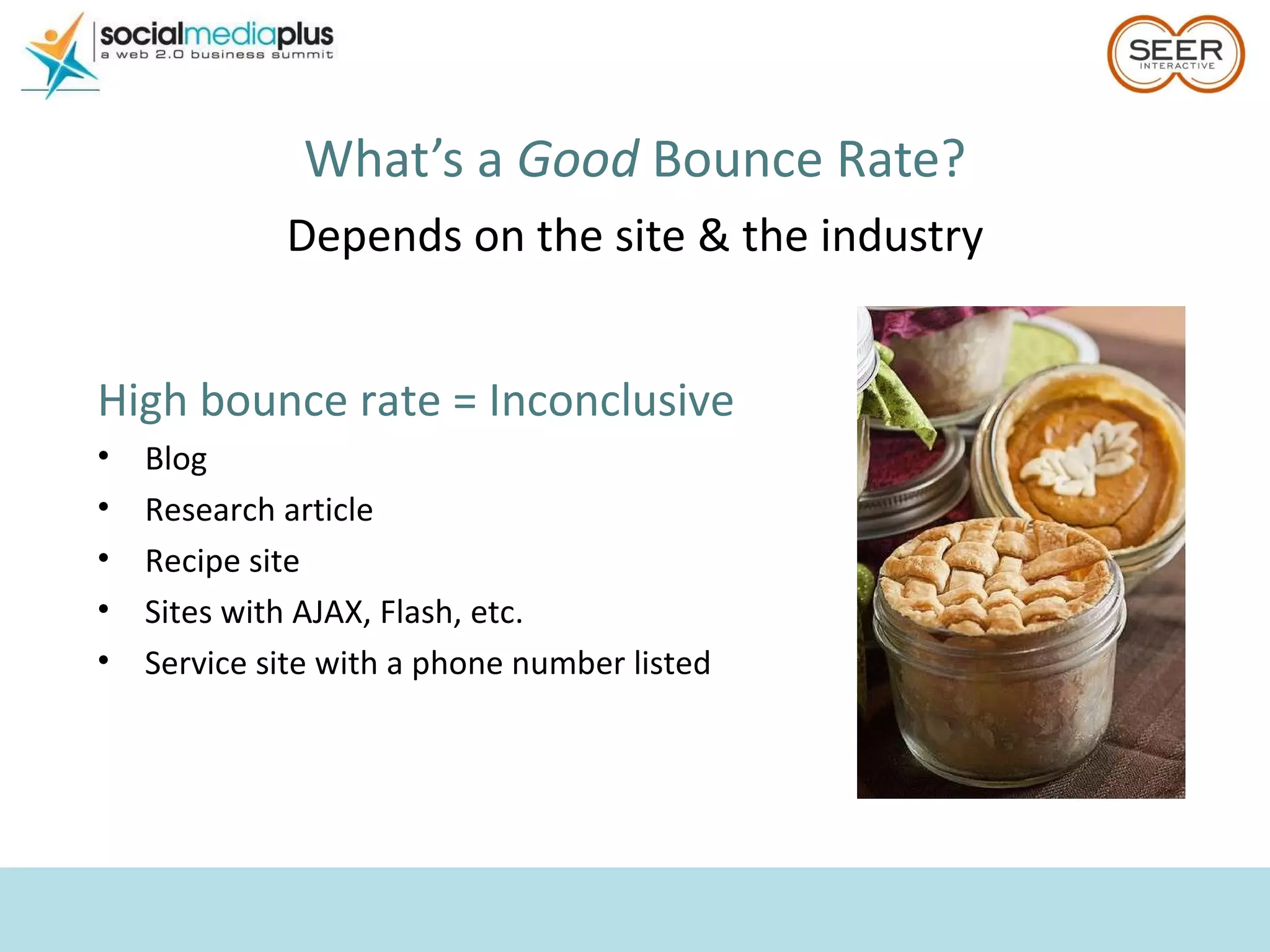
What’s a  Good  Bounce Rate? Depends on the site & the industry High bounce rate = Inconclusive Blog Research article Recipe site Sites with AJAX, Flash, etc. Service site with a phone number listed
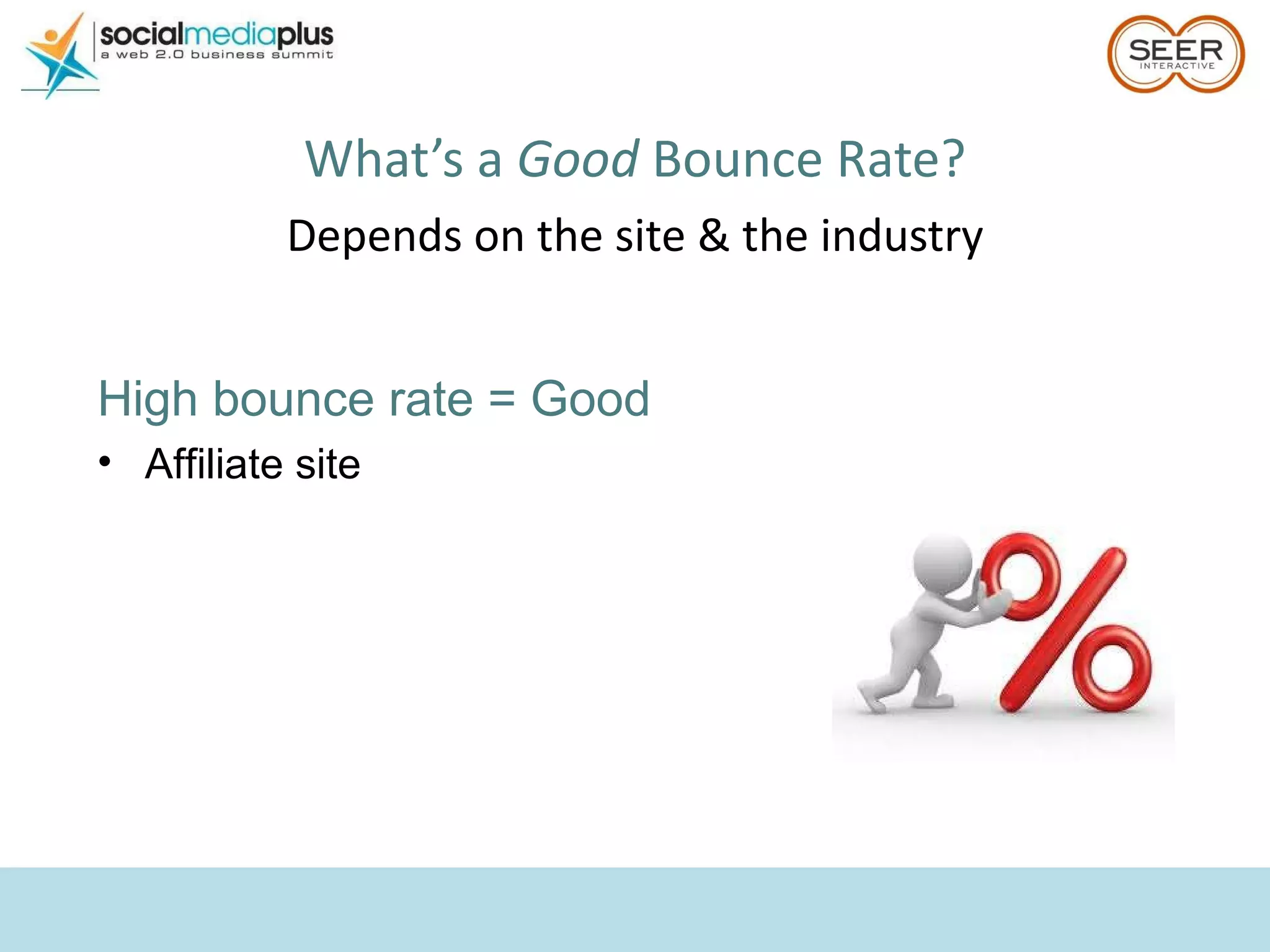
What’s a  Good  Bounce Rate? Depends on the site & the industry High bounce rate = Good Affiliate site
Time on site is a critically flawed metric to report on. Which Metrics Should You Be Monitoring? DO NOT focus on: Time on Site Why? How they’re calculated Browser behavior
Segment EVERYTHING Another Avinash Tip: “ Never  report a metric without segmenting  it to give deep insights into what that  metric is really hiding behind it.”
How Do I Segment? Several easy segmentation solutions in GA: Instant Filters  Advanced Segments  Profile Filters
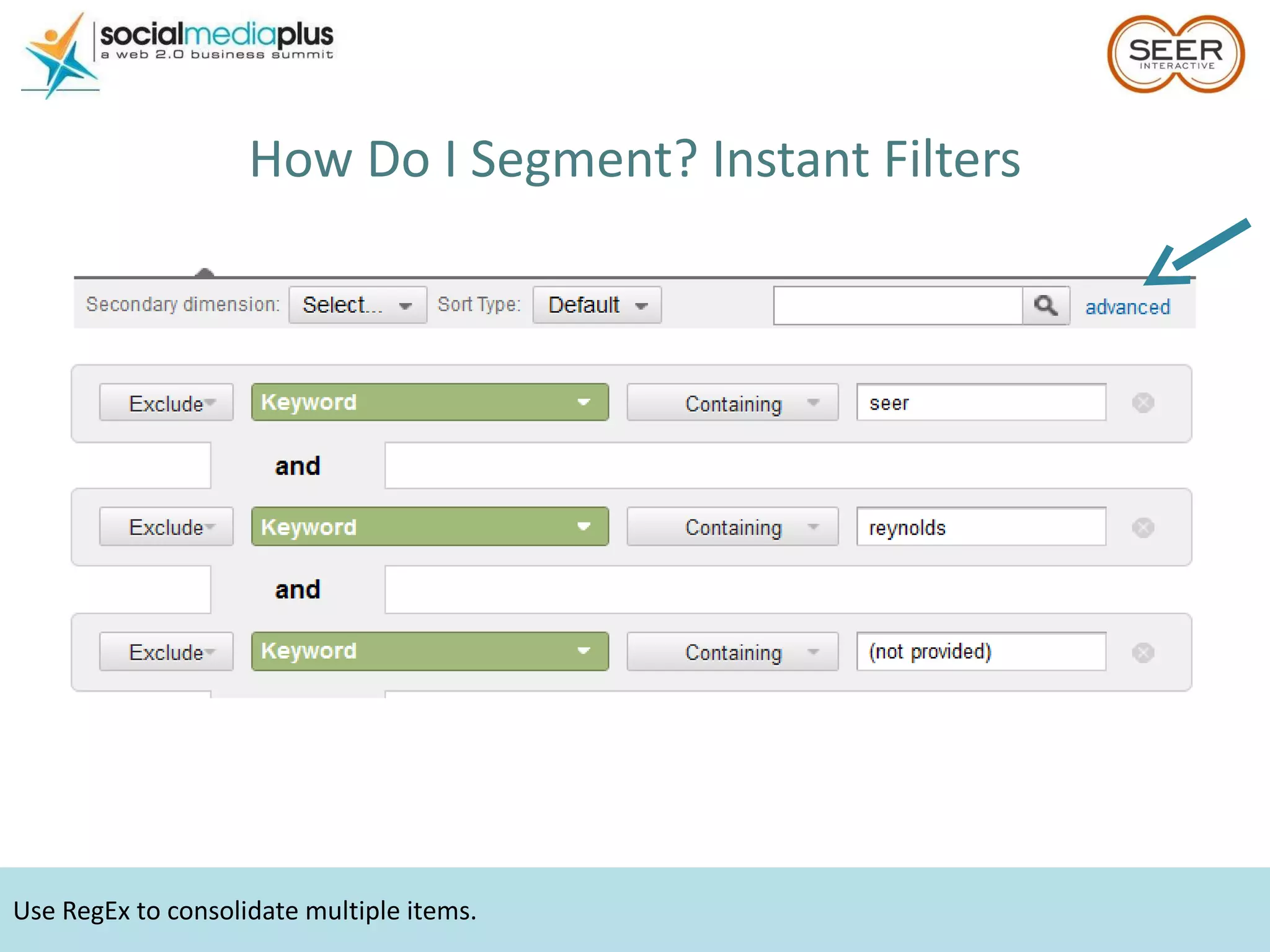
Use RegEx to consolidate multiple items. How Do I Segment? Instant Filters
Advanced Segments can cause the dreaded Fast Access Mode. How Do I Segment? Advanced Segments
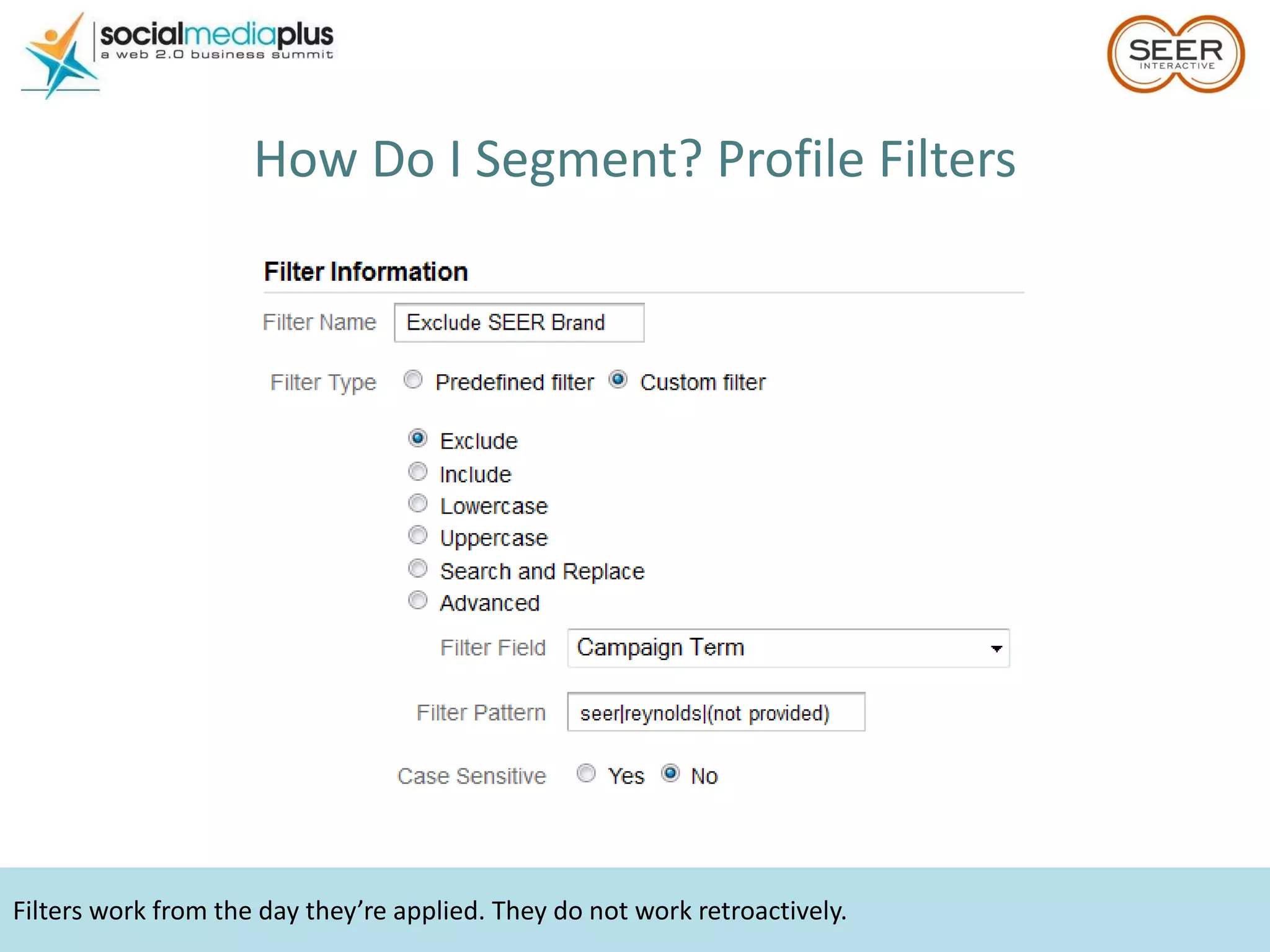
Filters work from the day they’re applied. They do not work retroactively. How Do I Segment? Profile Filters
Use GA to Answer Questions Do I need a mobile site? Which traffic sources convert best? Which keywords drive the best traffic to my site? How does my social media perform?
Do I Need a Mobile Site? Do you already get mobile traffic?
Should I Make a Mobile Site? How do visits for mobile compare to desktop? Look at Conversion Rate, Bounce Rate View the site on your phone! Let the data make your decision.
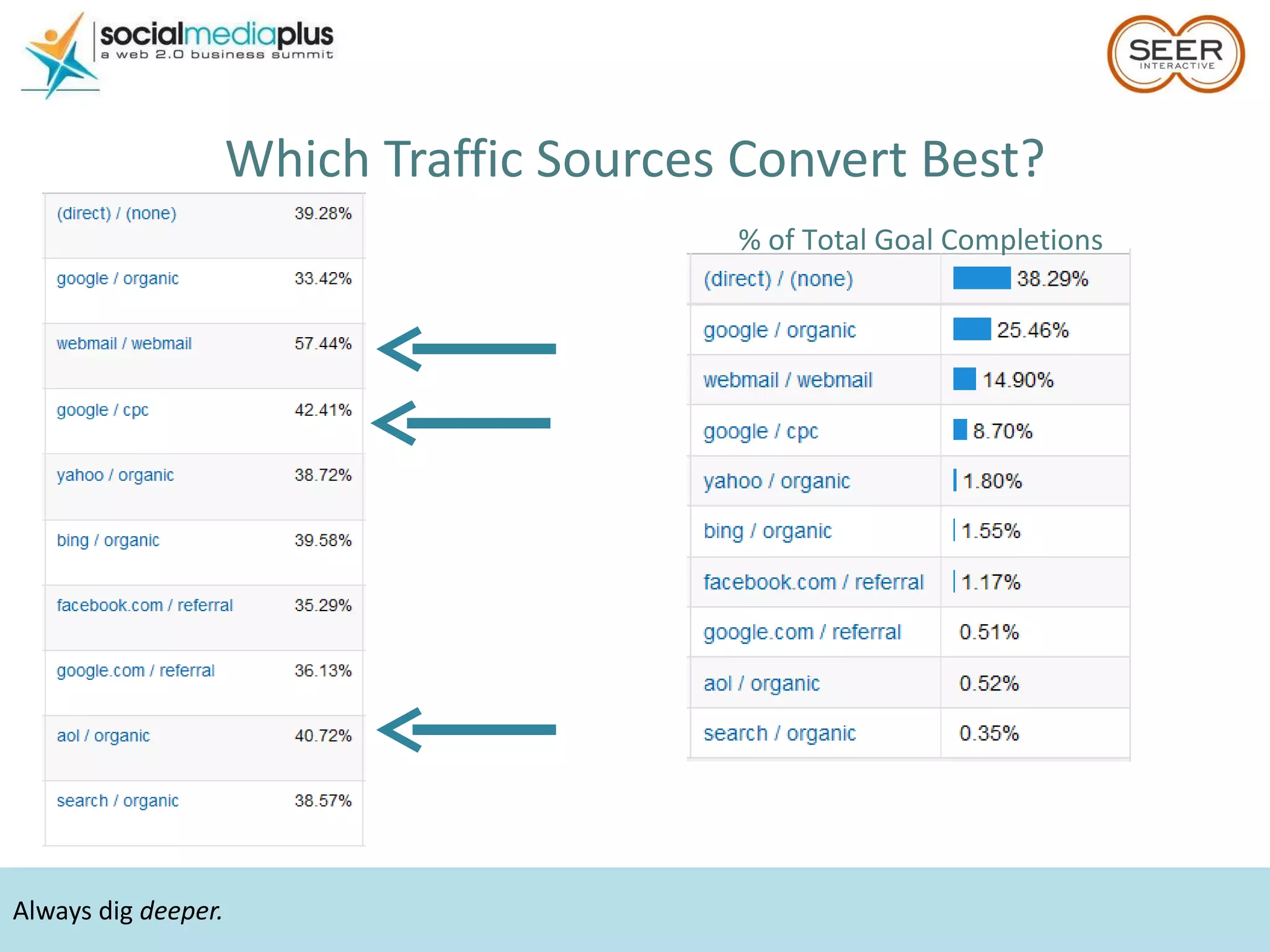
Always dig  deeper. Which Traffic Sources Convert Best? % of Total Goal Completions
SEER’s sweet spot = SEO Which Keywords   Drive the Best Traffic?
Look at ONLY Social Traffic Set up however you prefer, but find a way to limit the data to  only  social
Advanced segments cause fast access mode. Look at ONLY Social Traffic Example – Compare Visits
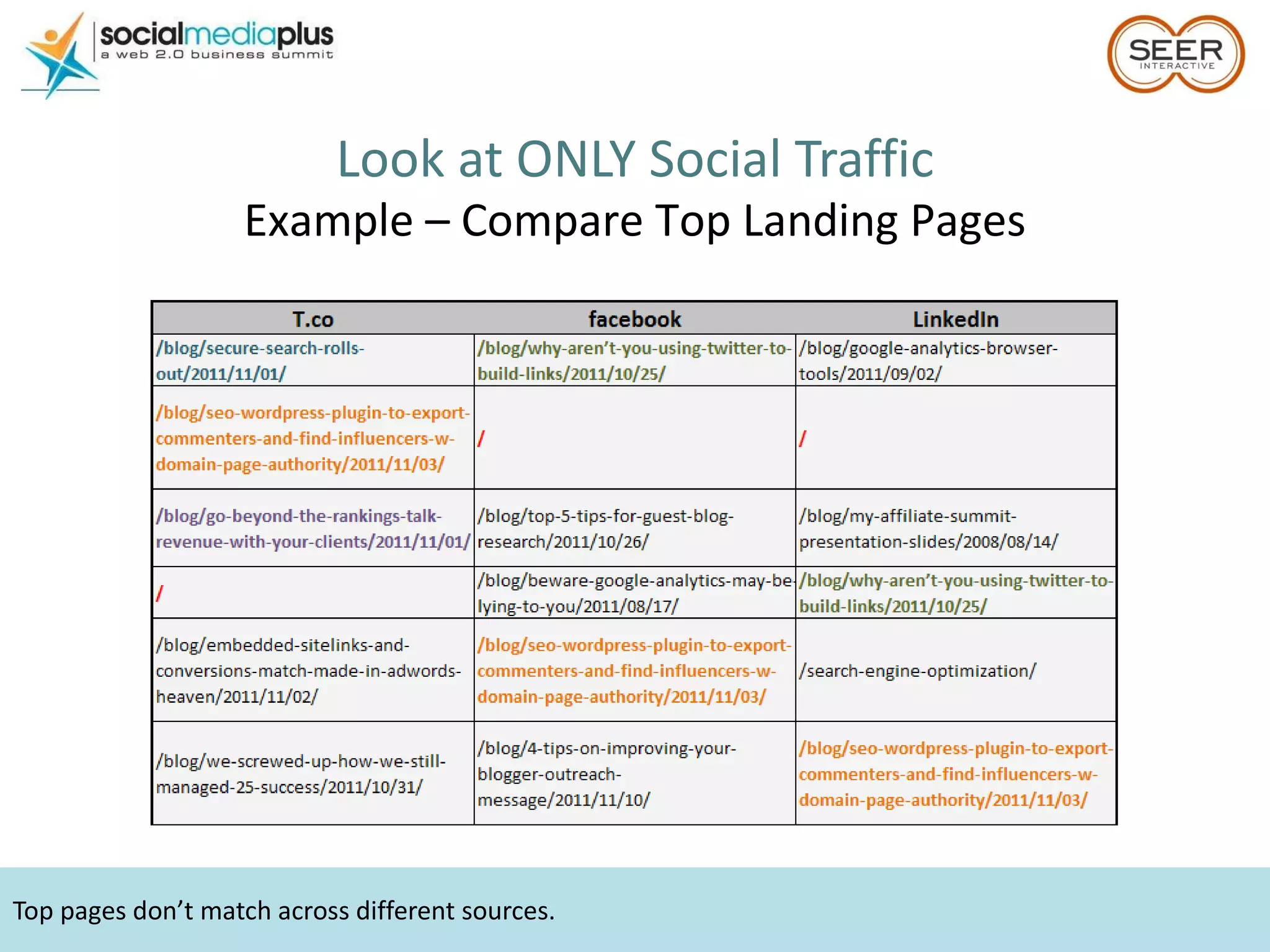
Top pages don’t match across different sources. Look at ONLY Social Traffic Example – Compare Top Landing Pages
Look at ONLY Social Traffic Example – Compare On-Site Behaviors
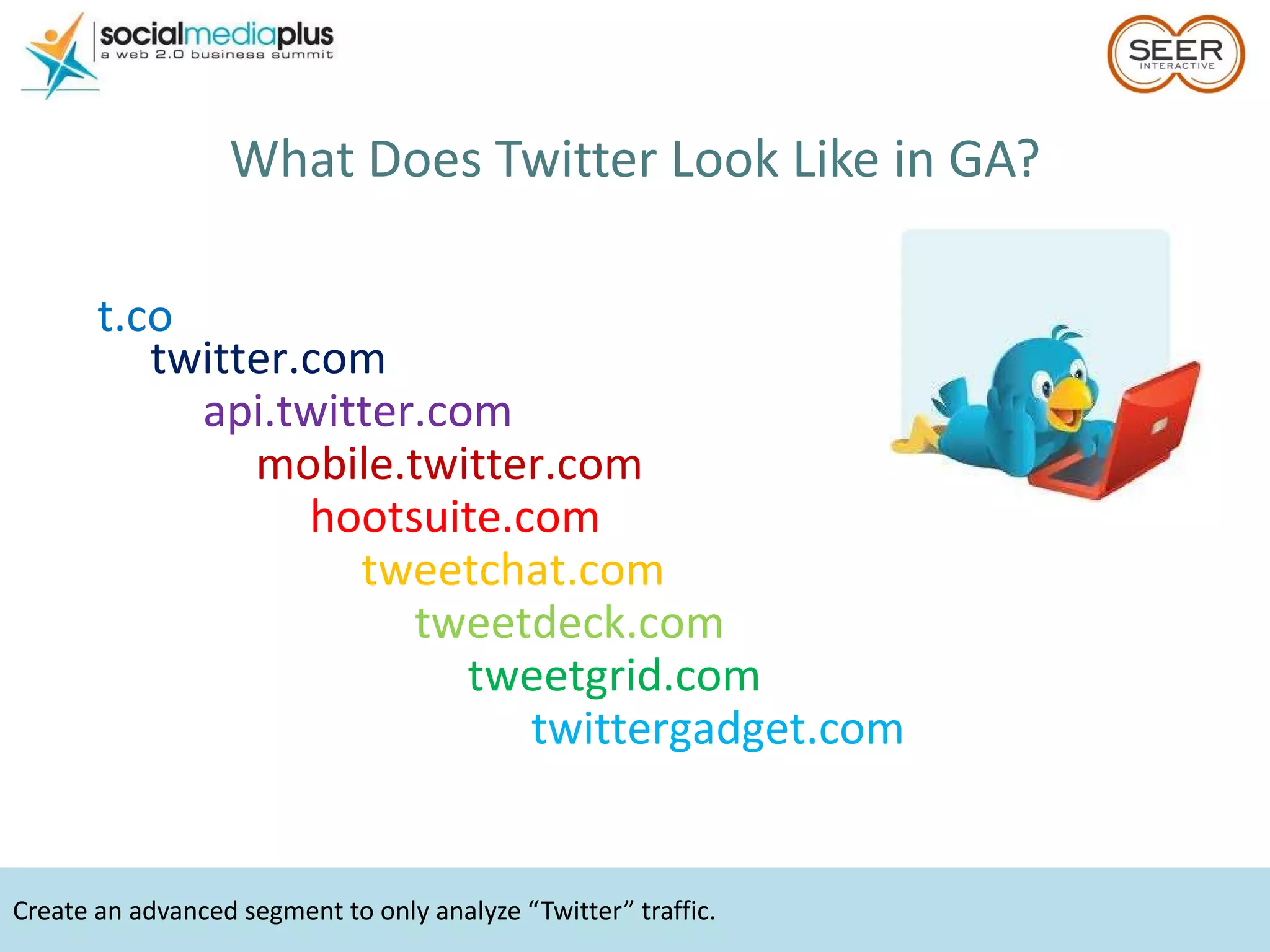
Create an advanced segment to only analyze “Twitter” traffic. What Does Twitter Look Like in GA? t.co twitter.com hootsuite.com tweetchat.com tweetdeck.com tweetgrid.com twittergadget.com api.twitter.com mobile.twitter.com
Launched March 2011 Eight of the New Features What Do I Need to Know About New GA?
Usability update. What Do I Need to Know About New GA? Searching in Menus
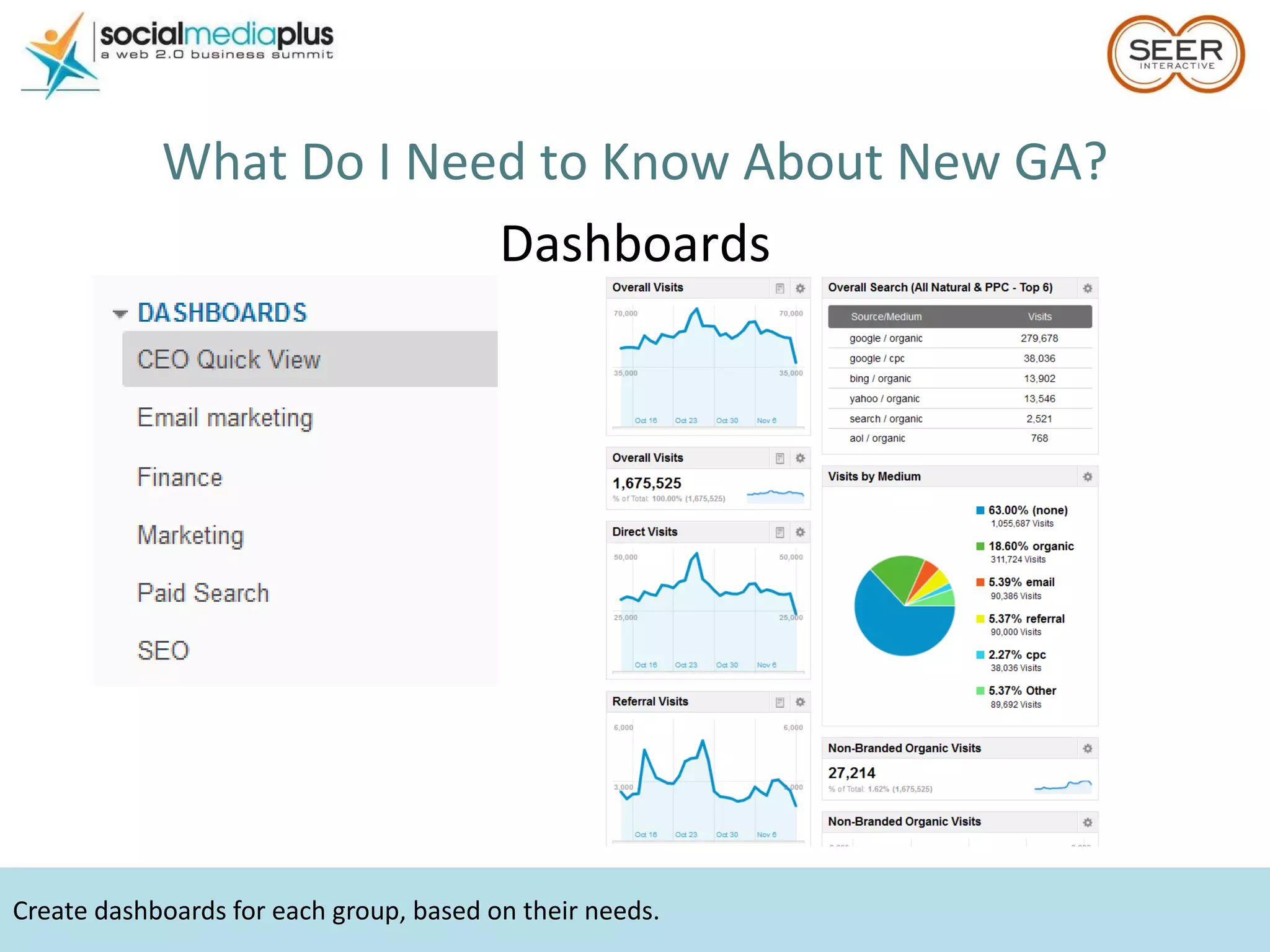
Dashboards aren’t shared between accounts. What Do I Need to Know About New GA? Dashboards
Create dashboards for each group, based on their needs. What Do I Need to Know About New GA? Dashboards
Use Keyword Clouds to visualize top keywords. What Do I Need to Know About New GA? Keyword Clouds
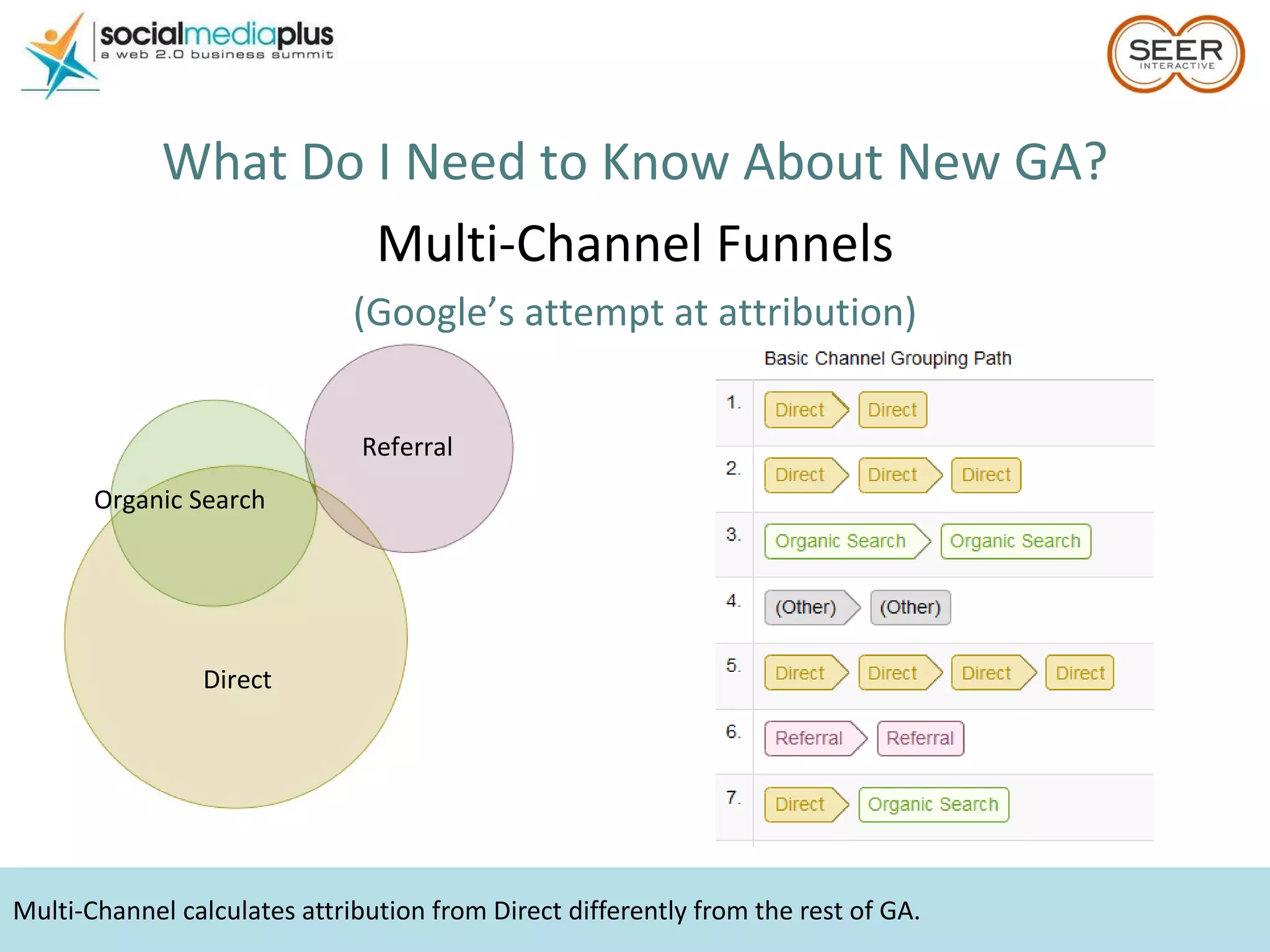
Multi-Channel calculates attribution from Direct differently from the rest of GA. What Do I Need to Know About New GA? Multi-Channel Funnels (Google’s attempt at attribution) Direct Referral Organic Search
Use Real-Time Reports to test campaign tracking. What Do I Need to Know About New GA? Real-Time Data
Use these numbers to show relative trends. What Do I Need to Know About New GA? Webmaster Tools Integration Why use it?
40% of people abandon a site that takes more than 3 seconds to load A 1 second delay can result in a 7% reduction in conversions What Do I Need to Know About New GA? Site Speed
Only one line of code needed to integrate social for AddThis. ShareThis doesn’t need any changes. Analyze how users are interacting with Social Plugins What Do I Need to Know About New GA? Social Engagement
PDF Export & Email Report – Temporary Old GA turns off January 2012 What Do I Need to Know About New GA? Missing Features
Hootsuite Don’t Limit Your “Analytics” to Google Analytics
facebook Don’t Limit Your “Analytics” to Google Analytics
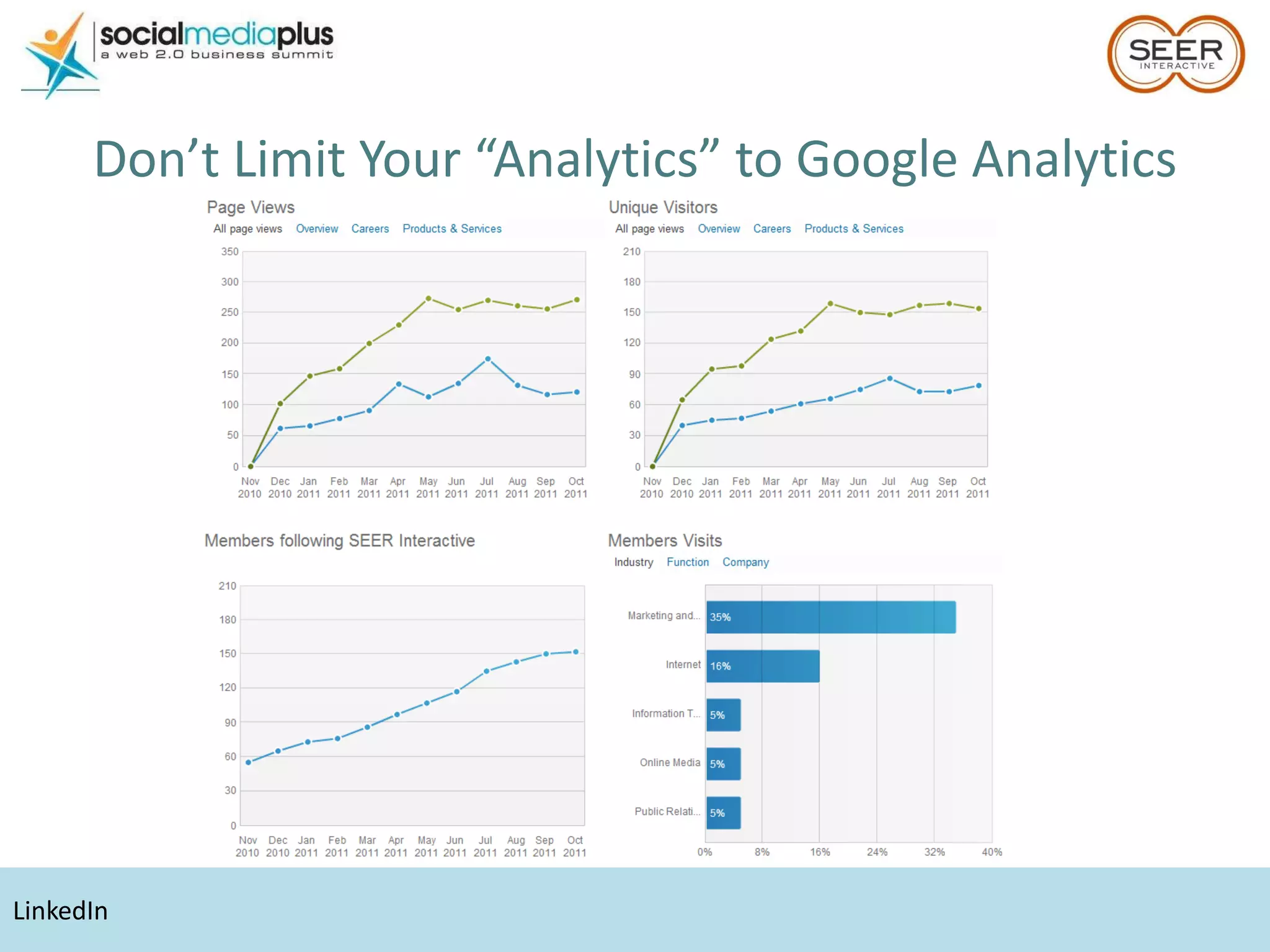
LinkedIn Don’t Limit Your “Analytics” to Google Analytics
YouTube Don’t Limit Your “Analytics” to Google Analytics
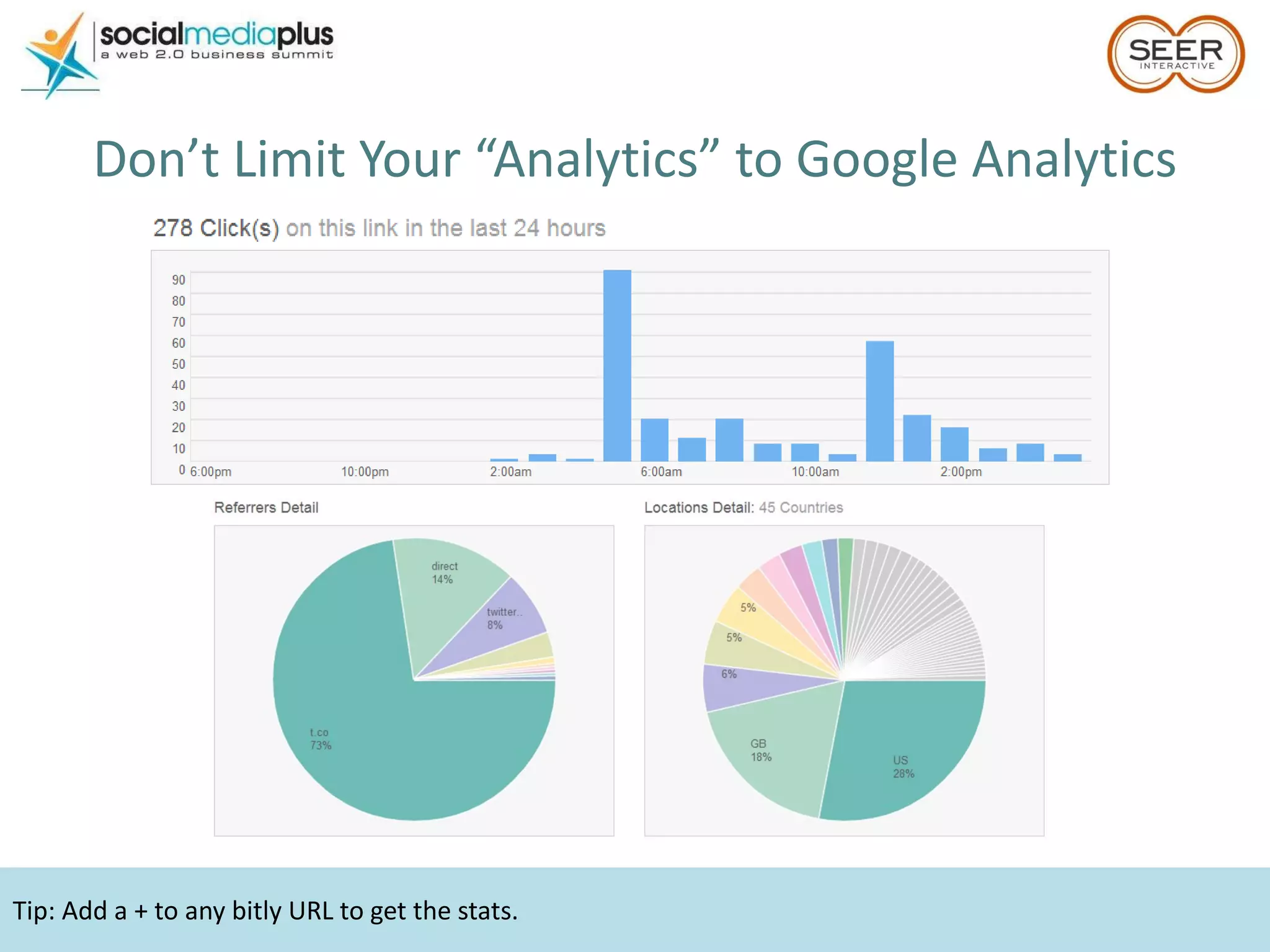
Tip: Add a + to any bitly URL to get the stats. Don’t Limit Your “Analytics” to Google Analytics
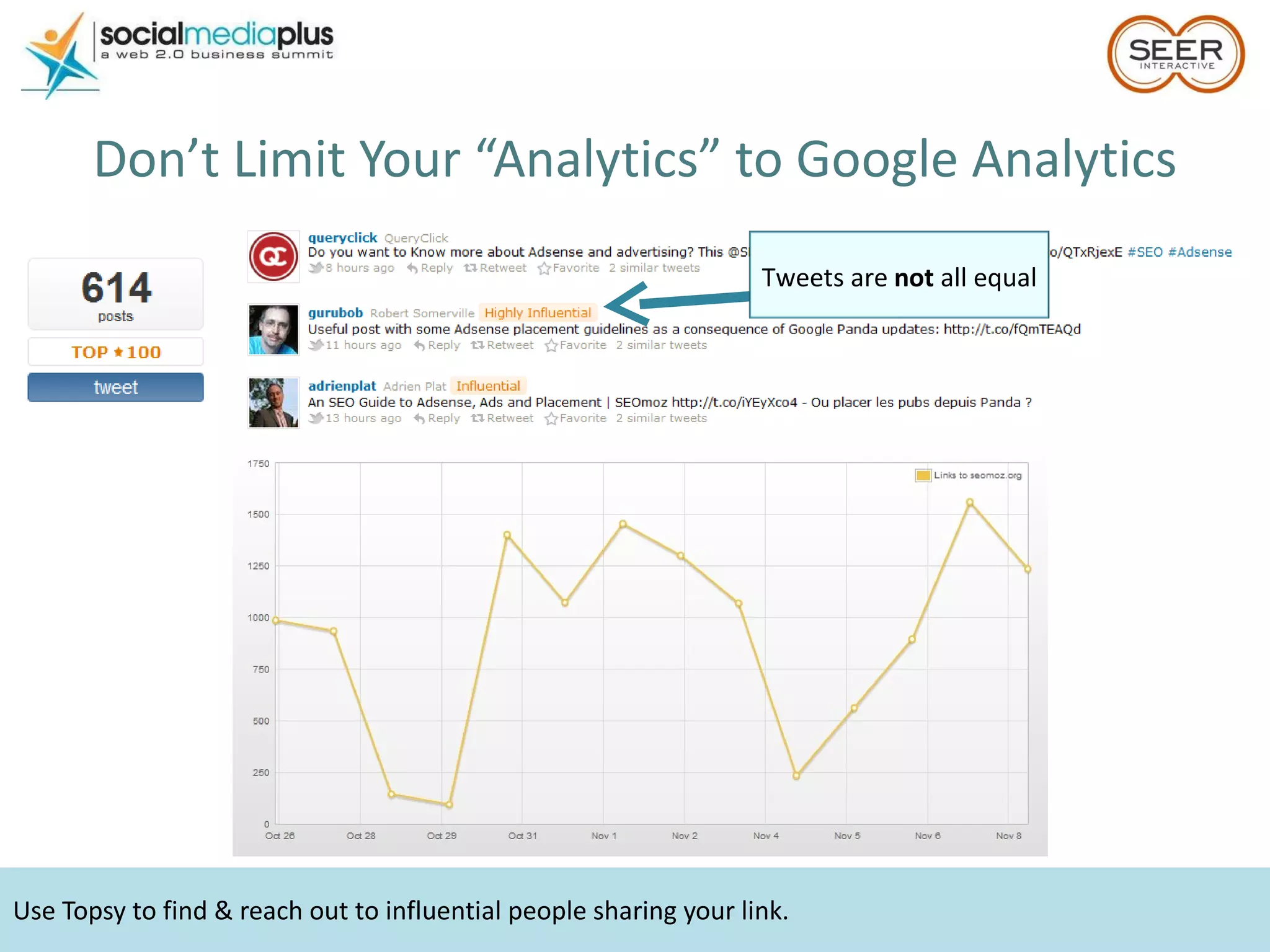
Use Topsy to find & reach out to influential people sharing your link. Don’t Limit Your “Analytics” to Google Analytics Tweets are  not  all equal
Don’t Limit Your “Analytics” to Google Analytics Point – Lots of other FREE tools available!
???
Rachael Gerson (@rachaelgerson) [email_address] Aaron Levy (@bigalittlea) [email_address]
Loading Time Statistics -  http://blog.kissmetrics.com/loading-time/ Amazing analytics blog -  http://www.kaushik.net/avinash/ GA setup checklist -  http://seohimanshu.com/2011/06/03/google-analytics-setup-checklist/ Google Analytics RegEx tips -  http://www.seerinteractive.com/blog/basic-regex-for-google-analytics/2011/02/11/ GA Help Forum -  http://www.google.com/support/forum/p/Google+Analytics?hl=en Analytics Links
AdWords Keyword Tool -  https://adwords.google.com/select/KeywordToolExternal   AdWords Traffic Estimator -  https://adwords.google.com/select/TrafficEstimatorSandbox Soovle - http://www.soovle.com/   Analytics URL Builder Tool -  http://www.google.com/support/analytics/bin/answer.py?answer=55578 AdWords Help Forum -  http://www.google.com/support/forum/p/AdWords PPC Links What to watch for post-launch -  http://www.seerinteractive.com/blog/youve-launched-a-new-ppc-campaign-now-what-5-things-to-watch/2011/09/12/ More on Search Query reports-  http://adwords.google.com/support/aw/bin/answer.py?hl=en&answer=68034 Split Testing Tool http://www.websharedesign.com/tools/ppc-ad-split-testing-tool/
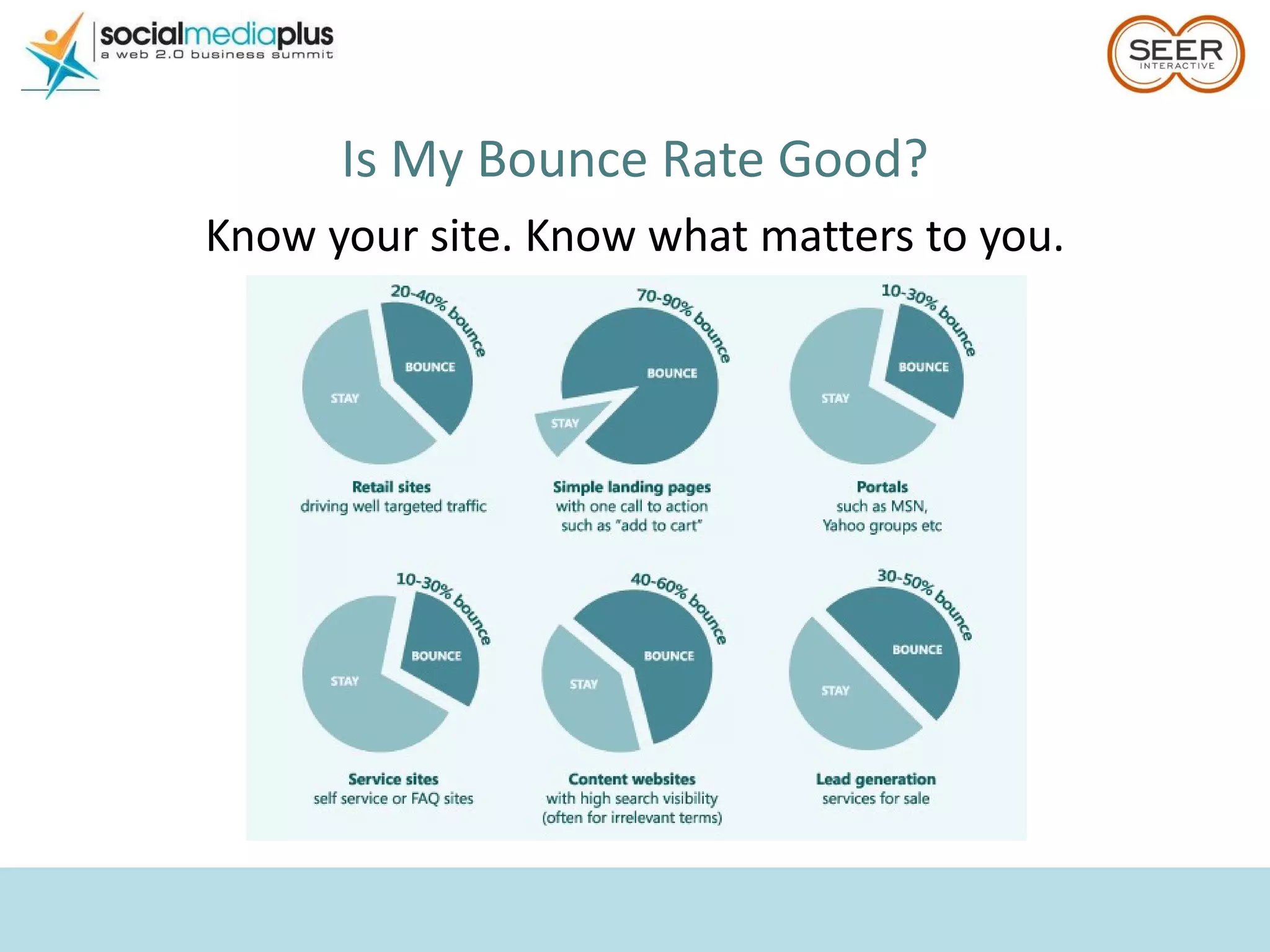
Is My Bounce Rate Good? Know your site. Know what matters to you.

Gerson and Levy

  • 1.
  • 2.
    Rachael Gerson (@rachaelgerson)Self-proclaimed data junkie Google Analytics Top Contributor GA Certified 4 ½ years at SEER Interactive in SEO & Analytics Lover/owner of cute puppy named Cooper Proud alumni of Villanova University – Go Cats! Aaron Levy (@bigalittlea) 5 years in digital marketing 2 years at SEER Interactive in PPC AdWords & AdCenter Certified Managed budgets from $500 to $100k/mo in B2B & B2C (Usually) a pretty good hockey player
  • 3.
  • 4.
    Is your onlineadvertising working? Hint: there are only two possible answers.
  • 5.
  • 6.
    Establish a keysuccess metric before you do anything else Cost Per Acquisition Use lead-to-sale ratios and avg. customer value to back into an appropriate figure Return on Ad Spend/Investment Find the break even point Page Views/Visit If the goal is traffic, make sure it’s good traf fic Set a metric to beat – CPA ceiling or break even ROAS %.
  • 7.
    Don’t forget yourbrand name! Step 2: Select keywords
  • 8.
    If the keywordshave no search volume, you won’t be eligible. Don’t just guess
  • 9.
    Google Keyword Tool– Start with the basics & see what the tool proposes. Use the free tools available
  • 10.
    Search Suggest –especially with the advent of Instant, these are terms you need to bid on. Use what the engines tell you
  • 11.
    Soovle – seeup to 15 engines suggestions at once. Use what all sites tell you
  • 12.
    Use keyword toolexports & suggest to find initial negatives. Use query reports to grow the list. Be a Negative Nancy
  • 13.
    Broad for volume,exact for control. Find the perfect match (type) Keyword = brown wingtip shoes Buy shoes with wings Buy brown shoes Brown wings buy Brown wingtip shoes Brown wingtip shoes Wing tipped shoes brown Buy brown shoes with wing tips Where can I buy brown wingtip shoes Brown wingtip shoes Brown wingtip shoes Broad MBM Phrase Exact
  • 14.
    Include negatives inyour estimates & don’t bid more than you can afford; you don’t NEED to be #1. Don’t fall into a money pit
  • 15.
    Example of organizationdirectly from the Google Help Center. Step 3: Be meticulously organized
  • 16.
    Make sure toseparate top performers into individual campaigns to ensure 100% visibility. Build strong campaigns Budgets Make sure your keywords have enough $ to generate data Importance Stronger keywords get more $! Relevance Ad Extensions Sitelinks, Phone #, Products Geo Targeting & Dayparting
  • 17.
    Per Google, everykeyword with 1,000+ monthly searches should have its own ad group. And keep ad groups relevant Ad copy is set on the ad group level Each copy point should speak directly to top terms Separate high volume terms into their own ad groups Set ad groups logically & control where copy shows Different colors = different ad groups Different products = different ad groups Different search intent = different ad groups Get granular
  • 18.
    Make your adstand out. Step 4: Craft crafty ad copy
  • 19.
    You don’t havelong – engage the audience quickly. Don’t be this guy
  • 20.
    Everyone uses bestpractices. Use them differently. Or these guys
  • 21.
    You can standout and still use the same formula. Test & optimize! Be different, but be smart
  • 22.
    Winning ad copyequation. Clear call to action Resonates with landing page Answers “why should I…” + Contains top volume keyword
  • 23.
    Be edgy, butnot too edgy. Step 5: Pick (or build) landing pages
  • 24.
    Page populates withbrown wingtips, value-adds clearly displayed on the top. Strong eCommerce
  • 25.
    Weak eCommerce NoTwitter. No brown wingtips. No dice.
  • 26.
    Quantifiable value propositionsdirectly related to landing page. Clear call to action, customer testimonials. Strong lead generation
  • 27.
    Too many tocount… Weak lead generation Broken landing pages No clear call to action Lacking relevance from ad to landing page Tough on the eyes Unsubstantiated claims No privacy policy Asking for too much
  • 28.
    No need forexternal conversion trackers. Step 6: Install & test tracking
  • 29.
    Separate your PPCtraffic from organic. Don’t forget Analytics!
  • 30.
    Initial settings weredesigned by engines for most volume, not best performance. Step 7: Adjust settings
  • 31.
    Both campaign typesshould be structured much differently (whole other session)! Networks & Devices
  • 32.
    Use Accelerated deliveryfor Brand & top performers to capture all volume. But make sure you have the $. Ad delivery settings
  • 33.
    Warning: the moregranular you get, the less accurate the target is. Recommend staying on Metro level. Location targeting
  • 34.
    Launch early inthe week so you can keep a close eye on early performance & optimize! Launch!
  • 35.
    … and beyondThe beauty of paid search is that we have data on everything. Use it. Test Ad Extensions (+CTR) Test Ad Copy (+CTR, -CPC) But check for Statistical Significance Mine Search Query reports to grow negatives & keyword targets (+CTR, -CPA) Test & tweak your landing pages Set up Google Alerts, watch Insights Know what’s going on in your space Link to +1 accounts TEST EVERYTHING
  • 36.
    Your Knowledge LevelNewbie – Never used GA Beginner – Use GA on occasion, can navigate through Intermediate – Power-user, never sets up profiles Advanced – Use & set up profiles regularly
  • 37.
    Start Using GASome Do’s and Don’ts
  • 38.
    Make sure thiscode is on every page of the site, prior to the closing </head> tag. Google Analytics Code Do: Include the GA code on every page
  • 39.
    Regular code cannotgo on a site with multiple domains or mobile sites. Google Analytics Code Don’t: Use regular code on sites that span multiple domains or mobile sites Use more than one set of the same code
  • 40.
    Google Analytics CodeDo: Let plugins do all the work for you!
  • 41.
  • 42.
    Make sure you’redriving the right traffic. Visits = $ Don’t Be These Guys
  • 43.
    Which Metrics ShouldYou Be Monitoring? DO focus primarily on: Visits & Conversions / Transactions
  • 44.
    Data can comeinto GA up to 24 hours late. Visits No visits = no sales More visits SHOULD = more sales
  • 45.
    Make sure thewhole team is on board with the KPIs prior to setting up goals. Conversions & Transactions Non-eCommerce site: Figure out your Key Performance Indicators ( KPIs ) & create GA Goals
  • 46.
    Reports should connectactions on site with $$$. Conversions & Transactions eCommerce site: Add eCommerce tracking to get detailed reports on transactions & revenue
  • 47.
    Which Metrics ShouldYou Be Monitoring? DO focus secondarily on: Bounce Rate Use Bounce Rate as your indicator that you may be losing quality traffic & $
  • 48.
    A bounced visitwill show in GA as 0:00 time on site. What is Bounce Rate? Google Analytics definition: Visits in which the person left your site from the entrance (landing) page
  • 49.
    What is BounceRate? Avinash definition: I came, I saw, I puked, I left This is Avinash He’s the Digital Marketing Evangelist for Google. <3
  • 50.
    A high bouncerate isn’t always a bad thing. What’s a Good Bounce Rate? Depends on the site & the industry High bounce rate = BAD eCommerce product landing page
  • 51.
    What’s a Good Bounce Rate? Depends on the site & the industry High bounce rate = Inconclusive Blog Research article Recipe site Sites with AJAX, Flash, etc. Service site with a phone number listed
  • 52.
    What’s a Good Bounce Rate? Depends on the site & the industry High bounce rate = Good Affiliate site
  • 53.
    Time on siteis a critically flawed metric to report on. Which Metrics Should You Be Monitoring? DO NOT focus on: Time on Site Why? How they’re calculated Browser behavior
  • 54.
    Segment EVERYTHING AnotherAvinash Tip: “ Never report a metric without segmenting it to give deep insights into what that metric is really hiding behind it.”
  • 55.
    How Do ISegment? Several easy segmentation solutions in GA: Instant Filters Advanced Segments Profile Filters
  • 56.
    Use RegEx toconsolidate multiple items. How Do I Segment? Instant Filters
  • 57.
    Advanced Segments cancause the dreaded Fast Access Mode. How Do I Segment? Advanced Segments
  • 58.
    Filters work fromthe day they’re applied. They do not work retroactively. How Do I Segment? Profile Filters
  • 59.
    Use GA toAnswer Questions Do I need a mobile site? Which traffic sources convert best? Which keywords drive the best traffic to my site? How does my social media perform?
  • 60.
    Do I Needa Mobile Site? Do you already get mobile traffic?
  • 61.
    Should I Makea Mobile Site? How do visits for mobile compare to desktop? Look at Conversion Rate, Bounce Rate View the site on your phone! Let the data make your decision.
  • 62.
    Always dig deeper. Which Traffic Sources Convert Best? % of Total Goal Completions
  • 63.
    SEER’s sweet spot= SEO Which Keywords Drive the Best Traffic?
  • 64.
    Look at ONLYSocial Traffic Set up however you prefer, but find a way to limit the data to only social
  • 65.
    Advanced segments causefast access mode. Look at ONLY Social Traffic Example – Compare Visits
  • 66.
    Top pages don’tmatch across different sources. Look at ONLY Social Traffic Example – Compare Top Landing Pages
  • 67.
    Look at ONLYSocial Traffic Example – Compare On-Site Behaviors
  • 68.
    Create an advancedsegment to only analyze “Twitter” traffic. What Does Twitter Look Like in GA? t.co twitter.com hootsuite.com tweetchat.com tweetdeck.com tweetgrid.com twittergadget.com api.twitter.com mobile.twitter.com
  • 69.
    Launched March 2011Eight of the New Features What Do I Need to Know About New GA?
  • 70.
    Usability update. WhatDo I Need to Know About New GA? Searching in Menus
  • 71.
    Dashboards aren’t sharedbetween accounts. What Do I Need to Know About New GA? Dashboards
  • 72.
    Create dashboards foreach group, based on their needs. What Do I Need to Know About New GA? Dashboards
  • 73.
    Use Keyword Cloudsto visualize top keywords. What Do I Need to Know About New GA? Keyword Clouds
  • 74.
    Multi-Channel calculates attributionfrom Direct differently from the rest of GA. What Do I Need to Know About New GA? Multi-Channel Funnels (Google’s attempt at attribution) Direct Referral Organic Search
  • 75.
    Use Real-Time Reportsto test campaign tracking. What Do I Need to Know About New GA? Real-Time Data
  • 76.
    Use these numbersto show relative trends. What Do I Need to Know About New GA? Webmaster Tools Integration Why use it?
  • 77.
    40% of peopleabandon a site that takes more than 3 seconds to load A 1 second delay can result in a 7% reduction in conversions What Do I Need to Know About New GA? Site Speed
  • 78.
    Only one lineof code needed to integrate social for AddThis. ShareThis doesn’t need any changes. Analyze how users are interacting with Social Plugins What Do I Need to Know About New GA? Social Engagement
  • 79.
    PDF Export &Email Report – Temporary Old GA turns off January 2012 What Do I Need to Know About New GA? Missing Features
  • 80.
    Hootsuite Don’t LimitYour “Analytics” to Google Analytics
  • 81.
    facebook Don’t LimitYour “Analytics” to Google Analytics
  • 82.
    LinkedIn Don’t LimitYour “Analytics” to Google Analytics
  • 83.
    YouTube Don’t LimitYour “Analytics” to Google Analytics
  • 84.
    Tip: Add a+ to any bitly URL to get the stats. Don’t Limit Your “Analytics” to Google Analytics
  • 85.
    Use Topsy tofind & reach out to influential people sharing your link. Don’t Limit Your “Analytics” to Google Analytics Tweets are not all equal
  • 86.
    Don’t Limit Your“Analytics” to Google Analytics Point – Lots of other FREE tools available!
  • 87.
  • 88.
    Rachael Gerson (@rachaelgerson)[email_address] Aaron Levy (@bigalittlea) [email_address]
  • 89.
    Loading Time Statistics- http://blog.kissmetrics.com/loading-time/ Amazing analytics blog - http://www.kaushik.net/avinash/ GA setup checklist - http://seohimanshu.com/2011/06/03/google-analytics-setup-checklist/ Google Analytics RegEx tips - http://www.seerinteractive.com/blog/basic-regex-for-google-analytics/2011/02/11/ GA Help Forum - http://www.google.com/support/forum/p/Google+Analytics?hl=en Analytics Links
  • 90.
    AdWords Keyword Tool- https://adwords.google.com/select/KeywordToolExternal AdWords Traffic Estimator - https://adwords.google.com/select/TrafficEstimatorSandbox Soovle - http://www.soovle.com/ Analytics URL Builder Tool - http://www.google.com/support/analytics/bin/answer.py?answer=55578 AdWords Help Forum - http://www.google.com/support/forum/p/AdWords PPC Links What to watch for post-launch - http://www.seerinteractive.com/blog/youve-launched-a-new-ppc-campaign-now-what-5-things-to-watch/2011/09/12/ More on Search Query reports- http://adwords.google.com/support/aw/bin/answer.py?hl=en&answer=68034 Split Testing Tool http://www.websharedesign.com/tools/ppc-ad-split-testing-tool/
  • 91.
    Is My BounceRate Good? Know your site. Know what matters to you.

Editor's Notes

  • #86 Reporting on raw # of tweets? Break it down by their influence.