Simplifying Science Gateway
Data Management with Globus
1: Introduction to Globus
Vas Vasiliadis
vas@uchicago.edu
Gateways 2020, October 15, 2020
Warning: We may have unregistered attendees…
2
Globus is …
a non-profit service
developed and operated by
3
Our mission is to…
increase the efficiency and
effectiveness of researchers
engaged in data-driven
science and scholarship
through sustainable software
4
Thank you, funders...
U . S . D E P A R T M E N T O F
ENERGY
5
Thank you, subscribers!
Core capabilities
7
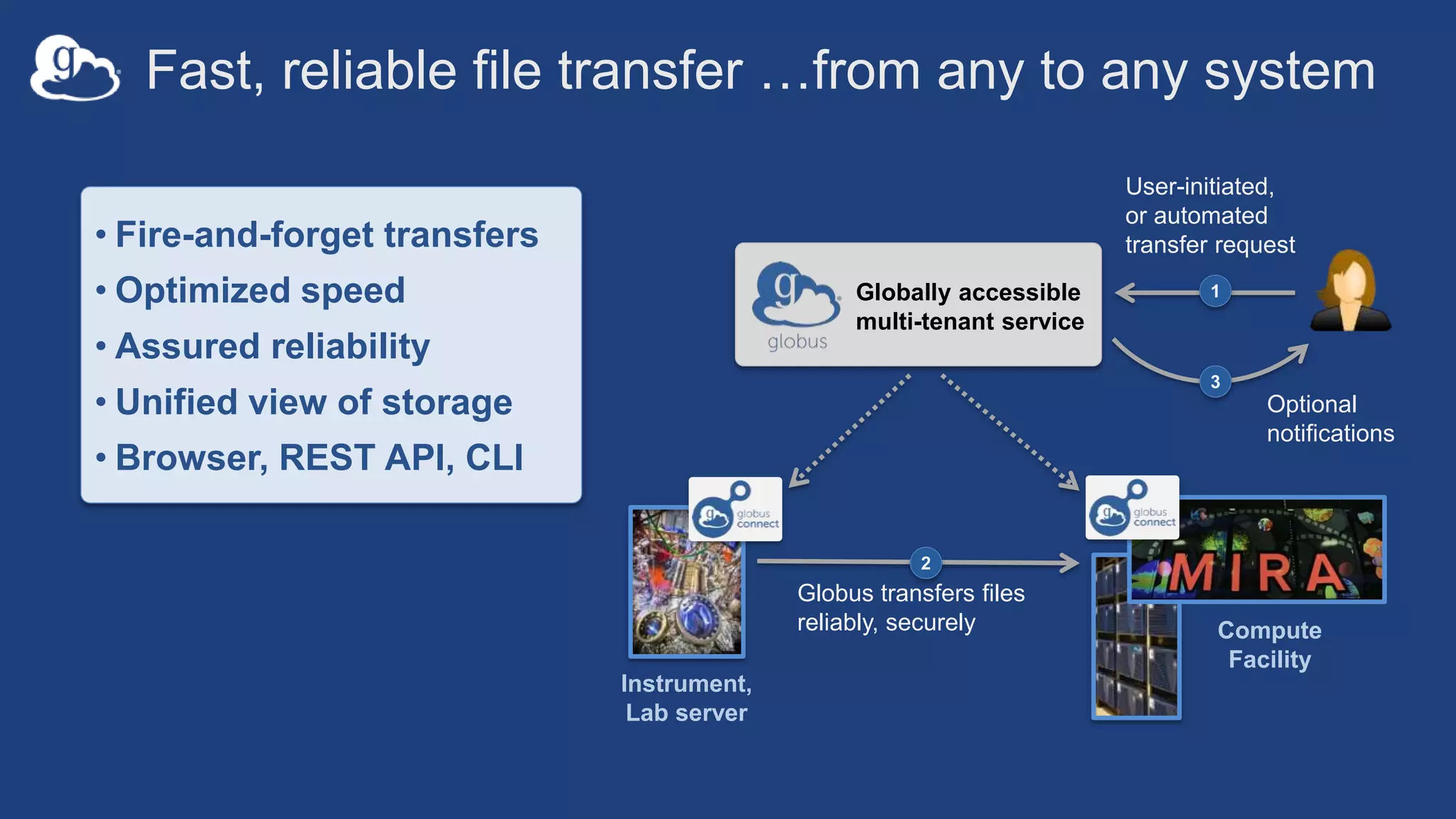
Fast, reliable file transfer …from any to any system
User-initiated,
or automated
transfer request
1
Instrument,
Lab server
Compute
Facility
Globus transfers files
reliably, securely
2
Globally accessible
multi-tenant service
• Fire-and-forget transfers
• Optimized speed
• Assured reliability
• Unified view of storage
• Browser, REST API, CLI
Optional
notifications
3
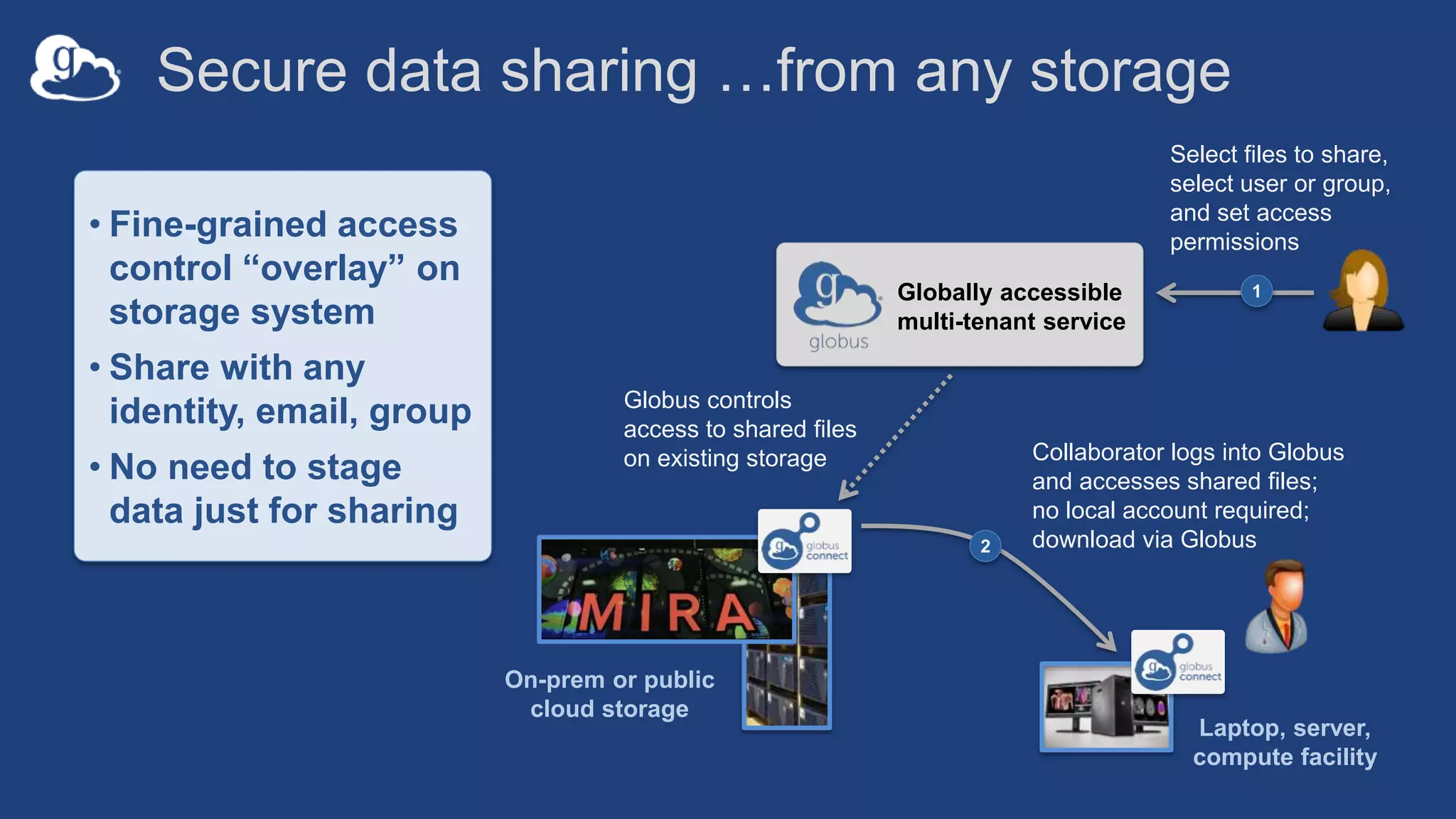
Secure data sharing …from any storage
Collaborator logs into Globus
and accesses shared files;
no local account required;
download via Globus2
On-prem or public
cloud storage
Select files to share,
select user or group,
and set access
permissions
1Globally accessible
multi-tenant service
Globus controls
access to shared files
on existing storage
Laptop, server,
compute facility
• Fine-grained access
control “overlay” on
storage system
• Share with any
identity, email, group
• No need to stage
data just for sharing
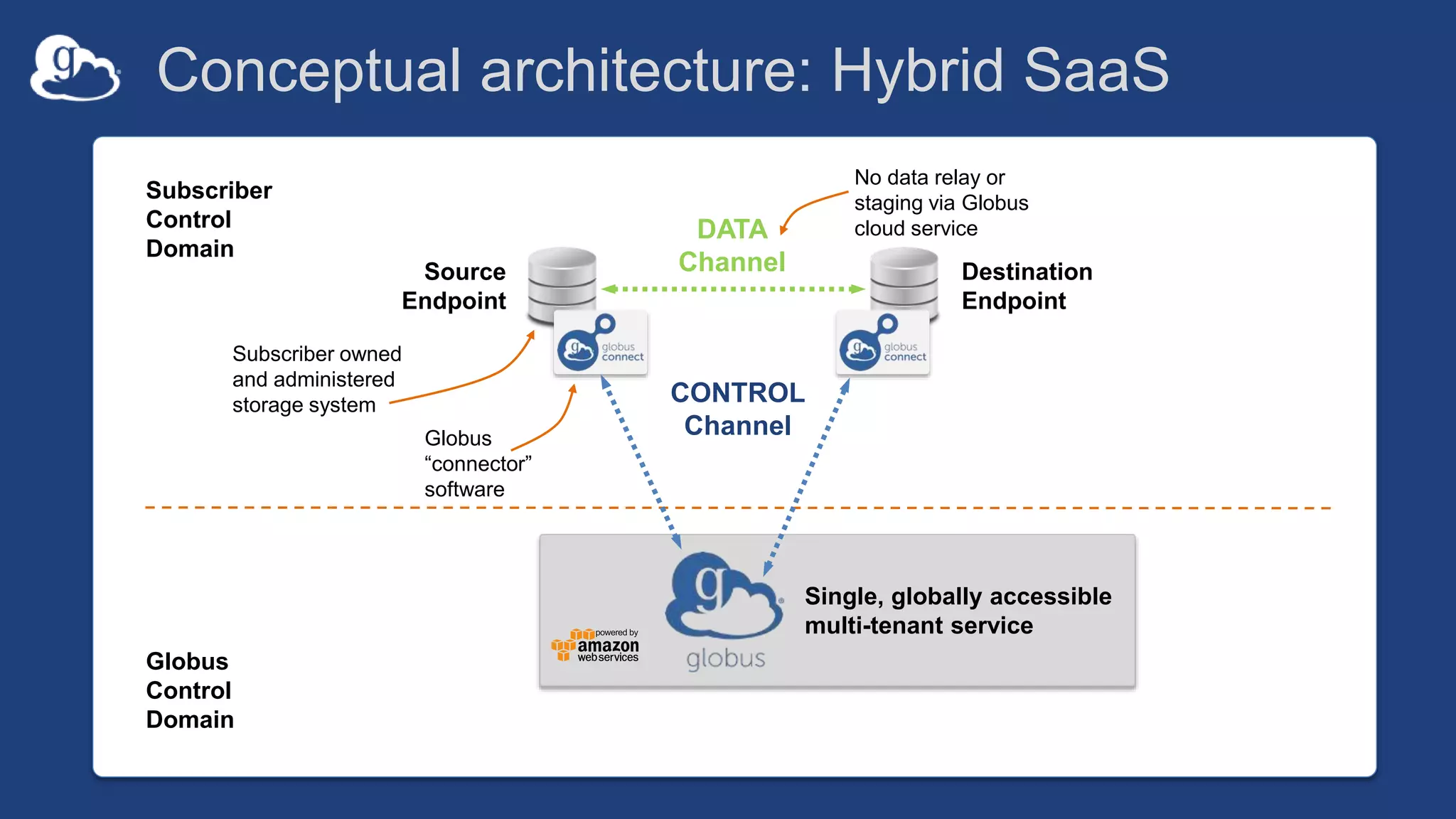
Conceptual architecture: Hybrid SaaS
DATA
Channel
CONTROL
Channel
Source
Endpoint
Destination
Endpoint
Subscriber owned
and administered
storage system
Globus
“connector”
software
No data relay or
staging via Globus
cloud service
Subscriber
Control
Domain
Globus
Control
Domain
Single, globally accessible
multi-tenant service
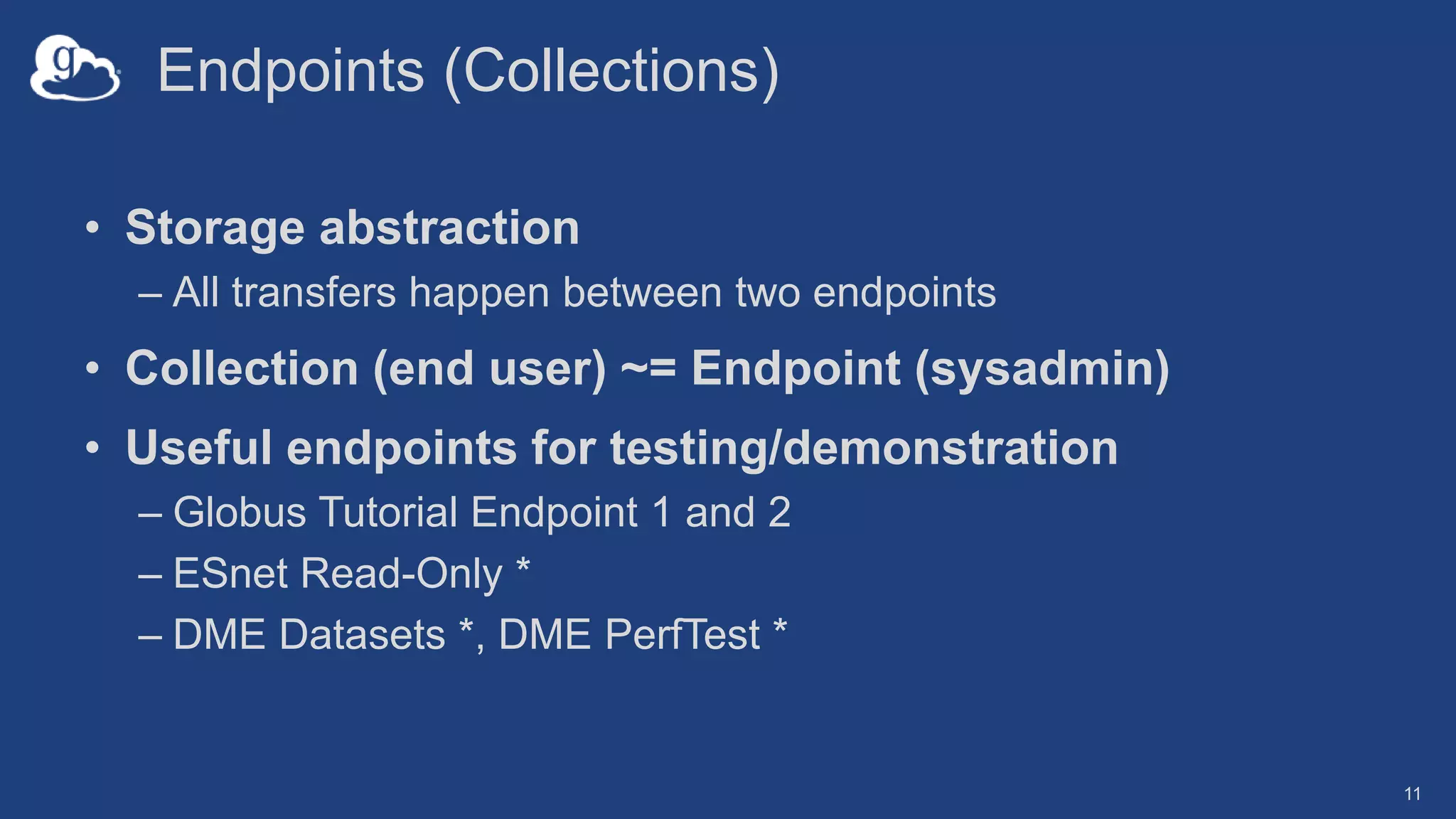
Endpoints (Collections)
• Storage abstraction
– All transfers happen between two endpoints
• Collection (end user) ~= Endpoint (sysadmin)
• Useful endpoints for testing/demonstration
– Globus Tutorial Endpoint 1 and 2
– ESnet Read-Only *
– DME Datasets *, DME PerfTest *
11
…software deployed
on a storage system
to create a Globus
endpoint
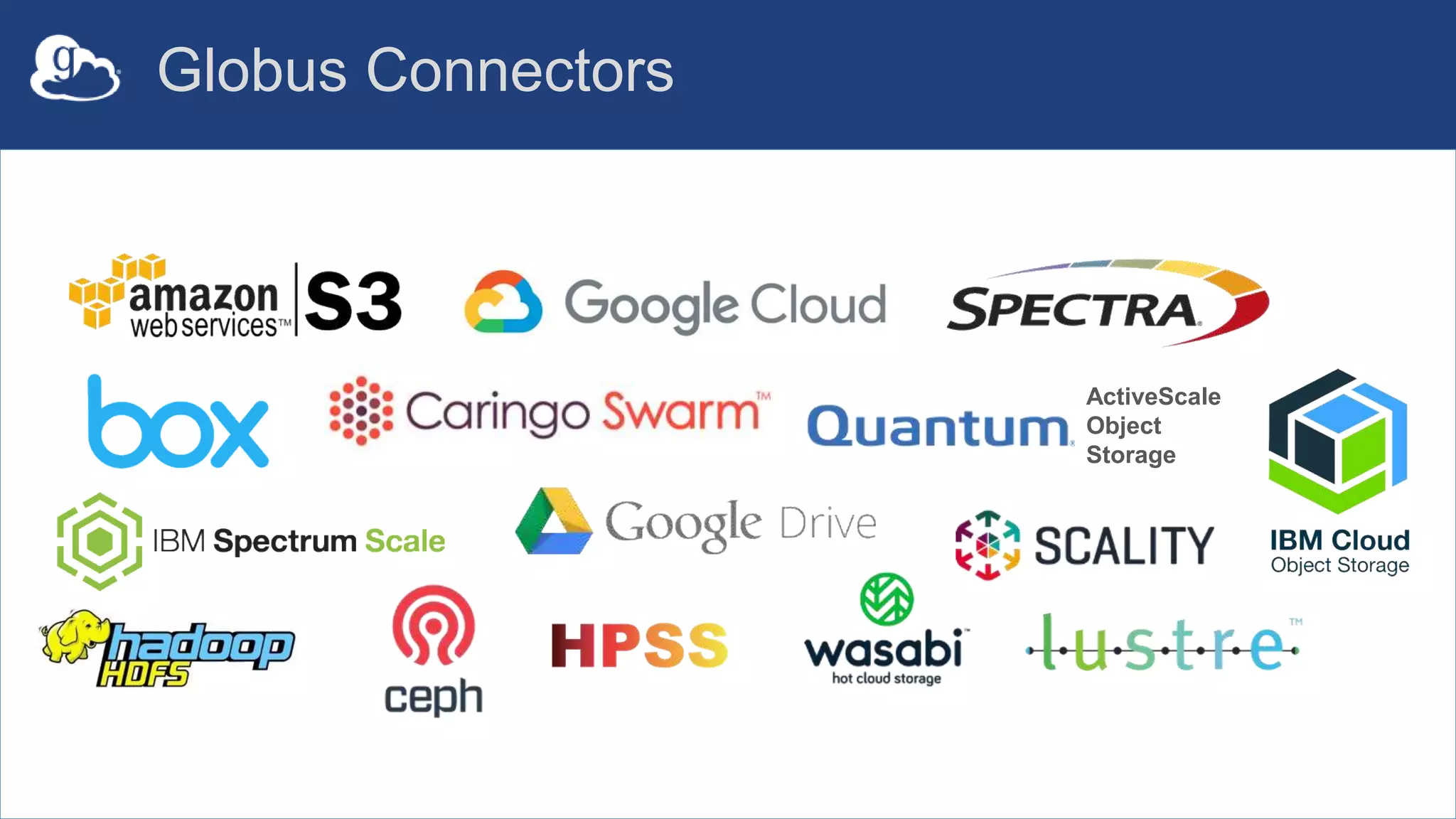
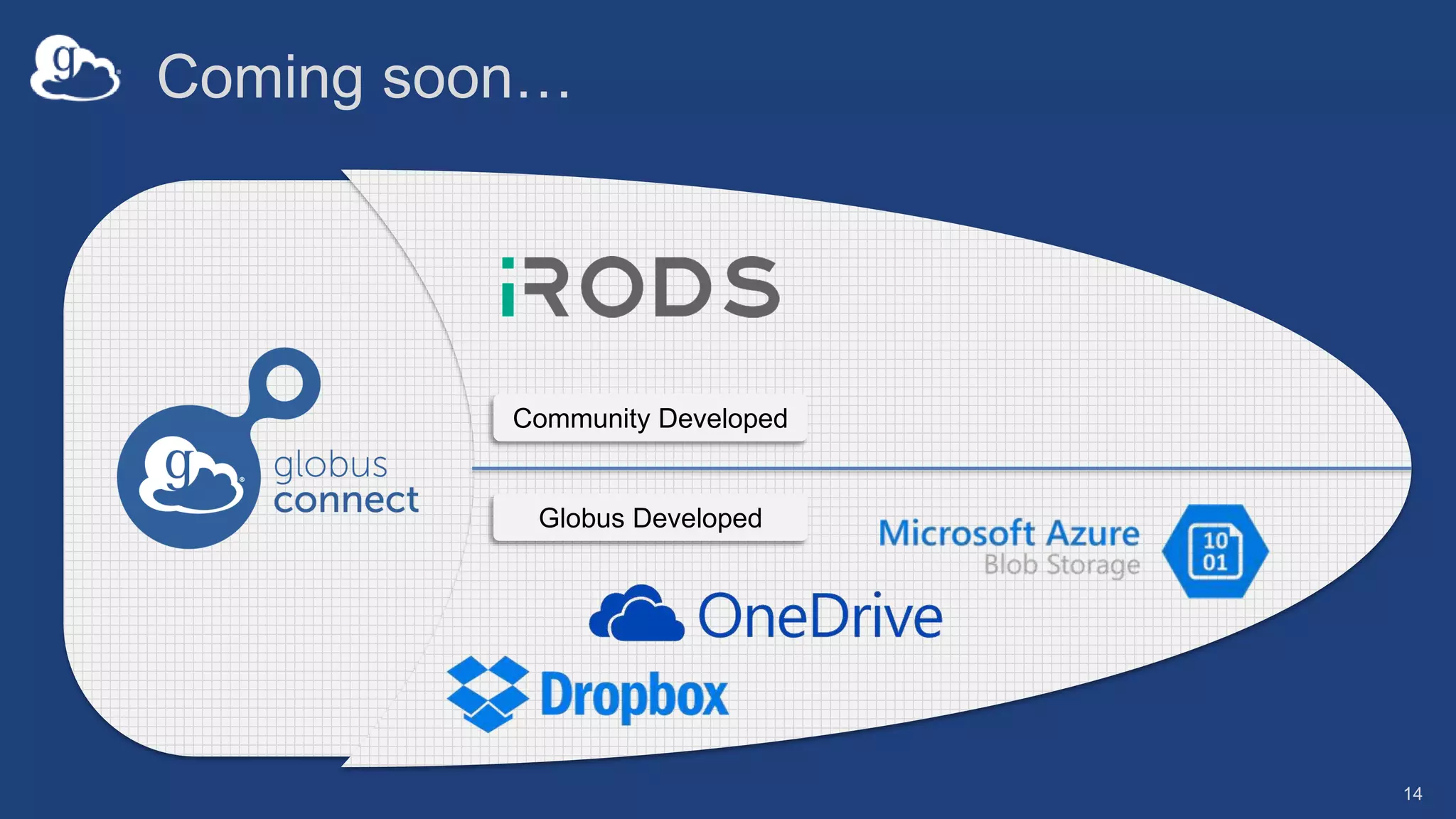
Globus Connectors
ActiveScale
Object
Storage
Coming soon…
Globus Developed
Community Developed
14
Let’s take a look…
15
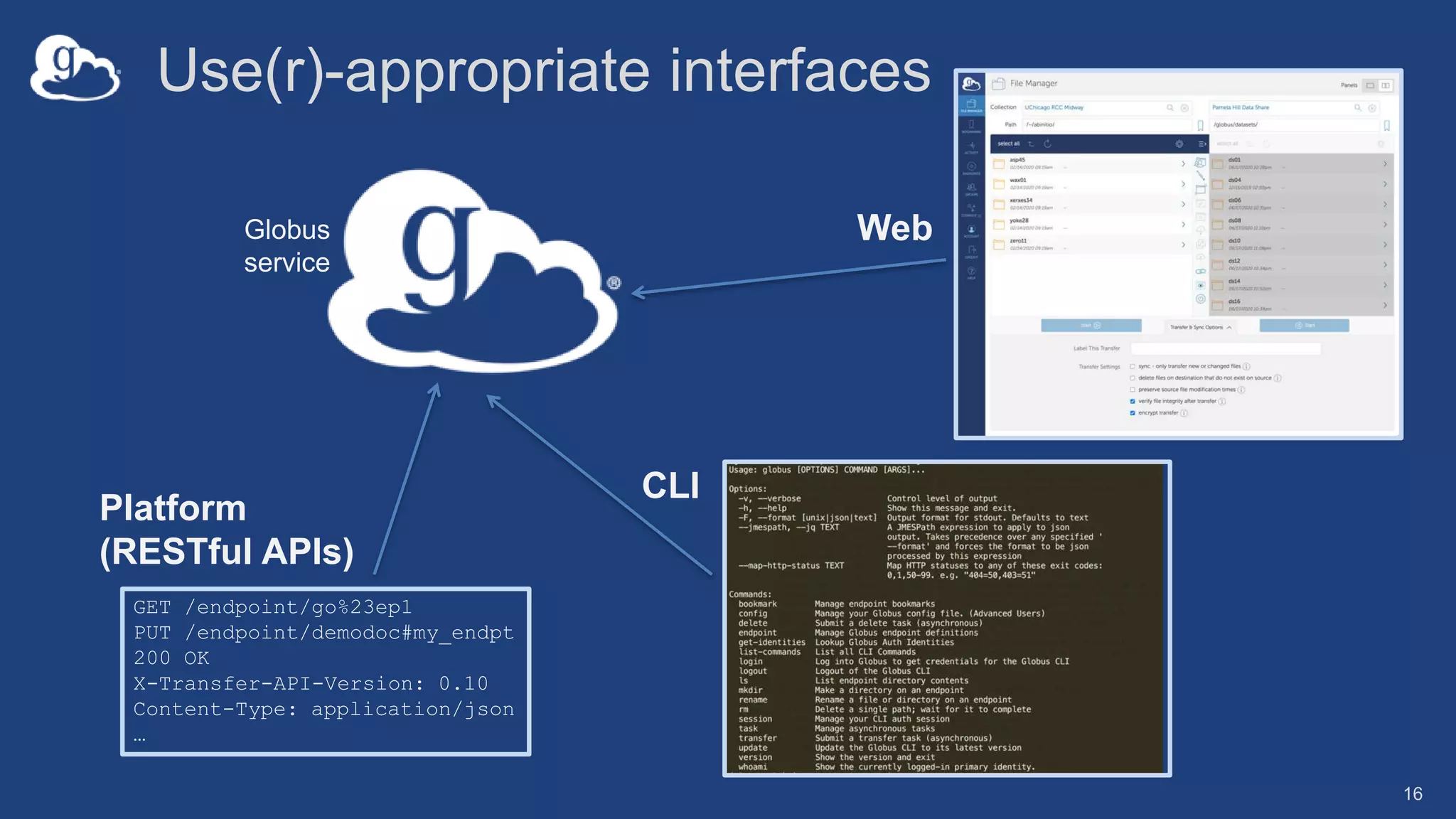
Use(r)-appropriate interfaces
GET /endpoint/go%23ep1
PUT /endpoint/demodoc#my_endpt
200 OK
X-Transfer-API-Version: 0.10
Content-Type: application/json
…
Globus
service
Web
CLI
Platform
(RESTful APIs)
16
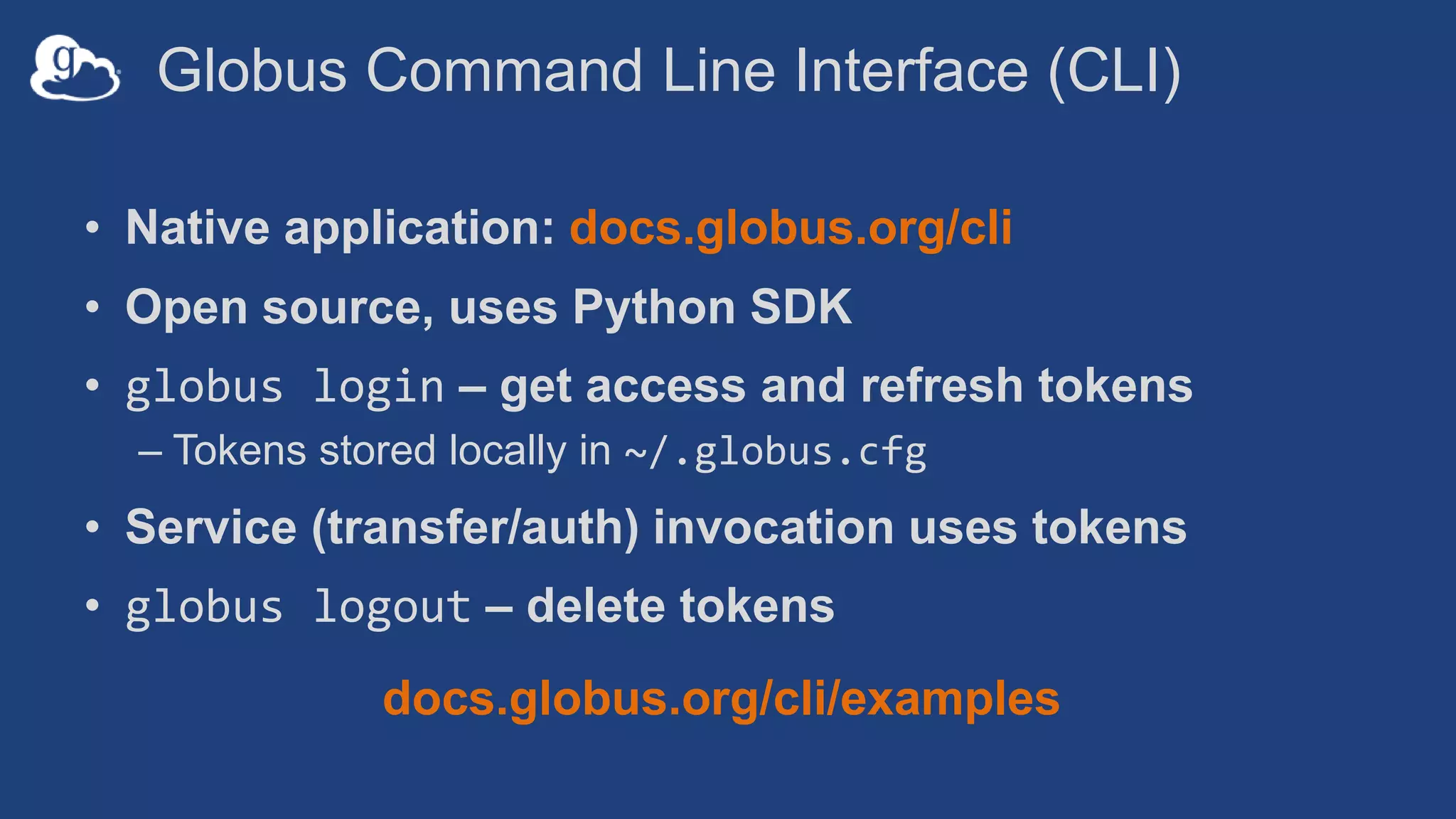
Globus Command Line Interface (CLI)
• Native application: docs.globus.org/cli
• Open source, uses Python SDK
• globus login – get access and refresh tokens
– Tokens stored locally in ~/.globus.cfg
• Service (transfer/auth) invocation uses tokens
• globus logout – delete tokens
docs.globus.org/cli/examples
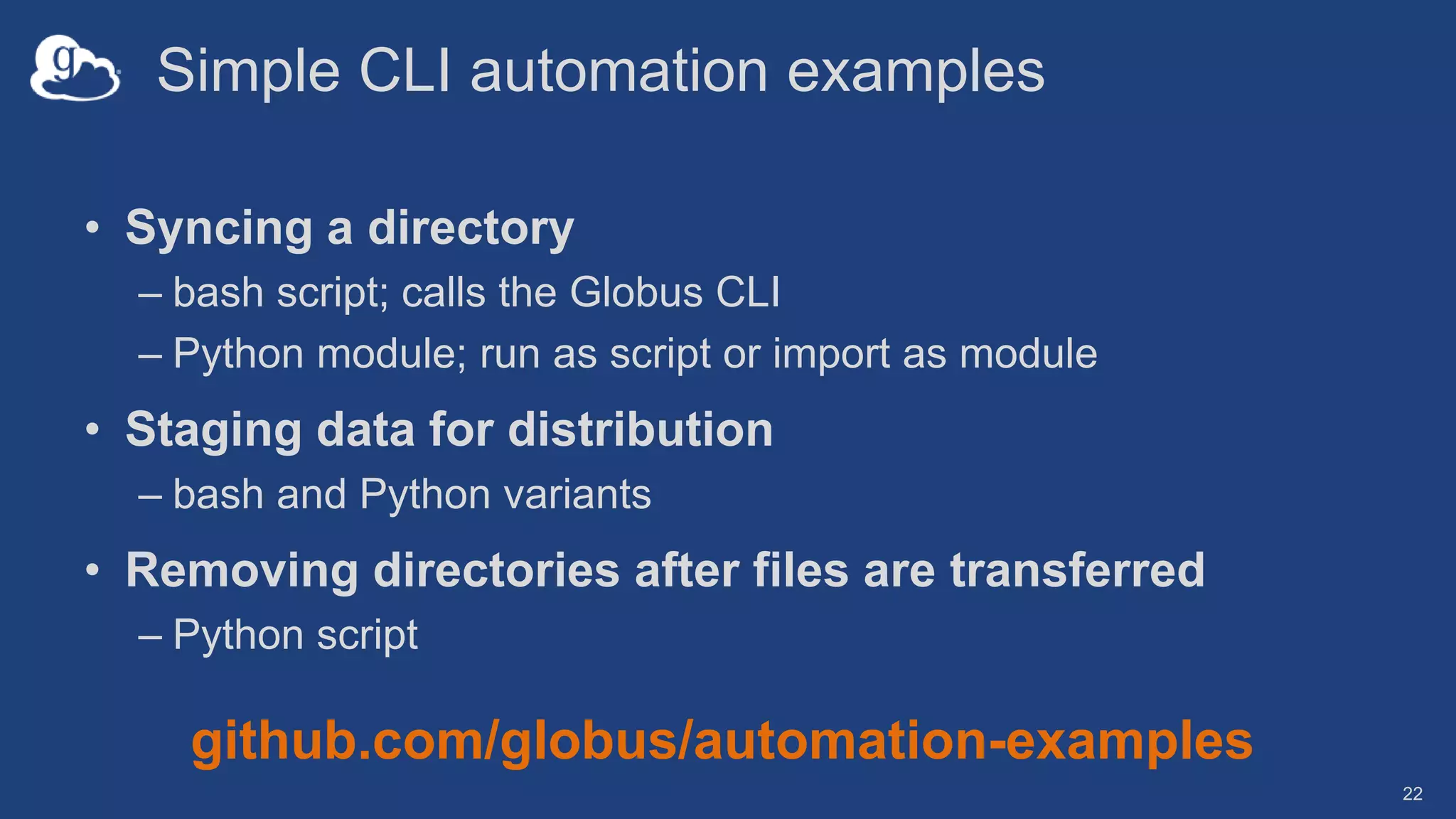
Simple CLI automation examples
• Syncing a directory
– bash script; calls the Globus CLI
– Python module; run as script or import as module
• Staging data for distribution
– bash and Python variants
• Removing directories after files are transferred
– Python script
22
github.com/globus/automation-examples
…but, Gateways talk to
APIs, so…
23
Globus serves as…
A platform for building science
gateways, web portals and
other applications in support of
research and education
24
Globus platform services
• Identity and Access Management (IAM): Auth, Groups
• Data Services: Connect, Transfer, Manifest*
• Search
• Identifiers (collaboration with DataCite)
• Flows*
25
* In development/early release; contact us for access
Globus Auth addresses security challenges
• Make it easy for developers to provide login for
their apps (web, mobile, desktop, command line)
• …and protect all REST API communications
o App  Globus service (MRDP, Jupyter Notebook)
o App  non-Globus service (graph service in MRDP)
o Service  Service
• …while
– Not introducing yet another identity
– Providing a platform to consolidate existing identities
– Providing a least privileges security model (via consents)
– Being web friendly and language/framework agnostic
26
Based on widely used web standards
• OAuth 2.0 Authorization Framework (a.k.a. OAuth2)
• OpenID Connect Core 1.0 (a.k.a. OIDC)
• Access via OAuth2 and OIDC libraries of your choice
– Google OAuth Client Libraries, Apache mod_auth_openidc, etc.
– Globus Python SDK
27
docs.globus.org/api/auth
Fundamental Concepts
• Scopes: APIs that client is requesting access to
– Scope syntax: OpenID Connect: openid, email, profile
– https://auth.globus.org/scopes/<service-name>:<scope-name>
– A service can have multiple scopes
• Consents: authorize client to access a service, within
limited scope, on the resource owner’s (user’s) behalf
28
Globus account
• Globus Account = Primary identity + Linked Identities
– An identity can be primary on only one account
– Identities can be linked to only one account
• Account does not have own identifier
– An account is uniquely identified using its primary identity
• Effective identity = linked identity from a particular
identity provider required by a client or service
29
Identity id vs. username
• Identity id
– Unique among all Globus Auth identities; will never be reused
– UUID
– Always use this to refer to an identity
• Identity username
– Unique at any point in time; may change, may be re-used
– Case-insensitive user@domain
– Can map to/from id, for user experience
• Globus Auth API allows mapping back and forth
30
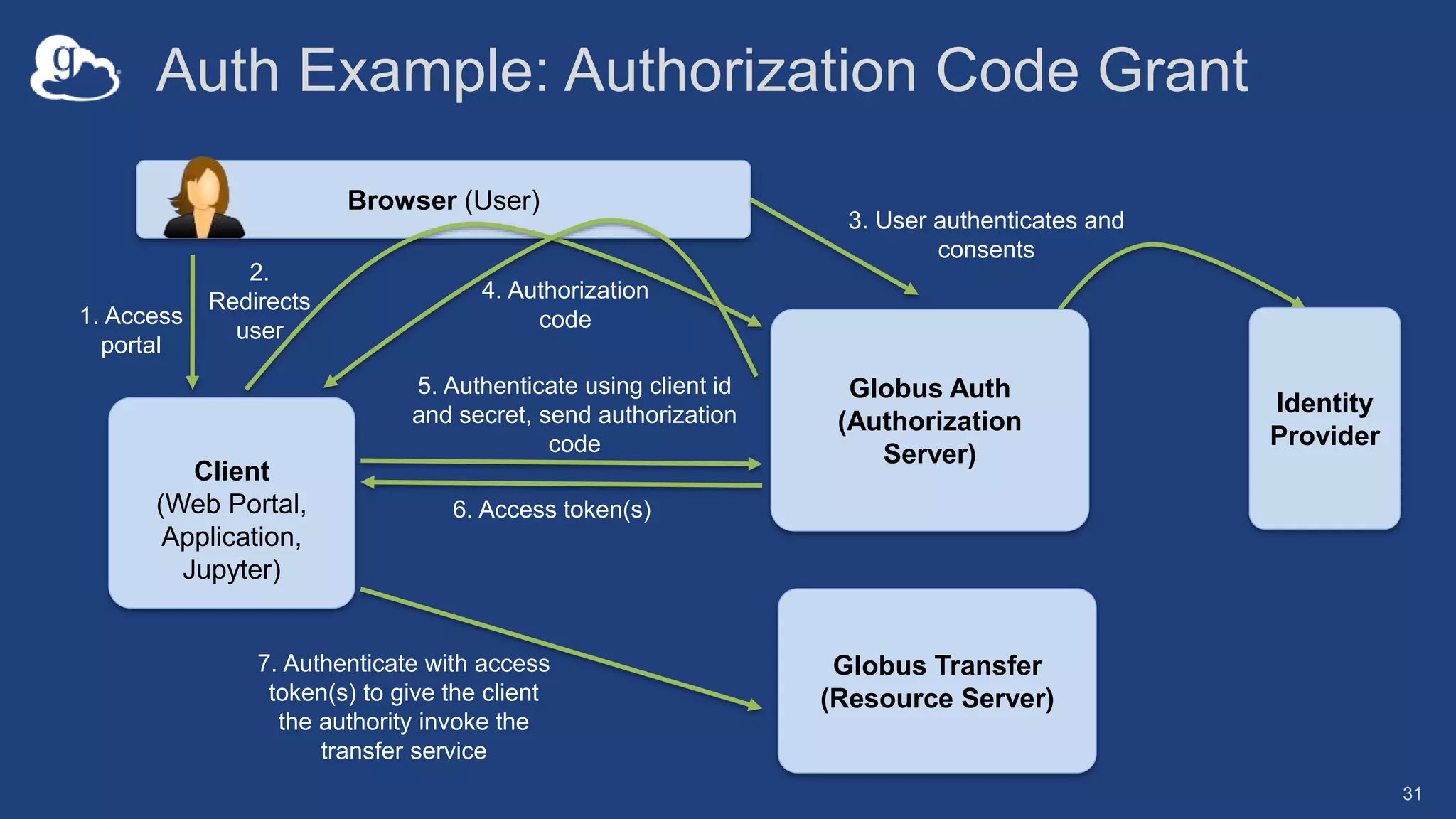
Auth Example: Authorization Code Grant
31
Client
(Web Portal,
Application,
Jupyter)
Globus Transfer
(Resource Server)
Globus Auth
(Authorization
Server)
5. Authenticate using client id
and secret, send authorization
code
Browser (User)
1. Access
portal
2.
Redirects
user
3. User authenticates and
consents
4. Authorization
code
6. Access token(s)
7. Authenticate with access
token(s) to give the client
the authority invoke the
transfer service
Identity
Provider
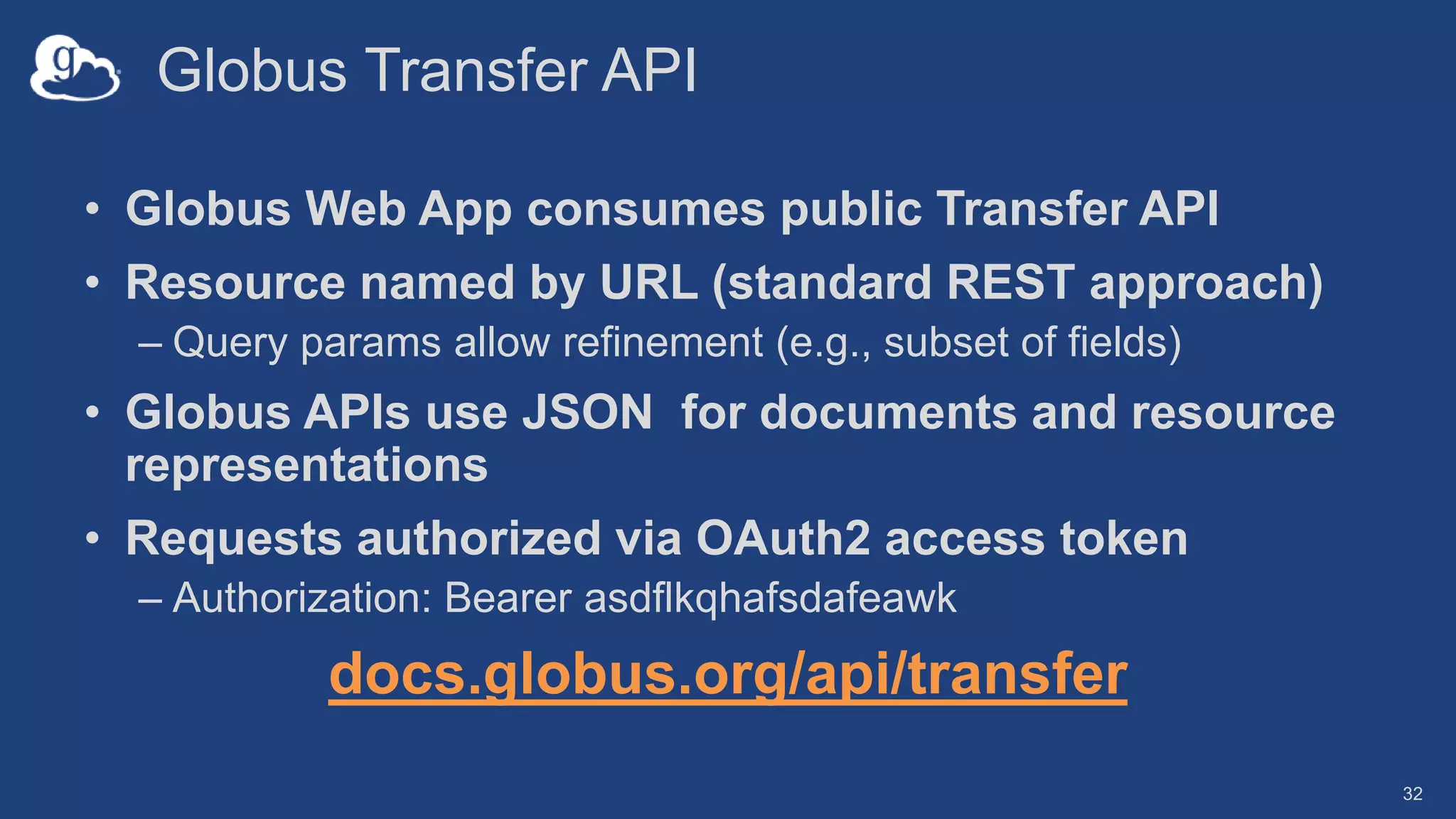
Globus Transfer API
• Globus Web App consumes public Transfer API
• Resource named by URL (standard REST approach)
– Query params allow refinement (e.g., subset of fields)
• Globus APIs use JSON for documents and resource
representations
• Requests authorized via OAuth2 access token
– Authorization: Bearer asdflkqhafsdafeawk
docs.globus.org/api/transfer
32
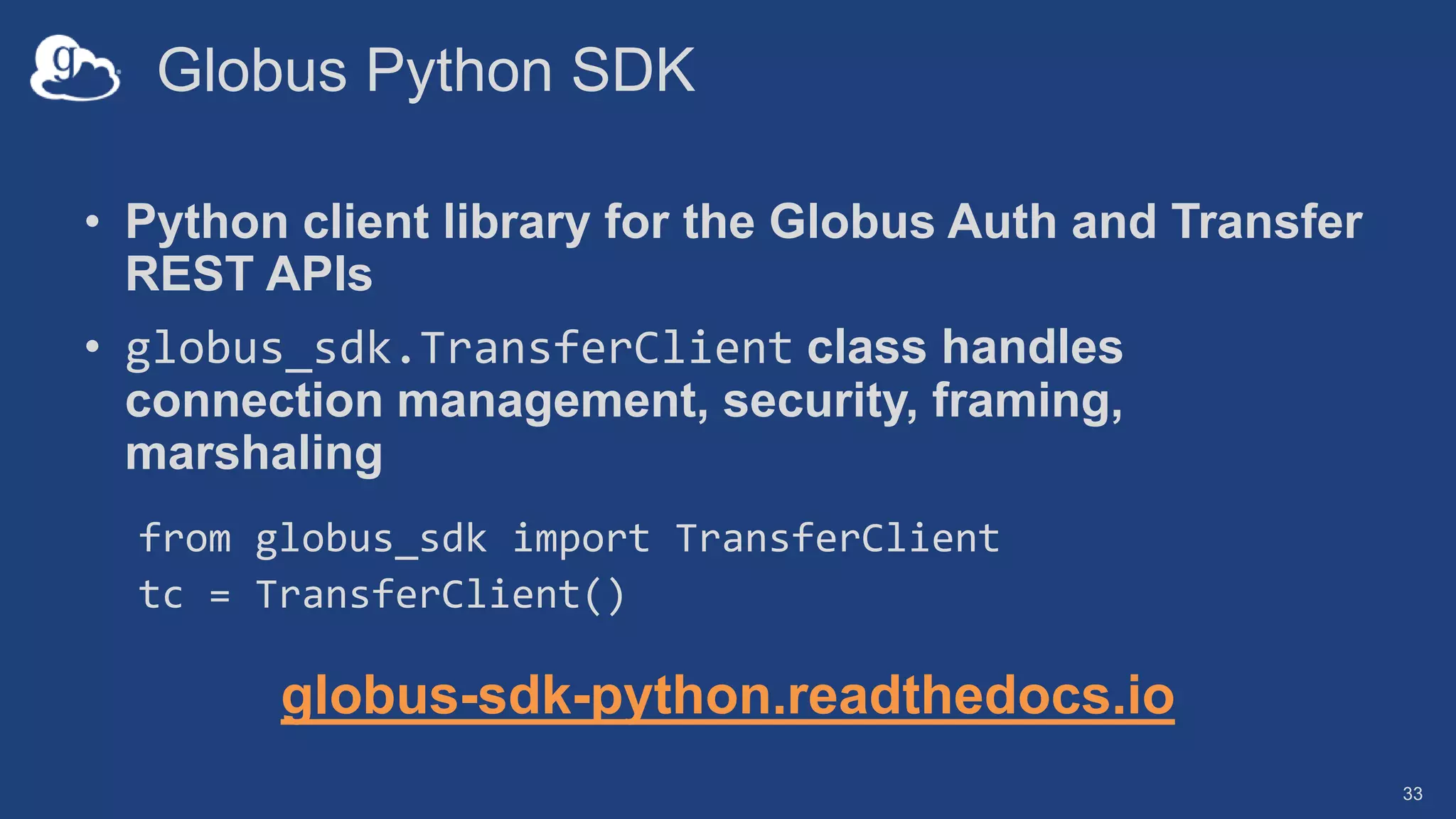
Globus Python SDK
• Python client library for the Globus Auth and Transfer
REST APIs
• globus_sdk.TransferClient class handles
connection management, security, framing,
marshaling
from globus_sdk import TransferClient
tc = TransferClient()
globus-sdk-python.readthedocs.io
33
Experimenting with the API using Jupyter Hub
• jupyter.demo.globus.org
– Sign in with Globus and verify consents
– Go to folder: globus-jupyter-notebooks/GlobusWorldTour
– Open: Platform_Introduction_JupyterHub_Auth.ipynb
• If you mess it up and want to “go back to the beginning”
– Navigate back to your Jupyter server’s root folder
– Run NotebookPuller.ipynb
• To use the notebook outside of our hub…
– github.com/globus/globus-jupyter-notebooks
– Authentication  copy-paste auth code, exchange for access token
34
Support resources
• Globus documentation: docs.globus.org
• Sample code: github.com/globus
• Helpdesk and issue escalation: support@globus.org
• Customer engagement team
• Globus professional services team
– Assist with portal/gateway/app architecture and design
– Develop custom applications that leverage the Globus platform
– Advise on customized deployment and integration scenarios
Join the Globus community
• Access the service: globus.org/login
• Create a personal endpoint: globus.org/app/endpoints/create-gcp
• Documentation: docs.globus.org
• Engage: globus.org/mailing-lists
• Subscribe: globus.org/subscriptions
• Need help? support@globus.org
• Follow us: @globusonline

Gateways 2020 Tutorial - Introduction to Globus

  • 1.
    Simplifying Science Gateway DataManagement with Globus 1: Introduction to Globus Vas Vasiliadis vas@uchicago.edu Gateways 2020, October 15, 2020
  • 2.
    Warning: We mayhave unregistered attendees… 2
  • 3.
    Globus is … anon-profit service developed and operated by 3
  • 4.
    Our mission isto… increase the efficiency and effectiveness of researchers engaged in data-driven science and scholarship through sustainable software 4
  • 5.
    Thank you, funders... U. S . D E P A R T M E N T O F ENERGY 5
  • 6.
  • 7.
  • 8.
    Fast, reliable filetransfer …from any to any system User-initiated, or automated transfer request 1 Instrument, Lab server Compute Facility Globus transfers files reliably, securely 2 Globally accessible multi-tenant service • Fire-and-forget transfers • Optimized speed • Assured reliability • Unified view of storage • Browser, REST API, CLI Optional notifications 3
  • 9.
    Secure data sharing…from any storage Collaborator logs into Globus and accesses shared files; no local account required; download via Globus2 On-prem or public cloud storage Select files to share, select user or group, and set access permissions 1Globally accessible multi-tenant service Globus controls access to shared files on existing storage Laptop, server, compute facility • Fine-grained access control “overlay” on storage system • Share with any identity, email, group • No need to stage data just for sharing
  • 10.
    Conceptual architecture: HybridSaaS DATA Channel CONTROL Channel Source Endpoint Destination Endpoint Subscriber owned and administered storage system Globus “connector” software No data relay or staging via Globus cloud service Subscriber Control Domain Globus Control Domain Single, globally accessible multi-tenant service
  • 11.
    Endpoints (Collections) • Storageabstraction – All transfers happen between two endpoints • Collection (end user) ~= Endpoint (sysadmin) • Useful endpoints for testing/demonstration – Globus Tutorial Endpoint 1 and 2 – ESnet Read-Only * – DME Datasets *, DME PerfTest * 11
  • 12.
    …software deployed on astorage system to create a Globus endpoint
  • 13.
  • 14.
  • 15.
    Let’s take alook… 15
  • 16.
    Use(r)-appropriate interfaces GET /endpoint/go%23ep1 PUT/endpoint/demodoc#my_endpt 200 OK X-Transfer-API-Version: 0.10 Content-Type: application/json … Globus service Web CLI Platform (RESTful APIs) 16
  • 17.
    Globus Command LineInterface (CLI) • Native application: docs.globus.org/cli • Open source, uses Python SDK • globus login – get access and refresh tokens – Tokens stored locally in ~/.globus.cfg • Service (transfer/auth) invocation uses tokens • globus logout – delete tokens docs.globus.org/cli/examples
  • 18.
    Simple CLI automationexamples • Syncing a directory – bash script; calls the Globus CLI – Python module; run as script or import as module • Staging data for distribution – bash and Python variants • Removing directories after files are transferred – Python script 22 github.com/globus/automation-examples
  • 19.
    …but, Gateways talkto APIs, so… 23
  • 20.
    Globus serves as… Aplatform for building science gateways, web portals and other applications in support of research and education 24
  • 21.
    Globus platform services •Identity and Access Management (IAM): Auth, Groups • Data Services: Connect, Transfer, Manifest* • Search • Identifiers (collaboration with DataCite) • Flows* 25 * In development/early release; contact us for access
  • 22.
    Globus Auth addressessecurity challenges • Make it easy for developers to provide login for their apps (web, mobile, desktop, command line) • …and protect all REST API communications o App  Globus service (MRDP, Jupyter Notebook) o App  non-Globus service (graph service in MRDP) o Service  Service • …while – Not introducing yet another identity – Providing a platform to consolidate existing identities – Providing a least privileges security model (via consents) – Being web friendly and language/framework agnostic 26
  • 23.
    Based on widelyused web standards • OAuth 2.0 Authorization Framework (a.k.a. OAuth2) • OpenID Connect Core 1.0 (a.k.a. OIDC) • Access via OAuth2 and OIDC libraries of your choice – Google OAuth Client Libraries, Apache mod_auth_openidc, etc. – Globus Python SDK 27 docs.globus.org/api/auth
  • 24.
    Fundamental Concepts • Scopes:APIs that client is requesting access to – Scope syntax: OpenID Connect: openid, email, profile – https://auth.globus.org/scopes/<service-name>:<scope-name> – A service can have multiple scopes • Consents: authorize client to access a service, within limited scope, on the resource owner’s (user’s) behalf 28
  • 25.
    Globus account • GlobusAccount = Primary identity + Linked Identities – An identity can be primary on only one account – Identities can be linked to only one account • Account does not have own identifier – An account is uniquely identified using its primary identity • Effective identity = linked identity from a particular identity provider required by a client or service 29
  • 26.
    Identity id vs.username • Identity id – Unique among all Globus Auth identities; will never be reused – UUID – Always use this to refer to an identity • Identity username – Unique at any point in time; may change, may be re-used – Case-insensitive user@domain – Can map to/from id, for user experience • Globus Auth API allows mapping back and forth 30
  • 27.
    Auth Example: AuthorizationCode Grant 31 Client (Web Portal, Application, Jupyter) Globus Transfer (Resource Server) Globus Auth (Authorization Server) 5. Authenticate using client id and secret, send authorization code Browser (User) 1. Access portal 2. Redirects user 3. User authenticates and consents 4. Authorization code 6. Access token(s) 7. Authenticate with access token(s) to give the client the authority invoke the transfer service Identity Provider
  • 28.
    Globus Transfer API •Globus Web App consumes public Transfer API • Resource named by URL (standard REST approach) – Query params allow refinement (e.g., subset of fields) • Globus APIs use JSON for documents and resource representations • Requests authorized via OAuth2 access token – Authorization: Bearer asdflkqhafsdafeawk docs.globus.org/api/transfer 32
  • 29.
    Globus Python SDK •Python client library for the Globus Auth and Transfer REST APIs • globus_sdk.TransferClient class handles connection management, security, framing, marshaling from globus_sdk import TransferClient tc = TransferClient() globus-sdk-python.readthedocs.io 33
  • 30.
    Experimenting with theAPI using Jupyter Hub • jupyter.demo.globus.org – Sign in with Globus and verify consents – Go to folder: globus-jupyter-notebooks/GlobusWorldTour – Open: Platform_Introduction_JupyterHub_Auth.ipynb • If you mess it up and want to “go back to the beginning” – Navigate back to your Jupyter server’s root folder – Run NotebookPuller.ipynb • To use the notebook outside of our hub… – github.com/globus/globus-jupyter-notebooks – Authentication  copy-paste auth code, exchange for access token 34
  • 31.
    Support resources • Globusdocumentation: docs.globus.org • Sample code: github.com/globus • Helpdesk and issue escalation: support@globus.org • Customer engagement team • Globus professional services team – Assist with portal/gateway/app architecture and design – Develop custom applications that leverage the Globus platform – Advise on customized deployment and integration scenarios
  • 32.
    Join the Globuscommunity • Access the service: globus.org/login • Create a personal endpoint: globus.org/app/endpoints/create-gcp • Documentation: docs.globus.org • Engage: globus.org/mailing-lists • Subscribe: globus.org/subscriptions • Need help? support@globus.org • Follow us: @globusonline

Editor's Notes

  • #4 Not just file transfer Sustainable = thriving, not just surviving
  • #5 Not just file transfer Sustainable = thriving, not just surviving
  • #11 The Globus service is a controller No data passes through the Globus Service Fire and forget control – The Service GUI (web page) can go away Globus abstracts storage systems in a quanta called an ”endpoint” Storage system complexities are masked or abstracted Transfers between disparate storage systems is natural This is a simple transfer case – a single user has permissions on both source and destination filesystems.
  • #12 Endpoint definition Endpoints you can use right now GCP – Your very own endpoint, no DTN running Globus Connect Server needed We will demo this in a minute
  • #16 DEMO: Login Transfer: Midway to NCAR Sharing on Midway Endpoints
  • #17 Some teams use the Globus CLI to script file transfers and other data management tasks, and… > NEXT SLIDE
  • #18 DEMONSTRATION export EP=af7bda53-6d04-11e5-ba46-22000b92c6ec globus ls $EP globus endpoint my-shared-endpoint-list $EP globus transfer -r $EP:/~/abinitio 924a32b0-6a2a-11e6-83a8-22000b97daec:/globus/perftest/uchicago More demo’s on the next four slides – not used due to time constraints
  • #19 globus endpoint search 'Globus Tutorial' globus task list globus get-identities demodoc@globus.org 14bf3755-6267-42f2-9e9c-ad324de4a1fb
  • #20 ep1=e261ffb8-6d04-11e5-ba46-22000b92c6ec # petrel ep2=af7bda53-6d04-11e5-ba46-22000b92c6ec # midway globus transfer $ep1:/datasets/ds08/ $ep2:/~/ --batch --label 'CLI Batch' < files.txt
  • #21 globus endpoint search --filter-scope my-endpoints globus endpoint search --filter-scope my-endpoints --format json globus endpoint search --filter-scope my-endpoints --jmespath 'DATA[].[id, display_name]'
  • #22 share=397f1e20-affb-11e8-823c-0a3b7ca8ce66 # Midway Share globus endpoint permission create --permissions r --identity demodoc@globus.org $share:/SGCI/ globus endpoint permission list $share globus endpoint permission delete $share <perm_UUID>
  • #25 WHAT We can accommodate… Globus was built by researchers for researchers. “There is always a better way to do things” is the very mantra that drives research. How could we allow you to use our foundational services to support your own applications and workflows. This is largely the theme of the day today.
  • #26 Auth underpins everything, providing fine grained access control to all data and other resources on the platform We will focus on Auth, Groups and Transfer in the third session Lee will describe Search and Identifiers in a bit more detail in session 4 Mention Manifest service in development?
  • #28 OAuth2 – OpenID Connect (Web World) OpenID Connect – Authentication Layer (RESTful / JSON) RA: some concepts to follow, and then present use cases for integration with Auth with specific solutions on using our SDK for that.
  • #29 RA: FIXME: this slides is incorrect per implementation today. UpdateService-name + scope-name is unique
  • #30 Collections of identities. Now we’re just part of the web. Primary Identity. If account compromised can just unlink primary identity.
  • #31 Guarantee that the ID will not change AND that the ID will only be bound to a single identity
  • #32 Native App Grant User attempts to access the portal (or in the case of the Jupyter Notebook) have the application access the services Browser redirect Local site Auth Server prompts for user name and password (if they haven’t already authenticated to Globus) and prompts for consents (the specific things it’s going to use your Globus account for) - “By clicking "Allow", you allow Insert Application Name Here, in accordance with its terms of service and privacy policy, to use the above listed information and services.” Return to the application with an authorization code Exchange the authorization code for Access token(s) Use the access token(s) to (in the case of the Jupyter Notebook) create a transfer client object End result: All calls to the transfer service needs to have the authorization header with the transfer token.
  • #33 These are the same APIs that the Globus Web App uses. All of the Globus Services expose REST APIs All returns are in JSON format. URL named resources – what are resources in the context of transfer SOMEWHERE WHERE YOU TRASFER FROM OR TO: /endpoint/endpoint-uuid SOMEHTING THAT IS HAPPENING: /task/task-uuid Pretty standard REST approach Globus remote operations on a resource have rough “HTTP Verb” equivalents. Uses “patchy” PUTs – Essentially a list of modifications to the resource as opposed to a compete replacement of the resource. For example you can update only certain fields in an endpoint document by only specifying those fields. All calls to the transfer service needs to have the authorization header with the transfer token. Talked about this in the previous slides. Won’t go into this in too much depth as Globus Auth will be covered by Steve later, but it needs to be present in order for Transfer to work. And you will see an instance of this when we exercise the APIs in the Jupyter Notebook. Show the docs.globus.org site Hierarchy broken out by functionality. GO TO “Task Management” Show “GET Task by ID” URL Named Resource Method Response Format – Task Document
  • #34 If you want to write your own clients that’s fine, but we also have an open source Python SDK in our github for both the Auth and Transfer APIs. The Python SDK for the Transfer APIs are what we’ll concentrate on in this discussion. With some peeks back at the low level API functionality. Basic Transfer Client Class - You’ll see this all through the SDK and examples. Handles all of the connection management Deals with tokens that come back from authentication Everything required to assemble JSON documents So when you see “tc” in the examples that’s what that is. Go to URL IT’s Open Source Show it in Github repo
  • #35  Fire up a notebook Show people how to run commands and live edit code Run the initial configuration – everything up to endpoint search Configuration Authentication steps Help Using the transfer client As we’ve already said, the transfer client makes REST resources available via easy to use methods. And the response is nice clean JSON get_endpoint method gives us a wealth of information about the endpoint just like the help said it would. Helper methods for APIs that returns lists have iterable responses, and automatically take care of paging where required: endpoint_search(filter_scope="recently-used") An example of a low level implementation Can change r["DATA"][3]["display_name"] limit=4 Handling errors, again we make it easy for you… example Bogus endpoint Standard 4xx / 5xx HTTP errors Classes of errors spit out by ex.code BACK TO SLIDES
  • #36 One last thing we’ve done to make life easier as you build your web apps. LEE covered this in the MRDP demo during session 2
  • #37 Just a reminder of the resources we’ve made available to you and your developers.