Introduction to Globus:
Research Data Management
Software at the ALCF
Rick Wagner
rick@globus.org
rpwagner@uchicago.edu
rwagner@anl.gov
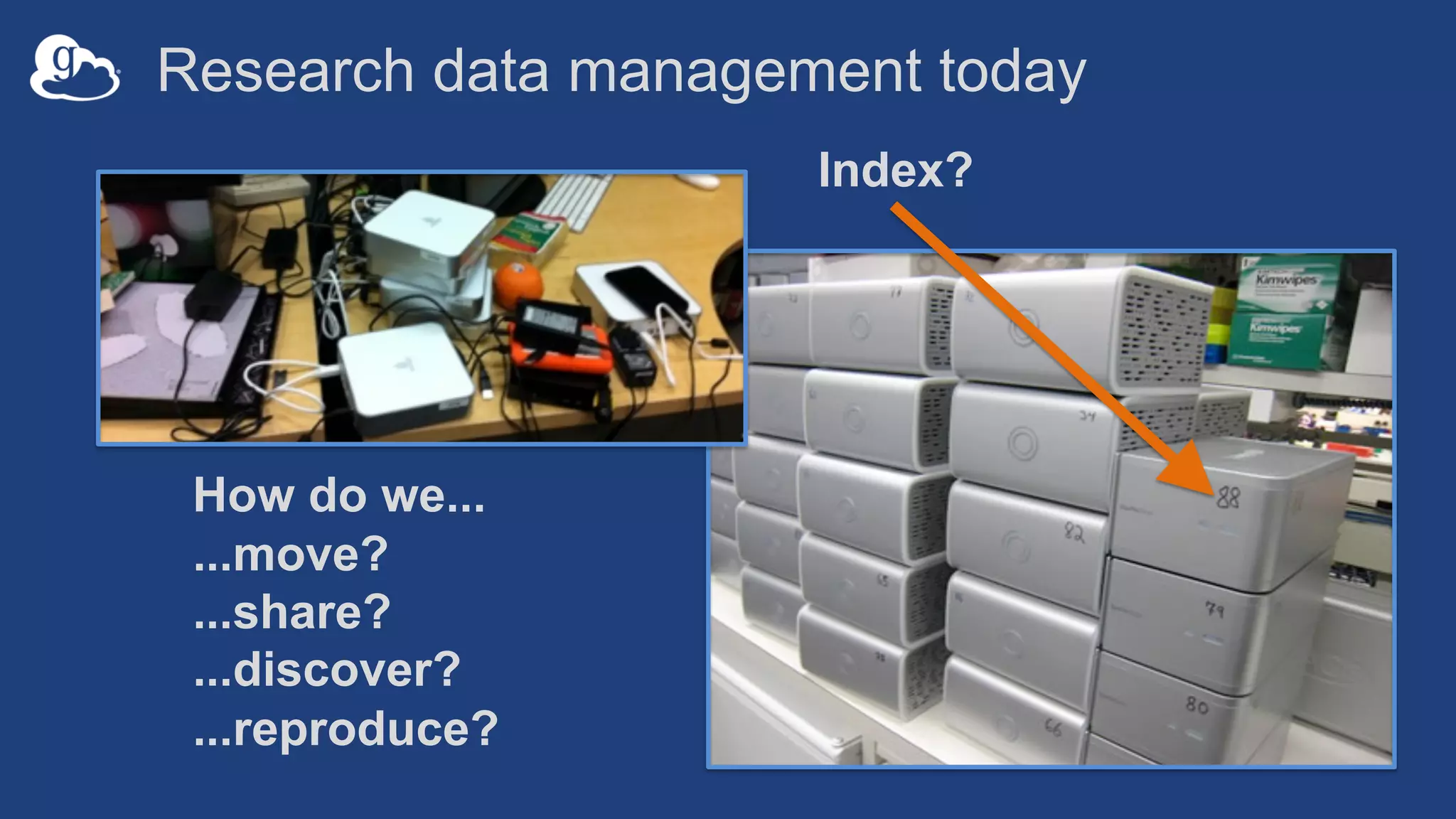
Research data management today
How do we...
...move?
...share?
...discover?
...reproduce?
Index?
3
Globus delivers…
Fast and reliable big data transfer,
sharing, and platform services…
…directly from your own storage
systems…
...via software-as-a-service using
existing identities with the overarching
goal of...
4
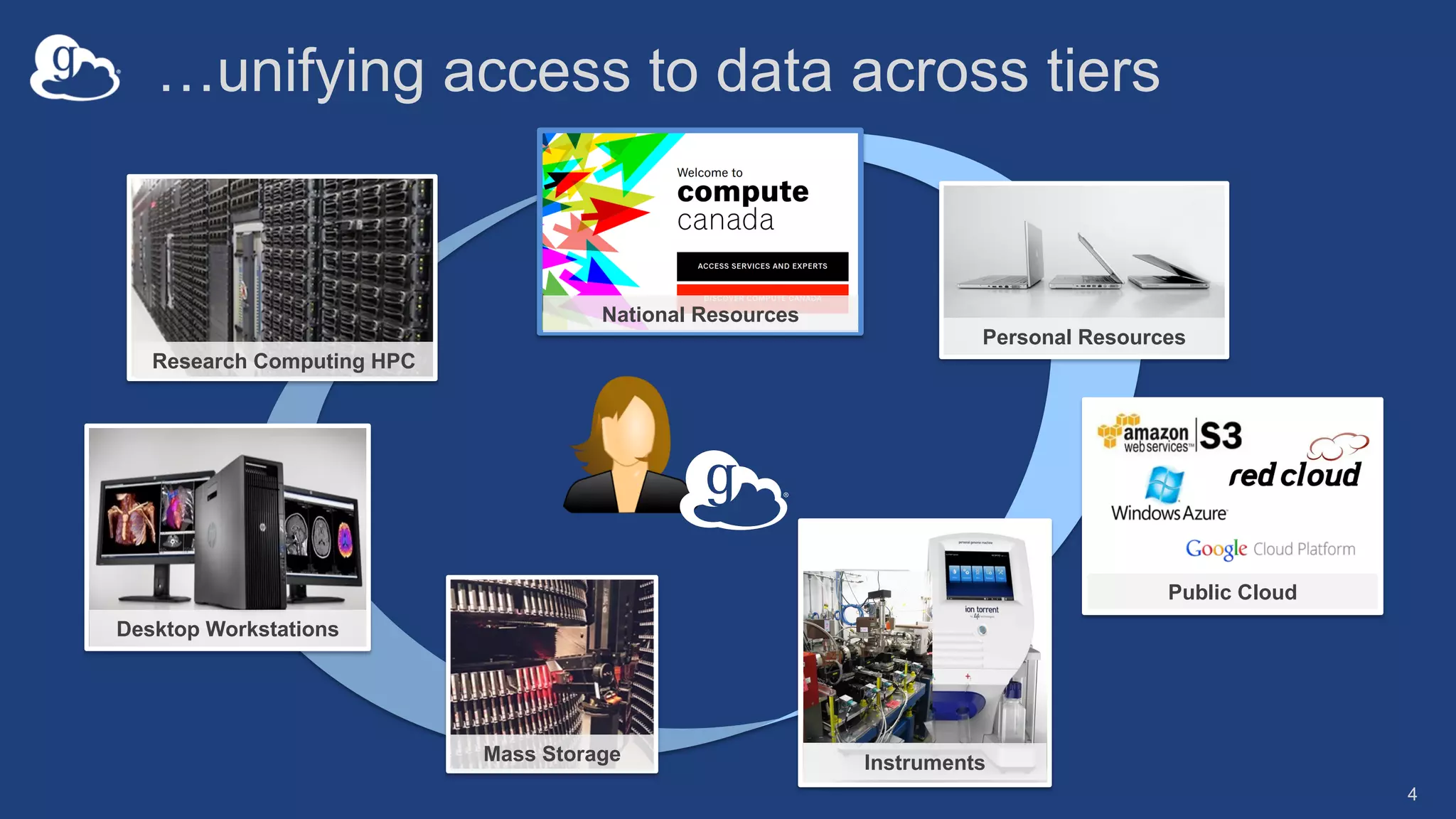
Research Computing HPC
Desktop Workstations
Mass Storage Instruments
Personal Resources
Public Cloud
National Resources
…unifying access to data across tiers
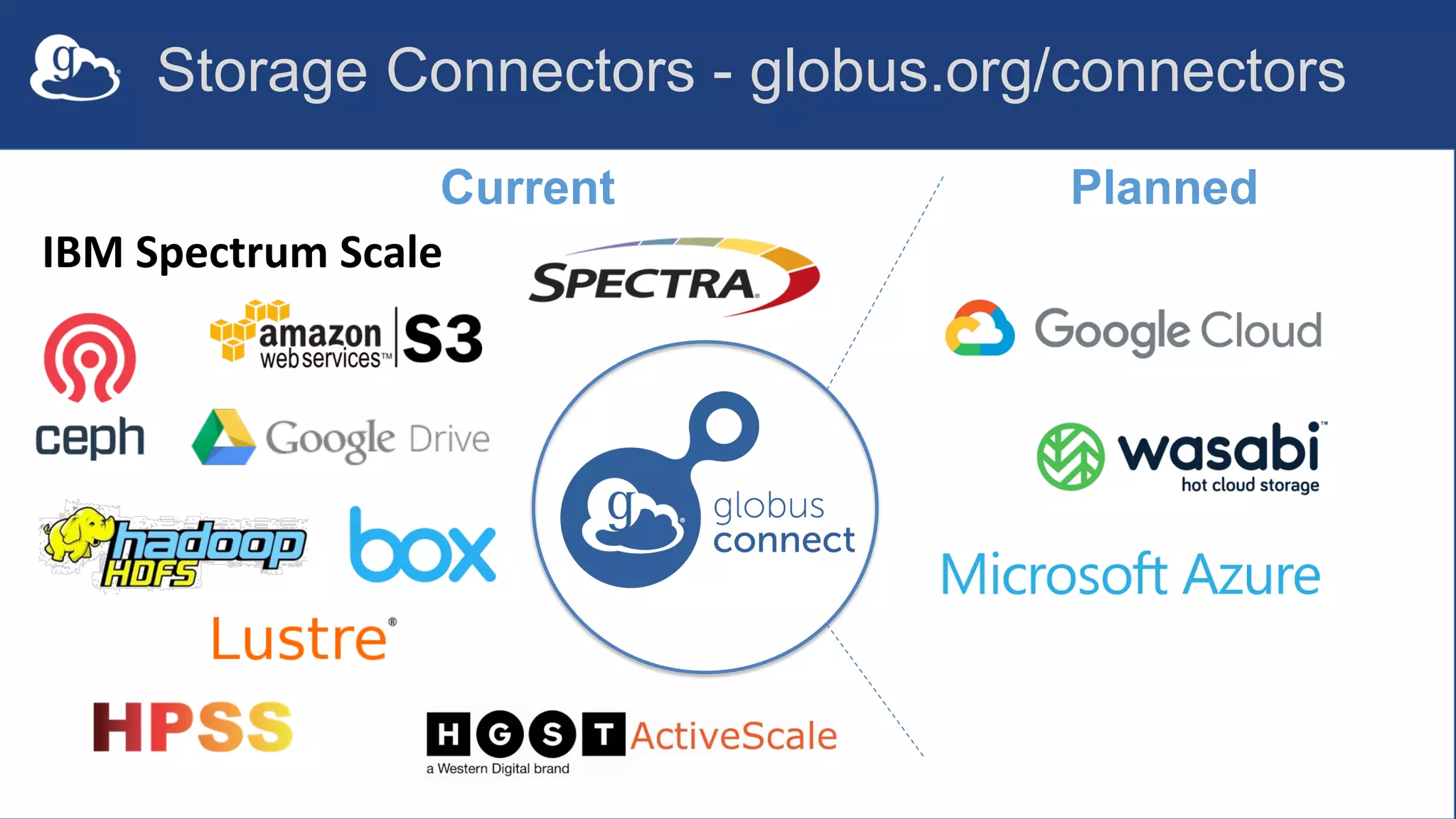
IBM Spectrum Scale
Current Planned
Storage Connectors - globus.org/connectors
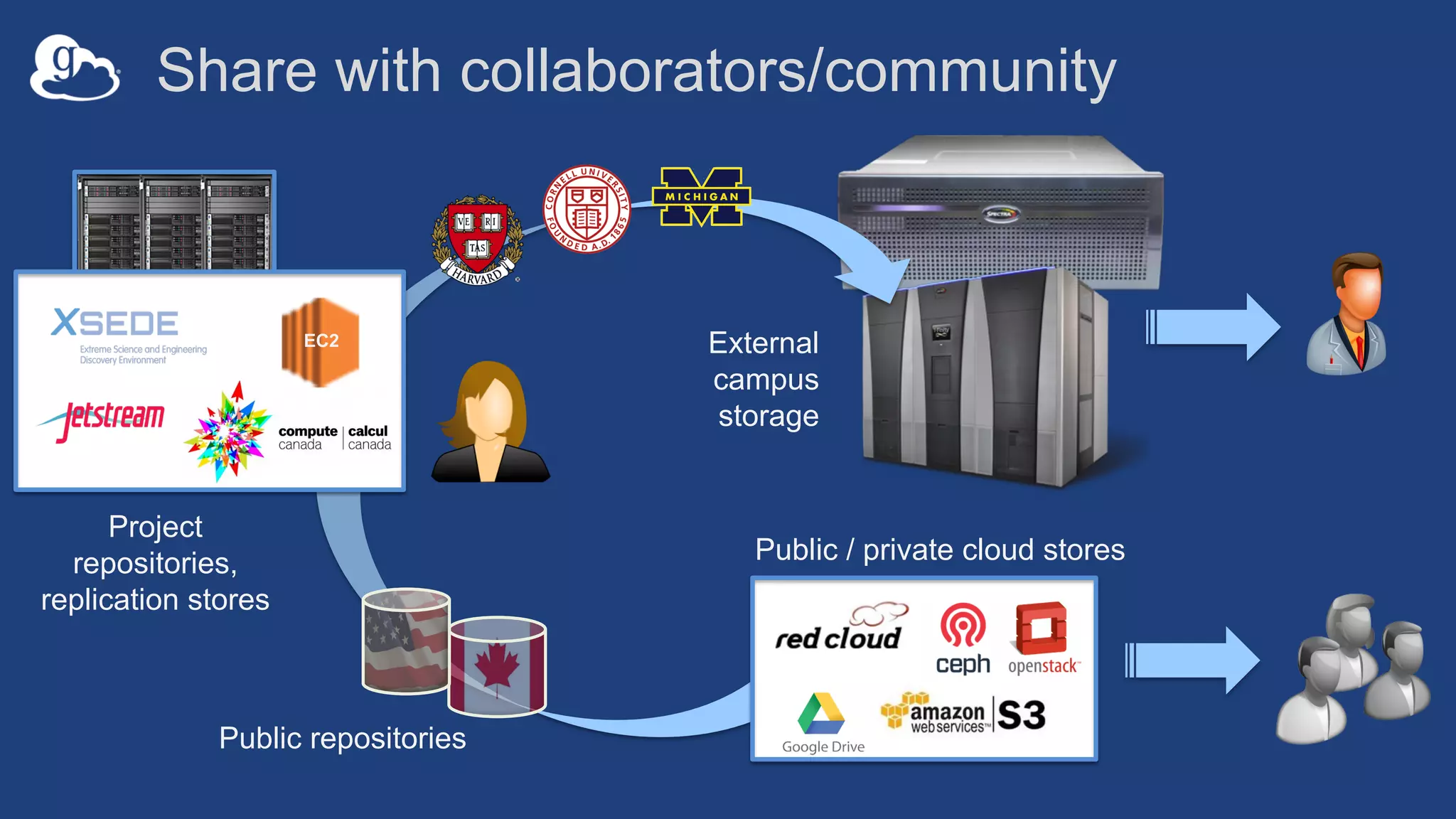
Public / private cloud stores
External
campus
storage
EC2
Project
repositories,
replication stores
Public repositories
Share with collaborators/community
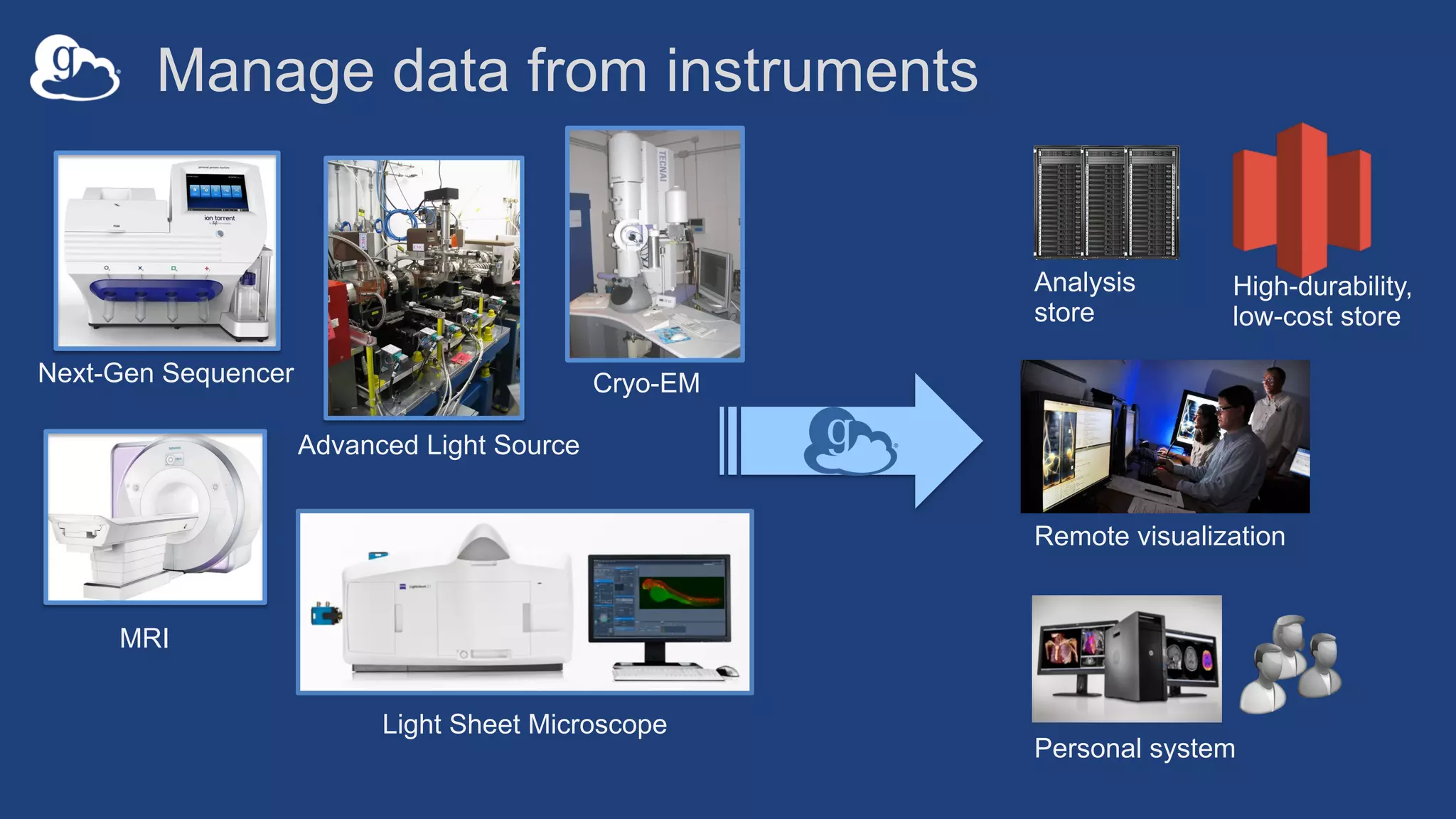
Analysis
store
Next-Gen Sequencer
MRI
Advanced Light Source
Personal system
Remote visualization
Light Sheet Microscope
High-durability,
low-cost store
Manage data from instruments
Cryo-EM
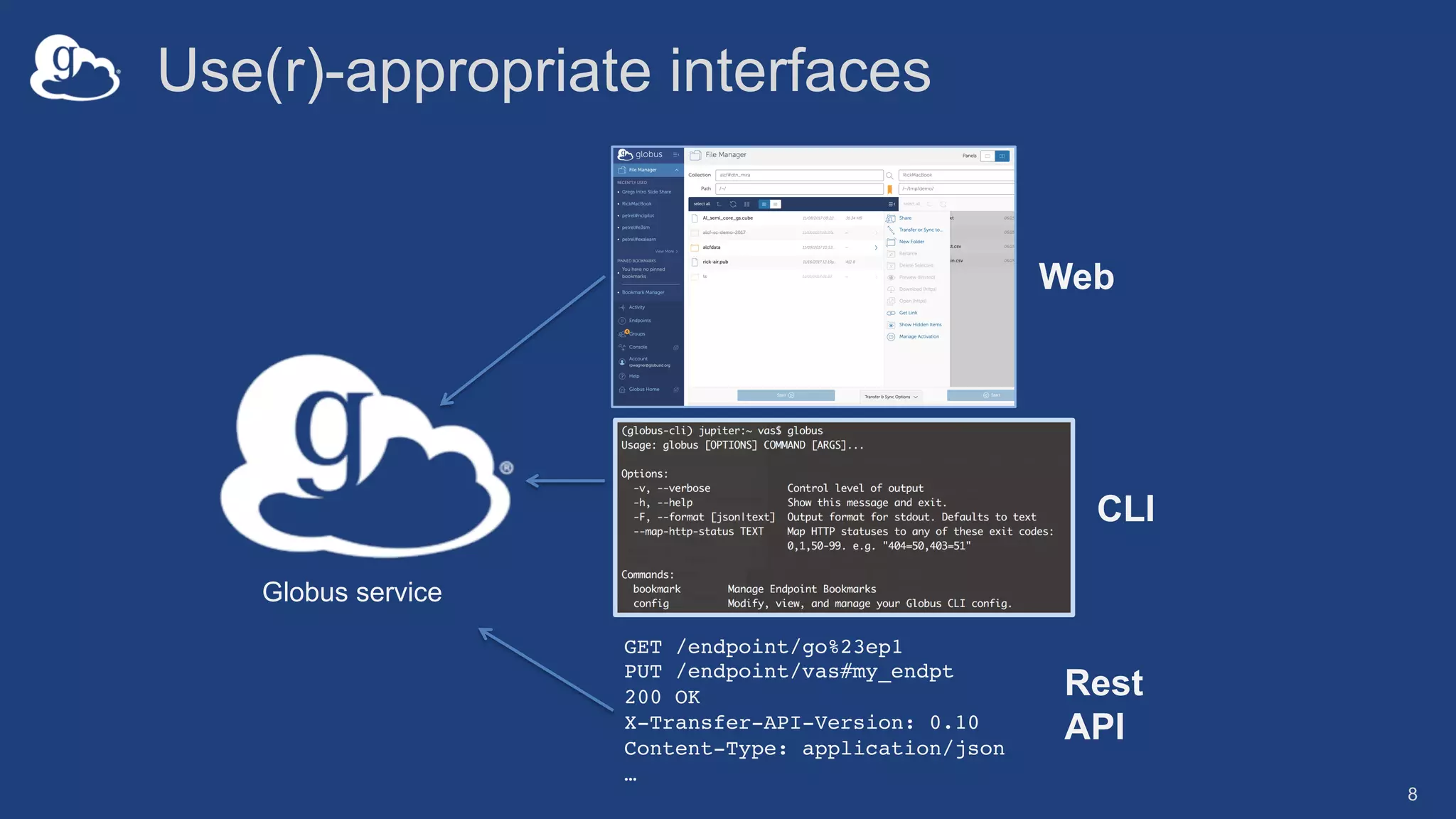
Use(r)-appropriate interfaces
8
GET /endpoint/go%23ep1
PUT /endpoint/vas#my_endpt
200 OK
X-Transfer-API-Version: 0.10
Content-Type: application/json
…
Globus service
Web
CLI
Rest
API
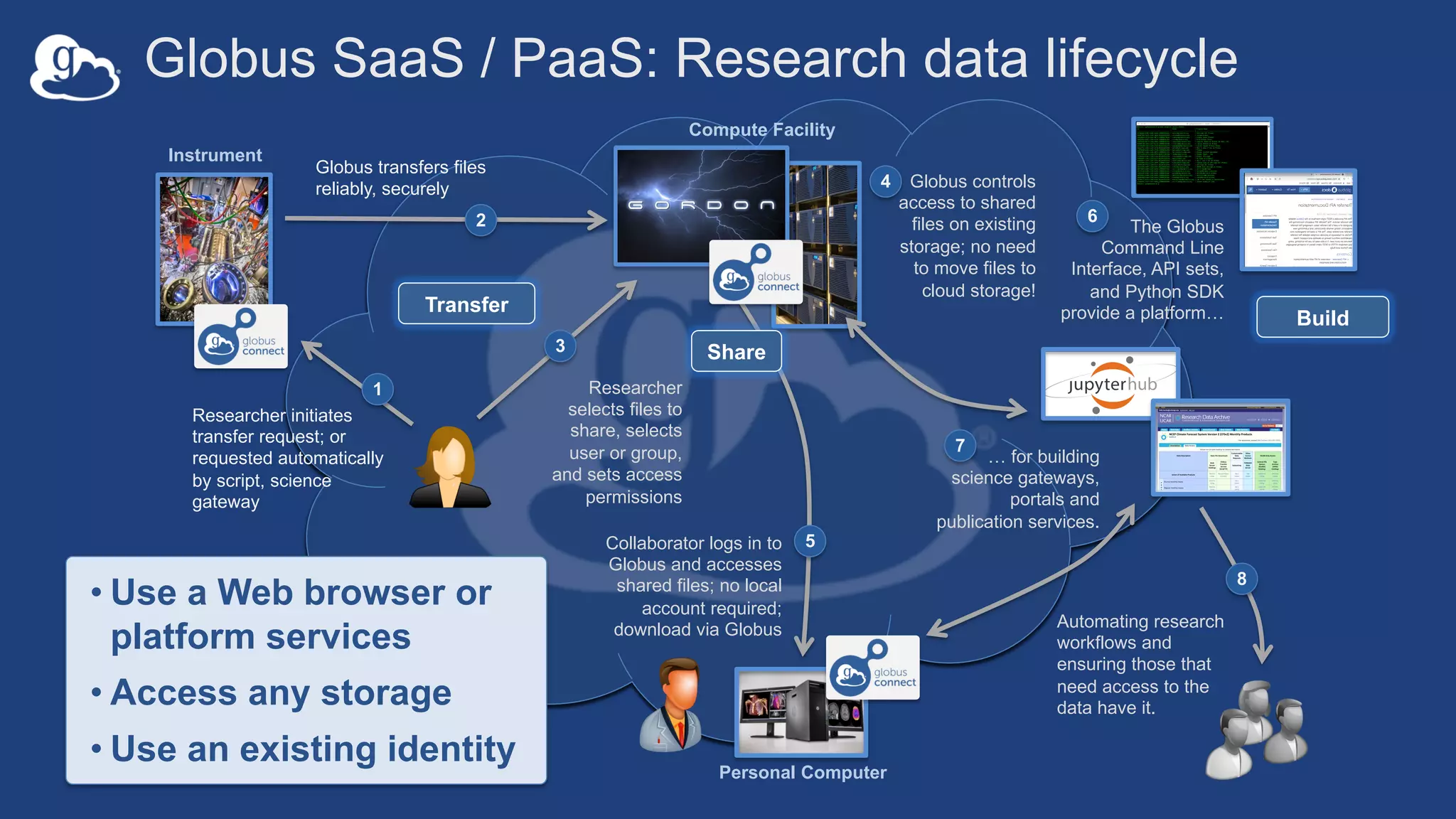
Globus SaaS / PaaS: Research data lifecycle
Researcher initiates
transfer request; or
requested automatically
by script, science
gateway
1
Instrument
Compute Facility
Globus transfers files
reliably, securely
2
Globus controls
access to shared
files on existing
storage; no need
to move files to
cloud storage!
4
Researcher
selects files to
share, selects
user or group,
and sets access
permissions
3
Collaborator logs in to
Globus and accesses
shared files; no local
account required;
download via Globus
5
Automating research
workflows and
ensuring those that
need access to the
data have it.
8
Personal Computer
Transfer
Share
• Use a Web browser or
platform services
• Access any storage
• Use an existing identity
Build
The Globus
Command Line
Interface, API sets,
and Python SDK
provide a platform…
6
… for building
science gateways,
portals and
publication services.
7
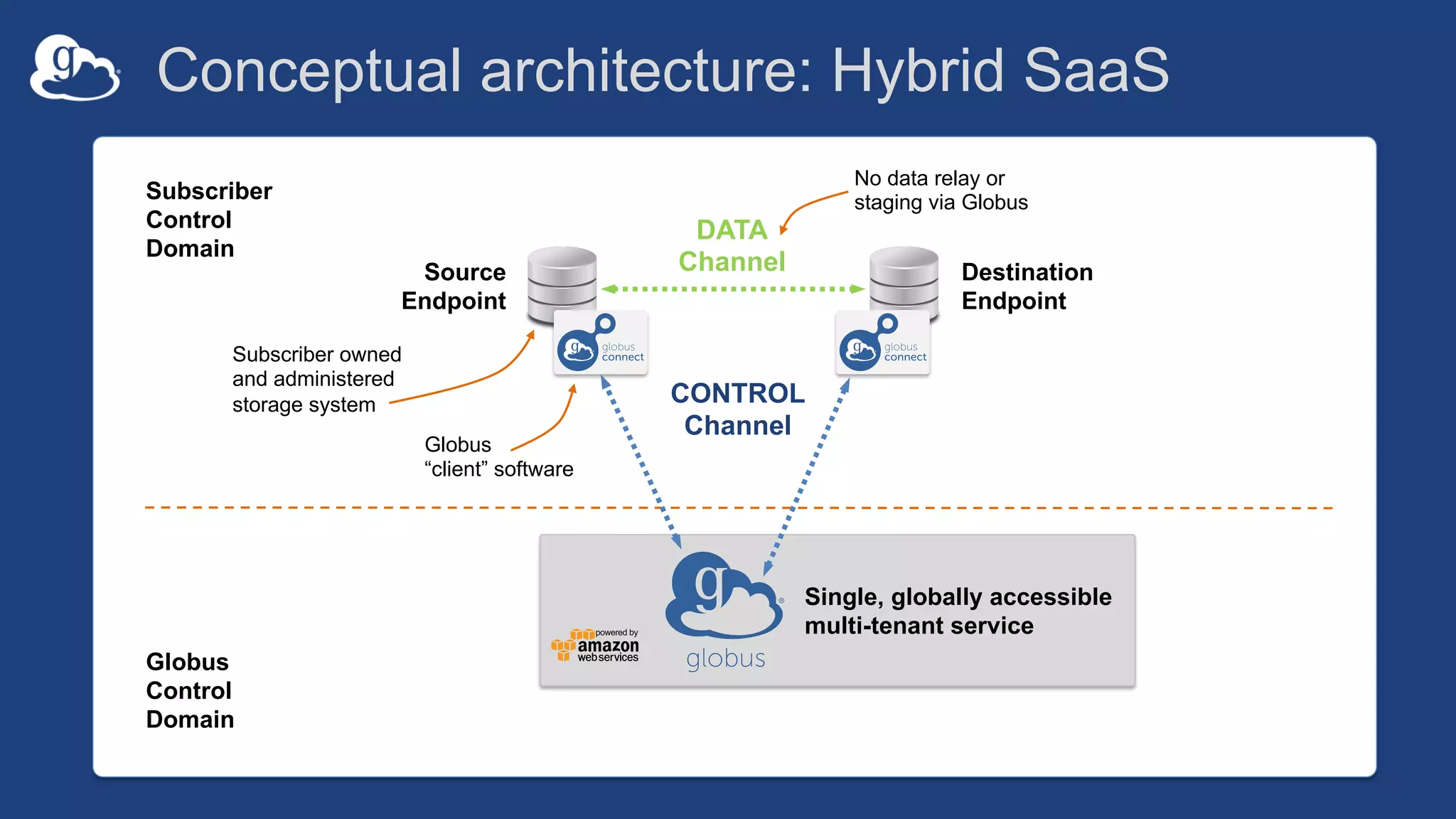
Conceptual architecture: Hybrid SaaS
DATA
Channel
CONTROL
Channel
Source
Endpoint
Destination
Endpoint
Subscriber owned
and administered
storage system
Globus
“client” software
No data relay or
staging via GlobusSubscriber
Control
Domain
Globus
Control
Domain
Single, globally accessible
multi-tenant service
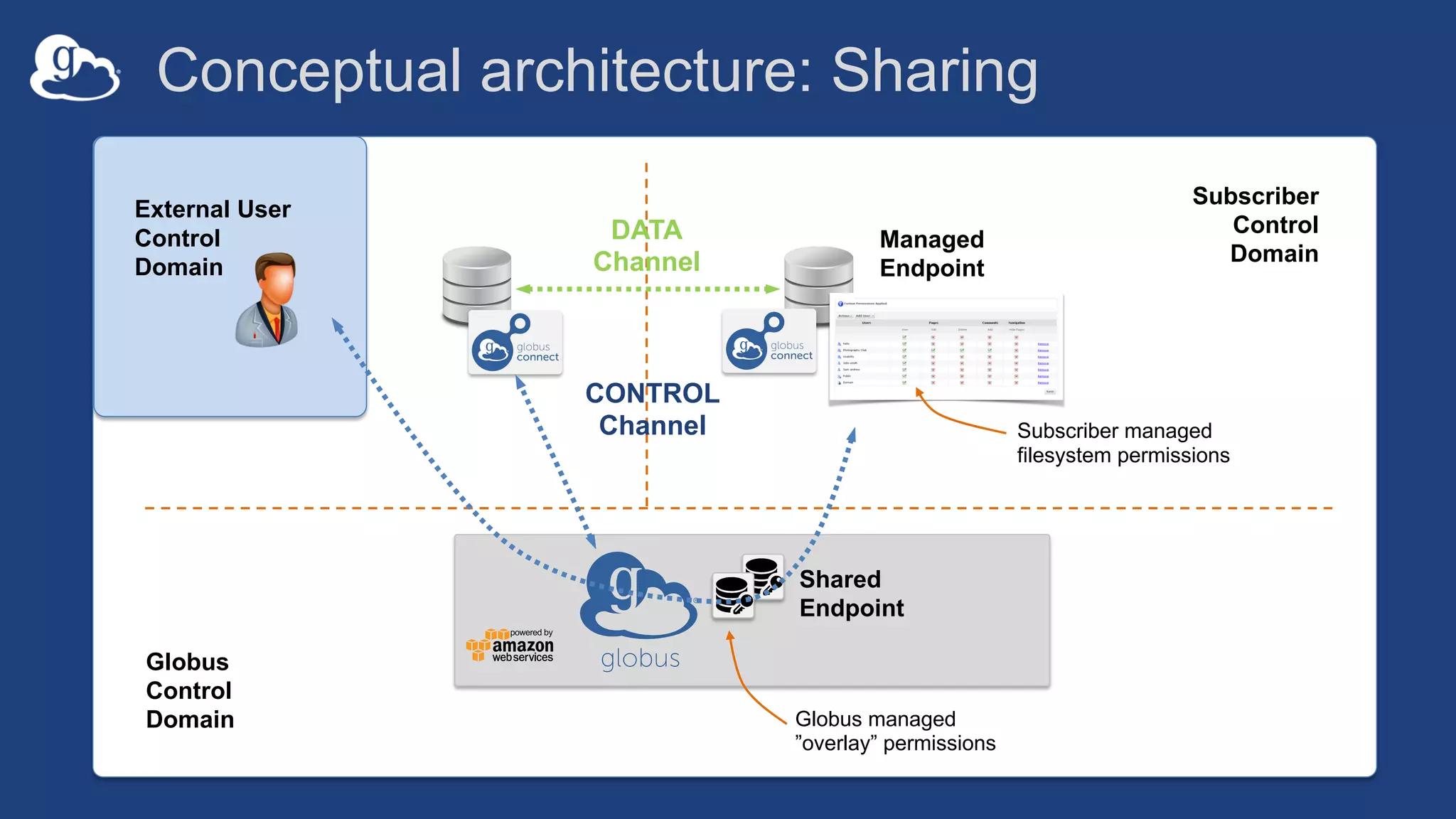
Conceptual architecture: Sharing
Managed
Endpoint
Subscriber
Control
Domain
Globus
Control
Domain Globus managed
”overlay” permissions
Shared
Endpoint
DATA
Channel
CONTROL
Channel Subscriber managed
filesystem permissions
External User
Control
Domain
…makes your
storage system a
Globus endpoint
Endpoints (Collections)
• Storage abstraction
– All transfers happen between two endpoints
– Globus Connect instantiates endpoints
• Collection ~= Endpoint
• Test / Demo Endpoints
– Globus Tutorial Endpoint 1
– Globus Tutorial Endpoint 2
– ESnet Test Endpoints
o Contain file samples of various sizes
• Globus Connect Personal
– Now your laptop is an endpoint
– https://www.globus.org/globus-connect-personal
14
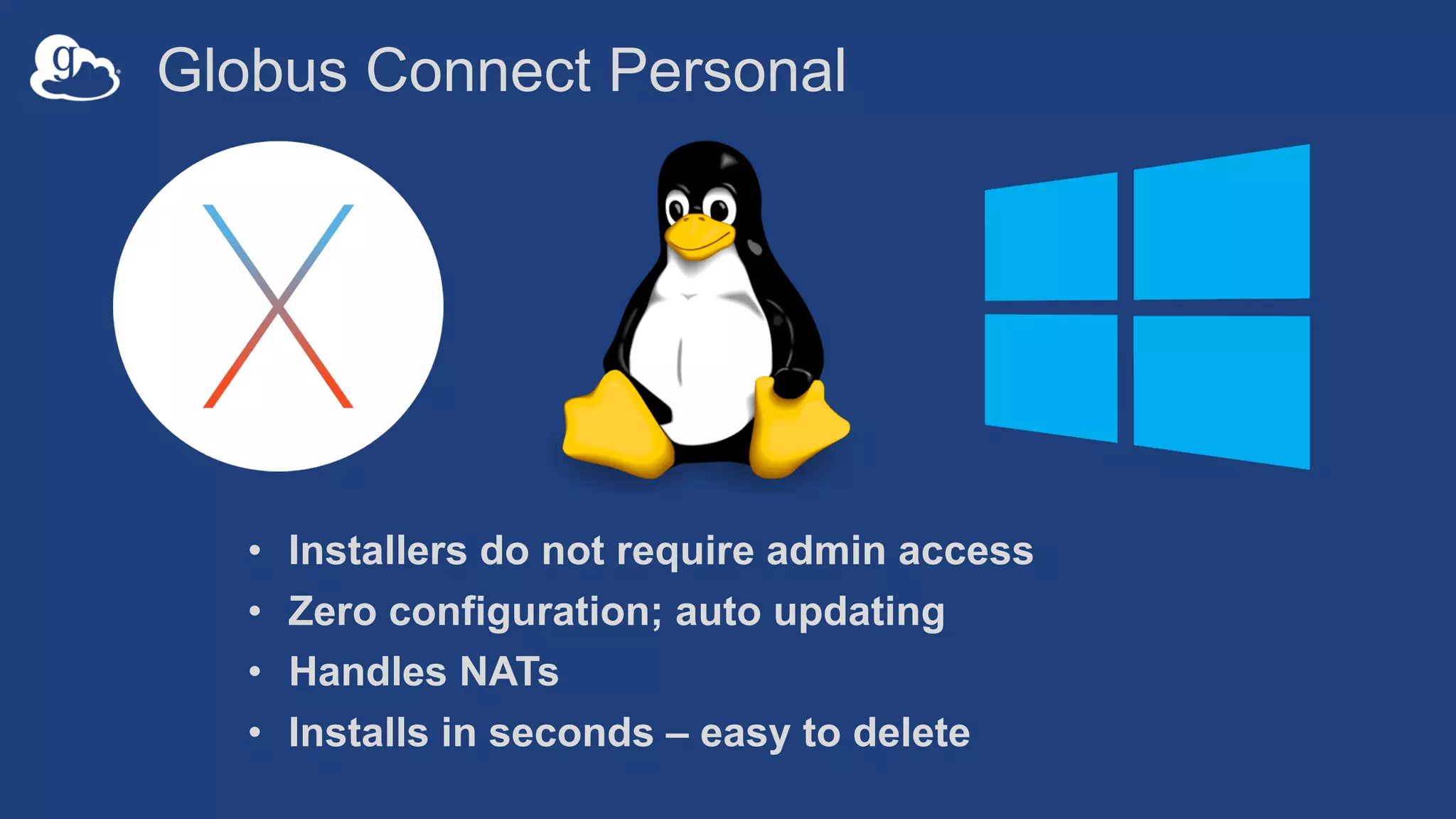
Globus Connect Personal
• Installers do not require admin access
• Zero configuration; auto updating
• Handles NATs
• Installs in seconds – easy to delete
The Globus Web App - Accounts
• A Globus Account is
– A Primary Identity
– Possible Linked Identities
• Linking Identities
• Managing Identities
• Consents
Demonstration
Identities
File Transfer
File Sharing
Activity Monitoring
• Recent / History / Filter
• Drilling Down
– File transfer statistics
– Overview
– Event Log
– Cancelling an active task
Groups
• What can they be used for?
– Sharing: Access permissions for more than one person
– Roles: Endpoint management and monitoring
• Groups
– Creating groups and setting the visibility
– Members (invitations), Subgroups, Settings
– Settings
o Policies / Membership Fields / Terms & Conditions
– Roles
o Giving others authority over your groups
Endpoint Sharing and Roles
• Sharing
– Select the directory and create the “share”
– A ”share” is another type of endpoint
– Share with: Users / Groups / All Globus Users
• Roles
– Giving others (or groups of others) control or monitoring rights
for your endpoints
Bookmarks
• Just like browser bookmarks – frequently used, or
maybe not used frequently enough!
• Creating a bookmark
• Using a bookmark
• Sorting and Filtering
• Editing and Deleting
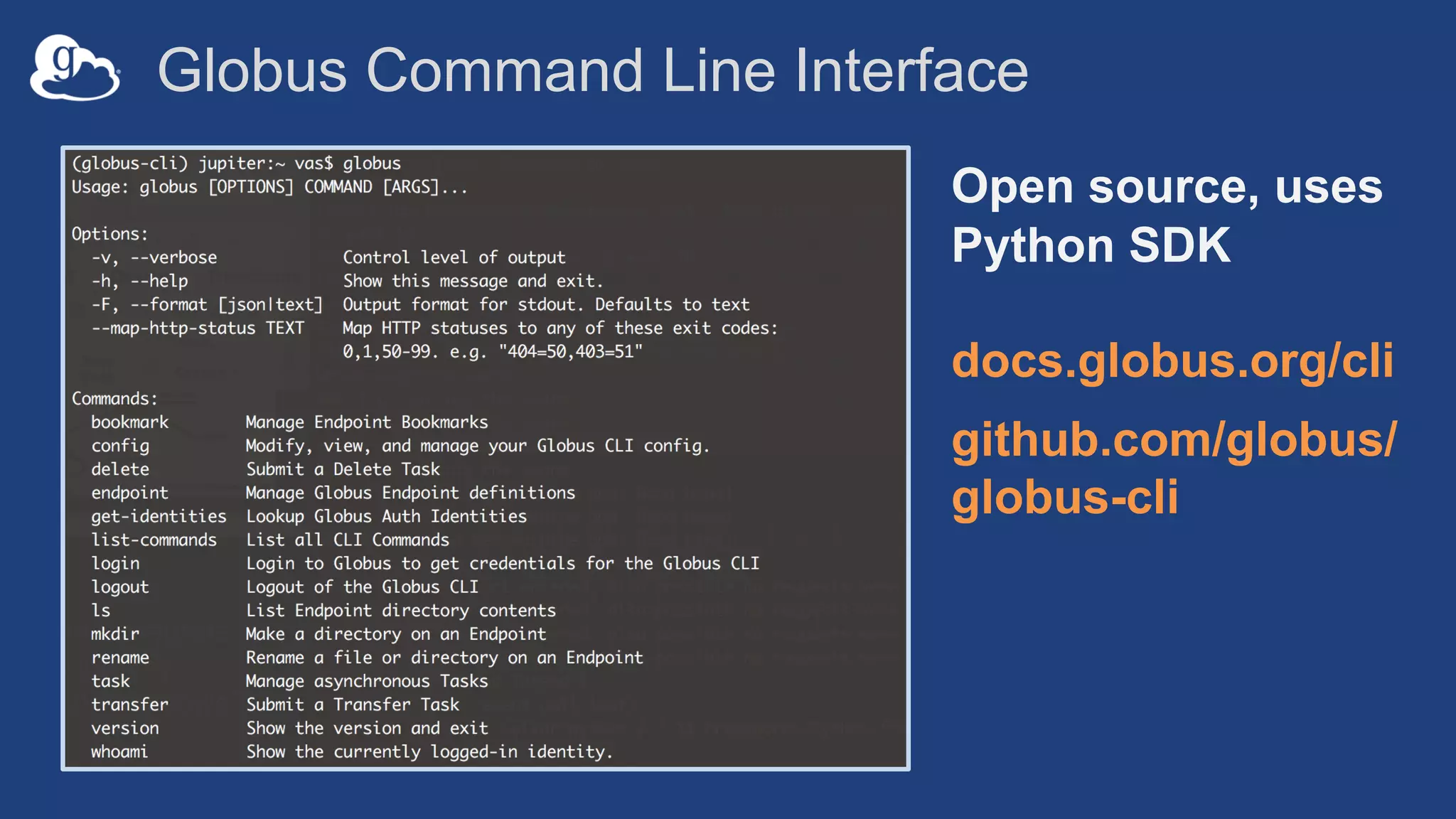
Globus Command Line Interface
Open source, uses
Python SDK
docs.globus.org/cli
github.com/globus/
globus-cli
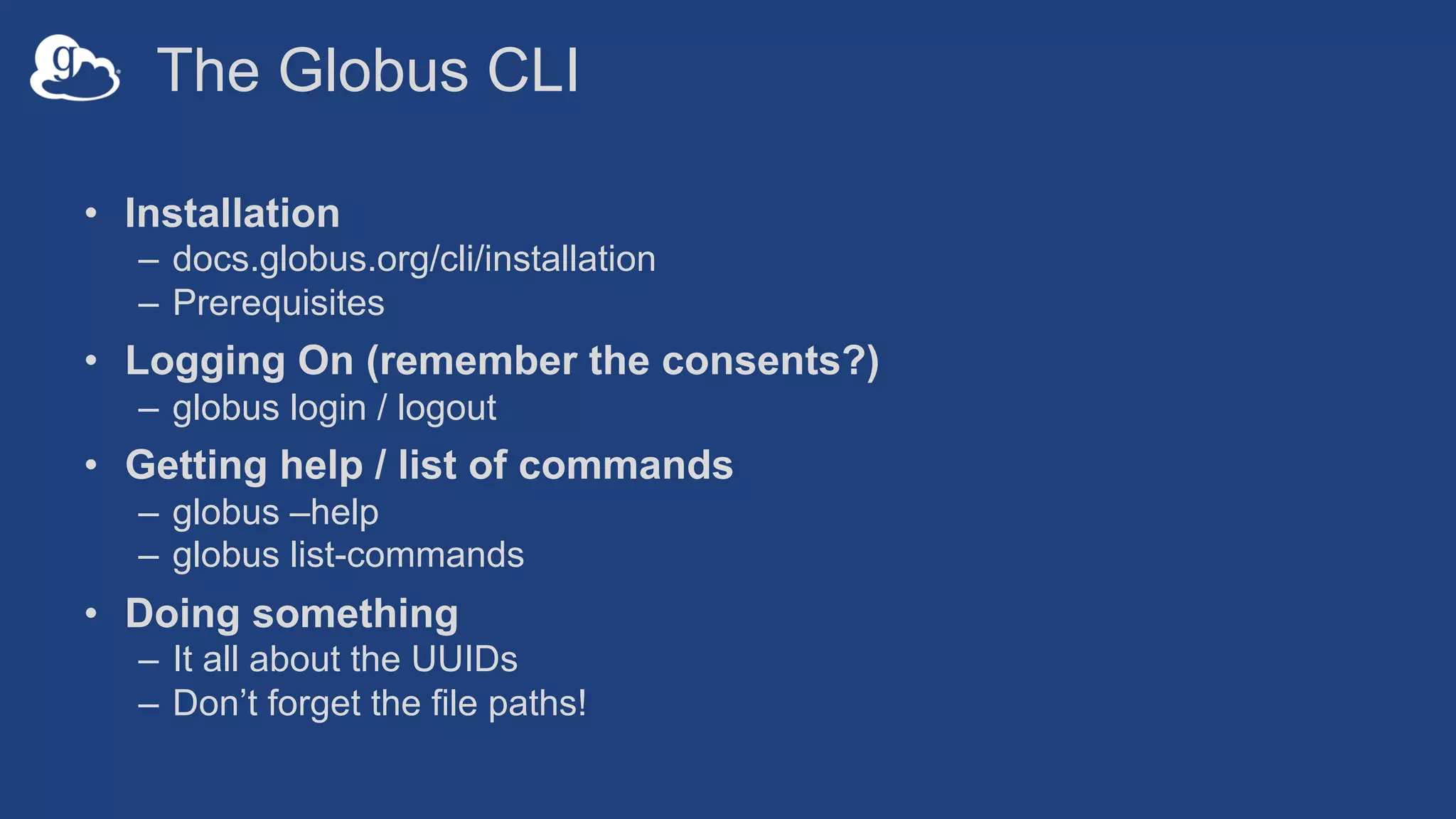
The Globus CLI
• Installation
– docs.globus.org/cli/installation
– Prerequisites
• Logging On (remember the consents?)
– globus login / logout
• Getting help / list of commands
– globus –help
– globus list-commands
• Doing something
– It all about the UUIDs
– Don’t forget the file paths!
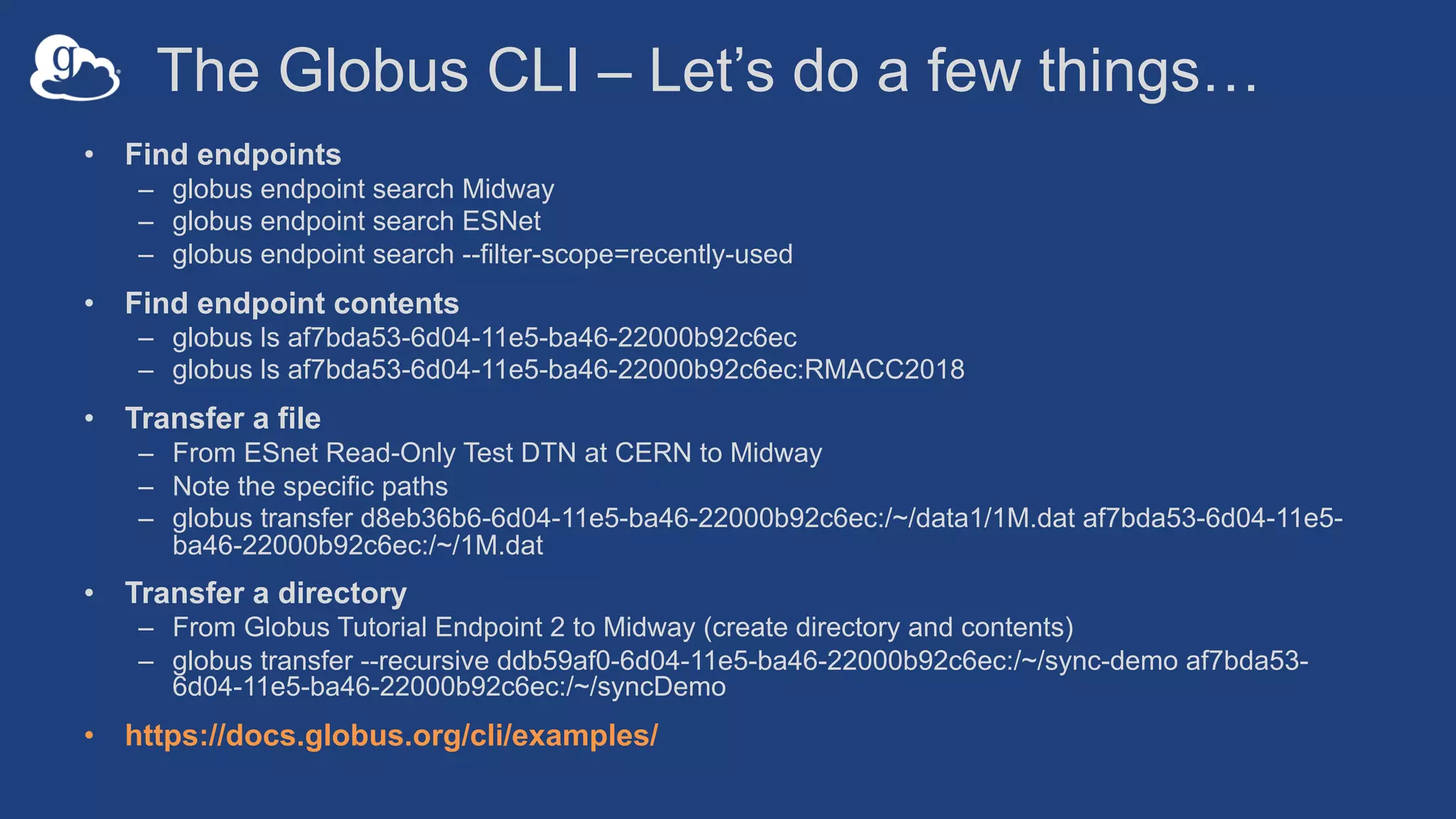
The Globus CLI – Let’s do a few things…
• Find endpoints
– globus endpoint search Midway
– globus endpoint search ESNet
– globus endpoint search --filter-scope=recently-used
• Find endpoint contents
– globus ls af7bda53-6d04-11e5-ba46-22000b92c6ec
– globus ls af7bda53-6d04-11e5-ba46-22000b92c6ec:RMACC2018
• Transfer a file
– From ESnet Read-Only Test DTN at CERN to Midway
– Note the specific paths
– globus transfer d8eb36b6-6d04-11e5-ba46-22000b92c6ec:/~/data1/1M.dat af7bda53-6d04-11e5-
ba46-22000b92c6ec:/~/1M.dat
• Transfer a directory
– From Globus Tutorial Endpoint 2 to Midway (create directory and contents)
– globus transfer --recursive ddb59af0-6d04-11e5-ba46-22000b92c6ec:/~/sync-demo af7bda53-
6d04-11e5-ba46-22000b92c6ec:/~/syncDemo
• https://docs.globus.org/cli/examples/
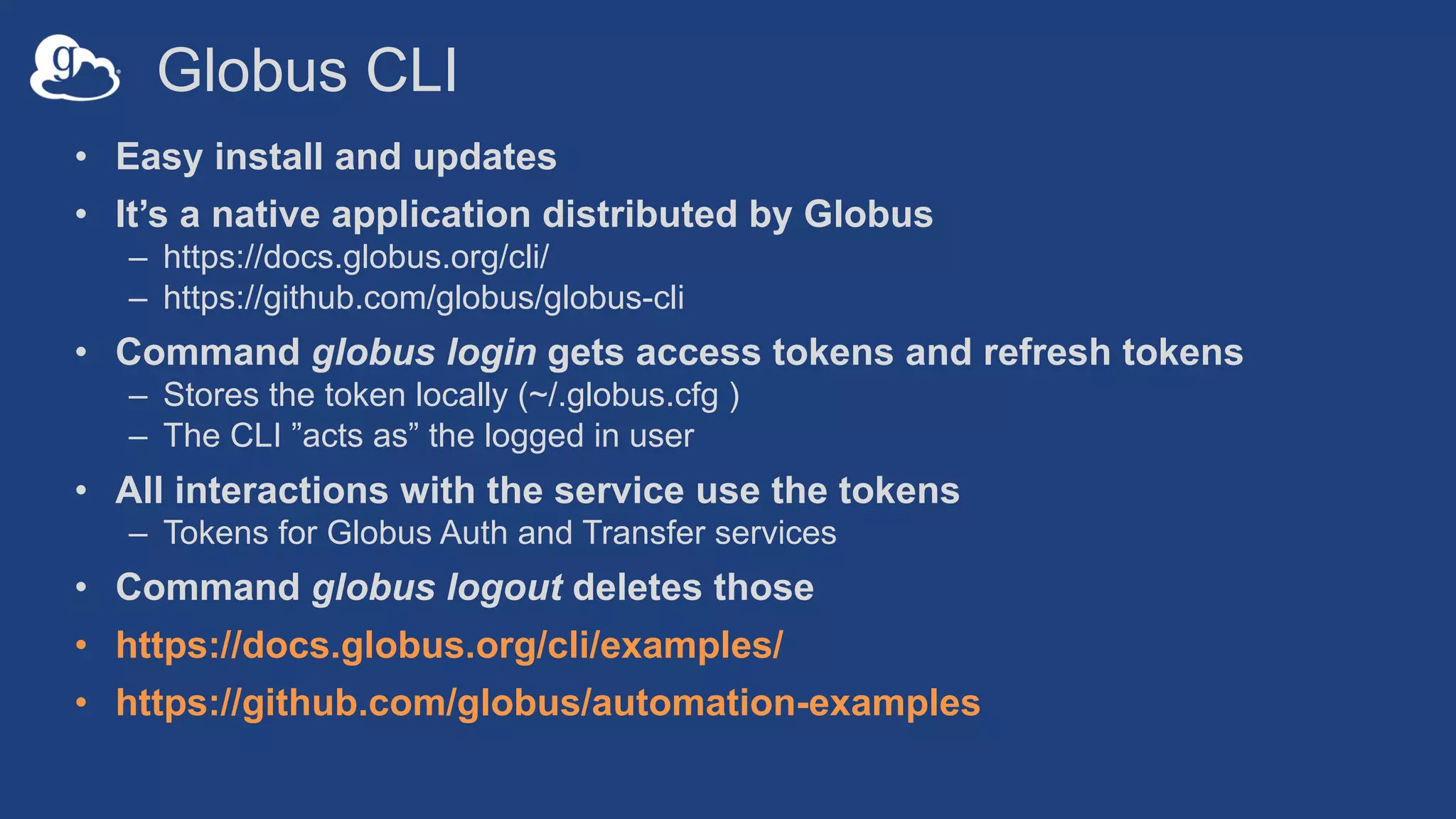
Globus CLI
• Easy install and updates
• It’s a native application distributed by Globus
– https://docs.globus.org/cli/
– https://github.com/globus/globus-cli
• Command globus login gets access tokens and refresh tokens
– Stores the token locally (~/.globus.cfg )
– The CLI ”acts as” the logged in user
• All interactions with the service use the tokens
– Tokens for Globus Auth and Transfer services
• Command globus logout deletes those
• https://docs.globus.org/cli/examples/
• https://github.com/globus/automation-examples
Demonstration
Globus CLI
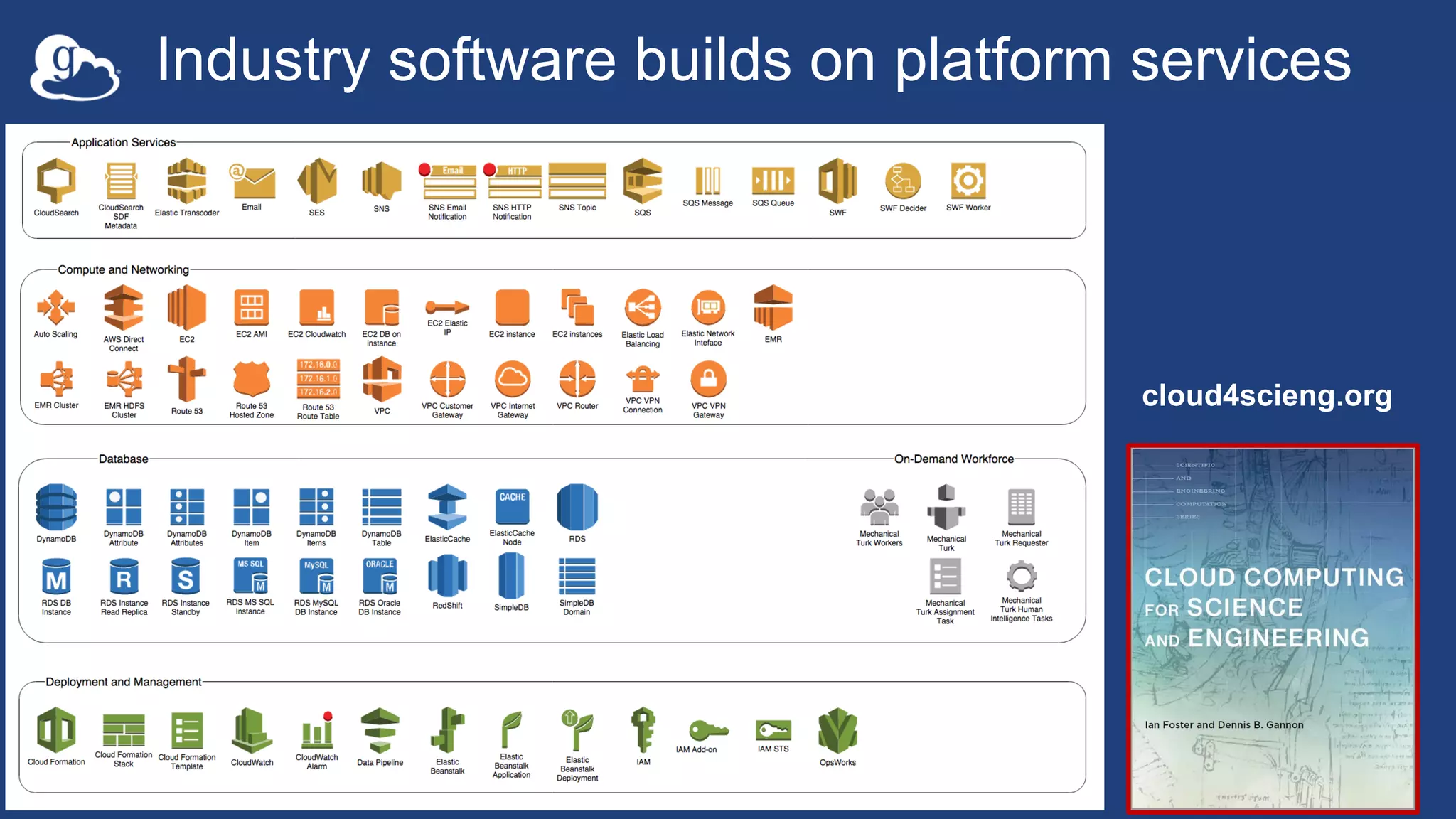
cloud4scieng.org
Industry software builds on platform services
28
Globus delivers… with applications and as a
platform…
Fast and reliable data transfer, sharing, and file
management…
…directly from your own storage systems…
...via software-as-a-service using existing
identities.
How can I integrate
Globus into my research
workflows?
29
Globus serves as…
A platform for building science
gateways, portals and other
web applications in support of
research and education.
30
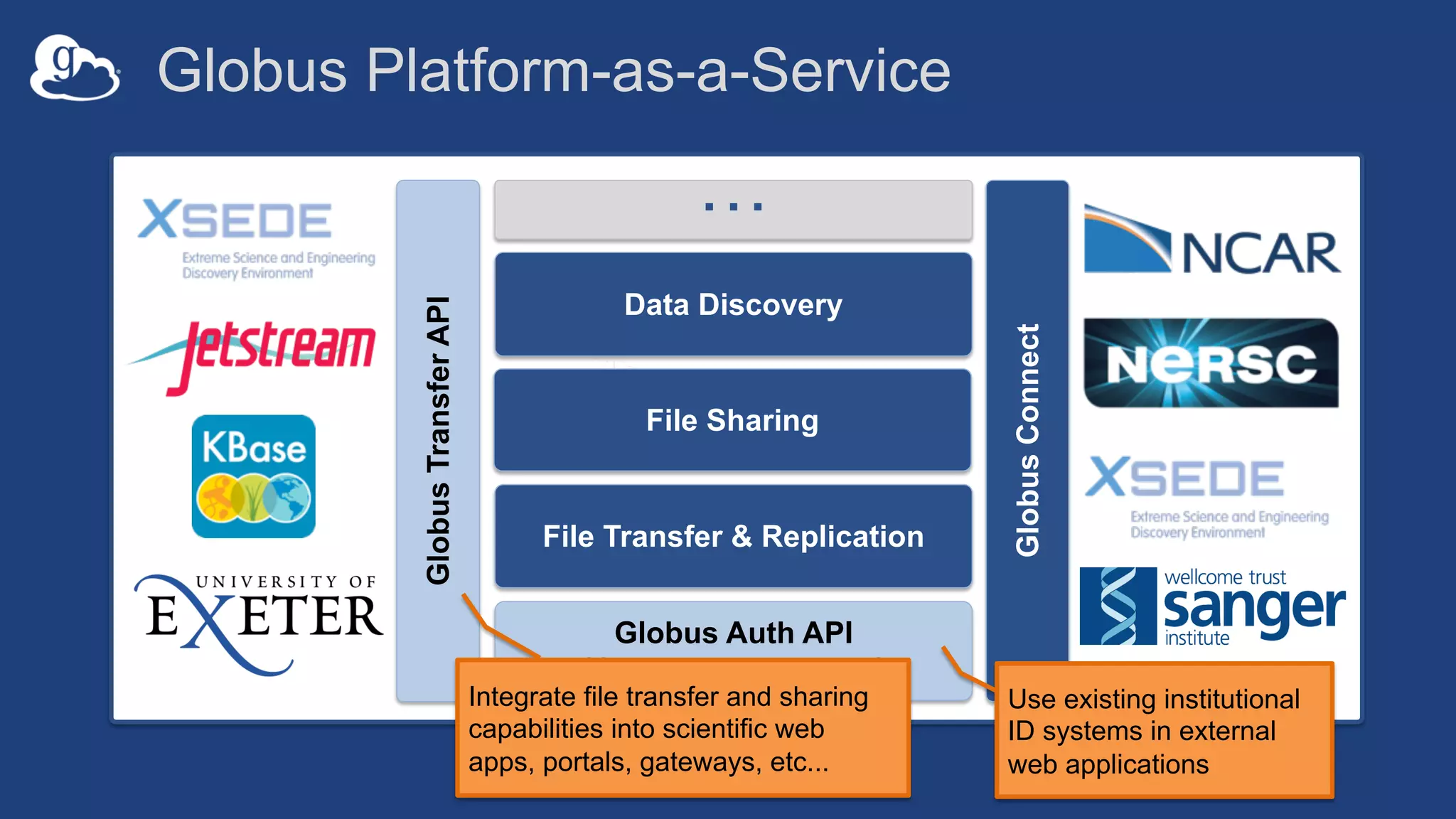
Globus Auth API
(Group Management)
…
GlobusTransferAPI
GlobusConnect
Data Discovery
File Sharing
File Transfer & Replication
Globus Platform-as-a-Service
Use existing institutional
ID systems in external
web applications
Integrate file transfer and sharing
capabilities into scientific web
apps, portals, gateways, etc...
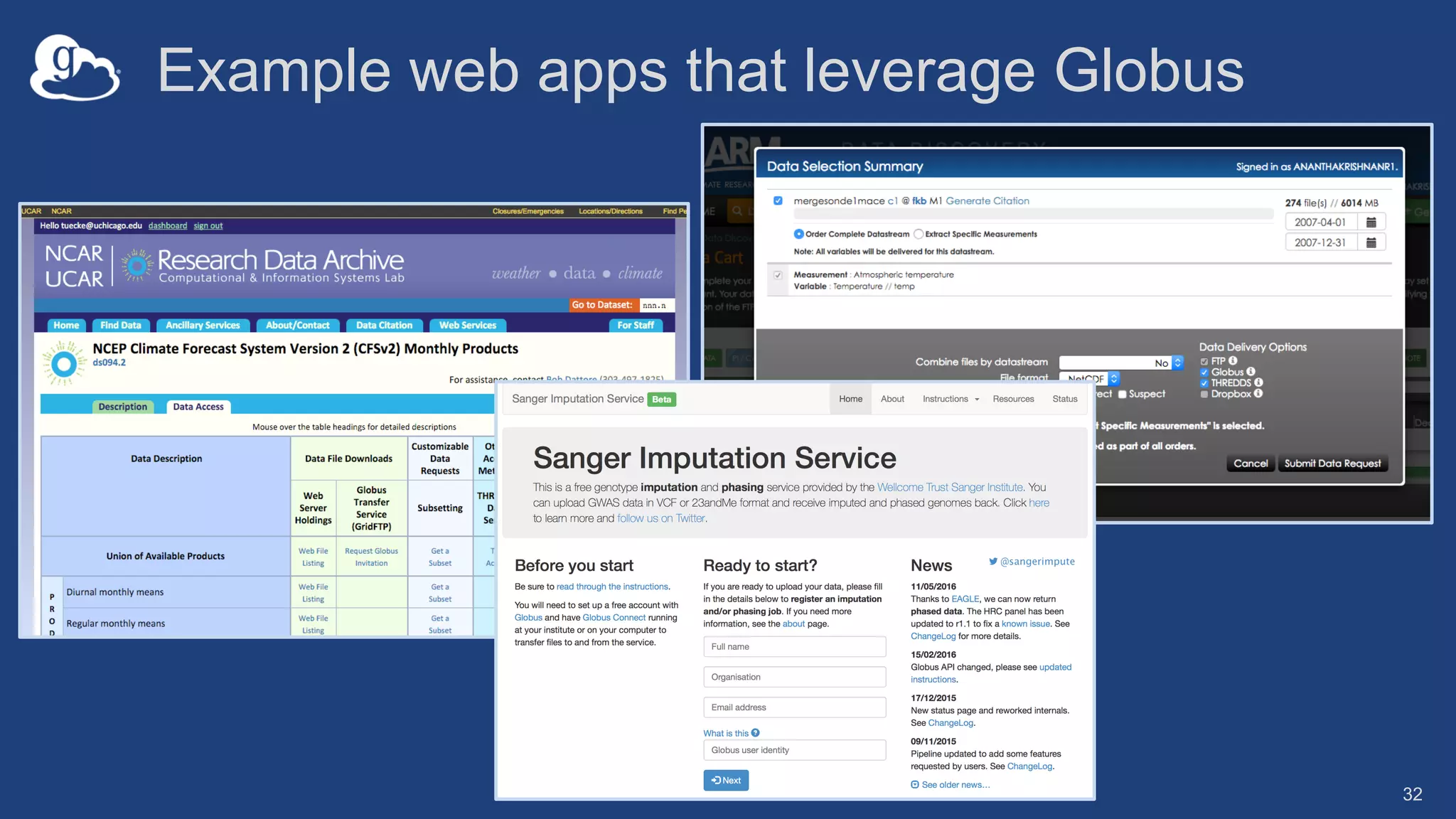
Example web apps that leverage Globus
32
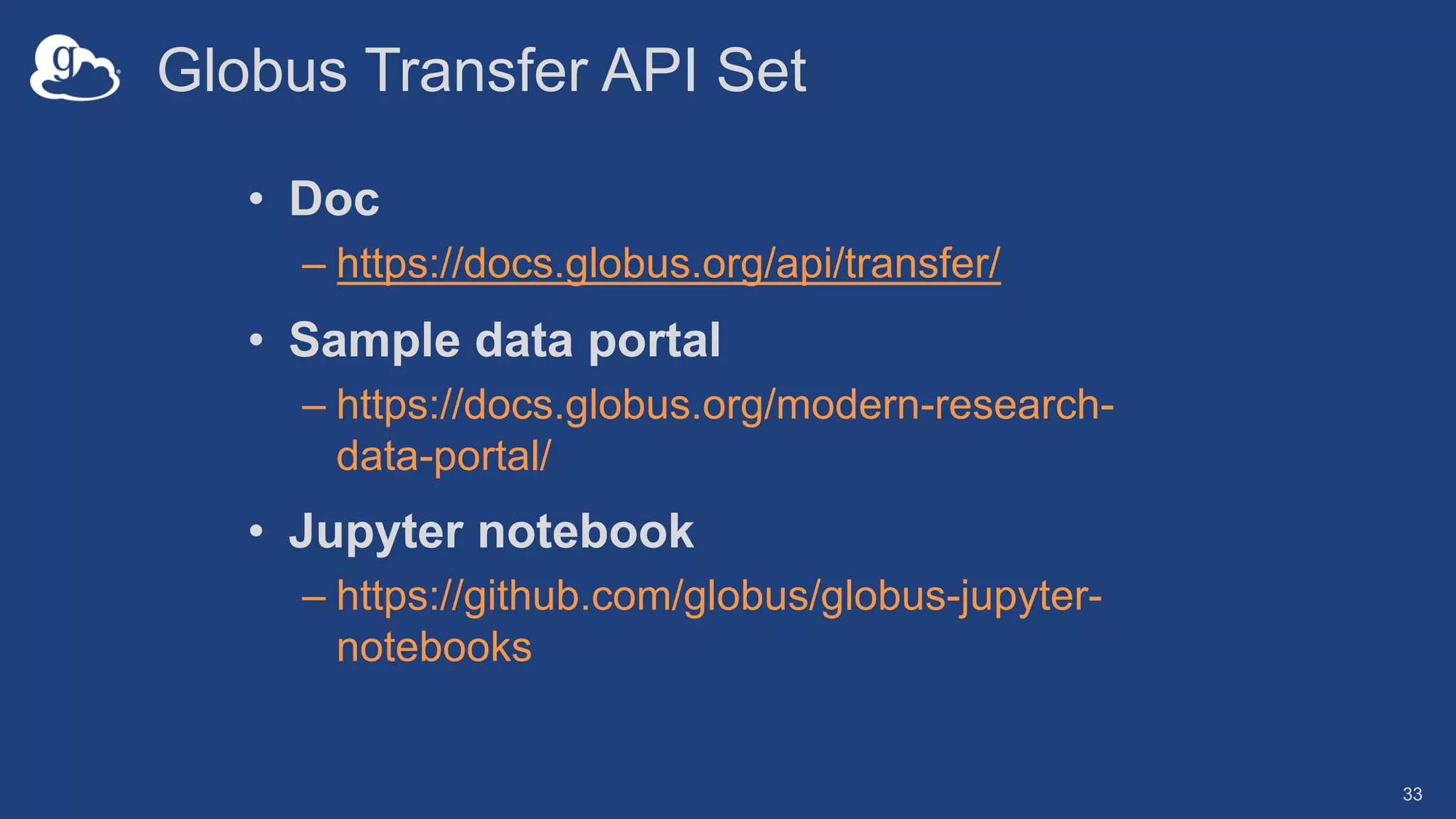
Globus Transfer API Set
• Doc
– https://docs.globus.org/api/transfer/
• Sample data portal
– https://docs.globus.org/modern-research-
data-portal/
• Jupyter notebook
– https://github.com/globus/globus-jupyter-
notebooks
33
Globus Auth API Set
• Doc
– https://docs.globus.org/api/auth/
• Sample data portal
– https://docs.globus.org/modern-research-
data-portal/
• Native app examples
– https://github.com/globus/native-app-
examples
34
35
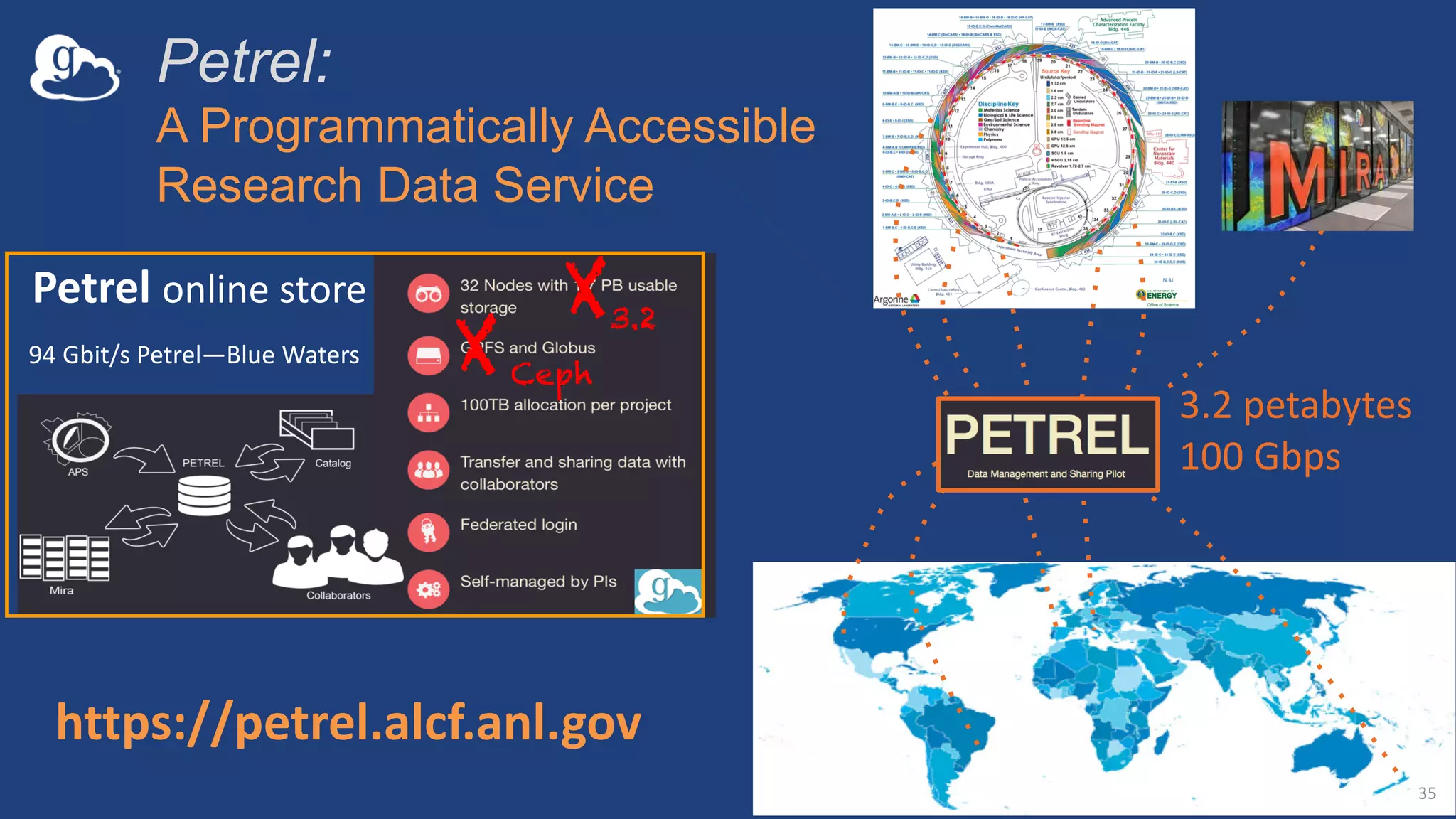
Petrel online store
https://petrel.alcf.anl.gov
94 Gbit/s Petrel—Blue Waters
Petrel:
A Programmatically Accessible
Research Data Service
3.2 petabytes
100 Gbps
X
X
Ceph
3.2
A bit of Globus history
U . S . D E P A R T M E N T O F
ENERGY
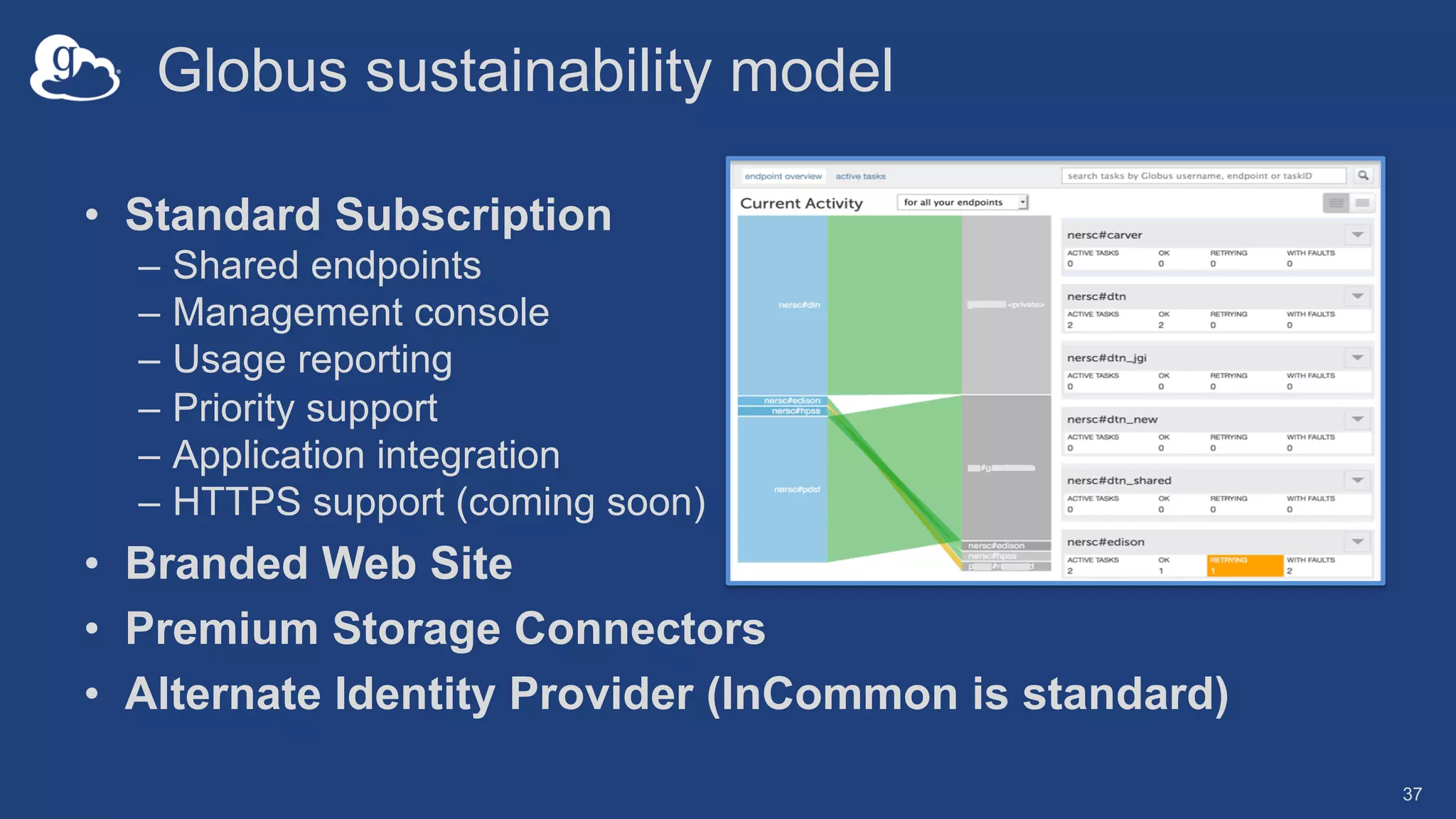
Globus sustainability model
• Standard Subscription
– Shared endpoints
– Management console
– Usage reporting
– Priority support
– Application integration
– HTTPS support (coming soon)
• Branded Web Site
• Premium Storage Connectors
• Alternate Identity Provider (InCommon is standard)
37
The path to sustainability
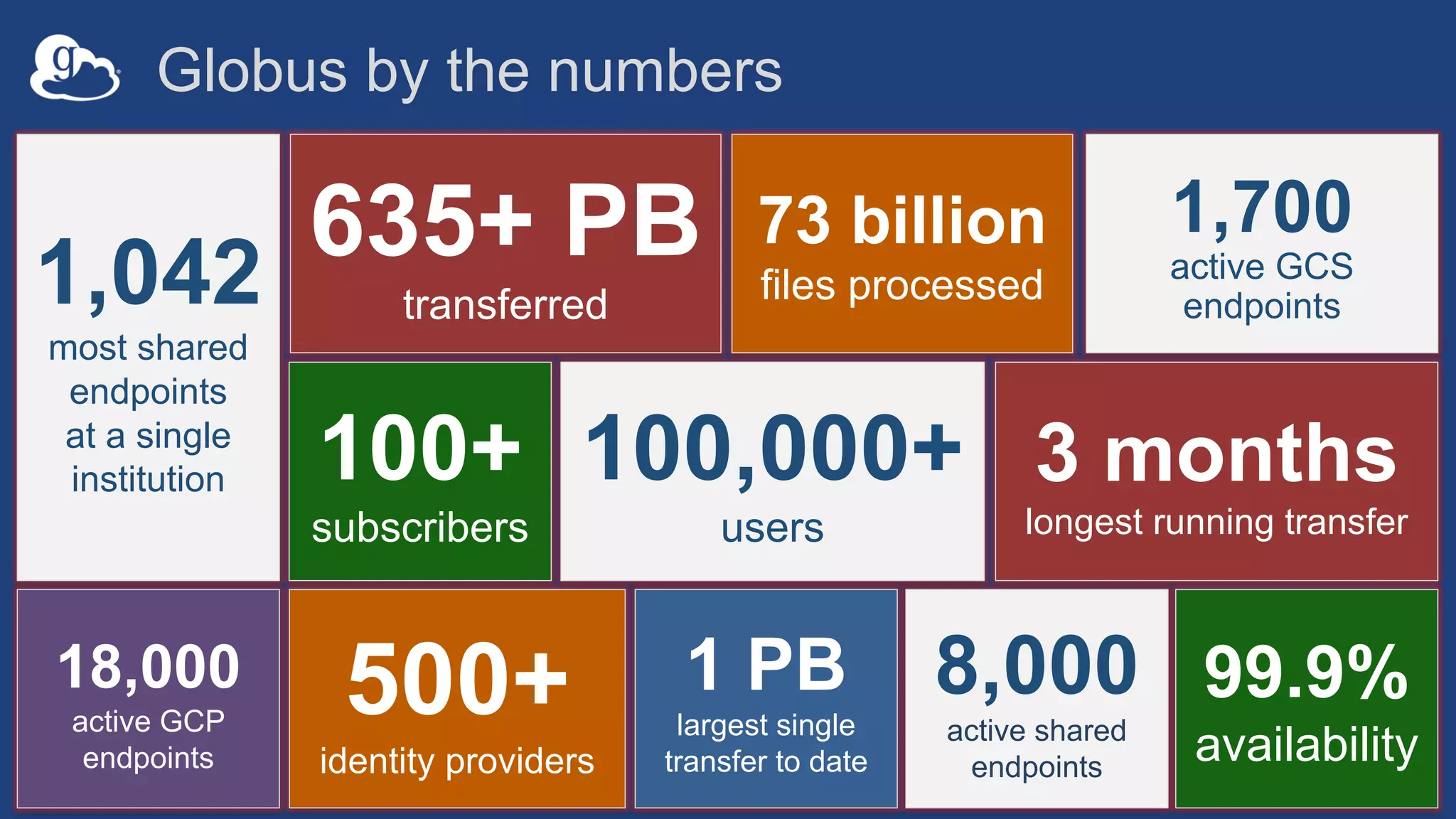
8,000
active shared
endpoints
100+
subscribers
635+ PB
transferred
18,000
active GCP
endpoints
73 billion
files processed
1,700
active GCS
endpoints
3 months
longest running transfer
1 PB
largest single
transfer to date
99.9%
availability
500+
identity providers
1,042
most shared
endpoints
at a single
institution 100,000+
users
Globus by the numbers
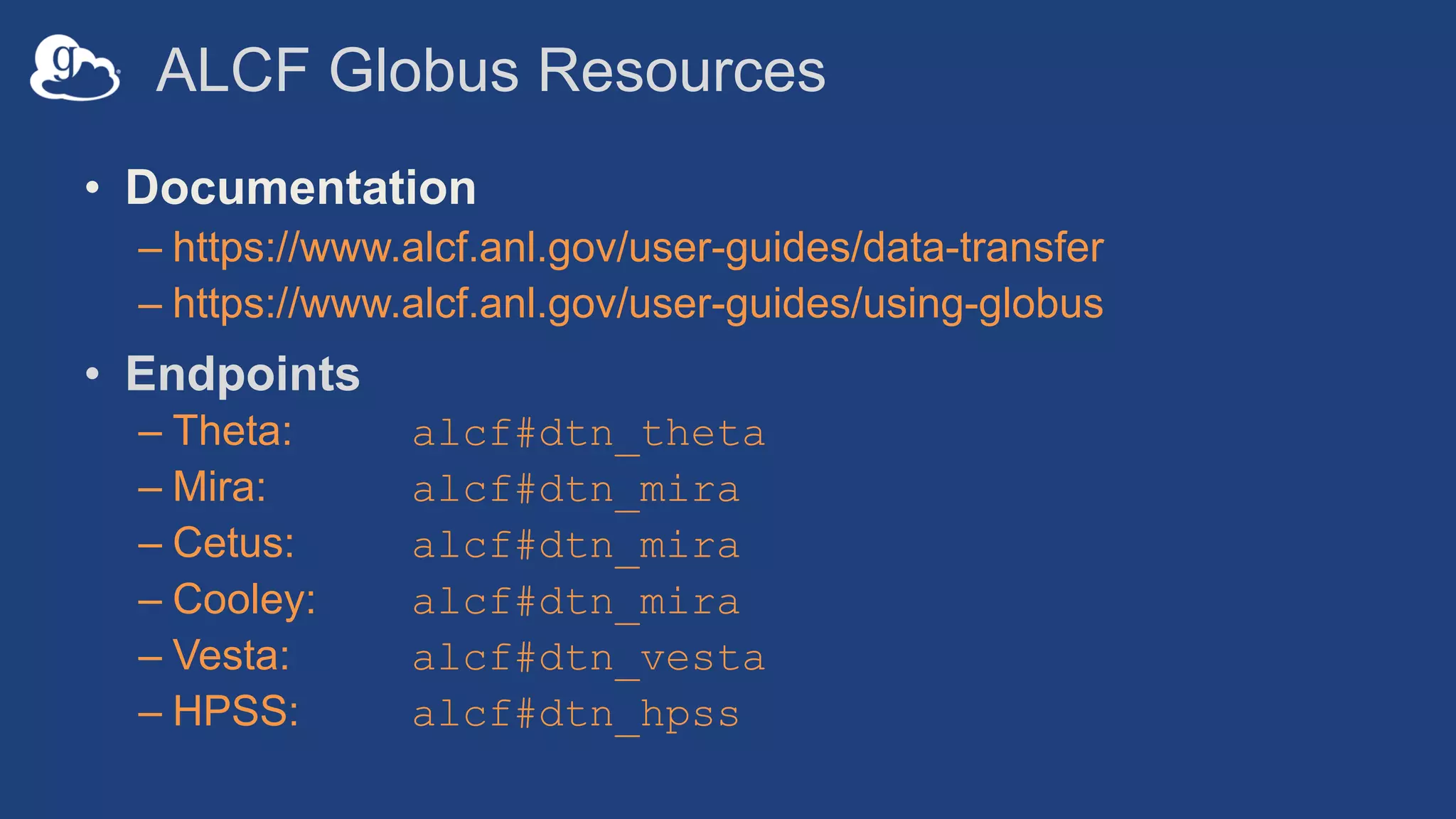
ALCF Globus Resources
• Documentation
– https://www.alcf.anl.gov/user-guides/data-transfer
– https://www.alcf.anl.gov/user-guides/using-globus
• Endpoints
– Theta: alcf#dtn_theta
– Mira: alcf#dtn_mira
– Cetus: alcf#dtn_mira
– Cooley: alcf#dtn_mira
– Vesta: alcf#dtn_vesta
– HPSS: alcf#dtn_hpss
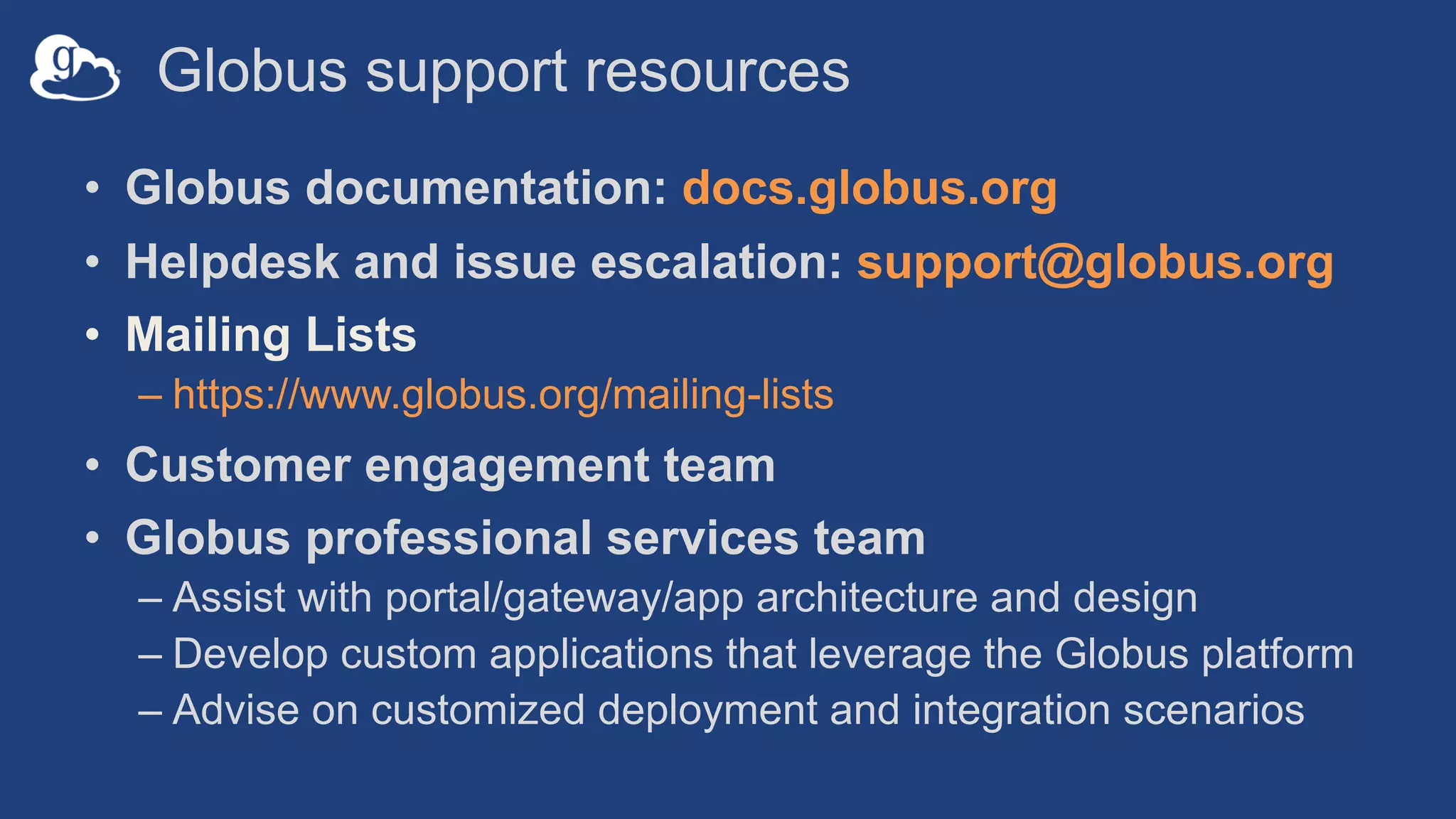
Globus support resources
• Globus documentation: docs.globus.org
• Helpdesk and issue escalation: support@globus.org
• Mailing Lists
– https://www.globus.org/mailing-lists
• Customer engagement team
• Globus professional services team
– Assist with portal/gateway/app architecture and design
– Develop custom applications that leverage the Globus platform
– Advise on customized deployment and integration scenarios

Introduction to Globus: Research Data Management Software at the ALCF

  • 1.
    Introduction to Globus: ResearchData Management Software at the ALCF Rick Wagner rick@globus.org rpwagner@uchicago.edu rwagner@anl.gov
  • 2.
    Research data managementtoday How do we... ...move? ...share? ...discover? ...reproduce? Index?
  • 3.
    3 Globus delivers… Fast andreliable big data transfer, sharing, and platform services… …directly from your own storage systems… ...via software-as-a-service using existing identities with the overarching goal of...
  • 4.
    4 Research Computing HPC DesktopWorkstations Mass Storage Instruments Personal Resources Public Cloud National Resources …unifying access to data across tiers
  • 5.
    IBM Spectrum Scale CurrentPlanned Storage Connectors - globus.org/connectors
  • 6.
    Public / privatecloud stores External campus storage EC2 Project repositories, replication stores Public repositories Share with collaborators/community
  • 7.
    Analysis store Next-Gen Sequencer MRI Advanced LightSource Personal system Remote visualization Light Sheet Microscope High-durability, low-cost store Manage data from instruments Cryo-EM
  • 8.
    Use(r)-appropriate interfaces 8 GET /endpoint/go%23ep1 PUT/endpoint/vas#my_endpt 200 OK X-Transfer-API-Version: 0.10 Content-Type: application/json … Globus service Web CLI Rest API
  • 9.
    Globus SaaS /PaaS: Research data lifecycle Researcher initiates transfer request; or requested automatically by script, science gateway 1 Instrument Compute Facility Globus transfers files reliably, securely 2 Globus controls access to shared files on existing storage; no need to move files to cloud storage! 4 Researcher selects files to share, selects user or group, and sets access permissions 3 Collaborator logs in to Globus and accesses shared files; no local account required; download via Globus 5 Automating research workflows and ensuring those that need access to the data have it. 8 Personal Computer Transfer Share • Use a Web browser or platform services • Access any storage • Use an existing identity Build The Globus Command Line Interface, API sets, and Python SDK provide a platform… 6 … for building science gateways, portals and publication services. 7
  • 10.
    Conceptual architecture: HybridSaaS DATA Channel CONTROL Channel Source Endpoint Destination Endpoint Subscriber owned and administered storage system Globus “client” software No data relay or staging via GlobusSubscriber Control Domain Globus Control Domain Single, globally accessible multi-tenant service
  • 11.
    Conceptual architecture: Sharing Managed Endpoint Subscriber Control Domain Globus Control DomainGlobus managed ”overlay” permissions Shared Endpoint DATA Channel CONTROL Channel Subscriber managed filesystem permissions External User Control Domain
  • 12.
  • 13.
    Endpoints (Collections) • Storageabstraction – All transfers happen between two endpoints – Globus Connect instantiates endpoints • Collection ~= Endpoint • Test / Demo Endpoints – Globus Tutorial Endpoint 1 – Globus Tutorial Endpoint 2 – ESnet Test Endpoints o Contain file samples of various sizes • Globus Connect Personal – Now your laptop is an endpoint – https://www.globus.org/globus-connect-personal 14
  • 14.
    Globus Connect Personal •Installers do not require admin access • Zero configuration; auto updating • Handles NATs • Installs in seconds – easy to delete
  • 15.
    The Globus WebApp - Accounts • A Globus Account is – A Primary Identity – Possible Linked Identities • Linking Identities • Managing Identities • Consents
  • 16.
  • 17.
    Activity Monitoring • Recent/ History / Filter • Drilling Down – File transfer statistics – Overview – Event Log – Cancelling an active task
  • 18.
    Groups • What canthey be used for? – Sharing: Access permissions for more than one person – Roles: Endpoint management and monitoring • Groups – Creating groups and setting the visibility – Members (invitations), Subgroups, Settings – Settings o Policies / Membership Fields / Terms & Conditions – Roles o Giving others authority over your groups
  • 19.
    Endpoint Sharing andRoles • Sharing – Select the directory and create the “share” – A ”share” is another type of endpoint – Share with: Users / Groups / All Globus Users • Roles – Giving others (or groups of others) control or monitoring rights for your endpoints
  • 20.
    Bookmarks • Just likebrowser bookmarks – frequently used, or maybe not used frequently enough! • Creating a bookmark • Using a bookmark • Sorting and Filtering • Editing and Deleting
  • 21.
    Globus Command LineInterface Open source, uses Python SDK docs.globus.org/cli github.com/globus/ globus-cli
  • 22.
    The Globus CLI •Installation – docs.globus.org/cli/installation – Prerequisites • Logging On (remember the consents?) – globus login / logout • Getting help / list of commands – globus –help – globus list-commands • Doing something – It all about the UUIDs – Don’t forget the file paths!
  • 23.
    The Globus CLI– Let’s do a few things… • Find endpoints – globus endpoint search Midway – globus endpoint search ESNet – globus endpoint search --filter-scope=recently-used • Find endpoint contents – globus ls af7bda53-6d04-11e5-ba46-22000b92c6ec – globus ls af7bda53-6d04-11e5-ba46-22000b92c6ec:RMACC2018 • Transfer a file – From ESnet Read-Only Test DTN at CERN to Midway – Note the specific paths – globus transfer d8eb36b6-6d04-11e5-ba46-22000b92c6ec:/~/data1/1M.dat af7bda53-6d04-11e5- ba46-22000b92c6ec:/~/1M.dat • Transfer a directory – From Globus Tutorial Endpoint 2 to Midway (create directory and contents) – globus transfer --recursive ddb59af0-6d04-11e5-ba46-22000b92c6ec:/~/sync-demo af7bda53- 6d04-11e5-ba46-22000b92c6ec:/~/syncDemo • https://docs.globus.org/cli/examples/
  • 24.
    Globus CLI • Easyinstall and updates • It’s a native application distributed by Globus – https://docs.globus.org/cli/ – https://github.com/globus/globus-cli • Command globus login gets access tokens and refresh tokens – Stores the token locally (~/.globus.cfg ) – The CLI ”acts as” the logged in user • All interactions with the service use the tokens – Tokens for Globus Auth and Transfer services • Command globus logout deletes those • https://docs.globus.org/cli/examples/ • https://github.com/globus/automation-examples
  • 25.
  • 26.
  • 27.
    28 Globus delivers… withapplications and as a platform… Fast and reliable data transfer, sharing, and file management… …directly from your own storage systems… ...via software-as-a-service using existing identities.
  • 28.
    How can Iintegrate Globus into my research workflows? 29
  • 29.
    Globus serves as… Aplatform for building science gateways, portals and other web applications in support of research and education. 30
  • 30.
    Globus Auth API (GroupManagement) … GlobusTransferAPI GlobusConnect Data Discovery File Sharing File Transfer & Replication Globus Platform-as-a-Service Use existing institutional ID systems in external web applications Integrate file transfer and sharing capabilities into scientific web apps, portals, gateways, etc...
  • 31.
    Example web appsthat leverage Globus 32
  • 32.
    Globus Transfer APISet • Doc – https://docs.globus.org/api/transfer/ • Sample data portal – https://docs.globus.org/modern-research- data-portal/ • Jupyter notebook – https://github.com/globus/globus-jupyter- notebooks 33
  • 33.
    Globus Auth APISet • Doc – https://docs.globus.org/api/auth/ • Sample data portal – https://docs.globus.org/modern-research- data-portal/ • Native app examples – https://github.com/globus/native-app- examples 34
  • 34.
    35 Petrel online store https://petrel.alcf.anl.gov 94Gbit/s Petrel—Blue Waters Petrel: A Programmatically Accessible Research Data Service 3.2 petabytes 100 Gbps X X Ceph 3.2
  • 35.
    A bit ofGlobus history U . S . D E P A R T M E N T O F ENERGY
  • 36.
    Globus sustainability model •Standard Subscription – Shared endpoints – Management console – Usage reporting – Priority support – Application integration – HTTPS support (coming soon) • Branded Web Site • Premium Storage Connectors • Alternate Identity Provider (InCommon is standard) 37
  • 37.
    The path tosustainability
  • 38.
    8,000 active shared endpoints 100+ subscribers 635+ PB transferred 18,000 activeGCP endpoints 73 billion files processed 1,700 active GCS endpoints 3 months longest running transfer 1 PB largest single transfer to date 99.9% availability 500+ identity providers 1,042 most shared endpoints at a single institution 100,000+ users Globus by the numbers
  • 39.
    ALCF Globus Resources •Documentation – https://www.alcf.anl.gov/user-guides/data-transfer – https://www.alcf.anl.gov/user-guides/using-globus • Endpoints – Theta: alcf#dtn_theta – Mira: alcf#dtn_mira – Cetus: alcf#dtn_mira – Cooley: alcf#dtn_mira – Vesta: alcf#dtn_vesta – HPSS: alcf#dtn_hpss
  • 40.
    Globus support resources •Globus documentation: docs.globus.org • Helpdesk and issue escalation: support@globus.org • Mailing Lists – https://www.globus.org/mailing-lists • Customer engagement team • Globus professional services team – Assist with portal/gateway/app architecture and design – Develop custom applications that leverage the Globus platform – Advise on customized deployment and integration scenarios