Binary Codes
 Coding is the process of altering the characteristics
of information to make it more suitable for
intended application
 Representation of data using 0’s and 1’s is called
binary code
 Binary codes are classified as
 Numeric codes
 Eg: 8421,XS-3,Gray code
 Alphanumeric codes
 EBCDIC, ASCII
 Binary codes may be
 weighted
 non weighted
 Positively weighted –Assigned weights are
positive
 Eg: 8421,2421,5211 etc
 Negatively weighted-Some of the assigned
weights are negative
 Eg:642-3,631-1 etc
 Non weighted code
 Does not obey positional weighting
principle
 Eg: Excess 3 code(Xs-3), Gray code
BCD code( Binary Coded
Decimal)
 The digits of a decimal number are encoded into
groups of binary digits
 It is a weighted code
 The weights attached are 8,4,2,1
 Advantages
 Ease of conversion
 Disadvantage
 Less efficient than pure binary
 Invalid are : 1010,1011,1100,1101,1110,1111
Decimal digit 0 1 2 3 4
BCD 0000 0001 0010 0011 0100
Decimal digit 5 6 7 8 9
BCD 0101 0110 0111 1000 1001
Excess-3 (XS-3) code
 It is a non weighted code
 The binary code word of it is corresponding to
8421 +3
 Eg: 5= 0101 +0011 = 1000
 The invalid states are:
 0000,0001,0010,1101, 1110 &1111
Gray code
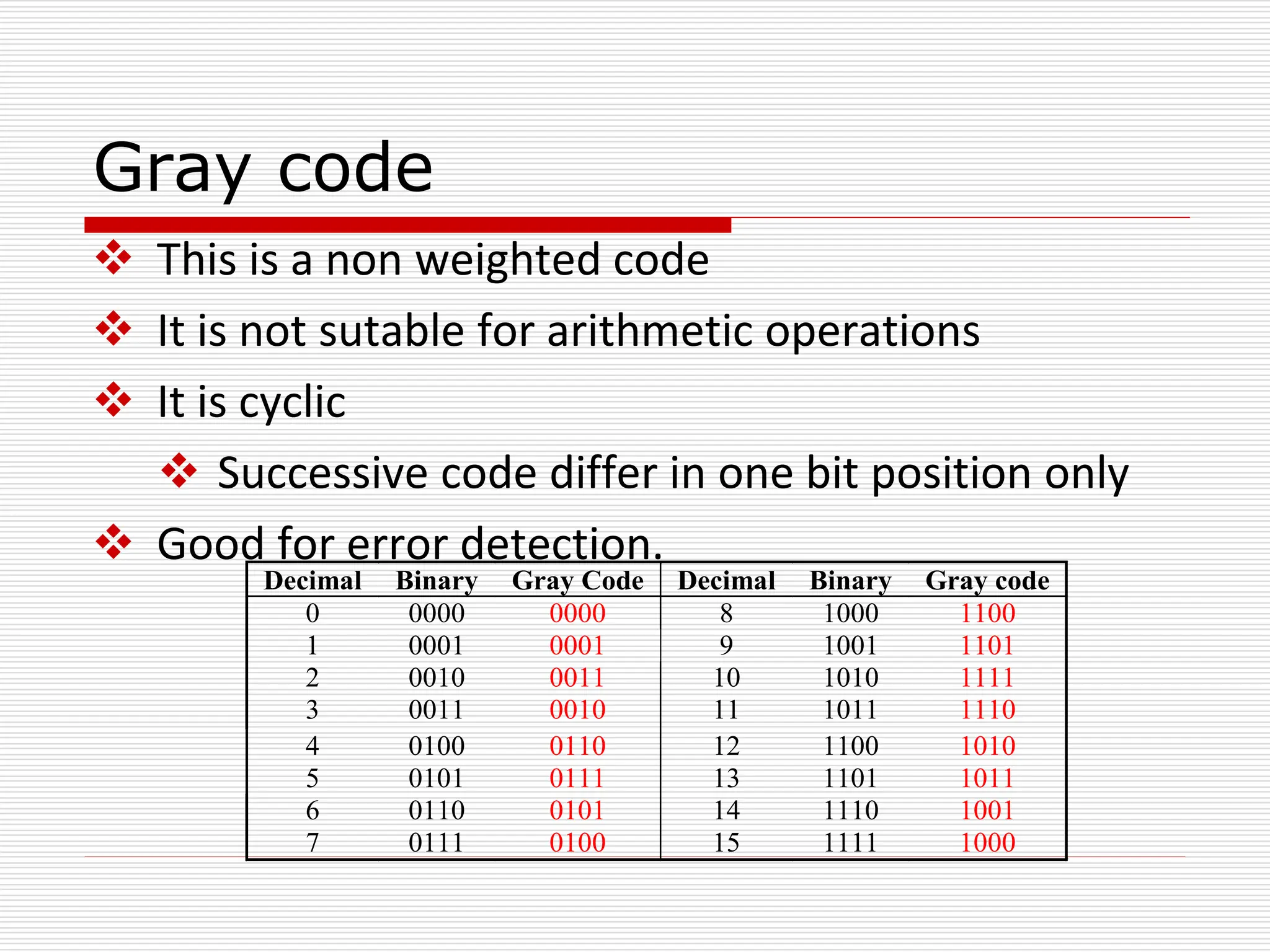
 This is a non weighted code
 It is not sutable for arithmetic operations
 It is cyclic
 Successive code differ in one bit position only
 Good for error detection.
Decimal Binary Gray Code Decimal Binary Gray code
0 0000 0000 8 1000 1100
1 0001 0001 9 1001 1101
2 0010 0011 10 1010 1111
3 0011 0010 11 1011 1110
4 0100 0110 12 1100 1010
5 0101 0111 13 1101 1011
6 0110 0101 14 1110 1001
7 0111 0100 15 1111 1000
Binary-to-Gray Code Conversion
 Retain most significant bit.
 From left to right, add each adjacent pair of binary
code bits to get the next Gray code bit, discarding
carries.
 Example: Convert binary number 10110 to Gray code.
 (10110)2 = 11101Gray
1 0 1 1 0 Binary

1 Gray
1 + 0 1 1 0 Binary

1 1 Gray
1 0 + 1 1 0 Binary

1 1 1 Gray
1 0 1 + 1 0 Binary

1 1 1 0 Gray
1 0 1 1 + 0 Binary

1 1 1 0 1 Gray
Gray-to-Binary Conversion
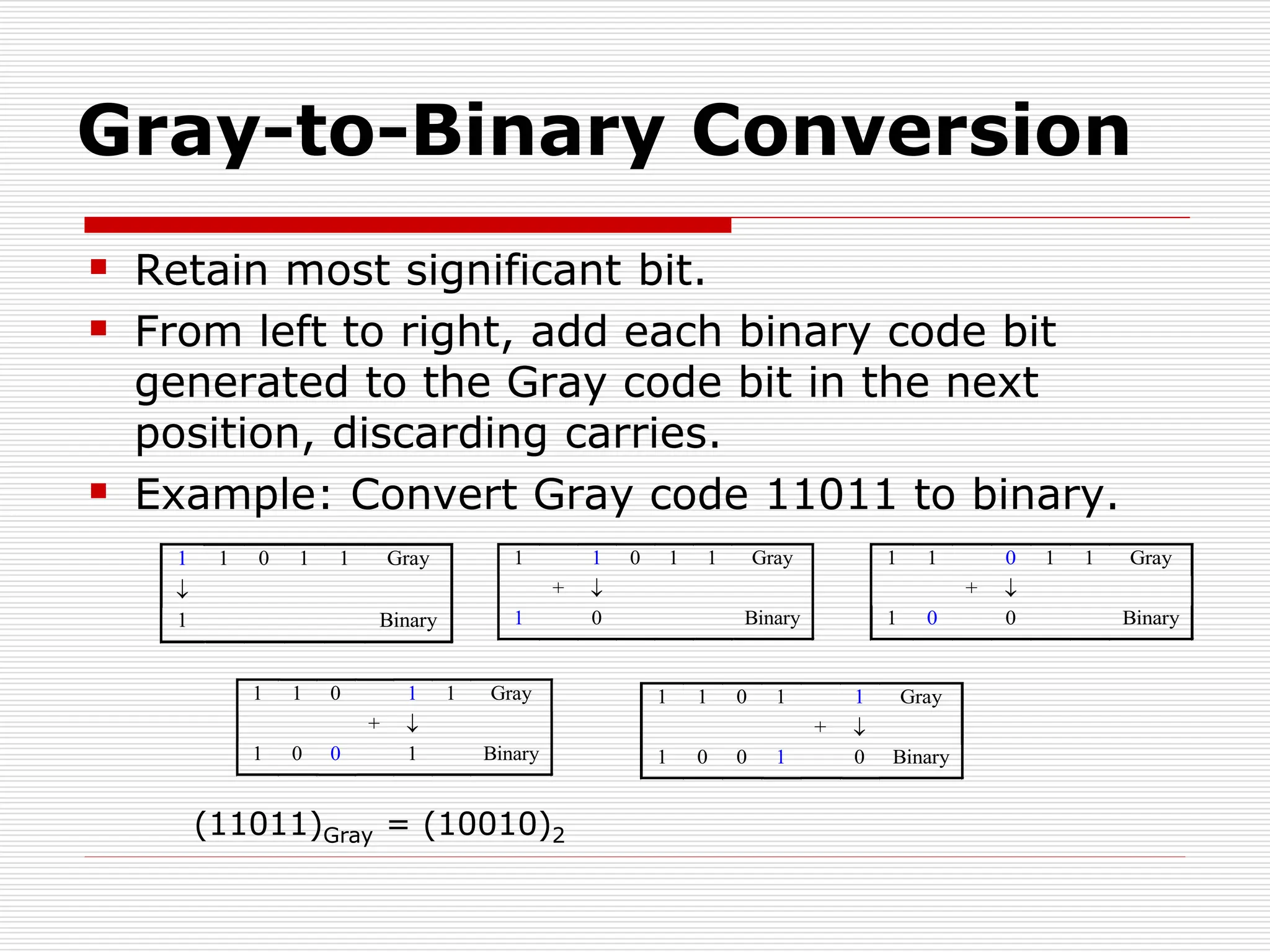
 Retain most significant bit.
 From left to right, add each binary code bit
generated to the Gray code bit in the next
position, discarding carries.
 Example: Convert Gray code 11011 to binary.
1 1 0 1 1 Gray

1 Binary
1 1 0 1 1 Gray
+ 
1 0 Binary
1 1 0 1 1 Gray
+ 
1 0 0 Binary
1 1 0 1 1 Gray
+ 
1 0 0 1 Binary
1 1 0 1 1 Gray
+ 
1 0 0 1 0 Binary
(11011)Gray = (10010)2
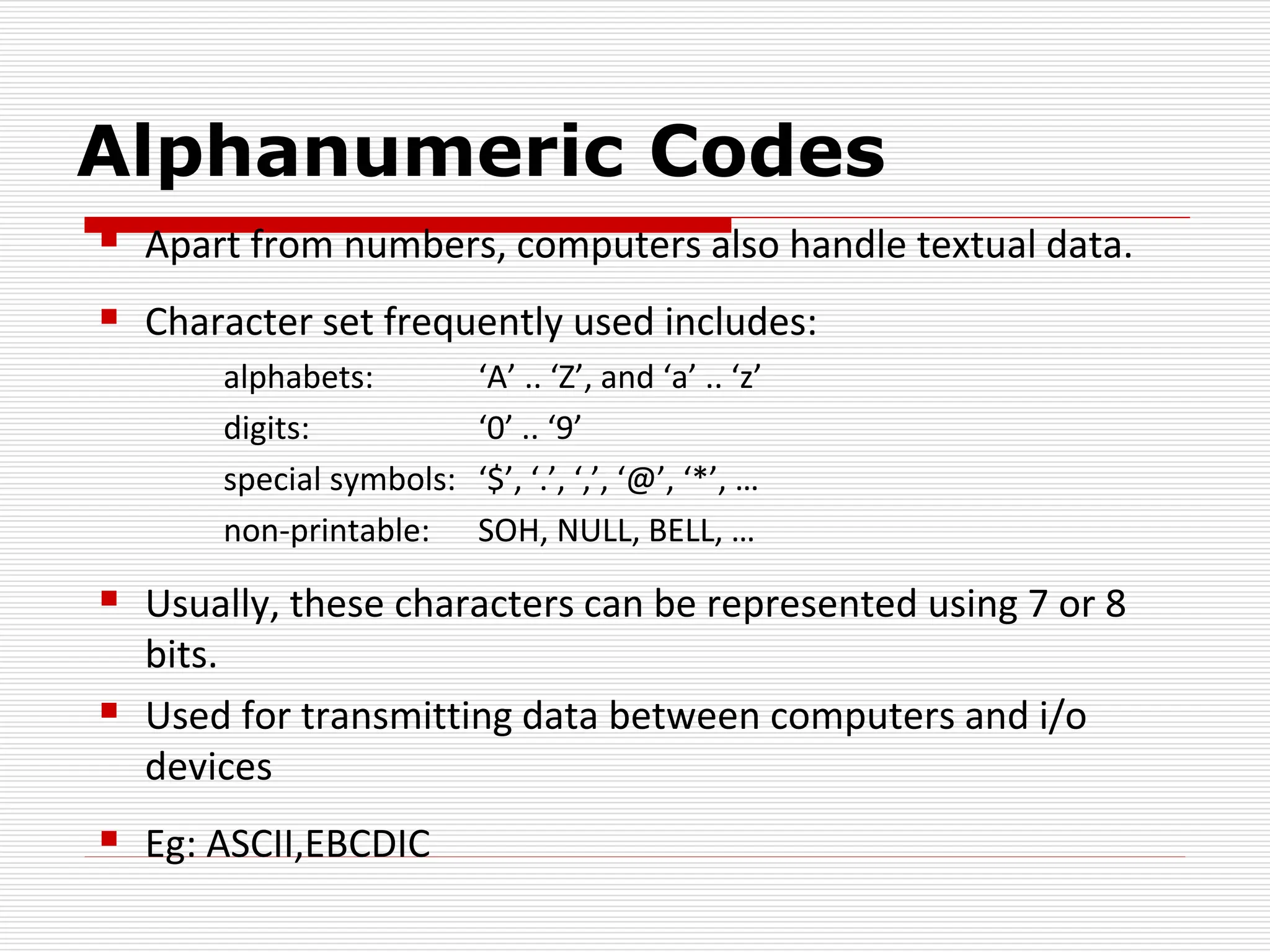
Alphanumeric Codes
 Apart from numbers, computers also handle textual data.
 Character set frequently used includes:
alphabets: ‘A’ .. ‘Z’, and ‘a’ .. ‘z’
digits: ‘0’ .. ‘9’
special symbols: ‘$’, ‘.’, ‘,’, ‘@’, ‘*’, …
non-printable: SOH, NULL, BELL, …
 Usually, these characters can be represented using 7 or 8
bits.
 Used for transmitting data between computers and i/o
devices
 Eg: ASCII,EBCDIC
ASCII (American standard Code for
Information Interchange)
 ASCII: 7-bit, plus a parity bit for error
detection (odd/even parity).
Character ASCII Code
0 0110000
1 0110001
. . . . . .
9 0111001
: 0111010
A 1000001
B 1000010
. . . . . .
Z 1011010
[ 1011011
 1011100
ASCII
 ASCII table:
MSBs
LSBs 000 001 010 011 100 101 110 111
0000 NUL DLE SP 0 @ P ` p
0001 SOH DC1 ! 1 A Q a q
0010 STX DC2 “ 2 B R b r
0011 ETX DC3 # 3 C S c s
0100 EOT DC4 $ 4 D T d t
0101 ENQ NAK % 5 E U e u
0110 ACK SYN & 6 F V f v
0111 BEL ETB ‘ 7 G W g w
1000 BS CAN ( 8 H X h x
1001 HT EM ) 9 I Y i y
1010 LF SUB * : J Z j z
1011 VT ESC + ; K [ k {
1100 FF FS , < L  l |
1101 CR GS - = M ] m }
1110 O RS . > N ^ n ~
1111 SI US / ? O _ o DEL
EBCDIC(Extended Binary Coded Decimal
Interchange code)
 It is an 8 bit alphanumeric code
 It can be used to encode all the symbols and
control characters
 Because 28= 256 bit patterns are available
A
I
R
C1
C9
D9
0
9
+
-
F0
F9
4E
6D
Error detecting and correcting code
 When data transmitted through a channel, due
to noise they may be get corrupted
 Error detection and correcting codes are used
to detect and correct errors
 Encoding may be done for error correction
and error detection.
 Eg: Parity code, Hamming code
Error Detecting Code (Parity)
 The simplest technique for detecting errors
 Implemented by adding an extra bit to each
word being transmitted
 Odd Parity – Set to a 0 or a 1 such that the total
number of 1 bits in the word including the parity
bit is an odd number
 Even Parity - Set to a 0 or a 1 such that the total
number of 1 bits in the word including the parity
bit is an even number
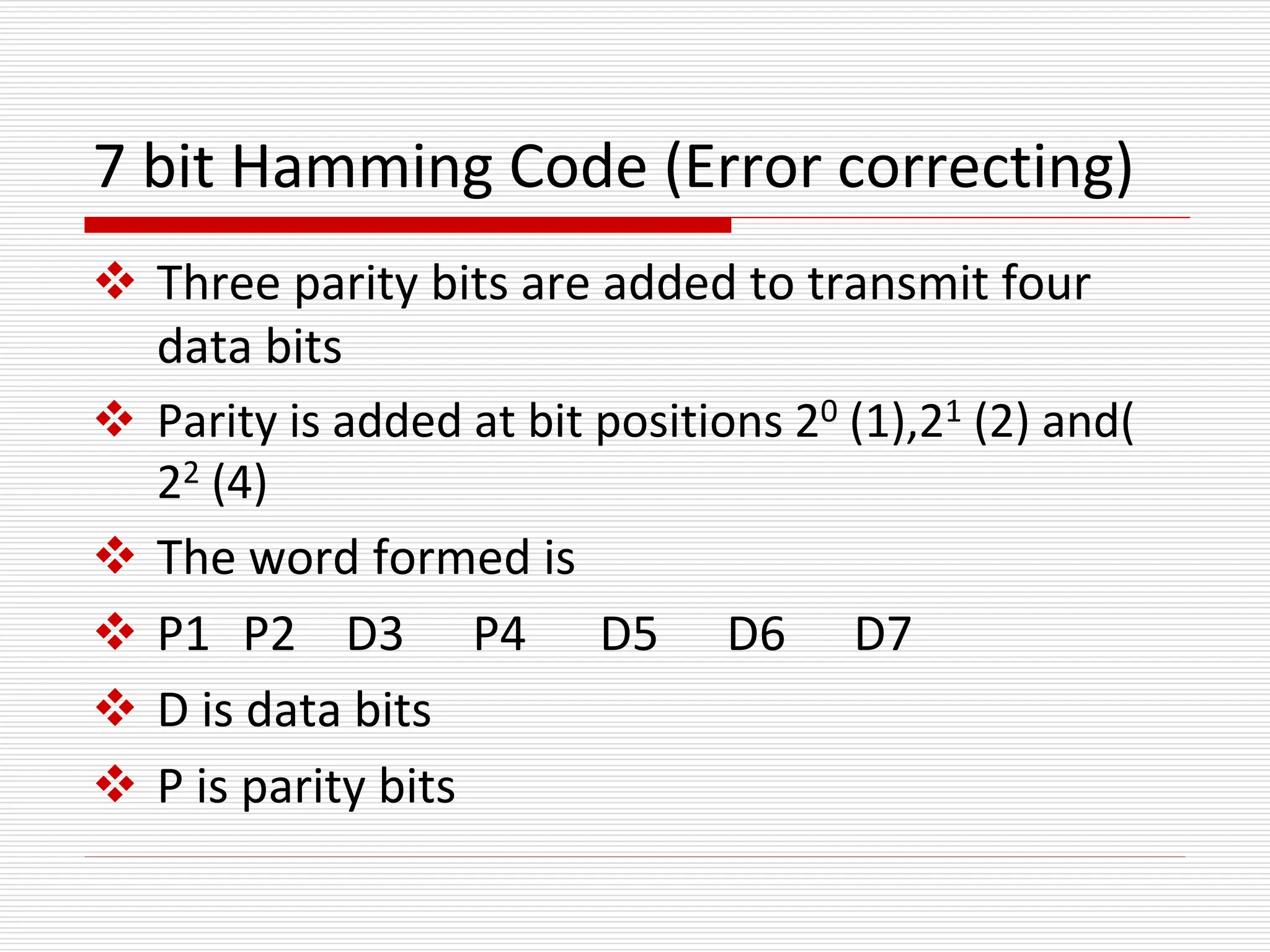
7 bit Hamming Code (Error correcting)
 Three parity bits are added to transmit four
data bits
 Parity is added at bit positions 20 (1),21 (2) and(
22 (4)
 The word formed is
 P1 P2 D3 P4 D5 D6 D7
 D is data bits
 P is parity bits
Hamming Code(2)
 P1 is set to 0 or 1, so that it establishes even
parity over the bits 1,3,5,7(p1,d3,d5,d7)
 P2 is set to 0 or 1, so that it establishes even
parity over the bits 2,3,6,7(p2,d3,d6,d7)
 P4 is set to 0 or 1, so that it establishes even
parity over the bits 4,5,6,7(p4,d5,d6,d7)
Hamming code(3)
Eg:
 Encode 0011 to hamming code
P1 P2 D3 P4 D5 D6 D7
0 0 1 1
P1(P1,D3,D5,D7)-P1 001 1
P2(P2,D3,D6,D7)-P2 011 0
P4(P4,D5,D6,D7)-P4 011 0
Final code is 1000011
Decoding of Hamming code
 At the receiving end the hamming code is
decoded
 Bits 1,3,5,7 bits 2,3,6,7 and bits 4,5,6,7 are
checked
 If an error
 A three bit binary number is generated out of
the parity checks and error bit is complimented
Received word 1001001
 (1,3,5,7)- 1001 no error – put 0 in 1’s position
 (2,3,6,7)- 0001 error – put 1 in 2’s position
 (4,5,6,7)- 1001 no error – put 0 in 4’s position
 Error word is 010(2)
 Compliment 2nd bit
 Correct code is 1101001
Binary Arithmetic Operations (1/6)
 ADDITION
 Like decimal numbers, two numbers can be
added by adding each pair of digits together
with carry propagation.
(11011)2
+ (10011)2
(101110)2
2710
+ 1910
----------------
4610
Binary Arithmetic Operations (2/6)
 Digit addition table:
BINARY DECIMAL
0 + 0 + 0 = 0 0 0 + 0 + 0 = 0 0
0 + 1 + 0 = 0 1 0 + 1 + 0 = 0 1
1 + 0 + 0 = 0 1 0 + 2 + 0 = 0 2
1 + 1 + 0 = 1 0 …
0 + 0 + 1 = 0 1 1 + 8 + 0 = 0 9
0 + 1 + 1 = 1 0 1 + 9 + 0 = 1 0
1 + 0 + 1 = 1 0 …
1 + 1 + 1 = 1 1 9 + 9 + 1 = 1 9
0
1
1
0
1
Carry
in Carry
out
(11011)2
+ (10011)2
(101110)2
1
1
1
1
1
1
0
0
1
0
0
1
0
1
0
0
1
1
0
1
1
0
0
1
0
Binary Arithmetic Operations (3/6)
 SUBTRACTION
 Two numbers can be subtracted by subtracting
each pair of digits together with borrowing,
where needed.
(11001)2
- (10011)2
(00110)2
(627)10
- (537)10
(090)10
Binary Arithmetic Operations (4/6)
 Digit subtraction table:
BINARY DECIMAL
0 - 0 - 0 = 0 0 0 - 0 - 0 = 0 0
0 - 1 - 0 = 1 1 0 - 1 - 0 = 1 9
1 - 0 - 0 = 0 1 0 - 2 - 0 = 1 8
1 - 1 - 0 = 0 0 …
0 - 0 - 1 = 1 1 0 - 9 - 1 = 1 0
0 - 1 - 1 = 1 0 1 - 0 - 1 = 0 0
1 - 0 - 1 = 0 0 …
1 - 1 - 1 = 1 1 9 - 9 - 1 = 1 9
Borro
w
(11001)2
- (10011)2
(00110)2
0
1
1
0
0
0
0
1
1
1
1
0
0
1
1
1
1
0
0
0
0
1
1
0
0
0
0
0
0
0
Binary Arithmetic Operations (5/6)
 MULTIPLICATION
 To multiply two numbers, take each digit of the multiplier
and multiply it with the multiplicand. This produces a
number of partial products which are then added.
(11001)2 (214)10 Multiplicand
x (10101)2 x (152)10 Multiplier
(11001)2 (428)10
(11001)2 (1070)10 Partial
+(11001)2 +(214)10 products
(1000001101)2 (32528)10 Result
Negative Numbers Representation
 Unsigned numbers: only non-negative values.
 Signed numbers: include all values (positive and negative).
 Till now, we have only considered how unsigned (non-
negative) numbers can be represented.
 There are three common ways of representing signed
numbers
Sign-and-Magnitude
1s Complement
2s Complement
Negative Numbers: Sign-and-Magnitude
(1/4)
 Negative numbers are usually written by writing a
minus sign in front.
Example:
- (12)10 , - (1100)2
 In sign-and-magnitude representation, this sign is
usually represented by a bit:
0 for +
1 for -
Negative Numbers: Sign-and-Magnitude
(2/4)
 Example: an 8-bit number can have 1-bit sign
and 7-bit magnitude.
sign magnitude
Negative Numbers: Sign-and-Magnitude
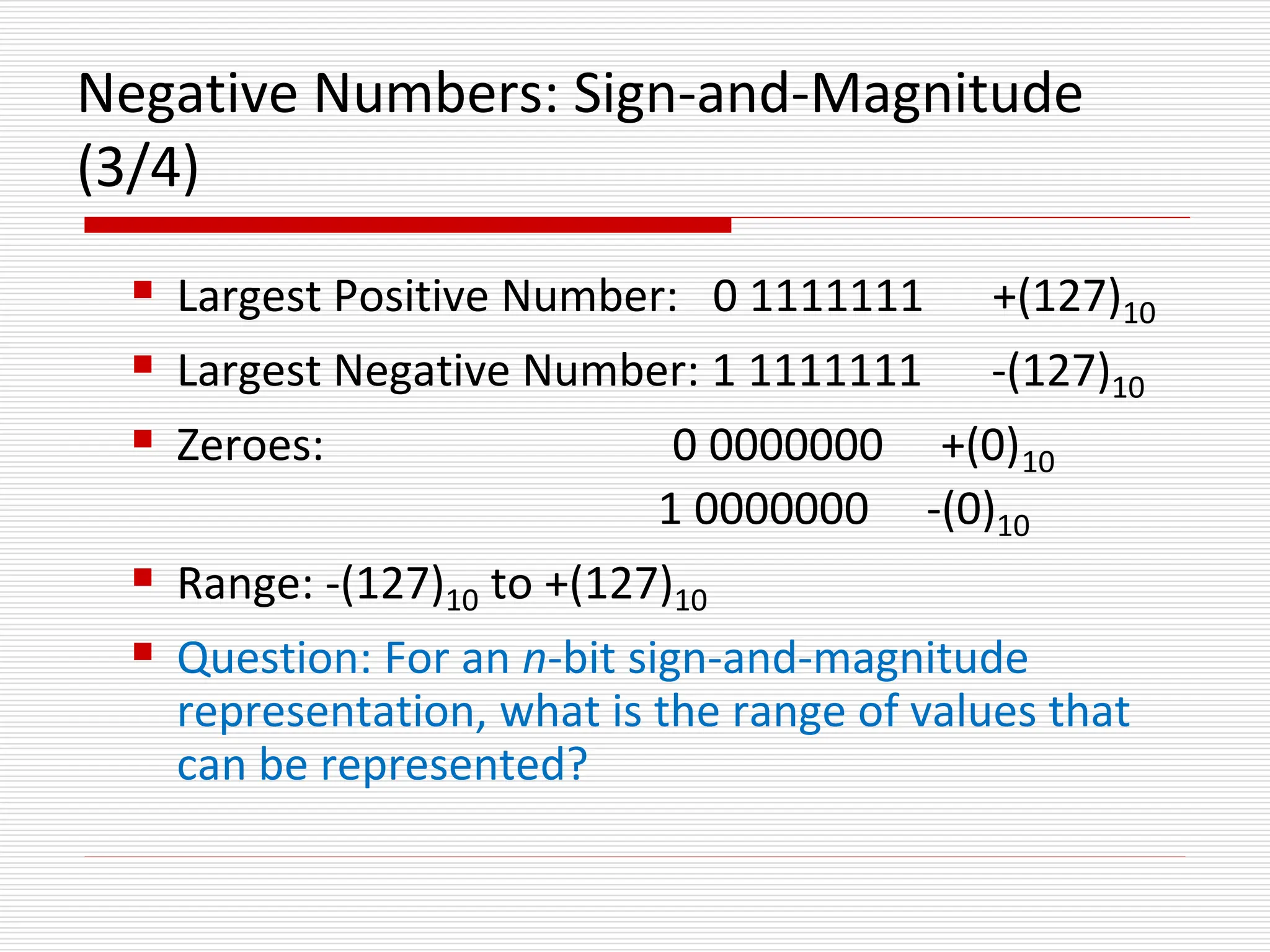
(3/4)
 Largest Positive Number: 0 1111111 +(127)10
 Largest Negative Number: 1 1111111 -(127)10
 Zeroes: 0 0000000 +(0)10
1 0000000 -(0)10
 Range: -(127)10 to +(127)10
 Question: For an n-bit sign-and-magnitude
representation, what is the range of values that
can be represented?
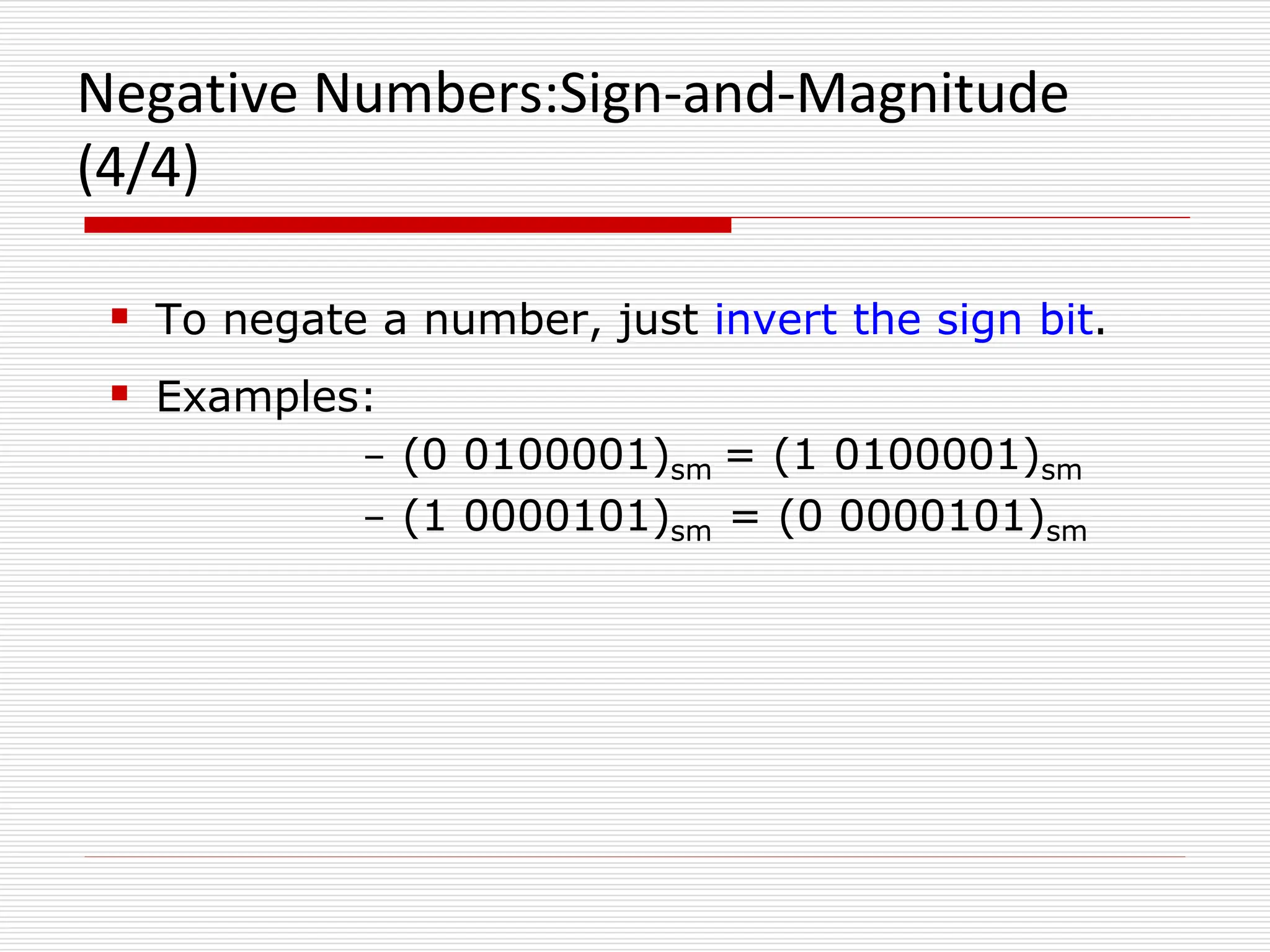
Negative Numbers:Sign-and-Magnitude
(4/4)
 To negate a number, just invert the sign bit.
 Examples:
- (0 0100001)sm = (1 0100001)sm
- (1 0000101)sm = (0 0000101)sm
1s and 2s Complement
Two other ways of representing signed numbers for
binary numbers are:
 1s-complement
 2s-complement
They are preferred over the simple sign-and-
magnitude representation.
1s Complement (1/2)
 Essential technique: invert all the bits.
Examples: 1s complement of (00000001)1s = (11111110)1s
1s complement of (01111111)1s = (10000000)1s
 Largest Positive Number: 0 1111111 +(127)10
 Largest Negative Number: 1 0000000 -(127)10
 Zeroes: 0 0000000
1 1111111
 Range: -(127)10 to +(127)10
 The most significant bit still represents the sign:
0 = +ve; 1 = -ve.
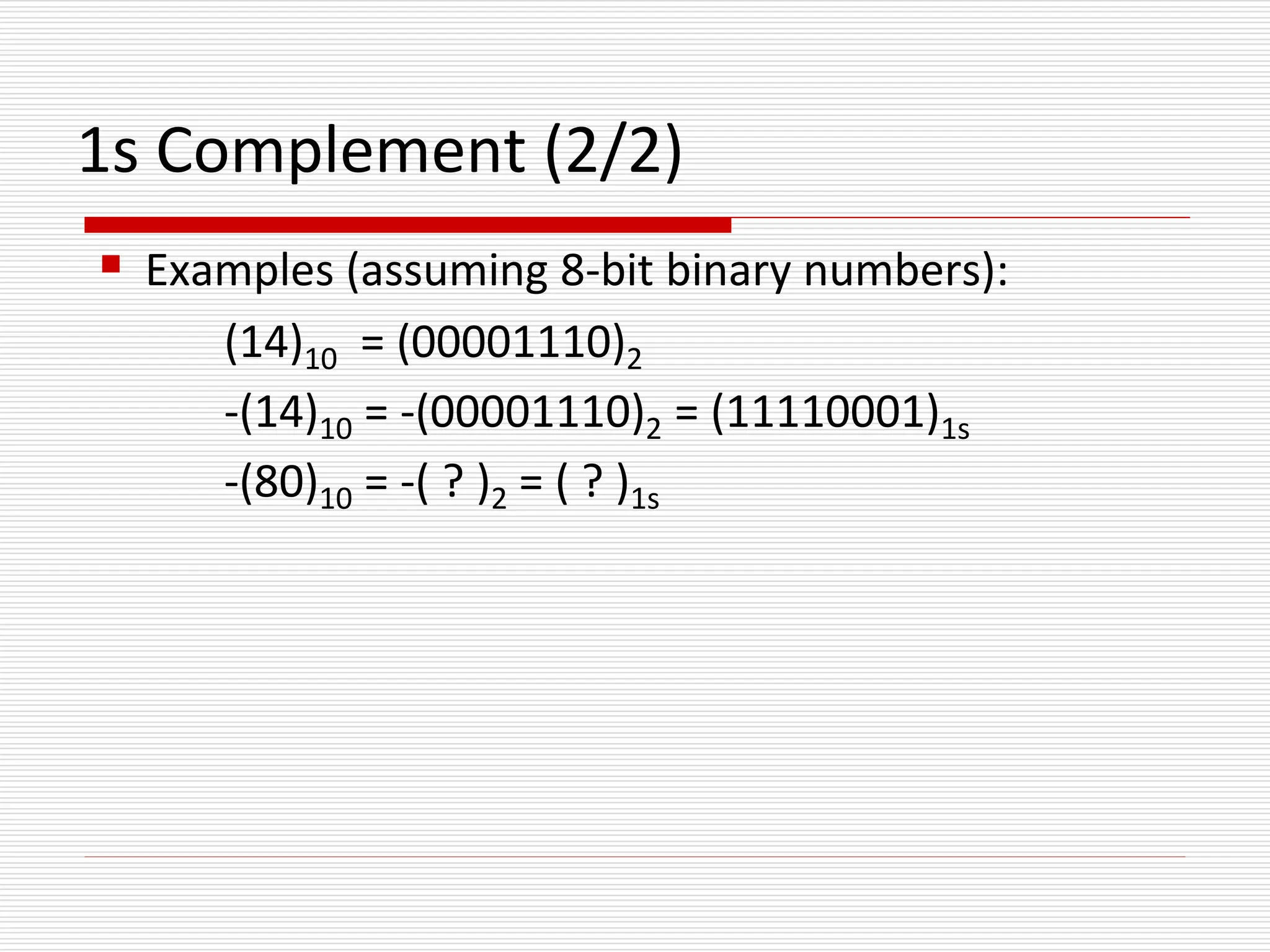
1s Complement (2/2)
 Examples (assuming 8-bit binary numbers):
(14)10 = (00001110)2
-(14)10 = -(00001110)2 = (11110001)1s
-(80)10 = -( ? )2 = ( ? )1s
1’s compliment subtraction
 Represent the number in true binary form
 Add 1’s compliment of subtrahend to the minuend
 If a carry, bring the carry around and add it to the
LSB
 Look at the sign bit , If it is 0 result is positive and in
true binary
 If MSB is 1, the result is negative and is in 1’s
compliment form
 Take 1’s compliment to get the magnitude in binary
 46-14
+14 00001110
-14 11110001
46 00101110
-14 + 11110001
----------------------
+32 1 00100000 Add carry to LSB
Example
2s Complement (2/4)
 Essential technique: invert all the bits and add
1.
Examples:
2s complement of
(00000001)2s = (11111110)1s (invert)
= (11111111)2s (add 1)
2s complement of
(01111110)2s = (10000001)1s (invert)
= (10000010)2s (add 1)
2s Complement (3/4)
 Largest Positive Number: 0 1111111
+(127)10
 Largest Negative Number: 1 0000000 -(128)10
 (special Case)
 Zero: 0 0000000
 Range: -(128)10 to +(127)10
 The most significant bit still represents the sign:
 0 = +ve; 1 = -ve.
2s Complement (4/4)
 Examples (assuming 8-bit binary numbers):
(14)10 = (00001110)2
-(14)10 = -(00001110)2 = (11110010)2s
-(80)10 = -( ? )2 = ( ? )2s
2’ compliment subtraction
 Add the 2’s compliment of subtrahend to the
minuend
 If there is a carry ignore it
 If MSB is 0, result is positive and in true binary
form
 If MSB is a 1 result is negative and is in 2’s
compliment form
 Take 2’s compliment
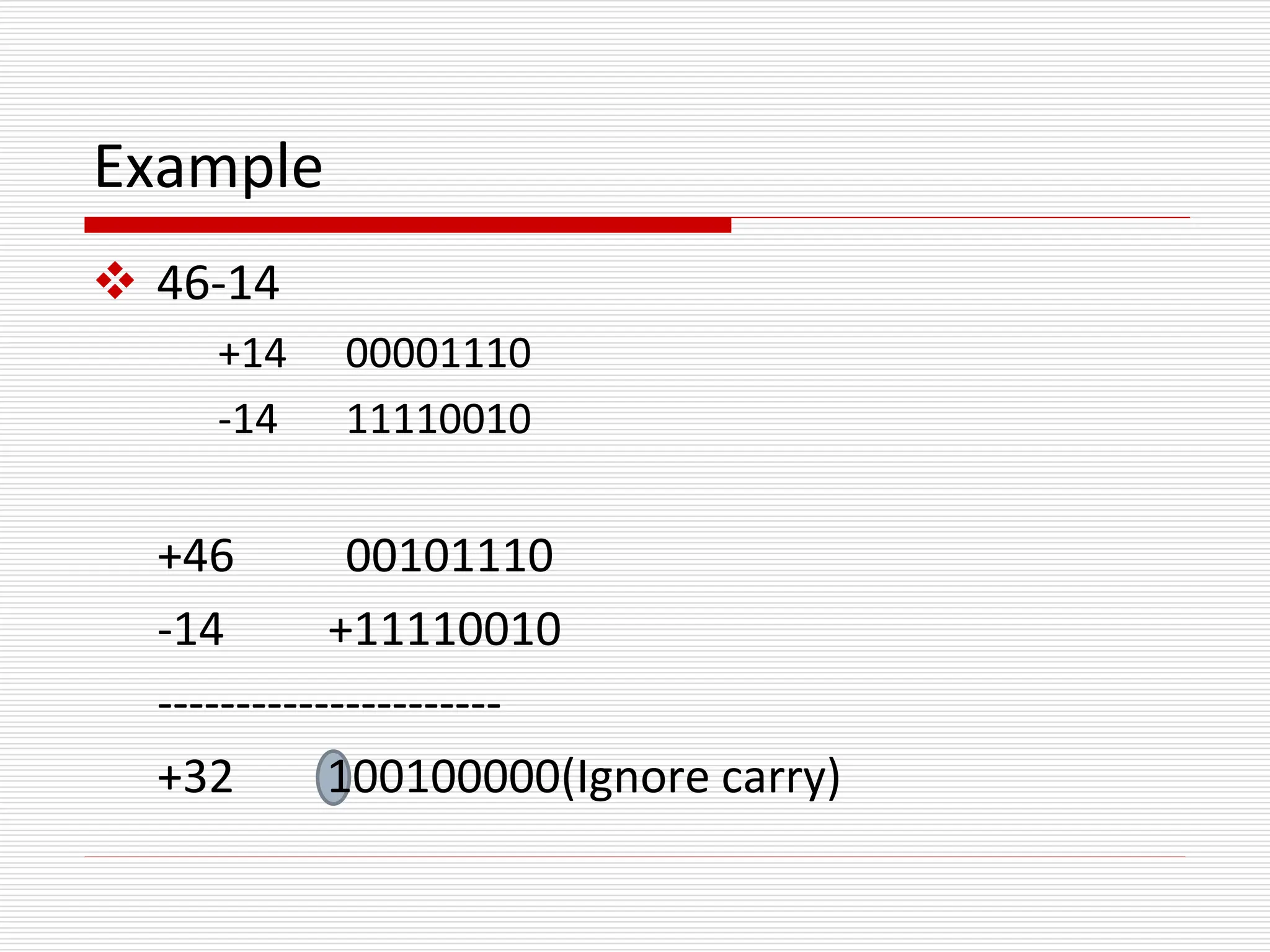
Example
 46-14
+14 00001110
-14 11110010
+46 00101110
-14 +11110010
----------------------
+32 100100000(Ignore carry)

Fundamentals of Electrical and electronic engineering Binary code,grey code,octal code Module - 1.2.ppt

  • 1.
    Binary Codes  Codingis the process of altering the characteristics of information to make it more suitable for intended application  Representation of data using 0’s and 1’s is called binary code  Binary codes are classified as  Numeric codes  Eg: 8421,XS-3,Gray code  Alphanumeric codes  EBCDIC, ASCII
  • 2.
     Binary codesmay be  weighted  non weighted  Positively weighted –Assigned weights are positive  Eg: 8421,2421,5211 etc  Negatively weighted-Some of the assigned weights are negative  Eg:642-3,631-1 etc
  • 3.
     Non weightedcode  Does not obey positional weighting principle  Eg: Excess 3 code(Xs-3), Gray code
  • 4.
    BCD code( BinaryCoded Decimal)  The digits of a decimal number are encoded into groups of binary digits  It is a weighted code  The weights attached are 8,4,2,1  Advantages  Ease of conversion  Disadvantage  Less efficient than pure binary  Invalid are : 1010,1011,1100,1101,1110,1111 Decimal digit 0 1 2 3 4 BCD 0000 0001 0010 0011 0100 Decimal digit 5 6 7 8 9 BCD 0101 0110 0111 1000 1001
  • 5.
    Excess-3 (XS-3) code It is a non weighted code  The binary code word of it is corresponding to 8421 +3  Eg: 5= 0101 +0011 = 1000  The invalid states are:  0000,0001,0010,1101, 1110 &1111
  • 6.
    Gray code  Thisis a non weighted code  It is not sutable for arithmetic operations  It is cyclic  Successive code differ in one bit position only  Good for error detection. Decimal Binary Gray Code Decimal Binary Gray code 0 0000 0000 8 1000 1100 1 0001 0001 9 1001 1101 2 0010 0011 10 1010 1111 3 0011 0010 11 1011 1110 4 0100 0110 12 1100 1010 5 0101 0111 13 1101 1011 6 0110 0101 14 1110 1001 7 0111 0100 15 1111 1000
  • 7.
    Binary-to-Gray Code Conversion Retain most significant bit.  From left to right, add each adjacent pair of binary code bits to get the next Gray code bit, discarding carries.  Example: Convert binary number 10110 to Gray code.  (10110)2 = 11101Gray 1 0 1 1 0 Binary  1 Gray 1 + 0 1 1 0 Binary  1 1 Gray 1 0 + 1 1 0 Binary  1 1 1 Gray 1 0 1 + 1 0 Binary  1 1 1 0 Gray 1 0 1 1 + 0 Binary  1 1 1 0 1 Gray
  • 8.
    Gray-to-Binary Conversion  Retainmost significant bit.  From left to right, add each binary code bit generated to the Gray code bit in the next position, discarding carries.  Example: Convert Gray code 11011 to binary. 1 1 0 1 1 Gray  1 Binary 1 1 0 1 1 Gray +  1 0 Binary 1 1 0 1 1 Gray +  1 0 0 Binary 1 1 0 1 1 Gray +  1 0 0 1 Binary 1 1 0 1 1 Gray +  1 0 0 1 0 Binary (11011)Gray = (10010)2
  • 9.
    Alphanumeric Codes  Apartfrom numbers, computers also handle textual data.  Character set frequently used includes: alphabets: ‘A’ .. ‘Z’, and ‘a’ .. ‘z’ digits: ‘0’ .. ‘9’ special symbols: ‘$’, ‘.’, ‘,’, ‘@’, ‘*’, … non-printable: SOH, NULL, BELL, …  Usually, these characters can be represented using 7 or 8 bits.  Used for transmitting data between computers and i/o devices  Eg: ASCII,EBCDIC
  • 10.
    ASCII (American standardCode for Information Interchange)  ASCII: 7-bit, plus a parity bit for error detection (odd/even parity). Character ASCII Code 0 0110000 1 0110001 . . . . . . 9 0111001 : 0111010 A 1000001 B 1000010 . . . . . . Z 1011010 [ 1011011 1011100
  • 11.
    ASCII  ASCII table: MSBs LSBs000 001 010 011 100 101 110 111 0000 NUL DLE SP 0 @ P ` p 0001 SOH DC1 ! 1 A Q a q 0010 STX DC2 “ 2 B R b r 0011 ETX DC3 # 3 C S c s 0100 EOT DC4 $ 4 D T d t 0101 ENQ NAK % 5 E U e u 0110 ACK SYN & 6 F V f v 0111 BEL ETB ‘ 7 G W g w 1000 BS CAN ( 8 H X h x 1001 HT EM ) 9 I Y i y 1010 LF SUB * : J Z j z 1011 VT ESC + ; K [ k { 1100 FF FS , < L l | 1101 CR GS - = M ] m } 1110 O RS . > N ^ n ~ 1111 SI US / ? O _ o DEL
  • 12.
    EBCDIC(Extended Binary CodedDecimal Interchange code)  It is an 8 bit alphanumeric code  It can be used to encode all the symbols and control characters  Because 28= 256 bit patterns are available A I R C1 C9 D9 0 9 + - F0 F9 4E 6D
  • 13.
    Error detecting andcorrecting code  When data transmitted through a channel, due to noise they may be get corrupted  Error detection and correcting codes are used to detect and correct errors  Encoding may be done for error correction and error detection.  Eg: Parity code, Hamming code
  • 14.
    Error Detecting Code(Parity)  The simplest technique for detecting errors  Implemented by adding an extra bit to each word being transmitted  Odd Parity – Set to a 0 or a 1 such that the total number of 1 bits in the word including the parity bit is an odd number  Even Parity - Set to a 0 or a 1 such that the total number of 1 bits in the word including the parity bit is an even number
  • 15.
    7 bit HammingCode (Error correcting)  Three parity bits are added to transmit four data bits  Parity is added at bit positions 20 (1),21 (2) and( 22 (4)  The word formed is  P1 P2 D3 P4 D5 D6 D7  D is data bits  P is parity bits
  • 16.
    Hamming Code(2)  P1is set to 0 or 1, so that it establishes even parity over the bits 1,3,5,7(p1,d3,d5,d7)  P2 is set to 0 or 1, so that it establishes even parity over the bits 2,3,6,7(p2,d3,d6,d7)  P4 is set to 0 or 1, so that it establishes even parity over the bits 4,5,6,7(p4,d5,d6,d7)
  • 17.
    Hamming code(3) Eg:  Encode0011 to hamming code P1 P2 D3 P4 D5 D6 D7 0 0 1 1 P1(P1,D3,D5,D7)-P1 001 1 P2(P2,D3,D6,D7)-P2 011 0 P4(P4,D5,D6,D7)-P4 011 0 Final code is 1000011
  • 18.
    Decoding of Hammingcode  At the receiving end the hamming code is decoded  Bits 1,3,5,7 bits 2,3,6,7 and bits 4,5,6,7 are checked  If an error  A three bit binary number is generated out of the parity checks and error bit is complimented
  • 19.
    Received word 1001001 (1,3,5,7)- 1001 no error – put 0 in 1’s position  (2,3,6,7)- 0001 error – put 1 in 2’s position  (4,5,6,7)- 1001 no error – put 0 in 4’s position  Error word is 010(2)  Compliment 2nd bit  Correct code is 1101001
  • 20.
    Binary Arithmetic Operations(1/6)  ADDITION  Like decimal numbers, two numbers can be added by adding each pair of digits together with carry propagation. (11011)2 + (10011)2 (101110)2 2710 + 1910 ---------------- 4610
  • 21.
    Binary Arithmetic Operations(2/6)  Digit addition table: BINARY DECIMAL 0 + 0 + 0 = 0 0 0 + 0 + 0 = 0 0 0 + 1 + 0 = 0 1 0 + 1 + 0 = 0 1 1 + 0 + 0 = 0 1 0 + 2 + 0 = 0 2 1 + 1 + 0 = 1 0 … 0 + 0 + 1 = 0 1 1 + 8 + 0 = 0 9 0 + 1 + 1 = 1 0 1 + 9 + 0 = 1 0 1 + 0 + 1 = 1 0 … 1 + 1 + 1 = 1 1 9 + 9 + 1 = 1 9 0 1 1 0 1 Carry in Carry out (11011)2 + (10011)2 (101110)2 1 1 1 1 1 1 0 0 1 0 0 1 0 1 0 0 1 1 0 1 1 0 0 1 0
  • 22.
    Binary Arithmetic Operations(3/6)  SUBTRACTION  Two numbers can be subtracted by subtracting each pair of digits together with borrowing, where needed. (11001)2 - (10011)2 (00110)2 (627)10 - (537)10 (090)10
  • 23.
    Binary Arithmetic Operations(4/6)  Digit subtraction table: BINARY DECIMAL 0 - 0 - 0 = 0 0 0 - 0 - 0 = 0 0 0 - 1 - 0 = 1 1 0 - 1 - 0 = 1 9 1 - 0 - 0 = 0 1 0 - 2 - 0 = 1 8 1 - 1 - 0 = 0 0 … 0 - 0 - 1 = 1 1 0 - 9 - 1 = 1 0 0 - 1 - 1 = 1 0 1 - 0 - 1 = 0 0 1 - 0 - 1 = 0 0 … 1 - 1 - 1 = 1 1 9 - 9 - 1 = 1 9 Borro w (11001)2 - (10011)2 (00110)2 0 1 1 0 0 0 0 1 1 1 1 0 0 1 1 1 1 0 0 0 0 1 1 0 0 0 0 0 0 0
  • 24.
    Binary Arithmetic Operations(5/6)  MULTIPLICATION  To multiply two numbers, take each digit of the multiplier and multiply it with the multiplicand. This produces a number of partial products which are then added. (11001)2 (214)10 Multiplicand x (10101)2 x (152)10 Multiplier (11001)2 (428)10 (11001)2 (1070)10 Partial +(11001)2 +(214)10 products (1000001101)2 (32528)10 Result
  • 25.
    Negative Numbers Representation Unsigned numbers: only non-negative values.  Signed numbers: include all values (positive and negative).  Till now, we have only considered how unsigned (non- negative) numbers can be represented.  There are three common ways of representing signed numbers Sign-and-Magnitude 1s Complement 2s Complement
  • 26.
    Negative Numbers: Sign-and-Magnitude (1/4) Negative numbers are usually written by writing a minus sign in front. Example: - (12)10 , - (1100)2  In sign-and-magnitude representation, this sign is usually represented by a bit: 0 for + 1 for -
  • 27.
    Negative Numbers: Sign-and-Magnitude (2/4) Example: an 8-bit number can have 1-bit sign and 7-bit magnitude. sign magnitude
  • 28.
    Negative Numbers: Sign-and-Magnitude (3/4) Largest Positive Number: 0 1111111 +(127)10  Largest Negative Number: 1 1111111 -(127)10  Zeroes: 0 0000000 +(0)10 1 0000000 -(0)10  Range: -(127)10 to +(127)10  Question: For an n-bit sign-and-magnitude representation, what is the range of values that can be represented?
  • 29.
    Negative Numbers:Sign-and-Magnitude (4/4)  Tonegate a number, just invert the sign bit.  Examples: - (0 0100001)sm = (1 0100001)sm - (1 0000101)sm = (0 0000101)sm
  • 30.
    1s and 2sComplement Two other ways of representing signed numbers for binary numbers are:  1s-complement  2s-complement They are preferred over the simple sign-and- magnitude representation.
  • 31.
    1s Complement (1/2) Essential technique: invert all the bits. Examples: 1s complement of (00000001)1s = (11111110)1s 1s complement of (01111111)1s = (10000000)1s  Largest Positive Number: 0 1111111 +(127)10  Largest Negative Number: 1 0000000 -(127)10  Zeroes: 0 0000000 1 1111111  Range: -(127)10 to +(127)10  The most significant bit still represents the sign: 0 = +ve; 1 = -ve.
  • 32.
    1s Complement (2/2) Examples (assuming 8-bit binary numbers): (14)10 = (00001110)2 -(14)10 = -(00001110)2 = (11110001)1s -(80)10 = -( ? )2 = ( ? )1s
  • 33.
    1’s compliment subtraction Represent the number in true binary form  Add 1’s compliment of subtrahend to the minuend  If a carry, bring the carry around and add it to the LSB  Look at the sign bit , If it is 0 result is positive and in true binary  If MSB is 1, the result is negative and is in 1’s compliment form  Take 1’s compliment to get the magnitude in binary
  • 34.
     46-14 +14 00001110 -1411110001 46 00101110 -14 + 11110001 ---------------------- +32 1 00100000 Add carry to LSB Example
  • 35.
    2s Complement (2/4) Essential technique: invert all the bits and add 1. Examples: 2s complement of (00000001)2s = (11111110)1s (invert) = (11111111)2s (add 1) 2s complement of (01111110)2s = (10000001)1s (invert) = (10000010)2s (add 1)
  • 36.
    2s Complement (3/4) Largest Positive Number: 0 1111111 +(127)10  Largest Negative Number: 1 0000000 -(128)10  (special Case)  Zero: 0 0000000  Range: -(128)10 to +(127)10  The most significant bit still represents the sign:  0 = +ve; 1 = -ve.
  • 37.
    2s Complement (4/4) Examples (assuming 8-bit binary numbers): (14)10 = (00001110)2 -(14)10 = -(00001110)2 = (11110010)2s -(80)10 = -( ? )2 = ( ? )2s
  • 38.
    2’ compliment subtraction Add the 2’s compliment of subtrahend to the minuend  If there is a carry ignore it  If MSB is 0, result is positive and in true binary form  If MSB is a 1 result is negative and is in 2’s compliment form  Take 2’s compliment
  • 39.
    Example  46-14 +14 00001110 -1411110010 +46 00101110 -14 +11110010 ---------------------- +32 100100000(Ignore carry)