
gr8conf.eu	
4/6/2014
Colin	Harrington
Colin	Harrington
@ColinHarrington
colin.harrington@objectpartners.com
Principal	Consultant
What	is	it?
(pronounced	"jeb")
http://www.gebish.org
https://github.com/geb/geb
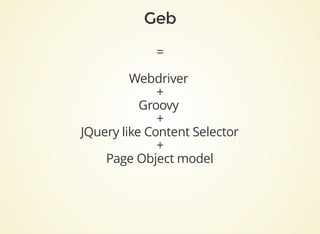
=
Webdriver	
+
Groovy	
+
JQuery	like	Content	Selector
+
Page	Object	model
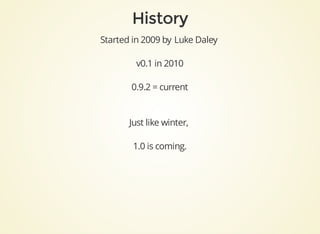
Started	in	2009	by	Luke	Daley	
v0.1	in	2010
0.9.2	=	current
Just	like	winter,	
1.0	is	coming.
Testing!
Screen	scraping
Automating
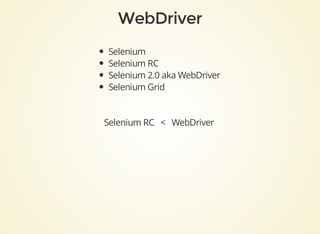
Selenium
Selenium	RC
Selenium	2.0	aka	WebDriver
Selenium	Grid
Selenium	RC			<			WebDriver
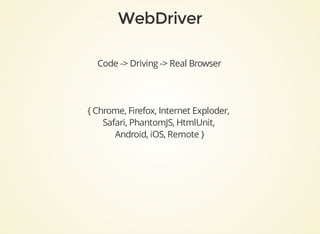
Code	->	Driving	->	Real	Browser
{	Chrome,	Firefox,	Internet	Exploder,	
Safari,	PhantomJS,	HtmlUnit,	
Android,	iOS,	Remote	}
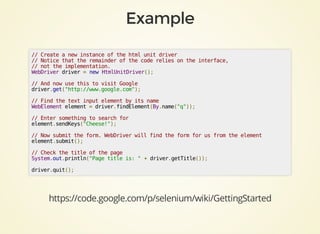
//	Create	a	new	instance	of	the	html	unit	driver
//	Notice	that	the	remainder	of	the	code	relies	on	the	interface,	
//	not	the	implementation.
WebDriver	driver	=	new	HtmlUnitDriver();
//	And	now	use	this	to	visit	Google
driver.get("http://www.google.com");
//	Find	the	text	input	element	by	its	name
WebElement	element	=	driver.findElement(By.name("q"));
//	Enter	something	to	search	for
element.sendKeys("Cheese!");
//	Now	submit	the	form.	WebDriver	will	find	the	form	for	us	from	the	element
element.submit();
//	Check	the	title	of	the	page
System.out.println("Page	title	is:	"	+	driver.getTitle());
driver.quit();
https://code.google.com/p/selenium/wiki/GettingStarted
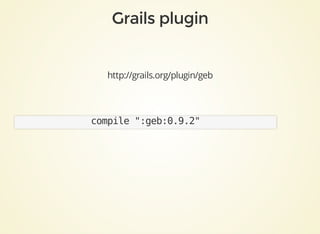
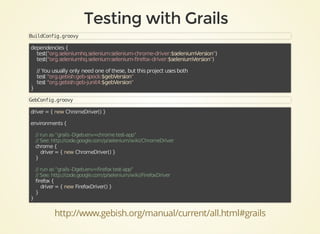
http://grails.org/plugin/geb
compile	":geb:0.9.2"
BuildConfig.groovy
dependencies	{
				test("org.seleniumhq.selenium:selenium-chrome-driver:$seleniumVersion")
				test("org.seleniumhq.selenium:selenium-firefox-driver:$seleniumVersion")
						
				//	You	usually	only	need	one	of	these,	but	this	project	uses	both
				test	"org.gebish:geb-spock:$gebVersion"
				test	"org.gebish:geb-junit4:$gebVersion"
}
GebConfig.groovy
driver	=	{	new	ChromeDriver()	}
environments	{
	
				//	run	as	“grails	-Dgeb.env=chrome	test-app”
				//	See:	http://code.google.com/p/selenium/wiki/ChromeDriver
				chrome	{
								driver	=	{	new	ChromeDriver()	}
				}
	
				//	run	as	“grails	-Dgeb.env=firefox	test-app”
				//	See:	http://code.google.com/p/selenium/wiki/FirefoxDriver
				firefox	{
								driver	=	{	new	FirefoxDriver()	}
				}
}
http://www.gebish.org/manual/current/all.html#grails
http://github.com/geb/geb-example-grails
$(«css	selector»,	«index	or	range»,	«attribute	/	text	matchers»)
$("a",	class:	"brand")	
$("div.some-class	p:first[title='something']")	
$("div.footer").find(".copyright")
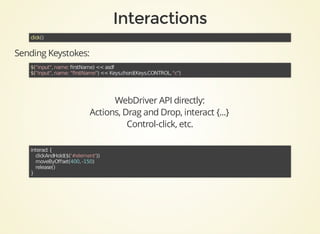
click()	
Sending	Keystokes:
$("input",	name:	firstName)	<<	asdf
$("input",	name:	"firstName")	<<	Keys.chord(Keys.CONTROL,	"c")	
WebDriver	API	directly:
Actions,	Drag	and	Drop,	interact	{...}
Control-click,	etc.
interact	{
				clickAndHold($('#element'))
				moveByOffset(400,	-150)
				release()
}
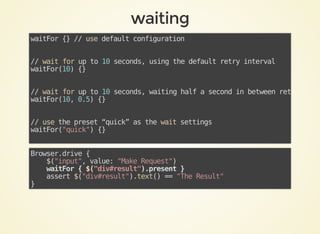
waitFor	{}	//	use	default	configuration
//	wait	for	up	to	10	seconds,	using	the	default	retry	interval
waitFor(10)	{}	
//	wait	for	up	to	10	seconds,	waiting	half	a	second	in	between	retries
waitFor(10,	0.5)	{}	
//	use	the	preset	“quick”	as	the	wait	settings	
waitFor("quick")	{}	
Browser.drive	{
				$("input",	value:	"Make	Request")
				waitFor	{	$("div#result").present	}
				assert	$("div#result").text()	==	"The	Result"
}
Special	'js'	object
read	global	scope
js."document.title"	==	"Book	of	Geb"	
js.gloallyVisibleJavascriptFunction(1,2)
js.exec()
Executes	arbitrary	Code
js.exec(1,	2,	"return	arguments[0]	+	arguments[1];")	==	3
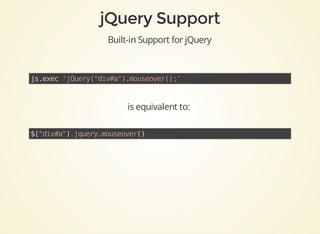
Built-in	Support	for	jQuery
js.exec	'jQuery("div#a").mouseover();'	
is	equivalent	to:	
$("div#a").jquery.mouseover()
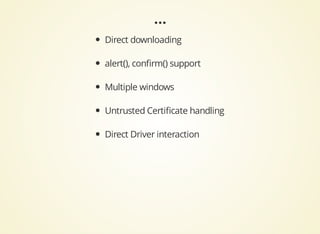
Direct	downloading
alert(),	confirm()	support
Multiple	windows
Untrusted	Certificate	handling
Direct	Driver	interaction
class	GoogleHomePage	extends	Page	{
				static	url	=	"http://google.com/?complete=0"
				static	at	=	{	title	==	"Google"	}
				static	content	=	{
								searchField	{	$("input[name=q]")	}
								searchButton(to:	GoogleResultsPage)	{	$("input[value='Google	Search']")	}
				}
	
				void	search(String	searchTerm)	{
								searchField.value	searchTerm
								searchButton.click()
				}
}	
class	GoogleResultsPage	extends	Page	{	...	}
Browser.drive	{
				to	GoogleHomePage
				search	"Chuck	Norris"
				at	GoogleResultsPage
				resultLink(0).text().contains("Chuck")
}
class	GoogleHomePage	extends	Page	{
				static	url	=	"http://google.com/?complete=0"
				static	at	=	{	title	==	"Google"	}
			
				static	content	=	{
								searchField	{	$("input[name=q]")	}
								searchButton(to:	GoogleResultsPage)	{	
												$("input[value='Google	Search']")	
								}
				}
	
				void	search(String	searchTerm)	{
								searchField.value	searchTerm
								searchButton.click()
				}
}	
Accessible	via
page.searchField
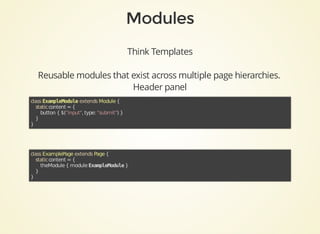
Think	Templates
Reusable	modules	that	exist	across	multiple	page	hierarchies.
Header	panel
class	ExampleModule	extends	Module	{
				static	content	=	{
								button	{	$("input",	type:	"submit")	}
				}
}	
class	ExamplePage	extends	Page	{
				static	content	=	{
								theModule	{	module	ExampleModule	}
				}
}
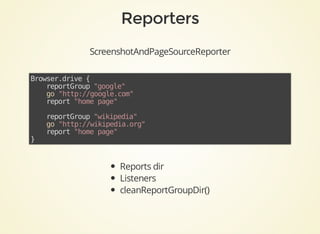
ScreenshotAndPageSourceReporter
Browser.drive	{
				reportGroup	"google"
				go	"http://google.com"
				report	"home	page"
	
				reportGroup	"wikipedia"
				go	"http://wikipedia.org"
				report	"home	page"
}	
Reports	dir
Listeners
cleanReportGroupDir()
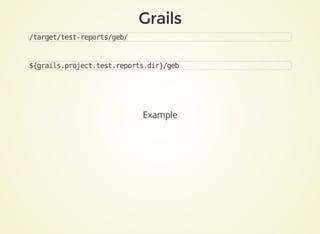
/target/test-reports/geb/
${grails.project.test.reports.dir}/geb
Example
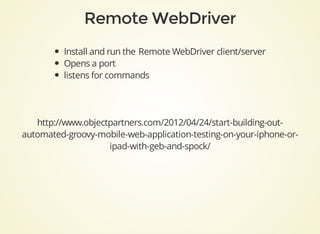
Install	and	run	the	Remote	WebDriver	client/server
Opens	a	port
listens	for	commands
http://www.objectpartners.com/2012/04/24/start-building-out-
automated-groovy-mobile-web-application-testing-on-your-iphone-or-
ipad-with-geb-and-spock/
https://saucelabs.com/
Browser	Testing,	
Mobile	web-app	testing.
Video	&	screenshot	support
Desktop	&	Mobile	support
Behind	the	firewall	tunnelling
https://saucelabs.com/platforms
Good	luck
Marcin	Erdmann
@marcinerdmann
https://skillsmatter.com/skillscasts/4764-advanced-geb
Tomas	Lin
@TomasLin
http://fbflex.wordpress.com/2011/12/01/a-script-to-run-grails-functional-
tests-in-parallel/
Partitioning
XVFB	=	X	Virtual	Frame	Buffer
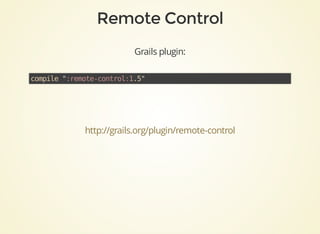
Grails	plugin:
compile	":remote-control:1.5"	
http://grails.org/plugin/remote-control
http://www.sikuli.org/
http://fbflex.wordpress.com/2012/10/27/geb-and-sikuli/
Others?
Thank	you

Functional testing your Grails app with GEB