Getting started with
               Selenium 2
                      Sebastiano Armeli-Battana
                              @sebarmeli
                     https://github.com/sebarmeli


November 17 , 2011                         Open Source Developers Conference, Canberra
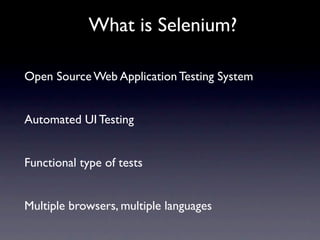
What is Selenium?

Open Source Web Application Testing System


Automated UI Testing


Functional type of tests


Multiple browsers, multiple languages
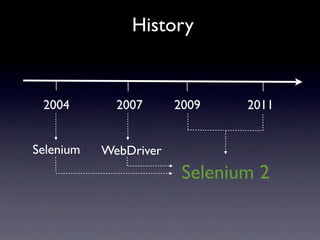
History


 2004        2007      2009    2011


Selenium   WebDriver
                        Selenium 2
Selenium
Selenium
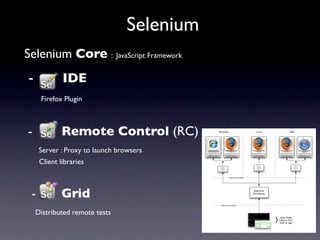
Selenium Core : JavaScript Framework
Selenium
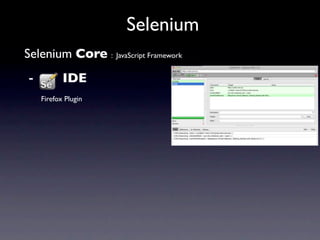
Selenium Core : JavaScript Framework
-          IDE
    Firefox Plugin
Selenium
Selenium Core : JavaScript Framework
  -            IDE
       Firefox Plugin


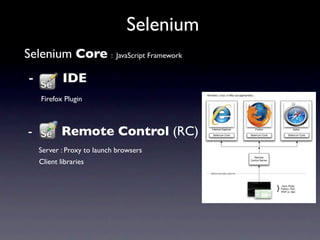
   -           Remote Control (RC)
	

    Server : Proxy to launch browsers
       Client libraries
Selenium
Selenium Core : JavaScript Framework
  -             IDE
        Firefox Plugin


   -            Remote Control (RC)
	

     Server : Proxy to launch browsers
        Client libraries


   -            Grid
       Distributed remote tests
WebDriver

“Best fit” language


Clean & Object Oriented API


HtmlUnitDriver


Java bindings
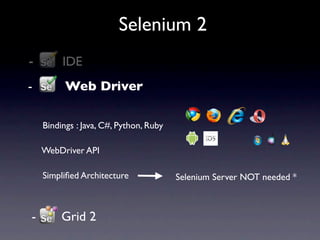
Selenium 2
  -            IDE
 -              Web Driver
	

          Bindings : Java, C#, Python, Ruby

          WebDriver API

          Simplified Architecture              Selenium Server NOT needed *


      -        Grid 2
Selenium Server


Replicate Selenium RC functionalities


Selenium Grid 2
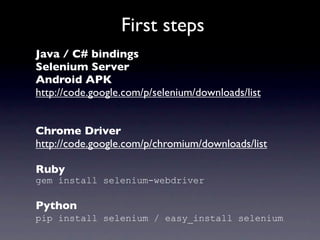
First steps
Java / C# bindings
Selenium Server
Android APK
http://code.google.com/p/selenium/downloads/list


Chrome Driver
http://code.google.com/p/chromium/downloads/list

Ruby
gem install selenium-webdriver

Python
pip install selenium / easy_install selenium
Let’s code!
Locator Strategies
• Id
 webDriver.findElement(By.id("logo"));

• Name
 webDriver.findElement(By.name("q"));

• Tag Name
 webDriver.findElement(By.tagName("H1"));

• Class name
 webDriver.findElements(By.className("sponsor_logos"));

• CSS Selector
 webDriver.findElement(By.cssSelector("section#sponsor>p"));

• XPath
 webDriver.findElement(By.xpath("//section[@id=‘miniconfs’]/a[2]"));

• Link Text
 webDriver.findElements(By.linkText("About"));

• Partial Link Text
 webDriver.findElement(By.partialLinkText("visitcanberra"));
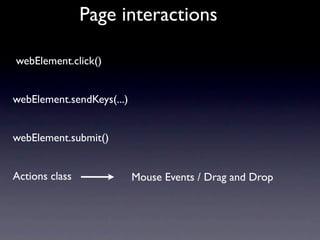
Page interactions

webElement.click()


webElement.sendKeys(...)


webElement.submit()


Actions class              Mouse Events / Drag and Drop
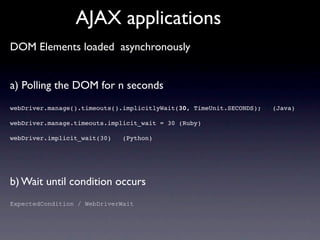
AJAX applications
DOM Elements loaded asynchronously


a) Polling the DOM for n seconds
webDriver.manage().timeouts().implicitlyWait(30, TimeUnit.SECONDS);   (Java)

webDriver.manage.timeouts.implicit_wait = 30 (Ruby)

webDriver.implicit_wait(30)   (Python)


b) Wait until condition occurs
ExpectedCondition / WebDriverWait
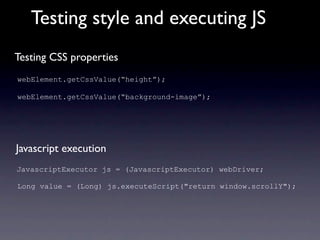
Testing style and executing JS
Testing CSS properties
webElement.getCssValue(“height”);

webElement.getCssValue(“background-image”);


Javascript execution
JavascriptExecutor js = (JavascriptExecutor) webDriver;

Long value = (Long) js.executeScript("return window.scrollY");
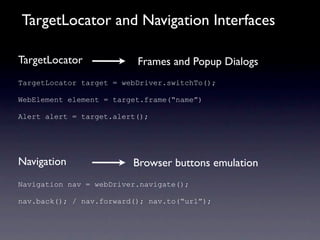
TargetLocator and Navigation Interfaces

TargetLocator             Frames and Popup Dialogs
TargetLocator target = webDriver.switchTo();

WebElement element = target.frame(“name”)

Alert alert = target.alert();


Navigation               Browser buttons emulation
Navigation nav = webDriver.navigate();

nav.back(); / nav.forward(); nav.to(“url”);
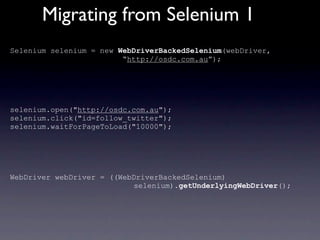
Migrating from Selenium 1
Selenium selenium = new WebDriverBackedSelenium(webDriver,
                         “http://osdc.com.au”);


selenium.open("http://osdc.com.au");
selenium.click("id=follow_twitter");
selenium.waitForPageToLoad("10000");


WebDriver webDriver = ((WebDriverBackedSelenium)
                           selenium).getUnderlyingWebDriver();
Page Object Pattern / PageFactory
Pages as Objects


Separation between DOM and services in a Page


WebDriver API not exposed


PageFactory class to easily instantiate a Page Object
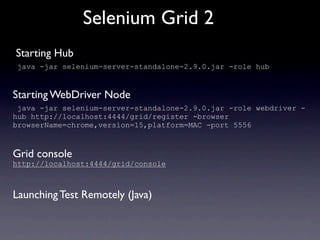
Selenium Grid 2
Starting Hub
 java -jar selenium-server-standalone-2.9.0.jar -role hub


Starting WebDriver Node
 java -jar selenium-server-standalone-2.9.0.jar -role webdriver -
hub http://localhost:4444/grid/register -browser
browserName=chrome,version=15,platform=MAC -port 5556


Grid console
http://localhost:4444/grid/console


Launching Test Remotely (Java)
Mobile Testing
Selenium 2 - Java QuickStart
               Archetype
https://github.com/sebarmeli/Selenium2-Java-QuickStart-Archetype
Resources
http://www.slideshare.net/sebarmeli/getting-started-with-selenium-2


https://github.com/sebarmeli/Selenium2-Java-Demo


http://seleniumhq.org/


http://code.google.com/p/selenium/


Google Groups
Questions ?

Getting started with Selenium 2

  • 1.
    Getting started with Selenium 2 Sebastiano Armeli-Battana @sebarmeli https://github.com/sebarmeli November 17 , 2011 Open Source Developers Conference, Canberra
  • 2.
    What is Selenium? OpenSource Web Application Testing System Automated UI Testing Functional type of tests Multiple browsers, multiple languages
  • 3.
    History 2004 2007 2009 2011 Selenium WebDriver Selenium 2
  • 4.
  • 5.
    Selenium Selenium Core :JavaScript Framework
  • 6.
    Selenium Selenium Core :JavaScript Framework - IDE Firefox Plugin
  • 7.
    Selenium Selenium Core :JavaScript Framework - IDE Firefox Plugin - Remote Control (RC) Server : Proxy to launch browsers Client libraries
  • 8.
    Selenium Selenium Core :JavaScript Framework - IDE Firefox Plugin - Remote Control (RC) Server : Proxy to launch browsers Client libraries - Grid Distributed remote tests
  • 9.
    WebDriver “Best fit” language Clean& Object Oriented API HtmlUnitDriver Java bindings
  • 10.
    Selenium 2 - IDE - Web Driver Bindings : Java, C#, Python, Ruby WebDriver API Simplified Architecture Selenium Server NOT needed * - Grid 2
  • 11.
    Selenium Server Replicate SeleniumRC functionalities Selenium Grid 2
  • 12.
    First steps Java /C# bindings Selenium Server Android APK http://code.google.com/p/selenium/downloads/list Chrome Driver http://code.google.com/p/chromium/downloads/list Ruby gem install selenium-webdriver Python pip install selenium / easy_install selenium
  • 13.
  • 14.
    Locator Strategies • Id webDriver.findElement(By.id("logo")); • Name webDriver.findElement(By.name("q")); • Tag Name webDriver.findElement(By.tagName("H1")); • Class name webDriver.findElements(By.className("sponsor_logos")); • CSS Selector webDriver.findElement(By.cssSelector("section#sponsor>p")); • XPath webDriver.findElement(By.xpath("//section[@id=‘miniconfs’]/a[2]")); • Link Text webDriver.findElements(By.linkText("About")); • Partial Link Text webDriver.findElement(By.partialLinkText("visitcanberra"));
  • 15.
  • 16.
    AJAX applications DOM Elementsloaded asynchronously a) Polling the DOM for n seconds webDriver.manage().timeouts().implicitlyWait(30, TimeUnit.SECONDS); (Java) webDriver.manage.timeouts.implicit_wait = 30 (Ruby) webDriver.implicit_wait(30) (Python) b) Wait until condition occurs ExpectedCondition / WebDriverWait
  • 17.
    Testing style andexecuting JS Testing CSS properties webElement.getCssValue(“height”); webElement.getCssValue(“background-image”); Javascript execution JavascriptExecutor js = (JavascriptExecutor) webDriver; Long value = (Long) js.executeScript("return window.scrollY");
  • 18.
    TargetLocator and NavigationInterfaces TargetLocator Frames and Popup Dialogs TargetLocator target = webDriver.switchTo(); WebElement element = target.frame(“name”) Alert alert = target.alert(); Navigation Browser buttons emulation Navigation nav = webDriver.navigate(); nav.back(); / nav.forward(); nav.to(“url”);
  • 19.
    Migrating from Selenium1 Selenium selenium = new WebDriverBackedSelenium(webDriver, “http://osdc.com.au”); selenium.open("http://osdc.com.au"); selenium.click("id=follow_twitter"); selenium.waitForPageToLoad("10000"); WebDriver webDriver = ((WebDriverBackedSelenium) selenium).getUnderlyingWebDriver();
  • 20.
    Page Object Pattern/ PageFactory Pages as Objects Separation between DOM and services in a Page WebDriver API not exposed PageFactory class to easily instantiate a Page Object
  • 21.
    Selenium Grid 2 StartingHub java -jar selenium-server-standalone-2.9.0.jar -role hub Starting WebDriver Node java -jar selenium-server-standalone-2.9.0.jar -role webdriver - hub http://localhost:4444/grid/register -browser browserName=chrome,version=15,platform=MAC -port 5556 Grid console http://localhost:4444/grid/console Launching Test Remotely (Java)
  • 22.
  • 23.
    Selenium 2 -Java QuickStart Archetype https://github.com/sebarmeli/Selenium2-Java-QuickStart-Archetype
  • 24.
  • 25.