FRONT-END BOOTCAMP
Introduction to Web Development
Chaliye shuru karte hain!
Speakers of the event :
Bhushan Kale
Mrunmayi Shirke
Om Gawande
Bhushan Kale
Let’s connect on Linkedin!!
https://www.linkedin.com/in/bhushan-kal
e-53493b203/
Intro to HTML!
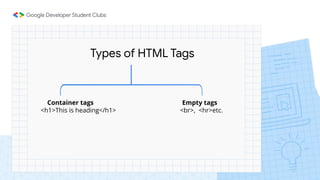
Types of HTML Tags
Container tags Empty tags
<h1>This is heading</h1> <br>, <hr>etc.
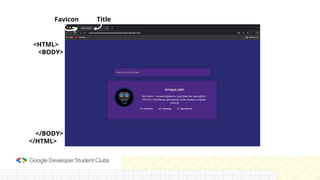
Favicon Title
<HTML>
<BODY>
</BODY>
</HTML>
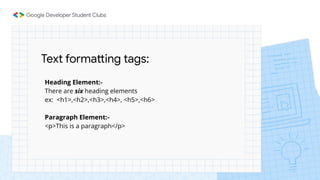
Text formatting tags:
Heading Element:-
There are six heading elements
ex: <h1>,<h2>,<h3>,<h4>, <h5>,<h6>
Paragraph Element:-
<p>This is a paragraph</p>
HTML <div> tag and <span> tag:
The <div> tag defines a division or a section in an HTML
document.
The <span> tag is used to mark up a part of a text, or a part of a
document.
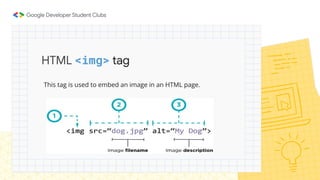
HTML <img> tag
This tag is used to embed an image in an HTML page.
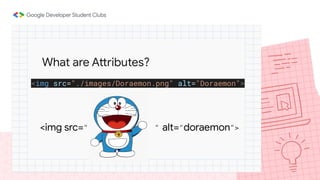
<img src="./images/Doraemon.png" alt="Doraemon">
What are Attributes?
<img src=" " alt="doraemon">
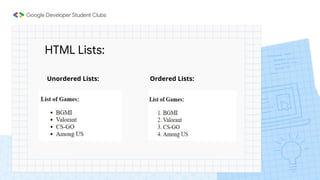
HTML Lists:
Unordered Lists: Ordered Lists:
Mrunmayi Shirke
https://www.linkedin.com/in/mrunmayi
shirke/
Intro to CSS!
What is CSS?
Cascading Style Sheet
It allows you to add “style” to an HTML (web page) element
ex: color, size, or positioning information
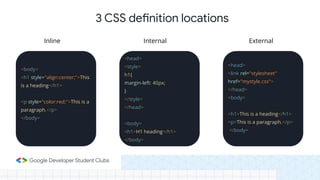
<body>
<h1 style="align:center;">This
is a heading</h1>
<p style="color:red;">This is a
paragraph.</p>
</body>
<head>
<style>
h1{
margin-left: 40px;
}
</style>
</head>
<body>
<h1>H1 heading</h1>
</body>
<head>
<link rel="stylesheet"
href="mystyle.css">
</head>
<body>
<h1>This is a heading</h1>
<p>This is a paragraph.</p>
</body>
Inline Internal External
3 CSS definition locations
A question:
how does the browser know which HTML
element on the webpage this declaration
applies to?
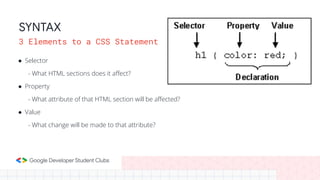
● Selector
- What HTML sections does it affect?
● Property
- What attribute of that HTML section will be affected?
● Value
- What change will be made to that attribute?
SYNTAX
3 Elements to a CSS Statement
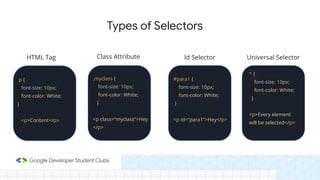
p {
font-size: 10px;
font-color: White;
}
<p>Content</p>
.myclass {
font-size: 10px;
font-color: White;
}
<p class=“myclass”>Hey
</p>
#para1 {
font-size: 10px;
font-color: White;
}
<p id=“para1”>Hey</p>
* {
font-size: 10px;
font-color: White;
}
<p>Every element
will be selected</p>
Types of Selectors
HTML Tag Class Attribute Id Selector Universal Selector
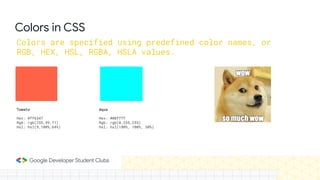
Tomato
Hex: #ff6347
Rgb: rgb(255,99,71)
Hsl: hsl(9,100%,64%)
Aqua
Hex: #00ffff
Rgb: rgb(0,255,255)
Hsl: hsl(180%, 100%, 50%)
Colors in CSS
Colors are specified using predefined color names, or
RGB, HEX, HSL, RGBA, HSLA values.
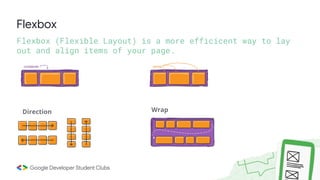
Flexbox
Flexbox (Flexible Layout) is a more efficicent way to lay
out and align items of your page.
Wrap
Direction
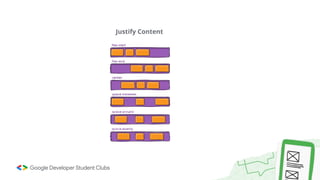
Justify Content
Lets see more properties!
Om Gawande
https://bit.ly/3rskNz2
Intro to JavaScript!
JavaScript
❏ Dynamic Websites
❏ Web Servers
❏ Games
❏ Frameworks
❏ Npm Packages
❏ Anything in the world..!😱
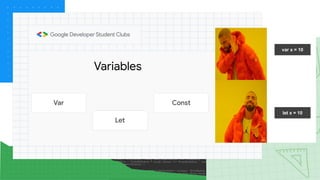
Variables
Const
Let
Var
var x = 10
let x = 10
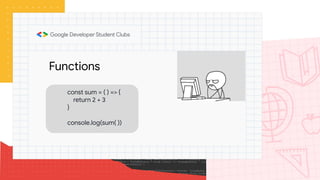
Functions
const sum = ( ) => {
return 2 + 3
}
console.log(sum( ))
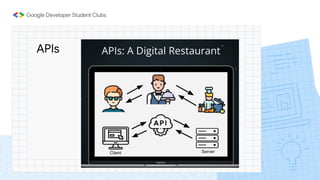
APIs
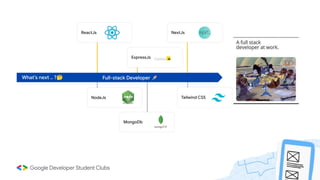
ReactJs NextJs
ExpressJs
NodeJs
MongoDb
Tailwind CSS
Full-stack Developer 🚀
What’s next .. ?🤔
Thank you..!
Hope you found this
event interesting!
If you have any
doubts you can
ask,now!

Frontend bootcamp