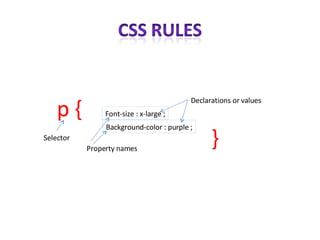
Font-size : x-large ; p { Background-color : purple ; } Selector Property names Declarations or values
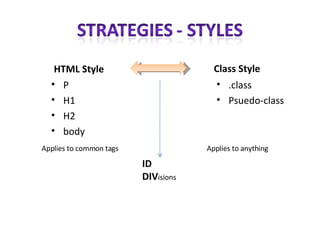
HTML Style P H1 H2 body Class Style .class Psuedo-class Applies to common tags Applies to anything ID DIV isions
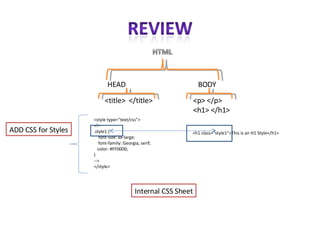
HEAD BODY <title>  </title> <p> </p> <h1> </h1> <style type=&quot;text/css&quot;> <!-- .style1 { font-size: xx-large; font-family: Georgia, serif; color: #FF0000; } --> </style> <h1 class=&quot;style1&quot;>This is an H1 Style</h1> ADD CSS for Styles Internal CSS Sheet
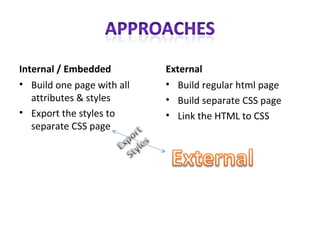
Internal / Embedded Build one page with all attributes & styles Export the styles to separate CSS page External Build regular html page Build separate CSS page Link the HTML to CSS
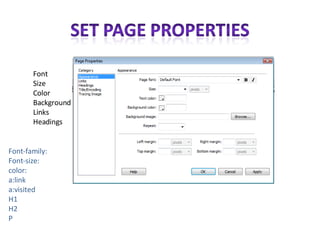
Font Size Color Background Links Headings Font-family: Font-size: color: a:link a:visited H1 H2 P
 
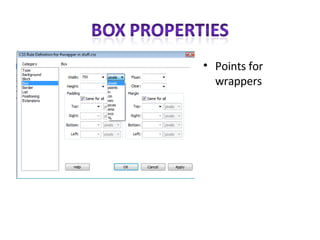
Points for wrappers
 
 
Create a DIV #wrapper Box: 700 px width
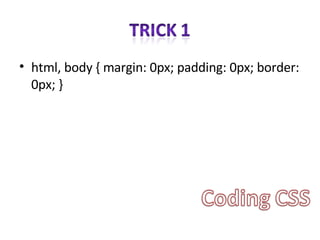
html, body { margin: 0px; padding: 0px; border: 0px; }
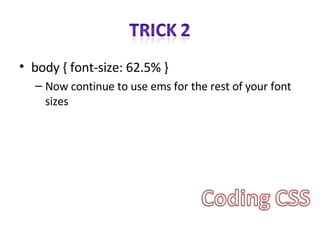
body { font-size: 62.5% } Now continue to use ems for the rest of your font sizes
 
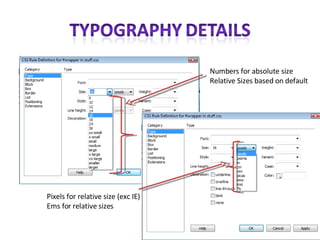
Pixels for relative size (exc IE) Ems for relative sizes Numbers for absolute size Relative Sizes based on default
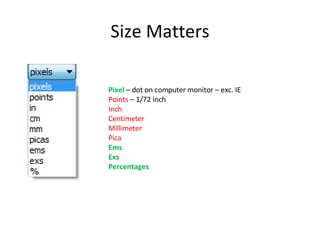
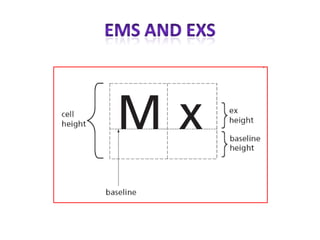
Size Matters Pixel  – dot on computer monitor – exc. IE Points  – 1/72 inch Inch Centimeter Millimeter Pica Ems Exs Percentages
 
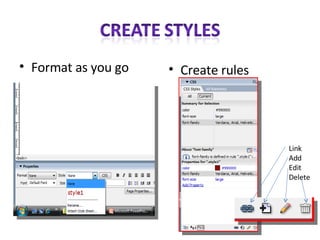
Format as you go Create rules Link Add Edit Delete
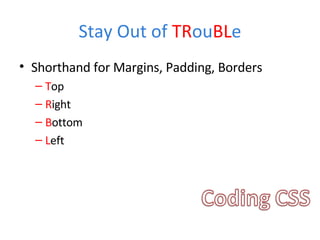
Stay Out of  TR ou BL e Shorthand for Margins, Padding, Borders T op R ight B ottom L eft
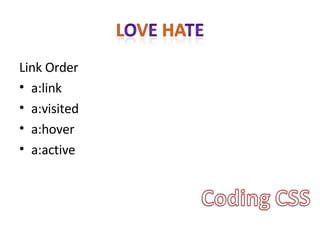
Link Order a:link a:visited a:hover a:active
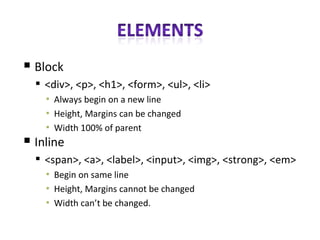
Block <div>, <p>, <h1>, <form>, <ul>, <li> Always begin on a new line Height, Margins can be changed Width 100% of parent Inline <span>, <a>, <label>, <input>, <img>, <strong>, <em> Begin on same line Height, Margins cannot be changed Width can’t be changed.
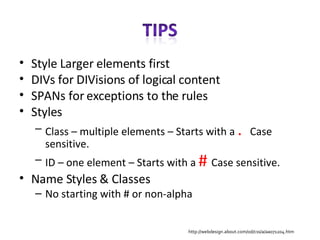
Style Larger elements first DIVs for DIVisions of logical content SPANs for exceptions to the rules Styles Class – multiple elements – Starts with a  .  Case sensitive. ID – one element – Starts with a  #  Case sensitive. Name Styles & Classes No starting with # or non-alpha http://webdesign.about.com/od/css/a/aa071204.htm
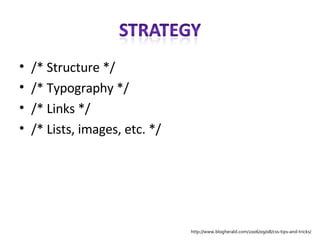
/* Structure */ /* Typography */ /* Links */ /* Lists, images, etc. */ http://www.blogherald.com/2006/09/08/css-tips-and-tricks/
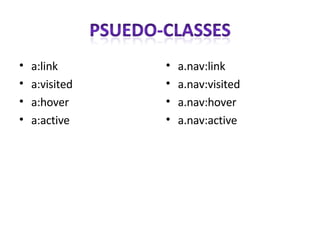
a:link  a:visited a:hover a:active a.nav:link a.nav:visited a.nav:hover a.nav:active

C S S Top Elements

  • 1.
  • 2.
    Font-size : x-large; p { Background-color : purple ; } Selector Property names Declarations or values
  • 3.
    HTML Style PH1 H2 body Class Style .class Psuedo-class Applies to common tags Applies to anything ID DIV isions
  • 4.
    HEAD BODY <title> </title> <p> </p> <h1> </h1> <style type=&quot;text/css&quot;> <!-- .style1 { font-size: xx-large; font-family: Georgia, serif; color: #FF0000; } --> </style> <h1 class=&quot;style1&quot;>This is an H1 Style</h1> ADD CSS for Styles Internal CSS Sheet
  • 5.
    Internal / EmbeddedBuild one page with all attributes & styles Export the styles to separate CSS page External Build regular html page Build separate CSS page Link the HTML to CSS
  • 6.
    Font Size ColorBackground Links Headings Font-family: Font-size: color: a:link a:visited H1 H2 P
  • 7.
  • 8.
  • 9.
  • 10.
  • 11.
    Create a DIV#wrapper Box: 700 px width
  • 12.
    html, body {margin: 0px; padding: 0px; border: 0px; }
  • 13.
    body { font-size:62.5% } Now continue to use ems for the rest of your font sizes
  • 14.
  • 15.
    Pixels for relativesize (exc IE) Ems for relative sizes Numbers for absolute size Relative Sizes based on default
  • 16.
    Size Matters Pixel – dot on computer monitor – exc. IE Points – 1/72 inch Inch Centimeter Millimeter Pica Ems Exs Percentages
  • 17.
  • 18.
    Format as yougo Create rules Link Add Edit Delete
  • 19.
    Stay Out of TR ou BL e Shorthand for Margins, Padding, Borders T op R ight B ottom L eft
  • 20.
    Link Order a:linka:visited a:hover a:active
  • 21.
    Block <div>, <p>,<h1>, <form>, <ul>, <li> Always begin on a new line Height, Margins can be changed Width 100% of parent Inline <span>, <a>, <label>, <input>, <img>, <strong>, <em> Begin on same line Height, Margins cannot be changed Width can’t be changed.
  • 22.
    Style Larger elementsfirst DIVs for DIVisions of logical content SPANs for exceptions to the rules Styles Class – multiple elements – Starts with a . Case sensitive. ID – one element – Starts with a # Case sensitive. Name Styles & Classes No starting with # or non-alpha http://webdesign.about.com/od/css/a/aa071204.htm
  • 23.
    /* Structure *//* Typography */ /* Links */ /* Lists, images, etc. */ http://www.blogherald.com/2006/09/08/css-tips-and-tricks/
  • 24.
    a:link a:visiteda:hover a:active a.nav:link a.nav:visited a.nav:hover a.nav:active