FROM TO
P
0
W
3
R
S
H
3
L
L
ArthurPaixão_
PS C:>
PS C:> whoami.ps1_
• Arthur Paixão
• Red Team Security Specialist – C6 Bank
• Information Security - UNIFG
• Analysis Systems Development – UNIBRATEC
• Made in Recife #Oxem? #TuVisse?
• Security Research at #RTFM
PS C:> Powershell.exe
KEEP CALM
AND
LEARN POWERSHELL
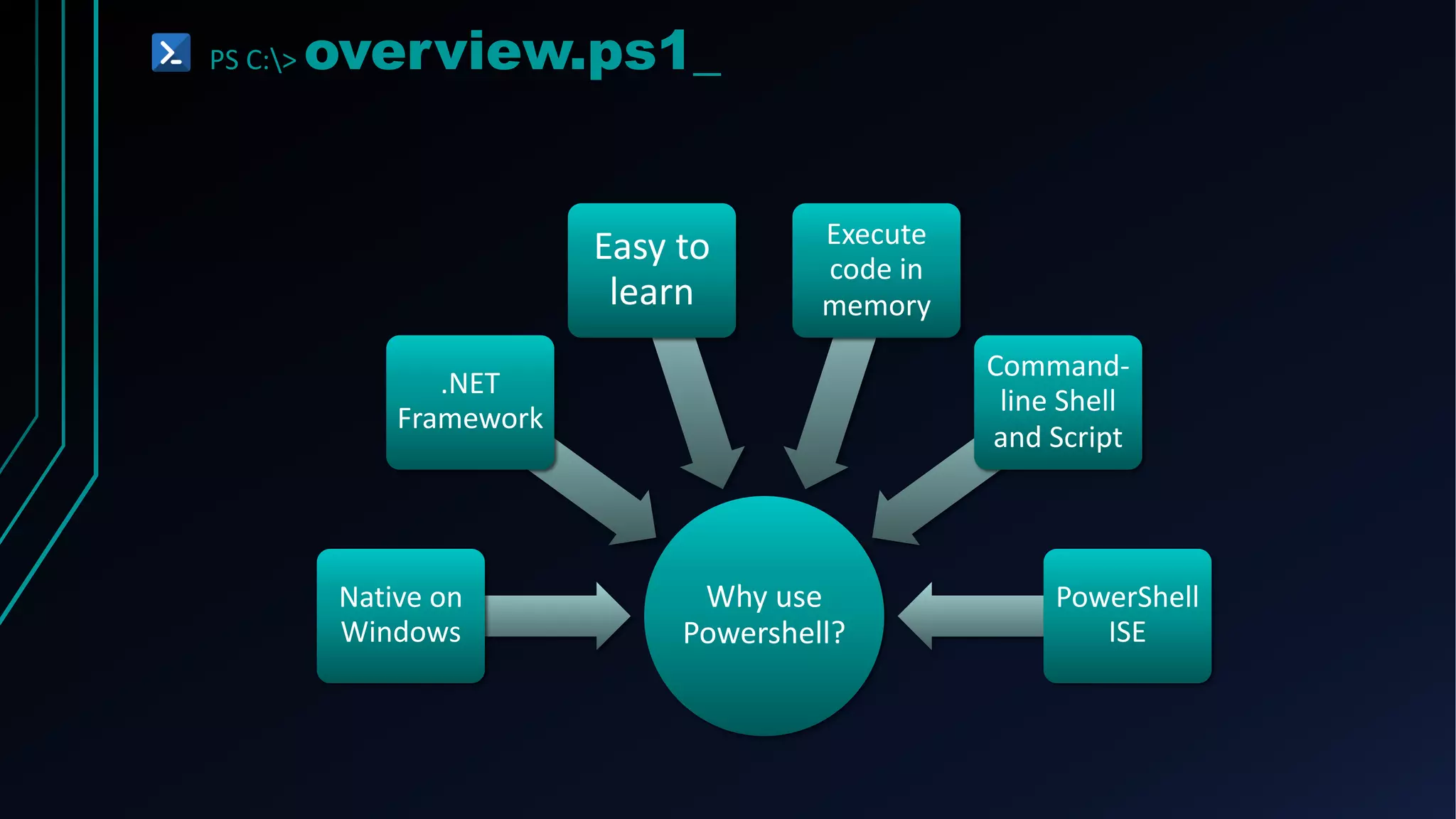
PS C:> overview.ps1_
Why use
Powershell?
Native on
Windows
.NET
Framework
Easy to
learn
Execute
code in
memory
Command-
line Shell
and Script
PowerShell
ISE
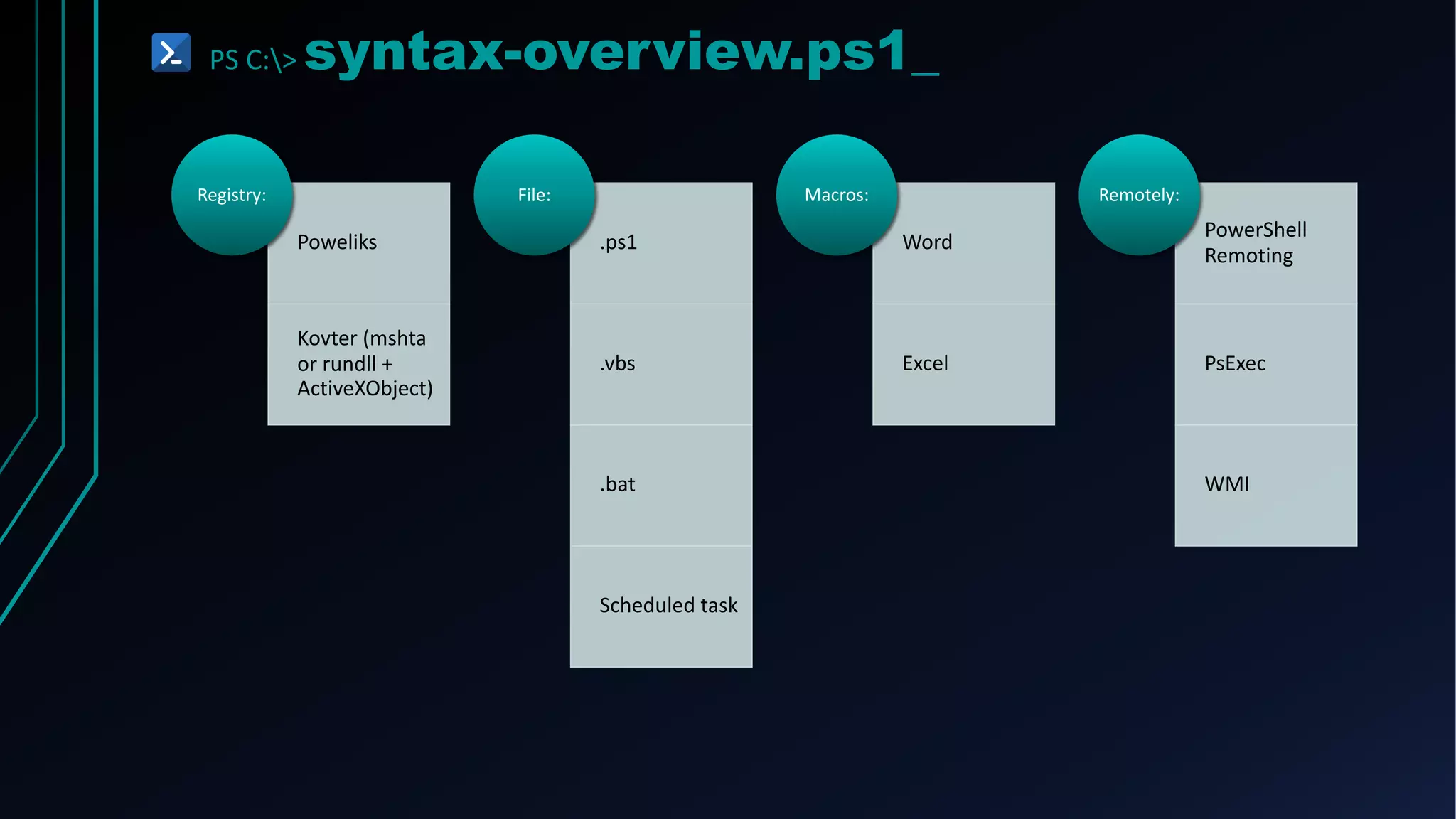
PS C:> syntax-overview.ps1_
Poweliks
Kovter (mshta
or rundll +
ActiveXObject)
Registry:
.ps1
.vbs
.bat
Scheduled task
File:
Word
Excel
Macros:
PowerShell
Remoting
PsExec
WMI
Remotely:
PS C:> syntax-overview.ps1_
String
“abc”
“123”
“abc123”
Integer
1,2,3,4,5
Boolean
$True
$False
Variable
$url
$qualquercoisa
PS C:> syntax-overview.ps1_
OBJECTS
Properties
Methods
ARRAYS
$list = “From”, “Power”, “To”, “Shell”
$list[0]
$list[1]
$list[2]
$list[3]
“From Power To Shell”
CMDLETS
Always in a “verb-noun” format
get-process
get-eventlog
write-host
set-clipboard
PS C:> syntax-overview.ps1_
Basic CmdLets
PowerShell PowerShell Alias CMD *nix
Get-ChildItem ls, gci, dir dir ls
Copy-Item cp, copy, cpi copy cp
Move-Item move, mv, mi move mv
Select-String sls find, findstr grep
Get-Help man, help help man
Get-Content cat, gcc, type type cat
PS C:> syntax-overview.ps1_
• Creates a new resource
New
• Modifies an existing resource
Set-
• Retrieves an existing resource
Get-
• Gets information from a source, such as a file
Read-
• Used to look for an object
Find-
• Used to create a reference to a resource
Search-
• (asynchronous) begin an operation, such as starting a process
Start-
• (synchronous) perform an operation such as running a command
Invoke-
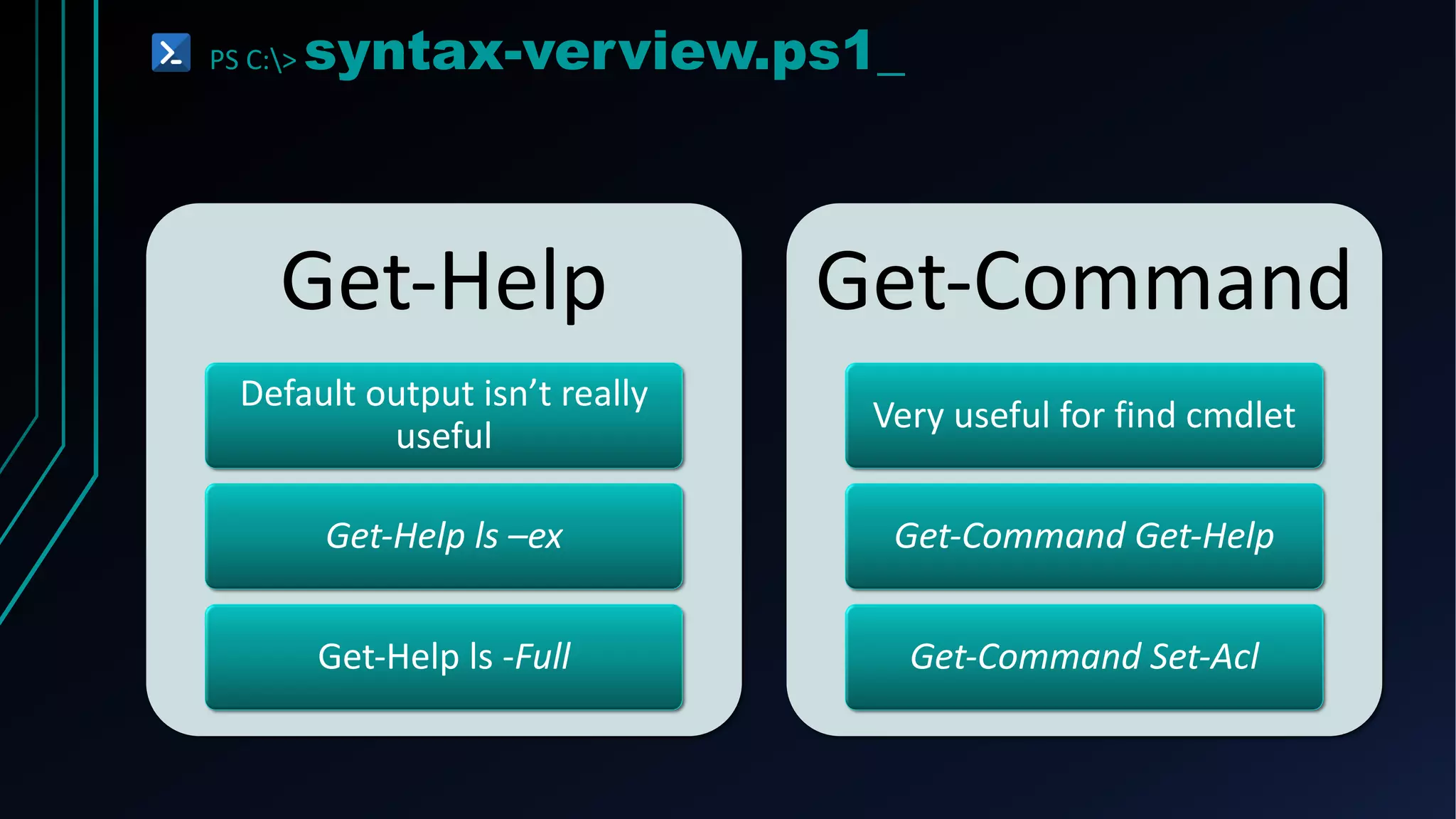
PS C:> syntax-verview.ps1_
Get-Help
Default output isn’t really
useful
Get-Help ls –ex
Get-Help ls -Full
Get-Command
Very useful for find cmdlet
Get-Command Get-Help
Get-Command Set-Acl
PS C:> get-ExecutionPolicy.ps1_
Execution
Policy Not Security
Policy
!=
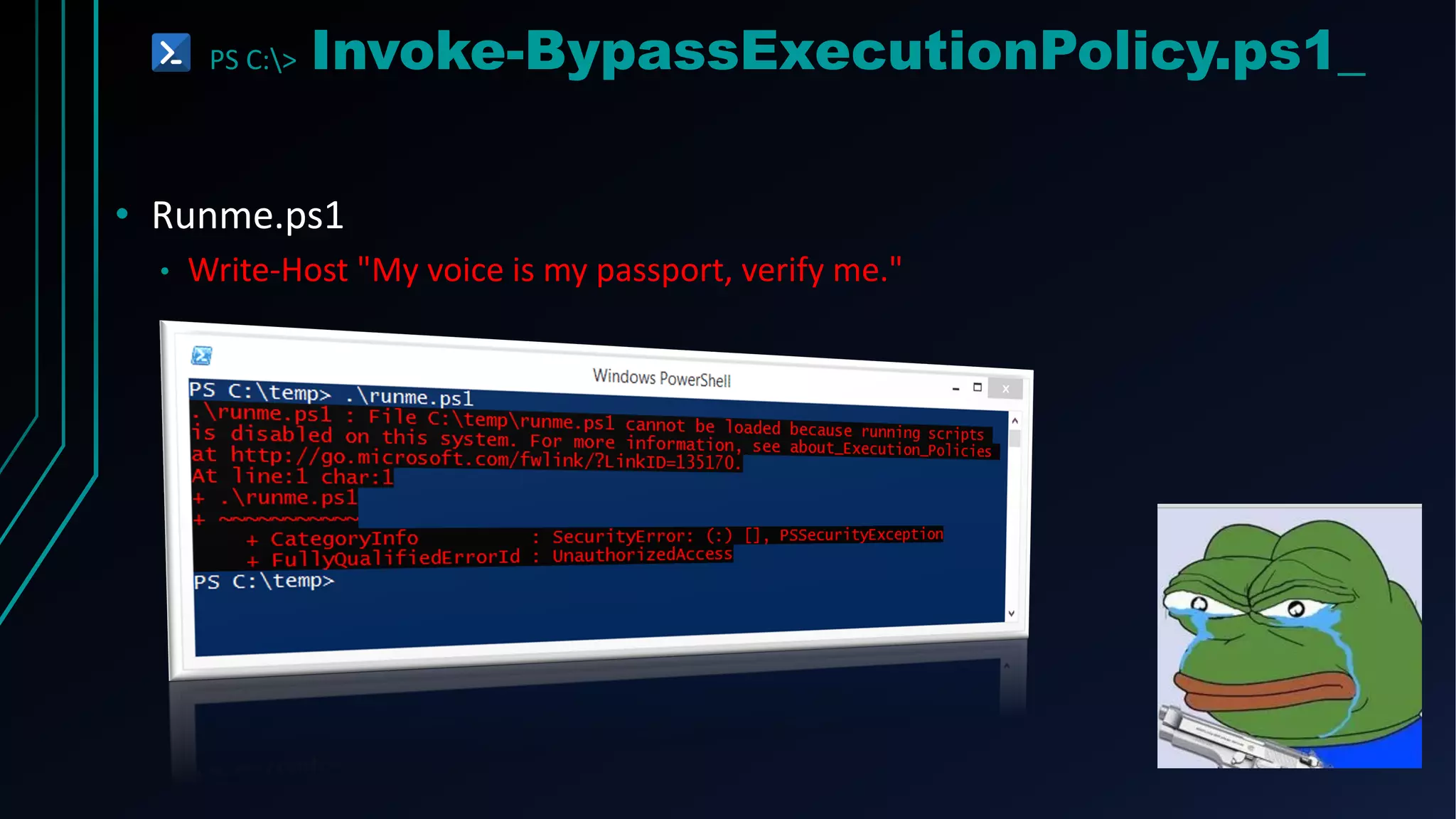
PS C:> Invoke-BypassExecutionPolicy.ps1_
• Runme.ps1
• Write-Host "My voice is my passport, verify me."
PS C:> Powershell.exe
RED TEAM != BLUE TEAM
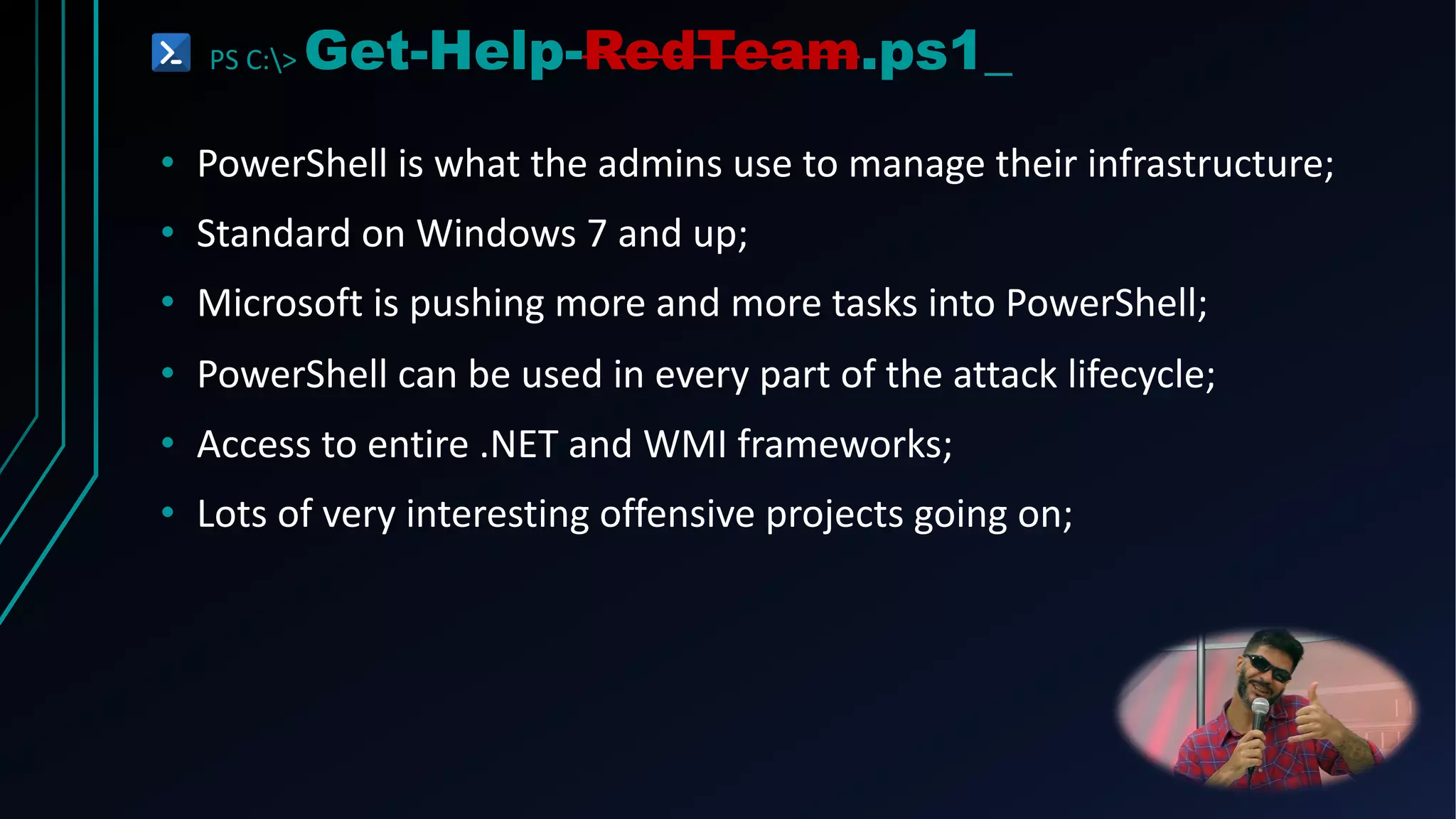
PS C:> Get-Help-RedTeam.ps1_
• PowerShell is what the admins use to manage their infrastructure;
• Standard on Windows 7 and up;
• Microsoft is pushing more and more tasks into PowerShell;
• PowerShell can be used in every part of the attack lifecycle;
• Access to entire .NET and WMI frameworks;
• Lots of very interesting offensive projects going on;
PS C:> Get-Help-BlueTeam.ps1_
• It’s what the bad guys (RedTeams) are using;
• There’s some really cool DFIR stuff going on with Powershell;
• Module Logging (v3);
• Script Block Logging (v5);
• Full Transcription Logging (v2, impoved in v5);
• Preventing and Monitore downgrade attacks;
• Monitor and alert on certain strings/commands in command line
arguments for powershell.exe
• -EncodedCommand
• (New-Object Net.WebClient).DownloadString
PS C:> Get-Help-BlueTeam.ps1_
• It’s what the bad guys (RedTeams) are using;
• There’s some really cool DFIR stuff going on with Powershell;
• Module Logging (v3);
• Script Block Logging (v5);
• Full Transcription Logging (v2, impoved in v5);
• Preventing and Monitore downgrade attacks;
• Monitor and alert on certain strings/commands in command line
arguments for powershell.exe
• -EncodedCommand
• (New-Object Net.WebClient).DownloadString
PS C:> Get-Attack-Scenario.ps1
ATT&CK += PENTESTING PHASES
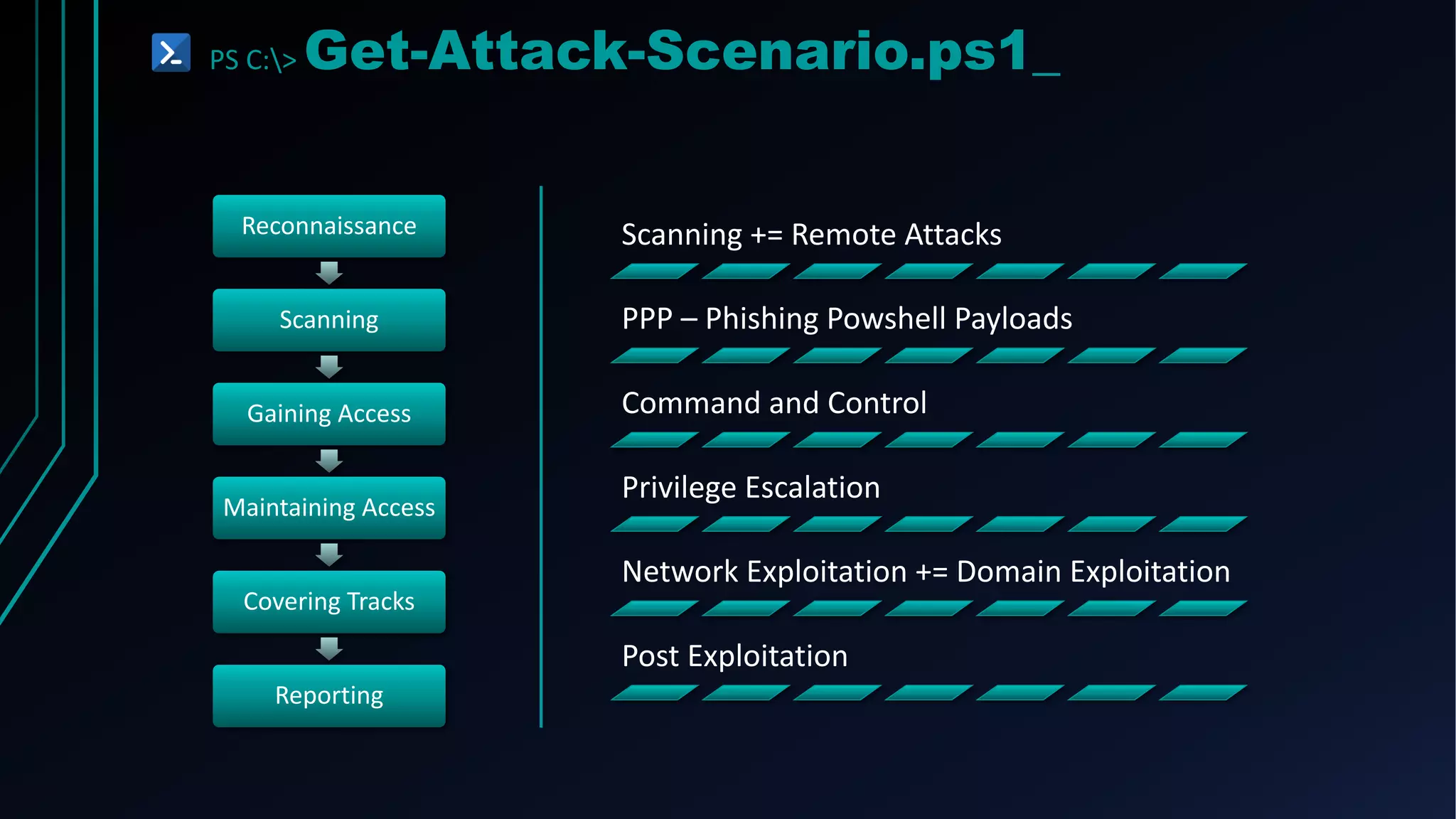
PS C:> Get-Attack-Scenario.ps1_
Reconnaissance
Scanning
Gaining Access
Maintaining Access
Covering Tracks
Reporting
Scanning += Remote Attacks
PPP – Phishing Powshell Payloads
Command and Control
Privilege Escalation
Network Exploitation += Domain Exploitation
Post Exploitation
PS C:> Get-Attack.ps1
SCANNING += REMOTE ATTACKS
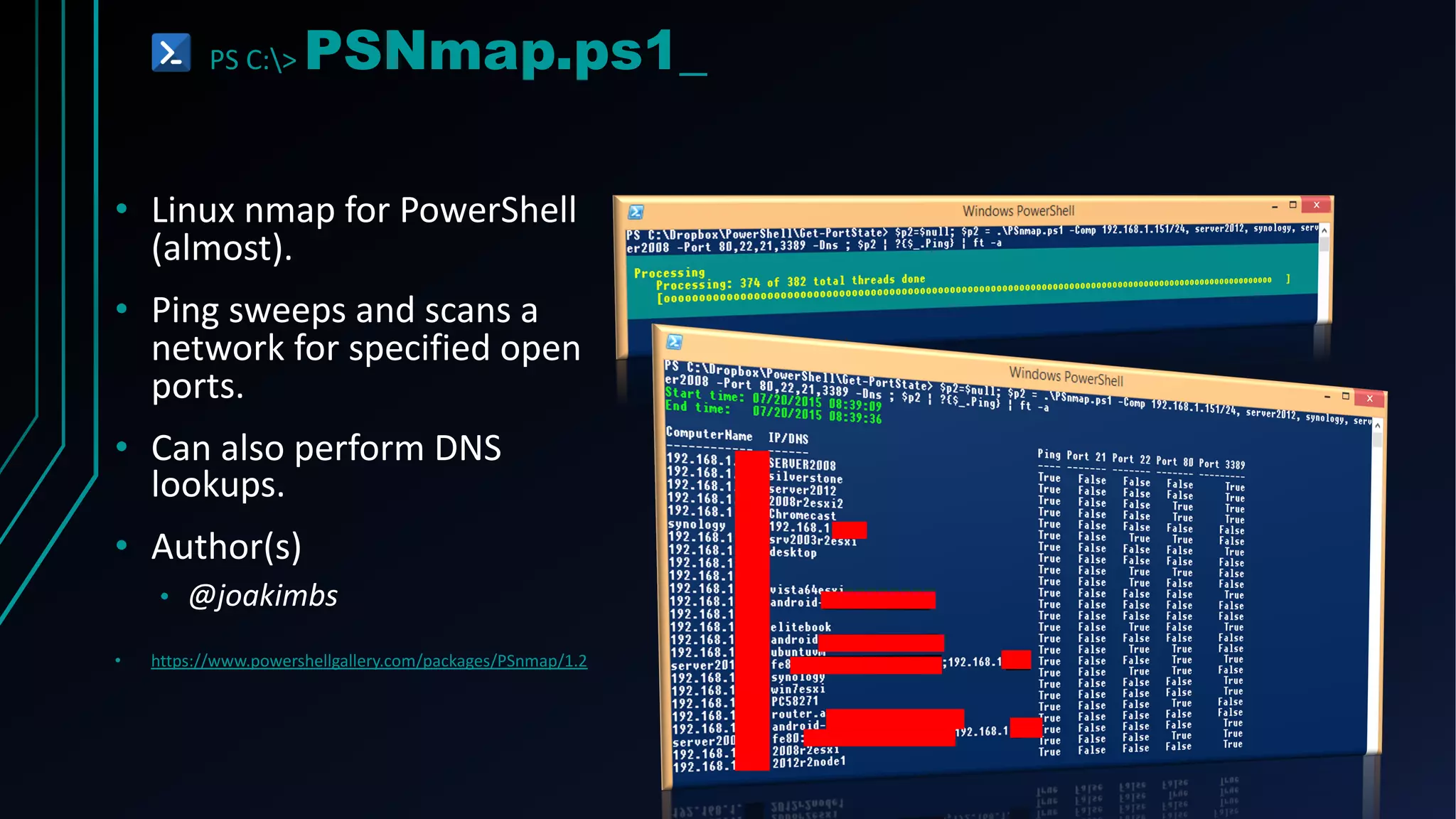
PS C:> PSNmap.ps1_
• Linux nmap for PowerShell
(almost).
• Ping sweeps and scans a
network for specified open
ports.
• Can also perform DNS
lookups.
• Author(s)
• @joakimbs
• https://www.powershellgallery.com/packages/PSnmap/1.2
PS C:> PowerMeta.ps1_
• Discover publicly available files
• Extract Metadata from them
• Can provide information about:
• The internal username schema
• System names
• Domain info
• Author(s):
• Beau Bullock (@dafthack)
• https://github.com/dafthack/PowerMeta
Full Names
Possible
Username
PS C:> OWAAttackFlow.ps1_
Starting With
Nothing and
100% Remote
Reconnaissance
OWA Target
Aquisition
Internal Domain
Enumeration
Username
Contention
Discovery
Username
Enumeration
Password
Spraying
Acquire Global
Address List
More Password
Spraying
2FA Bypass to
Search Email
Congratulation,
now you're
H4ck3R!!!
PS C:> MailSniper.ps1_
• Enumerate users/domain
• Password spray OWA/EWS
• Get Global Address List
• Search email for certain terms
• Passwords
• Find VPN info
• Reset 2FA keys or add new
device
• Author(s):
• Beau Bullock (@dafthack)
• https://github.com/dafthack/MailSniper
PS C:> Get-Attack.ps1
PPP – PHISHING POWERSHELL PAYLOADS
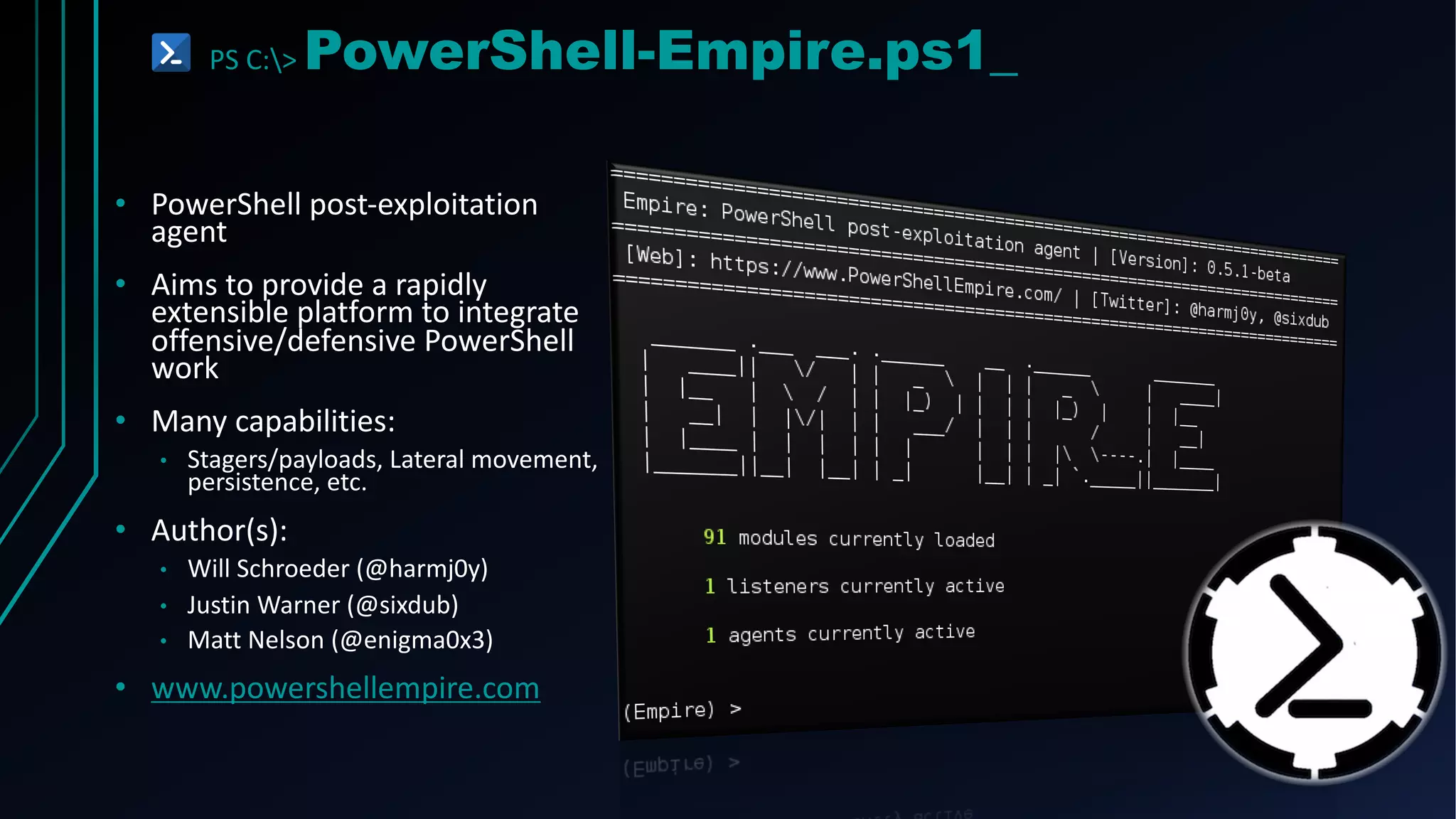
PS C:> PowerShell-Empire.ps1_
• PowerShell post-exploitation
agent
• Aims to provide a rapidly
extensible platform to integrate
offensive/defensive PowerShell
work
• Many capabilities:
• Stagers/payloads, Lateral movement,
persistence, etc.
• Author(s):
• Will Schroeder (@harmj0y)
• Justin Warner (@sixdub)
• Matt Nelson (@enigma0x3)
• www.powershellempire.com
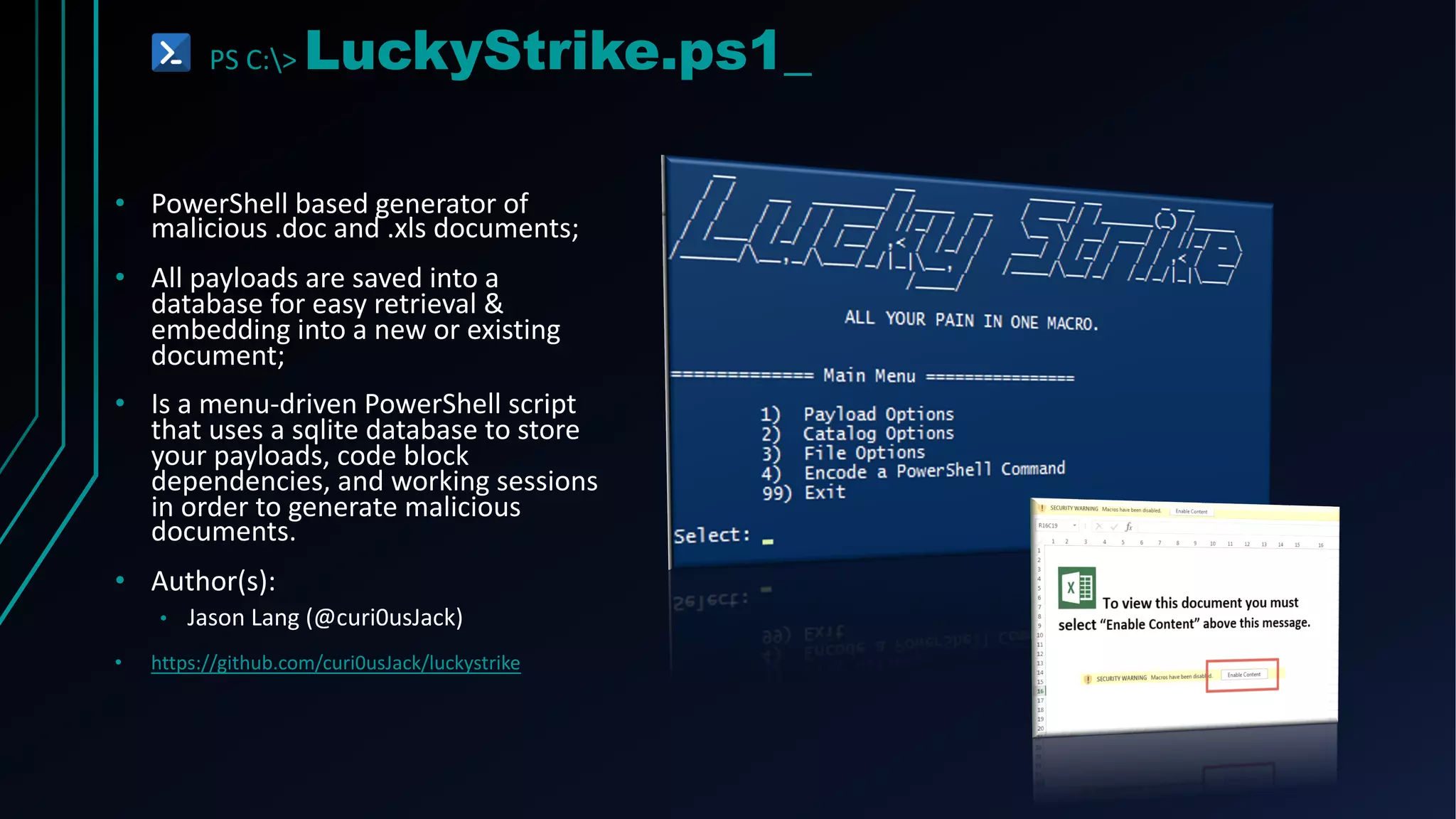
PS C:> LuckyStrike.ps1_
• PowerShell based generator of
malicious .doc and .xls documents;
• All payloads are saved into a
database for easy retrieval &
embedding into a new or existing
document;
• Is a menu-driven PowerShell script
that uses a sqlite database to store
your payloads, code block
dependencies, and working sessions
in order to generate malicious
documents.
• Author(s):
• Jason Lang (@curi0usJack)
• https://github.com/curi0usJack/luckystrike
PS C:> Get-Attack.ps1
COMMAND AND CONTROL
PS C:> Invoke-C&C.ps1_
• Powercat - PowerShell version of Netcat;
• Author(s):
• Mick Douglas (@besimorhino), Luke Baggett & Jesse
Davis (@secabstraction)
• https://github.com/secabstraction/PowerCat
• Invoke-PowerShellIcmp – C2 channel over ICMP
echoes and replies;
• Author(s):
• Nikhil Mittal (@samratashok)
• https://github.com/samratashok/nishang/blob/master/
Shells/Invoke- PowerShellIcmp.ps1
• Dnscat2-PowerShell – C2 channel over DNS
requests;
• Author(s):
• Ron Bowes (@iagox86)
• https://github.com/lukebaggett/dnscat2-powershell
PS C:> Get-Attack.ps1
PRIVILEGE ESCALATION
PS C:> PowerUp.ps1_
• Performs a number of
local privilege escalation
checks
• Checks for:
• Unquoted service paths
• Unattended Install Files
• Service Permissions
• Author(s):
• Will Schroeder (@harmj0y)
• https://github.com/PowerShellMafia/PowerSploit/tree/master/Privesc
PS C:> PowerUpSQL.ps1_
• SQL server discovery
• Audit weak configurations
• Perform privilege escalation to
obtain SA privileges
• Find sensitive data at scale
• Attacks Funcions:
• Invoke-SQLDumpInfo
• Invoke-SQLAudit
• Invoke-SQLEscalatePriv
• Author(s):
• ScottSutherland(@_nullbind)
• https://github.com/NetSPI/PowerUpSQL
PS C:> Get-Attack.ps1
DOMAIN EXPLOITATION
PS C:> Get-GPPPassword.ps1_
• Finds any passwords of
accounts set by GPP
• Usually the first thing I
check
• Almost always find an
admin password here
• Author(s):
• Chris Campbell (@obscuresec)
• https://github.com/PowerShellMafia/PowerSplo
it/blob/master/Exfiltration/Get-
GPPPassword.ps1
PS C:> BloodHound.ps1_
• Enumerates/Gathers:
• Local admins group on all systems
• Active user sessions on each
system
• Group membership information
• Domain trusts info
• Find a path to domain admin
• Authors(s):
• Andrew Robbins (@_wald0), Will
Schroeder (@harmj0y) and
Rohan Vazarkar (@CptJesus)
• https://github.com/BloodHoundAD/BloodHound
• https://github.com/SadProcessor/SomeStuff/blob/
master/BloodHoundw64_LTI.ps1 [Windows Edition]
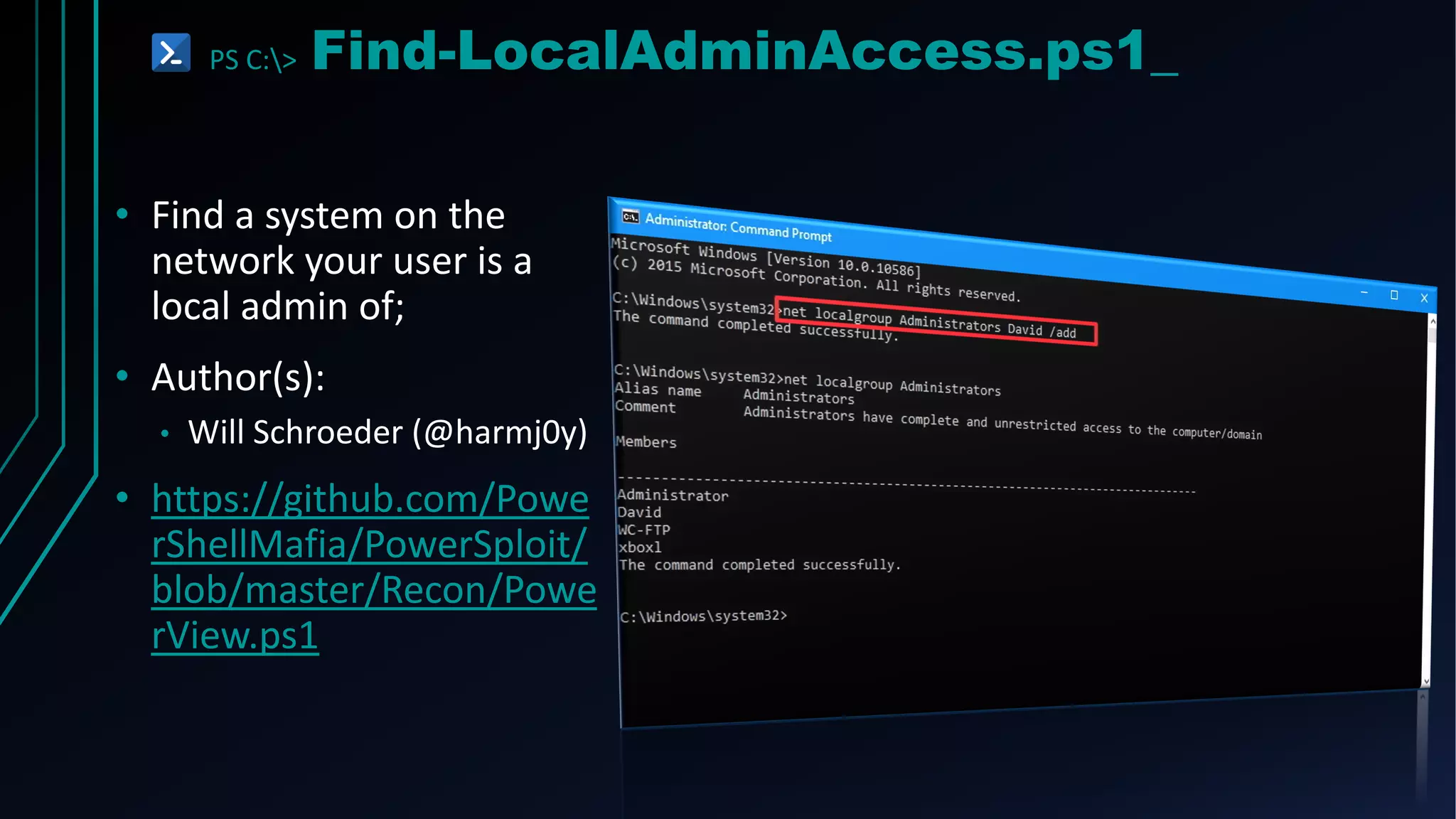
PS C:> Find-LocalAdminAccess.ps1_
• Find a system on the
network your user is a
local admin of;
• Author(s):
• Will Schroeder (@harmj0y)
• https://github.com/Powe
rShellMafia/PowerSploit/
blob/master/Recon/Powe
rView.ps1
PS C:> Find-LocalAdminAccess.ps1_
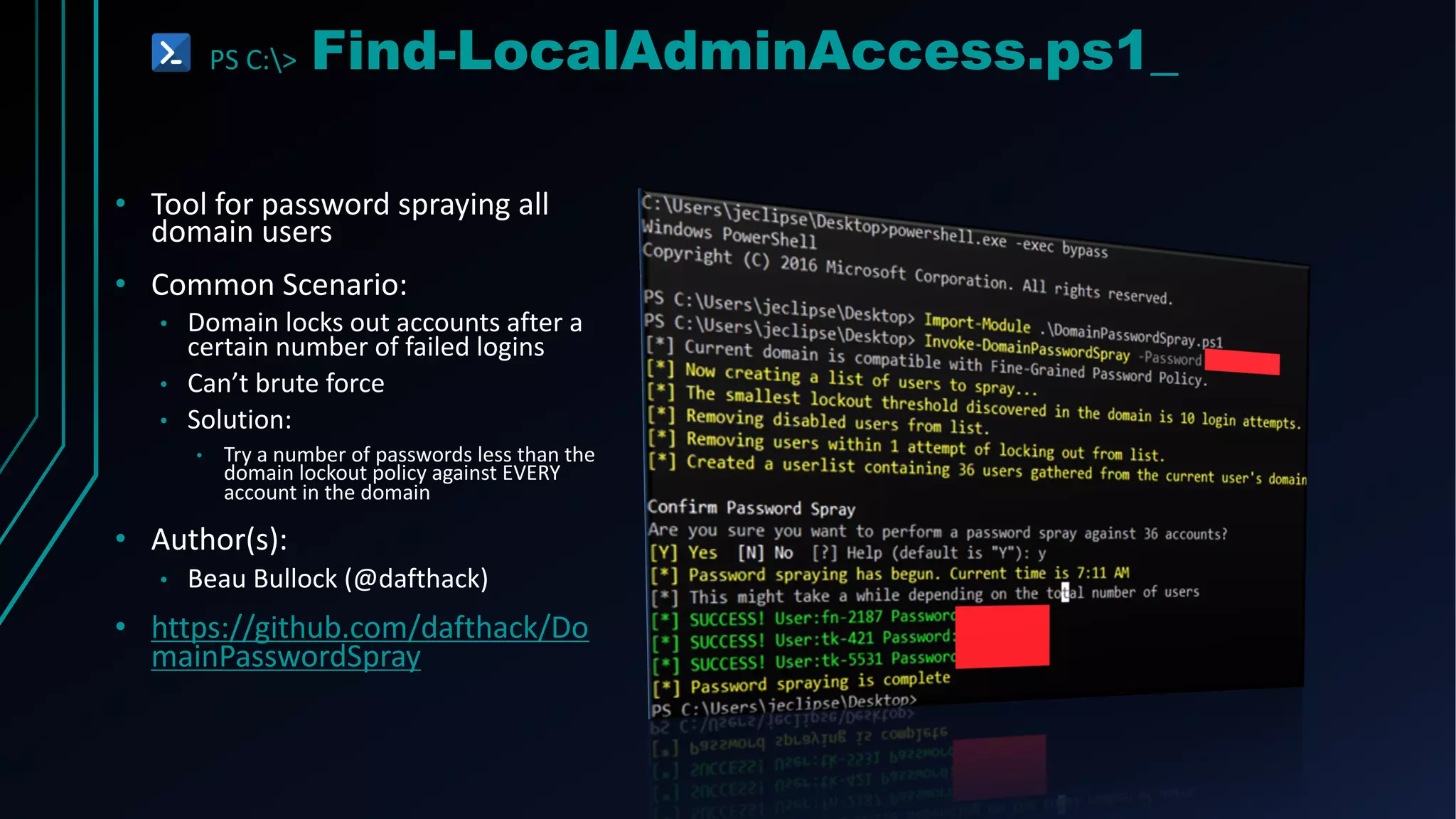
• Tool for password spraying all
domain users
• Common Scenario:
• Domain locks out accounts after a
certain number of failed logins
• Can’t brute force
• Solution:
• Try a number of passwords less than the
domain lockout policy against EVERY
account in the domain
• Author(s):
• Beau Bullock (@dafthack)
• https://github.com/dafthack/Do
mainPasswordSpray
PS C:> Get-Attack.ps1
POST EXPLOITATION
PS C:> Invoke-Mimikatz.ps1_
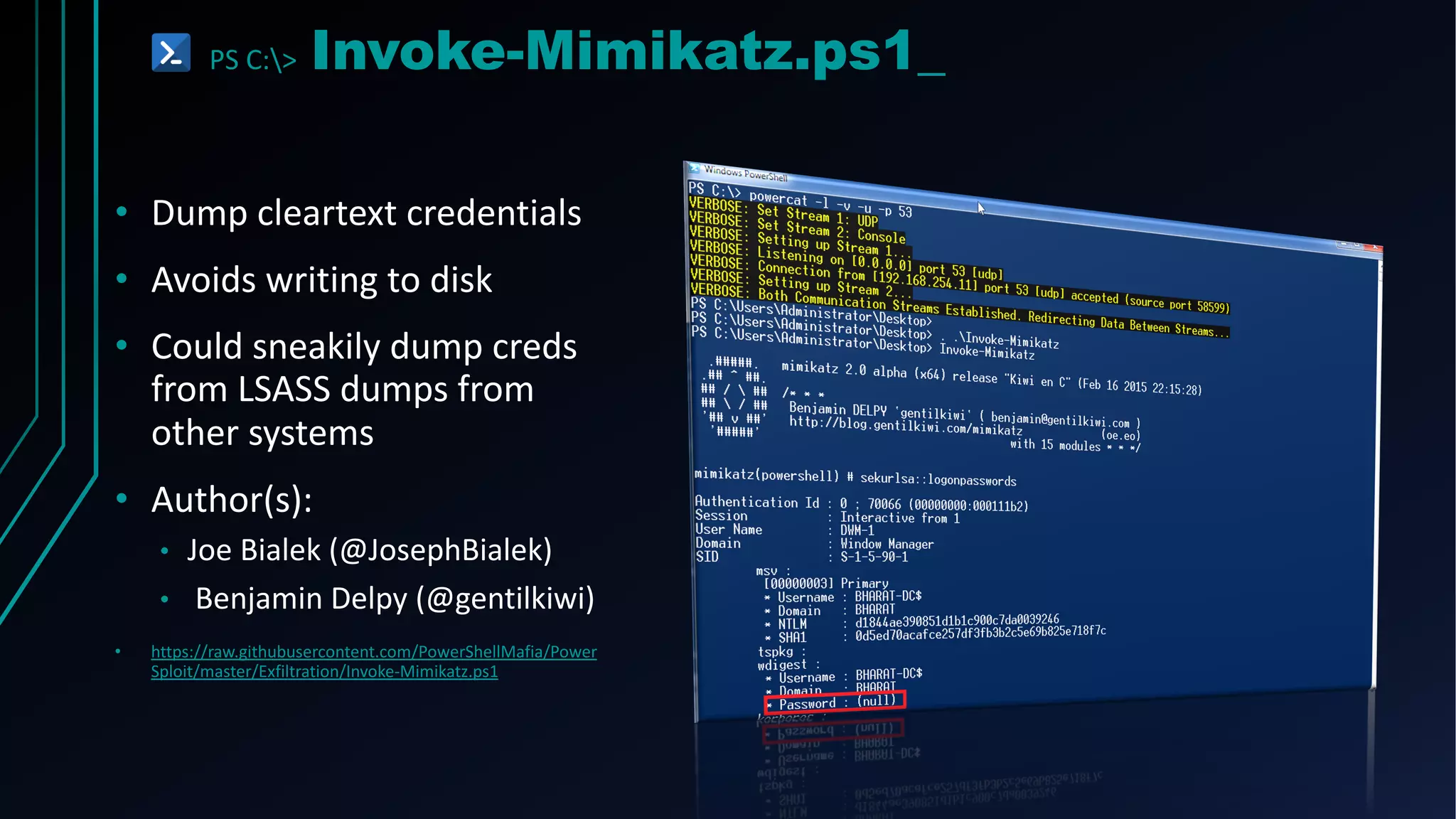
• Dump cleartext credentials
• Avoids writing to disk
• Could sneakily dump creds
from LSASS dumps from
other systems
• Author(s):
• Joe Bialek (@JosephBialek)
• Benjamin Delpy (@gentilkiwi)
• https://raw.githubusercontent.com/PowerShellMafia/Power
Sploit/master/Exfiltration/Invoke-Mimikatz.ps1
PS C:> Invoke-ShareFinder.ps1_
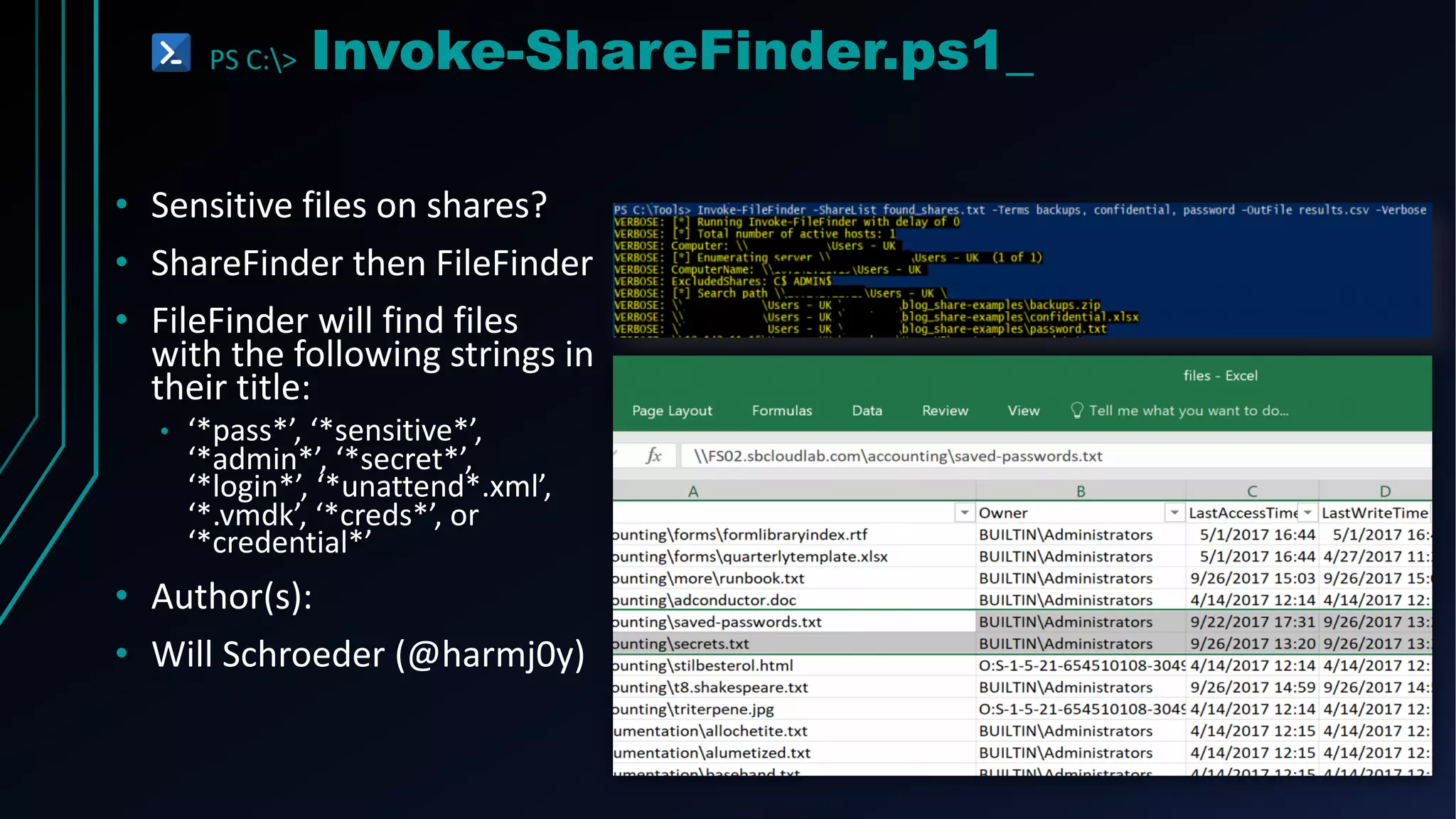
• Sensitive files on shares?
• ShareFinder then FileFinder
• FileFinder will find files
with the following strings in
their title:
• ‘*pass*’, ‘*sensitive*’,
‘*admin*’, ‘*secret*’,
‘*login*’, ‘*unattend*.xml’,
‘*.vmdk’, ‘*creds*’, or
‘*credential*’
• Author(s):
• Will Schroeder (@harmj0y)
PS C:> Invoke-Fr0mP0werT0Sh3ll.ps1
F#CK REPETITION!
PS C:> Get-P0werTricks.ps1_
Powershell
Without
Powershell
Execution
Policy
Bypass
Obfuscation
Payloads
CheatTools
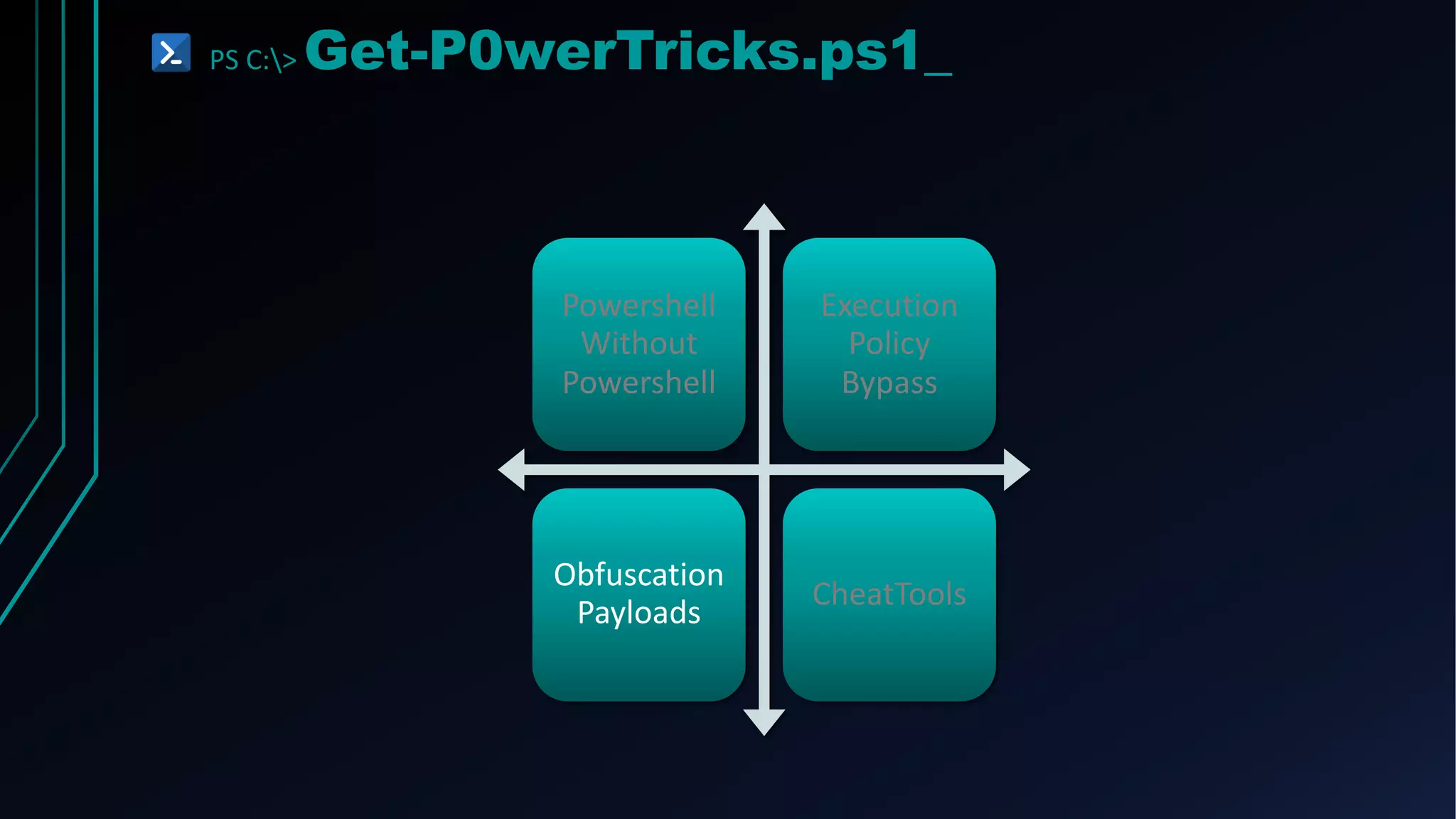
PS C:> Get-P0werTricks.ps1_
Powershell
Without
Powershell
Execution
Policy
Bypass
Obfuscation
Payloads
CheatTools
PS C:> PowerOps.exe_
• C# application that has many
• PowerShell scripts built in:
• PowerSploit
• Nishang
• GPPPassword
• Empire
• PowerCat
• Author(s):
• Rui Reis (@fdiskyou)
• https://github.com/fdiskyou/PowerOPS
PS C:> PowerShdll.ps1_
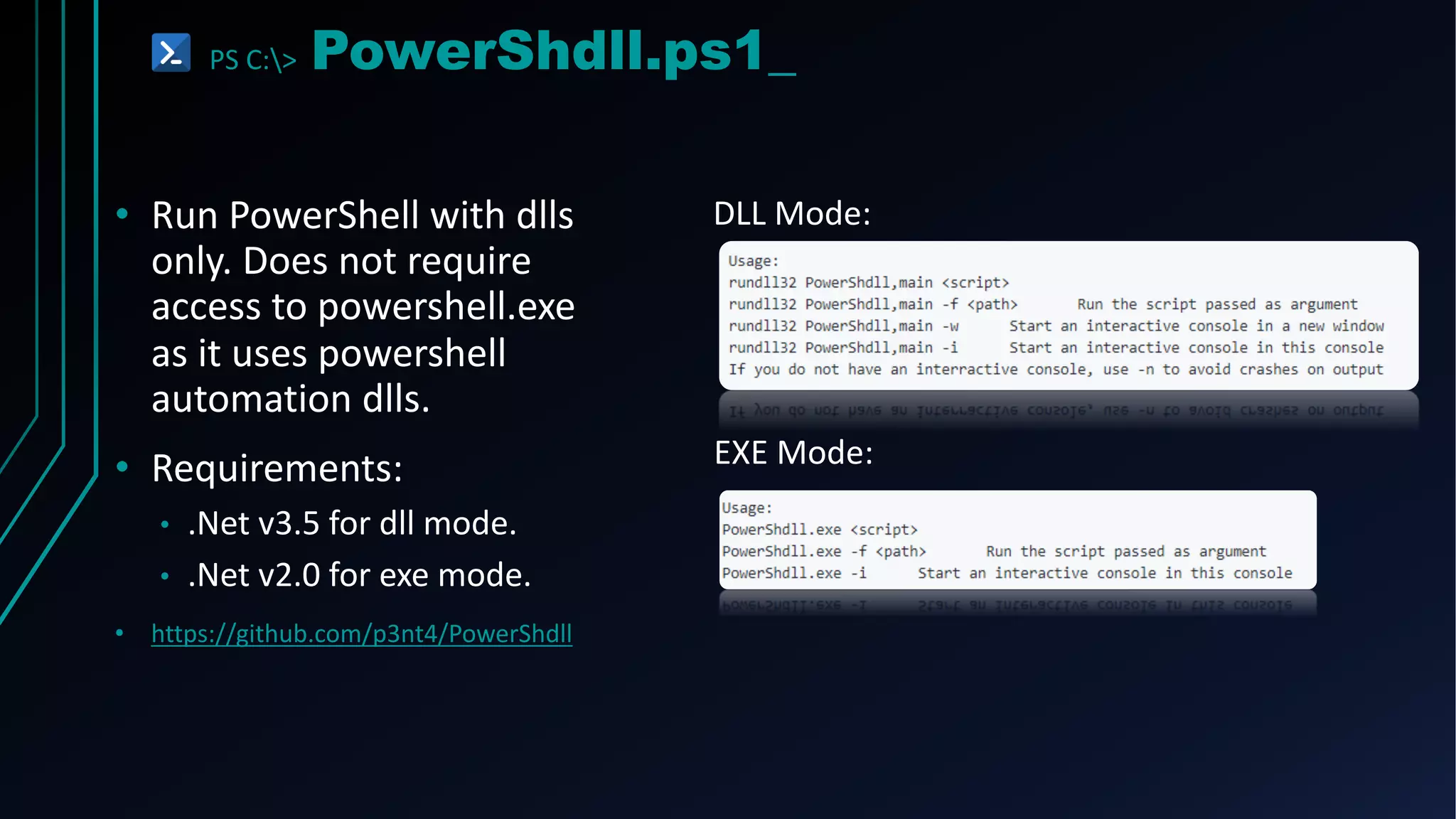
• Run PowerShell with dlls
only. Does not require
access to powershell.exe
as it uses powershell
automation dlls.
• Requirements:
• .Net v3.5 for dll mode.
• .Net v2.0 for exe mode.
• https://github.com/p3nt4/PowerShdll
DLL Mode:
EXE Mode:
PS C:> PowerLessShell.py_
• PowerLessShell rely on MSBuild.exe
to remotely execute PowerShell
scripts and commands without
spawning powershell.exe. You can
also execute raw shellcode using the
same approach.
• To add another layer of crap the
payload will copy msbuild.exe to
something random and build the
payload using the randomly
generated binary.
• You can provide -knownprocess switch to
use known Windows process name instead
of renaming MsBuild.exe to something
random
• https://github.com/Mr-Un1k0d3r/PowerLessShell
PS C:> Get-P0werTricks.ps1_
Powershell
Without
Powershell
Execution
Policy
Bypass
Obfuscation
Payloads
CheatTools
PS C:> Invoke-BypassExecutionPolicy.ps1_
• Paste the Script into an Interactive PowerShell Console:
• Use the Command Switch:
PS C:> Invoke-BypassExecutionPolicy.ps1_
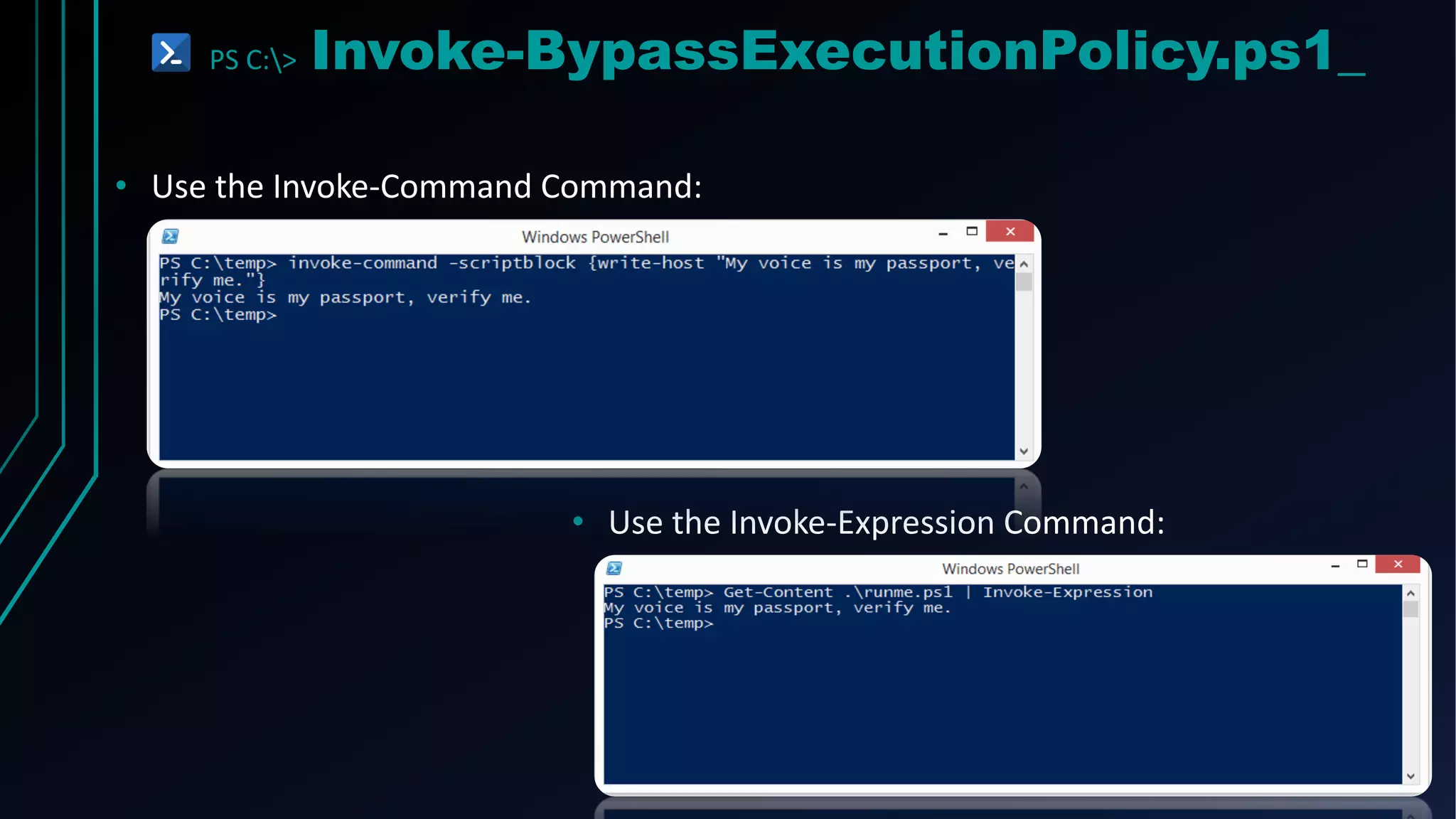
• Use the Invoke-Command Command:
• Use the Invoke-Expression Command:
PS C:> Invoke-BypassExecutionPolicy.ps1_
• Set the ExcutionPolicy for the CurrentUser Scope via the Registry
• https://blog.netspi.com/15-ways-to-bypass-the-
powershell-execution-policy/
• https://docs.microsoft.com/en-
us/powershell/module/microsoft.powershell.security/set-
executionpolicy?view=powershell-5.1
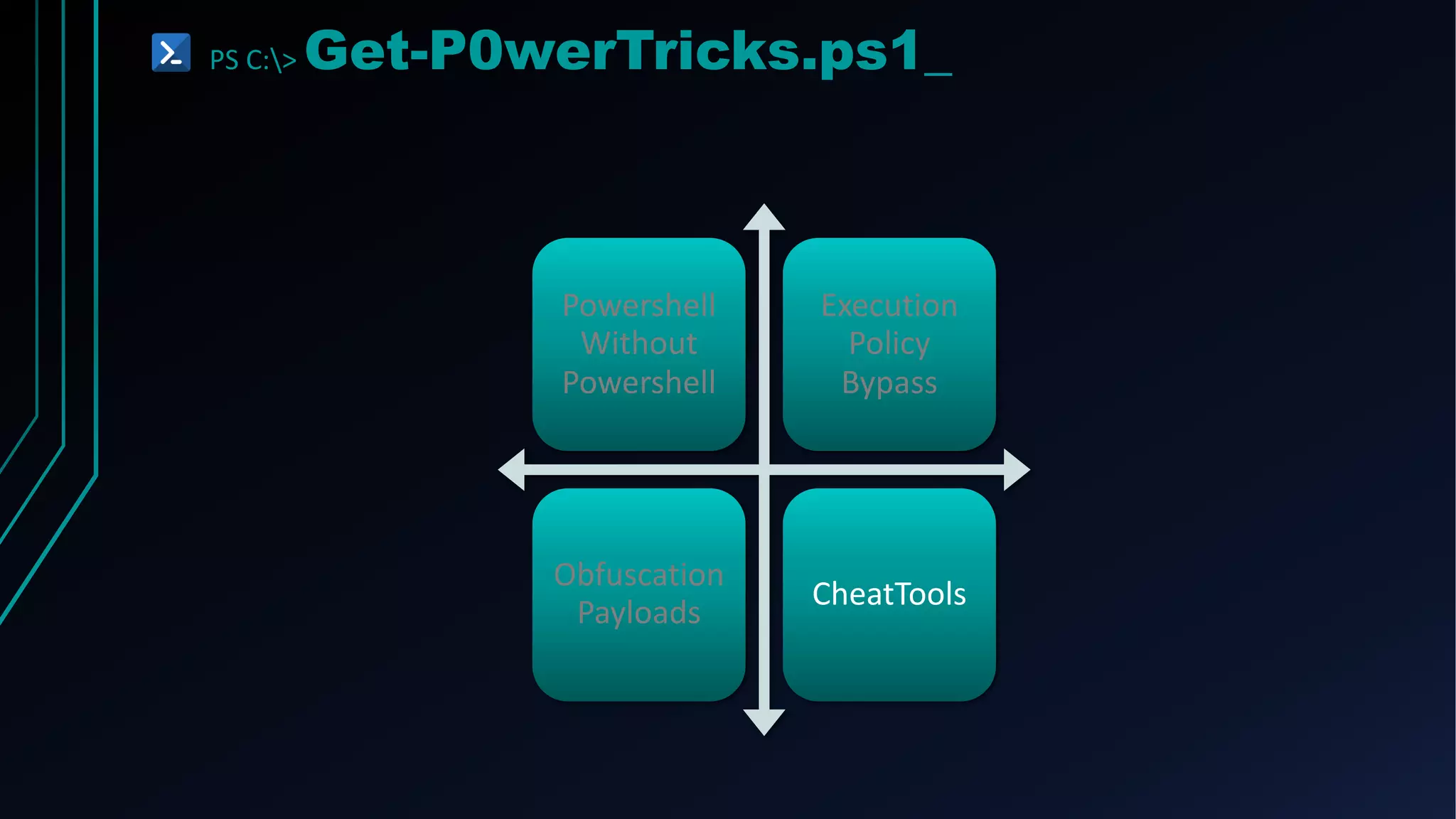
PS C:> Get-P0werTricks.ps1_
Powershell
Without
Powershell
Execution
Policy
Bypass
Obfuscation
Payloads
CheatTools
PS C:> S3t-0+‘B’+fu$C4t|0n.ps1_
• Command line args are what
most monitoring tools alert on
when powershell.exe is run
• ‘LeT’+’s’+’ob’+’FusCa’+’te’
• Encode, concatenate, reorder,
etc.
• Author(s):
• Daniel Bohannon (@danielbohannon)
• https://github.com/danielbohannon/Invoke-Obfuscation
PS C:> ISESteriods.ps1_
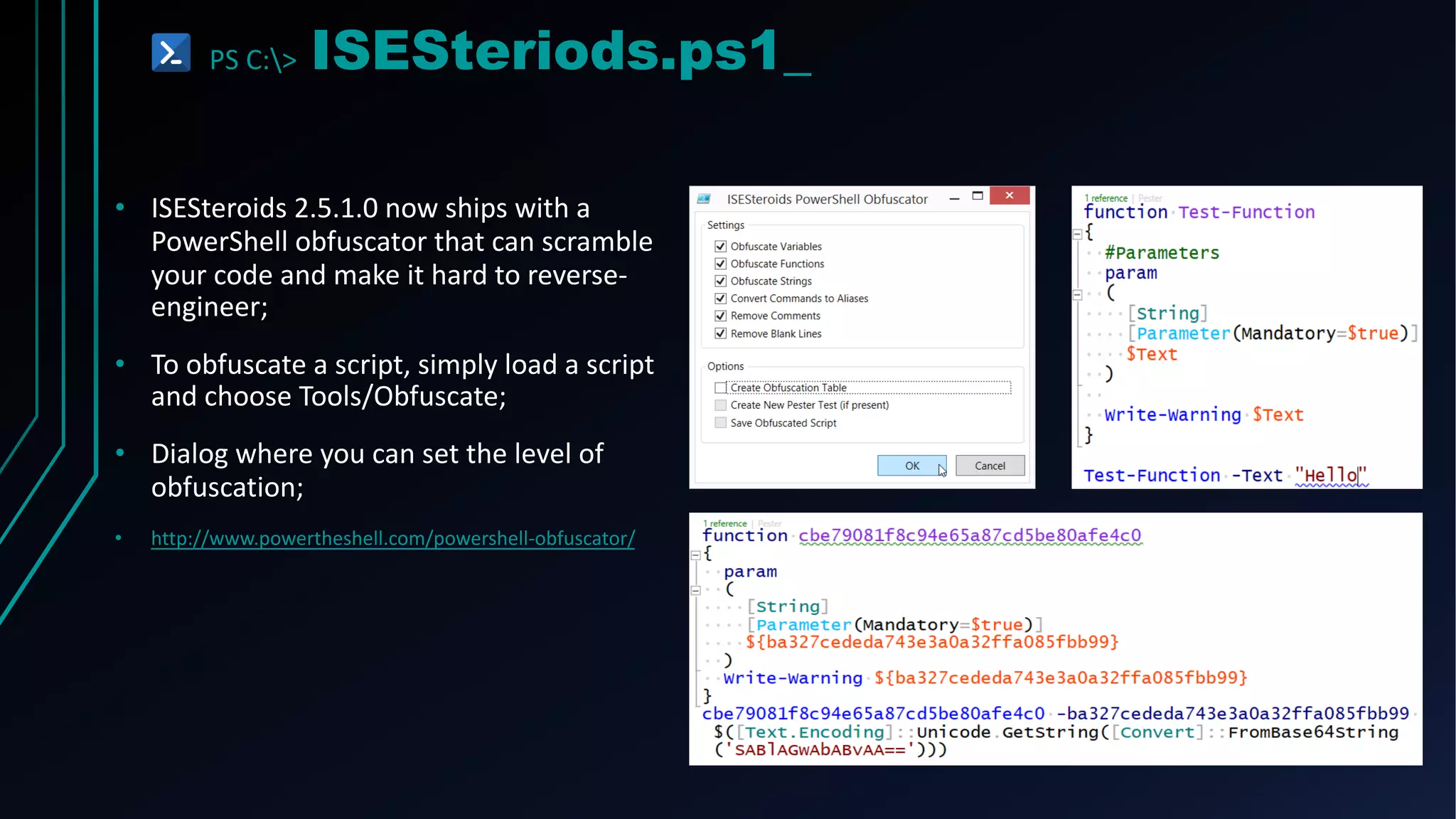
• ISESteroids 2.5.1.0 now ships with a
PowerShell obfuscator that can scramble
your code and make it hard to reverse-
engineer;
• To obfuscate a script, simply load a script
and choose Tools/Obfuscate;
• Dialog where you can set the level of
obfuscation;
• http://www.powertheshell.com/powershell-obfuscator/
PS C:> Get-P0werTricks.ps1_
Powershell
Without
Powershell
Execution
Policy
Bypass
Obfuscation
Payloads
CheatTools
PS C:> Nishang.ps1_
• Nishang is a framework and collection of
scripts and payloads which enables usage of
PowerShell for offensive security,
penetration testing and red teaming.
• Nishang is useful during all phases of
penetration testing.
• ActiveDirectory
• Antak - the Webshell
• Backdoor
• Bypass
• Clients
• Escalation
• MITM
• Pivot
• https://github.com/samratashok/nishang
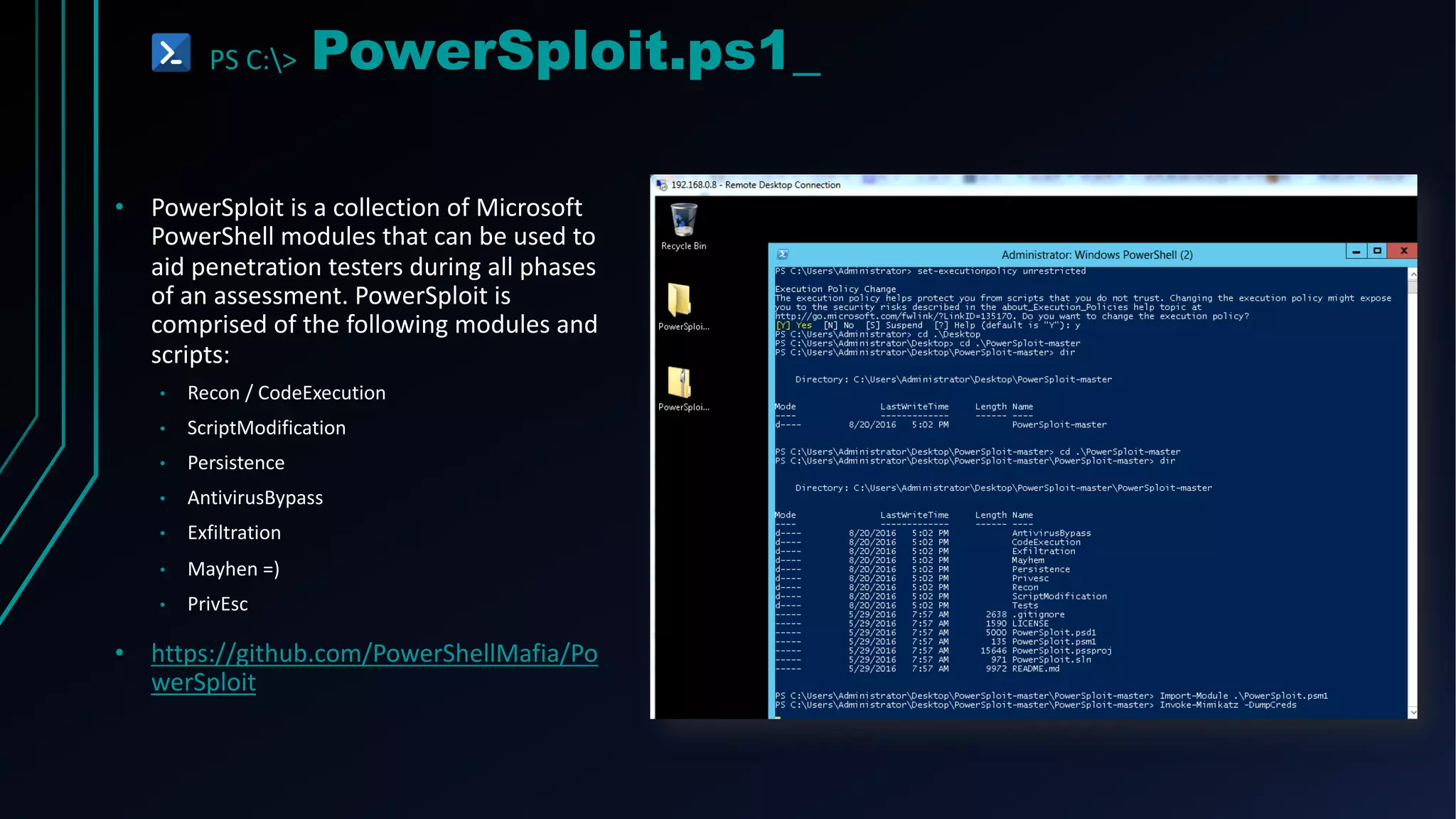
PS C:> PowerSploit.ps1_
• PowerSploit is a collection of Microsoft
PowerShell modules that can be used to
aid penetration testers during all phases
of an assessment. PowerSploit is
comprised of the following modules and
scripts:
• Recon / CodeExecution
• ScriptModification
• Persistence
• AntivirusBypass
• Exfiltration
• Mayhen =)
• PrivEsc
• https://github.com/PowerShellMafia/Po
werSploit
PS C:> PS>Attack.ps1_
• PS>Attack combines some of the best
projects in the infosec powershell
community into a self contained custom
PowerShell console.
• It's designed to make it easy to use
PowerShell offensively and to evade antivirus
and Incident Response teams.
• Contains over 100 commands for Privilege
Escalation, Recon and Data Exfilitration. It
does this by including the following modules
and commands:
• PowerSploit
• Nishang
• Powercat
• Inveigh
• Invoke-TheHash
• https://github.com/jaredhaight/PSAttack
PS C:> Get-Mitigation.ps1
SURPRISE, YOU’RE BUSTED!
DOU YOU REALLY?
PS C:> Get-Mitigation.ps1_
•cmd.exe
•PowerShell.exe
•PowerShell_ISE.exe
Disable:
Use AppWhitelisting.
Use Sysmon to monitor and alert for System.Management.Automation.dll
Could possibly disable csc.exe compilation tool.
Remove PowerShell v2 and Install PowerShell v5.
Constrained Language Mode
PS C:> Get-Mitigation.ps1_
• Possible Bypass!
Disable:
• Possible Bypass!
Use AppWhitelisting.
• Possible Bypass!
Use Sysmon to monitor and alert for System.Management.Automation.dll
• Dangerous!
Could possibly disable csc.exe compilation tool.
Remove PowerShell v2 and Install PowerShell v5.
• PS C:> $ExecutionContext.SessionState.LanguageMode = "ConstrainedLanguage"
Constrained Language Mode
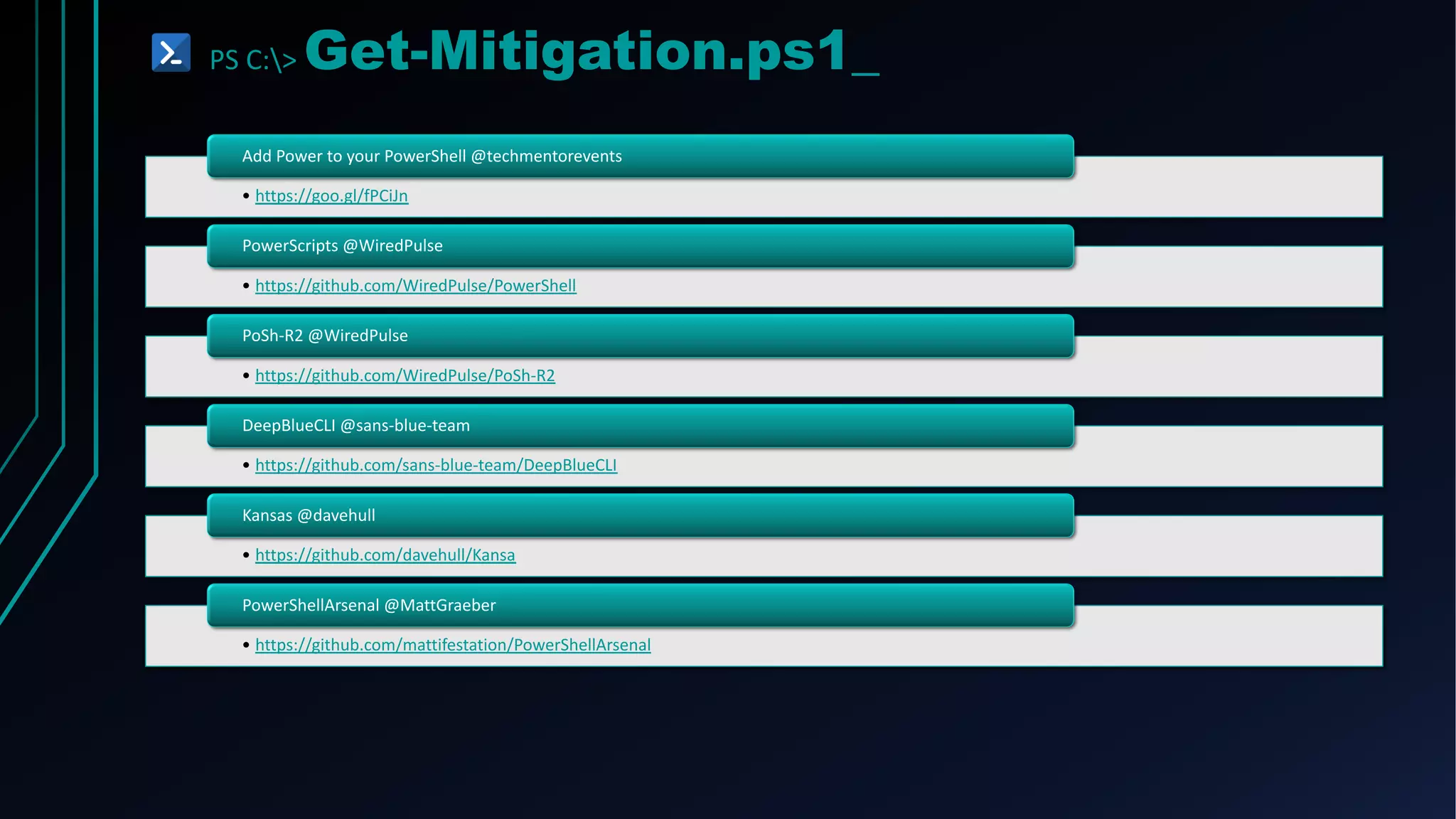
PS C:> Get-Mitigation.ps1_
• https://goo.gl/fPCiJn
Add Power to your PowerShell @techmentorevents
• https://github.com/WiredPulse/PowerShell
PowerScripts @WiredPulse
• https://github.com/WiredPulse/PoSh-R2
PoSh-R2 @WiredPulse
• https://github.com/sans-blue-team/DeepBlueCLI
DeepBlueCLI @sans-blue-team
• https://github.com/davehull/Kansa
Kansas @davehull
• https://github.com/mattifestation/PowerShellArsenal
PowerShellArsenal @MattGraeber
THAT’S ALL FOLKS!
Suggestions? Questions?
C6BANK.GUPY.IO
PORTAL DE VAGAS:
PS C:> Invoke-References.ps1_
• https://github.com/PowerShellMafia/PowerSp
loit/tree/dev/
• https://gallery.technet.microsoft.com/Net-
Cease-Blocking-Net-1e8dcb5b
• https://gallery.technet.microsoft.com/SAMRi1
0-Hardening-Remote-48d94b5b
• https://github.com/davehull/Kansa
• https://github.com/Invoke-IR/Uproot
• https://github.com/mattifestation/PowerShell
Arsenal
• https://github.com/mattifestation/PSReflect
• https://github.com/PowerShellEmpire/PowerT
ools/tree/master/PowerPick
• https://pt.slideshare.net/dafthack/pwning-
the-enterprise-with-powershell
• http://lockboxx.blogspot.com.br/2016/03/po
wershell-for-pentesters-course.html
• https://media.blackhat.com/eu-
13/briefings/Mittal/bh-eu-13-powershell-for-
penetration-mittal-slides.pdf
• https://www.psattack.com/presentations/get-
help-an-intro-to-powershell-and-how-to-use-
it-for-evil/
• https://pt.slideshare.net/harmj0y/catch-me-if-
you-can-powershell-red-vs-blue
• https://pt.slideshare.net/harmj0y/building-an-
empire-with-powershell
• https://www.youtube.com/watch?v=uE8IAxM
_BhE

From P0W3R to SH3LL

  • 1.
  • 2.
    PS C:> whoami.ps1_ •Arthur Paixão • Red Team Security Specialist – C6 Bank • Information Security - UNIFG • Analysis Systems Development – UNIBRATEC • Made in Recife #Oxem? #TuVisse? • Security Research at #RTFM
  • 3.
    PS C:> Powershell.exe KEEPCALM AND LEARN POWERSHELL
  • 4.
    PS C:> overview.ps1_ Whyuse Powershell? Native on Windows .NET Framework Easy to learn Execute code in memory Command- line Shell and Script PowerShell ISE
  • 5.
    PS C:> syntax-overview.ps1_ Poweliks Kovter(mshta or rundll + ActiveXObject) Registry: .ps1 .vbs .bat Scheduled task File: Word Excel Macros: PowerShell Remoting PsExec WMI Remotely:
  • 6.
  • 7.
    PS C:> syntax-overview.ps1_ OBJECTS Properties Methods ARRAYS $list= “From”, “Power”, “To”, “Shell” $list[0] $list[1] $list[2] $list[3] “From Power To Shell” CMDLETS Always in a “verb-noun” format get-process get-eventlog write-host set-clipboard
  • 8.
    PS C:> syntax-overview.ps1_ BasicCmdLets PowerShell PowerShell Alias CMD *nix Get-ChildItem ls, gci, dir dir ls Copy-Item cp, copy, cpi copy cp Move-Item move, mv, mi move mv Select-String sls find, findstr grep Get-Help man, help help man Get-Content cat, gcc, type type cat
  • 9.
    PS C:> syntax-overview.ps1_ •Creates a new resource New • Modifies an existing resource Set- • Retrieves an existing resource Get- • Gets information from a source, such as a file Read- • Used to look for an object Find- • Used to create a reference to a resource Search- • (asynchronous) begin an operation, such as starting a process Start- • (synchronous) perform an operation such as running a command Invoke-
  • 10.
    PS C:> syntax-verview.ps1_ Get-Help Defaultoutput isn’t really useful Get-Help ls –ex Get-Help ls -Full Get-Command Very useful for find cmdlet Get-Command Get-Help Get-Command Set-Acl
  • 11.
  • 12.
    PS C:> Invoke-BypassExecutionPolicy.ps1_ •Runme.ps1 • Write-Host "My voice is my passport, verify me."
  • 13.
    PS C:> Powershell.exe REDTEAM != BLUE TEAM
  • 14.
    PS C:> Get-Help-RedTeam.ps1_ •PowerShell is what the admins use to manage their infrastructure; • Standard on Windows 7 and up; • Microsoft is pushing more and more tasks into PowerShell; • PowerShell can be used in every part of the attack lifecycle; • Access to entire .NET and WMI frameworks; • Lots of very interesting offensive projects going on;
  • 15.
    PS C:> Get-Help-BlueTeam.ps1_ •It’s what the bad guys (RedTeams) are using; • There’s some really cool DFIR stuff going on with Powershell; • Module Logging (v3); • Script Block Logging (v5); • Full Transcription Logging (v2, impoved in v5); • Preventing and Monitore downgrade attacks; • Monitor and alert on certain strings/commands in command line arguments for powershell.exe • -EncodedCommand • (New-Object Net.WebClient).DownloadString PS C:> Get-Help-BlueTeam.ps1_ • It’s what the bad guys (RedTeams) are using; • There’s some really cool DFIR stuff going on with Powershell; • Module Logging (v3); • Script Block Logging (v5); • Full Transcription Logging (v2, impoved in v5); • Preventing and Monitore downgrade attacks; • Monitor and alert on certain strings/commands in command line arguments for powershell.exe • -EncodedCommand • (New-Object Net.WebClient).DownloadString
  • 16.
  • 17.
    PS C:> Get-Attack-Scenario.ps1_ Reconnaissance Scanning GainingAccess Maintaining Access Covering Tracks Reporting Scanning += Remote Attacks PPP – Phishing Powshell Payloads Command and Control Privilege Escalation Network Exploitation += Domain Exploitation Post Exploitation
  • 18.
  • 19.
    PS C:> PSNmap.ps1_ •Linux nmap for PowerShell (almost). • Ping sweeps and scans a network for specified open ports. • Can also perform DNS lookups. • Author(s) • @joakimbs • https://www.powershellgallery.com/packages/PSnmap/1.2
  • 20.
    PS C:> PowerMeta.ps1_ •Discover publicly available files • Extract Metadata from them • Can provide information about: • The internal username schema • System names • Domain info • Author(s): • Beau Bullock (@dafthack) • https://github.com/dafthack/PowerMeta Full Names Possible Username
  • 21.
    PS C:> OWAAttackFlow.ps1_ StartingWith Nothing and 100% Remote Reconnaissance OWA Target Aquisition Internal Domain Enumeration Username Contention Discovery Username Enumeration Password Spraying Acquire Global Address List More Password Spraying 2FA Bypass to Search Email Congratulation, now you're H4ck3R!!!
  • 22.
    PS C:> MailSniper.ps1_ •Enumerate users/domain • Password spray OWA/EWS • Get Global Address List • Search email for certain terms • Passwords • Find VPN info • Reset 2FA keys or add new device • Author(s): • Beau Bullock (@dafthack) • https://github.com/dafthack/MailSniper
  • 23.
    PS C:> Get-Attack.ps1 PPP– PHISHING POWERSHELL PAYLOADS
  • 24.
    PS C:> PowerShell-Empire.ps1_ •PowerShell post-exploitation agent • Aims to provide a rapidly extensible platform to integrate offensive/defensive PowerShell work • Many capabilities: • Stagers/payloads, Lateral movement, persistence, etc. • Author(s): • Will Schroeder (@harmj0y) • Justin Warner (@sixdub) • Matt Nelson (@enigma0x3) • www.powershellempire.com
  • 25.
    PS C:> LuckyStrike.ps1_ •PowerShell based generator of malicious .doc and .xls documents; • All payloads are saved into a database for easy retrieval & embedding into a new or existing document; • Is a menu-driven PowerShell script that uses a sqlite database to store your payloads, code block dependencies, and working sessions in order to generate malicious documents. • Author(s): • Jason Lang (@curi0usJack) • https://github.com/curi0usJack/luckystrike
  • 26.
  • 27.
    PS C:> Invoke-C&C.ps1_ •Powercat - PowerShell version of Netcat; • Author(s): • Mick Douglas (@besimorhino), Luke Baggett & Jesse Davis (@secabstraction) • https://github.com/secabstraction/PowerCat • Invoke-PowerShellIcmp – C2 channel over ICMP echoes and replies; • Author(s): • Nikhil Mittal (@samratashok) • https://github.com/samratashok/nishang/blob/master/ Shells/Invoke- PowerShellIcmp.ps1 • Dnscat2-PowerShell – C2 channel over DNS requests; • Author(s): • Ron Bowes (@iagox86) • https://github.com/lukebaggett/dnscat2-powershell
  • 28.
  • 29.
    PS C:> PowerUp.ps1_ •Performs a number of local privilege escalation checks • Checks for: • Unquoted service paths • Unattended Install Files • Service Permissions • Author(s): • Will Schroeder (@harmj0y) • https://github.com/PowerShellMafia/PowerSploit/tree/master/Privesc
  • 30.
    PS C:> PowerUpSQL.ps1_ •SQL server discovery • Audit weak configurations • Perform privilege escalation to obtain SA privileges • Find sensitive data at scale • Attacks Funcions: • Invoke-SQLDumpInfo • Invoke-SQLAudit • Invoke-SQLEscalatePriv • Author(s): • ScottSutherland(@_nullbind) • https://github.com/NetSPI/PowerUpSQL
  • 31.
  • 32.
    PS C:> Get-GPPPassword.ps1_ •Finds any passwords of accounts set by GPP • Usually the first thing I check • Almost always find an admin password here • Author(s): • Chris Campbell (@obscuresec) • https://github.com/PowerShellMafia/PowerSplo it/blob/master/Exfiltration/Get- GPPPassword.ps1
  • 33.
    PS C:> BloodHound.ps1_ •Enumerates/Gathers: • Local admins group on all systems • Active user sessions on each system • Group membership information • Domain trusts info • Find a path to domain admin • Authors(s): • Andrew Robbins (@_wald0), Will Schroeder (@harmj0y) and Rohan Vazarkar (@CptJesus) • https://github.com/BloodHoundAD/BloodHound • https://github.com/SadProcessor/SomeStuff/blob/ master/BloodHoundw64_LTI.ps1 [Windows Edition]
  • 34.
    PS C:> Find-LocalAdminAccess.ps1_ •Find a system on the network your user is a local admin of; • Author(s): • Will Schroeder (@harmj0y) • https://github.com/Powe rShellMafia/PowerSploit/ blob/master/Recon/Powe rView.ps1
  • 35.
    PS C:> Find-LocalAdminAccess.ps1_ •Tool for password spraying all domain users • Common Scenario: • Domain locks out accounts after a certain number of failed logins • Can’t brute force • Solution: • Try a number of passwords less than the domain lockout policy against EVERY account in the domain • Author(s): • Beau Bullock (@dafthack) • https://github.com/dafthack/Do mainPasswordSpray
  • 36.
  • 37.
    PS C:> Invoke-Mimikatz.ps1_ •Dump cleartext credentials • Avoids writing to disk • Could sneakily dump creds from LSASS dumps from other systems • Author(s): • Joe Bialek (@JosephBialek) • Benjamin Delpy (@gentilkiwi) • https://raw.githubusercontent.com/PowerShellMafia/Power Sploit/master/Exfiltration/Invoke-Mimikatz.ps1
  • 38.
    PS C:> Invoke-ShareFinder.ps1_ •Sensitive files on shares? • ShareFinder then FileFinder • FileFinder will find files with the following strings in their title: • ‘*pass*’, ‘*sensitive*’, ‘*admin*’, ‘*secret*’, ‘*login*’, ‘*unattend*.xml’, ‘*.vmdk’, ‘*creds*’, or ‘*credential*’ • Author(s): • Will Schroeder (@harmj0y)
  • 39.
  • 40.
  • 41.
  • 42.
    PS C:> PowerOps.exe_ •C# application that has many • PowerShell scripts built in: • PowerSploit • Nishang • GPPPassword • Empire • PowerCat • Author(s): • Rui Reis (@fdiskyou) • https://github.com/fdiskyou/PowerOPS
  • 43.
    PS C:> PowerShdll.ps1_ •Run PowerShell with dlls only. Does not require access to powershell.exe as it uses powershell automation dlls. • Requirements: • .Net v3.5 for dll mode. • .Net v2.0 for exe mode. • https://github.com/p3nt4/PowerShdll DLL Mode: EXE Mode:
  • 44.
    PS C:> PowerLessShell.py_ •PowerLessShell rely on MSBuild.exe to remotely execute PowerShell scripts and commands without spawning powershell.exe. You can also execute raw shellcode using the same approach. • To add another layer of crap the payload will copy msbuild.exe to something random and build the payload using the randomly generated binary. • You can provide -knownprocess switch to use known Windows process name instead of renaming MsBuild.exe to something random • https://github.com/Mr-Un1k0d3r/PowerLessShell
  • 45.
  • 46.
    PS C:> Invoke-BypassExecutionPolicy.ps1_ •Paste the Script into an Interactive PowerShell Console: • Use the Command Switch:
  • 47.
    PS C:> Invoke-BypassExecutionPolicy.ps1_ •Use the Invoke-Command Command: • Use the Invoke-Expression Command:
  • 48.
    PS C:> Invoke-BypassExecutionPolicy.ps1_ •Set the ExcutionPolicy for the CurrentUser Scope via the Registry • https://blog.netspi.com/15-ways-to-bypass-the- powershell-execution-policy/ • https://docs.microsoft.com/en- us/powershell/module/microsoft.powershell.security/set- executionpolicy?view=powershell-5.1
  • 49.
  • 50.
    PS C:> S3t-0+‘B’+fu$C4t|0n.ps1_ •Command line args are what most monitoring tools alert on when powershell.exe is run • ‘LeT’+’s’+’ob’+’FusCa’+’te’ • Encode, concatenate, reorder, etc. • Author(s): • Daniel Bohannon (@danielbohannon) • https://github.com/danielbohannon/Invoke-Obfuscation
  • 51.
    PS C:> ISESteriods.ps1_ •ISESteroids 2.5.1.0 now ships with a PowerShell obfuscator that can scramble your code and make it hard to reverse- engineer; • To obfuscate a script, simply load a script and choose Tools/Obfuscate; • Dialog where you can set the level of obfuscation; • http://www.powertheshell.com/powershell-obfuscator/
  • 52.
  • 53.
    PS C:> Nishang.ps1_ •Nishang is a framework and collection of scripts and payloads which enables usage of PowerShell for offensive security, penetration testing and red teaming. • Nishang is useful during all phases of penetration testing. • ActiveDirectory • Antak - the Webshell • Backdoor • Bypass • Clients • Escalation • MITM • Pivot • https://github.com/samratashok/nishang
  • 54.
    PS C:> PowerSploit.ps1_ •PowerSploit is a collection of Microsoft PowerShell modules that can be used to aid penetration testers during all phases of an assessment. PowerSploit is comprised of the following modules and scripts: • Recon / CodeExecution • ScriptModification • Persistence • AntivirusBypass • Exfiltration • Mayhen =) • PrivEsc • https://github.com/PowerShellMafia/Po werSploit
  • 55.
    PS C:> PS>Attack.ps1_ •PS>Attack combines some of the best projects in the infosec powershell community into a self contained custom PowerShell console. • It's designed to make it easy to use PowerShell offensively and to evade antivirus and Incident Response teams. • Contains over 100 commands for Privilege Escalation, Recon and Data Exfilitration. It does this by including the following modules and commands: • PowerSploit • Nishang • Powercat • Inveigh • Invoke-TheHash • https://github.com/jaredhaight/PSAttack
  • 56.
    PS C:> Get-Mitigation.ps1 SURPRISE,YOU’RE BUSTED! DOU YOU REALLY?
  • 57.
    PS C:> Get-Mitigation.ps1_ •cmd.exe •PowerShell.exe •PowerShell_ISE.exe Disable: UseAppWhitelisting. Use Sysmon to monitor and alert for System.Management.Automation.dll Could possibly disable csc.exe compilation tool. Remove PowerShell v2 and Install PowerShell v5. Constrained Language Mode
  • 58.
    PS C:> Get-Mitigation.ps1_ •Possible Bypass! Disable: • Possible Bypass! Use AppWhitelisting. • Possible Bypass! Use Sysmon to monitor and alert for System.Management.Automation.dll • Dangerous! Could possibly disable csc.exe compilation tool. Remove PowerShell v2 and Install PowerShell v5. • PS C:> $ExecutionContext.SessionState.LanguageMode = "ConstrainedLanguage" Constrained Language Mode
  • 59.
    PS C:> Get-Mitigation.ps1_ •https://goo.gl/fPCiJn Add Power to your PowerShell @techmentorevents • https://github.com/WiredPulse/PowerShell PowerScripts @WiredPulse • https://github.com/WiredPulse/PoSh-R2 PoSh-R2 @WiredPulse • https://github.com/sans-blue-team/DeepBlueCLI DeepBlueCLI @sans-blue-team • https://github.com/davehull/Kansa Kansas @davehull • https://github.com/mattifestation/PowerShellArsenal PowerShellArsenal @MattGraeber
  • 60.
  • 61.
  • 62.
    PS C:> Invoke-References.ps1_ •https://github.com/PowerShellMafia/PowerSp loit/tree/dev/ • https://gallery.technet.microsoft.com/Net- Cease-Blocking-Net-1e8dcb5b • https://gallery.technet.microsoft.com/SAMRi1 0-Hardening-Remote-48d94b5b • https://github.com/davehull/Kansa • https://github.com/Invoke-IR/Uproot • https://github.com/mattifestation/PowerShell Arsenal • https://github.com/mattifestation/PSReflect • https://github.com/PowerShellEmpire/PowerT ools/tree/master/PowerPick • https://pt.slideshare.net/dafthack/pwning- the-enterprise-with-powershell • http://lockboxx.blogspot.com.br/2016/03/po wershell-for-pentesters-course.html • https://media.blackhat.com/eu- 13/briefings/Mittal/bh-eu-13-powershell-for- penetration-mittal-slides.pdf • https://www.psattack.com/presentations/get- help-an-intro-to-powershell-and-how-to-use- it-for-evil/ • https://pt.slideshare.net/harmj0y/catch-me-if- you-can-powershell-red-vs-blue • https://pt.slideshare.net/harmj0y/building-an- empire-with-powershell • https://www.youtube.com/watch?v=uE8IAxM _BhE