Create a free forum and attach it to your blog
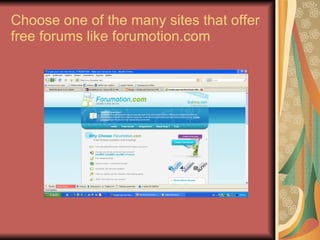
Choose one of the many sites that offer free forums like forumotion.com
Click   FREE FORUM Select the template you prefer Fill all the necessary information.  You will need an e-mail and an administation password You have to choose a URL for your new forum Your forum is ready !!!
Attach it to your blog !!! The easiest way is to make a post with the image of your forum which will be a link to your forum like we did in our etwinning blog !! Press PrintScr when your are at the first page of your forum Open a New file at Adobe Photoshop.  Choose Edit    Paste and your forum will appear as an image Choose Image ->Image size and select a smaller by typing 300 px at Width and 188 at Height.Press OK Save As a jpg picture
Make a new post to your blog and insert your new jpg picture Write a phrase and convert it to a link to your forum Your new forum is ready !!!

Forum

  • 1.
    Create a freeforum and attach it to your blog
  • 2.
    Choose one ofthe many sites that offer free forums like forumotion.com
  • 3.
    Click FREE FORUM Select the template you prefer Fill all the necessary information. You will need an e-mail and an administation password You have to choose a URL for your new forum Your forum is ready !!!
  • 4.
    Attach it toyour blog !!! The easiest way is to make a post with the image of your forum which will be a link to your forum like we did in our etwinning blog !! Press PrintScr when your are at the first page of your forum Open a New file at Adobe Photoshop. Choose Edit  Paste and your forum will appear as an image Choose Image ->Image size and select a smaller by typing 300 px at Width and 188 at Height.Press OK Save As a jpg picture
  • 5.
    Make a newpost to your blog and insert your new jpg picture Write a phrase and convert it to a link to your forum Your new forum is ready !!!