WorkingfromHome usingFortinetSSLVPN withSingle-On
NASEEMKHOODORUTH 1
FORTINET
Contents
FORTINET...................................................................................................................................................................1
Enable FSSOfor Single-On.......................................................................................................................................2
Active Directory - create group forVPN Users...........................................................................................................6
How to setup SSL VPN on the firewall ......................................................................................................................7
How to configure client for User to connect via SSL VPN.............................................................................................10
WorkingfromHome usingFortinetSSLVPN withSingle-On
NASEEMKHOODORUTH 2
Enable FSSO for Single-On
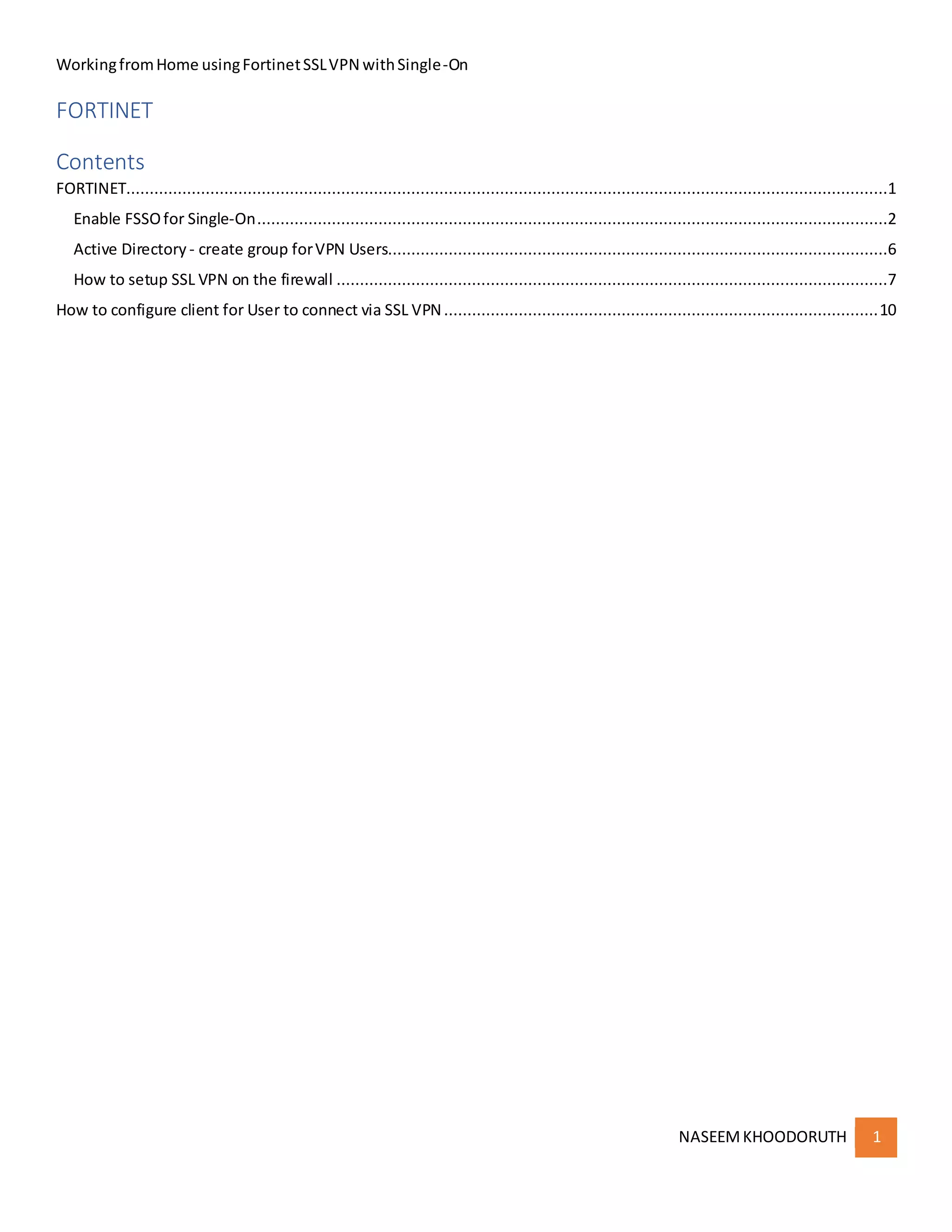
DownloadandInstall the FSMO(I use FSSO_Setup_5.0.0276_x64, downloadfromthe customerportal)
Configurationguide: https://docs.fortinet.com/document/fortigate/6.0.0/cookbook/573568/installing-the-fsso-agent
Installationmode DCAgent
WorkingfromHome usingFortinetSSLVPN withSingle-On
NASEEMKHOODORUTH 3
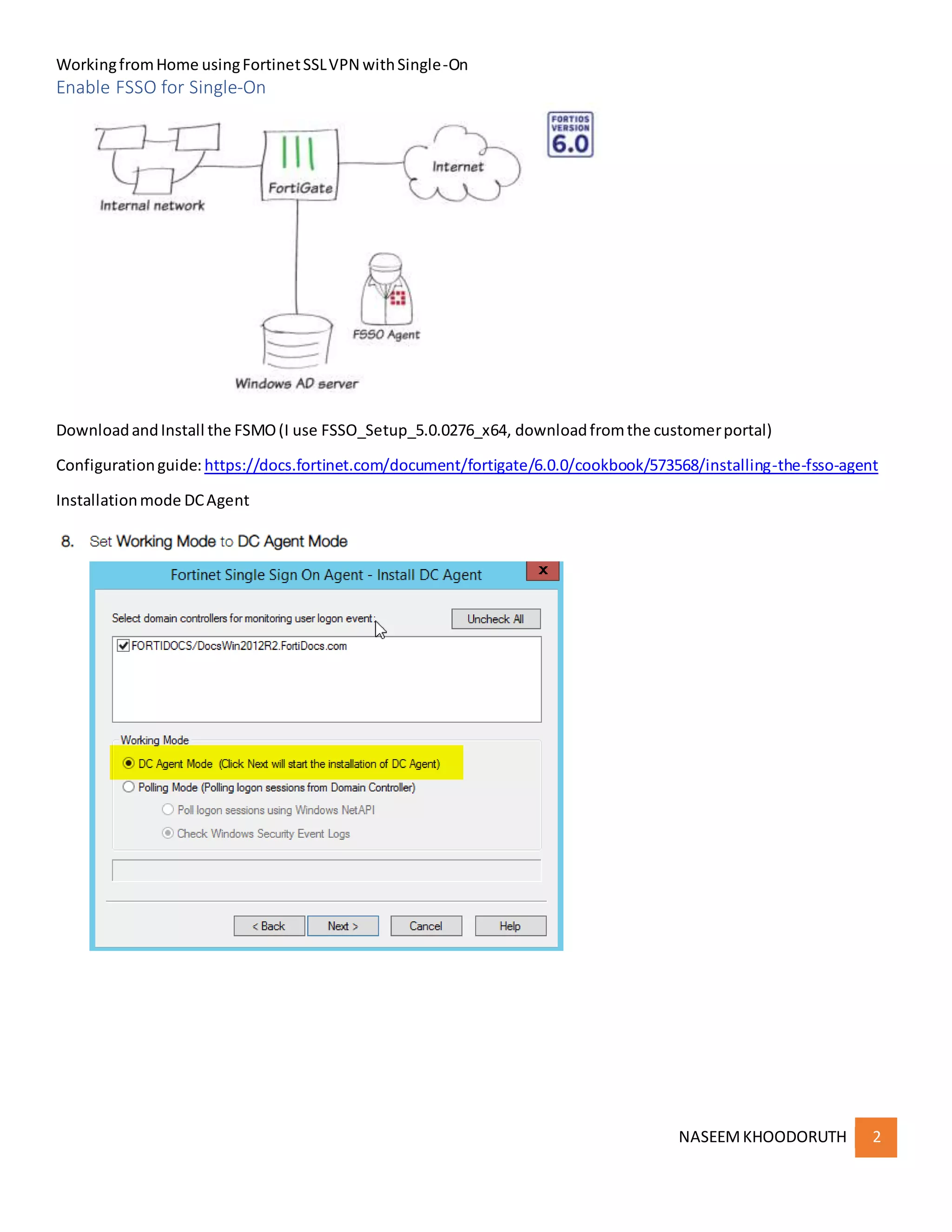
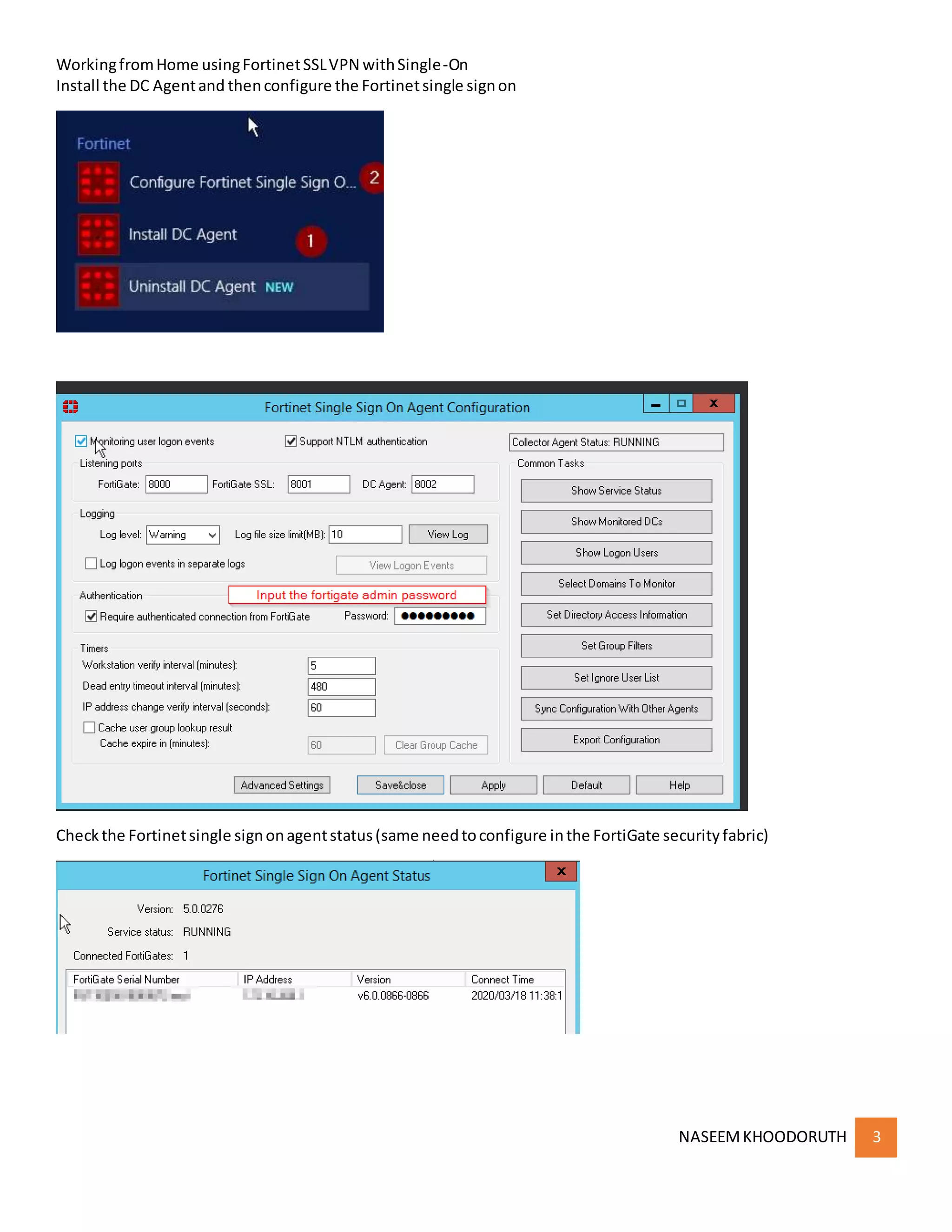
Install the DC Agentand thenconfigure the Fortinetsingle signon
Checkthe Fortinetsingle signonagentstatus(same needtoconfigure inthe FortiGate securityfabric)
WorkingfromHome usingFortinetSSLVPN withSingle-On
NASEEMKHOODORUTH 4
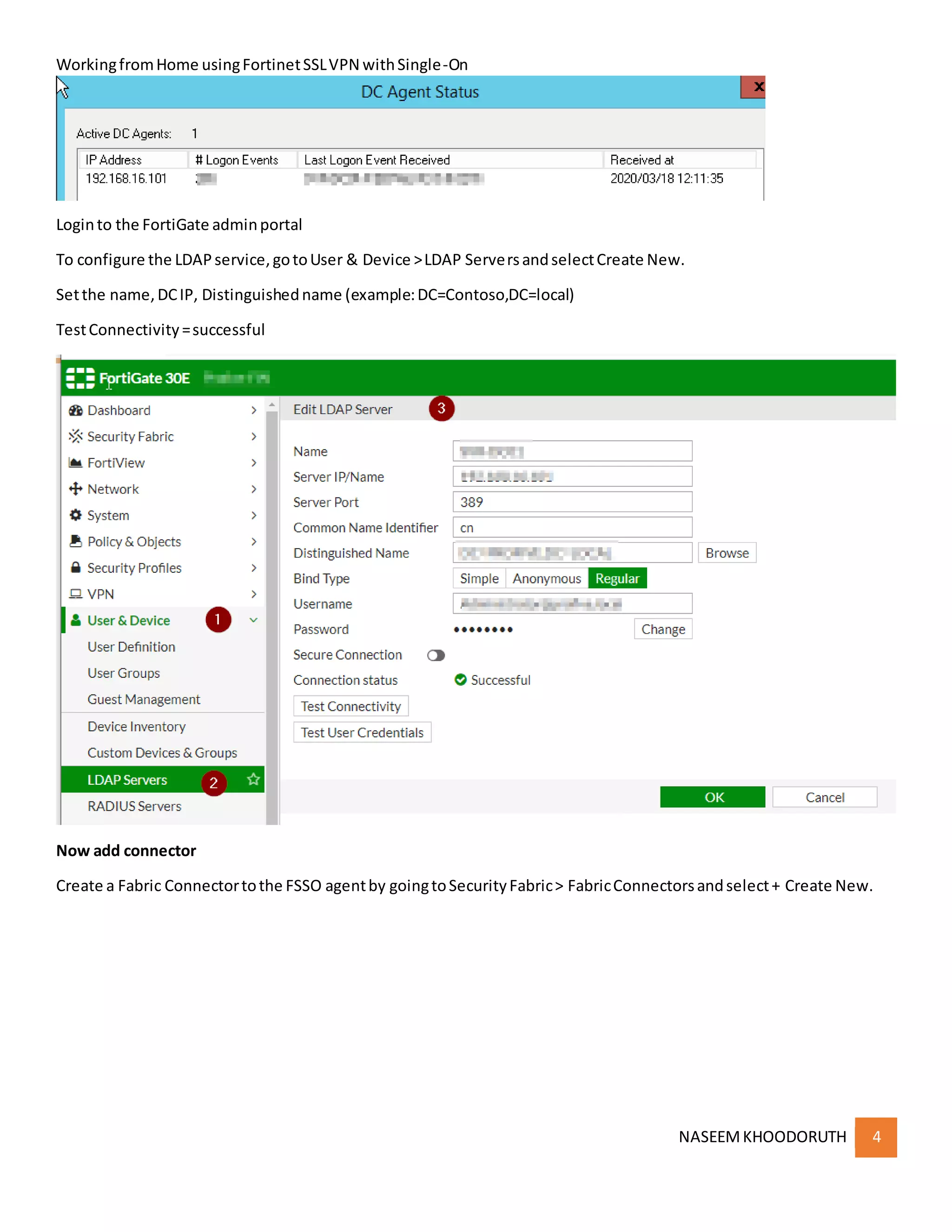
Loginto the FortiGate adminportal
To configure the LDAPservice,gotoUser & Device >LDAP ServersandselectCreate New.
Setthe name,DCIP, Distinguishedname (example:DC=Contoso,DC=local)
TestConnectivity=successful
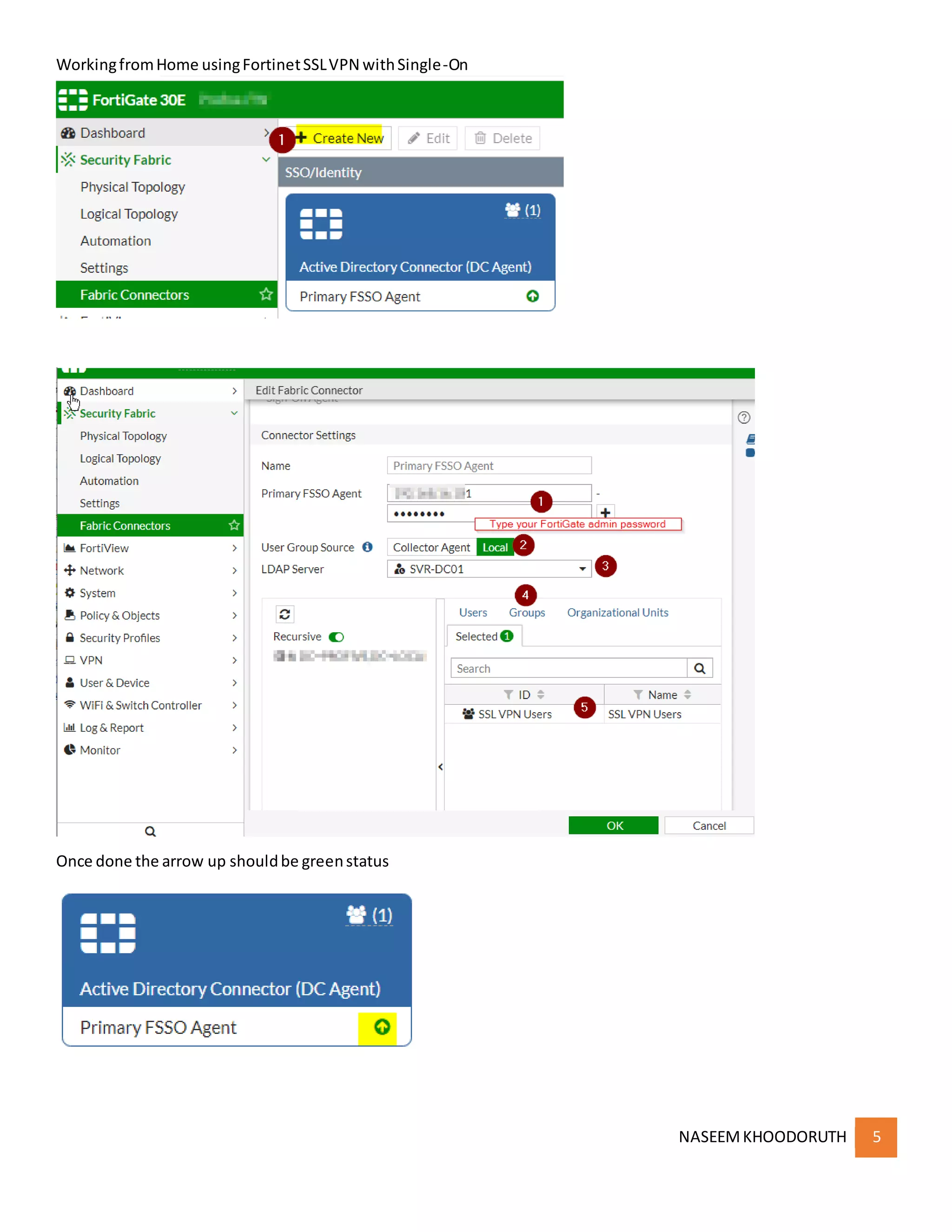
Now add connector
Create a Fabric Connectortothe FSSO agentby goingtoSecurityFabric> FabricConnectorsandselect+ Create New.
WorkingfromHome usingFortinetSSLVPN withSingle-On
NASEEMKHOODORUTH 5
Once done the arrow up shouldbe greenstatus
WorkingfromHome usingFortinetSSLVPN withSingle-On
NASEEMKHOODORUTH 6
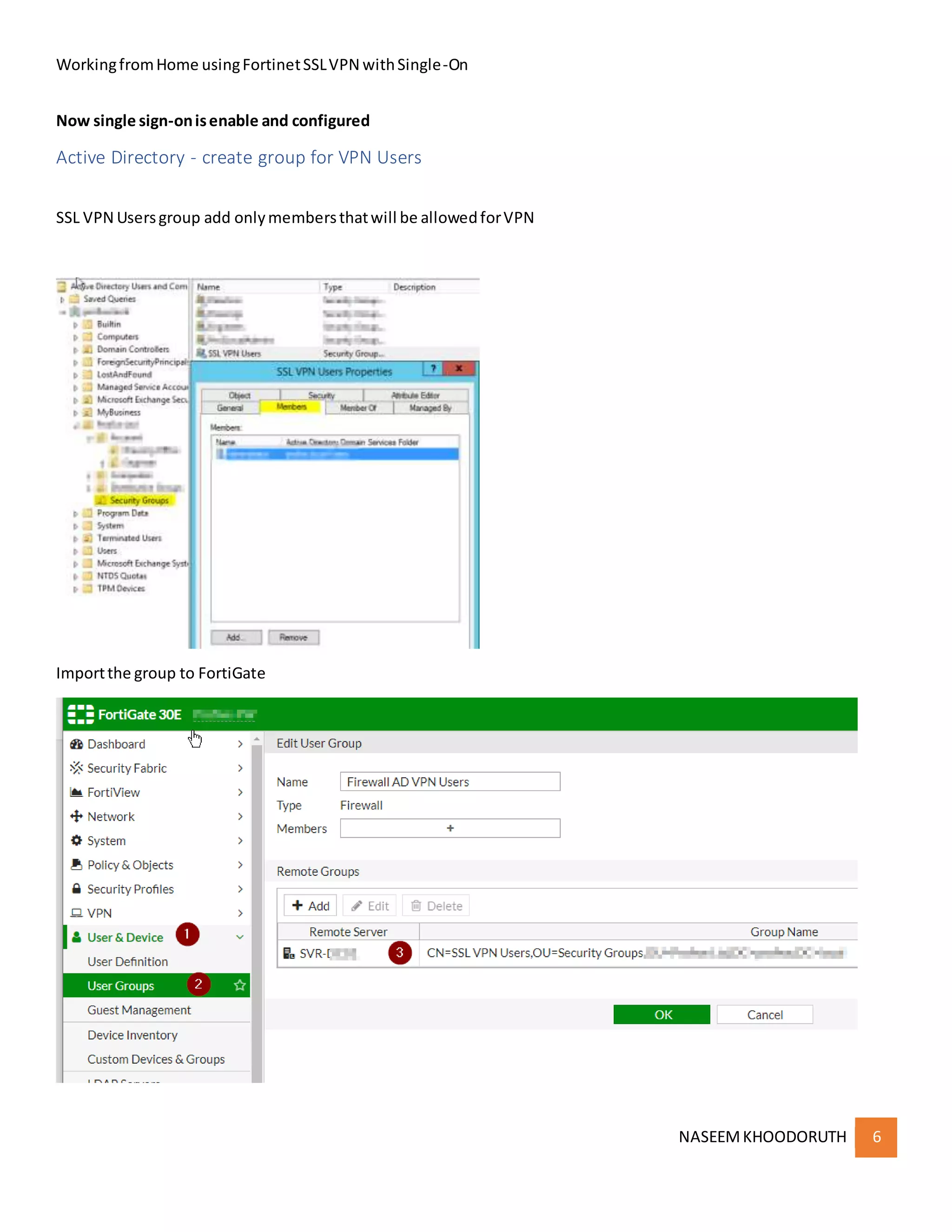
Now single sign-onisenable and configured
Active Directory - create group for VPN Users
SSL VPN Usersgroup add onlymembersthatwill be allowedforVPN
Importthe group to FortiGate
WorkingfromHome usingFortinetSSLVPN withSingle-On
NASEEMKHOODORUTH 7
How to setup SSL VPN on the firewall
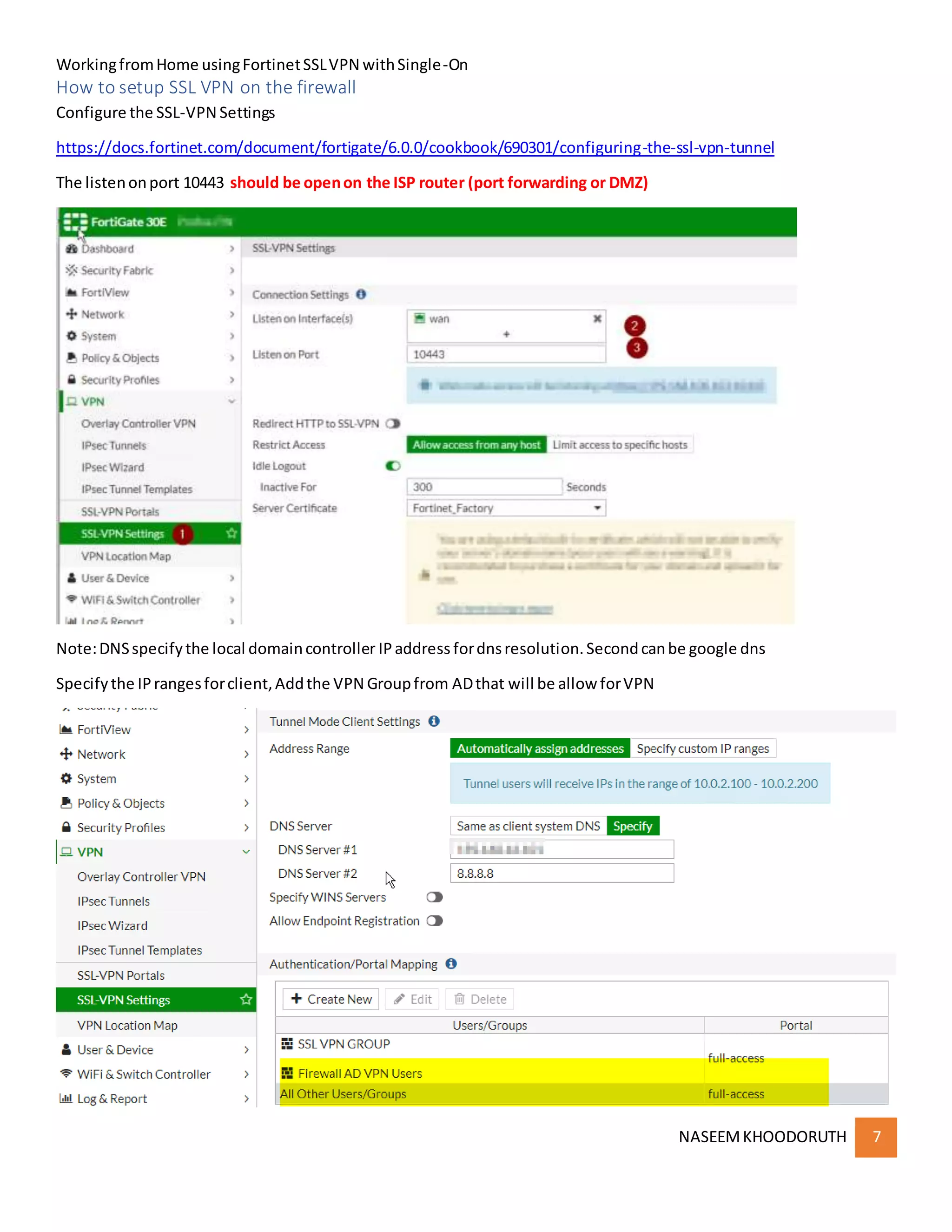
Configure the SSL-VPN Settings
https://docs.fortinet.com/document/fortigate/6.0.0/cookbook/690301/configuring-the-ssl-vpn-tunnel
The listenonport 10443 should be openon the ISP router (port forwarding or DMZ)
Note:DNSspecifythe local domaincontroller IPaddress fordnsresolution.Secondcanbe google dns
Specifythe IPrangesforclient,Addthe VPN Groupfrom ADthat will be allow forVPN
WorkingfromHome usingFortinetSSLVPN withSingle-On
NASEEMKHOODORUTH 8
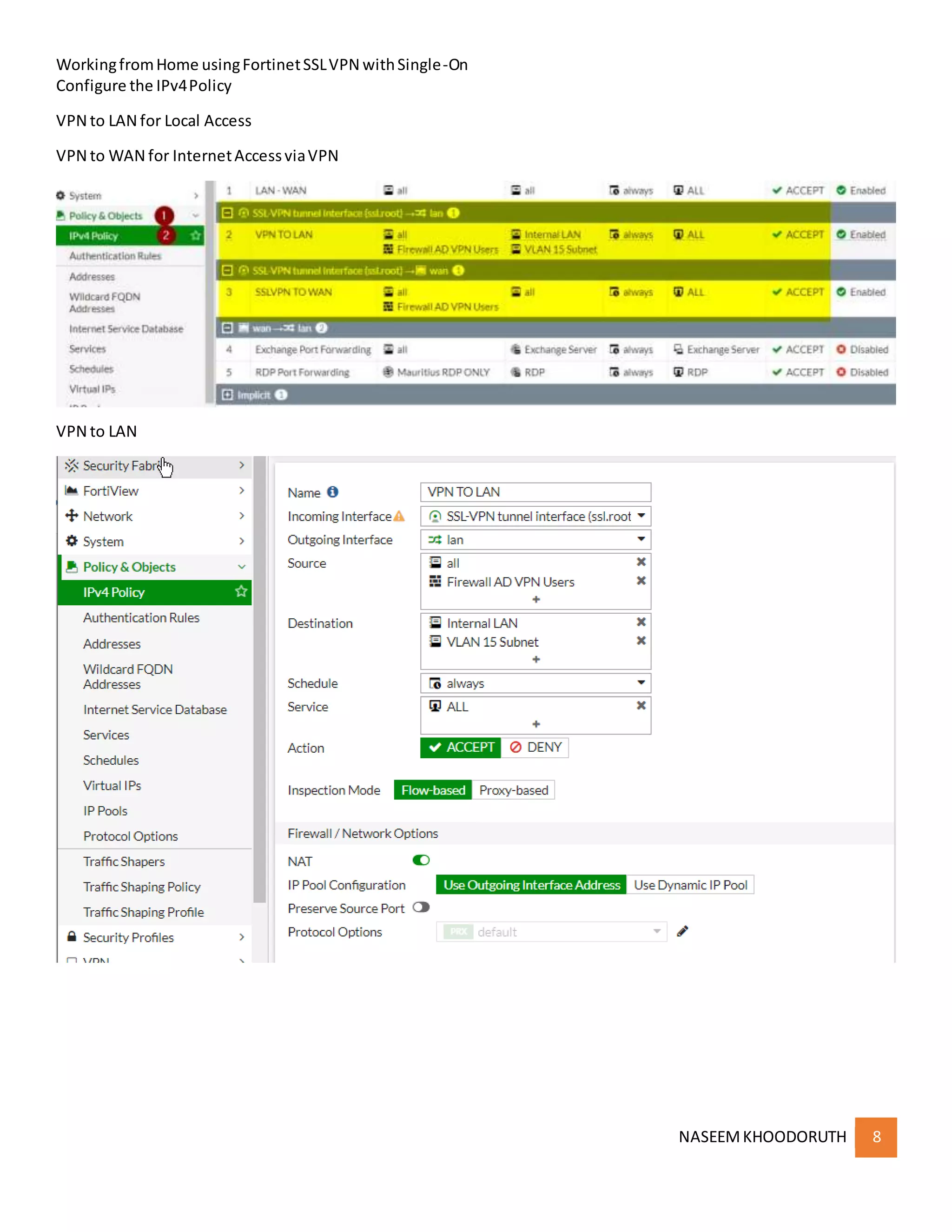
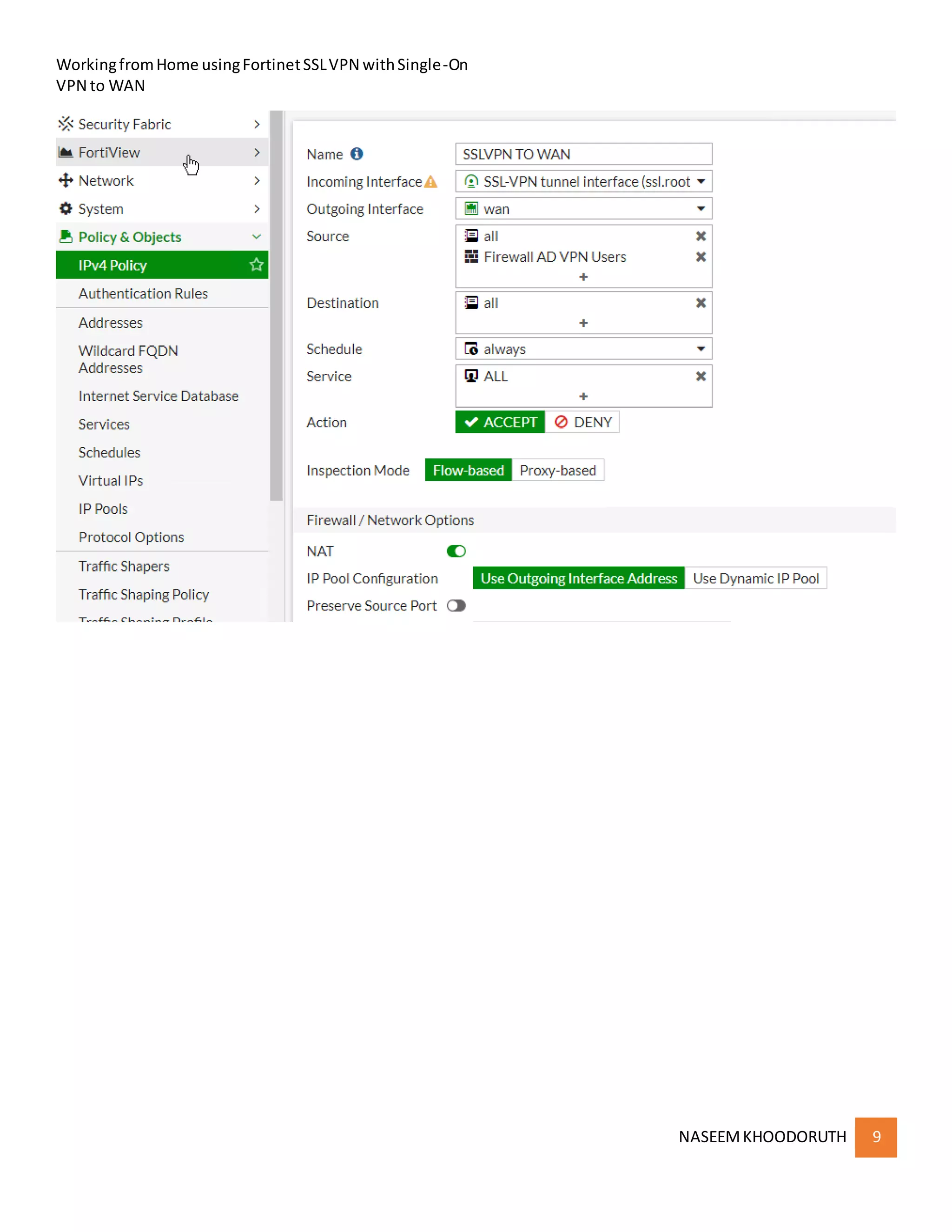
Configure the IPv4Policy
VPN to LAN for Local Access
VPN to WAN for InternetAccessviaVPN
VPN to LAN
WorkingfromHome usingFortinetSSLVPN withSingle-On
NASEEMKHOODORUTH 9
VPN to WAN
WorkingfromHome usingFortinetSSLVPN withSingle-On
NASEEMKHOODORUTH 10
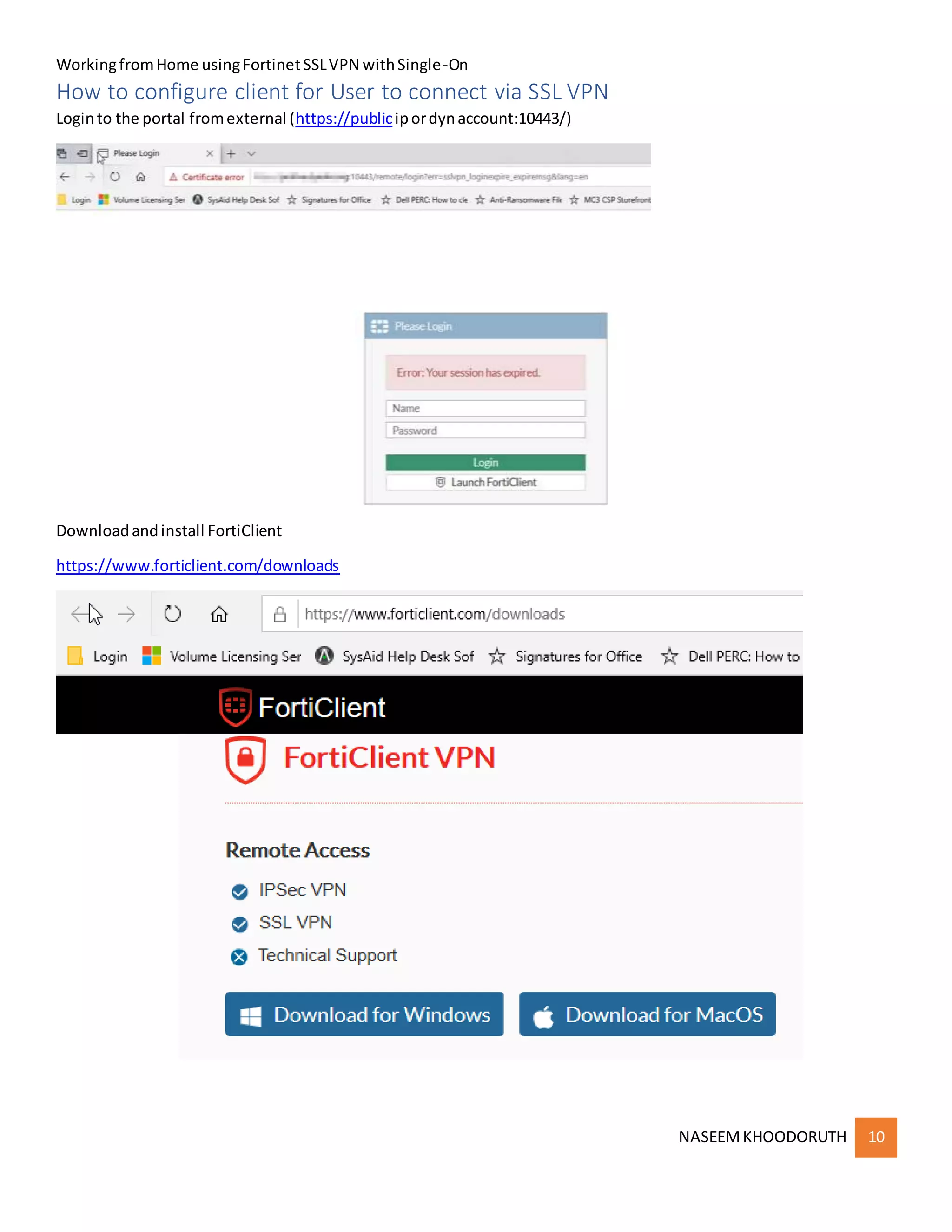
How to configure client for User to connect via SSL VPN
Loginto the portal fromexternal (https://publicipordynaccount:10443/)
Downloadandinstall FortiClient
https://www.forticlient.com/downloads
WorkingfromHome usingFortinetSSLVPN withSingle-On
NASEEMKHOODORUTH 11
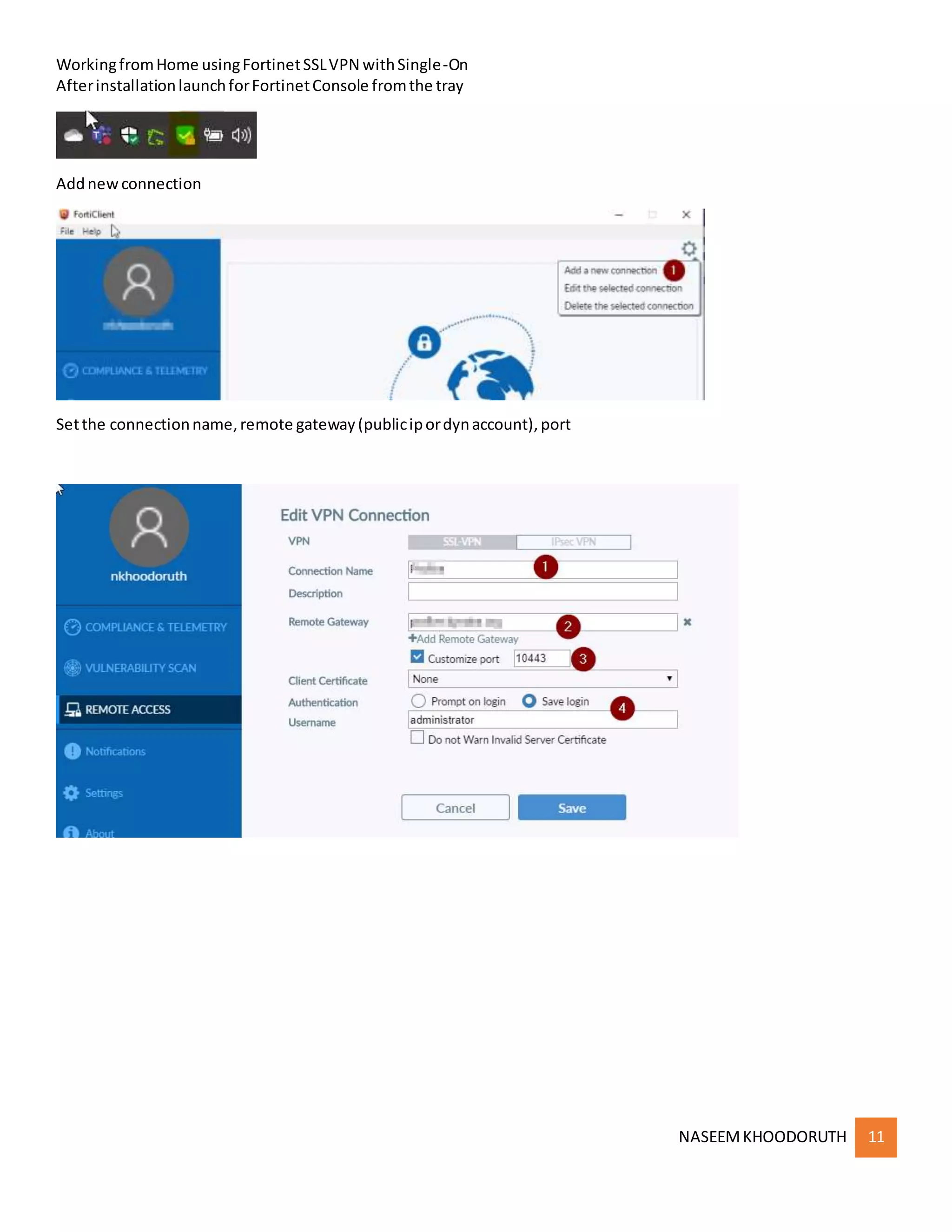
AfterinstallationlaunchforFortinetConsole fromthe tray
Addnewconnection
Setthe connectionname,remote gateway(publicipordynaccount),port
WorkingfromHome usingFortinetSSLVPN withSingle-On
NASEEMKHOODORUTH 12
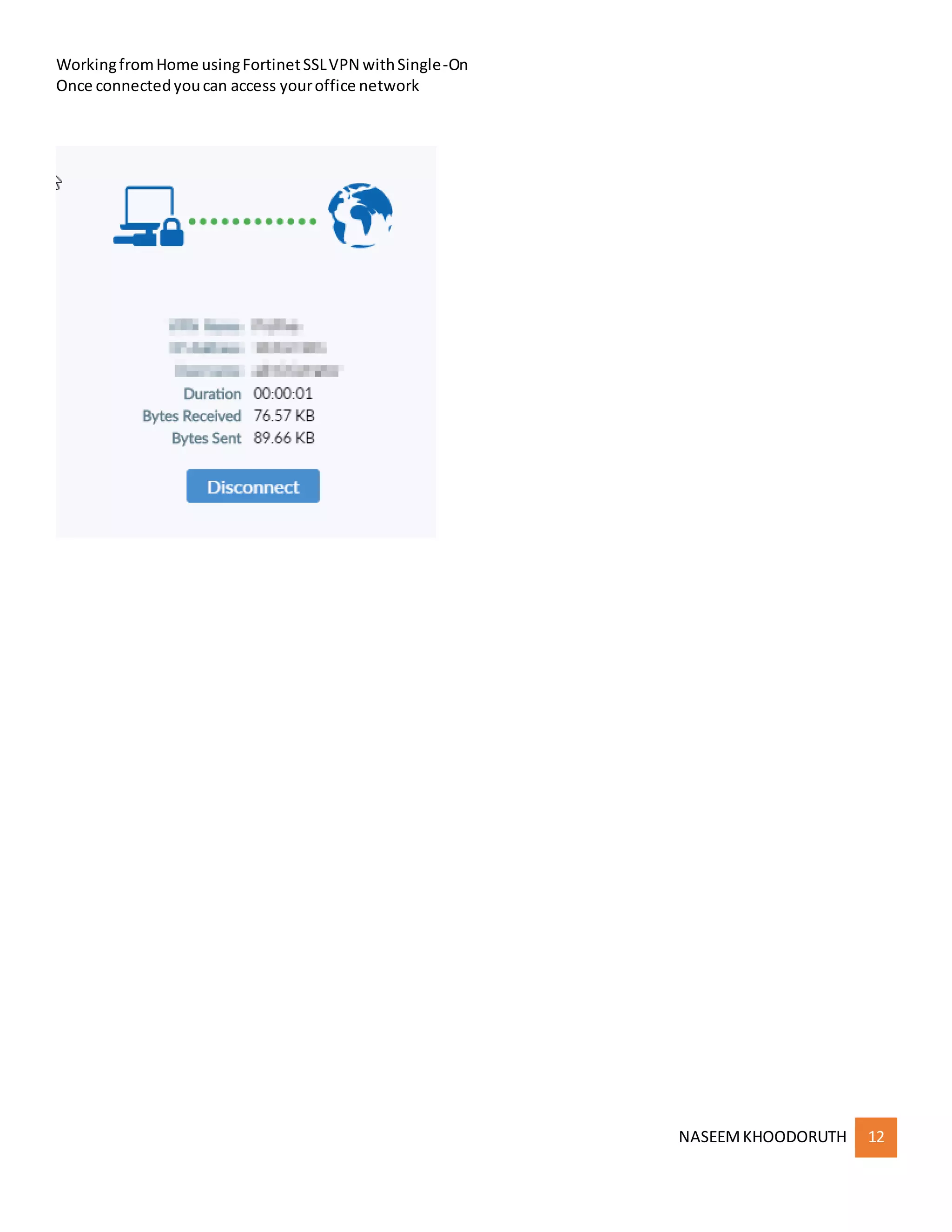
Once connectedyoucan access youroffice network

Fortinet SSL VPN access