Flipped classroom 
International experimentation 
on eTwinning 
Presenter: Marie-Hélène Fasquel 
Hosts: Russell Stannard/JurgenWagner 
Lycée International Nelson Mandela, Nantes 
Webinar– LPM 
January 12, 2015
Biography 
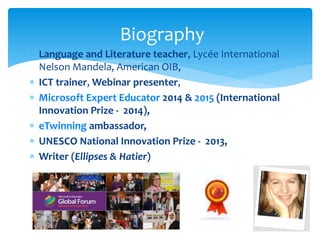
 Language and Literature teacher, Lycée International 
Nelson Mandela, American OIB, 
 ICT trainer, Webinar presenter, 
 Microsoft Expert Educator 2014 & 2015 (International 
Innovation Prize - 2014), 
 eTwinning ambassador, 
 UNESCO National Innovation Prize - 2013, 
 Writer (Ellipses & Hatier) 
2
Birth of the project 
Students’ needs 
• Having their work and efforts recognized, 
• Studying in an innovative and creative way 
• Having fun and enjoying the course. 
Teacher’s needs 
• Engaging students (weak/shy/disengaged), 
• Promoting self confidence and creativity, 
• Bringing out the students’ various talents. 
3
Main objectives 
Combining 4 essential motivation factors 
 ICT: 
 collaboration, 
 content creation, 
 online publishing, 
 Fun and engaging activities, 
 Authentic communication, 
 Learning with one’s peers from various 
backgrounds (16 schools / 8 countries). 
4
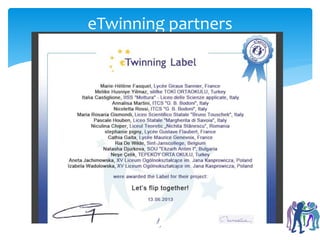
eTwinning partners 
5
Experimenting & researching 
• Analyzing the model, researching the topic, attending 
seminars (TESOL France – 32nd colloquium, November 
2013 + numerous online webinars), 
6 
• Online curation, 
• Finding partners to collaborate, experiment together 
• On eteachnet (setting up a mailing list) 
• Agreg Ink 
• eTwinning 
• esl printables 
• simple k 12, 
• the flipped classroom 
• With 7 other Comenius partners.
What’s the flipped classroom? 
Origin of the concept, 
Definition, 
Research, 
Online curation. 
7
Origin of the concept 
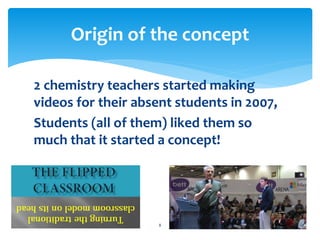
2 chemistry teachers started making 
videos for their absent students in 2007, 
Students (all of them) liked them so 
much that it started a concept! 
8
A definition 
Flipped Learning is a pedagogical approach in 
which direct instruction moves from the group 
learning space to the individual learning space, 
and the resulting group space is transformed 
into a dynamic, interactive learning 
environment where the educator guides 
students as they apply concepts and engage 
creatively in the subject matter. 
Source 
9
Research & online curation 
10 
Flipped classroom 
The flipped classroom – Ning
Experimenting 
 My definition 
 eTwinning project 
 Adaptation of the concept 
 Examples of shared resources & tasks 
11
Useful websites 
and online tools 
Ted ed lessons worth sharing 
Examples: True gender equality 
The Hound of the Baskervilles 
What about you? 
Let’s share on: https://sharing.titanpad.com/5 
12
My definition 
Concept which allows teachers to share resources 
with their pupils and to collaborate easily with 
teachers from umpteen countries, 
which gives the students an opportunity to study 
at their pace, to study differently depending on 
their learning styles (different types of resources 
are offered), 
which permits them to work in groups and help 
each other, build their own learning and go further 
than they would have in a traditional class. 
13
Flipped classroom 
On eTwining 
Research/experimentation – 1-year- 
Project in 17 schools/8 countries, 
 Each partner experimented the flipped 
classroom and shared their resources, 
communicated online, 
 Collaborative e-book – our conclusions, 
the strengths and weaknesses of the 
concept, the issues we faced, how we 
overcame them. 
14
Adaptation of the concept 
 Sharing resources on Padlet 
 1 pad per unit 
 Resources: http://padlet.com/mhfasquel/let-s-flip 
 Examples 
 http://padlet.com/mhfasquel/environment-lycee 
 http://padlet.com/mhfasquel/whodunit 
 http://padlet.com/mhfasquel/introductions-2nde 
 http://padlet.com/mhfasquel/esl-food (collaborative - 
eTwinning) 
 http://padlet.com/mhfasquel/new-year-2nde 
15
Adaptation of the concept 
http://padlet.com/mhfasquel/protest-lycee 
http://padlet.com/mhfasquel/black-civil-rights 
http://padlet.com/mhfasquel/tax-havens 
http://padlet.com/mhfasquel/world-of-work 
http://padlet.com/mhfasquel/europe-cgo 
http://padlet.com/mhfasquel/internship-cgo 
http://padlet.com/mhfasquel/job-ads 
http://padlet.com/mhfasquel/europe-globalisation 
http://padlet.com/mhfasquel/new-technologies 
16
Padlet – sharing resources 
 http://padlet.com/ 
 2 main uses 
 Collaborating / 
 sharing resources 
 1st example 
 2nd example 
17
Shared Resources 
 Maria Gismondi’s website 
http://mrgismondi.weebly.com/ 
 Our resources 
18
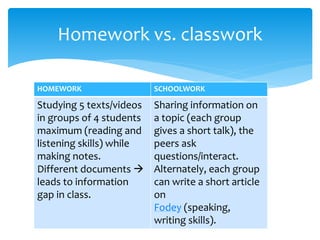
Homework vs. classwork 
HOMEWORK SCHOOLWORK 
Studying 5 texts/videos 
in groups of 4 students 
maximum (reading and 
listening skills) while 
making notes. 
Different documents  
leads to information 
gap in class. 
Sharing information on 
a topic (each group 
gives a short talk), the 
peers ask 
questions/interact. 
Alternately, each group 
can write a short article 
on 
Fodey (speaking, 
writing skills). 
19
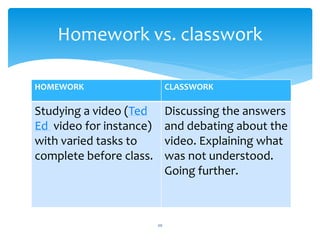
Homework vs. classwork 
HOMEWORK CLASSWORK 
20 
Studying a video (Ted 
Ed video for instance) 
with varied tasks to 
complete before class. 
Discussing the answers 
and debating about the 
video. Explaining what 
was not understood. 
Going further.
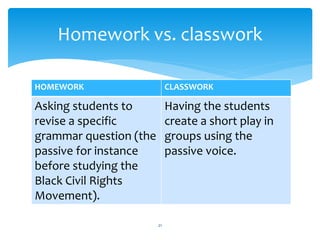
Homework vs. classwork 
HOMEWORK CLASSWORK 
Asking students to 
revise a specific 
grammar question (the 
passive for instance 
before studying the 
Black Civil Rights 
Movement). 
21 
Having the students 
create a short play in 
groups using the 
passive voice.
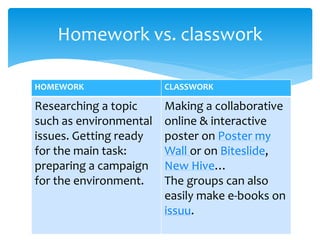
Homework vs. classwork 
HOMEWORK CLASSWORK 
Researching a topic 
such as environmental 
issues. Getting ready 
for the main task: 
preparing a campaign 
for the environment. 
22 
Making a collaborative 
online & interactive 
poster on Poster my 
Wall or on Biteslide, 
New Hive… 
The groups can also 
easily make e-books on 
issuu.
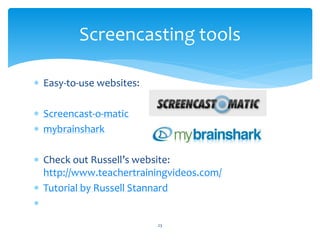
Screencasting tools 
 Easy-to-use websites: 
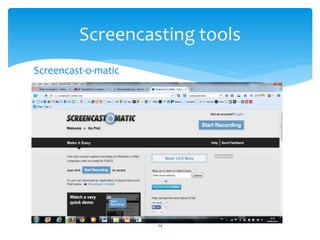
 Screencast-o-matic 
 mybrainshark 
 Check out Russell’s website: 
http://www.teachertrainingvideos.com/ 
 Tutorial by Russell Stannard 
 
23
Screencasting tools 
Screencast-o-matic 
24
Screencasting tools 
Screencast-o-matic 
 Free 
 15 minutes’ limit 
 Web-based 
 Webcam 
25
Screencasting tools 
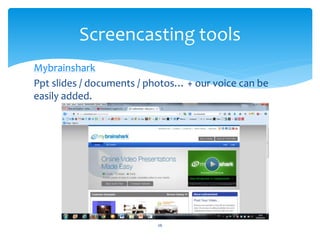
Mybrainshark 
Ppt slides / documents / photos… + our voice can be 
easily added. 
26
2014-2015 follow-up project 
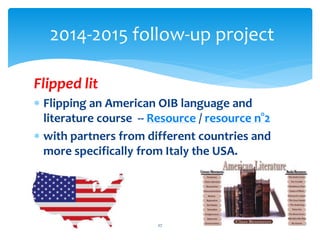
Flipped lit 
 Flipping an American OIB language and 
literature course -- Resource / resource n°2 
 with partners from different countries and 
more specifically from Italy the USA. 
27
Useful links 
http://www.diigo.com/user/mariehel2 
flipped classroom 
ESL links 
ICT 
The flipped classroom – Ning 
Sophia.org 
28
International community 
The program Partners in Learning (PiL) allows 
educators to 
 Join a worldwide community of dedicated and 
innovative teachers & 
 Get free training (tutorials, webinars, 
resources). 
29
International community 
• Microsoft Educator Network 
• Documents 
• Feel free to contact me, to join the community 
(I will invite you), to work together or to ask 
further questions! 
• Write your information (name/email address) 
on our Pad please? 
30
Contact -- References 
Feel free to contact me! 
mhfasquel@gmail.com 
On Twitter: @mariehel2 
Slideshare 
My files on Slideshare. 
blog 
On Facebook, LinkedIn & 
Google+, eTwinning: Marie-Hélène Fasquel 
31
References 
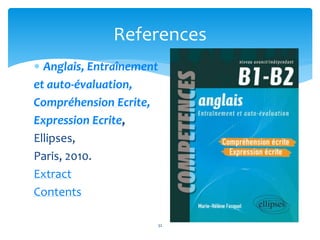
 Anglais, Entraînement 
et auto-évaluation, 
Compréhension Ecrite, 
Expression Ecrite, 
Ellipses, 
Paris, 2010. 
Extract 
Contents 
32
References 
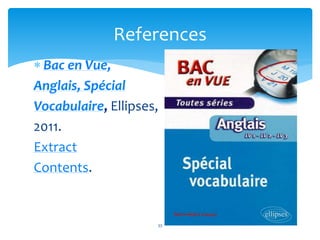
 Bac en Vue, 
Anglais, Spécial 
Vocabulaire, Ellipses, 
2011. 
Extract 
Contents. 
33
References 
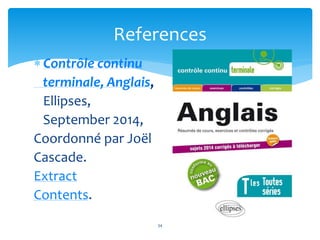
 Contrôle continu 
terminale, Anglais, 
Ellipses, 
September 2014, 
Coordonné par Joël 
Cascade. 
Extract 
Contents. 
34
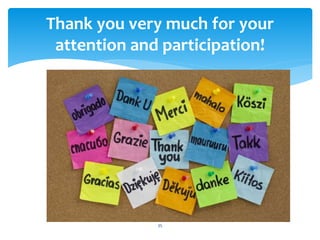
Thank you very much for your 
attention and participation! 
35

Flipped classsroom webinar slides- pptx15 12 14

  • 1.
    Flipped classroom Internationalexperimentation on eTwinning Presenter: Marie-Hélène Fasquel Hosts: Russell Stannard/JurgenWagner Lycée International Nelson Mandela, Nantes Webinar– LPM January 12, 2015
  • 2.
    Biography  Languageand Literature teacher, Lycée International Nelson Mandela, American OIB,  ICT trainer, Webinar presenter,  Microsoft Expert Educator 2014 & 2015 (International Innovation Prize - 2014),  eTwinning ambassador,  UNESCO National Innovation Prize - 2013,  Writer (Ellipses & Hatier) 2
  • 3.
    Birth of theproject Students’ needs • Having their work and efforts recognized, • Studying in an innovative and creative way • Having fun and enjoying the course. Teacher’s needs • Engaging students (weak/shy/disengaged), • Promoting self confidence and creativity, • Bringing out the students’ various talents. 3
  • 4.
    Main objectives Combining4 essential motivation factors  ICT:  collaboration,  content creation,  online publishing,  Fun and engaging activities,  Authentic communication,  Learning with one’s peers from various backgrounds (16 schools / 8 countries). 4
  • 5.
  • 6.
    Experimenting & researching • Analyzing the model, researching the topic, attending seminars (TESOL France – 32nd colloquium, November 2013 + numerous online webinars), 6 • Online curation, • Finding partners to collaborate, experiment together • On eteachnet (setting up a mailing list) • Agreg Ink • eTwinning • esl printables • simple k 12, • the flipped classroom • With 7 other Comenius partners.
  • 7.
    What’s the flippedclassroom? Origin of the concept, Definition, Research, Online curation. 7
  • 8.
    Origin of theconcept 2 chemistry teachers started making videos for their absent students in 2007, Students (all of them) liked them so much that it started a concept! 8
  • 9.
    A definition FlippedLearning is a pedagogical approach in which direct instruction moves from the group learning space to the individual learning space, and the resulting group space is transformed into a dynamic, interactive learning environment where the educator guides students as they apply concepts and engage creatively in the subject matter. Source 9
  • 10.
    Research & onlinecuration 10 Flipped classroom The flipped classroom – Ning
  • 11.
    Experimenting  Mydefinition  eTwinning project  Adaptation of the concept  Examples of shared resources & tasks 11
  • 12.
    Useful websites andonline tools Ted ed lessons worth sharing Examples: True gender equality The Hound of the Baskervilles What about you? Let’s share on: https://sharing.titanpad.com/5 12
  • 13.
    My definition Conceptwhich allows teachers to share resources with their pupils and to collaborate easily with teachers from umpteen countries, which gives the students an opportunity to study at their pace, to study differently depending on their learning styles (different types of resources are offered), which permits them to work in groups and help each other, build their own learning and go further than they would have in a traditional class. 13
  • 14.
    Flipped classroom OneTwining Research/experimentation – 1-year- Project in 17 schools/8 countries,  Each partner experimented the flipped classroom and shared their resources, communicated online,  Collaborative e-book – our conclusions, the strengths and weaknesses of the concept, the issues we faced, how we overcame them. 14
  • 15.
    Adaptation of theconcept  Sharing resources on Padlet  1 pad per unit  Resources: http://padlet.com/mhfasquel/let-s-flip  Examples  http://padlet.com/mhfasquel/environment-lycee  http://padlet.com/mhfasquel/whodunit  http://padlet.com/mhfasquel/introductions-2nde  http://padlet.com/mhfasquel/esl-food (collaborative - eTwinning)  http://padlet.com/mhfasquel/new-year-2nde 15
  • 16.
    Adaptation of theconcept http://padlet.com/mhfasquel/protest-lycee http://padlet.com/mhfasquel/black-civil-rights http://padlet.com/mhfasquel/tax-havens http://padlet.com/mhfasquel/world-of-work http://padlet.com/mhfasquel/europe-cgo http://padlet.com/mhfasquel/internship-cgo http://padlet.com/mhfasquel/job-ads http://padlet.com/mhfasquel/europe-globalisation http://padlet.com/mhfasquel/new-technologies 16
  • 17.
    Padlet – sharingresources  http://padlet.com/  2 main uses  Collaborating /  sharing resources  1st example  2nd example 17
  • 18.
    Shared Resources Maria Gismondi’s website http://mrgismondi.weebly.com/  Our resources 18
  • 19.
    Homework vs. classwork HOMEWORK SCHOOLWORK Studying 5 texts/videos in groups of 4 students maximum (reading and listening skills) while making notes. Different documents  leads to information gap in class. Sharing information on a topic (each group gives a short talk), the peers ask questions/interact. Alternately, each group can write a short article on Fodey (speaking, writing skills). 19
  • 20.
    Homework vs. classwork HOMEWORK CLASSWORK 20 Studying a video (Ted Ed video for instance) with varied tasks to complete before class. Discussing the answers and debating about the video. Explaining what was not understood. Going further.
  • 21.
    Homework vs. classwork HOMEWORK CLASSWORK Asking students to revise a specific grammar question (the passive for instance before studying the Black Civil Rights Movement). 21 Having the students create a short play in groups using the passive voice.
  • 22.
    Homework vs. classwork HOMEWORK CLASSWORK Researching a topic such as environmental issues. Getting ready for the main task: preparing a campaign for the environment. 22 Making a collaborative online & interactive poster on Poster my Wall or on Biteslide, New Hive… The groups can also easily make e-books on issuu.
  • 23.
    Screencasting tools Easy-to-use websites:  Screencast-o-matic  mybrainshark  Check out Russell’s website: http://www.teachertrainingvideos.com/  Tutorial by Russell Stannard  23
  • 24.
  • 25.
    Screencasting tools Screencast-o-matic  Free  15 minutes’ limit  Web-based  Webcam 25
  • 26.
    Screencasting tools Mybrainshark Ppt slides / documents / photos… + our voice can be easily added. 26
  • 27.
    2014-2015 follow-up project Flipped lit  Flipping an American OIB language and literature course -- Resource / resource n°2  with partners from different countries and more specifically from Italy the USA. 27
  • 28.
    Useful links http://www.diigo.com/user/mariehel2 flipped classroom ESL links ICT The flipped classroom – Ning Sophia.org 28
  • 29.
    International community Theprogram Partners in Learning (PiL) allows educators to  Join a worldwide community of dedicated and innovative teachers &  Get free training (tutorials, webinars, resources). 29
  • 30.
    International community •Microsoft Educator Network • Documents • Feel free to contact me, to join the community (I will invite you), to work together or to ask further questions! • Write your information (name/email address) on our Pad please? 30
  • 31.
    Contact -- References Feel free to contact me! mhfasquel@gmail.com On Twitter: @mariehel2 Slideshare My files on Slideshare. blog On Facebook, LinkedIn & Google+, eTwinning: Marie-Hélène Fasquel 31
  • 32.
    References  Anglais,Entraînement et auto-évaluation, Compréhension Ecrite, Expression Ecrite, Ellipses, Paris, 2010. Extract Contents 32
  • 33.
    References  Bacen Vue, Anglais, Spécial Vocabulaire, Ellipses, 2011. Extract Contents. 33
  • 34.
    References  Contrôlecontinu terminale, Anglais, Ellipses, September 2014, Coordonné par Joël Cascade. Extract Contents. 34
  • 35.
    Thank you verymuch for your attention and participation! 35