Managing Flink on
Kubernetes
Anand Swaminathan (@anand12100)
Ketan Umare (@ketanumare)
April 2, 2019
Kubernetes Primer1
Agenda
Background2
Solution3
Demo4
Quick Introduction to concepts in Kubernetes
Summary of Lyft’s legacy Flink Deployment
Flink Kubernetes Operator
Ecosystem5
Roadmap6
About us
Kubernetes Primer
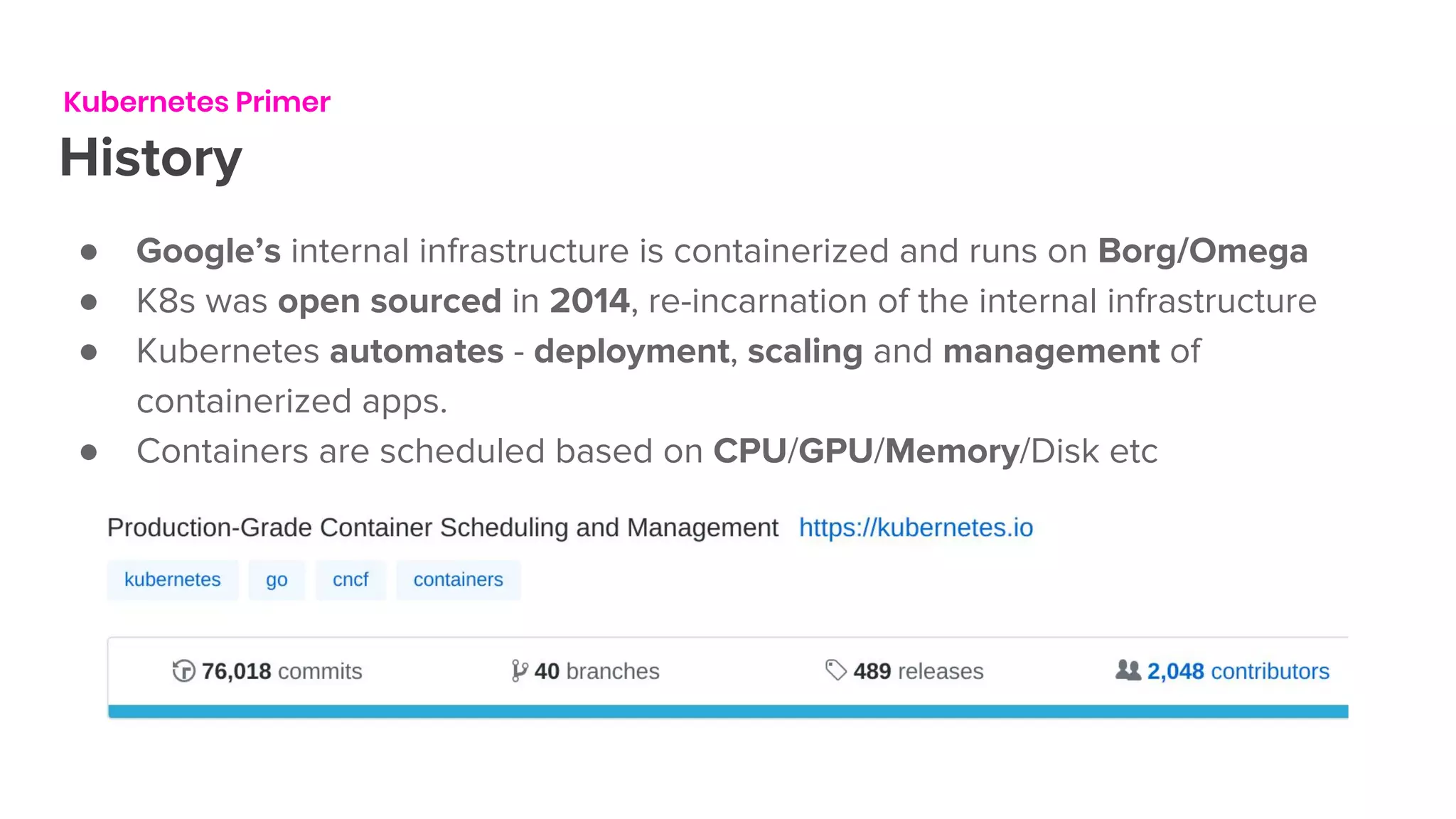
History
● Google’s internal infrastructure is containerized and runs on Borg/Omega
● K8s was open sourced in 2014, re-incarnation of the internal infrastructure
● Kubernetes automates - deployment, scaling and management of
containerized apps.
● Containers are scheduled based on CPU/GPU/Memory/Disk etc
Kubernetes Primer
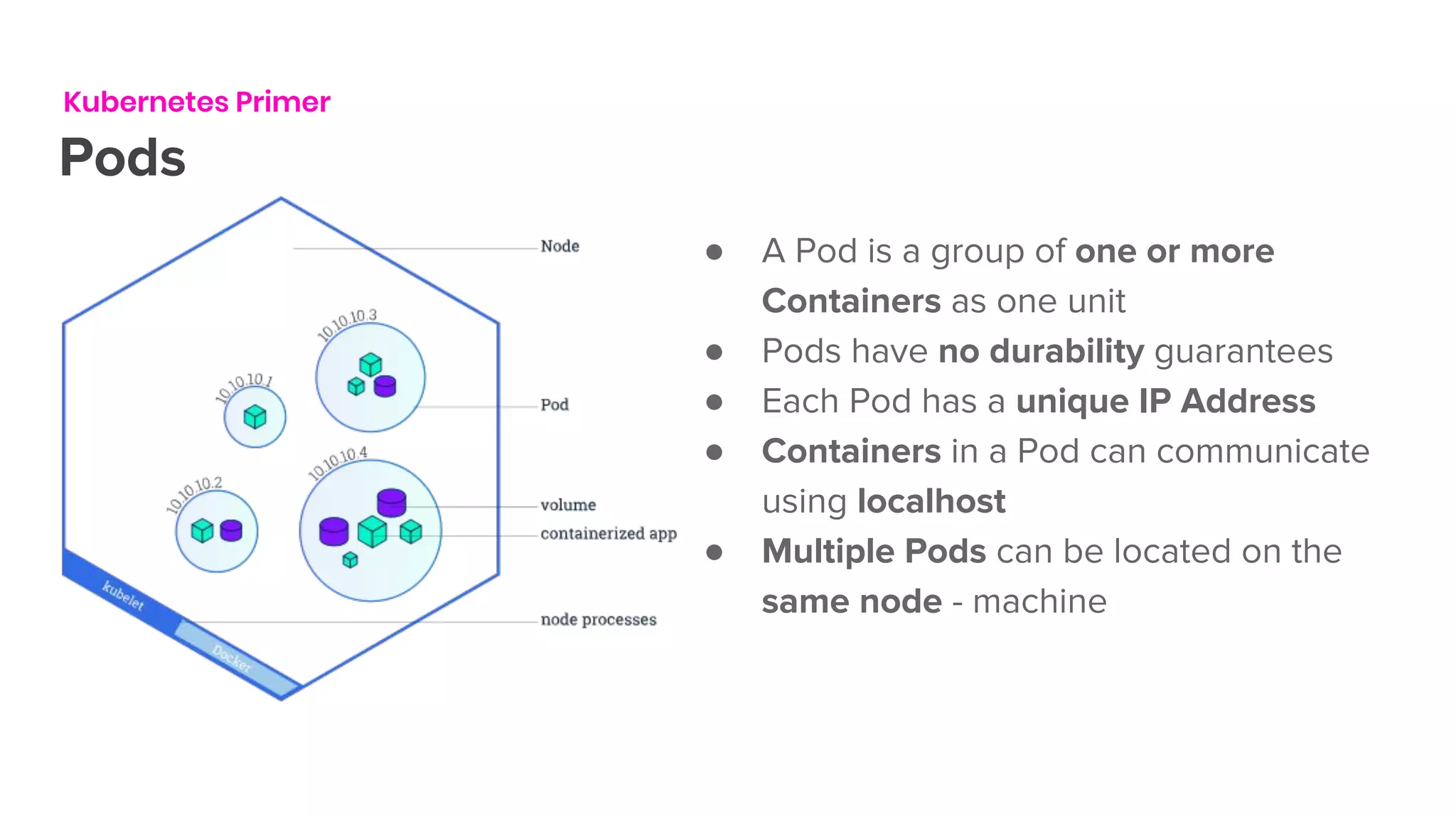
Pods
● A Pod is a group of one or more
Containers as one unit
● Pods have no durability guarantees
● Each Pod has a unique IP Address
● Containers in a Pod can communicate
using localhost
● Multiple Pods can be located on the
same node - machine
Kubernetes Primer
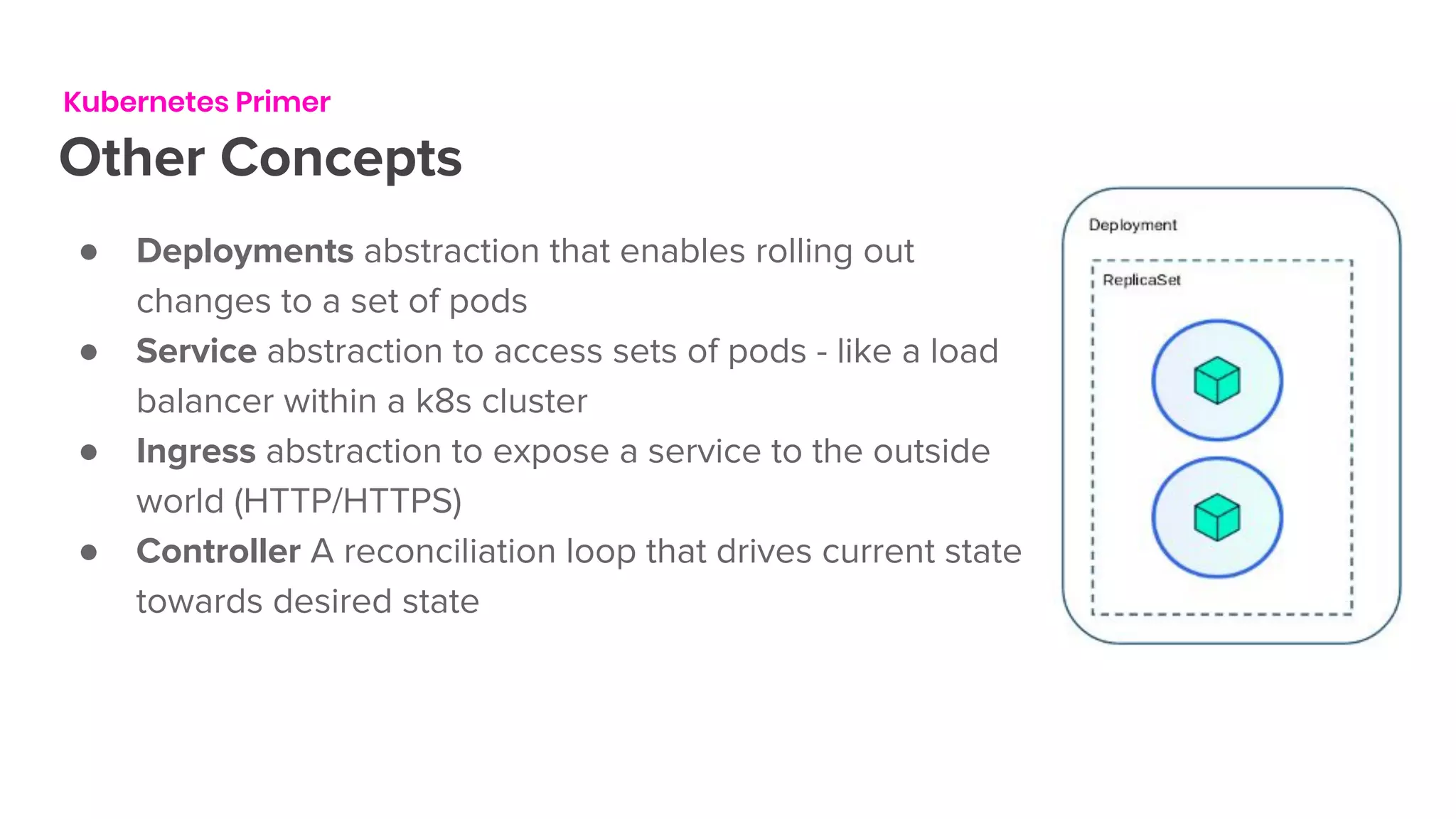
Other Concepts
● Deployments abstraction that enables rolling out
changes to a set of pods
● Service abstraction to access sets of pods - like a load
balancer within a k8s cluster
● Ingress abstraction to expose a service to the outside
world (HTTP/HTTPS)
● Controller A reconciliation loop that drives current state
towards desired state
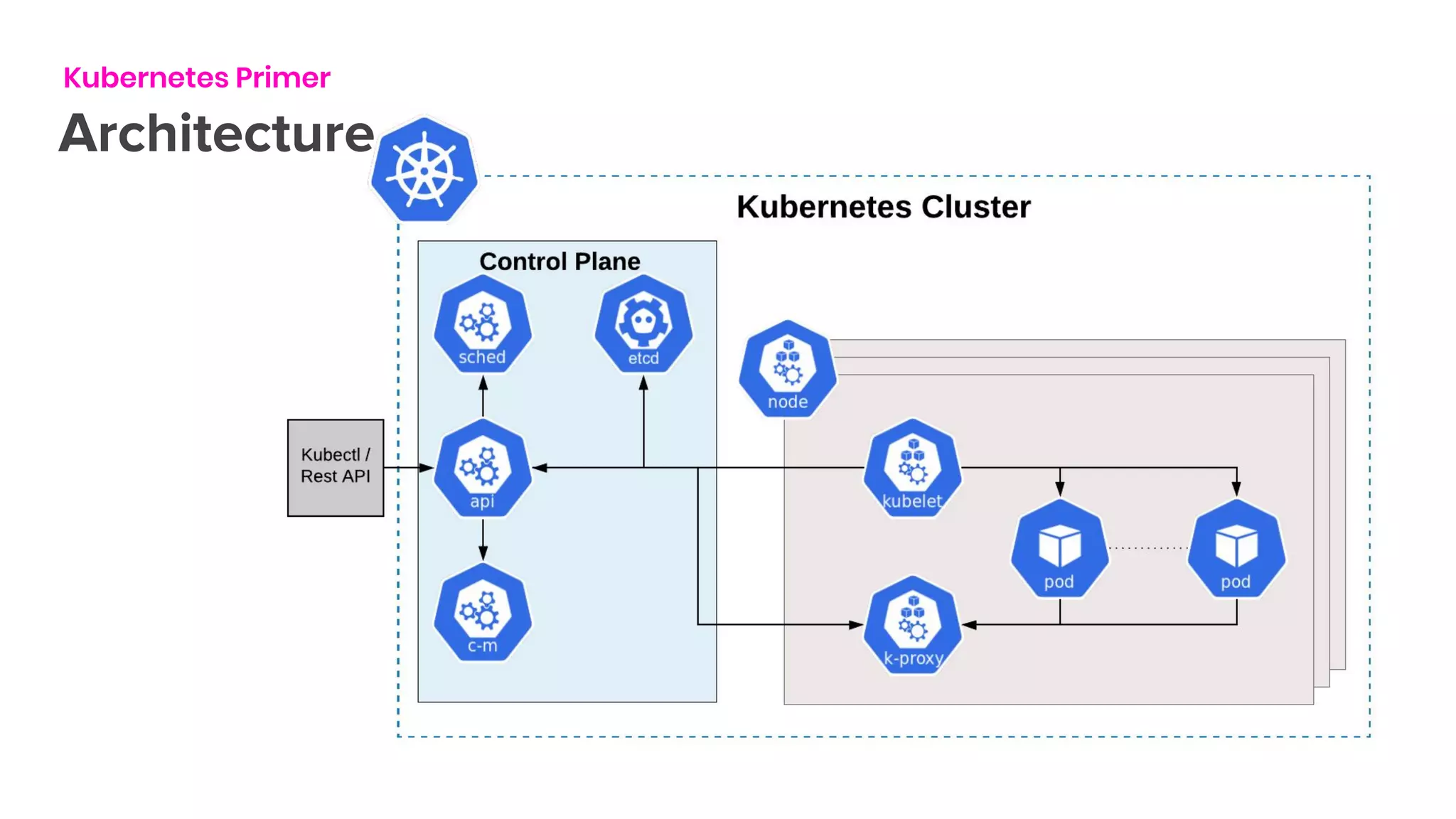
Architecture
Kubernetes Primer
Kubernetes Primer
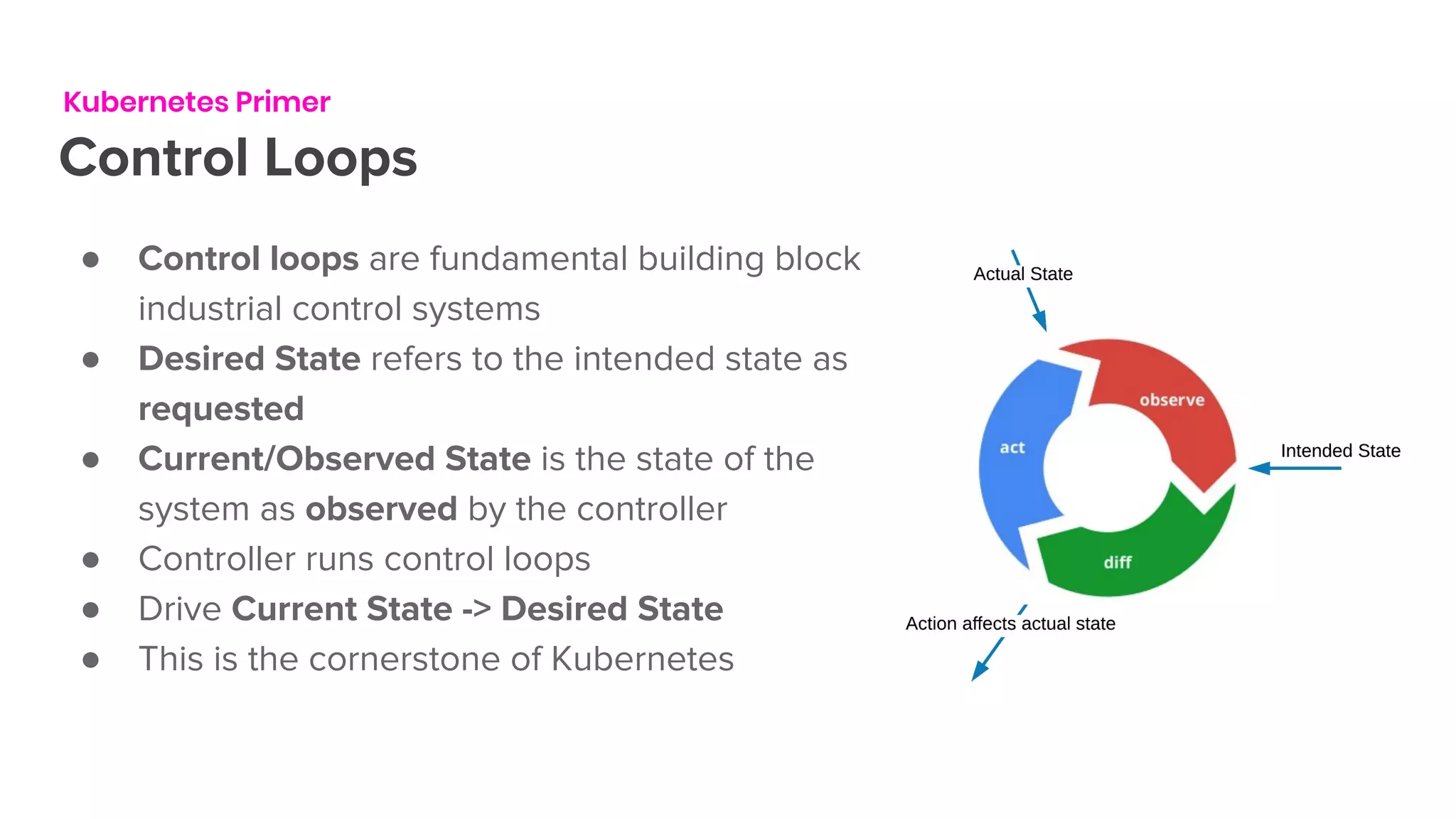
Control Loops
● Control loops are fundamental building block of
industrial control systems
● Desired State refers to the intended state as
requested
● Current/Observed State is the state of the
system as observed by the controller
● Controller runs control loops
● Drive Current State -> Desired State
● This is the cornerstone of Kubernetes
Kubernetes Primer
Custom Resources
● Custom Resource Definitions (CRD) allow extending Kubernetes API
● Custom resources are optional extensions
● Custom resources can be added/removed dynamically
● They can be manipulated using known tools - kubectl & kube clients
● State stored in etcd
● Custom control loops (controllers) are used to manage the state of the
resource.
● CRD is essentially the desired state.
Kubernetes Primer
Operators
● Controller + CRD = Kubernetes Operator
● Term coined by CoreOS - 2017
● Manages a complex applications lifecycle on
Kubernetes.
● Core library to author operators @
SIG/controller-runtime
Background
OK how does this relate
● @Lyft we started working on Flyte - a modern take at Pipelines/Workflows
● Orchestration is pervasive throughout various sectors of our Industry
○ Machine learning
○ Data engineering and processing
○ ETL
● Kubernetes has a solution to many of our problems
○ Deployment, Versioning, cluster management etc
● In parallel Streaming Platform started working on Flink for streaming
applications
Background
Legacy deployment of Flink @Lyft
● Hosted on AWS
● Separate AutoScalingGroups for Task Managers and Job Managers
● Machines provisioned and bootstrapped by SaltStack
● Every deployment needs provisioning of machines
● Users started running multiple jobs in the same Flink Cluster
● Multi-tenancy hell !
Introducing
Flink-k8s-operator
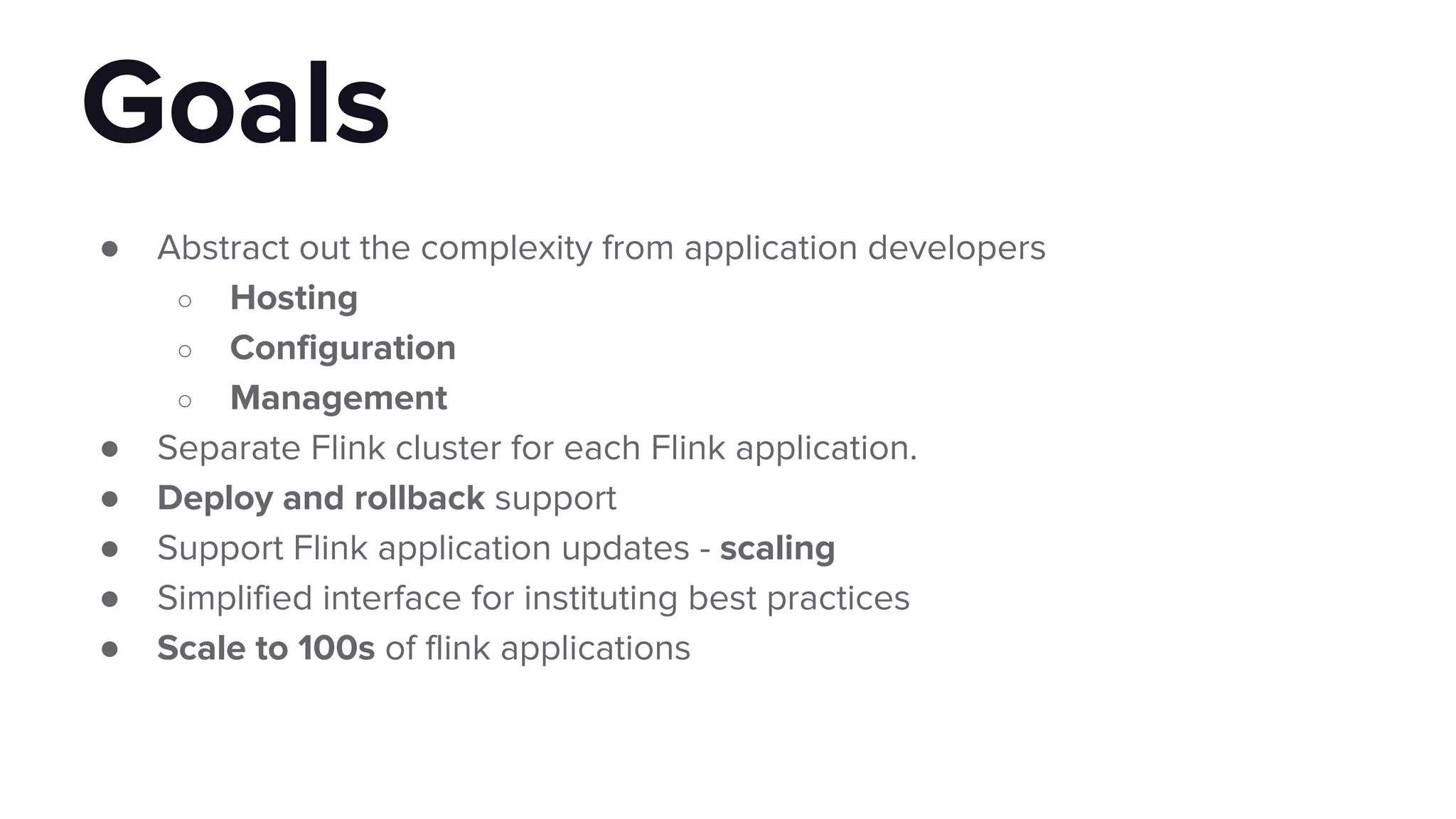
● Abstract out the complexity from application developers
○ Hosting
○ Configuration
○ Management
● Separate Flink cluster for each Flink application.
● Deploy and rollback support
● Support Flink application updates - scaling
● Simplified interface for instituting best practices
● Scale to 100s of flink applications
Goals
Solution
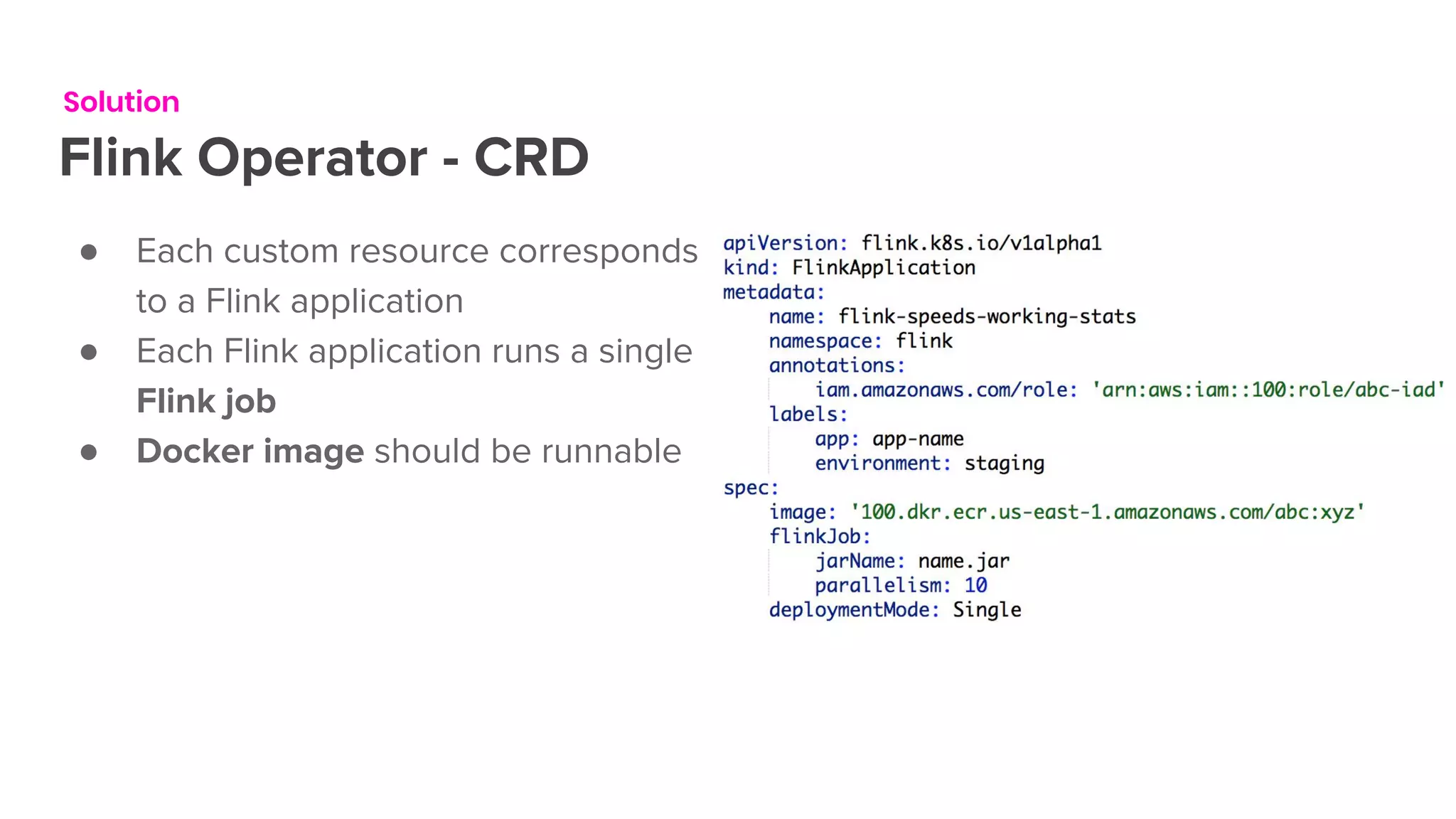
Flink Operator - CRD
● Each custom resource corresponds
to a Flink application
● Each Flink application runs a single
Flink job
● Docker image should be runnable
Solution
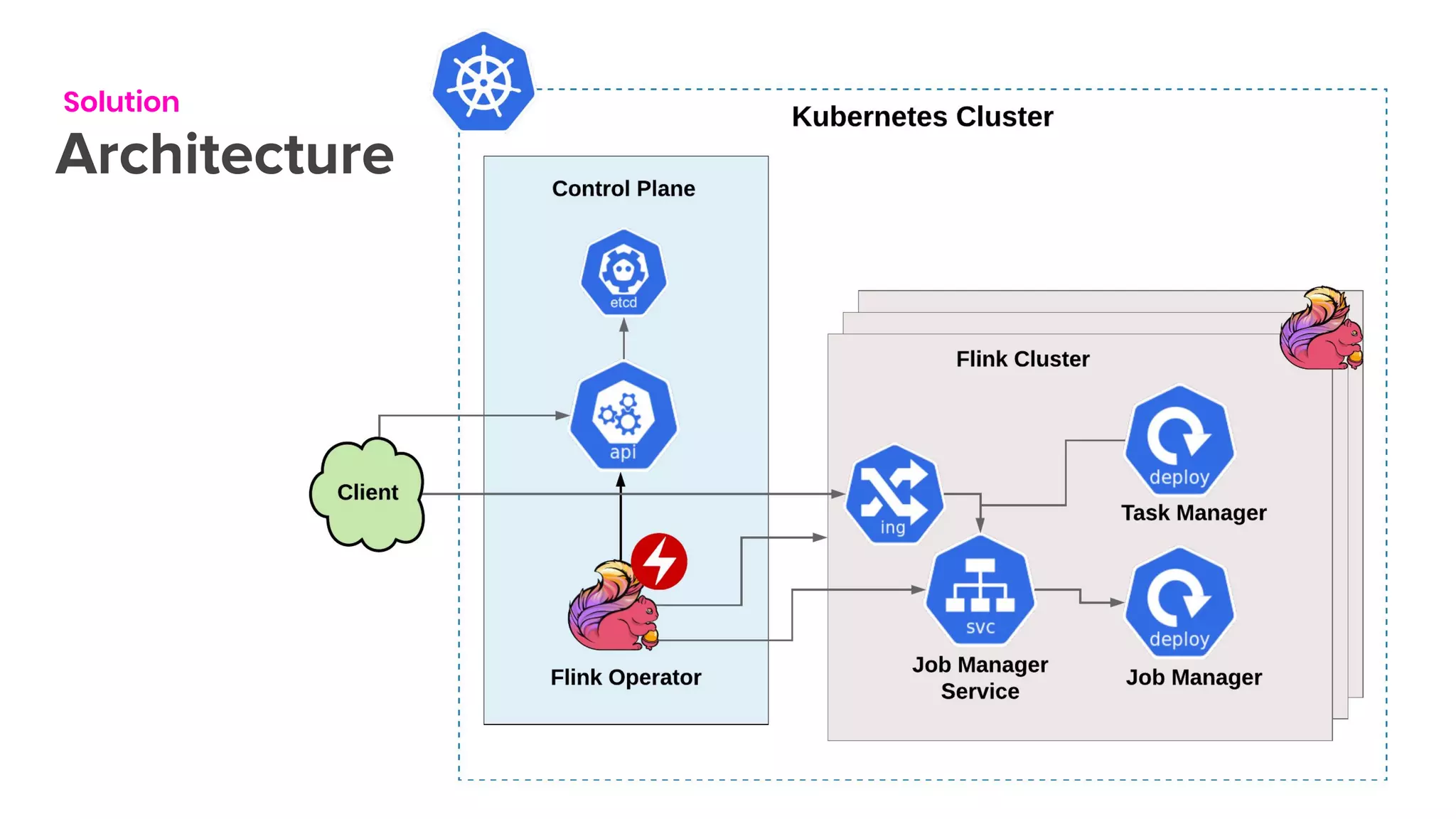
Architecture
Solution
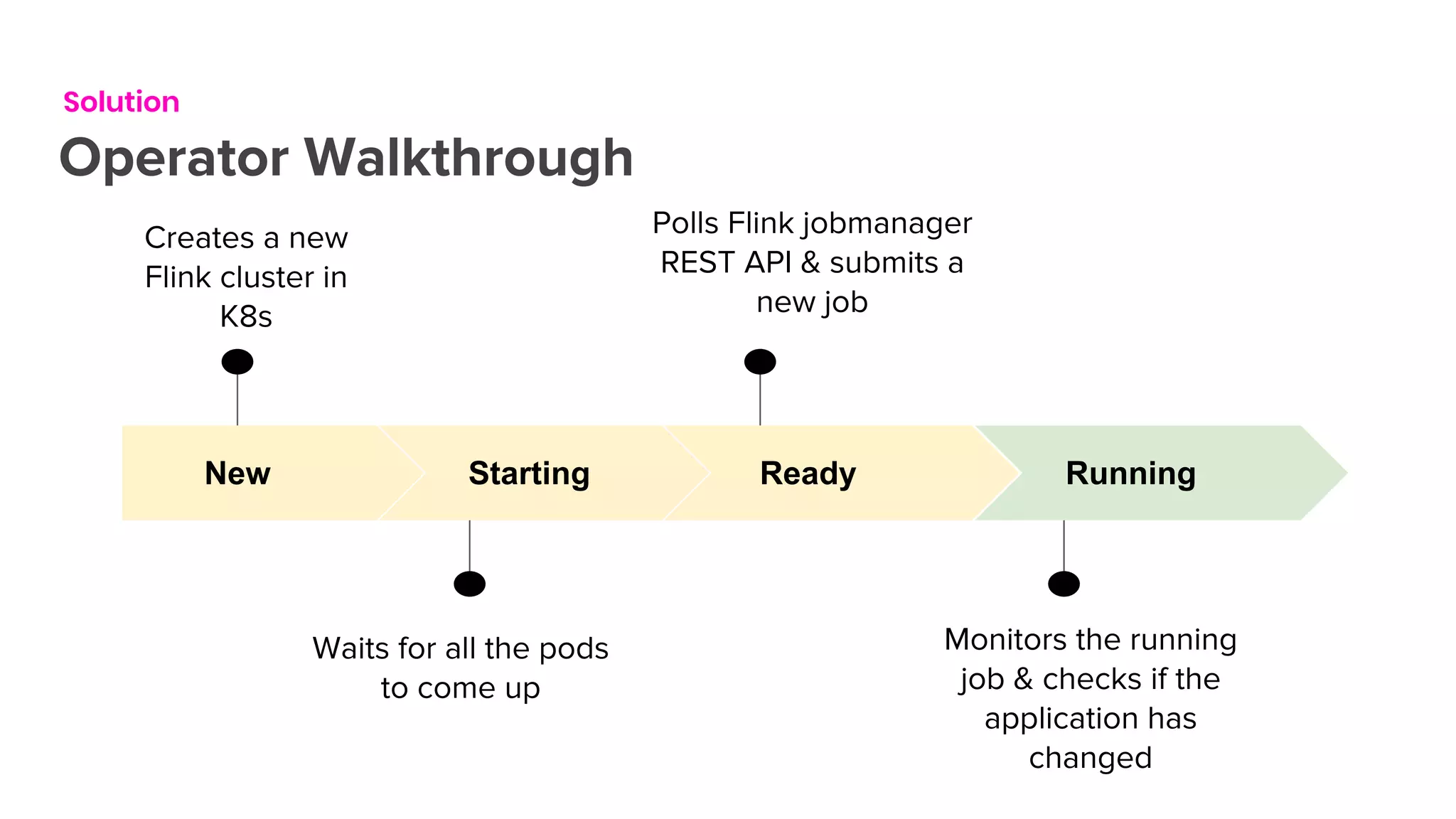
Operator Walkthrough
New
Creates a new
Flink cluster in
K8s
Starting
Waits for all the pods
to come up
Ready
Polls Flink jobmanager
REST API & submits a
new job
Running
Monitors the running
job & checks if the
application has
changed
Solution
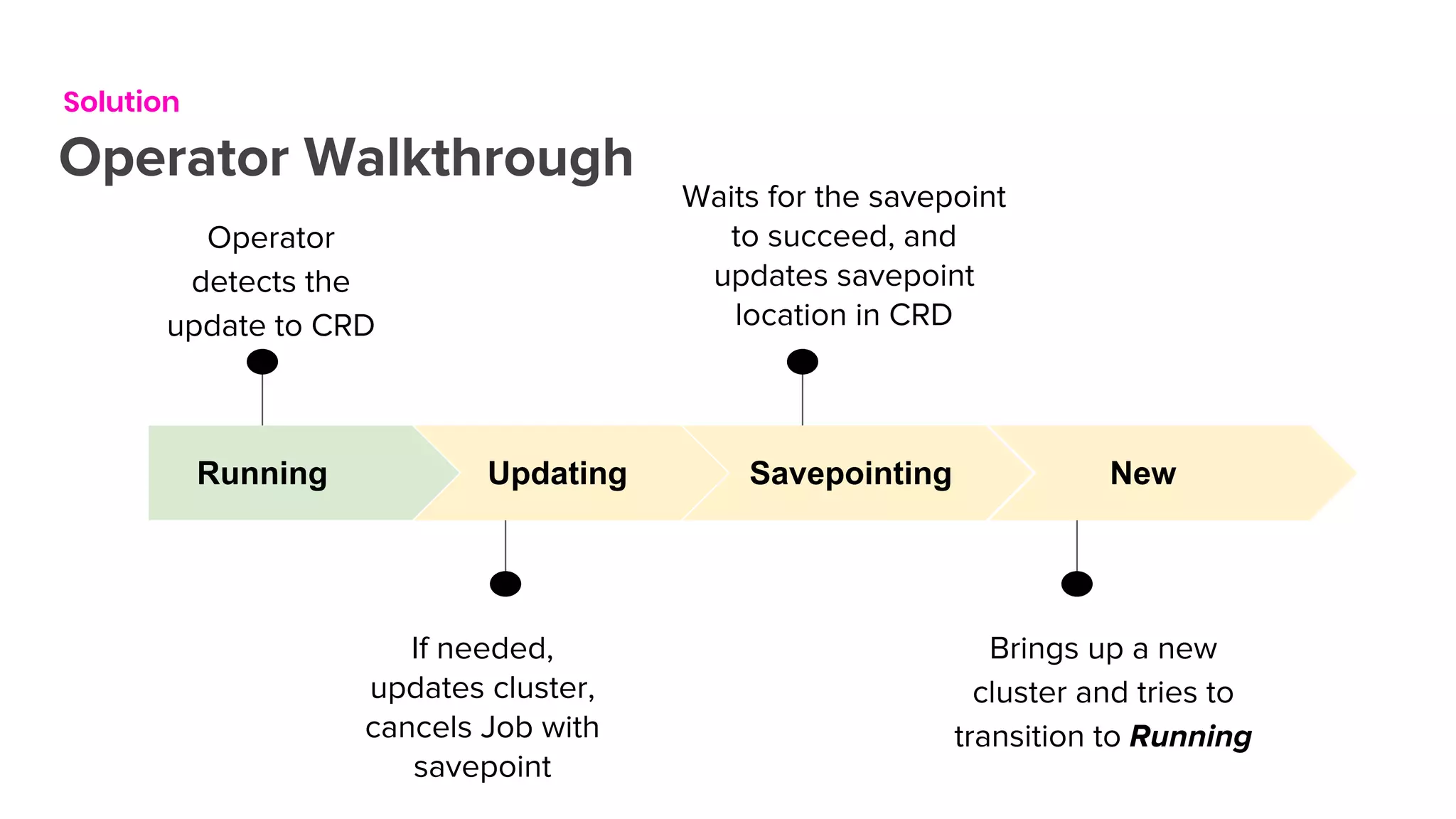
Operator Walkthrough
Running
Operator
detects the
update to CRD
Updating
If needed,
updates cluster,
cancels Job with
savepoint
Savepointing
Waits for the savepoint
to succeed, and
updates savepoint
location in CRD
New
Brings up a new
cluster and tries to
transition to Running
Demo
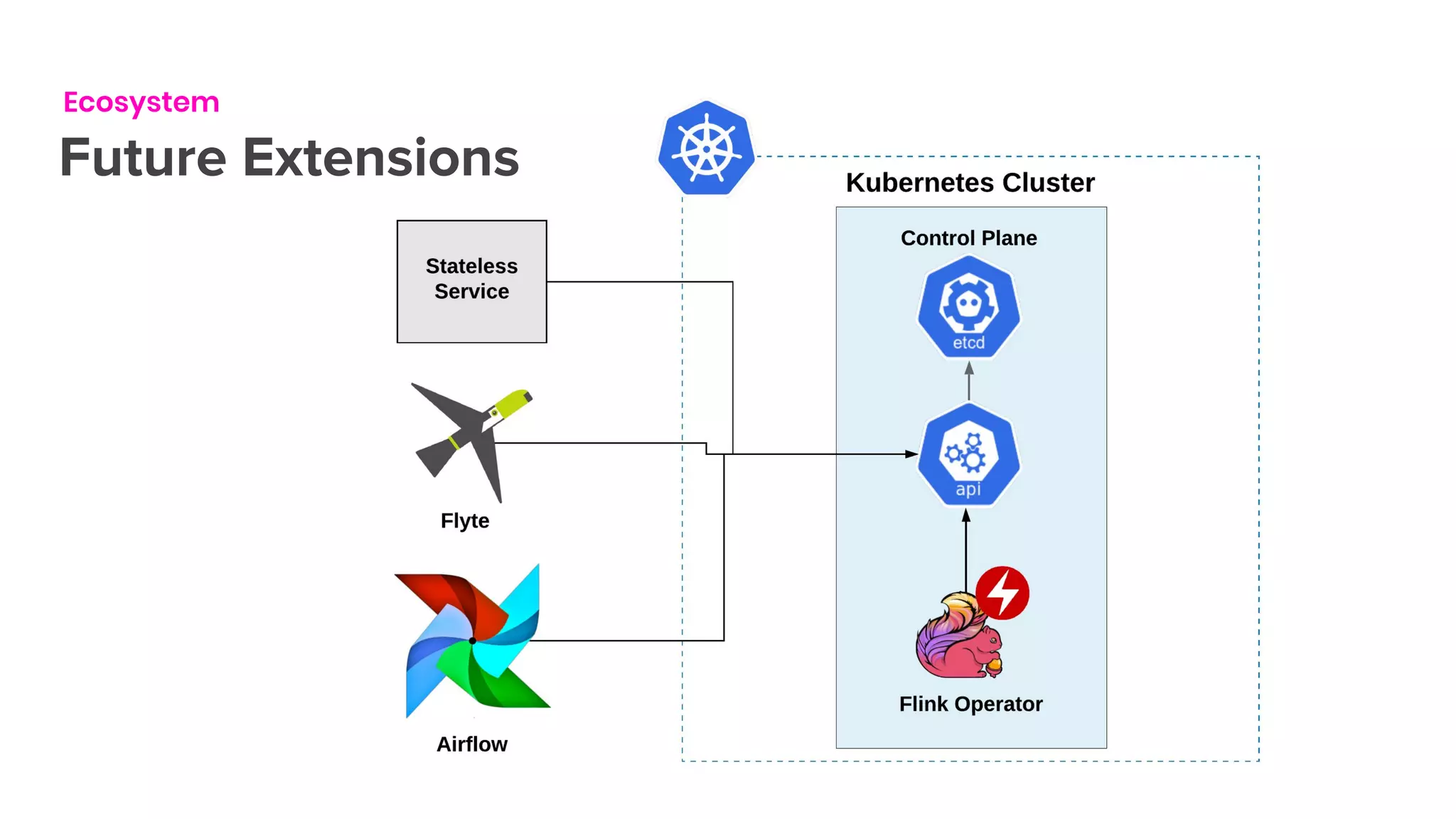
Ecosystem
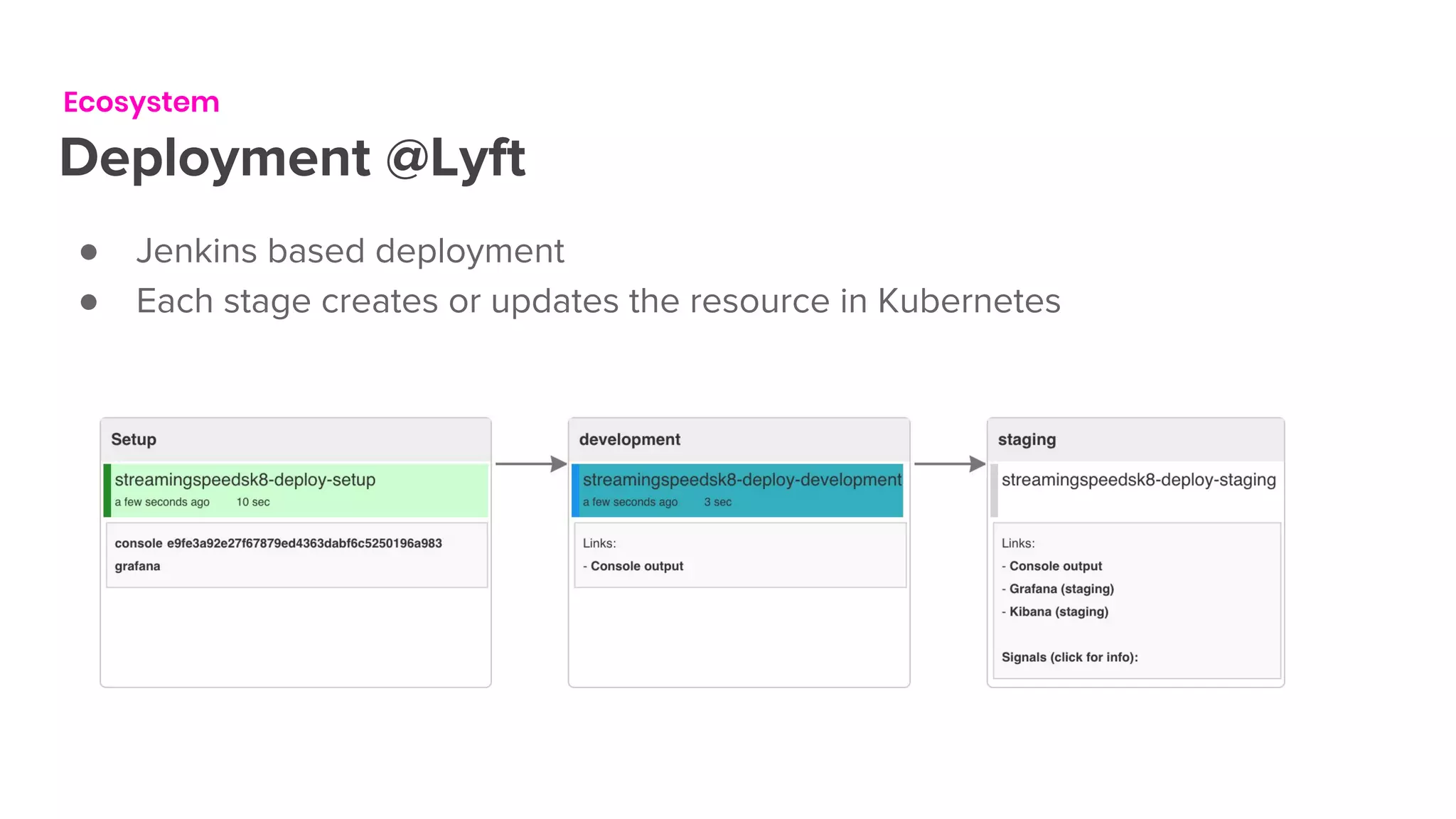
Deployment @Lyft
● Jenkins based deployment
● Each stage creates or updates the resource in Kubernetes
Ecosystem
Future Extensions
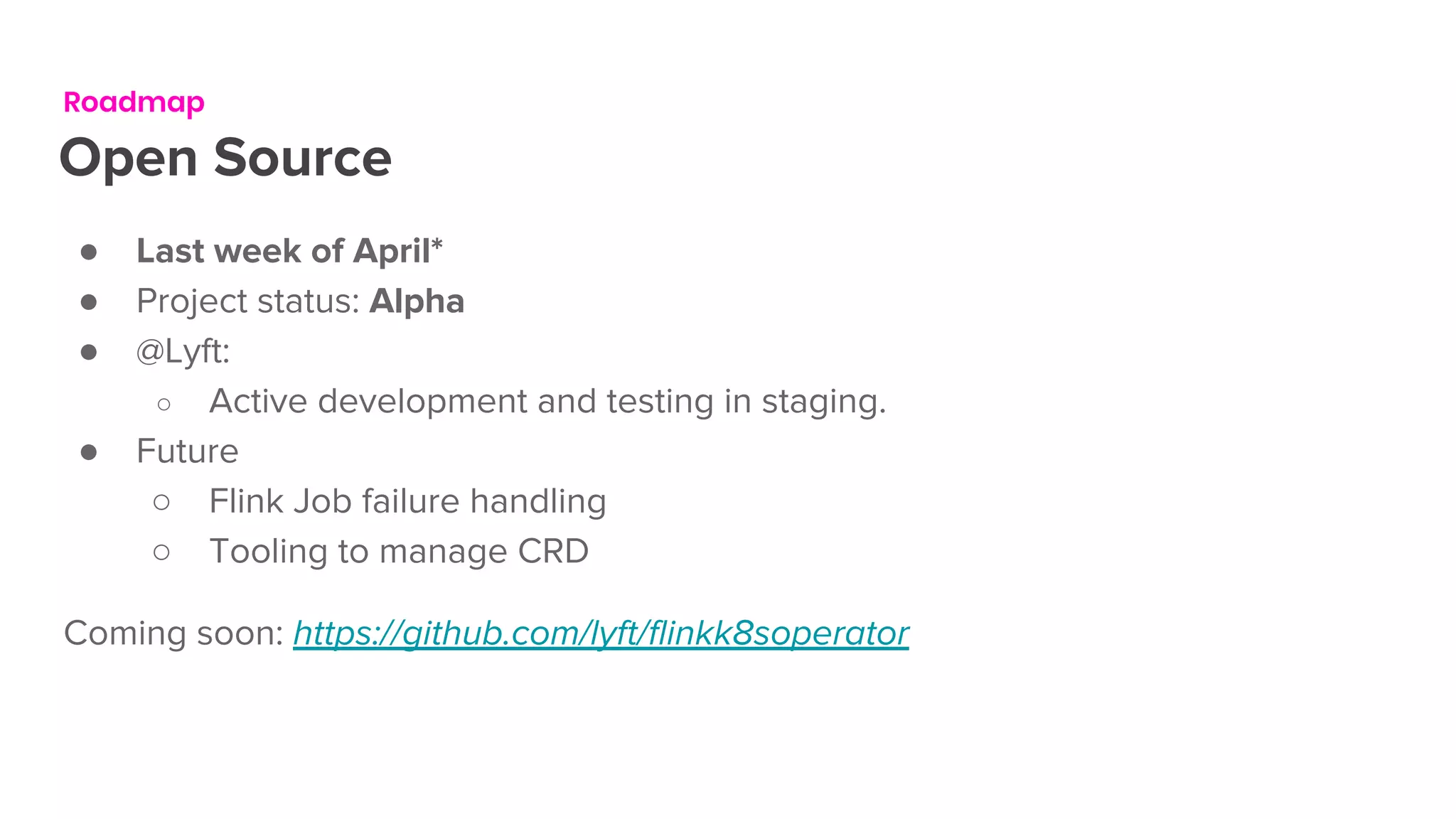
Roadmap
Open Source
● Last week of April*
● Project status: Alpha
● @Lyft:
○ Active development and testing in staging.
● Future
○ Flink Job failure handling
○ Tooling to manage CRD
Coming soon: https://github.com/lyft/flinkk8soperator
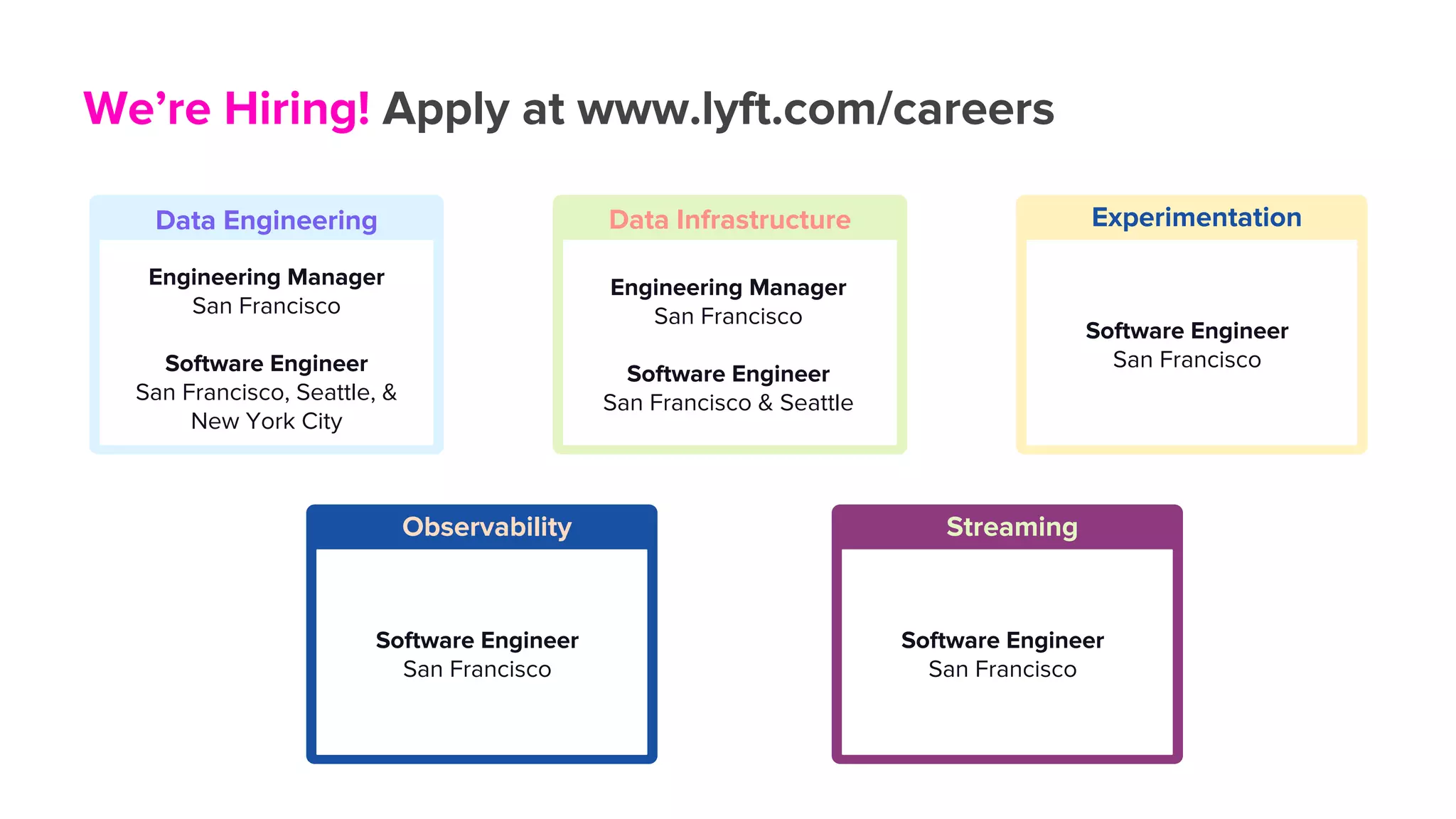
We’re Hiring! Apply at www.lyft.com/careers
Data Engineering
Engineering Manager
San Francisco
Software Engineer
San Francisco, Seattle, &
New York City
Data Infrastructure
Engineering Manager
San Francisco
Software Engineer
San Francisco & Seattle
Experimentation
Software Engineer
San Francisco
Streaming
Software Engineer
San Francisco
Observability
Software Engineer
San Francisco
Thank you
Questions please!
Background
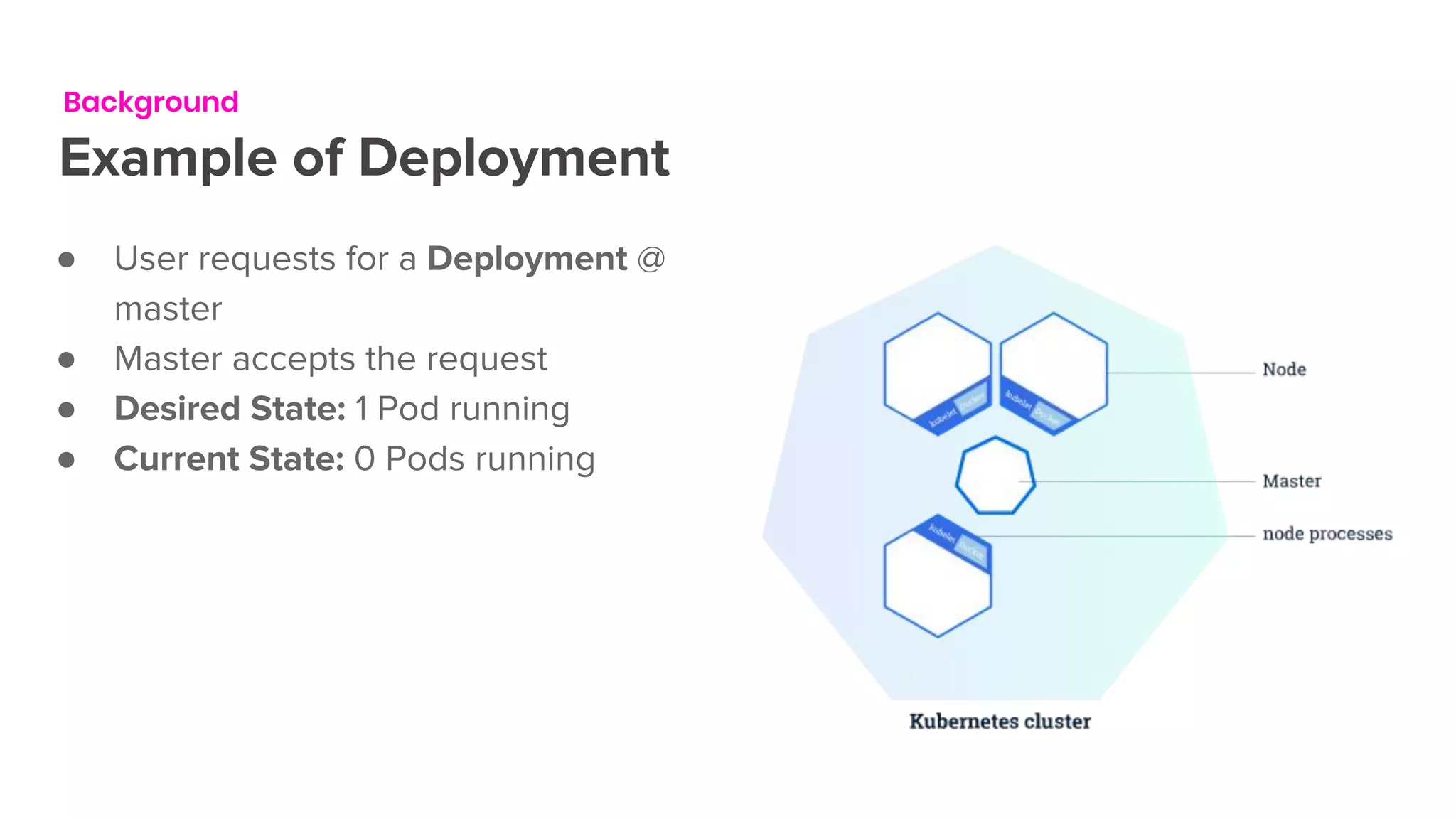
Example of Deployment
● User requests for a Deployment @
master
● Master accepts the request
● Desired State: 1 Pod running
● Current State: 0 Pods running
Background
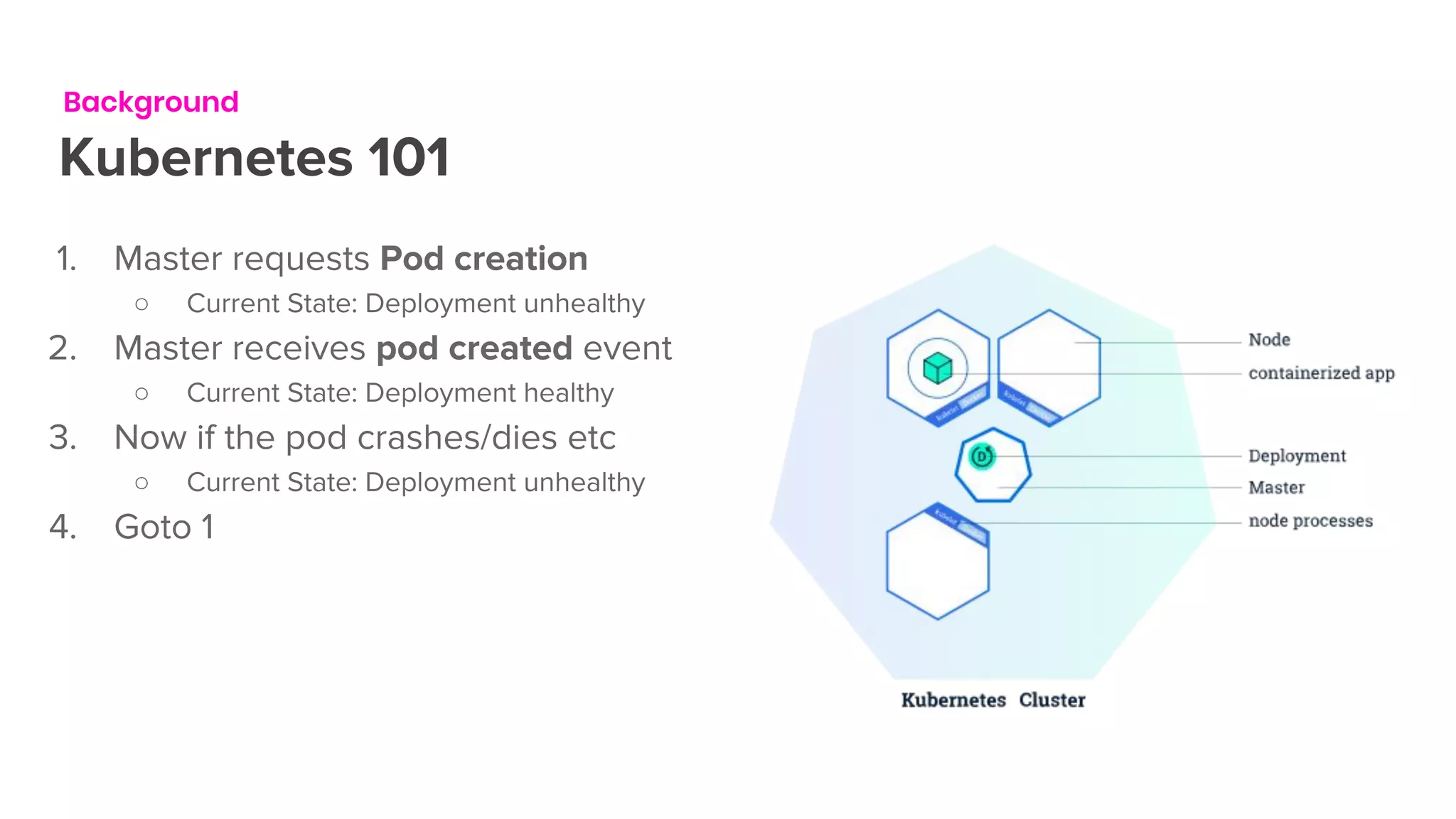
Kubernetes 101
1. Master requests Pod creation
○ Current State: Deployment unhealthy
2. Master receives pod created event
○ Current State: Deployment healthy
3. Now if the pod crashes/dies etc
○ Current State: Deployment unhealthy
4. Goto 1

Flink Forward San Francisco 2019: Managing Flink on Kubernetes - FlinkK8sOperator - Anand Swaminathan & Ketan Umare

  • 1.
    Managing Flink on Kubernetes AnandSwaminathan (@anand12100) Ketan Umare (@ketanumare) April 2, 2019
  • 2.
    Kubernetes Primer1 Agenda Background2 Solution3 Demo4 Quick Introductionto concepts in Kubernetes Summary of Lyft’s legacy Flink Deployment Flink Kubernetes Operator Ecosystem5 Roadmap6
  • 3.
  • 4.
    Kubernetes Primer History ● Google’sinternal infrastructure is containerized and runs on Borg/Omega ● K8s was open sourced in 2014, re-incarnation of the internal infrastructure ● Kubernetes automates - deployment, scaling and management of containerized apps. ● Containers are scheduled based on CPU/GPU/Memory/Disk etc
  • 5.
    Kubernetes Primer Pods ● APod is a group of one or more Containers as one unit ● Pods have no durability guarantees ● Each Pod has a unique IP Address ● Containers in a Pod can communicate using localhost ● Multiple Pods can be located on the same node - machine
  • 6.
    Kubernetes Primer Other Concepts ●Deployments abstraction that enables rolling out changes to a set of pods ● Service abstraction to access sets of pods - like a load balancer within a k8s cluster ● Ingress abstraction to expose a service to the outside world (HTTP/HTTPS) ● Controller A reconciliation loop that drives current state towards desired state
  • 7.
  • 8.
    Kubernetes Primer Control Loops ●Control loops are fundamental building block of industrial control systems ● Desired State refers to the intended state as requested ● Current/Observed State is the state of the system as observed by the controller ● Controller runs control loops ● Drive Current State -> Desired State ● This is the cornerstone of Kubernetes
  • 9.
    Kubernetes Primer Custom Resources ●Custom Resource Definitions (CRD) allow extending Kubernetes API ● Custom resources are optional extensions ● Custom resources can be added/removed dynamically ● They can be manipulated using known tools - kubectl & kube clients ● State stored in etcd ● Custom control loops (controllers) are used to manage the state of the resource. ● CRD is essentially the desired state.
  • 10.
    Kubernetes Primer Operators ● Controller+ CRD = Kubernetes Operator ● Term coined by CoreOS - 2017 ● Manages a complex applications lifecycle on Kubernetes. ● Core library to author operators @ SIG/controller-runtime
  • 11.
    Background OK how doesthis relate ● @Lyft we started working on Flyte - a modern take at Pipelines/Workflows ● Orchestration is pervasive throughout various sectors of our Industry ○ Machine learning ○ Data engineering and processing ○ ETL ● Kubernetes has a solution to many of our problems ○ Deployment, Versioning, cluster management etc ● In parallel Streaming Platform started working on Flink for streaming applications
  • 12.
    Background Legacy deployment ofFlink @Lyft ● Hosted on AWS ● Separate AutoScalingGroups for Task Managers and Job Managers ● Machines provisioned and bootstrapped by SaltStack ● Every deployment needs provisioning of machines ● Users started running multiple jobs in the same Flink Cluster ● Multi-tenancy hell !
  • 13.
  • 14.
    ● Abstract outthe complexity from application developers ○ Hosting ○ Configuration ○ Management ● Separate Flink cluster for each Flink application. ● Deploy and rollback support ● Support Flink application updates - scaling ● Simplified interface for instituting best practices ● Scale to 100s of flink applications Goals
  • 15.
    Solution Flink Operator -CRD ● Each custom resource corresponds to a Flink application ● Each Flink application runs a single Flink job ● Docker image should be runnable
  • 16.
  • 17.
    Solution Operator Walkthrough New Creates anew Flink cluster in K8s Starting Waits for all the pods to come up Ready Polls Flink jobmanager REST API & submits a new job Running Monitors the running job & checks if the application has changed
  • 18.
    Solution Operator Walkthrough Running Operator detects the updateto CRD Updating If needed, updates cluster, cancels Job with savepoint Savepointing Waits for the savepoint to succeed, and updates savepoint location in CRD New Brings up a new cluster and tries to transition to Running
  • 19.
  • 20.
    Ecosystem Deployment @Lyft ● Jenkinsbased deployment ● Each stage creates or updates the resource in Kubernetes
  • 21.
  • 22.
    Roadmap Open Source ● Lastweek of April* ● Project status: Alpha ● @Lyft: ○ Active development and testing in staging. ● Future ○ Flink Job failure handling ○ Tooling to manage CRD Coming soon: https://github.com/lyft/flinkk8soperator
  • 23.
    We’re Hiring! Applyat www.lyft.com/careers Data Engineering Engineering Manager San Francisco Software Engineer San Francisco, Seattle, & New York City Data Infrastructure Engineering Manager San Francisco Software Engineer San Francisco & Seattle Experimentation Software Engineer San Francisco Streaming Software Engineer San Francisco Observability Software Engineer San Francisco
  • 24.
  • 25.
    Background Example of Deployment ●User requests for a Deployment @ master ● Master accepts the request ● Desired State: 1 Pod running ● Current State: 0 Pods running
  • 26.
    Background Kubernetes 101 1. Masterrequests Pod creation ○ Current State: Deployment unhealthy 2. Master receives pod created event ○ Current State: Deployment healthy 3. Now if the pod crashes/dies etc ○ Current State: Deployment unhealthy 4. Goto 1