#DWwebinar
#DWwebinar
q  This webinar will be available afterwards at
www.designworldonline.com & email
q  Slides are available in the Resource Widget
q  Q&A at the end of the presentation
q  Hashtag for this webinar: #DWwebinar
Before We Start
#DWwebinar
Meet your Speakers
MODERATOR FEATURED SPEAKER
Martin Solina
Product Manager
Click2Cast
Leslie Langnau
Managing Editor
Design World
FEATURED SPEAKER
Pablo Fernandez
Mechanical Engineer
Click2Cast
© 2016 solidThinking, Inc. Proprietary and Confidential. All rights reserved. An Altair Company.
#DWwebinar
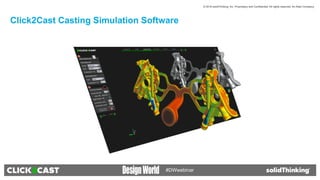
Click2Cast Casting Simulation Software
© 2016 solidThinking, Inc. Proprietary and Confidential. All rights reserved. An Altair Company.
#DWwebinar
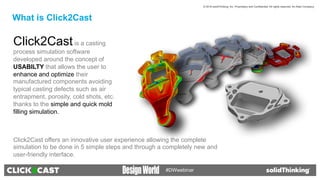
Click2Castis a casting
process simulation software
developed around the concept of
USABILTY that allows the user to
enhance and optimize their
manufactured components avoiding
typical casting defects such as air
entrapment, porosity, cold shots, etc.
thanks to the simple and quick mold
filling simulation.
Click2Cast offers an innovative user experience allowing the complete
simulation to be done in 5 simple steps and through a completely new and
user-friendly interface.
What is Click2Cast
© 2016 solidThinking, Inc. Proprietary and Confidential. All rights reserved. An Altair Company.
#DWwebinar
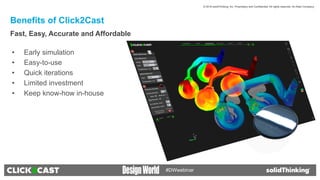
Click2Cast Advantages
•  Early simulation
•  Easy-to-use
•  Quick iterations
•  Limited investment
•  Keep know-how in-house
Benefits of Click2Cast
Fast, Easy, Accurate and Affordable
© 2016 solidThinking, Inc. Proprietary and Confidential. All rights reserved. An Altair Company.
#DWwebinar
•  Where to position the Ingate?
•  Where to position Feed and Risers and which size?
•  Continuous ingate or fan ingate?
•  Where to vent: Overflows
•  How to balance: Multicavity mold
Click2Cast Helps Answer:
© 2016 solidThinking, Inc. Proprietary and Confidential. All rights reserved. An Altair Company.
#DWwebinar
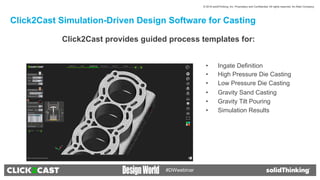
Click2Cast Simulation-Driven Design Software for Casting
Click2Cast provides guided process templates for:
•  Ingate Definition
•  High Pressure Die Casting
•  Low Pressure Die Casting
•  Gravity Sand Casting
•  Gravity Tilt Pouring
•  Simulation Results
© 2016 solidThinking, Inc. Proprietary and Confidential. All rights reserved. An Altair Company.
#DWwebinar
Ingate Definition
Click2Cast allows the user to define the material inlet to the part in
two different ways: Automatic or Advanced.
When using the Automatic option, you need to select a
predesigned ingate, either at the runner or on the part.
1.  Select Automatic, then click on the inlet surface.
2.  To add another ingate, select Add Ingate.
3.  To remove an ingate, select Delete Ingate.
By selecting the Advanced ingate definition, you are able to use a
virtual ingate.
1.  Select Advanced.
2.  Enter the Height, Width, and Orientation.
3.  Select Add Ingate and click a point on the geometry to position the
ingate.
Automatic Ingate
Virtual Ingate
Click2Cast Settings
© 2016 solidThinking, Inc. Proprietary and Confidential. All rights reserved. An Altair Company.
#DWwebinar
High Pressure Die Casting Process
© 2016 solidThinking, Inc. Proprietary and Confidential. All rights reserved. An Altair Company.
#DWwebinar
High Pressure Die Casting Process
High pressure die casting uses a machine to inject molten metal into permanent metal dies under high pressure. It is a good technique for
manufacturing complex parts with a high degree of accuracy, particularly lightweight parts with thin walls that require consistent dimensions.
The high pressure is needed to fill the mold completely and avoid solidification during the casting process.
High pressure die casting utilizes two distinct velocities. The molten metal is first pushed at a low velocity (1st velocity) in order to avoid
turbulence and the formation of bubbles. Just before the material enters the mold, the velocity increases (2nd velocity) and the molten metal
is injected very quickly into the die assembly to fill it completely.
Ladle
Molten
Metal
Casting
Mold
Piston
© 2016 solidThinking, Inc. Proprietary and Confidential. All rights reserved. An Altair Company.
#DWwebinar
High Pressure Die Casting Process
Increase the velocity and the cavity
is filled in a fraction of a second
Solidification inside of the mold Open mold and remove the casted part
4 5 6
Open Mold The mold is closed and the molten
metal is poured into the chamber
Piston starts pushing slowly
2 31
© 2016 solidThinking, Inc. Proprietary and Confidential. All rights reserved. An Altair Company.
#DWwebinar
High Pressure Die Casting Setup
Click2Cast allows you to set up the entire high pressure die casting process by selecting the 1st phase and 2nd phase
velocities of the piston and the phase change point.
1.  Under Process Params, enter the 1st Velocity and 2nd Velocity.
2.  Click the Select Node button and pick a point on the geometry to define when the velocity phase change point. Usually
this point should be before the material reaches the part (at the end of the runner).
1st velocity 2nd velocity
Select Node
© 2016 solidThinking, Inc. Proprietary and Confidential. All rights reserved. An Altair Company.
#DWwebinar
Low Pressure Die Casting Process
© 2016 solidThinking, Inc. Proprietary and Confidential. All rights reserved. An Altair Company.
#DWwebinar
Low Pressure Die Casting Process
Low pressure die casting is a metal casting process
generally used in situations that require high quality
manufacturing. In low pressure casting, molten
aluminum is slowly drawn into a metal mold or die
through a riser tube while kept under constant and
controlled pressure. This process helps avoid
oxidation, cold currents, and air inclusions, generally
producing excellent surface finish and highly
accurate dimensions. However, it is much slower
and therefore more costly than high pressure die
casting.
Moving part
Mold
Pressure
Stalk
Metal
filling
Crucible
© 2016 solidThinking, Inc. Proprietary and Confidential. All rights reserved. An Altair Company.
#DWwebinar
Low Pressure Die Casting Process
PRESSURE
1
MATERIAL
2
Close the mold and fill the crucible The liquid will reach the mold controlled
through increasing pressure
3 4
Maintain Pressure during
solidification
Open mold and extract the
component
© 2016 solidThinking, Inc. Proprietary and Confidential. All rights reserved. An Altair Company.
#DWwebinar
Low Pressure Die Casting Setup
Click2Cast allows you to easily set up a low pressure die casting
process by defining the pressure curve in the furnace. (The pressure
curve is a time vs. pressure curve of the metal displacement system.)
1.  Define the Pressure curve under the Process Params.
2.  Enter the vertical Distance between the free surface in the crucible
and the mold.
Pressure curve in the furnace
© 2016 solidThinking, Inc. Proprietary and Confidential. All rights reserved. An Altair Company.
#DWwebinar
Gravity Casting Process (Sand or Permanent Mold)
© 2016 solidThinking, Inc. Proprietary and Confidential. All rights reserved. An Altair Company.
#DWwebinar
Gravity Die Casting Process
Gravity die casting is a type of permanent mold casting
generally used for production of small, simple metal parts such
as gears, pistons, and wheels. Because the molten metal is
poured into the die and rather than injected, it is similar to
gravity sand casting but with a permanent mold, making it a
better choice for high production volumes. Gravity die casting
generally uses non-ferrous metals such as aluminum,
magnesium, and copper alloys, although iron and steel parts
can also be cast using graphite die molds.
Mold
Molten
metal
Ladle
Molten
metal
Moving
Part
© 2016 solidThinking, Inc. Proprietary and Confidential. All rights reserved. An Altair Company.
#DWwebinar
Gravity Die Casting Process
Open the mold Close the mold and
pour the material.
1 2 3 4
Wait until the end of the
solidification
Open the mold and
extract the casted part.
© 2016 solidThinking, Inc. Proprietary and Confidential. All rights reserved. An Altair Company.
#DWwebinar
Gravity Sand Casting Process
Sand casting is one of the most common casting processes, as it
can be used to produce a variety of parts from simple gears and
pulleys to complex components such as automobile engines. The
process uses an expendable sand mold to form metal parts called
castings, which can be made of nearly any alloy. The metal is
melted in a furnace and then poured into the cavity of the sand
mold. Once the casting is solidified, the casting is removed from the
sand mold. Gravity sand casting has few limits on size, shape, and
weight, with low pattern and material costs. However, it is generally
less accurate than die casting and has a low production rate due to
the destruction of the molds.
Molten
metal
Ladle
Sand
Mold
Core
Casting
Runner
© 2016 solidThinking, Inc. Proprietary and Confidential. All rights reserved. An Altair Company.
#DWwebinar
Gravity Die Casting Process
Make bottom sand mold
1 2
Make top sand mold
3 4
Casting through the gating system Remove the part from the sand
© 2016 solidThinking, Inc. Proprietary and Confidential. All rights reserved. An Altair Company.
#DWwebinar
Gravity Die/Sand Casting Setup
To set up a gravity die or sand casting process in Click2Cast, select the velocity at the ingate or the filling time.
1.  Under Process Params, select Basic.
2.  Enter either the Ingate Vel. or the Filling Time.
Filling Time
Ingate Velocity
Since this is a manual process in which
the operator will pour the material directly
into the mold, the velocity should not be
greater than 1.5 m/s.
Use this option if you have calculated
the exact filling time required for your
process. Units must be in seconds.
© 2016 solidThinking, Inc. Proprietary and Confidential. All rights reserved. An Altair Company.
#DWwebinar
Gravity Tilt Pouring Process
© 2016 solidThinking, Inc. Proprietary and Confidential. All rights reserved. An Altair Company.
#DWwebinar
Gravity Tilt Pouring Process
Gravity tilt pouring is another permanent mold process where the mold is positioned horizontally and is gradually tilted upright
during the filling process so it is filled in a controlled manner, with low turbulence and a moderate flow rate. This technique
compensates for the effect of free fall at the beginning of the pouring process, and helps to avoid air inclusions.
© 2016 solidThinking, Inc. Proprietary and Confidential. All rights reserved. An Altair Company.
#DWwebinar
Gravity Tilt Pouring Setup
To simulate gravity tilt pouring:
1)  Select Tilt Pouring under Process Params.
2)  Enter a Rotation time. When selecting the rotation time, you are also
setting the total filling time (in seconds).
3)  Enter an Initial angle. The initial angle must be negative (e.g., -90º or -45º).
The final position is the actual position of the casting (0º).
4)  To define the rotation, first select the global axis by clicking X, Y, or Z.
5)  Click the Rotation Point button and pick a point on the geometry.
Note: Rotation will follow the XYZ coordinate axis order; if you select Y as the
axis of rotation, then the rotation will turn Z over X; if you select Z, then X will
rotate over Y, etc.
© 2016 solidThinking, Inc. Proprietary and Confidential. All rights reserved. An Altair Company.
#DWwebinar
Casting Simulation in Five Simple Steps
© 2016 solidThinking, Inc. Proprietary and Confidential. All rights reserved. An Altair Company.
#DWwebinar
1. Open the Geometry
2. Define the Ingate and Mesh
3. Set up the Process Parameters
4. Run the Calculation
5. Analyze the Results
Casting Simulation in Five Simple Steps
© 2016 solidThinking, Inc. Proprietary and Confidential. All rights reserved. An Altair Company.
#DWwebinar
Casting Simulation in Five Simple Steps
1. Open the Geometry
2. Define the Ingate and Mesh
3. Set up the Process Parameters
4. Run the Calculation
5. Analyze the Results
Casting Simulation in Five Simple Steps
© 2016 solidThinking, Inc. Proprietary and Confidential. All rights reserved. An Altair Company.
#DWwebinar
1. Open the Geometry
2. Define the Ingate and Mesh
3. Set up the Process Parameters
4. Run the Calculation
5. Analyze the Results
Casting Simulation in Five Simple Steps
© 2016 solidThinking, Inc. Proprietary and Confidential. All rights reserved. An Altair Company.
#DWwebinar
1. Open the Geometry
2. Define the Ingate and Mesh
3. Set up the Process Parameters
4. Run the Calculation
5. Analyze the Results
Casting Simulation in Five Simple Steps
© 2016 solidThinking, Inc. Proprietary and Confidential. All rights reserved. An Altair Company.
#DWwebinar
1. Open the Geometry
2. Define the Ingate and Mesh
3. Set up the Process Parameters
4. Run the Calculation
5. Analyze the Results
Casting Simulation in Five Simple Steps
© 2016 solidThinking, Inc. Proprietary and Confidential. All rights reserved. An Altair Company.
#DWwebinar
Front flow shows the filling material
evolution. This visualization gives a
preliminary idea of the filling time, and
the way the part is filled..
Temperature evolution results shows the
evolution of temperatures during filling.
This animations helps to better
understand the heat lost during the filling.
Analyze the Results
© 2016 solidThinking, Inc. Proprietary and Confidential. All rights reserved. An Altair Company.
#DWwebinar
Shows the vectors representation of the
velocities.
Shows the front encounter of material
during the filling evolution. Blue color
shows the areas where exists the front
encounter of material.
Shows the last areas to fill the part and
his air entrapment during the evolution of
filling.
Analyze the Results
Analyze the Results
© 2016 solidThinking, Inc. Proprietary and Confidential. All rights reserved. An Altair Company.
#DWwebinar
Mold erosion shows the areas with
velocities exceeding 35 m/s, and with
high probability of mold erosion problems
during the evolution of filling.
Shows the filling time of the different
areas of the part.
Predict if there are some areas solidified
during the filling.
Analyze the Results
Analyze the Results
© 2016 solidThinking, Inc. Proprietary and Confidential. All rights reserved. An Altair Company.
#DWwebinar
Shows the temperature evolution during the
solidification.
Shows the evolution of the solidification.
The material that solidifies will disappear
from the animation and liquid material will
be represented in red color.
Shows the time that takes any area of the
part to solidify .
Analyze the Results
Analyze the Results
© 2016 solidThinking, Inc. Proprietary and Confidential. All rights reserved. An Altair Company.
#DWwebinar
Shows the shrinkage porosity percentage in
volume over the total volume of the part.
Solidification Modulus (Volume-to-area ratio.
To use in the riser designer wizard.
Helps to calculate an optimal riser.
Introducing the casting modulus (meters)
we can calculate the required riser for the
part.
Analyze the Results
Analyze the Results
© 2016 solidThinking, Inc. Proprietary and Confidential. All rights reserved. An Altair Company.
#DWwebinar
Q&A Session
© 2016 solidThinking, Inc. Proprietary and Confidential. All rights reserved. An Altair Company.
#DWwebinar
For more info and a free trial, please visit
www.click2cast.com
Click2Cast
#DWwebinar
Questions?
MODERATOR FEATURED SPEAKER
Martin Solina
Product Manager
Click2Cast
msolina@altair.com
Leslie Langnau
Managing Editor
Design World
llangnau@wtwhmedia.com
FEATURED SPEAKER
Pablo Fernandez
Mechanical Engineer
Click2Cast
ptorne@altair.com
#DWwebinar
q  This webinar will be available at
designworldonline.com & email
q  Tweet with hashtag #DWwebinar
q  Connect with Design World
q  Discuss this on EngineeringExchange.com
Don’t Forget!
#DWwebinar

Five Steps to Optimize Casting and Eliminate Defects

  • 1.
  • 2.
    #DWwebinar q  This webinarwill be available afterwards at www.designworldonline.com & email q  Slides are available in the Resource Widget q  Q&A at the end of the presentation q  Hashtag for this webinar: #DWwebinar Before We Start
  • 3.
    #DWwebinar Meet your Speakers MODERATORFEATURED SPEAKER Martin Solina Product Manager Click2Cast Leslie Langnau Managing Editor Design World FEATURED SPEAKER Pablo Fernandez Mechanical Engineer Click2Cast
  • 4.
    © 2016 solidThinking,Inc. Proprietary and Confidential. All rights reserved. An Altair Company.
  • 5.
    © 2016 solidThinking,Inc. Proprietary and Confidential. All rights reserved. An Altair Company. #DWwebinar Click2Cast Casting Simulation Software
  • 6.
    © 2016 solidThinking,Inc. Proprietary and Confidential. All rights reserved. An Altair Company. #DWwebinar Click2Castis a casting process simulation software developed around the concept of USABILTY that allows the user to enhance and optimize their manufactured components avoiding typical casting defects such as air entrapment, porosity, cold shots, etc. thanks to the simple and quick mold filling simulation. Click2Cast offers an innovative user experience allowing the complete simulation to be done in 5 simple steps and through a completely new and user-friendly interface. What is Click2Cast
  • 7.
    © 2016 solidThinking,Inc. Proprietary and Confidential. All rights reserved. An Altair Company. #DWwebinar Click2Cast Advantages •  Early simulation •  Easy-to-use •  Quick iterations •  Limited investment •  Keep know-how in-house Benefits of Click2Cast Fast, Easy, Accurate and Affordable
  • 8.
    © 2016 solidThinking,Inc. Proprietary and Confidential. All rights reserved. An Altair Company. #DWwebinar •  Where to position the Ingate? •  Where to position Feed and Risers and which size? •  Continuous ingate or fan ingate? •  Where to vent: Overflows •  How to balance: Multicavity mold Click2Cast Helps Answer:
  • 9.
    © 2016 solidThinking,Inc. Proprietary and Confidential. All rights reserved. An Altair Company. #DWwebinar Click2Cast Simulation-Driven Design Software for Casting Click2Cast provides guided process templates for: •  Ingate Definition •  High Pressure Die Casting •  Low Pressure Die Casting •  Gravity Sand Casting •  Gravity Tilt Pouring •  Simulation Results
  • 10.
    © 2016 solidThinking,Inc. Proprietary and Confidential. All rights reserved. An Altair Company. #DWwebinar Ingate Definition Click2Cast allows the user to define the material inlet to the part in two different ways: Automatic or Advanced. When using the Automatic option, you need to select a predesigned ingate, either at the runner or on the part. 1.  Select Automatic, then click on the inlet surface. 2.  To add another ingate, select Add Ingate. 3.  To remove an ingate, select Delete Ingate. By selecting the Advanced ingate definition, you are able to use a virtual ingate. 1.  Select Advanced. 2.  Enter the Height, Width, and Orientation. 3.  Select Add Ingate and click a point on the geometry to position the ingate. Automatic Ingate Virtual Ingate Click2Cast Settings
  • 11.
    © 2016 solidThinking,Inc. Proprietary and Confidential. All rights reserved. An Altair Company. #DWwebinar High Pressure Die Casting Process
  • 12.
    © 2016 solidThinking,Inc. Proprietary and Confidential. All rights reserved. An Altair Company. #DWwebinar High Pressure Die Casting Process High pressure die casting uses a machine to inject molten metal into permanent metal dies under high pressure. It is a good technique for manufacturing complex parts with a high degree of accuracy, particularly lightweight parts with thin walls that require consistent dimensions. The high pressure is needed to fill the mold completely and avoid solidification during the casting process. High pressure die casting utilizes two distinct velocities. The molten metal is first pushed at a low velocity (1st velocity) in order to avoid turbulence and the formation of bubbles. Just before the material enters the mold, the velocity increases (2nd velocity) and the molten metal is injected very quickly into the die assembly to fill it completely. Ladle Molten Metal Casting Mold Piston
  • 13.
    © 2016 solidThinking,Inc. Proprietary and Confidential. All rights reserved. An Altair Company. #DWwebinar High Pressure Die Casting Process Increase the velocity and the cavity is filled in a fraction of a second Solidification inside of the mold Open mold and remove the casted part 4 5 6 Open Mold The mold is closed and the molten metal is poured into the chamber Piston starts pushing slowly 2 31
  • 14.
    © 2016 solidThinking,Inc. Proprietary and Confidential. All rights reserved. An Altair Company. #DWwebinar High Pressure Die Casting Setup Click2Cast allows you to set up the entire high pressure die casting process by selecting the 1st phase and 2nd phase velocities of the piston and the phase change point. 1.  Under Process Params, enter the 1st Velocity and 2nd Velocity. 2.  Click the Select Node button and pick a point on the geometry to define when the velocity phase change point. Usually this point should be before the material reaches the part (at the end of the runner). 1st velocity 2nd velocity Select Node
  • 15.
    © 2016 solidThinking,Inc. Proprietary and Confidential. All rights reserved. An Altair Company. #DWwebinar Low Pressure Die Casting Process
  • 16.
    © 2016 solidThinking,Inc. Proprietary and Confidential. All rights reserved. An Altair Company. #DWwebinar Low Pressure Die Casting Process Low pressure die casting is a metal casting process generally used in situations that require high quality manufacturing. In low pressure casting, molten aluminum is slowly drawn into a metal mold or die through a riser tube while kept under constant and controlled pressure. This process helps avoid oxidation, cold currents, and air inclusions, generally producing excellent surface finish and highly accurate dimensions. However, it is much slower and therefore more costly than high pressure die casting. Moving part Mold Pressure Stalk Metal filling Crucible
  • 17.
    © 2016 solidThinking,Inc. Proprietary and Confidential. All rights reserved. An Altair Company. #DWwebinar Low Pressure Die Casting Process PRESSURE 1 MATERIAL 2 Close the mold and fill the crucible The liquid will reach the mold controlled through increasing pressure 3 4 Maintain Pressure during solidification Open mold and extract the component
  • 18.
    © 2016 solidThinking,Inc. Proprietary and Confidential. All rights reserved. An Altair Company. #DWwebinar Low Pressure Die Casting Setup Click2Cast allows you to easily set up a low pressure die casting process by defining the pressure curve in the furnace. (The pressure curve is a time vs. pressure curve of the metal displacement system.) 1.  Define the Pressure curve under the Process Params. 2.  Enter the vertical Distance between the free surface in the crucible and the mold. Pressure curve in the furnace
  • 19.
    © 2016 solidThinking,Inc. Proprietary and Confidential. All rights reserved. An Altair Company. #DWwebinar Gravity Casting Process (Sand or Permanent Mold)
  • 20.
    © 2016 solidThinking,Inc. Proprietary and Confidential. All rights reserved. An Altair Company. #DWwebinar Gravity Die Casting Process Gravity die casting is a type of permanent mold casting generally used for production of small, simple metal parts such as gears, pistons, and wheels. Because the molten metal is poured into the die and rather than injected, it is similar to gravity sand casting but with a permanent mold, making it a better choice for high production volumes. Gravity die casting generally uses non-ferrous metals such as aluminum, magnesium, and copper alloys, although iron and steel parts can also be cast using graphite die molds. Mold Molten metal Ladle Molten metal Moving Part
  • 21.
    © 2016 solidThinking,Inc. Proprietary and Confidential. All rights reserved. An Altair Company. #DWwebinar Gravity Die Casting Process Open the mold Close the mold and pour the material. 1 2 3 4 Wait until the end of the solidification Open the mold and extract the casted part.
  • 22.
    © 2016 solidThinking,Inc. Proprietary and Confidential. All rights reserved. An Altair Company. #DWwebinar Gravity Sand Casting Process Sand casting is one of the most common casting processes, as it can be used to produce a variety of parts from simple gears and pulleys to complex components such as automobile engines. The process uses an expendable sand mold to form metal parts called castings, which can be made of nearly any alloy. The metal is melted in a furnace and then poured into the cavity of the sand mold. Once the casting is solidified, the casting is removed from the sand mold. Gravity sand casting has few limits on size, shape, and weight, with low pattern and material costs. However, it is generally less accurate than die casting and has a low production rate due to the destruction of the molds. Molten metal Ladle Sand Mold Core Casting Runner
  • 23.
    © 2016 solidThinking,Inc. Proprietary and Confidential. All rights reserved. An Altair Company. #DWwebinar Gravity Die Casting Process Make bottom sand mold 1 2 Make top sand mold 3 4 Casting through the gating system Remove the part from the sand
  • 24.
    © 2016 solidThinking,Inc. Proprietary and Confidential. All rights reserved. An Altair Company. #DWwebinar Gravity Die/Sand Casting Setup To set up a gravity die or sand casting process in Click2Cast, select the velocity at the ingate or the filling time. 1.  Under Process Params, select Basic. 2.  Enter either the Ingate Vel. or the Filling Time. Filling Time Ingate Velocity Since this is a manual process in which the operator will pour the material directly into the mold, the velocity should not be greater than 1.5 m/s. Use this option if you have calculated the exact filling time required for your process. Units must be in seconds.
  • 25.
    © 2016 solidThinking,Inc. Proprietary and Confidential. All rights reserved. An Altair Company. #DWwebinar Gravity Tilt Pouring Process
  • 26.
    © 2016 solidThinking,Inc. Proprietary and Confidential. All rights reserved. An Altair Company. #DWwebinar Gravity Tilt Pouring Process Gravity tilt pouring is another permanent mold process where the mold is positioned horizontally and is gradually tilted upright during the filling process so it is filled in a controlled manner, with low turbulence and a moderate flow rate. This technique compensates for the effect of free fall at the beginning of the pouring process, and helps to avoid air inclusions.
  • 27.
    © 2016 solidThinking,Inc. Proprietary and Confidential. All rights reserved. An Altair Company. #DWwebinar Gravity Tilt Pouring Setup To simulate gravity tilt pouring: 1)  Select Tilt Pouring under Process Params. 2)  Enter a Rotation time. When selecting the rotation time, you are also setting the total filling time (in seconds). 3)  Enter an Initial angle. The initial angle must be negative (e.g., -90º or -45º). The final position is the actual position of the casting (0º). 4)  To define the rotation, first select the global axis by clicking X, Y, or Z. 5)  Click the Rotation Point button and pick a point on the geometry. Note: Rotation will follow the XYZ coordinate axis order; if you select Y as the axis of rotation, then the rotation will turn Z over X; if you select Z, then X will rotate over Y, etc.
  • 28.
    © 2016 solidThinking,Inc. Proprietary and Confidential. All rights reserved. An Altair Company. #DWwebinar Casting Simulation in Five Simple Steps
  • 29.
    © 2016 solidThinking,Inc. Proprietary and Confidential. All rights reserved. An Altair Company. #DWwebinar 1. Open the Geometry 2. Define the Ingate and Mesh 3. Set up the Process Parameters 4. Run the Calculation 5. Analyze the Results Casting Simulation in Five Simple Steps
  • 30.
    © 2016 solidThinking,Inc. Proprietary and Confidential. All rights reserved. An Altair Company. #DWwebinar Casting Simulation in Five Simple Steps 1. Open the Geometry 2. Define the Ingate and Mesh 3. Set up the Process Parameters 4. Run the Calculation 5. Analyze the Results Casting Simulation in Five Simple Steps
  • 31.
    © 2016 solidThinking,Inc. Proprietary and Confidential. All rights reserved. An Altair Company. #DWwebinar 1. Open the Geometry 2. Define the Ingate and Mesh 3. Set up the Process Parameters 4. Run the Calculation 5. Analyze the Results Casting Simulation in Five Simple Steps
  • 32.
    © 2016 solidThinking,Inc. Proprietary and Confidential. All rights reserved. An Altair Company. #DWwebinar 1. Open the Geometry 2. Define the Ingate and Mesh 3. Set up the Process Parameters 4. Run the Calculation 5. Analyze the Results Casting Simulation in Five Simple Steps
  • 33.
    © 2016 solidThinking,Inc. Proprietary and Confidential. All rights reserved. An Altair Company. #DWwebinar 1. Open the Geometry 2. Define the Ingate and Mesh 3. Set up the Process Parameters 4. Run the Calculation 5. Analyze the Results Casting Simulation in Five Simple Steps
  • 34.
    © 2016 solidThinking,Inc. Proprietary and Confidential. All rights reserved. An Altair Company. #DWwebinar Front flow shows the filling material evolution. This visualization gives a preliminary idea of the filling time, and the way the part is filled.. Temperature evolution results shows the evolution of temperatures during filling. This animations helps to better understand the heat lost during the filling. Analyze the Results
  • 35.
    © 2016 solidThinking,Inc. Proprietary and Confidential. All rights reserved. An Altair Company. #DWwebinar Shows the vectors representation of the velocities. Shows the front encounter of material during the filling evolution. Blue color shows the areas where exists the front encounter of material. Shows the last areas to fill the part and his air entrapment during the evolution of filling. Analyze the Results Analyze the Results
  • 36.
    © 2016 solidThinking,Inc. Proprietary and Confidential. All rights reserved. An Altair Company. #DWwebinar Mold erosion shows the areas with velocities exceeding 35 m/s, and with high probability of mold erosion problems during the evolution of filling. Shows the filling time of the different areas of the part. Predict if there are some areas solidified during the filling. Analyze the Results Analyze the Results
  • 37.
    © 2016 solidThinking,Inc. Proprietary and Confidential. All rights reserved. An Altair Company. #DWwebinar Shows the temperature evolution during the solidification. Shows the evolution of the solidification. The material that solidifies will disappear from the animation and liquid material will be represented in red color. Shows the time that takes any area of the part to solidify . Analyze the Results Analyze the Results
  • 38.
    © 2016 solidThinking,Inc. Proprietary and Confidential. All rights reserved. An Altair Company. #DWwebinar Shows the shrinkage porosity percentage in volume over the total volume of the part. Solidification Modulus (Volume-to-area ratio. To use in the riser designer wizard. Helps to calculate an optimal riser. Introducing the casting modulus (meters) we can calculate the required riser for the part. Analyze the Results Analyze the Results
  • 39.
    © 2016 solidThinking,Inc. Proprietary and Confidential. All rights reserved. An Altair Company. #DWwebinar Q&A Session
  • 40.
    © 2016 solidThinking,Inc. Proprietary and Confidential. All rights reserved. An Altair Company. #DWwebinar For more info and a free trial, please visit www.click2cast.com Click2Cast
  • 41.
    #DWwebinar Questions? MODERATOR FEATURED SPEAKER MartinSolina Product Manager Click2Cast msolina@altair.com Leslie Langnau Managing Editor Design World llangnau@wtwhmedia.com FEATURED SPEAKER Pablo Fernandez Mechanical Engineer Click2Cast ptorne@altair.com
  • 42.
    #DWwebinar q  This webinarwill be available at designworldonline.com & email q  Tweet with hashtag #DWwebinar q  Connect with Design World q  Discuss this on EngineeringExchange.com Don’t Forget!
  • 43.