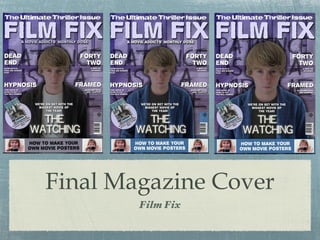
Final Magazine Cover Film Fix
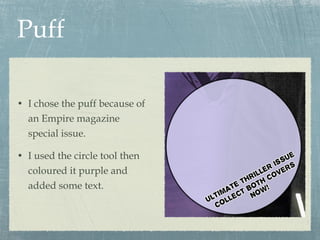
Puff I chose the puff because of an Empire magazine special issue. I used the circle tool then coloured it purple and added some text.
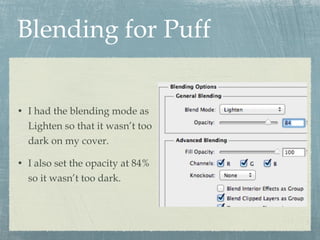
Blending for Puff I had the blending mode as Lighten so that it wasn’t too dark on my cover. I also set the opacity at 84% so it wasn’t too dark.
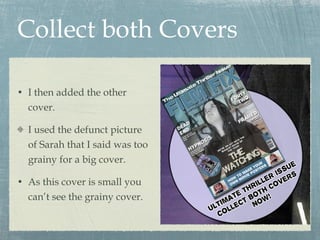
Collect both Covers I then added the other cover. I used the defunct picture of Sarah that I said was too grainy for a big cover. As this cover is small you can’t see the grainy cover.
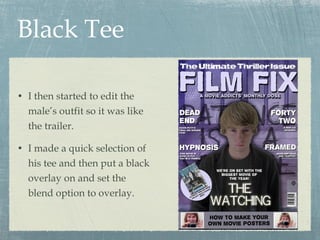
Black Tee I then started to edit the male’s outfit so it was like the trailer. I made a quick selection of his tee and then put a black overlay on and set the blend option to overlay.
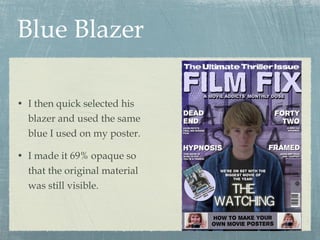
Blue Blazer I then quick selected his blazer and used the same blue I used on my poster. I made it 69% opaque so that the original material was still visible.
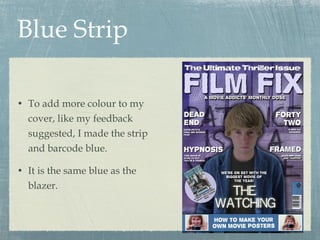
Blue Strip To add more colour to my cover, like my feedback suggested, I made the strip and barcode blue. It is the same blue as the blazer.
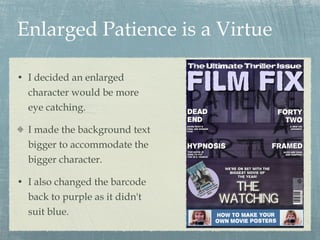
Enlarged Patience is a Virtue I decided an enlarged character would be more eye catching. I made the background text bigger to accommodate the bigger character. I also changed the barcode back to purple as it didn't suit blue.
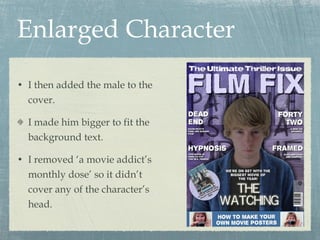
Enlarged Character I then added the male to the cover. I made him bigger to fit the background text. I removed ‘a movie addict’s monthly dose’ so it didn’t cover any of the character’s head.
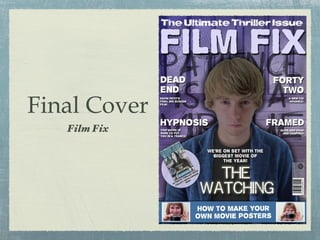
Final Cover Film Fix

Film Fix Final Cover

  • 1.
  • 2.
    Puff I chosethe puff because of an Empire magazine special issue. I used the circle tool then coloured it purple and added some text.
  • 3.
    Blending for PuffI had the blending mode as Lighten so that it wasn’t too dark on my cover. I also set the opacity at 84% so it wasn’t too dark.
  • 4.
    Collect both CoversI then added the other cover. I used the defunct picture of Sarah that I said was too grainy for a big cover. As this cover is small you can’t see the grainy cover.
  • 5.
    Black Tee Ithen started to edit the male’s outfit so it was like the trailer. I made a quick selection of his tee and then put a black overlay on and set the blend option to overlay.
  • 6.
    Blue Blazer Ithen quick selected his blazer and used the same blue I used on my poster. I made it 69% opaque so that the original material was still visible.
  • 7.
    Blue Strip Toadd more colour to my cover, like my feedback suggested, I made the strip and barcode blue. It is the same blue as the blazer.
  • 8.
    Enlarged Patience isa Virtue I decided an enlarged character would be more eye catching. I made the background text bigger to accommodate the bigger character. I also changed the barcode back to purple as it didn't suit blue.
  • 9.
    Enlarged Character Ithen added the male to the cover. I made him bigger to fit the background text. I removed ‘a movie addict’s monthly dose’ so it didn’t cover any of the character’s head.
  • 10.