Research Methods
Florence Tang
Liaison to the College of
Continuing and Professional
Studies for the Atlanta
Campus
678-547-6261
tang_fy@mercer.edu
http://libraries.mercer.edu/
http://mercer.libguides.com/CCPS/
Cornell University Library definition

of a reference librarian

http://www.library.cornell.edu/olinuris/ref/research/vocab.html

Reference Librarian

Reference librarians are
specialists in the field of
information retrieval. Generally
they have a Masters degree in
library science… They are
available at reference desks to
help you find the information
you are looking for.
Questions? Ask the Reference Desk!
(678) 547-6282 (Atlanta)
http://libraries.mercer.edu/swilley/
reference/email-reference
Reference Hours
M - Th
F
Sat
Sun

9AM-10PM
9AM-6PM
10AM-6PM
1PM-9PM

Add askmercer as your buddy!
Remember to start your research
early. Not everything can be found
full-text online or at all hours.
o Interlibrary Loan
o Interlibrary Use
o Print copies of books and
journals
o Databases unavailable from
off-campus
o Reference Librarian
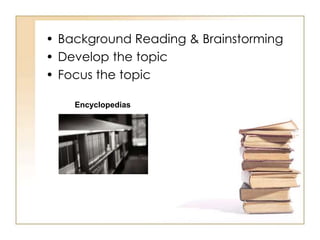
• Background Reading & Brainstorming
• Develop the topic
• Focus the topic
Encyclopedias
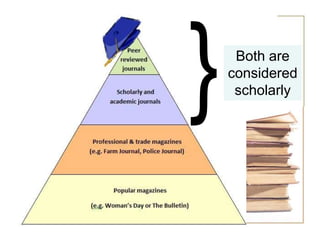
“Scholarly” Journals
• Periodicals used by researchers
to share their findings with one
another and the public.
• They contain articles describing
new research or ideas written
in a formal manner that
includes background
information, methods
used, results/interpretation and
significance.
• Research articles are peerreviewed
Scholarly Journals
How do I tell?
• May contain graphs and charts.
• Written by a scholar in the field or
by someone who has done
research in the field. Degrees
attained and institutional
affiliations are often included by
the authors’ names.
• Always cite their sources in the
form of footnotes or
bibliographies
• No glossy pages or pictures
• No advertisements
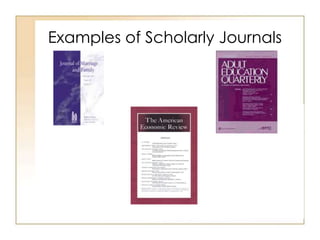
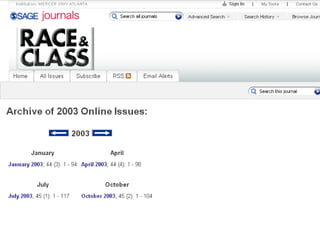
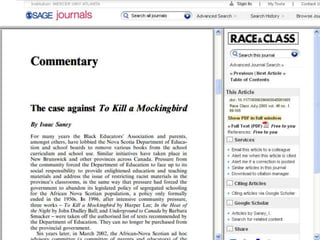
Examples of Scholarly Journals
Popular Magazines
How do I tell?
• Slick, glossy and attractive in
appearance.
• Lots of graphics
(photographs, drawings, etc.).
• Articles are usually very
short, written in simple
language .
• Generally little depth to the
content of these articles.
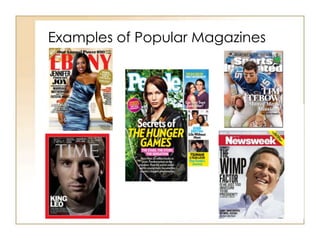
Examples of Popular Magazines
Both are
considered
scholarly
Web Sites
The good…

 Immediate coverage of an
event
 Access to information that
is not available in print
format
 Statistics
 Graphs
Websites
The ugly
 Self publishing medium
 No filters
 No standard
 No organizers
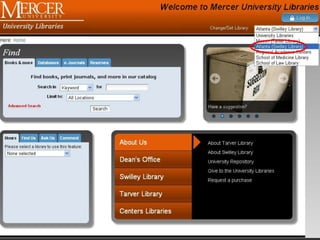
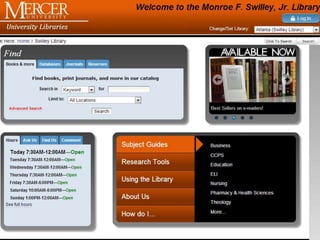
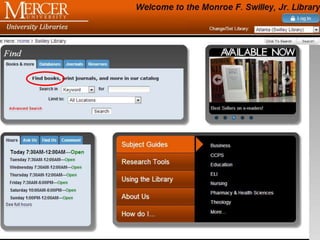
Finding Books
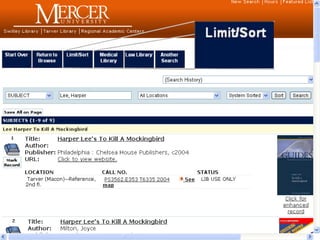
Use a CATALOG to find books

The library catalog is called
BEARCAT.
http://library.mercer.edu
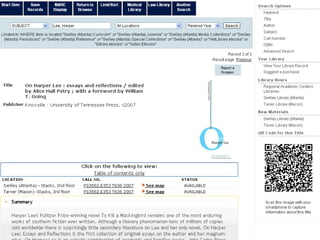
When you search BEARCAT,
you will find books that are
located in the Swilley Library
or another Mercer Library.
http://libraries.mercer.edu/
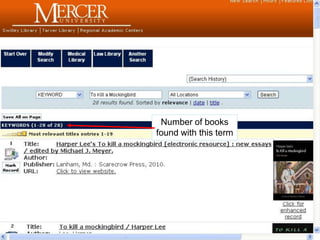
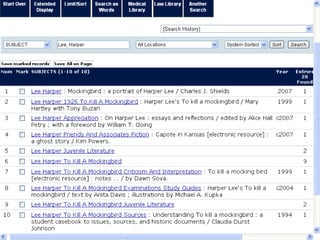
Number of books
found with this term
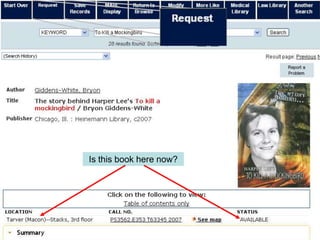
Is this book here now?
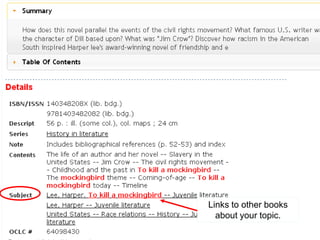
Links to other books
about your topic.
Finding Articles
To find Articles, use a database or
index
• A database is a collection of
citations for articles or similar
information
• Some databases will contain full
texts of articles
• Some databases are specific
(such as Education or Business)
and some cover many subjects
Finding Articles
• Choose the appropriate
database
• Find full-text articles OR
– Find a citation
– Check to see if your library
has the journal in another
database – If not, we can
order it for you via
InterLibrary Loan.
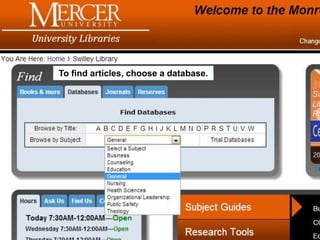
To find articles, choose a database.
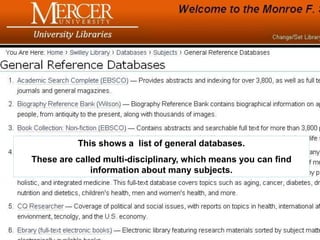
This shows a list of general databases.
These are called multi-disciplinary, which means you can find
information about many subjects.
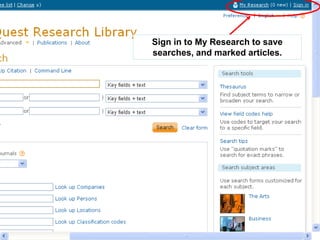
Sign in to My Research to save
searches, and marked articles.
Sign in to My Research to save
searches, and marked articles.
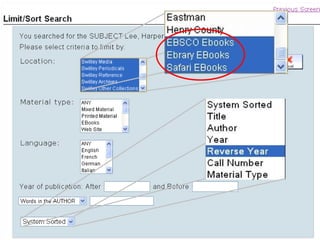
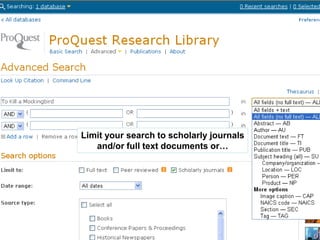
Limit your search to scholarly journals
and/or full text documents or…
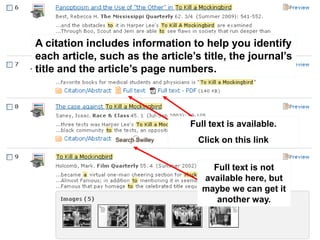
A citation includes information to help you identify
each article, such as the article’s title, the journal’s
title and the article’s page numbers.

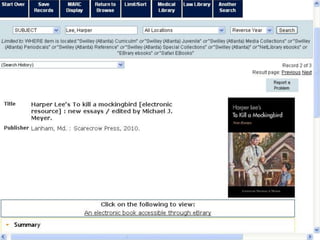
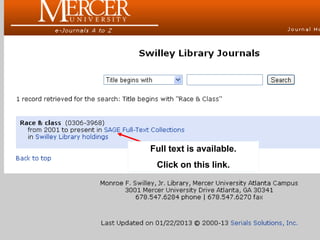
Full text is available.
Click on this link
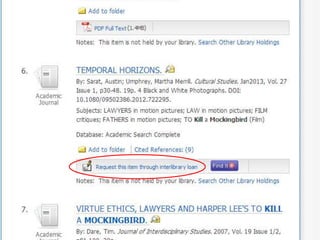
Full text is not
available here, but
maybe we can get it
another way.
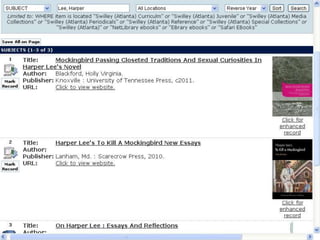
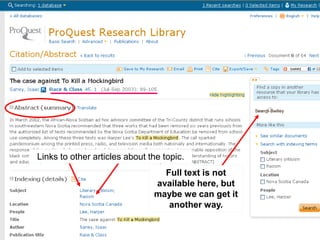
Links to other articles about the topic.

Full text is not
available here, but
maybe we can get it
another way.
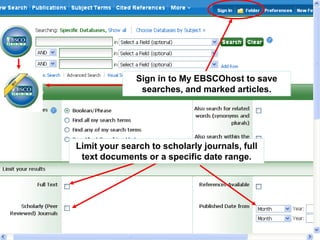
Sign in to My EBSCOhost to save
searches, and marked articles.

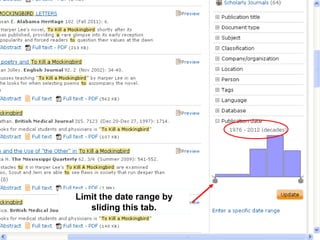
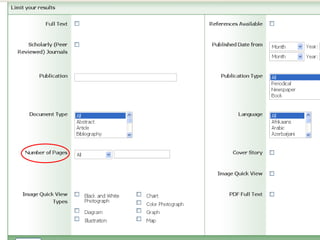
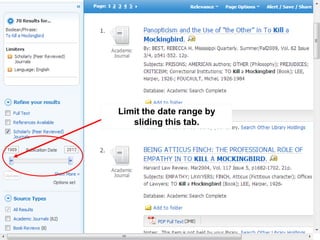
Limit your search to scholarly journals
and/or a specific date range.
Do not
• Share your GALILEO
password or MUID with
others.
• Upload an article to a
webpage that others can
access.
• Copy and paste sections
of an article into your
paper without using
quotations.
Citing
Always show from
where you got
your information.
http://departments.mercer.edu/arc/
Tutoring/atl_schedule.html
END

FDLS 110

  • 1.
    Research Methods Florence Tang Liaisonto the College of Continuing and Professional Studies for the Atlanta Campus 678-547-6261 tang_fy@mercer.edu
  • 2.
  • 4.
  • 5.
    Cornell University Librarydefinition of a reference librarian http://www.library.cornell.edu/olinuris/ref/research/vocab.html Reference Librarian Reference librarians are specialists in the field of information retrieval. Generally they have a Masters degree in library science… They are available at reference desks to help you find the information you are looking for.
  • 6.
    Questions? Ask theReference Desk! (678) 547-6282 (Atlanta) http://libraries.mercer.edu/swilley/ reference/email-reference Reference Hours M - Th F Sat Sun 9AM-10PM 9AM-6PM 10AM-6PM 1PM-9PM Add askmercer as your buddy!
  • 9.
    Remember to startyour research early. Not everything can be found full-text online or at all hours. o Interlibrary Loan o Interlibrary Use o Print copies of books and journals o Databases unavailable from off-campus o Reference Librarian
  • 10.
    • Background Reading& Brainstorming • Develop the topic • Focus the topic Encyclopedias
  • 11.
    “Scholarly” Journals • Periodicalsused by researchers to share their findings with one another and the public. • They contain articles describing new research or ideas written in a formal manner that includes background information, methods used, results/interpretation and significance. • Research articles are peerreviewed
  • 12.
    Scholarly Journals How doI tell? • May contain graphs and charts. • Written by a scholar in the field or by someone who has done research in the field. Degrees attained and institutional affiliations are often included by the authors’ names. • Always cite their sources in the form of footnotes or bibliographies • No glossy pages or pictures • No advertisements
  • 13.
  • 14.
    Popular Magazines How doI tell? • Slick, glossy and attractive in appearance. • Lots of graphics (photographs, drawings, etc.). • Articles are usually very short, written in simple language . • Generally little depth to the content of these articles.
  • 15.
  • 16.
  • 17.
    Web Sites The good… Immediate coverage of an event  Access to information that is not available in print format  Statistics  Graphs
  • 18.
    Websites The ugly  Selfpublishing medium  No filters  No standard  No organizers
  • 19.
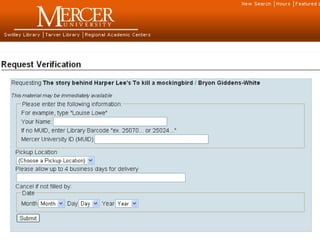
    Finding Books Use aCATALOG to find books The library catalog is called BEARCAT. http://library.mercer.edu When you search BEARCAT, you will find books that are located in the Swilley Library or another Mercer Library.
  • 20.
  • 22.
    Number of books foundwith this term
  • 23.
    Is this bookhere now?
  • 25.
    Links to otherbooks about your topic.
  • 30.
    Finding Articles To findArticles, use a database or index • A database is a collection of citations for articles or similar information • Some databases will contain full texts of articles • Some databases are specific (such as Education or Business) and some cover many subjects
  • 31.
    Finding Articles • Choosethe appropriate database • Find full-text articles OR – Find a citation – Check to see if your library has the journal in another database – If not, we can order it for you via InterLibrary Loan.
  • 32.
    To find articles,choose a database.
  • 33.
    This shows alist of general databases. These are called multi-disciplinary, which means you can find information about many subjects.
  • 34.
    Sign in toMy Research to save searches, and marked articles.
  • 35.
    Sign in toMy Research to save searches, and marked articles.
  • 36.
    Limit your searchto scholarly journals and/or full text documents or…
  • 37.
    A citation includesinformation to help you identify each article, such as the article’s title, the journal’s title and the article’s page numbers. Full text is available. Click on this link Full text is not available here, but maybe we can get it another way.
  • 38.
    Links to otherarticles about the topic. Full text is not available here, but maybe we can get it another way.
  • 39.
    Sign in toMy EBSCOhost to save searches, and marked articles. Limit your search to scholarly journals and/or a specific date range.
  • 43.
    Do not • Shareyour GALILEO password or MUID with others. • Upload an article to a webpage that others can access. • Copy and paste sections of an article into your paper without using quotations.
  • 44.
    Citing Always show from whereyou got your information.
  • 56.
  • 57.