The New Facebook Timeline


        Webinar by Atim Ukoh
        Director of Social Media
            Webtech Dezine
Introduction


•   Questions: Email atim@mm4a.com

•   Ask about our listing presentation software www.realprosuccess.com

•   Ask about our RECO approved Training courses (Online and Offline)
    www.e2000training.com

•   Type questions in the Chat box after the webinar
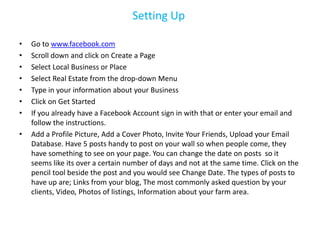
Setting Up

•   Go to www.facebook.com
•   Scroll down and click on Create a Page
•   Select Local Business or Place
•   Select Real Estate from the drop-down Menu
•   Type in your information about your Business
•   Click on Get Started
•   If you already have a Facebook Account sign in with that or enter your email and
    follow the instructions.
•   Add a Profile Picture, Add a Cover Photo, Invite Your Friends, Upload your Email
    Database. Have 5 posts handy to post on your wall so when people come, they
    have something to see on your page. You can change the date on posts so it
    seems like its over a certain number of days and not at the same time. Click on the
    pencil tool beside the post and you would see Change Date. The types of posts to
    have up are; Links from your blog, The most commonly asked question by your
    clients, Video, Photos of listings, Information about your farm area.
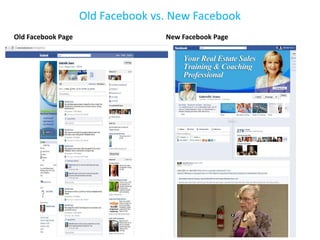
Old Facebook vs. New Facebook
Old Facebook Page                  New Facebook Page
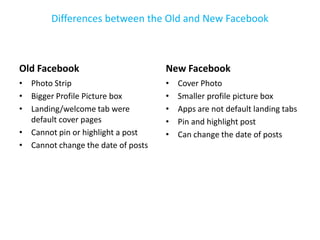
Differences between the Old and New Facebook


Old Facebook                        New Facebook
• Photo Strip                       •   Cover Photo
• Bigger Profile Picture box        •   Smaller profile picture box
• Landing/welcome tab were          •   Apps are not default landing tabs
  default cover pages               •   Pin and highlight post
• Cannot pin or highlight a post    •   Can change the date of posts
• Cannot change the date of posts
Elements of Facebook Timeline
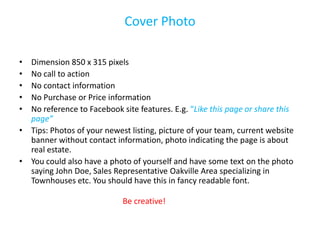
Cover Photo

• Dimension 850 x 315 pixels
• No call to action
• No contact information
• No Purchase or Price information
• No reference to Facebook site features. E.g. “Like this page or share this
  page”
• Tips: Photos of your newest listing, picture of your team, current website
  banner without contact information, photo indicating the page is about
  real estate.
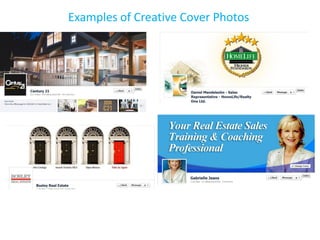
• You could also have a photo of yourself and have some text on the photo
  saying John Doe, Sales Representative Oakville Area specializing in
  Townhouses etc. You should have this in fancy readable font.

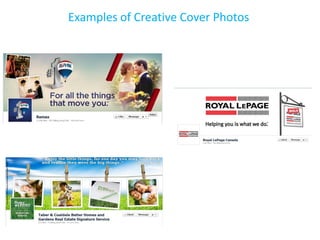
                            Be creative!
Examples of Creative Cover Photos
Profile Picture


• 180 pixels wide
• Use a square image for best results
Tips: You can use your face or company logo.
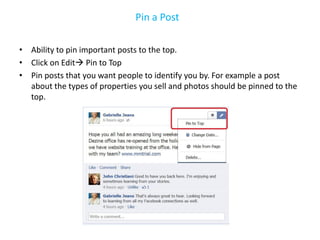
Pin a Post

• Ability to pin important posts to the top.
• Click on Edit Pin to Top
• Pin posts that you want people to identify you by. For example a post
  about the types of properties you sell and photos should be pinned to the
  top.
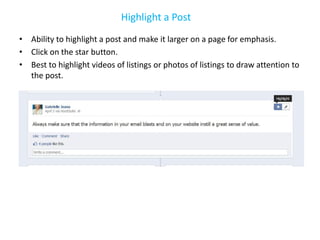
Highlight a Post
• Ability to highlight a post and make it larger on a page for emphasis.
• Click on the star button.
• Best to highlight videos of listings or photos of listings to draw attention to
  the post.
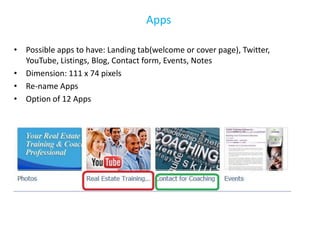
Apps

• Possible apps to have: Landing tab(welcome or cover page), Twitter,
  YouTube, Listings, Blog, Contact form, Events, Notes
• Dimension: 111 x 74 pixels
• Re-name Apps
• Option of 12 Apps
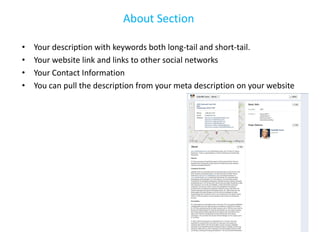
About Section

•   Your description with keywords both long-tail and short-tail.
•   Your website link and links to other social networks
•   Your Contact Information
•   You can pull the description from your meta description on your website
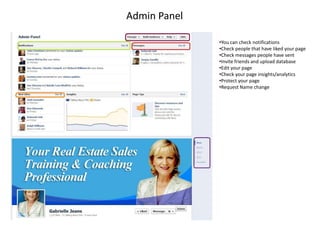
Admin Panel

              •You can check notifications
              •Check people that have liked your page
              •Check messages people have sent
              •Invite friends and upload database
              •Edit your page
              •Check your page insights/analytics
              •Protect your page
              •Request Name change
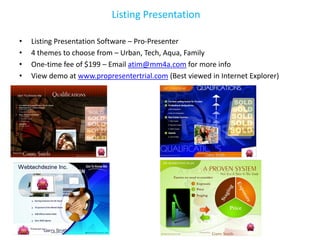
Listing Presentation

•   Listing Presentation Software – Pro-Presenter
•   4 themes to choose from – Urban, Tech, Aqua, Family
•   One-time fee of $199 – Email atim@mm4a.com for more info
•   View demo at www.propresentertrial.com (Best viewed in Internet Explorer)
E2000 Training Courses


                             •RECO Approved CE Courses
                             •Real Estate trainer with 34 Years
                             of Training Experience.
                             •Specialization is Internet
                             Marketing and Social Media
                             Networking.


Online Training Click Here                                        Live Training Click Here


                                  Private Coaching Click Here
Got Questions???


• Email: atim@mm4a.com
• Like the Gabrielle Jeans Facebook Page
   www.facebook.com/smartagentnow

Facebook webinar webtech_dezine_atim_ukoh_april_2012

  • 1.
    The New FacebookTimeline Webinar by Atim Ukoh Director of Social Media Webtech Dezine
  • 2.
    Introduction • Questions: Email atim@mm4a.com • Ask about our listing presentation software www.realprosuccess.com • Ask about our RECO approved Training courses (Online and Offline) www.e2000training.com • Type questions in the Chat box after the webinar
  • 3.
    Setting Up • Go to www.facebook.com • Scroll down and click on Create a Page • Select Local Business or Place • Select Real Estate from the drop-down Menu • Type in your information about your Business • Click on Get Started • If you already have a Facebook Account sign in with that or enter your email and follow the instructions. • Add a Profile Picture, Add a Cover Photo, Invite Your Friends, Upload your Email Database. Have 5 posts handy to post on your wall so when people come, they have something to see on your page. You can change the date on posts so it seems like its over a certain number of days and not at the same time. Click on the pencil tool beside the post and you would see Change Date. The types of posts to have up are; Links from your blog, The most commonly asked question by your clients, Video, Photos of listings, Information about your farm area.
  • 4.
    Old Facebook vs.New Facebook Old Facebook Page New Facebook Page
  • 5.
    Differences between theOld and New Facebook Old Facebook New Facebook • Photo Strip • Cover Photo • Bigger Profile Picture box • Smaller profile picture box • Landing/welcome tab were • Apps are not default landing tabs default cover pages • Pin and highlight post • Cannot pin or highlight a post • Can change the date of posts • Cannot change the date of posts
  • 6.
  • 7.
    Cover Photo • Dimension850 x 315 pixels • No call to action • No contact information • No Purchase or Price information • No reference to Facebook site features. E.g. “Like this page or share this page” • Tips: Photos of your newest listing, picture of your team, current website banner without contact information, photo indicating the page is about real estate. • You could also have a photo of yourself and have some text on the photo saying John Doe, Sales Representative Oakville Area specializing in Townhouses etc. You should have this in fancy readable font. Be creative!
  • 8.
  • 9.
  • 10.
    Profile Picture • 180pixels wide • Use a square image for best results Tips: You can use your face or company logo.
  • 11.
    Pin a Post •Ability to pin important posts to the top. • Click on Edit Pin to Top • Pin posts that you want people to identify you by. For example a post about the types of properties you sell and photos should be pinned to the top.
  • 12.
    Highlight a Post •Ability to highlight a post and make it larger on a page for emphasis. • Click on the star button. • Best to highlight videos of listings or photos of listings to draw attention to the post.
  • 13.
    Apps • Possible appsto have: Landing tab(welcome or cover page), Twitter, YouTube, Listings, Blog, Contact form, Events, Notes • Dimension: 111 x 74 pixels • Re-name Apps • Option of 12 Apps
  • 14.
    About Section • Your description with keywords both long-tail and short-tail. • Your website link and links to other social networks • Your Contact Information • You can pull the description from your meta description on your website
  • 15.
    Admin Panel •You can check notifications •Check people that have liked your page •Check messages people have sent •Invite friends and upload database •Edit your page •Check your page insights/analytics •Protect your page •Request Name change
  • 16.
    Listing Presentation • Listing Presentation Software – Pro-Presenter • 4 themes to choose from – Urban, Tech, Aqua, Family • One-time fee of $199 – Email atim@mm4a.com for more info • View demo at www.propresentertrial.com (Best viewed in Internet Explorer)
  • 17.
    E2000 Training Courses •RECO Approved CE Courses •Real Estate trainer with 34 Years of Training Experience. •Specialization is Internet Marketing and Social Media Networking. Online Training Click Here Live Training Click Here Private Coaching Click Here
  • 18.
    Got Questions??? • Email:atim@mm4a.com • Like the Gabrielle Jeans Facebook Page www.facebook.com/smartagentnow