Getting Familiar with
Facebook: The Basics
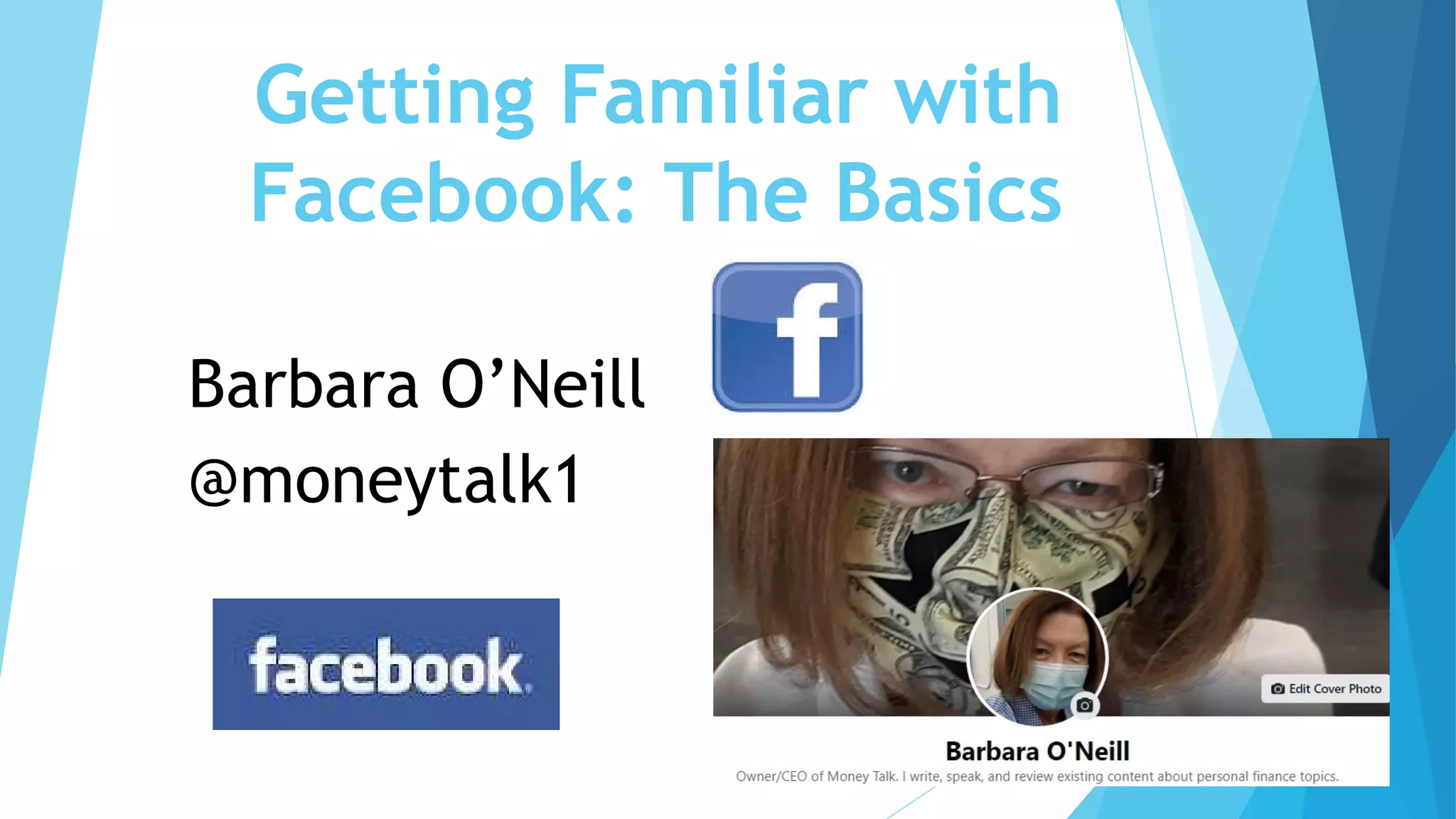
Barbara O’Neill
@moneytalk1
My Street Cred
 Facebook user since 2009
 Former professor at Rutgers University
 Currently a full-time entrepreneur
 Use Twitter for business 95%+ of the time
 In top 1.5% of Twitter users worldwide (~3,600 followers)
 Use Facebook about 60% personally and 40% professionally
(245 Facebook friends)
 Member of 21 Facebook groups
What Types of Social Media
Do YOU Use?
 Do you use Facebook?
 Have you tweeted?
 Do you have a blog
 Are you Linked In?
 Other (e.g., Instagram, TikTok, Clubhouse)?
4
Why Social Media?
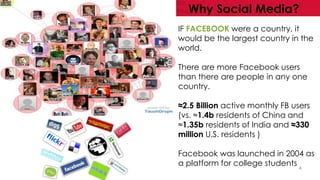
IF FACEBOOK were a country, it
would be the largest country in the
world.
There are more Facebook users
than there are people in any one
country.
≈2.5 Billion active monthly FB users
(vs. ≈1.4b residents of China and
≈1.35b residents of India and ≈330
million U.S. residents )
Facebook was launched in 2004 as
a platform for college students
Pros and Cons of Facebook
Pros
 FREE way to promote a book
and/or business and sell things
 Source of daily news
 Stay connected with colleagues
and friends
 Repository for your photos
 View a variety of opinions
 Keeps a “journal” of your life
 Can connect people to help one
another
Cons
 Time-use concerns: FB can suck up
hours of time
 “Over-sharing” concerns
 Mental health/anxiety concerns
 Privacy concerns via photos and
tagged messages
 Targeted advertising based on
profile and uploads
 Can connect people to do bad things
Source: https://itstillworks.com/list-pros-
cons-having-facebook-account-3905.html
Why Do YOU Want to Use
Facebook?
 Stay connected with friends, family, stores, and groups
 “Capture” camera photos to download to a computer
 Get breaking news for free
 Learn new things
 Share your opinions
 Other reasons?
Set Facebook “Guardrails”
 Professional use only?
 Personal use only?
 Personal and professional use? (one account or two?)
 “Off Limits” content (e.g., politics)
 Having “guardrails” will help you determine what (and
what not) to post….and to stay in your lane
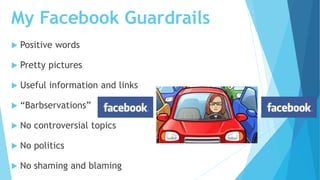
My Facebook Guardrails
 Positive words
 Pretty pictures
 Useful information and links
 “Barbservations”
 No controversial topics
 No politics
 No shaming and blaming
Write Down Some of Your
Facebook “Guardrails”
Volunteers to share
your thoughts?
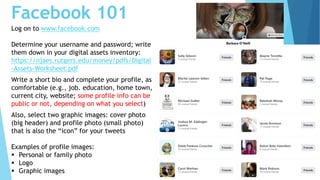
Facebook 101
Log on to www.facebook.com
Determine your username and password; write
them down in your digital assets inventory:
https://njaes.rutgers.edu/money/pdfs/Digital
-Assets-Worksheet.pdf
Write a short bio and complete your profile, as
comfortable (e.g., job. education, home town,
current city, website; some profile info can be
public or not, depending on what you select)
Also, select two graphic images: cover photo
(big header) and profile photo (small photo)
that is also the “icon” for your tweets
Examples of profile images:
 Personal or family photo
 Logo
 Graphic images
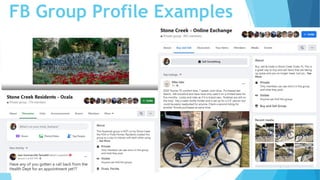
FB Group Profile Examples
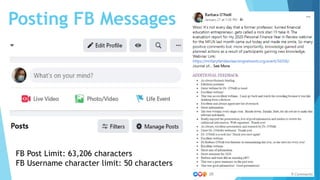
Posting FB Messages
FB Post Limit: 63,206 characters
FB Username character limit: 50 characters
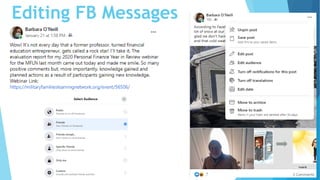
Editing FB Messages
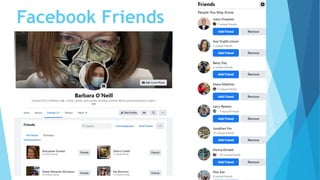
Facebook Friends
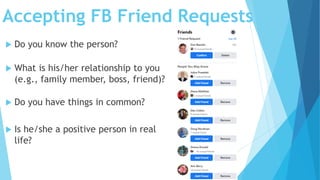
Accepting FB Friend Requests
 Do you know the person?
 What is his/her relationship to you
(e.g., family member, boss, friend)?
 Do you have things in common?
 Is he/she a positive person in real
life?
Handling Your FB Friends
• Level 1- Snooze a person (don’t see their posts) for 30 days
• Level 2-Hide one post by a FB friend from your timeline forever
• Level 3- When you unfriend someone, they can still see your
profile and send you messages
• Level 4- If you do not want someone to be able to see your profile,
items you post on your timeline, tag you or send you messages,
then you should block this person
• When you block someone, you automatically unfriend that person.
https://www.businessnewsdaily.com/3890-unfriend-social-
media.html#:~:text=When%20you%20unfriend%20someone%2C%20they,you%20auto
matically%20unfriend%20that%20person
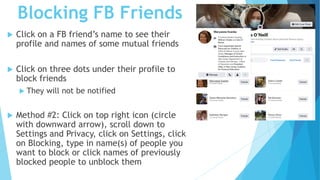
Blocking FB Friends
 Click on a FB friend’s name to see their
profile and names of some mutual friends
 Click on three dots under their profile to
block friends
 They will not be notified
 Method #2: Click on top right icon (circle
with downward arrow), scroll down to
Settings and Privacy, click on Settings, click
on Blocking, type in name(s) of people you
want to block or click names of previously
blocked people to unblock them
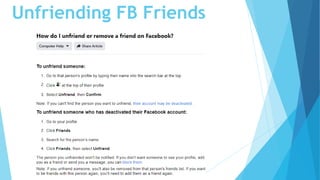
Unfriending FB Friends
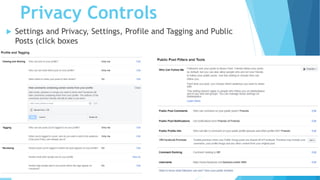
Privacy Controls
 Settings and Privacy, Settings, Profile and Tagging and Public
Posts (click boxes
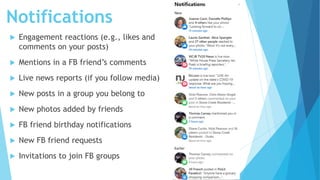
Notifications
 Engagement reactions (e.g., likes and
comments on your posts)
 Mentions in a FB friend’s comments
 Live news reports (if you follow media)
 New posts in a group you belong to
 New photos added by friends
 FB friend birthday notifications
 New FB friend requests
 Invitations to join FB groups
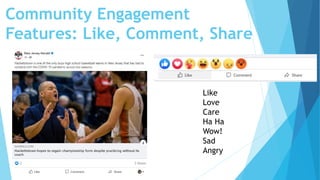
Community Engagement
Features: Like, Comment, Share
Like
Love
Care
Ha Ha
Wow!
Sad
Angry
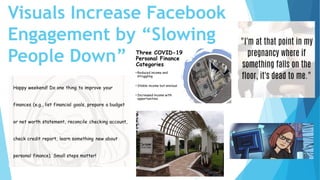
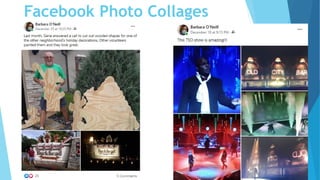
Visuals Increase Facebook
Engagement by “Slowing
People Down”
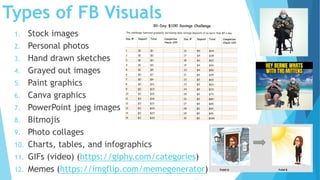
Types of FB Visuals
1. Stock images
2. Personal photos
3. Hand drawn sketches
4. Grayed out images
5. Paint graphics
6. Canva graphics
7. PowerPoint jpeg images
8. Bitmojis
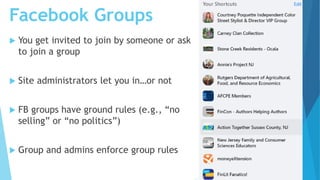
9. Photo collages
10. Charts, tables, and infographics
11. GIFs (video) (https://giphy.com/categories)
12. Memes (https://imgflip.com/memegenerator)
Facebook Photo Collages
Facebook Groups
 You get invited to join by someone or ask
to join a group
 Site administrators let you in…or not
 FB groups have ground rules (e.g., “no
selling” or “no politics”)
 Group and admins enforce group rules
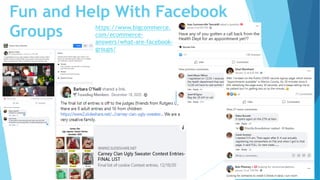
Fun and Help With Facebook
Groups https://www.bigcommerce.
com/ecommerce-
answers/what-are-facebook-
groups/
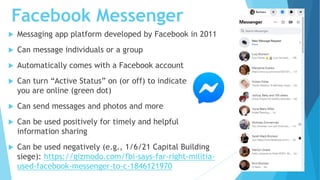
Facebook Messenger
 Messaging app platform developed by Facebook in 2011
 Can message individuals or a group
 Automatically comes with a Facebook account
 Can turn “Active Status” on (or off) to indicate that
you are online (green dot)
 Can send messages and photos and more
 Can be used positively for timely and helpful
information sharing
 Can be used negatively (e.g., 1/6/21 Capital Building
siege): https://gizmodo.com/fbi-says-far-right-militia-
used-facebook-messenger-to-c-1846121970
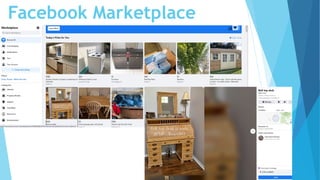
Facebook Marketplace
Final Thoughts
 Know why you are using Facebook: have “guardrails”
 Start small (10-15 minutes per day)
 “Lurk” for as long as you want
 Post content when you are ready
 Build your skills, confidence, and friends’ network
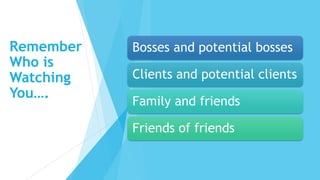
Remember
Who is
Watching
You….
Bosses and potential bosses
Clients and potential clients
Family and friends
Friends of friends
What Did I Miss?
Any Other Facebook Tips?
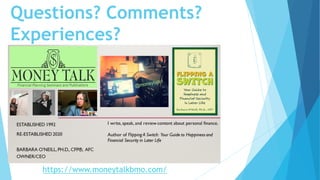
Questions? Comments?
Experiences?
https://www.moneytalkbmo.com/

Facebook Presentation-Stone Creek Computer club-02-21

  • 1.
    Getting Familiar with Facebook:The Basics Barbara O’Neill @moneytalk1
  • 2.
    My Street Cred Facebook user since 2009  Former professor at Rutgers University  Currently a full-time entrepreneur  Use Twitter for business 95%+ of the time  In top 1.5% of Twitter users worldwide (~3,600 followers)  Use Facebook about 60% personally and 40% professionally (245 Facebook friends)  Member of 21 Facebook groups
  • 3.
    What Types ofSocial Media Do YOU Use?  Do you use Facebook?  Have you tweeted?  Do you have a blog  Are you Linked In?  Other (e.g., Instagram, TikTok, Clubhouse)?
  • 4.
    4 Why Social Media? IFFACEBOOK were a country, it would be the largest country in the world. There are more Facebook users than there are people in any one country. ≈2.5 Billion active monthly FB users (vs. ≈1.4b residents of China and ≈1.35b residents of India and ≈330 million U.S. residents ) Facebook was launched in 2004 as a platform for college students
  • 5.
    Pros and Consof Facebook Pros  FREE way to promote a book and/or business and sell things  Source of daily news  Stay connected with colleagues and friends  Repository for your photos  View a variety of opinions  Keeps a “journal” of your life  Can connect people to help one another Cons  Time-use concerns: FB can suck up hours of time  “Over-sharing” concerns  Mental health/anxiety concerns  Privacy concerns via photos and tagged messages  Targeted advertising based on profile and uploads  Can connect people to do bad things Source: https://itstillworks.com/list-pros- cons-having-facebook-account-3905.html
  • 6.
    Why Do YOUWant to Use Facebook?  Stay connected with friends, family, stores, and groups  “Capture” camera photos to download to a computer  Get breaking news for free  Learn new things  Share your opinions  Other reasons?
  • 7.
    Set Facebook “Guardrails” Professional use only?  Personal use only?  Personal and professional use? (one account or two?)  “Off Limits” content (e.g., politics)  Having “guardrails” will help you determine what (and what not) to post….and to stay in your lane
  • 8.
    My Facebook Guardrails Positive words  Pretty pictures  Useful information and links  “Barbservations”  No controversial topics  No politics  No shaming and blaming
  • 9.
    Write Down Someof Your Facebook “Guardrails” Volunteers to share your thoughts?
  • 10.
    Facebook 101 Log onto www.facebook.com Determine your username and password; write them down in your digital assets inventory: https://njaes.rutgers.edu/money/pdfs/Digital -Assets-Worksheet.pdf Write a short bio and complete your profile, as comfortable (e.g., job. education, home town, current city, website; some profile info can be public or not, depending on what you select) Also, select two graphic images: cover photo (big header) and profile photo (small photo) that is also the “icon” for your tweets Examples of profile images:  Personal or family photo  Logo  Graphic images
  • 11.
  • 12.
    Posting FB Messages FBPost Limit: 63,206 characters FB Username character limit: 50 characters
  • 13.
  • 14.
  • 15.
    Accepting FB FriendRequests  Do you know the person?  What is his/her relationship to you (e.g., family member, boss, friend)?  Do you have things in common?  Is he/she a positive person in real life?
  • 16.
    Handling Your FBFriends • Level 1- Snooze a person (don’t see their posts) for 30 days • Level 2-Hide one post by a FB friend from your timeline forever • Level 3- When you unfriend someone, they can still see your profile and send you messages • Level 4- If you do not want someone to be able to see your profile, items you post on your timeline, tag you or send you messages, then you should block this person • When you block someone, you automatically unfriend that person. https://www.businessnewsdaily.com/3890-unfriend-social- media.html#:~:text=When%20you%20unfriend%20someone%2C%20they,you%20auto matically%20unfriend%20that%20person
  • 17.
    Blocking FB Friends Click on a FB friend’s name to see their profile and names of some mutual friends  Click on three dots under their profile to block friends  They will not be notified  Method #2: Click on top right icon (circle with downward arrow), scroll down to Settings and Privacy, click on Settings, click on Blocking, type in name(s) of people you want to block or click names of previously blocked people to unblock them
  • 18.
  • 19.
    Privacy Controls  Settingsand Privacy, Settings, Profile and Tagging and Public Posts (click boxes
  • 20.
    Notifications  Engagement reactions(e.g., likes and comments on your posts)  Mentions in a FB friend’s comments  Live news reports (if you follow media)  New posts in a group you belong to  New photos added by friends  FB friend birthday notifications  New FB friend requests  Invitations to join FB groups
  • 21.
    Community Engagement Features: Like,Comment, Share Like Love Care Ha Ha Wow! Sad Angry
  • 22.
    Visuals Increase Facebook Engagementby “Slowing People Down”
  • 23.
    Types of FBVisuals 1. Stock images 2. Personal photos 3. Hand drawn sketches 4. Grayed out images 5. Paint graphics 6. Canva graphics 7. PowerPoint jpeg images 8. Bitmojis 9. Photo collages 10. Charts, tables, and infographics 11. GIFs (video) (https://giphy.com/categories) 12. Memes (https://imgflip.com/memegenerator)
  • 24.
  • 25.
    Facebook Groups  Youget invited to join by someone or ask to join a group  Site administrators let you in…or not  FB groups have ground rules (e.g., “no selling” or “no politics”)  Group and admins enforce group rules
  • 26.
    Fun and HelpWith Facebook Groups https://www.bigcommerce. com/ecommerce- answers/what-are-facebook- groups/
  • 27.
    Facebook Messenger  Messagingapp platform developed by Facebook in 2011  Can message individuals or a group  Automatically comes with a Facebook account  Can turn “Active Status” on (or off) to indicate that you are online (green dot)  Can send messages and photos and more  Can be used positively for timely and helpful information sharing  Can be used negatively (e.g., 1/6/21 Capital Building siege): https://gizmodo.com/fbi-says-far-right-militia- used-facebook-messenger-to-c-1846121970
  • 28.
  • 29.
    Final Thoughts  Knowwhy you are using Facebook: have “guardrails”  Start small (10-15 minutes per day)  “Lurk” for as long as you want  Post content when you are ready  Build your skills, confidence, and friends’ network
  • 30.
    Remember Who is Watching You…. Bosses andpotential bosses Clients and potential clients Family and friends Friends of friends
  • 31.
    What Did IMiss? Any Other Facebook Tips?
  • 32.