Audience  
Optimisation  Tips  
Achieving  Better  Engagement  
For  Your  Facebook  Posts
9  September  2016
How does
Facebook deliver
your posts?
3
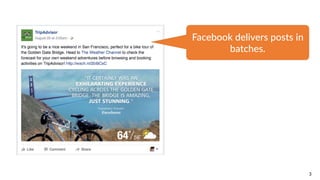
Facebook  delivers  posts  in  
batches.
4
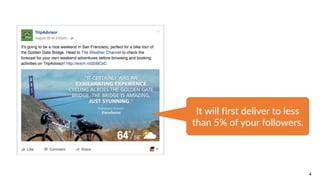
It  will  first  deliver  to  less  
than  5%  of  your  followers.
5
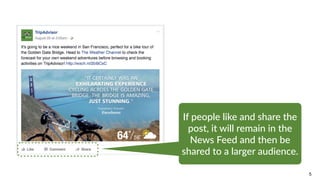
If  people  like  and  share  the  
post,  it  will  remain  in  the  
News  Feed  and  then  be  
shared  to  a  larger  audience.
6
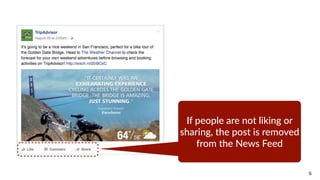
If  people  are  not  liking  or  
sharing,  the  post  is  removed  
from  the  News  Feed
7
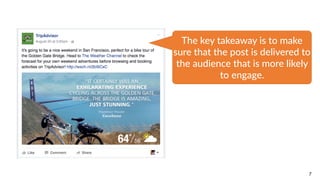
The  key  takeaway  is  to  make  
sure  that  the  post  is  delivered  to  
the  audience  that  is  more  likely  
to  engage.
8
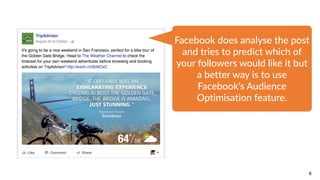
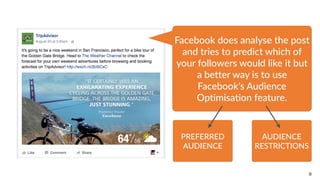
Facebook  does  analyse  the  post  
and  tries  to  predict  which  of  
your  followers  would  like  it  but  
a  better  way  is  to  use  
Facebook’s  Audience  
Optimisation  feature.
9
Facebook  does  analyse  the  post  
and  tries  to  predict  which  of  
your  followers  would  like  it  but  
a  better  way  is  to  use  
Facebook’s  Audience  
Optimisation  feature.
PREFERRED  
AUDIENCE
AUDIENCE  
RESTRICTIONS
AUDIENCE
OPTIMISATION
(PART 1):
Preferred
Audience
TEST
PAGE
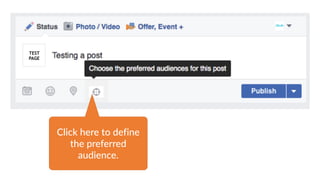
Click  here  to  define  
the  preferred  
audience.
12
13
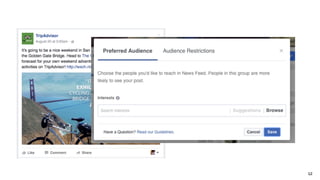
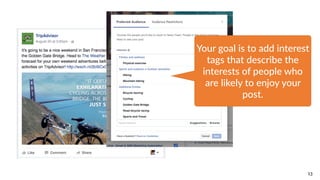
Your  goal  is  to  add  interest  
tags  that  describe  the  
interests  of  people  who  
are  likely  to  enjoy  your  
post.
14
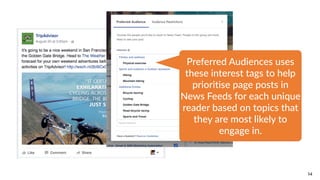
Preferred  Audiences  uses  
these  interest  tags  to  help  
prioritise  page  posts  in  
News  Feeds  for  each  unique  
reader  based  on  topics  that  
they  are  most  likely  to  
engage  in.
15
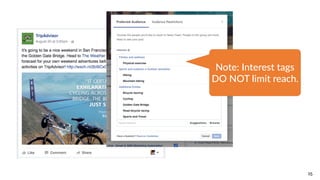
Note:  Interest  tags  
DO  NOT  limit  reach.
Tips for Adding
Interest Tags
17
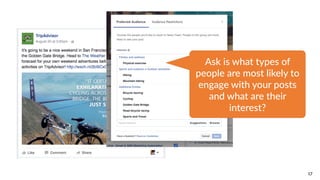
Ask  is  what  types  of  
people  are  most  likely  to  
engage  with  your  posts  
and  what  are  their  
interest?
18
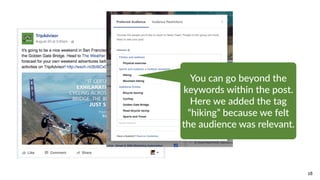
You  can  go  beyond  the  
keywords  within  the  post.  
Here  we  added  the  tag  
“hiking”  because  we  felt  
the  audience  was  relevant.
19
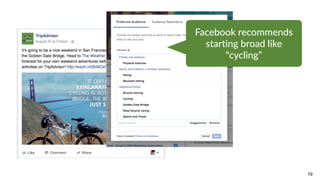
Facebook  recommends  
starting  broad  like  
“cycling”
20
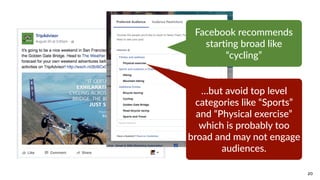
Facebook  recommends  
starting  broad  like  
“cycling”
…but  avoid  top  level  
categories  like  “Sports”  
and  “Physical  exercise”  
which  is  probably  too  
broad  and  may  not  engage  
audiences.
21
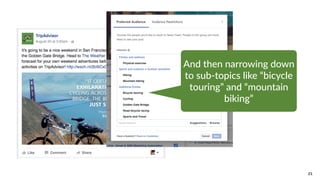
And  then  narrowing  down  
to  sub-­‐topics  like  “bicycle  
touring”  and  “mountain  
biking”
22
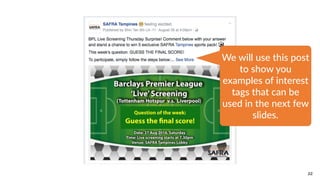
We  will  use  this  post  
to  show  you  
examples  of  interest  
tags  that  can  be  
used  in  the  next  few  
slides.
23
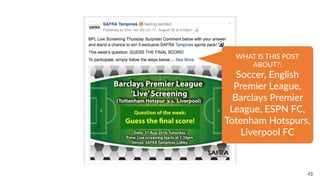
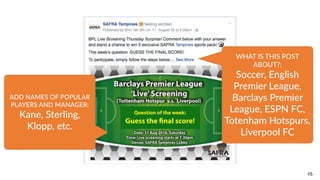
WHAT  IS  THIS  POST  
ABOUT?:  
Soccer,  English  
Premier  League,  
Barclays  Premier  
League,  ESPN  FC,  
Totenham  Hotspurs,  
Liverpool  FC
24
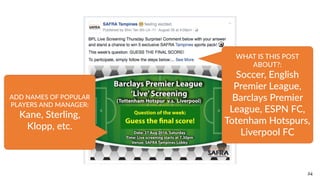
ADD  NAMES  OF  POPULAR  
PLAYERS  AND  MANAGER:  
Kane,  Sterling,  
Klopp,  etc.
WHAT  IS  THIS  POST  
ABOUT?:  
Soccer,  English  
Premier  League,  
Barclays  Premier  
League,  ESPN  FC,  
Totenham  Hotspurs,  
Liverpool  FC
25
ADD  NAMES  OF  POPULAR  
PLAYERS  AND  MANAGER:  
Kane,  Sterling,  
Klopp,  etc.
WHAT  IS  THIS  POST  
ABOUT?:  
Soccer,  English  
Premier  League,  
Barclays  Premier  
League,  ESPN  FC,  
Totenham  Hotspurs,  
Liverpool  FC
26
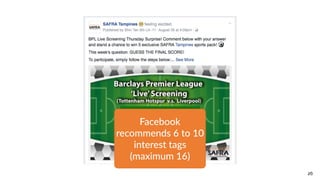
Facebook  
recommends  6  to  10  
interest  tags  
(maximum  16)
AUDIENCE
OPTIMISATION
(PART 2):
Audience
Restrictions
28
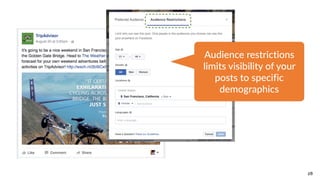
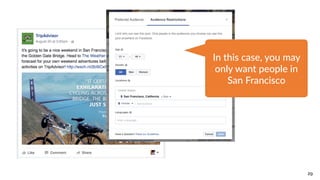
Audience  restrictions  
limits  visibility  of  your  
posts  to  specific  
demographics
29
In  this  case,  you  may  
only  want  people  in  
San  Francisco
WHAT DOES AN
AUDIENCE
OPTIMISED POST
LOOK LIKE?
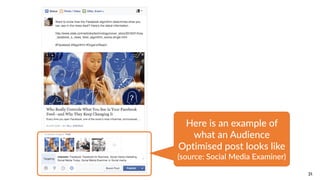
31
Here  is  an  example  of  
what  an  Audience  
Optimised  post  looks  like  
(source:  Social  Media  Examiner)
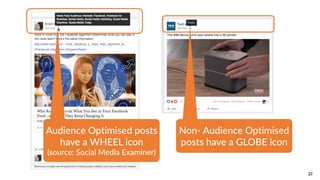
32
Non-­‐  Audience  Optimised  
posts  have  a  GLOBE  icon
Audience  Optimised  posts  
have  a  WHEEL  icon  
(source:  Social  Media  Examiner)
AUDIENCE
INSIGHTS
34
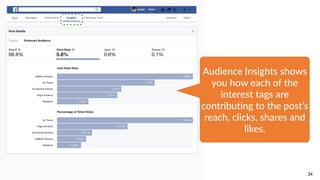
Audience  Insights  shows  
you  how  each  of  the  
interest  tags  are  
contributing  to  the  post’s  
reach,  clicks,  shares  and  
likes.
35
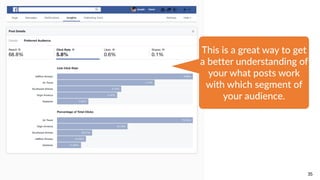
This  is  a  great  way  to  get  
a  better  understanding  of  
your  what  posts  work  
with  which  segment  of  
your  audience.
SUMMARY
•Facebook recommends 6 to 10 interest tags.
•Focus on describing the interests of people who are likely to
enjoy the post. Ask yourself these questions.
•Facebook recommends adding broad and narrow interests
tags
•You can restrict by demographics using the AUDIENCE
RESTRICTION feature.
•Overall, if done right, you should see better engagement for
your posts.

Facebook Audience Optimization Tips

  • 1.
    Audience   Optimisation  Tips  Achieving  Better  Engagement   For  Your  Facebook  Posts 9  September  2016
  • 2.
  • 3.
  • 4.
    4 It  will  first deliver  to  less   than  5%  of  your  followers.
  • 5.
    5 If  people  like and  share  the   post,  it  will  remain  in  the   News  Feed  and  then  be   shared  to  a  larger  audience.
  • 6.
    6 If  people  are not  liking  or   sharing,  the  post  is  removed   from  the  News  Feed
  • 7.
    7 The  key  takeaway is  to  make   sure  that  the  post  is  delivered  to   the  audience  that  is  more  likely   to  engage.
  • 8.
    8 Facebook  does  analyse the  post   and  tries  to  predict  which  of   your  followers  would  like  it  but   a  better  way  is  to  use   Facebook’s  Audience   Optimisation  feature.
  • 9.
    9 Facebook  does  analyse the  post   and  tries  to  predict  which  of   your  followers  would  like  it  but   a  better  way  is  to  use   Facebook’s  Audience   Optimisation  feature. PREFERRED   AUDIENCE AUDIENCE   RESTRICTIONS
  • 10.
  • 11.
    TEST PAGE Click  here  to define   the  preferred   audience.
  • 12.
  • 13.
    13 Your  goal  is to  add  interest   tags  that  describe  the   interests  of  people  who   are  likely  to  enjoy  your   post.
  • 14.
    14 Preferred  Audiences  uses  these  interest  tags  to  help   prioritise  page  posts  in   News  Feeds  for  each  unique   reader  based  on  topics  that   they  are  most  likely  to   engage  in.
  • 15.
    15 Note:  Interest  tags  DO  NOT  limit  reach.
  • 16.
  • 17.
    17 Ask  is  what types  of   people  are  most  likely  to   engage  with  your  posts   and  what  are  their   interest?
  • 18.
    18 You  can  go beyond  the   keywords  within  the  post.   Here  we  added  the  tag   “hiking”  because  we  felt   the  audience  was  relevant.
  • 19.
    19 Facebook  recommends   starting broad  like   “cycling”
  • 20.
    20 Facebook  recommends   starting broad  like   “cycling” …but  avoid  top  level   categories  like  “Sports”   and  “Physical  exercise”   which  is  probably  too   broad  and  may  not  engage   audiences.
  • 21.
    21 And  then  narrowing down   to  sub-­‐topics  like  “bicycle   touring”  and  “mountain   biking”
  • 22.
    22 We  will  use this  post   to  show  you   examples  of  interest   tags  that  can  be   used  in  the  next  few   slides.
  • 23.
    23 WHAT  IS  THIS POST   ABOUT?:   Soccer,  English   Premier  League,   Barclays  Premier   League,  ESPN  FC,   Totenham  Hotspurs,   Liverpool  FC
  • 24.
    24 ADD  NAMES  OF POPULAR   PLAYERS  AND  MANAGER:   Kane,  Sterling,   Klopp,  etc. WHAT  IS  THIS  POST   ABOUT?:   Soccer,  English   Premier  League,   Barclays  Premier   League,  ESPN  FC,   Totenham  Hotspurs,   Liverpool  FC
  • 25.
    25 ADD  NAMES  OF POPULAR   PLAYERS  AND  MANAGER:   Kane,  Sterling,   Klopp,  etc. WHAT  IS  THIS  POST   ABOUT?:   Soccer,  English   Premier  League,   Barclays  Premier   League,  ESPN  FC,   Totenham  Hotspurs,   Liverpool  FC
  • 26.
    26 Facebook   recommends  6 to  10   interest  tags   (maximum  16)
  • 27.
  • 28.
    28 Audience  restrictions   limits visibility  of  your   posts  to  specific   demographics
  • 29.
    29 In  this  case, you  may   only  want  people  in   San  Francisco
  • 30.
  • 31.
    31 Here  is  an example  of   what  an  Audience   Optimised  post  looks  like   (source:  Social  Media  Examiner)
  • 32.
    32 Non-­‐  Audience  Optimised  posts  have  a  GLOBE  icon Audience  Optimised  posts   have  a  WHEEL  icon   (source:  Social  Media  Examiner)
  • 33.
  • 34.
    34 Audience  Insights  shows  you  how  each  of  the   interest  tags  are   contributing  to  the  post’s   reach,  clicks,  shares  and   likes.
  • 35.
    35 This  is  a great  way  to  get   a  better  understanding  of   your  what  posts  work   with  which  segment  of   your  audience.
  • 36.
    SUMMARY •Facebook recommends 6to 10 interest tags. •Focus on describing the interests of people who are likely to enjoy the post. Ask yourself these questions. •Facebook recommends adding broad and narrow interests tags •You can restrict by demographics using the AUDIENCE RESTRICTION feature. •Overall, if done right, you should see better engagement for your posts.