Facebook Ads Manager Basics
By: Riley Seaburg
Housekeeping
● At least once Weekly Training videos (You’ll receive notifications)
● Quick tip videos a couple times a week. (You won’t receive notifications)
● Designed to be used as a work along.
● Watch each video more than once.
● Download the slides
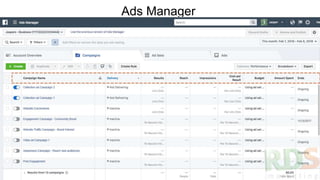
Ads Manager
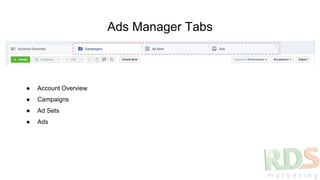
Ads Manager Tabs
● Account Overview
● Campaigns
● Ad Sets
● Ads
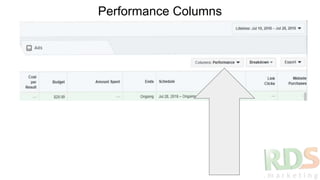
Performance Columns
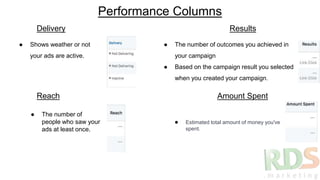
Performance Columns
● Shows weather or not
your ads are active.
● The number of outcomes you achieved in
your campaign
● Based on the campaign result you selected
when you created your campaign.
Delivery Results
Reach
● The number of
people who saw your
ads at least once.
Amount Spent
● Estimated total amount of money you've
spent.
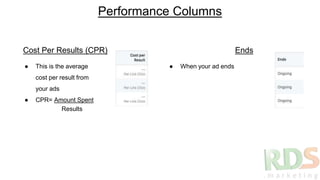
Performance Columns
● This is the average
cost per result from
your ads
● CPR= Amount Spent
● When your ad ends
Cost Per Results (CPR) Ends
Results
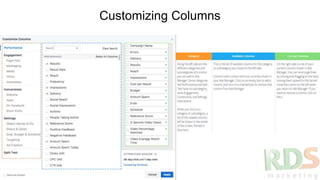
Customizing Columns
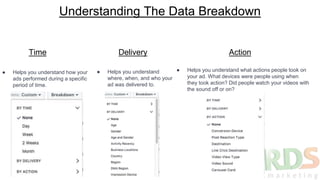
Understanding The Data Breakdown
Time
● Helps you understand how your
ads performed during a specific
period of time.
Delivery
● Helps you understand
where, when, and who your
ad was delivered to.
Action
● Helps you understand what actions people took on
your ad. What devices were people using when
they took action? Did people watch your videos with
the sound off or on?
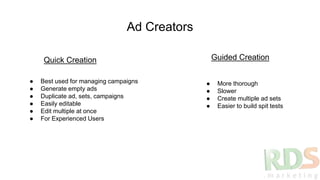
Ad Creators
Quick Creation Guided Creation
● Best used for managing campaigns
● Generate empty ads
● Duplicate ad, sets, campaigns
● Easily editable
● Edit multiple at once
● For Experienced Users
● More thorough
● Slower
● Create multiple ad sets
● Easier to build spit tests
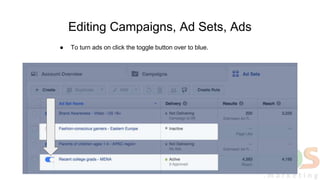
Editing Campaigns, Ad Sets, Ads
● To turn ads on click the toggle button over to blue.
Troubleshooting Ad Delivery
● If you turn off a campaign, it'll also stop all ads and ad sets in that campaign.
● If you turn off an ad set, it will stop all the ads in that ad set.
● To turn ad delivery back on, you may need to turn on the parent ad set and campaign as
well.
● If an ad or ad set is on, but the campaign it belongs to is off, the ad won’t be delivered
● If you delete campaigns, ad sets, and ads, you won't be able to run or restore them.
Edit directly in the reporting table
● Budget
● Bid
● Schedule
● Title
● Status
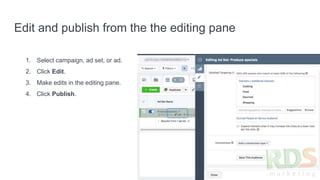
Edit and publish from the the editing pane
1. Select campaign, ad set, or ad.
2. Click Edit.
3. Make edits in the editing pane.
4. Click Publish.
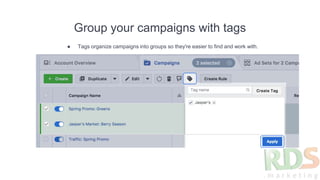
Group your campaigns with tags
● Tags organize campaigns into groups so they're easier to find and work with.
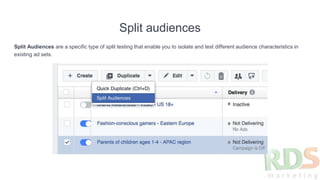
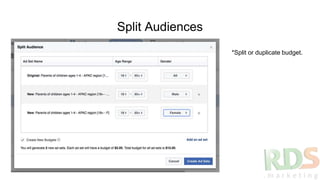
Split audiences
Split Audiences are a specific type of split testing that enable you to isolate and test different audience characteristics in
existing ad sets.
Split Audiences
*Split or duplicate budget.
Establish Automated Rules
Learn This & You Master FB Ads
● Campaign, ad set, ad
● Update Budget Based on performance
● Turn off underperforming ads.
● Send automated emails when certain events happen
● I use rules to scale my ads that work.
● Easiest way to scale.
● Will make video for rules. Until then check out these links
● About actions for automated rules
● About conditions for automated rules
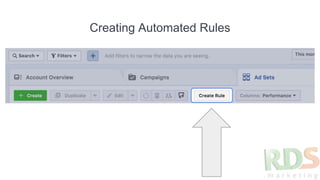
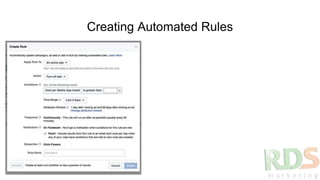
Creating Automated Rules
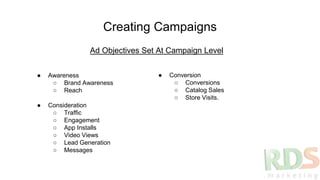
Creating Campaigns
Ad Objectives Set At Campaign Level
● Awareness
○ Brand Awareness
○ Reach
● Consideration
○ Traffic
○ Engagement
○ App Installs
○ Video Views
○ Lead Generation
○ Messages
● Conversion
○ Conversions
○ Catalog Sales
○ Store Visits.
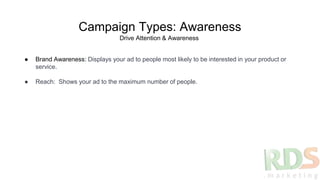
Campaign Types: Awareness
● Brand Awareness: Displays your ad to people most likely to be interested in your product or
service.
● Reach: Shows your ad to the maximum number of people.
Drive Attention & Awareness
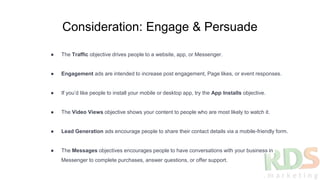
Consideration: Engage & Persuade
● The Traffic objective drives people to a website, app, or Messenger.
● Engagement ads are intended to increase post engagement, Page likes, or event responses.
● If you’d like people to install your mobile or desktop app, try the App Installs objective.
● The Video Views objective shows your content to people who are most likely to watch it.
● Lead Generation ads encourage people to share their contact details via a mobile-friendly form.
● The Messages objectives encourages people to have conversations with your business in
Messenger to complete purchases, answer questions, or offer support.
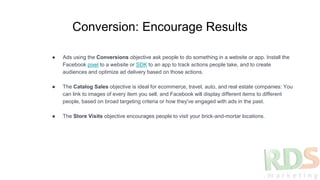
Conversion: Encourage Results
● Ads using the Conversions objective ask people to do something in a website or app. Install the
Facebook pixel to a website or SDK to an app to track actions people take, and to create
audiences and optimize ad delivery based on those actions.
● The Catalog Sales objective is ideal for ecommerce, travel, auto, and real estate companies: You
can link to images of every item you sell, and Facebook will display different items to different
people, based on broad targeting criteria or how they've engaged with ads in the past.
● The Store Visits objective encourages people to visit your brick-and-mortar locations.

Facebook Ads Manager

  • 1.
    Facebook Ads ManagerBasics By: Riley Seaburg
  • 2.
    Housekeeping ● At leastonce Weekly Training videos (You’ll receive notifications) ● Quick tip videos a couple times a week. (You won’t receive notifications) ● Designed to be used as a work along. ● Watch each video more than once. ● Download the slides
  • 3.
  • 4.
    Ads Manager Tabs ●Account Overview ● Campaigns ● Ad Sets ● Ads
  • 5.
  • 6.
    Performance Columns ● Showsweather or not your ads are active. ● The number of outcomes you achieved in your campaign ● Based on the campaign result you selected when you created your campaign. Delivery Results Reach ● The number of people who saw your ads at least once. Amount Spent ● Estimated total amount of money you've spent.
  • 7.
    Performance Columns ● Thisis the average cost per result from your ads ● CPR= Amount Spent ● When your ad ends Cost Per Results (CPR) Ends Results
  • 8.
  • 9.
    Understanding The DataBreakdown Time ● Helps you understand how your ads performed during a specific period of time. Delivery ● Helps you understand where, when, and who your ad was delivered to. Action ● Helps you understand what actions people took on your ad. What devices were people using when they took action? Did people watch your videos with the sound off or on?
  • 10.
    Ad Creators Quick CreationGuided Creation ● Best used for managing campaigns ● Generate empty ads ● Duplicate ad, sets, campaigns ● Easily editable ● Edit multiple at once ● For Experienced Users ● More thorough ● Slower ● Create multiple ad sets ● Easier to build spit tests
  • 11.
    Editing Campaigns, AdSets, Ads ● To turn ads on click the toggle button over to blue.
  • 12.
    Troubleshooting Ad Delivery ●If you turn off a campaign, it'll also stop all ads and ad sets in that campaign. ● If you turn off an ad set, it will stop all the ads in that ad set. ● To turn ad delivery back on, you may need to turn on the parent ad set and campaign as well. ● If an ad or ad set is on, but the campaign it belongs to is off, the ad won’t be delivered ● If you delete campaigns, ad sets, and ads, you won't be able to run or restore them.
  • 13.
    Edit directly inthe reporting table ● Budget ● Bid ● Schedule ● Title ● Status
  • 14.
    Edit and publishfrom the the editing pane 1. Select campaign, ad set, or ad. 2. Click Edit. 3. Make edits in the editing pane. 4. Click Publish.
  • 15.
    Group your campaignswith tags ● Tags organize campaigns into groups so they're easier to find and work with.
  • 16.
    Split audiences Split Audiencesare a specific type of split testing that enable you to isolate and test different audience characteristics in existing ad sets.
  • 17.
    Split Audiences *Split orduplicate budget.
  • 18.
    Establish Automated Rules LearnThis & You Master FB Ads ● Campaign, ad set, ad ● Update Budget Based on performance ● Turn off underperforming ads. ● Send automated emails when certain events happen ● I use rules to scale my ads that work. ● Easiest way to scale. ● Will make video for rules. Until then check out these links ● About actions for automated rules ● About conditions for automated rules
  • 19.
  • 20.
  • 21.
    Creating Campaigns Ad ObjectivesSet At Campaign Level ● Awareness ○ Brand Awareness ○ Reach ● Consideration ○ Traffic ○ Engagement ○ App Installs ○ Video Views ○ Lead Generation ○ Messages ● Conversion ○ Conversions ○ Catalog Sales ○ Store Visits.
  • 22.
    Campaign Types: Awareness ●Brand Awareness: Displays your ad to people most likely to be interested in your product or service. ● Reach: Shows your ad to the maximum number of people. Drive Attention & Awareness
  • 23.
    Consideration: Engage &Persuade ● The Traffic objective drives people to a website, app, or Messenger. ● Engagement ads are intended to increase post engagement, Page likes, or event responses. ● If you’d like people to install your mobile or desktop app, try the App Installs objective. ● The Video Views objective shows your content to people who are most likely to watch it. ● Lead Generation ads encourage people to share their contact details via a mobile-friendly form. ● The Messages objectives encourages people to have conversations with your business in Messenger to complete purchases, answer questions, or offer support.
  • 24.
    Conversion: Encourage Results ●Ads using the Conversions objective ask people to do something in a website or app. Install the Facebook pixel to a website or SDK to an app to track actions people take, and to create audiences and optimize ad delivery based on those actions. ● The Catalog Sales objective is ideal for ecommerce, travel, auto, and real estate companies: You can link to images of every item you sell, and Facebook will display different items to different people, based on broad targeting criteria or how they've engaged with ads in the past. ● The Store Visits objective encourages people to visit your brick-and-mortar locations.