Exploring Google Dorks for
Ethical Hacking
An In-Depth Look at Google Dorks and
Their Ethical Use
Pravash Chandra Das
Digital Forensic Specialist
Introduction
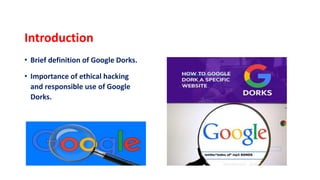
• Brief definition of Google Dorks.
• Importance of ethical hacking
and responsible use of Google
Dorks.
What are Google Dorks?
Explanation of Google Dorks as
search operators.
Examples:
1) site:,
2) filetype:,
3) intitle:,
4) inurl:, etc.
Why Use Google Dorks?
• Google Dorks are ethical cybersecurity tools.
• Assist penetration testers in identifying and fortifying vulnerabilities.
• Proactively address security risks by uncovering potential entry points
• Facilitate information discovery, revealing exposed data and
misconfigurations.
• Contribute to a comprehensive cybersecurity strategy by preemptively
identifying and rectifying potential security loopholes.
Basic Google Dork Operators
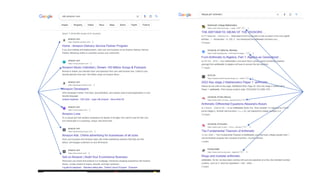
• site:
Explanation: Restricts the search to a specific site or domain.
Example: site:example.com will return results only from the domain example.com.
This operator is useful for narrowing down search results to a particular website.
• filetype:
Explanation: Filters search results to a specific file type or extension.
Example: filetype:pdf will return results that are PDF files. This operator is handy
when searching for documents, manuals, or specific file types
Basic Google Dork Operators (Continued)
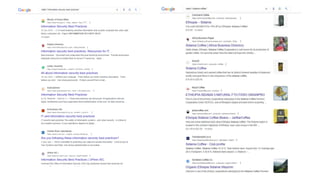
• intitle:
Explanation: Searches for pages with a specific word or phrase in the title.
Example: intitle:"security best practices” will return results with pages containing the
phrase "security best practices" in their titles. This is useful for finding web pages that may
have information related to security practices.
• intext:
Explanation: Searches for pages where the specified keyword or phrase appears in the text.
Example: intext:password will return pages containing the word "password" in their text.
Basic Google Dork Operators (Continued)
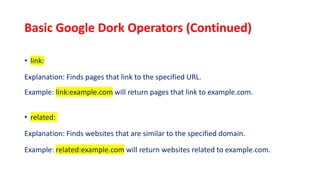
• link:
Explanation: Finds pages that link to the specified URL.
Example: link:example.com will return pages that link to example.com.
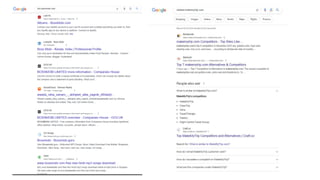
• related:
Explanation: Finds websites that are similar to the specified domain.
Example: related:example.com will return websites related to example.com.
Basic Google Dork Operators (Continued)
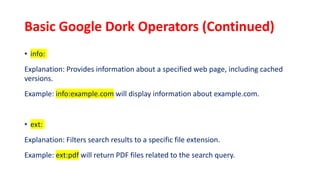
• info:
Explanation: Provides information about a specified web page, including cached
versions.
Example: info:example.com will display information about example.com.
• ext:
Explanation: Filters search results to a specific file extension.
Example: ext:pdf will return PDF files related to the search query.
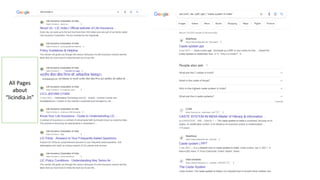
All Pages
about
“licindia.in”
Basic Google Dork Operators (Continued)
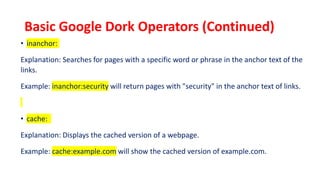
• inanchor:
Explanation: Searches for pages with a specific word or phrase in the anchor text of the
links.
Example: inanchor:security will return pages with "security" in the anchor text of links.
• cache:
Explanation: Displays the cached version of a webpage.
Example: cache:example.com will show the cached version of example.com.
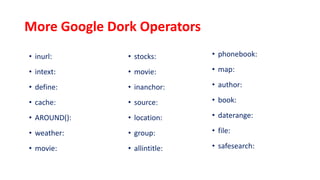
More Google Dork Operators
• inurl:
• intext:
• define:
• cache:
• AROUND():
• weather:
• movie:
• stocks:
• movie:
• inanchor:
• source:
• location:
• group:
• allintitle:
• phonebook:
• map:
• author:
• book:
• daterange:
• file:
• safesearch:
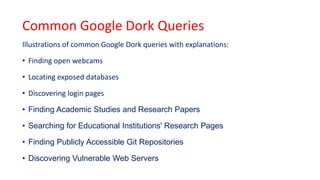
Common Google Dork Queries
Illustrations of common Google Dork queries with explanations:
• Finding open webcams
• Locating exposed databases
• Discovering login pages
• Finding Academic Studies and Research Papers
• Searching for Educational Institutions' Research Pages
• Finding Publicly Accessible Git Repositories
• Discovering Vulnerable Web Servers
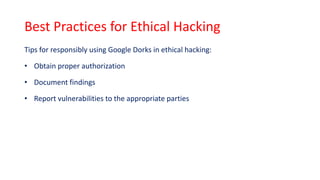
Best Practices for Ethical Hacking
Tips for responsibly using Google Dorks in ethical hacking:
• Obtain proper authorization
• Document findings
• Report vulnerabilities to the appropriate parties
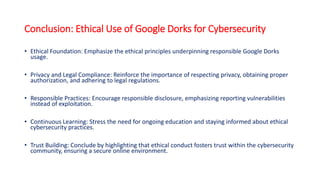
Conclusion: Ethical Use of Google Dorks for Cybersecurity
• Ethical Foundation: Emphasize the ethical principles underpinning responsible Google Dorks
usage.
• Privacy and Legal Compliance: Reinforce the importance of respecting privacy, obtaining proper
authorization, and adhering to legal regulations.
• Responsible Practices: Encourage responsible disclosure, emphasizing reporting vulnerabilities
instead of exploitation.
• Continuous Learning: Stress the need for ongoing education and staying informed about ethical
cybersecurity practices.
• Trust Building: Conclude by highlighting that ethical conduct fosters trust within the cybersecurity
community, ensuring a secure online environment.

Exploring Google Dorks for Ethical Hacking.pptx

  • 1.
    Exploring Google Dorksfor Ethical Hacking An In-Depth Look at Google Dorks and Their Ethical Use Pravash Chandra Das Digital Forensic Specialist
  • 2.
    Introduction • Brief definitionof Google Dorks. • Importance of ethical hacking and responsible use of Google Dorks.
  • 3.
    What are GoogleDorks? Explanation of Google Dorks as search operators. Examples: 1) site:, 2) filetype:, 3) intitle:, 4) inurl:, etc.
  • 4.
    Why Use GoogleDorks? • Google Dorks are ethical cybersecurity tools. • Assist penetration testers in identifying and fortifying vulnerabilities. • Proactively address security risks by uncovering potential entry points • Facilitate information discovery, revealing exposed data and misconfigurations. • Contribute to a comprehensive cybersecurity strategy by preemptively identifying and rectifying potential security loopholes.
  • 5.
    Basic Google DorkOperators • site: Explanation: Restricts the search to a specific site or domain. Example: site:example.com will return results only from the domain example.com. This operator is useful for narrowing down search results to a particular website. • filetype: Explanation: Filters search results to a specific file type or extension. Example: filetype:pdf will return results that are PDF files. This operator is handy when searching for documents, manuals, or specific file types
  • 7.
    Basic Google DorkOperators (Continued) • intitle: Explanation: Searches for pages with a specific word or phrase in the title. Example: intitle:"security best practices” will return results with pages containing the phrase "security best practices" in their titles. This is useful for finding web pages that may have information related to security practices. • intext: Explanation: Searches for pages where the specified keyword or phrase appears in the text. Example: intext:password will return pages containing the word "password" in their text.
  • 9.
    Basic Google DorkOperators (Continued) • link: Explanation: Finds pages that link to the specified URL. Example: link:example.com will return pages that link to example.com. • related: Explanation: Finds websites that are similar to the specified domain. Example: related:example.com will return websites related to example.com.
  • 11.
    Basic Google DorkOperators (Continued) • info: Explanation: Provides information about a specified web page, including cached versions. Example: info:example.com will display information about example.com. • ext: Explanation: Filters search results to a specific file extension. Example: ext:pdf will return PDF files related to the search query.
  • 12.
  • 13.
    Basic Google DorkOperators (Continued) • inanchor: Explanation: Searches for pages with a specific word or phrase in the anchor text of the links. Example: inanchor:security will return pages with "security" in the anchor text of links. • cache: Explanation: Displays the cached version of a webpage. Example: cache:example.com will show the cached version of example.com.
  • 14.
    More Google DorkOperators • inurl: • intext: • define: • cache: • AROUND(): • weather: • movie: • stocks: • movie: • inanchor: • source: • location: • group: • allintitle: • phonebook: • map: • author: • book: • daterange: • file: • safesearch:
  • 15.
    Common Google DorkQueries Illustrations of common Google Dork queries with explanations: • Finding open webcams • Locating exposed databases • Discovering login pages • Finding Academic Studies and Research Papers • Searching for Educational Institutions' Research Pages • Finding Publicly Accessible Git Repositories • Discovering Vulnerable Web Servers
  • 16.
    Best Practices forEthical Hacking Tips for responsibly using Google Dorks in ethical hacking: • Obtain proper authorization • Document findings • Report vulnerabilities to the appropriate parties
  • 17.
    Conclusion: Ethical Useof Google Dorks for Cybersecurity • Ethical Foundation: Emphasize the ethical principles underpinning responsible Google Dorks usage. • Privacy and Legal Compliance: Reinforce the importance of respecting privacy, obtaining proper authorization, and adhering to legal regulations. • Responsible Practices: Encourage responsible disclosure, emphasizing reporting vulnerabilities instead of exploitation. • Continuous Learning: Stress the need for ongoing education and staying informed about ethical cybersecurity practices. • Trust Building: Conclude by highlighting that ethical conduct fosters trust within the cybersecurity community, ensuring a secure online environment.