{
PRESENTATION ON
Exception Handling
Group Name : Bug Free.
Group Members:
1.Sajibul Hasan 151-15-4986
2.Abdullah Al Noman 151-15-4853
3.Mehedi Hassan Khan 151-15-5154
4.Nahian Ahmed 151-15-5137
What is an exception?
*An exception is an error condition that
changes the normal flow of control in a
program
*When an Exception occurs the normal flow
of the program is disrupted and the
program/Application terminates
abnormally, which is not recommended,
therefore these exceptions are to be handled
Why Exception Occurs?
An exception can occur for many different
reasons, below given are some scenarios where
exception occurs.
>>A user has entered invalid data.
>>A file that needs to be opened cannot be found.
>>A network connection has been lost in the
middle of communications or the JVM has run
out of memory.
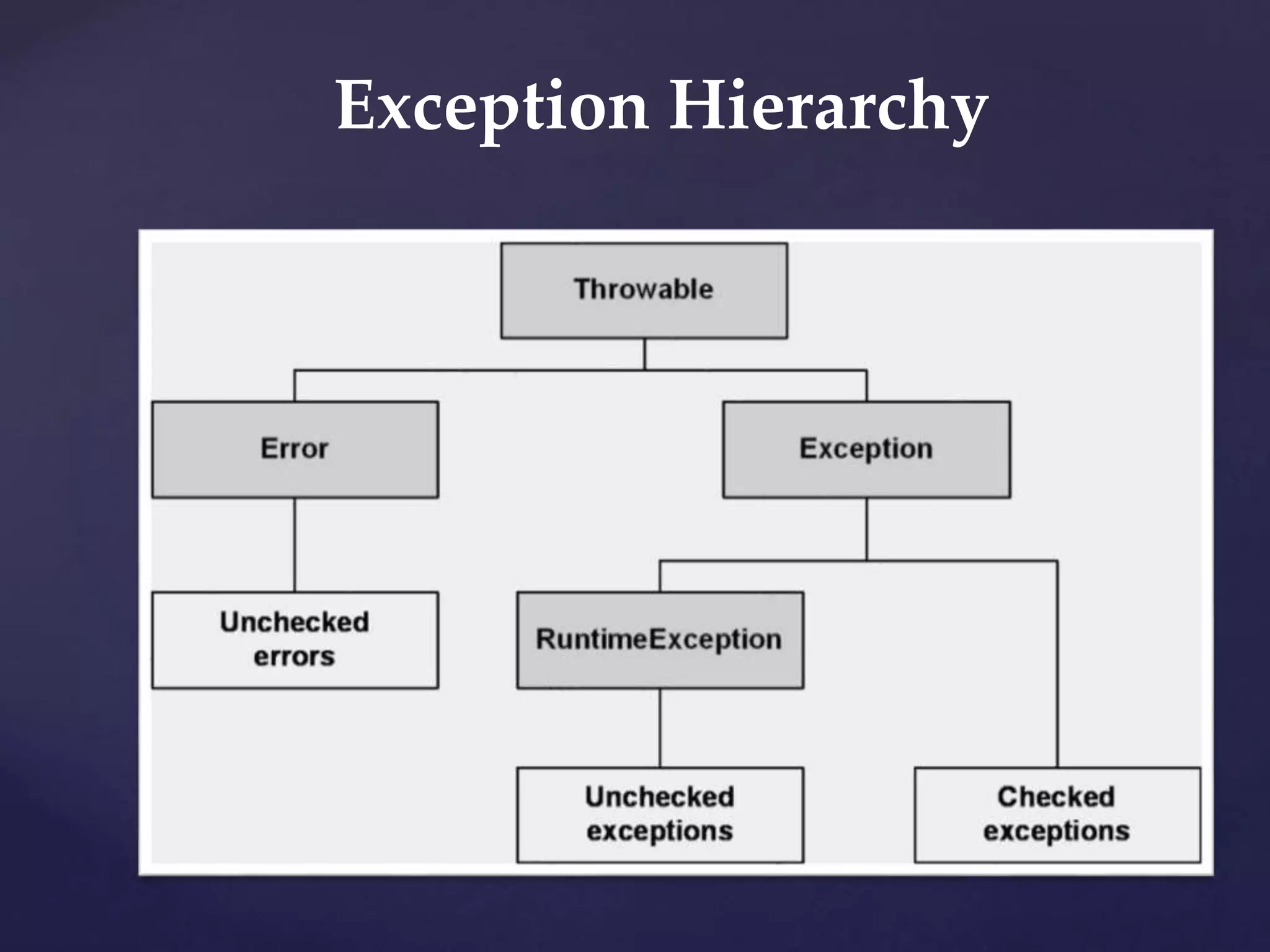
Exception Hierarchy
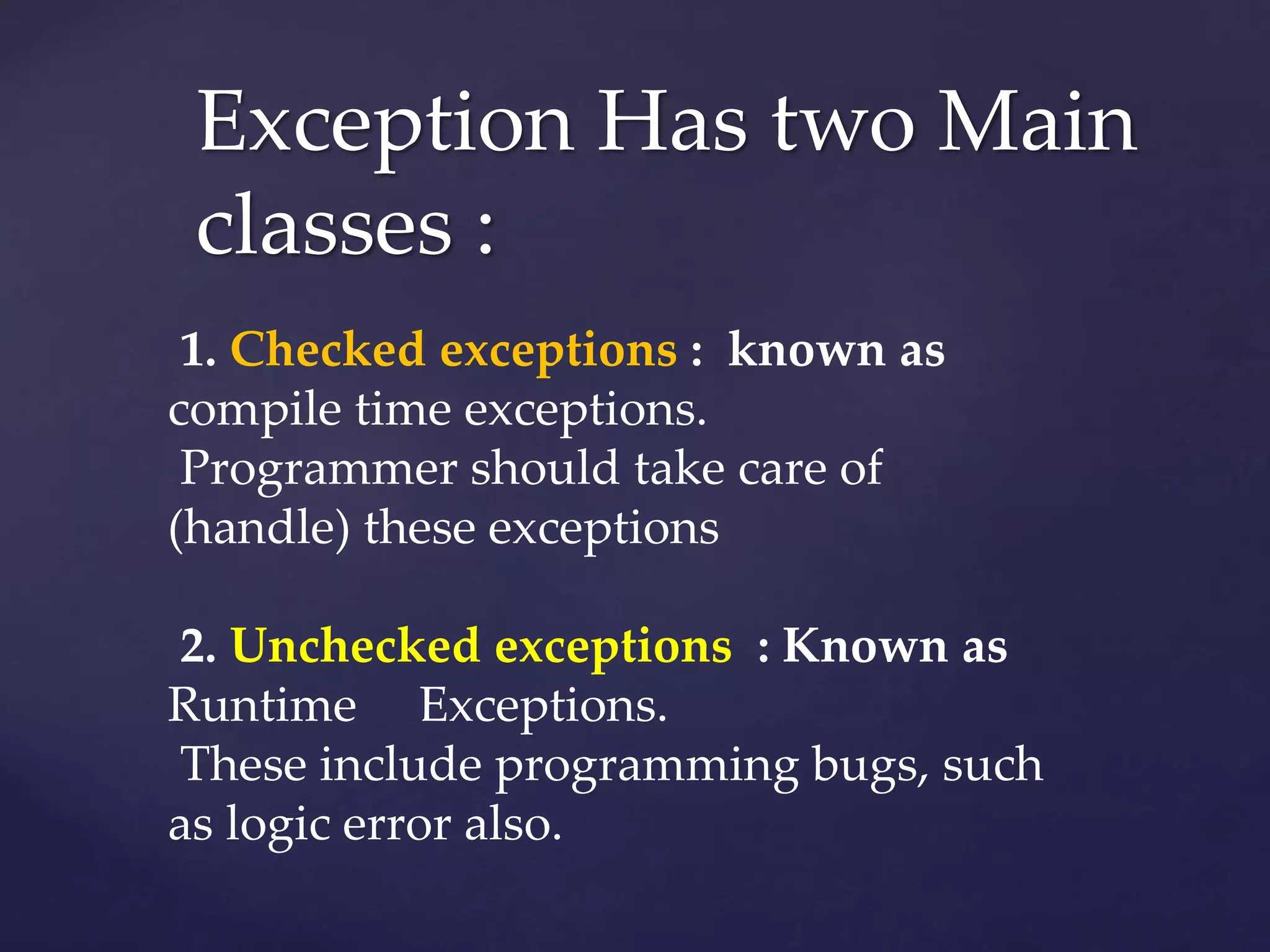
Exception Has two Main
classes :
1. Checked exceptions : known as
compile time exceptions.
Programmer should take care of
(handle) these exceptions
2. Unchecked exceptions : Known as
Runtime Exceptions.
These include programming bugs, such
as logic error also.
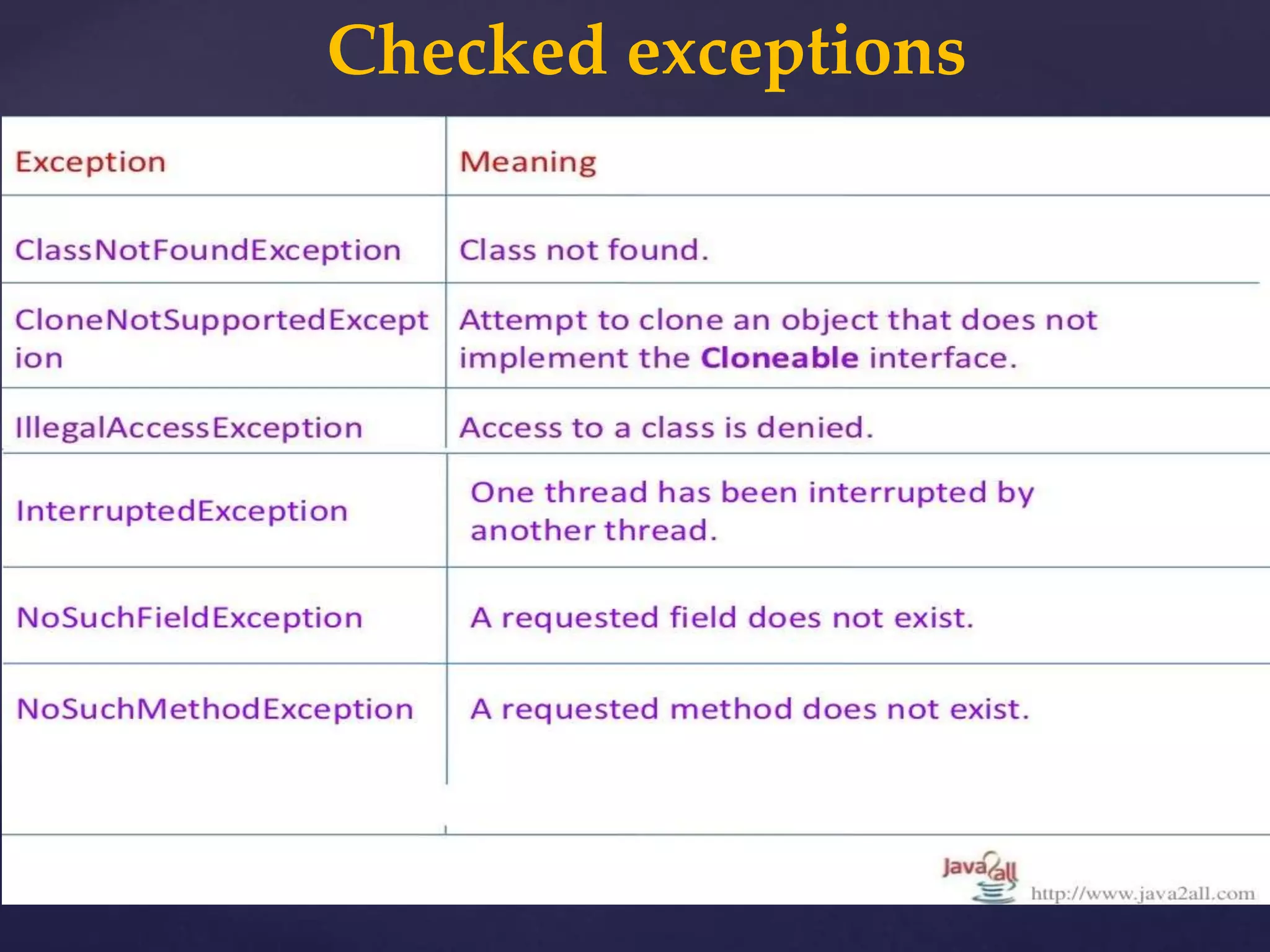
Checked exceptions
import java.io.File;
import java.io.FileReader;
public class FilenotFound_Demo {
public static void main(String args[]){
File file=new File("E://file.txt");
FileReader fr = new FileReader(file);
}
} Output: C:>javac FilenotFound_Demo.java
FilenotFound_Demo.java:8:
error: unreported exception
FileNotFoundException; must be caught or
declared to be thrown
FileReader fr = new FileReader(file);
Example
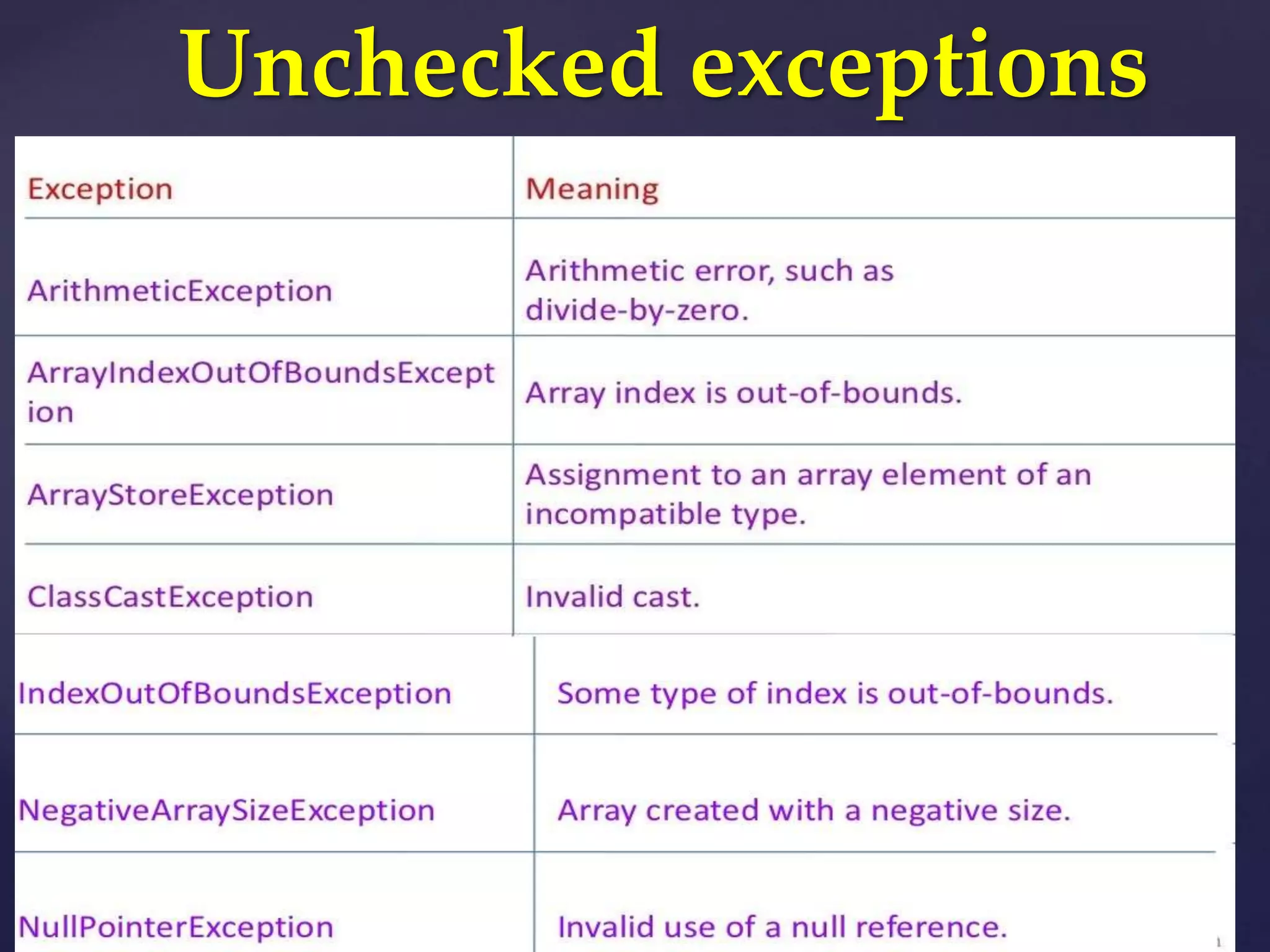
Unchecked exceptions
Example
public class Unchecked_Demo {
public static void main(String
args[]){
int num[]={1,2,3,4};
System.out.println(num[5]);
}
} Output:
Exception in thread "main"
java.lang.ArrayIndexOutOfBoundsException: 5 at
Exceptions.Unchecked_Demo.main(Unchecked_D
emo.java:8
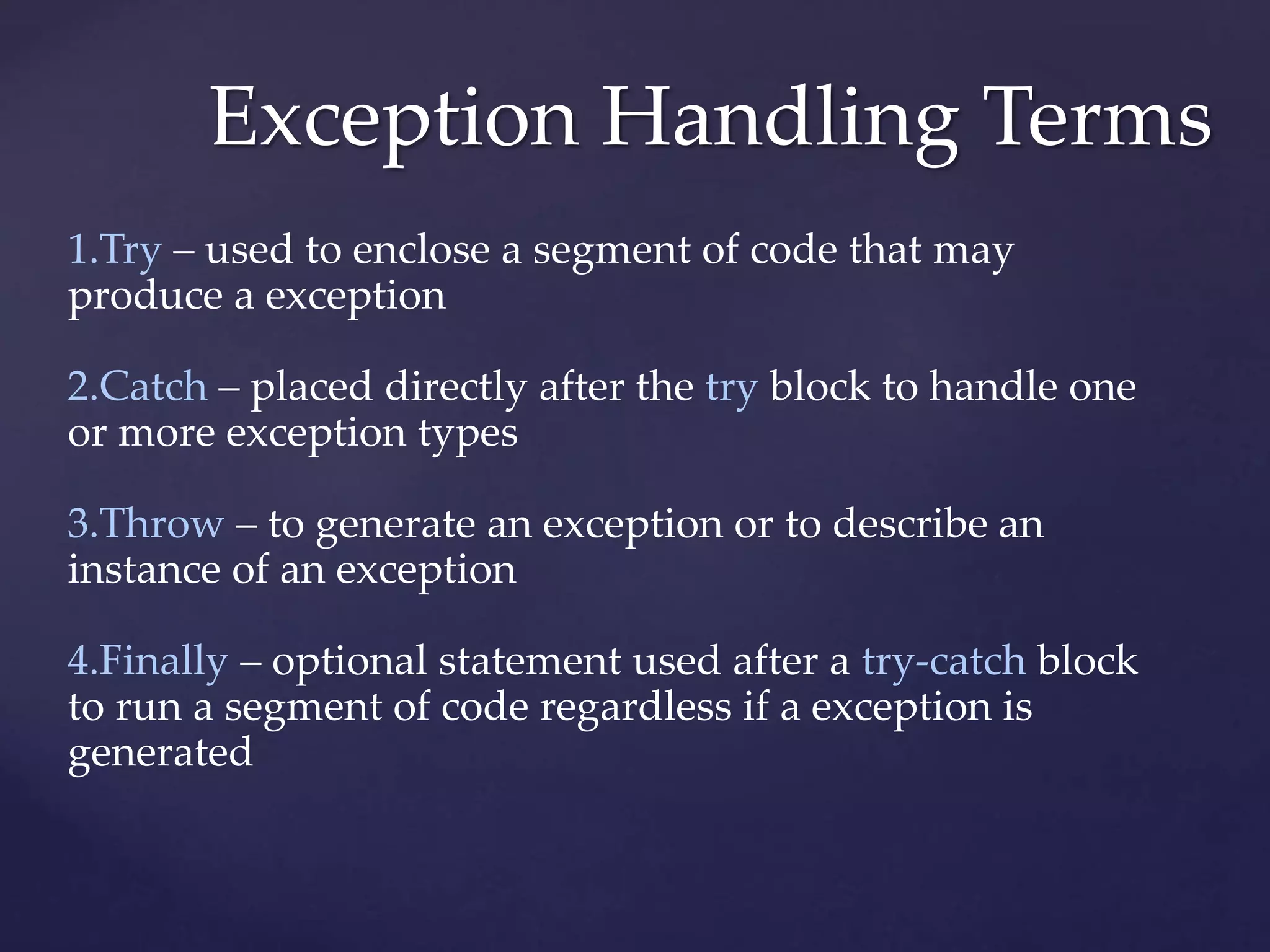
Exception Handling Terms
1.Try – used to enclose a segment of code that may
produce a exception
2.Catch – placed directly after the try block to handle one
or more exception types
3.Throw – to generate an exception or to describe an
instance of an exception
4.Finally – optional statement used after a try-catch block
to run a segment of code regardless if a exception is
generated
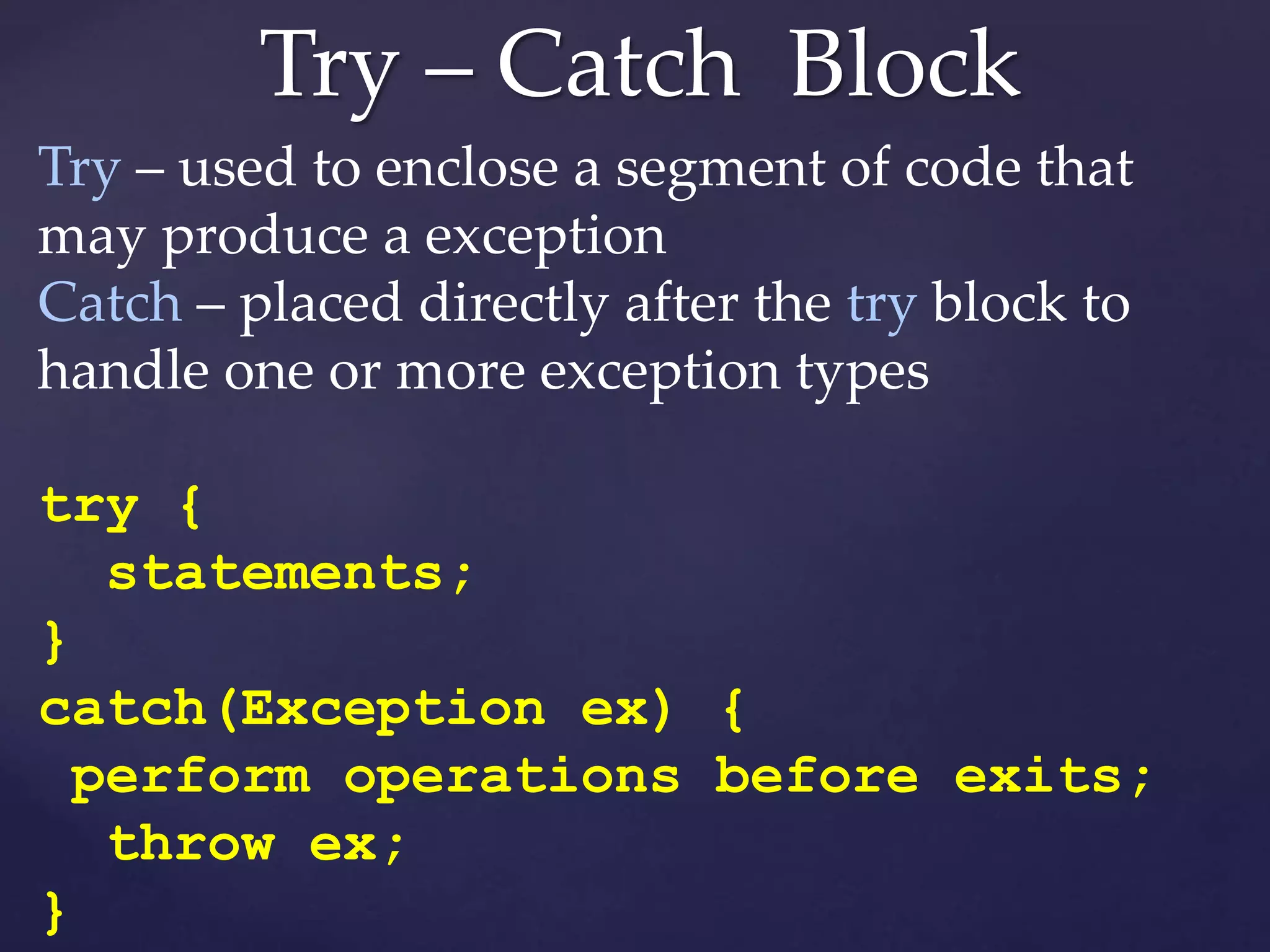
Try – Catch Block
Try – used to enclose a segment of code that
may produce a exception
Catch – placed directly after the try block to
handle one or more exception types
try {
statements;
}
catch(Exception ex) {
perform operations before exits;
throw ex;
}
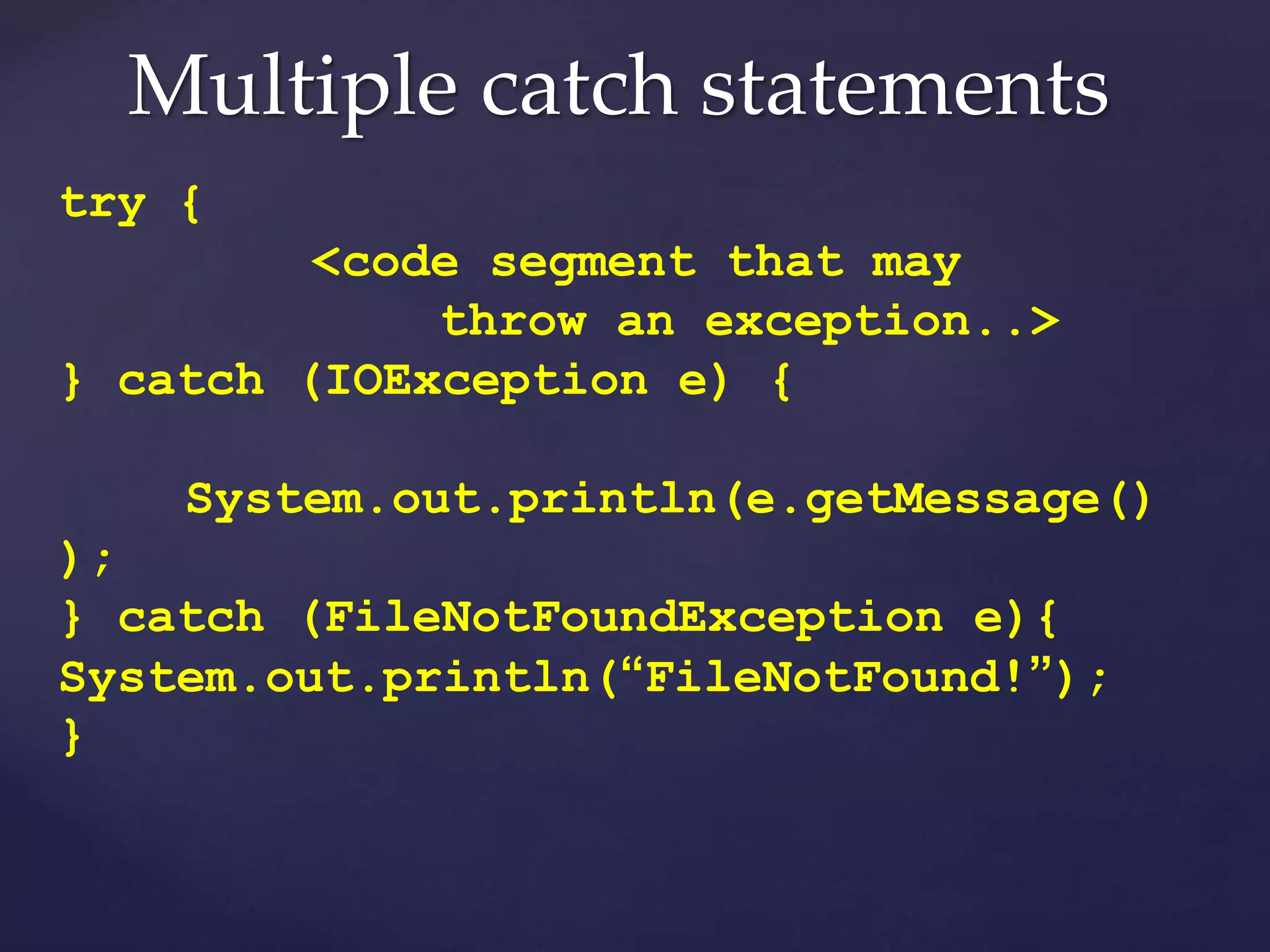
Multiple catch statements
try {
<code segment that may
throw an exception..>
} catch (IOException e) {
System.out.println(e.getMessage()
);
} catch (FileNotFoundException e){
System.out.println(“FileNotFound!”);
}
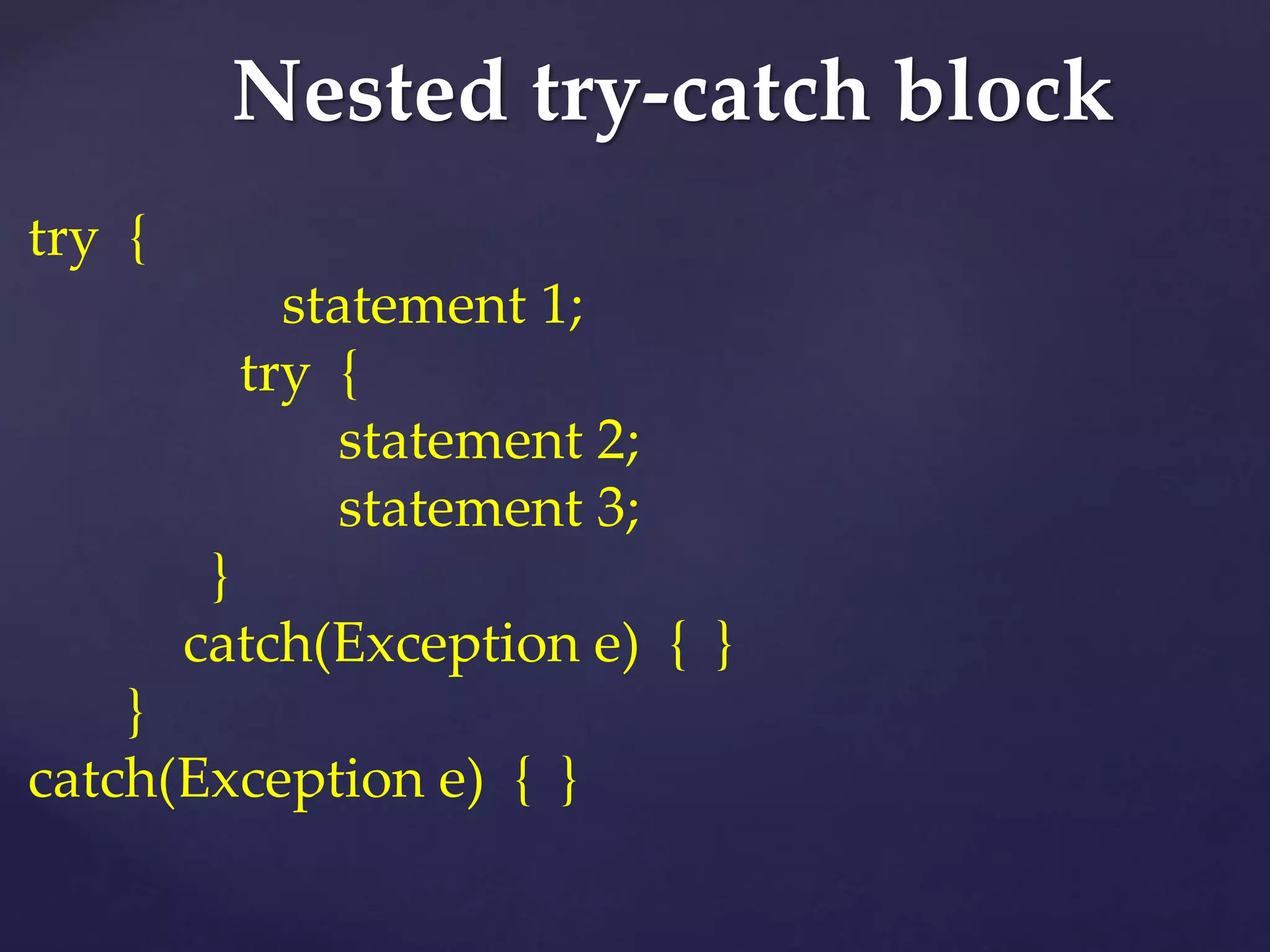
Nested try-catch block
try {
statement 1;
try {
statement 2;
statement 3;
}
catch(Exception e) { }
}
catch(Exception e) { }
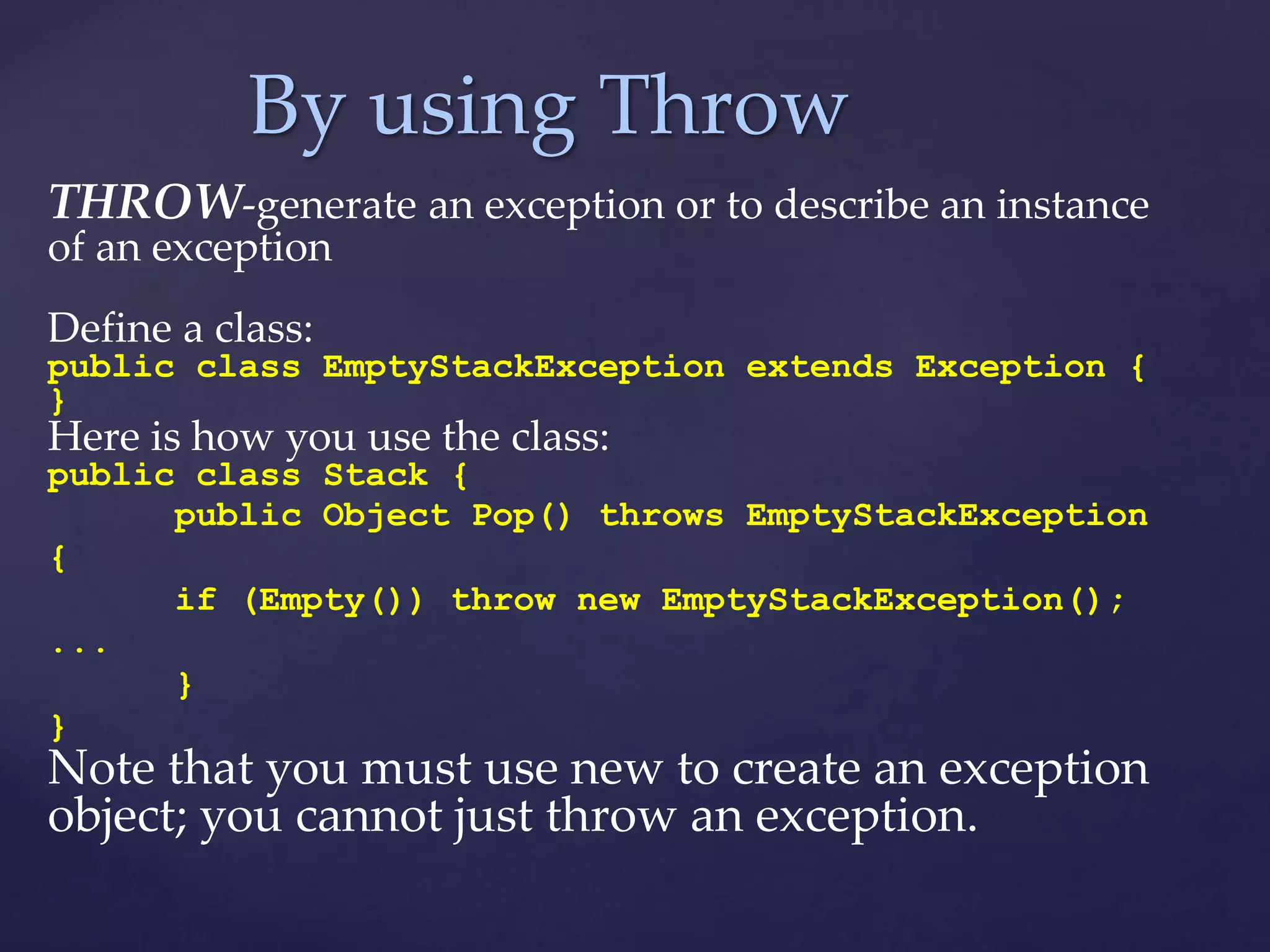
By using Throw
THROW-generate an exception or to describe an instance
of an exception
Define a class:
public class EmptyStackException extends Exception {
}
Here is how you use the class:
public class Stack {
public Object Pop() throws EmptyStackException
{
if (Empty()) throw new EmptyStackException();
...
}
}
Note that you must use new to create an exception
object; you cannot just throw an exception.
Example
static class Exception2{
static int sum(int num1, int num2){
if (num1 == 0)
throw new ArithmeticException("First parameter is not
valid");
else
System.out.println("Both parameters are correct!!");
return num1+num2; }
public static void main(String args[]){
int res=sum(1,12);
System.out.println(res);
System.out.println("Continue Next statements");
}
}
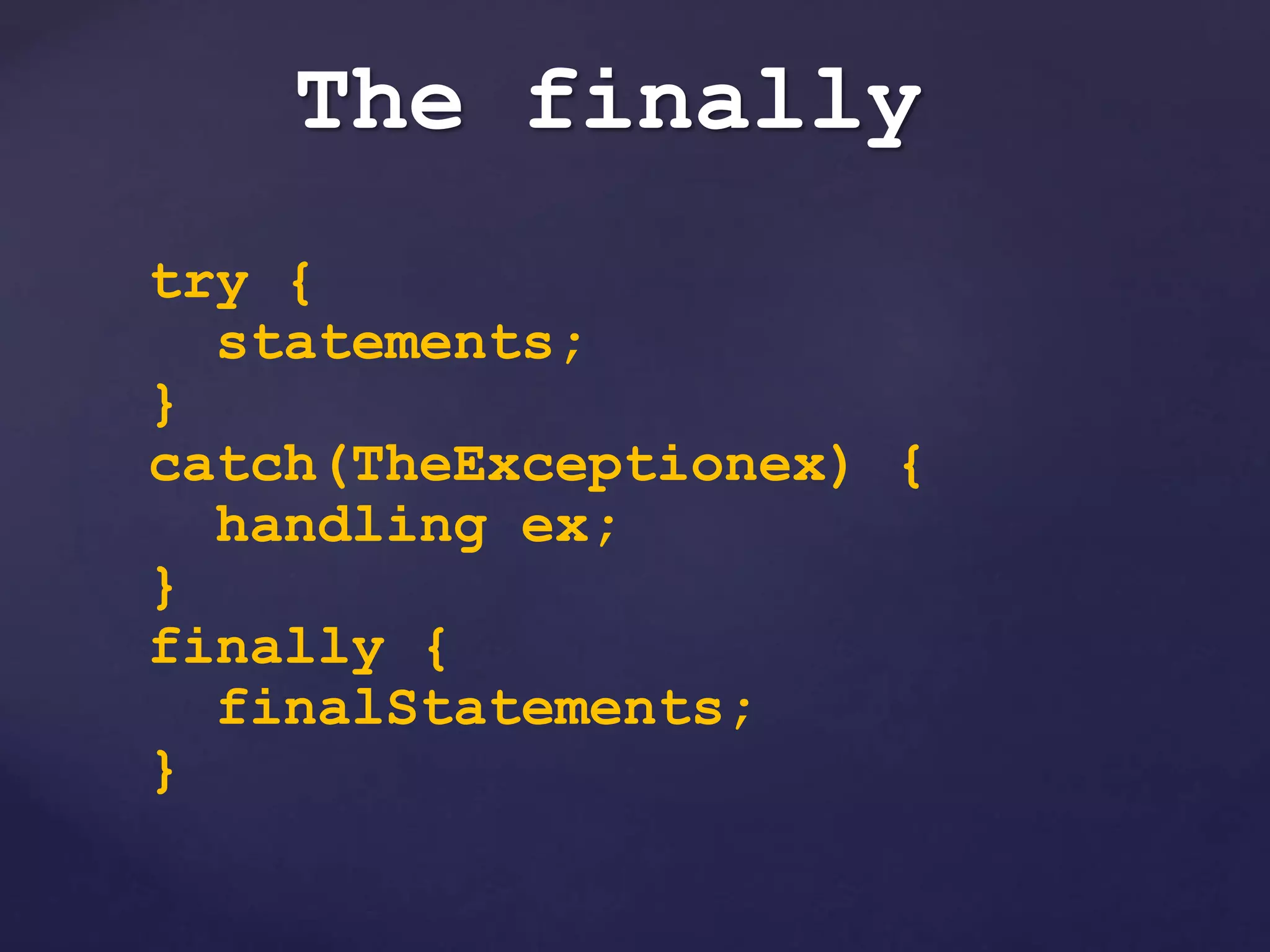
The finally
try {
statements;
}
catch(TheExceptionex) {
handling ex;
}
finally {
finalStatements;
}
Example
public static void main(String[] arg){
try{
int i = 10/0;
} catch(Exception ex){
System.out.println("Inside 1st catch Block");
} finally {
System.out.println("Inside 1st finally block");
}
try{
int i = 10/10;
} catch(Exception ex){
System.out.println("Inside 2nd catch Block");
} finally {
System.out.println("Inside 2nd finally block");
}
} Inside 1st catch Block
Inside 1st finally block
Inside 2nd finally block
Thanks All

Presentation on-exception-handling

  • 1.
    { PRESENTATION ON Exception Handling GroupName : Bug Free. Group Members: 1.Sajibul Hasan 151-15-4986 2.Abdullah Al Noman 151-15-4853 3.Mehedi Hassan Khan 151-15-5154 4.Nahian Ahmed 151-15-5137
  • 2.
    What is anexception? *An exception is an error condition that changes the normal flow of control in a program *When an Exception occurs the normal flow of the program is disrupted and the program/Application terminates abnormally, which is not recommended, therefore these exceptions are to be handled
  • 3.
    Why Exception Occurs? Anexception can occur for many different reasons, below given are some scenarios where exception occurs. >>A user has entered invalid data. >>A file that needs to be opened cannot be found. >>A network connection has been lost in the middle of communications or the JVM has run out of memory.
  • 4.
  • 5.
    Exception Has twoMain classes : 1. Checked exceptions : known as compile time exceptions. Programmer should take care of (handle) these exceptions 2. Unchecked exceptions : Known as Runtime Exceptions. These include programming bugs, such as logic error also.
  • 6.
  • 7.
    import java.io.File; import java.io.FileReader; publicclass FilenotFound_Demo { public static void main(String args[]){ File file=new File("E://file.txt"); FileReader fr = new FileReader(file); } } Output: C:>javac FilenotFound_Demo.java FilenotFound_Demo.java:8: error: unreported exception FileNotFoundException; must be caught or declared to be thrown FileReader fr = new FileReader(file); Example
  • 8.
  • 9.
    Example public class Unchecked_Demo{ public static void main(String args[]){ int num[]={1,2,3,4}; System.out.println(num[5]); } } Output: Exception in thread "main" java.lang.ArrayIndexOutOfBoundsException: 5 at Exceptions.Unchecked_Demo.main(Unchecked_D emo.java:8
  • 10.
    Exception Handling Terms 1.Try– used to enclose a segment of code that may produce a exception 2.Catch – placed directly after the try block to handle one or more exception types 3.Throw – to generate an exception or to describe an instance of an exception 4.Finally – optional statement used after a try-catch block to run a segment of code regardless if a exception is generated
  • 11.
    Try – CatchBlock Try – used to enclose a segment of code that may produce a exception Catch – placed directly after the try block to handle one or more exception types try { statements; } catch(Exception ex) { perform operations before exits; throw ex; }
  • 12.
    Multiple catch statements try{ <code segment that may throw an exception..> } catch (IOException e) { System.out.println(e.getMessage() ); } catch (FileNotFoundException e){ System.out.println(“FileNotFound!”); }
  • 13.
    Nested try-catch block try{ statement 1; try { statement 2; statement 3; } catch(Exception e) { } } catch(Exception e) { }
  • 14.
    By using Throw THROW-generatean exception or to describe an instance of an exception Define a class: public class EmptyStackException extends Exception { } Here is how you use the class: public class Stack { public Object Pop() throws EmptyStackException { if (Empty()) throw new EmptyStackException(); ... } } Note that you must use new to create an exception object; you cannot just throw an exception.
  • 15.
    Example static class Exception2{ staticint sum(int num1, int num2){ if (num1 == 0) throw new ArithmeticException("First parameter is not valid"); else System.out.println("Both parameters are correct!!"); return num1+num2; } public static void main(String args[]){ int res=sum(1,12); System.out.println(res); System.out.println("Continue Next statements"); } }
  • 16.
    The finally try { statements; } catch(TheExceptionex){ handling ex; } finally { finalStatements; }
  • 17.
    Example public static voidmain(String[] arg){ try{ int i = 10/0; } catch(Exception ex){ System.out.println("Inside 1st catch Block"); } finally { System.out.println("Inside 1st finally block"); } try{ int i = 10/10; } catch(Exception ex){ System.out.println("Inside 2nd catch Block"); } finally { System.out.println("Inside 2nd finally block"); } } Inside 1st catch Block Inside 1st finally block Inside 2nd finally block
  • 18.