EXCEL SHORCUTS
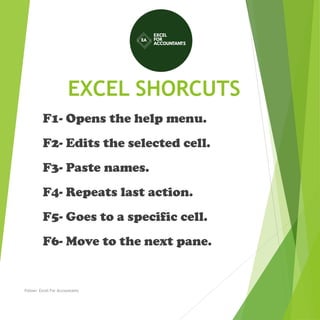
F1- Opens the help menu.
F2- Edits the selected cell.
F3- Paste names.
F4- Repeats last action.
F5- Goes to a specific cell.
F6- Move to the next pane.
Follow: Excel For Accountants
EXCEL SHORCUTS
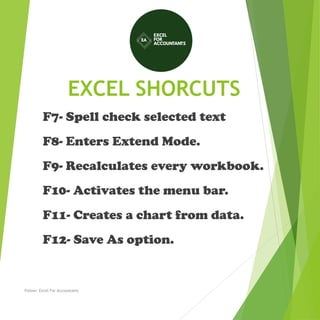
F7- Spell check selected text
F8- Enters Extend Mode.
F9- Recalculates every workbook.
F10- Activates the menu bar.
F11- Creates a chart from data.
F12- Save As option.
Follow: Excel For Accountants
EXCEL SHORCUTS
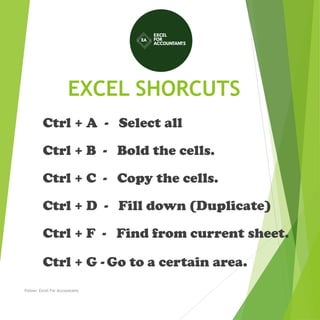
Ctrl + A - Select all
Ctrl + B - Bold the cells.
Ctrl + C - Copy the cells.
Ctrl + D - Fill down (Duplicate)
Ctrl + F - Find from current sheet.
Ctrl + G - Go to a certain area.
Follow: Excel For Accountants
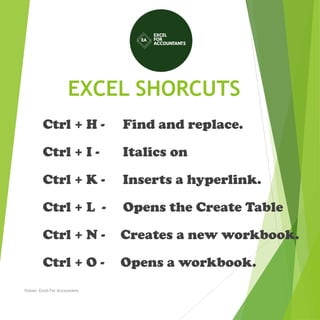
EXCEL SHORCUTS
Ctrl + H - Find and replace.
Ctrl + I - Italics on
Ctrl + K - Inserts a hyperlink.
Ctrl + L - Opens the Create Table
Ctrl + N - Creates a new workbook.
Ctrl + O - Opens a workbook.
Follow: Excel For Accountants
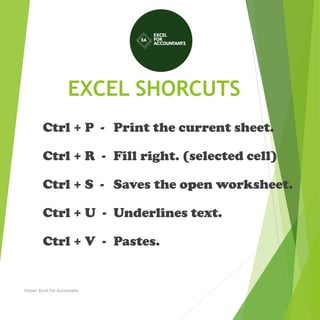
EXCEL SHORCUTS
Ctrl + P - Print the current sheet.
Ctrl + R - Fill right. (selected cell)
Ctrl + S - Saves the open worksheet.
Ctrl + U - Underlines text.
Ctrl + V - Pastes.
Follow: Excel For Accountants
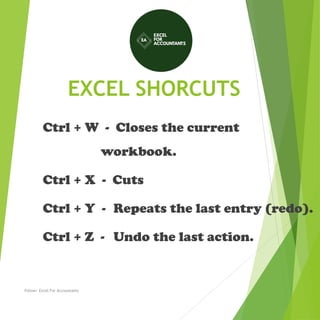
EXCEL SHORCUTS
Ctrl + W - Closes the current
workbook.
Ctrl + X - Cuts
Ctrl + Y - Repeats the last entry (redo).
Ctrl + Z - Undo the last action.
Follow: Excel For Accountants
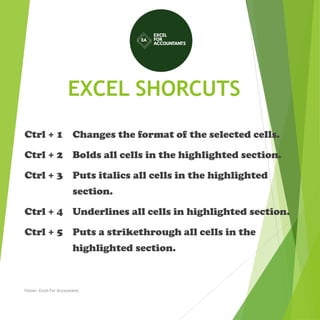
EXCEL SHORCUTS
Ctrl + 1 Changes the format of the selected cells.
Ctrl + 2 Bolds all cells in the highlighted section.
Ctrl + 3 Puts italics all cells in the highlighted
section.
Ctrl + 4 Underlines all cells in highlighted section.
Ctrl + 5 Puts a strikethrough all cells in the
highlighted section.
Follow: Excel For Accountants
EXCEL SHORCUTS
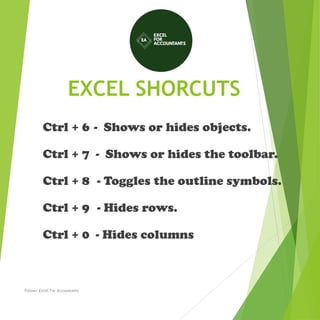
Ctrl + 6 - Shows or hides objects.
Ctrl + 7 - Shows or hides the toolbar.
Ctrl + 8 - Toggles the outline symbols.
Ctrl + 9 - Hides rows.
Ctrl + 0 - Hides columns
Follow: Excel For Accountants
EXCEL SHORCUTS
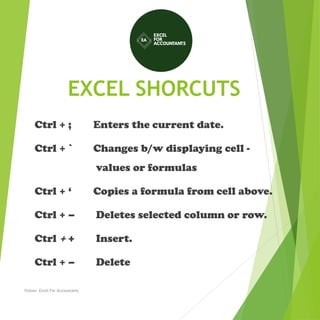
Ctrl + ; Enters the current date.
Ctrl + ` Changes b/w displaying cell -
values or formulas
Ctrl + ‘ Copies a formula from cell above.
Ctrl + – Deletes selected column or row.
Ctrl + + Insert.
Ctrl + – Delete
Follow: Excel For Accountants
EXCEL SHORCUTS
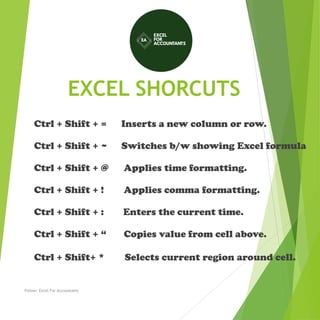
Ctrl + Shift + = Inserts a new column or row.
Ctrl + Shift + ~ Switches b/w showing Excel formula
Ctrl + Shift + @ Applies time formatting.
Ctrl + Shift + ! Applies comma formatting.
Ctrl + Shift + : Enters the current time.
Ctrl + Shift + “ Copies value from cell above.
Ctrl + Shift+ * Selects current region around cell.
Follow: Excel For Accountants
EXCEL SHORCUTS
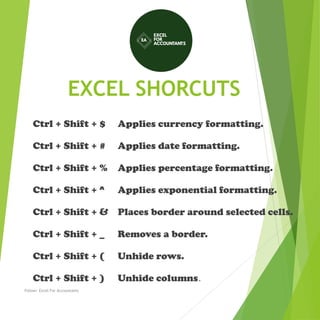
Ctrl + Shift + $ Applies currency formatting.
Ctrl + Shift + # Applies date formatting.
Ctrl + Shift + % Applies percentage formatting.
Ctrl + Shift + ^ Applies exponential formatting.
Ctrl + Shift + & Places border around selected cells.
Ctrl + Shift + _ Removes a border.
Ctrl + Shift + ( Unhide rows.
Ctrl + Shift + ) Unhide columns.
Follow: Excel For Accountants
EXCEL SHORCUTS
Ctrl + / Selects the array containing the active cell.
Ctrl +  Selects the cells that have a static value or don’t
match the formula in the active cell.
Ctrl + [ Selects all cells referenced by formulas in the
highlighted section.
Ctrl + ] Selects cells that contain formulas that reference
the active cell.
Ctrl + Shift + { Selects all cells directly or indirectly
referenced by formulas.
Ctrl + Shift + } Selects cells which contain formulas that
directly or indirectly reference active cell.
Follow: Excel For Accountants
EXCEL SHORCUTS
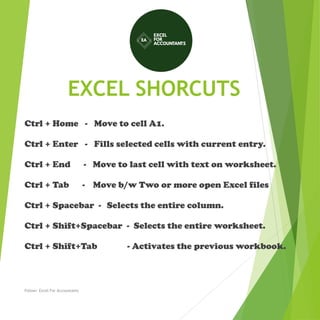
Ctrl + Home - Move to cell A1.
Ctrl + Enter - Fills selected cells with current entry.
Ctrl + End - Move to last cell with text on worksheet.
Ctrl + Tab - Move b/w Two or more open Excel files
Ctrl + Spacebar - Selects the entire column.
Ctrl + Shift+Spacebar - Selects the entire worksheet.
Ctrl + Shift+Tab - Activates the previous workbook.
Follow: Excel For Accountants
EXCEL SHORCUTS
Ctrl + Shift + A Inserts argument names into a formula.
Ctrl + Shift + F Opens the drop-down menu for fonts.
Ctrl + Shift + O Selects all cells that contain comments.
Ctrl + Shift + | (pipe) Selects the cells within a column that
don’t match the formula.
Ctrl + Shift + P Opens the drop-down menu for point size.
Follow: Excel For Accountants
EXCEL SHORCUTS
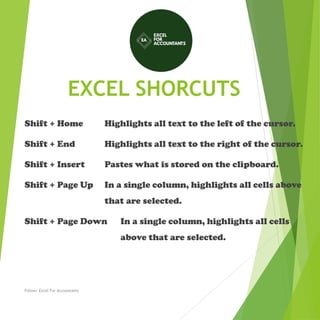
Shift + Home Highlights all text to the left of the cursor.
Shift + End Highlights all text to the right of the cursor.
Shift + Insert Pastes what is stored on the clipboard.
Shift + Page Up In a single column, highlights all cells above
that are selected.
Shift + Page Down In a single column, highlights all cells
above that are selected.
Follow: Excel For Accountants
EXCEL SHORCUTS
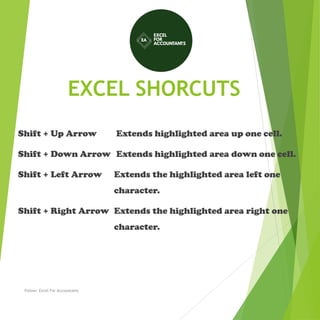
Shift + Up Arrow Extends highlighted area up one cell.
Shift + Down Arrow Extends highlighted area down one cell.
Shift + Left Arrow Extends the highlighted area left one
character.
Shift + Right Arrow Extends the highlighted area right one
character.
Follow: Excel For Accountants
EXCEL SHORCUTS
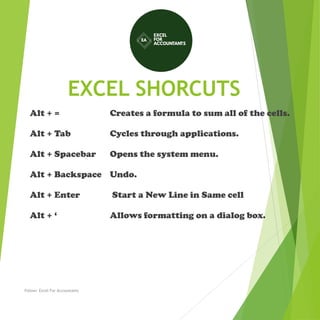
Alt + = Creates a formula to sum all of the cells.
Alt + Tab Cycles through applications.
Alt + Spacebar Opens the system menu.
Alt + Backspace Undo.
Alt + Enter Start a New Line in Same cell
Alt + ‘ Allows formatting on a dialog box.
Follow: Excel For Accountants
EXCEL SHORCUTS
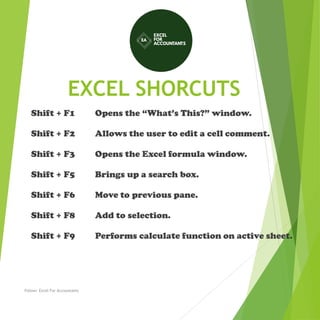
Shift + F1 Opens the “What’s This?” window.
Shift + F2 Allows the user to edit a cell comment.
Shift + F3 Opens the Excel formula window.
Shift + F5 Brings up a search box.
Shift + F6 Move to previous pane.
Shift + F8 Add to selection.
Shift + F9 Performs calculate function on active sheet.
Follow: Excel For Accountants
EXCEL SHORCUTS
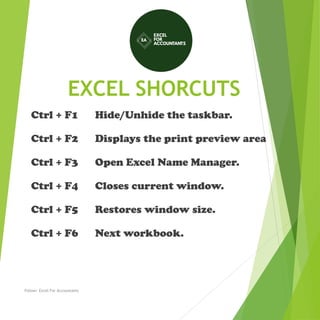
Ctrl + F1 Hide/Unhide the taskbar.
Ctrl + F2 Displays the print preview area
Ctrl + F3 Open Excel Name Manager.
Ctrl + F4 Closes current window.
Ctrl + F5 Restores window size.
Ctrl + F6 Next workbook.
Follow: Excel For Accountants
EXCEL SHORCUTS
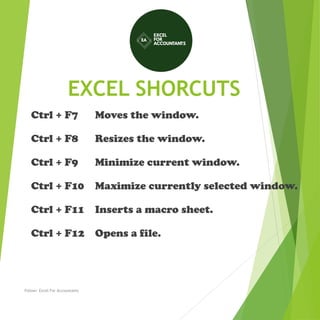
Ctrl + F7 Moves the window.
Ctrl + F8 Resizes the window.
Ctrl + F9 Minimize current window.
Ctrl + F10 Maximize currently selected window.
Ctrl + F11 Inserts a macro sheet.
Ctrl + F12 Opens a file.
Follow: Excel For Accountants
EXCEL SHORCUTS
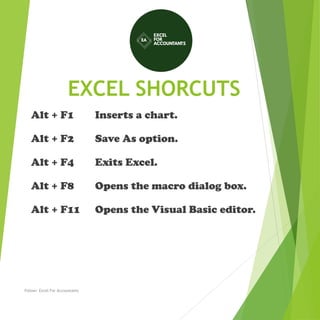
Alt + F1 Inserts a chart.
Alt + F2 Save As option.
Alt + F4 Exits Excel.
Alt + F8 Opens the macro dialog box.
Alt + F11 Opens the Visual Basic editor.
Follow: Excel For Accountants
EXCEL SHORCUTS
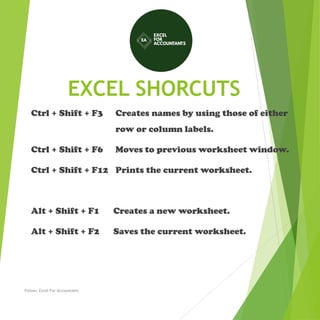
Ctrl + Shift + F3 Creates names by using those of either
row or column labels.
Ctrl + Shift + F6 Moves to previous worksheet window.
Ctrl + Shift + F12 Prints the current worksheet.
Alt + Shift + F1 Creates a new worksheet.
Alt + Shift + F2 Saves the current worksheet.
Follow: Excel For Accountants

Excel shorcuts

  • 1.
    EXCEL SHORCUTS F1- Opensthe help menu. F2- Edits the selected cell. F3- Paste names. F4- Repeats last action. F5- Goes to a specific cell. F6- Move to the next pane. Follow: Excel For Accountants
  • 2.
    EXCEL SHORCUTS F7- Spellcheck selected text F8- Enters Extend Mode. F9- Recalculates every workbook. F10- Activates the menu bar. F11- Creates a chart from data. F12- Save As option. Follow: Excel For Accountants
  • 3.
    EXCEL SHORCUTS Ctrl +A - Select all Ctrl + B - Bold the cells. Ctrl + C - Copy the cells. Ctrl + D - Fill down (Duplicate) Ctrl + F - Find from current sheet. Ctrl + G - Go to a certain area. Follow: Excel For Accountants
  • 4.
    EXCEL SHORCUTS Ctrl +H - Find and replace. Ctrl + I - Italics on Ctrl + K - Inserts a hyperlink. Ctrl + L - Opens the Create Table Ctrl + N - Creates a new workbook. Ctrl + O - Opens a workbook. Follow: Excel For Accountants
  • 5.
    EXCEL SHORCUTS Ctrl +P - Print the current sheet. Ctrl + R - Fill right. (selected cell) Ctrl + S - Saves the open worksheet. Ctrl + U - Underlines text. Ctrl + V - Pastes. Follow: Excel For Accountants
  • 6.
    EXCEL SHORCUTS Ctrl +W - Closes the current workbook. Ctrl + X - Cuts Ctrl + Y - Repeats the last entry (redo). Ctrl + Z - Undo the last action. Follow: Excel For Accountants
  • 7.
    EXCEL SHORCUTS Ctrl +1 Changes the format of the selected cells. Ctrl + 2 Bolds all cells in the highlighted section. Ctrl + 3 Puts italics all cells in the highlighted section. Ctrl + 4 Underlines all cells in highlighted section. Ctrl + 5 Puts a strikethrough all cells in the highlighted section. Follow: Excel For Accountants
  • 8.
    EXCEL SHORCUTS Ctrl +6 - Shows or hides objects. Ctrl + 7 - Shows or hides the toolbar. Ctrl + 8 - Toggles the outline symbols. Ctrl + 9 - Hides rows. Ctrl + 0 - Hides columns Follow: Excel For Accountants
  • 9.
    EXCEL SHORCUTS Ctrl +; Enters the current date. Ctrl + ` Changes b/w displaying cell - values or formulas Ctrl + ‘ Copies a formula from cell above. Ctrl + – Deletes selected column or row. Ctrl + + Insert. Ctrl + – Delete Follow: Excel For Accountants
  • 10.
    EXCEL SHORCUTS Ctrl +Shift + = Inserts a new column or row. Ctrl + Shift + ~ Switches b/w showing Excel formula Ctrl + Shift + @ Applies time formatting. Ctrl + Shift + ! Applies comma formatting. Ctrl + Shift + : Enters the current time. Ctrl + Shift + “ Copies value from cell above. Ctrl + Shift+ * Selects current region around cell. Follow: Excel For Accountants
  • 11.
    EXCEL SHORCUTS Ctrl +Shift + $ Applies currency formatting. Ctrl + Shift + # Applies date formatting. Ctrl + Shift + % Applies percentage formatting. Ctrl + Shift + ^ Applies exponential formatting. Ctrl + Shift + & Places border around selected cells. Ctrl + Shift + _ Removes a border. Ctrl + Shift + ( Unhide rows. Ctrl + Shift + ) Unhide columns. Follow: Excel For Accountants
  • 12.
    EXCEL SHORCUTS Ctrl +/ Selects the array containing the active cell. Ctrl + Selects the cells that have a static value or don’t match the formula in the active cell. Ctrl + [ Selects all cells referenced by formulas in the highlighted section. Ctrl + ] Selects cells that contain formulas that reference the active cell. Ctrl + Shift + { Selects all cells directly or indirectly referenced by formulas. Ctrl + Shift + } Selects cells which contain formulas that directly or indirectly reference active cell. Follow: Excel For Accountants
  • 13.
    EXCEL SHORCUTS Ctrl +Home - Move to cell A1. Ctrl + Enter - Fills selected cells with current entry. Ctrl + End - Move to last cell with text on worksheet. Ctrl + Tab - Move b/w Two or more open Excel files Ctrl + Spacebar - Selects the entire column. Ctrl + Shift+Spacebar - Selects the entire worksheet. Ctrl + Shift+Tab - Activates the previous workbook. Follow: Excel For Accountants
  • 14.
    EXCEL SHORCUTS Ctrl +Shift + A Inserts argument names into a formula. Ctrl + Shift + F Opens the drop-down menu for fonts. Ctrl + Shift + O Selects all cells that contain comments. Ctrl + Shift + | (pipe) Selects the cells within a column that don’t match the formula. Ctrl + Shift + P Opens the drop-down menu for point size. Follow: Excel For Accountants
  • 15.
    EXCEL SHORCUTS Shift +Home Highlights all text to the left of the cursor. Shift + End Highlights all text to the right of the cursor. Shift + Insert Pastes what is stored on the clipboard. Shift + Page Up In a single column, highlights all cells above that are selected. Shift + Page Down In a single column, highlights all cells above that are selected. Follow: Excel For Accountants
  • 16.
    EXCEL SHORCUTS Shift +Up Arrow Extends highlighted area up one cell. Shift + Down Arrow Extends highlighted area down one cell. Shift + Left Arrow Extends the highlighted area left one character. Shift + Right Arrow Extends the highlighted area right one character. Follow: Excel For Accountants
  • 17.
    EXCEL SHORCUTS Alt += Creates a formula to sum all of the cells. Alt + Tab Cycles through applications. Alt + Spacebar Opens the system menu. Alt + Backspace Undo. Alt + Enter Start a New Line in Same cell Alt + ‘ Allows formatting on a dialog box. Follow: Excel For Accountants
  • 18.
    EXCEL SHORCUTS Shift +F1 Opens the “What’s This?” window. Shift + F2 Allows the user to edit a cell comment. Shift + F3 Opens the Excel formula window. Shift + F5 Brings up a search box. Shift + F6 Move to previous pane. Shift + F8 Add to selection. Shift + F9 Performs calculate function on active sheet. Follow: Excel For Accountants
  • 19.
    EXCEL SHORCUTS Ctrl +F1 Hide/Unhide the taskbar. Ctrl + F2 Displays the print preview area Ctrl + F3 Open Excel Name Manager. Ctrl + F4 Closes current window. Ctrl + F5 Restores window size. Ctrl + F6 Next workbook. Follow: Excel For Accountants
  • 20.
    EXCEL SHORCUTS Ctrl +F7 Moves the window. Ctrl + F8 Resizes the window. Ctrl + F9 Minimize current window. Ctrl + F10 Maximize currently selected window. Ctrl + F11 Inserts a macro sheet. Ctrl + F12 Opens a file. Follow: Excel For Accountants
  • 21.
    EXCEL SHORCUTS Alt +F1 Inserts a chart. Alt + F2 Save As option. Alt + F4 Exits Excel. Alt + F8 Opens the macro dialog box. Alt + F11 Opens the Visual Basic editor. Follow: Excel For Accountants
  • 22.
    EXCEL SHORCUTS Ctrl +Shift + F3 Creates names by using those of either row or column labels. Ctrl + Shift + F6 Moves to previous worksheet window. Ctrl + Shift + F12 Prints the current worksheet. Alt + Shift + F1 Creates a new worksheet. Alt + Shift + F2 Saves the current worksheet. Follow: Excel For Accountants