EXCEL REVIEWER
Question 1: You want to print only 2 spreadsheets from your
  workbook which contains 7 sheets. You have already selected
  the required sheets. On which menu will you find the option
  to print (only) the selected sheets?

1. Home
2. Review
3. Page Layout
4. File
Question 1: You want to print only 2 spreadsheets from your
  workbook which contains 7 sheets. You have already selected
  the required sheets. On which menu will you find the option
  to print (only) the selected sheets?

1. Home
2. Review
3. Page Layout
4. File
Question 2: You have deleted a sheet by right clicking a sheet tab
  and selecting 'Delete'. Now you press "Ctrl + Z". How will Excel
  2010 react?

1. The sheet will be restored.
2. Nothing will happen.
3. Excel will ask you to choose action between Restoring the
    sheet or undoing last action on a tab which was not deleted.
4. Excel will undo the last action whether it be deletion of sheet
    or any other changes in the document and notify on the
    taskbar.
Question 2: You have deleted a sheet by right clicking a sheet tab
  and selecting 'Delete'. Now you press "Ctrl + Z". How will Excel
  2010 react?

1. The sheet will be restored.
2. Nothing will happen.
3. Excel will ask you to choose action between Restoring the
    sheet or undoing last action on a tab which was not deleted.
4. Excel will undo the last action whether it be deletion of sheet
    or any other changes in the document and notify on the
    taskbar.
Question 3: Which of the following parameters cannot be used
  to sort a group of cells?

1.   Cell Size
2.   Cell Color
3.   Cell Font Color
4.   Cell Value
Question 3: Which of the following parameters cannot be used
  to sort a group of cells?

1.   Cell Size
2.   Cell Color
3.   Cell Font Color
4.   Cell Value
Question 4: How many types of icon sets are available to be
  implemented for a icon set rule on a set of cells in Excel 2010?

1. 1
2. 2
3. 3
4. 4
5. 5
Question 4: How many types of icon sets are available to be
  implemented for a icon set rule on a set of cells in Excel 2010?

1. 1
2. 2
3. 3
4. 4
5. 5
Question 5: What are sorting levels used for?

1.   Number of times the sorting has to be done.
2.   The preferred order of sorting on different parameters.
3.   To determine the number of rows to be sorted.
4.   To determine the number of columns to be sorted.
Question 5: What are sorting levels used for?

1.   Number of times the sorting has to be done.
2.   The preferred order of sorting on different parameters.
3.   To determine the number of rows to be sorted.
4.   To determine the number of columns to be sorted.
Question 6: Which of the following option will you select under
  the 'Conditional Formatting' menu to remove the rules from
  the sheet?

1.   Remove Rule
2.   Clear Rule
3.   Data rules
4.   Icon Set rules
5.   Top 10
Question 6: Which of the following option will you select under
  the 'Conditional Formatting' menu to remove the rules from
  the sheet?

1.   Remove Rule
2.   Clear Rule
3.   Data rules
4.   Icon Set rules
5.   Top 10
Question 7: Which of the following action is an 'addition' to the
  filter function when using the advanced filter?

1.   Copy
2.   List Range
3.   criteria range
4.   All of the above
Question 7: Which of the following action is an 'addition' to the
  filter function when using the advanced filter?

1.   Copy
2.   List Range
3.   criteria range
4.   All of the above
Question 8: You have written the numbers 1 to 10 in a column
  and want to repeat the numbers again and again. Which of
  following option for the AutoFill will help you get the work
  done?

1.   Copy Cells
2.   Fill Series
3.   All of the above
4.   None of the above
Question 8: You have written the numbers 1 to 10 in a column
  and want to repeat the numbers again and again. Which of
  following option for the AutoFill will help you get the work
  done?

1.   Copy Cells
2.   Fill Series
3.   All of the above
4.   None of the above
Question 9: Which of the following is true for sparklines in Excel
  2010?

1. The data range and location range may be in different row
   and column.
2. The data range and location range may be in different row
   but must be in same column.
3. The data range and location range may be in different
   column but must be in same row.
4. The data range and location range must be in either same
   row or same column.
Question 9: Which of the following is true for sparklines in Excel
  2010?

1. The data range and location range may be in different row
   and column.
2. The data range and location range may be in different row
   but must be in same column.
3. The data range and location range may be in different
   column but must be in same row.
4. The data range and location range must be in either same
   row or same column.
Question 10: Which of the following cannot be done when you
  are saving a Workbook in PDF format?

1. The file cannot have a password.
2. The file cannot have names longer than 16 characters.
3. The gridlines cannot be seen when the exported PDF is
   opened.
4. All of the above
Question 10: Which of the following cannot be done when you
  are saving a Workbook in PDF format?

1. The file cannot have a password.
2. The file cannot have names longer than 16 characters.
3. The gridlines cannot be seen when the exported PDF is
   opened.
4. All of the above
Question 11: You want to show the numbers written in the cells
  of Column 'D' as 'percentage'. What keyboard shortcut will
  allow you to achieve the goal?

1. There is no keyboard shortcut for this function.
2. Ctrl + Shift + 5
3. Ctrl + Shift + P
4. Ctrl + Shift + F5
Question 11: You want to show the numbers written in the cells
  of Column 'D' as 'percentage'. What keyboard shortcut will
  allow you to achieve the goal?

1. There is no keyboard shortcut for this function.
2. Ctrl + Shift + 5
3. Ctrl + Shift + P
4. Ctrl + Shift + F5
Question 12: Is it possible to make a hyperlink to a particular cell
  in another sheet in the same workbook in only a part of text
  of a particular cell in another sheet of the same workbook?

1. Yes, always
2. No
3. Yes, Only in case the cell being used as hyperlink does not
   contain numbers
4. Yes, Only in case the cell being used as target does not
   contain numbers
Question 12: Is it possible to make a hyperlink to a particular cell
  in another sheet in the same workbook in only a part of text
  of a particular cell in another sheet of the same workbook?

1. Yes, always
2. No
3. Yes, Only in case the cell being used as hyperlink does not
   contain numbers
4. Yes, Only in case the cell being used as target does not
   contain numbers
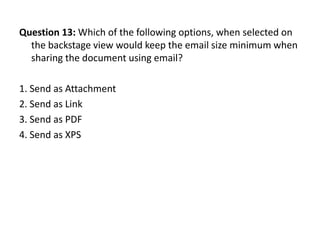
Question 13: Which of the following options, when selected on
  the backstage view would keep the email size minimum when
  sharing the document using email?

1. Send as Attachment
2. Send as Link
3. Send as PDF
4. Send as XPS
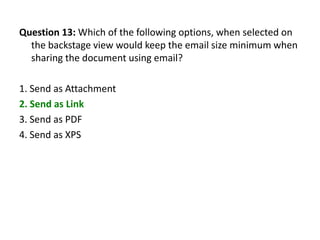
Question 13: Which of the following options, when selected on
  the backstage view would keep the email size minimum when
  sharing the document using email?

1. Send as Attachment
2. Send as Link
3. Send as PDF
4. Send as XPS
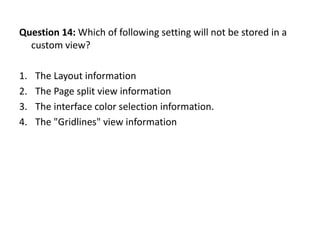
Question 14: Which of following setting will not be stored in a
  custom view?

1.   The Layout information
2.   The Page split view information
3.   The interface color selection information.
4.   The "Gridlines" view information
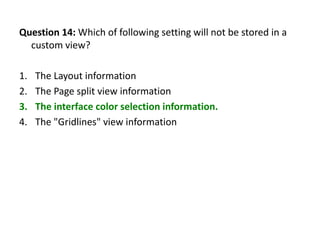
Question 14: Which of following setting will not be stored in a
  custom view?

1.   The Layout information
2.   The Page split view information
3.   The interface color selection information.
4.   The "Gridlines" view information
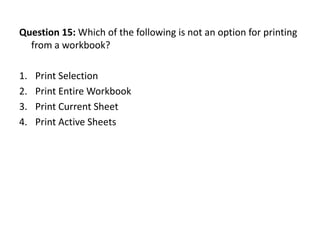
Question 15: Which of the following is not an option for printing
  from a workbook?

1.   Print Selection
2.   Print Entire Workbook
3.   Print Current Sheet
4.   Print Active Sheets
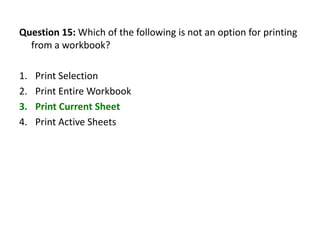
Question 15: Which of the following is not an option for printing
  from a workbook?

1.   Print Selection
2.   Print Entire Workbook
3.   Print Current Sheet
4.   Print Active Sheets
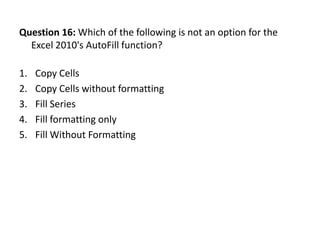
Question 16: Which of the following is not an option for the
  Excel 2010's AutoFill function?

1.   Copy Cells
2.   Copy Cells without formatting
3.   Fill Series
4.   Fill formatting only
5.   Fill Without Formatting
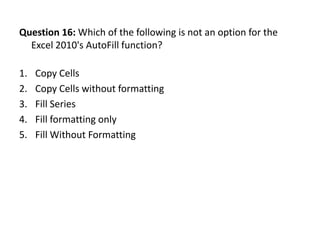
Question 16: Which of the following is not an option for the
  Excel 2010's AutoFill function?

1.   Copy Cells
2.   Copy Cells without formatting
3.   Fill Series
4.   Fill formatting only
5.   Fill Without Formatting
Question 17: Which of the following pair of brackets can be used
  to override the precedence of the operators?

1.   <>
2.   []
3.   ()
4.   {}
Question 17: Which of the following pair of brackets can be used
  to override the precedence of the operators?

1.   <>
2.   []
3.   ()
4.   {}
Question 18: You have created a list of items to be sold and their
  prices in the columns A and B, respectively. You now want to
  calculate the VAT for the prices at the rate of 12.5% of the price.
  You have typed "=12.5%*B2" in the Cell C2. You want to apply the
  same formula to all the cells in column C with the appropriate
  calculation on the respective cell in Column B. Which of the
  following shall help you auto calculate the values in all those cells?

1. Stretch the lower right plus towards down after entering the
    calculated value.
2. Stretch the lower right plus towards right after entering the first
    value.
3. Stretch the lower right plus towards down after entering the first
    value.
4. Stretch the lower right plus towards down after entering the
    formula in the first cell and hitting enter.
Question 18: You have created a list of items to be sold and their
  prices in the columns A and B, respectively. You now want to
  calculate the VAT for the prices at the rate of 12.5% of the price.
  You have typed "=12.5%*B2" in the Cell C2. You want to apply the
  same formula to all the cells in column C with the appropriate
  calculation on the respective cell in Column B. Which of the
  following shall help you auto calculate the values in all those cells?

1. Stretch the lower right plus towards down after entering the
    calculated value.
2. Stretch the lower right plus towards right after entering the first
    value.
3. Stretch the lower right plus towards down after entering the first
    value.
4. Stretch the lower right plus towards down after entering the
    formula in the first cell and hitting enter.
Question 19: What are 'Landscape' and 'Portrait'?

1. Sizes
2. Orientations
3. Breaks
4. Margin Styles
Question 19: What are 'Landscape' and 'Portrait'?

1. Sizes
2. Orientations
3. Breaks
4. Margin Styles
Question 20: Which of the following commands are implicitely
  available fro being added to the Quick Access Toolbar?

1.   Email
2.   Quick Print
3.   Spelling
4.   Formula
Question 20: Which of the following commands are implicitely
  available fro being added to the Quick Access Toolbar?

1.   Email
2.   Quick Print
3.   Spelling
4.   Formula
Question 21: Which of the following would hold true?

1. Filter and Sort functions do the same job.
2. Filter is same as sort when we are applying the action on text
3. Filter is used to extract out cells with data fulfilling a required
   criteria but sorting will not perform extraction.
4. Filters are used for making the workbook interactive.
Question 21: Which of the following would hold true?

1. Filter and Sort functions do the same job.
2. Filter is same as sort when we are applying the action on text
3. Filter is used to extract out cells with data fulfilling a required
   criteria but sorting will not perform extraction.
4. Filters are used for making the workbook interactive.
Question 22: Which of the following is not a 'margin' in Excel
  2010?

1.   Top
2.   Center
3.   Bottom
4.   Left
5.   Right
Question 22: Which of the following is not a 'margin' in Excel
  2010?

1.   Top
2.   Center
3.   Bottom
4.   Left
5.   Right
Question 23: On which of the following tabs will you be able to
  name a cell range?

1.   Home
2.   Insert
3.   Data
4.   View
5.   All of the above
Question 23: On which of the following tabs will you be able to
  name a cell range?

1.   Home
2.   Insert
3.   Data
4.   View
5.   All of the above
Question 24: Which of the following view will show you a view
  very similar to the print preview?

1.   Normal
2.   Page Break Preview
3.   Page Layout
4.   All of the above
Question 24: Which of the following view will show you a view
  very similar to the print preview?

1.   Normal
2.   Page Break Preview
3.   Page Layout
4.   All of the above
Question 25: Can you name multiple cells in Excel 2010?

1.   Yes, always
2.   Yes, only in the Home and Student Edition
3.   Yes, in any registered and activated copy
4.   No
Question 25: Can you name multiple cells in Excel 2010?

1.   Yes, always
2.   Yes, only in the Home and Student Edition
3.   Yes, in any registered and activated copy
4.   No

EXCEL REVIEWER

  • 1.
  • 2.
    Question 1: Youwant to print only 2 spreadsheets from your workbook which contains 7 sheets. You have already selected the required sheets. On which menu will you find the option to print (only) the selected sheets? 1. Home 2. Review 3. Page Layout 4. File
  • 3.
    Question 1: Youwant to print only 2 spreadsheets from your workbook which contains 7 sheets. You have already selected the required sheets. On which menu will you find the option to print (only) the selected sheets? 1. Home 2. Review 3. Page Layout 4. File
  • 4.
    Question 2: Youhave deleted a sheet by right clicking a sheet tab and selecting 'Delete'. Now you press "Ctrl + Z". How will Excel 2010 react? 1. The sheet will be restored. 2. Nothing will happen. 3. Excel will ask you to choose action between Restoring the sheet or undoing last action on a tab which was not deleted. 4. Excel will undo the last action whether it be deletion of sheet or any other changes in the document and notify on the taskbar.
  • 5.
    Question 2: Youhave deleted a sheet by right clicking a sheet tab and selecting 'Delete'. Now you press "Ctrl + Z". How will Excel 2010 react? 1. The sheet will be restored. 2. Nothing will happen. 3. Excel will ask you to choose action between Restoring the sheet or undoing last action on a tab which was not deleted. 4. Excel will undo the last action whether it be deletion of sheet or any other changes in the document and notify on the taskbar.
  • 6.
    Question 3: Whichof the following parameters cannot be used to sort a group of cells? 1. Cell Size 2. Cell Color 3. Cell Font Color 4. Cell Value
  • 7.
    Question 3: Whichof the following parameters cannot be used to sort a group of cells? 1. Cell Size 2. Cell Color 3. Cell Font Color 4. Cell Value
  • 8.
    Question 4: Howmany types of icon sets are available to be implemented for a icon set rule on a set of cells in Excel 2010? 1. 1 2. 2 3. 3 4. 4 5. 5
  • 9.
    Question 4: Howmany types of icon sets are available to be implemented for a icon set rule on a set of cells in Excel 2010? 1. 1 2. 2 3. 3 4. 4 5. 5
  • 10.
    Question 5: Whatare sorting levels used for? 1. Number of times the sorting has to be done. 2. The preferred order of sorting on different parameters. 3. To determine the number of rows to be sorted. 4. To determine the number of columns to be sorted.
  • 11.
    Question 5: Whatare sorting levels used for? 1. Number of times the sorting has to be done. 2. The preferred order of sorting on different parameters. 3. To determine the number of rows to be sorted. 4. To determine the number of columns to be sorted.
  • 12.
    Question 6: Whichof the following option will you select under the 'Conditional Formatting' menu to remove the rules from the sheet? 1. Remove Rule 2. Clear Rule 3. Data rules 4. Icon Set rules 5. Top 10
  • 13.
    Question 6: Whichof the following option will you select under the 'Conditional Formatting' menu to remove the rules from the sheet? 1. Remove Rule 2. Clear Rule 3. Data rules 4. Icon Set rules 5. Top 10
  • 14.
    Question 7: Whichof the following action is an 'addition' to the filter function when using the advanced filter? 1. Copy 2. List Range 3. criteria range 4. All of the above
  • 15.
    Question 7: Whichof the following action is an 'addition' to the filter function when using the advanced filter? 1. Copy 2. List Range 3. criteria range 4. All of the above
  • 16.
    Question 8: Youhave written the numbers 1 to 10 in a column and want to repeat the numbers again and again. Which of following option for the AutoFill will help you get the work done? 1. Copy Cells 2. Fill Series 3. All of the above 4. None of the above
  • 17.
    Question 8: Youhave written the numbers 1 to 10 in a column and want to repeat the numbers again and again. Which of following option for the AutoFill will help you get the work done? 1. Copy Cells 2. Fill Series 3. All of the above 4. None of the above
  • 18.
    Question 9: Whichof the following is true for sparklines in Excel 2010? 1. The data range and location range may be in different row and column. 2. The data range and location range may be in different row but must be in same column. 3. The data range and location range may be in different column but must be in same row. 4. The data range and location range must be in either same row or same column.
  • 19.
    Question 9: Whichof the following is true for sparklines in Excel 2010? 1. The data range and location range may be in different row and column. 2. The data range and location range may be in different row but must be in same column. 3. The data range and location range may be in different column but must be in same row. 4. The data range and location range must be in either same row or same column.
  • 20.
    Question 10: Whichof the following cannot be done when you are saving a Workbook in PDF format? 1. The file cannot have a password. 2. The file cannot have names longer than 16 characters. 3. The gridlines cannot be seen when the exported PDF is opened. 4. All of the above
  • 21.
    Question 10: Whichof the following cannot be done when you are saving a Workbook in PDF format? 1. The file cannot have a password. 2. The file cannot have names longer than 16 characters. 3. The gridlines cannot be seen when the exported PDF is opened. 4. All of the above
  • 22.
    Question 11: Youwant to show the numbers written in the cells of Column 'D' as 'percentage'. What keyboard shortcut will allow you to achieve the goal? 1. There is no keyboard shortcut for this function. 2. Ctrl + Shift + 5 3. Ctrl + Shift + P 4. Ctrl + Shift + F5
  • 23.
    Question 11: Youwant to show the numbers written in the cells of Column 'D' as 'percentage'. What keyboard shortcut will allow you to achieve the goal? 1. There is no keyboard shortcut for this function. 2. Ctrl + Shift + 5 3. Ctrl + Shift + P 4. Ctrl + Shift + F5
  • 24.
    Question 12: Isit possible to make a hyperlink to a particular cell in another sheet in the same workbook in only a part of text of a particular cell in another sheet of the same workbook? 1. Yes, always 2. No 3. Yes, Only in case the cell being used as hyperlink does not contain numbers 4. Yes, Only in case the cell being used as target does not contain numbers
  • 25.
    Question 12: Isit possible to make a hyperlink to a particular cell in another sheet in the same workbook in only a part of text of a particular cell in another sheet of the same workbook? 1. Yes, always 2. No 3. Yes, Only in case the cell being used as hyperlink does not contain numbers 4. Yes, Only in case the cell being used as target does not contain numbers
  • 26.
    Question 13: Whichof the following options, when selected on the backstage view would keep the email size minimum when sharing the document using email? 1. Send as Attachment 2. Send as Link 3. Send as PDF 4. Send as XPS
  • 27.
    Question 13: Whichof the following options, when selected on the backstage view would keep the email size minimum when sharing the document using email? 1. Send as Attachment 2. Send as Link 3. Send as PDF 4. Send as XPS
  • 28.
    Question 14: Whichof following setting will not be stored in a custom view? 1. The Layout information 2. The Page split view information 3. The interface color selection information. 4. The "Gridlines" view information
  • 29.
    Question 14: Whichof following setting will not be stored in a custom view? 1. The Layout information 2. The Page split view information 3. The interface color selection information. 4. The "Gridlines" view information
  • 30.
    Question 15: Whichof the following is not an option for printing from a workbook? 1. Print Selection 2. Print Entire Workbook 3. Print Current Sheet 4. Print Active Sheets
  • 31.
    Question 15: Whichof the following is not an option for printing from a workbook? 1. Print Selection 2. Print Entire Workbook 3. Print Current Sheet 4. Print Active Sheets
  • 32.
    Question 16: Whichof the following is not an option for the Excel 2010's AutoFill function? 1. Copy Cells 2. Copy Cells without formatting 3. Fill Series 4. Fill formatting only 5. Fill Without Formatting
  • 33.
    Question 16: Whichof the following is not an option for the Excel 2010's AutoFill function? 1. Copy Cells 2. Copy Cells without formatting 3. Fill Series 4. Fill formatting only 5. Fill Without Formatting
  • 34.
    Question 17: Whichof the following pair of brackets can be used to override the precedence of the operators? 1. <> 2. [] 3. () 4. {}
  • 35.
    Question 17: Whichof the following pair of brackets can be used to override the precedence of the operators? 1. <> 2. [] 3. () 4. {}
  • 36.
    Question 18: Youhave created a list of items to be sold and their prices in the columns A and B, respectively. You now want to calculate the VAT for the prices at the rate of 12.5% of the price. You have typed "=12.5%*B2" in the Cell C2. You want to apply the same formula to all the cells in column C with the appropriate calculation on the respective cell in Column B. Which of the following shall help you auto calculate the values in all those cells? 1. Stretch the lower right plus towards down after entering the calculated value. 2. Stretch the lower right plus towards right after entering the first value. 3. Stretch the lower right plus towards down after entering the first value. 4. Stretch the lower right plus towards down after entering the formula in the first cell and hitting enter.
  • 37.
    Question 18: Youhave created a list of items to be sold and their prices in the columns A and B, respectively. You now want to calculate the VAT for the prices at the rate of 12.5% of the price. You have typed "=12.5%*B2" in the Cell C2. You want to apply the same formula to all the cells in column C with the appropriate calculation on the respective cell in Column B. Which of the following shall help you auto calculate the values in all those cells? 1. Stretch the lower right plus towards down after entering the calculated value. 2. Stretch the lower right plus towards right after entering the first value. 3. Stretch the lower right plus towards down after entering the first value. 4. Stretch the lower right plus towards down after entering the formula in the first cell and hitting enter.
  • 38.
    Question 19: Whatare 'Landscape' and 'Portrait'? 1. Sizes 2. Orientations 3. Breaks 4. Margin Styles
  • 39.
    Question 19: Whatare 'Landscape' and 'Portrait'? 1. Sizes 2. Orientations 3. Breaks 4. Margin Styles
  • 40.
    Question 20: Whichof the following commands are implicitely available fro being added to the Quick Access Toolbar? 1. Email 2. Quick Print 3. Spelling 4. Formula
  • 41.
    Question 20: Whichof the following commands are implicitely available fro being added to the Quick Access Toolbar? 1. Email 2. Quick Print 3. Spelling 4. Formula
  • 42.
    Question 21: Whichof the following would hold true? 1. Filter and Sort functions do the same job. 2. Filter is same as sort when we are applying the action on text 3. Filter is used to extract out cells with data fulfilling a required criteria but sorting will not perform extraction. 4. Filters are used for making the workbook interactive.
  • 43.
    Question 21: Whichof the following would hold true? 1. Filter and Sort functions do the same job. 2. Filter is same as sort when we are applying the action on text 3. Filter is used to extract out cells with data fulfilling a required criteria but sorting will not perform extraction. 4. Filters are used for making the workbook interactive.
  • 44.
    Question 22: Whichof the following is not a 'margin' in Excel 2010? 1. Top 2. Center 3. Bottom 4. Left 5. Right
  • 45.
    Question 22: Whichof the following is not a 'margin' in Excel 2010? 1. Top 2. Center 3. Bottom 4. Left 5. Right
  • 46.
    Question 23: Onwhich of the following tabs will you be able to name a cell range? 1. Home 2. Insert 3. Data 4. View 5. All of the above
  • 47.
    Question 23: Onwhich of the following tabs will you be able to name a cell range? 1. Home 2. Insert 3. Data 4. View 5. All of the above
  • 48.
    Question 24: Whichof the following view will show you a view very similar to the print preview? 1. Normal 2. Page Break Preview 3. Page Layout 4. All of the above
  • 49.
    Question 24: Whichof the following view will show you a view very similar to the print preview? 1. Normal 2. Page Break Preview 3. Page Layout 4. All of the above
  • 50.
    Question 25: Canyou name multiple cells in Excel 2010? 1. Yes, always 2. Yes, only in the Home and Student Edition 3. Yes, in any registered and activated copy 4. No
  • 51.
    Question 25: Canyou name multiple cells in Excel 2010? 1. Yes, always 2. Yes, only in the Home and Student Edition 3. Yes, in any registered and activated copy 4. No