Evolve Your Public Space
Brian Pichman
Twitter: @Bpichman
Lasting Impacts
• How do libraries, archives and museums expand services and
spaces to encompass innovation and build long-lasting IMPACT?
3
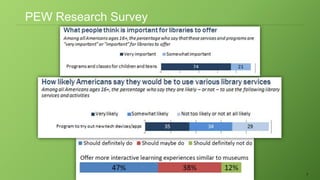
PEW Research Survey
4
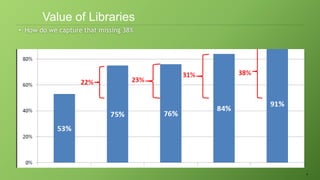
• How do we capture that missing 38%
Value of Libraries
Impact Builders
• Space Design
• Collaboration, Open/Private, Access
• Technology
• Foster Innovation/Skill Building
• Programs/Events
• Bring People Together
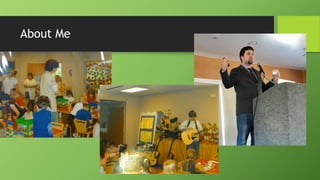
About Me
Where did the Evolve Project come from?
• Renovate the entire Children’s
library with a budget of a 165,000
• To include all new technology,
furniture, space layout, and fresh
colors.
• Introduce new technology frequently
and host workshops sharing the
technology.
• Teach patrons new skills as it relates
to coding, electricity, engineering, or
creative art.
• Build hype about the evolving library.
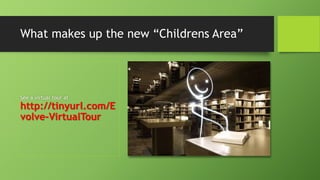
See a virtual tour at
http://tinyurl.com/E
volve-VirtualTour
What makes up the new “Childrens Area”
What Evolve Project Does Today
• Help libraries build makerspaces
• Through hands-on workshops or consulting (tech, spaces, training).
• Find start-up companies looking to partner with libraries to do
beta testing.
• Does the product work within a library setting. What can be improved?
• Games, Gadgets, and Gizmo activities
• Play with the latest technology and talk about how it can be implemented
in a library setting.
Some Facts
• Summer Reading Program
• Usually one of the busiest times of the year
• Increased traffic of patrons into the library
• Desire of patrons to continue to learn even during the “break” between
school by reading and the participation in educational activities in the
library .
Questions to Ask
• How do we continue that drive to the library in terms of:
• Engagement
• With Collection, Staff, and Space
• Educational Outcomes
• Through a program, conversation, or engagement with space
• Attendance
• There are positive spikes in attendance during summer reading program; survey
patrons to determine why.
• Understand what your community wants by learning about their passions.
Surveys: Understanding Data
• Traditional Survey (Measures Customer Satisfaction)
• NPS Survey (Measures Customer Loyalty)
• Engage your respondents through effective surveys to drive desired
results to your library.
• Make informed decisions (what works, what doesn't, what can be done
differently)
• Identify weaknesses and highlight new opportunities for growth
• Overall, the response rate to surveys is traditionally poor. (There are
ways to improve it.)
• Find out if customers are talking about you and what their overall
impression is
Survey Tips: Must Haves
• Asking “Would You Recommend XYZ” is an important question.
• After getting the scores, there must be a process in place to drive
improvements and provide follow ups to surveys that are negative.
• This not only allows you an opportunity to improve a service but also shows
the survey taker their feedback is reviewed and valued.
Survey Tips: Ask the Right People
• Identify your target audience
• Tailor questions for accuracy
• Deliver surveys on the most effective communication channel (Social Media,
Email, Phone, etc.)
Survey Tips: Short and Sweet
• Clear and Concise
• Get the must have information (contact info that you use. Do you
really need an address?)
• Surveys should take about 5 minutes
• Question Types:
• What is your favorite program vs How would you rate program A.
• Open-Ended Closed Ended
Survey Types
• Web/Email
• Telephone
• Pen and Paper
• Let people know ahead of time a survey is coming. This will result
in higher response rates.
Obtaining Surveys
• On The Fly
• Call Backs / Forms
• Automated Dialing:
• https://www.precisionpolling.com/
• https://www.twilio.com/elements/automated-surveys-and-feedback
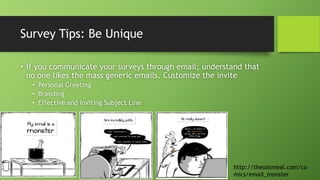
Survey Tips: Be Unique
• If you communicate your surveys through email; understand that
no one likes the mass generic emails. Customize the invite
• Personal Greeting
• Branding
• Effective and Inviting Subject Line
http://theoatmeal.com/co
mics/email_monster
What Do You DO With The Data
• Find out what worked well for your Summer Reading Program,
events you run, etc.
• Put them in categories of general themes: whether its business
centric, technology centric, entertainment related…
• Find your “cheerleaders” of the group. Use them to help promote
new events.
Making Ideas
• The term “Maker Program” has only one requirement;
• Allow, Generate, or Foster an output of
• New Ideas
• A Physical Product
• New Skill Learned
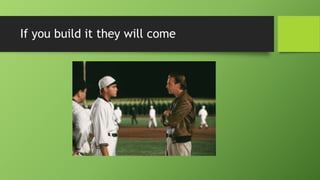
If you build it they will come
Types of Spaces
illustrated by cats
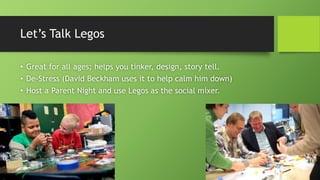
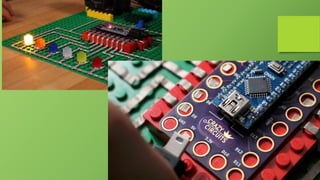
Let’s Talk Legos
• Great for all ages; helps you tinker, design, story tell.
• De-Stress (David Beckham uses it to help calm him down)
• Host a Parent Night and use Legos as the social mixer.
Photography / Videography
• Take and Edit Photos and Video
• Host an Photo Gallery / Movie Night
• Host Workshops, Seminars
• Go out in the community and take
photos/videos
• Add videos to the collection, and art
to the walls.
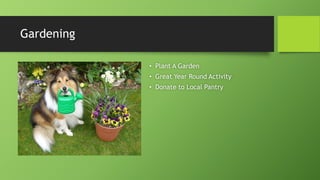
Gardening
• Plant A Garden
• Great Year Round Activity
• Donate to Local Pantry
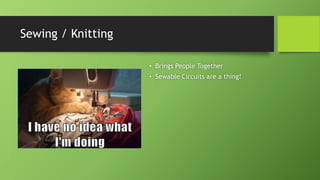
Sewing / Knitting
• Brings People Together
• Sewable Circuits are a thing!
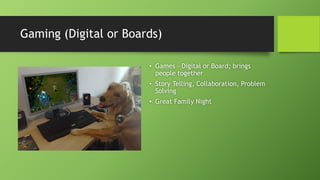
Gaming (Digital or Boards)
• Games – Digital or Board; brings
people together
• Story Telling, Collaboration, Problem
Solving
• Great Family Night
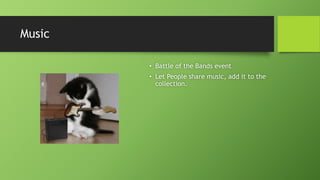
Music
• Battle of the Bands event
• Let People share music, add it to the
collection.
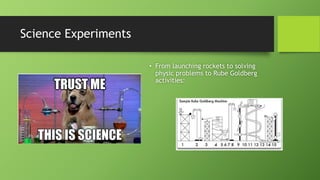
Science Experiments
• From launching rockets to solving
physic problems to Rube Goldberg
activities:
Baking
• Host Baking Classes
• Cook and donate food
Business Workshops
• From Business Planning to Investment
Strategy; all of which can be done in
groups and bring people together.
• From a start-up culture standpoint;
interacting with like minded
individuals can accelerate growth;
which in turn leads to growth in the
community, jobs, etc.
Electricity
• Who doesn’t like to make things light
up!
• Use kits like littleBits or LightUp to
learn the basics; then move on to
learning with with actual bulbs and
switches
Learn To Code
• From Cubetto (non screen based
programming) to programming video
games through Hopscotch to building
websites and applications.
• Coding has been incredibly
important, and is now a requirement
for schools to teach.
Robotics
• Robotic Competitions
• Lego WeDo, Mindstorms, Erector
Sets, VEX Robotics
• Simply Build:
• Modular Robotics
• BirdBrain Technologies
• Control and Program
School Planning
• Study Groups
• College Prep
• How to fill out scholarships
• How to look for colleges
• Master Programs
• Host Networking Events
Next Level Technology Days
• Build and fly a drone! There are lots
of affordable activities that can bring
hobbyist together.
Spaces and Technology Must:
• Encourage Creativity and Invention
• Allow Discovery
• Increase Collaboration
• Generate Interaction
• Foster Innovation
41
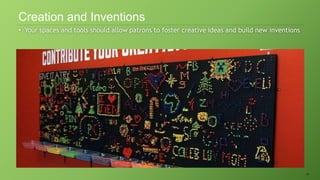
• Your spaces and tools should allow patrons to foster creative ideas and build new inventions
Creation and Inventions
42
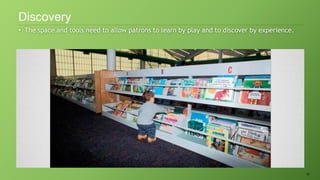
• The space and tools need to allow patrons to learn by play and to discover by experience.
Discovery
43
• Technology is inherently collaborative, bringing people together to work in unison to solve
problems.
Collaboration
44
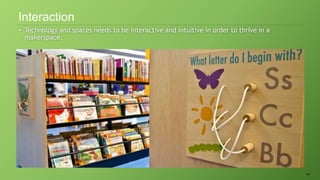
• Technology and spaces needs to be interactive and intuitive in order to thrive in a
makerspace.
Interaction
45
• Innovation must be an original disruptive act.
Innovation
Key Design Concepts For Library Spaces
• Adding Color
• Art
• Have Open and Modular Areas
• Moveable Furniture
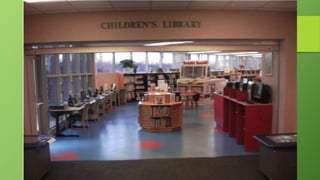
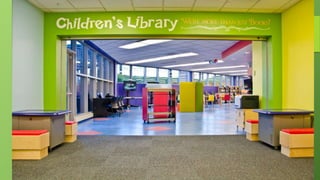
Adding Color
• White = Non-Inviting
• Think about Parks (typically colorful)
• Painting walls is an inexpensive redesign
• Use Fun Colors
• Be Bold!
• Children Areas should use bright attractive and inviting colors.
• Get your community and staff involved
• Having a painting party!
• Color alone can make a space look bigger and brighter
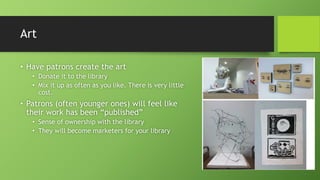
Art
• Have patrons create the art
• Donate it to the library
• Mix it up as often as you like. There is very little
cost.
• Patrons (often younger ones) will feel like
their work has been “published”
• Sense of ownership with the library
• They will become marketers for your library
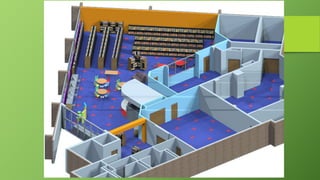
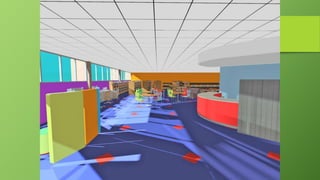
Open Areas
• Open Space !
• Seating
• Tables
• Multi Functional Areas
• Remove or repurpose rooms that are used only for specific events:
• Activity Rooms, Meeting Rooms, etc
• Make these rooms open all the time with constant activities or events
• Larger, open areas allow you to rearrange space easier
• Let the community define the space
Furniture
• Fun Colors
• Use lightweight furniture (easier to move)
• Encourage your patrons to rearrange the space to fit their needs.
• Again let community define the space
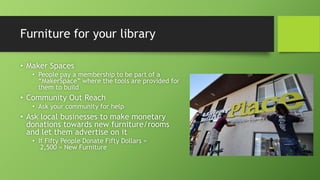
Furniture for your library
• Maker Spaces
• People pay a membership to be part of a
“MakerSpace” where the tools are provided for
them to build
• Community Out Reach
• Ask your community for help
• Ask local businesses to make monetary
donations towards new furniture/rooms
and let them advertise on it
• If Fifty People Donate Fifty Dollars =
2,500 = New Furniture
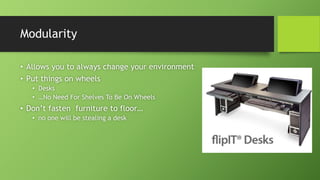
Modularity
• Allows you to always change your environment
• Put things on wheels
• Desks
• …No Need For Shelves To Be On Wheels
• Don’t fasten furniture to floor…
• no one will be stealing a desk
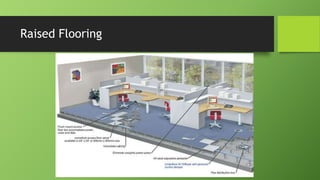
Raised Flooring
60
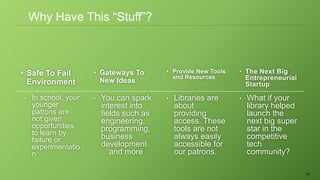
• Safe To Fail
Environment
• Gateways To
New Ideas
• Provide New Tools
and Resources
• The Next Big
Entrepreneurial
Startup
• In school, your
younger
patrons are
not given
opportunities
to learn by
failure or
experimentatio
n
• You can spark
interest into
fields such as
engineering,
programming,
business
development
…and more
• Libraries are
about
providing
access. These
tools are not
always easily
accessible for
our patrons.
• What if your
library helped
launch the
next big super
star in the
competitive
tech
community?
Why Have This “Stuff”?
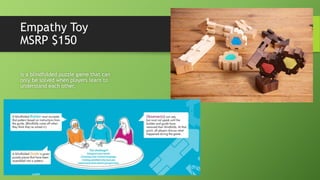
Empathy Toy
MSRP $150
is a blindfolded puzzle game that can
only be solved when players learn to
understand each other.
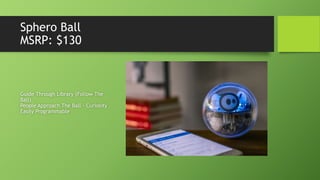
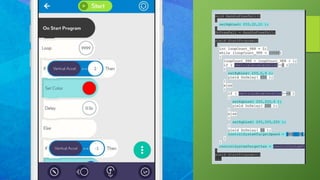
Sphero Ball
MSRP: $130
Guide Through Library (Follow The
Ball)
People Approach The Ball – Curiosity
Easily Programmable
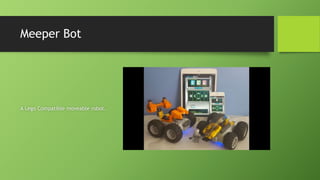
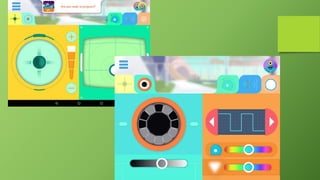
Meeper Bot
A Lego Compatible moveable robot.
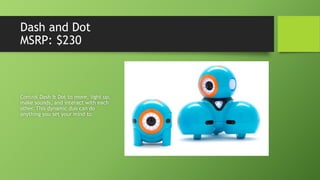
Dash and Dot
MSRP: $230
Control Dash & Dot to move, light up,
make sounds, and interact with each
other. This dynamic duo can do
anything you set your mind to.
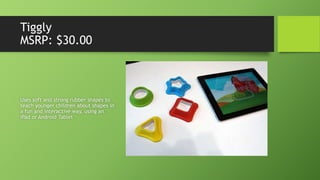
Tiggly
MSRP: $30.00
Uses soft and strong rubber shapes to
teach younger children about shapes in
a fun and interactive way, using an
iPad or Android Tablet
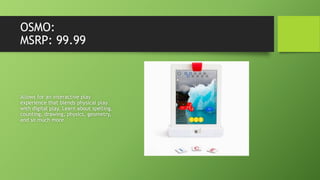
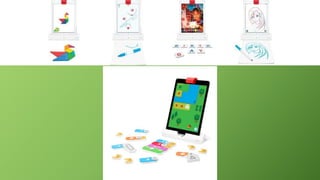
OSMO:
MSRP: 99.99
Allows for an interactive play
experience that blends physical play
with digital play. Learn about spelling,
counting, drawing, physics, geometry,
and so much more.
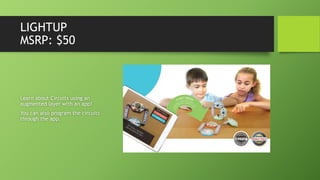
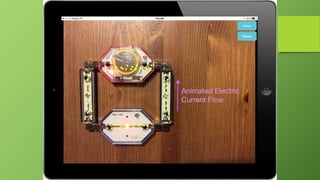
LIGHTUP
MSRP: $50
Learn about Circuits using an
augmented layer with an app!
You can also program the circuits
through the app.
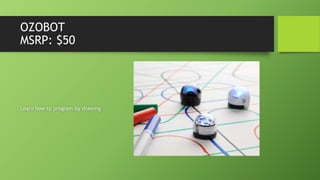
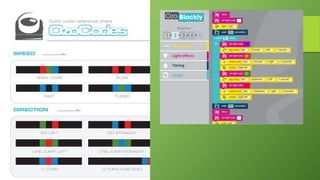
OZOBOT
MSRP: $50
Learn how to program by drawing
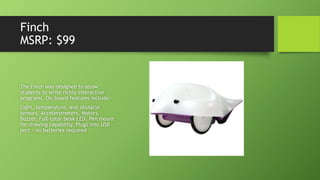
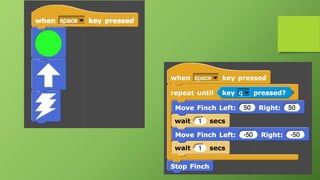
Finch
MSRP: $99
The Finch was designed to allow
students to write richly interactive
programs. On-board features include:
Light, temperature, and obstacle
sensors, Accelerometers, Motors,
Buzzer, Full-color beak LED, Pen mount
for drawing capability, Plugs into USB
port - no batteries required
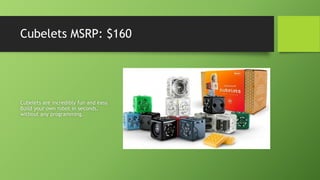
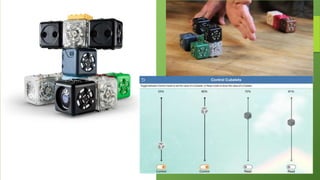
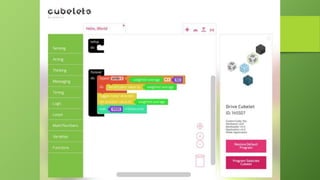
Cubelets MSRP: $160
Cubelets are incredibly fun and easy.
Build your own robot in seconds,
without any programming.
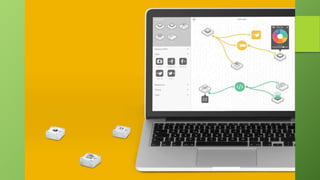
SAM Labs
Circuits and Programming!
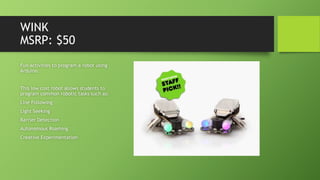
WINK
MSRP: $50
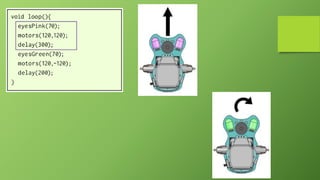
Fun activities to program a robot using
Arduino.
This low cost robot allows students to
program common robotic tasks such as:
Line Following
Light Seeking
Barrier Detection
Autonomous Roaming
Creative Experimentation
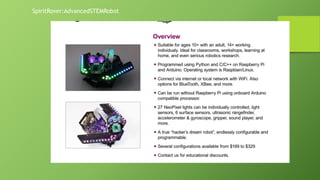
SpiritRover:AdvancedSTEMRobot
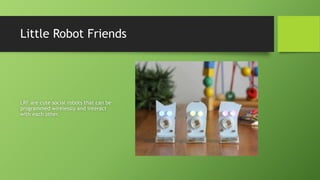
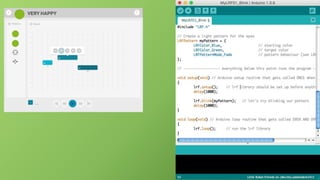
Little Robot Friends
LRF are cute social robots that can be
programmed wirelessly and interact
with each other.
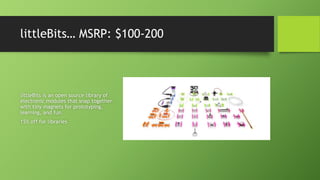
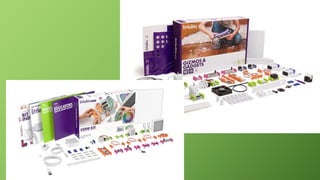
littleBits… MSRP: $100-200
littleBits is an open source library of
electronic modules that snap together
with tiny magnets for prototyping,
learning, and fun.
15% off for libraries
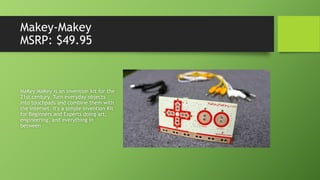
Makey-Makey
MSRP: $49.95
MaKey MaKey is an invention kit for the
21st century. Turn everyday objects
into touchpads and combine them with
the internet. It's a simple Invention Kit
for Beginners and Experts doing art,
engineering, and everything in
between
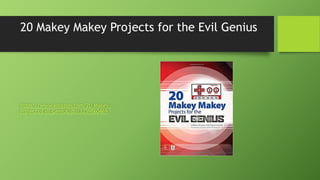
20 Makey Makey Projects for the Evil Genius
https://www.amazon.com/20-Makey-
Projects-Evil-Genius/dp/1259860469
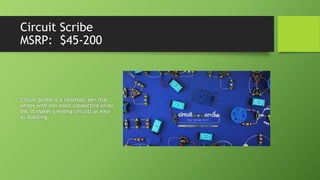
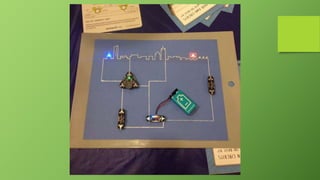
Circuit Scribe
MSRP: $45-200
Circuit Scribe is a rollerball pen that
writes with non-toxic conductive silver
ink. It makes creating circuits as easy
as doodling.
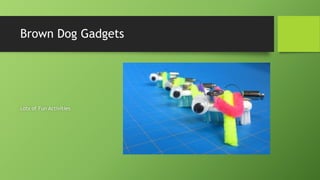
Brown Dog Gadgets
Lots of Fun Activities
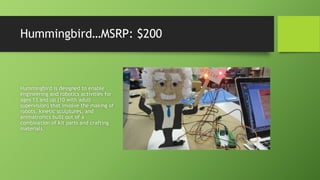
Hummingbird…MSRP: $200
Hummingbird is designed to enable
engineering and robotics activities for
ages 13 and up (10 with adult
supervision) that involve the making of
robots, kinetic sculptures, and
animatronics built out of a
combination of kit parts and crafting
materials.
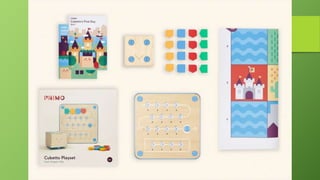
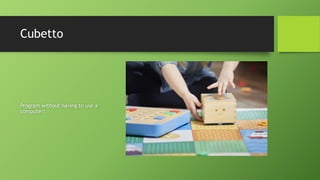
Cubetto
Program without having to use a
computer!
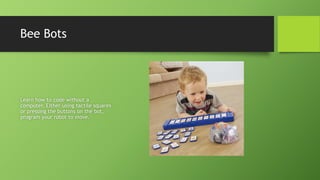
Bee Bots
Learn how to code without a
computer. Either using tactile squares
or pressing the buttons on the bot,
program your robot to move.
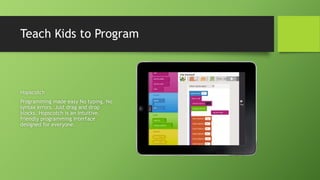
Teach Kids to Program
Hopscotch
Programming made easy No typing. No
syntax errors. Just drag and drop
blocks. Hopscotch is an intuitive,
friendly programming interface
designed for everyone.
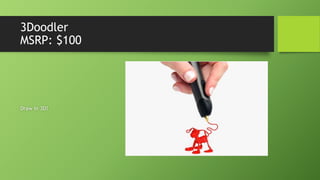
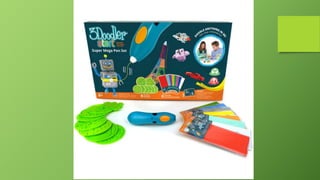
3Doodler
MSRP: $100
Draw in 3D!
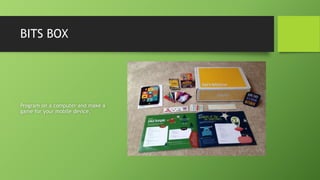
BITS BOX
Program on a computer and make a
game for your mobile device.
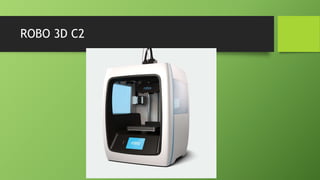
ROBO 3D C2
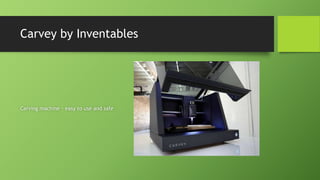
Carvey by Inventables
Carving machine – easy to use and safe
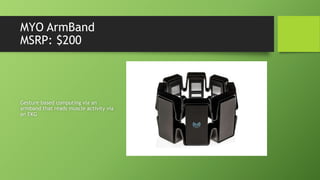
MYO ArmBand
MSRP: $200
Gesture based computing via an
armband that reads muscle activity via
an EKG
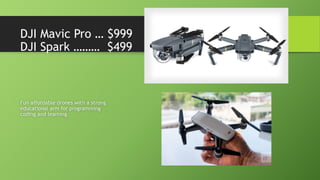
DJI Mavic Pro … $999
DJI Spark ……… $499
Fun affordable drones with a strong
educational arm for programming
coding and learning
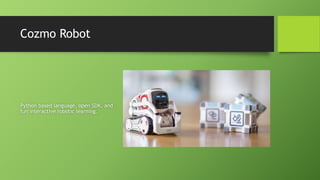
Cozmo Robot
Python based language, open SDK, and
fun interactive robotic learning.
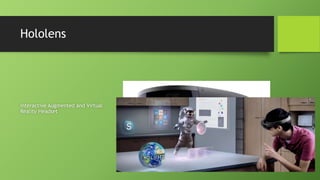
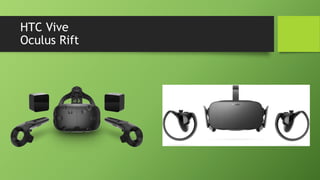
Hololens
Interactive Augmented and Virtual
Reality Headset
HTC Vive
Oculus Rift
Food For Thought
• You do not need a dedicated space to be a “maker library”
• Share resources across other libraries
• You do not need to buy all the latest and greatest technology
• You can start off small and grow
• You do not have to have “experts”
• Remove yourself as the expert – allow folks to fail and work things
out
• Granted – you can always provided coaching (i.e. have you tried XYZ)
A Space Can Have These Items:
Needs People
People: YOU
• Be A Risk Taker
• Be A Rule Breaker
• (Within reason)
• Have Passion
• Have Drive
People- Staff
• Have motivated and positive staff
• Staff members who want to do more than just “check in and
out books”
• Skill Assessment
• Staff members all have unique skills / hobbies
• Create badges / shirts that help identify the staff members with those
specific skills
People- Community
• You probably know the needs of your patrons
• But do you know the skills of your patrons?
• Identify which patrons have which skills
• You will be very surprised how willing they are to help start a
new program at your library!
• Give Volunteers things they can be proud of.
Ask Community for Help:
• Fishing
• Cooking
• Boat Building
• Building Computers
• Circuits
• Robotics
• 3D Design / Animation
• The Sciences (Physics, Biology,
Chemistry…i.e. experiments)
• Coding
• Websites
• Applications
• Couponing!
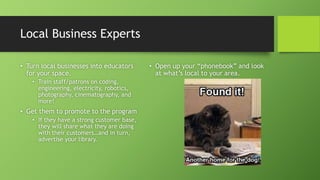
Local Business Experts
• Turn local businesses into educators
for your space.
• Train staff/patrons on coding,
engineering, electricity, robotics,
photography, cinematography, and
more!
• Get them to promote to the program
• If they have a strong customer base,
they will share what they are doing
with their customers…and in turn,
advertise your library.
• Open up your “phonebook” and look
at what’s local to your area.
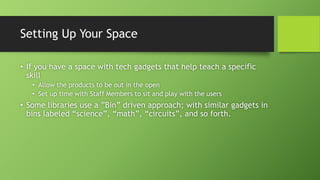
Setting Up Your Space
• If you have a space with tech gadgets that help teach a specific
skill
• Allow the products to be out in the open
• Set up time with Staff Members to sit and play with the users
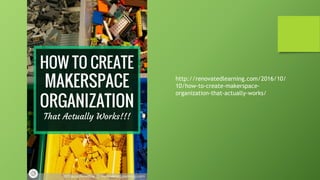
• Some libraries use a ”Bin” driven approach; with similar gadgets in
bins labeled “science”, “math”, “circuits”, and so forth.
http://renovatedlearning.com/2016/10/
10/how-to-create-makerspace-
organization-that-actually-works/
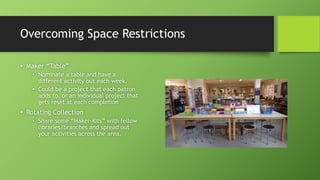
Overcoming Space Restrictions
• Maker “Table”
• Nominate a table and have a
different activity out each week.
• Could be a project that each patron
adds to, or an individual project that
gets reset at each completion
• Rotating Collection
• Share some “Maker-Kits” with fellow
libraries/branches and spread out
your activities across the area.
Overcoming Security Concerns
• Is it Really Needed
• Based on the studies reported, there
is a loss of .15% to .5% per year; or
overall loss rates of 4–8% when an
inventory, or inventory sample, is
conducted periodically.
• Why do books go missing? Some are
simply miss shelved and will
eventually resurface; others are lost
by library users, with the lost item
fees paid. Sadly, many are stolen,
though electronic detection systems
do minimize that risk
http://www.ala.org/tools/loss-rate
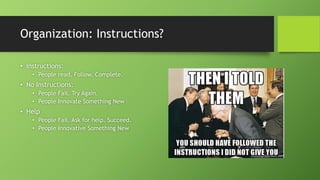
Organization: Instructions?
• Instructions:
• People read. Follow. Complete.
• No Instructions:
• People Fail. Try Again.
• People Innovate Something New
• Help
• People Fail. Ask for help. Succeed.
• People Innovative Something New
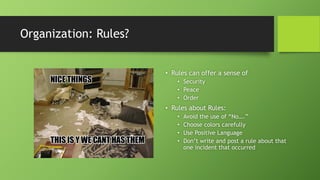
Organization: Rules?
• Rules can offer a sense of
• Security
• Peace
• Order
• Rules about Rules:
• Avoid the use of “No….”
• Choose colors carefully
• Use Positive Language
• Don’t write and post a rule about that
one incident that occurred
Marketing Your Space
It’s a lot easier if you
make someone else do it
for you.
Self Promotions
• Recording Studio
• Add the outputs (videos, music, etc.)
to the collection
• Host movie nights, share the works.
• Programming
• Robots: Do a “robot night”
• Game: Do a “game night”
• Engineering
• Circuits: Build Displays / Wall
Displays
• Robots: Build Displays / Demo Areas
• Art or Craft Orientated
• Display
• Allow things to be ”Borrowed”
On Going Programming Ideas
• Murals (Paper Canvas to Digital Displays) allow a constant update
and change to a center piece.
• Start Up Weekend Events
• Trivia Nights (Bars can do it, so can libraries!)
• Books n Brews
• Art Gallery/Video Festival/Battle of the Bands
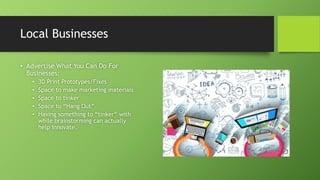
Local Businesses
• Advertise What You Can Do For
Businesses:
• 3D Print Prototypes/Fixes
• Space to make marketing materials
• Space to tinker
• Space to “Hang Out”
• Having something to “tinker” with
while brainstorming can actually
help innovate.
More Ideas
• "Sniff Off" contest with tea blends from a local tea shop to celebrate National Tea Month
• "Dog Listener" from a local kennel / animal shelter
• Library Literary Speed Dating Program: bring 3 favorite books to talk about
• Jigsaw puzzle exchange – Exchange Puzzles
• Dial-A-Story – Set up a voicemail box and read a story for patrons to call in and listen too.
• “Ask A [Expert]” Locate your community experts like Lawyers, Accountants, etc. and ask them to
do a workshop for your patrons.
• “How To Faire” – Similar to a Maker Faire, but learn how to do things (planting, fishing, sewing,
comic book drawing…)
• “UFO” – Unfinished Objects – repair broken tech
• “Break and Make” – take apart technology and put it back together
• ”Teddy Bear Lock Ins” – Allow a ”drop off” of someone’s favorite stuffed animal or character and
have it spend the “night” with new friends at the library.
• “Coupon Exchange” – Exchange and talk Coupons!
Programming Ideas
Other than Open Play
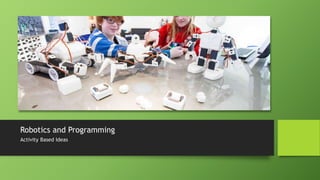
Robotics and Programming
Activity Based Ideas
Programming Ideas for Coding/Robotics
• Tactile Programming (programming without a computer)
• Mazes
• Get from Point A to Point B and avoid Obstacles 1, 2, and 3.
• Coding on A Computer
• Goal Orientated
• Make Character do XYZ
• Design Orientated
• Build a story and program to that story.
• Coding a Robot / Built Robot
• Obstacle Courses
• Races
• Battle Bots
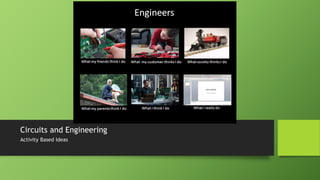
Circuits and Engineering
Activity Based Ideas
Programming Ideas for Circuits/Engineering
• Simple Circuits
• Challenge Based: Process Driven (turning on a light switch)
• Story Based: Tell a story with interaction
• Maps: Create a map of the town and light it up.
• Complex Circuits
• Design Challenges (accomplish this scenario)
• Build “art” as an output.
• Circuits/Programming (Arduinos)
• Transition from “Lights and sounds” to “movement” to “interactive”
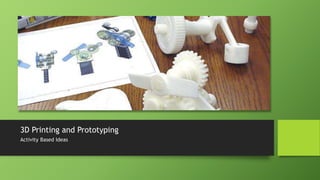
3D Printing and Prototyping
Activity Based Ideas
Programming Ideas for 3D Printing
• Basic
• Group: Build a design (or edit one) and see what occurs.
• Advance
• Build a Drone, 3D Printer, Robot
• Solving Issues
• Community Project to “print” models of buildings in town
• Printing prosthetics
Virtual/Augmented Reality
Activity Based Ideas
Programming Ideas for Virtual/Augmented
Reality
• At its core, its about “transporting” to another place
• You can re-build a lost city, relive a recent moment (recorded with
a 360 Degree Camera)
• Moving in a direction of Virtual/Augmented reality where
interactions are taking place on a new “layer” of reality.
Key Objectives (Recap)
• You want to be a fun environment.
• People and space are key
• You don’t have to have structure within your environment.
• Open play is great!
• Failure is OK
• Not all ideas work. Not all gadgets are awesome.
A Program Doesn’t Need To be RESTRICTIVE
• If you are doing an educational program; separate by Skill Set not
by Age
• If you are holding a class about “computer programming” I would encourage
you to allow anyone; regardless of age, to join.
• A 10 year old has the same amount of programming potential as a seasoned
computer professional learning about coding for the first time.
• Break Gender Stereotypes
• If you are holding a class about knitting; show pictures of males and females
knitting
• If you are holding a program about gaming; show pictures of females and
males gaming
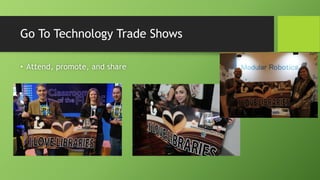
Go To Technology Trade Shows
• Attend, promote, and share
Planning for Staff
• Staff Involvement
• Promoters and Challengers
• Encouragement of new ideas is key
• Staff Training
• Teaching non-technical people the
technical.
• Teaching the technical people
empathy.
Planning for Future
• Work with school curriculum
• Find out what they are trying to
focus on.
• Many of the tech gadget companies
build curriculum for free that
matches what schools accomplish
through all the core competencies.
• Start small
• Don’t have to buy multiples of a
single item. Get one as a “demo”
and see where it goes.
• Survey your users.
• What works
• What didn’t
• Remove the bad!
• Budget appropriately
• Or fundraise appropriately.
Funding
This is me
Sell Your Idea
Multiple Steps to Successfully Promote
Develop a pitch
• Short (15 seconds-30 seconds)
• Provide Teasers (ROIs)
• We have over 20,000 users and I want to bring in your technology to our library
to encourage learning/engagement/collaboration. I have a few questions, if
you can call me back at ###-###-####.
• If they do answer, schedule a time to conference call.
• Honesty
• Be honest to who you are speaking with. Disclose budget for a project.
• You have the power
• Keep in mind, you are choosing that product. Let those vendors know that
YOU picked THEM to be part of the library experience.
• Explain how it’s a free marketing tool for them, they are getting exposure in
the community and/or libraryland
Get People to Work WITH You
• Exposure
• We have more control over books than Barnes and Nobles plus Borders.
• Explain the amount of patrons your library sees weekly
• Delivered Content
• Companies spend a lot of money (from paying an employee) to deliver their
content (product or service) to their prospective buyers.
• Libraries can deliver content, as it is our job to our community.
• We also support all of our delivered content
• Community Support / Charity
• Companies are often required to “give-back” to communities
• Offer press releases, naming of chairs/rooms, etc.
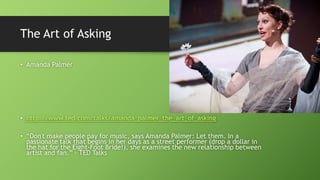
The Art of Asking
• Amanda Palmer
• http://www.ted.com/talks/amanda_palmer_the_art_of_asking
• “Don't make people pay for music, says Amanda Palmer: Let them. In a
passionate talk that begins in her days as a street performer (drop a dollar in
the hat for the Eight-Foot Bride!), she examines the new relationship between
artist and fan.” – TED Talks
What can you ask of people?
• Donations of Physical Products
• Donations of Money
• Connections
• Perhaps the most valuable of all.
Communicate Your Needs
Who to Ask
• Patrons
• Local Businesses
• Global or Large Companies
• Friends of the Library
• Local Colleges and Schools
How to Ask
• Directly
• Phone Conversations
• Face to Face Conversations
• Indirectly
• Reaching out through other mediums
• Internet (Social Media)
• Referrals (People)
Crowd Source Funding
Donations
• Ask for donations to the project
• Name Rooms after Business who sponsor parts of renovation
• Give-Aways
• Work Up Organizational Charts
What We Need You For
• Pilot Programs
• Test out new technology and provide feedback
• Sharing of Stories
• Share what you’ve accomplished
• What you plan on doing next
• Sharing the idea of collaboration with libraries
• Libraries are instrumental as it relates to building communities and
connecting people to “resources” which can be anything from people to
places to space to technology.
To Recap
• In general; the reason for running these events is to encourage
some level of educational interaction; but also encouraging your
patrons to come into your library. By offering more diverse
programming and widening your spectrum of available activities
you can greatly increase the amount of users within your library
space.
• Focus on branding yourselves as the community anchor you
already are by offering unique opportunities for exploration and
discovery.
Contact Me
Brian Pichman
• @bpichman
• 815.534.0403
• bpichman@evolveproject.org

Evolve your public space

  • 1.
    Evolve Your PublicSpace Brian Pichman Twitter: @Bpichman
  • 2.
    Lasting Impacts • Howdo libraries, archives and museums expand services and spaces to encompass innovation and build long-lasting IMPACT?
  • 3.
  • 4.
    4 • How dowe capture that missing 38% Value of Libraries
  • 5.
    Impact Builders • SpaceDesign • Collaboration, Open/Private, Access • Technology • Foster Innovation/Skill Building • Programs/Events • Bring People Together
  • 6.
  • 7.
    Where did theEvolve Project come from? • Renovate the entire Children’s library with a budget of a 165,000 • To include all new technology, furniture, space layout, and fresh colors. • Introduce new technology frequently and host workshops sharing the technology. • Teach patrons new skills as it relates to coding, electricity, engineering, or creative art. • Build hype about the evolving library.
  • 9.
    See a virtualtour at http://tinyurl.com/E volve-VirtualTour What makes up the new “Childrens Area”
  • 10.
    What Evolve ProjectDoes Today • Help libraries build makerspaces • Through hands-on workshops or consulting (tech, spaces, training). • Find start-up companies looking to partner with libraries to do beta testing. • Does the product work within a library setting. What can be improved? • Games, Gadgets, and Gizmo activities • Play with the latest technology and talk about how it can be implemented in a library setting.
  • 11.
    Some Facts • SummerReading Program • Usually one of the busiest times of the year • Increased traffic of patrons into the library • Desire of patrons to continue to learn even during the “break” between school by reading and the participation in educational activities in the library .
  • 12.
    Questions to Ask •How do we continue that drive to the library in terms of: • Engagement • With Collection, Staff, and Space • Educational Outcomes • Through a program, conversation, or engagement with space • Attendance • There are positive spikes in attendance during summer reading program; survey patrons to determine why. • Understand what your community wants by learning about their passions.
  • 14.
    Surveys: Understanding Data •Traditional Survey (Measures Customer Satisfaction) • NPS Survey (Measures Customer Loyalty) • Engage your respondents through effective surveys to drive desired results to your library. • Make informed decisions (what works, what doesn't, what can be done differently) • Identify weaknesses and highlight new opportunities for growth • Overall, the response rate to surveys is traditionally poor. (There are ways to improve it.) • Find out if customers are talking about you and what their overall impression is
  • 15.
    Survey Tips: MustHaves • Asking “Would You Recommend XYZ” is an important question. • After getting the scores, there must be a process in place to drive improvements and provide follow ups to surveys that are negative. • This not only allows you an opportunity to improve a service but also shows the survey taker their feedback is reviewed and valued.
  • 16.
    Survey Tips: Askthe Right People • Identify your target audience • Tailor questions for accuracy • Deliver surveys on the most effective communication channel (Social Media, Email, Phone, etc.)
  • 17.
    Survey Tips: Shortand Sweet • Clear and Concise • Get the must have information (contact info that you use. Do you really need an address?) • Surveys should take about 5 minutes • Question Types: • What is your favorite program vs How would you rate program A. • Open-Ended Closed Ended
  • 18.
    Survey Types • Web/Email •Telephone • Pen and Paper • Let people know ahead of time a survey is coming. This will result in higher response rates.
  • 19.
    Obtaining Surveys • OnThe Fly • Call Backs / Forms • Automated Dialing: • https://www.precisionpolling.com/ • https://www.twilio.com/elements/automated-surveys-and-feedback
  • 21.
    Survey Tips: BeUnique • If you communicate your surveys through email; understand that no one likes the mass generic emails. Customize the invite • Personal Greeting • Branding • Effective and Inviting Subject Line http://theoatmeal.com/co mics/email_monster
  • 22.
    What Do YouDO With The Data • Find out what worked well for your Summer Reading Program, events you run, etc. • Put them in categories of general themes: whether its business centric, technology centric, entertainment related… • Find your “cheerleaders” of the group. Use them to help promote new events.
  • 23.
    Making Ideas • Theterm “Maker Program” has only one requirement; • Allow, Generate, or Foster an output of • New Ideas • A Physical Product • New Skill Learned
  • 24.
    If you buildit they will come
  • 25.
  • 26.
    Let’s Talk Legos •Great for all ages; helps you tinker, design, story tell. • De-Stress (David Beckham uses it to help calm him down) • Host a Parent Night and use Legos as the social mixer.
  • 27.
    Photography / Videography •Take and Edit Photos and Video • Host an Photo Gallery / Movie Night • Host Workshops, Seminars • Go out in the community and take photos/videos • Add videos to the collection, and art to the walls.
  • 28.
    Gardening • Plant AGarden • Great Year Round Activity • Donate to Local Pantry
  • 29.
    Sewing / Knitting •Brings People Together • Sewable Circuits are a thing!
  • 30.
    Gaming (Digital orBoards) • Games – Digital or Board; brings people together • Story Telling, Collaboration, Problem Solving • Great Family Night
  • 31.
    Music • Battle ofthe Bands event • Let People share music, add it to the collection.
  • 32.
    Science Experiments • Fromlaunching rockets to solving physic problems to Rube Goldberg activities:
  • 33.
    Baking • Host BakingClasses • Cook and donate food
  • 34.
    Business Workshops • FromBusiness Planning to Investment Strategy; all of which can be done in groups and bring people together. • From a start-up culture standpoint; interacting with like minded individuals can accelerate growth; which in turn leads to growth in the community, jobs, etc.
  • 35.
    Electricity • Who doesn’tlike to make things light up! • Use kits like littleBits or LightUp to learn the basics; then move on to learning with with actual bulbs and switches
  • 36.
    Learn To Code •From Cubetto (non screen based programming) to programming video games through Hopscotch to building websites and applications. • Coding has been incredibly important, and is now a requirement for schools to teach.
  • 37.
    Robotics • Robotic Competitions •Lego WeDo, Mindstorms, Erector Sets, VEX Robotics • Simply Build: • Modular Robotics • BirdBrain Technologies • Control and Program
  • 38.
    School Planning • StudyGroups • College Prep • How to fill out scholarships • How to look for colleges • Master Programs • Host Networking Events
  • 39.
    Next Level TechnologyDays • Build and fly a drone! There are lots of affordable activities that can bring hobbyist together.
  • 40.
    Spaces and TechnologyMust: • Encourage Creativity and Invention • Allow Discovery • Increase Collaboration • Generate Interaction • Foster Innovation
  • 41.
    41 • Your spacesand tools should allow patrons to foster creative ideas and build new inventions Creation and Inventions
  • 42.
    42 • The spaceand tools need to allow patrons to learn by play and to discover by experience. Discovery
  • 43.
    43 • Technology isinherently collaborative, bringing people together to work in unison to solve problems. Collaboration
  • 44.
    44 • Technology andspaces needs to be interactive and intuitive in order to thrive in a makerspace. Interaction
  • 45.
    45 • Innovation mustbe an original disruptive act. Innovation
  • 46.
    Key Design ConceptsFor Library Spaces • Adding Color • Art • Have Open and Modular Areas • Moveable Furniture
  • 47.
    Adding Color • White= Non-Inviting • Think about Parks (typically colorful) • Painting walls is an inexpensive redesign • Use Fun Colors • Be Bold! • Children Areas should use bright attractive and inviting colors. • Get your community and staff involved • Having a painting party! • Color alone can make a space look bigger and brighter
  • 51.
    Art • Have patronscreate the art • Donate it to the library • Mix it up as often as you like. There is very little cost. • Patrons (often younger ones) will feel like their work has been “published” • Sense of ownership with the library • They will become marketers for your library
  • 52.
    Open Areas • OpenSpace ! • Seating • Tables • Multi Functional Areas • Remove or repurpose rooms that are used only for specific events: • Activity Rooms, Meeting Rooms, etc • Make these rooms open all the time with constant activities or events • Larger, open areas allow you to rearrange space easier • Let the community define the space
  • 55.
    Furniture • Fun Colors •Use lightweight furniture (easier to move) • Encourage your patrons to rearrange the space to fit their needs. • Again let community define the space
  • 56.
    Furniture for yourlibrary • Maker Spaces • People pay a membership to be part of a “MakerSpace” where the tools are provided for them to build • Community Out Reach • Ask your community for help • Ask local businesses to make monetary donations towards new furniture/rooms and let them advertise on it • If Fifty People Donate Fifty Dollars = 2,500 = New Furniture
  • 57.
    Modularity • Allows youto always change your environment • Put things on wheels • Desks • …No Need For Shelves To Be On Wheels • Don’t fasten furniture to floor… • no one will be stealing a desk
  • 58.
  • 60.
    60 • Safe ToFail Environment • Gateways To New Ideas • Provide New Tools and Resources • The Next Big Entrepreneurial Startup • In school, your younger patrons are not given opportunities to learn by failure or experimentatio n • You can spark interest into fields such as engineering, programming, business development …and more • Libraries are about providing access. These tools are not always easily accessible for our patrons. • What if your library helped launch the next big super star in the competitive tech community? Why Have This “Stuff”?
  • 61.
    Empathy Toy MSRP $150 isa blindfolded puzzle game that can only be solved when players learn to understand each other.
  • 62.
    Sphero Ball MSRP: $130 GuideThrough Library (Follow The Ball) People Approach The Ball – Curiosity Easily Programmable
  • 64.
    Meeper Bot A LegoCompatible moveable robot.
  • 65.
    Dash and Dot MSRP:$230 Control Dash & Dot to move, light up, make sounds, and interact with each other. This dynamic duo can do anything you set your mind to.
  • 69.
    Tiggly MSRP: $30.00 Uses softand strong rubber shapes to teach younger children about shapes in a fun and interactive way, using an iPad or Android Tablet
  • 71.
    OSMO: MSRP: 99.99 Allows foran interactive play experience that blends physical play with digital play. Learn about spelling, counting, drawing, physics, geometry, and so much more.
  • 73.
    LIGHTUP MSRP: $50 Learn aboutCircuits using an augmented layer with an app! You can also program the circuits through the app.
  • 75.
    OZOBOT MSRP: $50 Learn howto program by drawing
  • 77.
    Finch MSRP: $99 The Finchwas designed to allow students to write richly interactive programs. On-board features include: Light, temperature, and obstacle sensors, Accelerometers, Motors, Buzzer, Full-color beak LED, Pen mount for drawing capability, Plugs into USB port - no batteries required
  • 79.
    Cubelets MSRP: $160 Cubeletsare incredibly fun and easy. Build your own robot in seconds, without any programming.
  • 82.
  • 84.
    WINK MSRP: $50 Fun activitiesto program a robot using Arduino. This low cost robot allows students to program common robotic tasks such as: Line Following Light Seeking Barrier Detection Autonomous Roaming Creative Experimentation
  • 86.
  • 87.
    Little Robot Friends LRFare cute social robots that can be programmed wirelessly and interact with each other.
  • 89.
    littleBits… MSRP: $100-200 littleBitsis an open source library of electronic modules that snap together with tiny magnets for prototyping, learning, and fun. 15% off for libraries
  • 91.
    Makey-Makey MSRP: $49.95 MaKey MaKeyis an invention kit for the 21st century. Turn everyday objects into touchpads and combine them with the internet. It's a simple Invention Kit for Beginners and Experts doing art, engineering, and everything in between
  • 92.
    20 Makey MakeyProjects for the Evil Genius https://www.amazon.com/20-Makey- Projects-Evil-Genius/dp/1259860469
  • 93.
    Circuit Scribe MSRP: $45-200 CircuitScribe is a rollerball pen that writes with non-toxic conductive silver ink. It makes creating circuits as easy as doodling.
  • 95.
    Brown Dog Gadgets Lotsof Fun Activities
  • 97.
    Hummingbird…MSRP: $200 Hummingbird isdesigned to enable engineering and robotics activities for ages 13 and up (10 with adult supervision) that involve the making of robots, kinetic sculptures, and animatronics built out of a combination of kit parts and crafting materials.
  • 99.
  • 101.
    Bee Bots Learn howto code without a computer. Either using tactile squares or pressing the buttons on the bot, program your robot to move.
  • 102.
    Teach Kids toProgram Hopscotch Programming made easy No typing. No syntax errors. Just drag and drop blocks. Hopscotch is an intuitive, friendly programming interface designed for everyone.
  • 103.
  • 105.
    BITS BOX Program ona computer and make a game for your mobile device.
  • 106.
  • 107.
    Carvey by Inventables Carvingmachine – easy to use and safe
  • 108.
    MYO ArmBand MSRP: $200 Gesturebased computing via an armband that reads muscle activity via an EKG
  • 109.
    DJI Mavic Pro… $999 DJI Spark ……… $499 Fun affordable drones with a strong educational arm for programming coding and learning
  • 110.
    Cozmo Robot Python basedlanguage, open SDK, and fun interactive robotic learning.
  • 111.
    Hololens Interactive Augmented andVirtual Reality Headset
  • 112.
  • 113.
    Food For Thought •You do not need a dedicated space to be a “maker library” • Share resources across other libraries • You do not need to buy all the latest and greatest technology • You can start off small and grow • You do not have to have “experts” • Remove yourself as the expert – allow folks to fail and work things out • Granted – you can always provided coaching (i.e. have you tried XYZ)
  • 114.
    A Space CanHave These Items:
  • 115.
    A Space CanHave These Items: Needs People
  • 116.
    People: YOU • BeA Risk Taker • Be A Rule Breaker • (Within reason) • Have Passion • Have Drive
  • 117.
    People- Staff • Havemotivated and positive staff • Staff members who want to do more than just “check in and out books” • Skill Assessment • Staff members all have unique skills / hobbies • Create badges / shirts that help identify the staff members with those specific skills
  • 118.
    People- Community • Youprobably know the needs of your patrons • But do you know the skills of your patrons? • Identify which patrons have which skills • You will be very surprised how willing they are to help start a new program at your library! • Give Volunteers things they can be proud of.
  • 119.
    Ask Community forHelp: • Fishing • Cooking • Boat Building • Building Computers • Circuits • Robotics • 3D Design / Animation • The Sciences (Physics, Biology, Chemistry…i.e. experiments) • Coding • Websites • Applications • Couponing!
  • 120.
    Local Business Experts •Turn local businesses into educators for your space. • Train staff/patrons on coding, engineering, electricity, robotics, photography, cinematography, and more! • Get them to promote to the program • If they have a strong customer base, they will share what they are doing with their customers…and in turn, advertise your library. • Open up your “phonebook” and look at what’s local to your area.
  • 121.
    Setting Up YourSpace • If you have a space with tech gadgets that help teach a specific skill • Allow the products to be out in the open • Set up time with Staff Members to sit and play with the users • Some libraries use a ”Bin” driven approach; with similar gadgets in bins labeled “science”, “math”, “circuits”, and so forth.
  • 122.
  • 123.
    Overcoming Space Restrictions •Maker “Table” • Nominate a table and have a different activity out each week. • Could be a project that each patron adds to, or an individual project that gets reset at each completion • Rotating Collection • Share some “Maker-Kits” with fellow libraries/branches and spread out your activities across the area.
  • 124.
    Overcoming Security Concerns •Is it Really Needed • Based on the studies reported, there is a loss of .15% to .5% per year; or overall loss rates of 4–8% when an inventory, or inventory sample, is conducted periodically. • Why do books go missing? Some are simply miss shelved and will eventually resurface; others are lost by library users, with the lost item fees paid. Sadly, many are stolen, though electronic detection systems do minimize that risk http://www.ala.org/tools/loss-rate
  • 125.
    Organization: Instructions? • Instructions: •People read. Follow. Complete. • No Instructions: • People Fail. Try Again. • People Innovate Something New • Help • People Fail. Ask for help. Succeed. • People Innovative Something New
  • 126.
    Organization: Rules? • Rulescan offer a sense of • Security • Peace • Order • Rules about Rules: • Avoid the use of “No….” • Choose colors carefully • Use Positive Language • Don’t write and post a rule about that one incident that occurred
  • 127.
    Marketing Your Space It’sa lot easier if you make someone else do it for you.
  • 128.
    Self Promotions • RecordingStudio • Add the outputs (videos, music, etc.) to the collection • Host movie nights, share the works. • Programming • Robots: Do a “robot night” • Game: Do a “game night” • Engineering • Circuits: Build Displays / Wall Displays • Robots: Build Displays / Demo Areas • Art or Craft Orientated • Display • Allow things to be ”Borrowed”
  • 129.
    On Going ProgrammingIdeas • Murals (Paper Canvas to Digital Displays) allow a constant update and change to a center piece. • Start Up Weekend Events • Trivia Nights (Bars can do it, so can libraries!) • Books n Brews • Art Gallery/Video Festival/Battle of the Bands
  • 130.
    Local Businesses • AdvertiseWhat You Can Do For Businesses: • 3D Print Prototypes/Fixes • Space to make marketing materials • Space to tinker • Space to “Hang Out” • Having something to “tinker” with while brainstorming can actually help innovate.
  • 131.
    More Ideas • "SniffOff" contest with tea blends from a local tea shop to celebrate National Tea Month • "Dog Listener" from a local kennel / animal shelter • Library Literary Speed Dating Program: bring 3 favorite books to talk about • Jigsaw puzzle exchange – Exchange Puzzles • Dial-A-Story – Set up a voicemail box and read a story for patrons to call in and listen too. • “Ask A [Expert]” Locate your community experts like Lawyers, Accountants, etc. and ask them to do a workshop for your patrons. • “How To Faire” – Similar to a Maker Faire, but learn how to do things (planting, fishing, sewing, comic book drawing…) • “UFO” – Unfinished Objects – repair broken tech • “Break and Make” – take apart technology and put it back together • ”Teddy Bear Lock Ins” – Allow a ”drop off” of someone’s favorite stuffed animal or character and have it spend the “night” with new friends at the library. • “Coupon Exchange” – Exchange and talk Coupons!
  • 132.
  • 133.
  • 134.
    Programming Ideas forCoding/Robotics • Tactile Programming (programming without a computer) • Mazes • Get from Point A to Point B and avoid Obstacles 1, 2, and 3. • Coding on A Computer • Goal Orientated • Make Character do XYZ • Design Orientated • Build a story and program to that story. • Coding a Robot / Built Robot • Obstacle Courses • Races • Battle Bots
  • 135.
  • 136.
    Programming Ideas forCircuits/Engineering • Simple Circuits • Challenge Based: Process Driven (turning on a light switch) • Story Based: Tell a story with interaction • Maps: Create a map of the town and light it up. • Complex Circuits • Design Challenges (accomplish this scenario) • Build “art” as an output. • Circuits/Programming (Arduinos) • Transition from “Lights and sounds” to “movement” to “interactive”
  • 137.
    3D Printing andPrototyping Activity Based Ideas
  • 138.
    Programming Ideas for3D Printing • Basic • Group: Build a design (or edit one) and see what occurs. • Advance • Build a Drone, 3D Printer, Robot • Solving Issues • Community Project to “print” models of buildings in town • Printing prosthetics
  • 139.
  • 140.
    Programming Ideas forVirtual/Augmented Reality • At its core, its about “transporting” to another place • You can re-build a lost city, relive a recent moment (recorded with a 360 Degree Camera) • Moving in a direction of Virtual/Augmented reality where interactions are taking place on a new “layer” of reality.
  • 141.
    Key Objectives (Recap) •You want to be a fun environment. • People and space are key • You don’t have to have structure within your environment. • Open play is great! • Failure is OK • Not all ideas work. Not all gadgets are awesome.
  • 142.
    A Program Doesn’tNeed To be RESTRICTIVE • If you are doing an educational program; separate by Skill Set not by Age • If you are holding a class about “computer programming” I would encourage you to allow anyone; regardless of age, to join. • A 10 year old has the same amount of programming potential as a seasoned computer professional learning about coding for the first time. • Break Gender Stereotypes • If you are holding a class about knitting; show pictures of males and females knitting • If you are holding a program about gaming; show pictures of females and males gaming
  • 143.
    Go To TechnologyTrade Shows • Attend, promote, and share
  • 144.
    Planning for Staff •Staff Involvement • Promoters and Challengers • Encouragement of new ideas is key • Staff Training • Teaching non-technical people the technical. • Teaching the technical people empathy.
  • 145.
    Planning for Future •Work with school curriculum • Find out what they are trying to focus on. • Many of the tech gadget companies build curriculum for free that matches what schools accomplish through all the core competencies. • Start small • Don’t have to buy multiples of a single item. Get one as a “demo” and see where it goes. • Survey your users. • What works • What didn’t • Remove the bad! • Budget appropriately • Or fundraise appropriately.
  • 146.
  • 147.
  • 148.
  • 149.
    Multiple Steps toSuccessfully Promote
  • 150.
    Develop a pitch •Short (15 seconds-30 seconds) • Provide Teasers (ROIs) • We have over 20,000 users and I want to bring in your technology to our library to encourage learning/engagement/collaboration. I have a few questions, if you can call me back at ###-###-####. • If they do answer, schedule a time to conference call. • Honesty • Be honest to who you are speaking with. Disclose budget for a project. • You have the power • Keep in mind, you are choosing that product. Let those vendors know that YOU picked THEM to be part of the library experience. • Explain how it’s a free marketing tool for them, they are getting exposure in the community and/or libraryland
  • 151.
    Get People toWork WITH You • Exposure • We have more control over books than Barnes and Nobles plus Borders. • Explain the amount of patrons your library sees weekly • Delivered Content • Companies spend a lot of money (from paying an employee) to deliver their content (product or service) to their prospective buyers. • Libraries can deliver content, as it is our job to our community. • We also support all of our delivered content • Community Support / Charity • Companies are often required to “give-back” to communities • Offer press releases, naming of chairs/rooms, etc.
  • 152.
    The Art ofAsking • Amanda Palmer • http://www.ted.com/talks/amanda_palmer_the_art_of_asking • “Don't make people pay for music, says Amanda Palmer: Let them. In a passionate talk that begins in her days as a street performer (drop a dollar in the hat for the Eight-Foot Bride!), she examines the new relationship between artist and fan.” – TED Talks
  • 154.
    What can youask of people? • Donations of Physical Products • Donations of Money • Connections • Perhaps the most valuable of all.
  • 155.
    Communicate Your Needs Whoto Ask • Patrons • Local Businesses • Global or Large Companies • Friends of the Library • Local Colleges and Schools How to Ask • Directly • Phone Conversations • Face to Face Conversations • Indirectly • Reaching out through other mediums • Internet (Social Media) • Referrals (People)
  • 156.
  • 157.
    Donations • Ask fordonations to the project • Name Rooms after Business who sponsor parts of renovation • Give-Aways • Work Up Organizational Charts
  • 159.
    What We NeedYou For • Pilot Programs • Test out new technology and provide feedback • Sharing of Stories • Share what you’ve accomplished • What you plan on doing next • Sharing the idea of collaboration with libraries • Libraries are instrumental as it relates to building communities and connecting people to “resources” which can be anything from people to places to space to technology.
  • 160.
    To Recap • Ingeneral; the reason for running these events is to encourage some level of educational interaction; but also encouraging your patrons to come into your library. By offering more diverse programming and widening your spectrum of available activities you can greatly increase the amount of users within your library space. • Focus on branding yourselves as the community anchor you already are by offering unique opportunities for exploration and discovery.
  • 161.
    Contact Me Brian Pichman •@bpichman • 815.534.0403 • bpichman@evolveproject.org

Editor's Notes

  • #2 With 2017 coming to an end, our overarching theme heading into 2018 is lasting Innovation + IMPACT. How do libraries, archives and museums expand services and spaces to encompass innovation and build long-lasting IMPACT? Join Brian Pichman of the Evolve Project as he shares how you can be part of changing the way people see libraries by doing a few cost effective innovative things for lasting impact. Reimagine your space with collaborative space, emerging technologies, a fostering learning environment and transform it in 2018.
  • #25 Summer Reading Program
  • #42 Allow your patrons the ability to build things. Fab Labs/Maker Spaces
  • #43 With the idea of an open play environment; people will discover new and exciting things on their own. Fact: You remember things that you discover on your own better than things told directly.
  • #44 Collaboration allows people to get together to discuss common interests to gain new knowledge. People will collaborate naturally if centered around something FUN!
  • #45 Interaction will allow your patrons to learn and grow. Interaction is necessary to maintain interest in your library’s programs, collection, etc.
  • #46 Innovation must be an original disruptive act. Innovation is the embodiment, combination, and/or synthesis of knowledge in novel, relevant, valued new products, processes, or services
  • #63 Little rolly ball toy that you can control with your smartphone. You could roll one of these little things up to people you want to engage with—maybe an easier way to approach people than walking up to them.  Attracts attention, people want to talk and know about it.  A great way to break the ice with kids and teens.