



NEFLIN SEMINAR
BRIAN PICHMAN
OF THE EVOLVE PROJECT
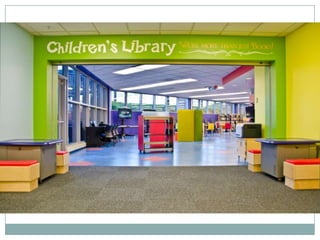
Engaging with
Maker Spaces
Let Me Introduce Myself
Hi I’m Brian Pichman
Today we will explore libraries, discover new learning spaces,
define interaction and engagement. Libraries need to become
more engaging.
Follow me on Twitter:
@bpichman
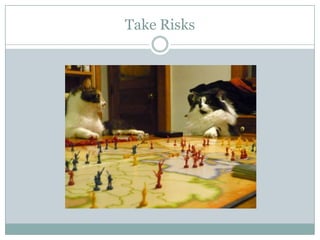
Take Risks
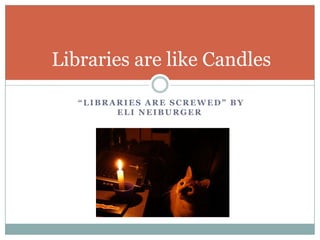
“LIBRARIES ARE SCREWED” BY
ELI NEIBURGER
Libraries are like Candles
Create a Public VALUE
• Not be a “process” but an experience
• Move from physical to digital
• Create new ways to learn and explore
• Libraries should be creating stories
• Libraries HAVE TO BE ENGANGING!
• Shift Focus To
• Innovation, Interaction, Discovery, Collaboration and
Invention
Libraries Need to Become Engaging
Build out maker spaces/learning spaces to:
 Encourage Creativity and Invention
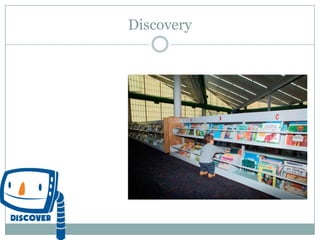
 Allow Discovery
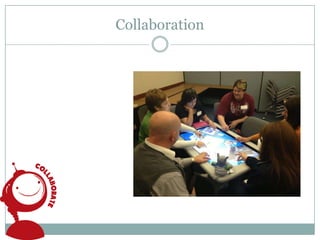
 Increase Collaboration
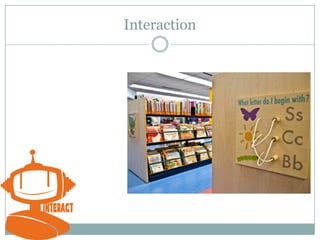
 Generate Interaction
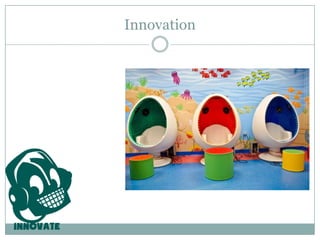
 Foster Innovation
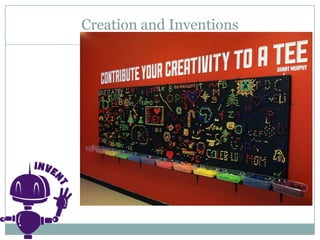
Creation and Inventions
Discovery
Collaboration
Interaction
Innovation
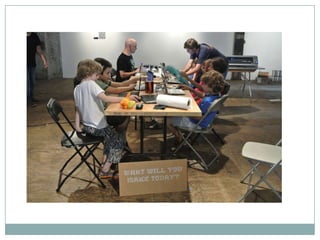
Evolve: A Library Playground
 Fab Lab / “Hackerspace” / “MakerSpace
 A location where people with common interests (usually in
computers, technology, science, or digital or electronic art)
meet, socialize and/or collaborate.
 Can be viewed as open community labs incorporating elements
of workshops and/or studios where people can come together
to share resources and knowledge to build and make things
and ideas.
 Combining the positive & fun aspects of schools, museums,
and playgrounds into one “entity”.
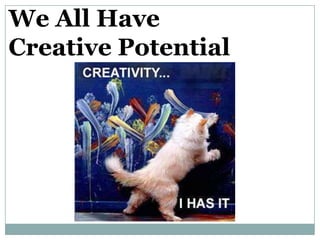
We All Have
Creative Potential
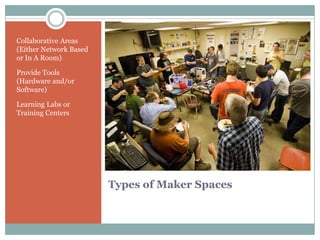
Types of Maker Spaces
Collaborative Areas
(Either Network Based
or In A Room)
Provide Tools
(Hardware and/or
Software)
Learning Labs or
Training Centers
http://makerspace.com/makerspace-directory
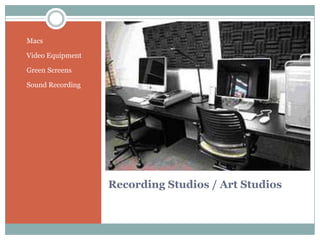
Recording Studios / Art Studios
• Macs
• Video Equipment
• Green Screens
• Sound Recording
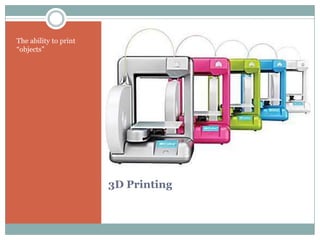
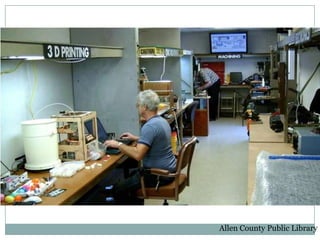
3D Printing
The ability to print
“objects”
Allen County Public Library
Multimedia Room / Learning Centers
 Room Set Up Features:
 Clickers
 Allows for jeopardy style gaming
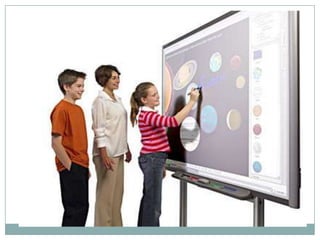
 Smart Board (interactive white board)
 Full DVD/BluRay/Sound System
 Easy to use and start (Touch Panel System)
 You Can Use This Room For
 Jeopardy
 Movie Nights
 Presentations / Interactive Style Board Game Night
 Create a Business Plan, Project Plan, etc
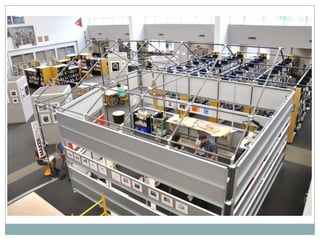
The 4th floor is a public laboratory
and educational facility with a focus
on information, design, technology,
and the applied arts.
The 14,000 sq foot space hosts equipment,
expertise, programs, events, and meetings
that work within this scope.
While traditional library spaces support the
consumption of knowledge by offering
access to media, the 4th floor is unique
because it supports the production,
connection, and sharing of knowledge by
offering access to tools and instruction.
Chattanooga ”Fourth Floor”
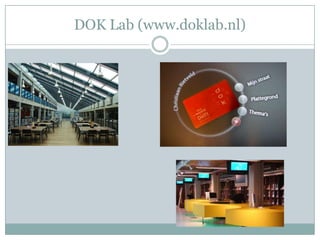
DOK Lab (www.doklab.nl)
If you build it they will come
I N C O R P O R A T E Y O U R S P A C E W I T H
T E C H N O L O G Y T H A T P A T R O N S C A N T A K E
H O M E
USE TECHNOLOGY
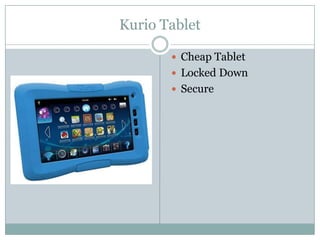
Kurio Tablet
 Cheap Tablet
 Locked Down
 Secure
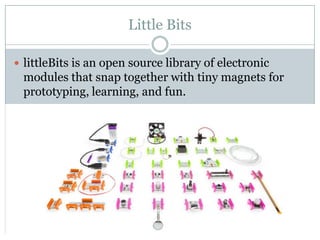
Little Bits
 littleBits is an open source library of electronic
modules that snap together with tiny magnets for
prototyping, learning, and fun.
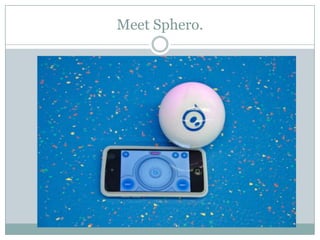
Meet Sphero.
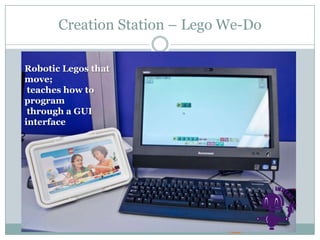
Creation Station – Lego We-Do
Robotic Legos that
move;
teaches how to
program
through a GUI
interface
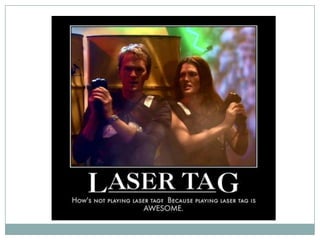
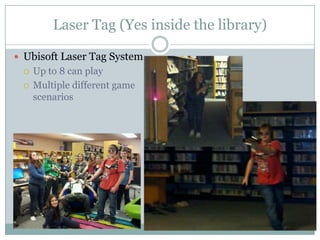
Laser Tag (Yes inside the library)
 Ubisoft Laser Tag System
 Up to 8 can play
 Multiple different game
scenarios
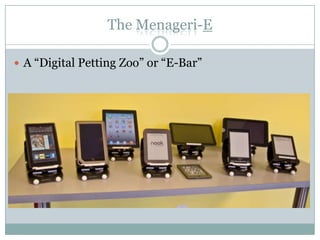
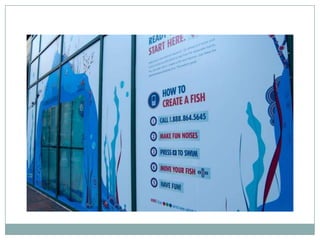
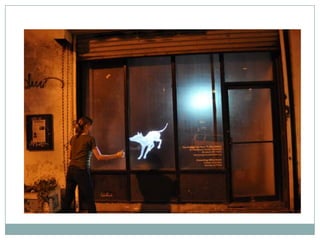
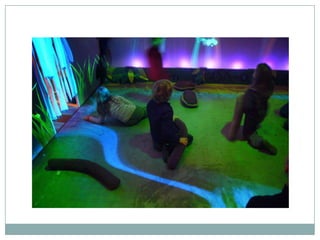
The Menageri-E
 A “Digital Petting Zoo” or “E-Bar”
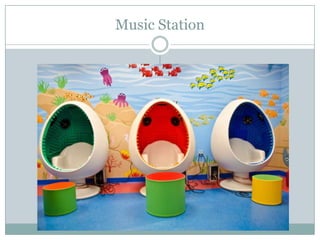
Music Station
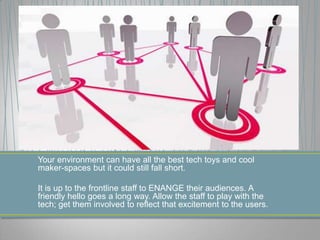
Your environment can have all the best tech toys and cool
maker-spaces but it could still fall short.
It is up to the frontline staff to ENANGE their audiences. A
friendly hello goes a long way. Allow the staff to play with the
tech; get them involved to reflect that excitement to the users.
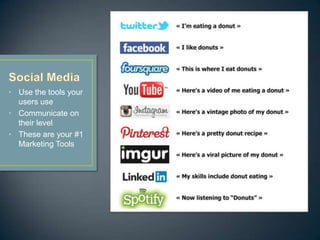
• Use the tools your
users use
• Communicate on
their level
• These are your #1
Marketing Tools
Digital Content
Curation
Encourage creativity
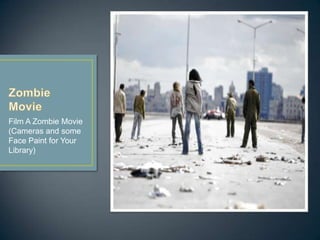
Film A Zombie Movie
(Cameras and some
Face Paint for Your
Library)
Link Books to E-
Books
Find New Content
Scavenger Hunts
Open a new
dimension in your
library.
Buy using an app,
you can see a new
“world” within your
physical space.
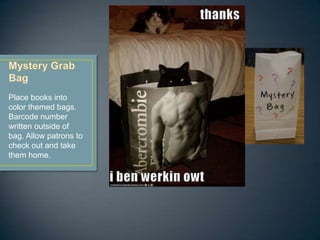
Place books into
color themed bags.
Barcode number
written outside of
bag. Allow patrons to
check out and take
them home.
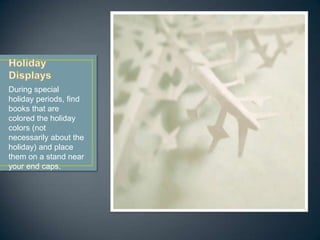
During special
holiday periods, find
books that are
colored the holiday
colors (not
necessarily about the
holiday) and place
them on a stand near
your end caps.
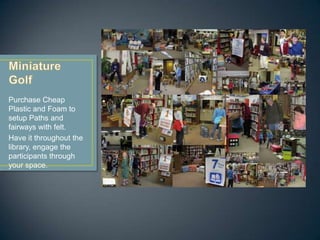
Purchase Cheap
Plastic and Foam to
setup Paths and
fairways with felt.
Have it throughout the
library, engage the
participants through
your space.
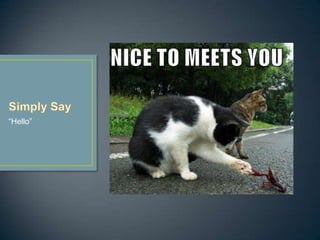
“Hello”
• Stand, Not Sit
• Walk Around
• Go to patrons, and ask them how the are doing, show them things
• Create Staff “Experts”
• Each member of your staff probably has a hobby, a genre of book
they enjoy. Give them badges to say “I Fish” or “I Love Mystery”.
• Create “Patron Experts”
• Staff and Youth
• Remove Fines. Don’t punish for returning a book that took longer
to read.
• Instead of a fine, ask the younger patron, “well tell me about this
book”
• Put a “Reward System” into the library card
• Badges
• Prizes
• Exclusive Programming / Event registration
• Low Tech:
• Print new more colorful library cards, allow patrons to customize
their card with different and increasingly more desired badges –
based off books read, programs attended, etc.
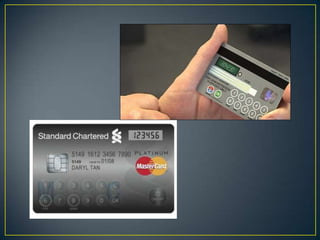
• High Tech:
• Create Library Cards with screens
• Send Messages to card when they are in the library (wirelessly
connected)
• Display “reading level” or “badges they own”
• Rochester Institute of Technology
• https://play.rit.edu/
• http://youtu.be/xjK1dQHmzss
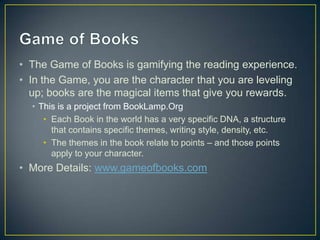
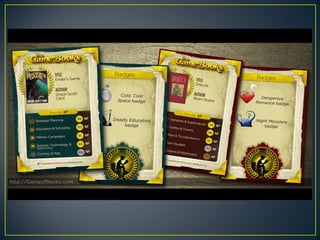
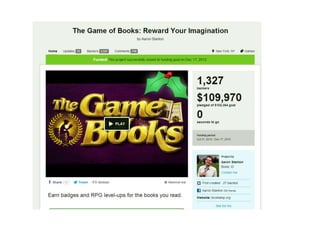
• The Game of Books is gamifying the reading experience.
• In the Game, you are the character that you are leveling
up; books are the magical items that give you rewards.
• This is a project from BookLamp.Org
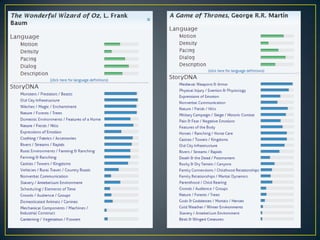
• Each Book in the world has a very specific DNA, a structure
that contains specific themes, writing style, density, etc.
• The themes in the book relate to points – and those points
apply to your character.
• More Details: www.gameofbooks.com
Technology As An Evolution
 1990 – 2000: Internet Burst
 2000 – 2010: Value Adds to Technology
 2010 – 2020: Technology Burst
Future of Technology
 To discover and curate of information
 Value adds (efficiency, reliability)
 To build or discover new “things”
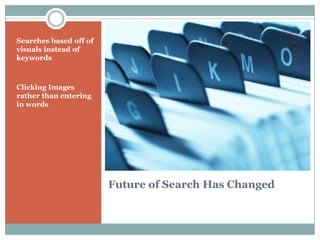
Future of Search Has Changed
Searches based off of
visuals instead of
keywords
Clicking Images
rather than entering
in words
General Themes
 Touch-Based
 Gesture-Based
 Object Orientated
 Open Source Hardware
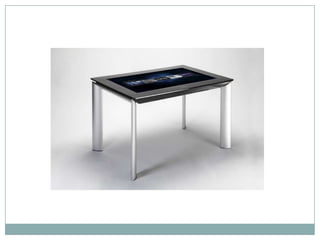
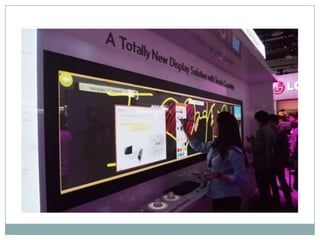
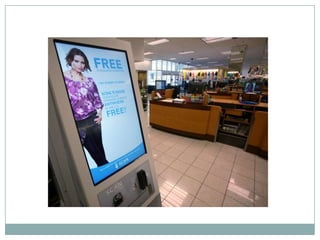
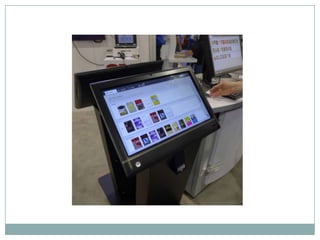
Touch Based
 People want to touch everything
 Discover Through Touch
 Search Through Touch
 Learn Through Touch
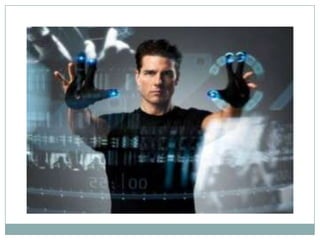
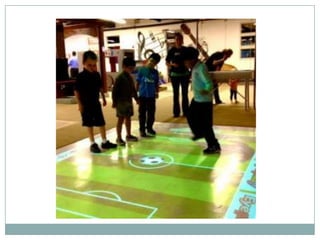
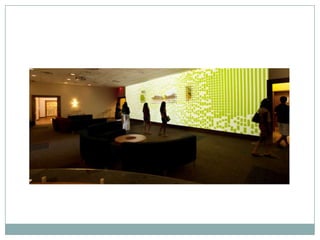
Gesture Based
 Communicate with Technology Hands Free
 Uses multiple cameras to detect depth/movement
 Microsoft Kinect
 Sites to Explore:
 Microsoft Kinect
 PrimeSense
 Evoluce
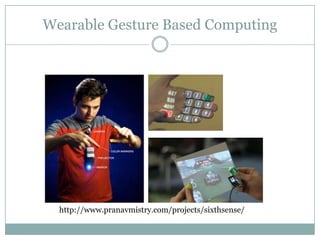
Wearable Gesture Based Computing
http://www.pranavmistry.com/projects/sixthsense/
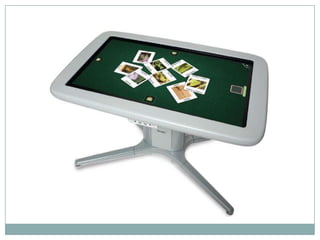
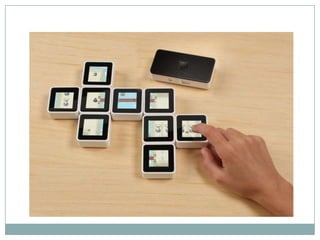
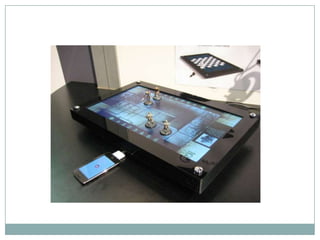
Object Orientated
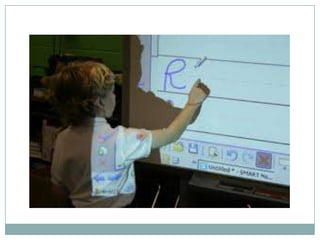
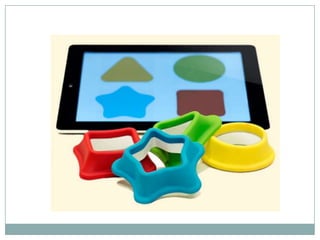
 Use Objects to interact with surfaces
Back To Searching
 Technology is becoming more “visual” orientated
 Whether it be from touch, gesture, or objects
 Search Dynamics are changing
Future Concepts
 People watching TV can point and click to buy
content (clothes, cars, etc)
 Predictive searches (Amazon does it now)
 Ask yourself, what do you want to create?
Open Source
 We have the ability to create “things” cheaper now
 Open Source Hardware (Arduino, RaspberryPi)
 Open Source Software
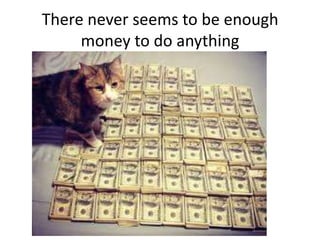
There never seems to be enough
money to do anything
So Where Can Money Come From?
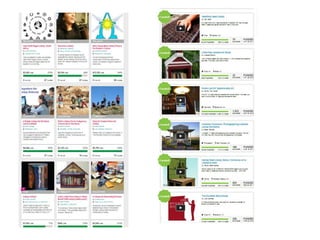
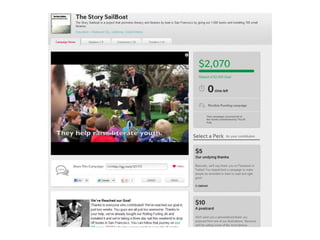
Crowd-Source Funding
• People across the world group together to fund
new projects and ideas
• People are encouraged to donate by either the
attractive name or “awards” based off the
amount they donate.
• Kickstarter.com
• Indiegogo.com
Social Media
• Market your “Brand” heavy through social media
– And Blogging
• Solid companies pro-actively manage their social
media accounts.
– They watch what people are saying because everyone
else can see what people say
– They want only positivity about their company on the
web, they will work to only have positive comments.
– If a company does provide assistance, always show
your support through social media
• (you may need more support later on down the road).
Social Media is a way to develop relationships
Tips - Twitter
• Only use positivity when communicating on
twitter
• 140 Characters, make them count!
– Wow! @COMPANYX has some really great stuff. I need
to get my hands on it
– Who would like to see @PRODUCT in our library
space?
• Once you build a good relationship ask the hard
questions
– Can you help me on the cost @COMPANYZ
Tips - Facebook
• Go to the Company’s Pages, be sure to “Like”
their page before commenting
• Again, be only positive. Tell your story, pitch
your idea.
Handling Objections
• You will hear “no”
– A LOT
• But that just means phrased the question wrong or
asked the incorrect person.
– Who else can I talk to about discounted pricing/donations
– Does anyone make a similar product that would be more
inline with our budget (ask them about their competitors).
– What other things would you recommend?
• Don’t be afraid to ask the hard questions of “why”
• Everyone has a bottom line.
Just Ask
Places to save money
• Buy Refurbished
– Refurbishment is the distribution of products (usually
electronics) that have been previously returned to a
manufacturer or vendor for various reasons. Refurbished
products are normally tested for functionality and defects
before they are sold, and thus are the approximate
equivalent of certified pre-owned cars. - Wikipedia
– Refurbs are OK!!!
• Discount Sites:
– 1SaleADay.Com
– Woot.Com
– Monoprice.Com
– E-Bay
Questions?
@bpichman
815.534.0403
bpichman@evolveproject.org
Brian Pichman

Engaging With MakerSpaces

  • 1.
    NEFLIN SEMINAR BRIAN PICHMAN OFTHE EVOLVE PROJECT Engaging with Maker Spaces
  • 2.
    Let Me IntroduceMyself Hi I’m Brian Pichman Today we will explore libraries, discover new learning spaces, define interaction and engagement. Libraries need to become more engaging. Follow me on Twitter: @bpichman
  • 3.
  • 4.
    “LIBRARIES ARE SCREWED”BY ELI NEIBURGER Libraries are like Candles
  • 5.
    Create a PublicVALUE • Not be a “process” but an experience • Move from physical to digital • Create new ways to learn and explore • Libraries should be creating stories • Libraries HAVE TO BE ENGANGING! • Shift Focus To • Innovation, Interaction, Discovery, Collaboration and Invention
  • 6.
    Libraries Need toBecome Engaging Build out maker spaces/learning spaces to:  Encourage Creativity and Invention  Allow Discovery  Increase Collaboration  Generate Interaction  Foster Innovation
  • 7.
  • 8.
  • 9.
  • 10.
  • 11.
  • 12.
    Evolve: A LibraryPlayground  Fab Lab / “Hackerspace” / “MakerSpace  A location where people with common interests (usually in computers, technology, science, or digital or electronic art) meet, socialize and/or collaborate.  Can be viewed as open community labs incorporating elements of workshops and/or studios where people can come together to share resources and knowledge to build and make things and ideas.  Combining the positive & fun aspects of schools, museums, and playgrounds into one “entity”.
  • 13.
  • 14.
    Types of MakerSpaces Collaborative Areas (Either Network Based or In A Room) Provide Tools (Hardware and/or Software) Learning Labs or Training Centers
  • 15.
  • 18.
    Recording Studios /Art Studios • Macs • Video Equipment • Green Screens • Sound Recording
  • 19.
    3D Printing The abilityto print “objects”
  • 20.
  • 21.
    Multimedia Room /Learning Centers  Room Set Up Features:  Clickers  Allows for jeopardy style gaming  Smart Board (interactive white board)  Full DVD/BluRay/Sound System  Easy to use and start (Touch Panel System)  You Can Use This Room For  Jeopardy  Movie Nights  Presentations / Interactive Style Board Game Night  Create a Business Plan, Project Plan, etc
  • 23.
    The 4th flooris a public laboratory and educational facility with a focus on information, design, technology, and the applied arts. The 14,000 sq foot space hosts equipment, expertise, programs, events, and meetings that work within this scope. While traditional library spaces support the consumption of knowledge by offering access to media, the 4th floor is unique because it supports the production, connection, and sharing of knowledge by offering access to tools and instruction. Chattanooga ”Fourth Floor”
  • 24.
  • 25.
    If you buildit they will come
  • 26.
    I N CO R P O R A T E Y O U R S P A C E W I T H T E C H N O L O G Y T H A T P A T R O N S C A N T A K E H O M E USE TECHNOLOGY
  • 27.
    Kurio Tablet  CheapTablet  Locked Down  Secure
  • 28.
    Little Bits  littleBitsis an open source library of electronic modules that snap together with tiny magnets for prototyping, learning, and fun.
  • 29.
  • 30.
    Creation Station –Lego We-Do Robotic Legos that move; teaches how to program through a GUI interface
  • 32.
    Laser Tag (Yesinside the library)  Ubisoft Laser Tag System  Up to 8 can play  Multiple different game scenarios
  • 34.
    The Menageri-E  A“Digital Petting Zoo” or “E-Bar”
  • 35.
  • 37.
    Your environment canhave all the best tech toys and cool maker-spaces but it could still fall short. It is up to the frontline staff to ENANGE their audiences. A friendly hello goes a long way. Allow the staff to play with the tech; get them involved to reflect that excitement to the users.
  • 38.
    • Use thetools your users use • Communicate on their level • These are your #1 Marketing Tools
  • 39.
  • 40.
    Film A ZombieMovie (Cameras and some Face Paint for Your Library)
  • 41.
    Link Books toE- Books Find New Content Scavenger Hunts
  • 42.
    Open a new dimensionin your library. Buy using an app, you can see a new “world” within your physical space.
  • 43.
    Place books into colorthemed bags. Barcode number written outside of bag. Allow patrons to check out and take them home.
  • 44.
    During special holiday periods,find books that are colored the holiday colors (not necessarily about the holiday) and place them on a stand near your end caps.
  • 45.
    Purchase Cheap Plastic andFoam to setup Paths and fairways with felt. Have it throughout the library, engage the participants through your space.
  • 46.
  • 47.
    • Stand, NotSit • Walk Around • Go to patrons, and ask them how the are doing, show them things • Create Staff “Experts” • Each member of your staff probably has a hobby, a genre of book they enjoy. Give them badges to say “I Fish” or “I Love Mystery”. • Create “Patron Experts” • Staff and Youth • Remove Fines. Don’t punish for returning a book that took longer to read. • Instead of a fine, ask the younger patron, “well tell me about this book”
  • 49.
    • Put a“Reward System” into the library card • Badges • Prizes • Exclusive Programming / Event registration • Low Tech: • Print new more colorful library cards, allow patrons to customize their card with different and increasingly more desired badges – based off books read, programs attended, etc. • High Tech: • Create Library Cards with screens • Send Messages to card when they are in the library (wirelessly connected) • Display “reading level” or “badges they own”
  • 51.
    • Rochester Instituteof Technology • https://play.rit.edu/ • http://youtu.be/xjK1dQHmzss
  • 52.
    • The Gameof Books is gamifying the reading experience. • In the Game, you are the character that you are leveling up; books are the magical items that give you rewards. • This is a project from BookLamp.Org • Each Book in the world has a very specific DNA, a structure that contains specific themes, writing style, density, etc. • The themes in the book relate to points – and those points apply to your character. • More Details: www.gameofbooks.com
  • 55.
    Technology As AnEvolution  1990 – 2000: Internet Burst  2000 – 2010: Value Adds to Technology  2010 – 2020: Technology Burst
  • 56.
    Future of Technology To discover and curate of information  Value adds (efficiency, reliability)  To build or discover new “things”
  • 57.
    Future of SearchHas Changed Searches based off of visuals instead of keywords Clicking Images rather than entering in words
  • 58.
    General Themes  Touch-Based Gesture-Based  Object Orientated  Open Source Hardware
  • 59.
    Touch Based  Peoplewant to touch everything  Discover Through Touch  Search Through Touch  Learn Through Touch
  • 66.
    Gesture Based  Communicatewith Technology Hands Free  Uses multiple cameras to detect depth/movement  Microsoft Kinect  Sites to Explore:  Microsoft Kinect  PrimeSense  Evoluce
  • 72.
    Wearable Gesture BasedComputing http://www.pranavmistry.com/projects/sixthsense/
  • 73.
    Object Orientated  UseObjects to interact with surfaces
  • 78.
    Back To Searching Technology is becoming more “visual” orientated  Whether it be from touch, gesture, or objects  Search Dynamics are changing
  • 79.
    Future Concepts  Peoplewatching TV can point and click to buy content (clothes, cars, etc)  Predictive searches (Amazon does it now)  Ask yourself, what do you want to create?
  • 80.
    Open Source  Wehave the ability to create “things” cheaper now  Open Source Hardware (Arduino, RaspberryPi)  Open Source Software
  • 81.
    There never seemsto be enough money to do anything
  • 82.
    So Where CanMoney Come From?
  • 83.
    Crowd-Source Funding • Peopleacross the world group together to fund new projects and ideas • People are encouraged to donate by either the attractive name or “awards” based off the amount they donate. • Kickstarter.com • Indiegogo.com
  • 87.
    Social Media • Marketyour “Brand” heavy through social media – And Blogging • Solid companies pro-actively manage their social media accounts. – They watch what people are saying because everyone else can see what people say – They want only positivity about their company on the web, they will work to only have positive comments. – If a company does provide assistance, always show your support through social media • (you may need more support later on down the road). Social Media is a way to develop relationships
  • 89.
    Tips - Twitter •Only use positivity when communicating on twitter • 140 Characters, make them count! – Wow! @COMPANYX has some really great stuff. I need to get my hands on it – Who would like to see @PRODUCT in our library space? • Once you build a good relationship ask the hard questions – Can you help me on the cost @COMPANYZ
  • 90.
    Tips - Facebook •Go to the Company’s Pages, be sure to “Like” their page before commenting • Again, be only positive. Tell your story, pitch your idea.
  • 92.
    Handling Objections • Youwill hear “no” – A LOT • But that just means phrased the question wrong or asked the incorrect person. – Who else can I talk to about discounted pricing/donations – Does anyone make a similar product that would be more inline with our budget (ask them about their competitors). – What other things would you recommend? • Don’t be afraid to ask the hard questions of “why” • Everyone has a bottom line.
  • 93.
  • 94.
    Places to savemoney • Buy Refurbished – Refurbishment is the distribution of products (usually electronics) that have been previously returned to a manufacturer or vendor for various reasons. Refurbished products are normally tested for functionality and defects before they are sold, and thus are the approximate equivalent of certified pre-owned cars. - Wikipedia – Refurbs are OK!!! • Discount Sites: – 1SaleADay.Com – Woot.Com – Monoprice.Com – E-Bay
  • 95.

Editor's Notes

  • #8 Allow your patrons the ability to build things. Fab Labs/Maker Spaces
  • #9 With the idea of an open play environment; people will discover new and exciting things on their own.Fact: You remember things that you discover on your own better than things told directly.
  • #10 Collaboration allows people to get together to discuss common interests to gain new knowledge. People will collaborate naturally if centered around something FUN!
  • #11 Interaction will allow your patrons to learn and grow.Interaction is necessary to maintain interest in your library’s programs, collection, etc.
  • #12 Innovation must be an original disruptive act.Innovation is the embodiment, combination, and/or synthesis of knowledge in novel, relevant, valued new products, processes, or services
  • #37 Ways to Engage Your Space (MiniGolf, QR Codes, Color Bags)
  • #44  Purchase different colored paper bags o Each bag is for a different genre of book o Place Barcode number outside of bag  May have to write it o Place book inside bag, and staple it close  Gets your circ numbers up!
  • #45 Christmas – take red and green books and them facing outside the shelves. The colors of the covers/spines will brighten up your collection