EVENT MANAGEMENT
SYSTEM
Contact us: +91 9873725832
Overview
This project is aimed at developing an online application for the user to help
users manage various events throughout the year. Event Management
System (EMS) is a software system for managing seminars and meeting rooms
within the Departments. It is also used as a central calendaring system for
events sponsored by the Department and its employee groups. Employees
can use this system to reserve meeting space and specify technical services for
their events. The system is an online application that can be accessed
throughout the organization and outside as well with proper login provided.
(let’s take an example of TATASteel)
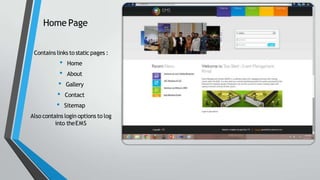
Home Page
Contains links to static pages :
• Home
• About
• Gallery
• Contact
• Sitemap
Also contains login options to log
into theEMS
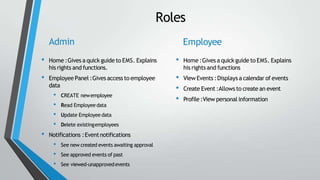
Roles
Admin
• Home :Gives a quick guide to EMS. Explains
his rights and functions.
• Employee Panel :Gives access to employee
data
• CREATE newemployee
• Read Employeedata
• Update Employee data
• Delete existingemployees
• Notifications :Eventnotifications
• See new created events awaiting approval
• See approved events of past
• See viewed-unapprovedevents
Employee
• Home :Gives a quickguide to EMS. Explains
his rights and functions
• View Events :Displays a calendar of events
• Create Event :Allows to create an event
• Profile:View personal information
ADMIN
Letus login asAdmin
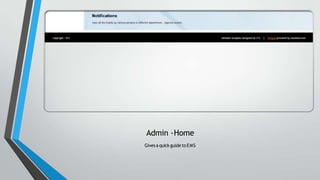
Admin -Home
Givesa quick guideto EMS
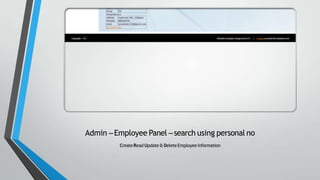
Admin –Employee Panel –search using personal no
CreateRead Update& DeleteEmployeeInformation
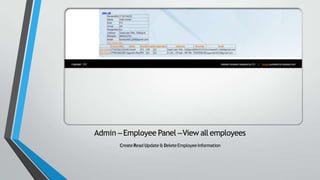
Admin –Employee Panel –View all employees
CreateRead Update& DeleteEmployeeInformation
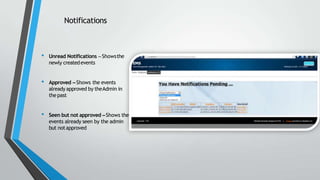
Notifications
• Unread Notifications –Showsthe
newly createdevents
• Approved –Shows the events
already approved by theAdmin in
thepast
• Seen but not approved –Shows the
events already seen by the admin
but notapproved
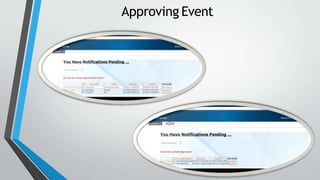
Approving Event
Employee
Letus loginas employee
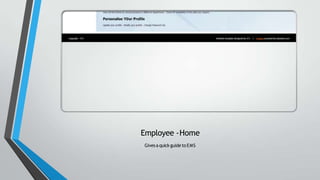
Employee -Home
Givesa quick guideto EMS
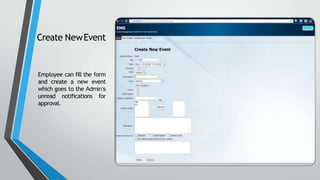
Create NewEvent
Employee can fill the form
and create a new event
which goes to the Admin’s
unread notifications for
approval.
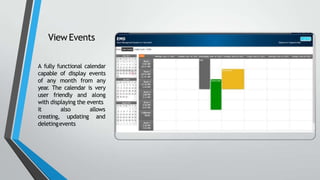
ViewEvents
A fully functional calendar
capable of display events
of any month from any
year. The calendar is very
user friendly and along
with displaying the events
it
creating,
also
updating
allows
and
deletingevents
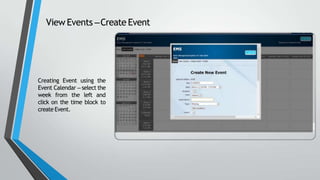
View Events –Create Event
Creating Event using the
Event Calendar – select the
week from the left and
click on the time block to
create Event.
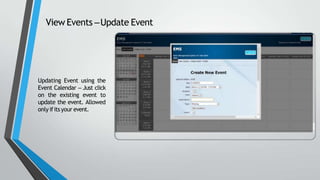
View Events –Update Event
Updating Event using the
Event Calendar – Just click
on the existing event to
update the event. Allowed
only ifitsyour event.
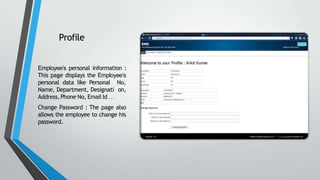
Profile
Employee’s personal information :
This page displays the Employee’s
personal data like Personal No,
Name, Department, Designati on,
Address,Phone No, Email Id …
Change Password : The page also
allows the employee to change his
password.
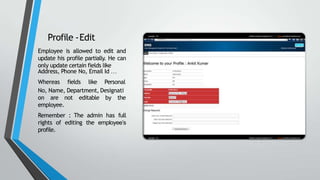
Profile -Edit
Employee is allowed to edit and
update his profile partially. He can
only update certain fields like
Address, Phone No, Email Id …
Whereas fields like Personal
No, Name, Department, Designati
on are not editable by the
employee.
Remember : The admin has full
rights of editing the employee’s
profile.
“
THANKYOU !!!
”
Event ManagementSystem
Visit our Website- http://www.wethecoders.com

Event management system for final year project

  • 1.
  • 2.
    Overview This project isaimed at developing an online application for the user to help users manage various events throughout the year. Event Management System (EMS) is a software system for managing seminars and meeting rooms within the Departments. It is also used as a central calendaring system for events sponsored by the Department and its employee groups. Employees can use this system to reserve meeting space and specify technical services for their events. The system is an online application that can be accessed throughout the organization and outside as well with proper login provided. (let’s take an example of TATASteel)
  • 3.
    Home Page Contains linksto static pages : • Home • About • Gallery • Contact • Sitemap Also contains login options to log into theEMS
  • 4.
    Roles Admin • Home :Givesa quick guide to EMS. Explains his rights and functions. • Employee Panel :Gives access to employee data • CREATE newemployee • Read Employeedata • Update Employee data • Delete existingemployees • Notifications :Eventnotifications • See new created events awaiting approval • See approved events of past • See viewed-unapprovedevents Employee • Home :Gives a quickguide to EMS. Explains his rights and functions • View Events :Displays a calendar of events • Create Event :Allows to create an event • Profile:View personal information
  • 5.
  • 6.
  • 7.
    Admin –Employee Panel–search using personal no CreateRead Update& DeleteEmployeeInformation
  • 8.
    Admin –Employee Panel–View all employees CreateRead Update& DeleteEmployeeInformation
  • 9.
    Notifications • Unread Notifications–Showsthe newly createdevents • Approved –Shows the events already approved by theAdmin in thepast • Seen but not approved –Shows the events already seen by the admin but notapproved
  • 10.
  • 11.
  • 12.
  • 13.
    Create NewEvent Employee canfill the form and create a new event which goes to the Admin’s unread notifications for approval.
  • 14.
    ViewEvents A fully functionalcalendar capable of display events of any month from any year. The calendar is very user friendly and along with displaying the events it creating, also updating allows and deletingevents
  • 15.
    View Events –CreateEvent Creating Event using the Event Calendar – select the week from the left and click on the time block to create Event.
  • 16.
    View Events –UpdateEvent Updating Event using the Event Calendar – Just click on the existing event to update the event. Allowed only ifitsyour event.
  • 17.
    Profile Employee’s personal information: This page displays the Employee’s personal data like Personal No, Name, Department, Designati on, Address,Phone No, Email Id … Change Password : The page also allows the employee to change his password.
  • 18.
    Profile -Edit Employee isallowed to edit and update his profile partially. He can only update certain fields like Address, Phone No, Email Id … Whereas fields like Personal No, Name, Department, Designati on are not editable by the employee. Remember : The admin has full rights of editing the employee’s profile.
  • 19.
    “ THANKYOU !!! ” Event ManagementSystem Visitour Website- http://www.wethecoders.com