EMPOWERMENT TECHNOLOGIES
QUARTER 1 – MODULE 1:INFORMATION
COMMUNICATION TECHNOLOGY–LESSON 1
1. Compare and contrast the nuances of varied online
platforms, sites, and content to best achieve specific
class objectives or address situational challenges
(CS_ICT11/12ICTPT-Ia-b-1);
At the end of this module, you are expected
to learn the following:
What I Need to Know
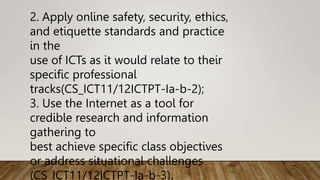
2. Apply online safety, security, ethics,
and etiquette standards and practice
in the
use of ICTs as it would relate to their
specific professional
tracks(CS_ICT11/12ICTPT-Ia-b-2);
3. Use the Internet as a tool for
credible research and information
gathering to
best achieve specific class objectives
or address situational challenges
(CS_ICT11/12ICTPT-Ia-b-3).
________1. We are allowed to copy the works of
other people without asking
permission.
What I Know
True or False
Directions: Write “True” if the statement is true and write
“False” if the statement
is false.
_______2. All Information from the internet are free.
________4. All information from the internet are reliable.
________3. Search engine is an application used for
searching the web.
________5. Google is an example of search engine.
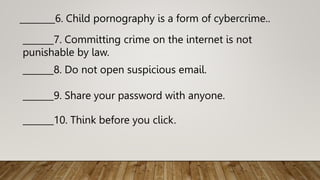
_______7. Committing crime on the internet is not
punishable by law.
________6. Child pornography is a form of cybercrime..
_______8. Do not open suspicious email.
_______9. Share your password with anyone.
_______10. Think before you click.
Lesson 1: The Current State of ICT
Technologies
Information and Communication Technology
It refers to the use of communication technology
such as laptop, smart phones,
tablet, telephone, internet and etc. to send, save,
and edit information.
What is ICT?
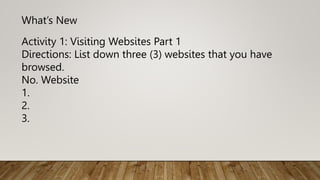
Activity 1: Visiting Websites Part 1
Directions: List down three (3) websites that you have
browsed.
No. Website
1.
2.
3.
What’s New
It is also known as WWW or W3 introduce by Tim
Berners-Lee. It consists of
different pages that are formatted in a markup
language called HTML (Hypertext
Markup Language) and linked to each other that
contain text, graphics, multimedia
files, hyperlinks and etc.
World wide web
Web 1.0
The first development of World Wide Web where web
pages are static. It also
known as flat or stationary page and it cannot be
manipulated by users
Web 2.0
Example: Blog sites, Facebook, Twitter, Instagram,
YouTube
It is a dynamic web page where user can interact with
page like creating a user
account, posting comments, uploading files and images,
and others.
Features of Web 2.0
1. Folksonomy – users can classify and arrange
information by adding tag or
label. Pound sign (#) is used in Facebook, Twitter,
Instagram and other social
networking sites.
Example in tagging on Facebook: #TeamKawayan, #Single
3. User Participation – user can put content on their own in
web page like
comment, evaluation, and etc.
2. Rich User Experience – user can have high interaction
with the content of the page and can achieve level of
expertise.
4. Long Tail – A site that offers services and brings
individual and businesses into
selling different goods and commodities such as shopping
site like OLX,
Lazada, Shopee, Zalora and others.
Activity 2: Visiting Websites Part 2
Directions: Based on the list of websites you have written in
activity 1, identify the version of the web of each website
and defend your answer by writing on the Reason column.
Activity 3: Social Media
Directions: List down five (5) social media that you have
been used.
Trends in ICT
Example. Using smartphone as camera in taking pictures
instead of DSLR camera.
1. Convergence – it refers to fusing of technological
advancement to work on a
similar task.
2. Social Media – an application and website where user can
communicate,
create and share content and participate in online
communities.
A. Social Network – A website where people with the
same come
together to share information.
Examples: Twitter, Instagram, Facebook
Types of Social Media
B. Social News – A website where user can post
stories and are ranked based on the popularity
through voting.
Examples: Digg, Reddit, Propeller, Slashdot, Fark
C. Bookmarking Sites – A website that allows you to
share and store internet bookmarks, articles, posts,
blogs, images and others.
Examples: Pinterest, StumbleUpon, Dribble
E. Microblogging – a website that allows you to
broadcast short message. Examples: Twitter, Tumblr,
Meetme
F. Blogs and Forums – a discussion website that allows
user to ask questions and comments on a journal
posted by an individual or group. Examples:
Wordpress, Blogger
3. Mobile Technologies – a technology used in cellular
and other devices such netbook, laptop, tablet,
smartphones and etc.
4. Assistive Media - A platform that assist people with
disability. It will guide the individual like a blind
person by using an audio recording.
Activity 4: Generalization
In what way is ICT very useful in your studies?
Thank you!!!

E-TECH_lesson-1.pptx

  • 1.
    EMPOWERMENT TECHNOLOGIES QUARTER 1– MODULE 1:INFORMATION COMMUNICATION TECHNOLOGY–LESSON 1
  • 2.
    1. Compare andcontrast the nuances of varied online platforms, sites, and content to best achieve specific class objectives or address situational challenges (CS_ICT11/12ICTPT-Ia-b-1); At the end of this module, you are expected to learn the following: What I Need to Know
  • 3.
    2. Apply onlinesafety, security, ethics, and etiquette standards and practice in the use of ICTs as it would relate to their specific professional tracks(CS_ICT11/12ICTPT-Ia-b-2); 3. Use the Internet as a tool for credible research and information gathering to best achieve specific class objectives or address situational challenges (CS_ICT11/12ICTPT-Ia-b-3).
  • 4.
    ________1. We areallowed to copy the works of other people without asking permission. What I Know True or False Directions: Write “True” if the statement is true and write “False” if the statement is false.
  • 5.
    _______2. All Informationfrom the internet are free. ________4. All information from the internet are reliable. ________3. Search engine is an application used for searching the web. ________5. Google is an example of search engine.
  • 6.
    _______7. Committing crimeon the internet is not punishable by law. ________6. Child pornography is a form of cybercrime.. _______8. Do not open suspicious email. _______9. Share your password with anyone. _______10. Think before you click.
  • 7.
    Lesson 1: TheCurrent State of ICT Technologies
  • 8.
    Information and CommunicationTechnology It refers to the use of communication technology such as laptop, smart phones, tablet, telephone, internet and etc. to send, save, and edit information. What is ICT?
  • 9.
    Activity 1: VisitingWebsites Part 1 Directions: List down three (3) websites that you have browsed. No. Website 1. 2. 3. What’s New
  • 10.
    It is alsoknown as WWW or W3 introduce by Tim Berners-Lee. It consists of different pages that are formatted in a markup language called HTML (Hypertext Markup Language) and linked to each other that contain text, graphics, multimedia files, hyperlinks and etc. World wide web
  • 11.
    Web 1.0 The firstdevelopment of World Wide Web where web pages are static. It also known as flat or stationary page and it cannot be manipulated by users
  • 12.
    Web 2.0 Example: Blogsites, Facebook, Twitter, Instagram, YouTube It is a dynamic web page where user can interact with page like creating a user account, posting comments, uploading files and images, and others.
  • 13.
    Features of Web2.0 1. Folksonomy – users can classify and arrange information by adding tag or label. Pound sign (#) is used in Facebook, Twitter, Instagram and other social networking sites. Example in tagging on Facebook: #TeamKawayan, #Single
  • 14.
    3. User Participation– user can put content on their own in web page like comment, evaluation, and etc. 2. Rich User Experience – user can have high interaction with the content of the page and can achieve level of expertise. 4. Long Tail – A site that offers services and brings individual and businesses into selling different goods and commodities such as shopping site like OLX, Lazada, Shopee, Zalora and others.
  • 15.
    Activity 2: VisitingWebsites Part 2 Directions: Based on the list of websites you have written in activity 1, identify the version of the web of each website and defend your answer by writing on the Reason column.
  • 16.
    Activity 3: SocialMedia Directions: List down five (5) social media that you have been used.
  • 17.
    Trends in ICT Example.Using smartphone as camera in taking pictures instead of DSLR camera. 1. Convergence – it refers to fusing of technological advancement to work on a similar task.
  • 18.
    2. Social Media– an application and website where user can communicate, create and share content and participate in online communities.
  • 19.
    A. Social Network– A website where people with the same come together to share information. Examples: Twitter, Instagram, Facebook Types of Social Media
  • 20.
    B. Social News– A website where user can post stories and are ranked based on the popularity through voting. Examples: Digg, Reddit, Propeller, Slashdot, Fark C. Bookmarking Sites – A website that allows you to share and store internet bookmarks, articles, posts, blogs, images and others. Examples: Pinterest, StumbleUpon, Dribble
  • 21.
    E. Microblogging –a website that allows you to broadcast short message. Examples: Twitter, Tumblr, Meetme F. Blogs and Forums – a discussion website that allows user to ask questions and comments on a journal posted by an individual or group. Examples: Wordpress, Blogger
  • 22.
    3. Mobile Technologies– a technology used in cellular and other devices such netbook, laptop, tablet, smartphones and etc. 4. Assistive Media - A platform that assist people with disability. It will guide the individual like a blind person by using an audio recording.
  • 23.
    Activity 4: Generalization Inwhat way is ICT very useful in your studies?
  • 25.