S.Y. 2024 - 2025
CUENCA SENIOR HIGH SCHOOL
EMPOWERMENT
TECHNOLOGIES
Course Description:
• Information and communication
technologies as a tool for curating,
contextualizing, collaborating, and
creating content and experiences
for learning in the professional
tracks.
Information,
Communication,
& Technology
EMPOWERMENT TECHNOLOGY
OBJECTIVES:
1. Identify the 3 concepts of E-Tech -
Information, Communication, & Technology.
2. Understand the value of Information,
Communication, and Technology.
3. Illustrate the ICT concept.
EMPOWERMENT
TECHNOLOGY
INFORMATION
• The act of informing- or communicating
knowledge or intelligence.
• News- advice- or knowledge- communicated by
others or obtained by personal study and
investigation.
• Intelligence; knowledge derived from reading-
observation- or instruction.
COMMUNICATION
• The act or fact of communicating.
• Intercourse by words- letters- or messages;
interchange of thoughts or opinions- by
conference or other means; conference;
correspondence.
• Means of communicating; means of passing
from place to place; a connecting passage;
connection.
TECHNOLOGY
• Industrial science; the science of systematic
knowledge of the industrial arts
• Machinery and equipment developed from
the application of scientific knowledge.
• A scientific or industrial process, invention,
or method.
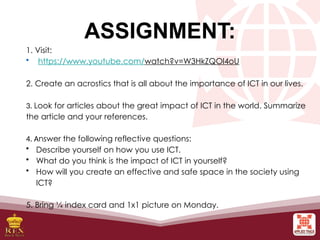
ASSIGNMENT:
1. Visit:
• https://www.youtube.com/watch?v=W3HkZQOl4oU
2. Create an acrostics that is all about the importance of ICT in our lives.
3. Look for articles about the great impact of ICT in the world. Summarize
the article and your references.
4. Answer the following reflective questions:
• Describe yourself on how you use ICT.
• What do you think is the impact of ICT in yourself?
• How will you create an effective and safe space in the society using
ICT?
5. Bring ¼ index card and 1x1 picture on Monday.
ICT in Our Everyday
Lives:
• Online platforms,
Sites, and Content
• Web 2.0 and Web 3.0
• The World Wide Web
• Trends in ICT
Introduction to Information
and Communication
Technologies
• The state of ICT technologies
• Online systems, functions, and platforms
LESSON 1
At the end of this lesson, the students should be able to:
1. improve their knowledge on how ICT affects their
everyday lives and the state of our nation;
2. compare and contrast the differences between online
platforms, sites, and content;
3. understand the features of Web 2.0;
4. understand the future of the World Wide Web through
Web 3.0; and
5. learn the different trends in ICT and use them to their
advantage.
Information and
Communication Technologies
Information and Communication
Technology (ICT) deals with the use of
different communication technologies
such as mobile phones, telephone,
Internet, etc. to locate, save, send and
edit information.
WEB 1.0:
When the World Wide Web was invented,
most web pages were static. Static (also
known as flat page or stationary page) in
the sense that the page is “as is” and
cannot be manipulated by the user. The
content is also the same for all users. This
is referred to as Web 1.0.
WEB 2.0: DYNAMIC WEB PAGES
Web 2.0 is the evolution of Web
1.0 by adding dynamic web pages—the
user is able to see a website differently
than others. Examples of Web 2.0
include social networking sites, blogs,
wikis, video sharing sites, hosted
services, and web applications.
Web 2.0 allows users to interact with
the page: instead of just reading a page, the
user may be able to comment or create a
user account. Web 2.0 also allows users to
use web browsers instead of just using their
operating system. Browsers can now be
used for their user interface, application
software (or web applications), and even for
file storage.
Most websites
that we visit today
are Web 2.0.
FEATURES OF WEB 2.0
1. Folksonomy. It allows users to categorize and
classify/arrange information using freely chosen
keywords (e.g., tagging). Popular social networking
sites such as Twitter, Instagram, Facebook, etc. use
tags that start with the pound sign (#). This is also
referred to as hashtag.
2. Rich User Experience. Content is dynamic and is
responsive to user’s input. An example would be a
website that shows local content. In the case of social
networking sites, when logged on, your account is
used to modify what you see in their website.
3. Long Tail. 6 Services are offered on demand rather than
on a one-time purchase. In certain cases, time-based
pricing is better than file-size-based pricing or vice
versa. This is synonymous to subscribing to a data plan
that charges you for the amount of time you spent in the
Internet, or a data plan that charges you for the amount
of bandwidth you used.
4. User Participation. The owner of the website is not the
only one who is able to put content. Others are able to
place a content of their own by means of comment,
reviews, and evaluation. Some websites allow readers
to comment on an article, participate in a poll, or review
a specific product (e.g., Amazon.com, online stores).
FEATURES OF WEB 2.0
FEATURES OF WEB 2.0
5. Software as a Service. Users will subscribe to a
software only when needed rather than purchasing them.
This is a cheaper option if you do not always need to use
a software. For instance, Google Docs is a free web-
based application that allows the user to create and edit
word processing and spreadsheet documents online.
When you need a software, like a Word Processor, you
can purchase it for a one-time huge amount and install it
in your computer and it is yours forever. Software as a
service allows you to “rent” a software for a minimal fee.
6. Mass Participation. It is a diverse information sharing 7
through universal web access. Since most users can use
the Internet, Web 2.0’s content is based on people from
various cultures.
WEB 3.0 AND THE
SEMANTIC WEB
The Semantic Web is a movement led by
the World Wide Web Consortium (W3C).
The W3C standard encourages web
developers to include semantic content
in their web pages.
According to the W3C, “The
Semantic Web provides a common
framework that allows data to be shared
and reused across application,
enterprise, and community boundaries.”
The aim of Web 3.0 is to have
machines (or servers) understand the
user’s preferences to be able to deliver
web content specifically targeting the
user.
Several problems of Web 3.0
1. Compatibility
HTML files and current web browsers could not support
Web 3.0.
2. Security
The user’s security is also in question since the machine is
saving his or her preferences.
3. Vastness
The World Wide Web already contains billions of web
pages.
4. Vagueness
Certain words are imprecise. The words “old” and “small”
would depend on the user.
5. Logic
Since machines use logic, there are certain limitations for a
computer to be able to predict what the user is referring to at a
given time.
TRENDS IN ICT
1. Convergence
Technological convergence is the synergy of
technological advancements to work on a similar
goal or task.
2. Social Media
Social media is a website, application, or online
channels that enable web users to create, co-
create, discuss, modify, and exchange user-
generated content.
a. Social Networks. These are sites that allow you to connect with other people
with the same interests or background.
b. Bookmarking Sites. These are sites that allow you to store and manage links
to various websites and resources.
c. Social News. These are sites that allow users to post their own news items or
links to other news sources.
d. Media Sharing. These are sites that allow you to upload and share media
content like images, music, and video.
e. Microblogging. These are sites that focus on short updates from the user.
f. Blogs and Forums. These websites allow users to post their content.
SIX TYPES OF SOCIAL MEDIA:
3. Mobile Technologies
The popularity of smartphones and tablets
has taken a major rise over the years. This is
largely because of the devices’ capability to
do tasks that were originally found in personal
computers.
KINDS OF OPERATING SYSTEMS:
a. iOS
b. Android
c. Blackberry OS
d. Windows Phone OS
e. Symbian
f. WebOS
g. Windows Mobile
4. Assistive Media
Assistive media is a nonprofit service
designed to help people who have visual
and reading impairments. A database of
audio recordings is used to read to the user.

1_Introduction_to_Information_and_Communication_Technology (1).pptx

  • 1.
    S.Y. 2024 -2025 CUENCA SENIOR HIGH SCHOOL EMPOWERMENT TECHNOLOGIES
  • 3.
    Course Description: • Informationand communication technologies as a tool for curating, contextualizing, collaborating, and creating content and experiences for learning in the professional tracks.
  • 5.
  • 6.
    OBJECTIVES: 1. Identify the3 concepts of E-Tech - Information, Communication, & Technology. 2. Understand the value of Information, Communication, and Technology. 3. Illustrate the ICT concept.
  • 7.
  • 8.
    INFORMATION • The actof informing- or communicating knowledge or intelligence. • News- advice- or knowledge- communicated by others or obtained by personal study and investigation. • Intelligence; knowledge derived from reading- observation- or instruction.
  • 9.
    COMMUNICATION • The actor fact of communicating. • Intercourse by words- letters- or messages; interchange of thoughts or opinions- by conference or other means; conference; correspondence. • Means of communicating; means of passing from place to place; a connecting passage; connection.
  • 10.
    TECHNOLOGY • Industrial science;the science of systematic knowledge of the industrial arts • Machinery and equipment developed from the application of scientific knowledge. • A scientific or industrial process, invention, or method.
  • 11.
    ASSIGNMENT: 1. Visit: • https://www.youtube.com/watch?v=W3HkZQOl4oU 2.Create an acrostics that is all about the importance of ICT in our lives. 3. Look for articles about the great impact of ICT in the world. Summarize the article and your references. 4. Answer the following reflective questions: • Describe yourself on how you use ICT. • What do you think is the impact of ICT in yourself? • How will you create an effective and safe space in the society using ICT? 5. Bring ¼ index card and 1x1 picture on Monday.
  • 12.
    ICT in OurEveryday Lives: • Online platforms, Sites, and Content • Web 2.0 and Web 3.0 • The World Wide Web • Trends in ICT
  • 13.
    Introduction to Information andCommunication Technologies • The state of ICT technologies • Online systems, functions, and platforms LESSON 1
  • 14.
    At the endof this lesson, the students should be able to: 1. improve their knowledge on how ICT affects their everyday lives and the state of our nation; 2. compare and contrast the differences between online platforms, sites, and content; 3. understand the features of Web 2.0; 4. understand the future of the World Wide Web through Web 3.0; and 5. learn the different trends in ICT and use them to their advantage.
  • 15.
    Information and Communication Technologies Informationand Communication Technology (ICT) deals with the use of different communication technologies such as mobile phones, telephone, Internet, etc. to locate, save, send and edit information.
  • 16.
    WEB 1.0: When theWorld Wide Web was invented, most web pages were static. Static (also known as flat page or stationary page) in the sense that the page is “as is” and cannot be manipulated by the user. The content is also the same for all users. This is referred to as Web 1.0.
  • 17.
    WEB 2.0: DYNAMICWEB PAGES Web 2.0 is the evolution of Web 1.0 by adding dynamic web pages—the user is able to see a website differently than others. Examples of Web 2.0 include social networking sites, blogs, wikis, video sharing sites, hosted services, and web applications.
  • 18.
    Web 2.0 allowsusers to interact with the page: instead of just reading a page, the user may be able to comment or create a user account. Web 2.0 also allows users to use web browsers instead of just using their operating system. Browsers can now be used for their user interface, application software (or web applications), and even for file storage.
  • 19.
    Most websites that wevisit today are Web 2.0.
  • 20.
    FEATURES OF WEB2.0 1. Folksonomy. It allows users to categorize and classify/arrange information using freely chosen keywords (e.g., tagging). Popular social networking sites such as Twitter, Instagram, Facebook, etc. use tags that start with the pound sign (#). This is also referred to as hashtag. 2. Rich User Experience. Content is dynamic and is responsive to user’s input. An example would be a website that shows local content. In the case of social networking sites, when logged on, your account is used to modify what you see in their website.
  • 21.
    3. Long Tail.6 Services are offered on demand rather than on a one-time purchase. In certain cases, time-based pricing is better than file-size-based pricing or vice versa. This is synonymous to subscribing to a data plan that charges you for the amount of time you spent in the Internet, or a data plan that charges you for the amount of bandwidth you used. 4. User Participation. The owner of the website is not the only one who is able to put content. Others are able to place a content of their own by means of comment, reviews, and evaluation. Some websites allow readers to comment on an article, participate in a poll, or review a specific product (e.g., Amazon.com, online stores). FEATURES OF WEB 2.0
  • 22.
    FEATURES OF WEB2.0 5. Software as a Service. Users will subscribe to a software only when needed rather than purchasing them. This is a cheaper option if you do not always need to use a software. For instance, Google Docs is a free web- based application that allows the user to create and edit word processing and spreadsheet documents online. When you need a software, like a Word Processor, you can purchase it for a one-time huge amount and install it in your computer and it is yours forever. Software as a service allows you to “rent” a software for a minimal fee. 6. Mass Participation. It is a diverse information sharing 7 through universal web access. Since most users can use the Internet, Web 2.0’s content is based on people from various cultures.
  • 23.
    WEB 3.0 ANDTHE SEMANTIC WEB The Semantic Web is a movement led by the World Wide Web Consortium (W3C). The W3C standard encourages web developers to include semantic content in their web pages.
  • 24.
    According to theW3C, “The Semantic Web provides a common framework that allows data to be shared and reused across application, enterprise, and community boundaries.” The aim of Web 3.0 is to have machines (or servers) understand the user’s preferences to be able to deliver web content specifically targeting the user.
  • 26.
    Several problems ofWeb 3.0 1. Compatibility HTML files and current web browsers could not support Web 3.0. 2. Security The user’s security is also in question since the machine is saving his or her preferences. 3. Vastness The World Wide Web already contains billions of web pages. 4. Vagueness Certain words are imprecise. The words “old” and “small” would depend on the user. 5. Logic Since machines use logic, there are certain limitations for a computer to be able to predict what the user is referring to at a given time.
  • 27.
    TRENDS IN ICT 1.Convergence Technological convergence is the synergy of technological advancements to work on a similar goal or task. 2. Social Media Social media is a website, application, or online channels that enable web users to create, co- create, discuss, modify, and exchange user- generated content.
  • 28.
    a. Social Networks.These are sites that allow you to connect with other people with the same interests or background. b. Bookmarking Sites. These are sites that allow you to store and manage links to various websites and resources. c. Social News. These are sites that allow users to post their own news items or links to other news sources. d. Media Sharing. These are sites that allow you to upload and share media content like images, music, and video. e. Microblogging. These are sites that focus on short updates from the user. f. Blogs and Forums. These websites allow users to post their content. SIX TYPES OF SOCIAL MEDIA:
  • 29.
    3. Mobile Technologies Thepopularity of smartphones and tablets has taken a major rise over the years. This is largely because of the devices’ capability to do tasks that were originally found in personal computers. KINDS OF OPERATING SYSTEMS: a. iOS b. Android c. Blackberry OS d. Windows Phone OS e. Symbian f. WebOS g. Windows Mobile
  • 30.
    4. Assistive Media Assistivemedia is a nonprofit service designed to help people who have visual and reading impairments. A database of audio recordings is used to read to the user.

Editor's Notes

  • #2 B
  • #4 Gagawa ng GC on the spot.
  • #14 After laying down the objectives of the lesson, ask the students to answer the pre-test. Indicate that the purpose of the test is to measure or determine their prior knowledge of the lesson. (Note: apply to all lessons)
  • #15 Ask the students to discuss with the class how important ICT is to their daily activities. Discuss with the class how ICT has affected the Philippines in different aspects of living (e.g., economic, social, etc.).
  • #18 Ask the students to give examples of websites they use that allow them to interact with the page.
  • #26 As a summary, compare and contrast webs 1.0, 2.0, 3.0.
  • #28 Ask the students to give examples of websites for each of the types of social media.
  • #29 Provide a simple description for each type of OS. Give examples of gadgets that use each kind of OS.
  • #30 Summarize the lesson. Ask the students to answer the activities provided at the end of the lesson.