Getting High on Espresso!
X
Ketan Soni
Getting High on Espresso!
• Why do we automate?
• Do you trust your tests 100%?
• Synchronization
Why are they flaky?
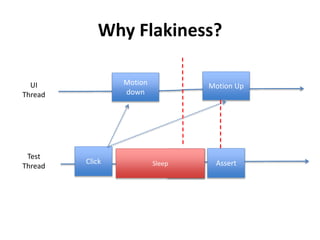
Why Flakiness?
UI
Thread
Motion
down
Test
Thread
Click
Motion Up
AssertSleep Assert
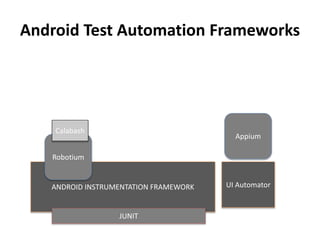
ANDROID INSTRUMENTATION FRAMEWORK
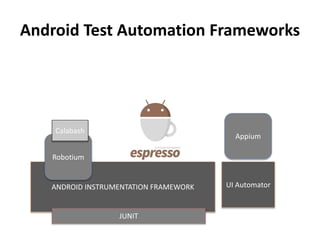
Android Test Automation Frameworks
UI Automator
Robotium
Appium
Calabash
JUNIT
Simple & Easy
•Developers/QAs avoid installing heavy tools
•Doesn’t want to learn new language just for
testing stuff.
•Make it easy for developers and QA so that
they do it
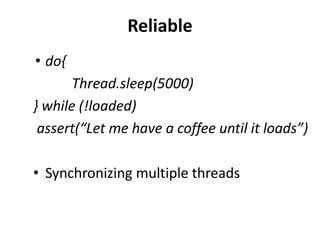
Reliable
• do{
Thread.sleep(5000)
} while (!loaded)
assert(“Let me have a coffee until it loads”)
• Synchronizing multiple threads
Durable
• Antonym of fragile
• Test should not break if String of any
resource has changed
• Refer the elements by resource id rather
than content description
ANDROID INSTRUMENTATION FRAMEWORK
Android Test Automation Frameworks
UI Automator
Robotium
Appium
Calabash
JUNIT
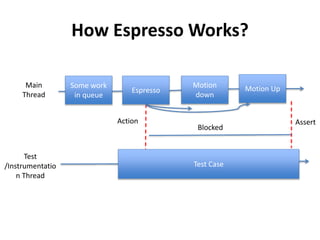
How Espresso Works?
Main
Thread
Motion
down
Test
/Instrumentatio
n Thread
Motion Up
Test Case
Some work
in queue
Espresso
AssertAction
Blocked
Enough of talk! Let’s Code
Clone the repository
git@github.com:ketansoni/android-booksearch-
demo.git
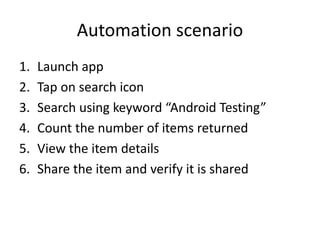
Automation scenario
1. Launch app
2. Tap on search icon
3. Search using keyword “Android Testing”
4. Count the number of items returned
5. View the item details
6. Share the item and verify it is shared
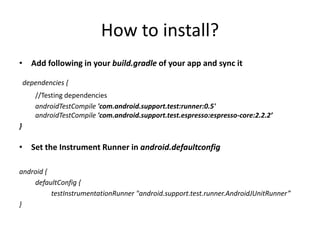
How to install?
• Add following in your build.gradle of your app and sync it
dependencies {
//Testing dependencies
androidTestCompile 'com.android.support.test:runner:0.5'
androidTestCompile 'com.android.support.test.espresso:espresso-core:2.2.2’
}
• Set the Instrument Runner in android.defaultconfig
android {
defaultConfig {
testInstrumentationRunner "android.support.test.runner.AndroidJUnitRunner”
}
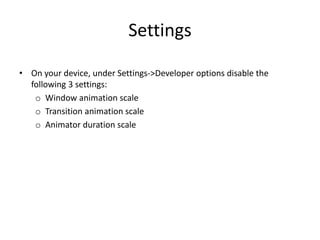
Settings
• On your device, under Settings->Developer options disable the
following 3 settings:
o Window animation scale
o Transition animation scale
o Animator duration scale
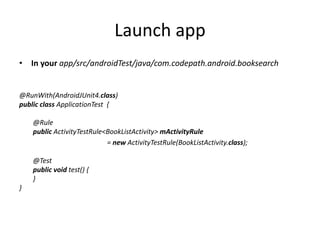
Launch app
• In your app/src/androidTest/java/com.codepath.android.booksearch
@RunWith(AndroidJUnit4.class)
public class ApplicationTest {
@Rule
public ActivityTestRule<BookListActivity> mActivityRule
= new ActivityTestRule(BookListActivity.class);
@Test
public void test() {
}
}
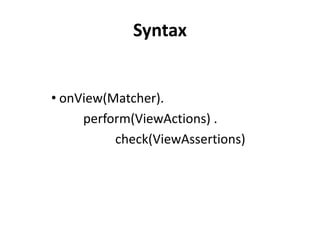
Syntax
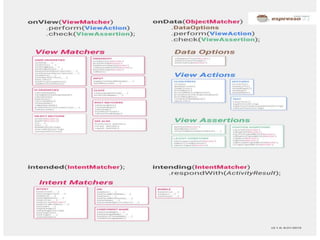
• onView(Matcher).
perform(ViewActions) .
check(ViewAssertions)
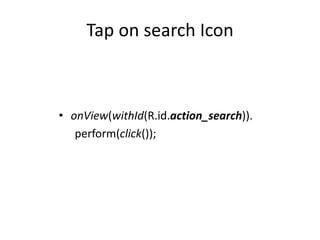
Tap on search Icon
• onView(withId(R.id.action_search)).
perform(click());
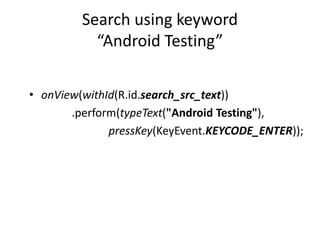
Search using keyword
“Android Testing”
• onView(withId(R.id.search_src_text))
.perform(typeText("Android Testing"),
pressKey(KeyEvent.KEYCODE_ENTER));
Count the number of items returned
public static int getListViewCount(final int id) {
final int[] counts = new int[1];
onView(withId(id)).check(matches(new TypeSafeMatcher<View>() {
@Override
public boolean matchesSafely(View view) {
ListView listView = (ListView) view;
counts[0] = listView.getCount();
return true;
}
@Override
public void describeTo(Description description) {
}
}));
return counts[0];
}
assertThat("No. of reminders are: ", getListViewCount(R.id.lvBooks),
CoreMatchers.equalTo(1));
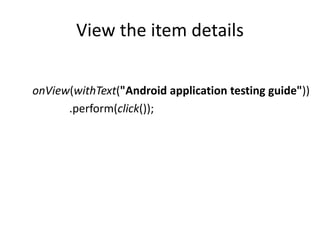
View the item details
onView(withText("Android application testing guide"))
.perform(click());
What is intent?
• Intents facilitate communication between
components called Activities
• Types
– Explicit
– Implicit
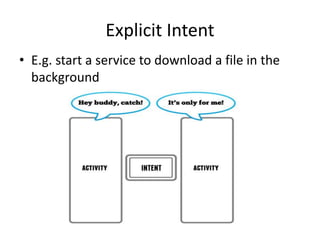
Explicit Intent
• E.g. start a service to download a file in the
background
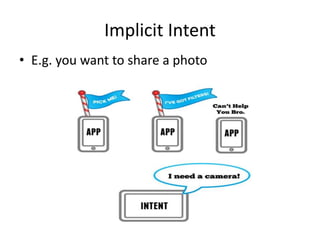
Implicit Intent
• E.g. you want to share a photo
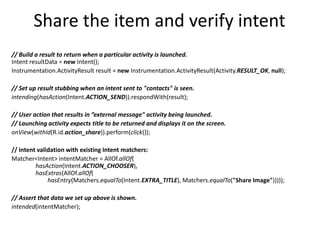
Share the item and verify intent
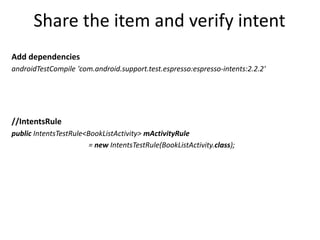
Add dependencies
androidTestCompile 'com.android.support.test.espresso:espresso-intents:2.2.2'
//IntentsRule
public IntentsTestRule<BookListActivity> mActivityRule
= new IntentsTestRule(BookListActivity.class);
Share the item and verify intent
// Build a result to return when a particular activity is launched.
Intent resultData = new Intent();
Instrumentation.ActivityResult result = new Instrumentation.ActivityResult(Activity.RESULT_OK, null);
// Set up result stubbing when an intent sent to "contacts" is seen.
intending(hasAction(Intent.ACTION_SEND)).respondWith(result);
// User action that results in ”external message" activity being launched.
// Launching activity expects title to be returned and displays it on the screen.
onView(withId(R.id.action_share)).perform(click());
// intent validation with existing Intent matchers:
Matcher<Intent> intentMatcher = AllOf.allOf(
hasAction(Intent.ACTION_CHOOSER),
hasExtras(AllOf.allOf(
hasEntry(Matchers.equalTo(Intent.EXTRA_TITLE), Matchers.equalTo("Share Image")))));
// Assert that data we set up above is shown.
intended(intentMatcher);
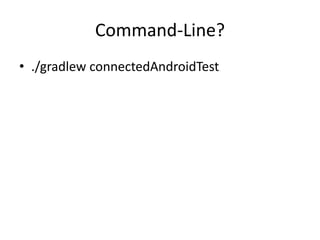
Command-Line?
• ./gradlew connectedAndroidTest
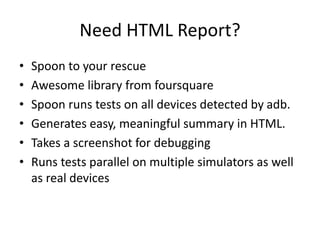
Need HTML Report?
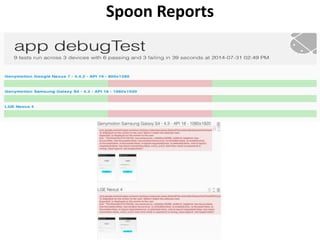
• Spoon to your rescue
• Awesome library from foursquare
• Spoon runs tests on all devices detected by adb.
• Generates easy, meaningful summary in HTML.
• Takes a screenshot for debugging
• Runs tests parallel on multiple simulators as well
as real devices
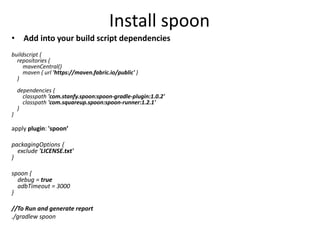
Install spoon
• Add into your build script dependencies
buildscript {
repositories {
mavenCentral()
maven { url 'https://maven.fabric.io/public' }
}
dependencies {
classpath 'com.stanfy.spoon:spoon-gradle-plugin:1.0.2'
classpath 'com.squareup.spoon:spoon-runner:1.2.1'
}
}
apply plugin: 'spoon’
packagingOptions {
exclude 'LICENSE.txt'
}
spoon {
debug = true
adbTimeout = 3000
}
//To Run and generate report
./gradlew spoon
Spoon Reports
Supports
• Intents
oExplicit
oImplicit
• Web control
• Custom ViewMatchers for nested controls
• Custom Failure Handler
Advantages
• Google supports it 
• Blazingly Fast
• Deterministic as test thread is synchronized
with main thread
• Custom Matchers
• Debugging become easy because you can view
nested control using hierarchy viewer
• No new language to be learned specially for
testing
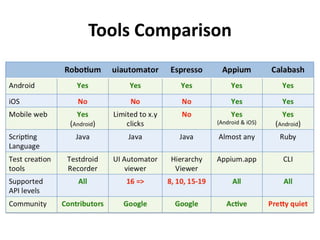
Tools Comparison
Thank you
ketan_soni
ketansony@gmail.com
References:
https://www.raywenderlich.com/103044/android-intents-tutorial
http://testdroid.com/tech/top-5-android-testing-frameworks-with-examples
https://github.com/emmasuzuki/EspressoSpoonDemo

Espresso workshop

  • 1.
    Getting High onEspresso! X Ketan Soni Getting High on Espresso!
  • 2.
    • Why dowe automate?
  • 3.
    • Do youtrust your tests 100%?
  • 6.
  • 7.
  • 8.
    ANDROID INSTRUMENTATION FRAMEWORK AndroidTest Automation Frameworks UI Automator Robotium Appium Calabash JUNIT
  • 9.
    Simple & Easy •Developers/QAsavoid installing heavy tools •Doesn’t want to learn new language just for testing stuff. •Make it easy for developers and QA so that they do it
  • 10.
    Reliable • do{ Thread.sleep(5000) } while(!loaded) assert(“Let me have a coffee until it loads”) • Synchronizing multiple threads
  • 11.
    Durable • Antonym offragile • Test should not break if String of any resource has changed • Refer the elements by resource id rather than content description
  • 12.
    ANDROID INSTRUMENTATION FRAMEWORK AndroidTest Automation Frameworks UI Automator Robotium Appium Calabash JUNIT
  • 13.
    How Espresso Works? Main Thread Motion down Test /Instrumentatio nThread Motion Up Test Case Some work in queue Espresso AssertAction Blocked
  • 14.
    Enough of talk!Let’s Code Clone the repository git@github.com:ketansoni/android-booksearch- demo.git
  • 15.
    Automation scenario 1. Launchapp 2. Tap on search icon 3. Search using keyword “Android Testing” 4. Count the number of items returned 5. View the item details 6. Share the item and verify it is shared
  • 16.
    How to install? •Add following in your build.gradle of your app and sync it dependencies { //Testing dependencies androidTestCompile 'com.android.support.test:runner:0.5' androidTestCompile 'com.android.support.test.espresso:espresso-core:2.2.2’ } • Set the Instrument Runner in android.defaultconfig android { defaultConfig { testInstrumentationRunner "android.support.test.runner.AndroidJUnitRunner” }
  • 17.
    Settings • On yourdevice, under Settings->Developer options disable the following 3 settings: o Window animation scale o Transition animation scale o Animator duration scale
  • 18.
    Launch app • Inyour app/src/androidTest/java/com.codepath.android.booksearch @RunWith(AndroidJUnit4.class) public class ApplicationTest { @Rule public ActivityTestRule<BookListActivity> mActivityRule = new ActivityTestRule(BookListActivity.class); @Test public void test() { } }
  • 19.
  • 20.
    Tap on searchIcon • onView(withId(R.id.action_search)). perform(click());
  • 21.
    Search using keyword “AndroidTesting” • onView(withId(R.id.search_src_text)) .perform(typeText("Android Testing"), pressKey(KeyEvent.KEYCODE_ENTER));
  • 22.
    Count the numberof items returned public static int getListViewCount(final int id) { final int[] counts = new int[1]; onView(withId(id)).check(matches(new TypeSafeMatcher<View>() { @Override public boolean matchesSafely(View view) { ListView listView = (ListView) view; counts[0] = listView.getCount(); return true; } @Override public void describeTo(Description description) { } })); return counts[0]; } assertThat("No. of reminders are: ", getListViewCount(R.id.lvBooks), CoreMatchers.equalTo(1));
  • 23.
    View the itemdetails onView(withText("Android application testing guide")) .perform(click());
  • 24.
    What is intent? •Intents facilitate communication between components called Activities • Types – Explicit – Implicit
  • 25.
    Explicit Intent • E.g.start a service to download a file in the background
  • 26.
    Implicit Intent • E.g.you want to share a photo
  • 27.
    Share the itemand verify intent Add dependencies androidTestCompile 'com.android.support.test.espresso:espresso-intents:2.2.2' //IntentsRule public IntentsTestRule<BookListActivity> mActivityRule = new IntentsTestRule(BookListActivity.class);
  • 28.
    Share the itemand verify intent // Build a result to return when a particular activity is launched. Intent resultData = new Intent(); Instrumentation.ActivityResult result = new Instrumentation.ActivityResult(Activity.RESULT_OK, null); // Set up result stubbing when an intent sent to "contacts" is seen. intending(hasAction(Intent.ACTION_SEND)).respondWith(result); // User action that results in ”external message" activity being launched. // Launching activity expects title to be returned and displays it on the screen. onView(withId(R.id.action_share)).perform(click()); // intent validation with existing Intent matchers: Matcher<Intent> intentMatcher = AllOf.allOf( hasAction(Intent.ACTION_CHOOSER), hasExtras(AllOf.allOf( hasEntry(Matchers.equalTo(Intent.EXTRA_TITLE), Matchers.equalTo("Share Image"))))); // Assert that data we set up above is shown. intended(intentMatcher);
  • 29.
  • 30.
    Need HTML Report? •Spoon to your rescue • Awesome library from foursquare • Spoon runs tests on all devices detected by adb. • Generates easy, meaningful summary in HTML. • Takes a screenshot for debugging • Runs tests parallel on multiple simulators as well as real devices
  • 31.
    Install spoon • Addinto your build script dependencies buildscript { repositories { mavenCentral() maven { url 'https://maven.fabric.io/public' } } dependencies { classpath 'com.stanfy.spoon:spoon-gradle-plugin:1.0.2' classpath 'com.squareup.spoon:spoon-runner:1.2.1' } } apply plugin: 'spoon’ packagingOptions { exclude 'LICENSE.txt' } spoon { debug = true adbTimeout = 3000 } //To Run and generate report ./gradlew spoon
  • 32.
  • 34.
    Supports • Intents oExplicit oImplicit • Webcontrol • Custom ViewMatchers for nested controls • Custom Failure Handler
  • 35.
    Advantages • Google supportsit  • Blazingly Fast • Deterministic as test thread is synchronized with main thread • Custom Matchers • Debugging become easy because you can view nested control using hierarchy viewer • No new language to be learned specially for testing
  • 36.
  • 37.

Editor's Notes

  • #2 Agenda How many over here does mobile test automation? How many have worked on android application?
  • #3 Saving time and do more exploratory testing? Safety net? Who all gets benefitted because of it?
  • #4 Does developers trusts your test suite? How many over here can say that yes developers trust the suite completely?
  • #5 Have you experienced this? How many have experience this? Devs just loose trust and then the blame game starts Brittle? Flaky?
  • #6 When devs says your UI tests just suck. How many have read about non-deterministic failure blog of martin fowler?
  • #8 What causes flakiness? Any example? How do you solve this problem? Anyone? Sleep? Is it a good idea? What are the problems that you encounter?
  • #9 Tried evaluating these framework but weren’t happy with set of issue people were facing. Developers weren't happy and lost trust.
  • #10 Why espresso?
  • #11 Most important aspect of choosing espresso Register a resource with Espresso Tell Espresso when your resource is going to go idle so that Espresso will wait until it becomes active again If Crash, catch all the exception and propagate these in user friendly format to the test
  • #12 It becomes easy to refactor
  • #13 Tried evaluating these framework but weren’t happy with set of issue people were facing.
  • #16 This will install your dependencies
  • #17  Clone the app or copy This will install your dependencies
  • #18 Why?
  • #19 Launch App
  • #21 Launch App
  • #30 This will install your dependencies
  • #36 Other factors Hermetic testing etc.