Calabash-android
 Automated acceptance testing for mobile apps.
 A cross platform mobile automation testing tool for Android
and IOS platforms.
 Is a tool for running automated acceptance tests written in a
behavior-driven development (BDD) style.
Technology
 Calabash Cucumber framework
 Ruby development kit
 Ruby 1.9.3
 Android SDK
 Ant Apache
 Java Development Kit
 Note Pad ++
Installation
 Apache Ant 1.9.5
- Add ANT_HOME to user variable for Admin and location of path.
- https://ant.apache.org/bindownload.cgi
 Java Development Kit
- http://www.oracle.com/technetwork/java/javase/downloads/index.html
- Add JAVA_HOME to user variable for Admin and location of path.
- Add JAVA_HOME to system variable and location of path.
 Ruby 1.9.3
- http://rubyinstaller.org/downloads/
- Add location path to user variable for Admin.
 Ruby Development Kit (32-4.5.2)
- http://rubyinstaller.org/downloads/
- Install from Command prompt “dk.rb install” and “dk.rb init”.
 Android SDK
- https://developer.android.com/sdk/index.html#top
- Add path to system variables of platform and platform-tools folder.
- Add ANDROID_HOME to user variable for Admin and location of path.
 Install calabash-android
- gem install calabash-andriod
 Create KeyStore File
- Eclipse – Run
- Windows
- Preferences
- Android
- Build
- Android - OK
 Ansicon/x64
- ansicon-I (For color output)
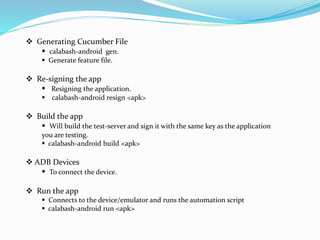
 Generating Cucumber File
 calabash-android gen.
 Generate feature file.
 Re-signing the app
 Resigning the application.
 calabash-android resign <apk>
 Build the app
 Will build the test-server and sign it with the same key as the application
you are testing.
 calabash-android build <apk>
 ADB Devices
 To connect the device.
 Run the app
 Connects to the device/emulator and runs the automation script
 calabash-android run <apk>
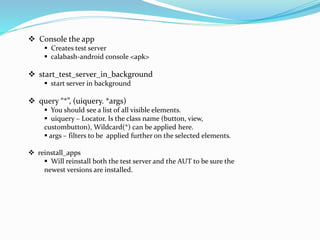
 Console the app
 Creates test server
 calabash-android console <apk>
 start_test_server_in_background
 start server in background
 query “*”, (uiquery. *args)
 You should see a list of all visible elements.
 uiquery – Locator. Is the class name (button, view,
custombutton), Wildcard(*) can be applied here.
 args – filters to be applied further on the selected elements.
 reinstall_apps
 Will reinstall both the test server and the AUT to be sure the
newest versions are installed.
Calabash predefined steps
All step definitions must start with one of the
keywords Given, When, Then, And, or But, followed by a string or regular
expression ($, ^, /, “([^]*)”) that matches the step in the scenario. Then,
between do and end (the code block), is where you define what the step is
supposed to do.
The "([^"]*)“ is a regular expression that matches whatever string you type
in between the quotes in the last step of the Scenario
Examples:
Taps the button containing the specified text.
1. Given I press the "login" button
Implementation:
1. Given /^I press the "([^"]*)" button$/ do |text|
2. tap_when_element_exists("android.widget.Button {text CONTAINS[c] '#{text}'}")
end
Line 2 above tells us that we can use the element_exists function to check for a button’s label.
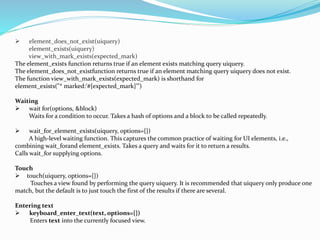
 element_does_not_exist(uiquery)
element_exists(uiquery)
view_with_mark_exists(expected_mark)
The element_exists function returns true if an element exists matching query uiquery.
The element_does_not_existfunction returns true if an element matching query uiquery does not exist.
The function view_with_mark_exists(expected_mark) is shorthand for
element_exists("* marked:'#{expected_mark}'")
Waiting
 wait for(options, &block)
Waits for a condition to occur. Takes a hash of options and a block to be called repeatedly.
 wait_for_element_exists(uiquery, options={})
A high-level waiting function. This captures the common practice of waiting for UI elements, i.e.,
combining wait_forand element_exists. Takes a query and waits for it to return a results.
Calls wait_for supplying options.
Touch
 touch(uiquery, options={})
Touches a view found by performing the query uiquery. It is recommended that uiquery only produce one
match, but the default is to just touch the first of the results if there are several.
Entering text
 keyboard_enter_text(text, options={})
Enters text into the currently focused view.
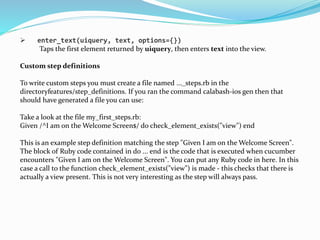
 enter_text(uiquery, text, options={})
Taps the first element returned by uiquery, then enters text into the view.
Custom step definitions
To write custom steps you must create a file named ..._steps.rb in the
directoryfeatures/step_definitions. If you ran the command calabash-ios gen then that
should have generated a file you can use:
Take a look at the file my_first_steps.rb:
Given /^I am on the Welcome Screen$/ do check_element_exists("view") end
This is an example step definition matching the step "Given I am on the Welcome Screen".
The block of Ruby code contained in do ... end is the code that is executed when cucumber
encounters "Given I am on the Welcome Screen". You can put any Ruby code in here. In this
case a call to the function check_element_exists("view") is made - this checks that there is
actually a view present. This is not very interesting as the step will always pass.
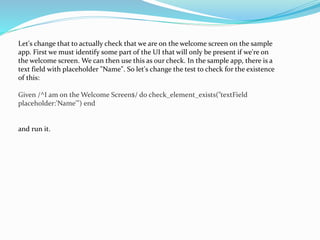
Let's change that to actually check that we are on the welcome screen on the sample
app. First we must identify some part of the UI that will only be present if we're on
the welcome screen. We can then use this as our check. In the sample app, there is a
text field with placeholder "Name". So let's change the test to check for the existence
of this:
Given /^I am on the Welcome Screen$/ do check_element_exists("textField
placeholder:'Name'") end
and run it.
Instrumentation Test Server
 Another app that will be installed and executed the devices.
 Based on ActivityInstrumentionTestCase from the Android SDK
 Generate by the calabash andriod framework.
Listens for the http calls from the ruby client.
System Requirements
Windows
 Microsoft® Windows® 8/7/Vista/2003 (32 or 64-bit)
 2 GB RAM minimum, 4 GB RAM recommended
 400 MB hard disk space
 At least 1 GB for Android SDK, emulator system images, and
caches
 1280 x 800 minimum screen resolution
 Java Development Kit (JDK) 7
 Optional for accelerated emulator: Intel® processor with
support for Intel® VT-x, Intel® EM64T (Intel® 64), and Execute
Disable (XD) Bit functionality
Advantages
 Open-Source Tool .
 Cross platform support
o Write once run anywhere (IOS and Android)
Based on the Cucumber framework
 Supports both devices and emulators.
 Provides simple language for a non programmer to write test
scripts
 library Support for all the basic events and movements on the
mobile
 Supports Native/Hybrid apps ,browser based apps
Limitations
 Slower execution time- on both emulator or device
- always installs the app first before starting each scenario.
 If a step fails then the subsequent tests in the scenario are skipped.
 Still in its nascent stage. complex scenario library support is
currently not available.
-Need to code your way in Ruby.
 Need the source code of the app for identifying the ids of various
elements.
 Browser based apps can be tested with web-view only
 ID capture is missed sometimes due to faster script execution
Reference
 https://github.com/calabash/calabash-android/blob/master/ruby-
gem/lib/calabash-android/canned_steps.md
 https://github.com/calabash/calabashandroid/blob/master/documentation/
ruby_api.md
 https://github.com/calabash/calabash-android
 http://testmunk.readthedocs.org/en/latest/android.html
Thank You ….
Adnan Shaikh

Calabash-android

  • 1.
    Calabash-android  Automated acceptancetesting for mobile apps.  A cross platform mobile automation testing tool for Android and IOS platforms.  Is a tool for running automated acceptance tests written in a behavior-driven development (BDD) style.
  • 2.
    Technology  Calabash Cucumberframework  Ruby development kit  Ruby 1.9.3  Android SDK  Ant Apache  Java Development Kit  Note Pad ++
  • 3.
    Installation  Apache Ant1.9.5 - Add ANT_HOME to user variable for Admin and location of path. - https://ant.apache.org/bindownload.cgi  Java Development Kit - http://www.oracle.com/technetwork/java/javase/downloads/index.html - Add JAVA_HOME to user variable for Admin and location of path. - Add JAVA_HOME to system variable and location of path.  Ruby 1.9.3 - http://rubyinstaller.org/downloads/ - Add location path to user variable for Admin.  Ruby Development Kit (32-4.5.2) - http://rubyinstaller.org/downloads/ - Install from Command prompt “dk.rb install” and “dk.rb init”.
  • 4.
     Android SDK -https://developer.android.com/sdk/index.html#top - Add path to system variables of platform and platform-tools folder. - Add ANDROID_HOME to user variable for Admin and location of path.  Install calabash-android - gem install calabash-andriod  Create KeyStore File - Eclipse – Run - Windows - Preferences - Android - Build - Android - OK  Ansicon/x64 - ansicon-I (For color output)
  • 5.
     Generating CucumberFile  calabash-android gen.  Generate feature file.  Re-signing the app  Resigning the application.  calabash-android resign <apk>  Build the app  Will build the test-server and sign it with the same key as the application you are testing.  calabash-android build <apk>  ADB Devices  To connect the device.  Run the app  Connects to the device/emulator and runs the automation script  calabash-android run <apk>
  • 6.
     Console theapp  Creates test server  calabash-android console <apk>  start_test_server_in_background  start server in background  query “*”, (uiquery. *args)  You should see a list of all visible elements.  uiquery – Locator. Is the class name (button, view, custombutton), Wildcard(*) can be applied here.  args – filters to be applied further on the selected elements.  reinstall_apps  Will reinstall both the test server and the AUT to be sure the newest versions are installed.
  • 7.
    Calabash predefined steps Allstep definitions must start with one of the keywords Given, When, Then, And, or But, followed by a string or regular expression ($, ^, /, “([^]*)”) that matches the step in the scenario. Then, between do and end (the code block), is where you define what the step is supposed to do. The "([^"]*)“ is a regular expression that matches whatever string you type in between the quotes in the last step of the Scenario Examples: Taps the button containing the specified text. 1. Given I press the "login" button Implementation: 1. Given /^I press the "([^"]*)" button$/ do |text| 2. tap_when_element_exists("android.widget.Button {text CONTAINS[c] '#{text}'}") end Line 2 above tells us that we can use the element_exists function to check for a button’s label.
  • 8.
     element_does_not_exist(uiquery) element_exists(uiquery) view_with_mark_exists(expected_mark) The element_existsfunction returns true if an element exists matching query uiquery. The element_does_not_existfunction returns true if an element matching query uiquery does not exist. The function view_with_mark_exists(expected_mark) is shorthand for element_exists("* marked:'#{expected_mark}'") Waiting  wait for(options, &block) Waits for a condition to occur. Takes a hash of options and a block to be called repeatedly.  wait_for_element_exists(uiquery, options={}) A high-level waiting function. This captures the common practice of waiting for UI elements, i.e., combining wait_forand element_exists. Takes a query and waits for it to return a results. Calls wait_for supplying options. Touch  touch(uiquery, options={}) Touches a view found by performing the query uiquery. It is recommended that uiquery only produce one match, but the default is to just touch the first of the results if there are several. Entering text  keyboard_enter_text(text, options={}) Enters text into the currently focused view.
  • 9.
     enter_text(uiquery, text,options={}) Taps the first element returned by uiquery, then enters text into the view. Custom step definitions To write custom steps you must create a file named ..._steps.rb in the directoryfeatures/step_definitions. If you ran the command calabash-ios gen then that should have generated a file you can use: Take a look at the file my_first_steps.rb: Given /^I am on the Welcome Screen$/ do check_element_exists("view") end This is an example step definition matching the step "Given I am on the Welcome Screen". The block of Ruby code contained in do ... end is the code that is executed when cucumber encounters "Given I am on the Welcome Screen". You can put any Ruby code in here. In this case a call to the function check_element_exists("view") is made - this checks that there is actually a view present. This is not very interesting as the step will always pass.
  • 10.
    Let's change thatto actually check that we are on the welcome screen on the sample app. First we must identify some part of the UI that will only be present if we're on the welcome screen. We can then use this as our check. In the sample app, there is a text field with placeholder "Name". So let's change the test to check for the existence of this: Given /^I am on the Welcome Screen$/ do check_element_exists("textField placeholder:'Name'") end and run it.
  • 11.
    Instrumentation Test Server Another app that will be installed and executed the devices.  Based on ActivityInstrumentionTestCase from the Android SDK  Generate by the calabash andriod framework. Listens for the http calls from the ruby client.
  • 12.
    System Requirements Windows  Microsoft®Windows® 8/7/Vista/2003 (32 or 64-bit)  2 GB RAM minimum, 4 GB RAM recommended  400 MB hard disk space  At least 1 GB for Android SDK, emulator system images, and caches  1280 x 800 minimum screen resolution  Java Development Kit (JDK) 7  Optional for accelerated emulator: Intel® processor with support for Intel® VT-x, Intel® EM64T (Intel® 64), and Execute Disable (XD) Bit functionality
  • 13.
    Advantages  Open-Source Tool.  Cross platform support o Write once run anywhere (IOS and Android) Based on the Cucumber framework  Supports both devices and emulators.  Provides simple language for a non programmer to write test scripts  library Support for all the basic events and movements on the mobile  Supports Native/Hybrid apps ,browser based apps
  • 14.
    Limitations  Slower executiontime- on both emulator or device - always installs the app first before starting each scenario.  If a step fails then the subsequent tests in the scenario are skipped.  Still in its nascent stage. complex scenario library support is currently not available. -Need to code your way in Ruby.  Need the source code of the app for identifying the ids of various elements.  Browser based apps can be tested with web-view only  ID capture is missed sometimes due to faster script execution
  • 15.
  • 16.