M’KIS Elementary ePortfolios
KP-Grade 2
August 4th, 2016
Vision
To create a holistic, multi faceted, and dynamic digital
representation of a student that exemplifies/showcases the
development and use of 21st century skills through their
academic learning, personal passion, personal experiences, and
reflection.
Mission
Our Mission is to present students with opportunities and challenges
for alternative forms of assessment that empower the learner to set
meaningful goals and think critically about all aspects of their
learning. A learning environment built around inquiry and problem
solving will require students to evaluate their progress toward goals
and learning standards. A culture of learning, as opposed to a
culture of work, will foster talking, thinking, and reflecting about
learning for understanding.
ePortfolio Platform
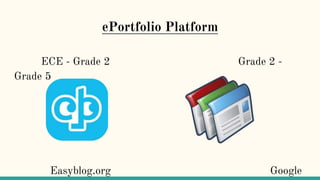
ECE - Grade 2 Grade 2 -
Grade 5
Easyblog.org Google
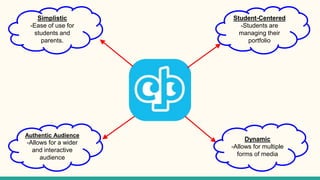
Student-Centered
-Students are
managing their
portfolio
Dynamic
-Allows for multiple
forms of media
Simplistic
-Ease of use for
students and
parents.
Authentic Audience
-Allows for a wider
and interactive
audience
PD/Teacher Training
Beginning of the Year: Introduction & Initial Setup
● IT / IL Integration Time: Elementary students and teachers will work
collaboratively on building an ePortfolio during integration, allowing for
guidance and support with both processes and technology associated
with the project.
● Grade Level Team Meeting Time: Share exemplars of excellent
reflections at meetings throughout the year to help guide teachers in
expectations for ePortfolios and reflections.
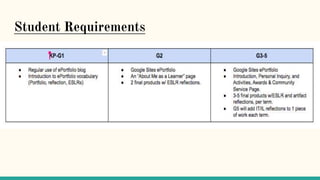
Student Requirements
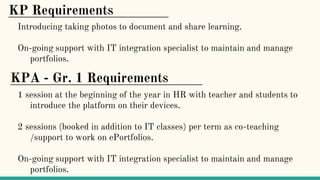
KPA - Gr. 1 Requirements
1 session at the beginning of the year in HR with teacher and students to
introduce the platform on their devices.
2 sessions (booked in addition to IT classes) per term as co-teaching
/support to work on ePortfolios.
On-going support with IT integration specialist to maintain and manage
portfolios.
KP Requirements
Introducing taking photos to document and share learning.
On-going support with IT integration specialist to maintain and manage
portfolios.
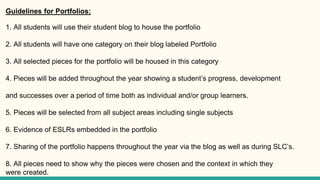
Guidelines for Portfolios:
1. All students will use their student blog to house the portfolio
2. All students will have one category on their blog labeled Portfolio
3. All selected pieces for the portfolio will be housed in this category
4. Pieces will be added throughout the year showing a student’s progress, development
and successes over a period of time both as individual and/or group learners.
5. Pieces will be selected from all subject areas including single subjects
6. Evidence of ESLRs embedded in the portfolio
7. Sharing of the portfolio happens throughout the year via the blog as well as during SLC’s.
8. All pieces need to show why the pieces were chosen and the context in which they
were created.
Setting it up
1.Signup on Easyblog.org
1.Ensure you have downloaded the Easyblog App on your device.
1.Subscribe Parents
1.Personalize your settings.

E-Portfolios - August 4th, 2016

  • 1.
  • 2.
    Vision To create aholistic, multi faceted, and dynamic digital representation of a student that exemplifies/showcases the development and use of 21st century skills through their academic learning, personal passion, personal experiences, and reflection.
  • 3.
    Mission Our Mission isto present students with opportunities and challenges for alternative forms of assessment that empower the learner to set meaningful goals and think critically about all aspects of their learning. A learning environment built around inquiry and problem solving will require students to evaluate their progress toward goals and learning standards. A culture of learning, as opposed to a culture of work, will foster talking, thinking, and reflecting about learning for understanding.
  • 4.
    ePortfolio Platform ECE -Grade 2 Grade 2 - Grade 5 Easyblog.org Google
  • 5.
    Student-Centered -Students are managing their portfolio Dynamic -Allowsfor multiple forms of media Simplistic -Ease of use for students and parents. Authentic Audience -Allows for a wider and interactive audience
  • 6.
    PD/Teacher Training Beginning ofthe Year: Introduction & Initial Setup ● IT / IL Integration Time: Elementary students and teachers will work collaboratively on building an ePortfolio during integration, allowing for guidance and support with both processes and technology associated with the project. ● Grade Level Team Meeting Time: Share exemplars of excellent reflections at meetings throughout the year to help guide teachers in expectations for ePortfolios and reflections.
  • 7.
  • 8.
    KPA - Gr.1 Requirements 1 session at the beginning of the year in HR with teacher and students to introduce the platform on their devices. 2 sessions (booked in addition to IT classes) per term as co-teaching /support to work on ePortfolios. On-going support with IT integration specialist to maintain and manage portfolios. KP Requirements Introducing taking photos to document and share learning. On-going support with IT integration specialist to maintain and manage portfolios.
  • 9.
    Guidelines for Portfolios: 1.All students will use their student blog to house the portfolio 2. All students will have one category on their blog labeled Portfolio 3. All selected pieces for the portfolio will be housed in this category 4. Pieces will be added throughout the year showing a student’s progress, development and successes over a period of time both as individual and/or group learners. 5. Pieces will be selected from all subject areas including single subjects 6. Evidence of ESLRs embedded in the portfolio 7. Sharing of the portfolio happens throughout the year via the blog as well as during SLC’s. 8. All pieces need to show why the pieces were chosen and the context in which they were created.
  • 10.
    Setting it up 1.Signupon Easyblog.org 1.Ensure you have downloaded the Easyblog App on your device. 1.Subscribe Parents 1.Personalize your settings.