Copyright © 2013, SAS Institute Inc. All rights reserved.
Engaging Students in the Common Core
through SAS® Curriculum Pathways®
Katie Hutchison (Wake County – Science / SS teacher)
khutchison@wcpss.net
Twitter: @KTHutch13 (Katie Bollinger)
Julie Stern (Wake County – ELA teacher)
jstern@wcpss.net
Twitter: @jsinarski
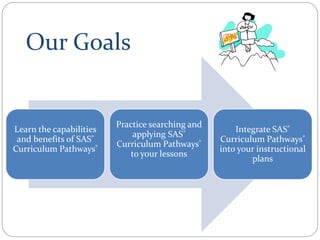
Our Goals
Learn the capabilities
and benefits of SAS®
Curriculum Pathways®
Practice searching and
applying SAS®
Curriculum Pathways®
to your lessons
Integrate SAS®
Curriculum Pathways®
into your instructional
plans
3
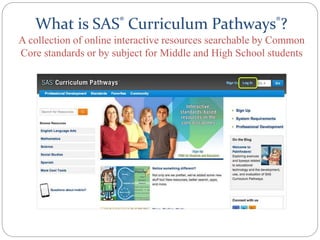
What is SAS® Curriculum Pathways®?
A collection of online interactive resources searchable by Common
Core standards or by subject for Middle and High School students
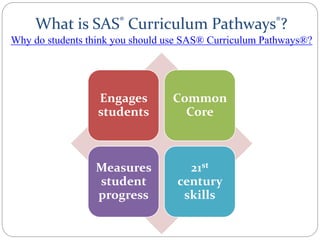
What is SAS® Curriculum Pathways®?
Engages
students
Common
Core
Measures
student
progress
21st
century
skills
Why do students think you should use SAS® Curriculum Pathways®?
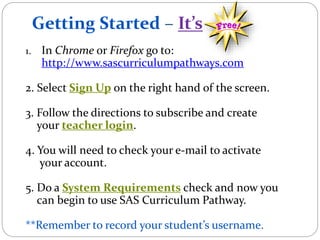
Getting Started – It’s
1. In Chrome or Firefox go to:
http://www.sascurriculumpathways.com
2. Select Sign Up on the right hand of the screen.
3. Follow the directions to subscribe and create
your teacher login.
4. You will need to check your e-mail to activate
your account.
5. Do a System Requirements check and now you
can begin to use SAS Curriculum Pathway.
**Remember to record your student’s username.
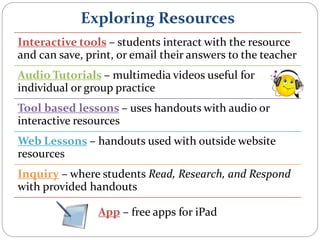
Exploring Resources
Interactive tools – students interact with the resource
and can save, print, or email their answers to the teacher
Audio Tutorials – multimedia videos useful for
individual or group practice
Tool based lessons – uses handouts with audio or
interactive resources
Web Lessons – handouts used with outside website
resources
Inquiry – where students Read, Research, and Respond
with provided handouts
App – free apps for iPad
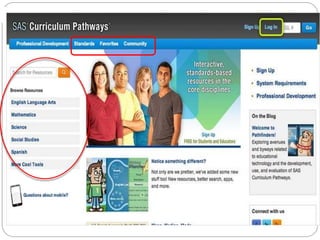
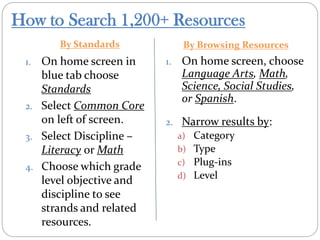
How to Search 1,200+ Resources
By Standards By Browsing Resources
1. On home screen in
blue tab choose
Standards
2. Select Common Core
on left of screen.
3. Select Discipline –
Literacy or Math
4. Choose which grade
level objective and
discipline to see
strands and related
resources.
1. On home screen, choose
Language Arts, Math,
Science, Social Studies,
or Spanish.
2. Narrow results by:
a) Category
b) Type
c) Plug-ins
d) Level
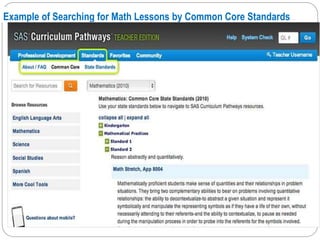
Example of Searching for Math Lessons by Common Core Standards
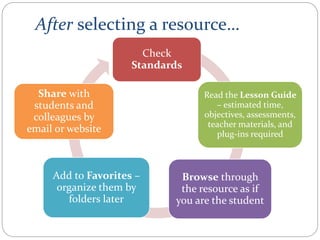
After selecting a resource…
Check
Standards
Read the Lesson Guide
– estimated time,
objectives, assessments,
teacher materials, and
plug-ins required
Browse through
the resource as if
you are the student
Add to Favorites –
organize them by
folders later
Share with
students and
colleagues by
email or website
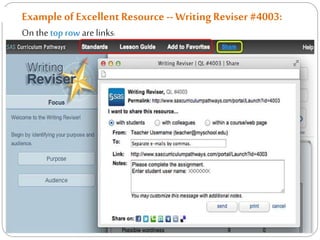
Exampleof ExcellentResource -- WritingReviser #4003:
On the top row are links:
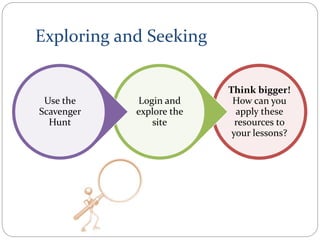
Exploring and Seeking
Think bigger!
How can you
apply these
resources to
your lessons?
Login and
explore the
site
Use the
Scavenger
Hunt
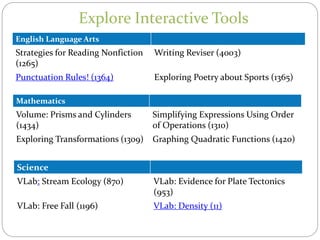
Explore Interactive Tools
English Language Arts
Strategies for Reading Nonfiction
(1265)
Writing Reviser (4003)
Punctuation Rules! (1364) Exploring Poetry about Sports (1365)
Mathematics
Volume: Prisms and Cylinders
(1434)
Simplifying Expressions Using Order
of Operations (1310)
Exploring Transformations (1309) Graphing Quadratic Functions (1420)
Science
VLab: Stream Ecology (870) VLab: Evidence for Plate Tectonics
(953)
VLab: Free Fall (1196) VLab: Density (11)
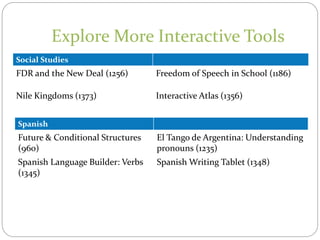
Explore More Interactive Tools
Social Studies
FDR and the New Deal (1256) Freedom of Speech in School (1186)
Nile Kingdoms (1373) Interactive Atlas (1356)
Spanish
Future & Conditional Structures
(960)
El Tango de Argentina: Understanding
pronouns (1235)
Spanish Language Builder: Verbs
(1345)
Spanish Writing Tablet (1348)
16
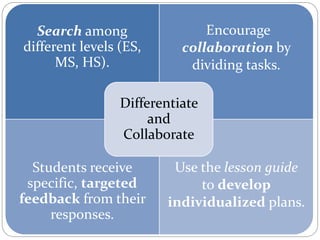
Search among
different levels (ES,
MS, HS).
Encourage
collaboration by
dividing tasks.
Students receive
specific, targeted
feedback from their
responses.
Use the lesson guide
to develop
individualized plans.
Differentiate
and
Collaborate
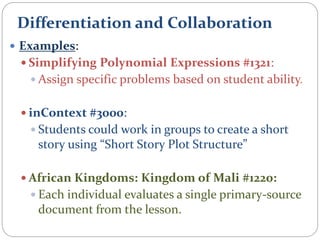
Differentiation and Collaboration
 Examples:
 Simplifying Polynomial Expressions #1321:
 Assign specific problems based on student ability.
 inContext #3000:
 Students could work in groups to create a short
story using “Short Story Plot Structure”
 African Kingdoms: Kingdom of Mali #1220:
 Each individual evaluates a single primary-source
document from the lesson.
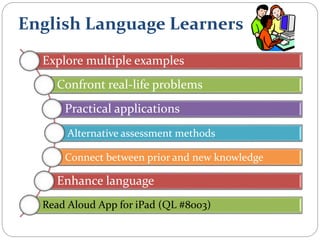
English Language Learners
Explore multiple examples
Confront real-life problems
Practical applications
Alternative assessment methods
Connect between prior and new knowledge
Enhance language
Read Aloud App for iPad (QL #8003)
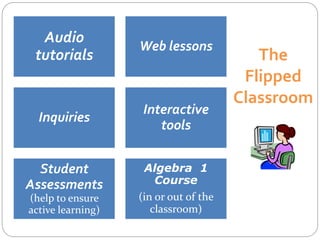
The
Flipped
Classroom
Audio
tutorials
Web lessons
Inquiries
Interactive
tools
Student
Assessments
(help to ensure
active learning)
Algebra 1
Course
(in or out of the
classroom)
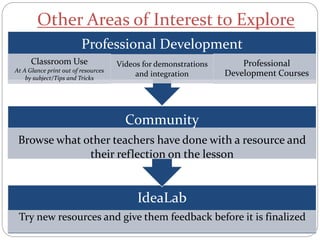
Other Areas of Interest to Explore
IdeaLab
Try new resources and give them feedback before it is finalized
Community
Browse what other teachers have done with a resource and
their reflection on the lesson
Professional Development
Classroom Use
At A Glance print out of resources
by subject/Tips and Tricks
Videos for demonstrations
and integration
Professional
Development Courses
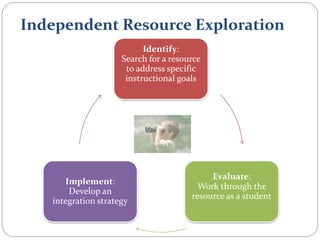
Independent Resource Exploration
Identify:
Search for a resource
to address specific
instructional goals
Evaluate:
Work through the
resource as a student
Implement:
Develop an
integration strategy
Contact Information
Katie Hutchison – khutchison@wcpss.net
Twitter: @KTHutch13 (Katie Bollinger)
Durant Road Middle School, Wake County
Julie Stern – jstern@wcpss.net,
Twitter: @jsinarski
East Cary Middle School, Wake County

Engaging Students in the Common Core through SAS Curriculum Pathways

  • 1.
    Copyright © 2013,SAS Institute Inc. All rights reserved. Engaging Students in the Common Core through SAS® Curriculum Pathways® Katie Hutchison (Wake County – Science / SS teacher) khutchison@wcpss.net Twitter: @KTHutch13 (Katie Bollinger) Julie Stern (Wake County – ELA teacher) jstern@wcpss.net Twitter: @jsinarski
  • 2.
    Our Goals Learn thecapabilities and benefits of SAS® Curriculum Pathways® Practice searching and applying SAS® Curriculum Pathways® to your lessons Integrate SAS® Curriculum Pathways® into your instructional plans
  • 3.
  • 4.
    What is SAS®Curriculum Pathways®? A collection of online interactive resources searchable by Common Core standards or by subject for Middle and High School students
  • 5.
    What is SAS®Curriculum Pathways®? Engages students Common Core Measures student progress 21st century skills Why do students think you should use SAS® Curriculum Pathways®?
  • 6.
    Getting Started –It’s 1. In Chrome or Firefox go to: http://www.sascurriculumpathways.com 2. Select Sign Up on the right hand of the screen. 3. Follow the directions to subscribe and create your teacher login. 4. You will need to check your e-mail to activate your account. 5. Do a System Requirements check and now you can begin to use SAS Curriculum Pathway. **Remember to record your student’s username.
  • 8.
    Exploring Resources Interactive tools– students interact with the resource and can save, print, or email their answers to the teacher Audio Tutorials – multimedia videos useful for individual or group practice Tool based lessons – uses handouts with audio or interactive resources Web Lessons – handouts used with outside website resources Inquiry – where students Read, Research, and Respond with provided handouts App – free apps for iPad
  • 9.
    How to Search1,200+ Resources By Standards By Browsing Resources 1. On home screen in blue tab choose Standards 2. Select Common Core on left of screen. 3. Select Discipline – Literacy or Math 4. Choose which grade level objective and discipline to see strands and related resources. 1. On home screen, choose Language Arts, Math, Science, Social Studies, or Spanish. 2. Narrow results by: a) Category b) Type c) Plug-ins d) Level
  • 10.
    Example of Searchingfor Math Lessons by Common Core Standards
  • 11.
    After selecting aresource… Check Standards Read the Lesson Guide – estimated time, objectives, assessments, teacher materials, and plug-ins required Browse through the resource as if you are the student Add to Favorites – organize them by folders later Share with students and colleagues by email or website
  • 12.
    Exampleof ExcellentResource --WritingReviser #4003: On the top row are links:
  • 13.
    Exploring and Seeking Thinkbigger! How can you apply these resources to your lessons? Login and explore the site Use the Scavenger Hunt
  • 14.
    Explore Interactive Tools EnglishLanguage Arts Strategies for Reading Nonfiction (1265) Writing Reviser (4003) Punctuation Rules! (1364) Exploring Poetry about Sports (1365) Mathematics Volume: Prisms and Cylinders (1434) Simplifying Expressions Using Order of Operations (1310) Exploring Transformations (1309) Graphing Quadratic Functions (1420) Science VLab: Stream Ecology (870) VLab: Evidence for Plate Tectonics (953) VLab: Free Fall (1196) VLab: Density (11)
  • 15.
    Explore More InteractiveTools Social Studies FDR and the New Deal (1256) Freedom of Speech in School (1186) Nile Kingdoms (1373) Interactive Atlas (1356) Spanish Future & Conditional Structures (960) El Tango de Argentina: Understanding pronouns (1235) Spanish Language Builder: Verbs (1345) Spanish Writing Tablet (1348)
  • 16.
  • 17.
    Search among different levels(ES, MS, HS). Encourage collaboration by dividing tasks. Students receive specific, targeted feedback from their responses. Use the lesson guide to develop individualized plans. Differentiate and Collaborate
  • 18.
    Differentiation and Collaboration Examples:  Simplifying Polynomial Expressions #1321:  Assign specific problems based on student ability.  inContext #3000:  Students could work in groups to create a short story using “Short Story Plot Structure”  African Kingdoms: Kingdom of Mali #1220:  Each individual evaluates a single primary-source document from the lesson.
  • 19.
    English Language Learners Exploremultiple examples Confront real-life problems Practical applications Alternative assessment methods Connect between prior and new knowledge Enhance language Read Aloud App for iPad (QL #8003)
  • 20.
  • 21.
    Other Areas ofInterest to Explore IdeaLab Try new resources and give them feedback before it is finalized Community Browse what other teachers have done with a resource and their reflection on the lesson Professional Development Classroom Use At A Glance print out of resources by subject/Tips and Tricks Videos for demonstrations and integration Professional Development Courses
  • 22.
    Independent Resource Exploration Identify: Searchfor a resource to address specific instructional goals Evaluate: Work through the resource as a student Implement: Develop an integration strategy
  • 23.
    Contact Information Katie Hutchison– khutchison@wcpss.net Twitter: @KTHutch13 (Katie Bollinger) Durant Road Middle School, Wake County Julie Stern – jstern@wcpss.net, Twitter: @jsinarski East Cary Middle School, Wake County