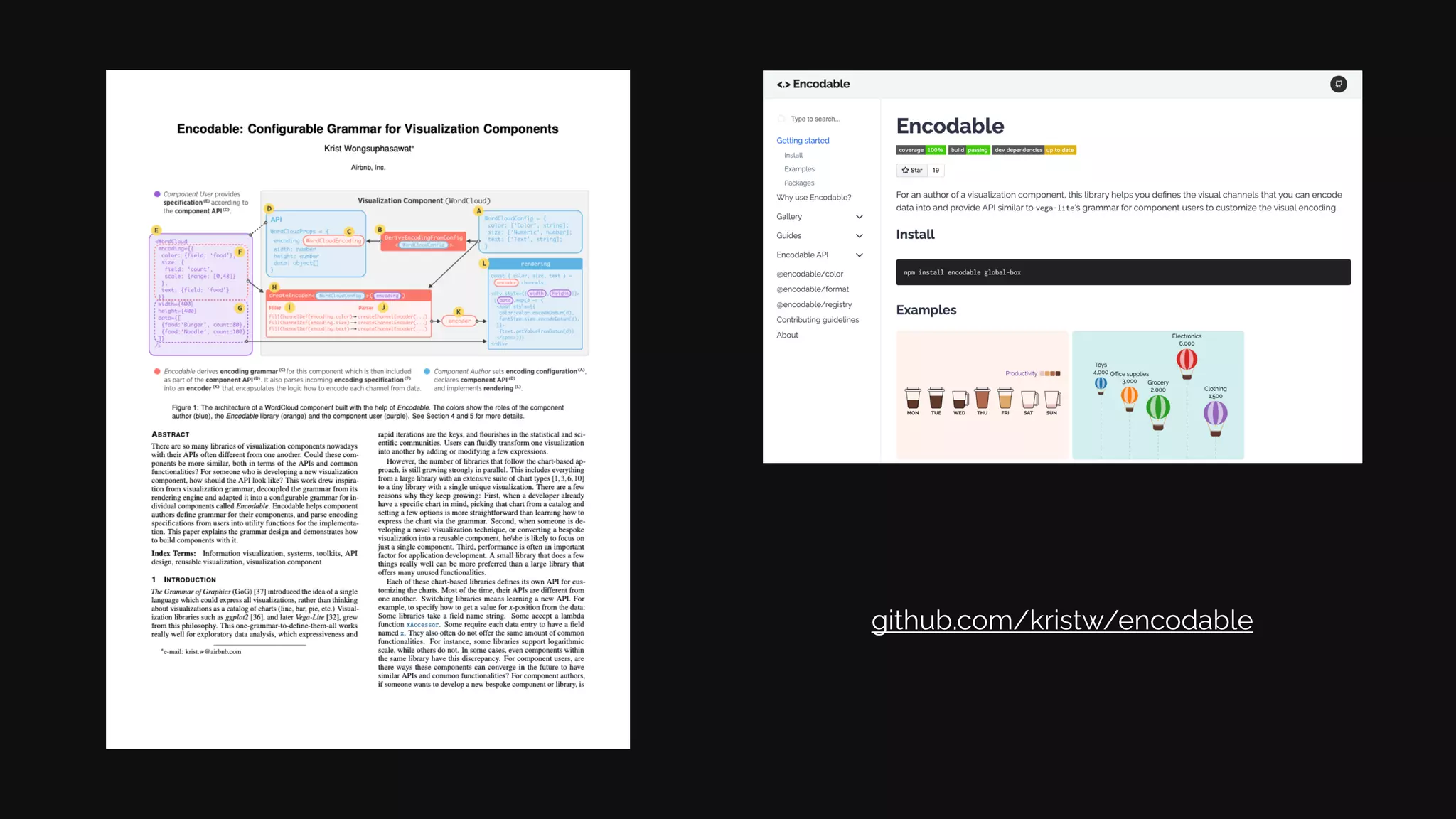
Encodable <.>
Krist Wongsuphasawat / @kristw
Configurable Grammar for Visualization Components
Presented at IEEE VIS 2020.
See additional information at github.com/kristw/encodable
Data Experience Team
Airbnb, Inc.
Solution
Inspiration
Results
Conclusions
Motivation
Many programmatic ways
to create a visualization
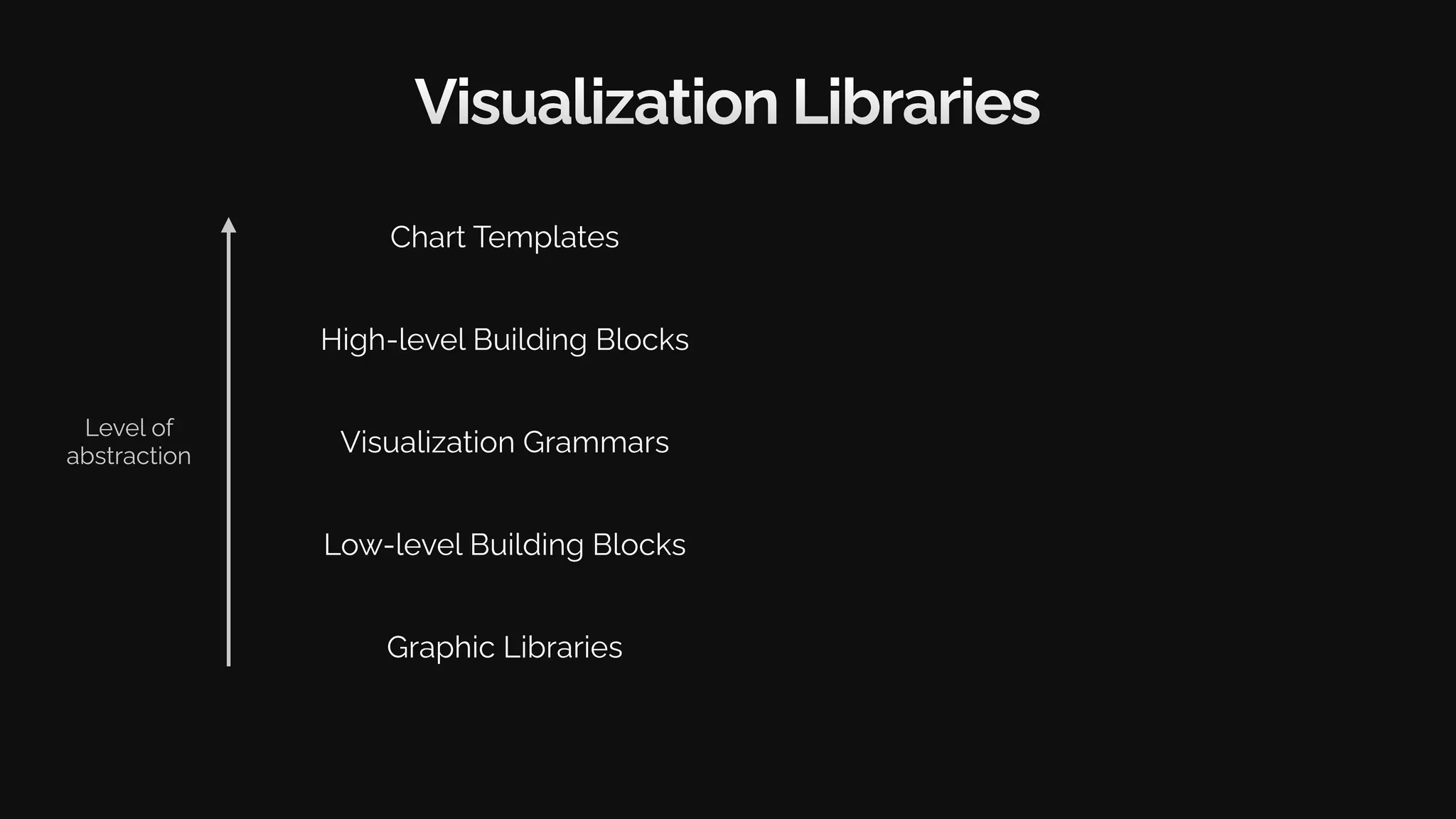
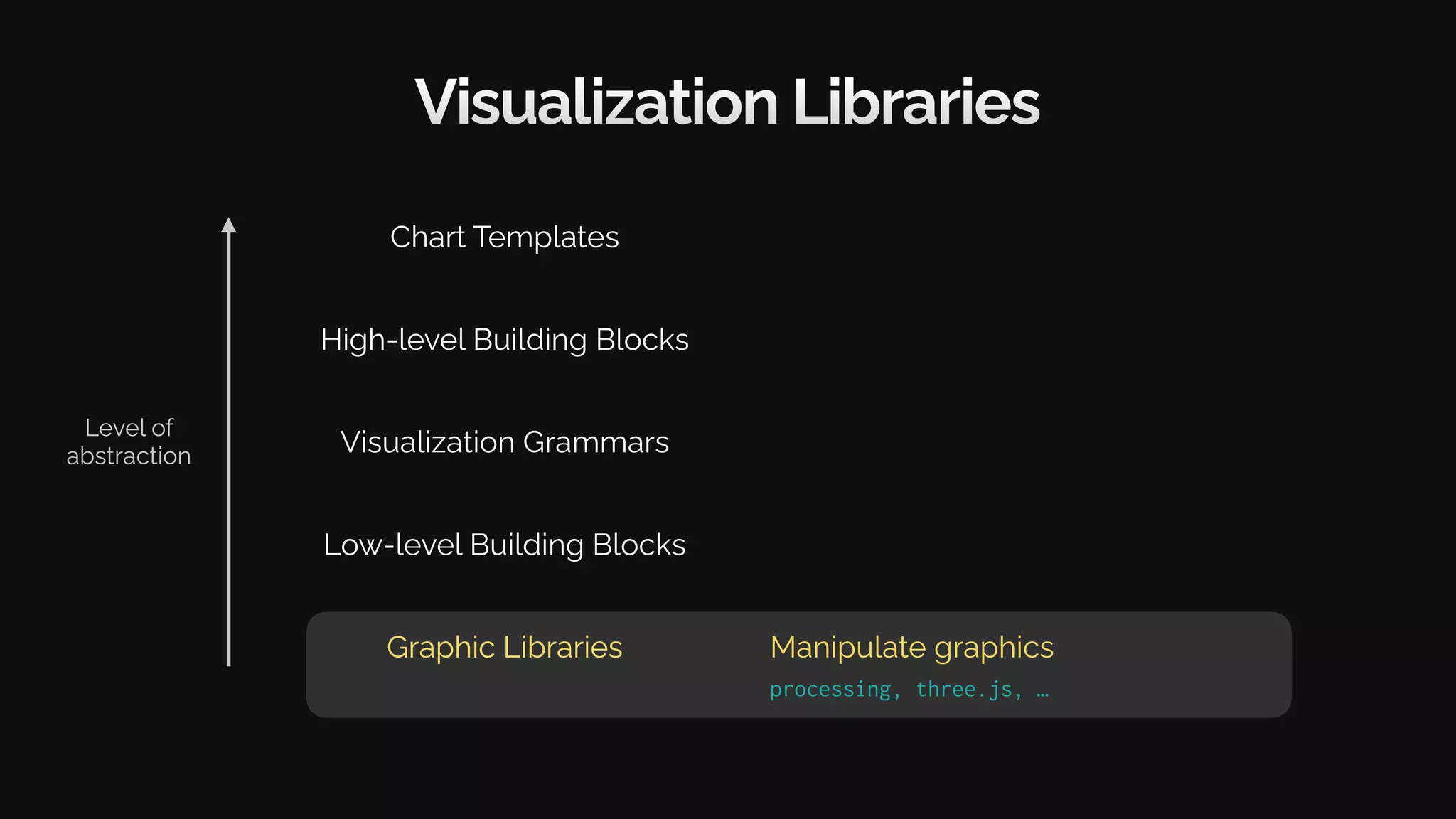
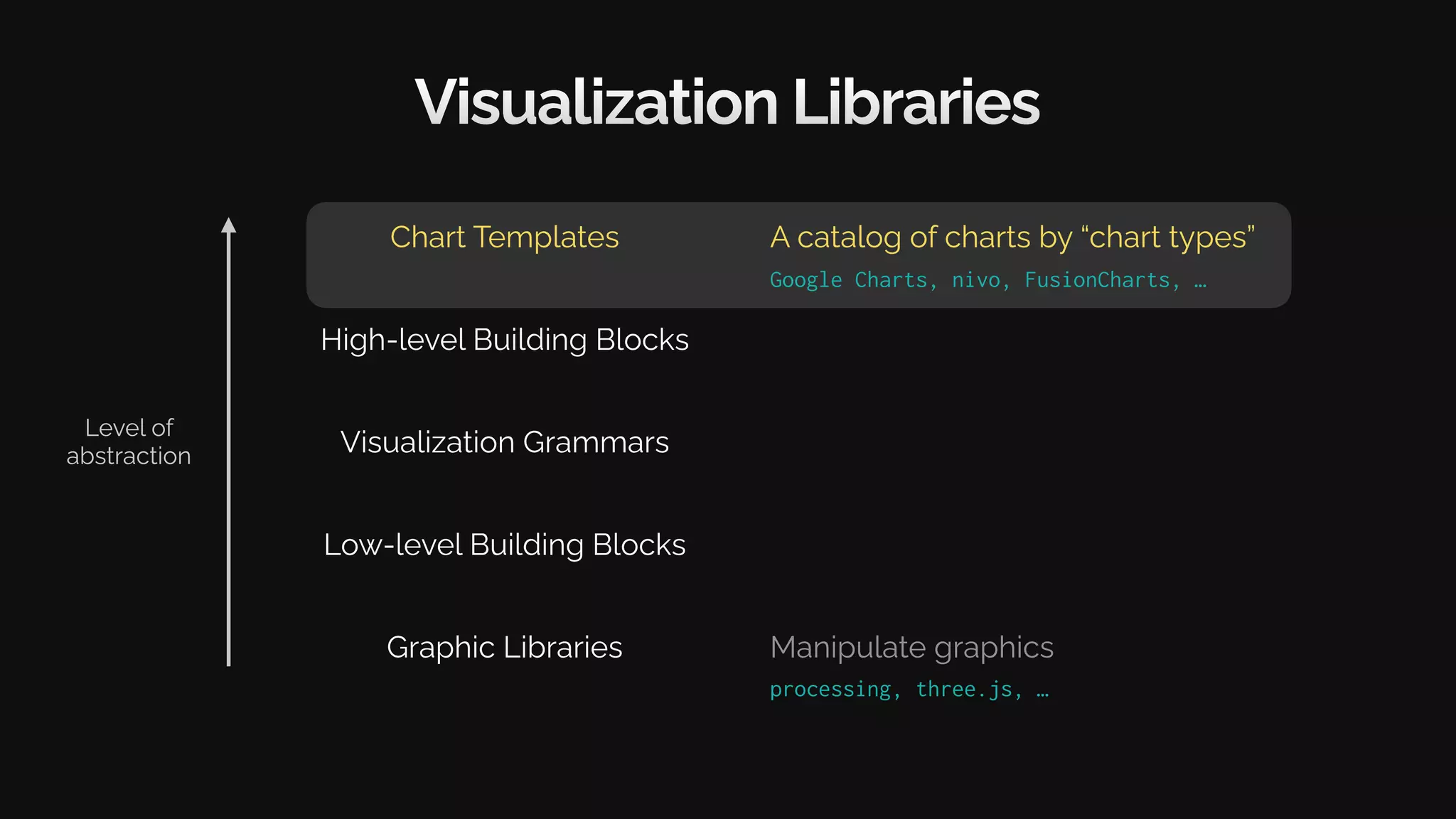
Visualization Libraries
Graphic Libraries
Low-level Building Blocks
Visualization Grammars
High-level Building Blocks
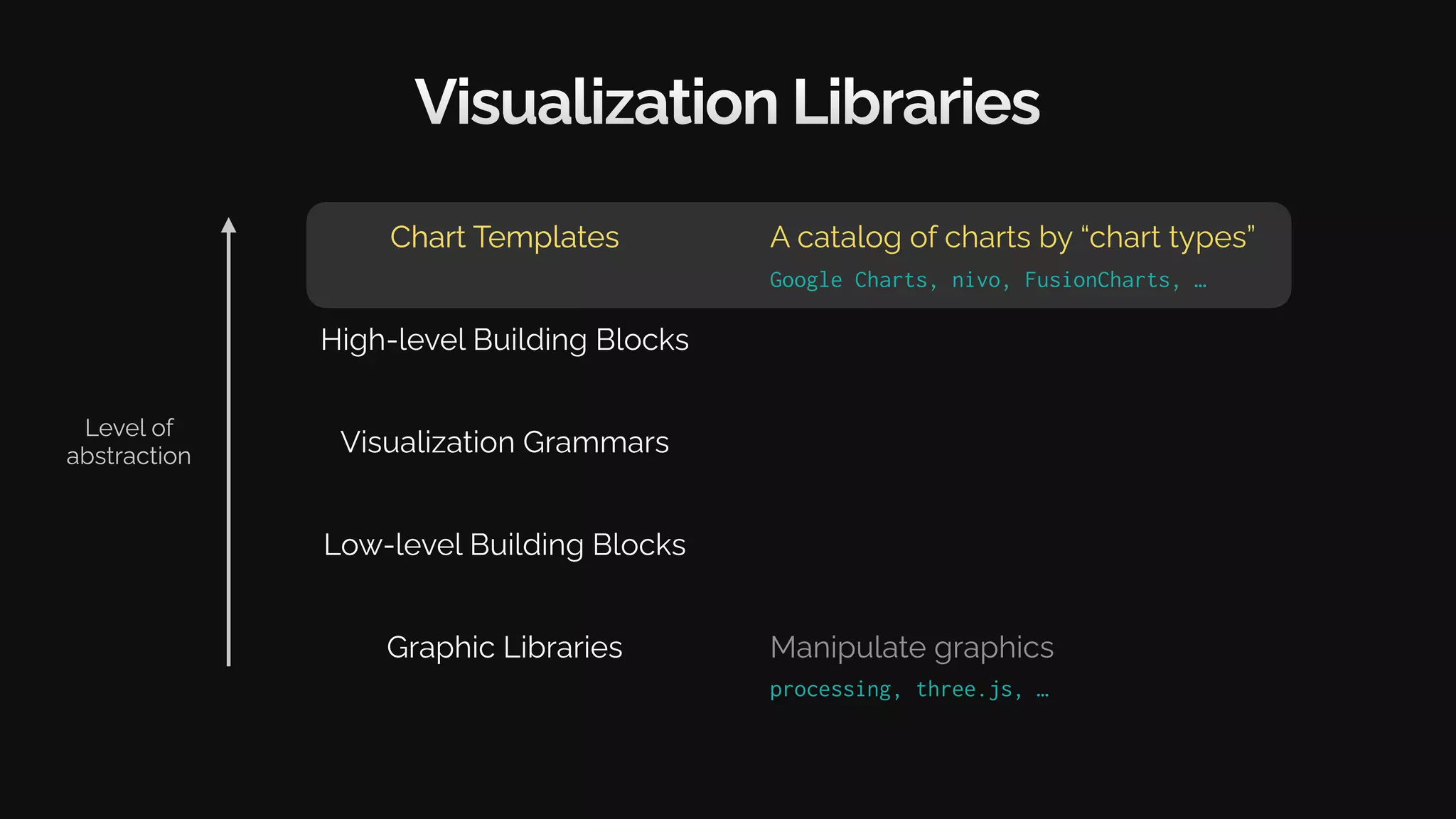
Chart Templates
Level of
abstraction
Visualization Libraries
Graphic Libraries
Low-level Building Blocks
Visualization Grammars
High-level Building Blocks
Chart Templates
Level of
abstraction
Graphic Libraries Manipulate graphics
processing, three.js, …
Visualization Libraries
Graphic Libraries
Low-level Building Blocks
Visualization Grammars
High-level Building Blocks
Chart Templates
Manipulate graphics
processing, three.js, …
Level of
abstraction
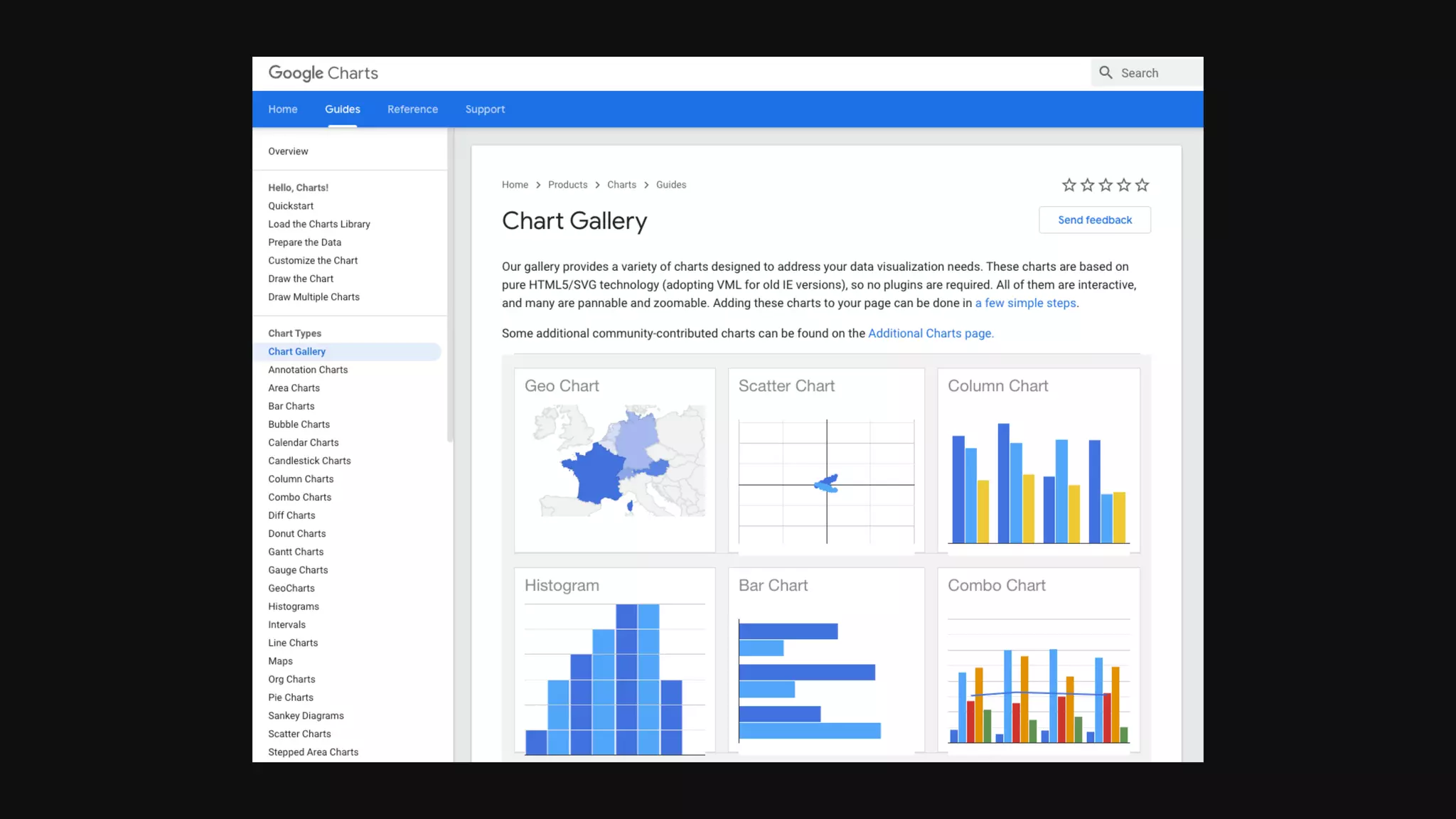
Chart Templates
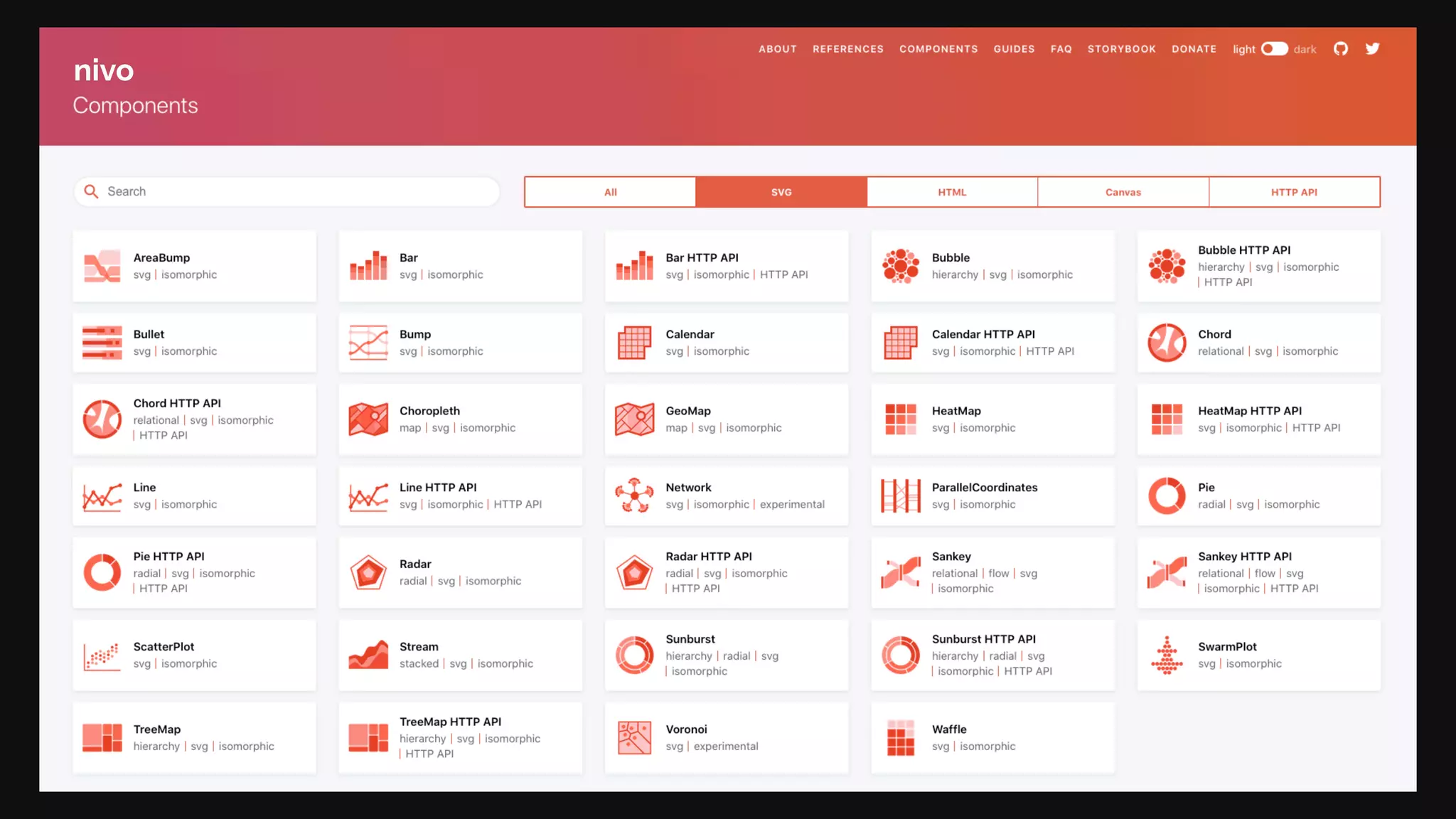
Google Charts, nivo, FusionCharts, …
A catalog of charts by “chart types”
nivo
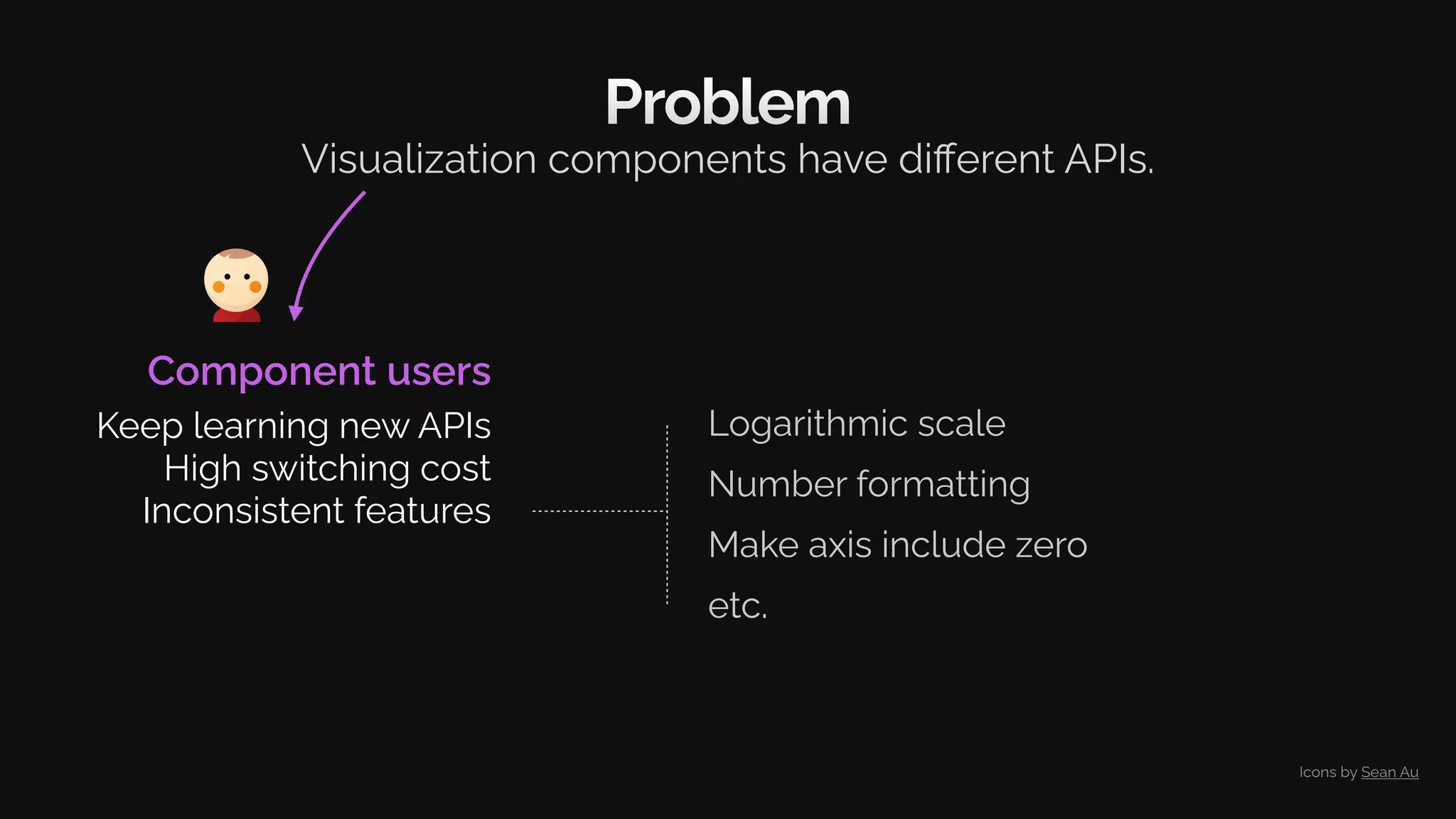
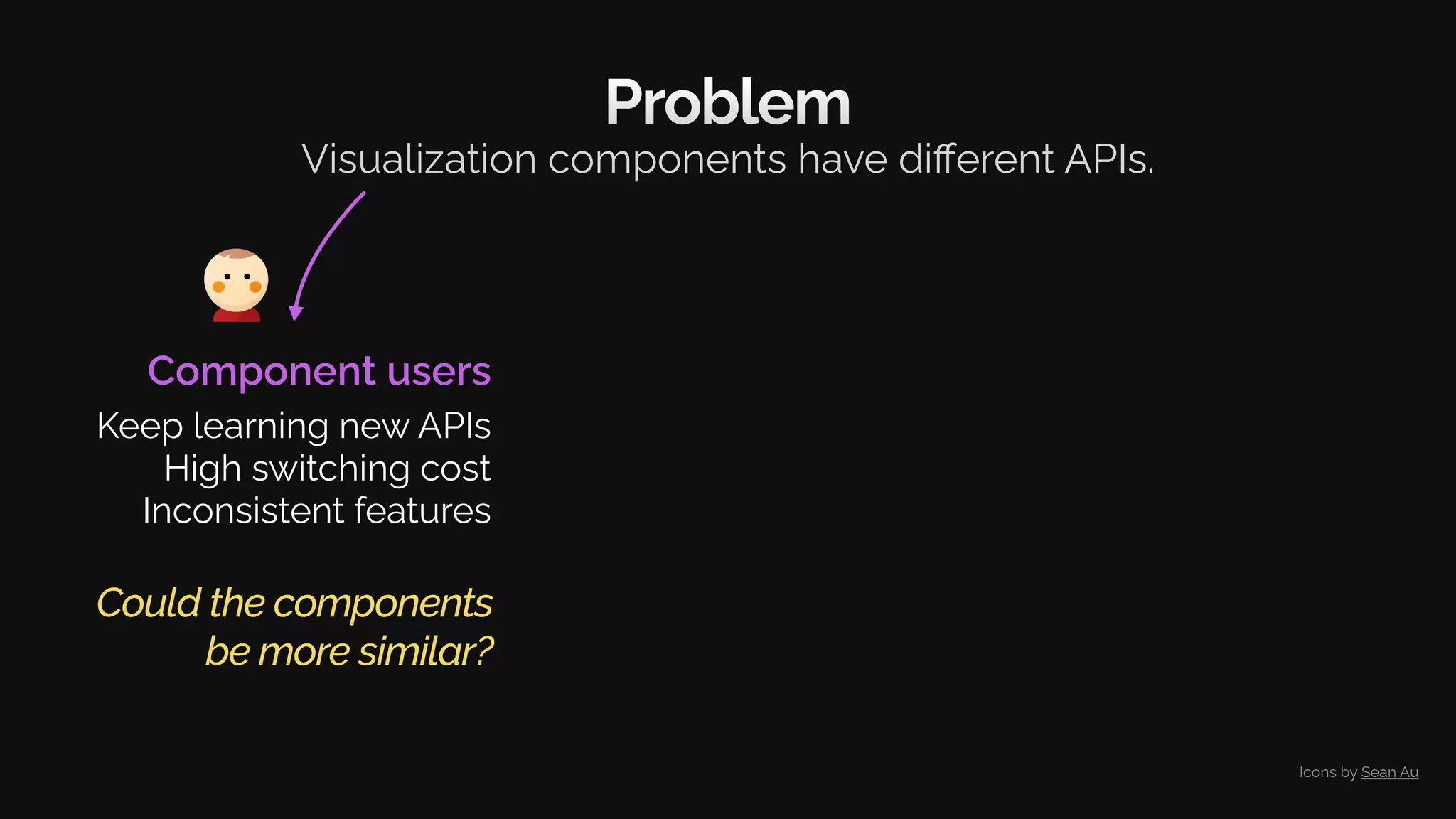
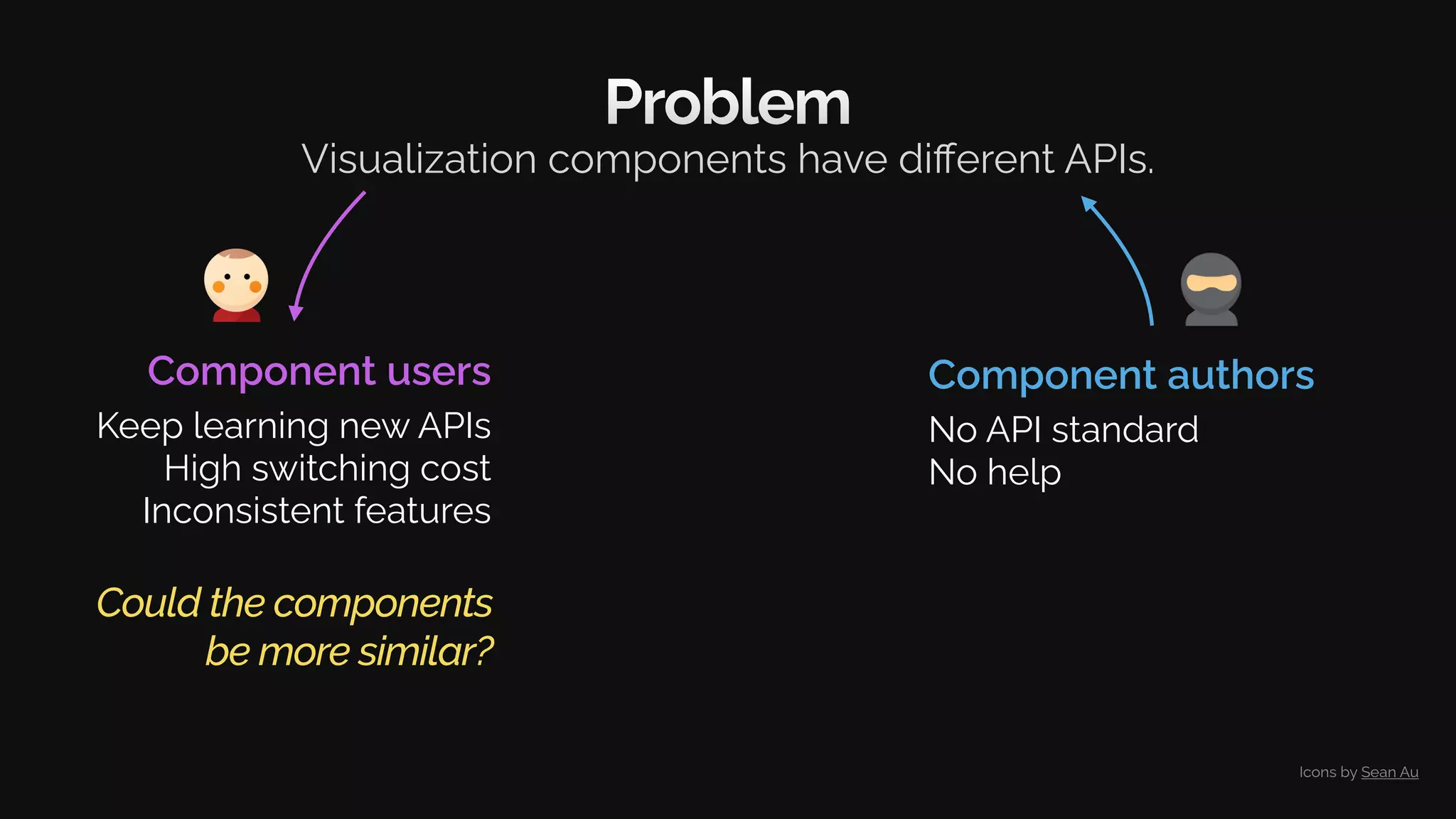
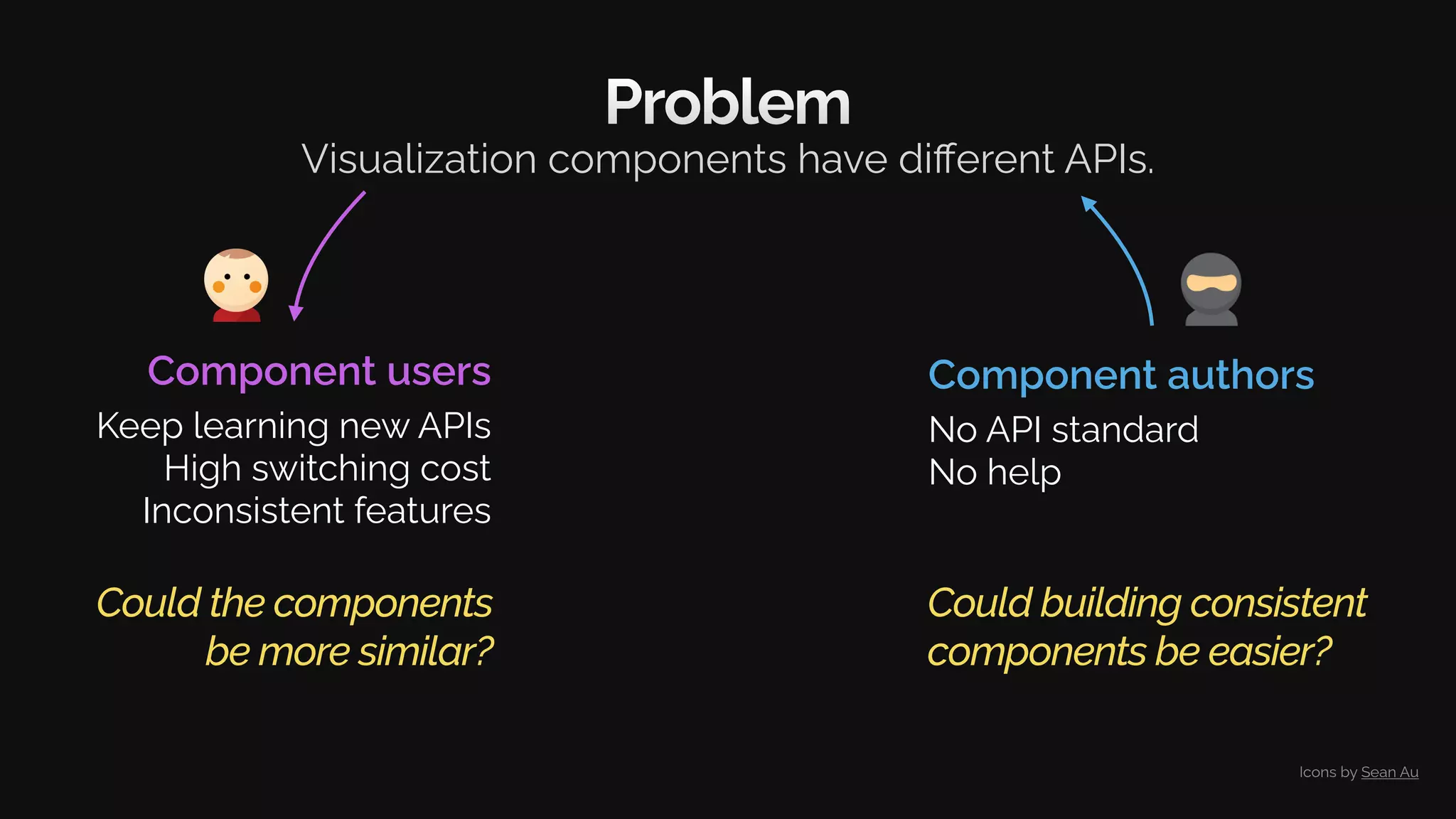
Problem
Visualization components have different APIs.
Icons by Sean Au
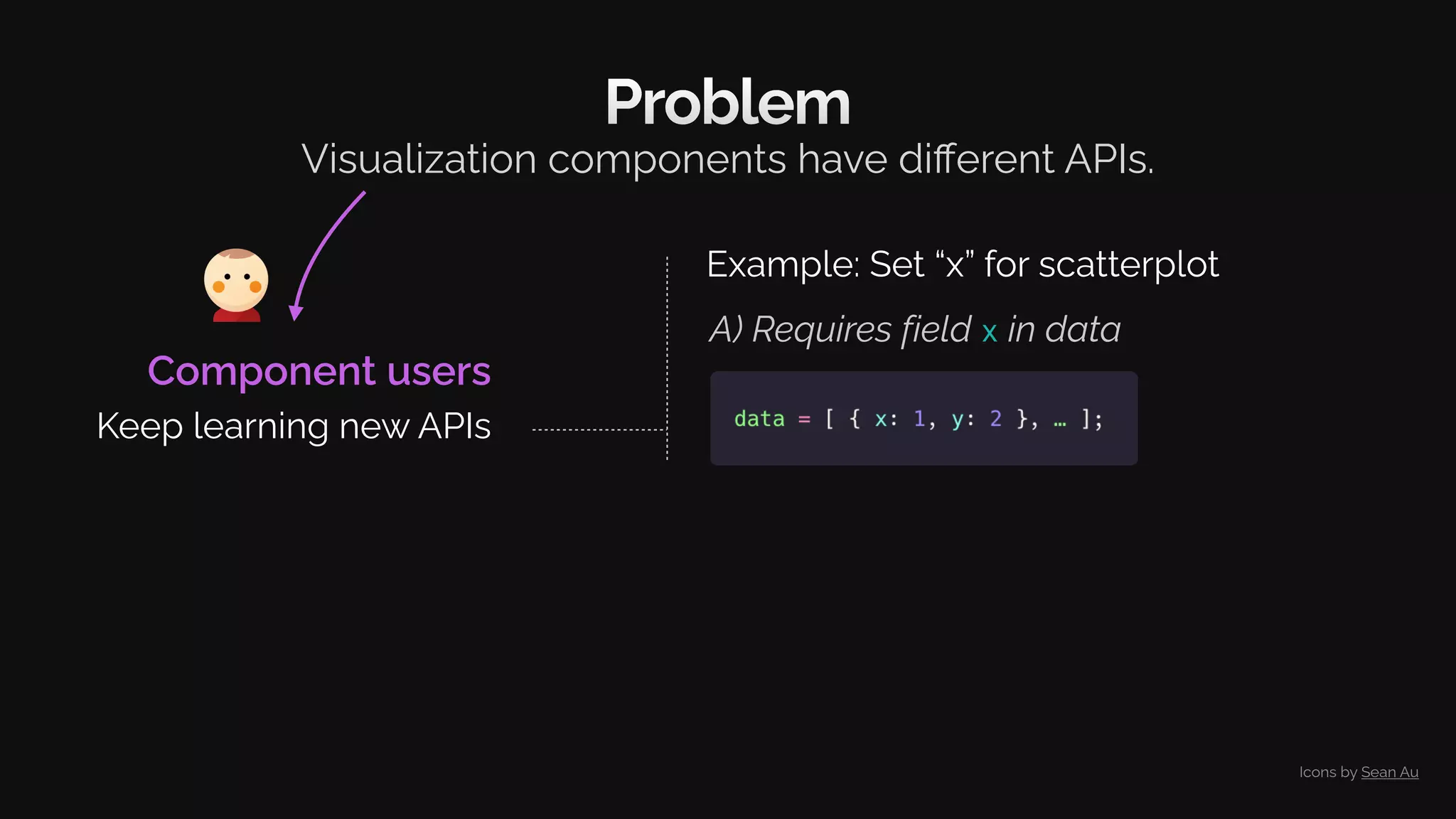
Problem
Visualization components have different APIs.
Component users
Keep learning new APIs
Icons by Sean Au
Problem
Visualization components have different APIs.
Component users
Keep learning new APIs
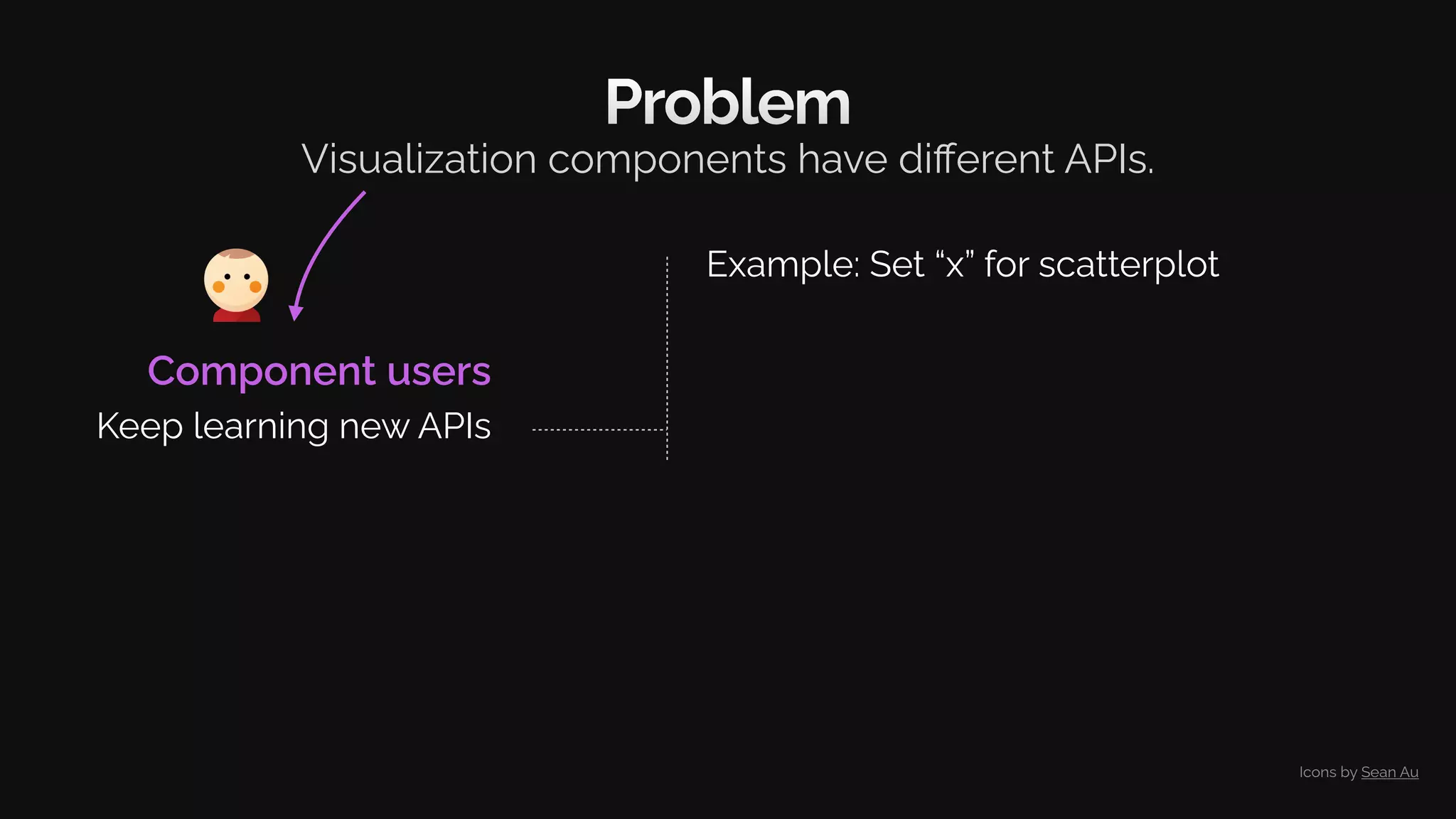
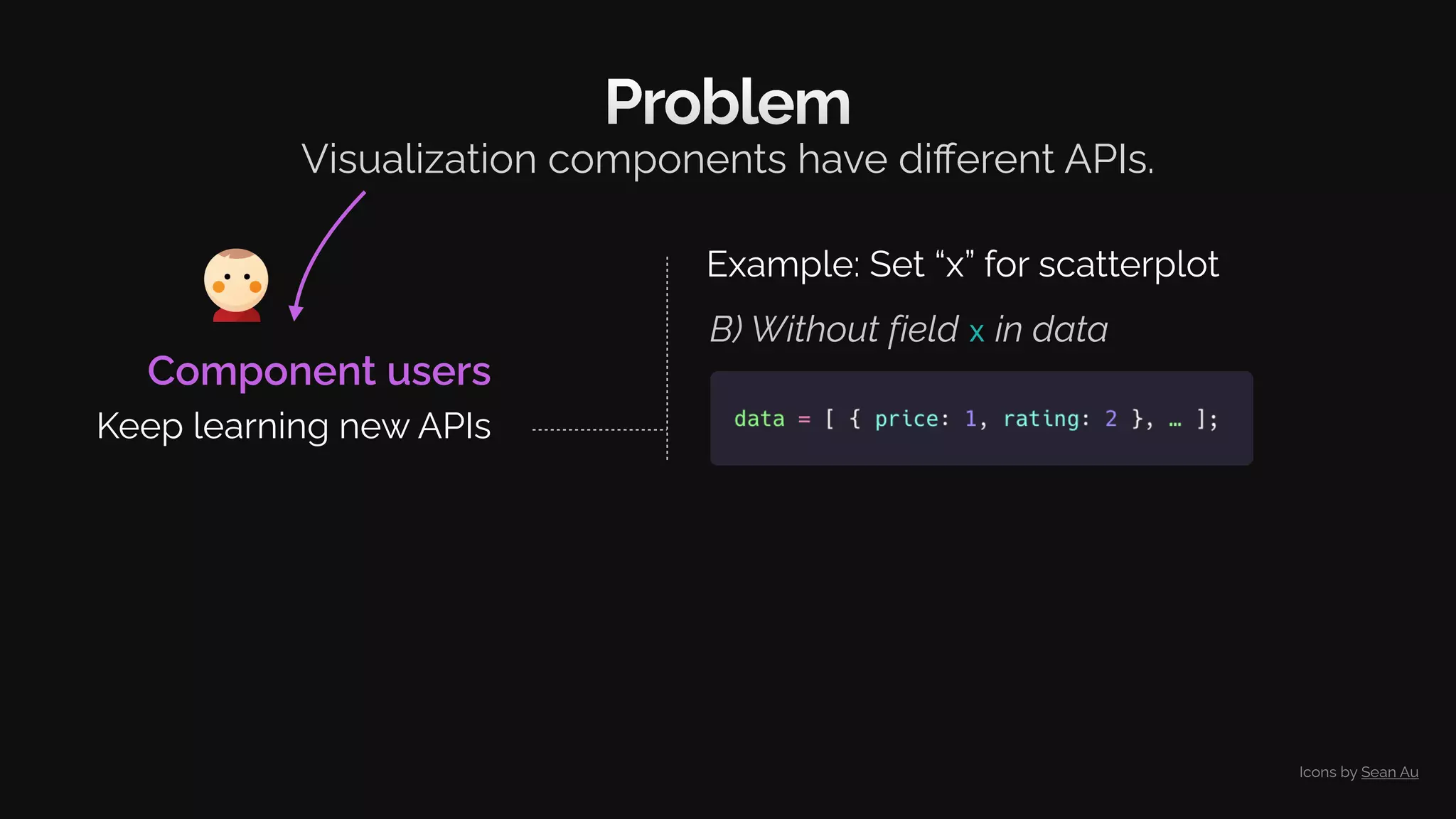
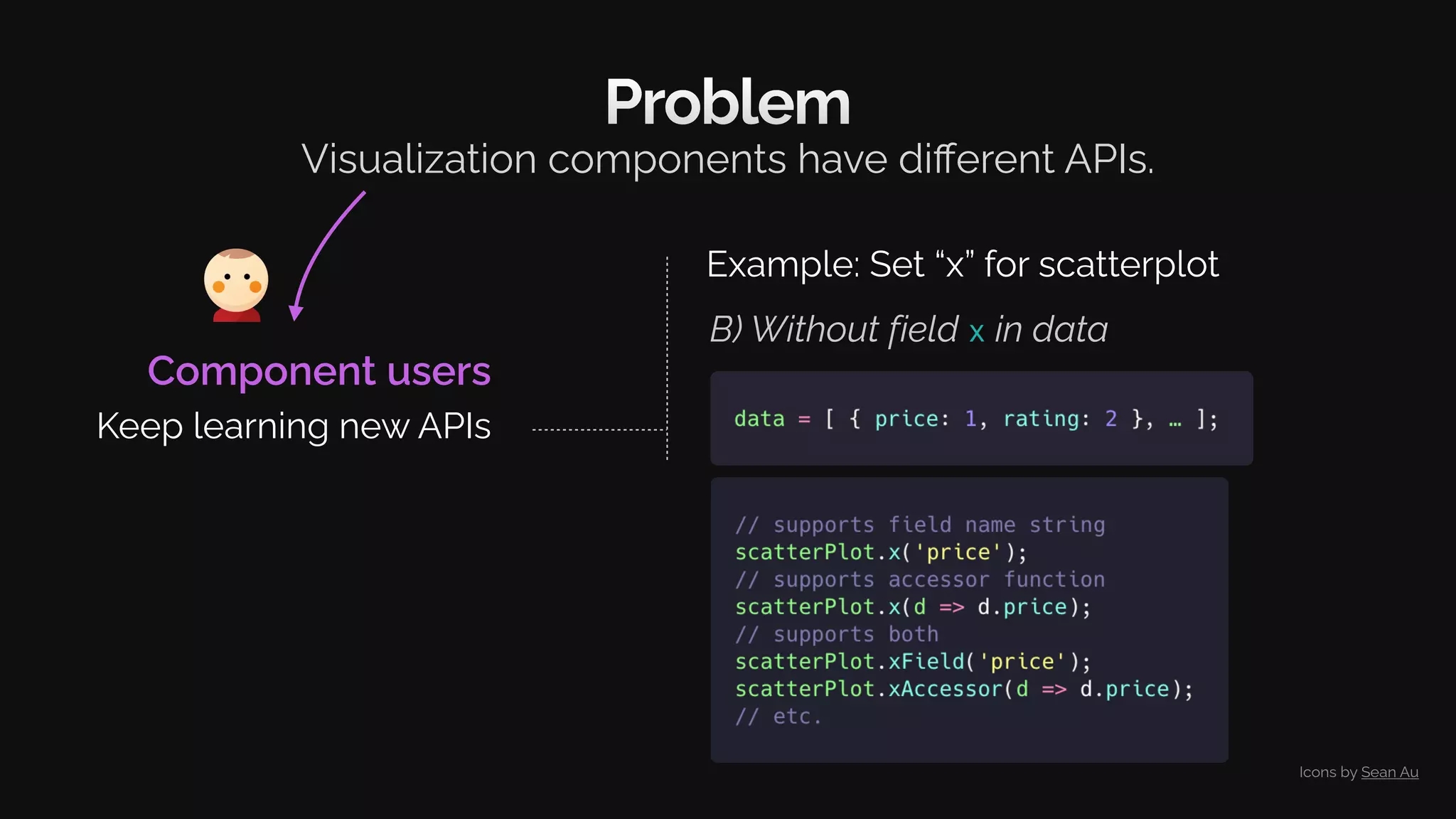
Example: Set “x” for scatterplot
Icons by Sean Au
Problem
Visualization components have different APIs.
A) Requires field x in data
Component users
Keep learning new APIs
Example: Set “x” for scatterplot
Icons by Sean Au
B) Without field x in data
Problem
Visualization components have different APIs.
Component users
Keep learning new APIs
Example: Set “x” for scatterplot
Icons by Sean Au
B) Without field x in data
Problem
Visualization components have different APIs.
Component users
Keep learning new APIs
Example: Set “x” for scatterplot
Icons by Sean Au
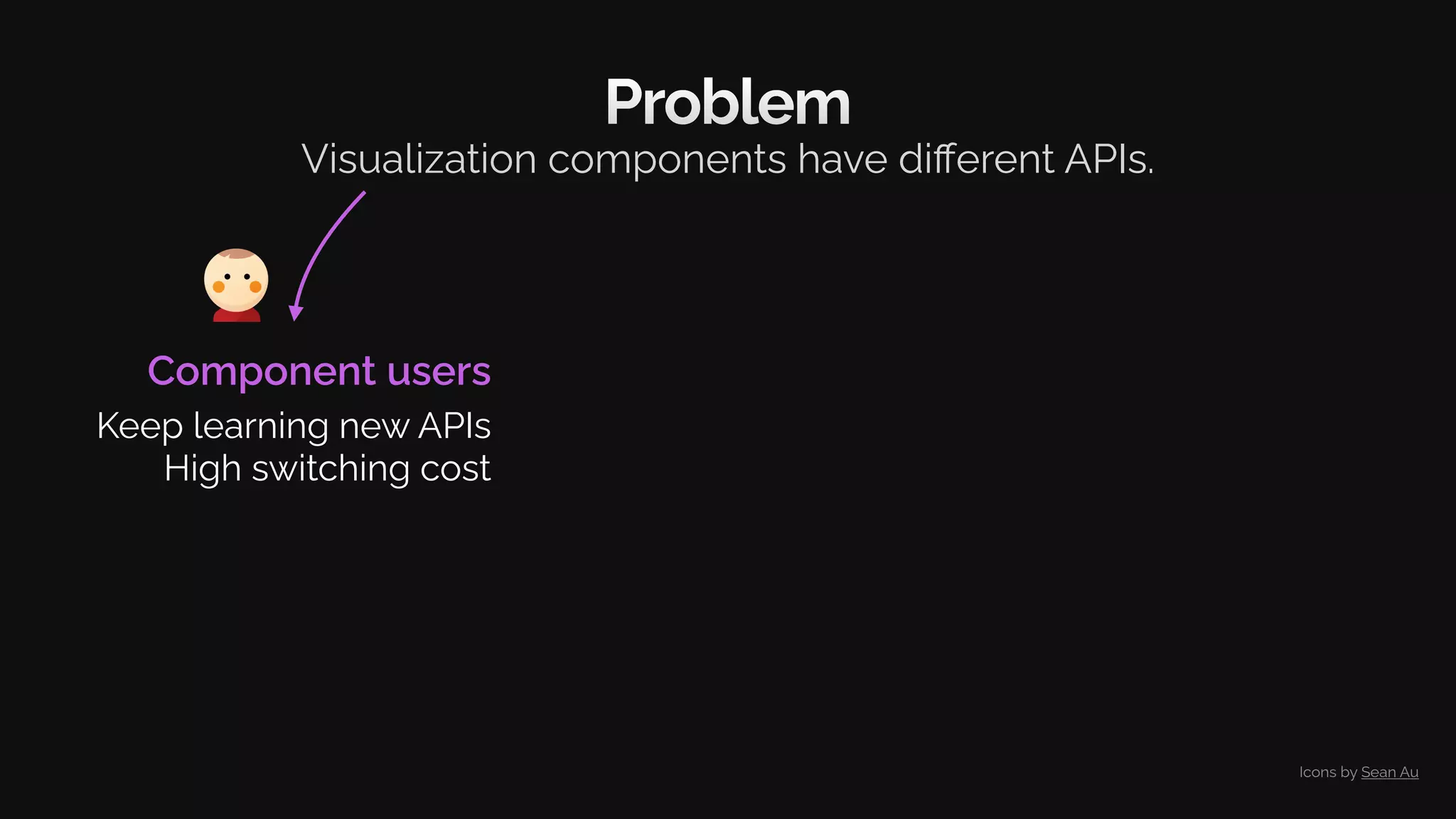
Problem
Component users
Keep learning new APIs
High switching cost
Visualization components have different APIs.
Icons by Sean Au
Problem
Component users
Keep learning new APIs
High switching cost
Inconsistent features
Visualization components have different APIs.
Logarithmic scale
Number formatting
Make axis include zero
etc.
Icons by Sean Au
Problem
Visualization components have different APIs.
Component users
Keep learning new APIs
High switching cost
Inconsistent features
Icons by Sean Au
Problem
Visualization components have different APIs.
Could the components
be more similar?
Component users
Keep learning new APIs
High switching cost
Inconsistent features
Icons by Sean Au
Problem
Visualization components have different APIs.
Could the components
be more similar?
Component authors
No API standard
No help
Component users
Keep learning new APIs
High switching cost
Inconsistent features
Icons by Sean Au
Problem
Visualization components have different APIs.
Could the components
be more similar?
Could building consistent
components be easier?
Component authors
No API standard
No help
Component users
Keep learning new APIs
High switching cost
Inconsistent features
Icons by Sean Au
Solution
Inspiration
Results
Conclusions
Motivation
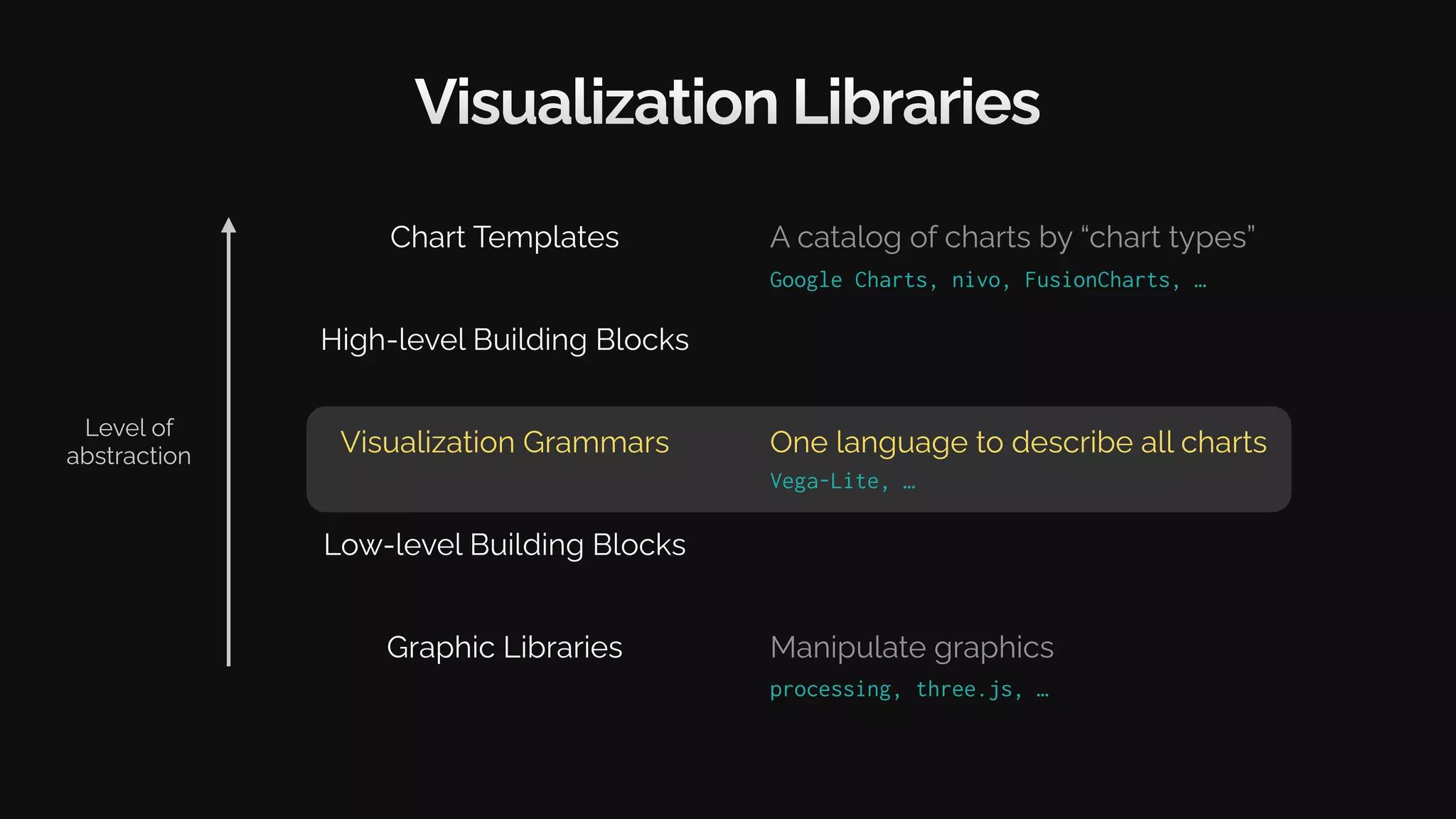
Visualization Libraries
Graphic Libraries
Visualization Grammars
Chart Templates
Level of
abstraction
Google Charts, nivo, FusionCharts, …
processing, three.js, …
Manipulate graphics
A catalog of charts by “chart types”
Low-level Building Blocks
High-level Building Blocks
Visualization Libraries
Graphic Libraries
Visualization Grammars
Chart Templates
One language to describe all charts
A catalog of charts by “chart types”
Low-level Building Blocks
High-level Building Blocks
Vega-Lite, …
Google Charts, nivo, FusionCharts, …
Level of
abstraction
Manipulate graphics
processing, three.js, …
Vega-Lite
Creating a bar chart
[Satyanarayan et al. 2017]
Vega-Lite
Creating a bar chart
[Satyanarayan et al. 2017]
Vega-Lite
Creating a bar chart
Channel Name
Channel Definition
[Satyanarayan et al. 2017]
Vega-Lite
Creating a bar chart
[Satyanarayan et al. 2017]
Vega-Lite
Creating a bar chart
Channel Name
Channel Definition
[Satyanarayan et al. 2017]
Could any vis. component
define encoding like this?
Solution
Inspiration
Results
Conclusions
Motivation
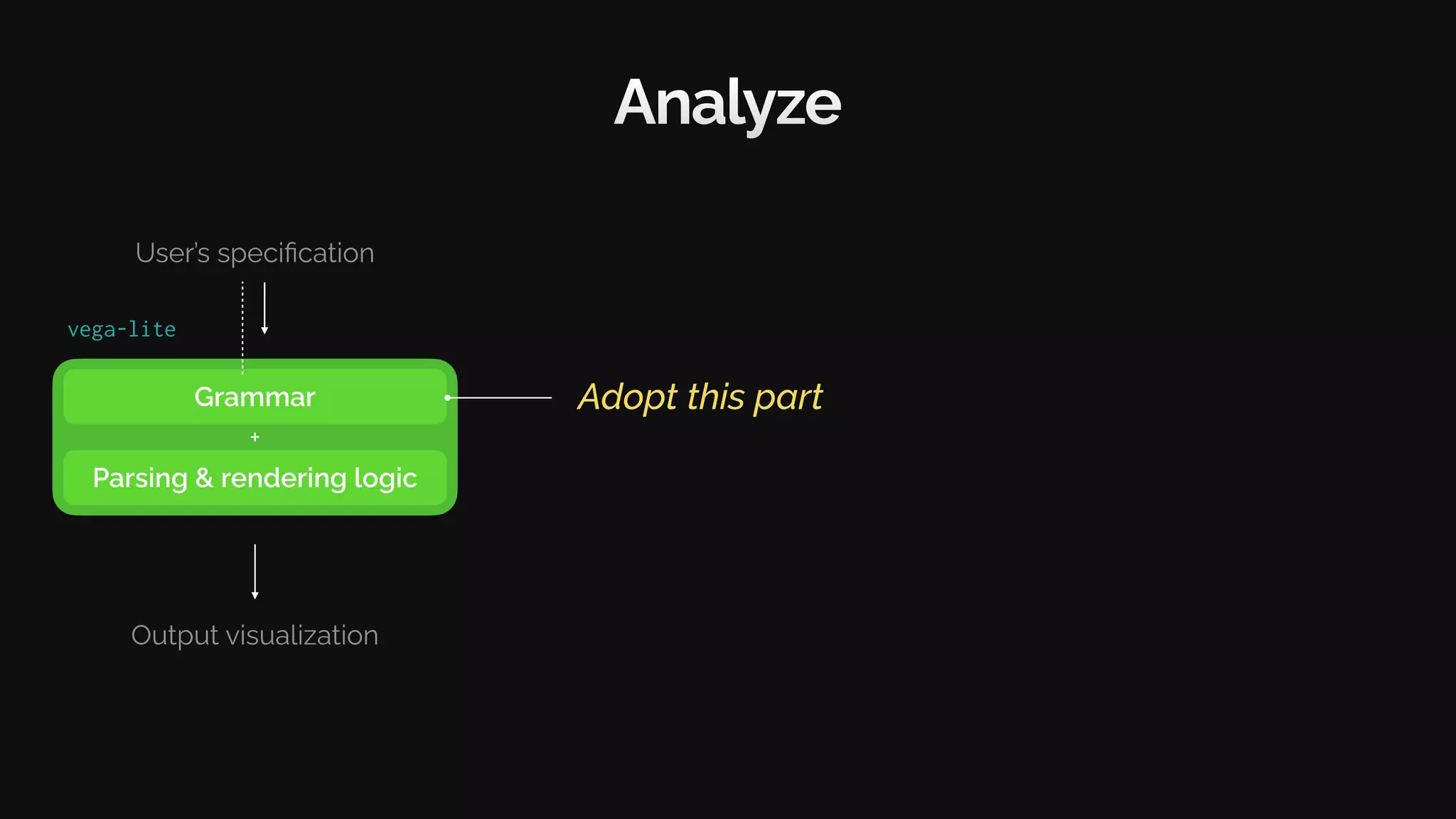
Grammar
Parsing & rendering logic
User’s specification
Output visualization
+
Analyze
vega-lite
Grammar
Parsing & rendering logic
User’s specification
Output visualization
+
Analyze
Adopt this part
vega-lite
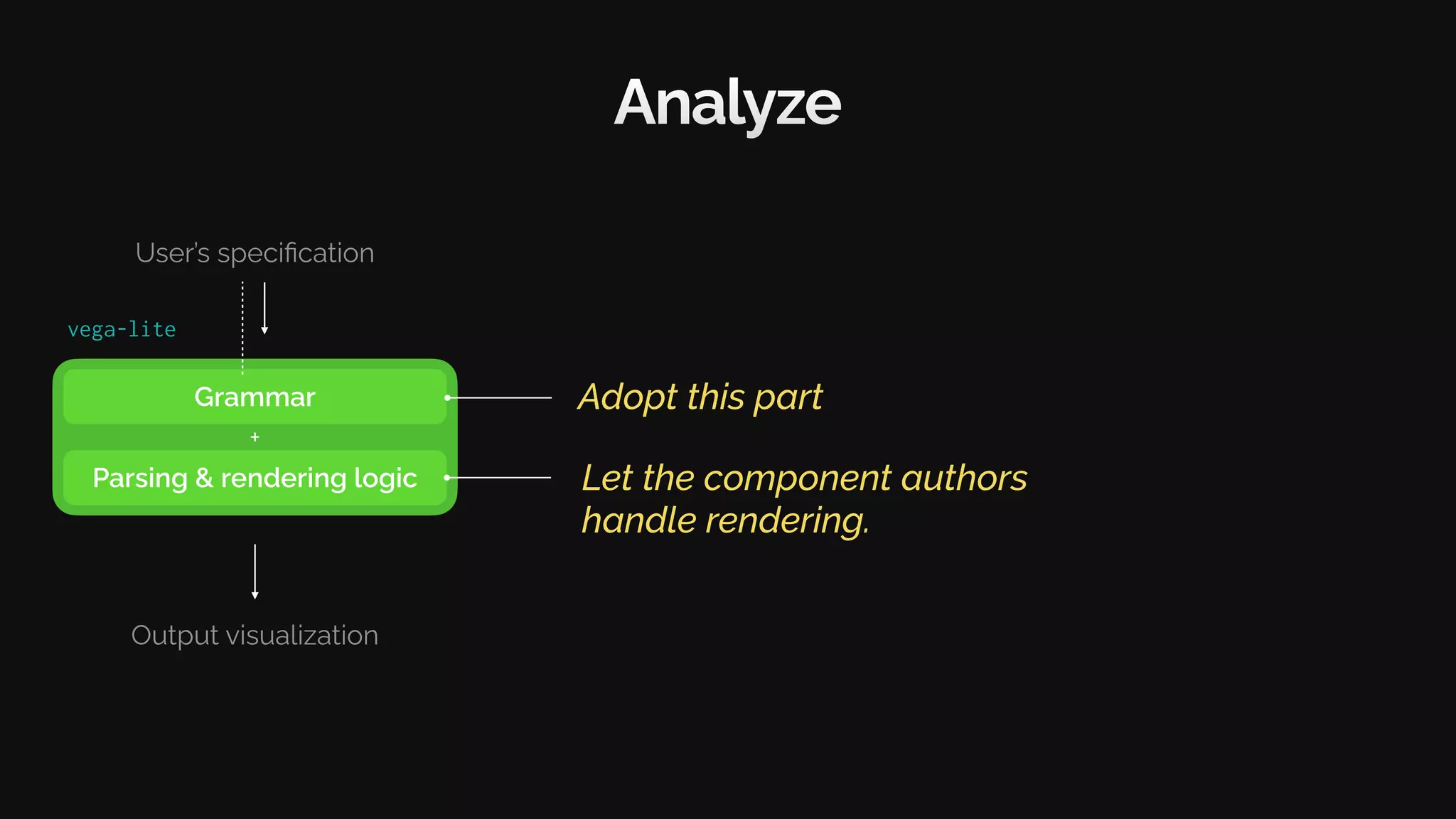
Grammar
Parsing & rendering logic
User’s specification
Output visualization
+
Analyze
Adopt this part
vega-lite
Let the component authors
handle rendering.
Grammar
Parsing & rendering logic
User’s specification
Output visualization
+
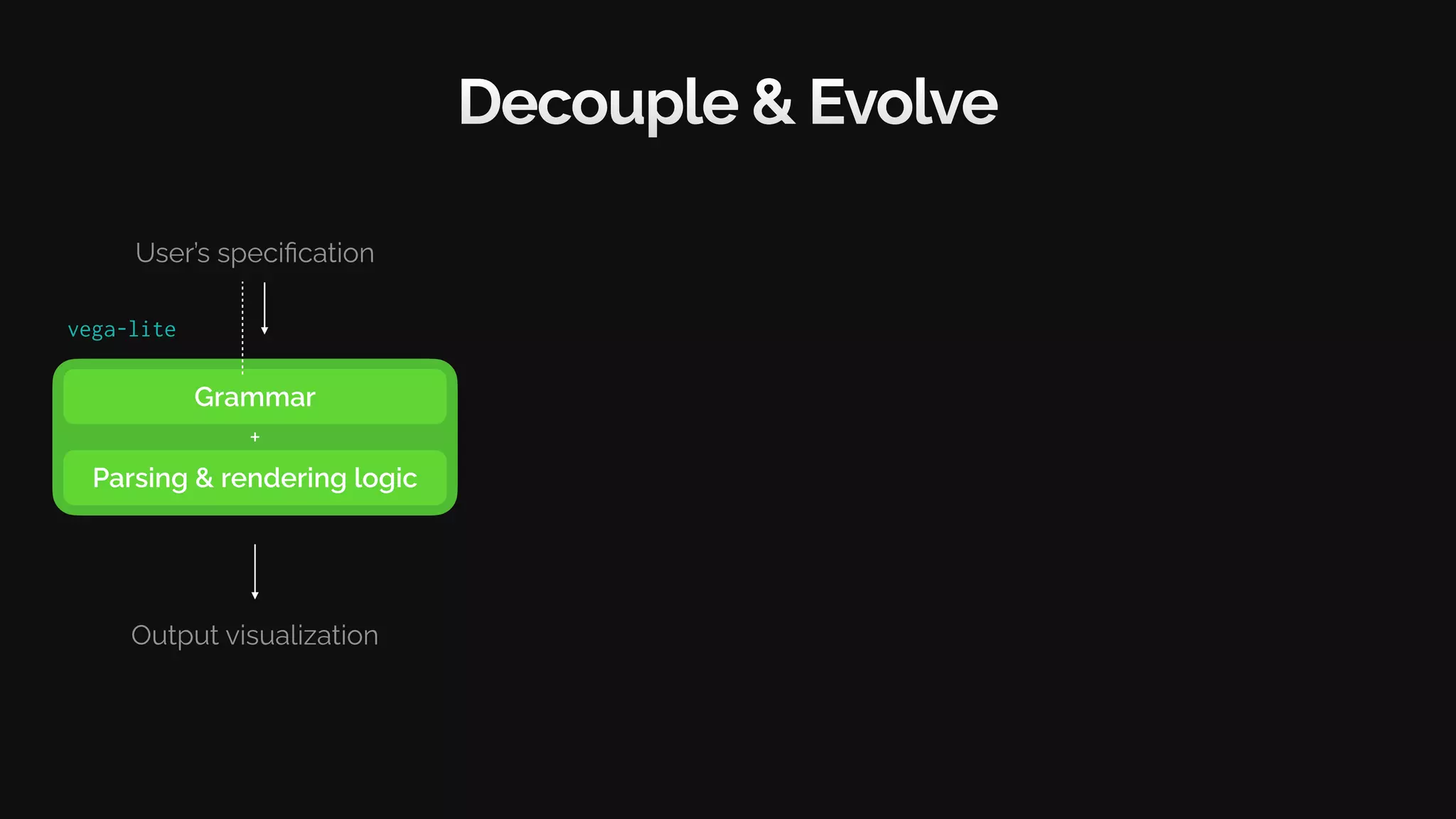
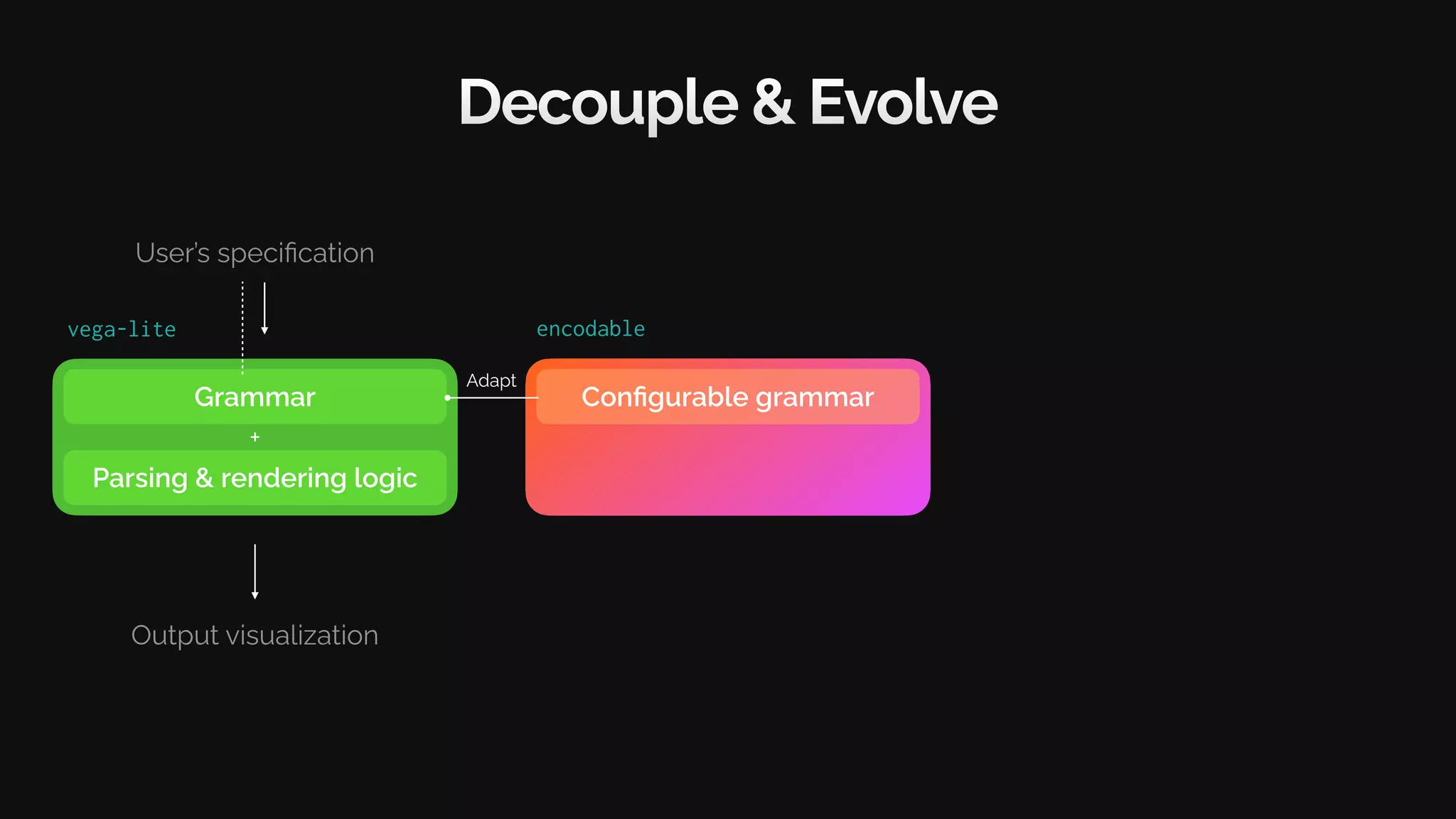
Decouple & Evolve
vega-lite
Grammar
Parsing & rendering logic
User’s specification
Output visualization
+
Decouple & Evolve
vega-lite encodable
Parser
+
Configurable grammar
Adapt
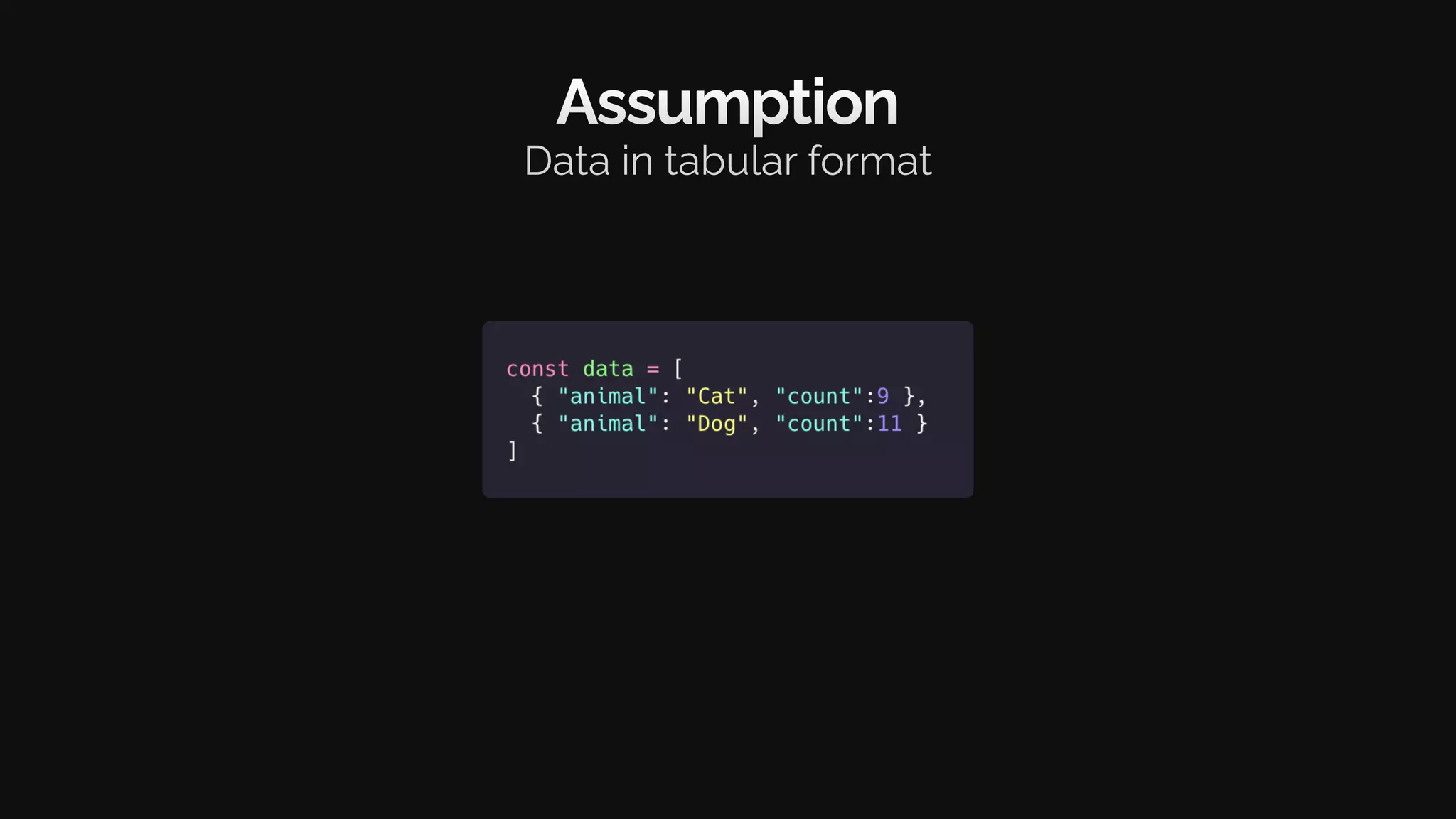
Assumption
Data in tabular format
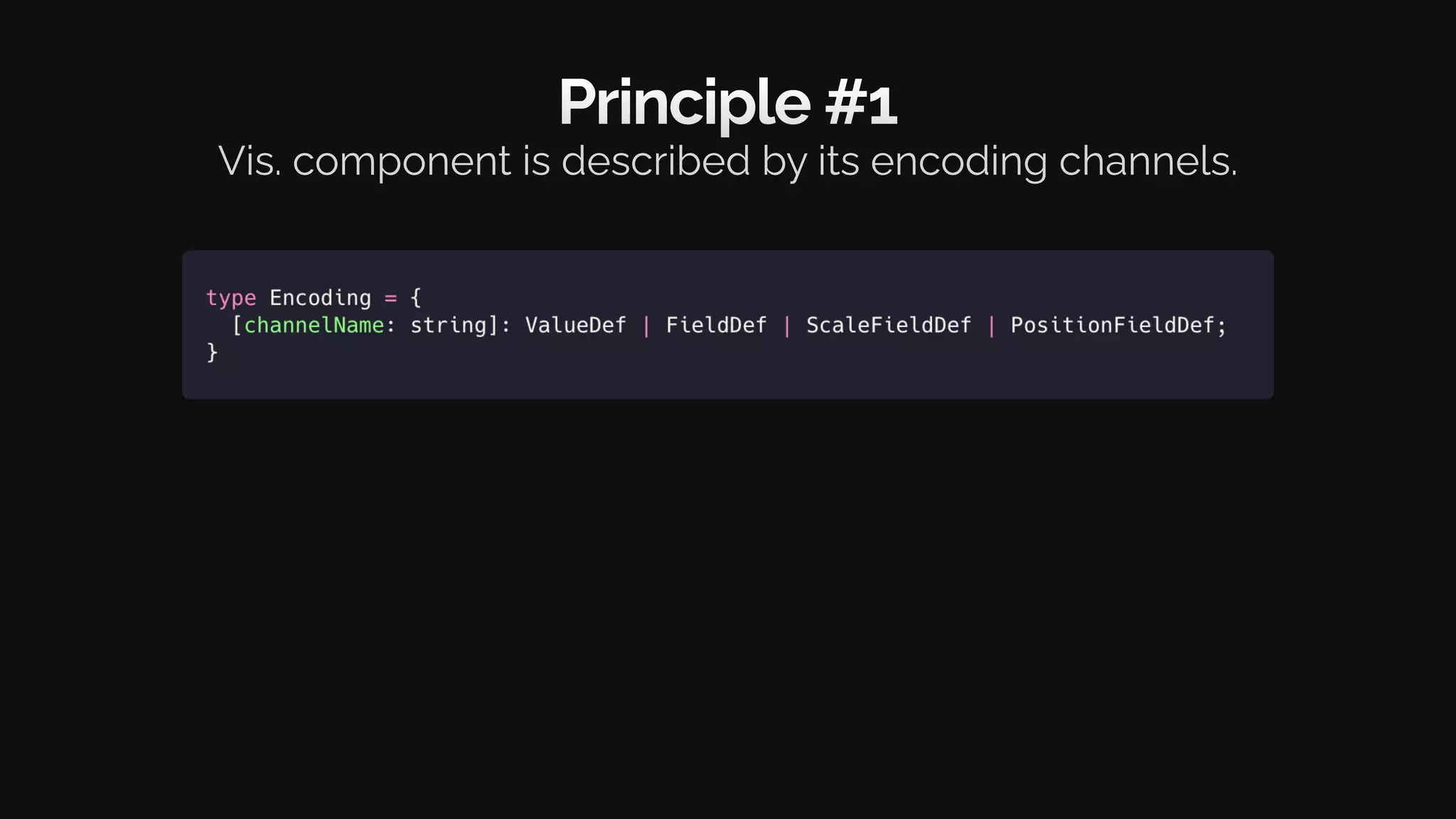
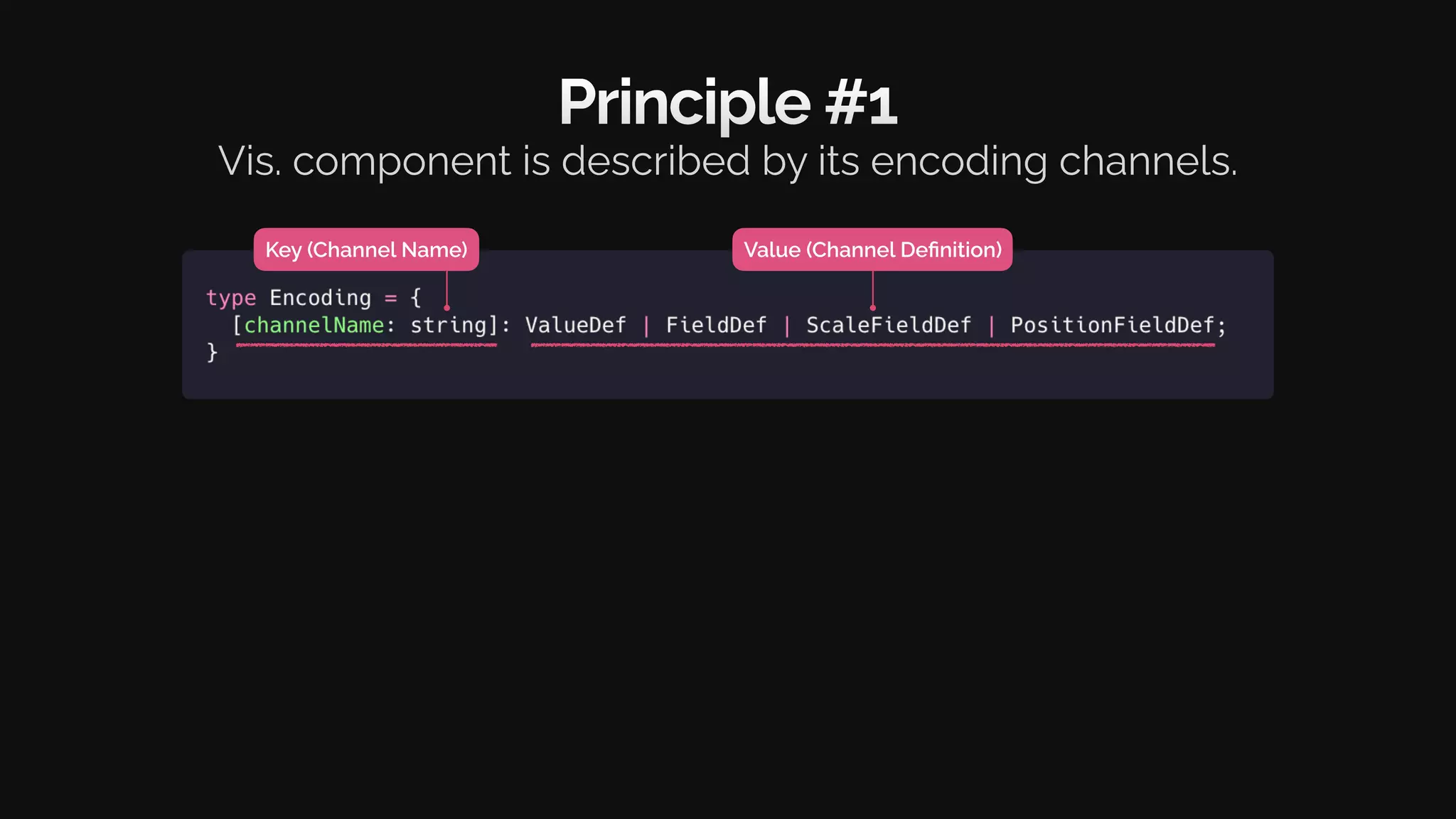
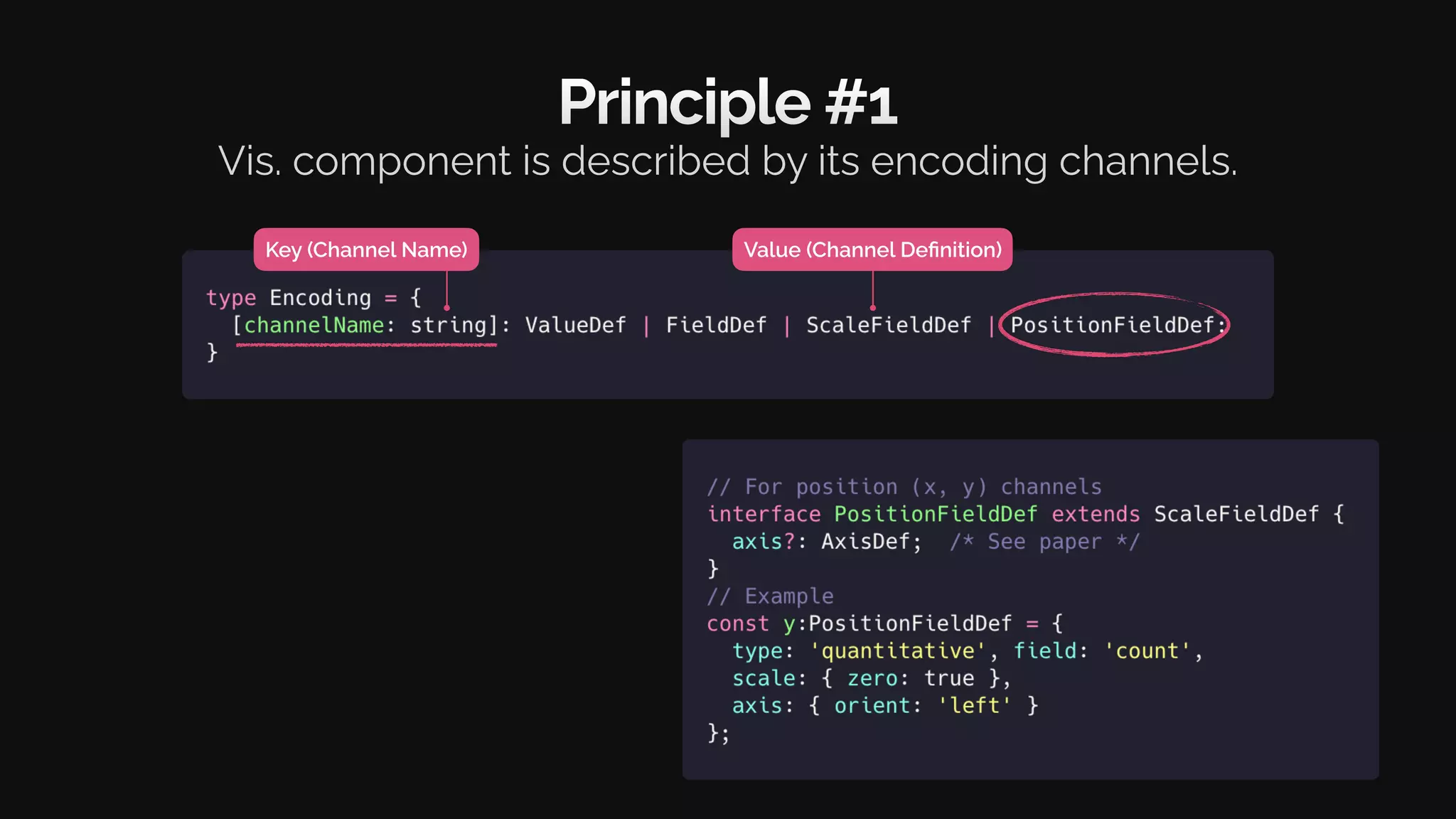
Principle #1
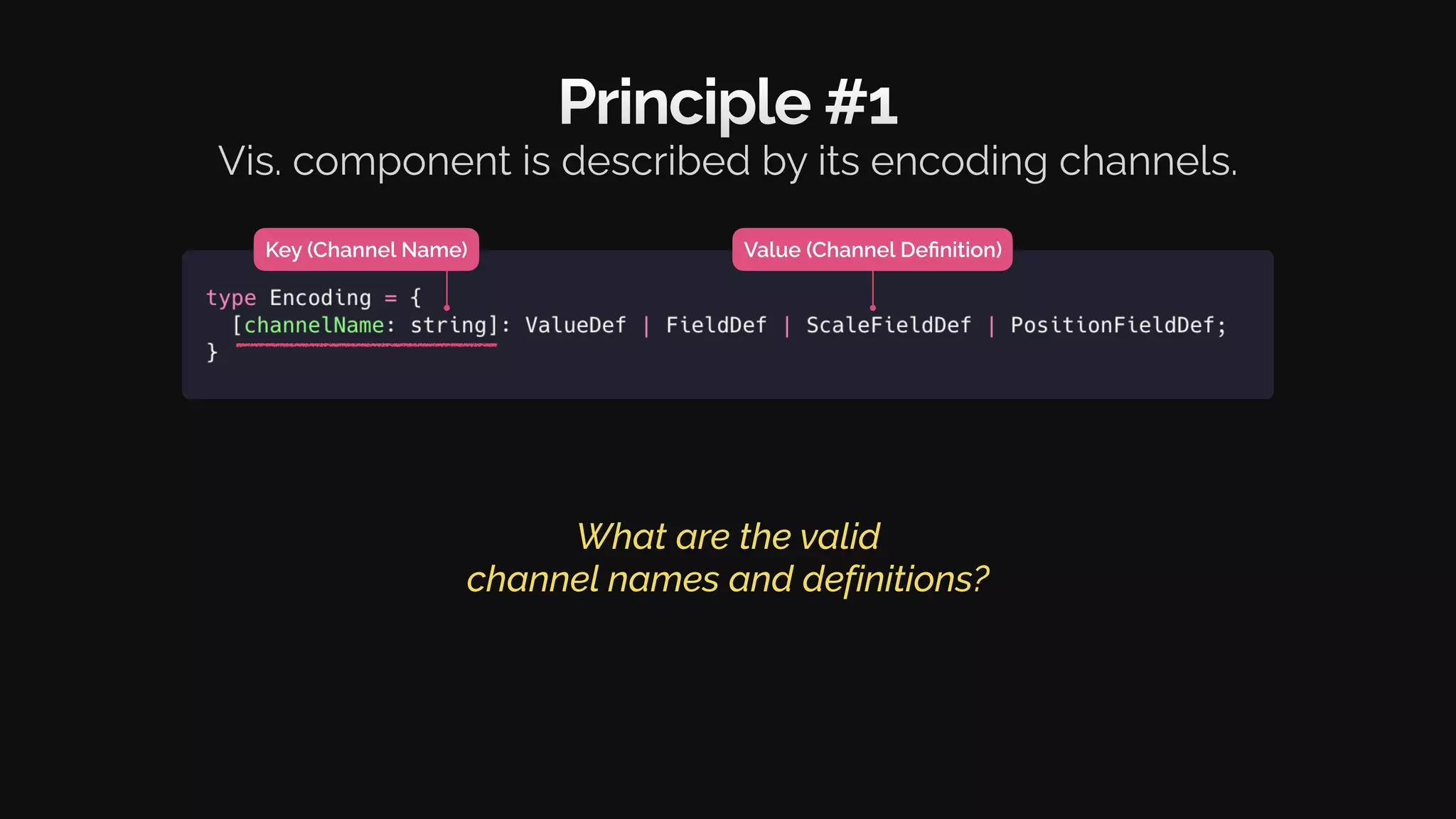
Vis. component is described by its encoding channels.
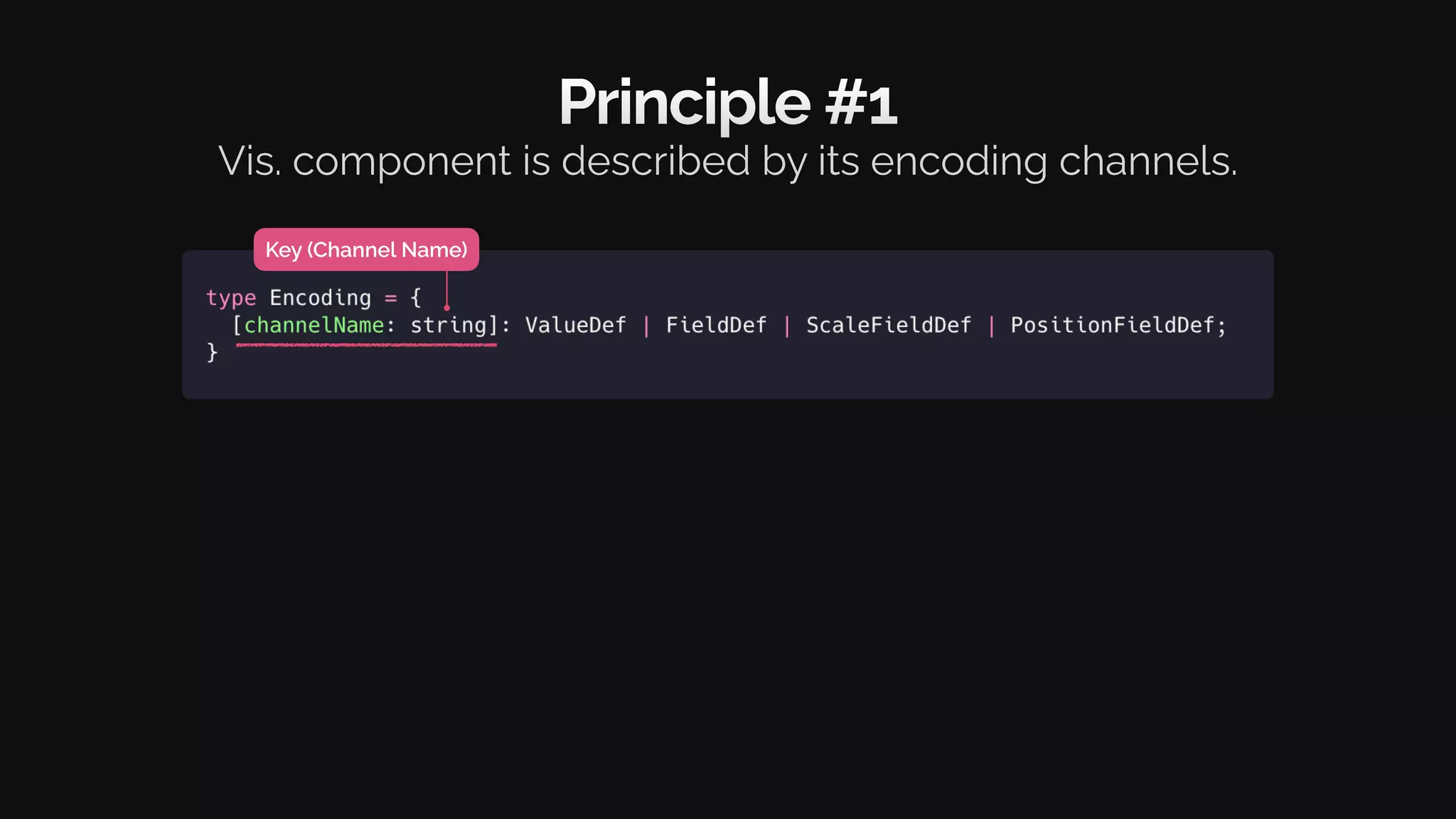
Key (Channel Name)
Principle #1
Vis. component is described by its encoding channels.
Key (Channel Name)
Principle #1
Vis. component is described by its encoding channels.
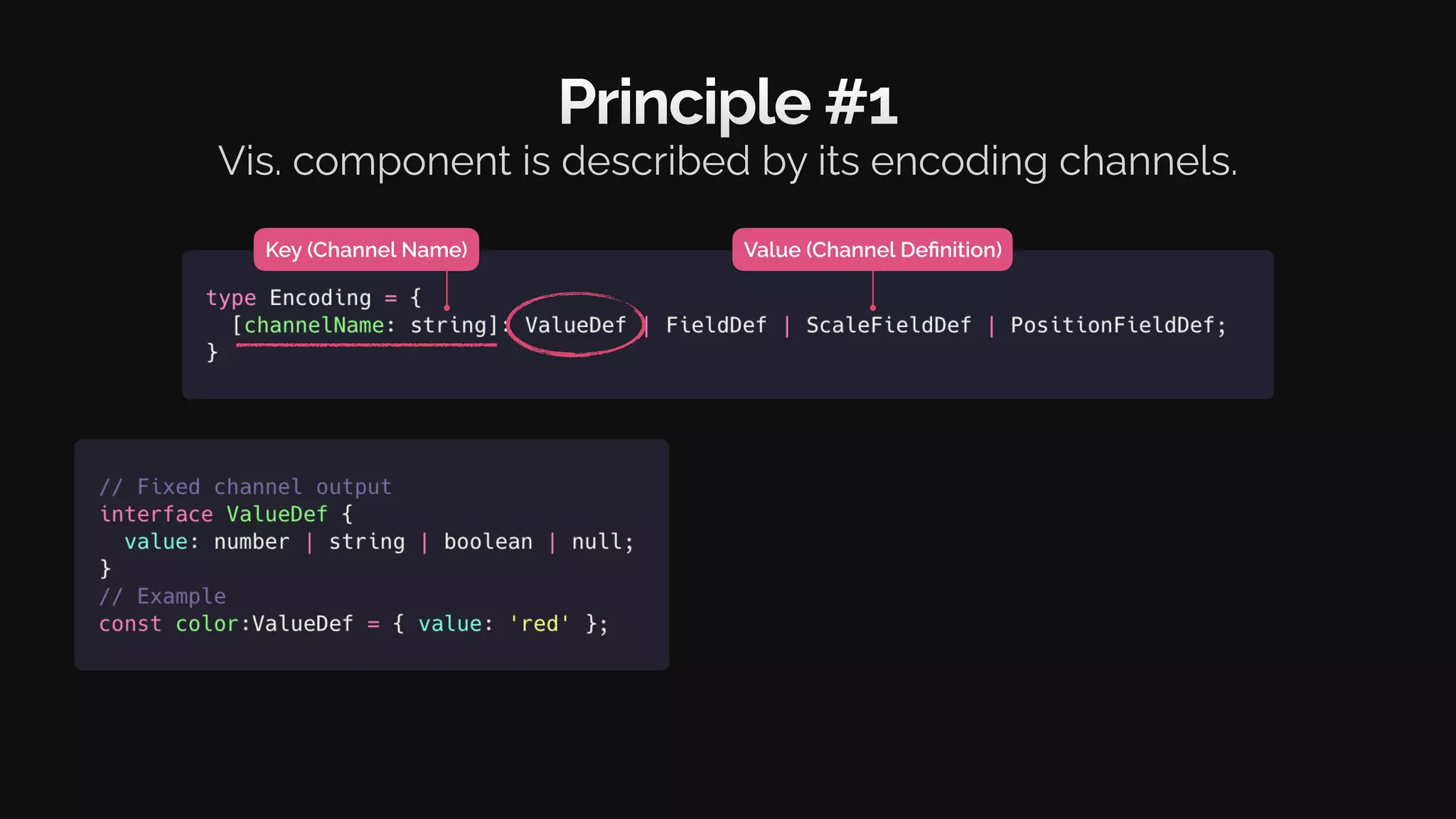
Value (Channel Definition)
Key (Channel Name)
Principle #1
Vis. component is described by its encoding channels.
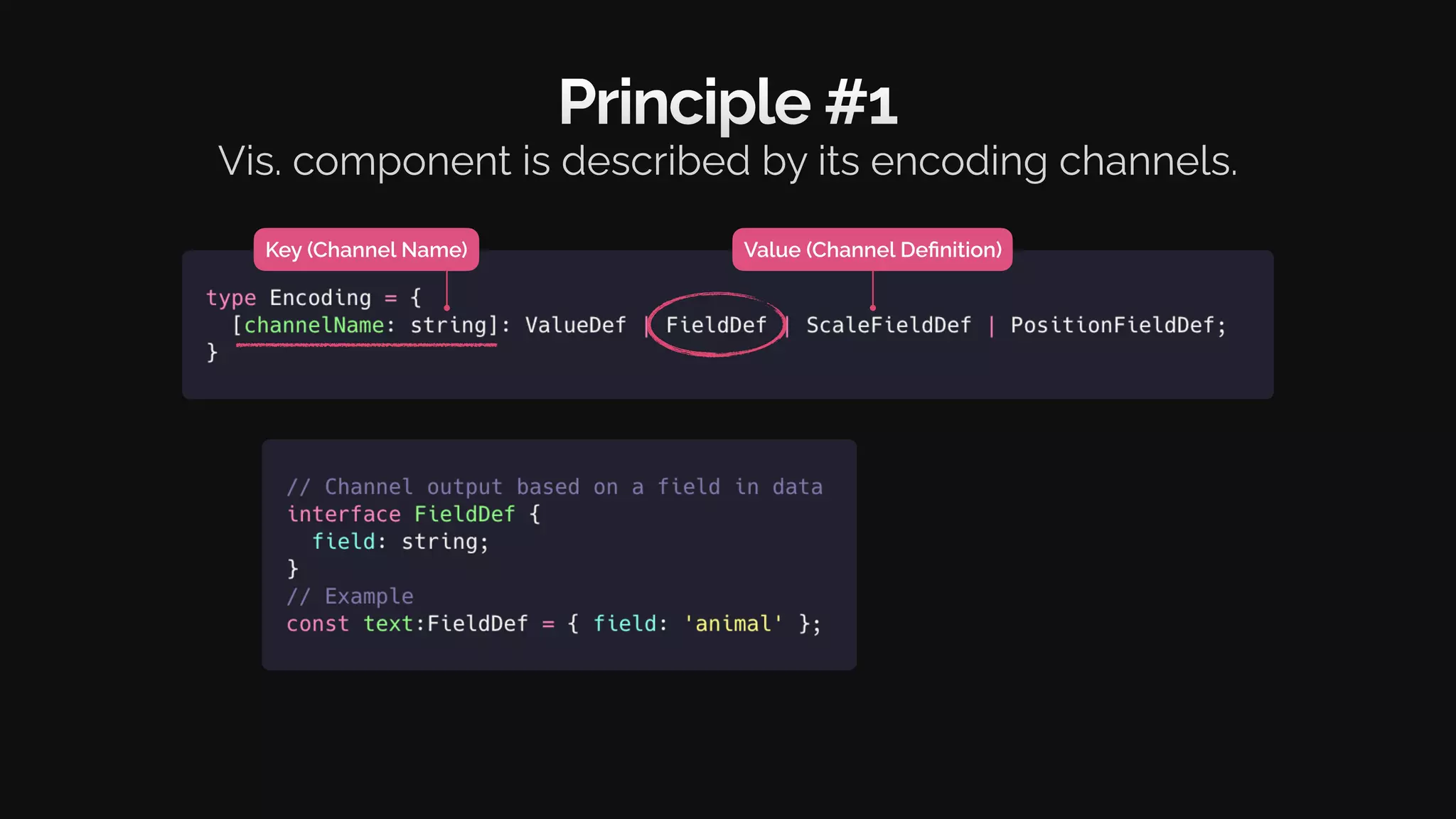
Value (Channel Definition)
Key (Channel Name)
Principle #1
Vis. component is described by its encoding channels.
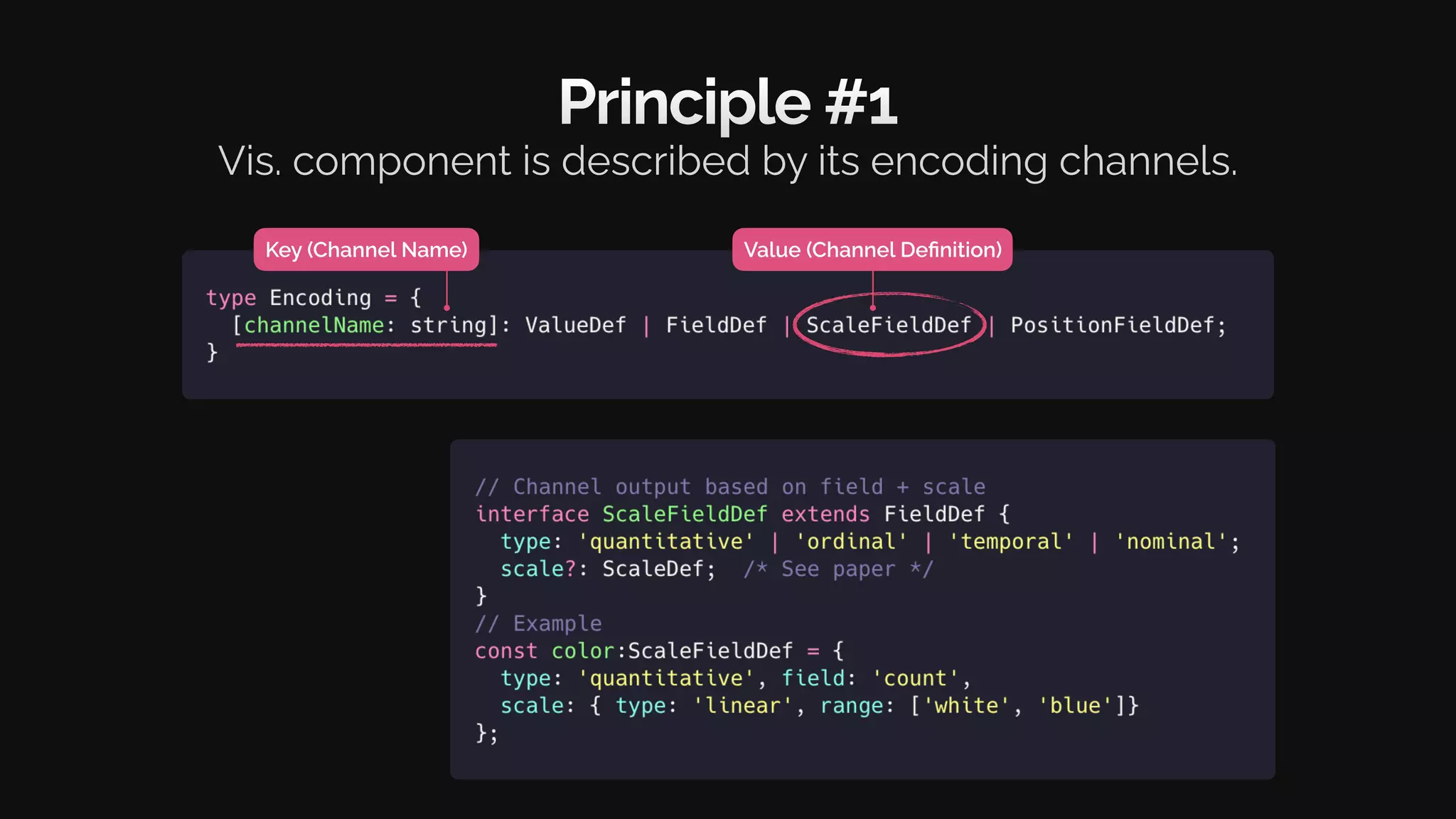
Value (Channel Definition)
Key (Channel Name)
Principle #1
Vis. component is described by its encoding channels.
Value (Channel Definition)
Key (Channel Name)
Principle #1
Vis. component is described by its encoding channels.
What are the valid
channel names and definitions?
Value (Channel Definition)
Key (Channel Name)
Principle #1
Vis. component is described by its encoding channels.
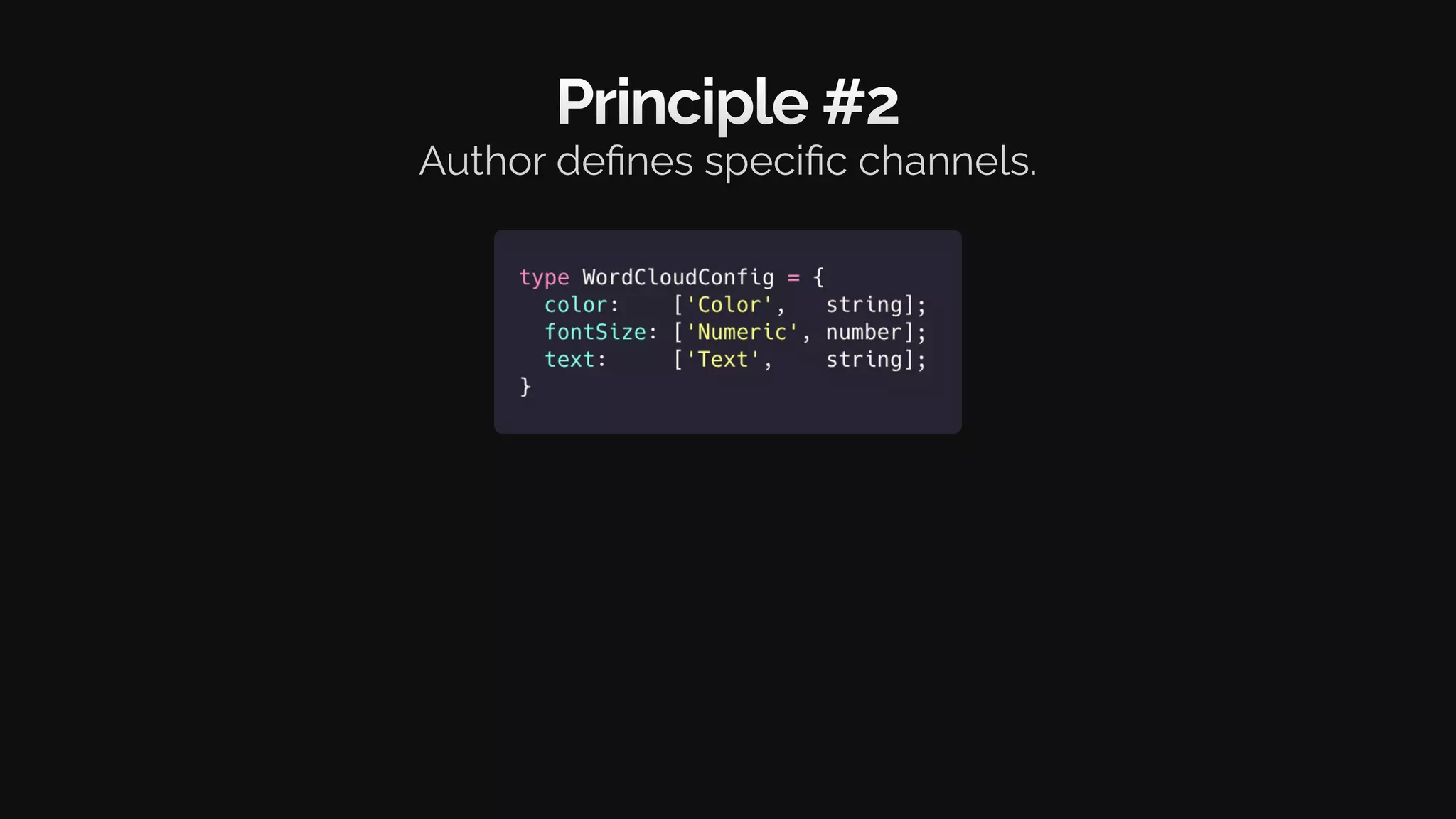
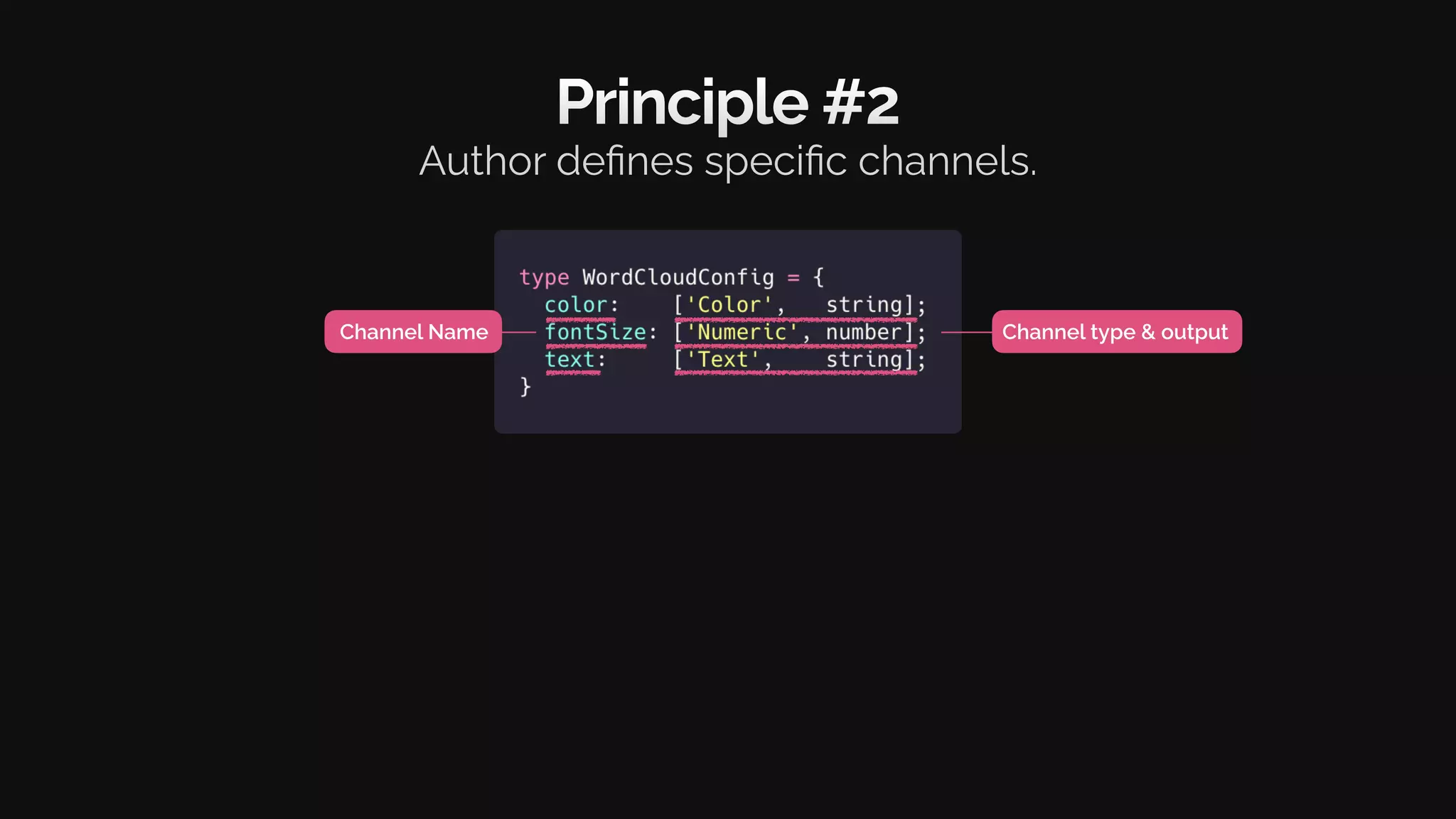
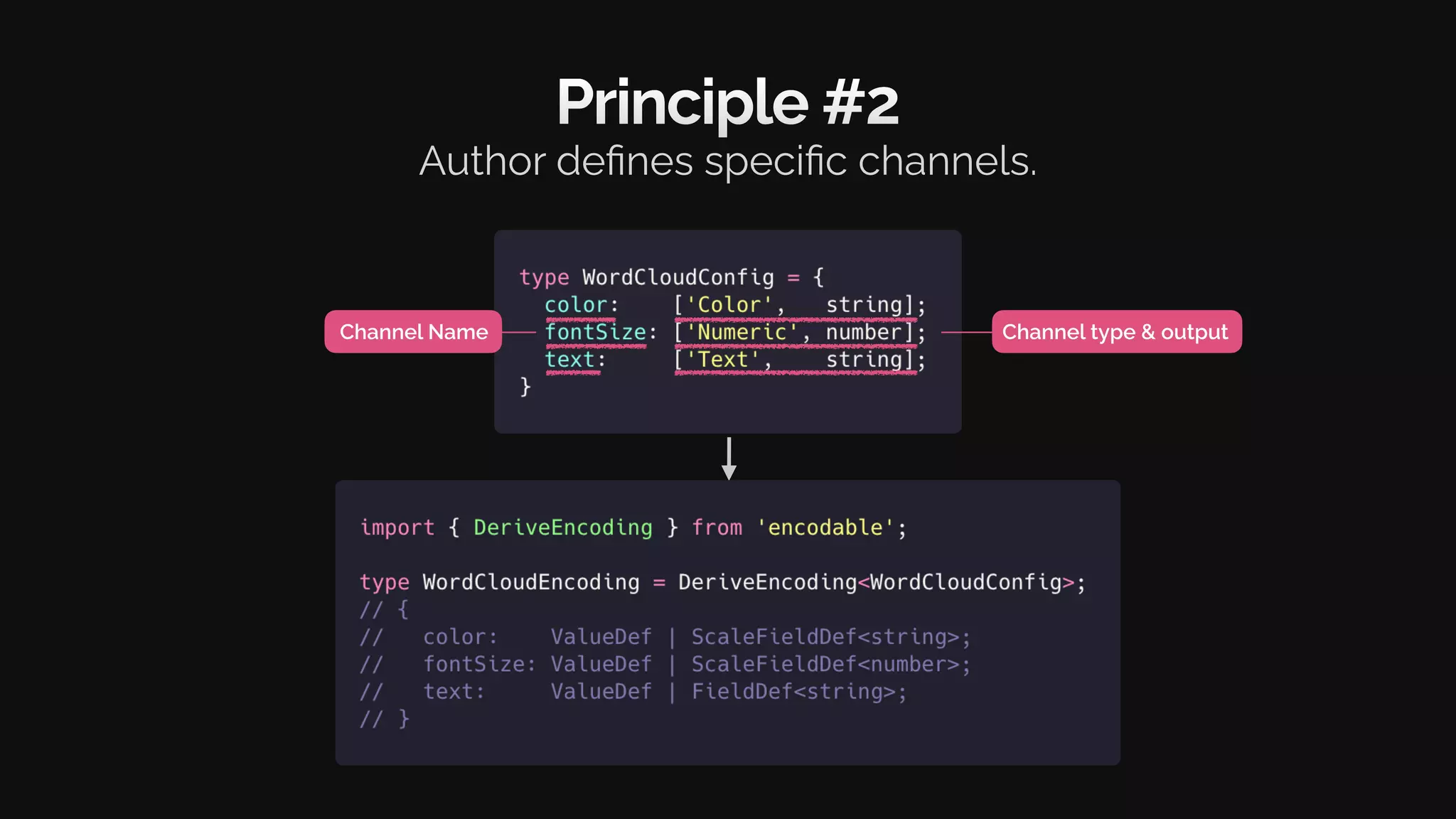
Principle #2
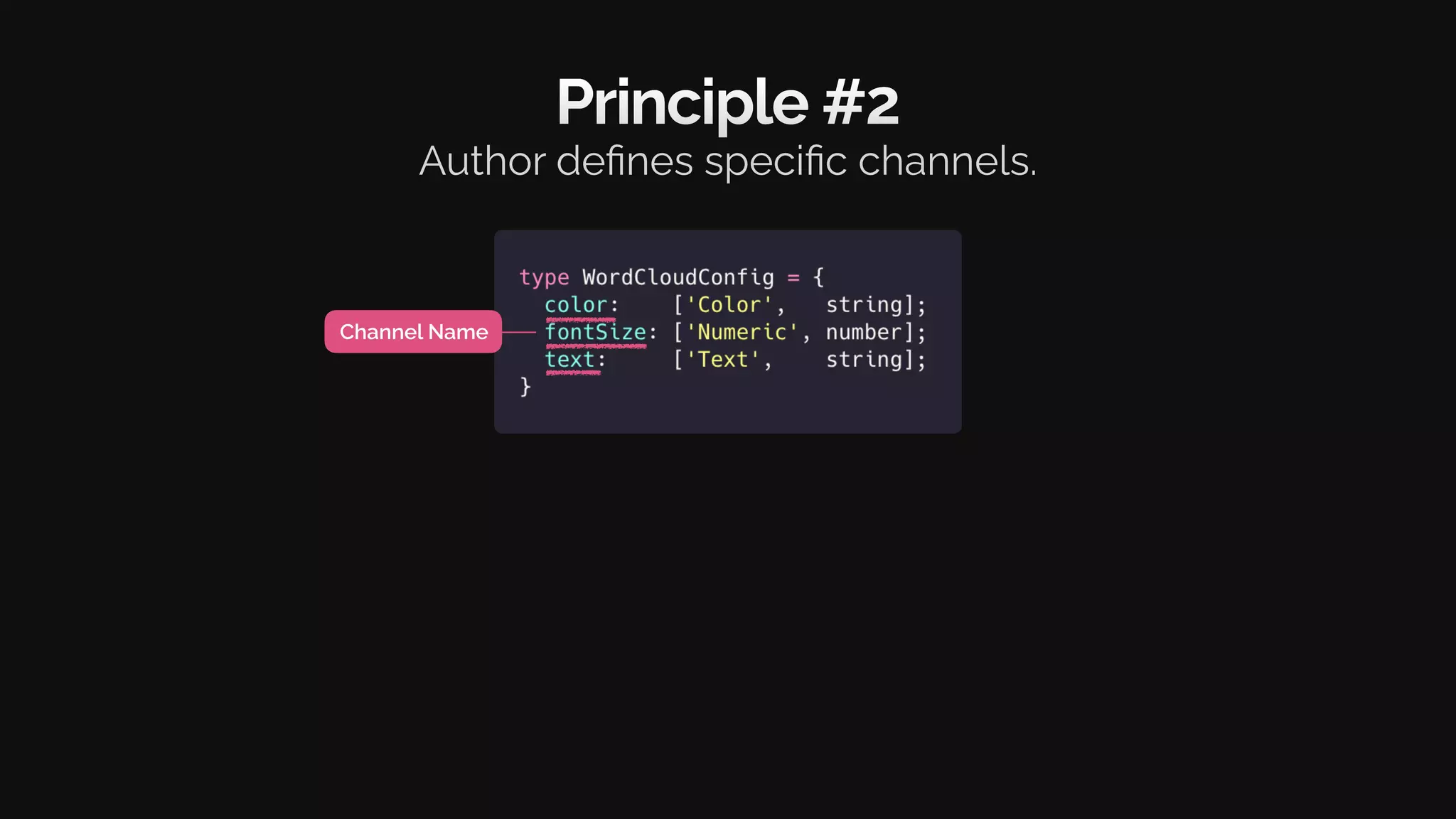
Author defines specific channels.
Principle #2
Author defines specific channels.
Channel Name
Principle #2
Author defines specific channels.
Channel Name Channel type & output
Principle #2
Author defines specific channels.
Channel Name Channel type & output
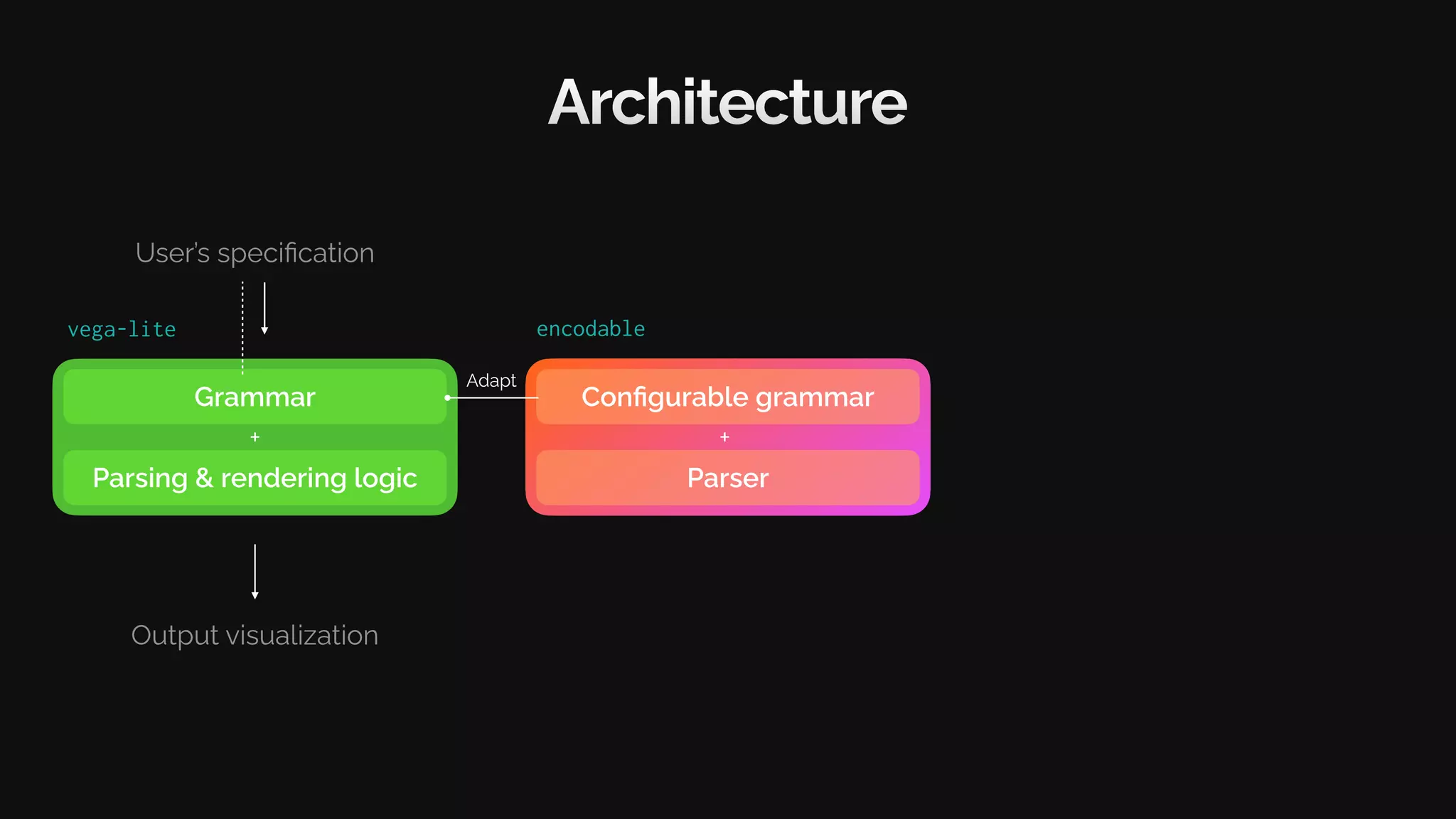
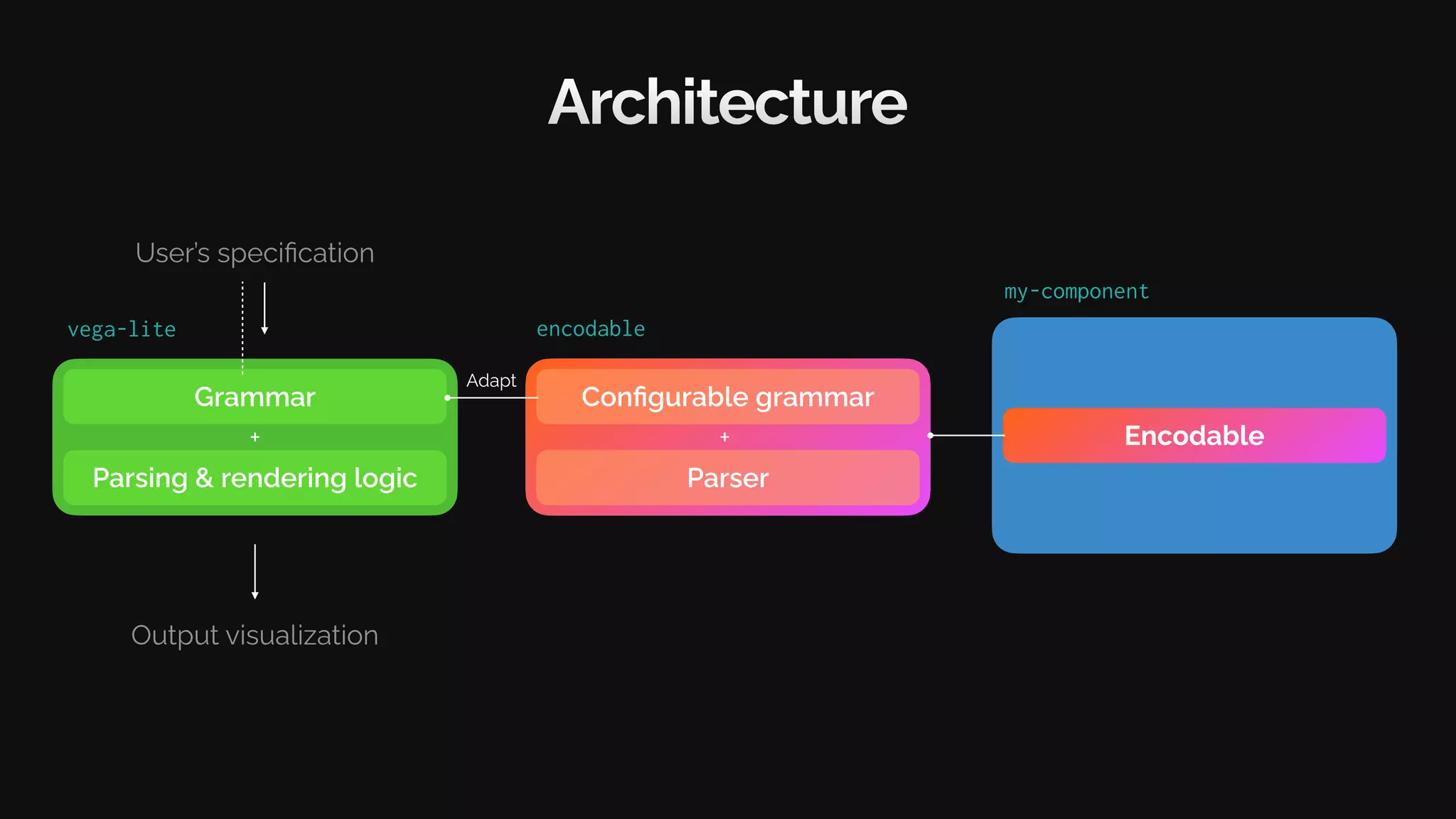
Architecture
Grammar
Parsing & rendering logic
User’s specification
Output visualization
+
vega-lite
Configurable grammar
encodable
Parser
+
Adapt
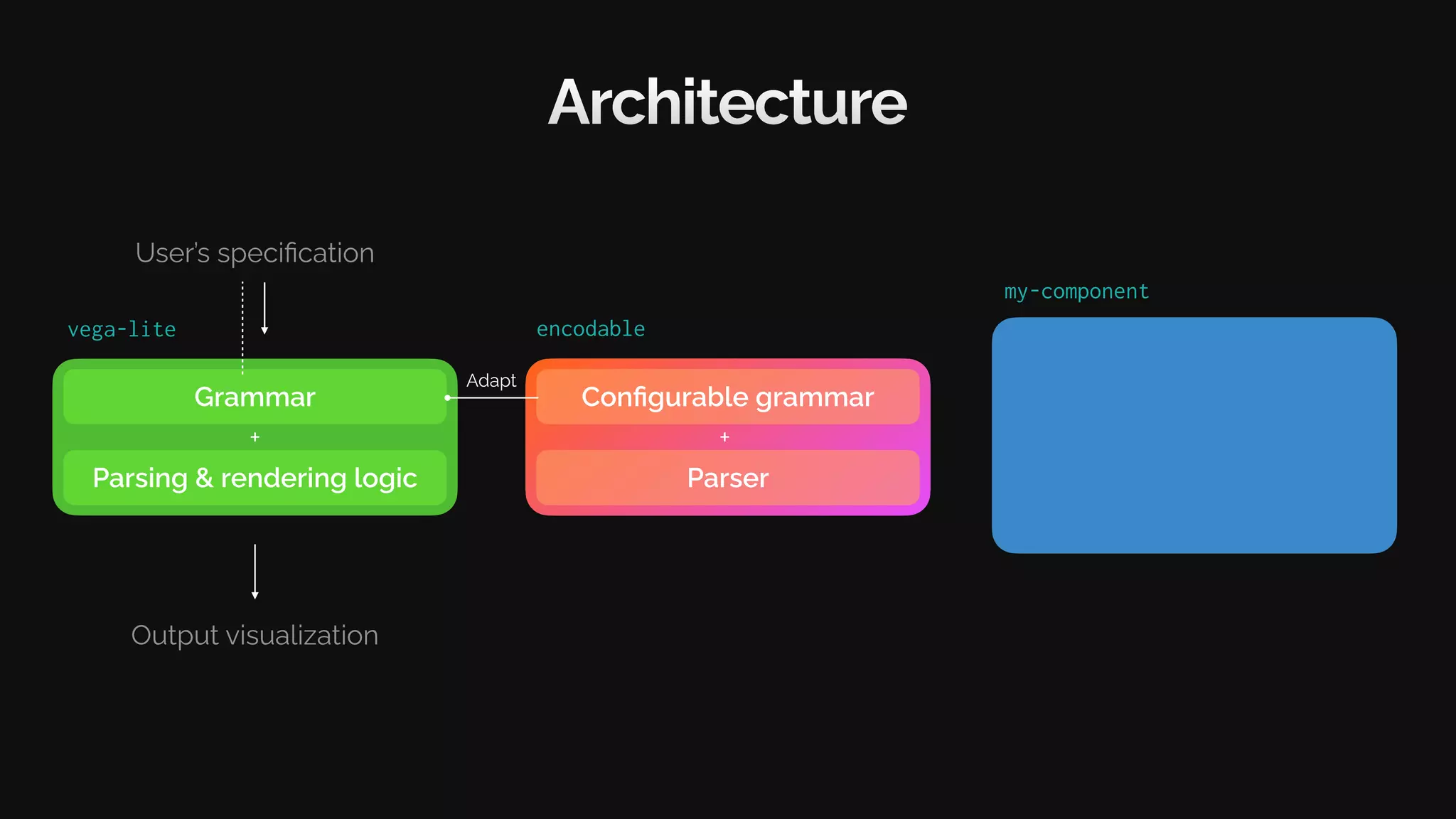
my-component
Architecture
Grammar
Parsing & rendering logic
User’s specification
Output visualization
+
vega-lite
Configurable grammar
encodable
Parser
+
Adapt
my-component
Architecture
Grammar
Parsing & rendering logic
User’s specification
Output visualization
+
vega-lite
Configurable grammar
encodable
Parser
+ Encodable
Adapt
my-component
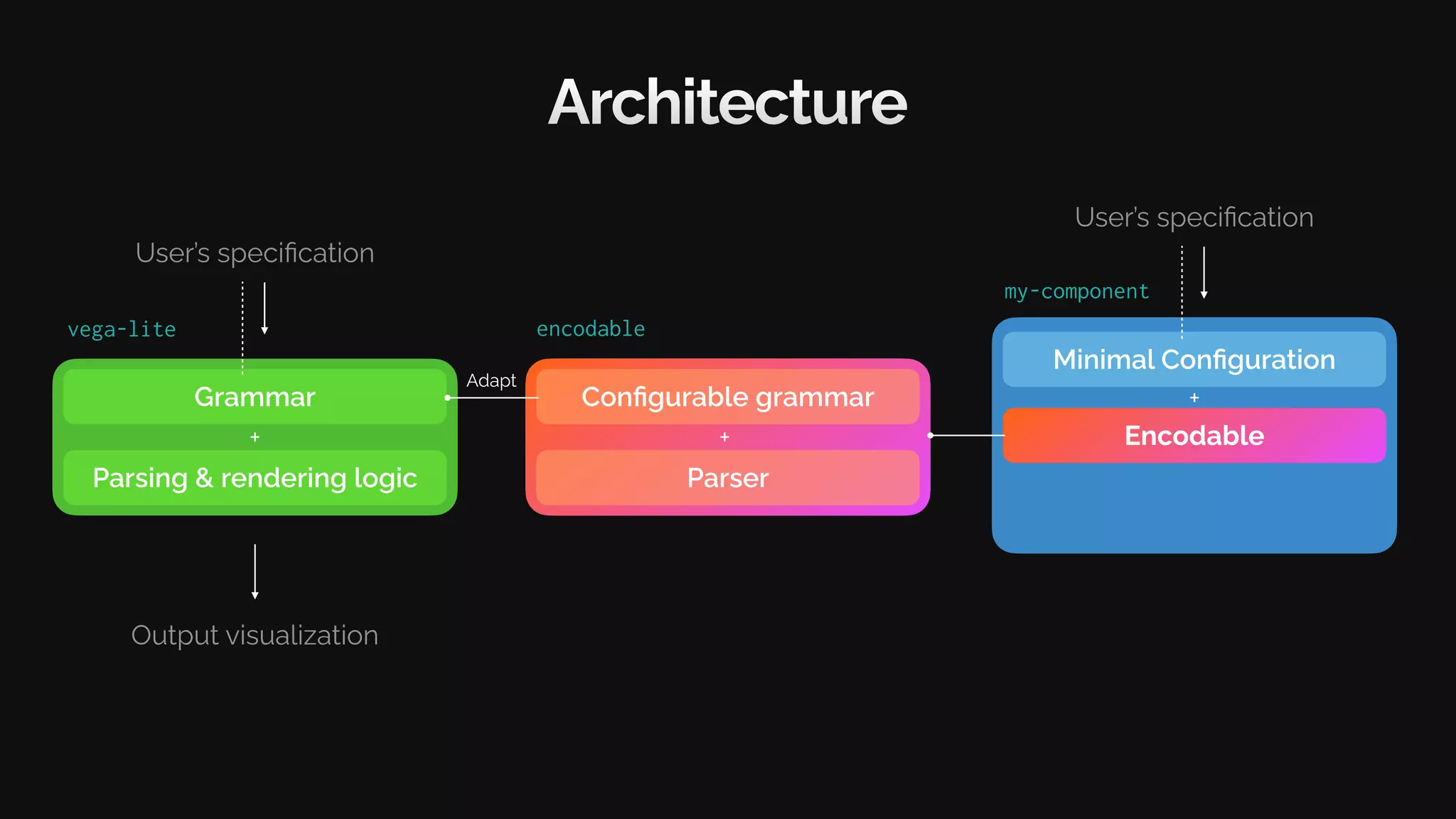
Architecture
Grammar
Parsing & rendering logic
User’s specification
Output visualization
+
vega-lite
Configurable grammar
encodable
Parser
+ Encodable
Adapt
Minimal Configuration
User’s specification
+
my-component
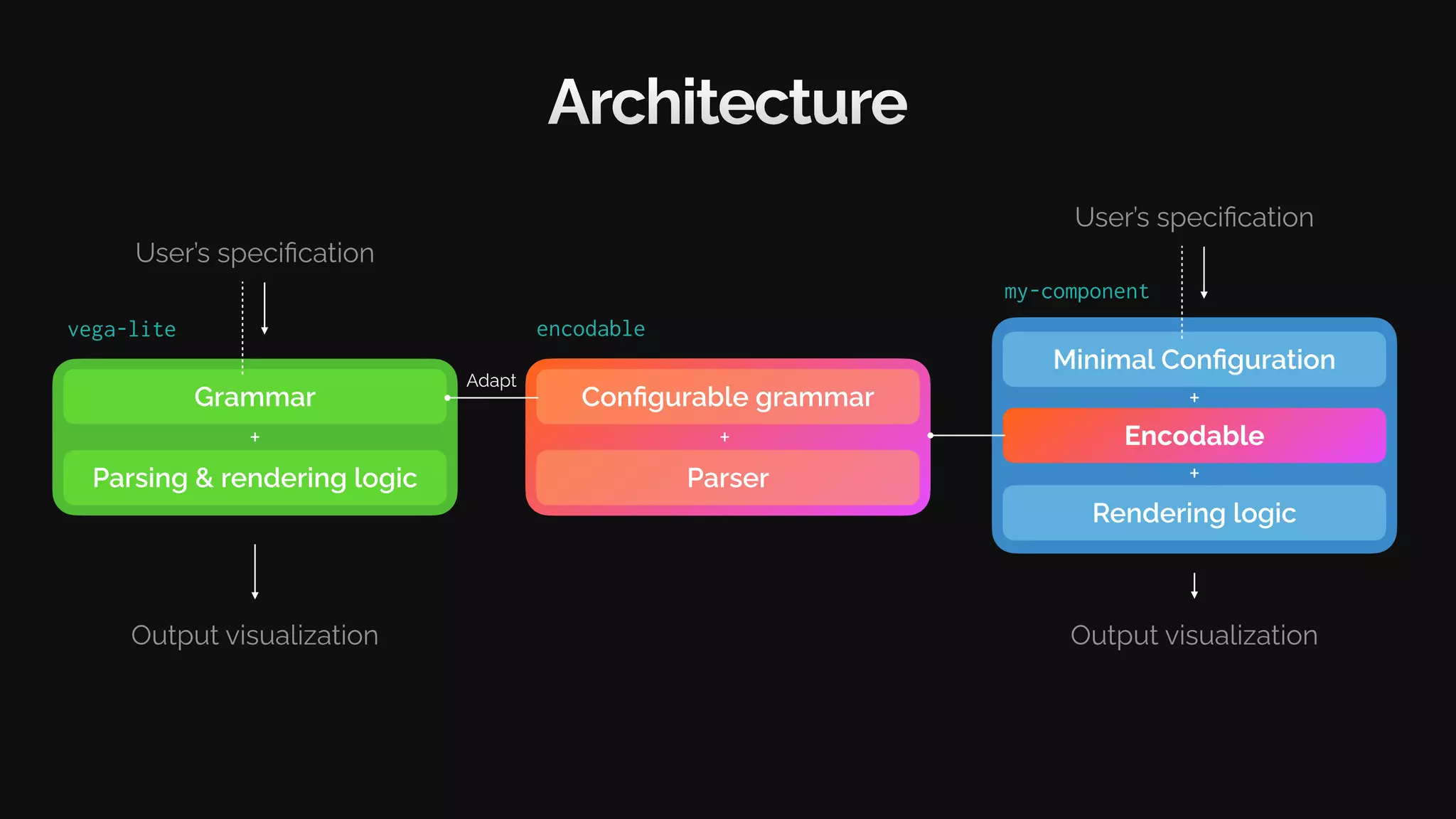
Architecture
Grammar
Parsing & rendering logic
User’s specification
Output visualization
+
vega-lite
Configurable grammar
encodable
Parser
+ Encodable
Adapt
Minimal Configuration
User’s specification
+
Rendering logic
Output visualization
+
Build a component
with .
Encodable
Visualization Component (WordCloud)
Config
WordCloudConfig = {
color: [‘Color’, string];
size: [‘Numeric’, number];
text: [‘Text’, string];
}
Visualization Component (WordCloud)
Config
WordCloudConfig = {
color: [‘Color’, string];
size: [‘Numeric’, number];
text: [‘Text’, string];
}
DeriveEncoding< WordCloudConfig >
Visualization Component (WordCloud)
API
type WordCloudProps = {
encoding:
width: number;
height: number;
data: object[];
}
Config
WordCloudConfig = {
color: [‘Color’, string];
size: [‘Numeric’, number];
text: [‘Text’, string];
}
DeriveEncoding< WordCloudConfig >
Visualization Component (WordCloud)
User’s Code
API
type WordCloudProps = {
encoding:
width: number;
height: number;
data: object[];
}
<WordCloud
encoding={{
color: { field: ‘food’ },
size: {
field: ‘count,
scale: { range: [0,48] }
},
text: { field: ‘food’ },
}}
width={400}
height={400}
data={[
{food:‘Burger’, count:80 },
{food:‘Noodle’, count:10 }
]}
/>
Config
WordCloudConfig = {
color: [‘Color’, string];
size: [‘Numeric’, number];
text: [‘Text’, string];
}
DeriveEncoding< WordCloudConfig >
Visualization Component (WordCloud)
User’s Code
API
type WordCloudProps = {
encoding:
width: number;
height: number;
data: object[];
}
Rendering
function WordCloud({
width, height, data , encoding
}: WordCloudProps) {
const encoder =
encoder.setDomainFromDataset( data );
const channels = encoder.channels;
return (<div style={{ width , height }}>
{ data .map(d => (<span style={{
color: channels.color.encodeDatum(d),
fontSize: channels.size.encodeDatum(d),
}}>
{channels.text.getValueFromDatum(d)}
</span>))}
</div>);
}
<WordCloud
encoding={{
color: { field: ‘food’ },
size: {
field: ‘count,
scale: { range: [0,48] }
},
text: { field: ‘food’ },
}}
width={400}
height={400}
data={[
{food:‘Burger’, count:80 },
{food:‘Noodle’, count:10 }
]}
/>
Config
WordCloudConfig = {
color: [‘Color’, string];
size: [‘Numeric’, number];
text: [‘Text’, string];
}
DeriveEncoding< WordCloudConfig >
Visualization Component (WordCloud)
User’s Code
API
type WordCloudProps = {
encoding:
width: number;
height: number;
data: object[];
}
Rendering
function WordCloud({
width, height, data , encoding
}: WordCloudProps) {
const encoder =
encoder.setDomainFromDataset( data );
const channels = encoder.channels;
return (<div style={{ width , height }}>
{ data .map(d => (<span style={{
color: channels.color.encodeDatum(d),
fontSize: channels.size.encodeDatum(d),
}}>
{channels.text.getValueFromDatum(d)}
</span>))}
</div>);
}
<WordCloud
encoding={{
color: { field: ‘food’ },
size: {
field: ‘count,
scale: { range: [0,48] }
},
text: { field: ‘food’ },
}}
width={400}
height={400}
data={[
{food:‘Burger’, count:80 },
{food:‘Noodle’, count:10 }
]}
/>
Config
WordCloudConfig = {
color: [‘Color’, string];
size: [‘Numeric’, number];
text: [‘Text’, string];
}
DeriveEncoding< WordCloudConfig >
createEncoder< WordCloudConfig >( encoding )
Visualization Component (WordCloud)
User’s Code
API
type WordCloudProps = {
encoding:
width: number;
height: number;
data: object[];
}
Rendering
function WordCloud({
width, height, data , encoding
}: WordCloudProps) {
const encoder =
encoder.setDomainFromDataset( data );
const channels = encoder.channels;
return (<div style={{ width , height }}>
{ data .map(d => (<span style={{
color: channels.color.encodeDatum(d),
fontSize: channels.size.encodeDatum(d),
}}>
{channels.text.getValueFromDatum(d)}
</span>))}
</div>);
}
<WordCloud
encoding={{
color: { field: ‘food’ },
size: {
field: ‘count,
scale: { range: [0,48] }
},
text: { field: ‘food’ },
}}
width={400}
height={400}
data={[
{food:‘Burger’, count:80 },
{food:‘Noodle’, count:10 }
]}
/>
Config
WordCloudConfig = {
color: [‘Color’, string];
size: [‘Numeric’, number];
text: [‘Text’, string];
}
DeriveEncoding< WordCloudConfig >
createEncoder< WordCloudConfig >( encoding )
fillChannelDef(encoding.color) createChannelEncoder(…)
fillChannelDef(encoding.size) createChannelEncoder(…)
fillChannelDef(encoding.text) createChannelEncoder(…)
Filler Parser
encoder
Visualization Component (WordCloud)
User’s Code
API
type WordCloudProps = {
encoding:
width: number;
height: number;
data: object[];
}
Rendering
function WordCloud({
width, height, data , encoding
}: WordCloudProps) {
const encoder =
encoder.setDomainFromDataset( data );
const channels = encoder.channels;
return (<div style={{ width , height }}>
{ data .map(d => (<span style={{
color: channels.color.encodeDatum(d),
fontSize: channels.size.encodeDatum(d),
}}>
{channels.text.getValueFromDatum(d)}
</span>))}
</div>);
}
<WordCloud
encoding={{
color: { field: ‘food’ },
size: {
field: ‘count,
scale: { range: [0,48] }
},
text: { field: ‘food’ },
}}
width={400}
height={400}
data={[
{food:‘Burger’, count:80 },
{food:‘Noodle’, count:10 }
]}
/>
Config
WordCloudConfig = {
color: [‘Color’, string];
size: [‘Numeric’, number];
text: [‘Text’, string];
}
DeriveEncoding< WordCloudConfig >
createEncoder< WordCloudConfig >( encoding )
fillChannelDef(encoding.color) createChannelEncoder(…)
fillChannelDef(encoding.size) createChannelEncoder(…)
fillChannelDef(encoding.text) createChannelEncoder(…)
Filler Parser
encoder
Solution
Inspiration
Results
Conclusions
Motivation
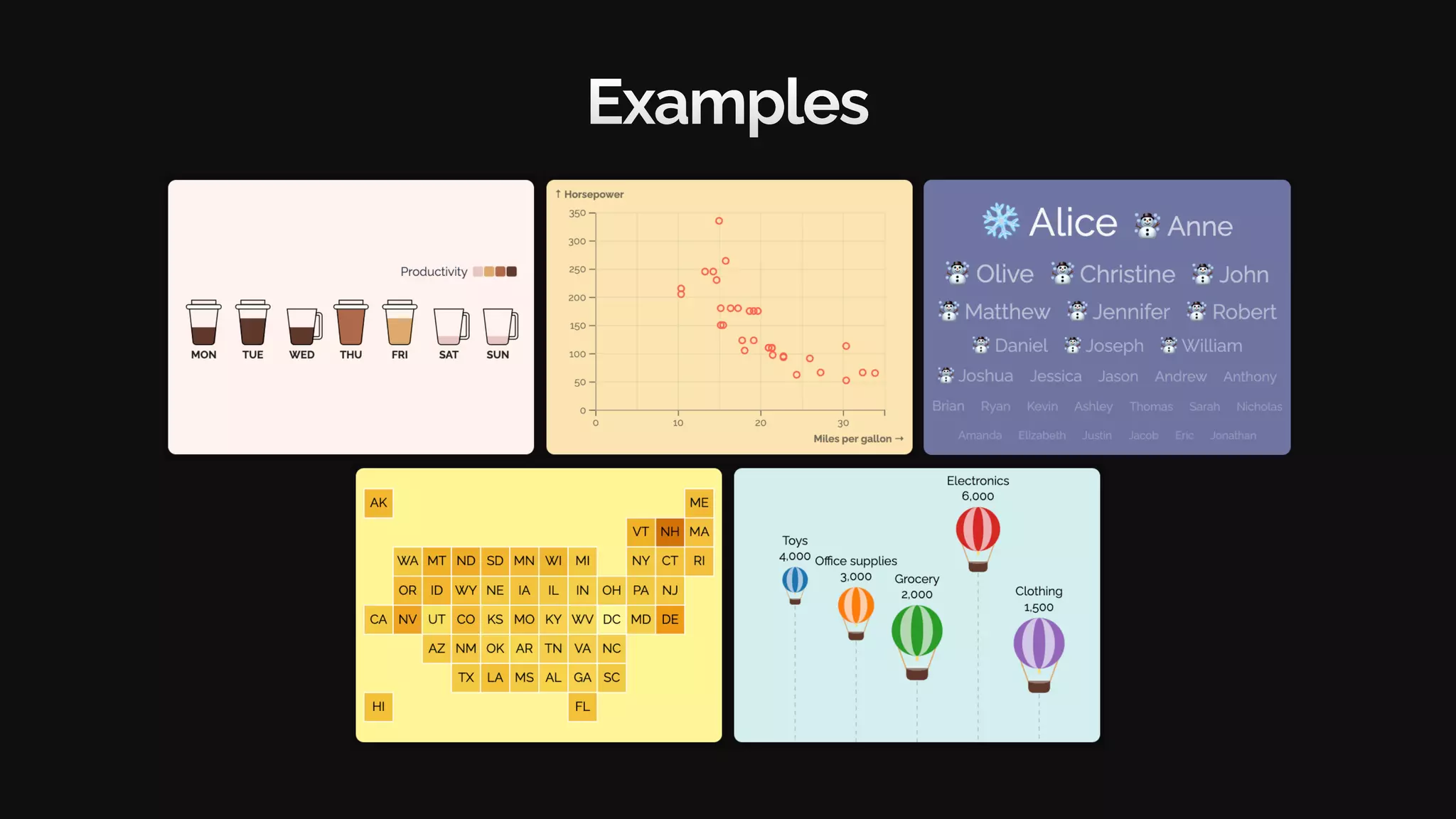
Examples
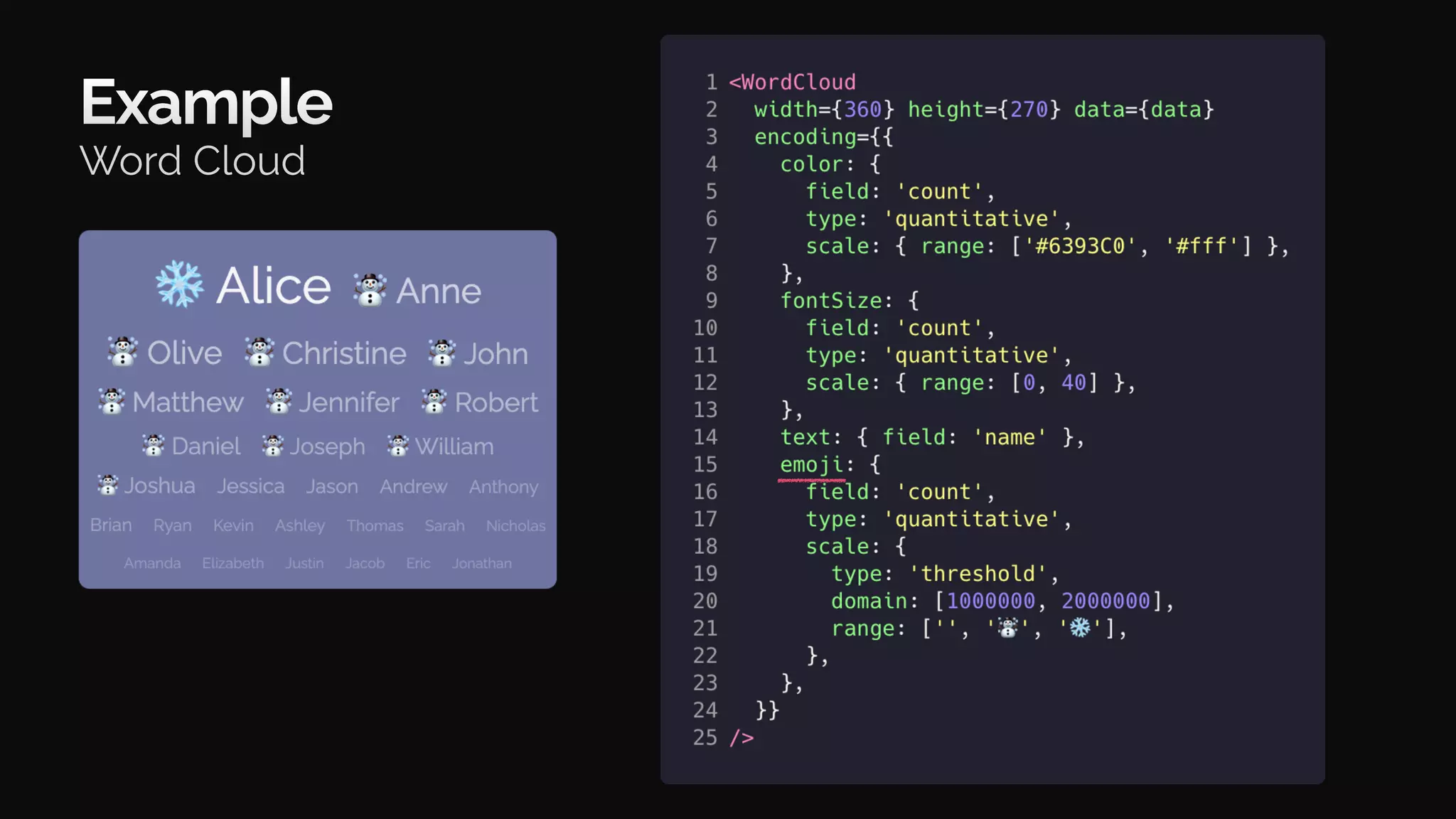
Example
Word Cloud
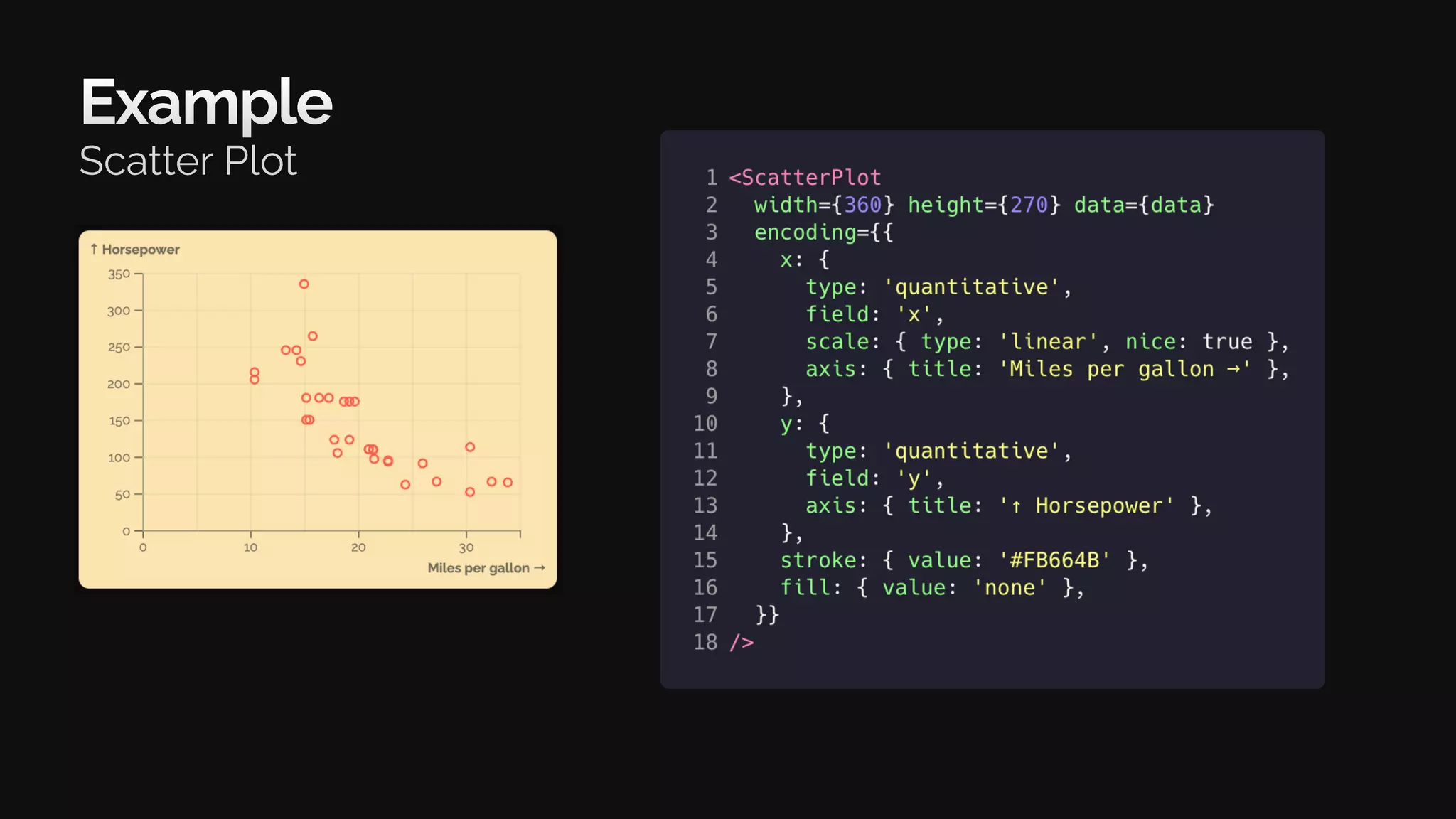
Example
Scatter Plot
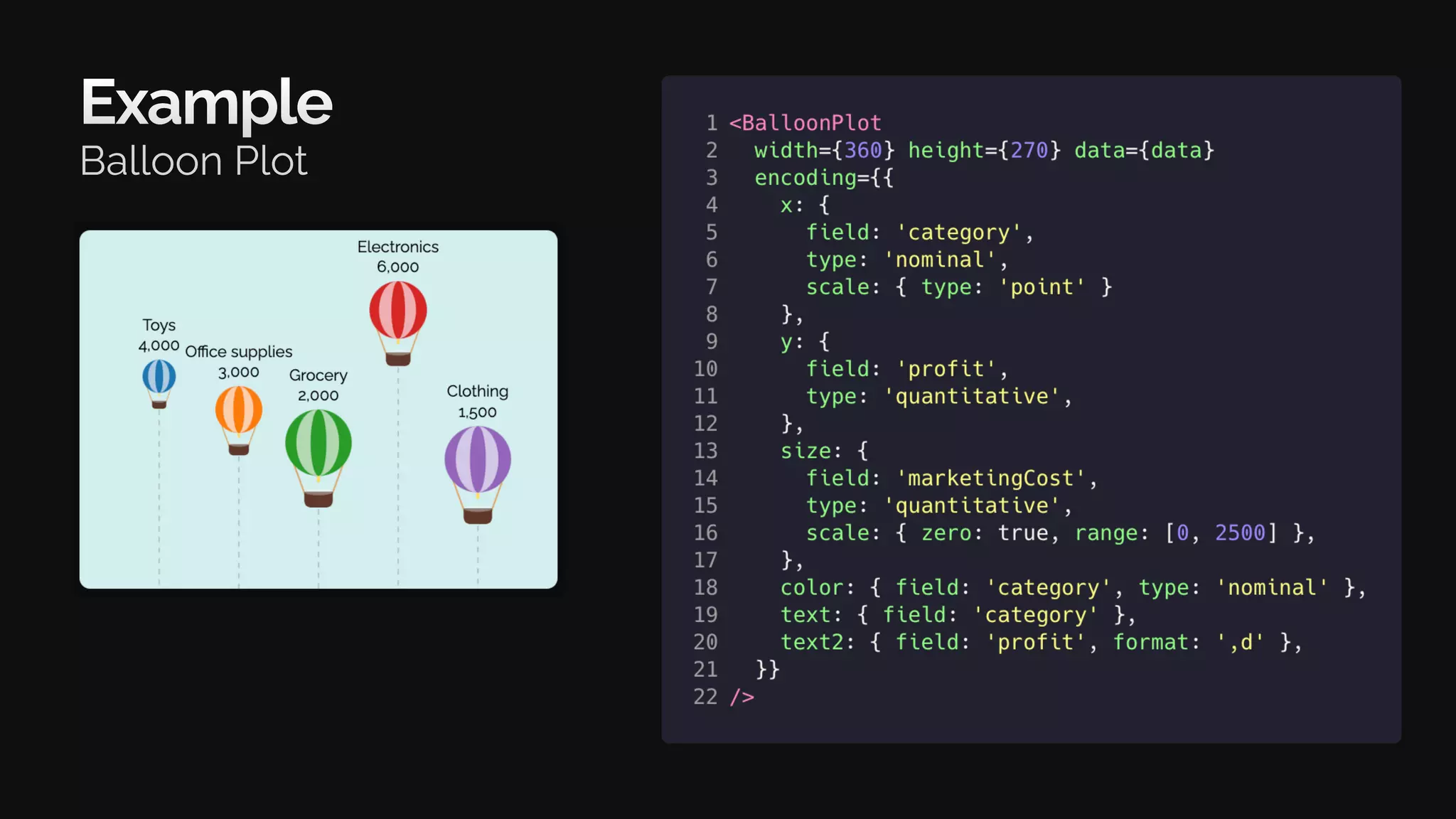
Example
Balloon Plot
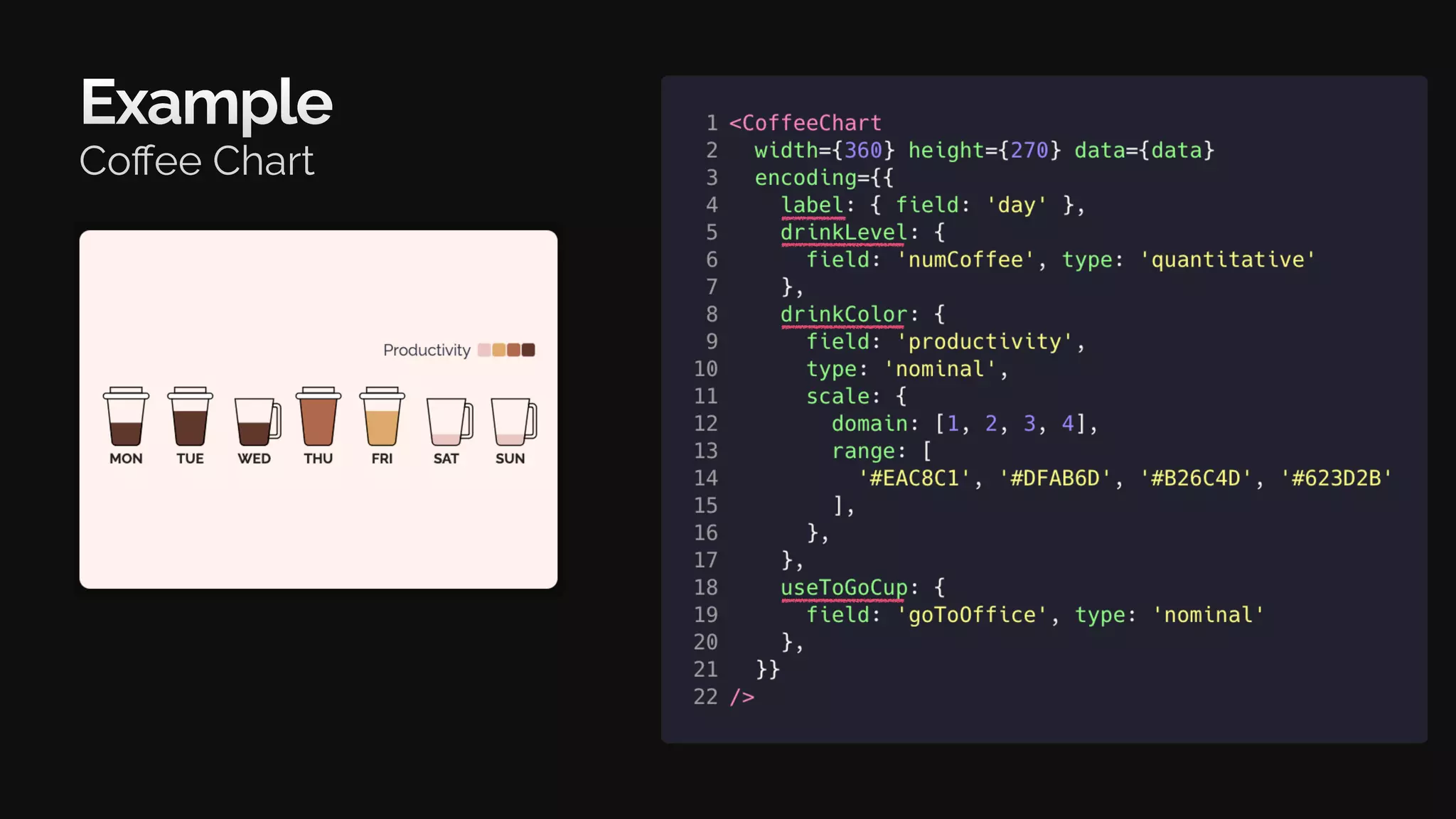
Example
Coffee Chart
Beyond examples
Real-world usage
Apache Superset
(incubating)
npm package
encodable
Solution
Inspiration
Results
Conclusions
Motivation
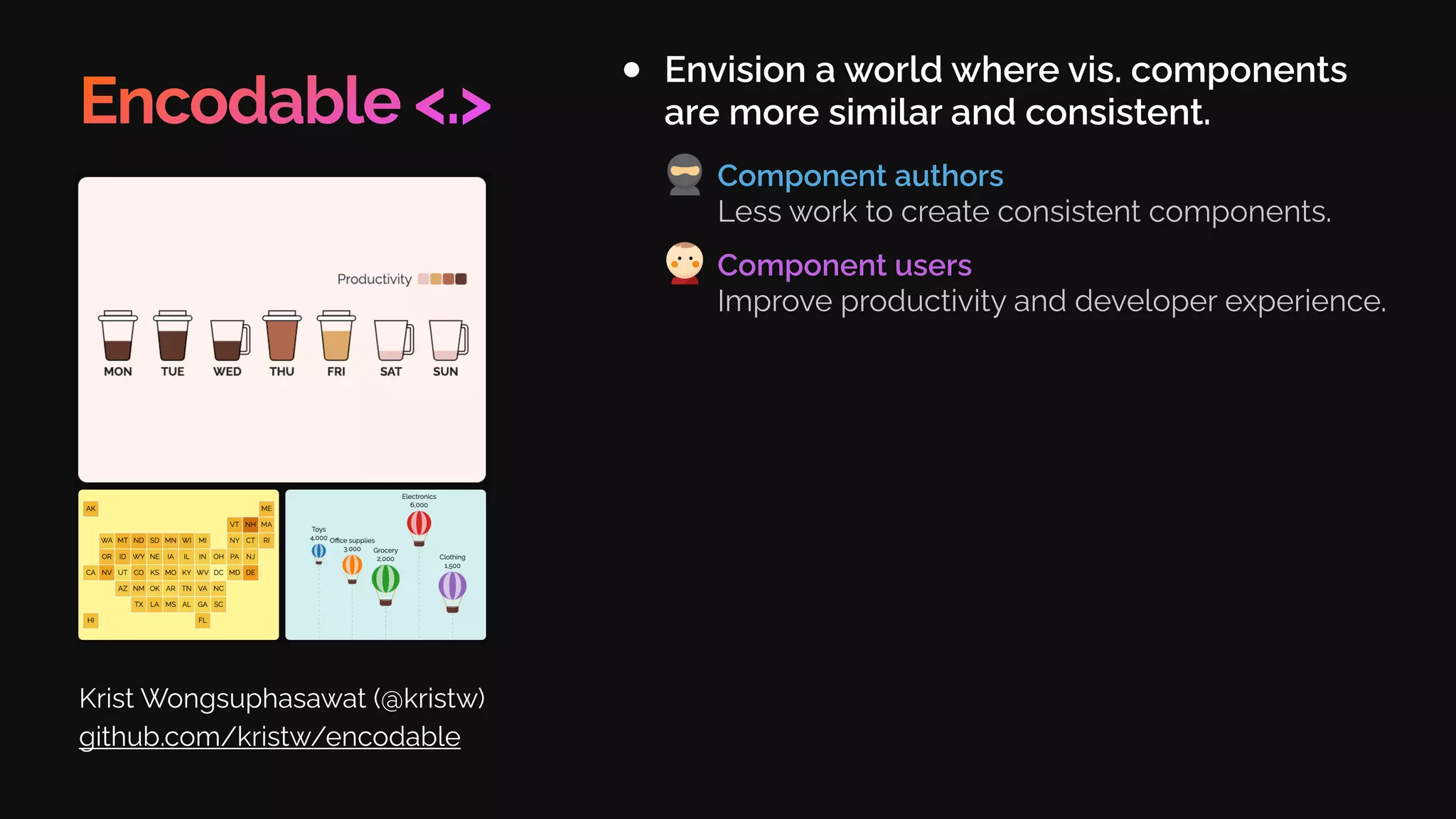
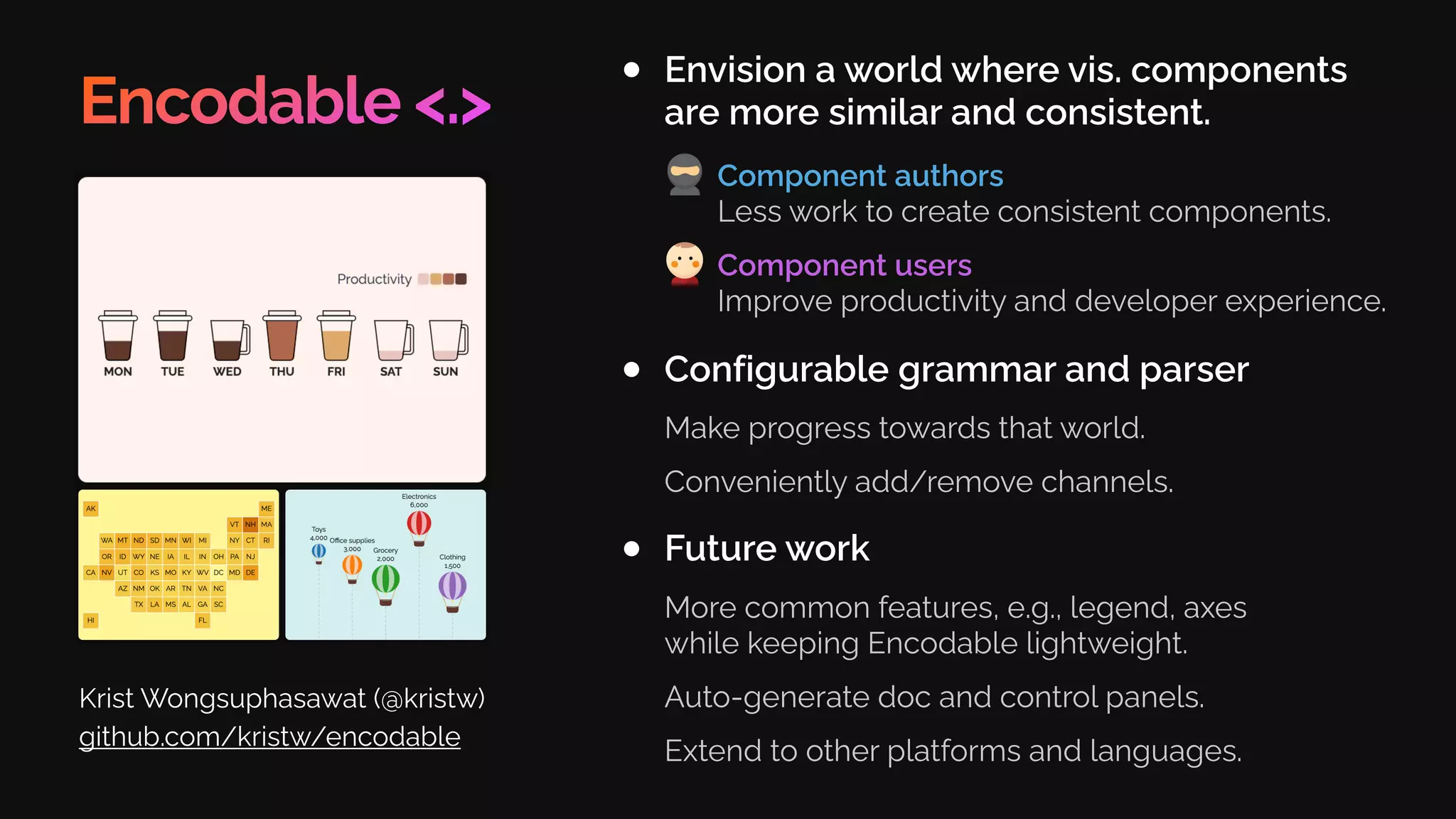
Encodable <.>
Envision a world where vis. components
are more similar and consistent.
Krist Wongsuphasawat (@kristw)
github.com/kristw/encodable
Component authors
Less work to create consistent components.
Component users
Improve productivity and developer experience.
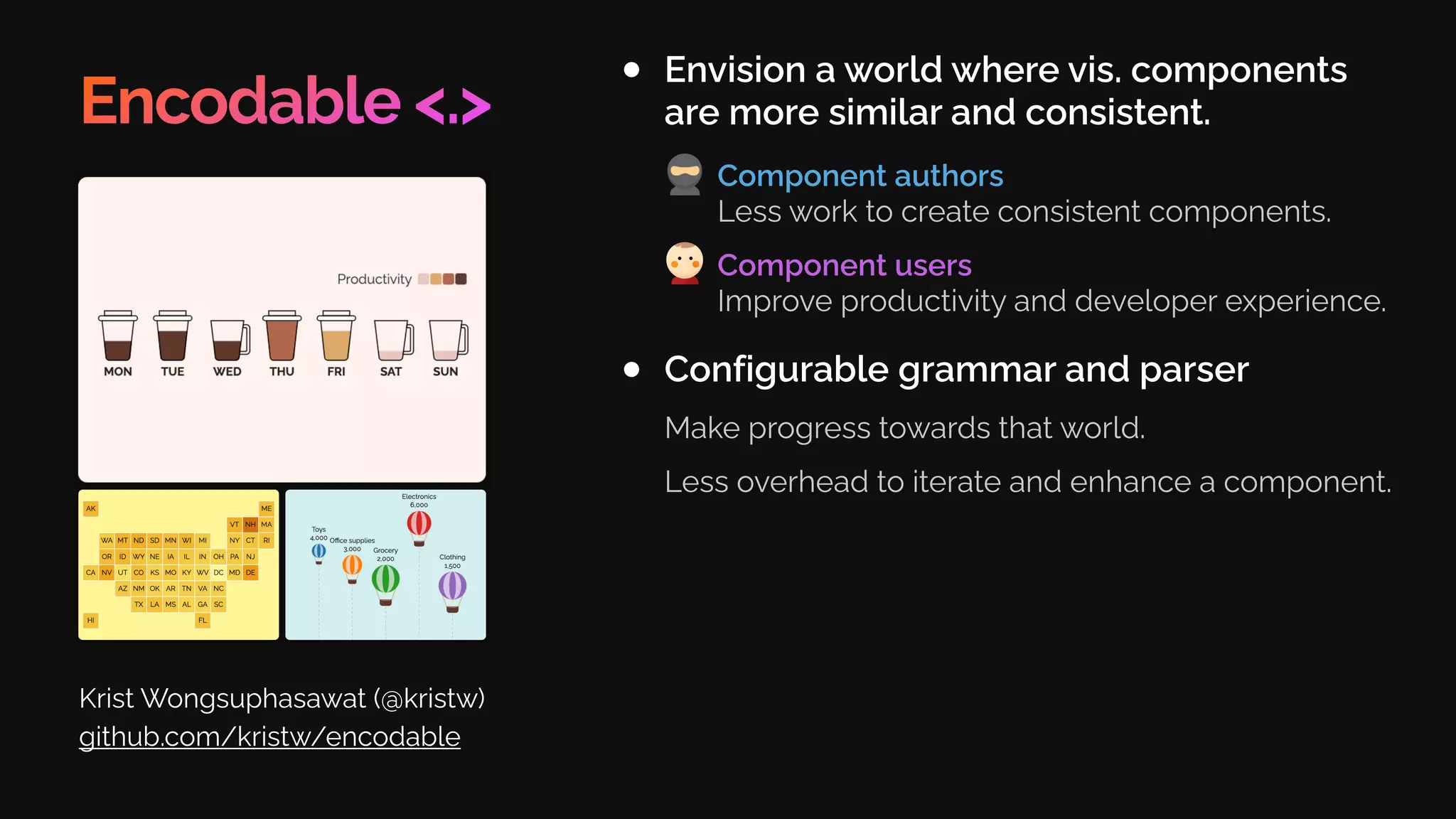
Encodable <.>
Envision a world where vis. components
are more similar and consistent.
Krist Wongsuphasawat (@kristw)
github.com/kristw/encodable
Configurable grammar and parser
Make progress towards that world.
Less overhead to iterate and enhance a component.
Component authors
Less work to create consistent components.
Component users
Improve productivity and developer experience.
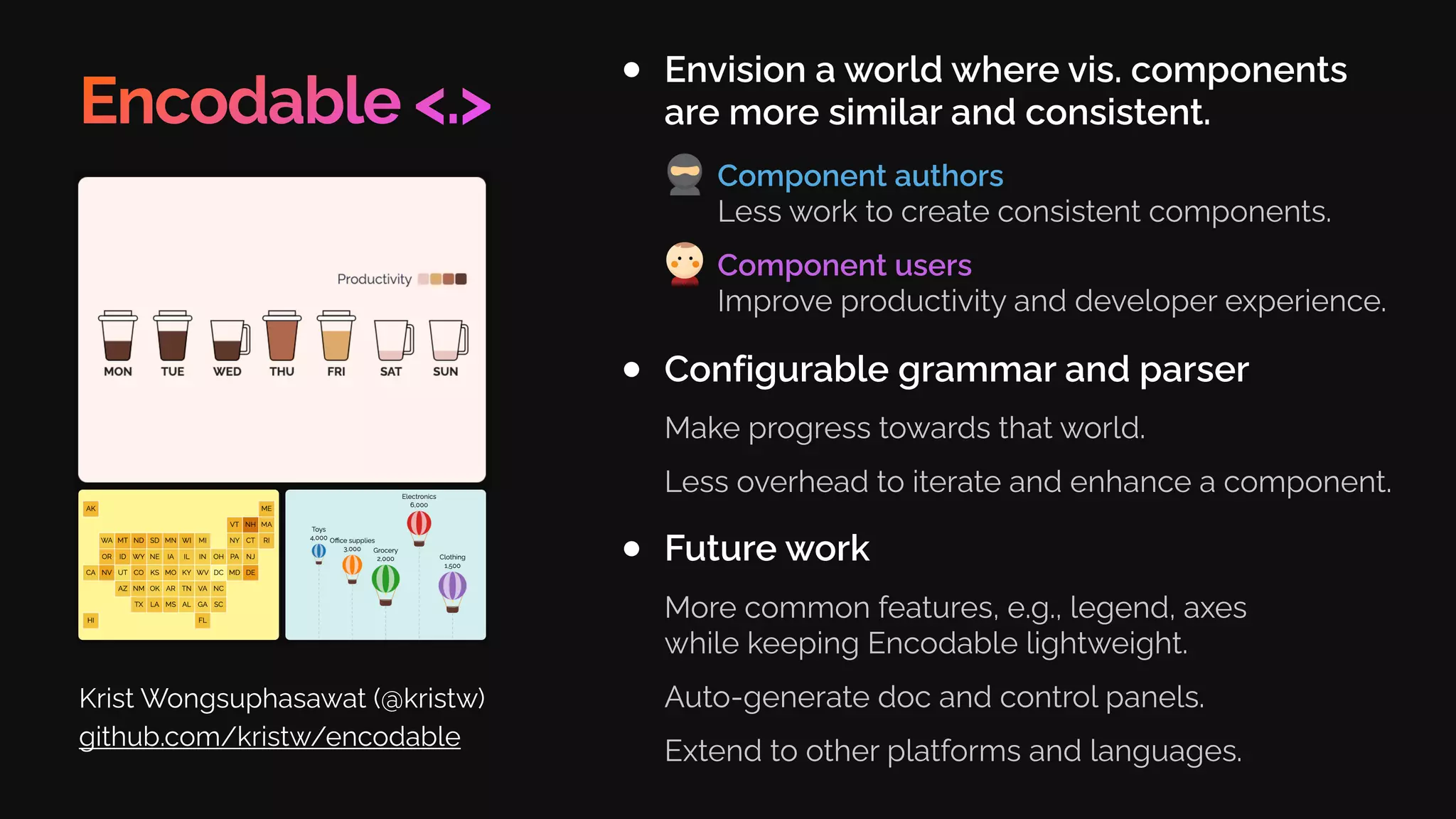
Encodable <.>
Envision a world where vis. components
are more similar and consistent.
Krist Wongsuphasawat (@kristw)
github.com/kristw/encodable
Configurable grammar and parser
Make progress towards that world.
Less overhead to iterate and enhance a component.
Future work
More common features, e.g., legend, axes
while keeping Encodable lightweight.
Auto-generate doc and control panels.
Extend to other platforms and languages.
Component authors
Less work to create consistent components.
Component users
Improve productivity and developer experience.
github.com/kristw/encodable
Acknowledgement
Kanit Wongsuphasawat
Dominik Moritz
Chris Williams
Airbnb Data Experience team
Benjawan Chanthaworakit
Encodable <.>
Envision a world where vis. components
are more similar and consistent.
Krist Wongsuphasawat (@kristw)
github.com/kristw/encodable
Configurable grammar and parser
Make progress towards that world.
Conveniently add/remove channels.
Future work
More common features, e.g., legend, axes
while keeping Encodable lightweight.
Auto-generate doc and control panels.
Extend to other platforms and languages.
Component authors
Less work to create consistent components.
Component users
Improve productivity and developer experience.
Thank you

Encodable: Configurable Grammar for Visualization Components

  • 1.
    Encodable <.> Krist Wongsuphasawat/ @kristw Configurable Grammar for Visualization Components Presented at IEEE VIS 2020. See additional information at github.com/kristw/encodable Data Experience Team Airbnb, Inc.
  • 2.
  • 3.
    Many programmatic ways tocreate a visualization
  • 4.
    Visualization Libraries Graphic Libraries Low-levelBuilding Blocks Visualization Grammars High-level Building Blocks Chart Templates Level of abstraction
  • 5.
    Visualization Libraries Graphic Libraries Low-levelBuilding Blocks Visualization Grammars High-level Building Blocks Chart Templates Level of abstraction Graphic Libraries Manipulate graphics processing, three.js, …
  • 6.
    Visualization Libraries Graphic Libraries Low-levelBuilding Blocks Visualization Grammars High-level Building Blocks Chart Templates Manipulate graphics processing, three.js, … Level of abstraction Chart Templates Google Charts, nivo, FusionCharts, … A catalog of charts by “chart types”
  • 8.
  • 10.
    Problem Visualization components havedifferent APIs. Icons by Sean Au
  • 11.
    Problem Visualization components havedifferent APIs. Component users Keep learning new APIs Icons by Sean Au
  • 12.
    Problem Visualization components havedifferent APIs. Component users Keep learning new APIs Example: Set “x” for scatterplot Icons by Sean Au
  • 13.
    Problem Visualization components havedifferent APIs. A) Requires field x in data Component users Keep learning new APIs Example: Set “x” for scatterplot Icons by Sean Au
  • 14.
    B) Without fieldx in data Problem Visualization components have different APIs. Component users Keep learning new APIs Example: Set “x” for scatterplot Icons by Sean Au
  • 15.
    B) Without fieldx in data Problem Visualization components have different APIs. Component users Keep learning new APIs Example: Set “x” for scatterplot Icons by Sean Au
  • 16.
    Problem Component users Keep learningnew APIs High switching cost Visualization components have different APIs. Icons by Sean Au
  • 17.
    Problem Component users Keep learningnew APIs High switching cost Inconsistent features Visualization components have different APIs. Logarithmic scale Number formatting Make axis include zero etc. Icons by Sean Au
  • 18.
    Problem Visualization components havedifferent APIs. Component users Keep learning new APIs High switching cost Inconsistent features Icons by Sean Au
  • 19.
    Problem Visualization components havedifferent APIs. Could the components be more similar? Component users Keep learning new APIs High switching cost Inconsistent features Icons by Sean Au
  • 20.
    Problem Visualization components havedifferent APIs. Could the components be more similar? Component authors No API standard No help Component users Keep learning new APIs High switching cost Inconsistent features Icons by Sean Au
  • 21.
    Problem Visualization components havedifferent APIs. Could the components be more similar? Could building consistent components be easier? Component authors No API standard No help Component users Keep learning new APIs High switching cost Inconsistent features Icons by Sean Au
  • 22.
  • 23.
    Visualization Libraries Graphic Libraries VisualizationGrammars Chart Templates Level of abstraction Google Charts, nivo, FusionCharts, … processing, three.js, … Manipulate graphics A catalog of charts by “chart types” Low-level Building Blocks High-level Building Blocks
  • 24.
    Visualization Libraries Graphic Libraries VisualizationGrammars Chart Templates One language to describe all charts A catalog of charts by “chart types” Low-level Building Blocks High-level Building Blocks Vega-Lite, … Google Charts, nivo, FusionCharts, … Level of abstraction Manipulate graphics processing, three.js, …
  • 25.
    Vega-Lite Creating a barchart [Satyanarayan et al. 2017]
  • 26.
    Vega-Lite Creating a barchart [Satyanarayan et al. 2017]
  • 27.
    Vega-Lite Creating a barchart Channel Name Channel Definition [Satyanarayan et al. 2017]
  • 28.
    Vega-Lite Creating a barchart [Satyanarayan et al. 2017]
  • 29.
    Vega-Lite Creating a barchart Channel Name Channel Definition [Satyanarayan et al. 2017] Could any vis. component define encoding like this?
  • 30.
  • 31.
    Grammar Parsing & renderinglogic User’s specification Output visualization + Analyze vega-lite
  • 32.
    Grammar Parsing & renderinglogic User’s specification Output visualization + Analyze Adopt this part vega-lite
  • 33.
    Grammar Parsing & renderinglogic User’s specification Output visualization + Analyze Adopt this part vega-lite Let the component authors handle rendering.
  • 34.
    Grammar Parsing & renderinglogic User’s specification Output visualization + Decouple & Evolve vega-lite
  • 35.
    Grammar Parsing & renderinglogic User’s specification Output visualization + Decouple & Evolve vega-lite encodable Parser + Configurable grammar Adapt
  • 36.
  • 37.
    Principle #1 Vis. componentis described by its encoding channels.
  • 38.
    Key (Channel Name) Principle#1 Vis. component is described by its encoding channels.
  • 39.
    Key (Channel Name) Principle#1 Vis. component is described by its encoding channels. Value (Channel Definition)
  • 40.
    Value (Channel Definition) Key(Channel Name) Principle #1 Vis. component is described by its encoding channels.
  • 41.
    Value (Channel Definition) Key(Channel Name) Principle #1 Vis. component is described by its encoding channels.
  • 42.
    Value (Channel Definition) Key(Channel Name) Principle #1 Vis. component is described by its encoding channels.
  • 43.
    Value (Channel Definition) Key(Channel Name) Principle #1 Vis. component is described by its encoding channels.
  • 44.
    What are thevalid channel names and definitions? Value (Channel Definition) Key (Channel Name) Principle #1 Vis. component is described by its encoding channels.
  • 45.
    Principle #2 Author definesspecific channels.
  • 46.
    Principle #2 Author definesspecific channels. Channel Name
  • 47.
    Principle #2 Author definesspecific channels. Channel Name Channel type & output
  • 48.
    Principle #2 Author definesspecific channels. Channel Name Channel type & output
  • 49.
    Architecture Grammar Parsing & renderinglogic User’s specification Output visualization + vega-lite Configurable grammar encodable Parser + Adapt
  • 50.
    my-component Architecture Grammar Parsing & renderinglogic User’s specification Output visualization + vega-lite Configurable grammar encodable Parser + Adapt
  • 51.
    my-component Architecture Grammar Parsing & renderinglogic User’s specification Output visualization + vega-lite Configurable grammar encodable Parser + Encodable Adapt
  • 52.
    my-component Architecture Grammar Parsing & renderinglogic User’s specification Output visualization + vega-lite Configurable grammar encodable Parser + Encodable Adapt Minimal Configuration User’s specification +
  • 53.
    my-component Architecture Grammar Parsing & renderinglogic User’s specification Output visualization + vega-lite Configurable grammar encodable Parser + Encodable Adapt Minimal Configuration User’s specification + Rendering logic Output visualization +
  • 54.
  • 56.
  • 57.
    Visualization Component (WordCloud) Config WordCloudConfig= { color: [‘Color’, string]; size: [‘Numeric’, number]; text: [‘Text’, string]; }
  • 58.
    Visualization Component (WordCloud) Config WordCloudConfig= { color: [‘Color’, string]; size: [‘Numeric’, number]; text: [‘Text’, string]; } DeriveEncoding< WordCloudConfig >
  • 59.
    Visualization Component (WordCloud) API typeWordCloudProps = { encoding: width: number; height: number; data: object[]; } Config WordCloudConfig = { color: [‘Color’, string]; size: [‘Numeric’, number]; text: [‘Text’, string]; } DeriveEncoding< WordCloudConfig >
  • 60.
    Visualization Component (WordCloud) User’sCode API type WordCloudProps = { encoding: width: number; height: number; data: object[]; } <WordCloud encoding={{ color: { field: ‘food’ }, size: { field: ‘count, scale: { range: [0,48] } }, text: { field: ‘food’ }, }} width={400} height={400} data={[ {food:‘Burger’, count:80 }, {food:‘Noodle’, count:10 } ]} /> Config WordCloudConfig = { color: [‘Color’, string]; size: [‘Numeric’, number]; text: [‘Text’, string]; } DeriveEncoding< WordCloudConfig >
  • 61.
    Visualization Component (WordCloud) User’sCode API type WordCloudProps = { encoding: width: number; height: number; data: object[]; } Rendering function WordCloud({ width, height, data , encoding }: WordCloudProps) { const encoder = encoder.setDomainFromDataset( data ); const channels = encoder.channels; return (<div style={{ width , height }}> { data .map(d => (<span style={{ color: channels.color.encodeDatum(d), fontSize: channels.size.encodeDatum(d), }}> {channels.text.getValueFromDatum(d)} </span>))} </div>); } <WordCloud encoding={{ color: { field: ‘food’ }, size: { field: ‘count, scale: { range: [0,48] } }, text: { field: ‘food’ }, }} width={400} height={400} data={[ {food:‘Burger’, count:80 }, {food:‘Noodle’, count:10 } ]} /> Config WordCloudConfig = { color: [‘Color’, string]; size: [‘Numeric’, number]; text: [‘Text’, string]; } DeriveEncoding< WordCloudConfig >
  • 62.
    Visualization Component (WordCloud) User’sCode API type WordCloudProps = { encoding: width: number; height: number; data: object[]; } Rendering function WordCloud({ width, height, data , encoding }: WordCloudProps) { const encoder = encoder.setDomainFromDataset( data ); const channels = encoder.channels; return (<div style={{ width , height }}> { data .map(d => (<span style={{ color: channels.color.encodeDatum(d), fontSize: channels.size.encodeDatum(d), }}> {channels.text.getValueFromDatum(d)} </span>))} </div>); } <WordCloud encoding={{ color: { field: ‘food’ }, size: { field: ‘count, scale: { range: [0,48] } }, text: { field: ‘food’ }, }} width={400} height={400} data={[ {food:‘Burger’, count:80 }, {food:‘Noodle’, count:10 } ]} /> Config WordCloudConfig = { color: [‘Color’, string]; size: [‘Numeric’, number]; text: [‘Text’, string]; } DeriveEncoding< WordCloudConfig > createEncoder< WordCloudConfig >( encoding )
  • 63.
    Visualization Component (WordCloud) User’sCode API type WordCloudProps = { encoding: width: number; height: number; data: object[]; } Rendering function WordCloud({ width, height, data , encoding }: WordCloudProps) { const encoder = encoder.setDomainFromDataset( data ); const channels = encoder.channels; return (<div style={{ width , height }}> { data .map(d => (<span style={{ color: channels.color.encodeDatum(d), fontSize: channels.size.encodeDatum(d), }}> {channels.text.getValueFromDatum(d)} </span>))} </div>); } <WordCloud encoding={{ color: { field: ‘food’ }, size: { field: ‘count, scale: { range: [0,48] } }, text: { field: ‘food’ }, }} width={400} height={400} data={[ {food:‘Burger’, count:80 }, {food:‘Noodle’, count:10 } ]} /> Config WordCloudConfig = { color: [‘Color’, string]; size: [‘Numeric’, number]; text: [‘Text’, string]; } DeriveEncoding< WordCloudConfig > createEncoder< WordCloudConfig >( encoding ) fillChannelDef(encoding.color) createChannelEncoder(…) fillChannelDef(encoding.size) createChannelEncoder(…) fillChannelDef(encoding.text) createChannelEncoder(…) Filler Parser encoder
  • 64.
    Visualization Component (WordCloud) User’sCode API type WordCloudProps = { encoding: width: number; height: number; data: object[]; } Rendering function WordCloud({ width, height, data , encoding }: WordCloudProps) { const encoder = encoder.setDomainFromDataset( data ); const channels = encoder.channels; return (<div style={{ width , height }}> { data .map(d => (<span style={{ color: channels.color.encodeDatum(d), fontSize: channels.size.encodeDatum(d), }}> {channels.text.getValueFromDatum(d)} </span>))} </div>); } <WordCloud encoding={{ color: { field: ‘food’ }, size: { field: ‘count, scale: { range: [0,48] } }, text: { field: ‘food’ }, }} width={400} height={400} data={[ {food:‘Burger’, count:80 }, {food:‘Noodle’, count:10 } ]} /> Config WordCloudConfig = { color: [‘Color’, string]; size: [‘Numeric’, number]; text: [‘Text’, string]; } DeriveEncoding< WordCloudConfig > createEncoder< WordCloudConfig >( encoding ) fillChannelDef(encoding.color) createChannelEncoder(…) fillChannelDef(encoding.size) createChannelEncoder(…) fillChannelDef(encoding.text) createChannelEncoder(…) Filler Parser encoder
  • 65.
  • 66.
  • 67.
  • 68.
  • 69.
  • 70.
  • 71.
    Beyond examples Real-world usage ApacheSuperset (incubating) npm package encodable
  • 72.
  • 73.
    Encodable <.> Envision aworld where vis. components are more similar and consistent. Krist Wongsuphasawat (@kristw) github.com/kristw/encodable Component authors Less work to create consistent components. Component users Improve productivity and developer experience.
  • 74.
    Encodable <.> Envision aworld where vis. components are more similar and consistent. Krist Wongsuphasawat (@kristw) github.com/kristw/encodable Configurable grammar and parser Make progress towards that world. Less overhead to iterate and enhance a component. Component authors Less work to create consistent components. Component users Improve productivity and developer experience.
  • 75.
    Encodable <.> Envision aworld where vis. components are more similar and consistent. Krist Wongsuphasawat (@kristw) github.com/kristw/encodable Configurable grammar and parser Make progress towards that world. Less overhead to iterate and enhance a component. Future work More common features, e.g., legend, axes while keeping Encodable lightweight. Auto-generate doc and control panels. Extend to other platforms and languages. Component authors Less work to create consistent components. Component users Improve productivity and developer experience.
  • 76.
  • 77.
    Acknowledgement Kanit Wongsuphasawat Dominik Moritz ChrisWilliams Airbnb Data Experience team Benjawan Chanthaworakit
  • 78.
    Encodable <.> Envision aworld where vis. components are more similar and consistent. Krist Wongsuphasawat (@kristw) github.com/kristw/encodable Configurable grammar and parser Make progress towards that world. Conveniently add/remove channels. Future work More common features, e.g., legend, axes while keeping Encodable lightweight. Auto-generate doc and control panels. Extend to other platforms and languages. Component authors Less work to create consistent components. Component users Improve productivity and developer experience.
  • 79.